reset TOYOTA SUPRA 2021 Owners Manual (in English)
[x] Cancel search | Manufacturer: TOYOTA, Model Year: 2021, Model line: SUPRA, Model: TOYOTA SUPRA 2021Pages: 360, PDF Size: 10.41 MB
Page 9 of 360

91-1. NOTES
1
NOTES
Supra Owner's Manual_U (from Jul. '20 Prod.)
turer to optimize vehicle func-
tions.
The majority of this data is vola-
tile and is only processed within
the vehicle itself. Only a small
share of data is stored in event
or fault memories based on an
event.
When servicing, for instance
during repairs, service pro-
cesses, warranty cases, and
quality assurance measures,
this technical information can be
read out from the vehicle
together with the vehicle identifi-
cation number.
Your Toyota dealer can read out
the information. The socket for
OBD Onboard Diagnosis
required by law in the vehicle is
used to read out the data.
The data is collected, pro-
cessed, and used by the rele-
vant organizations in the service
network. The data documents
technical conditions of the vehi-
cle, helps with the identification
of the fault, compliance with
warranty obligations and quality
improvement.
The data from the vehicle can
also be used to check customer
claims for warranty and guar-
anty.
Fault and event memories in the
vehicle can be reset when your
Toyota dealer performs repair or
servicing work.Depending on the vehicle equip-
ment, comfort and Customize
settings can be stored in the
vehicle and modified or reset at
any time.
For example, this includes:
• Setting for the seat position.
• Suspension and climate con-
trol settings.
If necessary, data can be trans-
ferred to the entertainment and
communication system of the
vehicle, e.g. via smartphone.
This includes the following
depending on the respective
equipment:
• Multimedia data such as music, films or photos for
playback in an integrated mul-
timedia system.
• Address book data for use in conjunction with an integrated
hands-free system or an inte-
grated navigation system.
• Entered navigation destina- tions.
• Data on the use of Internet services.
This data can be stored locally
in the vehicle or is found on a
device that has been connected
to the vehicle, e.g., a smart-
phone, USB stick or MP3 player.
If this data is stored in the vehi- Data entry and data trans-
fer into the vehicle
General information
Page 31 of 360
312-1. QUICK REFERENCE
2
QUICK REFERENCE
Supra Owner's Manual_U (from Jul. '20 Prod.)
gasoline should be sulfur-free or
very low in sulfur content.
Fuels that are marked on the
gas pump as containing metal
must not be used. P.293
The tire inflation pressure speci-
fications can be found in the tire
inflation pressure table in the
printed Owner's Manual.
With Tire Pressure Monitor
TPM:
The corrected tire inflation pres-
sures are applied automatically.
Make sure that the correct tire
settings have been made.
With tires that cannot be found
in the tire pressure values on
the Control Display, reset the
Tire Pressure Monitor TPM.
Regularly check the tire inflation
pressure and correct it as
needed:
• At least twice a month.
• Before embarking on an extended trip. The friction during hard braking
may produce brake dust and
make the rims dirty. Brake dust
can be removed by cleaning the
rims. Toyota recommends using
vehicle care and cleaning prod-
ucts from Toyota.
Depending on the previous dis-
plays, the status display
appears when the engine is run-
ning or after the vehicle has
been driven for at least 30 min-
utes.
Via Toyota Supra Command:
1
"My Vehicle"
2 "Vehicle status"
3 "Engine oil level"
Different messages appear on
the Control Display depending
on the engine oil level. Pay
attention to these messages.
Safely park the vehicle and
Wheels and tires
Tire inflation pressure speci-
fications
After correcting the tire infla-
tion pressure
Checking the tire inflation
pressureCleaning the wheels
Electronic oil measure-
ment
Functional requirements
Displaying the engine oil
level
Adding engine oil
General information
Page 64 of 360
643-1. CONTROLS
Supra Owner's Manual_U (from Jul. '20 Prod.)
Via Toyota Supra Command:
1"My Vehicle"
2 "Driver profiles"
3 Select driver profile.
4 "OK"
• All settings stored in the called-up driver profile are
automatically applied.
• The called-up driver profile is assigned to the remote con-
trol being used at the time.
• If the driver profile is already assigned to a different remote
control, this driver profile will
apply to both remote controls.
The guest profile is for individual
settings that are stored in none
of the three personal driver pro-
files.
Via Toyota Supra Command:
1 "My Vehicle"
2 "Driver profiles"
3 "Drive off (guest)"
4 "OK"
The guest profile cannot be
renamed. It is not assigned to
the current remote control.
A personal name can be
assigned to the active driver
profile to avoid confusion
between the driver profiles. Via Toyota Supra Command:
1
"My Vehicle"
2 "Driver profiles"
3 Select driver profile.
The driver profile marked with
this symbol can be renamed.
4 "Change driver profile name"
5 Enter profile name.
6 Select the symbol.
The settings of the active driver
profile are reset to their factory
settings.
Via Toyota Supra Command:
1 "My Vehicle"
2 "Driver profiles"
3 Select driver profile.
The driver profile marked with
this symbol can be reset.
4 "Reset driver profile"
5 "OK"
Most settings of the active driver
profile can be exported.
Exporting is helpful when storing
and retrieving personal set-
tings, for instance before deliv-
ering the vehicle to a workshop.
The stored driver profiles can be
taken into another vehicle.
Via Toyota Supra Command:
1 "My Vehicle"
Guest profile
Renaming a driver profile
Resetting a driver profile
Exporting driver profiles
Page 67 of 360
673-1. CONTROLS
3
CONTROLS
Supra Owner's Manual_U (from Jul. '20 Prod.)
vehicle:
• Bluetooth.
• Apple CarPlay.
• Screen Mirroring.
Paired devices are automatically
recognized later on and con-
nected to the vehicle.
• Compatible device with Blue-tooth interface.
• The remote control is in the vehicle.
• The device is ready for opera- tion.
• Bluetooth is switched on in the vehicle, refer to page 67,
and on the device.
• Bluetooth presetting, such as visibility, may be required on
the device; refer to the
owner's manual of the device. Via Toyota Supra Command:
1
"My Vehicle"
2 "System settings"
3 "Mobile devices"
4 "Settings"
5 "Bluetooth®"
To use all supported functions of
a mobile phone, the following
functions must be activated prior
to pairing the mobile phone with
the vehicle.
Via Toyota Supra Command:
1 "My Vehicle"
2 "System settings"
3 "Mobile devices"
4 "Settings"
5 Select desired setting:
•"Office"
Activate function t o transmit short
messages, e-mails, calendars,
tasks, notes, and reminders to the
vehicle. Costs can be incurred by
transmitting all data to the vehicle.
• "Contact images"
Activate function to show the con-
tact pictures.
6 Move the Controller to the
left.
Safety information
WA R N I N G
Operating the integrated informa-
tion systems and communication
devices while driving can distract
from traffic. It is possible to lose
control of the vehicle. There is a
risk of an accident. Only use the
systems or devices when the traf-
fic situation allows. As warranted,
stop and use the systems and
devices while the vehicle is sta-
tionary.
Bluetooth connection
Functional requirements
Switching on Bluetooth
Activating/deactivating
telephone functions
Page 130 of 360
1303-1. CONTROLS
Supra Owner's Manual_U (from Jul. '20 Prod.)
adjusted in the customize driv-
ing mode.
■Configuration
Via Toyota Supra Command:
1 "My Vehicle"
2 "Vehicle settings"
3 "Configure SPORT INDIVID-
UAL"
4 Select the desired setting.
The setting is stored for the
driver profile currently used.
Reset Customize to the stan-
dard settings:
"Reset to SPORT STANDARD". This chapter describes all stan-
dard, country-specific and
optional features offered with
the series. It also describes fea-
tures and functions that are not
necessarily available in your
vehicle, e.g., due to the selected
options or country versions. This
also applies to safety-related
functions and systems. When
using these functions and sys-
tems, the applicable laws and
regulations must be observed.
The instrument cluster is a vari-
able display. When the sport
mode switch is used to change
the driving mode, the instrument
cluster displays change to
match the driving mode.
The display change in the instru-
ment cluster can be deactivated
via Toyota Supra Command.
Some of the displays in the
instrument cluster may differ
from the illustrations in this
Owner's Manual.
Displays
Vehicle features and
options
Instrument cluster
Concept
General information
Page 144 of 360
1443-1. CONTROLS
Supra Owner's Manual_U (from Jul. '20 Prod.)
Via Toyota Supra Command:
1"My vehicle"
2 "System settings"
3 "Displays"
4 "Instrument panel"
5 "Onboard info"
6 Select the desired setting.
The setting is stored for the
driver profile currently used.
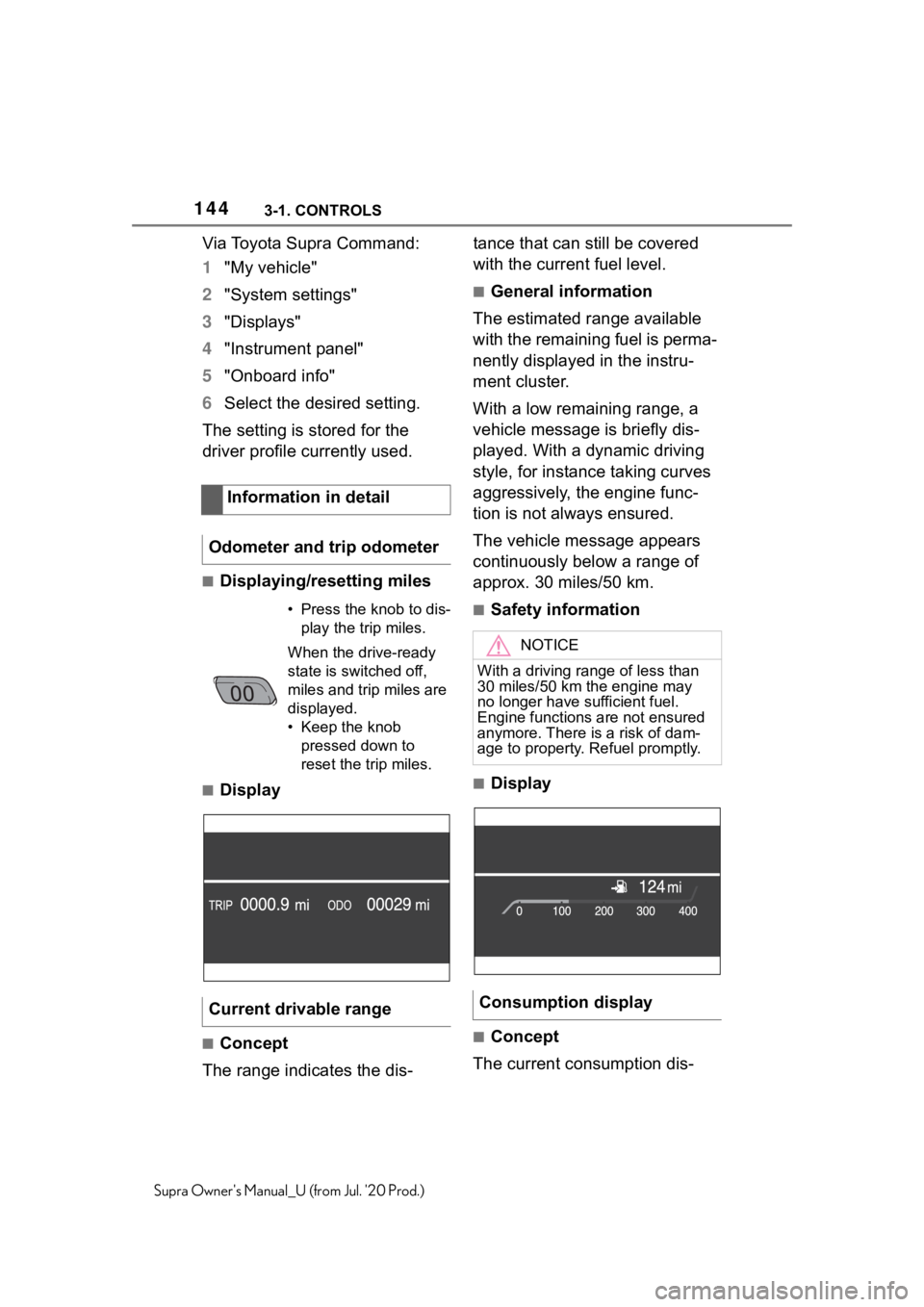
■Displaying/resetting miles
■Display
■Concept
The range indicates the dis- tance that can still be covered
with the current fuel level.
■General information
The estimated range available
with the remaining fuel is perma-
nently displayed in the instru-
ment cluster.
With a low remaining range, a
vehicle message is briefly dis-
played. With a dynamic driving
style, for instance taking curves
aggressively, the engine func-
tion is not always ensured.
The vehicle message appears
continuously below a range of
approx. 30 miles/50 km.
■Safety information
■Display
■Concept
The current consumption dis-
Information in detail
Odometer and trip odometer
• Press the kn ob to dis-
play the trip miles.
When the drive-ready
state is switched off,
miles and trip miles are
displayed.
• Keep the knob pressed down to
reset the trip miles.
Current drivable range
NOTICE
With a driving range of less than
30 miles/50 km the engine may
no longer have sufficient fuel.
Engine functions are not ensured
anymore. There is a risk of dam-
age to property. Refuel promptly.
Consumption display
Page 145 of 360
1453-1. CONTROLS
3
CONTROLS
Supra Owner's Manual_U (from Jul. '20 Prod.)
plays the current consumption
of fuel. Check whether you are
currently driving in an efficient
and environmentally friendly
manner.
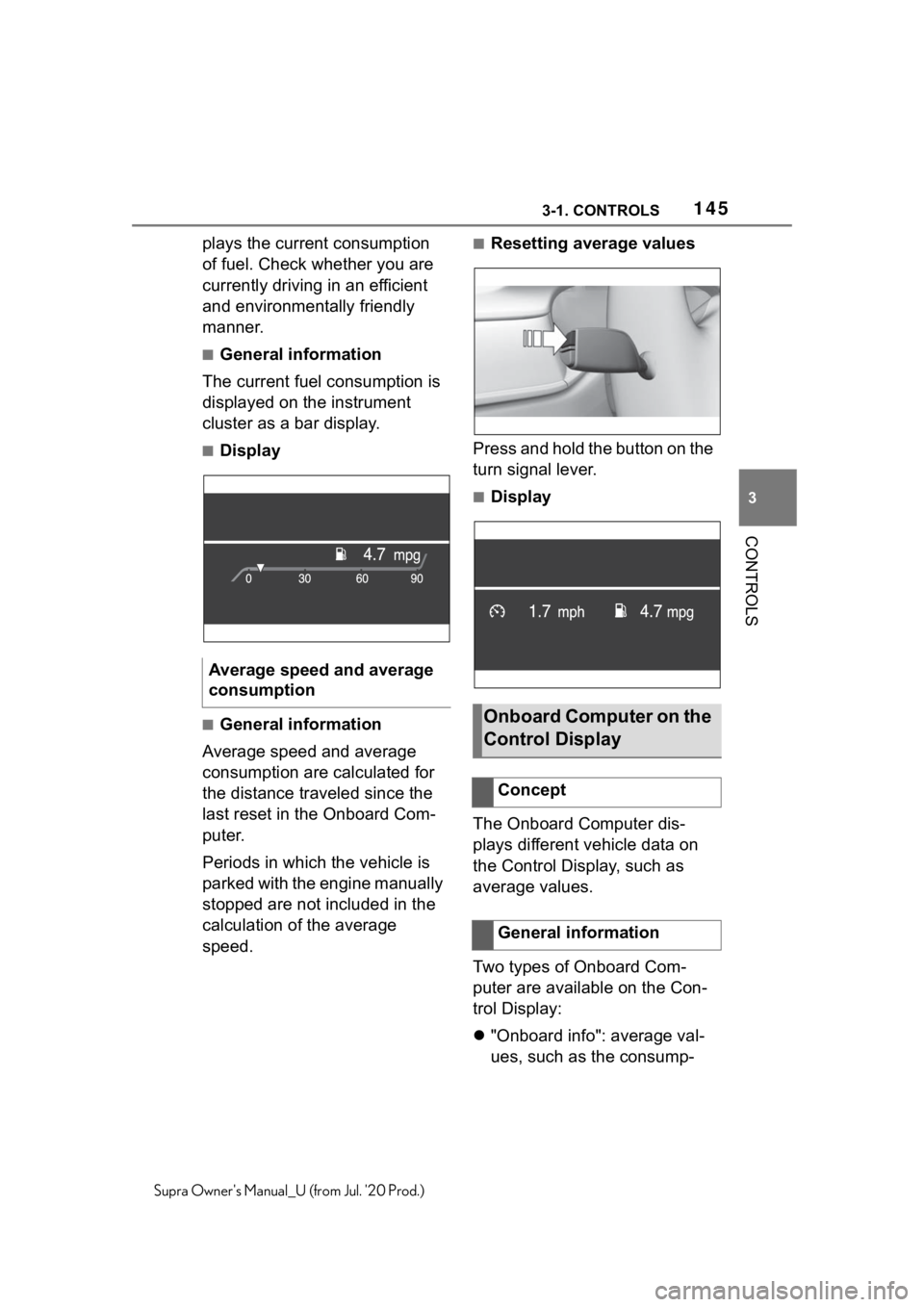
■General information
The current fuel consumption is
displayed on the instrument
cluster as a bar display.
■Display
■General information
Average speed and average
consumption are calculated for
the distance traveled since the
last reset in the Onboard Com-
puter.
Periods in which the vehicle is
parked with the engine manually
stopped are not included in the
calculation of the average
speed.
■Resetting average values
Press and hold the button on the
turn signal lever.
■Display
The Onboard Computer dis-
plays different vehicle data on
the Control Display, such as
average values.
Two types of Onboard Com-
puter are available on the Con-
trol Display:
"Onboard info": average val-
ues, such as the consump-
Average speed and average
consumption
Onboard Computer on the
Control Display
Concept
General information
Page 146 of 360
1463-1. CONTROLS
Supra Owner's Manual_U (from Jul. '20 Prod.)
tion, are displayed. The
values can be reset individu-
ally.
"Trip computer": the values
deliver an overview of a cer-
tain distance and can be reset
as often as necessary.
Via Toyota Supra Command:
1 "My Vehicle"
2 "Driving information"
3 "Onboard info" or "Trip com-
puter"
Via Toyota Supra Command:
1 "My Vehicle"
2 "Driving information"
3 "Onboard info"
4 "Consumption" or "Speed"
5 "OK"
Via Toyota Supra Command:
1 "My Vehicle"
2 "Driving information"
3 "Trip computer"
4 Move the Controller to the
left, if needed.
• "Reset": all values are reset.
• "Automatic reset": all val- ues are reset approx. 4 hours
after the vehicle has come to
a standhill.
5 If necessary, "OK"
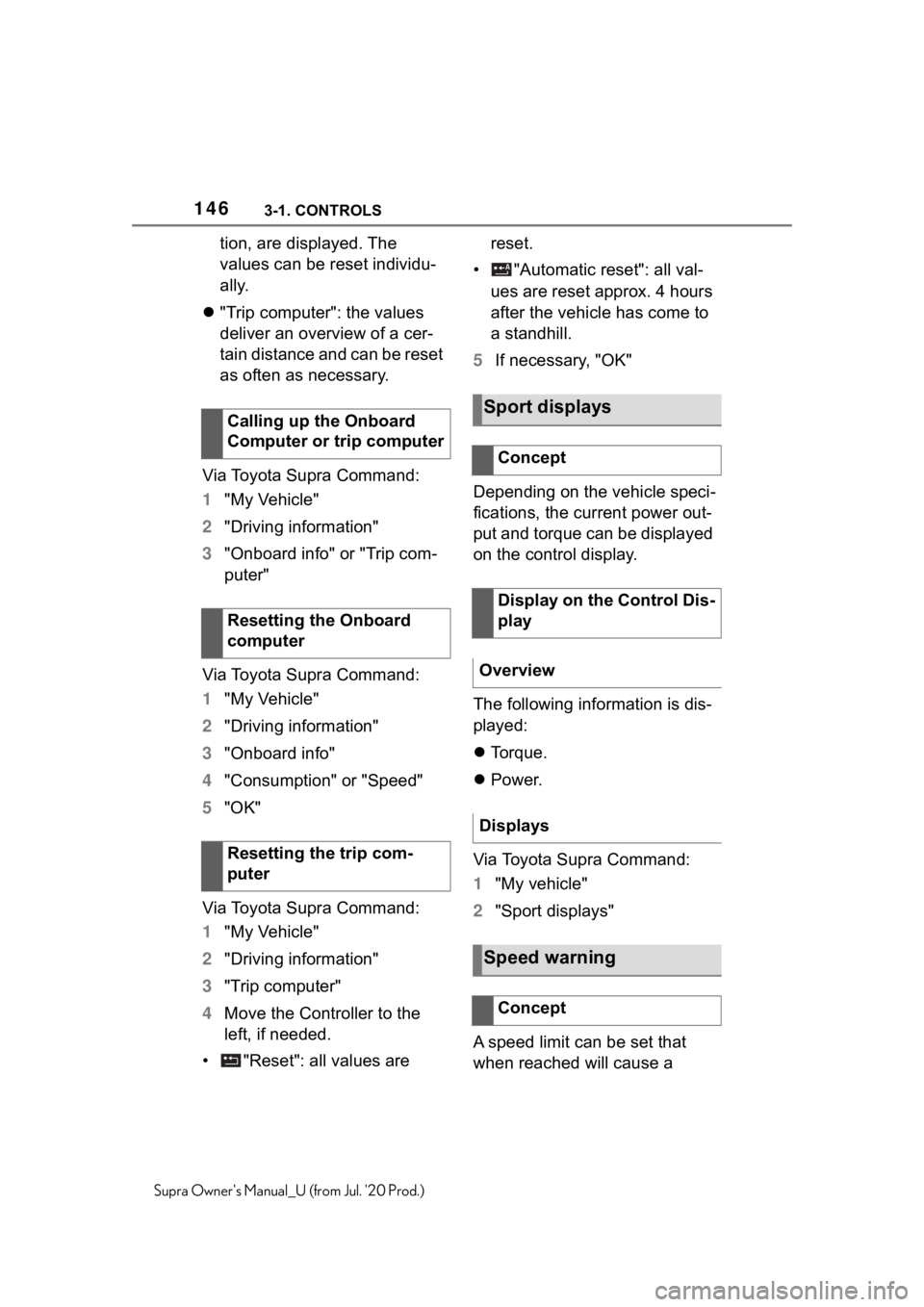
Depending on the vehicle speci-
fications, the current power out-
put and torque can be displayed
on the control display.
The following information is dis-
played:
Torque.
Power.
Via Toyota Supra Command:
1 "My vehicle"
2 "Sport displays"
A speed limit can be set that
when reached will cause a
Calling up the Onboard
Computer or trip computer
Resetting the Onboard
computer
Resetting the trip com-
puter
Sport displays
Concept
Display on the Control Dis-
play
Overview
Displays
Speed warning
Concept
Page 155 of 360
1553-1. CONTROLS
3
CONTROLS
Supra Owner's Manual_U (from Jul. '20 Prod.)
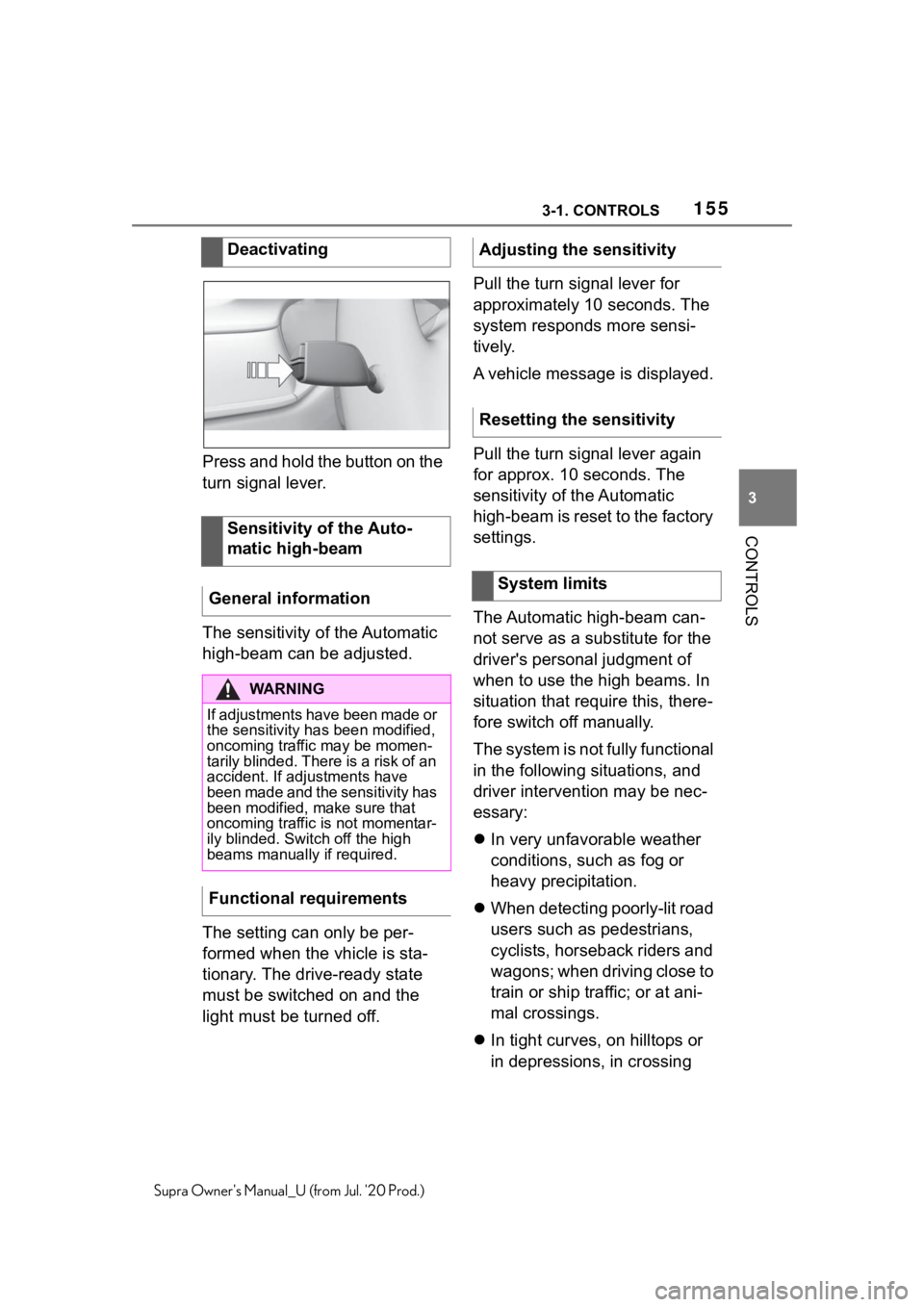
Press and hold the button on the
turn signal lever.
The sensitivity of the Automatic
high-beam can be adjusted.
The setting can only be per-
formed when the vhicle is sta-
tionary. The drive-ready state
must be switched on and the
light must be turned off.Pull the turn signal lever for
approximately 10 seconds. The
system responds more sensi-
tively.
A vehicle message is displayed.
Pull the turn signal lever again
for approx. 10 seconds. The
sensitivity of the Automatic
high-beam is reset to the factory
settings.
The Automatic high-beam can-
not serve as a substitute for the
driver's personal judgment of
when to use the high beams. In
situation that require this, there-
fore switch off manually.
The system is not fully functional
in the following situations, and
driver intervention may be nec-
essary:
In very unfavorable weather
conditions, such as fog or
heavy precipitation.
When detecting poorly-lit road
users such as pedestrians,
cyclists, horseback riders and
wagons; when driving close to
train or ship traffic; or at ani-
mal crossings.
In tight curves, on hilltops or
in depressions, in crossing
Deactivating
Sensitivity of the Auto-
matic high-beam
General information
WA R N I N G
If adjustments have been made or
the sensitivity ha s been modified,
oncoming traffic may be momen-
tarily blinded. There is a risk of an
accident. If adjustments have
been made and the sensitivity has
been modified, make sure that
oncoming traffic is not momentar-
ily blinded. Switch off the high
beams manually if required.
Functional requirements
Adjusting the sensitivity
Resetting the sensitivity
System limits
Page 193 of 360
1933-1. CONTROLS
3
CONTROLS
Supra Owner's Manual_U (from Jul. '20 Prod.)
mendation to take a break can-
not be displayed until after
approximately 45 minutes.
The function may be limited in
the following situations and may
be output an incorrect warning
or no warning at all.
When the clock is set incor-
rectly.
When the vehicle speed is
mainly below about 43
mph/70 km/h.
With a sporty driving style,
such as during rapid accelera-
tion or when cornering fast.
In active driving situations,
such as when changing lanes
frequently.
When the road surface is
poor.
In the event of strong side
winds.
The system is reset approx. 45
minutes after parking the vehi-
cle, for instance in the case of a
break during longer trips on
highways. This chapter describes all stan-
dard, country-specific and
optional features offered with
the series. It also describes fea-
tures and functions that are not
necessarily available in your
vehicle, e.g., due to the selected
options or country versions. This
also applies to safety-related
functions and systems. When
using these functions and sys-
tems, the applicable laws and
regulations must be observed.
ABS prevents locking of the
wheels during braking.
The vehicle maintains its steer-
ing power even during full brake
applications, which increases
the active safety.
ABS is operational
every time
you start the engine.
Situations which the ABS can-
not operate sufficiently:
When entering a curve at an
excessively high rate of speed
System limitsDriving stability con-
trol systems
Vehicle features and
options
Anti-lock Braking System
ABS