battery TOYOTA SUPRA 2021 Owners Manual (in English)
[x] Cancel search | Manufacturer: TOYOTA, Model Year: 2021, Model line: SUPRA, Model: TOYOTA SUPRA 2021Pages: 356, PDF Size: 47.74 MB
Page 6 of 356
61-1. NOTES
Supra Owner's Manual_U (from Nov. '20 Prod.)
Advanced technology, e.g. the
use of modern materials and
high-performance electronics,
requires suitable maintenance
and repair work.
If work is performed improperly,
for instance maintenance and
repair, there is a risk of subse-
quent damage and related
safety risks.
Improperly performed work on
the vehicle paint can lead to a
failure or malfunction of compo-
nents, e.g., the radar sensors,
and thereby result in a safety
risk.
Toyota recommends the use of
parts and accessory products
approved by Toyota.
Approved parts and accesso-
ries, and advice on their use and
installation are available from
To y o t a .
Toyota parts and accessories
have been tested by Toyota for
their safety and suitability in Toy-
ota vehicles.
Toyota warrants genuine Toyota
parts and accessories.
Toyota does not evaluate
whether each Customize prod-
uct from another manufacturer
can be used with Toyota vehi-cles without presenting a safety
hazard, even if a country-spe-
cific official approval was issued.
Toyota does not evaluate
whether these products are suit-
able for Toyota vehicles under
all usage conditions.
California law requires vehicle
manufacturers provide the fol-
lowing warning: Maintenance and repairs
Parts and accessories
California Proposition 65
Warning
WA R N I N G
Engine exhaust and a wide vari-
ety of Automobile components
and parts, including components
found in the interior furnishings in
a vehicle, contain or emit chemi-
cals known to the State of Califor-
nia to cause cancer and birth
defects and reproductive harm. In
addition, certain fluids contained
in vehicles and certain products of
component wear contain or emit
chemicals known to the State of
California to cause cancer and
birth defects or other reproduc-
tive harm. Battery posts, terminals
and related accessories contain
lead and lead compounds. Batter-
ies also contain other chemicals
known to the State of California to
cause cancer. Wash your hands
after handling. Used engine oil
contains chemicals that have
caused cancer in laboratory ani-
mals. Always protect your skin by
washing thoroughly with soap and
water. For more information go to
www.P65Warnings.ca.gov/pas-
senger-vehicle.
Page 8 of 356
81-1. NOTES
Supra Owner's Manual_U (from Nov. '20 Prod.)
assistance during driving, for
instance driver assistance sys-
tems. Furthermore, control units
facilitate comfort or infotainment
functions.
Information about stored or
exchanged data can be
requested from the manufac-
turer of the vehicle, in a sepa-
rate booklet, for example.
Each vehicle is marked with a
unique vehicle identification
number. Depending on the
country, the vehicle owner can
be identified with the vehicle
identification number, license
plate and corresponding authori-
ties. In addition, there are other
options to track data collected in
the vehicle to the driver or vehi-
cle owner, e.g. via the Toyota
Supra Connect account that is
used.
Control units process data to
operate the vehicle.
For example, this includes:
• Status messages for the vehi-
cle and its Customize compo-
nents, e.g., wheel rotational
speed, wheel speed, deceler-
ation, transverse acceleration,
engaged safety belt indicator.
• Ambient conditions, e.g., tem-perature, rain sensor signals.
The processed data is only pro-
cessed in the vehicle itself and
generally volatile. The data is
not stored beyond the operating
period.
Electronic components, e.g.
control units and ignition keys,
contain components for storing
technical information. Informa-
tion about the vehicle condition,
component usage, mainte-
nance requirements or faults
can be stored temporarily or
permanently.
This information generally
records the state of a compo-
nent, a module, a system, or the
environment, for instance:
• Operating states of system
components, e.g., fill levels,
tire inflation pressure, battery
status.
• Malfunctions and faults in
important system compo-
nents, for instance lights and
brakes.
• Responses by the vehicle to
special situations such as air-
bag deployment or engage-
ment of the driving stability
control systems.
• Information on vehicle-dam-
aging events.
The data is required to perform
the control unit functions. Fur-
thermore, it also serves to rec-
ognize and correct malfunctions,
and helps the vehicle manufac- Personal reference
Operating data in the vehi-
cle
Page 32 of 356
322-1. QUICK REFERENCE
Supra Owner's Manual_U (from Nov. '20 Prod.)
Via Toyota Supra Command:
1"Toyota Supra Connect"
2"Toyota Supra Assistance"
3"Roadside assistance"
A voice connection is established.
The Concierge offers informa-
tion on events, gas stations or
hotels, and provides phone
numbers and addresses. Many
hotels can be booked directly by
the Concierge.
Via Toyota Supra Command:
1"Toyota Supra Connect"
2"Toyota Supra Assistance"
3"Concierge"
A voice connection to the Con-
cierge is established.
Remote maintenance are ser-
vices that help to maintain vehi-
cle mobility.
Remote maintenance can com-
prise the following services:
• Roadside assistance.
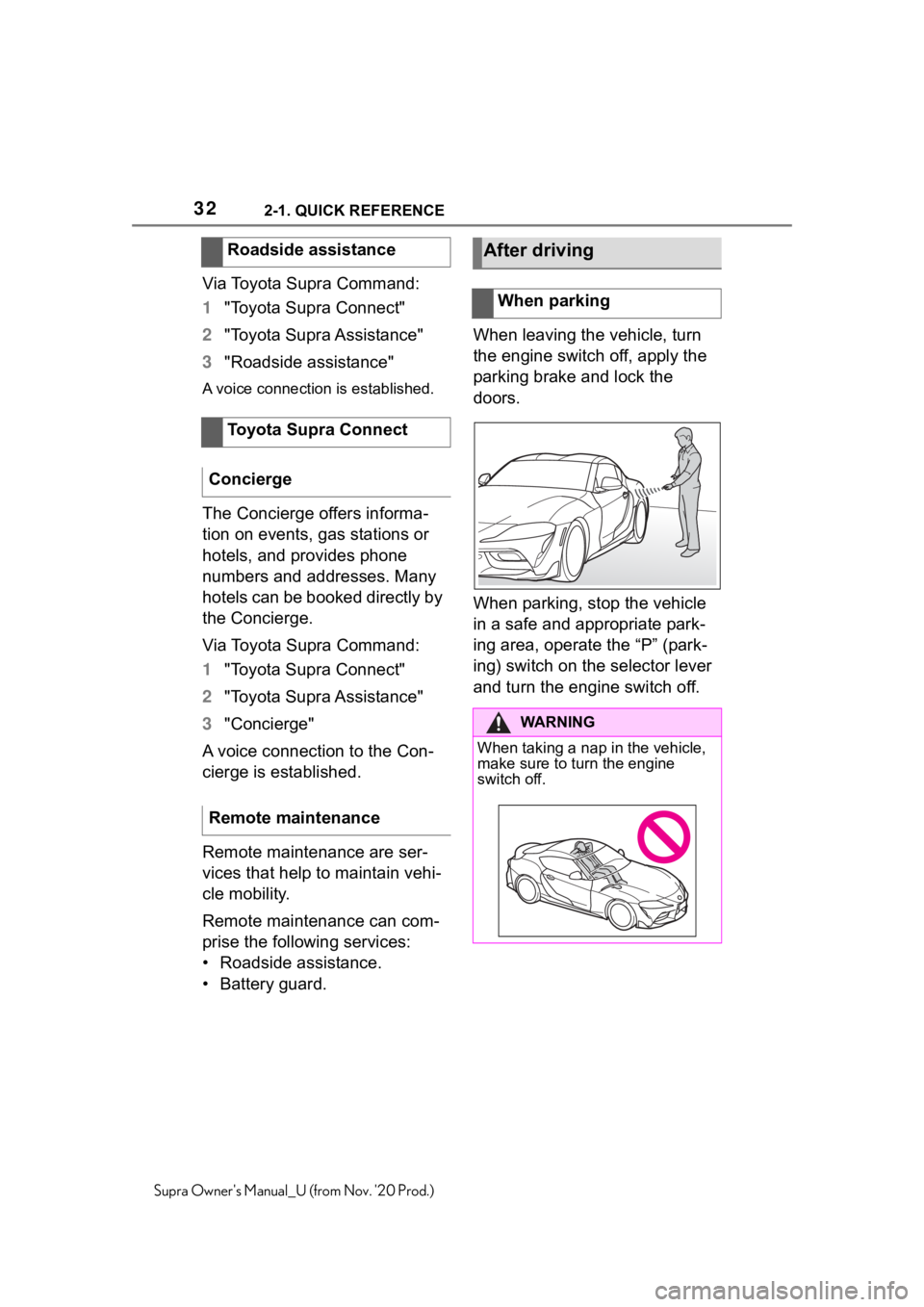
• Battery guard.When leaving the vehicle, turn
the engine switch off, apply the
parking brake and lock the
doors.
When parking, stop the vehicle
in a safe and appropriate park-
ing area, operate the “P” (park-
ing) switch on the selector lever
and turn the engine switch off. Roadside assistance
Toyota Supra Connect
Concierge
Remote maintenance
After driving
When parking
WA R N I N G
When taking a nap in the vehicle,
make sure to turn the engine
switch off.
Page 43 of 356

433-1. CONTROLS
3
CONTROLS
Supra Owner's Manual_U (from Nov. '20 Prod.)
This chapter describes all stan-
dard, country-specific and
optional features offered with
the series. It also describes fea-
tures and functions that are not
necessarily available in your
vehicle, e.g., due to the selected
options or country versions. This
also applies to safety-related
functions and systems. When
using these functions and sys-
tems, the applicable laws and
regulations must be observed.
Depending on the situation, the
vehicle is in one of the three
states:
• Idle state.
• Standby state.
• Drive-ready state.
If the vehicle is in idle state, it is
switched off. All power consum-
ers are deactivated.
The vehicle is in idle state prior to opening from the outside and
after exiting and locking.
For instance, the idle state is
automatically established under
the following conditions:
• After several minutes, if no
operation takes place on the
vehicle.
• If the charge state of the vehi-
cle battery is low.
• Depending on the setting via
Toyota Supra Command:
when one or both front doors
are opened after driving when
exiting the vehicle.
In some situations, the idle state
is not set automatically, for
instance during a phone call or
when the low beams are
switched on.
Via Toyota Supra Command:
1"My Vehicle"
2"Vehicle settings"
3"Doors/Key"
4"Turn off after door opening"
To establish idle state in the
vehicle after end of trip:
Operating state of the
vehicle
Vehicle features and
options
General information
Idle state
Concept
General information
Automatic idle state
Establishing idle state
when opening the front
doors
Manual idle state
Page 71 of 356
713-1. CONTROLS
3
CONTROLS
Supra Owner's Manual_U (from Nov. '20 Prod.)
Via Toyota Supra Command:
1"My Vehicle"
2"System settings"
3"Mobile devices"
4"Connect new device"
5Select functions:
• "Telephone"
• "Bluetooth® audio"
• "Apps"
• "Apple CarPlay"
• "Screen Mirroring"
The Bluetooth name of the vehicle
is displayed on the Control Display.
6On the mobile device, search
for Bluetooth devices in the
vicinity.
The Bluetooth name of the vehicle
appears on the mobile device dis-
play.
Select the Bluetooth name of the
vehicle.
7Depending on the mobile
device, a control number is
displayed or the control num-
ber must be entered.
• Compare the control number
displayed on the Control Dis-
play with the control number
on the display of the device.
Confirm the control number on the
device and on the Control Display.
• Enter and confirm the same
control number on the device
and via Toyota Supra Com-
mand.
The device is connected and dis-
played in the device list, refer to
page 75.
All requirements are met and all
required steps were completed
in the specified order. Despite
that, the mobile device does not
function as expected.
In this case, the following expla-
nations can help:
Why could the mobile phone not
be paired or connected?
• There are too many Bluetooth
devices connected to the
mobile phone or vehicle.
In the vehicle, delete Bluetooth
connections with other devices.
Delete all known Bluetooth connec-
tions from the device list on the
mobile phone and start a new
device search.
• The mobile phone is in
power-save mode or has only
a limited remaining battery
life.
Charge mobile phone.
Why does the mobile phone no
longer react?
• The applications on the
mobile phone do not function
anymore.
Switch the mobile phone off and on
again.
• Too high or too low ambient
temperature for mobile phone
operation. Pairing the mobile device
with the vehicle
Frequently asked ques-
tions
Page 77 of 356
773-1. CONTROLS
3
CONTROLS
Supra Owner's Manual_U (from Nov. '20 Prod.)
changed.
Via Toyota Supra Command:
1"My Vehicle"
2"System settings"
3"Mobile devices"
4"Settings"
5"Swap telephone/additional
tel."This chapter describes all stan-
dard, country-specific and
optional features offered with
the series. It also describes fea-
tures and functions that are not
necessarily available in your
vehicle, e.g., due to the selected
options or country versions. This
also applies to safety-related
functions and systems. When
using these functions and sys-
tems, the applicable laws and
regulations must be observed.
The vehicle is supplied with two
remote controls with integrated
key.
Each remote control contains a
replaceable battery. Replacing
the battery, refer to page 81.
Depending on the equipment
and country version, various
settings, refer to page 90, can
be configured for the button
functions.
A driver profile, refer to page 65,
with personal settings can be
assigned to a remote control.
To prevent possible locking in of Opening and closing
Vehicle features and
options
Remote control
General information
Page 81 of 356
813-1. CONTROLS
3
CONTROLS
Supra Owner's Manual_U (from Nov. '20 Prod.)
You can trigger the alarm sys-
tem if you find yourself in a dan-
gerous situation.
To switch off the alarm: press
any button.Set the duration, refer to page
156.
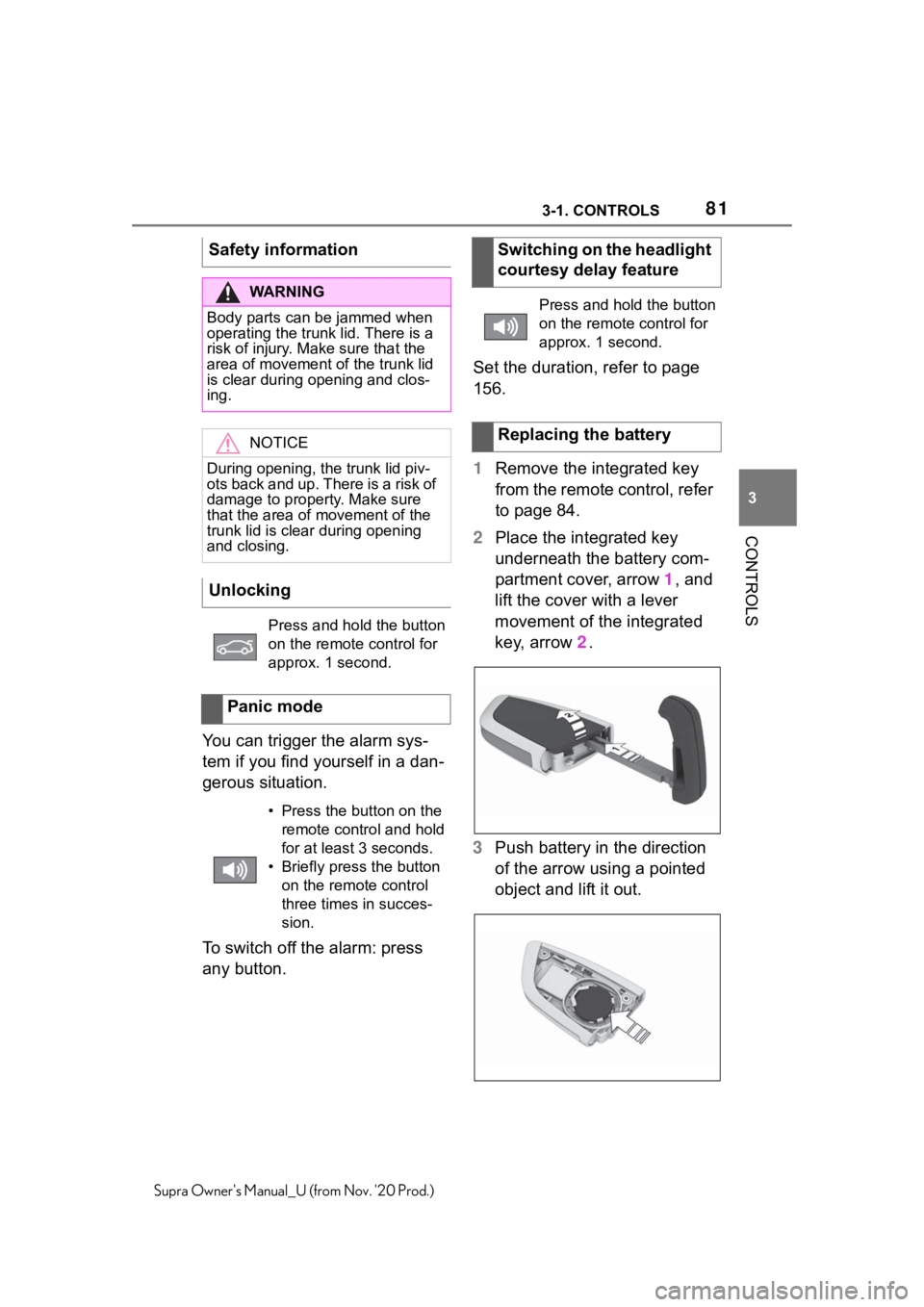
1Remove the integrated key
from the remote control, refer
to page 84.
2Place the integrated key
underneath the battery com-
partment cover, arrow 1, and
lift the cover with a lever
movement of the integrated
key, arrow 2.
3Push battery in the direction
of the arrow using a pointed
object and lift it out. Safety information
WA R N I N G
Body parts can be jammed when
operating the trunk lid. There is a
risk of injury. Make sure that the
area of movement of the trunk lid
is clear during opening and clos-
ing.
NOTICE
During opening, the trunk lid piv-
ots back and up. There is a risk of
damage to property. Make sure
that the area of movement of the
trunk lid is clear during opening
and closing.
Unlocking
Press and hold the button
on the remote control for
approx. 1 second.
Panic mode
• Press the button on the
remote control and hold
for at least 3 seconds.
• Briefly press the button
on the remote control
three times in succes-
sion.
Switching on the headlight
courtesy delay feature
Press and hold the button
on the remote control for
approx. 1 second.
Replacing the battery
Page 82 of 356
823-1. CONTROLS
Supra Owner's Manual_U (from Nov. '20 Prod.)
4Insert a type CR 2032 battery
with the positive side facing
up.
5Press the cover closed.
6Push the integrated key into
the vehicle key until the inte-
grated key engages.
Additional remote controls are
available from your Toyota
dealer.
A lost remote control can be
blocked and replaced by your
Toyota dealer.
If the lost remote control has an
assigned driver profile, refer to
page 65, the connection to this
remote control must be deleted.
A new remote control can then
be assigned to the driver profile.
A vehicle message, refer to
page 134, is displayed.
Remote control detection by the
vehicle may malfunction under the following circumstances:
• The battery of the vehicle key
is discharged. For replacing
the battery, refer to page 81.
• Interference of the radio con-
nection from transmission
towers or other equipment
with high transmitting power.
• Shielding of the remote con-
trol due to metal objects.
Do not transport the remote control
together with metal objects.
• Interference of the radio con-
nection from mobile phones
or other electronic devices in
direct proximity to the remote
control.
Do not transport the remote control
together with electronic devices.
• Interference of radio transmis-
sion by a charging process of
mobile devices, for instance
charging of a mobile phone.
• The remote control is in direct
proximity of the wireless
charging tray.
Place the remote control down at a
different location.
In the case of interference, the
vehicle can be unlocked and
locked from the outside with the
integrated key, refer to page 83.
Have old batteries dis-
posed of by your Toyota
dealer or take them to a
collection point.
Additional remote controls
Loss of the remote con-
trols
Malfunction
General information
Page 86 of 356
863-1. CONTROLS
Supra Owner's Manual_U (from Nov. '20 Prod.)
after approx. 2 seconds.
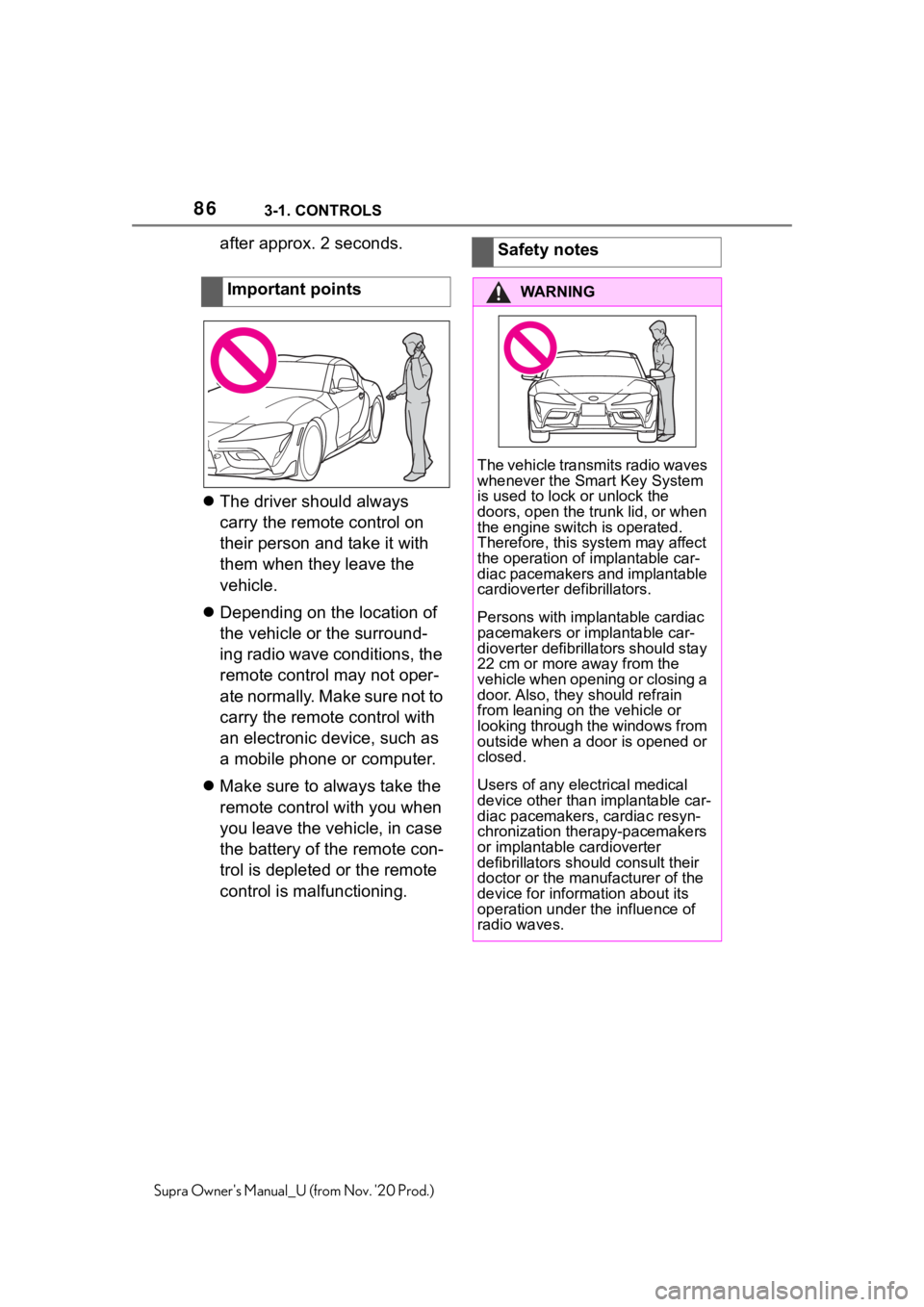
The driver should always
carry the remote control on
their person and take it with
them when they leave the
vehicle.
Depending on the location of
the vehicle or the surround-
ing radio wave conditions, the
remote control may not oper-
ate normally. Make sure not to
carry the remote control with
an electronic device, such as
a mobile phone or computer.
Make sure to always take the
remote control with you when
you leave the vehicle, in case
the battery of the remote con-
trol is depleted or the remote
control is malfunctioning.Important pointsSafety notes
WA R N I N G
The vehicle transmits radio waves
whenever the Smart Key System
is used to lock or unlock the
doors, open the trunk lid, or when
the engine switch is operated.
Therefore, this system may affect
the operation of implantable car-
diac pacemakers and implantable
cardioverter defibrillators.
Persons with implantable cardiac
pacemakers or implantable car-
dioverter defibrillators should stay
22 cm or more away from the
vehicle when opening or closing a
door. Also, they should refrain
from leaning on the vehicle or
looking through the windows from
outside when a door is opened or
closed.
Users of any electrical medical
device other than implantable car-
diac pacemakers, cardiac resyn-
chronization therapy-pacemakers
or implantable cardioverter
defibrillators should consult their
doctor or the manufacturer of the
device for information about its
operation under the influence of
radio waves.
Page 92 of 356
923-1. CONTROLS
Supra Owner's Manual_U (from Nov. '20 Prod.)
2"Vehicle settings"
3"Doors/Key"
4"Turn off after door opening"
Opening the front doors establishes
the idle state, refer to page 43.
When the vehicle is locked, the
vehicle alarm system reacts to
the following changes:
• Opening a door, the hood or
the trunk lid.
• Movements in the car's inte-
rior.
• Changes in the vehicle tilt, e.
g., during attempts at stealing
a wheel or when towing the
vehicle.
• Disconnected battery voltage.
• Improper use of the socket for
OBD Onboard Diagnosis.
• Locking the vehicle while a
device is connected to the
socket for the OBD Onboard-
Diagnosis. For socket for the
OBD Onboard Diagnosis,
refer to page 302.
The alarm system signals the
following changes visually and
acoustically:
• Acoustic alarm: Depending on
local regulations, the acoustic
alarm may be suppressed.
• Visual alarm: By flashing of
the hazard warning system
and headlights, where required.
Do not modify the system to
ensure function of the alarm
system.
When you unlock and lock the
vehicle, either with the remote
control or with Comfort entry, the
alarm system is switched off and
on at the same time.
The alarm system is triggered
when a door is opened if the
door was unlocked using the
integrated key in the door lock.
Switching off the alarm, refer to
page 94.
The trunk lid can be opened
even when the alarm system is
switched on.
After the trunk lid is closed, it is
locked and monitored again pro-
vided the doors are locked. The
hazard warning system flashes
once.
You can trigger the alarm sys-
Alarm system
General information
Switching on/off
Opening the doors with
the alarm system switched
on
Opening the trunk lid with
the alarm system switched
on
Panic mode