parking sensors TOYOTA SUPRA 2021 Owners Manual (in English)
[x] Cancel search | Manufacturer: TOYOTA, Model Year: 2021, Model line: SUPRA, Model: TOYOTA SUPRA 2021Pages: 356, PDF Size: 47.74 MB
Page 38 of 356
383-1. CONTROLS
Supra Owner's Manual_U (from Nov. '20 Prod.)
13 Horn, entire surface
14 Unlock hood P.29215 Unlocking the trunk lid
P. 8 0
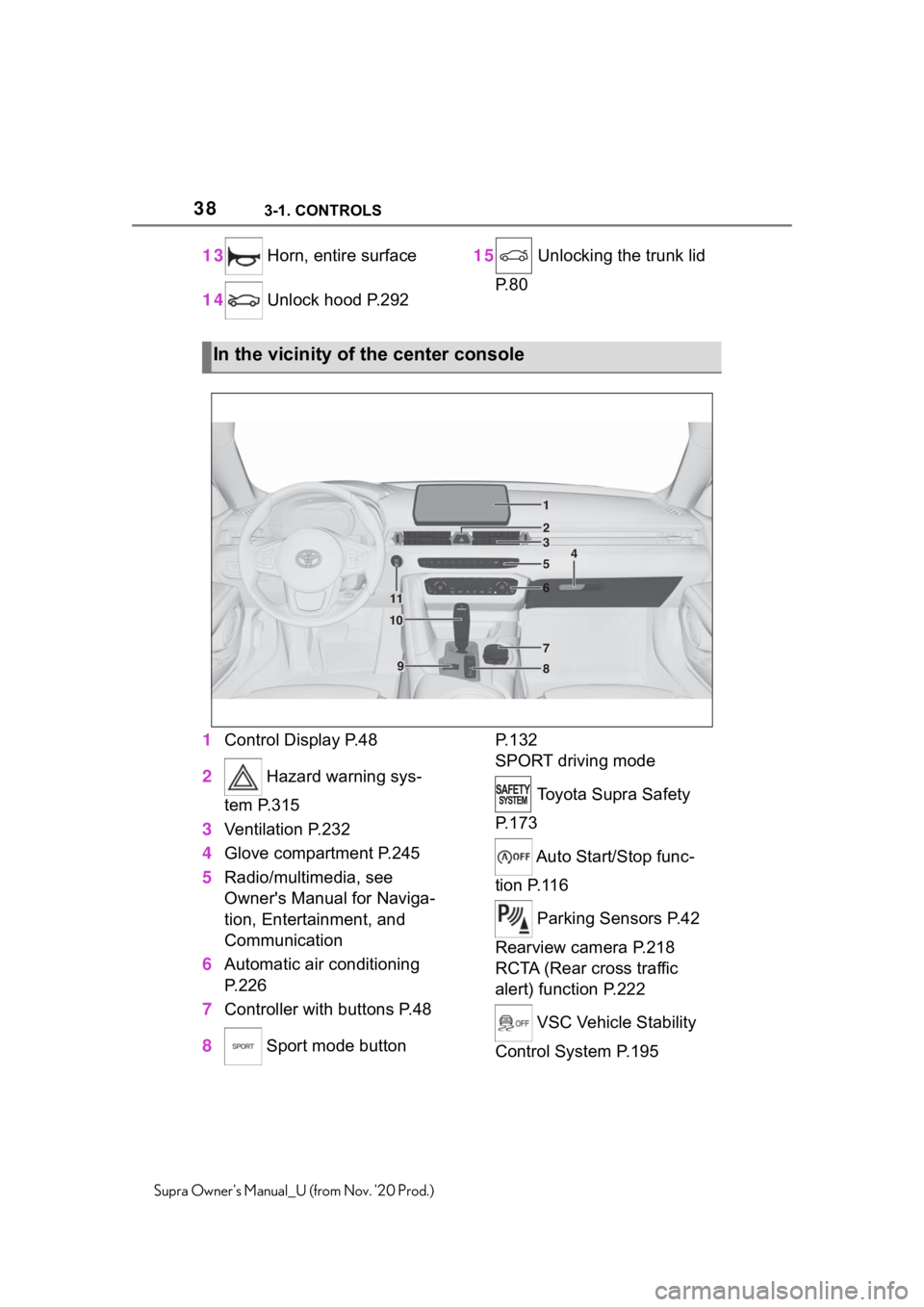
1Control Display P.48
2 Hazard warning sys-
tem P.315
3Ventilation P.232
4Glove compartment P.245
5Radio/multimedia, see
Owner's Manual for Naviga-
tion, Entertainment, and
Communication
6Automatic air conditioning
P.226
7Controller with buttons P.48
8 Sport mode button P. 1 3 2
SPORT driving mode
Toyota Supra Safety
P. 1 7 3
Auto Start/Stop func-
tion P.116
Parking Sensors P.42
Rearview camera P.218
RCTA (Rear cross traffic
alert) function P.222
VSC Vehicle Stability
Control System P.195
In the vicinity of the center console
1
4
23
5
6
7
89
10
11
Page 41 of 356

413-1. CONTROLS
3
CONTROLS
Supra Owner's Manual_U (from Nov. '20 Prod.)
depressions or in tight curves.
• When the camera field of view
is covered, for instance by a
fogged up windshield or
labels.
• When the camera lens is dirty
or damaged.
• When driving toward bright
lights or strong reflections,
e.g., because of a setting sun.
• When it is dark outside.
• Camera behind the wind-
shield: if the camera has over-
heated and been temporarily
switched off due to exces-
sively high temperatures.
• Camera behind the wind-
shield: during calibration of
the camera immediately after
vehicle delivery.
If applicable, a Check Control
message is displayed if the sys-
tem fails.
The radar sensor is located in
the front bumper.The radar sensors are located in
the bumper.
The radar sensors may not be
fully functional or may not be
available in the following situa-
tions:
• If sensors are dirty, such as
due to icing.
• If sensors are covered, such
as by labels, films or a num-
ber plate baseplate.
• If the sensor is not aligned
correctly, for instance due to
parking damage.
• If the radiation range of the
sensors is covered, e.g., by
protruding cargo.
• If the field of view of the sen-
sors is covered, e.g., by
garage walls, hedges or snow
hills.
• After improperly performed
work on the vehicle paint in
the area of the sensors.
• On steep hilltops or in sharp
dips in the road.
Radar sensors
Front radar sensor
Radar sensors, side, rear
System limits of the radar
sensors
Page 42 of 356

423-1. CONTROLS
Supra Owner's Manual_U (from Nov. '20 Prod.)
If applicable, a Check Control
message is displayed if the sys-
tem fails.
The detection of objects with
ultrasound measurements can
run into physical limits, e.g., in
the following situations:
• In case of dirty sensors.
• In case of covered sensors,
such as due to labels.
• If the sensor is not aligned
correctly, for instance due to
parking damage.
• After improperly performed
work on the vehicle paint in
the area of the sensors.
• For small children and ani-
mals.
• For persons with certain cloth-
ing, for instance coats.
• In case of external interfer-
ence of the ultrasound, for
instance from passing vehi-
cles, loud machines or other
ultrasonic sources.
• Under certain weather condi-tions, e.g., high relative
humidity, wet conditions,
snowfall, cold, extreme heat,
or strong wind.
• With tow bars and trailer cou-
plings of other vehicles.
• With thin or wedge-shaped
objects.
• With moving objects.
• With elevated, protruding
objects such as ledges.
• With objects with corners,
edges, and smooth surfaces.
• With objects with a fine sur-
face structure such as fences.
• For objects with porous sur-
faces.
• With small and low objects,
for instance boxes.
• With soft obstacles or obsta-
cles covered in foam material.
• With plants and bushes.
• In automatic car washes.
• On uneven surfaces, such as
speed bumps.
• Due to heavy exhaust.
• Cargo that extends beyond
the perimeter of the vehicle is
not taken into account by the
ultrasonic sensors.
If applicable, a Check Control
message is displayed if the sys-
tem fails.
Ultrasound sensors
Ultrasound sensors in the
front/rear bumpers
Ultrasound sensors of
the Parking Sensor, for
instance in the bum-
pers.
System limits of the ultra-
sound sensors
Page 66 of 356
663-1. CONTROLS
Supra Owner's Manual_U (from Nov. '20 Prod.)
is currently in use.
There is an additional guest pro-
file available that is not assigned
to any vehicle key. It can be
used to apply settings in the
vehicle without changing the
personal driver profiles.
For the system to be able to
identify the driver profile associ-
ated to a particular driver, the
detected remote control must be
clearly allocated to the driver.
This is the case when:
• The driver is only carrying his
or her own remote control.
• The driver unlocks the vehi-
cle.
• The driver gets into the vehi-
cle through the driver's door.
After switching on the Control
Display, the name of the active
driver profile is displayed.
Select driver profile, refer to
page 66.
As soon as the engine is started
or any key is pressed, the last
selected display is shown on the
Control Display.
To exit the welcome screen via
Toyota Supra Command: "OK"The settings for the following
systems and functions are
stored in the active driver profile.
The scope of storable settings
depends on country and equip-
ment.
• Unlocking and locking.
•Lights.
• Climate control.
• Radio.
• Instrument cluster.
• Programmable memory but-
tons.
• Volumes, tone.
• Control Display.
•TV.
• Parking Sensors.
• Rearview camera.
• Head-up Display.
• Sport mode switch.
• Seat position, exterior mirror
position.
Both the positions saved via the
seat memory and the last position
set are saved.
• Toyota Supra Safety.
Regardless of the remote con-
trol in use, a different driver pro-
file may be activated. This
allows you to call up personal
vehicle settings, even if you did
not unlock the vehicle with your
own remote control. Functional requirements
Active driver profile
Adjusting
Profile management
Selecting a driver profile
Page 154 of 356
1543-1. CONTROLS
Supra Owner's Manual_U (from Nov. '20 Prod.)
The low beams are switched on
and off automatically depending
on the ambient brightness, for
instance in tunnels, in twilight or
if there is precipitation.
A blue sky with the sun low on
the horizon can cause the lights to be switched on.
If the low beams are switched
on manually, the automatic
headlight control is deactivated.
The LED in the button lights up.
The automatic headlight control
cannot serve as a substitute for
your personal judgment of light-
ing conditions.
For example, the sensors are
unable to detect fog or hazy
weather. In these situations,
switch the light on manually.
If the driver's door is opened
when the drive-ready state is
switched off, the exterior lighting
is automatically switched off
after a period of time.
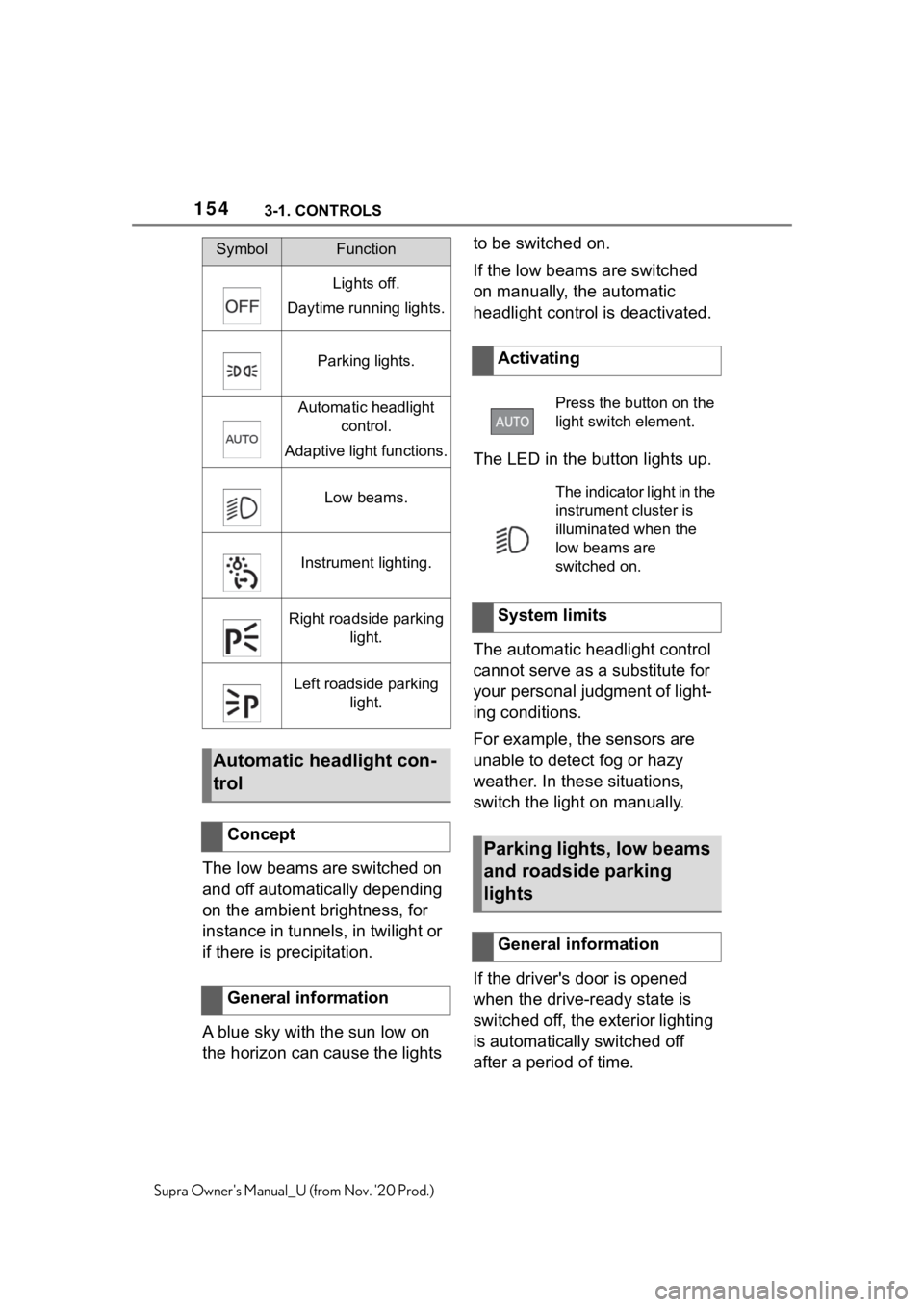
SymbolFunction
Lights off.
Daytime running lights.
Parking lights.
Automatic headlight
control.
Adaptive light functions.
Low beams.
Instrument lighting.
Right roadside parking
light.
Left roadside parking
light.
Automatic headlight con-
trol
Concept
General information
Activating
Press the button on the
light switch element.
The indicator light in the
instrument cluster is
illuminated when the
low beams are
switched on.
System limits
Parking lights, low beams
and roadside parking
lights
General information
Page 203 of 356
2033-1. CONTROLS
3
CONTROLS
Supra Owner's Manual_U (from Nov. '20 Prod.)
*: if equipped
Using this system, a desired
speed and a distance to a vehi-
cle ahead can be adjusted using
the buttons on the steering
wheel.
The system maintains the
desired speed on clear roads.
For this purpose, the vehicle
accelerates or brakes automati-
cally.
If a vehicle is driving ahead of
you, the system adjusts the
speed of your vehicle so that the
set distance to the vehicle
ahead is maintained. The speed
is adjusted as far as the given
situation allows.
Depending on the vehicle set-
tings, the characteristics of the
Cruise Control may change.
The distance can be adjusted in
several steps. For safety rea-
sons, it depends on the respec-
tive speed.
If the vehicle ahead of you
brakes to a halt, and then pro-
ceeds to drive again within a
brief period, the system is able to detect this within the given
system limits.
Dynamic radar cruise
control with full-speed
range*
Concept
General information
Safety information
WA R N I N G
The system cannot serve as a
substitute for the driver’s personal
judgment in assessing the traffic
conditions. Based on the limits of
the system, it cannot inde-
pendently react to all traffic situa-
tions. There is a risk of accident.
Adjust driving style to traffic condi-
tions. Watch traffic closely and
actively intervene where apaprk-
ing sensorspropriate.
WA R N I N G
An unsecured vehicle can begin
to move and possibly roll away.
There is a risk of an accident.
Before exiting, secure the vehicle
against rolling.
In order to ensure that the vehicle
is secured against rolling away,
follow the following:
●Set the parking brake.
●On uphill grades or on a down-
hill slope, turn the front wheels
in the direction of the curb.
●On uphill grades or on a down-
hill slope, also secure the vehi-
cle, for instance with a wheel
chock.
WA R N I N G
The desired speed can be incor-
rectly adjusted or called up by
mistake. There is a risk of an acci-
dent. Adjust the desired speed to
the traffic conditions. Watch traf-
fic closely and actively intervene
where appropriate.
Page 213 of 356
2133-1. CONTROLS
3
CONTROLS
Supra Owner's Manual_U (from Nov. '20 Prod.)
Speed Limit Assist is based on
the Speed Limit Info system.
Thus, also observe the system
limits of the Speed Limit Info
system, refer to page 143.
Parking Sensor is a support
when parking. Objects that you
are approaching slowly in front
of or behind the vehicle are indi-
cated by signal tones and a dis-
play on the Control Display.
Depending on the equipment version: Obstacles at the side of
the vehicle that are detected by
the side ultrasonic sensors may
also be reported by the side pro-
tection, refer to page 217, func-
tion.
The ultrasound sensors for dis-
tance measurements are
located in the bumpers and pos-
sibly on the sides of the vehicle.
The range, depending on the
obstacle and environmental
conditions, is approx. 6 ft/2 m.
An acoustic warning sounds in
case of an impending collision at
a distance to the object of
approx. 27 in/70 cm.
For objects behind the vehicle,
the acoustic warning is already
issued at a distance to the
object of approx. 5 ft/1.50 m.
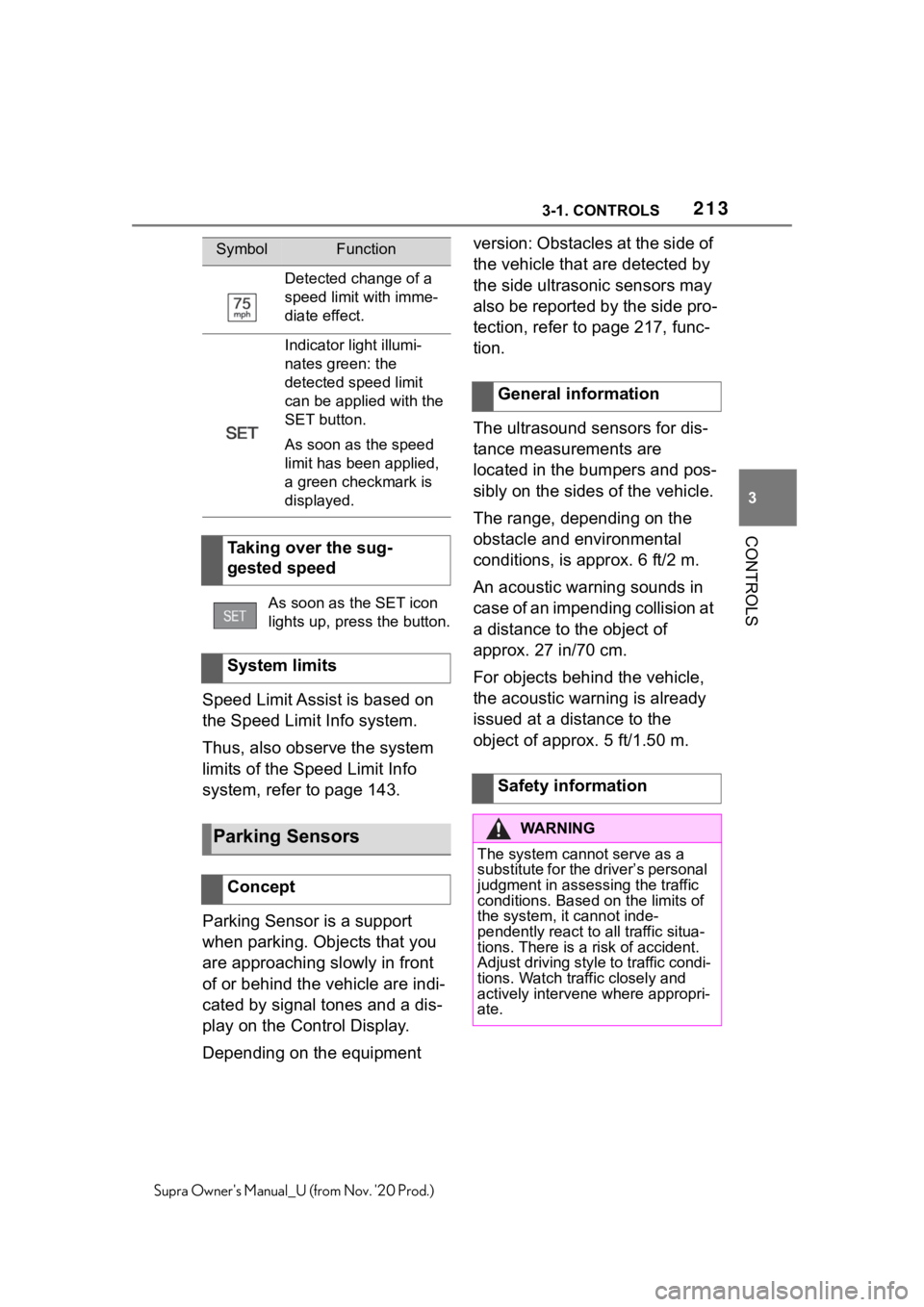
Detected change of a
speed limit with imme-
diate effect.
Indicator light illumi-
nates green: the
detected speed limit
can be applied with the
SET button.
As soon as the speed
limit has been applied,
a green checkmark is
displayed.
Taking over the sug-
gested speed
As soon as the SET icon
lights up, press the button.
System limits
Parking Sensors
Concept
SymbolFunction
General information
Safety information
WA R N I N G
The system cannot serve as a
substitute for the driver’s personal
judgment in assessing the traffic
conditions. Based on the limits of
the system, it cannot inde-
pendently react to all traffic situa-
tions. There is a risk of accident.
Adjust driving style to traffic condi-
tions. Watch traffic closely and
actively intervene where appropri-
ate.
Page 214 of 356
2143-1. CONTROLS
Supra Owner's Manual_U (from Nov. '20 Prod.)
The system is controlled using
the following sensors:
• Ultrasonic sensors in the
bumpers.
Additional information:
Sensors of the vehicle, refer to
page 40.
The system switches on auto-matically in the following situa-
tions:
If selector lever position R is
engaged when the engine is
running.
Depending on the equipment
version: while approaching
detected obstacles if the
speed is slower than approx.
2.5 mph/4 km/h. The activa-
tion distance depends on the
situation in question.
You may switch automatic acti-
vation when obstacles are
detected on and off.
Via Toyota Supra Command:
1"My vehicle"
2"Vehicle settings"
3"Parking"
4Where applicable: "Automatic
Parking Sens. activation"
5"Automatic Parking Sensors
activ."
The setting is stored for the
driver profile currently used.
Depending on equipment, an
additional camera view is also
switched on.
The system switches off when a
certain driving distance or speed
is exceeded.
Switch the system back on, if
needed.
WA R N I N G
Due to high speeds when Parking
Sensors is activated, the warning
can be delayed due to physical
circumstances. There is a risk of
injury or risk of damage to prop-
erty. Avoid approaching an object
too fast. Avoid driving off fast
while Parking Sensors is not yet
active.
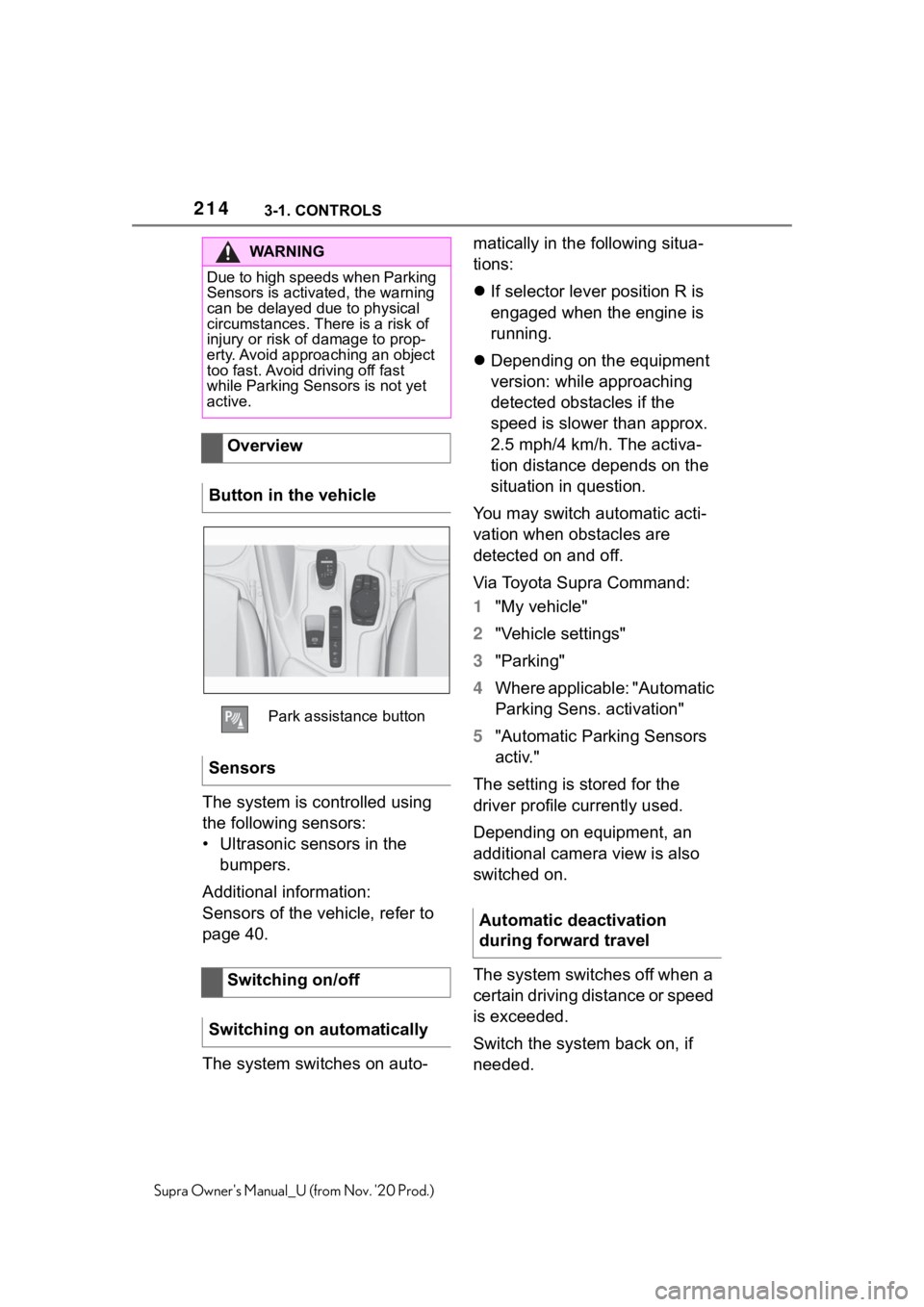
Overview
Button in the vehicle
Park assistance button
Sensors
Switching on/off
Switching on automatically
Automatic deactivation
during forward travel
Page 216 of 356
2163-1. CONTROLS
Supra Owner's Manual_U (from Nov. '20 Prod.)
signal sounds.
The display appears as soon as
Parking Sensor is activated.
The range of the sensors is rep-
resented in the colors green,
yellow and red when obstacles
are detected.
Pathway lines are faded in for
better estimation of the required
space.
When the image of the rearview
camera is displayed, the switch
can be made to Parking Sensor
or to a different view with obsta-
cle markings as needed:
1Press the Controller to the
left, if needed.
2E. g. "Park. sensors only"
RCTA (Rear cross traffic alert)
function, refer to page 222:
depending on the equipment, it
is warned in the Parking Sensor
display against vehicles
approaching in the front or rear
from the side.
The emergency braking function
of Parking Sensor initiates an
emergency braking in case of
acute risk of collision.Due to system limits, a collision
cannot be prevented under all
circumstances.
The function is available from
walking speed while backing up
or rolling backward.
A press of the accelerator pedal
interrupts the braking interven-
tion.
After emergency braking to a
stop, further creeping toward an
obstacle is possible. To creep
toward the obstacle, lightly
press the accelerator pedal and
release it again.
If the accelerator pedal is heav-
ily depressed, the vehicle drives
off as usual. Manual braking is
possible at any time.
The system uses the ultrasound
sensors of Parking Sensor and
parking assistant.
Depending on the equip-
ment version: emergency
brake function, Parking
Sensors with emergency
braking function
ConceptGeneral information
Safety information
WA R N I N G
The system cannot serve as a
substitute for the driver’s personal
judgment in assessing the traffic
conditions. There is a risk of acci-
dent. Adjust driving style to traffic
conditions. Watch traffic and vehi-
cle surroundings closely and
actively intervene where appropri-
ate.
Page 217 of 356
2173-1. CONTROLS
3
CONTROLS
Supra Owner's Manual_U (from Nov. '20 Prod.)
Via Toyota Supra Command:
1"My vehicle"
2"Vehicle settings"
3"Parking"
4"Park. Sens. w. em. braking
funct."
5"Park. Sens. w. em. braking
funct."
The setting is stored for the
driver profile currently used.
The system warns of obstacles
on the side of the vehicle.
The system uses the ultrasound
sensors of Parking Sensor and
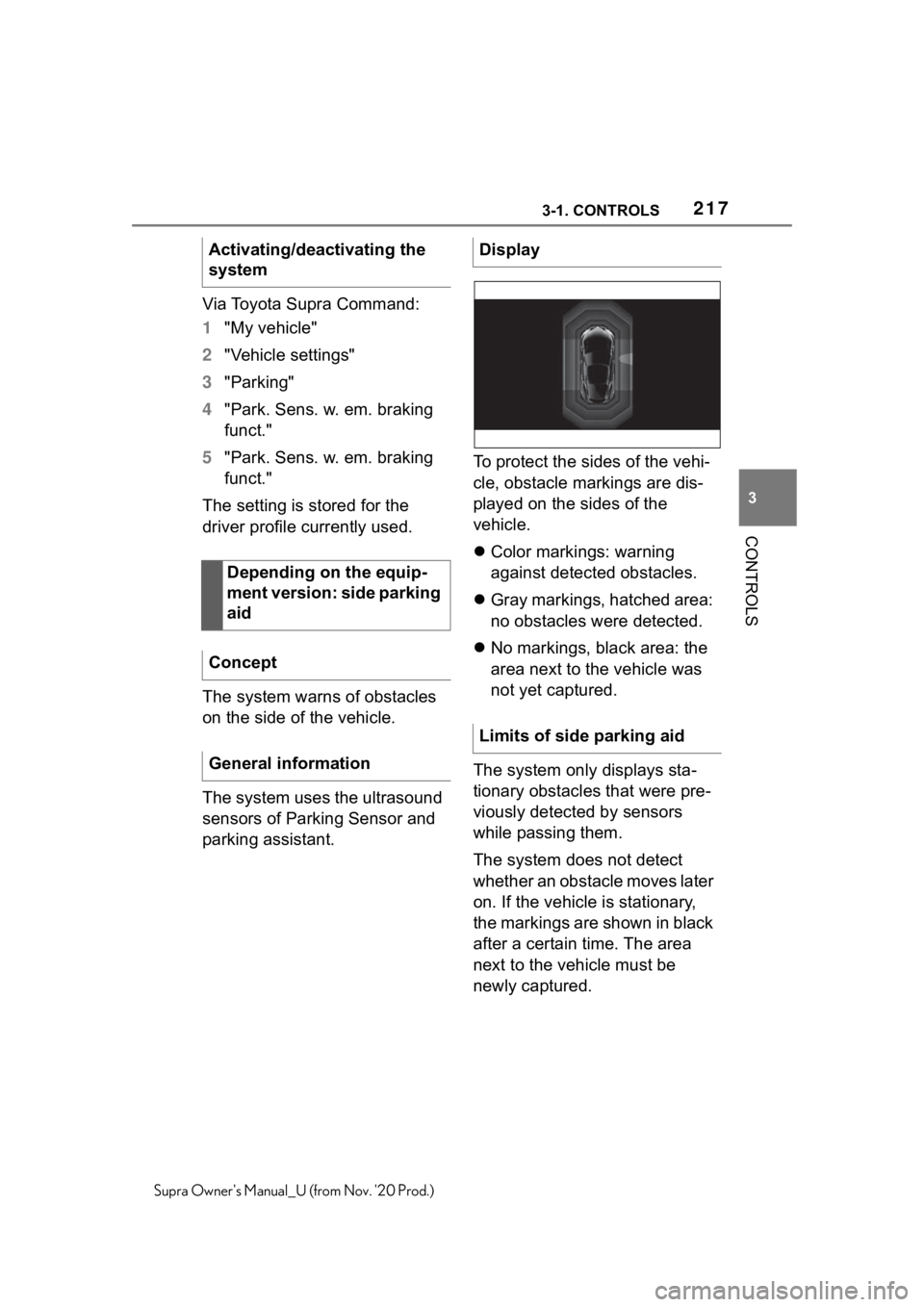
parking assistant.To protect the sides of the vehi-
cle, obstacle markings are dis-
played on the sides of the
vehicle.
Color markings: warning
against detected obstacles.
Gray markings, hatched area:
no obstacles were detected.
No markings, black area: the
area next to the vehicle was
not yet captured.
The system only displays sta-
tionary obstacles that were pre-
viously detected by sensors
while passing them.
The system does not detect
whether an obstacle moves later
on. If the vehicle is stationary,
the markings are shown in black
after a certain time. The area
next to the vehicle must be
newly captured. Activating/deactivating the
system
Depending on the equip-
ment version: side parking
aid
Concept
General information
Display
Limits of side parking aid