ECO mode TOYOTA SUPRA 2023 User Guide
[x] Cancel search | Manufacturer: TOYOTA, Model Year: 2023, Model line: SUPRA, Model: TOYOTA SUPRA 2023Pages: 372, PDF Size: 6.32 MB
Page 137 of 372
1373-1. CONTROLS
3
CONTROLS
Adaptive variable suspension.
Steering.
Display in the instrument clus-
ter.
Cruise control.
When drive-ready state is
switched on, the NORMAL driv-
ing mode is selected automati- cally.
■Concept
Balanced tuning between
dynamic and efficient driving.
■Concept
Dynamic tuning for higher agility
with an optimized chassis and
suspension.
■Switching on
■Concept
Customize settings can be
adjusted in the customize driv-
ing mode.
■Configuration
Via Toyota Supra Command:
1 "My Vehicle"
2 "Vehicle settings"
3 "Configure SPORT INDIVID-
UAL"
4 Select the desired setting.
Reset Customize to the stan-
dard settings:
"Reset to SPORT STANDARD".
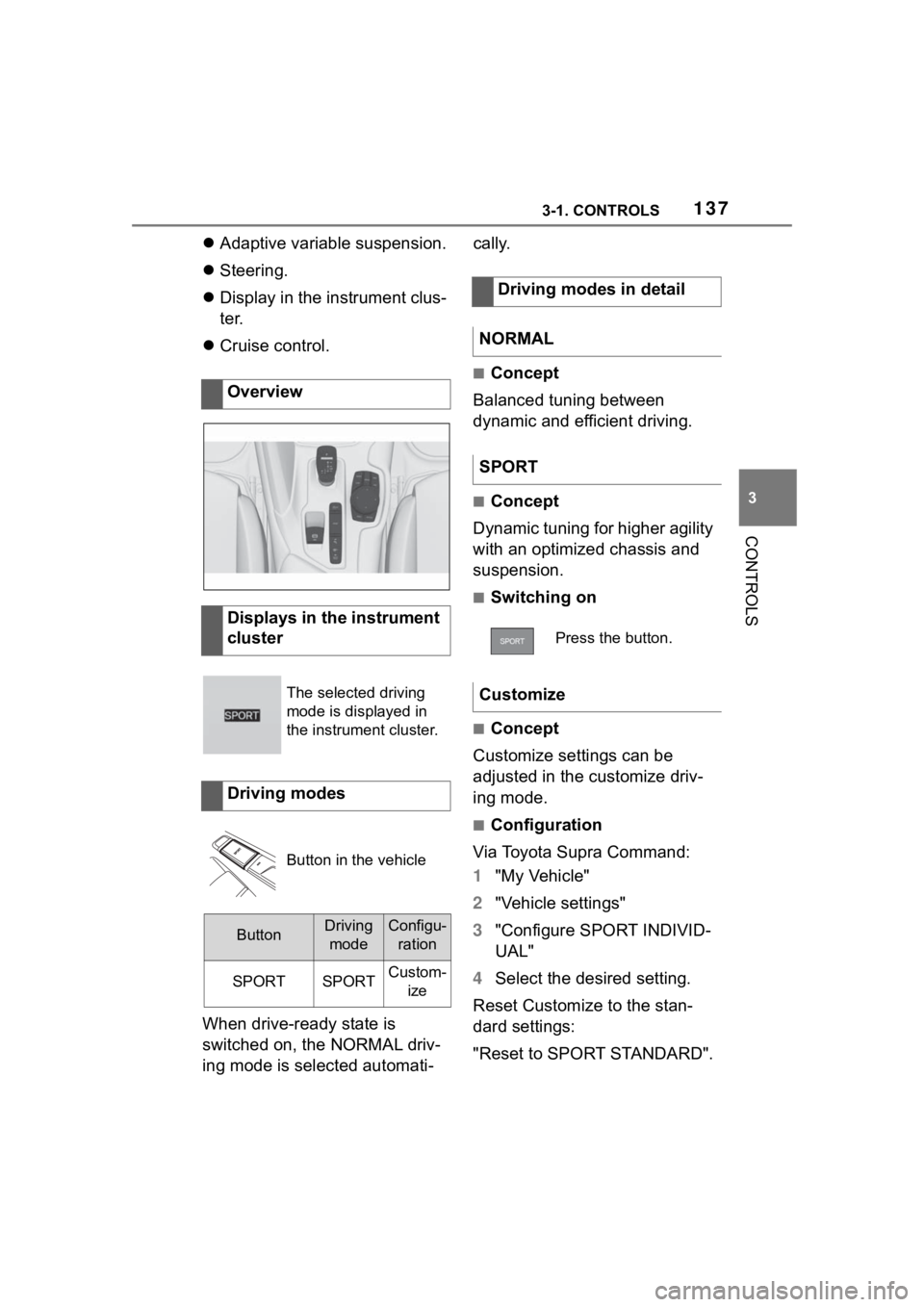
Overview
Displays in the instrument
cluster
The selected driving
mode is displayed in
the instrument cluster.
Driving modes
Button in the vehicle
ButtonDriving
modeConfigu- ration
SPORTSPORTCustom- ize
Driving modes in detail
NORMAL
SPORT
Press the button.
Customize
Page 139 of 372
1393-1. CONTROLS
3
CONTROLS
In some areas of the instrument
cluster, various assistance sys-
tems, for example the cruise
control, can be displayed. The
displays may vary depending on
the equipment version and
country variant.
The display can be changed for
sport mode.
The driving mode will change to
sport mode.
The vehicle messages system
monitors functions in the vehicle
and notifies you of malfunctions
in the monitored systems.
A vehicle messages message is
displayed as a combination of
indicator or warning lights and SMS text messages in the
instrument cluster and, if appli-
cable, in the Head-up Display.
In addition, an acoustic signal
may sound and an SMS text
message may appear on the
Control Display.
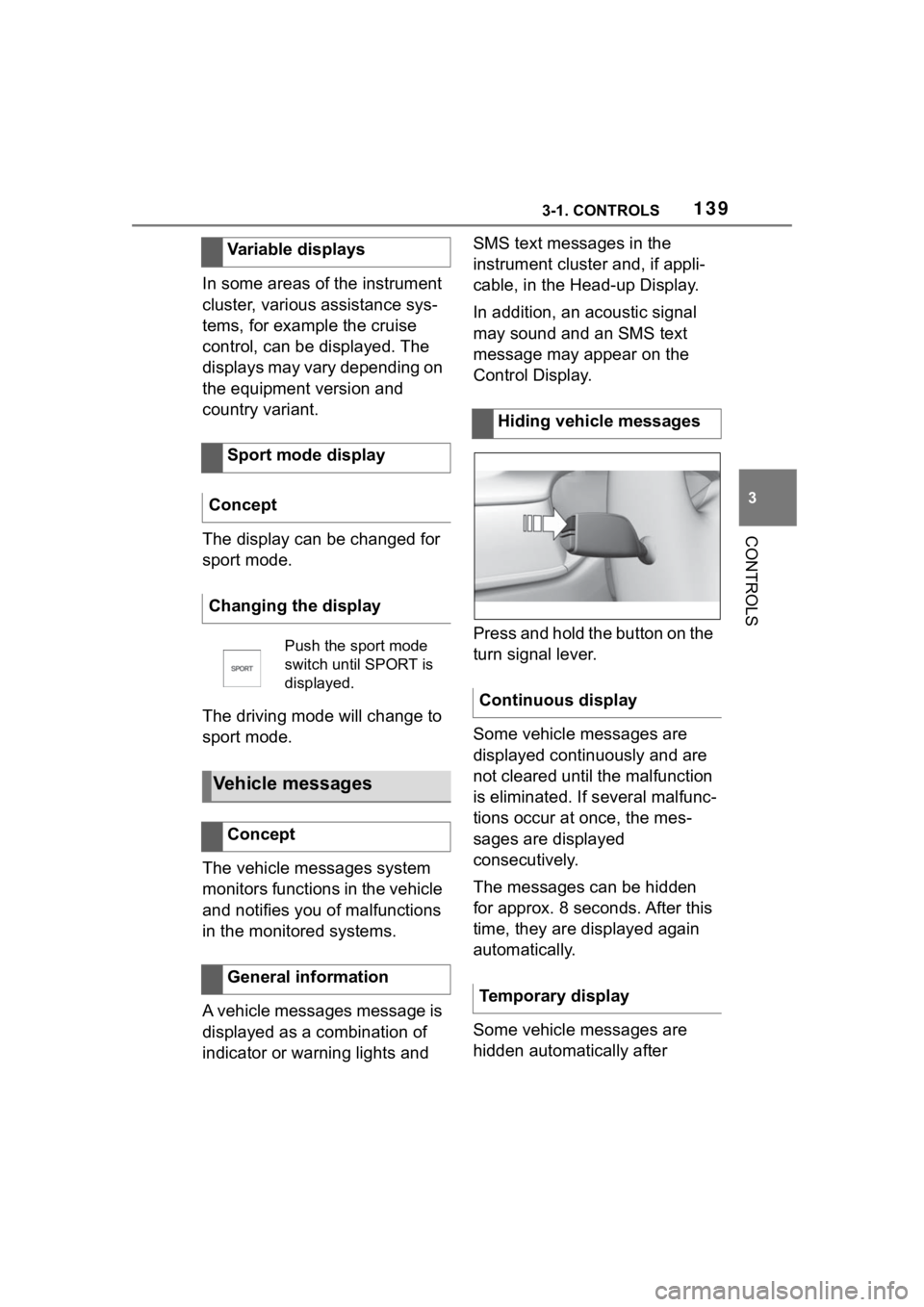
Press and hold the button on the
turn signal lever.
Some vehicle messages are
displayed continuously and are
not cleared until the malfunction
is eliminated. If s
everal malfunc-
tions occur at once, the mes-
sages are displayed
consecutively.
The messages can be hidden
for approx. 8 seconds. After this
time, they are displayed again
automatically.
Some vehicle messages are
hidden automatically after
Variable displays
Sport mode display
Concept
Changing the display
Push the sport mode
switch until SPORT is
displayed.
Vehicle messages
Concept
General information
Hiding vehicle messages
Continuous display
Temporary display
Page 142 of 372
1423-1. CONTROLS
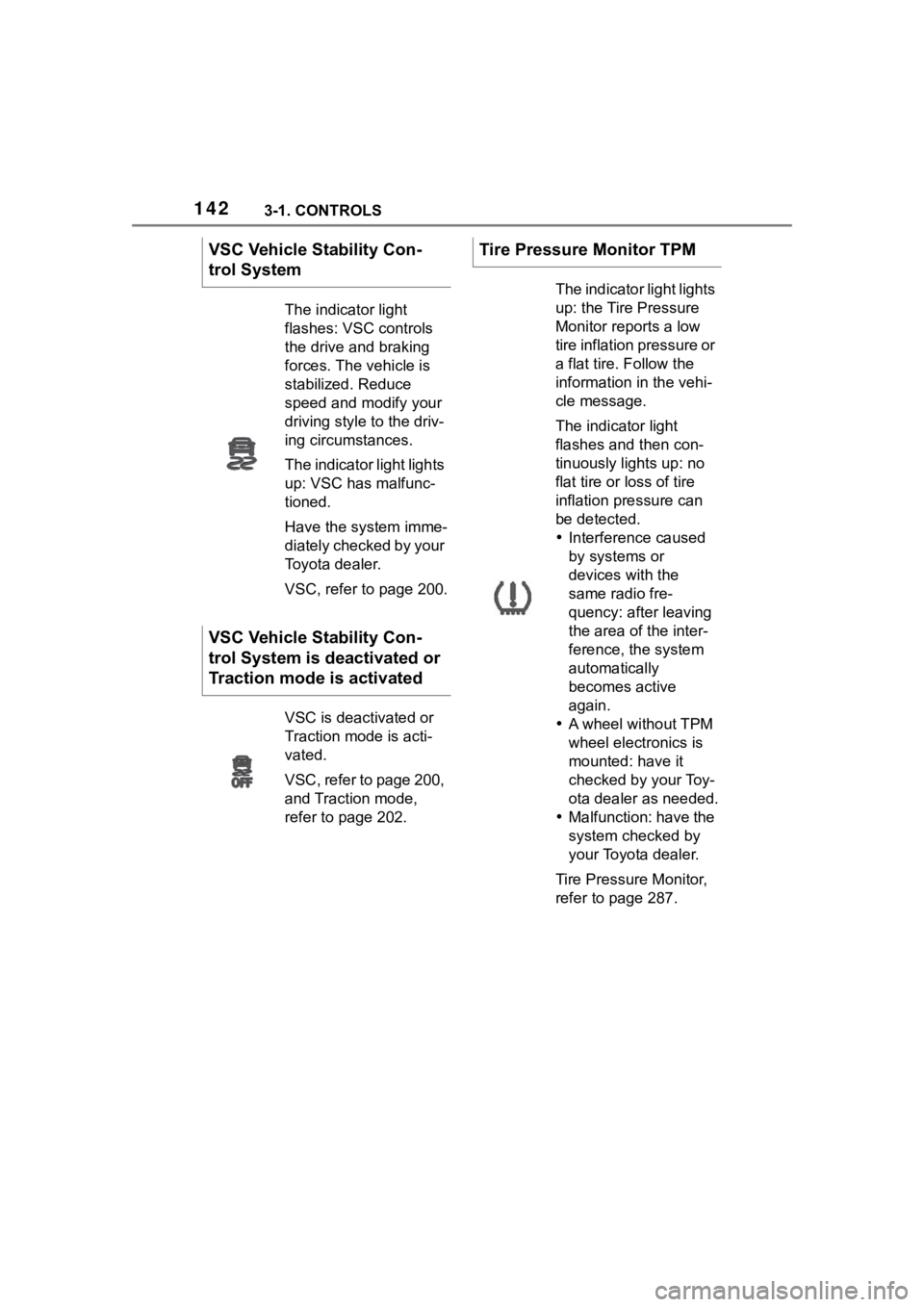
VSC Vehicle Stability Con-
trol System
The indicator light
flashes: VSC controls
the drive and braking
forces. The vehicle is
stabilized. Reduce
speed and modify your
driving style to the driv-
ing circumstances.
The indicator light lights
up: VSC has malfunc-
tioned.
Have the system imme-
diately checked by your
Toyota dealer.
VSC, refer to page 200.
VSC Vehicle Stability Con-
trol System is deactivated or
Traction mode is activated
VSC is deactivated or
Traction mode is acti-
vated.
VSC, refer to page 200,
and Traction mode,
refer to page 202.
Tire Pressure Monitor TPM
The indicator light lights
up: the Tire Pressure
Monitor reports a low
tire inflation pressure or
a flat tire. Follow the
information in the vehi-
cle message.
The indicator light
flashes and then con-
tinuously lights up: no
flat tire or loss of tire
inflation pressure can
be detected.
Interference caused
by systems or
devices with the
same radio fre-
quency: after leaving
the area of the inter-
ference, the system
automatically
becomes active
again.
A wheel without TPM
wheel electronics is
mounted: have it
checked by your Toy-
ota dealer as needed.
Malfunction: have the
system checked by
your Toyota dealer.
Tire Pressure Monitor,
refer to page 287.
Page 148 of 372
1483-1. CONTROLS
Via Toyota Supra Command:
1"My vehicle"
2 "Vehicle status"
3 "Service required"
4 "Date:"
5 Select the desired setting.
The gear shift indicator recom-
mends the optimal gear for the
current driving situation and
supports an efficient driving
style.
Depending on the vehicle equip-
ment and country version, the
gear shift indicator is active in
the manual mode of the auto-
matic transmission and with
manual transmission.
Suggestions to shift gear up or
down are displayed in the instru-
ment cluster.
On vehicles without a gear shift
indicator, the engaged gear is
displayed. Suggestions to shift gear up or
down are displayed in the instru-
ment cluster.
On vehicles without a gear shift
indicator, the engaged gear is
displayed.
The display can be operated
when necessary.
Entertainment source.
Current audio source.
List of most recent telephone
calls.
If necessary, the corresponding
menu will open on the Control
Display.
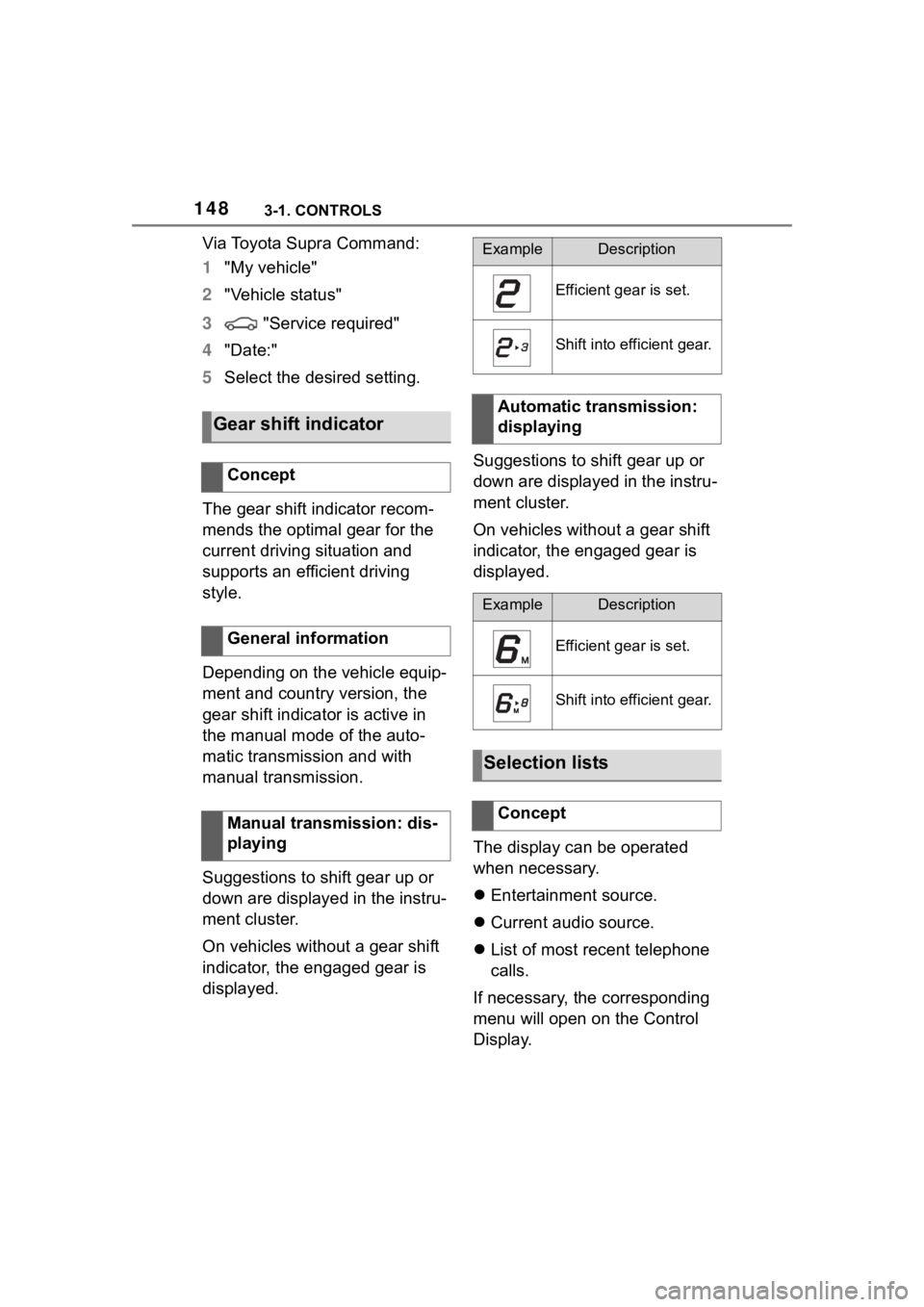
Gear shift indicator
Concept
General information
Manual transmission: dis-
playing
ExampleDescription
Efficient gear is set.
Shift into efficient gear.
Automatic transmission:
displaying
ExampleDescription
Efficient gear is set.
Shift into efficient gear.
Selection lists
Concept
Page 207 of 372
2073-1. CONTROLS
3
CONTROLS
The indicator will come on.
Cruise control is active. The cur-
rent speed is maintained and
stored as desired speed.
VSC Vehicle Stability Control
System is switched on, if neces-
sary.
The displays go out. The stored
desired speed is deleted.
The system is automatically
interrupted in the following situa-
tions, for example:
When the driver applies the
brakes.
Manual transmission: the
clutch pedal is depressed for
a few seconds or released while a gear is not engaged.
Manual transmission: if the
gear engaged is too high for
the current speed.
Automatic transmission:
selector lever position D is
disengaged.
Traction mode is activated or
VSC Vehicle Stability Control
System is deactivated.
If VSC Vehicle Stability Con-
trol System intervenes.
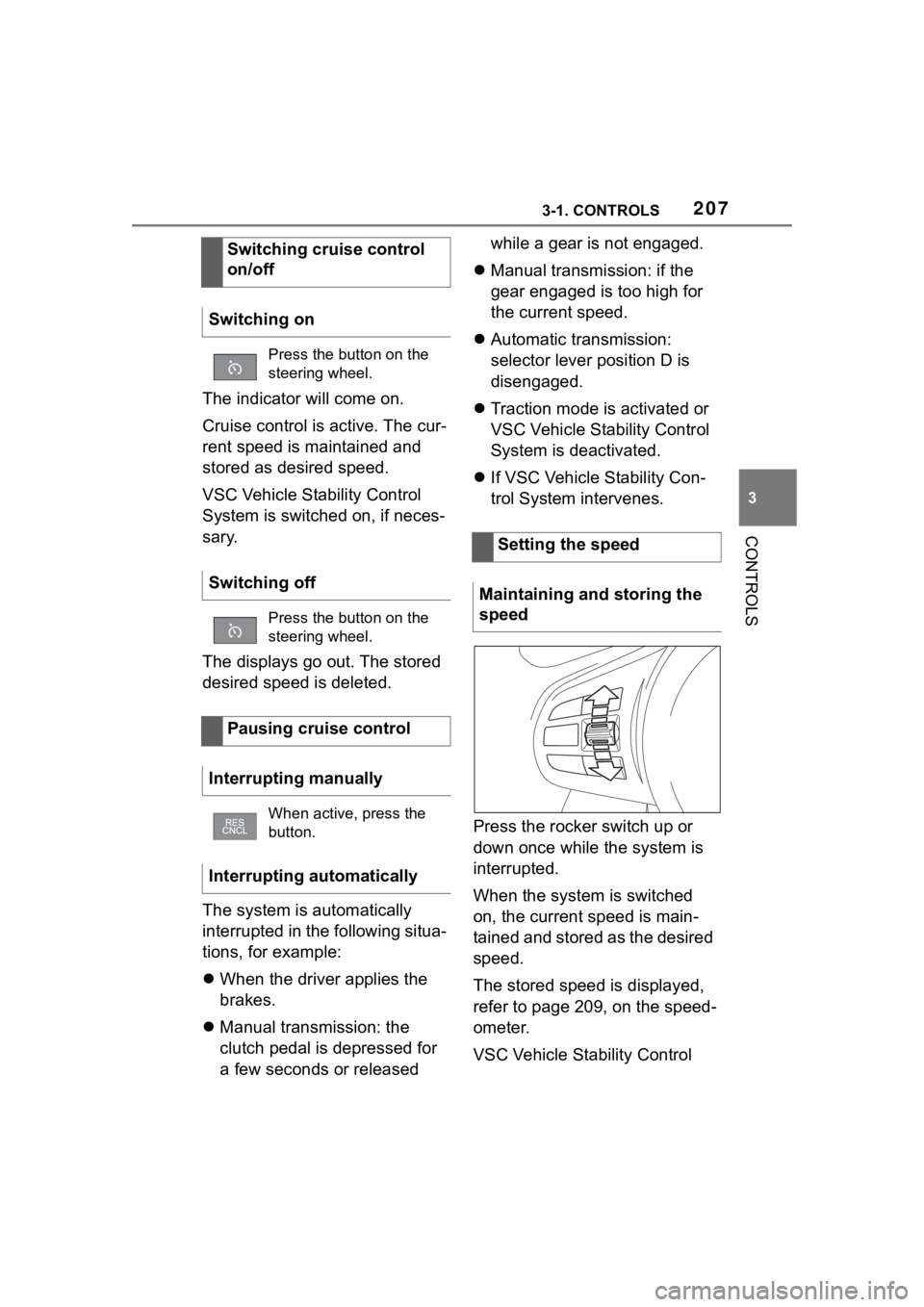
Press the rocker switch up or
down once while the system is
interrupted.
When the system is switched
on, the current speed is main-
tained and stored as the desired
speed.
The stored speed is displayed,
refer to page 209, on the speed-
ometer.
VSC Vehicle Stability Control
Switching cruise control
on/off
Switching on
Press the button on the
steering wheel.
Switching off
Press the button on the
steering wheel.
Pausing cruise control
Interrupting manually
When active, press the
button.
Interrupting automatically
Setting the speed
Maintaining and storing the
speed
Page 212 of 372
2123-1. CONTROLS
the same time.
Press the following button on
the steering wheel again:
The displays go out. The stored
desired speed is deleted.
When active, press the following
button on the steering wheel:
If interrupting the system while
stationary, press on the brake
pedal at the same time.
The system is automatically
interrupted in the following situa-
tions:
When the driver applies the
brakes.
Manual transmission: the
clutch pedal is depressed for
a few seconds or released
while a gear is not engaged.
Manual transmission: if the
gear engaged is too high for
the current speed.
Automatic transmission:selec-
tor lever position D isdisen-
gaged.
Traction mode is activated or
VSC Vehicle Stability Control
System is deactivated.
If VSC Vehicle Stability Con-
trol System intervenes.
If the safety belt is unbuckled
and the driver's door is
opened while the vehicle is
standing still.
If the system has not detected
objects for an extended
period, for instance on a road
with very little traffic without
curb or shoulder markings.
If the detection range of the
radar is impaired, for instance
by dirt or heavy fog.
After a longer stationary
period when the vehicle has
been braked to a stop by the
system.
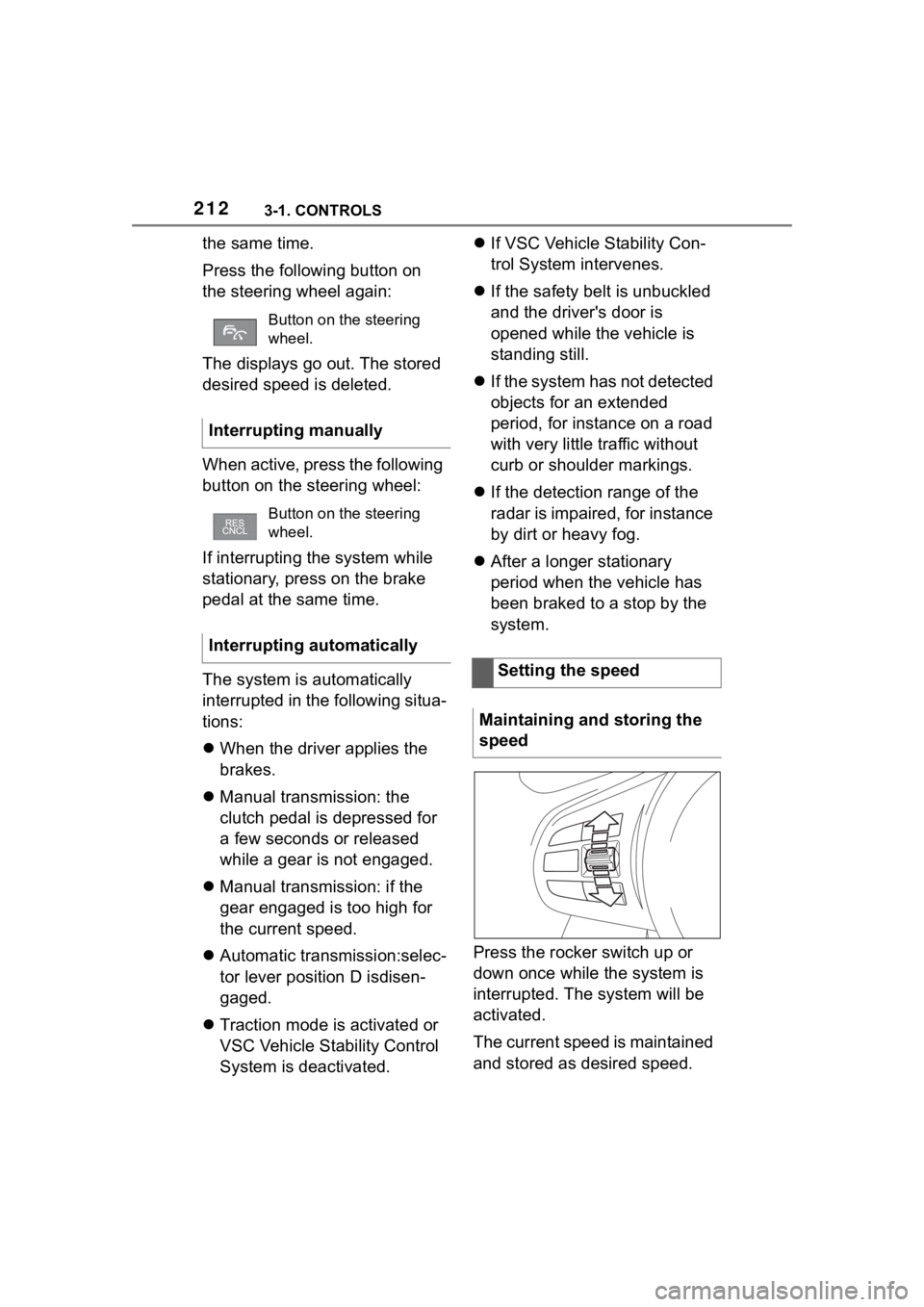
Press the rocker switch up or
down once while the system is
interrupted. The system will be
activated.
The current speed is maintained
and stored as desired speed.
Button on the steering
wheel.
Interrupting manually
Button on the steering
wheel.
Interrupting automatically
Setting the speed
Maintaining and storing the
speed
Page 250 of 372

2503-1. CONTROLS
Verizon’s online registration
link: (http://www.verizonwire-
less.com/wcms/con-
sumer/register-signal-booster.
html).
AT&T online registration link
(https://secu-
rec45.securewebses-
sion.com/attsignal-booster.co
m/).
U.S.Cellular online registra-
tion link (http://www.uscellu-
lar.com/uscellular/support/fcc-
booster-registration.jsp).
Before use you must register
your booster device with your
wireless provider.
If you should be requested by
the FCC to cease operating your
booster you are not allowed to
insert your mobile phone in the
charging tray anymore unless
the booster is permanently
deactivated by your Toyota
dealer.
You must not remove the
booster from the car nor use it
with any other than the prein-
stalled coupling device or
antenna. Any modification of the
existing antenna or coupling
device as well as the use of
other antennas or coupling
devices will cause the cease of
the booster’s operating license.
The booster device fulfills the
network protections tandards as
required by the FCC, such as intermodulation limits, oscillation
detection and gainlimits.
Booster Manufacturer: Kathrein
Automotive
Model Number: LTECOMPB0
Part Number: 6803145-01
FCC-ID: 2ACC7LTECOMPB0
Page 301 of 372
3015-1. MOBILITY
5
MOBILITY
2.0 models
Toyota recommends AKI 91.
3.0 and 3.0 Premium models
Toyota recommends AKI 93.
Refuel with this gasoline to
achieve the rated performance
and consumption values.
The minimum grade is AKI 87.
If you use gasoline with this min-
imum AKI Rating, the engine
may produce knocking sounds
when starting at high external
temperatures. This has no effect
on the engine life.
This chapter describes all stan-
dard, country-specific and
optional features offered with
the series. It also describes fea-
tures that are not necessarily
available in your vehicle, for
WARNING
If drivability prob lems are encoun-
tered, we recommend switching
to a high quality gasoline brand
and a higher octane grade - AKI
number - for a few tank fills. To
avoid harmful engine deposits, it
is highly recommended to pur-
chase gasoline from Top Tier
retailers.
Failure to comply with these rec-
ommendations may result in the
need for unscheduled mainte-
nance.
NOTICE
Even small quantities of the
wrong fuel or wrong fuel additives
can damage the fuel system and
engine. Furthermore, the catalytic
converter is permanently dam-
aged. There is a risk of damage to
property. Do not refuel or add the
following in the case of gasoline
engines:
Page 367 of 372
367Alphabetical Index
Malfunction, remote control .... 85
Manual air distribution ........... 237
Manual air flow ....................... 237
Manual brake, see Parking brake............................................... 123
Manual mode, Automatic trans- mission.................................. 131
Manual operation, fuel filler flap ............................................... 269
Manual transmission ............. 130
Manual transmission, Fluid ... 342
Matte finish ............................. 333
Maximum cooling ................... 235
Maximum speed display, see Speed Limit Info ................... 203
Maximum speed of winter tires ............................................... 281
Measurement, uni ts of ............. 64
Memory function .................... 111
Menu, instrument cluster, see Selection lists ....................... 148
Menus, operating, see Toyota Supra Command .................... 49
Messages .................................. 65
Messages, see Vehicle mes- sages ..................................... 139
Microfilter ................................ 238
Minimum tread depth, tires ... 278
Mirror, see Memory function . 111
Mobile communication devices in the vehicle ........................ 260
Mobile devices, m anaging ....... 78
Mobility System ...................... 282
Modifications, t echnical, see For
Your Own Safety ....................... 5
Monitor, see Control Display ... 51
Mounting of child restraint sys- tems ....................................... 115
Multi-function hook ................ 255
Multifunction steering wheel, buttons .................................... 38N
Neck restraints, front, see Head restraints ...............................108
Net, cargo area........................255
Neutral cleaner, see Light-alloy wheels ...................................335
New wheels and tires .............279
NORMAL, see Spor t mode switch
...............................................136
Nylon rope for tow-starting/tow- ing ..........................................329
O
OBD Onboard Diagnosis .......309
Obstacle marking, rearview cam-era ..........................................227
Octane rating, see Recom- mended fuel grade................301
Oil .............................................302
Oil change ...............................305
Oil change interval, see Service requirements .........................147
Oil filler neck ...........................303
Oil types to add, engine .........304
Oil, adding ...............................303
Onboard Diagnosis OBD .......309
Onboard vehicle tool kit......... 311
On-call service, see Breakdown assistance .............................323
Opening and closing ................80
Operating concept, Toyota Supra Command ................................49
Operating with the Controller ..54
Operation via touchscreen ......56
Overheating of engine, see Cool- ant temperature ....................146
Overwintering, see Long-term vehicle storage .....................337
Page 368 of 372
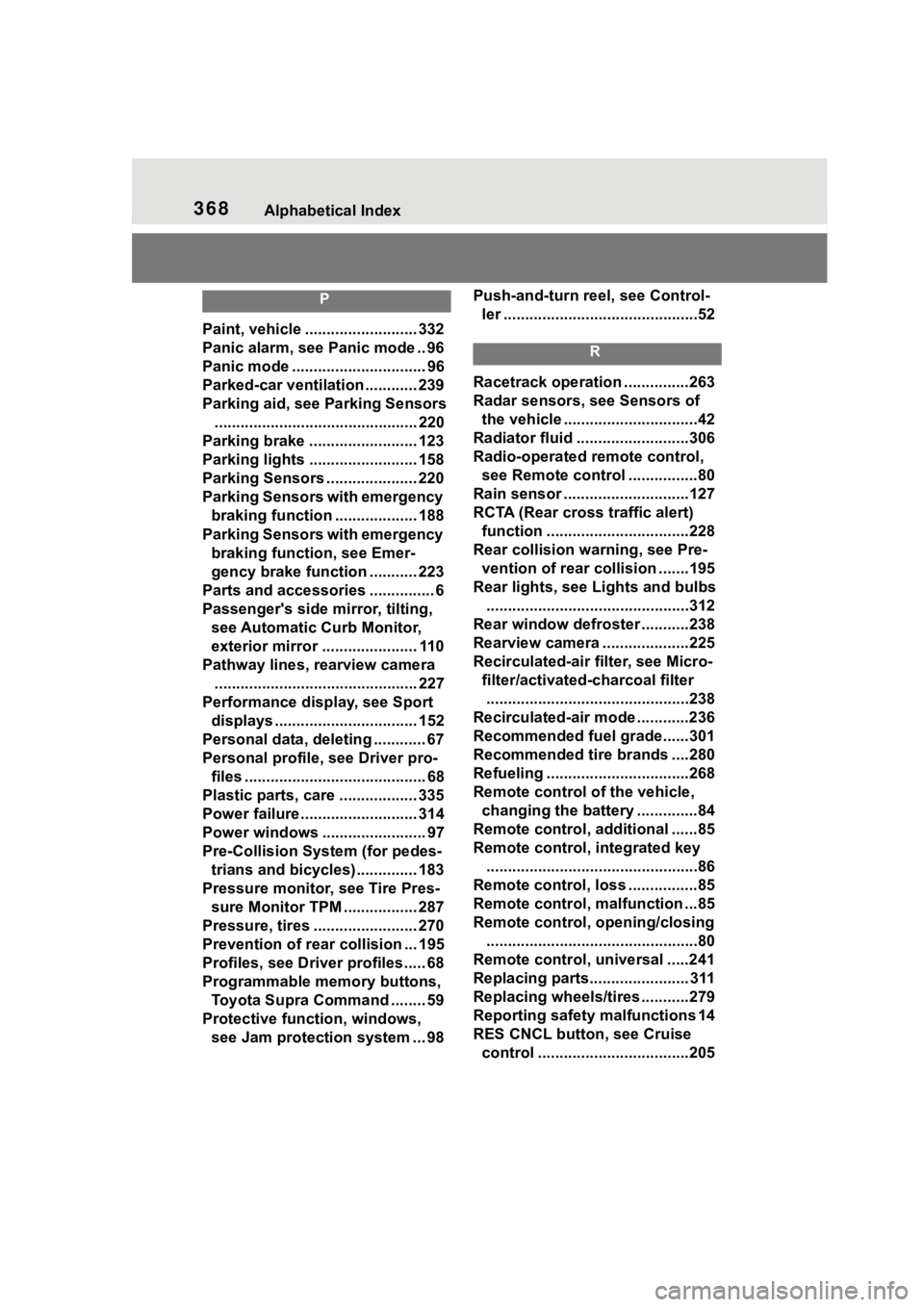
368Alphabetical Index
P
Paint, vehicle .......................... 332
Panic alarm, see Panic mode .. 96
Panic mode ............................... 96
Parked-car ventilation ............ 239
Parking aid, see Parking Sensors............................................... 220
Parking brake ......................... 123
Parking lights ......................... 158
Parking Sensors ..................... 220
Parking Sensors with emergency braking function ................... 188
Parking Sensors with emergency braking function, see Emer-
gency brake function ........... 223
Parts and accessories ............... 6
Passenger's side mirror, tilting, see Automatic Curb Monitor,
exterior mirror ...................... 110
Pathway lines, rearview camera ............................................... 227
Performance display, see Sport displays ................................. 152
Personal data, deleting ............ 67
Personal profile, see Driver pro- files .......................................... 68
Plastic parts, care .................. 335
Power failure ........................... 314
Power windows ........................ 97
Pre-Collision System (for pedes- trians and bicycles).............. 183
Pressure monitor, see Tire Pres- sure Monitor TPM ................. 287
Pressure, tires ........................ 270
Prevention of rear collision ... 195
Profiles, see Drive r profiles ..... 68
Programmable memory buttons, Toyota Supra Command ........ 59
Protective function, windows, see Jam protection system ... 98 Push-and-turn reel, see Control-
ler .............................................52
R
Racetrack operation ...............263
Radar sensors, see Sensors of the vehicle ...............................42
Radiator fluid ..........................306
Radio-operated remote control, see Remote control ................80
Rain sensor .............................127
RCTA (Rear cross traffic alert)
function .................................228
Rear collision warning, see Pre- vention of rear collision .......195
Rear lights, see Lights and bulbs ...............................................312
Rear window defroster ...........238
Rearview camera ....................225
Recirculated-air filter, see Micro- filter/activated-charcoal filter...............................................238
Recirculated-air mode ............236
Recommended fuel grade......301
Recommended tire brands ....280
Refueling ............ .....................268
Remote control of the vehicle, changing the battery ..............84
Remote control, additional ......85
Remote control, integrated key .................................................86
Remote control, loss ................85
Remote control, malfunction ...85
Remote control, opening/closing .................................................80
Remote control, universal .....241
Replacing parts....................... 311
Replacing wheels/tires ...........279
Reporting safety malfunctions 14
RES CNCL button, see Cruise control ...................................205