service TOYOTA SUPRA 2023 User Guide
[x] Cancel search | Manufacturer: TOYOTA, Model Year: 2023, Model line: SUPRA, Model: TOYOTA SUPRA 2023Pages: 372, PDF Size: 6.32 MB
Page 86 of 372
863-1. CONTROLS
Remote Services of the Toy-
ota Supra Connect app
include the ability to lock and
unlock a vehicle.
This requires an active Toyota
Supra Connect contract and the
Toyota Supra Connect app must be
installed on a smartphone.
• Unlocking the vehicle can be requested via the Concierge.
An active Toyota Supra Connect
contract is required.
The driver's door can be locked
and unlocked without remote
control using the integrated key.
The integrated key also fits the
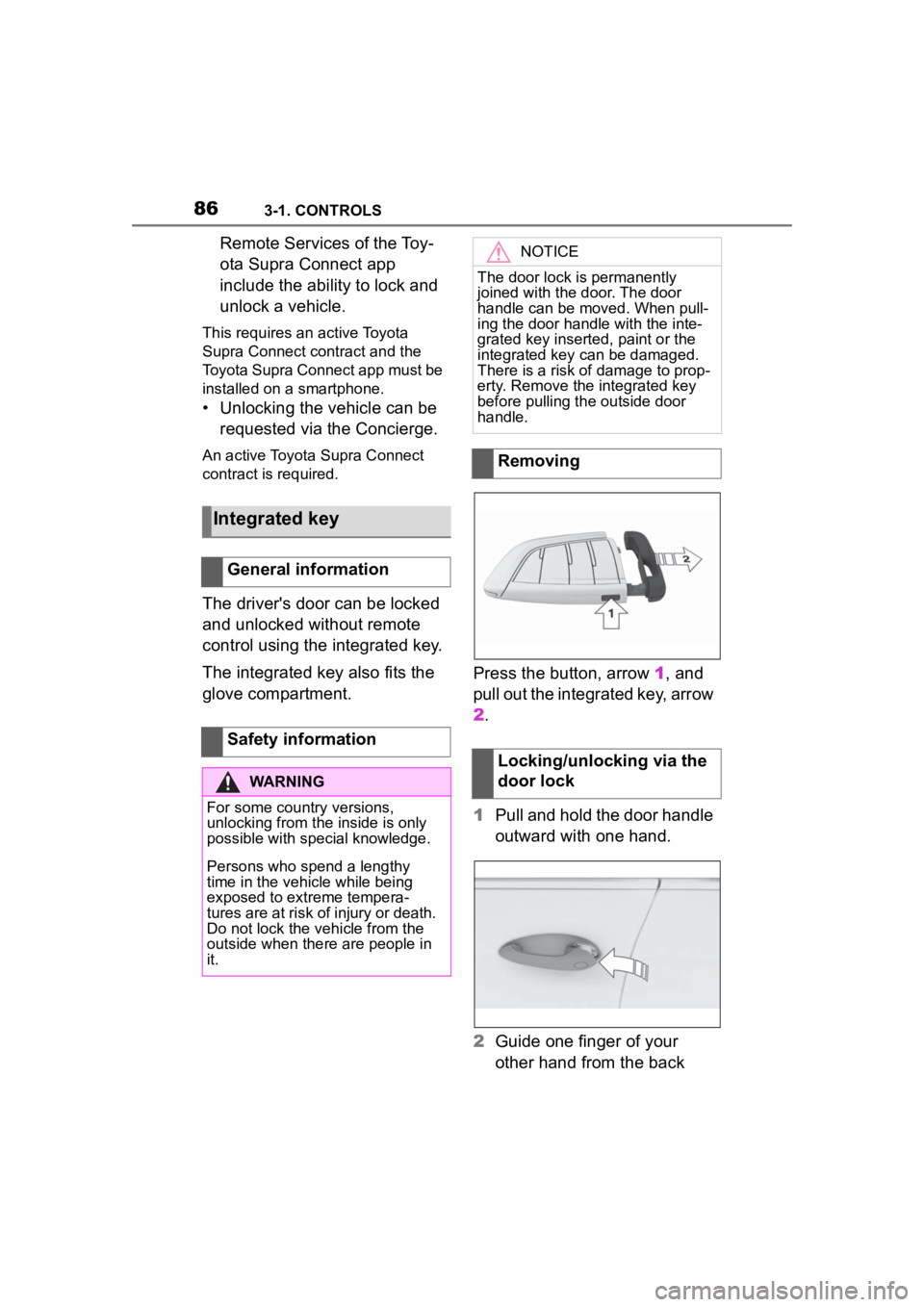
glove compartment. Press the button, arrow 1, and
pull out the integrated key, arrow
2.
1
Pull and hold the door handle
outward with one hand.
2 Guide one finger of your
other hand from the back
Integrated key
General information
Safety information
WARNING
For some country versions,
unlocking from the inside is only
possible with special knowledge.
Persons who spend a lengthy
time in the vehicle while being
exposed to extreme tempera-
tures are at risk of injury or death.
Do not lock the vehicle from the
outside when there are people in
it.
NOTICE
The door lock is permanently
joined with the door. The door
handle can be moved. When pull-
ing the door handle with the inte-
grated key inserted, paint or the
integrated key can be damaged.
There is a risk of damage to prop-
erty. Remove the integrated key
before pulling the outside door
handle.
Removing
Locking/unlocking via the
door lock
Page 147 of 372
1473-1. CONTROLS
3
CONTROLS
with the remaining fuel is perma-
nently displayed in the instru-
ment cluster.
With a low remaining range, a
vehicle message is briefly dis-
played. With a sporty driving
style, for instance fast cornering,
the engine function is not always
ensured.
The vehicle message appears
continuously below a range of
approx. 30 miles/50 km.
The function displays the ser-
vice notifications and the corre-
sponding maintenance scopes.
After switching on drive-ready
state, the instrument cluster
briefly displays available driving
distance or time to the next
scheduled maintenance.More information on the type of
service required may be dis-
played on the Control Display.
Via Toyota Supra Command:
1
"My vehicle"
2 "Vehicle status"
3 "Service required"
Maintenance and service measures
and legally mandated inspections
are displayed.
4Select an entry to call up
detailed information.
Enter the dates for the manda-
tory vehicle inspections.
Make sure that the vehicle's
date and time are set correctly.
Safety informationNOTICE
With a driving range of less than
30 miles/50 km the engine may
no longer have sufficient fuel.
Engine functions are not ensured
anymore. There is a risk of dam-
age to property. Refuel promptly.
Service notifications
Concept
General information
Display
Detailed information on ser-
vice notifications
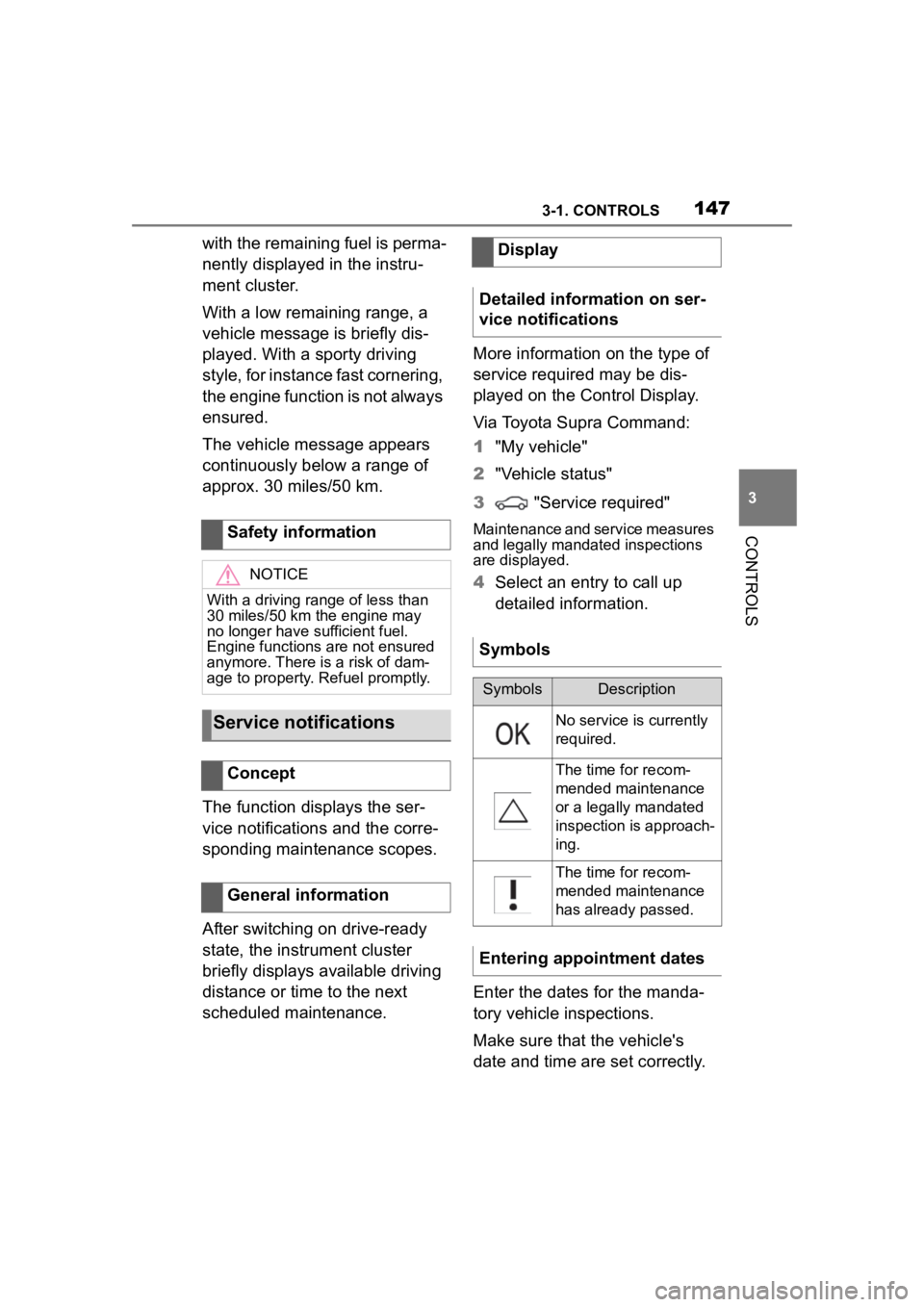
Symbols
SymbolsDescription
No service is currently
required.
The time for recom-
mended maintenance
or a legally mandated
inspection is approach-
ing.
The time for recom-
mended maintenance
has already passed.
Entering appointment dates
Page 148 of 372
1483-1. CONTROLS
Via Toyota Supra Command:
1"My vehicle"
2 "Vehicle status"
3 "Service required"
4 "Date:"
5 Select the desired setting.
The gear shift indicator recom-
mends the optimal gear for the
current driving situation and
supports an efficient driving
style.
Depending on the vehicle equip-
ment and country version, the
gear shift indicator is active in
the manual mode of the auto-
matic transmission and with
manual transmission.
Suggestions to shift gear up or
down are displayed in the instru-
ment cluster.
On vehicles without a gear shift
indicator, the engaged gear is
displayed. Suggestions to shift gear up or
down are displayed in the instru-
ment cluster.
On vehicles without a gear shift
indicator, the engaged gear is
displayed.
The display can be operated
when necessary.
Entertainment source.
Current audio source.
List of most recent telephone
calls.
If necessary, the corresponding
menu will open on the Control
Display.
Gear shift indicator
Concept
General information
Manual transmission: dis-
playing
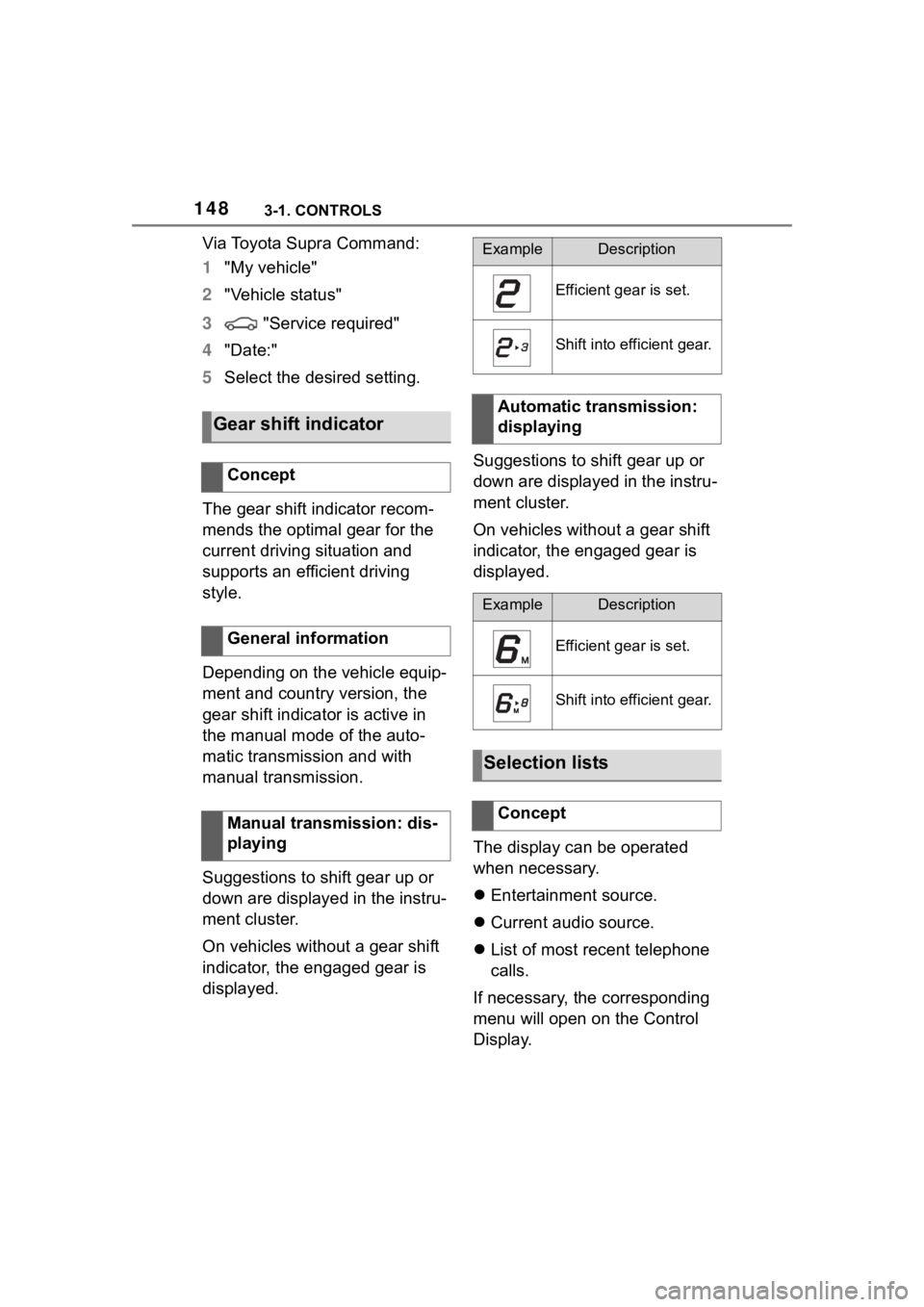
ExampleDescription
Efficient gear is set.
Shift into efficient gear.
Automatic transmission:
displaying
ExampleDescription
Efficient gear is set.
Shift into efficient gear.
Selection lists
Concept
Page 154 of 372
1543-1. CONTROLS
cle messages are stored in
the background and can be
displayed on the Control Dis-
play. Displaying stored vehi-
cle messages, refer to page
140.
"Service required": Dis-
playing service notifications,
refer to page 147.
"Remote maintenance
Call": service request.
*: if equipped
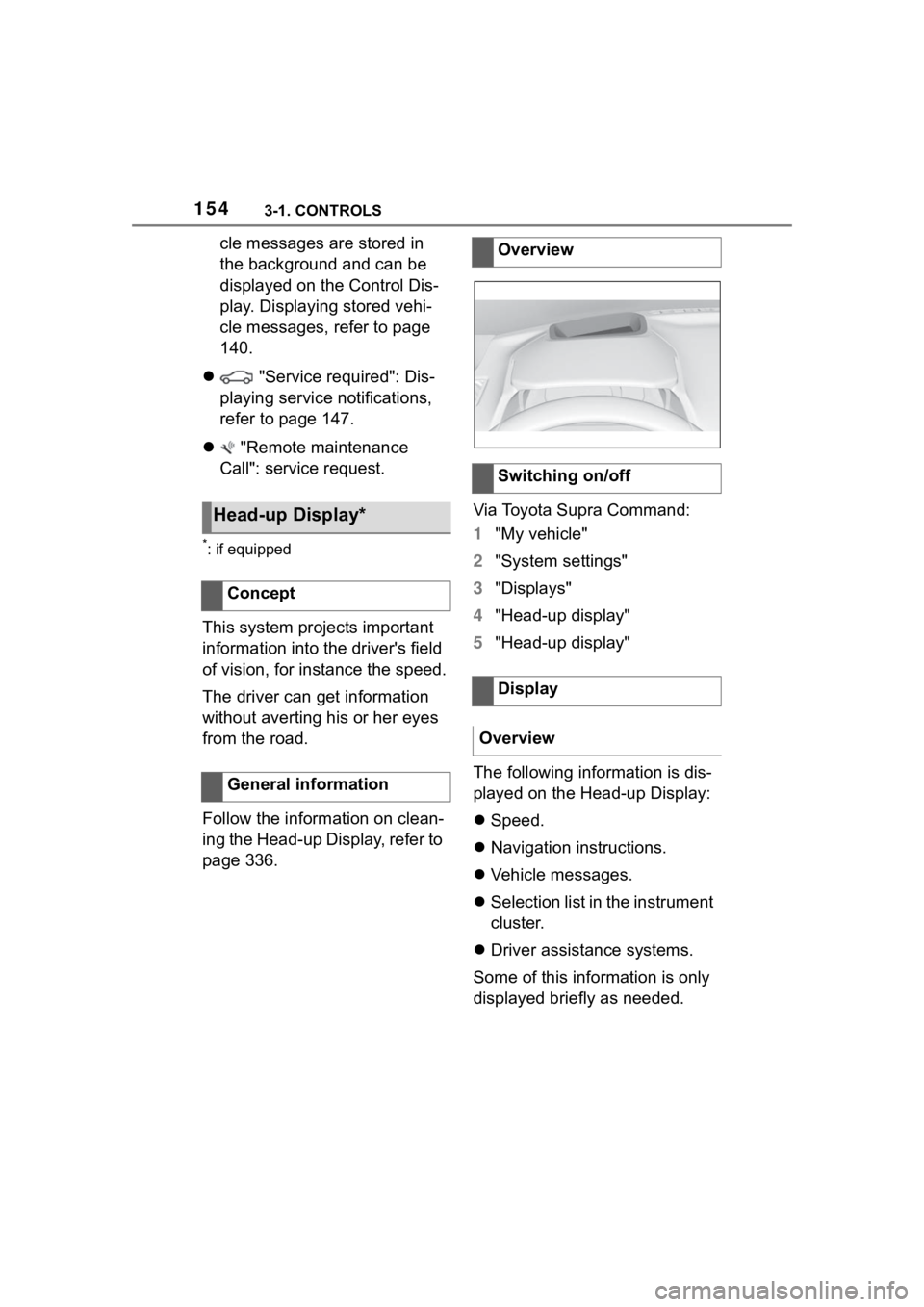
This system projects important
information into the driver's field
of vision, for instance the speed.
The driver can get information
without averting his or her eyes
from the road.
Follow the information on clean-
ing the Head-up Display, refer to
page 336. Via Toyota Supra Command:
1
"My vehicle"
2 "System settings"
3 "Displays"
4 "Head-up display"
5 "Head-up display"
The following information is dis-
played on the Head-up Display:
Speed.
Navigation instructions.
Vehicle messages.
Selection list in the instrument
cluster.
Driver assistance systems.
Some of this information is only
displayed briefly as needed.
Head-up Display*
Concept
General information
Overview
Switching on/off
Display
Overview
Page 233 of 372
2333-1. CONTROLS
3
CONTROLS
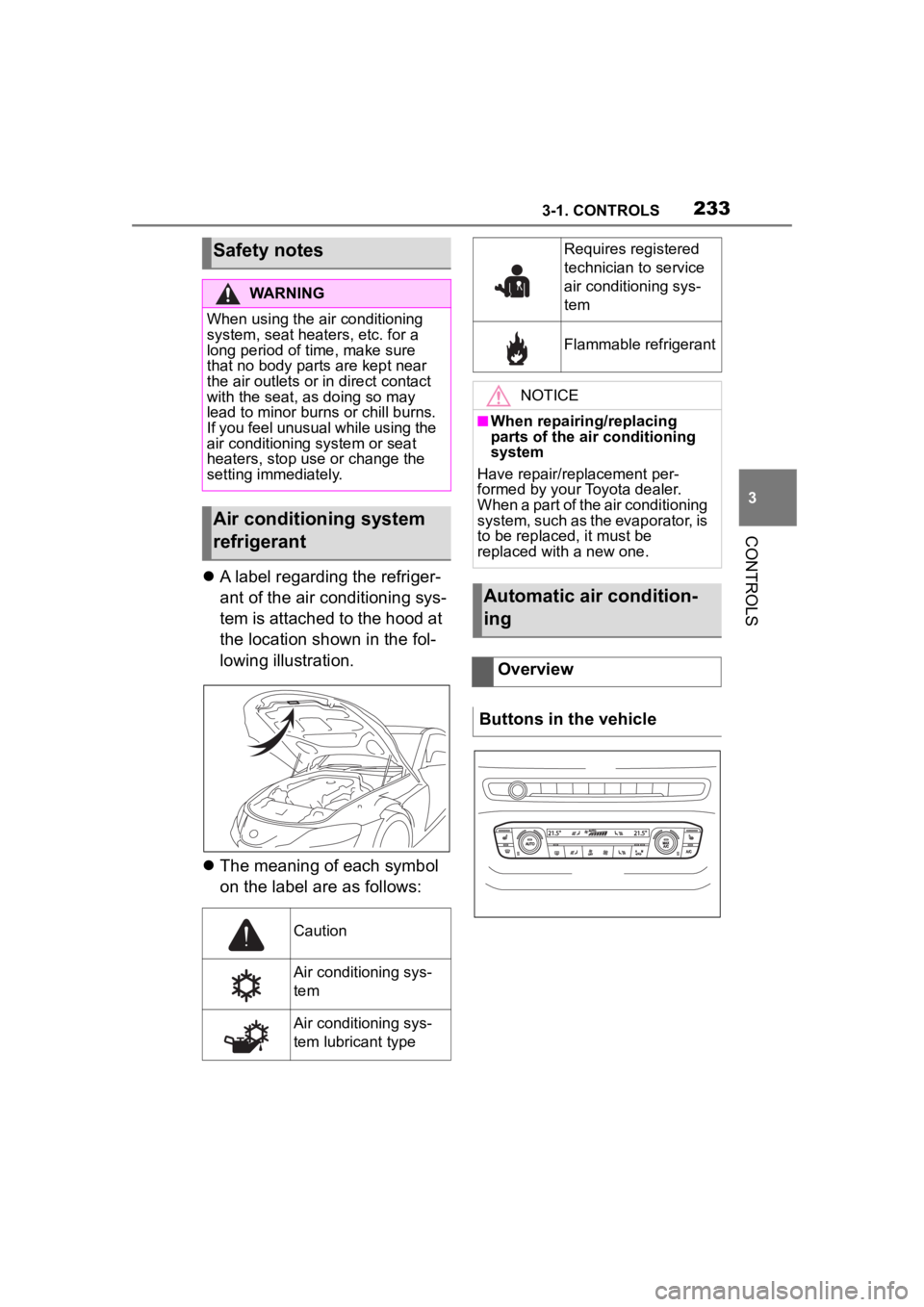
A label regarding the refriger-
ant of the air conditioning sys-
tem is attached to the hood at
the location shown in the fol-
lowing illustration.
The meaning of each symbol
on the label are as follows:
Safety notes
WARNING
When using the air conditioning
system, seat heaters, etc. for a
long period of time, make sure
that no body parts are kept near
the air outlets or i n direct contact
with the seat, as doing so may
lead to minor burns or chill burns.
If you feel unusual while using the
air conditioning system or seat
heaters, stop use or change the
setting immediately.
Air conditioning system
refrigerant
Caution
Air conditioning sys-
tem
Air conditioning sys-
tem lubricant type
Requires registered
technician to service
air conditioning sys-
tem
Flammable refrigerant
NOTICE
■When repairing/replacing
parts of the air conditioning
system
Have repair/replacement per-
formed by your Toyota dealer.
When a part of the air conditioning
system, such as the evaporator, is
to be replaced, it must be
replaced with a new one.
Automatic air condition-
ing
Overview
Buttons in the vehicle
Page 249 of 372
2493-1. CONTROLS
3
CONTROLS
Via Toyota Supra Command:
1“My Vehicle”
2 “System settings”
3 “Wireless charging tray”
4 “Forgotten mobile device
alert”
The charge current may be
reduced or the charging process
may be temporarily interrupted
in the following situations:
Due to excessive tempera-
tures on the surface of the
tray and mobile phone.
If there are objects between
the mobile phone and the
wireless charging tray.
By settings on the mobile
phone, for instance for
charging. Follow the relevant
instructions control display
and in the instructions for the
mobile phone, if applicable.
Your car is equipped with a wire-
less charging tray (WCA) to
charge your mobile phone and
connect it to the mobile network.
To ensure the best possible con-
nection a signal booster
(LTE-Compensator) is used in
conjunction with the WCA. The following paragraphs refer to
this booster:
This is a CONSUMER device.
BEFORE USE, you MUST
REGISTER THIS DEVICE with
your wireless provider and have
your provider's consent. Most
wireless providers consent to
the use of Compensators. Some
providers may not consent to
the use of this device on their
network. If you are unsure, con-
tact your provider. You MUST
operate this device with
approved antennas and cables
as specified by the manufac-
turer. Antennas MUST be
installed at least 20 cm (8
inches) from any person. You
MUST cease operating this
device immediately if requested
by the FCC or a licensed wire-
less service provider. Warning
E911 location information may
not be provided or may be inac-
curate for calls served by using
this device.
Please observe additionally the
following information
Sprint Nextel will allow con-
sumers to register their signal
boosters by calling their
toll-free number.
T-Mobile online registration
link:
(www.T-Mobile.com/Booster-
Registration);
(https://saqat.t-mobile.com/sit
es/SignalBooster#).
Activating
System limits
LTE-Compensator - Infor-
mation and User Manual
Page 265 of 372

2654-1. DRIVING TIPS
4
DRIVING TIPS
vehicle roll.
The flow of fuel is interrupted
while coasting.
Switch off the engine during lon-
ger stops, for instance at traffic
lights, railroad crossings or in
traffic congestion.
The Auto Start/Stop function of
the vehicle automatically
switches off the engine during a
stop.
If the engine is switched off and
then restarted rather than leav-
ing the engine running con-
stantly, fuel consumption and
emissions are reduced. Sav-
ings can begin within a few sec-
onds of switching off the engine.
In addition, fuel consumption is
also determined by other fac-
tors, such as driving style, road
conditions, maintenance or envi-
ronmental factors.
Functions such as seat heating
and the rear window defroster require a lot of energy and
increase fuel consumption,
especially in city and
stop-and-go traffic.
Switch off these functions if they
are not needed.
Have the vehicle maintained
regularly to achieve optimal
vehicle efficiency and service
life. Toyota recommends that
maintenance work be performed
by Toyota.
For information on the Mainte-
nance System, refer to page
308.
Switch off the engine
during longer stops
Switching off the engine
Auto Start/Stop function
Switch off any functions
that are not currently
needed
Have maintenance carried
out
Page 270 of 372
2705-1. MOBILITY
This chapter describes all stan-
dard, country-specific and
optional features offered with
the series. It also describes fea-
tures and functions that are not
necessarily available in your
vehicle, e.g., due to the selected
options or country versions. This
also applies to safety-related
functions and systems. When
using these functions and sys-
tems, the applicable laws and
regulations must be observed.
The tire characteristics and tire
inflation pressure influence the
following:
• The service life of the tires.
• Road safety.
• Driving comfort.
• Fuel consumption.The tire inflation pressure table,
refer to page 273, contains all
tire inflation pressure specifica-
tions for the specified tire sizes
at the ambient temperature. The
tire inflation pressure values
apply to tire sizes approved by
the manufacturer of the vehicle
for the vehicle type.
To identify the correct tire infla-
tion pressure, please note the
following:
If the tire's speed code cannot
be found, then the tire inflation
pressure for the corresponding
tire size applies.
• Tire sizes of your vehicle.
• Maximum permitted driving
speed.
Wheels and tires
Vehicle features and
options
Tire inflation pressure
General information
Safety information
WARNING
A tire with too little or no tire infla-
tion pressure may heat up signifi-
cantly and sustain damage. This
will have a negative impact on
aspects of handling, such as
steering and braking response.
There is a risk of an accident.
Regularly check the tire inflation
pressure, and correct it as
needed, for instance twice a
month and before a long trip.
Tire inflation pressure
specifications
In the tire inflation pressure
table
Page 277 of 372

2775-1. MOBILITY
5
MOBILITY
and maximum section width.
E.g.: Treadwear 200; Traction
AA; Temperature A
Treadwear
Traction AA A B C
Temperature A B C
All passenger vehicle tires must
conform to Federal Safety
Requirements in addition to
these grades
The treadwear grade is a com-
parative rating based on the
wear rate of the tire when tested
under controlled conditions on a
specified government test
course. E.g., a tire graded 150
would wear one and one-half, 1
g, times as well on the govern-
ment course as a tire graded
100. The relative performance
of tires depends upon the actual
conditions of their use, however,
and may depart significantly
from the norm due to variations
in driving habits, service prac-
tices and differences in road
characteristics and climate.
The traction grades, from high-
est to lowest, are AA, A, B, and
C.Those grades represent the
tire's ability to stop on wet pave-
ment as measured under con-
trolled conditions on specified
government test surfaces of
asphalt and concrete. A tire
marked C may have poor trac-
tion performance.
The traction grade assigned to
this tire is based on
straight-ahead braking traction
tests, and does not include
acceleration, cornering, hydro-
planing, or peak traction charac-
teristics.
The temperature grades are A,
the highest, B, and C, represent-
ing the tire's resistance to the
generation of heat and its ability
to dissipate heat when tested
under controlled conditions on a
specified indoor laboratory test
wheel. Sustained high tempera-
ture can cause the material of
the tire to degenerate and
reduce tire life, and excessive
temperature can lead to sudden
tire failure.
The grade C corresponds to a
level of performance which all
passenger vehicle tires must
meet under the Federal Motor
Vehicle Safety Standard No.
109. Grades Band A represent
higher levels of performance on
the laboratory test wheel than
the minimum required by law.
DOT Quality Grades
Treadwear
Tr a c t i o n
Temperature
Page 280 of 372
2805-1. MOBILITY
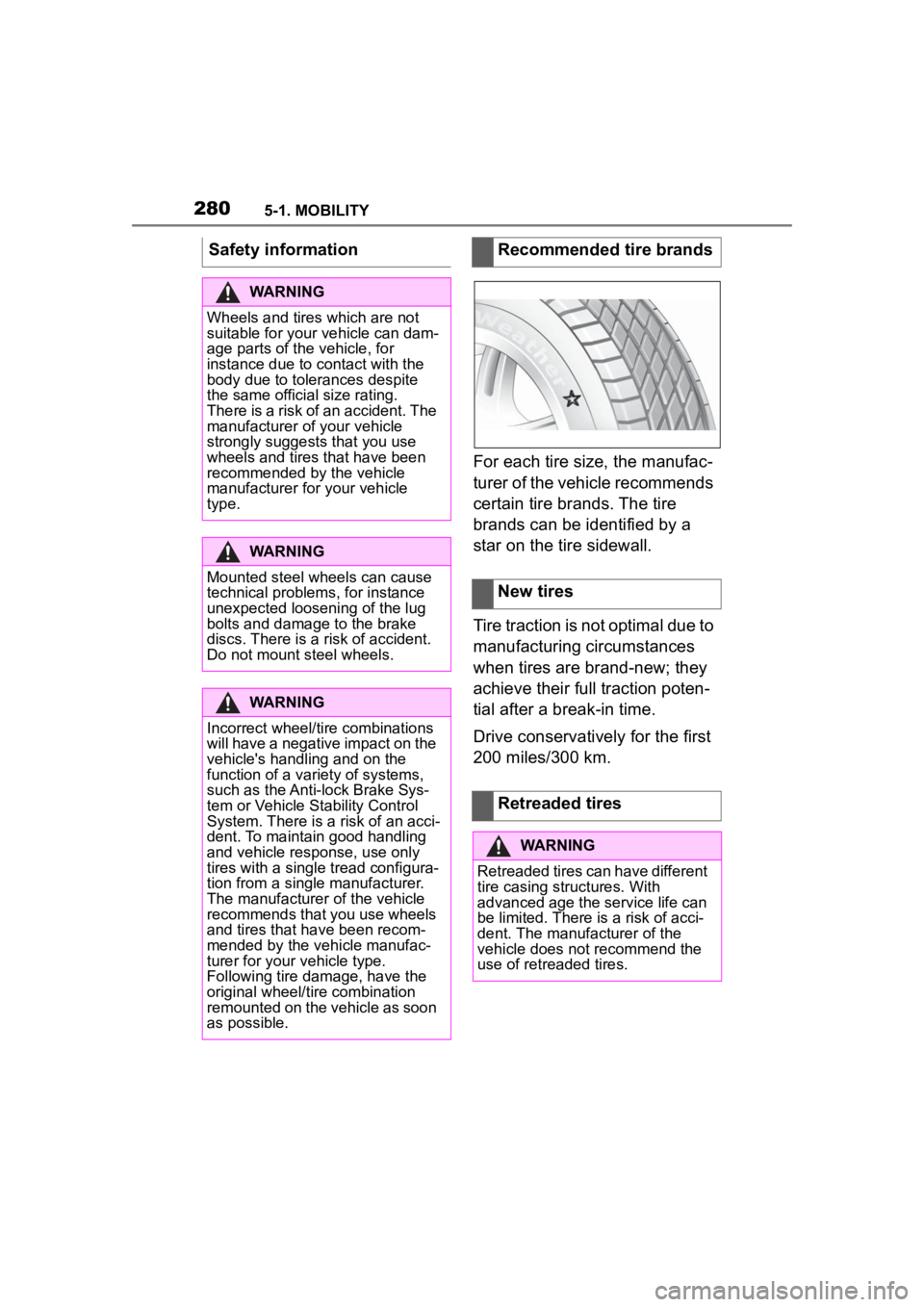
For each tire size, the manufac-
turer of the vehicle recommends
certain tire brands. The tire
brands can be identified by a
star on the tire sidewall.
Tire traction is not optimal due to
manufacturing circumstances
when tires are brand-new; they
achieve their full traction poten-
tial after a break-in time.
Drive conservatively for the first
200 miles/300 km.
Safety information
WARNING
Wheels and tires which are not
suitable for your
vehicle can dam-
age parts of the vehicle, for
instance due to contact with the
body due to tolerances despite
the same official size rating.
There is a risk of an accident. The
manufacturer of your vehicle
strongly suggests that you use
wheels and tires that have been
recommended by the vehicle
manufacturer for your vehicle
type.
WARNING
Mounted steel wheels can cause
technical problem s, for instance
unexpected loosening of the lug
bolts and damage to the brake
discs. There is a risk of accident.
Do not mount steel wheels.
WARNING
Incorrect wheel/tire combinations
will have a negative impact on the
vehicle's handling and on the
function of a variety of systems,
such as the Anti-lock Brake Sys-
tem or Vehicle S tability Control
System. There is a risk of an acci-
dent. To maintain good handling
and vehicle response, use only
tires with a single tread configura-
tion from a single manufacturer.
The manufacturer of the vehicle
recommends that you use wheels
and tires that have been recom-
mended by the vehicle manufac-
turer for your vehicle type.
Following tire damage, have the
original wheel/tire combination
remounted on the vehicle as soon
as possible.
Recommended tire brands
New tires
Retreaded tires
WARNING
Retreaded tires can have different
tire casing structures. With
advanced age the service life can
be limited. There is a risk of acci-
dent. The manufacturer of the
vehicle does not recommend the
use of retreaded tires.