start stop button TOYOTA SUPRA 2023 User Guide
[x] Cancel search | Manufacturer: TOYOTA, Model Year: 2023, Model line: SUPRA, Model: TOYOTA SUPRA 2023Pages: 372, PDF Size: 6.32 MB
Page 122 of 372
1223-1. CONTROLS
automatic air conditioning is
switched on.
The steering wheel is turned.
Change from selector lever
position D to N or R.
Change from selector lever
position P to N, D, or R.
Vehicle battery is heavily dis-
charged.
Start of an oil level measure-
ment.
Depending on the vehicle equip-
ment and country-specific ver-
sion, the vehicle features a
variety of sensors for assessing
the traffic situation. The Auto
Start/Stop function uses this
information to adapt to various
traffic situations in a proactive
manner.
For instance, this applies to the
following situations:
If a situation is detected in
which the stopping time is
expected to be very short, the
engine is not switched off
automatically. A message
appears on the Control Dis-
play, depending on the situa-
tion.
If a situation is detected in
which the vehicle needs to
drive off immediately, the
engine is started automati- cally.
The function may be restricted if
the navigation data is invalid,
outdated or not available, for
example.
The engine is not automatically
switched off.
The engine is started during an
automatic engine stop.
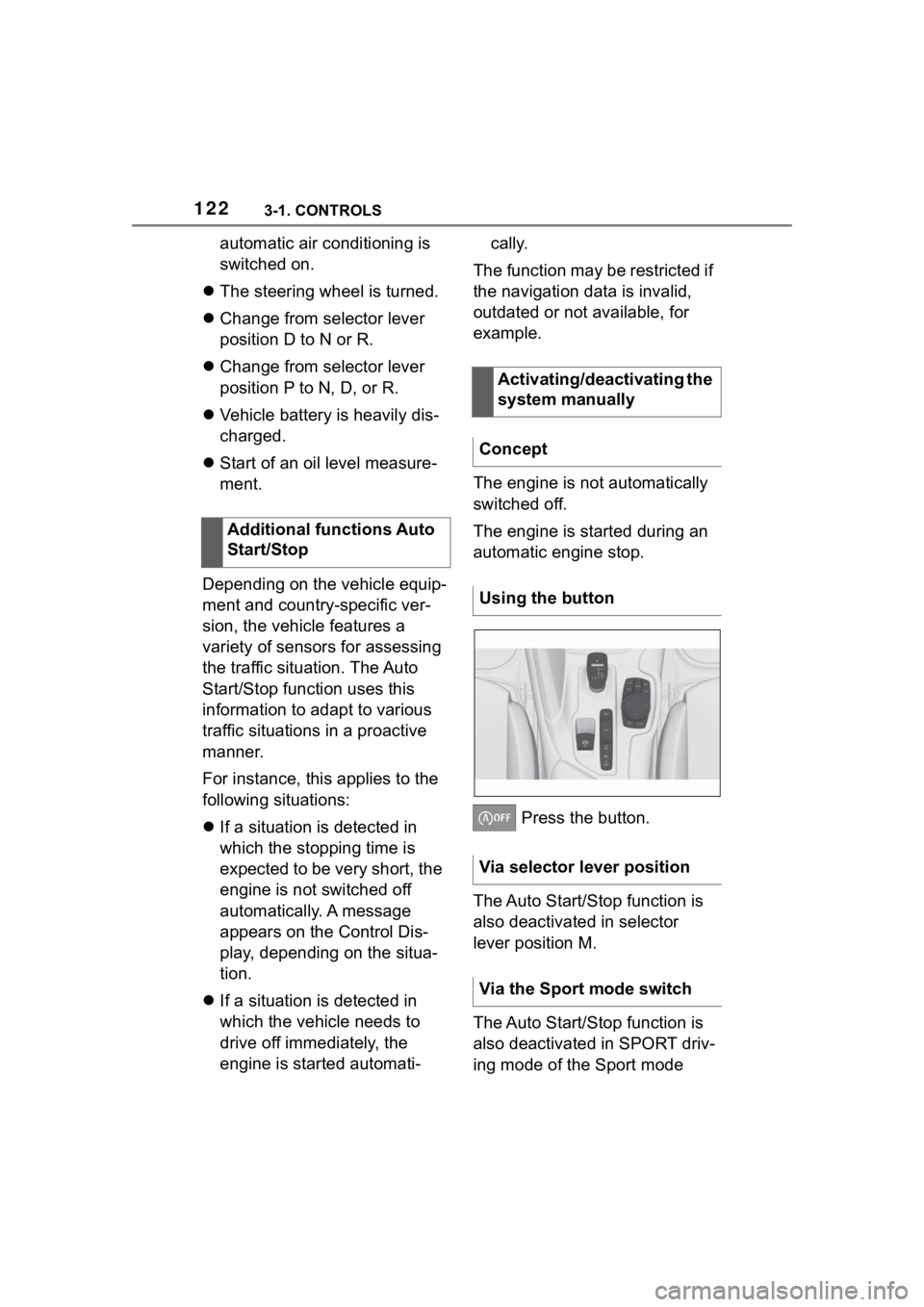
Press the button.
The Auto Start/Stop function is
also deactivated in selector
lever position M.
The Auto Start/Stop function is
also deactivated in SPORT driv-
ing mode of the Sport mode
Additional functions Auto
Start/Stop
Activating/deactivating the
system manually
Concept
Using the button
Via selector lever position
Via the Sport mode switch
Page 123 of 372
1233-1. CONTROLS
3
CONTROLS
switch.
■General information
During an automatic engine
stop, the vehicle can be
switched off permanently, for
instance when leaving it.
■Manual transmission
1 Press the Start/Stop button.
Drive-ready state is switched
off.
Standby state is switched on.
2 Shift into first gear or reverse.
3 Set the parking brake.
■Automatic transmission
1 Press the Start/Stop button.
Drive-ready state is switched
off.
Standby state is switched on.
Selector lever position P is
engaged automatically.
2 Set the parking brake.
In certain situations, the Auto
Start/Stop function is deacti-
vated automatically for safety
reasons, for instance if no driver
is detected. The Auto Start/Stop function no
longer switches off the engine
automatically. A vehicle mes-
sage is displayed. It is possible
to continue driving. Have the
system checked by your Toyota
dealer.
The parking brake is used to
prevent the vehicle from rolling
when it is parked.
Switching off the vehicle
during an automatic engine
stop
Automatic deactivation
General information
Malfunction
Parking brake
Concept
Safety information
WARNING
An unsecured vehicle can begin
to move and possibly roll away.
There is a risk of an accident.
Before exiting, secure the vehicle
against rolling.
In order to ensure that the vehicle
is secured against rolling away,
follow the following:
●Set the parking brake.
●On uphill grades or on a down-
hill slope, turn the front wheels
in the direction of the curb.
●On uphill grades or on a down-
hill slope, also secure the vehi-
cle, for instanc e with a wheel
chock.
Page 124 of 372
1243-1. CONTROLS
■General information
To use as emergency brake
while driving:
Pull the switch and hold it. The
vehicle brakes hard while the
switch is being pulled.
A vehicle message is displayed.
If the vehicle is slowed down to
a speed of approx. 2 mph/3
km/h the parking brake is set.
1 Switch on drive-ready state.
2 Manual transmission:
press the switch while the
brake pedal is pressed.
Automatic transmission:
WARNING
Unattended children or animals in
the vehicle can cause the vehicle
to move and endanger them-
selves and traffic, for instance due
to the following actions:
●Pressing the Start/Stop button.
●Releasing the parking brake.
●Opening and closing the doors
or windows.
●Engaging selector lever position
N.
●Using vehicle equipment.
There is a risk of accidents or inju-
ries. Do not leave children or ani-
mals unattended in the vehicle.
Take the remote control with you
when exiting and lock the vehicle.
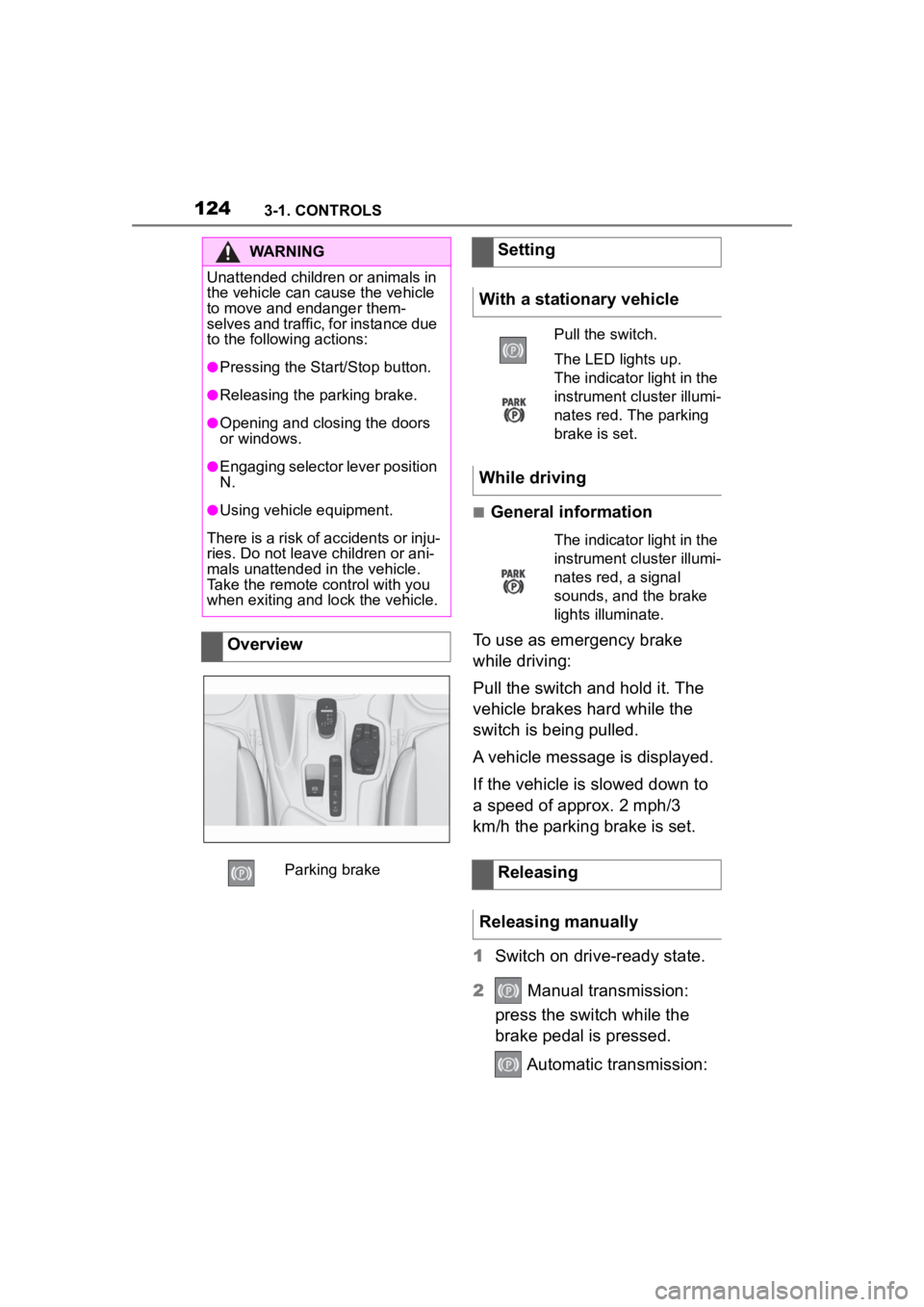
Overview
Parking brake
Setting
With a stationary vehicle
Pull the switch.
The LED lights up.
The indicator light in the
instrument cluster illumi-
nates red. The parking
brake is set.
While driving
The indicator light in the
instrument cluster illumi-
nates red, a signal
sounds, and the brake
lights illuminate.
Releasing
Releasing manually
Page 135 of 372
1353-1. CONTROLS
3
CONTROLSElectronically unlock the trans-
mission lock to maneuver vehi-
cle from a danger area.
Unlocking is possible, if the
starter can spin the engine.
Before unlocking the transmis-
sion lock, set the parking brake
to prevent the vehicle from roll-
ing away.
1Press and hold down brake
pedal.
2 Press the Start/Stop button.
The starter must audibly
start. Hold the Start/Stop but-
ton pressed.
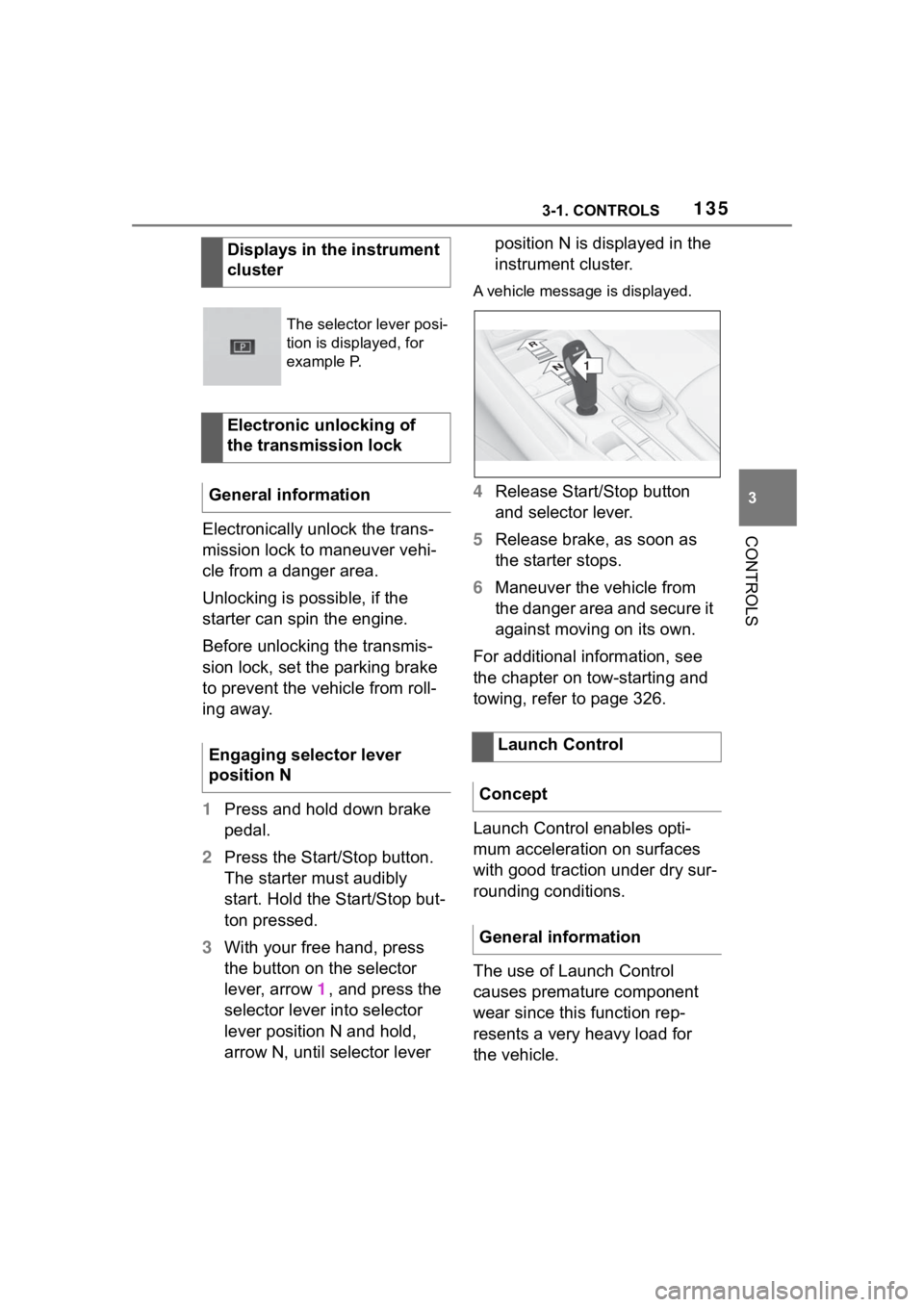
3 With your free hand, press
the button on the selector
lever, arrow 1, and press the
selector lever into selector
lever position N and hold,
arrow N, until selector lever position N is displayed in the
instrument cluster.
A vehicle messag
e is displayed.
4Release Start/Stop button
and selector lever.
5 Release brake, as soon as
the starter stops.
6 Maneuver the vehicle from
the danger area and secure it
against moving on its own.
For additional information, see
the chapter on tow-starting and
towing, refer to page 326.
Launch Control enables opti-
mum acceleration on surfaces
with good traction under dry sur-
rounding conditions.
The use of Launch Control
causes premature component
wear since this function rep-
resents a very heavy load for
the vehicle.
Displays in the instrument
cluster
The selector lever posi-
tion is displayed, for
example P.
Electronic unlocking of
the transmission lock
General information
Engaging selector lever
position N
Launch Control
Concept
General information
1
R
N
Page 182 of 372
1823-1. CONTROLS
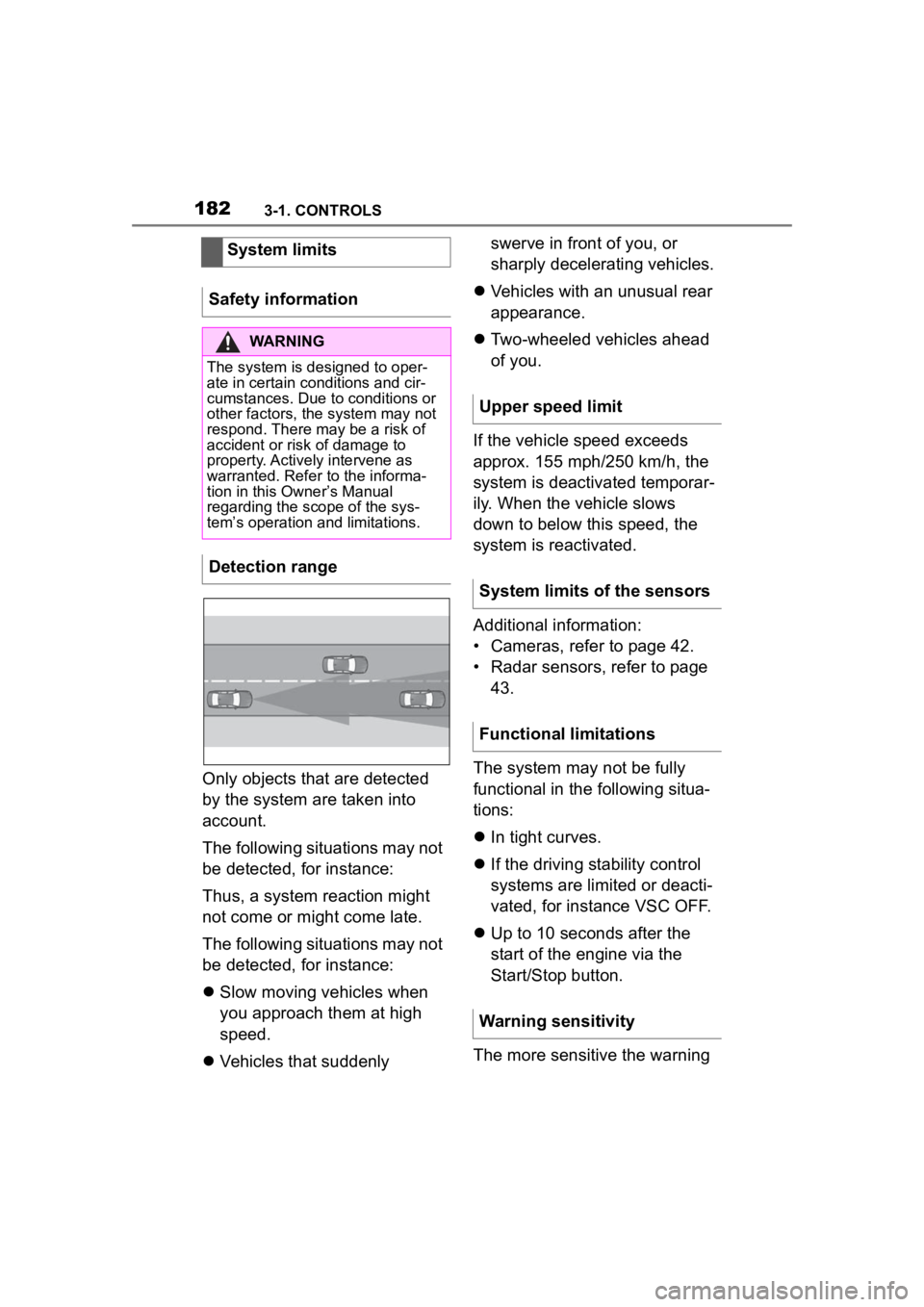
Only objects that are detected
by the system are taken into
account.
The following situations may not
be detected, for instance:
Thus, a system reaction might
not come or might come late.
The following situations may not
be detected, for instance:
Slow moving vehicles when
you approach them at high
speed.
Vehicles that suddenly swerve in front of you, or
sharply decelerating vehicles.
Vehicles with an unusual rear
appearance.
Two-wheeled vehicles ahead
of you.
If the vehicle speed exceeds
approx. 155 mph/250 km/h, the
system is deactivated temporar-
ily. When the vehicle slows
down to below this speed, the
system is reactivated.
Additional information:
• Cameras, refer to page 42.
• Radar sensors, refer to page 43.
The system may not be fully
functional in the following situa-
tions:
In tight curves.
If the driving stability control
systems are limited or deacti-
vated, for instance VSC OFF.
Up to 10 seconds after the
start of the engine via the
Start/Stop button.
The more sensitive the warning
System limits
Safety information
WARNING
The system is designed to oper-
ate in certain conditions and cir-
cumstances. Due to conditions or
other factors, the system may not
respond. There m ay be a risk of
accident or risk of damage to
property. Actively intervene as
warranted. Refer to the informa-
tion in this Owner’s Manual
regarding the scope of the sys-
tem’s operation and limitations.
Detection range
Upper speed limit
System limits of the sensors
Functional limitations
Warning sensitivity
Page 187 of 372
1873-1. CONTROLS
3
CONTROLS
Additional information:
• Cameras, refer to page 42.
• Radar sensors, refer to page 43.
The system may not be fully
functional or may not be avail-
able in the following situations:
If the driving stability control
systems are deactivated, for
instance VSC OFF.
Up to 10 seconds after the
start of the engine via the
Start/Stop button.
The lane departure warning
alerts when the vehicle is about
to run off the road or exit the
lane.
This camera-based system
warns starting at a minimum
speed.
The minimum speed is coun-
try-specific and is displayed in
the menu for the Toyota Supra
Safety systems.
Warnings are issued by means
of a steering wheel vibration. The severity of the steering
wheel vibration can be adjusted.
The system does not provide a
warning if the turn signal is set in
the respective direction before
leaving the lane.
Depending on the equipment
version, if in the speed range up
to 155 mph/250 km/h a lane
marking is crossed, the system
may intervene with a brief active
steering intervention in addition
to vibrating. The system thus
helps keep the vehicle in the
lane.
System limits of the sensors
Functional limitations
Lane departure warning
Concept
General information
Safety information
WARNING
The system cannot serve as a
substitute for the driver’s personal
judgment in assessing road and
traffic safety. There is a risk of an
accident. Adjust d
riving style to
traffic conditions. Watch traffic
closely and actively intervene
where appropriate. Do not jerk the
steering wheel in response to a
warning.
WARNING
Indicators and warnings cannot
serve as a substitute for the
driver
Page 191 of 372
1913-1. CONTROLS
3
CONTROLS
In addition, a vehicle message is
displayed.
The warning signal and vehicle
message are an encouragement
to pay closer attention to the
lane.
For instance, the warning will be
canceled in the following situa-
tions:
Automatically after a few sec-
onds.
When returning to your own
lane.
When braking hard.
When using the turn signal.
If VSC Vehicle Stability Con-
trol System intervenes.
Additional information: • Cameras, refer to page 45.
The system may not be fully
functional in the following situa-
tions:
In the event of missing, worn,
poorly visible, merging,
diverging, or multiple lane
markings such as in construc-
tion areas.
When lane markings are cov-
ered in snow, ice, dirt or
water.
In tight curves or on narrow
lanes.
When lane markings are cov-
ered by objects.
When driving very close to the
vehicle in front of you.
Up to 10 seconds after the
start of the engine via the
Start/Stop button.
A vehicle message may be dis-
played when the system is not
fully functional.
*: if equipped
Blind spot monitor detects vehi-
cles in the blind spot or vehicles
approaching from behind in the
adjacent lane. A warning is
issued in various gradations in
End of warning
System limits
Safety information
WARNING
The system is designed to oper-
ate in certain conditions and cir-
cumstances. Due to conditions or
other factors, the system may not
respond. There m ay be a risk of
accident or risk of damage to
property. Actively intervene as
needed. Refer to the information
in this Owner’s Manual regarding
the scope of the system’s opera-
tion and limitations.
System limits of the sensors
Functional limitations
Blind spot monitor*
Concept
Page 360 of 372
360Alphabetical Index
Alphabetical Index
A
A/C button, see Air conditioning............................................... 235
ABS, Antilock Brake System . 199
ACC, see Dynamic radar cruise control with fu ll-speed range
............................................... 209
Acceleration Assistant, see Launch Control..................... 135
Accessories and parts ............... 6
Activated charcoal filter ........ 238
Active Guard, see Toyota Supra Safety .................................... 176
Adaptive brake assist ............ 199
Adaptive variable suspension ............................................... 231
Additional coolant tank cooling, Capacity ................................ 342
Additives, engine oil types .... 304
Air circulation, see Recircu- lated-air mode....................... 236
Air conditioning ...................... 235
Air distribution, manual ......... 237
Air flow, automa tic air condition-
ing .......................................... 237
Air outlets, see Ventilation .... 238
Air pressure, tires .................. 270
Airbags .................................... 164
Airbags, indicator and warning light........................................ 166
Alarm system ............................ 95
Alarm, unintentional................. 96
All-season tires, see Winter tires ............................................... 281
Antilock Brake System, ABS . 199
Anti-slip control, see VSC ..... 200
Anti-theft protection, locking .. 82
Anti-theft protection, see Lug bolt lock ................................ 296
Apple CarPlay, connection to the vehicle ..................................... 76 Approved axle load ................341
Approved total weight ............341
Assistance when driving off, see
Hill-start assist control.........200
Assistance with breakdown ..322
AUTO program, automatic air conditioning ........ ..................236
Auto Start/Stop function ........ 119
Automatic air conditioning ....233
Automatic cruise control with Stop & Go ..............................209
Automatic Curb Monitor, exte- rior mirror .............................. 110
Automatic deactivation, front-seat passenger airbags...............................................175
Automatic headlight control ..157
Automatic high-beam .............160
Automatic locking ....................94
Automatic transmission.........131
Automatic transmission, Fluid ...............................................342
Automatic transmission, see Automatic transm ission.......131
Automatic unlocking ................94
Automatic vehicle wash .........331
Autonomous Emergency Brak- ing ..........................................196
Axle loads, weights ................341
B
Backrest curvature, see Lumbar support ................ ..................103
Backrest tilt .............................102
Backrest, seats .........................99
Backrest, width .......................103
Bar for tow-starting/towing....328
Battery, changing, remote con- trol of the vehicle ....................84
Battery, disposing of ..............314
Battery, vehicle .. .....................313
Page 361 of 372
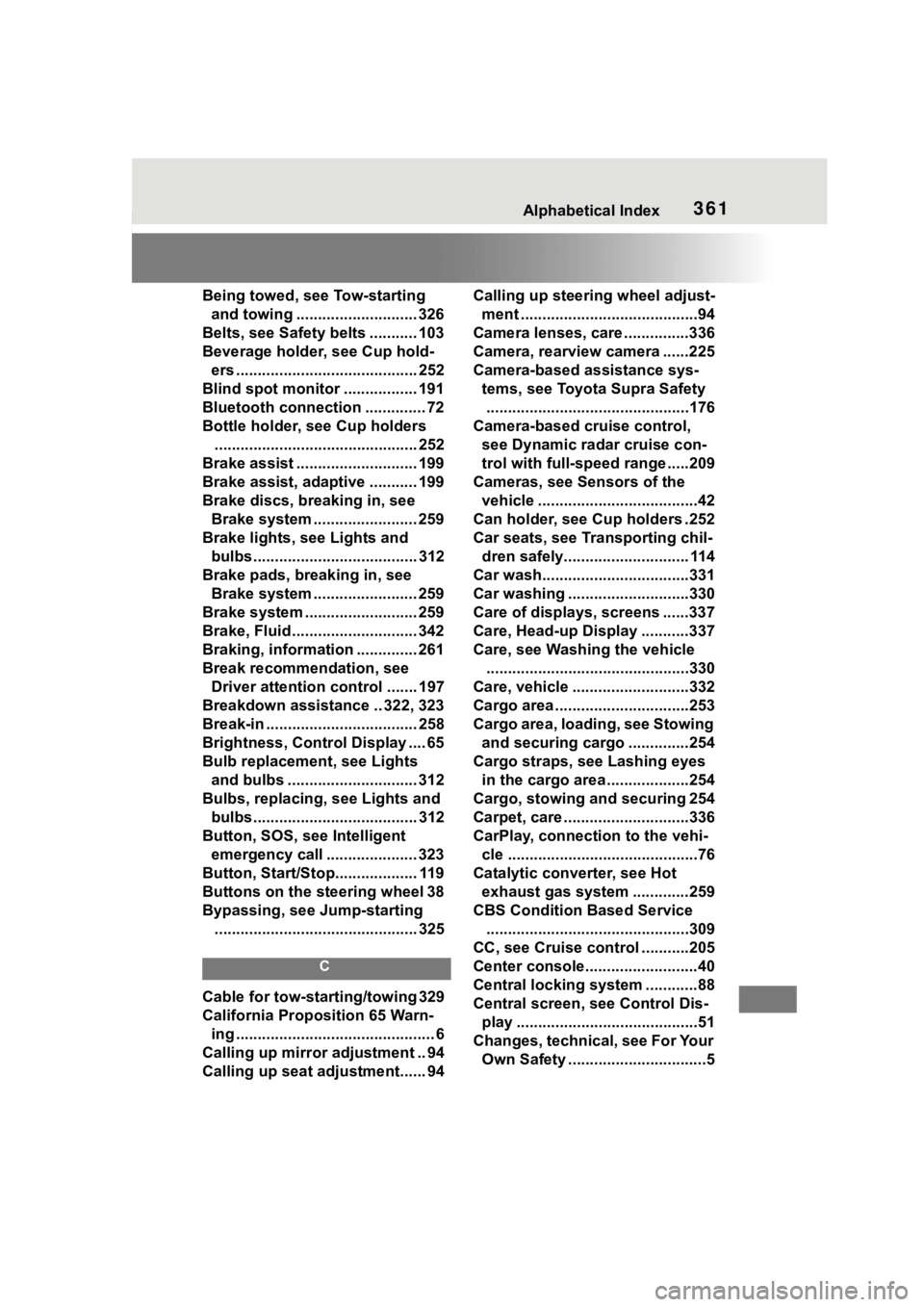
361Alphabetical Index
Being towed, see Tow-starting and towing ............................ 326
Belts, see Safety belts ........... 103
Beverage holder, see Cup hold- ers .......................................... 252
Blind spot monitor ................. 191
Bluetooth connection .............. 72
Bottle holder, see Cup holders ............................................... 252
Brake assist ............................ 199
Brake assist, adaptive ........... 199
Brake discs, breaking in, see Brake system ........................ 259
Brake lights, see Lights and bulbs...................................... 312
Brake pads, breaking in, see Brake system ........................ 259
Brake system .......................... 259
Brake, Fluid ............................. 342
Braking, information .............. 261
Break recommendation, see Driver attention control ....... 197
Breakdown assistance .. 322, 323
Break-in ................................... 258
Brightness, Control Display .... 65
Bulb replacement, see Lights and bulbs .............................. 312
Bulbs, replacing, see Lights and bulbs...................................... 312
Button, SOS, see Intelligent emergency call ..................... 323
Button, Start/Stop................... 119
Buttons on the steering wheel 38
Bypassing, see Jump-starting ............................................... 325
C
Cable for tow-starting/towing 329
California Proposition 65 Warn-ing .............................................. 6
Calling up mirror adjustment .. 94
Calling up seat adjustment...... 94 Calling up steering wheel adjust-
ment .........................................94
Camera lenses, care ...............336
Camera, rearview camera ......225
Camera-based assistance sys- tems, see Toyota Supra Safety...............................................176
Camera-based cruise control, see Dynamic ra dar cruise con-
trol with full-speed range .....209
Cameras, see Sensors of the vehicle .....................................42
Can holder, see Cup holders .252
Car seats, see Transporting chil- dren safely............................. 114
Car wash..................................331
Car washing ............................330
Care of displays, screens ......337
Care, Head-up Display ...........337
Care, see Washing the vehicle ...............................................330
Care, vehicle ...........................332
Cargo area ...............................253
Cargo area, loading, see Stowing and securing cargo ..............254
Cargo straps, see Lashing eyes in the cargo area ...................254
Cargo, stowing and securing 254
Carpet, care .............................336
CarPlay, connection to the vehi- cle ............................................76
Catalytic converter, see Hot exhaust gas system .............259
CBS Condition Based Service ...............................................309
CC, see Cruise cont rol ...........205
Center console..........................40
Central locking system ............88
Central screen, see Control Dis- play ..........................................51
Changes, technical, see For Your Own Safety ................................5
Page 363 of 372
363Alphabetical Index
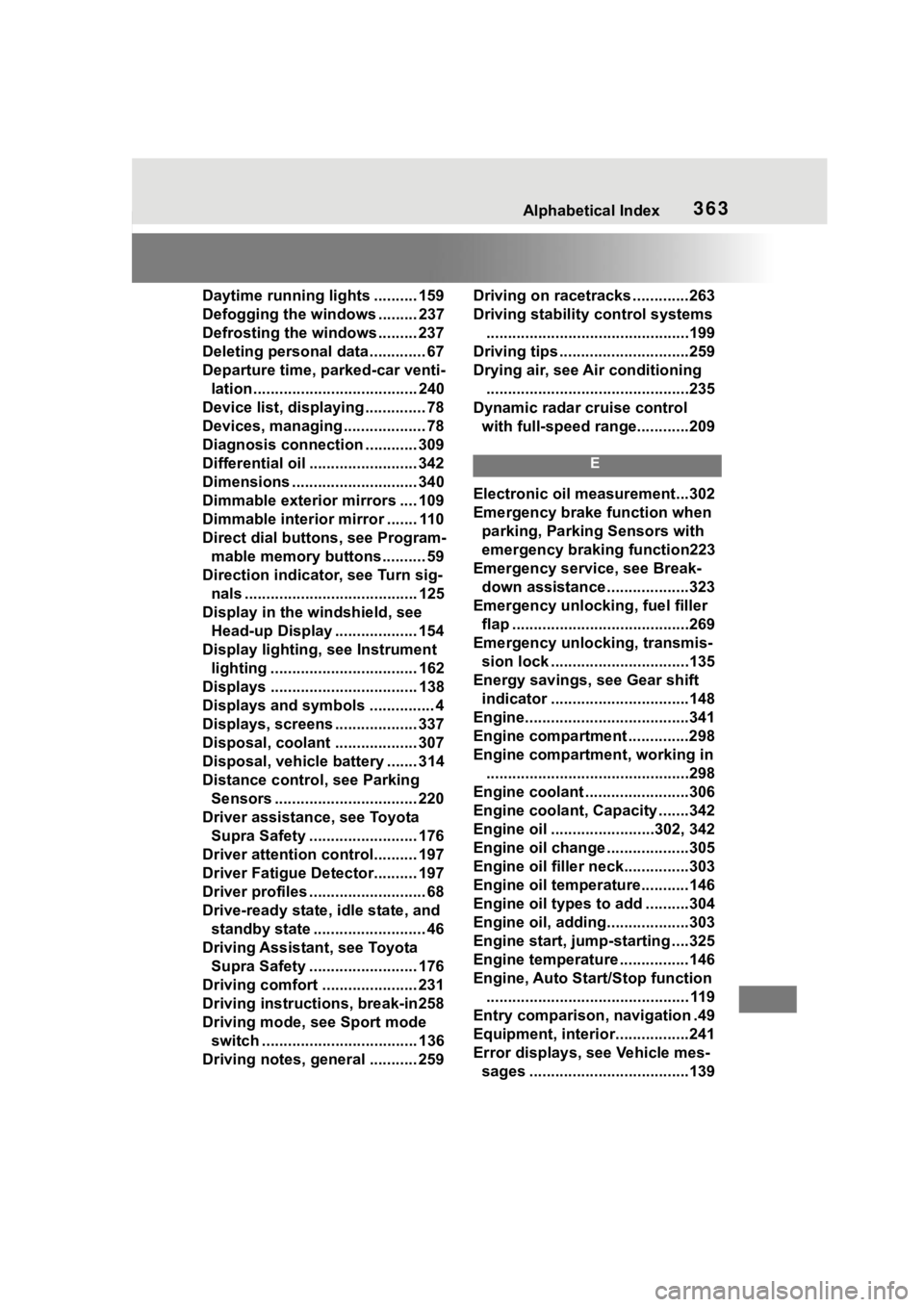
Daytime running lights .......... 159
Defogging the windows ......... 237
Defrosting the windows ......... 237
Deleting personal data ............. 67
Departure time, parked-car venti-lation...................................... 240
Device list, displaying .............. 78
Devices, managing ................... 78
Diagnosis connectio n ............ 309
Differential oil ......................... 342
Dimensions ............................. 340
Dimmable exterior mirrors .... 109
Dimmable interior mirror ....... 110
Direct dial butto ns, see Program-
mable memory buttons.......... 59
Direction indicator, see Turn sig- nals ........................................ 125
Display in the windshield, see Head-up Display ................... 154
Display lighting , see Instrument
lighting .................................. 162
Displays .................................. 138
Displays and symbols ............... 4
Displays, screens ................... 337
Disposal, coolant ................... 307
Disposal, vehicle battery ....... 314
Distance control , see Parking
Sensors ................................. 220
Driver assistance, see Toyota Supra Safety ......................... 176
Driver attention control.......... 197
Driver Fatigue Detector.......... 197
Driver profiles ........................... 68
Drive-ready state, idle state, and standby state .......................... 46
Driving Assistant, see Toyota Supra Safety ......................... 176
Driving comfort ...................... 231
Driving instructions, break-in258
Driving mode, see Sport mode switch .................................... 136
Driving notes, general ........... 259 Driving on racetracks .............263
Driving stability
control systems
...............................................199
Driving tips ..............................259
Drying air, see Air conditioning ...............................................235
Dynamic radar cruise control with full-speed range............209
E
Electronic oil measurement...302
Emergency brake function when parking, Parking Sensors with
emergency braking function223
Emergency service, see Break- down assistance ...................323
Emergency unlocking, fuel filler flap .........................................269
Emergency unlocking, transmis- sion lock ................................135
Energy savings, see Gear shift indicator ................................148
Engine......................................341
Engine compartment ..............298
Engine compartment, working in ...............................................298
Engine coolant ........................306
Engine coolant, Capacity .......342
Engine oil ........................302, 342
Engine oil change ...................305
Engine oil filler neck...............303
Engine oil temperature...........146
Engine oil types to add ..........304
Engine oil, adding...................303
Engine start, jump-starting ....325
Engine temperature ................146
Engine, Auto Start/Stop function ............................................... 119
Entry comparison, navigation .49
Equipment, interior.................241
Error displays, see Vehicle mes- sages .....................................139