turn signal TOYOTA SUPRA 2023 User Guide
[x] Cancel search | Manufacturer: TOYOTA, Model Year: 2023, Model line: SUPRA, Model: TOYOTA SUPRA 2023Pages: 372, PDF Size: 6.32 MB
Page 160 of 372
1603-1. CONTROLS
4"Daytime running lamps"
The Automatic high-beam
detects other traffic participants
early on and automatically
switches the high beams on or
off depending on the traffic situ-
ation.
The Automatic high-beam
ensures that the high beams are
switched on, whenever the traf-
fic situation allows. In the low
speed range, the high beams
are not switched on by the sys-
tem.
The system responds to light
from oncoming traffic and traffic
driving ahead of you, and to
ambient lighting, for instance in
towns and cities.
The high beams can be
switched on and off manually at
any time.
1 Press the button on the
light switch element.
The LED in the button lights up.
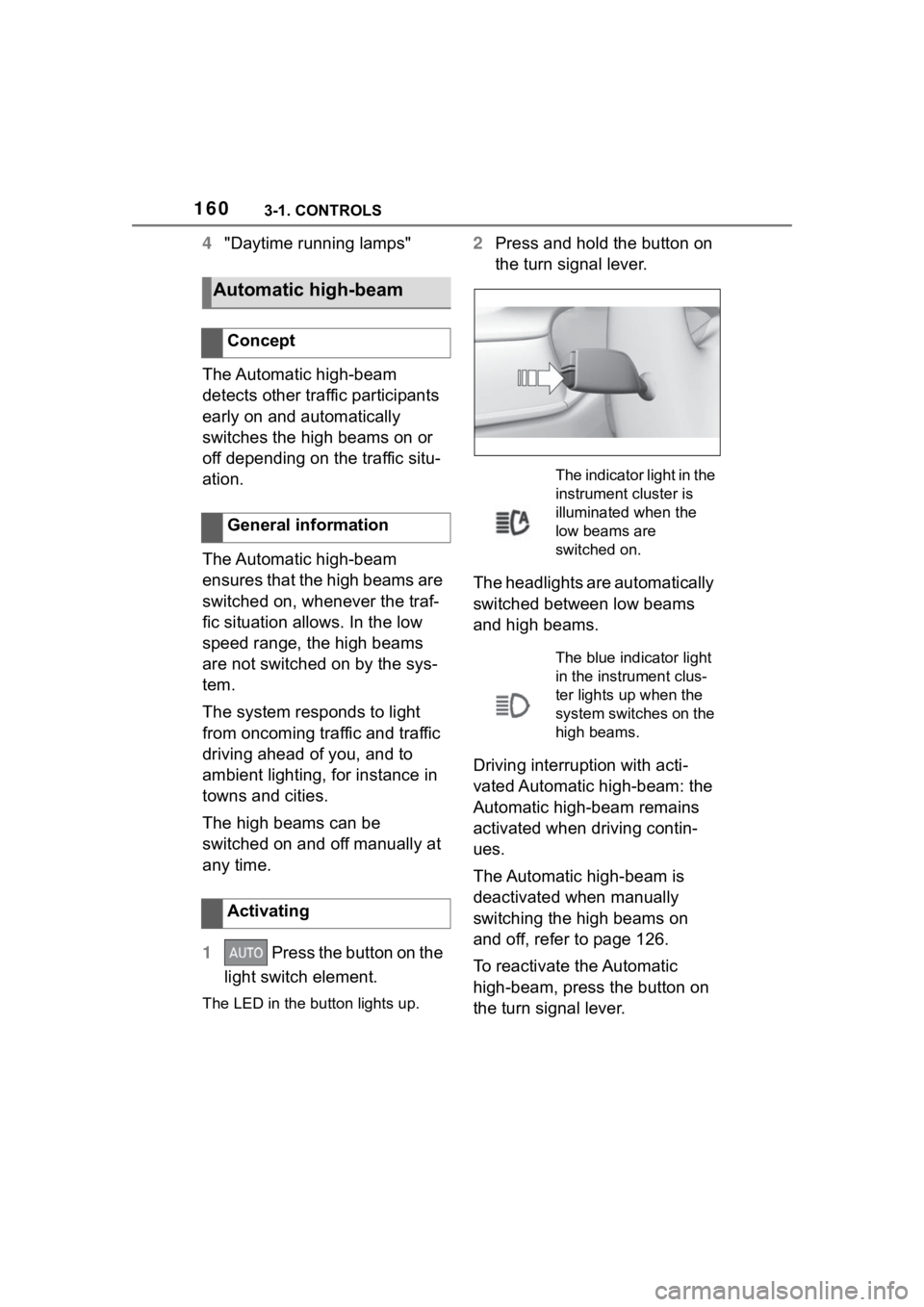
2 Press and hold the button on
the turn signal lever.
The headlights are automatically
switched between low beams
and high beams.
Driving interruption with acti-
vated Automatic high-beam: the
Automatic high-beam remains
activated when driving contin-
ues.
The Automatic high-beam is
deactivated when manually
switching the high beams on
and off, refer to page 126.
To reactivate the Automatic
high-beam, press the button on
the turn signal lever.
Automatic high-beam
Concept
General information
Activating
The indicator light in the
instrument cluster is
illuminated when the
low beams are
switched on.
The blue indicator light
in the instrument clus-
ter lights up when the
system switches on the
high beams.
Page 161 of 372
1613-1. CONTROLS
3
CONTROLS
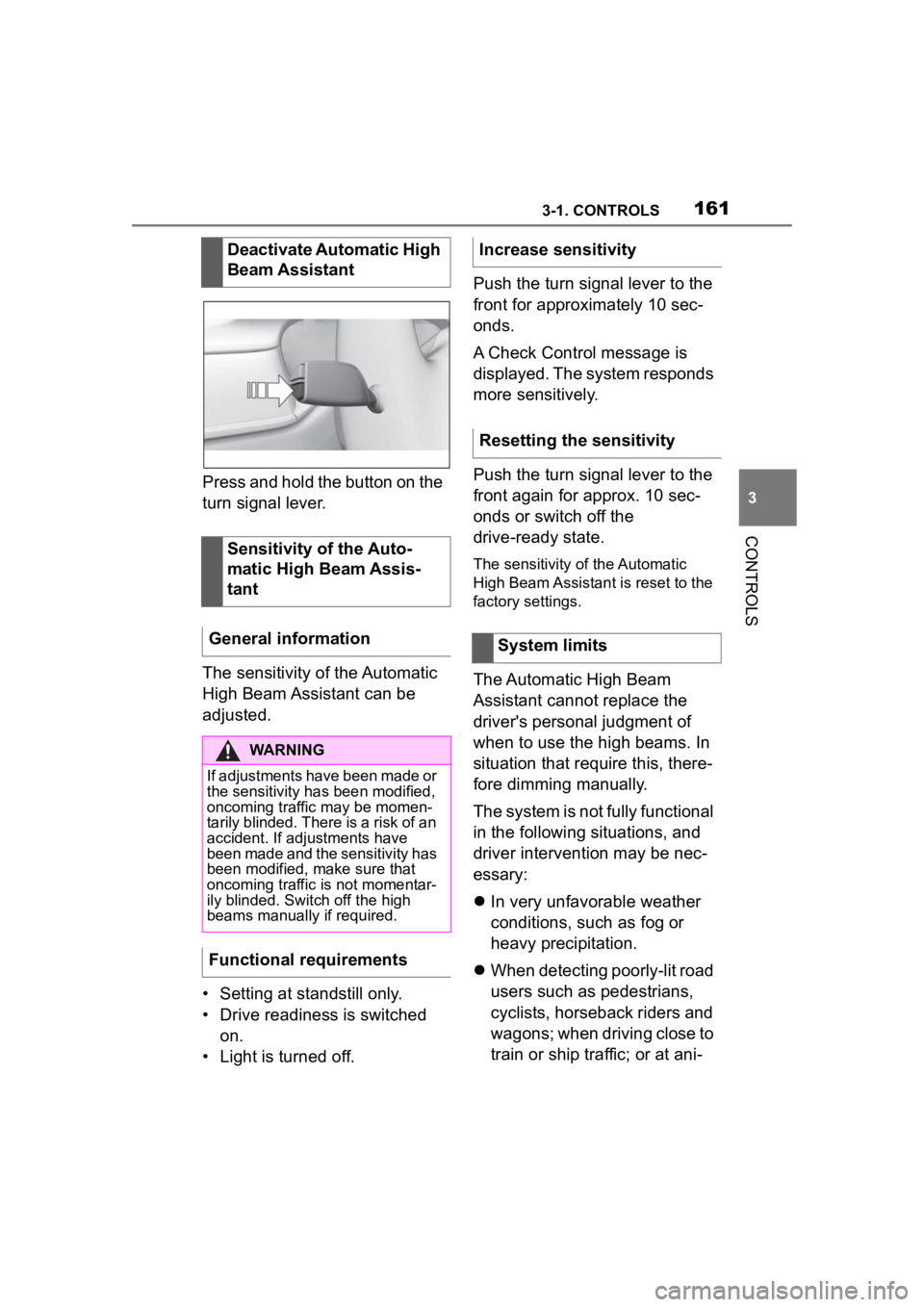
Press and hold the button on the
turn signal lever.
The sensitivity of the Automatic
High Beam Assistant can be
adjusted.
• Setting at standstill only.
• Drive readiness is switched on.
• Light is turned off. Push the turn signal lever to the
front for approximately 10 sec-
onds.
A Check Control message is
displayed. The system responds
more sensitively.
Push the turn signal lever to the
front again for approx. 10 sec-
onds or switch off the
drive-ready state.
The sensitivity of the Automatic
High Beam Assistant is reset to the
factory settings.
The Automatic High Beam
Assistant cannot replace the
driver's personal judgment of
when to use the high beams. In
situation that require this, there-
fore dimming manually.
The system is not fully functional
in the following situations, and
driver intervention may be nec-
essary:
In very unfavorable weather
conditions, such as fog or
heavy precipitation.
When detecting poorly-lit road
users such as pedestrians,
cyclists, horseback riders and
wagons; when driving close to
train or ship traffic; or at ani-
Deactivate Automatic High
Beam Assistant
Sensitivity of the Auto-
matic High Beam Assis-
tant
General information
WARNING
If adjustments have been made or
the sensitivity ha s been modified,
oncoming traffic may be momen-
tarily blinded. There is a risk of an
accident. If adjustments have
been made and the sensitivity has
been modified, make sure that
oncoming traffic is not momentar-
ily blinded. Switch off the high
beams manually if required.
Functional requirements
Increase sensitivity
Resetting the sensitivity
System limits
Page 187 of 372
1873-1. CONTROLS
3
CONTROLS
Additional information:
• Cameras, refer to page 42.
• Radar sensors, refer to page 43.
The system may not be fully
functional or may not be avail-
able in the following situations:
If the driving stability control
systems are deactivated, for
instance VSC OFF.
Up to 10 seconds after the
start of the engine via the
Start/Stop button.
The lane departure warning
alerts when the vehicle is about
to run off the road or exit the
lane.
This camera-based system
warns starting at a minimum
speed.
The minimum speed is coun-
try-specific and is displayed in
the menu for the Toyota Supra
Safety systems.
Warnings are issued by means
of a steering wheel vibration. The severity of the steering
wheel vibration can be adjusted.
The system does not provide a
warning if the turn signal is set in
the respective direction before
leaving the lane.
Depending on the equipment
version, if in the speed range up
to 155 mph/250 km/h a lane
marking is crossed, the system
may intervene with a brief active
steering intervention in addition
to vibrating. The system thus
helps keep the vehicle in the
lane.
System limits of the sensors
Functional limitations
Lane departure warning
Concept
General information
Safety information
WARNING
The system cannot serve as a
substitute for the driver’s personal
judgment in assessing road and
traffic safety. There is a risk of an
accident. Adjust d
riving style to
traffic conditions. Watch traffic
closely and actively intervene
where appropriate. Do not jerk the
steering wheel in response to a
warning.
WARNING
Indicators and warnings cannot
serve as a substitute for the
driver
Page 189 of 372
1893-1. CONTROLS
3
CONTROLS
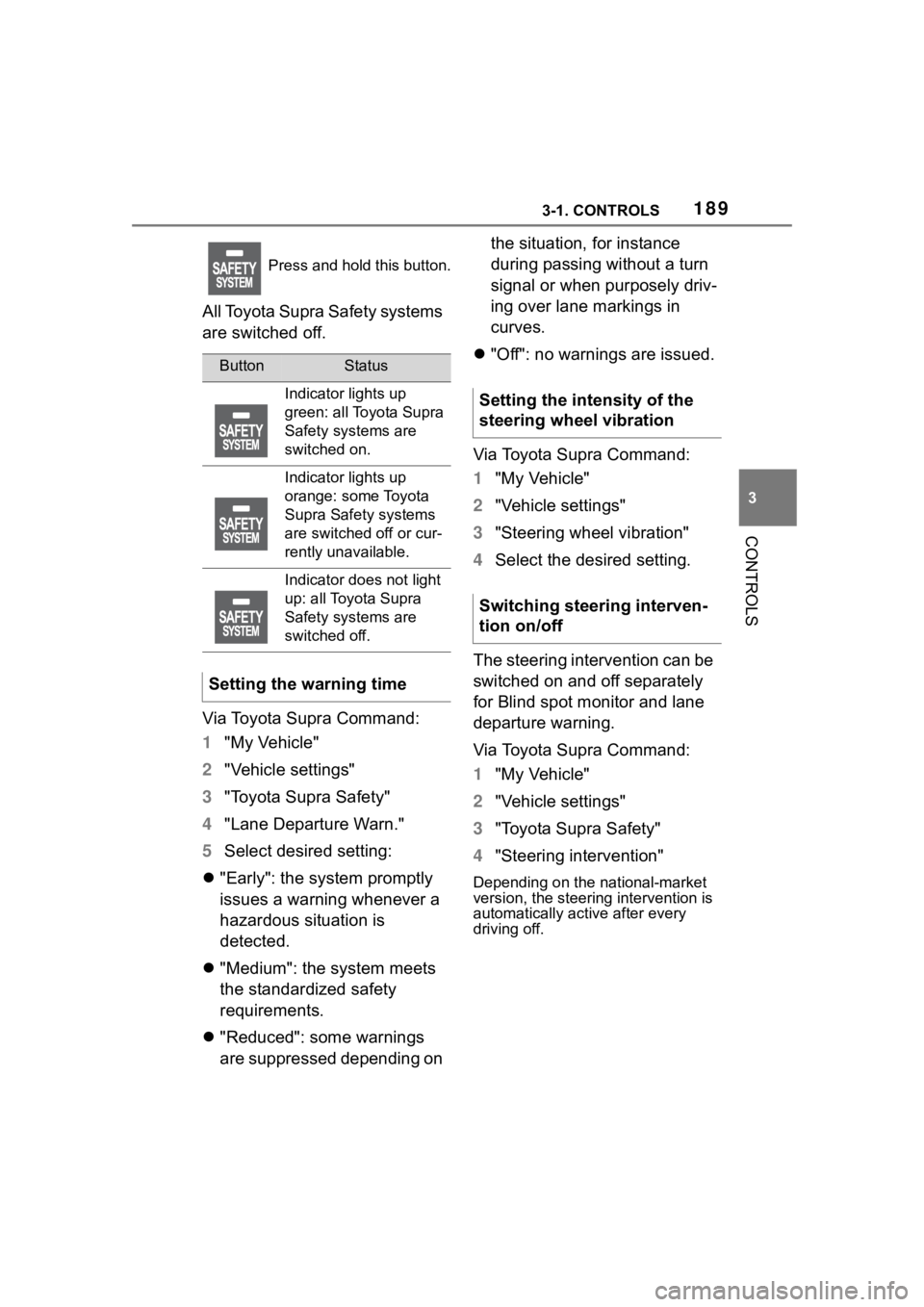
All Toyota Supra Safety systems
are switched off.
Via Toyota Supra Command:
1"My Vehicle"
2 "Vehicle settings"
3 "Toyota Supra Safety"
4 "Lane Departure Warn."
5 Select desired setting:
"Early": the system promptly
issues a warning whenever a
hazardous situation is
detected.
"Medium": the system meets
the standardized safety
requirements.
"Reduced": some warnings
are suppressed depending on the situation, for instance
during passing without a turn
signal or when purposely driv-
ing over lane markings in
curves.
"Off": no warnings are issued.
Via Toyota Supra Command:
1 "My Vehicle"
2 "Vehicle settings"
3 "Steering wheel vibration"
4 Select the desired setting.
The steering intervention can be
switched on and off separately
for Blind spot monitor and lane
departure warning.
Via Toyota Supra Command:
1 "My Vehicle"
2 "Vehicle settings"
3 "Toyota Supra Safety"
4 "Steering intervention"
Depending on the national-market
version, the steerin g intervention is
automatically active after every
driving off.
Press and hold this button.
ButtonStatus
Indicator lights up
green: all Toyota Supra
Safety systems are
switched on.
Indicator lights up
orange: some Toyota
Supra Safety systems
are switched off or cur-
rently unavailable.
Indicator does not light
up: all Toyota Supra
Safety systems are
switched off.
Setting the warning time
Setting the intensity of the
steering wheel vibration
Switching steering interven-
tion on/off
Page 190 of 372
1903-1. CONTROLS
If you leave the lane and if a
lane marking has been
detected, the steering wheel
vibrates in accordance with the
steering wheel vibration setting.
When the turn signal is switched
on in the corresponding direc-
tion before changing the lane, a
warning is not issued.
If, in the speed range up to 130
mph/210 km/h a lane boundary
is crossed, the system may
intervene with a brief active
steering intervention in addition
to vibrating. The steering inter-
vention helps keep the vehicle in
the lane. The steering interven-
tion can be noticed on the steer-
ing wheel and can be manually overridden at any time. During
an active steering intervention,
the display in the instrument
cluster will blink.
For instance, the steering inter-
vention will be suppressed in the
following situations:
With accelerating or braking
hard.
When the turn signal indicator
is blinking.
With hazard warning system
switched on.
In driving situation with high
driving dynamics.
The Vehicle Stability Control
VSC adjusts.
Immediately following a steer-
ing intervention by the vehi-
cle systems.
When actively merging back
to your own lane after pass-
ing.
Depending on the equipment, in
the event of multiple active
steering interventions by the
system within 3 minutes without
the driver's intervention at the
steering wheel, an acoustic
warning will sound. A short
warning signal will sound at the
second steering intervention.
Beginning with the third steering
intervention, an continuous
warning will sound.
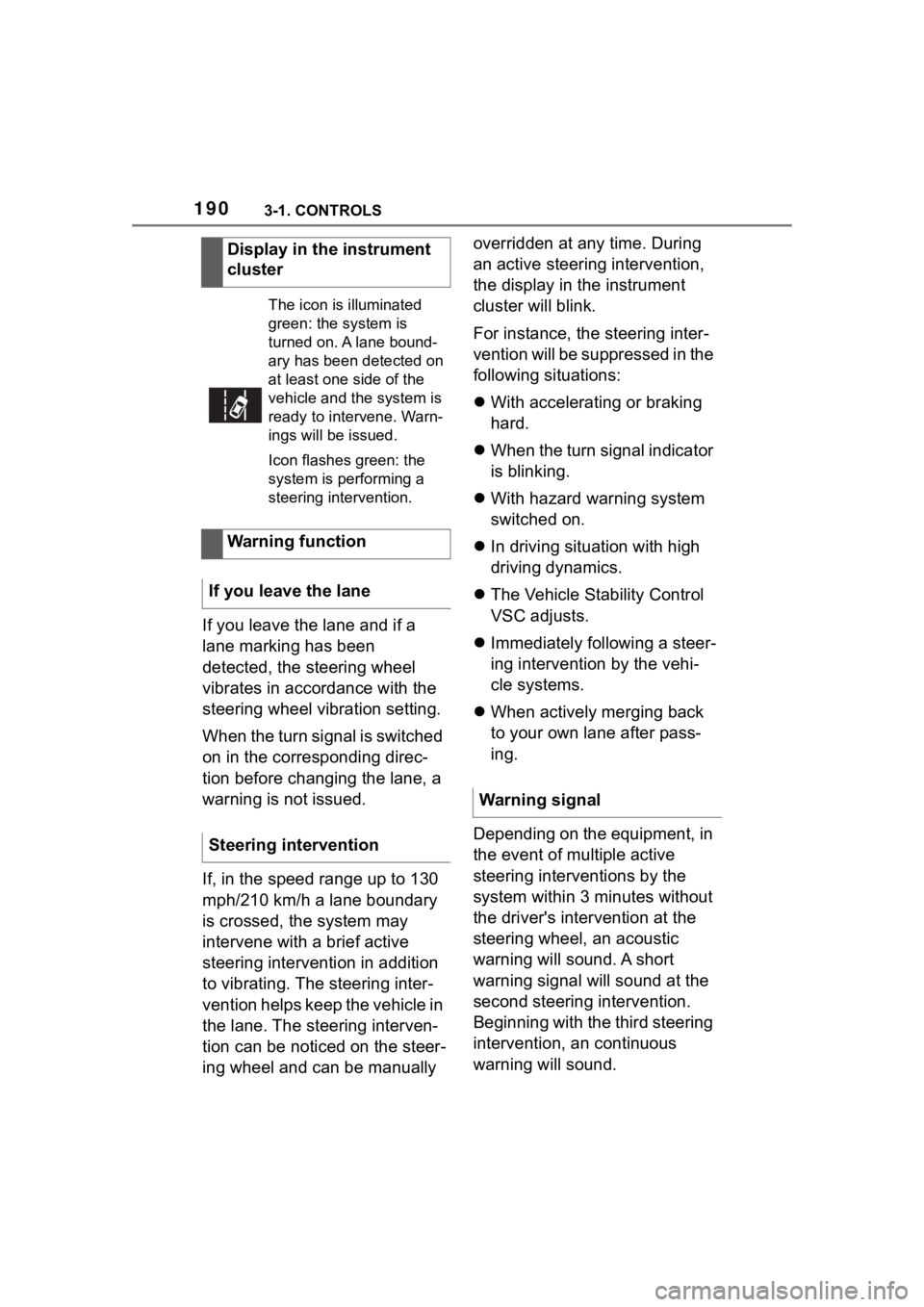
Display in the instrument
cluster
The icon is illuminated
green: the system is
turned on. A lane bound-
ary has been detected on
at least one side of the
vehicle and the system is
ready to intervene. Warn-
ings will be issued.
Icon flashes green: the
system is performing a
steering intervention.
Warning function
If you leave the lane
Steering intervention
Warning signal
Page 191 of 372
1913-1. CONTROLS
3
CONTROLS
In addition, a vehicle message is
displayed.
The warning signal and vehicle
message are an encouragement
to pay closer attention to the
lane.
For instance, the warning will be
canceled in the following situa-
tions:
Automatically after a few sec-
onds.
When returning to your own
lane.
When braking hard.
When using the turn signal.
If VSC Vehicle Stability Con-
trol System intervenes.
Additional information: • Cameras, refer to page 45.
The system may not be fully
functional in the following situa-
tions:
In the event of missing, worn,
poorly visible, merging,
diverging, or multiple lane
markings such as in construc-
tion areas.
When lane markings are cov-
ered in snow, ice, dirt or
water.
In tight curves or on narrow
lanes.
When lane markings are cov-
ered by objects.
When driving very close to the
vehicle in front of you.
Up to 10 seconds after the
start of the engine via the
Start/Stop button.
A vehicle message may be dis-
played when the system is not
fully functional.
*: if equipped
Blind spot monitor detects vehi-
cles in the blind spot or vehicles
approaching from behind in the
adjacent lane. A warning is
issued in various gradations in
End of warning
System limits
Safety information
WARNING
The system is designed to oper-
ate in certain conditions and cir-
cumstances. Due to conditions or
other factors, the system may not
respond. There m ay be a risk of
accident or risk of damage to
property. Actively intervene as
needed. Refer to the information
in this Owner’s Manual regarding
the scope of the system’s opera-
tion and limitations.
System limits of the sensors
Functional limitations
Blind spot monitor*
Concept
Page 192 of 372
1923-1. CONTROLS
these situations.
Radar sensors monitor the area
behind and next to the vehicle
when traveling faster than a
minimum speed.
The minimum speed is coun-
try-specific and is displayed in
the menu for the Toyota Supra
Safety systems.
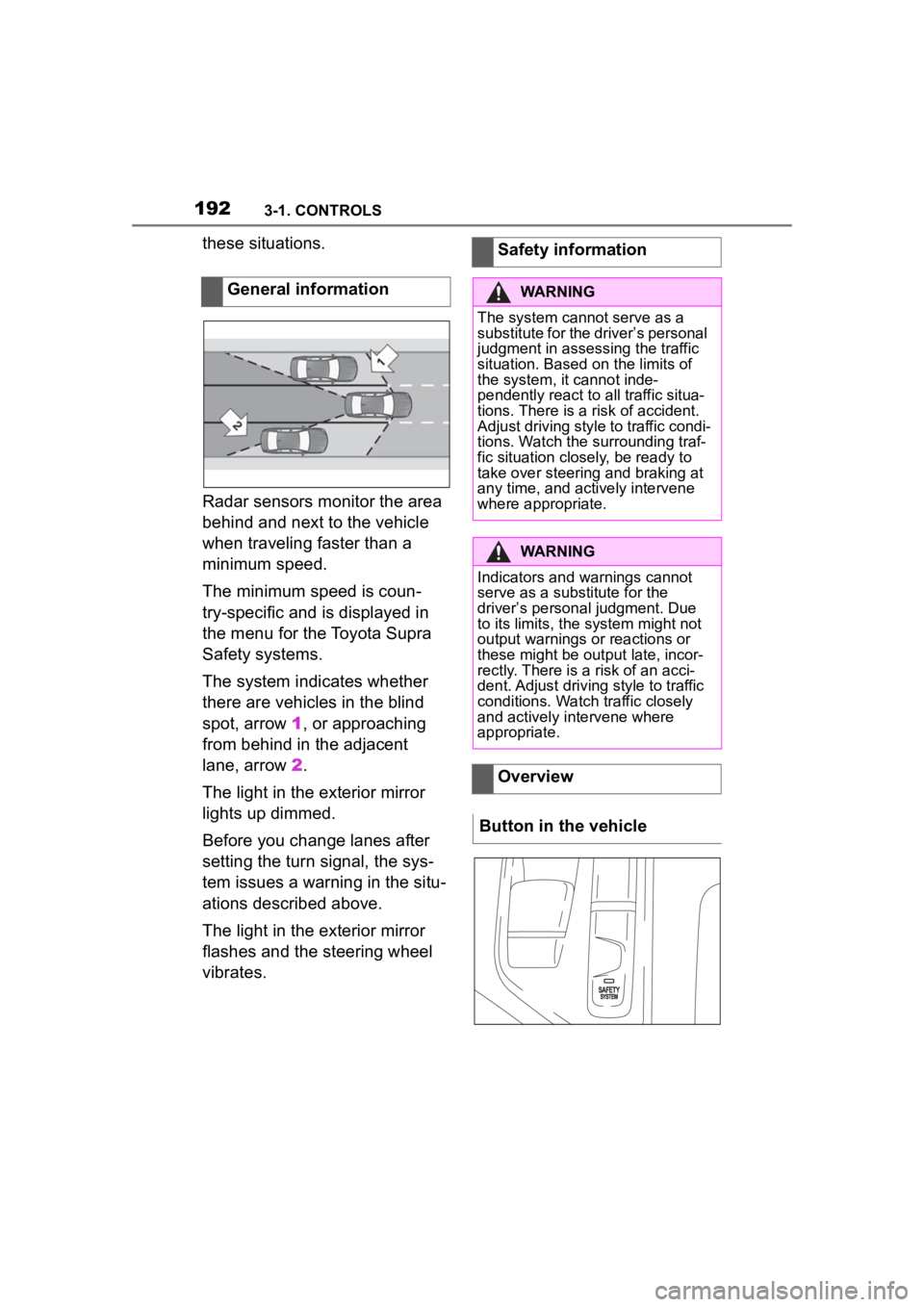
The system indicates whether
there are vehicles in the blind
spot, arrow 1, or approaching
from behind in the adjacent
lane, arrow 2.
The light in the exterior mirror
lights up dimmed.
Before you change lanes after
setting the turn signal, the sys-
tem issues a warning in the situ-
ations described above.
The light in the exterior mirror
flashes and the steering wheel
vibrates. General informationSafety information
WARNING
The system cannot serve as a
substitute for the driver’s personal
judgment in assessing the traffic
situation. Based on the limits of
the system, it cannot inde-
pendently react to all traffic situa-
tions. There is a risk of accident.
Adjust driving style to traffic condi-
tions. Watch the surrounding traf-
fic situation closely, be ready to
take over steering and braking at
any time, and actively intervene
where appropriate.
WARNING
Indicators and warnings cannot
serve as a substitute for the
driver
Page 194 of 372
1943-1. CONTROLS
Via Toyota Supra Command:
1"My Vehicle"
2 "Vehicle settings"
3 "Toyota Supra Safety"
4 "Blind spot monitor"
5 Select the desired setting.
"Off": with this setting, no warning is
output.
Via Toyota Supra Command:
1"My Vehicle"
2 "Vehicle settings"
3 "Steering wheel vibration"
4 Select the desired setting.
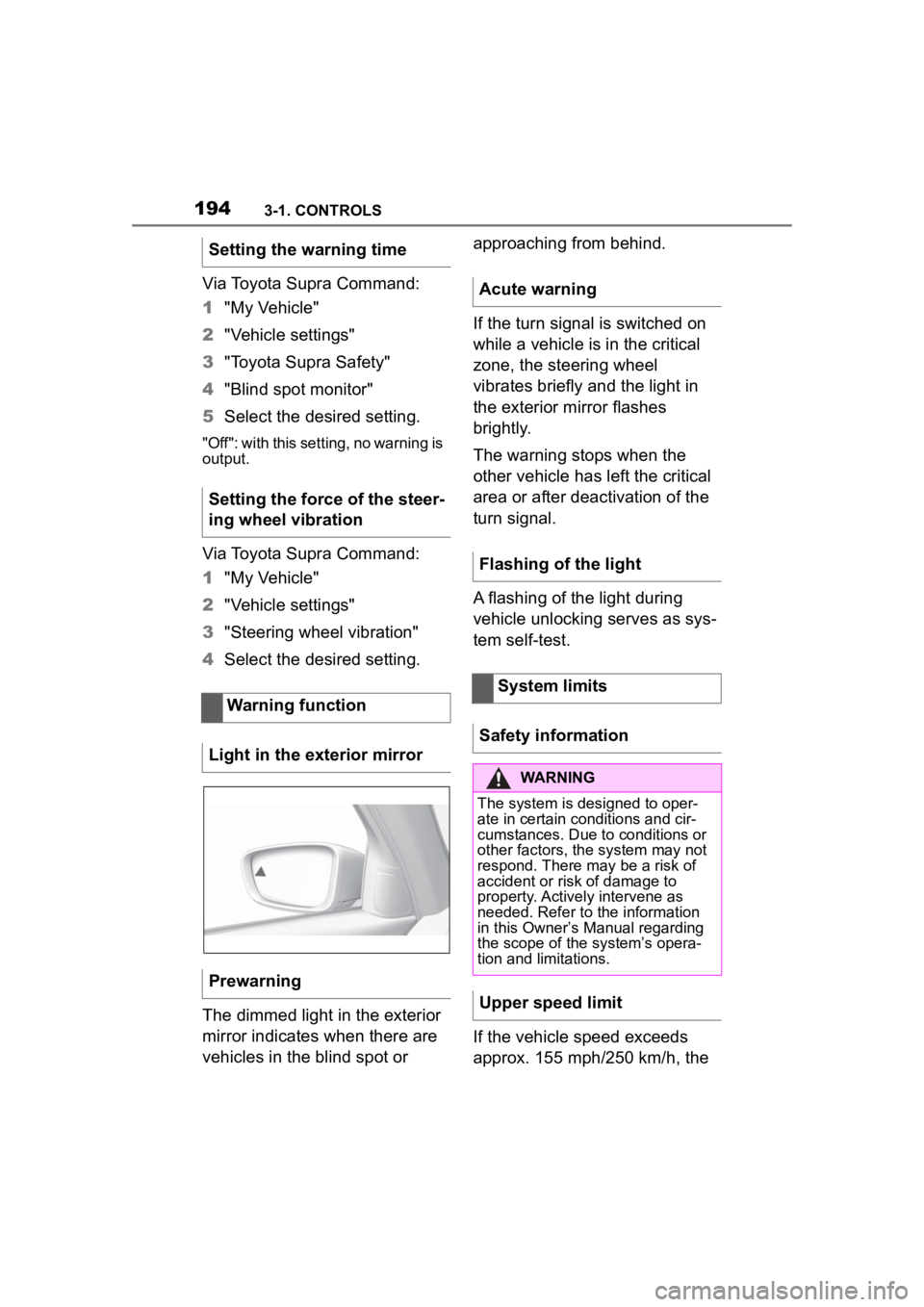
The dimmed light in the exterior
mirror indicates when there are
vehicles in the blind spot or approaching from behind.
If the turn signal is switched on
while a vehicle is in the critical
zone, the steering wheel
vibrates briefly and the light in
the exterior mirror flashes
brightly.
The warning stops when the
other vehicle has left the critical
area or after deactivation of the
turn signal.
A flashing of the light during
vehicle unlocking serves as sys-
tem self-test.
If the vehicle speed exceeds
approx. 155 mph/250 km/h, the
Setting the warning time
Setting the force of the steer-
ing wheel vibration
Warning function
Light in the exterior mirror
Prewarning
Acute warning
Flashing of the light
System limits
Safety information
WARNING
The system is designed to oper-
ate in certain conditions and cir-
cumstances. Due to conditions or
other factors, the system may not
respond. There may be a risk of
accident or risk of damage to
property. Actively intervene as
needed. Refer to the information
in this Owner’s Manual regarding
the scope of the system’s opera-
tion and limitations.
Upper speed limit
Page 327 of 372
3275-1. MOBILITY
5
MOBILITY
A broken-down vehicle can be
towed or pushed.
Follow the following instructions:
Make sure that the standby
state isswitched on; other-
wise, the low beams, tail
lights, turn signals, and wipers
may be unavailable.
Do not tow the vehicle with
the rear axle tilted, as the
front wheels could turn.
When the engine is stopped,
there is no power assistance.
Consequently, more effort
needs to be applied when
braking and steering.
Larger steering wheel move-
ments are required.
The towing vehicle must not
be lighter than the vehicle
being towed; otherwise, it will
not be possible to control han-
dling.
Do not exceed a towing
speed of 30 mph/50 km/h.
Do not exceed a towing dis-
tance of 30 miles/50 km.
Additional information:
Rolling or pushing the vehicle,
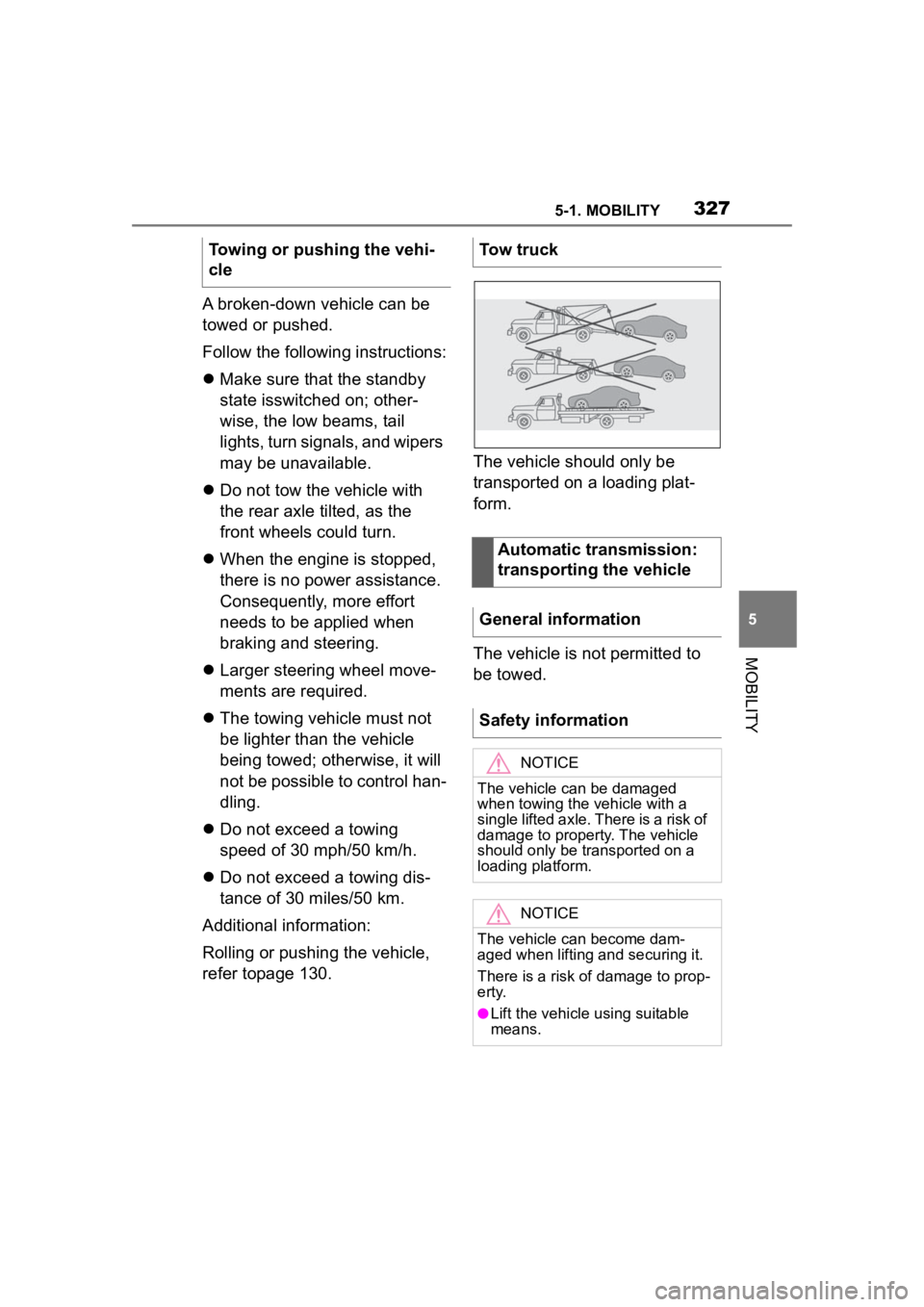
refer topage 130. The vehicle should only be
transported on a loading plat-
form.
The vehicle is not permitted to
be towed.
Towing or pushing the vehi-
cle
Tow truck
Automatic transmission:
transporting the vehicle
General information
Safety information
NOTICE
The vehicle can be damaged
when towing the vehicle with a
single lifted axle. There is a risk of
damage to property. The vehicle
should only be transported on a
loading platform.
NOTICE
The vehicle can become dam-
aged when lifting and securing it.
There is a risk of damage to prop-
erty.
●Lift the vehicle using suitable
means.
Page 362 of 372
362Alphabetical Index
Changing parts ....................... 311
Changing wheels .................... 296
Changing wheels/tires ........... 279
Chassis number, see Vehicle identification number............. 12
Checking the engine oil level electronically ........................ 302
Checking the oil level electroni- cally ....................................... 302
Child restraint systems, mount- ing .......................................... 115
Child restraint systems, see Transporting ch ildren safely114
Child seat, mountin g .............. 115
Child seats, see Transporting children safely ...................... 114
Children, seating position ..... 114
Children, transporting safely 114
Chrome surfaces, care .......... 335
Chrome-plated surfaces, care335
Cleaning displays, screens ... 337
Cleaning, Head-up Display .... 337
Climate control ....................... 233
Combination switch, see Turn signals ................................... 125
Combination switch, see Washer/wiper system........... 126
Comfort entry ........................... 88
Comparison of entries, see Entry comparison ............................. 49
Compartments in the doors .. 252
Compressor ............................ 283
Condensation water under the parked vehicle ...................... 263
Condensation, removing from the windows.......................... 237
Condition Based Service CBS ............................................... 309
Confirmation signal from the vehicle ..................................... 94
Connecting electr ical devices,
see Sockets .......................... 245 Connections, Screen Mirroring77
Control Display .........................51
Control Display, settings .........63
Control systems, driving stability
...............................................199
Controller ..................................52
Convenient closing with the remote control ........................83
Convenient opening with the remote control ........................82
Coolant ....................................306
Coolant level ...........................306
Coolant temperature ..............146
Cooling system .......................306
Cooling, maximum .................235
Corrosion on brake discs ......262
Cosmetic mirror .... ..................245
Cruise control .........................205
Cruise control with distance con- trol, see Dynami c radar cruise
control with full-speed range ...............................................209
Cruise control without distance control, see Cruise control ..205
Cruise control, active with Stop & Go .......................................209
Cruising range ........................146
Cup holder...............................252
Curtain shield air bag ..............164
Customize Settings, see Driver profiles.....................................68
Customize Settings, see Sport mode switch ..........................136
D
Damage, tires ..... .....................278
Data memory ...............................7
Data protection, settings .........66
Data, see Deleting personal data in the vehicle ...........................67
Data, technical ........................340
Date ............................................64