change language TOYOTA TACOMA 2013 Owners Manual (in English)
[x] Cancel search | Manufacturer: TOYOTA, Model Year: 2013, Model line: TACOMA, Model: TOYOTA TACOMA 2013Pages: 524, PDF Size: 10.96 MB
Page 71 of 524
71
1-3. Adjustable components (s
eats, mirrors, steering wheel)
1
Before driving
Inside rear view mirror display (vehicles with auto anti-glare
inside rear view mirror)
The inside rear view mirror displays the following information.
Also, the display and display settings can be changed.
■ Compass
P. 3 0 7
■ Outside temperature display
P. 2 7 2
■ Rear view monitor system
P. 1 7 6
■ Garage door opener
P. 2 9 8
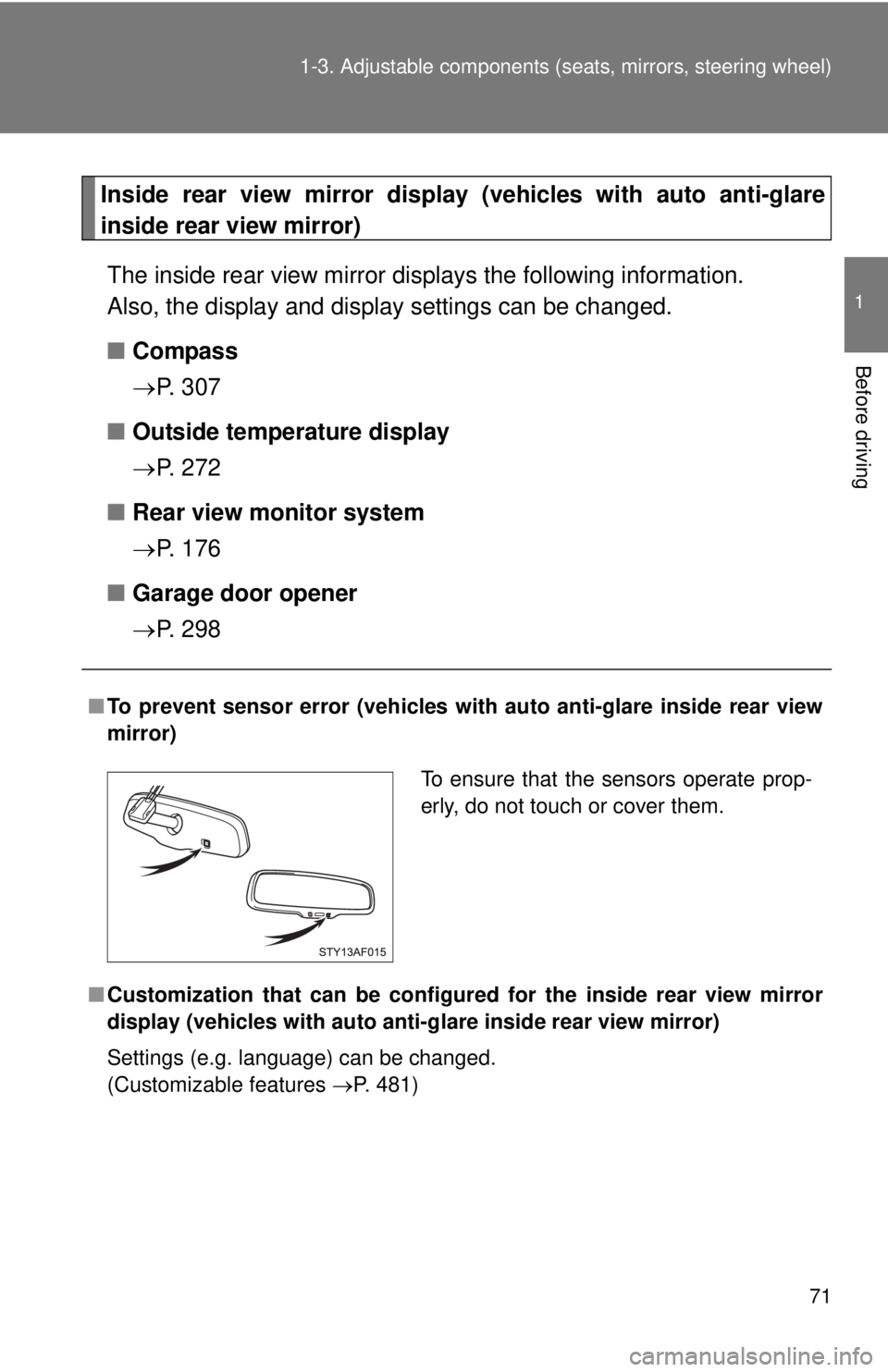
■To prevent sensor error (vehicles with auto anti-glare inside rear view
mirror)
■ Customization that can be configured for the in side rear view mirror
display (vehicles with auto anti-g lare inside rear view mirror)
Settings (e.g. language) can be changed.
(Customizable features P. 481)
To ensure that the sensors operate prop-
erly, do not touch or cover them.
Page 481 of 524
481
6
Vehicle specifications
6-2. Customization
Customizable features
Customizing inside rear view mirror features (vehicles with auto
anti-glare inside rear view mirror)For information displayed on the inside rear view mirror, it is possible
to change the units displayed for outside temperature, the position of
the outside temperature and compas s displays, the color of the dis-
play, and the displayed language.
When customizing vehicle features, ensure that the vehicle is parked
in a safe place with the parking brake set and the shift lever in P
(automatic transmission) or N (manual transmission).
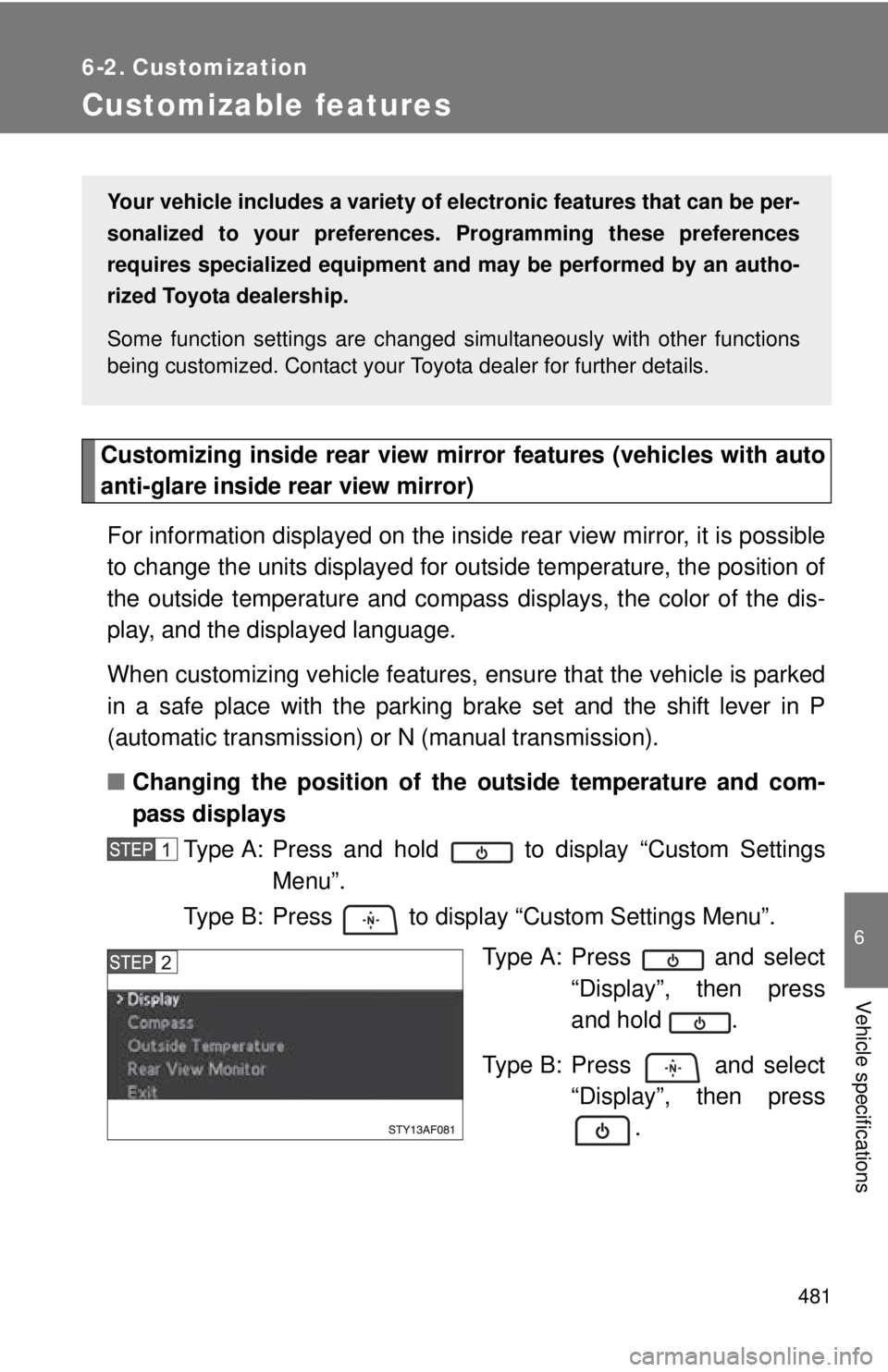
■ Changing the position of the outside temperature and com-
pass displays
Type A: Press and hold to display “Custom Settings Menu”.
Type B: Press to display “Custom Settings Menu”.
Type A: Press and select“Display”, then press
and hold .
Type B: Press and select “Display”, then press.
Your vehicle includes a variety of electronic features that can be per-
sonalized to your preferences. Programming these preferences
requires specialized equipment and may be performed by an autho-
rized Toyota dealership.
Some function settings are changed simultaneously with other functions
being customized. Contact your Toyota dealer for further details.
Page 483 of 524
483
6-2. Customization
6
Vehicle specifications
Type A: Each time is pressed and held, the display col-
ors change in the following order:
“Green” “White” “Orange” “Blue”
Type B: Each time is pressed, the display colors change in the following order:
“Green” “White” “Orange” “Blue”
To leave the “Custom Settings Menu”, select “Back to main
menu” to return to the starting screen, then either select “Exit”
or wait several seconds without pressing any buttons.
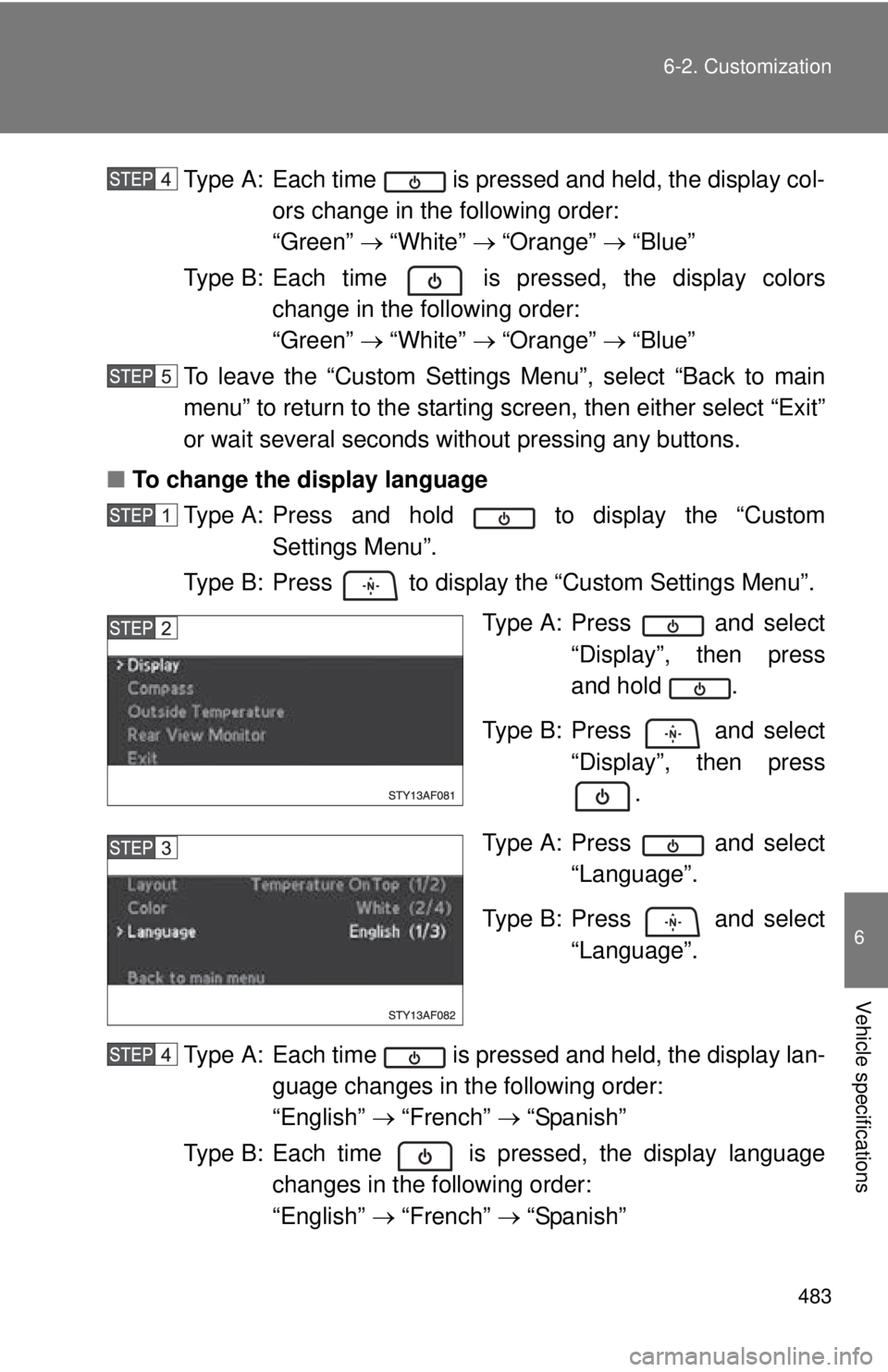
■ To change the display language
Type A: Press and hold to display the “Custom Settings Menu”.
Type B: Press to display the “Custom Settings Menu”.
Type A: Press and select“Display”, then press
and hold .
Type B: Press and select “Display”, then press
.
Type A: Press and select “Language”.
Type B: Press and select “Language”.
Type A: Each time is pressed and held, the display lan- guage changes in the following order:
“English” “French” “Spanish”
Type B: Each time is pressed, the display language changes in the following order:
“English” “French” “Spanish”