4WD TOYOTA TACOMA 2021 (in English) User Guide
[x] Cancel search | Manufacturer: TOYOTA, Model Year: 2021, Model line: TACOMA, Model: TOYOTA TACOMA 2021Pages: 608, PDF Size: 12.67 MB
Page 301 of 608
3014-5. Using the driving support systems
4
Driving
AUTO LSD system
The system can be used on 2WD models and in 2WD mode on 4WD
models.
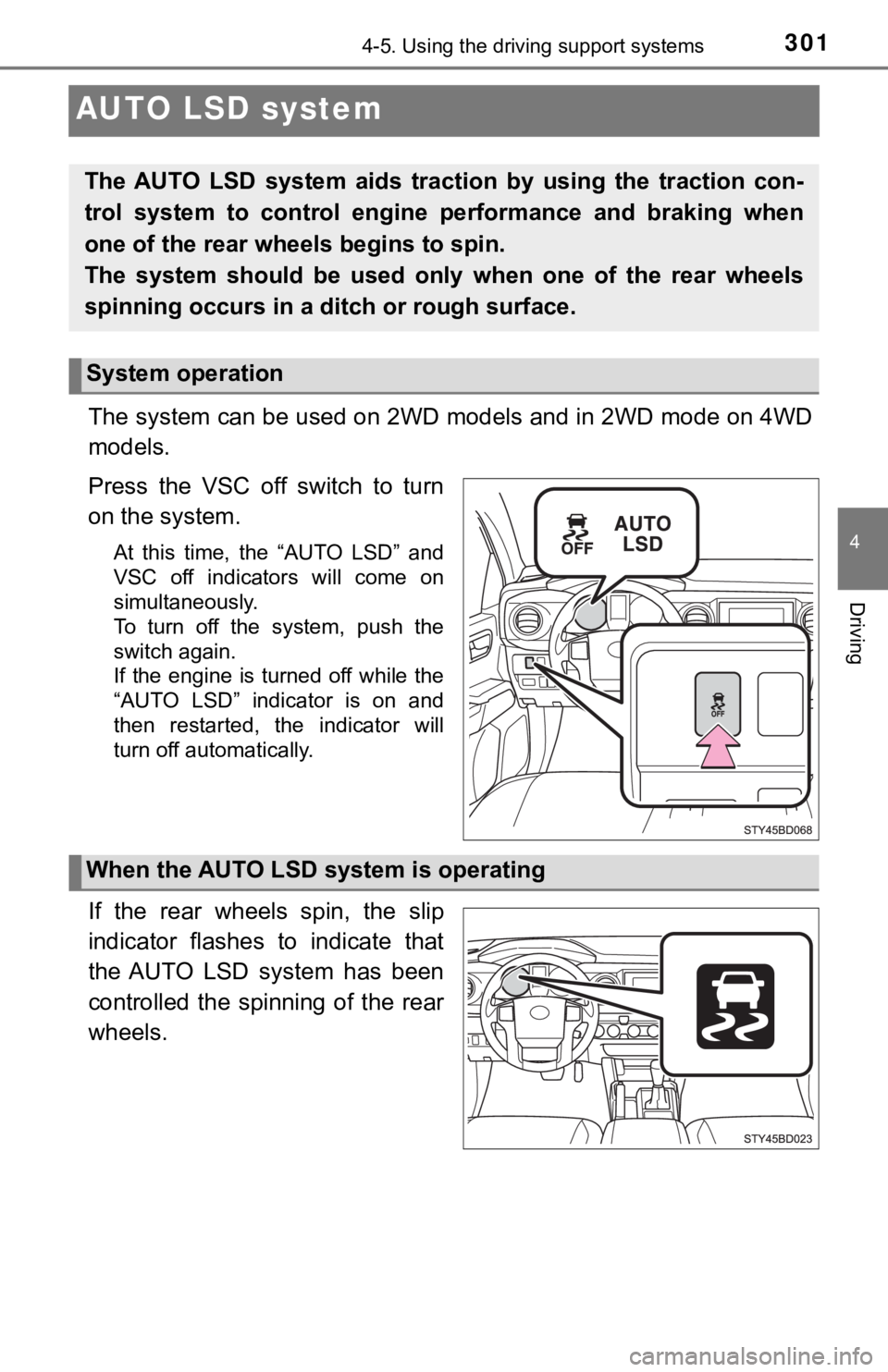
Press the VSC off switch to turn
on the system.
At this time, the “AUTO LSD” and
VSC off indicators will come on
simultaneously.
To turn off the system, push the
switch again.
If the engine is turned off while the
“AUTO LSD” indicator is on and
then restarted, the indicator will
turn off automatically.
If the rear wheels spin, the slip
indicator flashes to indicate that
the AUTO LSD system has been
controlled the spinning of the rear
wheels.
The AUTO LSD system aids traction by using the traction con-
trol system to control engine performance and braking when
one of the rear wheels begins to spin.
The system should be used only when one of the rear wheels
spinning occurs in a ditch or rough surface.
System operation
When the AUTO LSD system is operating
Page 303 of 608
3034-5. Using the driving support systems
4
Driving
Rear differential lock system
The rear differential lock system is effective in case one of the rear
wheels is spinning.
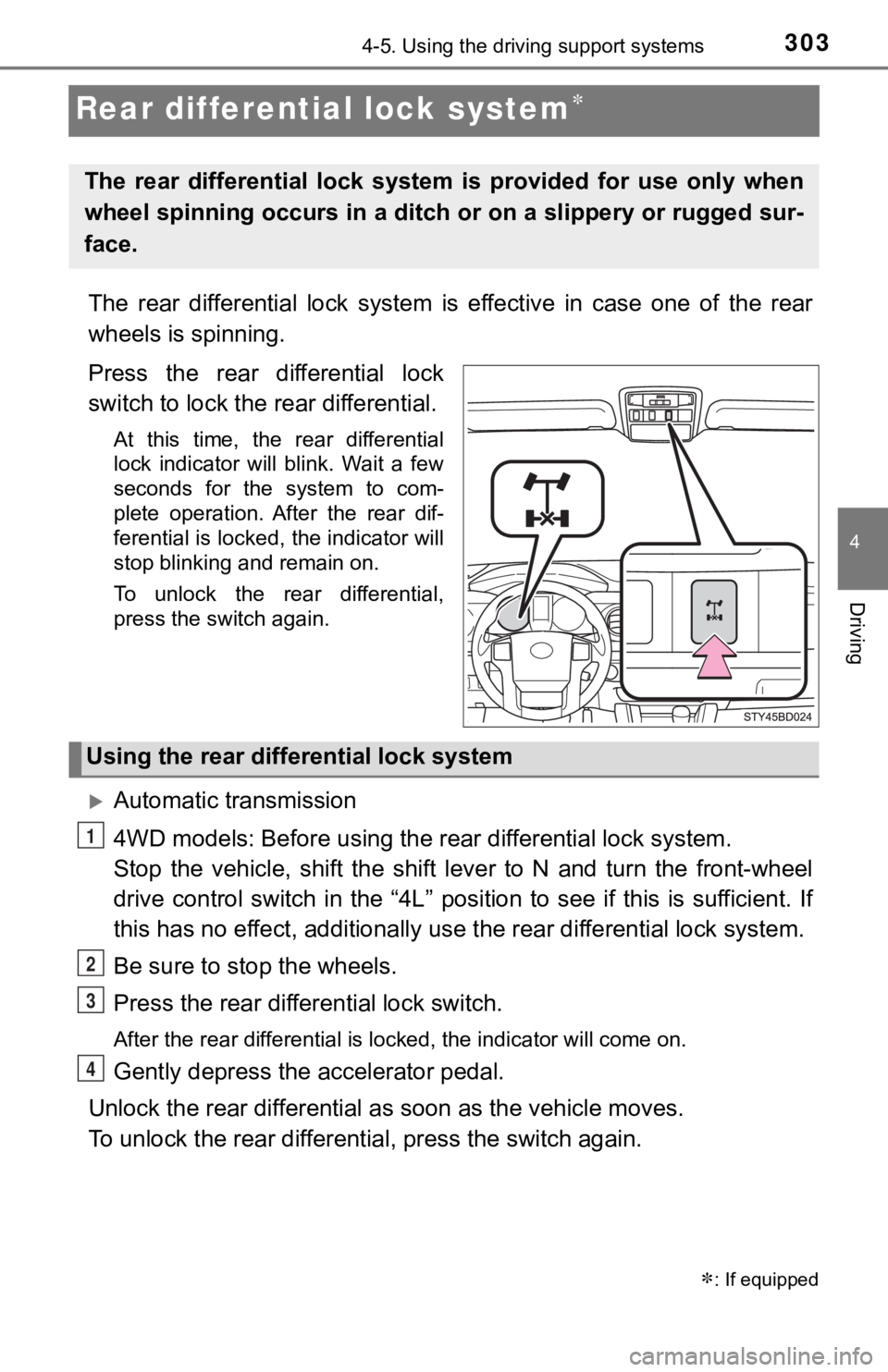
Press the rear differential lock
switch to lock the rear differential.
At this time, the rear differential
lock indicator will blink. Wait a few
seconds for the system to com-
plete operation. After the rear dif-
ferential is locked, the indicator will
stop blinking and remain on.
To unlock the rear differential,
press the switch again.
Automatic transmission
4WD models: Before us ing the rear differential lock system.
Stop the vehicle, shift the shi ft lever to N and turn the front-wheel
drive control switch in the “4L” position to see if this is sufficient. If
this has no effect, additionally use the rear differential lock system.
Be sure to stop the wheels.
Press the rear differential lock switch.
After the rear differential is locked, the indicator will come on.
Gently depress the accelerator pedal.
Unlock the rear differential as soon as the vehicle moves.
To unlock the rear different ial, press the switch again.
: If equipped
The rear differential lock system is provided for use only when
wheel spinning occurs in a ditch or on a slippery or rugged sur -
face.
Using the rear diffe rential lock system
1
2
3
4
Page 304 of 608

3044-5. Using the driving support systems
Manual transmission
Before using the rear differential lock system.
Stop the vehicle or reduce your speed to less than 2 mph (3 km/h ).
Depress the clutch pedal and turn the front-wheel drive control
switch in the “4L” position to see if this is sufficient. If th is has no
effect, additionally use the re ar differential lock system.
Be sure to stop the wheels.
Depress the clutch pedal.
Press the rear differential lock switch.
After the rear differential is locked, the indicator will come on.
Slowly release th e clutch pedal.
Unlock the rear differential as soon as the vehicle moves.
To unlock the rear different ial, press the switch again.
■Locking the rear differential
●When the rear differential is locked, VSC is automatically turn ed off.
(The rear differential lock and VSC off indicators come on.)
● The following systems do not operate when the rear differential is locked. It
is normal operation for the ABS warning light and VSC off indic ator to be on
at this time.
•ABS
• Multi Terrain ABS (if equipped)
• Brake assist system
•VSC
•TRAC
• Pre-Collision System (if equipped)
• Dynamic radar cruise control system (if equipped)
• Cruise control system (if equipped)
• Hill-start assist control (if equipped on 4WD models)
■ The rear differential lock is disengaged when
●Vehicles without a smart key system: When the engine switch is turned to
the “LOCK” position
● Vehicles with a smart key system: When the engine switch is tur ned off
● 4WD models only: Turn the front-wheel drive control switch to “ 2WD” or “4H”
position.
Never forget to turn off the switch after using this feature.
1
2
3
4
5
Page 318 of 608
3184-5. Using the driving support systems
◆Hill-start assist control (if equipped)
Helps to prevent the vehicle from rolling backward when startin g on
an incline or slippery slope
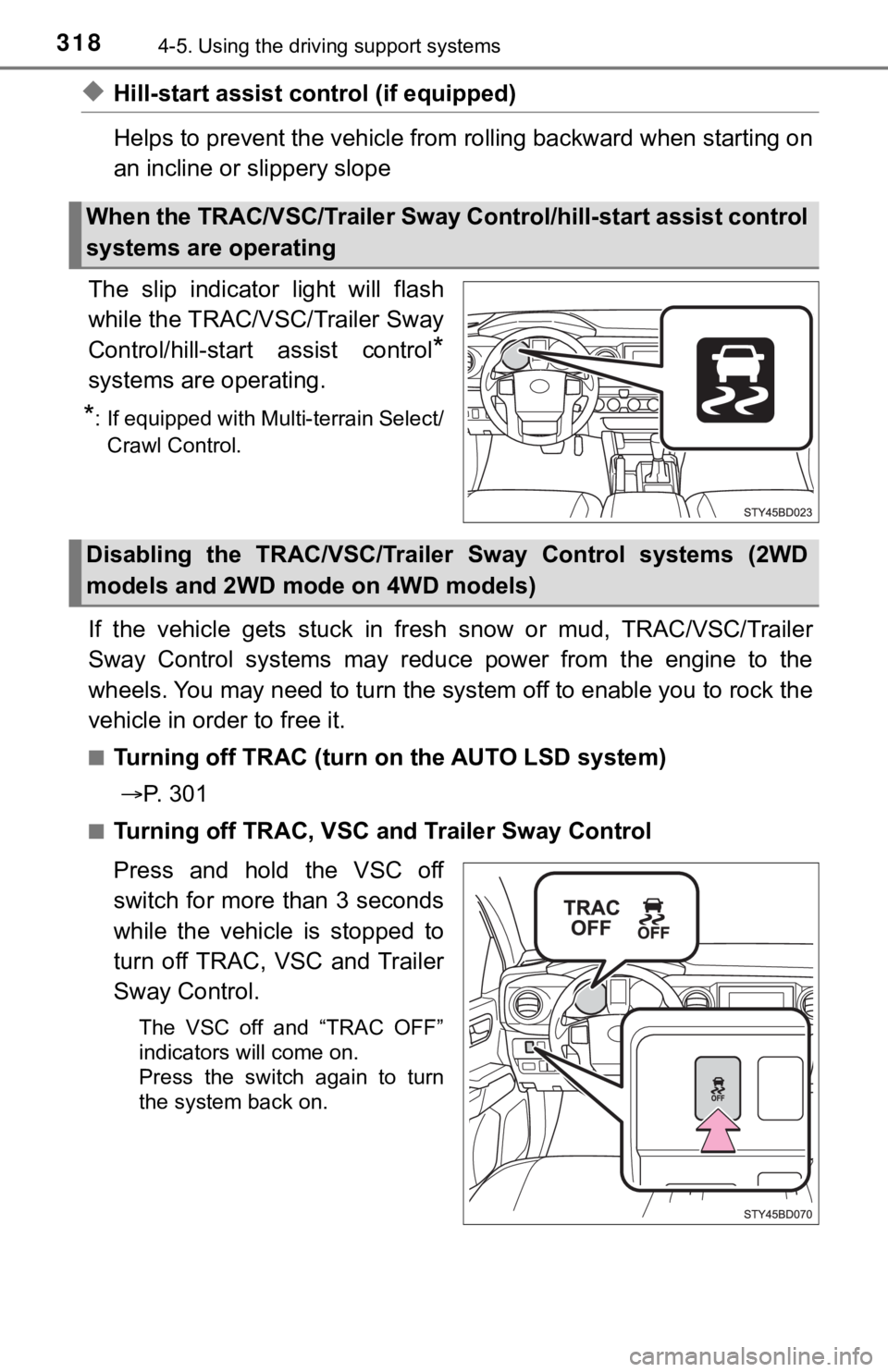
The slip indicator light will flash
while the TRAC/VSC/Trailer Sway
Control/hill-star t assist control
*
systems are operating.
*: If equipped with Multi-terrain Select/
Crawl Control.
If the vehicle gets stuck in fresh snow or mud, TRAC/VSC/Traile r
Sway Control systems may reduce power from the engine to the
wheels. You may need to turn the system off to enable you to rock the
vehicle in order to free it.
■Turning off TRAC (turn on the AUTO LSD system)
P. 3 0 1
■Turning off TRAC, VSC a nd Trailer Sway Control
Press and hold the VSC off
switch for more than 3 seconds
while the vehicle is stopped to
turn off TRAC, VSC and Trailer
Sway Control.
The VSC off and “TRAC OFF”
indicators will come on.
Press the switch again to turn
the system back on.
When the TRAC/VSC/Trailer Sway C ontrol/hill-start assist control
systems are operating
Disabling the TRAC/VSC/Traile r Sway Control systems (2WD
models and 2WD mode on 4WD models)
Page 319 of 608
3194-5. Using the driving support systems
4
Driving
If the vehicle gets stuck in fresh snow or mud, TRAC/VSC/Trailer
Sway Control systems may reduce power from the engine to the
wheels. You may need to turn the system off to enable you to rock the
vehicle in order to free it.
■Turning off TRAC
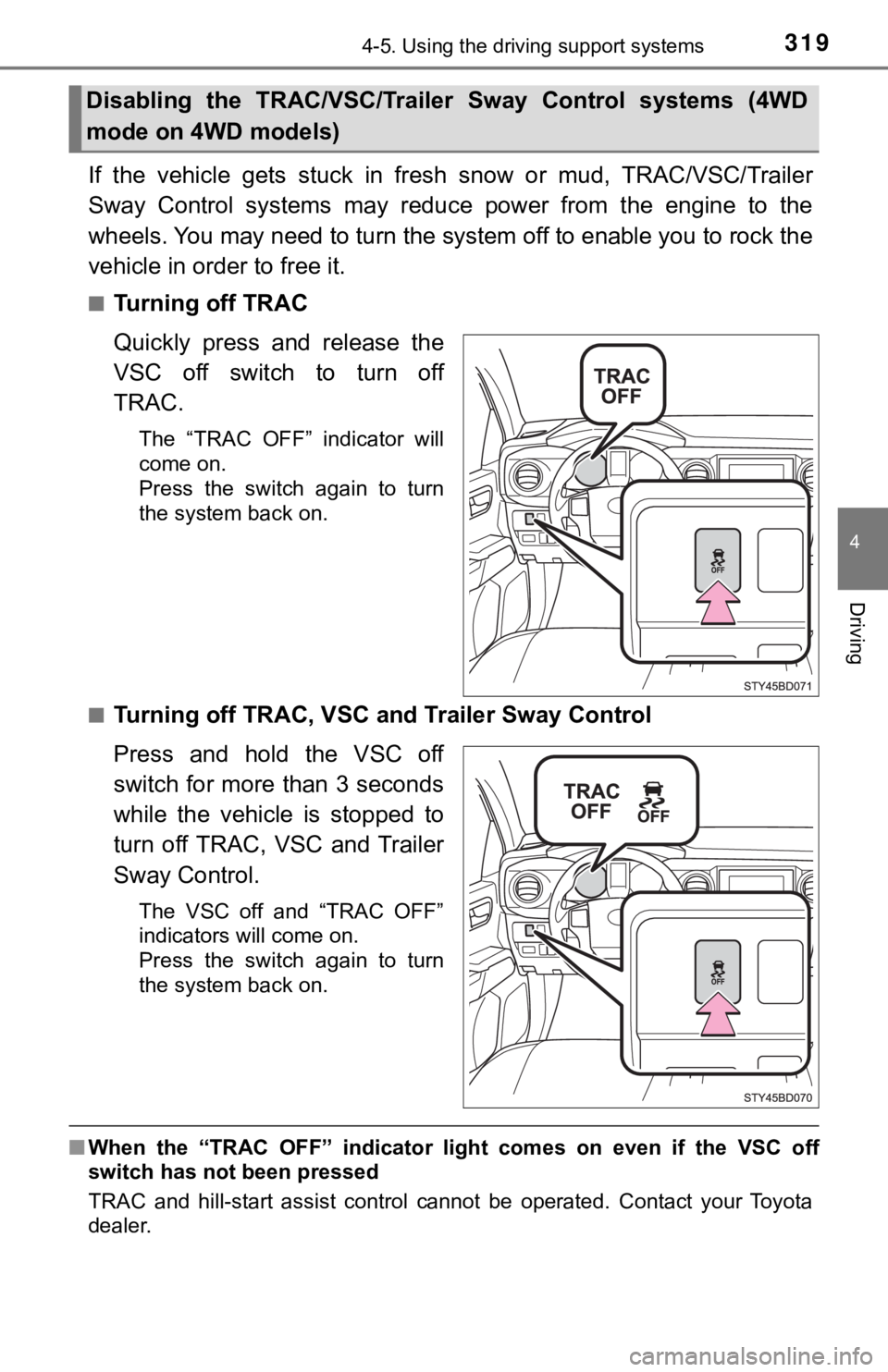
Quickly press and release the
VSC off switch to turn off
TRAC.
The “TRAC OFF” indicator will
come on.
Press the switch again to turn
the system back on.
■
Turning off TRAC, VSC a nd Trailer Sway Control
Press and hold the VSC off
switch for more than 3 seconds
while the vehicle is stopped to
turn off TRAC, VSC and Trailer
Sway Control.
The VSC off and “TRAC OFF”
indicators will come on.
Press the switch again to turn
the system back on.
■ When the “TRAC OFF” indicator light comes on even if the VSC of f
switch has not been pressed
TRAC and hill-start assist control cannot be operated. Contact your Toyota
dealer.
Disabling the TRAC/VSC/Traile r Sway Control systems (4WD
mode on 4WD models)
Page 325 of 608
3254-6. Driving tips
4
Driving
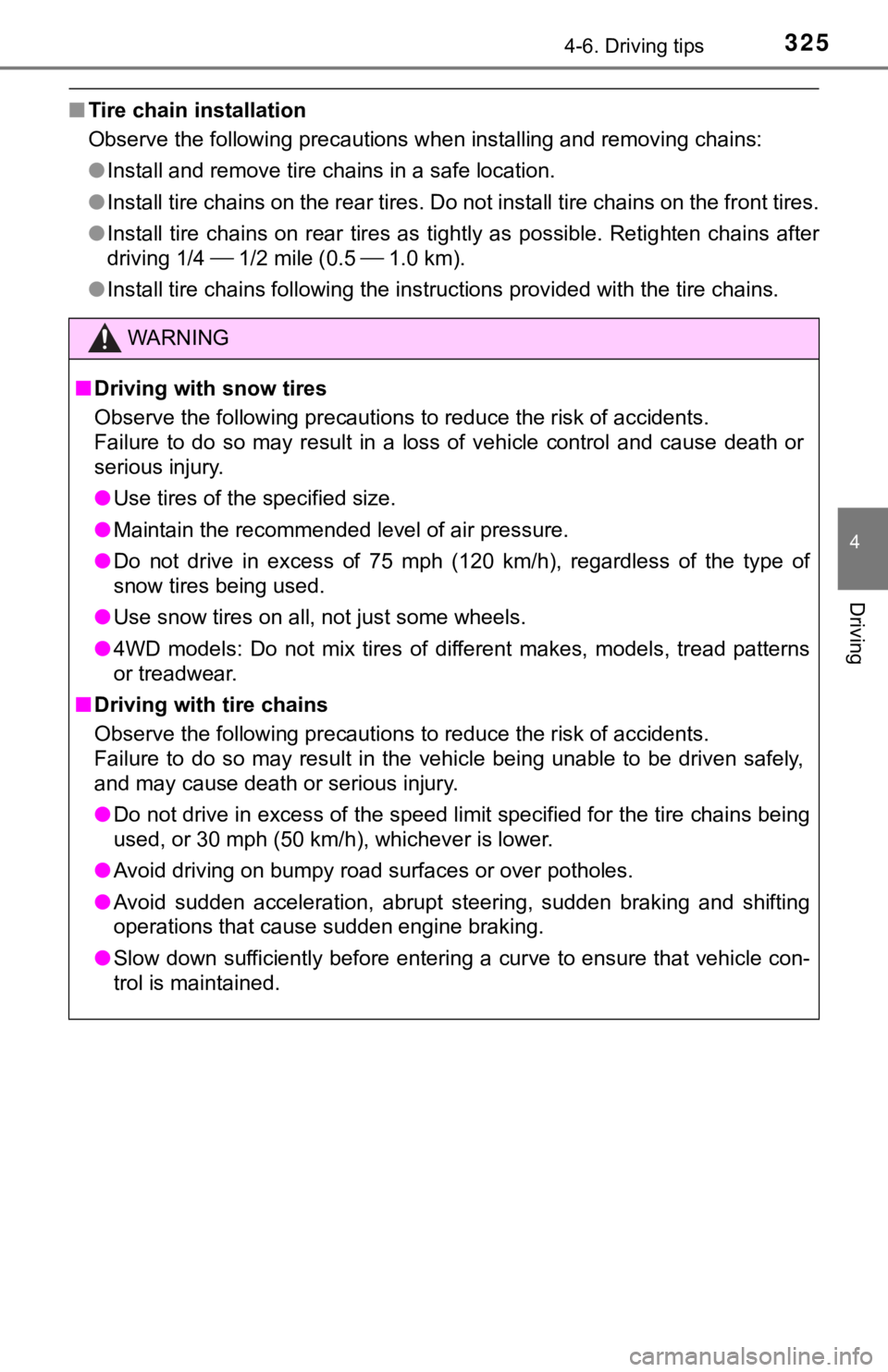
■Tire chain installation
Observe the following precautions when installing and removing chains:
● Install and remove tire chains in a safe location.
● Install tire chains on the rear tires. Do not install tire chains on the front tires.
● Install tire chains on rear tires as tightly as possible. Retig hten chains after
driving 1/4 1/2 mile (0.5 1.0 km).
● Install tire chains following the instructions provided with th e tire chains.
WARNING
■Driving with snow tires
Observe the following precautions to reduce the risk of acciden ts.
Failure to do so may result in a loss of vehicle control and ca use death or
serious injury.
● Use tires of the specified size.
● Maintain the recommended level of air pressure.
● Do not drive in excess of 75 mph (120 km/h), regardless of the type of
snow tires being used.
● Use snow tires on all, not just some wheels.
● 4WD models: Do not mix tires of different makes, models, tread patterns
or treadwear.
■ Driving with tire chains
Observe the following precautions to reduce the risk of acciden ts.
Failure to do so may result in the vehicle being unable to be d riven safely,
and may cause death or serious injury.
● Do not drive in excess of the speed limit specified for the tir e chains being
used, or 30 mph (50 km/h), whichever is lower.
● Avoid driving on bumpy road surfaces or over potholes.
● Avoid sudden acceleration, abrupt steering, sudden braking and shifting
operations that cause sudden engine braking.
● Slow down sufficiently before entering a curve to ensure that v ehicle con-
trol is maintained.
Page 470 of 608
4707-2. Steps to take in an emergency
If your vehicle needs to be towed
If towing is necessary, we recommend having your vehicle
towed by your Toyota dealer or commercial towing service,
using a wheel-lift type t ruck or flatbed truck.
Use a safety chain system for all towing, and abide by all stat e/
provincial and local laws.
If towing your vehicle with a wheel-lift type truck from the fr ont,
the vehicle's rear wheels and axles must be in good conditions.
( P. 470, 472)
If they are damaged, use a to wing dolly or flatbed truck.
WARNING
Observe the following precautions.
Failure to do so may result in death or serious injury.
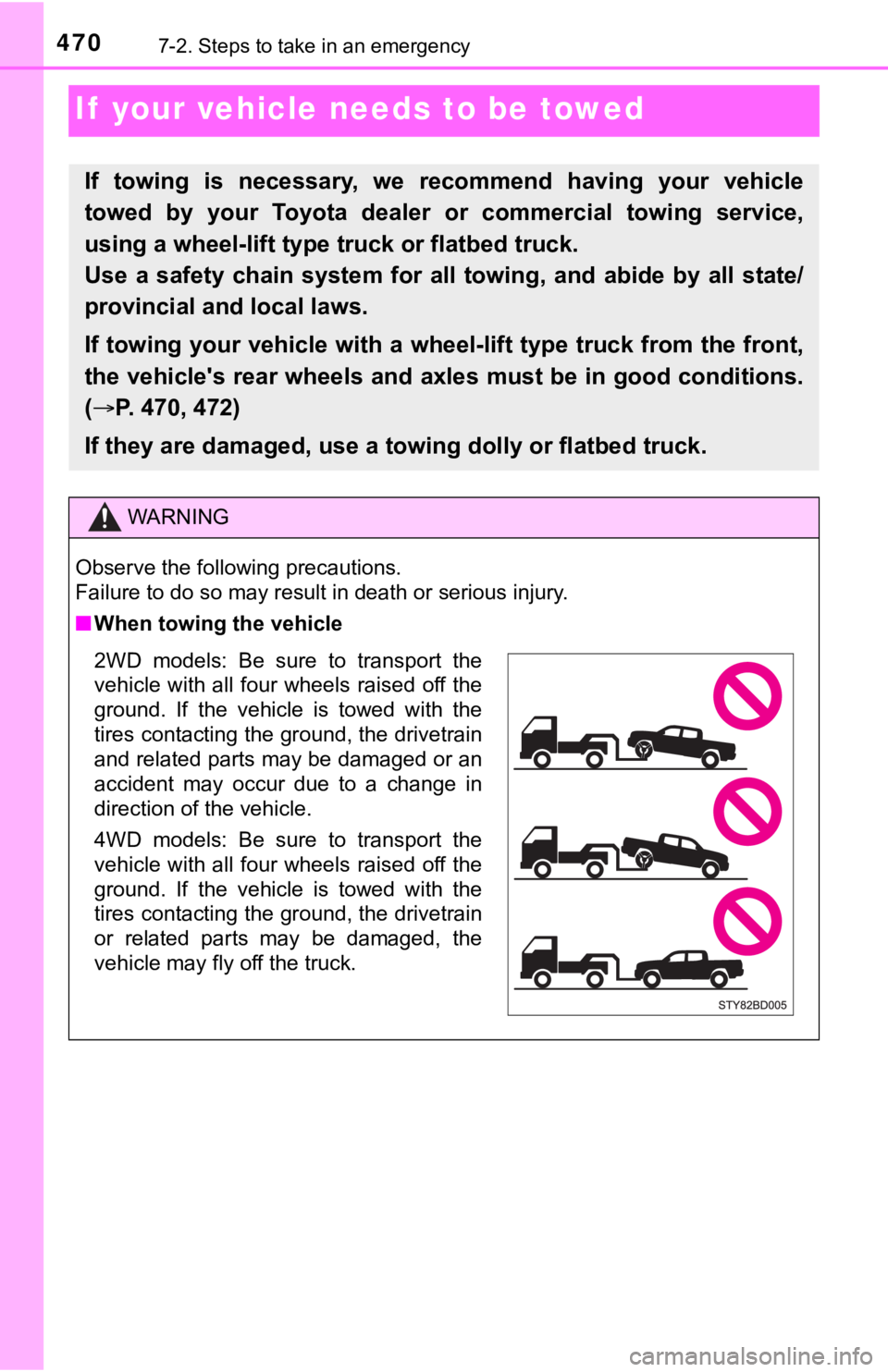
■When towing the vehicle
2WD models: Be sure to transport the
vehicle with all four wheels raised off the
ground. If the vehicle is towed with the
tires contacting the ground, the drivetrain
and related parts may be damaged or an
accident may occur due to a change in
direction of the vehicle.
4WD models: Be sure to transport the
vehicle with all four wheels raised off the
ground. If the vehicle is towed with the
tires contacting the ground, the drivetrain
or related parts may be damaged, the
vehicle may fly off the truck.
Page 473 of 608
4737-2. Steps to take in an emergency
7
When trouble arises
If a tow truck is not available in an emergency, your vehicle may be
temporarily towed using cables or chains secured to the emergen cy
towing hook(s). This should only be attempted on hard surfaced roads
for at most 50 miles (80 km) at under 18 mph (30 km/h).
A driver must be in the vehicle to steer and operate the brakes . The
vehicle’s wheels, drivetrain, axles, steering and brakes must b e in
good condition.
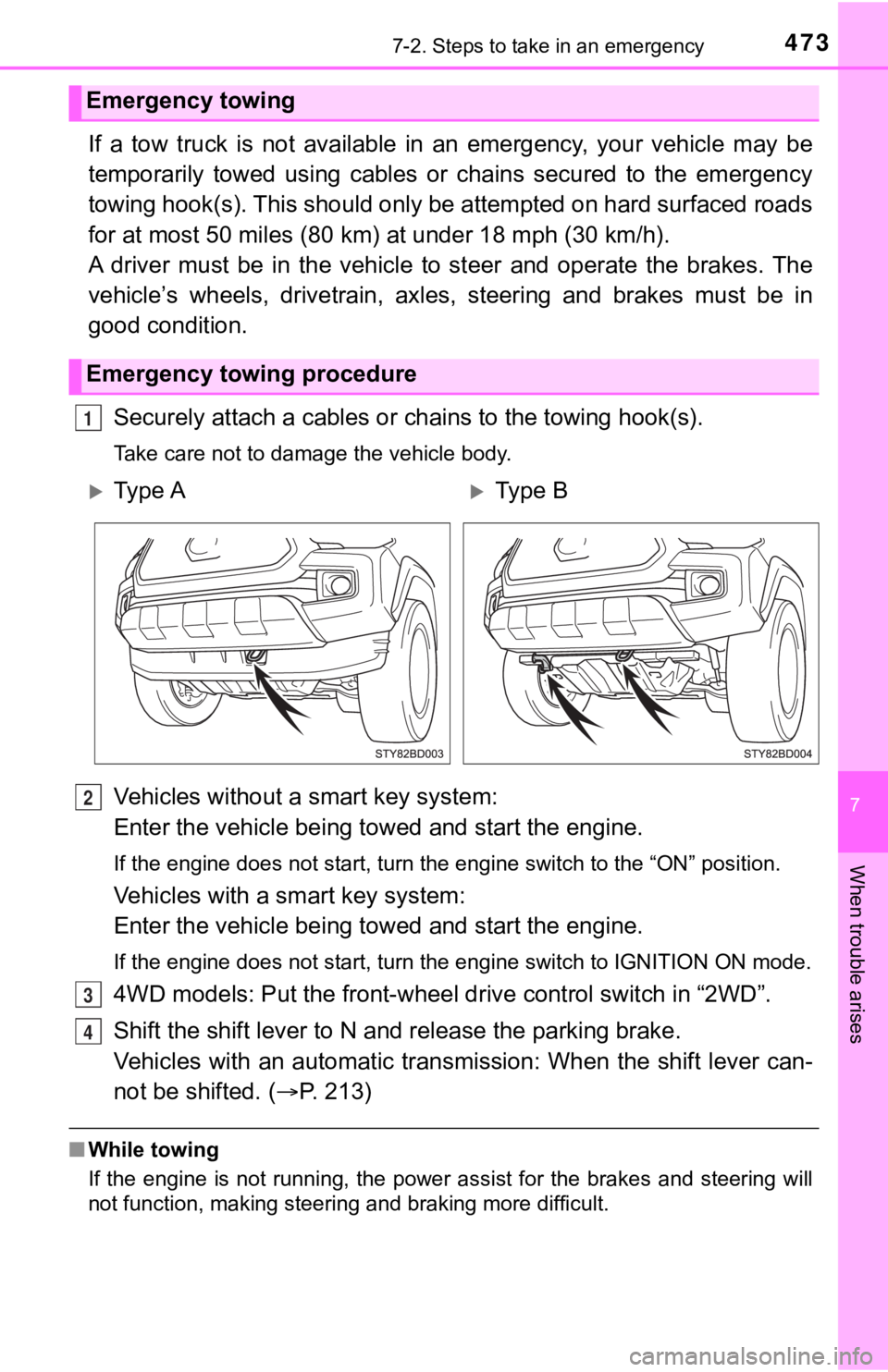
Securely attach a cables or chains to the towing hook(s).
Take care not to damage the vehicle body.
Vehicles without a smart key system:
Enter the vehicle being towed and start the engine.
If the engine does not start, turn the engine switch to the “ON ” position.
Vehicles with a smart key system:
Enter the vehicle being towed and start the engine.
If the engine does not start, turn the engine switch to IGNITIO N ON mode.
4WD models: Put the front-wheel drive control switch in “2WD”.
Shift the shift lever to N and release the parking brake.
Vehicles with an automatic trans mission: When the shift lever can-
not be shifted. ( P. 213)
■While towing
If the engine is not running, the power assist for the brakes a nd steering will
not function, making steering and braking more difficult.
Emergency towing
Emergency towing procedure
1
Ty p e AType B
2
3
4
Page 478 of 608
4787-2. Steps to take in an emergency
*1: The buzzer sounds when Multi-terrain Select or active traction control is
equipped.
*2: 4WD models only
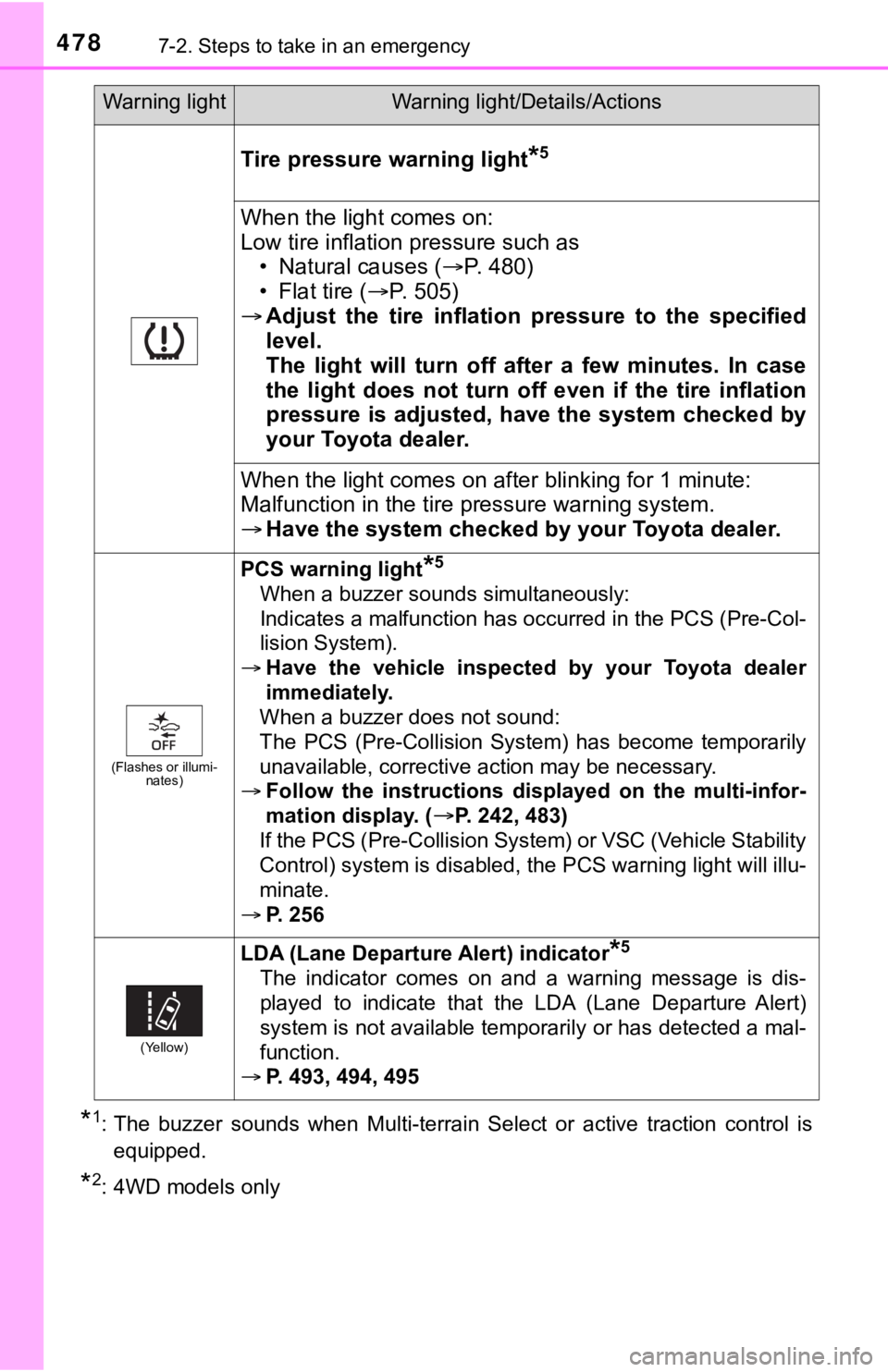
Tire pressure warning light*5
When the light comes on:
Low tire inflation pressure such as • Natural causes ( P. 4 8 0 )
• Flat tire ( P. 505)
Adjust the tire inflation pressure to the specified
level.
The light will turn off after a few minutes. In case
the light does not turn off even if the tire inflation
pressure is adjusted, have the system checked by
your Toyota dealer.
When the light comes on af ter blinking for 1 minute:
Malfunction in the tire p ressure warning system.
Have the system checked by your Toyota dealer.
(Flashes or illumi-
nates)
PCS warning light*5
When a buzzer sounds simultaneously:
Indicates a malfunction has occurred in the PCS (Pre-Col-
lision System).
Have the vehicle inspected by your Toyota dealer
immediately.
When a buzzer does not sound:
The PCS (Pre-Collision System) has become temporarily
unavailable, corrective action may be necessary.
Follow the instructions displayed on the multi-infor-
mation display. (
P. 242, 483)
If the PCS (Pre-Collision System) or VSC (Vehicle Stability
Control) system is disabled, the PCS warning light will illu-
minate.
P. 256
(Yellow)
LDA (Lane Departur e Alert) indicator*5
The indicator comes on and a warning message is dis-
played to indicate that the LDA (Lane Departure Alert)
system is not available temporarily or has detected a mal-
function.
P. 493, 494, 495
Warning lightWarning light/Details/Actions
Page 488 of 608
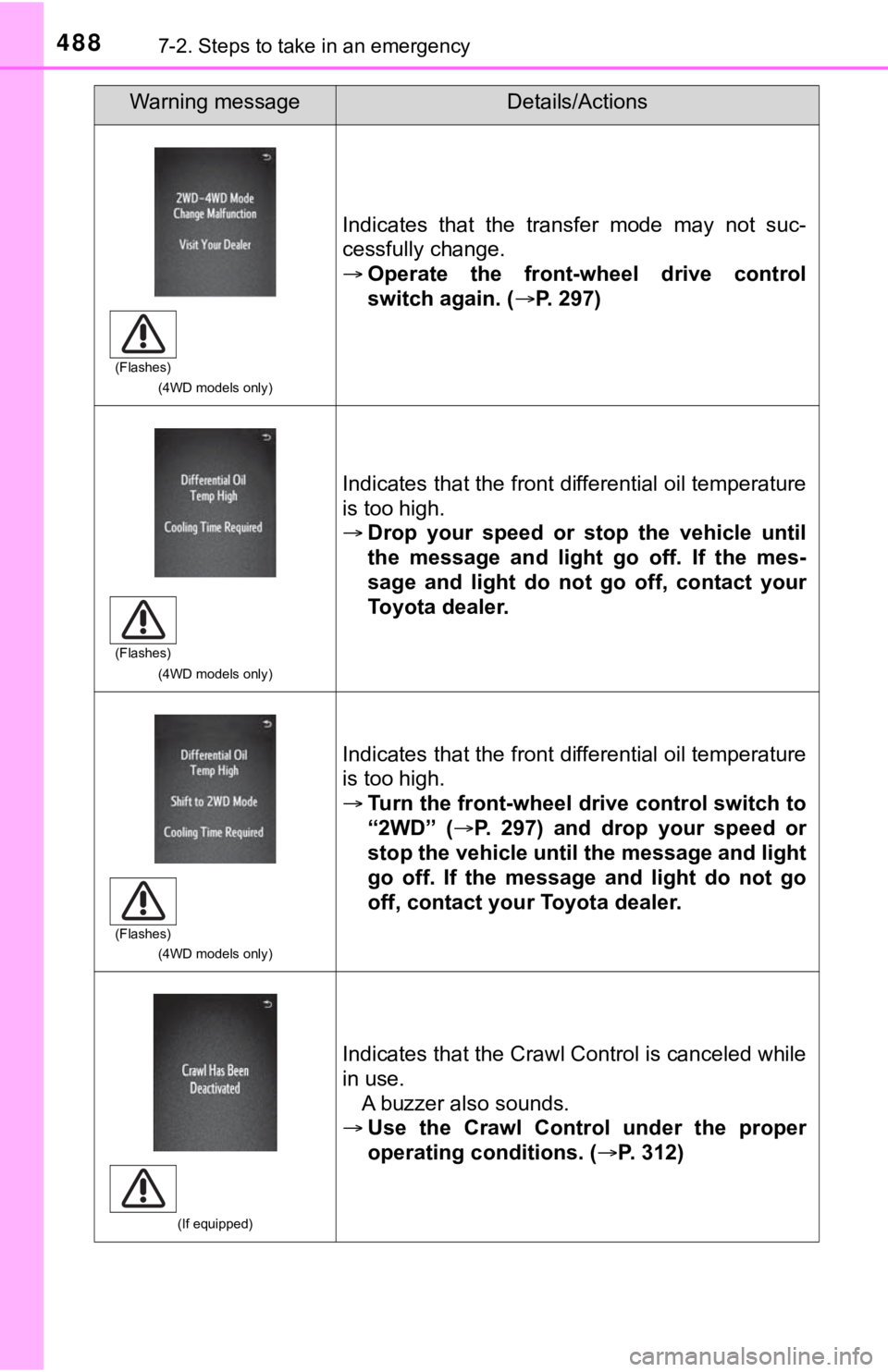
4887-2. Steps to take in an emergency
(4WD models only)
Indicates that the transfer mode may not suc-
cessfully change.
Operate the front-wheel drive control
switch again. ( P. 297)
(4WD models only)
Indicates that the front differential oil temperature
is too high.
Drop your speed or stop the vehicle until
the message and light go off. If the mes-
sage and light do not go off, contact your
Toyota dealer.
(4WD models only)
Indicates that the front differential oil temperature
is too high.
Turn the front-wheel drive control switch to
“2WD” ( P. 297) and drop your speed or
stop the vehicle until the message and light
go off. If the message and light do not go
off, contact your Toyota dealer.
(If equipped)
Indicates that the Crawl Control is canceled while
in use. A buzzer also sounds.
Use the Crawl Control under the proper
operating conditions. (P. 312)
Warning messageDetails/Actions
(Flashes)
(Flashes)
(Flashes)