clock TOYOTA tC 2012 Owners Manual (in English)
[x] Cancel search | Manufacturer: TOYOTA, Model Year: 2012, Model line: tC, Model: TOYOTA tC 2012Pages: 480, PDF Size: 9.44 MB
Page 3 of 480
1
2
3
4
5
6
7
3
Scion_tC_U_(OM21041U)
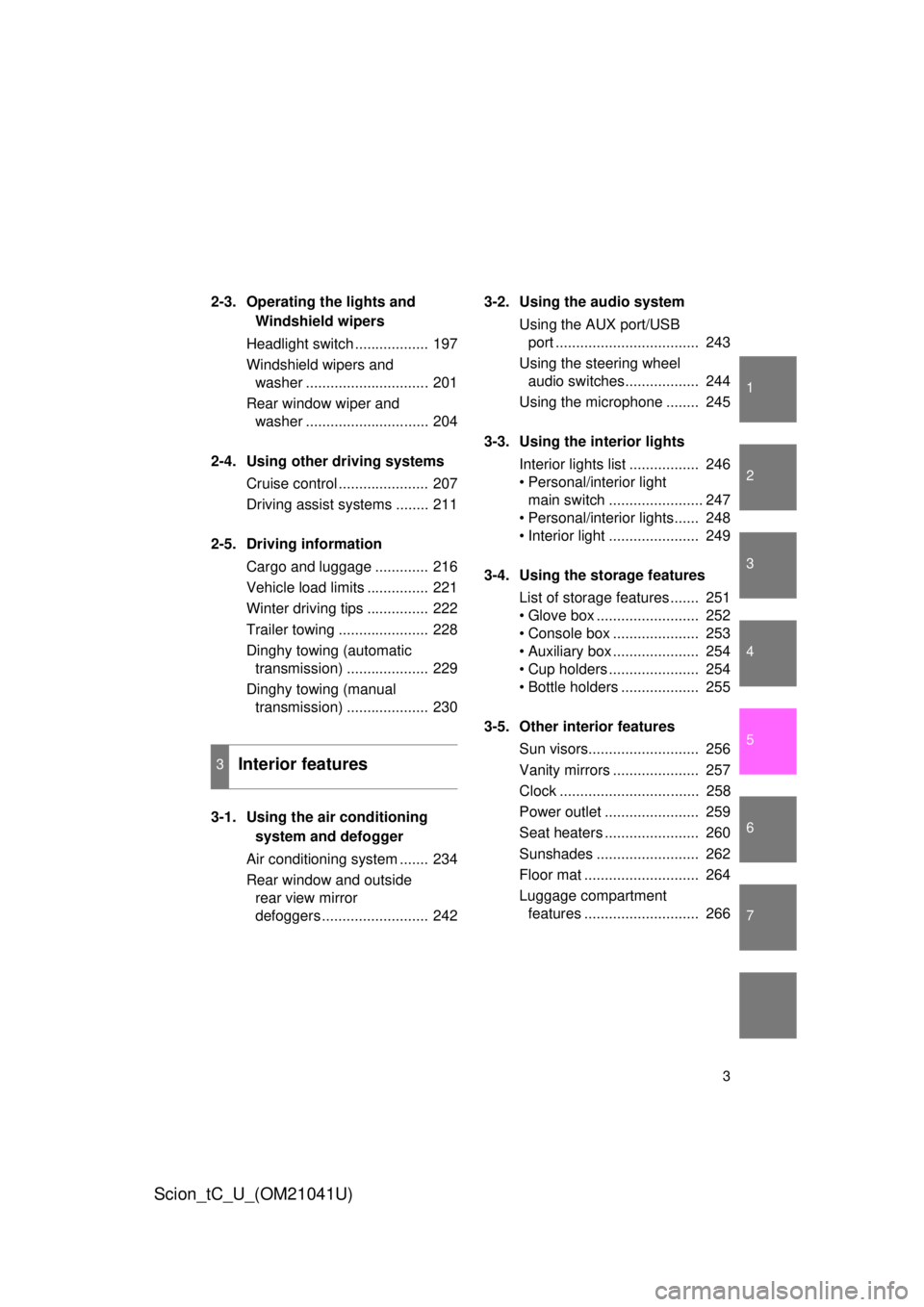
2-3. Operating the lights and
Windshield wipers
Headlight switch .................. 197
Windshield wipers and
washer .............................. 201
Rear window wiper and
washer .............................. 204
2-4. Using other driving systems Cruise control ...................... 207
Driving assist systems ........ 211
2-5. Driving information Cargo and luggage ............. 216
Vehicle load limits ............... 221
Winter driving tips ............... 222
Trailer towing ...................... 228
Dinghy towing (automatic
transmission) .................... 229
Dinghy towing (manual
transmission) .................... 230
3-1. Using the air conditioning
system and defogger
Air conditioning system ....... 234
Rear window and outside
rear view mirror
defoggers .......................... 242 3-2. Using the audio system
Using the AUX port/USB
port ................................... 243
Using the steering wheel
audio switches.................. 244
Using the microphone ........ 245
3-3. Using the interior lights Interior lights list ................. 246
• Personal/interior light
main switch ....................... 247
• Personal/interior lights...... 248
• Interior light ...................... 249
3-4. Using the storage features List of storage features ....... 251
• Glove box ......................... 252
• Console box ..................... 253
• Auxiliary box ..................... 254
• Cup holders ...................... 254
• Bottle holders ................... 255
3-5. Other interior features Sun visors........................... 256
Vanity mirrors ..................... 257
Clock .................................. 258
Power outlet ....................... 259
Seat heaters ....................... 260
Sunshades ......................... 262
Floor mat ............................ 264
Luggage compartment
features ............................ 266
3Interior features
Page 14 of 480
14
Scion_tC_U_(OM21041U)
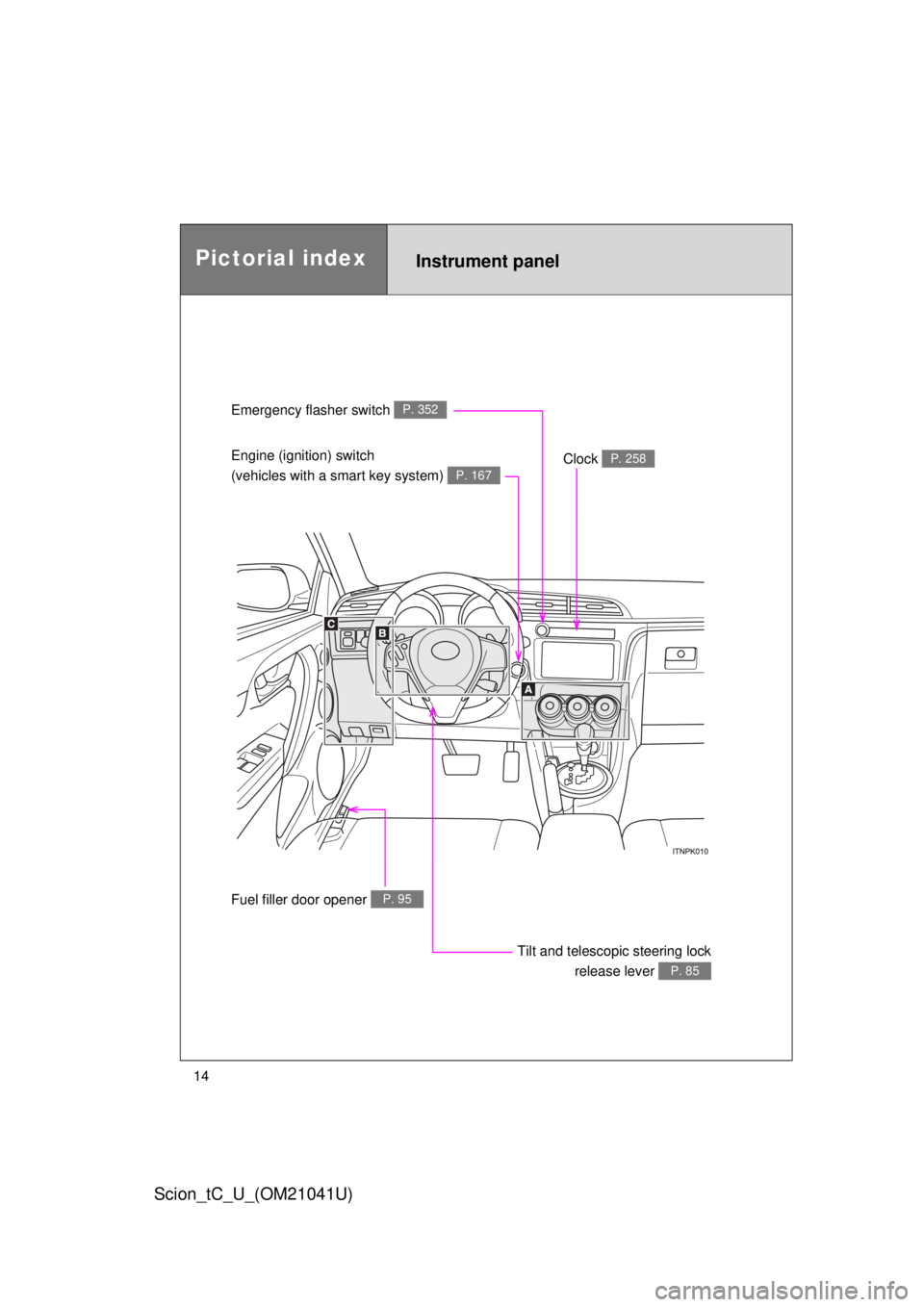
Instrument panel
Emergency flasher switch P. 352
Engine (ignition) switch
(vehicles with a smart key system)
P. 167
Clock P. 258
Tilt and telescopic steering lock
release lever
P. 85
Fuel filler door opener P. 95
Pictorial index
Page 191 of 480
191
2-2. Instrument cluster
2
When driving
Scion_tC_U_(OM21041U)
■
The brightness of the instrument panel lights
When the headlight switch is turned to on, the brightness will be reduced
slightly unless the control knob is turned fully clockwise.
■ Outside temperature display
● In the following situations, the correct outside temperature may not be
displayed, or the display may take longer than normal to change.
• When stopped, or driving at low speeds (less than 12 mph [20 km/h])
• When the outside temperature has changed suddenly (at the entrance/
exit of a garage, tunnel, etc.)
● When “--” is displayed, the system may be malfunctioning.
Take your vehicle to your Scion dealer.
NOTICE
■ To prevent damage to the engine and its components
Do not let the indicator needle of the tachometer enter the red zone, which
indicates the maximum engine speed.
■ The odometer/trip meter di splay at low temperatures
Allow the interior of the vehicle to warm up before using the liquid crystal
information display. At extremely low temperatures, the information display
monitor may respond slowly, and display changes may be delayed.
Page 233 of 480
Interior features3
233
Scion_tC_U_(OM21041U)
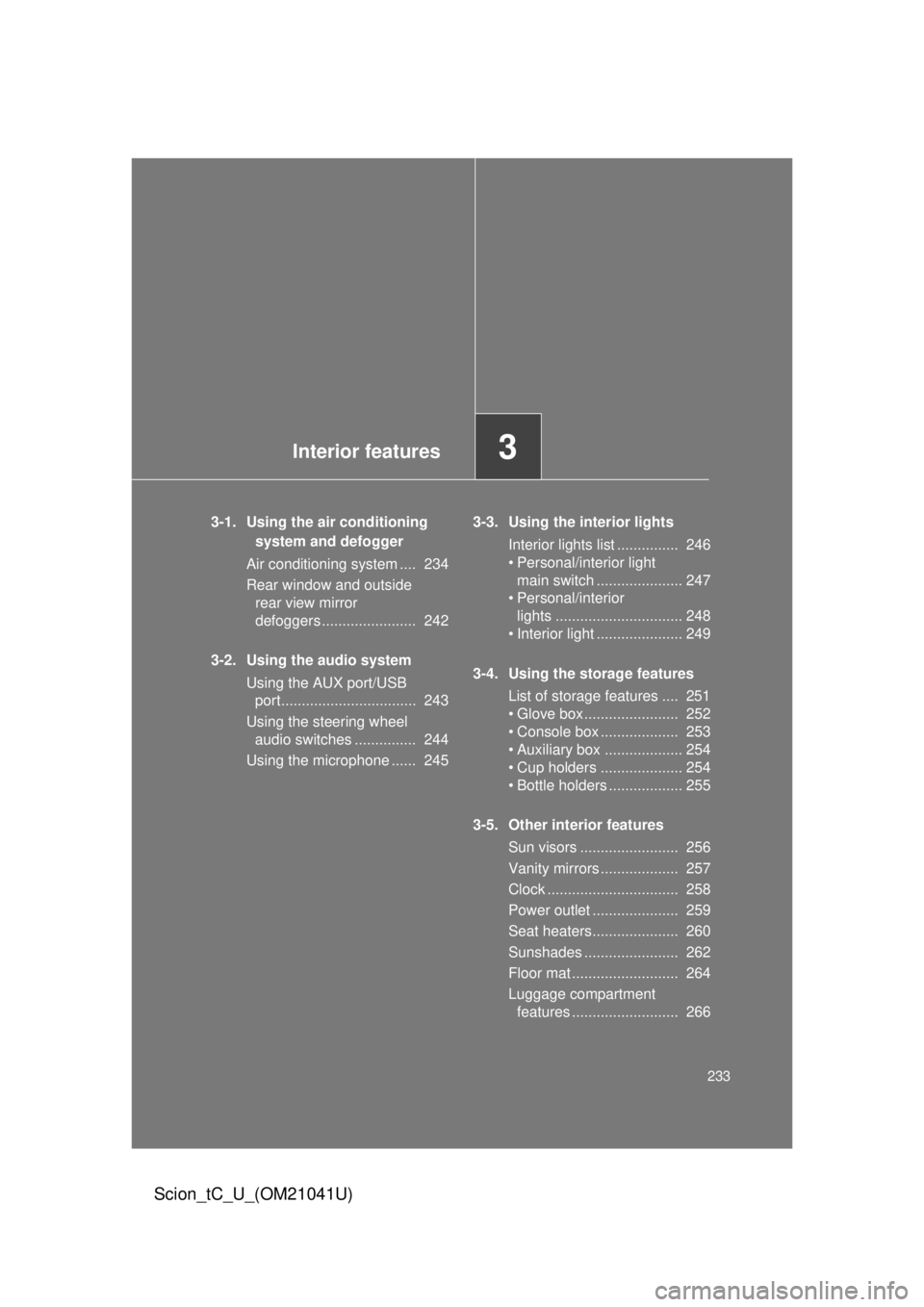
3-1. Using the air conditioning system and defogger
Air conditioning system .... 234
Rear window and outside
rear view mirror
defoggers ....................... 242
3-2. Using the audio system Using the AUX port/USB
port................................. 243
Using the steering wheel audio switches ............... 244
Using the microphone ...... 245 3-3. Using the interior lights
Interior lights list ............... 246
• Personal/interior light
main switch ..................... 247
• Personal/interior
lights ............................... 248
• Interior light ..................... 249
3-4. Using the storage features List of storage features .... 251
• Glove box....................... 252
• Console box ................... 253
• Auxiliary box ................... 254
• Cup holders .................... 254
• Bottle holders .................. 255
3-5. Other interior features Sun visors ........................ 256
Vanity mirrors ................... 257
Clock ................................ 258
Power outlet ..................... 259
Seat heaters..................... 260
Sunshades ....................... 262
Floor mat .......................... 264
Luggage compartment
features .......................... 266
Page 235 of 480
235
3-1. Using the air conditioning system
and defogger
3
Interior features
Scion_tC_U_(OM21041U)
Adjusting the settings
■ Basic setting
To turn on the air conditioning system and adjust the fan
speed, turn the fan speed control knob clockwise (increase) or
counterclockwise (decrease).
Turning the knob to “0” turns off the fan.
To adjust the temperature setting, turn the temperature control
knob clockwise (warm) or counterclockwise (cool).
If is not pressed, the system will blow ambient temperature air
or heated air.
To select the air outlets, set th e air outlet selector knob to the
desired position.
The positions between the air outlet selections shown in the follow-
ing illustrations can also be selected for more delicate adjustment.
STEP 1
STEP 2
STEP 3
Page 258 of 480
258
3-5. Other interior features
Scion_tC_U_(OM21041U)
Clock
■The clock is displayed when
Vehicles without a smart key system
The engine switch is in the “ACC” or “ON” position.
Vehicles with a smart key system
The “ENGINE START STOP” switch is in ACCESSORY or IGNITION ON
mode.
■ When disconnecting and reco nnecting battery terminals
The time display will automatically be set to 1:00.
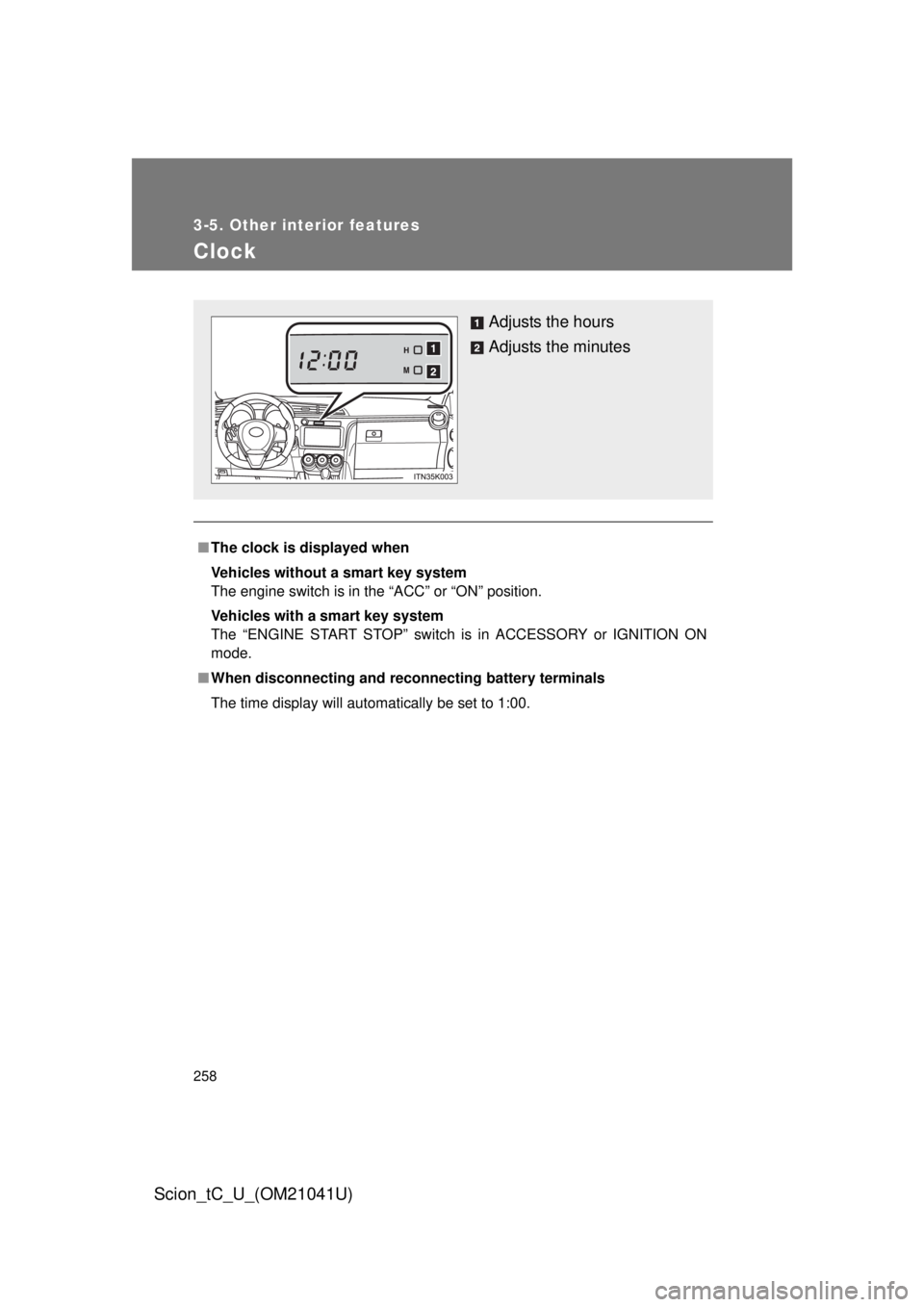
Adjusts the hours
Adjusts the minutes
Page 296 of 480
296 4-3. Do-it-yourself maintenance
Scion_tC_U_(OM21041U)
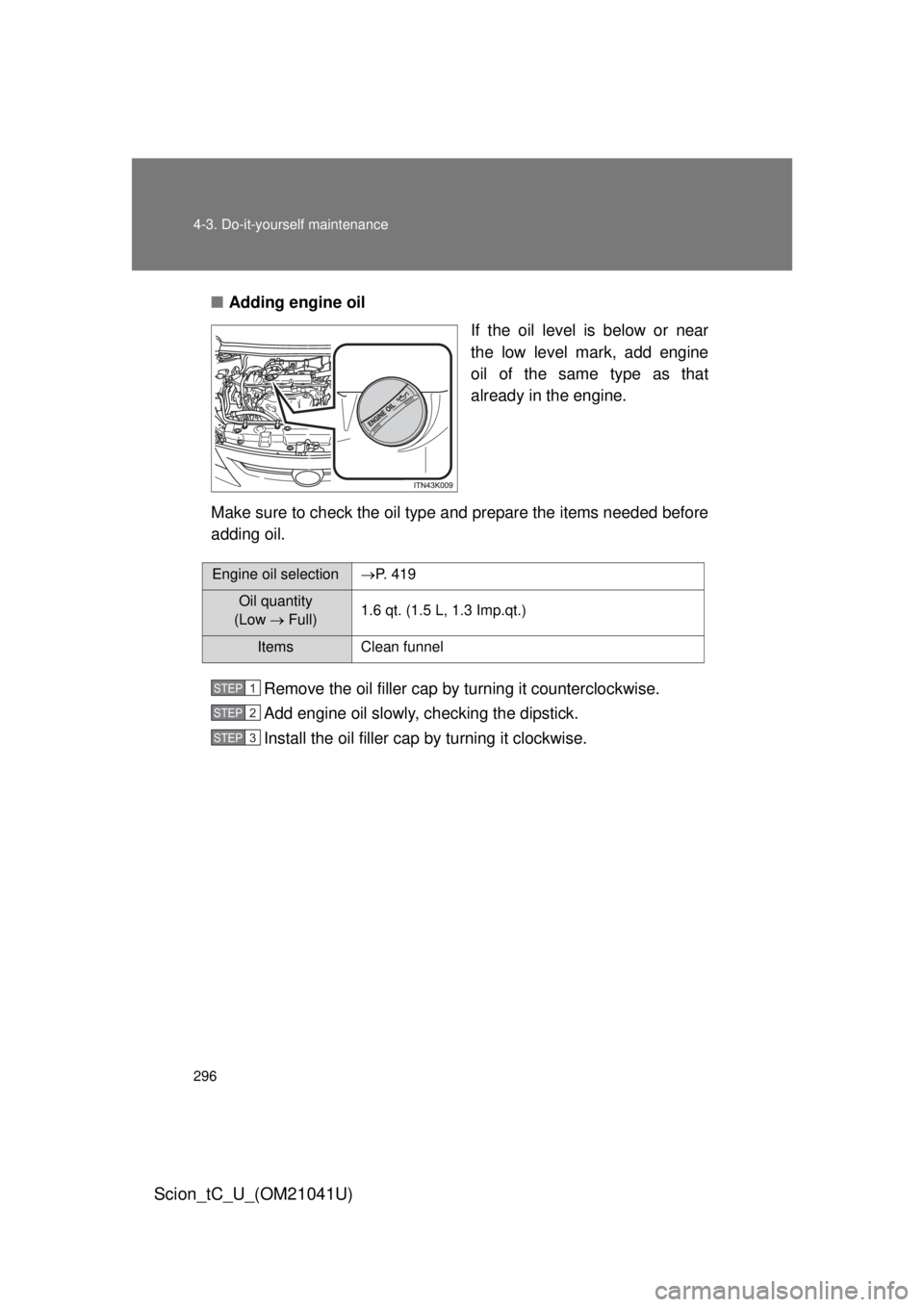
■Adding engine oil
If the oil level is below or near
the low level mark, add engine
oil of the same type as that
already in the engine.
Make sure to check the oil type and prepare the items needed before
adding oil.
Remove the oil filler cap by turning it counterclockwise.
Add engine oil slowly, checking the dipstick.
Install the oil filler cap by turning it clockwise.
Engine oil selection P. 4 1 9
Oil quantity
(Low Full) 1.6 qt. (1.5 L, 1.3 Imp.qt.)
Items Clean funnel
STEP 1
STEP 2
STEP 3
Page 335 of 480
335
4-3. Do-it-yourself maintenance
4
Maintenance and care
Scion_tC_U_(OM21041U)
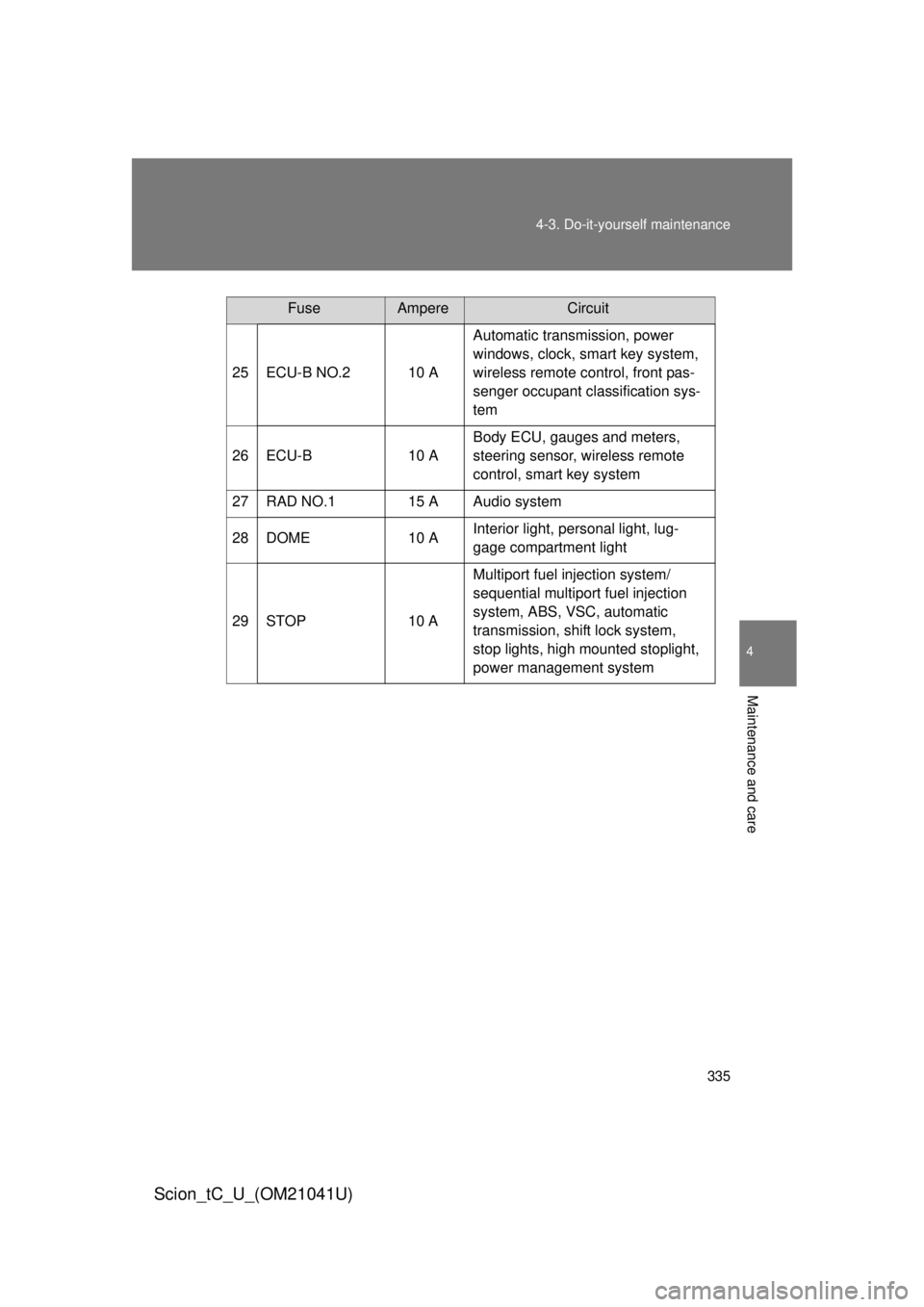
25 ECU-B NO.2 10 A
Automatic transmission, power
windows, clock, smart key system,
wireless remote control, front pas-
senger occupant classification sys-
tem
26 ECU-B 10 ABody ECU, gauges and meters,
steering sensor, wireless remote
control, smart key system
27 RAD NO.1 15 A Audio system
28 DOME 10 AInterior light, personal light, lug-
gage compartment light
29 STOP 10 AMultiport fuel injection system/
sequential multiport fuel injection
system, ABS, VSC, automatic
transmission, shift lock system,
stop lights, high mounted stoplight,
power management system
FuseAmpereCircuit
Page 338 of 480

338 4-3. Do-it-yourself maintenance
Scion_tC_U_(OM21041U)
14 ACC5 ABody ECU, clock, outside rear view
mirror, shift lock system, audio sys-
tem
15 IG 5 ARear window defoggers, electric
cooling fan, multiport fuel injection
system/sequential multiport fuel
injection system
16 TAIL 10 AParking lights, tail lights, side
marker lights, license plate lights,
multiport fuel injection system/
sequential multiport fuel injection
system
17 IGN 7.5 AMultiport fuel injection system/
sequential multiport fuel injection
system, automatic transmission,
clock, smart key system, steering
lock system, SRS airbag system,
fuel pump, front passenger occu-
pant classification system
18 PANEL 5 AGauges and meters, air condition-
ing system, seat heater, VSC OFF
switch, shift lever illumination,
steering switch, clock, audio sys-
tem
19 S/HTR FL 10 A Seat heater (driver’s side)
20 MET 7.5 A Gauges and meters
FuseAmpereCircuit
Page 343 of 480
343
4-3. Do-it-yourself maintenance
4
Maintenance and care
Scion_tC_U_(OM21041U)
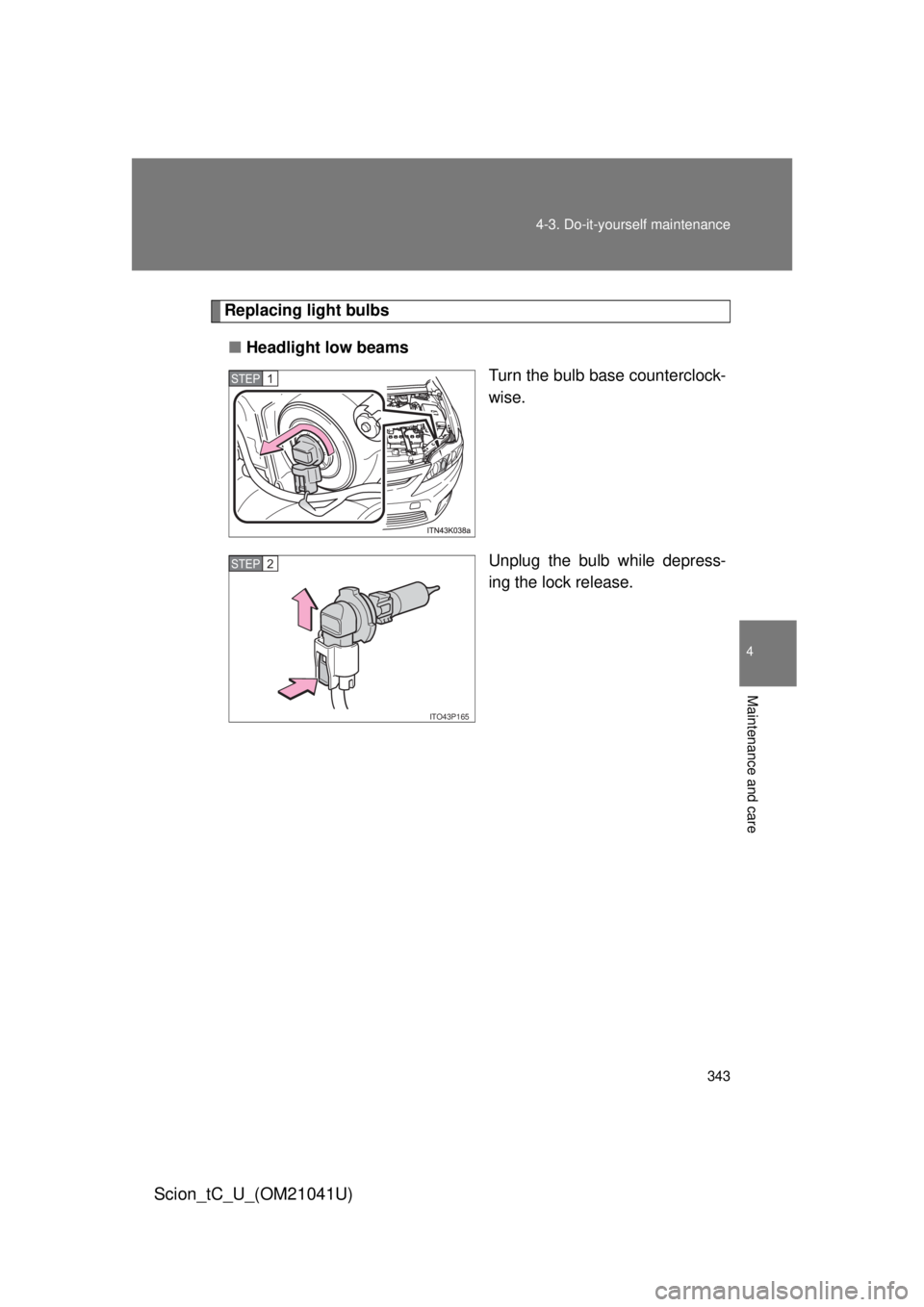
Replacing light bulbs
■ Headlight low beams
Turn the bulb base counterclock-
wise.
Unplug the bulb while depress-
ing the lock release.
STEP 1
ITO43P165
STEP 2