TOYOTA TUNDRA 2012 2.G User Guide
TUNDRA 2012 2.G
TOYOTA
TOYOTA
https://www.carmanualsonline.info/img/14/6834/w960_6834-0.png
TOYOTA TUNDRA 2012 2.G User Guide
Page 189 of 744
189
2
When driving
2-2. Instrument cluster
Gauges and meters
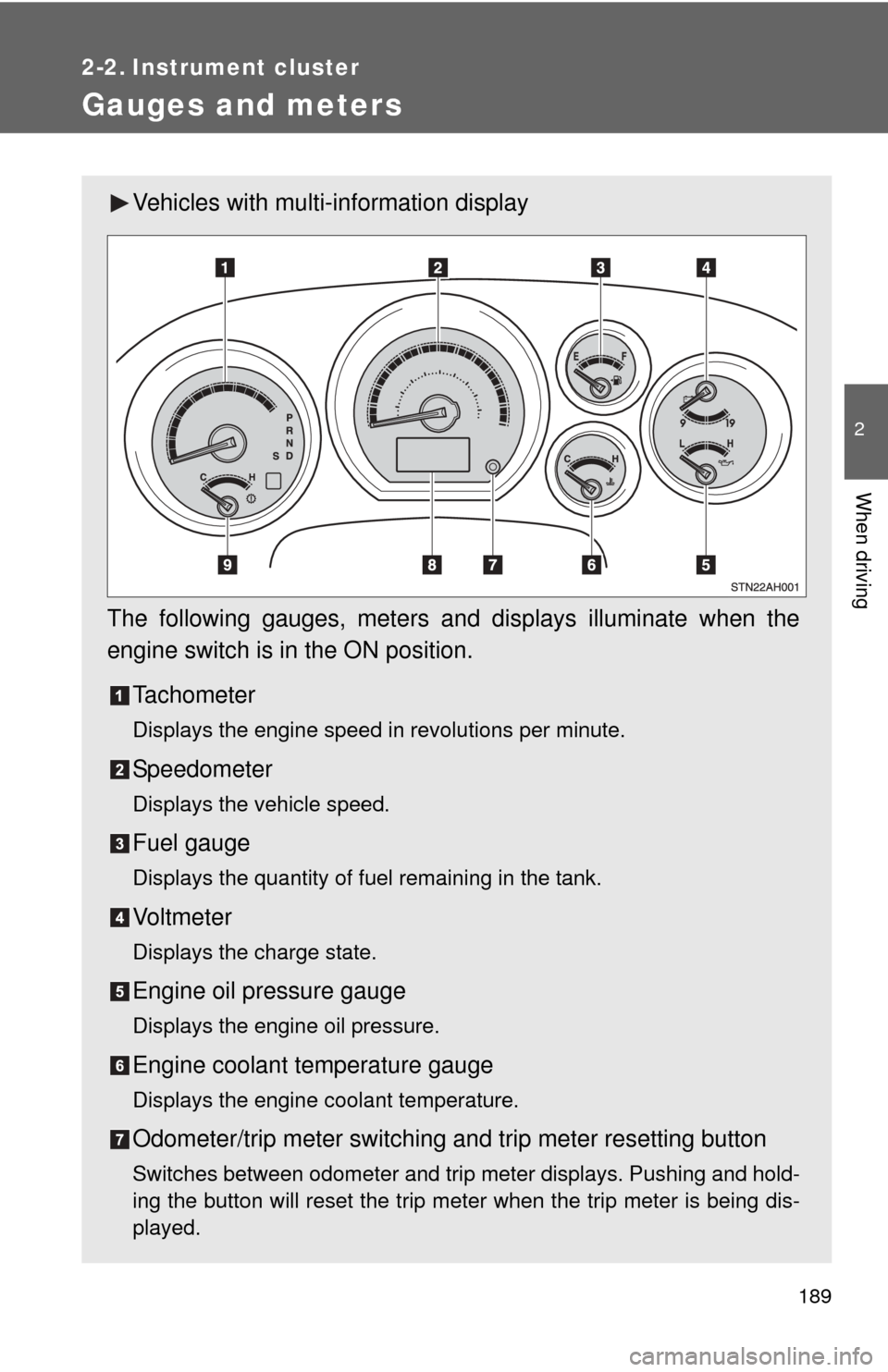
Vehicles with multi-information display
The following gauges, meters and displays illuminate when the
engine switch is in the ON position. Tachometer
Displays the engine speed in revolutions per minute.
Speedometer
Displays the vehicle speed.
Fuel gauge
Displays the quantity of fuel remaining in the tank.
Vo l t m e t e r
Displays the charge state.
Engine oil pressure gauge
Displays the engine oil pressure.
Engine coolant temperature gauge
Displays the engine coolant temperature.
Odometer/trip meter switching and trip meter resetting button
Switches between odometer and trip meter displays. Pushing and hold-
ing the button will reset the trip meter when the trip meter is being dis-
played.
Page 190 of 744
190 2-2. Instrument cluster
Multi-information display
P. 200
Automatic transmission fluid temperature gauge
Displays the automatic transmission fluid temperature.
Page 191 of 744
191
2-2. Instrument cluster
2
When driving
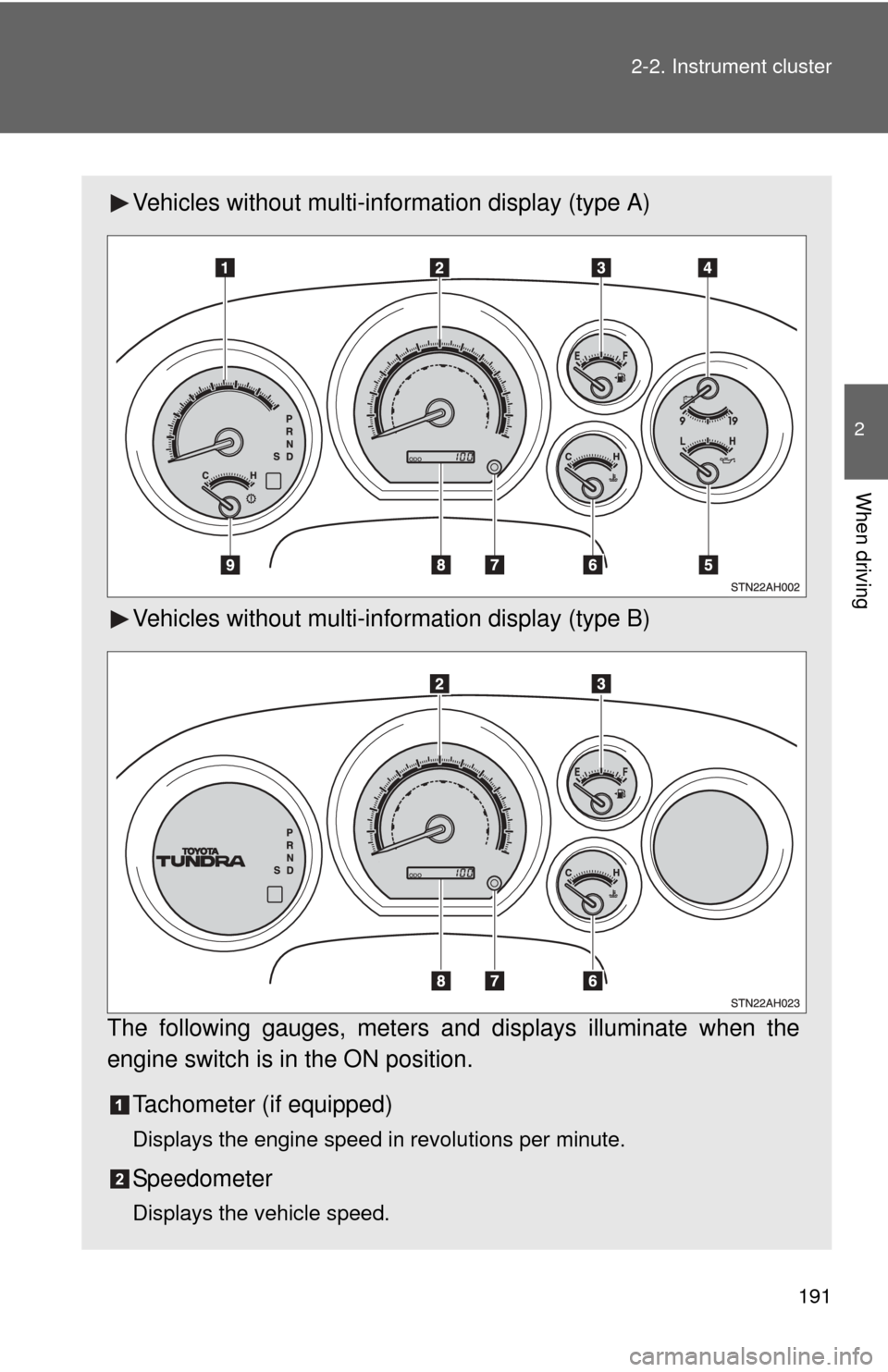
Vehicles without multi-in
formation display (type A)
Vehicles without multi-in formation display (type B)
The following gauges, meters and displays illuminate when the
engine switch is in the ON position. Tachometer (if equipped)
Displays the engine speed in revolutions per minute.
Speedometer
Displays the vehicle speed.
Page 192 of 744
192 2-2. Instrument cluster
Fuel gauge
Displays the quantity of fuel remaining in the tank.
Voltmeter (if equipped)
Displays the charge state.
Engine oil pressure gauge (if equipped)
Displays the engine oil pressure.
Engine coolant temperature gauge
Displays the engine coolant temperature.
Odometer/trip meter switching and trip meter resetting button
Switches between odometer and trip meter displays. Pushing and hold-
ing the button will reset the trip meter when the trip meter is being dis-
played.
Odometer/trip meter
Odometer:
Displays the total distance the vehicle has been driven.
Trip meter:
Displays the distance the vehicle has been driven since the meter was
last reset. Trip meters A and B can be used to record and display differ-
ent distances independently.
Automatic transmission fluid temperature gauge (if equipped)
Displays the automatic transmission fluid temperature.
Page 193 of 744
193
2-2. Instrument cluster
2
When driving
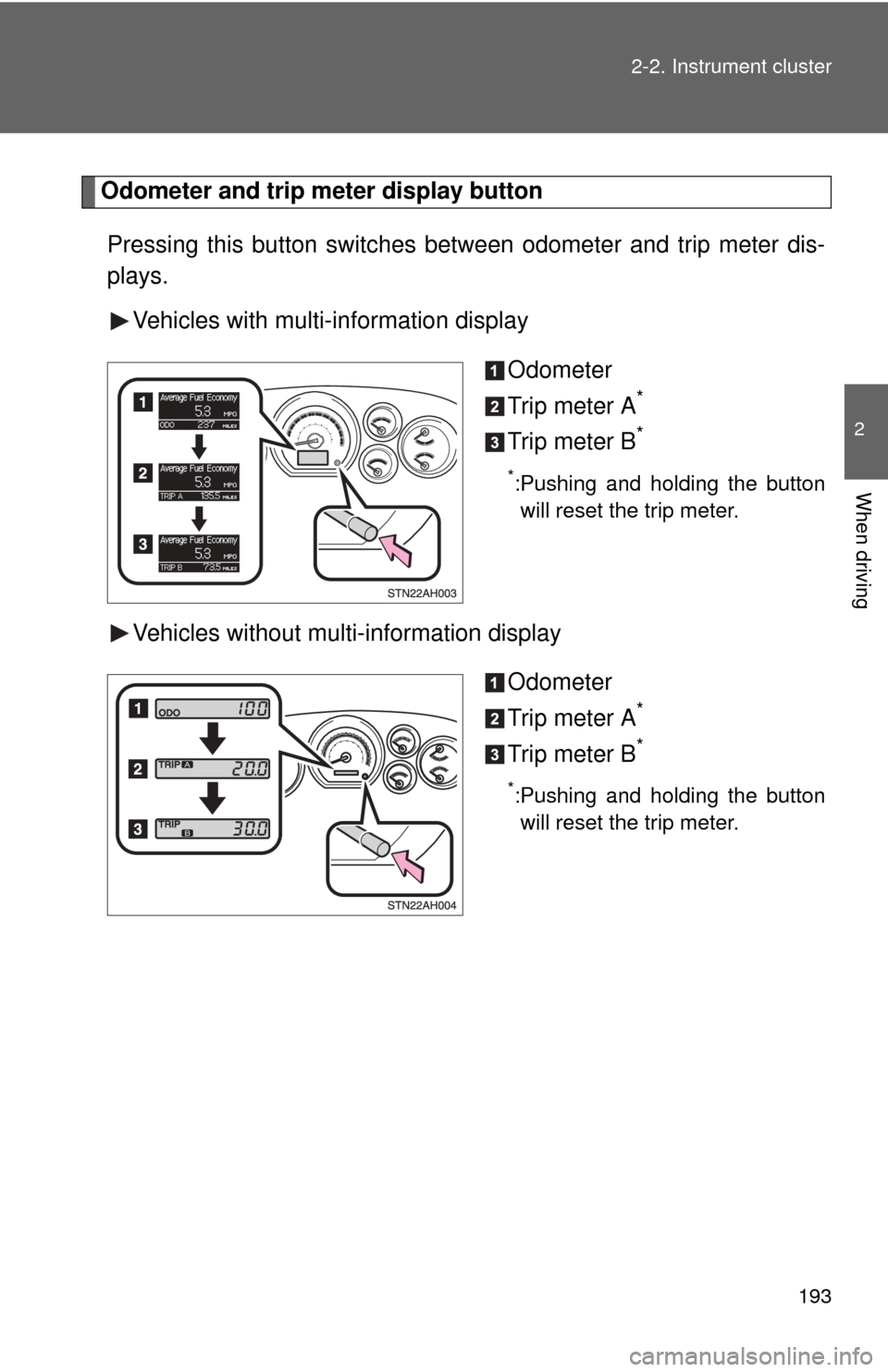
Odometer and trip meter display button
Pressing this button switches
between odometer and trip meter dis-
plays.
Vehicles with multi-information display
Odometer
Trip meter A
*
Trip meter B*
*:Pushing and holding the buttonwill reset the trip meter.
Vehicles without multi-information display
Odometer
Trip meter A
*
Trip meter B*
*:Pushing and holding the buttonwill reset the trip meter.
Page 194 of 744
194 2-2. Instrument cluster
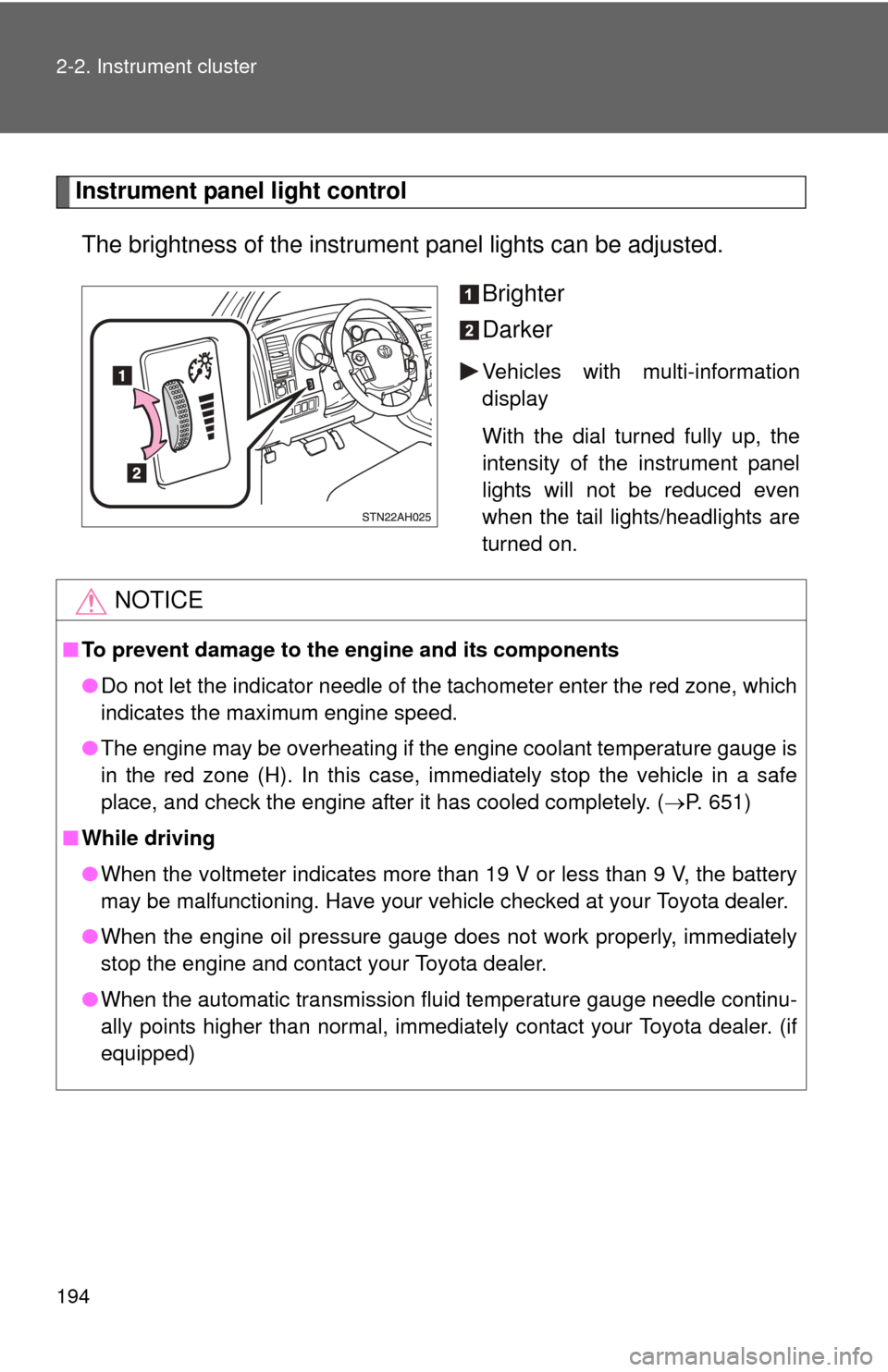
Instrument panel light controlThe brightness of the instrument panel lights can be adjusted.
Brighter
Darker
Vehicles with multi-information
display
With the dial turned fully up, the
intensity of the instrument panel
lights will not be reduced even
when the tail lights/headlights are
turned on.
NOTICE
■To prevent damage to the engine and its components
●Do not let the indicator needle of the tachometer enter the red zone, which
indicates the maximum engine speed.
● The engine may be overheating if the engine coolant temperature gauge is
in the red zone (H). In this case, immediately stop the vehicle in a safe
place, and check the engine after it has cooled completely. ( P. 651)
■ While driving
●When the voltmeter indicates more than 19 V or less than 9 V, the battery
may be malfunctioning. Have your vehicle checked at your Toyota dealer.
● When the engine oil pressure gauge does not work properly, immediately
stop the engine and contact your Toyota dealer.
● When the automatic transmission fluid temperature gauge needle continu-
ally points higher than normal, immediately contact your Toyota dealer. (if
equipped)
Page 195 of 744
195
2-2. Instrument cluster
2
When driving
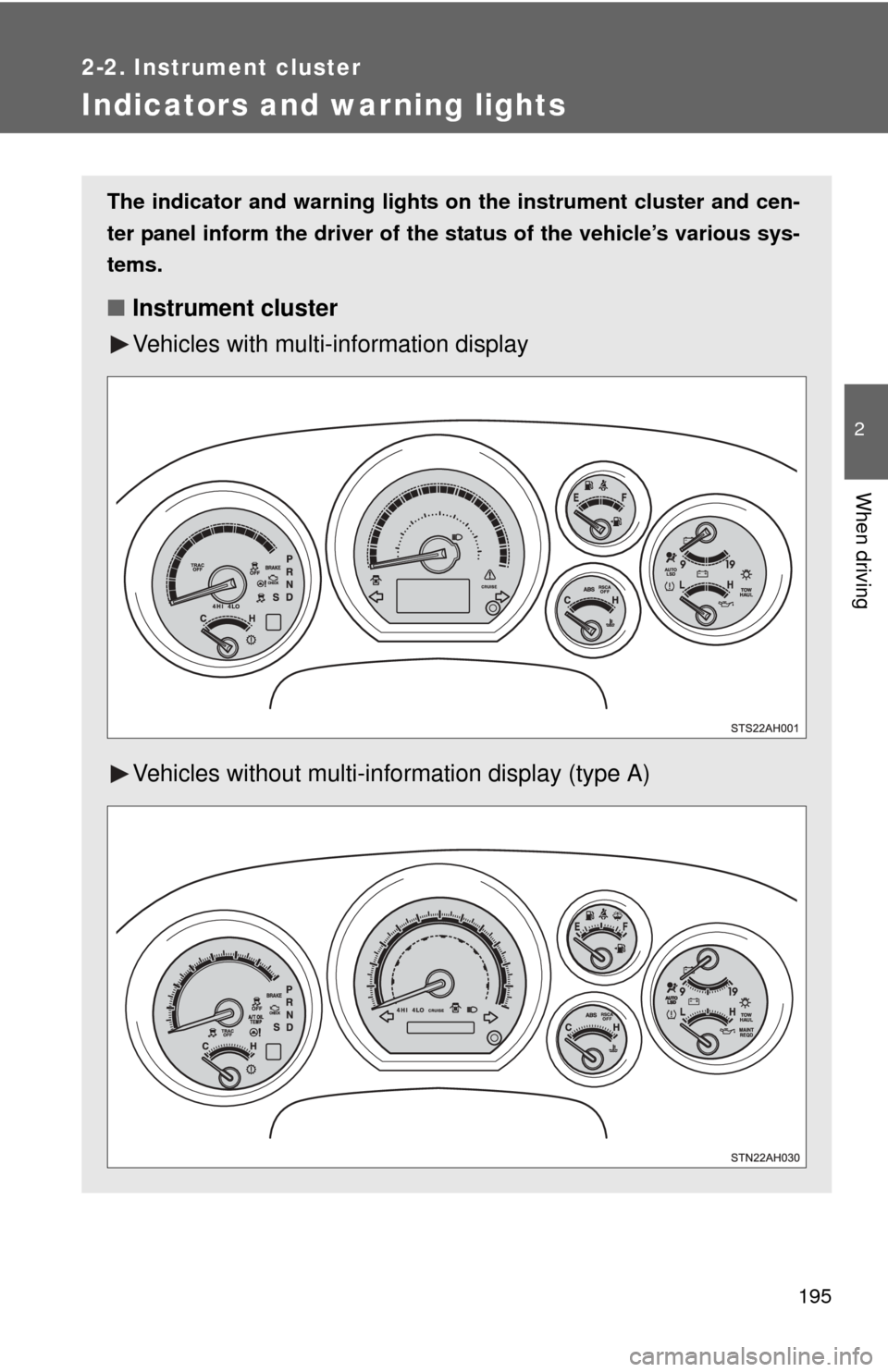
Indicators and warning lights
The indicator and warning lights on the instrument cluster and cen-
ter panel inform the driver of the status of the vehicle’s various sys-
tems.
■ Instrument cluster
Vehicles with multi- information display
Vehicles without multi-in formation display (type A)
Page 196 of 744
196 2-2. Instrument cluster
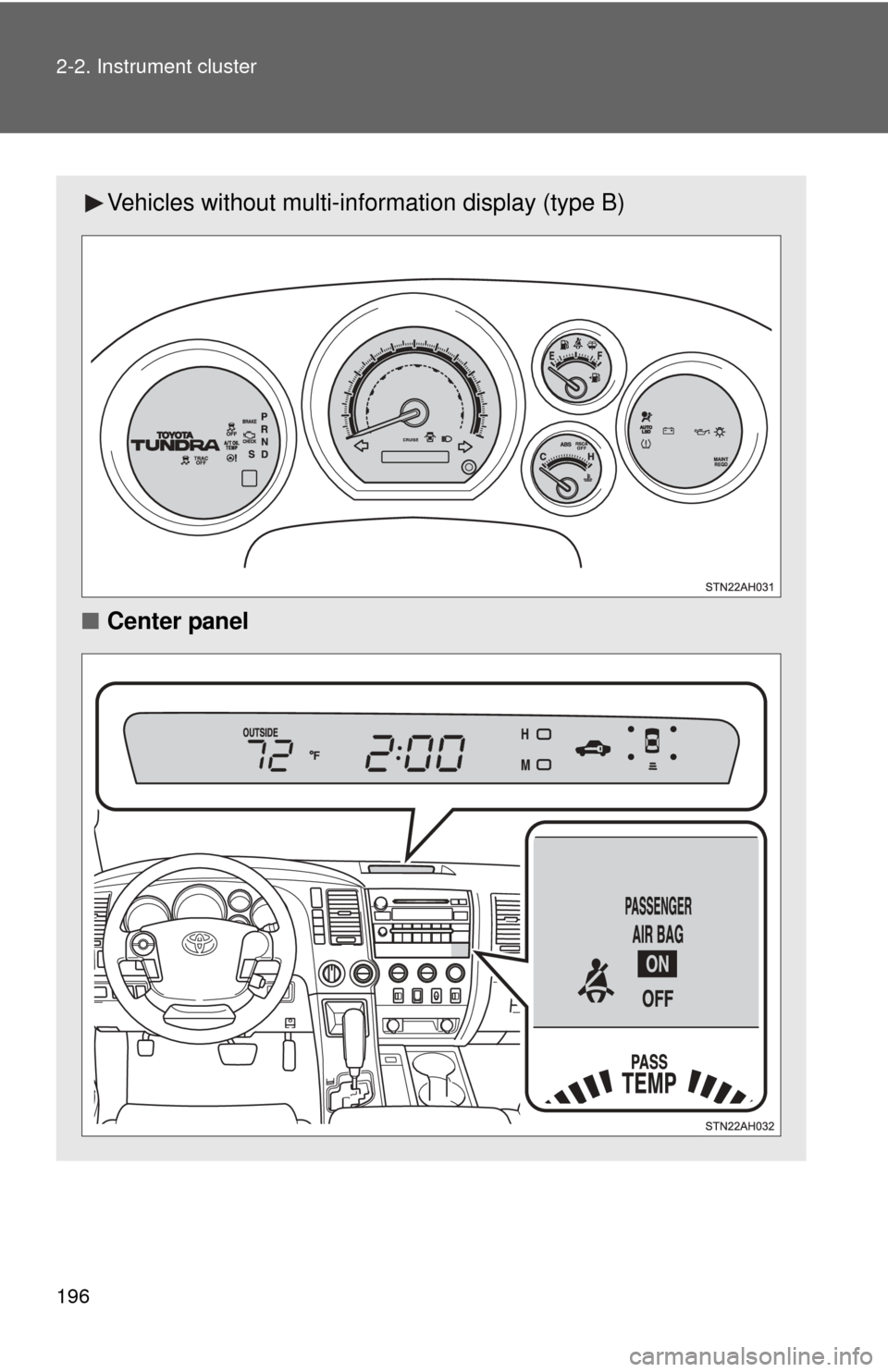
Vehicles without multi-information display (type B)
■ Center panel
Page 198 of 744
198 2-2. Instrument cluster
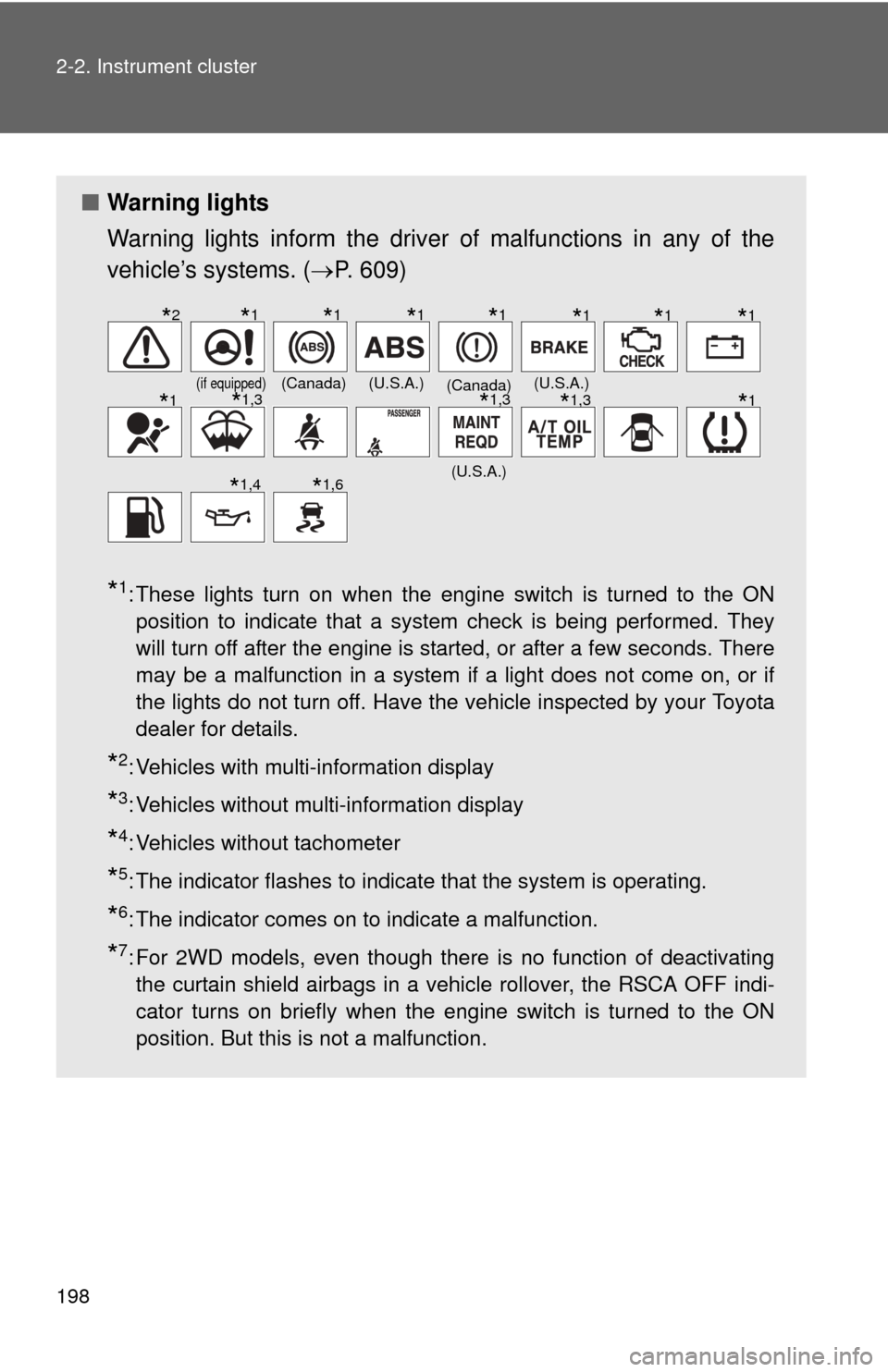
■Warning lights
Warning lights inform the driver of malfunctions in any of the
vehicle’s systems. ( P. 609)
*1: These lights turn on when the engine switch is turned to the ON
position to indicate that a system check is being performed. They
will turn off after the engine is started, or after a few seconds. There
may be a malfunction in a system if a light does not come on, or if
the lights do not turn off. Have the vehicle inspected by your Toyota
dealer for details.
*2: Vehicles with multi-information display
*3: Vehicles without multi-information display
*4: Vehicles without tachometer
*5: The indicator flashes to indicate that the system is operating.
*6: The indicator comes on to indicate a malfunction.
*7: For 2WD models, even though there is no function of deactivatingthe curtain shield airbags in a vehicle rollover, the RSCA OFF indi-
cator turns on briefly when the engine switch is turned to the ON
position. But this is not a malfunction.
(if equipped)(Canada)(U.S.A.)(Canada)(U.S.A.)
(U.S.A.)
*2*1*1*1*1*1*1*1
*1*1,3*1,3*1,3*1
*1,4*1,6
Page 200 of 744
200
2-2. Instrument cluster
Multi-information display
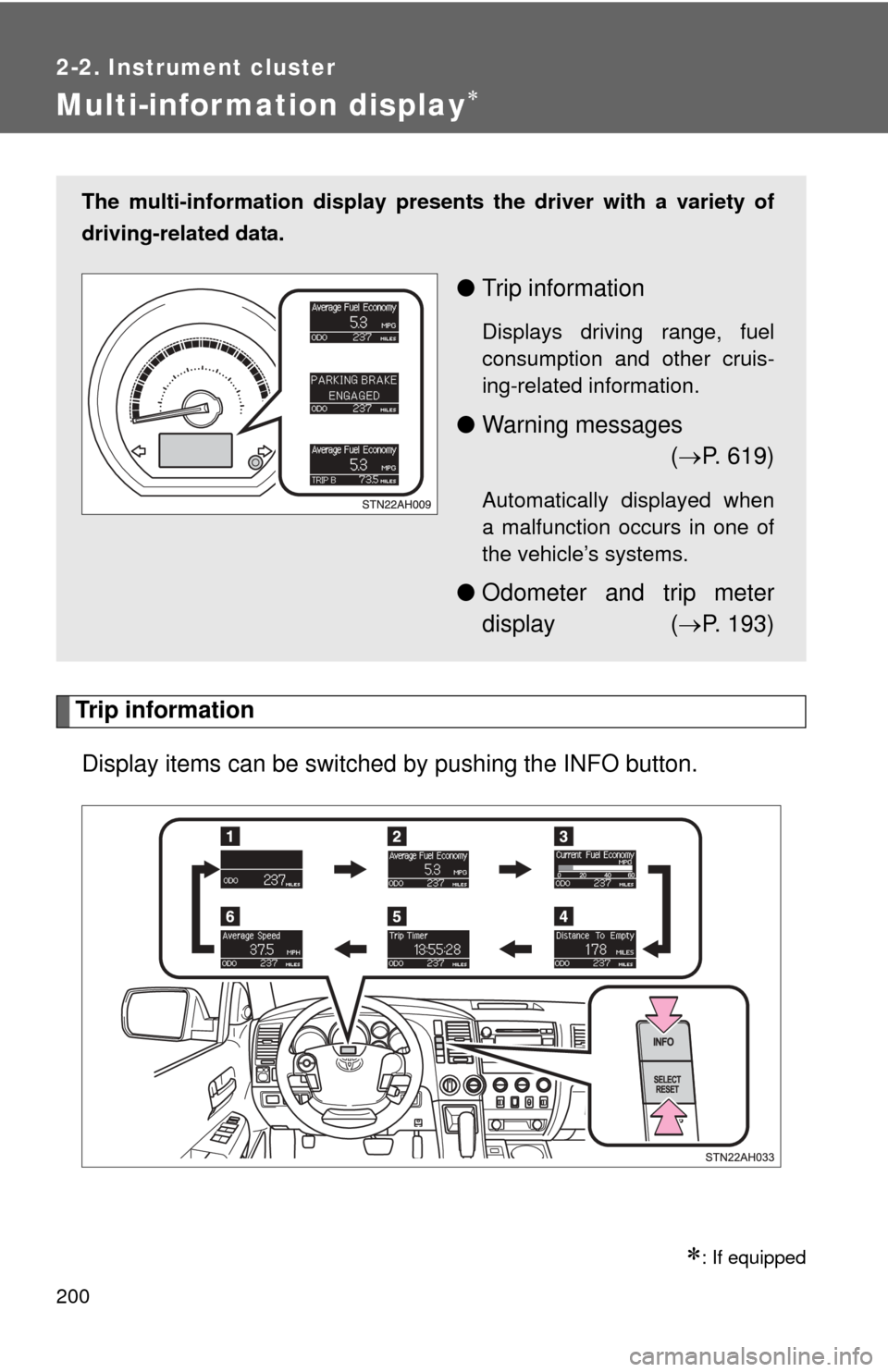
Trip informationDisplay items can be switched by pushing the INFO button.
: If equipped
The multi-information display presen ts the driver with a variety of
driving-related data.
● Trip information
Displays driving range, fuel
consumption and other cruis-
ing-related information.
●Warning messages
( P. 619)
Automatically displayed when
a malfunction occurs in one of
the vehicle’s systems.
● Odometer and trip meter
display ( P. 193)