ECU TOYOTA VENZA 2016 Owner's Guide
[x] Cancel search | Manufacturer: TOYOTA, Model Year: 2016, Model line: VENZA, Model: TOYOTA VENZA 2016Pages: 688, PDF Size: 18.51 MB
Page 170 of 688
1702-1. Driving procedures
VENZA_OM_OM73030U_(U) CAUTION■ When taking a nap in the vehicle
Always turn the engine off. Otherwise, you may accidentally move the shift
lever or depress the accelerator pedal, which could cause an accident or fire
due to engine overheating. Additionally, if the vehicle is parked in a poorly
ventilated area, exhaust gases may collect and enter the vehicle, leading to
death or a serious health hazard.
■ When braking the vehicle
● When the brakes are wet, drive more cautiously.
Braking distance increases when the brakes are wet, and may cause one
side of the vehicle to brake differently than the other side. Also the parking
brake may not securely hold the vehicle.
● If the power brake assist function does not operate, do not follow other
vehicles closely and avoid hills or sharp turns that require braking.
In this case, braking is still possible, but the brake pedal should be
depressed more firmly than usual. Also, the braking distance will increase.
Have your brakes fixed immediately.
● Do not pump the brake pedal if the engine stalls.
Each push on the brake pedal uses up the reserve for the power-assisted
brakes.
● The brake system consists of 2 individual hydraulic systems; if one of the
systems fails, the other will still operate. In this case, the brake pedal
should be depressed more firmly than usual and the braking distance will
increase.
Have your brakes fixed immediately.
■ If the vehicle becomes stu ck or bogged (AWD models)
Do not spin the wheels recklessly when any of the tires is up in the air, or
stuck in sand or mud, etc. This may damage the drive system components
or propel the vehicle forward (or in another direction) and cause an accident.
Page 187 of 688
1872-1. Driving procedures
2
When driving
VENZA_OM_OM73030U_(U) Hor n ■ After adjusting the steering wheel
Make sure that the steering wheel is securely locked.
The horn may not sound if the steering wheel is not securely locked.
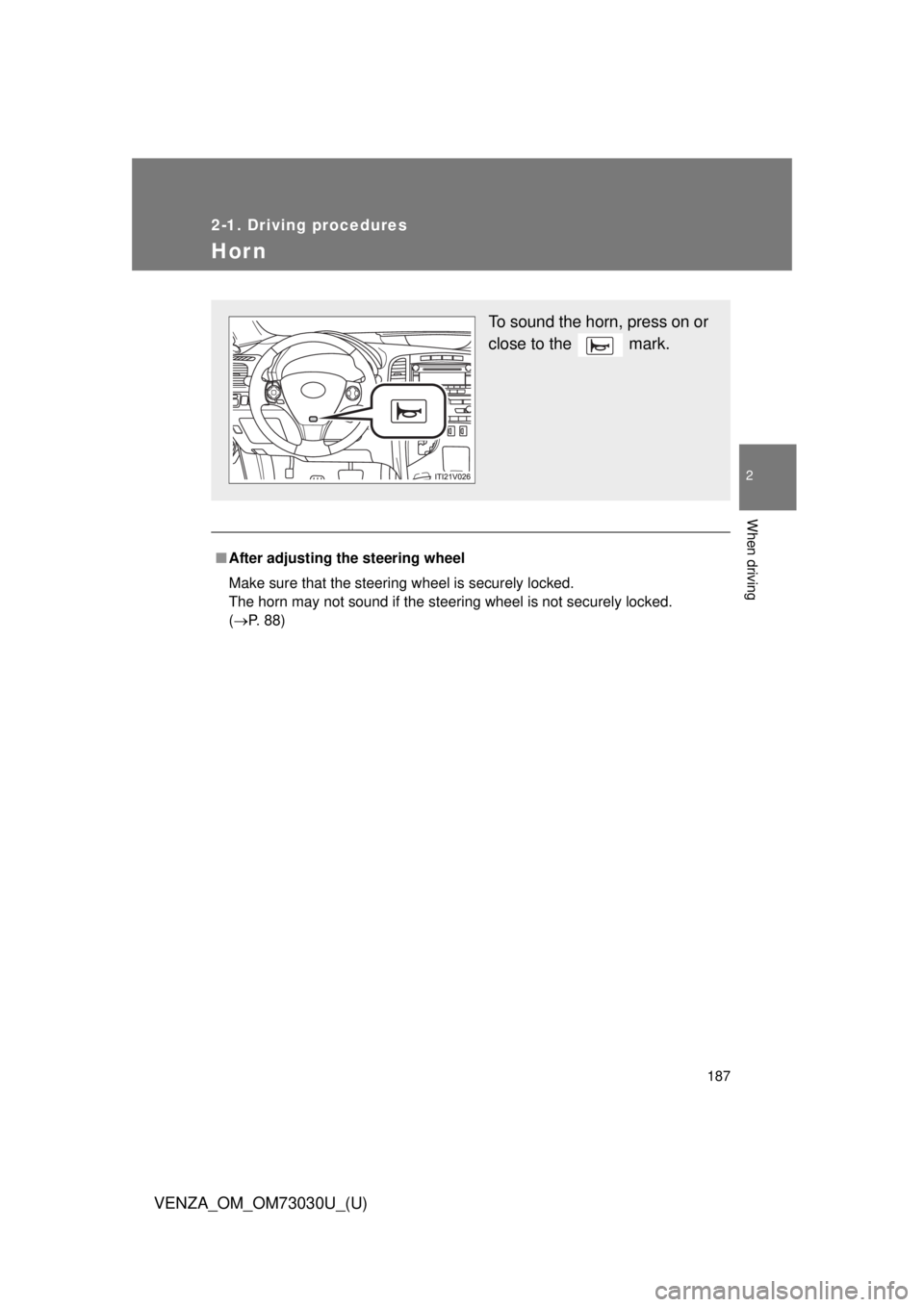
( P. 88) To sound the horn, press on or
close to the mark.
Page 192 of 688
1922-2. Instrument cluster
VENZA_OM_OM73030U_(U) ■ Indicators
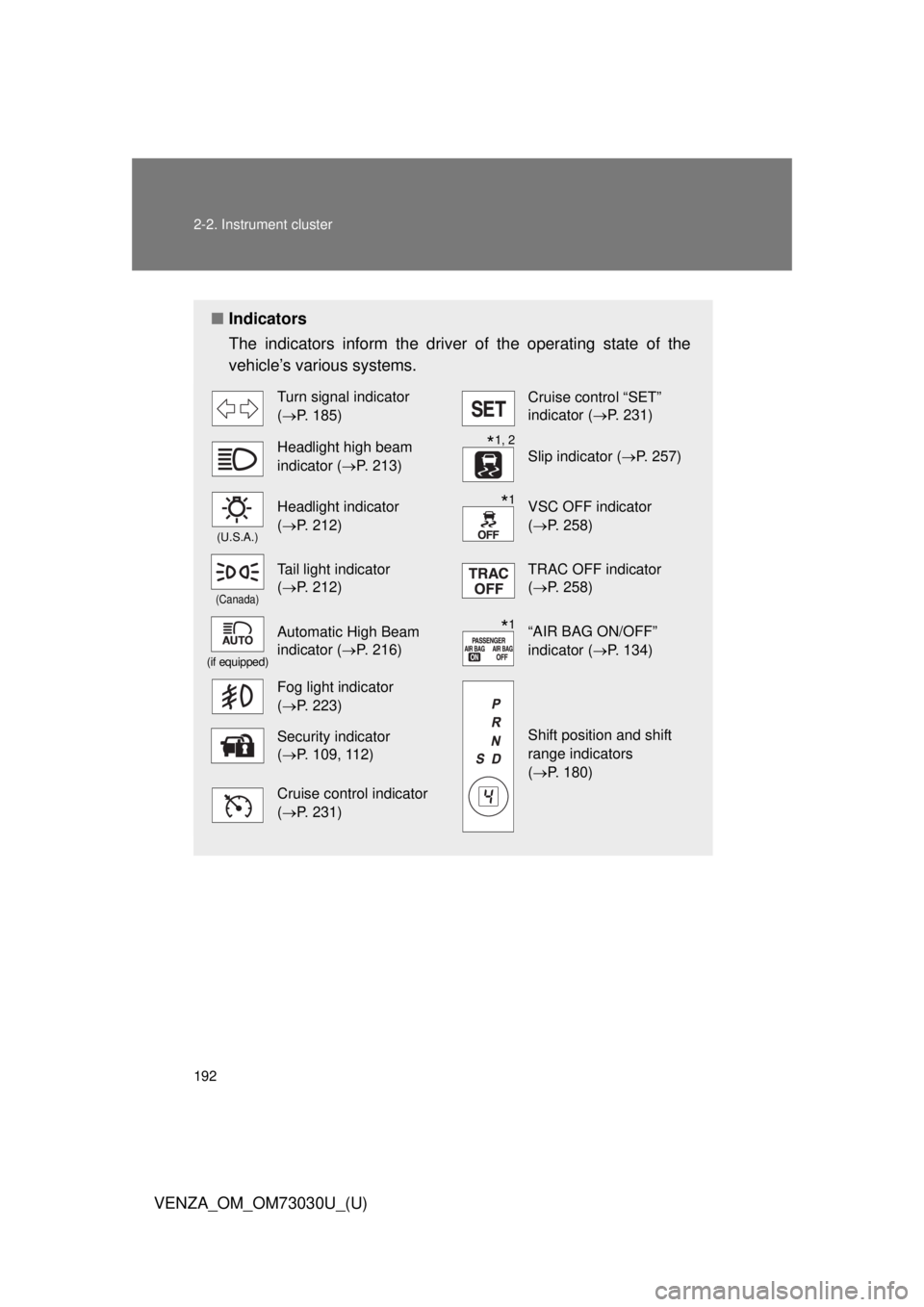
The indicators inform the driver of the operating state of the
vehicle’s various systems. Turn signal indicator
( P. 185) Cruise control “SET”
indicator ( P. 231)
Headlight high beam
indicator ( P. 213) Slip indicator ( P. 257)(U.S.A.)
Headlight indicator
( P. 212) VSC OFF indicator
( P. 258)(Canada)
Tail light indicator
( P. 212) TRAC OFF indicator
( P. 258)(if equipped)
Automatic High Beam
indicator ( P. 216) “AIR BAG ON/OFF”
indicator ( P. 134)
Fog light indicator
( P. 223)
Shift position and shift
range indicators
( P. 180)Security indicator
( P. 109, 112)
Cruise control indicator
( P. 231) * 1, 2
* 1
* 1
Page 269 of 688
2692-5. Driving information
2
When driving
VENZA_OM_OM73030U_(U) Cargo and luggage Take notice of the following information about storage precau-
tions, cargo capacity and load.
● Stow cargo and luggage in the luggage compartment when-
ever possible. Be sure all items are secured in place.
● Be careful to keep the vehicle le vel. Placing the weight as far
forward as possible helps maintain vehicle balance.
● For better fuel economy, do no t carry unnecessary weight.
Page 272 of 688
2722-5. Driving information
VENZA_OM_OM73030U_(U) CAUTION■
Things that must not be carried in the luggage compartment
The following things may cause a fire if loaded in the luggage compart-
ment. ●
Receptacles containing gasoline●
Aerosol cans■
Storage precautions
Observe the following precautions.
Failing to do so may result in death or serious injury. ●
Do not place cargo or luggage in or on the following locations as the
item may get under the brake or accelerator pedal and prevent the
pedals from being depressed properly , block the driver’s vision, or hit
the driver or passengers, causing an accident.
• Driver’s feet
• Front passenger or rear seats (when stacking items)
• Luggage cover
• Instrument panel
• Dashboard
• Auxiliary box or tray that has no lid●
Secure all items in the occupant compartment, as they may shift and
injure someone during sudden braking, sudden swerving or an acci-
dent.●
Never allow anyone to ride in the luggage compartment. It is not
designed for passengers. They should ride in their seats with their seat
belts properly fastened. Otherwise, th ey are much more likely to suffer
death or serious injury, in the event of sudden braking, sudden swerv-
ing or an accident.
Page 297 of 688
2972-5. Driving information
2
When driving
VENZA_OM_OM73030U_(U) ■ Before towing
Check that the following conditions are met:
● Ensure that your vehicle’s tires are properly inflated. ( P. 622)
● Trailer tires are inflated according to the trailer manufacturer’s recom-
mendation.
● All trailer lights work as required by law.
● All lights work each time you connect them.
● The trailer ball is set at the proper height for the coupler on the trailer.
● The trailer is level when it is hitched.
Do not drive if the trailer is not level, and check for improper tongue
weight, overloading, worn suspension, or other possible causes.
● The trailer cargo is securely loaded.
● The rear view mirrors conform to all applicable federal, state/provincial or
local regulations. If they do not, instal l rear view mirrors appropriate for
towing purposes.
■ Break-in schedule
If your vehicle is new or equipped with any new power train components
(such as an engine, transmission, differential or wheel bearing), Toyota rec-
ommends that you do not tow a trailer until the vehicle has been driven for
over 500 miles (800 km).
After the vehicle has been driven for over 500 miles (800 km), you can start
towing. However, for the next 500 miles (800 km), drive the vehicle at a
speed of less than 50 mph (80 km/h) when towing a trailer, and avoid full
throttle acceleration.
Page 301 of 688
3012-5. Driving information
2
When driving
VENZA_OM_OM73030U_(U) CAUTION■ When towing a trailer
Toyota recommends trailers with brak es that conform to any applicable fed-
eral and state/provincial regulations.
● If the gross trailer weight exceeds unbraked TWR, trailer brakes are
required. Toyota recommends trailers wit h brakes that conform to all appli-
cable federal and state/provincial regulations.
● Never tap into your vehicle’s hydraulic system, as this will lower the vehi-
cle’s braking effectiveness.
● Never tow a trailer without using a safety chain securely attached to both
the trailer and the vehicle. If damage occurs to the coupling unit or hitch
ball, there is danger of the trailer wandering into another lane.
NOTICE■ When installing a trailer hitch
Use only the position recommended by your Toyota dealer. Do not install the
trailer hitch on the bumper; this may cause body damage.
■ Do not directly splice trailer lights
Do not directly splice trailer lights. Directly splicing trailer lights may damage
your vehicle’s electrical system and cause a malfunction.
Page 368 of 688
3683-2. Using the audio system (Entune Audio)
VENZA_OM_OM73030U_(U)Registering a Bluetooth ®
deviceHow to register a Bluetooth ®
device
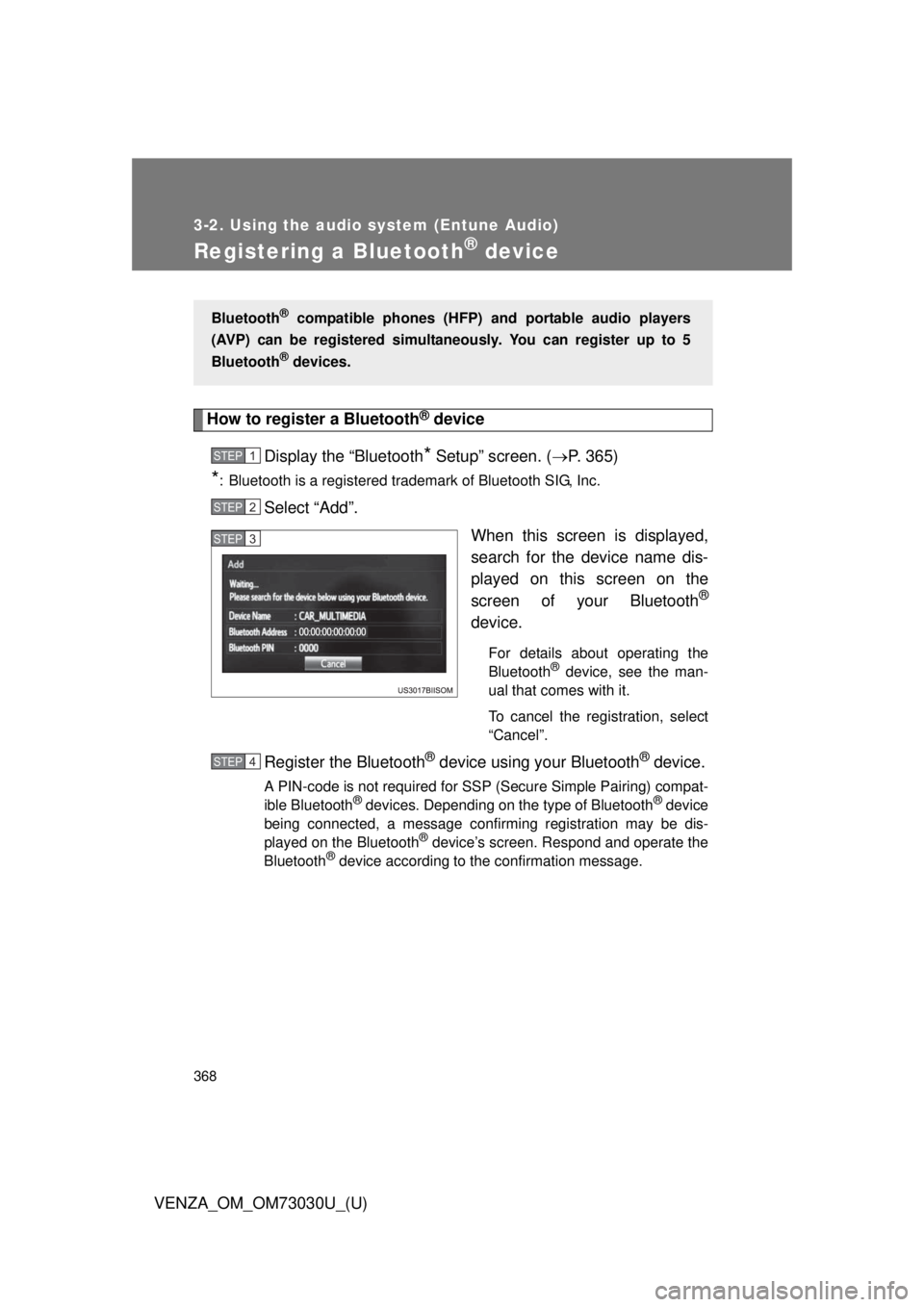
Display the “Bluetooth
* Setup” screen. ( P. 365)
* : Bluetooth is a registered trademark of Bluetooth SIG, Inc.
Select “Add”.
When this screen is displayed,
search for the device name dis-
played on this screen on the
screen of your Bluetooth ®
device. For details about operating the
Bluetooth ®
device, see the man-
ual that comes with it.
To cancel the registration, select
“Cancel”.
Register the Bluetooth ®
device using your Bluetooth ®
device.A PIN-code is not required for SSP (Secure Simple Pairing) compat-
ible Bluetooth ®
devices. Depending on the type of Bluetooth ®
device
being connected, a message confirming registration may be dis-
played on the Bluetooth ®
device’s screen. Respond and operate the
Bluetooth ®
device according to the confirmation message.Bluetooth ®
compatible phones (HFP) and portable audio players
(AVP) can be registered simultane ously. You can register up to 5
Bluetooth ®
devices.STEP 1
STEP 2
STEP 3
STEP 4
Page 418 of 688

4183-2. Using the audio system (Entune Audio)
VENZA_OM_OM73030U_(U) * 1
: http://www.toyota.com/entune/
* 2
: For details, refer to the owner’s manual that came with the cellular phone. Symptom Likely cause Solution Page
Cellular
phone This
system
Even though all
conceivable
measures have
been taken, the
symptom sta-
tus does not
change. The cellular
phone is not
close enough to
this system. Bring the cellu-
lar phone closer
to this system.
The cellular
phone is the
most likely
cause of the
symptom. Turn the cellular
phone off,
remove and
reinstall the bat-
tery pack, and
then restart the
cellular phone.
* 2
Enable the cel-
lular phone’s
Bluetooth ®
con-
nection.
* 2
Stop the cellular
phone’s secu-
rity software
and close all
applications.
* 2
Before using an
application
installed on the
cellular phone,
carefully check
its source and
how its opera-
tion might affect
this system.
* 2
Page 453 of 688
4533-5. Other interior features
3
Interior features
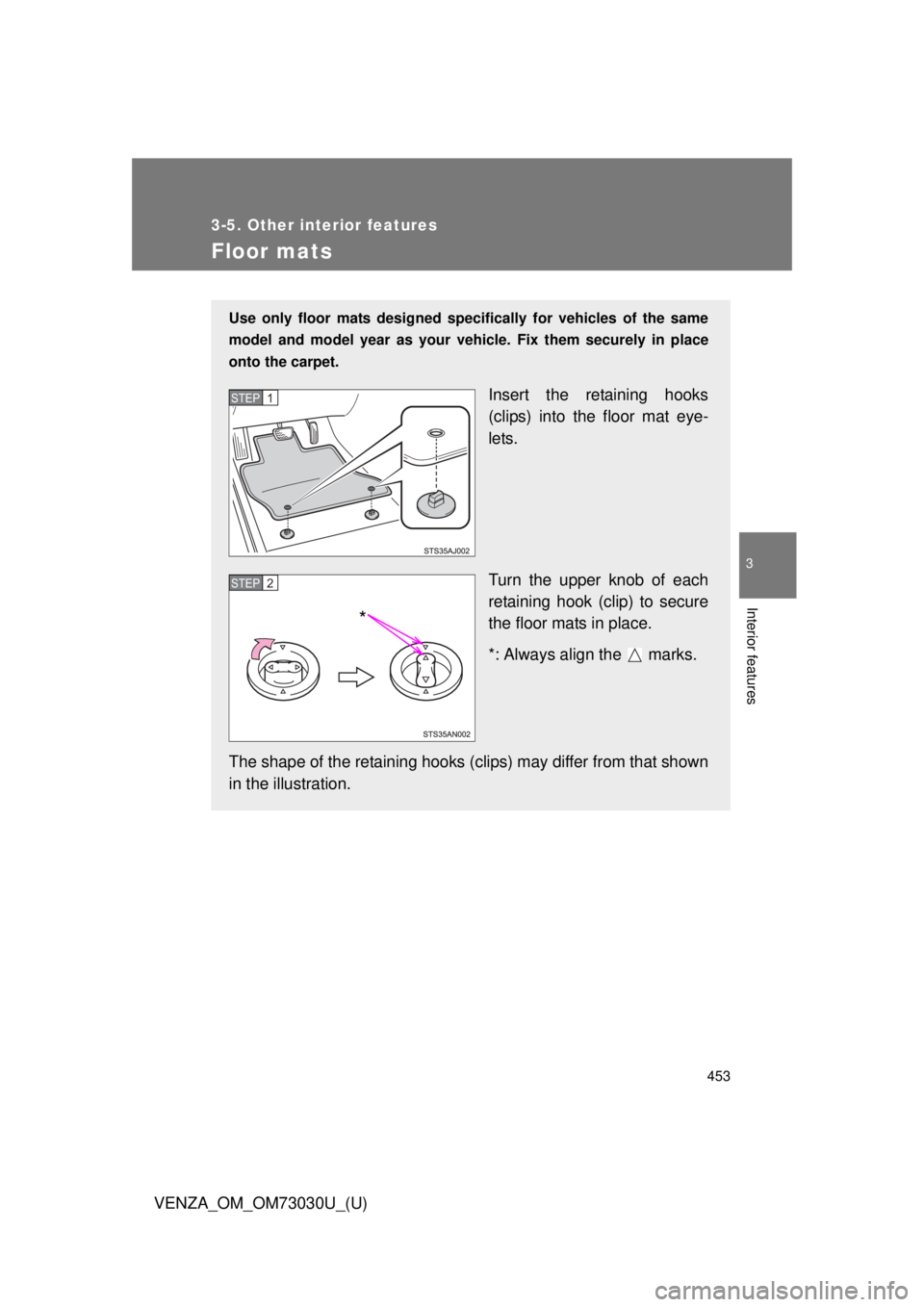
VENZA_OM_OM73030U_(U) Floor mats Use only floor mats designed speci fically for vehicles of the same
model and model year as your vehic le. Fix them securely in place
onto the carpet.
Insert the retaining hooks
(clips) into the floor mat eye-
lets.
Turn the upper knob of each
retaining hook (clip) to secure
the floor mats in place.
*: Always align the marks.
The shape of the retaining hooks (clip s) may differ from that shown
in the illustration. STEP 1
STEP 2
*