key TOYOTA VENZA 2016 Workshop Manual
[x] Cancel search | Manufacturer: TOYOTA, Model Year: 2016, Model line: VENZA, Model: TOYOTA VENZA 2016Pages: 688, PDF Size: 18.51 MB
Page 115 of 688
1151-6. Theft deterrent system
1
Before driving
VENZA_OM_OM73030U_(U) ■ Panic mode
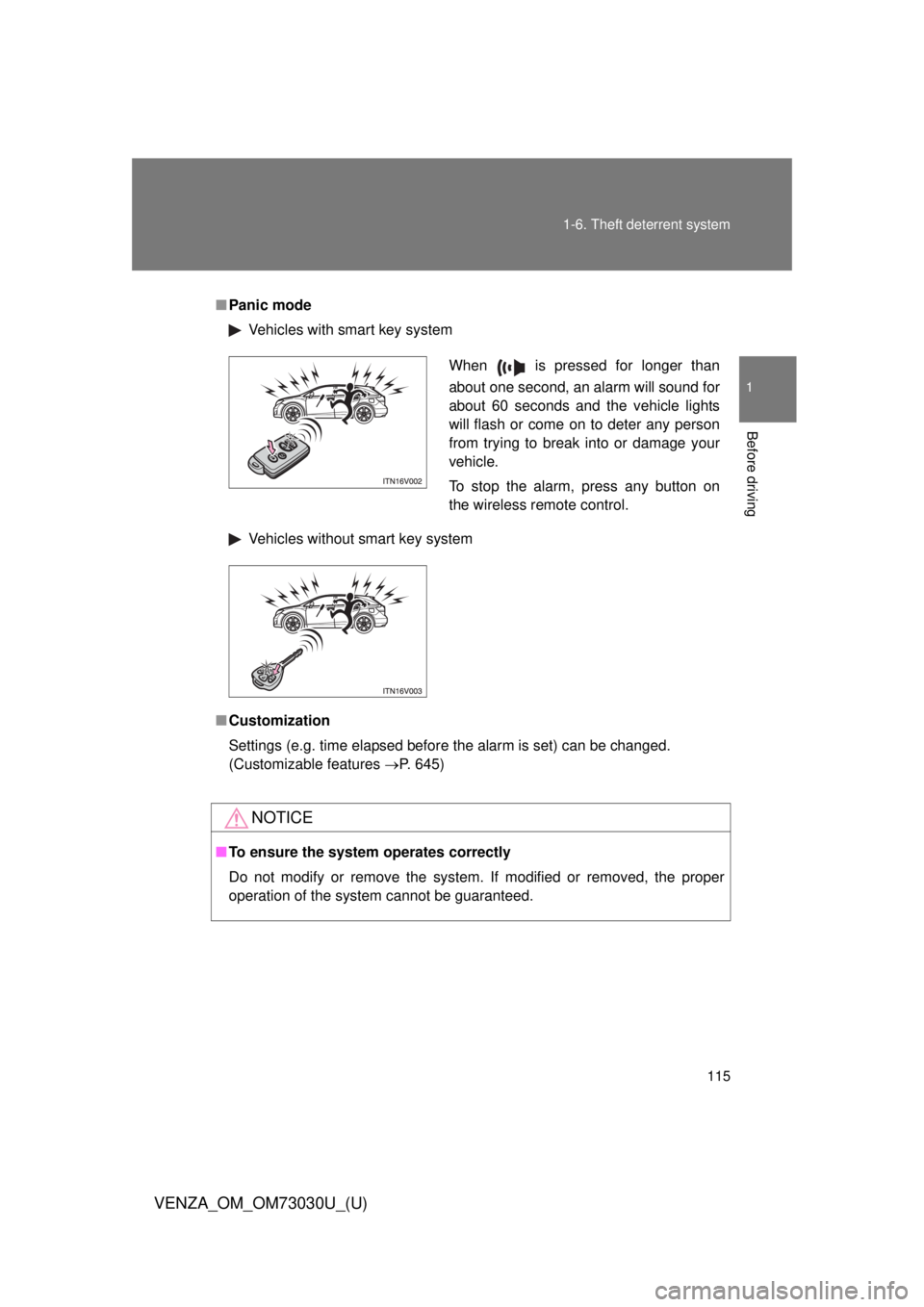
Vehicles with smart key system
Vehicles without smart key system
■ Customization
Settings (e.g. time elapsed before the alarm is set) can be changed.
(Customizable features P. 645)
NOTICE■ To ensure the system operates correctly
Do not modify or remove the system. If modified or removed, the proper
operation of the system cannot be guaranteed. When is pressed for longer than
about one second, an alarm will sound for
about 60 seconds and the vehicle lights
will flash or come on to deter any person
from trying to break into or damage your
vehicle.
To stop the alarm, press any button on
the wireless remote control.
Page 131 of 688
1311-7. Safety information
1
Before driving
VENZA_OM_OM73030U_(U) CAUTION■ SRS airbag precautions
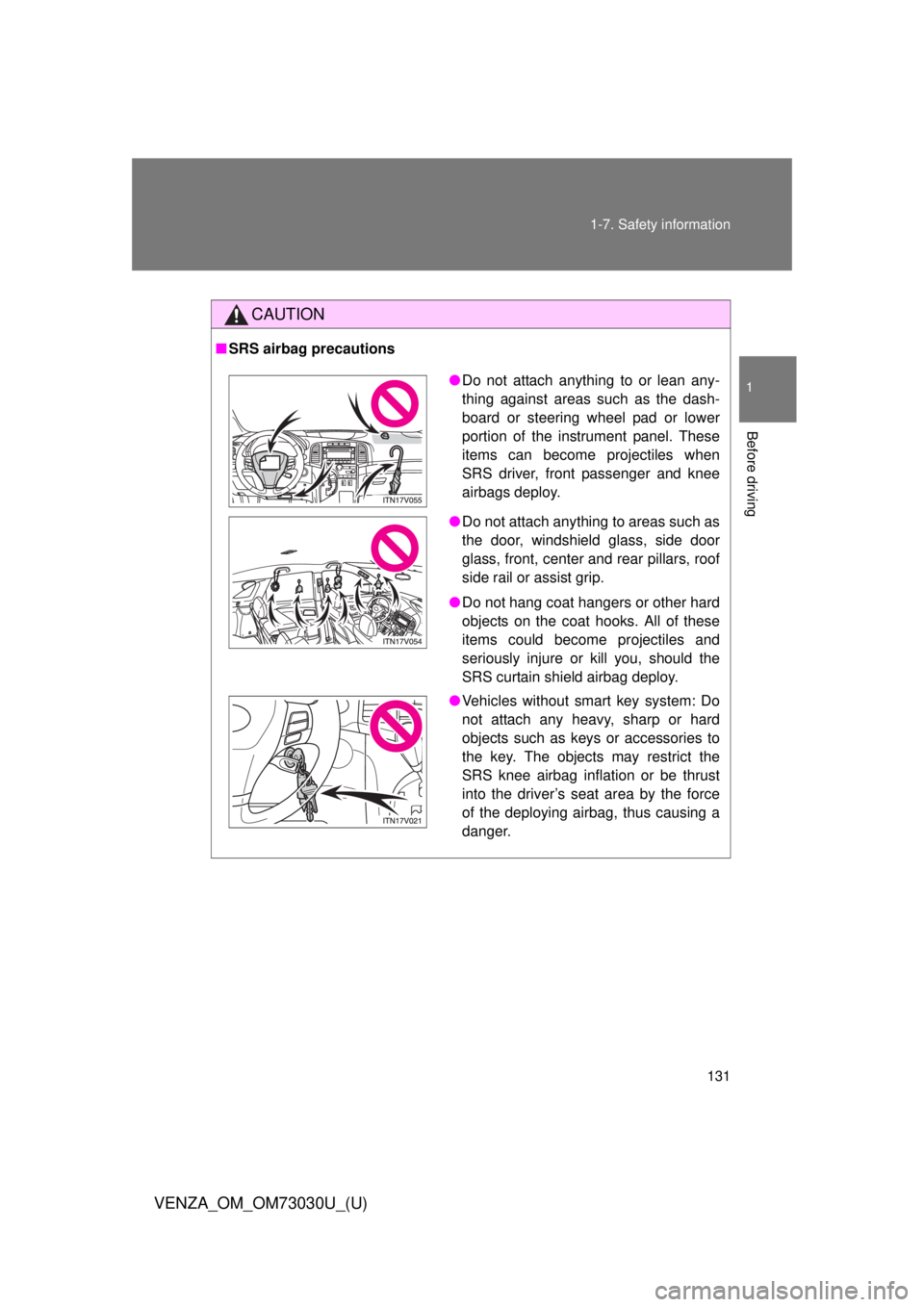
● Do not attach anything to or lean any-
thing against areas such as the dash-
board or steering wheel pad or lower
portion of the instrument panel. These
items can become projectiles when
SRS driver, front passenger and knee
airbags deploy.
● Do not attach anything to areas such as
the door, windshield glass, side door
glass, front, center and rear pillars, roof
side rail or assist grip.
● Do not hang coat hangers or other hard
objects on the coat hooks. All of these
items could become projectiles and
seriously injure or kill you, should the
SRS curtain shield airbag deploy.
● Vehicles without smart key system: Do
not attach any heavy, sharp or hard
objects such as keys or accessories to
the key. The objects may restrict the
SRS knee airbag inflation or be thrust
into the driver’s seat area by the force
of the deploying airbag, thus causing a
danger.
Page 161 of 688
When driving
2
161
VENZA_OM_OM73030U_(U) 2-1. Driving procedures
Driving the vehicle............ 162
Engine (ignition) switch
(vehicles with smart
key system).................... 173
Engine (ignition) switch
(vehicles without smart
key system).................... 177
Automatic
transmission................... 180
Turn signal lever .............. 185
Parking brake ................... 186
Horn ................................. 187
2-2. Instrument cluster
Gauges and meters ......... 188
Indicators and warning
lights .............................. 191
Multi-information display
(TFT type) ...................... 194
Multi-information display
(LCD type) ..................... 206
Fuel consumption
information ..................... 210 2-3. Operating the lights
and wipers
Headlight switch ............... 212
Automatic High Beam ...... 216
Fog light switch ................ 223
Windshield wipers
and washer .................... 225
Rear window wiper
and washer .................... 229
2-4. Using other driving systems
Cruise control ................... 231
Intuitive parking assist...... 235
Rear view monitor
system ........................... 243
Driving assist systems ..... 256
Hill-start assist control ...... 262
2-5. Driving information
Utility vehicle
precautions .................... 264
Cargo and luggage .......... 269
Vehicle load limits ............ 274
Winter driving tips ............ 276
Trailer towing ................... 281
Dinghy towing .................. 302
Page 163 of 688
1632-1. Driving procedures
2
When driving
VENZA_OM_OM73030U_(U) Starting on a steep incline
Firmly set the parking brake and shift the shift lever to “D”.
Gently depress the accelerator pedal.
Release the parking brake.
■ Starting off on a hill
Hill-start assist control will operate. ( P. 262)
■ Driving in the rain
● Drive carefully when it is raining, because visibility will be reduced, the
windows may become fogged-up, and the road will be slippery.
● Drive carefully when it starts to rain, because the road surface will be
especially slippery.
● Refrain from high speeds when driving on an expressway in the rain,
because there may be a layer of water between the tires and the road
surface, preventing the steering and brakes from operating properly. Vehicles with smart key system:
Turn the “ENGINE START STOP” switch off and stop the
engine.
Vehicles without smart key system:
Turn the engine switch to the “LOCK” position and stop the
engine.
Lock the door, making sure that you have the key on your
person. STEP 4
STEP 5
STEP 1
STEP 2
STEP 3
Page 173 of 688
1732-1. Driving procedures
2
When driving
VENZA_OM_OM73030U_(U) Engine (ignition) switch (vehicles with smar t key system) Performing the following operations when carrying the electronic
key on your person starts the en gine or changes “ENGINE START
STOP” switch modes.
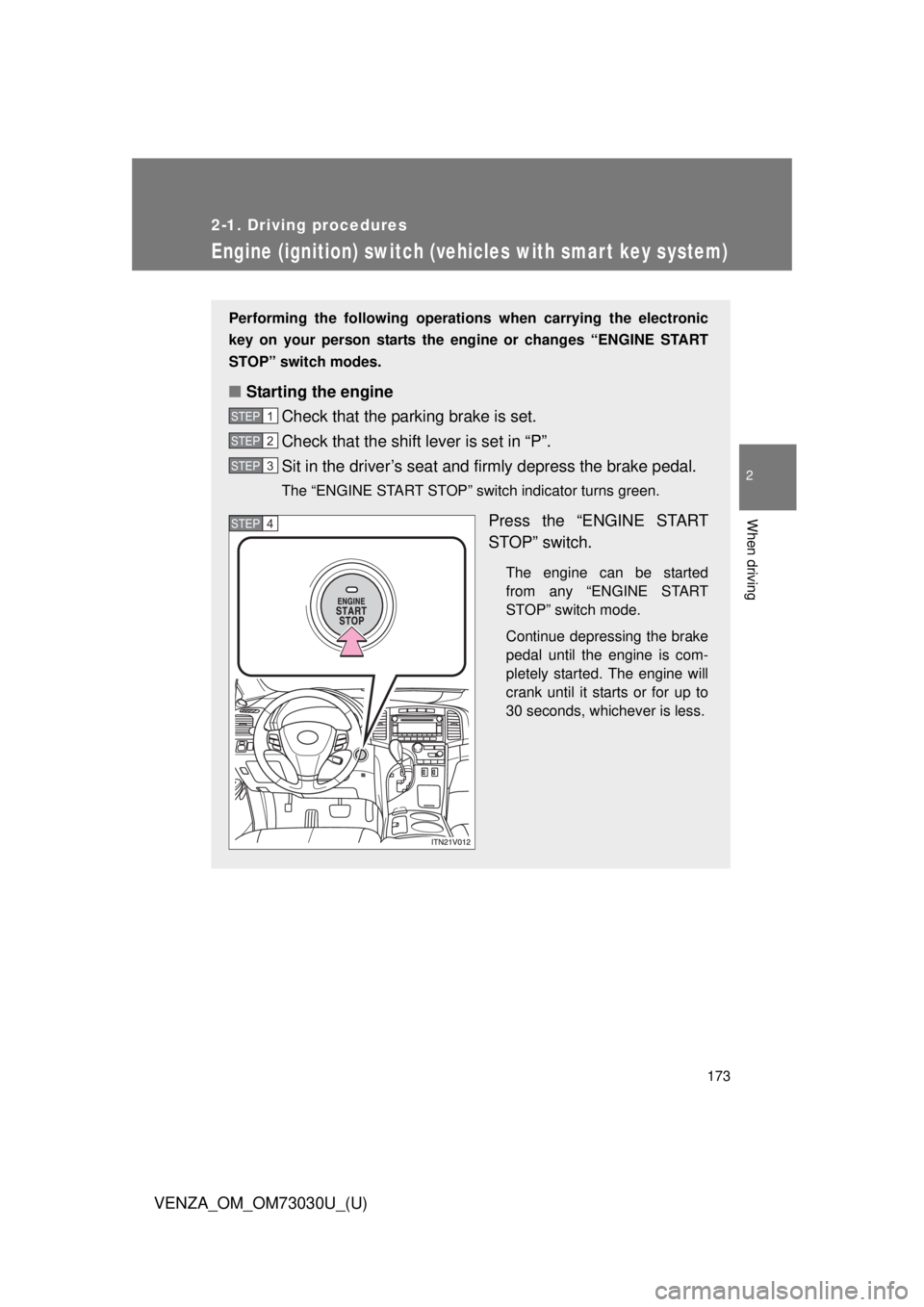
■ Starting the engine
Check that the parking brake is set.
Check that the shift lever is set in “P”.
Sit in the driver’s seat and firmly depress the brake pedal. The “ENGINE START STOP” switch indicator turns green.
Press the “ENGINE START
STOP” switch. The engine can be started
from any “ENGINE START
STOP” switch mode.
Continue depressing the brake
pedal until the engine is com-
pletely started. The engine will
crank until it starts or for up to
30 seconds, whichever is less.STEP 1
STEP 2
STEP 3
STEP 4
Page 175 of 688
1752-1. Driving procedures
2
When driving
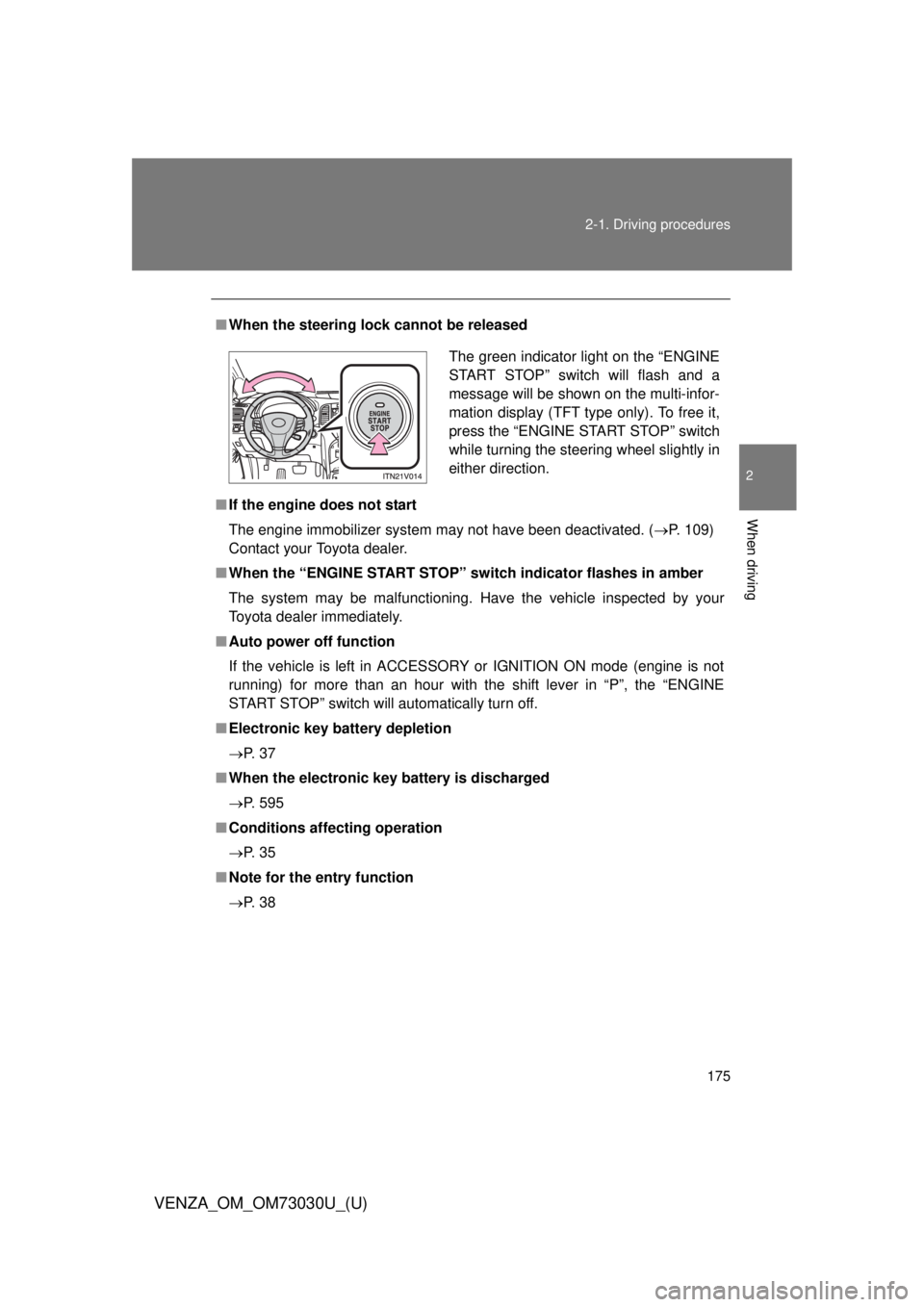
VENZA_OM_OM73030U_(U) ■ When the steering lock cannot be released
■ If the engine does not start
The engine immobilizer system may not have been deactivated. ( P. 109)
Contact your Toyota dealer.
■ When the “ENGINE START STOP” sw itch indicator flashes in amber
The system may be malfunctioning. Have the vehicle inspected by your
Toyota dealer immediately.
■ Auto power off function
If the vehicle is left in ACCESSORY or IGNITION ON mode (engine is not
running) for more than an hour with the shift lever in “P”, the “ENGINE
START STOP” switch will automatically turn off.
■ Electronic key battery depletion
P. 3 7
■ When the electronic key battery is discharged
P. 595
■ Conditions aff ecting operation
P. 3 5
■ Note for the entry function
P. 3 8 The green indicator light on the “ENGINE
START STOP” switch will flash and a
message will be shown on the multi-infor-
mation display (TFT type only). To free it,
press the “ENGINE START STOP” switch
while turning the steering wheel slightly in
either direction.
Page 177 of 688
1772-1. Driving procedures
2
When driving
VENZA_OM_OM73030U_(U) Engine (ignition) switch (vehicles without smar t key system) ■ Starting the engine
Check that the parking brake is set.
Check that the shift lever is set in “P”.
Sit in the driver’s seat and firmly depress the brake pedal.
Turn the engine switch to the “START” position and start
the engine.
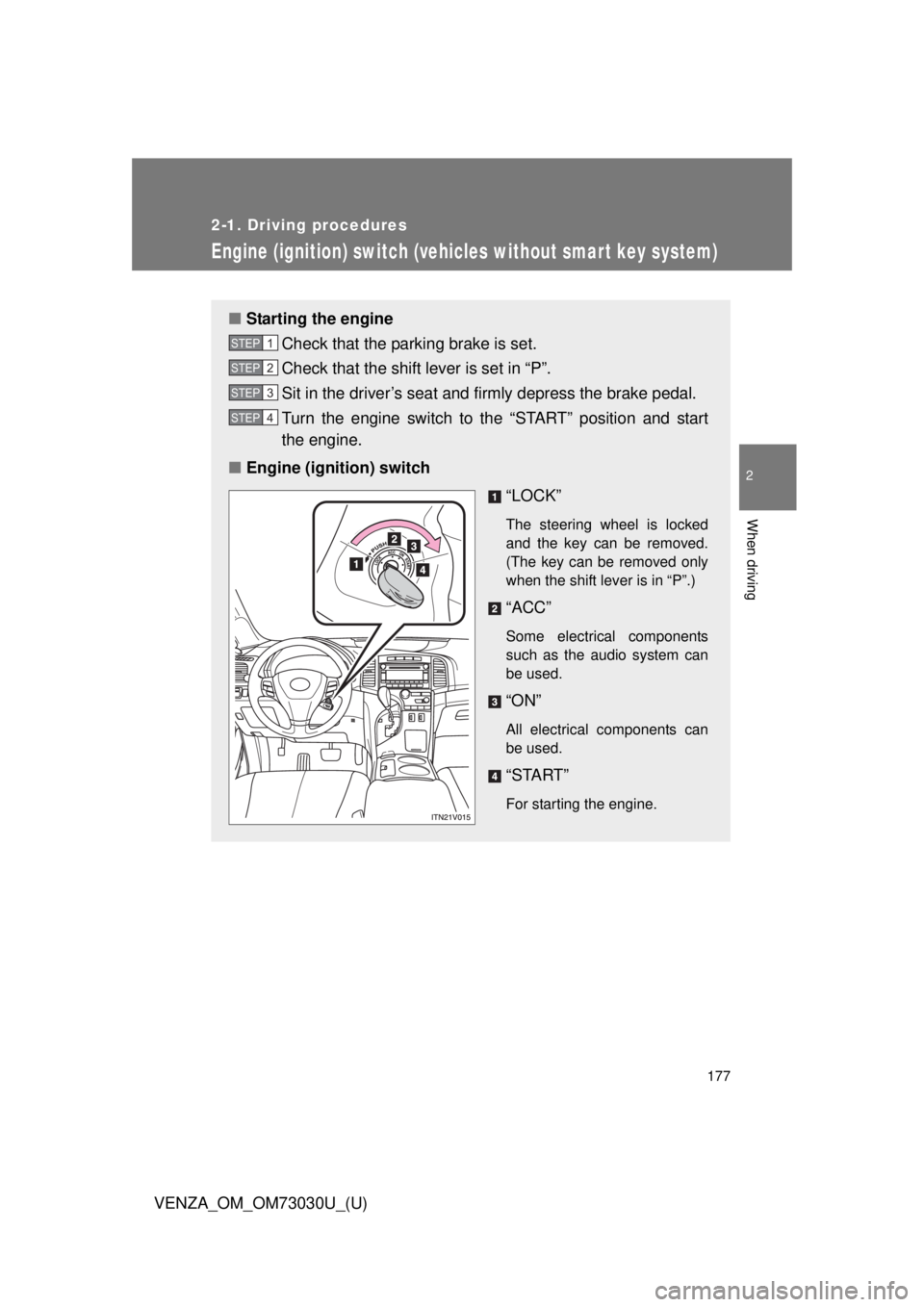
■ Engine (ignition) switch
“LOCK” The steering wheel is locked
and the key can be removed.
(The key can be removed only
when the shift lever is in “P”.)
“ACC” Some electrical components
such as the audio system can
be used.
“ON” All electrical components can
be used.
“START” For starting the engine.STEP 1
STEP 2
STEP 3
STEP 4
Page 178 of 688
1782-1. Driving procedures
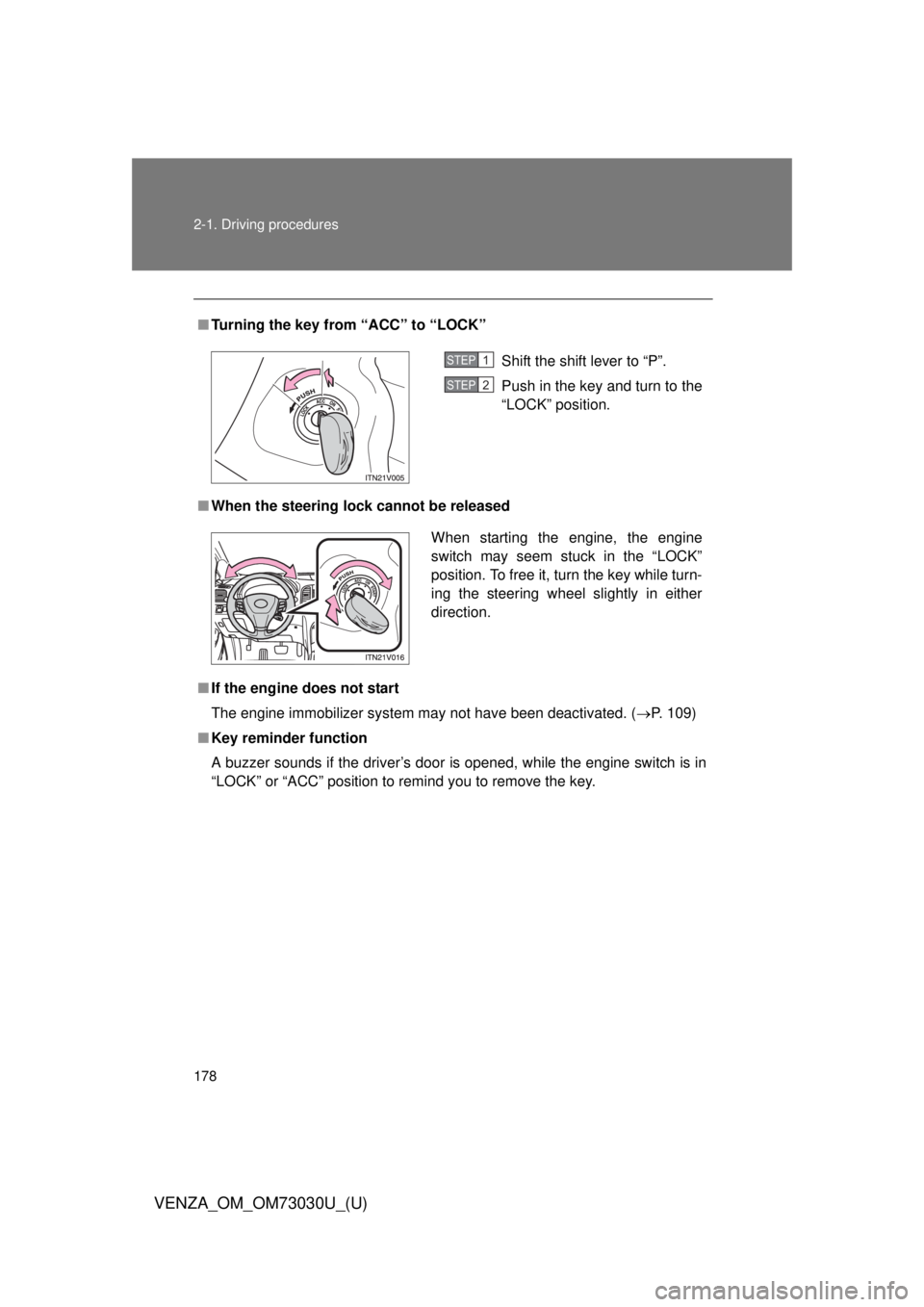
VENZA_OM_OM73030U_(U) ■ Turning the key from “ACC” to “LOCK”
■ When the steering lock cannot be released
■ If the engine does not start
The engine immobilizer system may not have been deactivated. ( P. 109)
■ Key reminder function
A buzzer sounds if the driver’s door is opened, while the engine switch is in
“LOCK” or “ACC” position to remind you to remove the key. Shift the shift lever to “P”.
Push in the key and turn to the
“LOCK” position. STEP1
STEP2
When starting the engine, the engine
switch may seem stuck in the “LOCK”
position. To free it, turn the key while turn-
ing the steering wheel slightly in either
direction.
Page 179 of 688
1792-1. Driving procedures
2
When driving
VENZA_OM_OM73030U_(U) CAUTION■ When starting the engine
Always start the engine while sitting in the driver’s seat. Do not depress the
accelerator pedal while starting the engine under any circumstances.
Doing so may cause an accident resulting in death or serious injury.
■ While driving
Do not turn the engine switch to the “LOCK” position.
If in an emergency, you must turn the engine off while the vehicle is moving,
turn the key only to the “ACC” position.
NOTICE■ To prevent battery discharge
Do not leave the key in the “ACC” or “ON” position for long periods without
the engine running.
■ When starting the engine
● Do not crank for more than 30 seconds at a time. This may overheat the
starter and wiring systems.
● Do not race the cold engine.
● If the engine becomes difficult to start or stalls frequently, have the engine
checked immediately.
Page 180 of 688
1802-1. Driving procedures
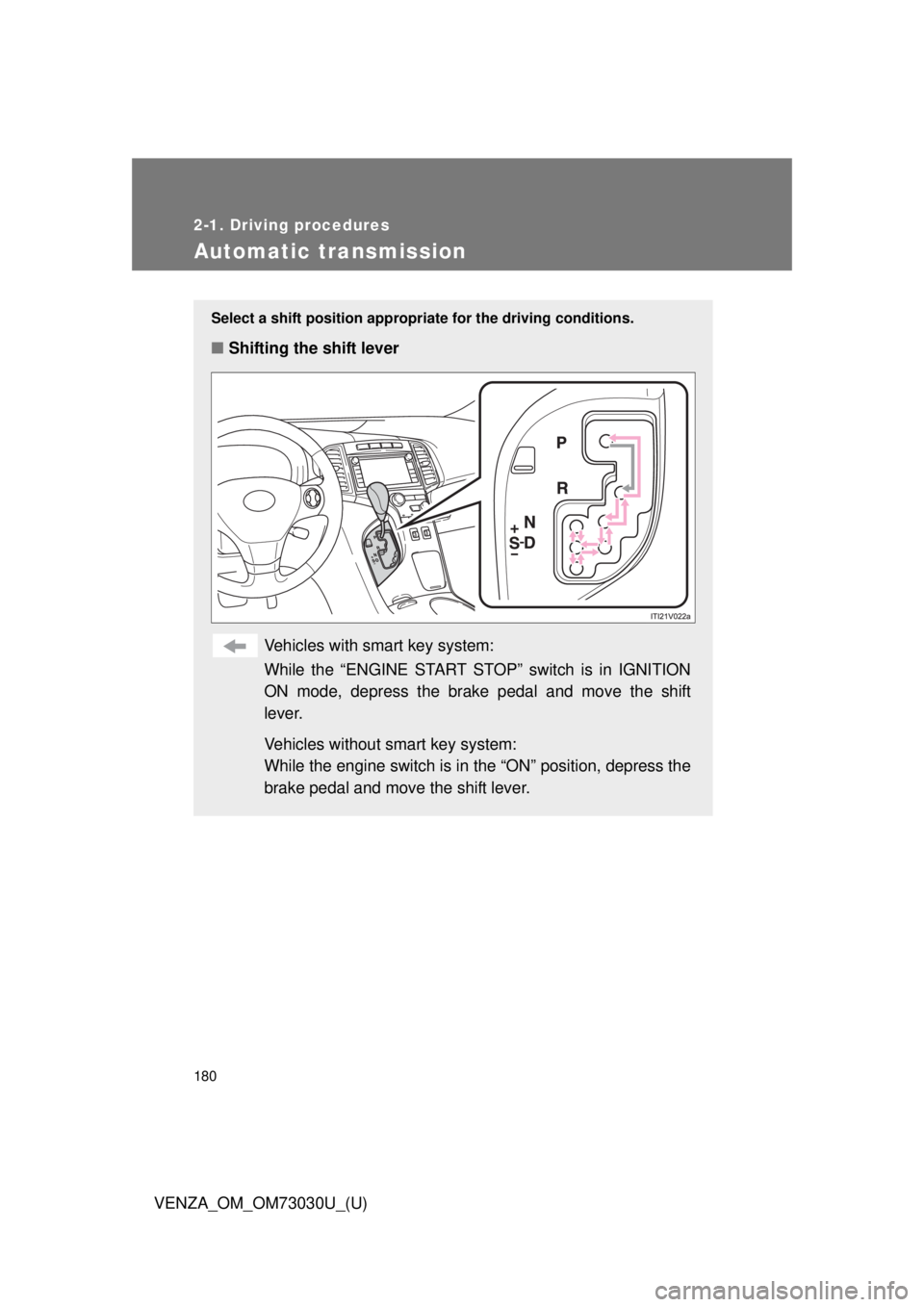
VENZA_OM_OM73030U_(U)Automatic transmission Select a shift positi on appropriate for the driving conditions.
■ Shifting the shift lever
Vehicles with smart key system:
While the “ENGINE START STOP” switch is in IGNITION
ON mode, depress the brake pedal and move the shift
lever.
Vehicles without smart key system:
While the engine switch is in the “ON” position, depress the
brake pedal and move the shift lever.