navigation TOYOTA VENZA HYBRID 2021 Owners Manual (in English)
[x] Cancel search | Manufacturer: TOYOTA, Model Year: 2021, Model line: VENZA HYBRID, Model: TOYOTA VENZA HYBRID 2021Pages: 548, PDF Size: 18.43 MB
Page 19 of 548
19Pictorial index
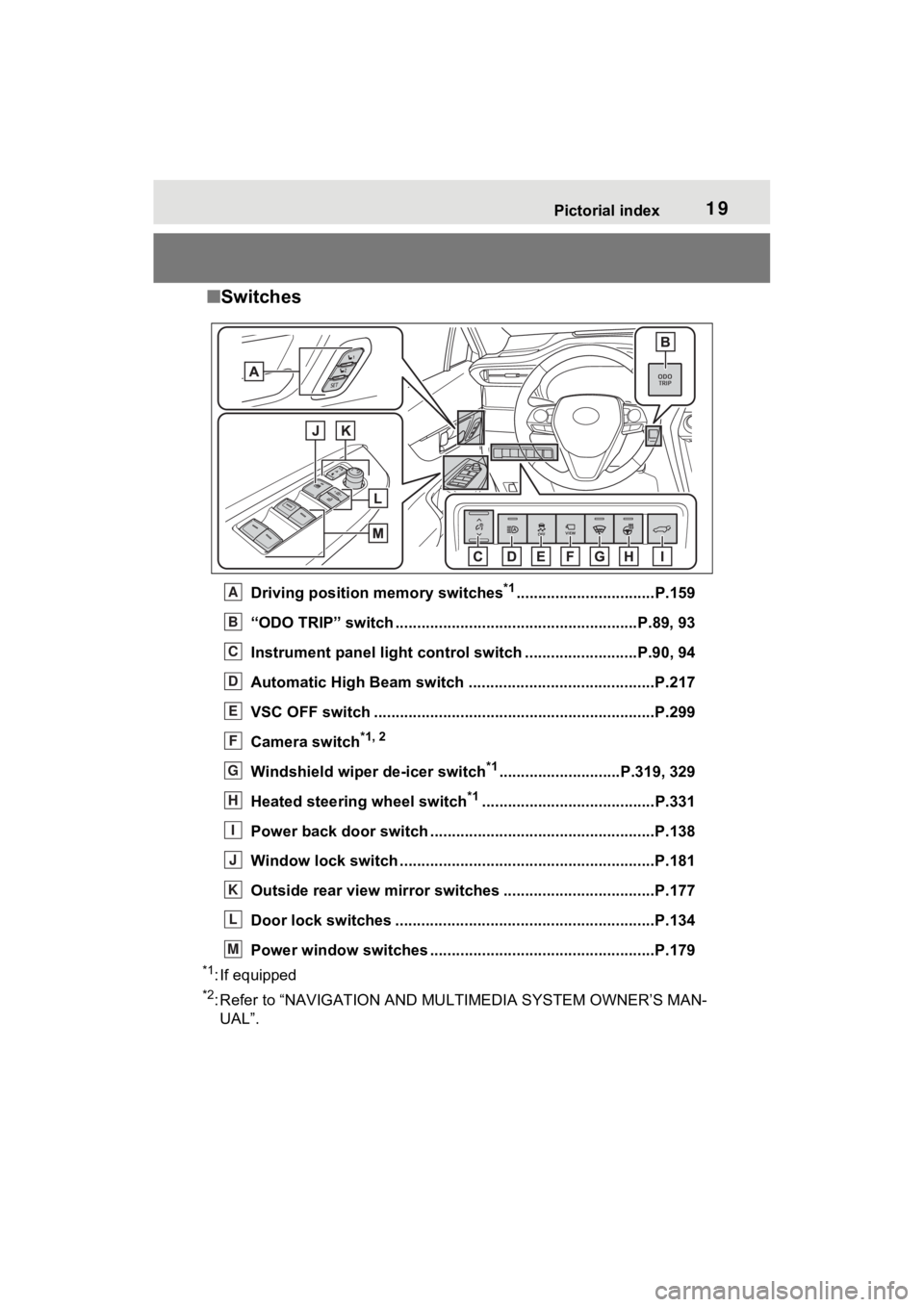
■Switches
Driving position memory switches*1................................P.159
“ODO TRIP” switch .............................................. ..........P.89, 93
Instrument panel light cont rol switch ..........................P.90, 94
Automatic High Beam switch ..................................... ......P.217
VSC OFF switch .................................................................P.299
Camera switch
*1, 2
Windshield wiper de-icer switch*1............................P.319, 329
Heated steering wheel switch
*1........................................P.331
Power back door switch ... .................................................P.138
Window lock switch ............................................. ..............P.181
Outside rear view mirror swi tches ...................................P.177
Door lock switches ............................................................P.134
Power window switches ....... .............................................P.179
*1: If equipped
*2: Refer to “NAVIGATION AND MULTIMEDIA SYSTEM OWNER’S MAN-
UAL”.
A
B
C
D
E
F
G
H
I
J
K
L
M
Page 20 of 548
20Pictorial index
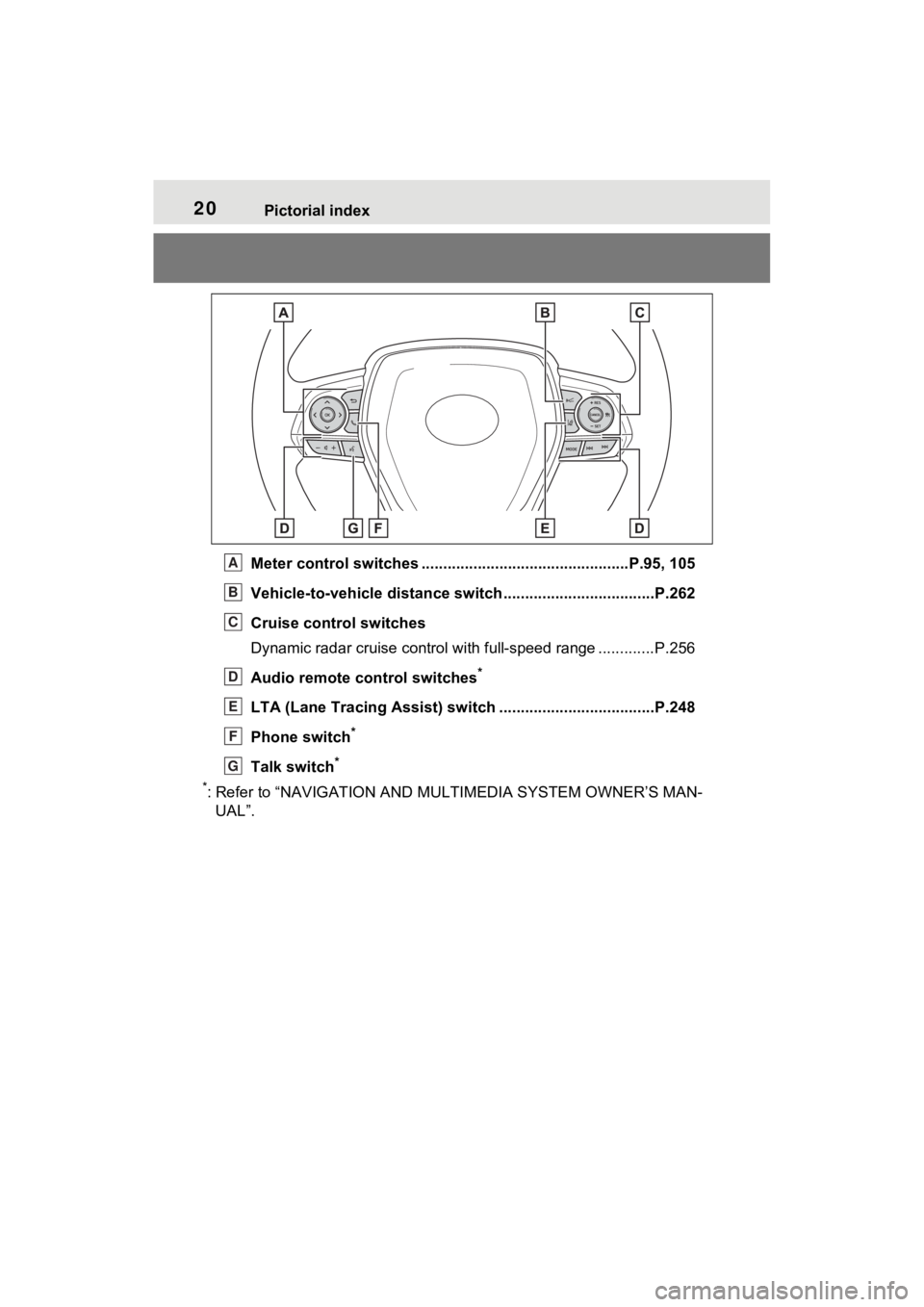
Meter control switches ................................................P.95, 105
Vehicle-to-vehicle distance switch ...................................P.262
Cruise control switches
Dynamic radar cruise control with full-speed range ............. P.256
Audio remote control switches
*
LTA (Lane Tracing Assist) sw itch ....................................P.248
Phone switch
*
Talk switch*
*
: Refer to “NAVIGATION AND MULTIMEDIA SYSTEM OWNER’S MAN- UAL”.
A
B
C
D
E
F
G
Page 72 of 548
711-4. Hybrid system
1
For safety and security
*: This function can only be used in
the mainland U.S.A. It cannot be
used in other states and territo-
ries, including Alaska and Hawaii.
This system operates based on
the driving situation and traffic
information to enhance fuel
economy.
For details about Predictive effi-
cient drive, refer to “NAVIGA-
TION AND MULTIMEDIA
SYSTEM OWNER’S MANUAL”.
■Predictive deceleration sup-
port
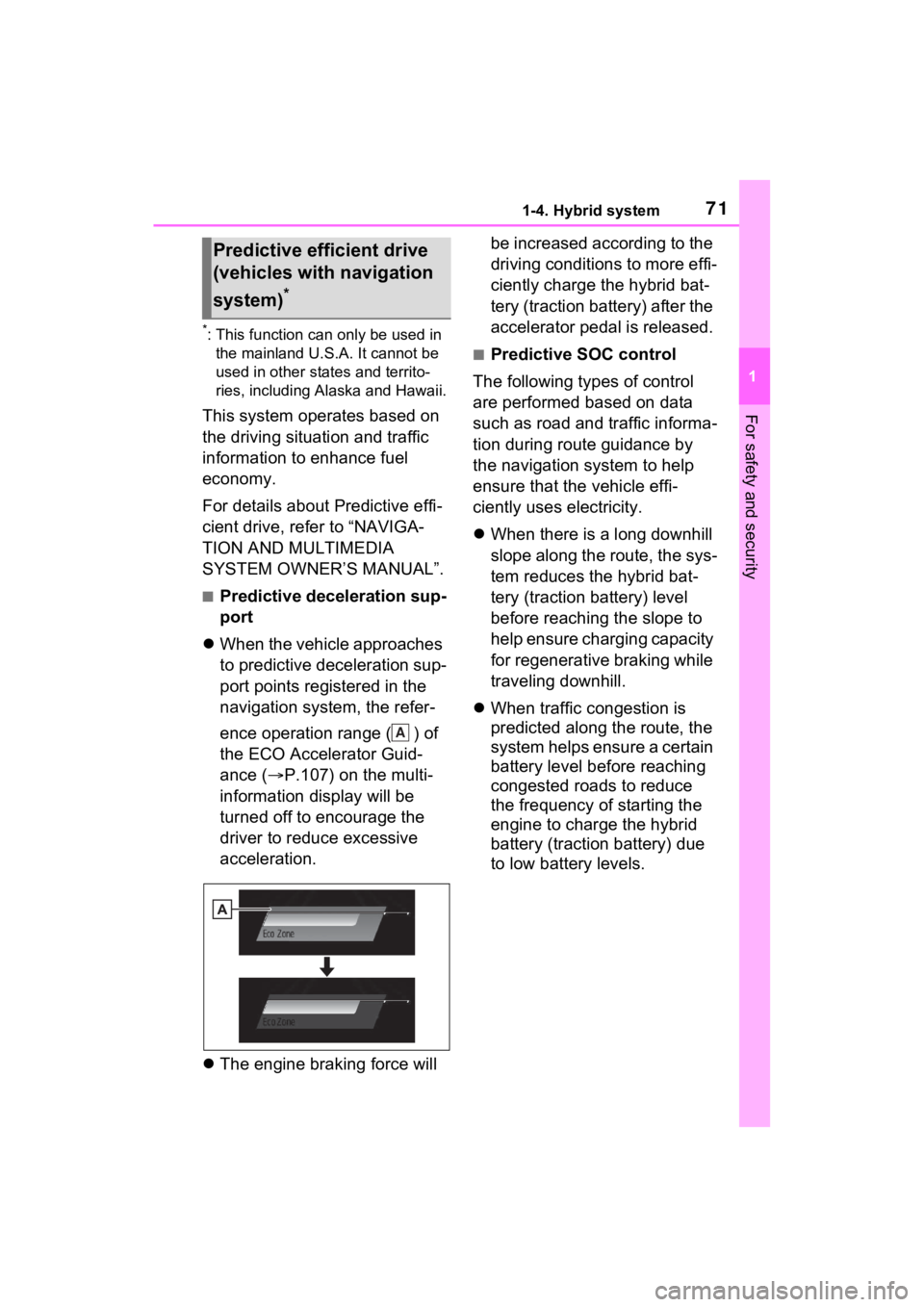
When the vehicle approaches
to predictive deceleration sup-
port points registered in the
navigation system, the refer-
ence operation range ( ) of
the ECO Accelerator Guid-
ance ( P.107) on the multi-
information display will be
turned off to encourage the
driver to reduce excessive
acceleration.
The engine braking force will be increased according to the
driving conditions to more effi-
ciently charge the hybrid bat-
tery (traction battery) after the
accelerator pedal is released.
■Predictive SOC control
The following types of control
are performed based on data
such as road and traffic informa-
tion during route guidance by
the navigation system to help
ensure that the vehicle effi-
ciently uses electricity.
When there is a long downhill
slope along the route, the sys-
tem reduces the hybrid bat-
tery (traction battery) level
before reaching the slope to
help ensure charging capacity
for regenerative braking while
traveling downhill.
When traffic congestion is
predicted along the route, the
system helps ensure a certain
battery level before reaching
congested roads to reduce
the frequency of starting the
engine to charge the hybrid
battery (traction battery) due
to low battery levels.
Predictive efficient drive
(vehicles with navigation
system)
*
A
Page 97 of 548

962-1. Instrument cluster
history display
Linked with the hands-free
system, sending or receiving
call is displayed. For details
regarding the hands-free sys-
tem, refer to “NAVIGATION
AND MULTIMEDIA SYS-
TEM OWNER’S MANUAL”.
*: On screens where the screen can be scrolled and the display can
be switched, a scroll bar or a
round icon that shows the num-
ber of registered screens is dis-
played.
Information related to each icon
can be displayed by selecting
the icon with the meter control
switches.
Some of the information may be
displayed automatically depending
on the situation.
Select to display fuel consump-
tion data in various forms.
■Speedometer display/Dis-
tance to empty
Speedometer display
Displays the vehicle speed.
Distance to empty
Displays the driving range with
remaining fuel. ( P.98)
WARNING
■Caution for use while driving
For safety, avoid operating the
meter control swit ch while driving
as much as possible, and do not
look continuously at the multi-
information display while driving.
Stop the vehicle and operate the
meter control switch. Failure to do
so may cause a steering wheel
operation error, resulting in an
unexpected accident.
Menu icons
IconDisplay
Driving information dis-
play ( P.96)
Driving support system
information display
( P.98)
Audio system-linked dis-
play ( P.99)
Vehicle information dis-
play ( P.99)
Settings display
( P.100)
Warning message dis-
play ( P.103)
Driving information dis-
play
A
B
Page 107 of 548
1062-1. Instrument cluster
Information display area
A variety of information can be dis-
played by selecting a menu icon.
Additionally, warning or sugges-
tion/advice pop-up displays will be
displayed in some situations.
Menu icons ( P.106)
■The multi-information display is
displayed when
The power swit ch is in ON.
■When changing to a driving
mode other than normal mode
P.297
■Liquid crystal display
Small spots or light spots may
appear on the display. This phe-
nomenon is character istic of liquid
crystal displays, and there is no
problem continuing to use the dis-
play.
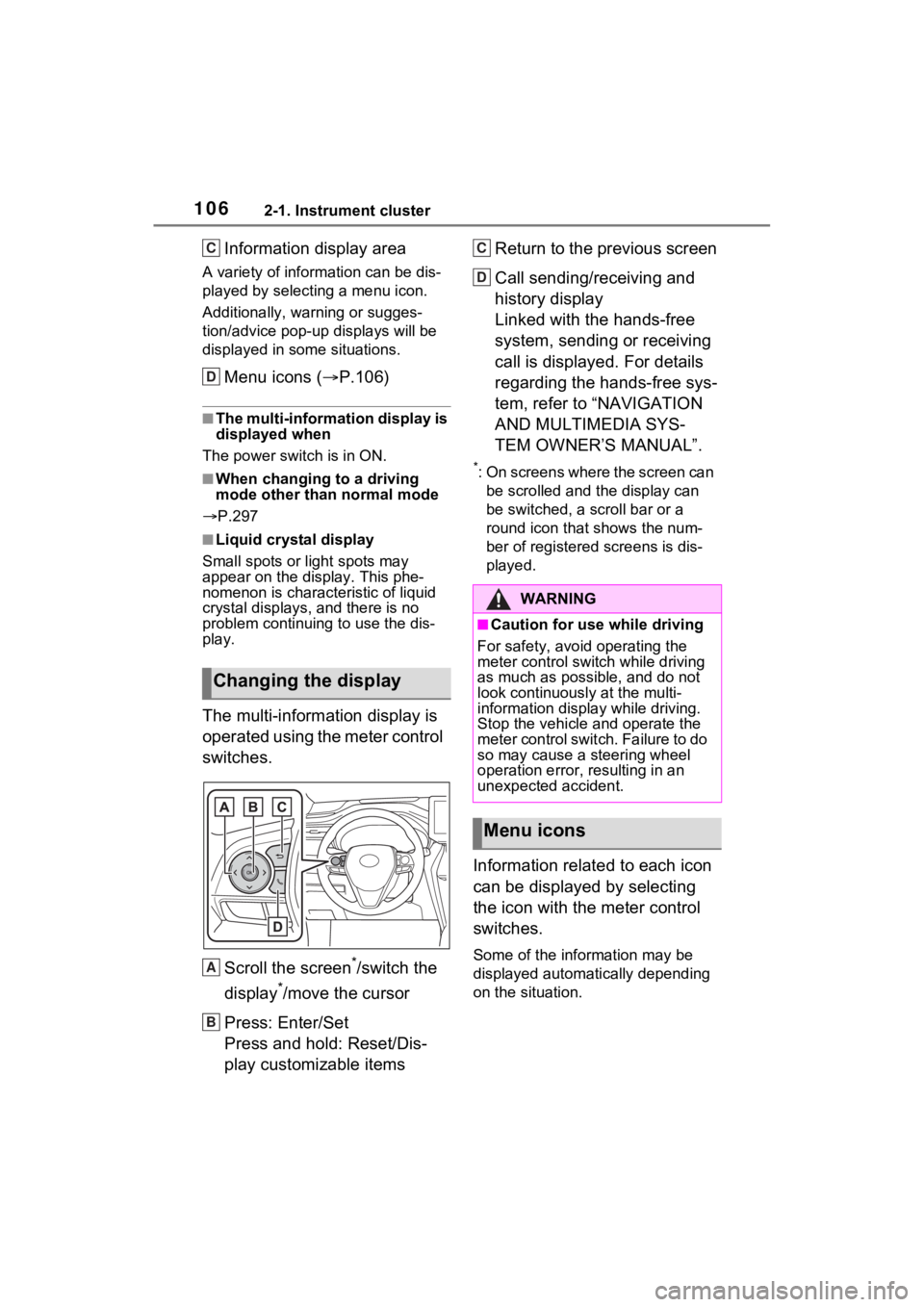
The multi-information display is
operated using the meter control
switches.
Scroll the screen
*/switch the
display
*/move the cursor
Press: Enter/Set
Press and hold: Reset/Dis-
play customizable items Return to the previous screen
Call sending/receiving and
history display
Linked with the hands-free
system, sending or receiving
call is displayed. For details
regarding the hands-free sys-
tem, refer to “NAVIGATION
AND MULTIMEDIA SYS-
TEM OWNER’S MANUAL”.
*: On screens where the screen can
be scrolled and the display can
be switched, a scroll bar or a
round icon that shows the num-
ber of registered screens is dis-
played.
Information related to each icon
can be displayed by selecting
the icon with the meter control
switches.
Some of the information may be
displayed automatically depending
on the situation.
Changing the display
C
D
A
B
:$51,1*
■Caution for use while driving
For safety, avoid operating the
meter control switch while driving
as much as possible, and do not
look continuously at the multi-
information displa y while driving.
Stop the vehicle and operate the
meter control swit ch. Failure to do
so may cause a steering wheel
operation error, resulting in an
unexpected accident.
Menu icons
C
D
Page 111 of 548
1102-1. Instrument cluster
tion. As a result, the actual dis-
tance that can be driven may
differ from that displayed.
●When only a small amount of fuel
is added to the tank, the display
may not be updated. When refuel-
ing, turn the power switch off. If
the vehicle is refueled without
turning the power switch off, the
display may not be updated.
●When “Refuel” is displayed, the
remaining fuel amount is low and
the distance that can be driven
with the remaining fuel cannot be
calculated.
Refuel immediately.
■ECO Accelerator Guid-
ance/“Eco Score” will not oper-
ate when
The ECO Accelerator Guid-
ance/“Eco Score” will not operate in
the following situations:
●The Hybrid System Indicator is not
operating.
●The vehicle is being driven using
the dynamic radar cruise control
with full-speed range.
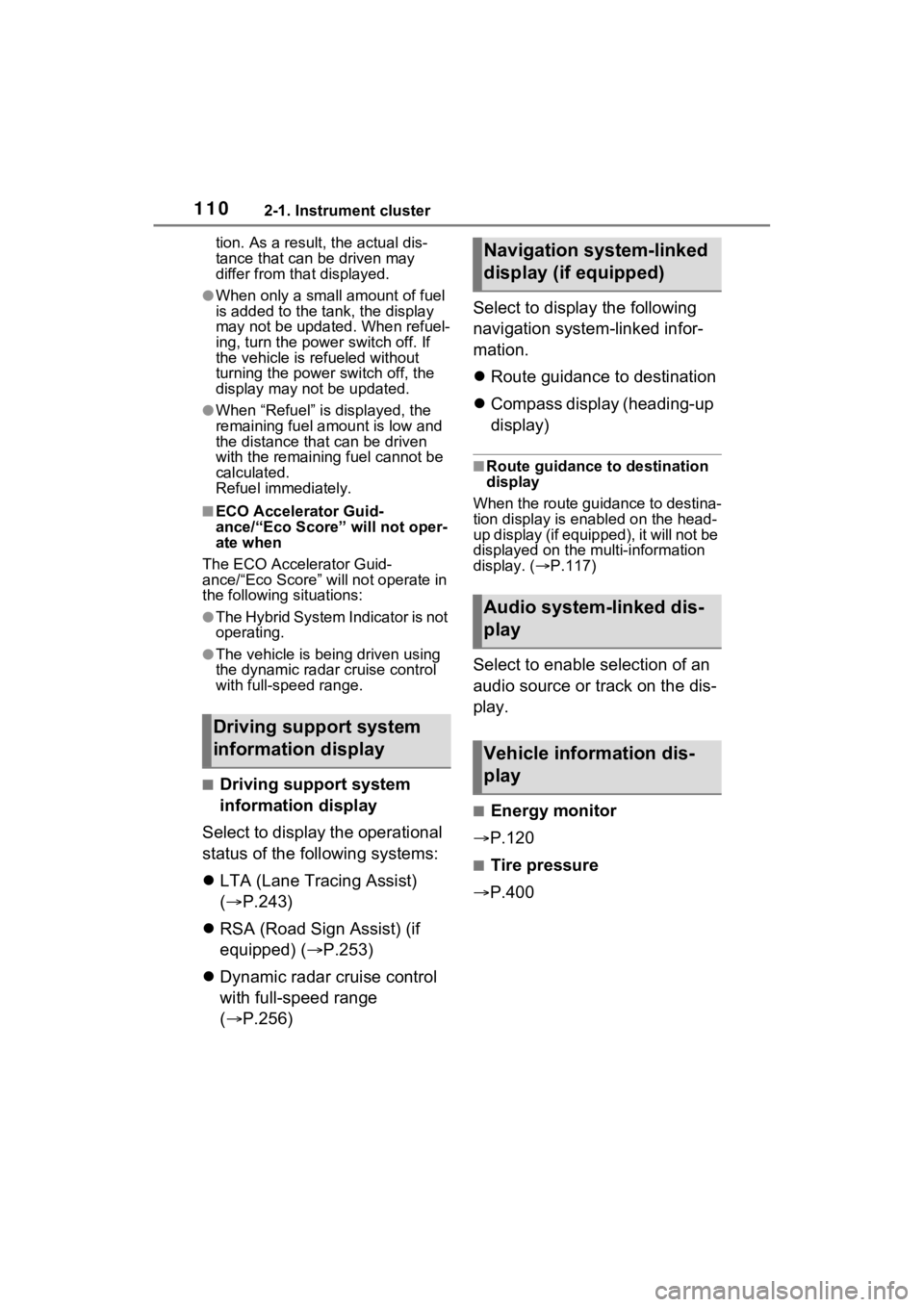
■Driving support system
information display
Select to display the operational
status of the following systems:
LTA (Lane Tracing Assist)
( P.243)
RSA (Road Sign Assist) (if
equipped) ( P.253)
Dynamic radar cruise control
with full-speed range
( P.256) Select to display the following
navigation system-linked infor-
mation.
Route guidance to destination
Compass display (heading-up
display)
■Route guidance to destination
display
When the route guidance to destina-
tion display is enabled on the head-
up display (if equipped), it will not be
displayed on the multi-information
display. ( P.117)
Select to enable selection of an
audio source or track on the dis-
play.
■Energy monitor
P.120
■Tire pressure
P.400
Driving support system
information display
Navigation system-linked
display (if equipped)
Audio system-linked dis-
play
Vehicle information dis-
play
Page 115 of 548
1142-1. Instrument cluster
Select to reset the scheduled main-
tenance information (message indi-
cating maintenance is required and
distance until the next mainte-
nance) after all maintenance is per-
formed.
Oil Maintenance
Select to reset the Oil maintenance.
( P.390)
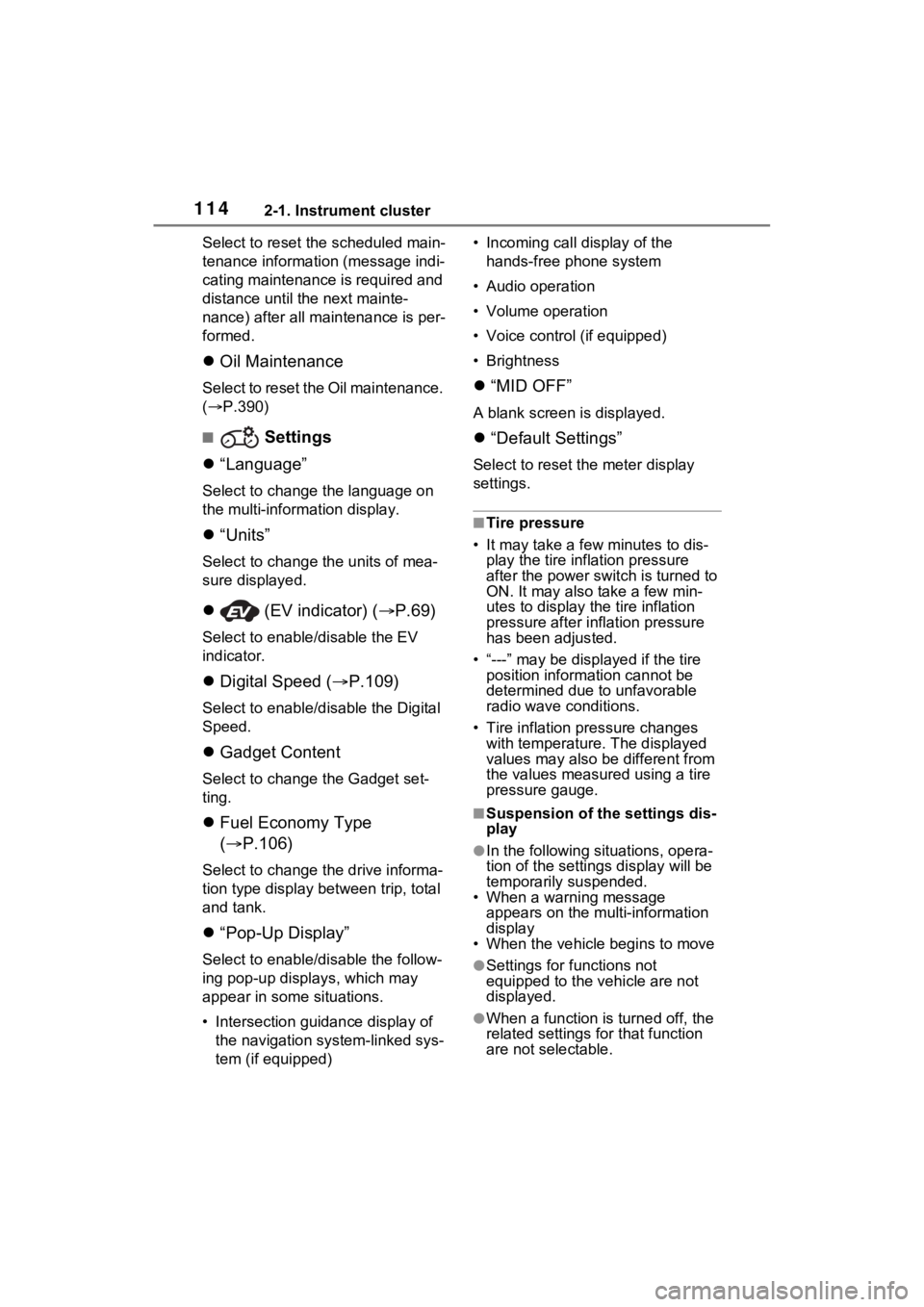
■ Settings
“Language”
Select to change the language on
the multi-inform ation display.
“Units”
Select to change t he units of mea-
sure displayed.
(EV indicator) ( P.69)
Select to enable/disable the EV
indicator.
Digital Speed ( P.109)
Select to enable/dis able the Digital
Speed.
Gadget Content
Select to change the Gadget set-
ting.
Fuel Economy Type
( P.106)
Select to change the drive informa-
tion type display between trip, total
and tank.
“Pop-Up Display”
Select to enable/d isable the follow-
ing pop-up displays, which may
appear in some situations.
• Intersection guidance display of the navigation system-linked sys-
tem (if equipped) • Incoming call display of the
hands-free phone system
• Audio operation
• Volume operation
• Voice control (if equipped)
• Brightness
“MID OFF”
A blank screen is displayed.
“Default Settings”
Select to reset the meter display
settings.
■Tire pressure
• It may take a few minutes to dis-
play the tire inflation pressure
after the power switch is turned to
ON. It may also take a few min-
utes to display the tire inflation
pressure after infl ation pressure
has been adjusted.
• “---” may be displayed if the tire position information cannot be
determined due to unfavorable
radio wave conditions.
• Tire inflation pressure changes with temperature. The displayed
values may also be different from
the values measured using a tire
pressure gauge.
■Suspension of the settings dis-
play
●In the following situations, opera-
tion of the settings display will be
temporarily suspended.
• When a warning message
appears on the multi-information
display
• When the vehicle begins to move
●Settings for functions not
equipped to the vehicle are not
displayed.
●When a function is turned off, the
related settings for that function
are not selectable.
Page 118 of 548
1172-1. Instrument cluster
2
Vehicle status information and indicators
*: If equipped
Illustrations used in this text are intended as examples, and m ay differ from
the image that is actually displayed by the he ad-up display.
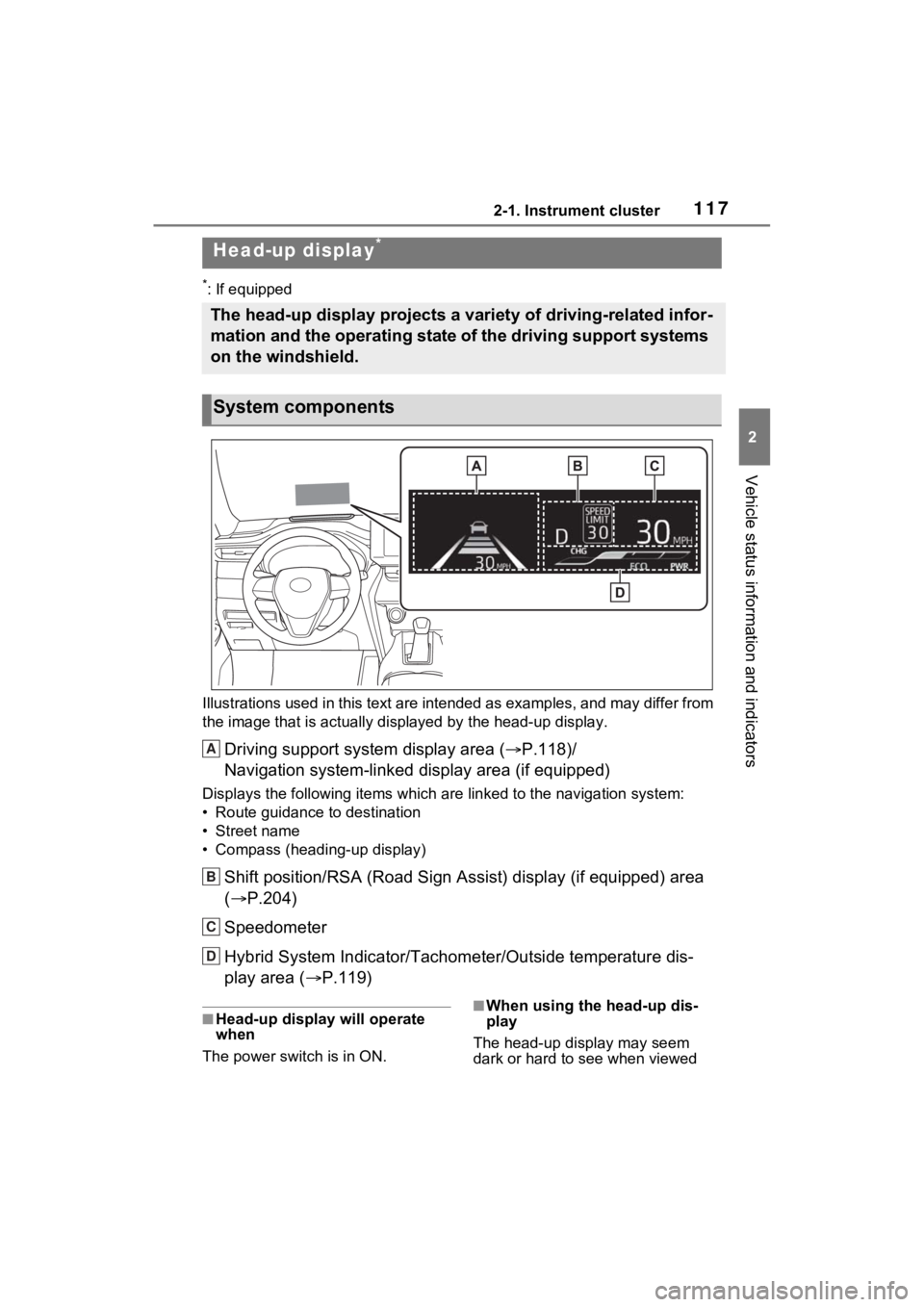
Driving support system display area (P.118)/
Navigation system-linked display area (if equipped)
Displays the following items which are linked to the navigation system:
• Route guidance to destination
• Street name
• Compass (heading-up display)
Shift position/RSA (Road Sign Ass ist) display (if equipped) area
( P.204)
Speedometer
Hybrid System Indicator/Tachom eter/Outside temperature dis-
play area ( P.119)
■Head-up display will operate
when
The power swit ch is in ON.■When using the head-up dis-
play
The head-up display may seem
dark or hard to see when viewed
Head-up display*
The head-up display projects a variety of driving-related infor -
mation and the operating state of the driving support systems
on the windshield.
System components
A
B
C
D
Page 119 of 548
1182-1. Instrument cluster
through sunglasses, especially
polarized sunglasses. Adjust the
brightness of the head-up display or
remove your sunglasses.
■Street name display
Only street names which are
included in the map data will be dis-
played.
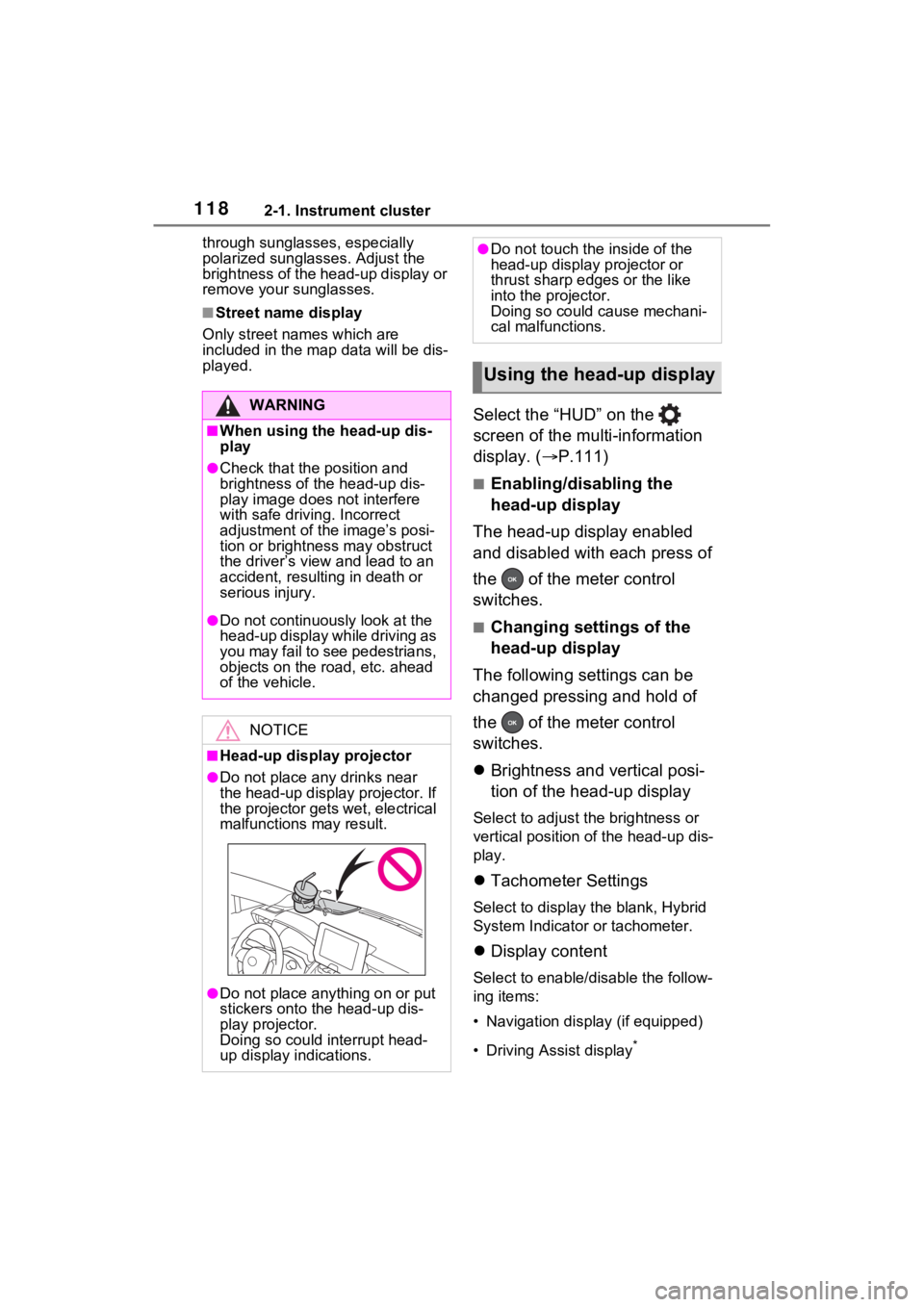
Select the “HUD” on the
screen of the multi-information
display. ( P.111)
■Enabling/disabling the
head-up display
The head-up display enabled
and disabled with each press of
the of the meter control
switches.
■Changing settings of the
head-up display
The following settings can be
changed pressing and hold of
the of the meter control
switches.
Brightness and vertical posi-
tion of the head-up display
Select to adjust the brightness or
vertical position of the head-up dis-
play.
Tachometer Settings
Select to display the blank, Hybrid
System Indicator or tachometer.
Display content
Select to enable/d isable the follow-
ing items:
• Navigation display (if equipped)
• Driving Assist display
*
WARNING
■When using the head-up dis-
play
●Check that the position and
brightness of the head-up dis-
play image does not interfere
with safe driving. Incorrect
adjustment of the image’s posi-
tion or brightness may obstruct
the driver’s view and lead to an
accident, resulting in death or
serious injury.
●Do not continuously look at the
head-up display while driving as
you may fail to see pedestrians,
objects on the r oad, etc. ahead
of the vehicle.
NOTICE
■Head-up display projector
●Do not place any drinks near
the head-up display projector. If
the projector gets wet, electrical
malfunctions may result.
●Do not place anything on or put
stickers onto the head-up dis-
play projector.
Doing so could interrupt head-
up display indications.
●Do not touch the inside of the
head-up display projector or
thrust sharp edges or the like
into the projector.
Doing so could cause mechani-
cal malfunctions.
Using the head-up display
Page 122 of 548
1212-1. Instrument cluster
2
Vehicle status information and indicators
Hybrid Eco area
Eco area
Power area
Displayed content is the same as
that displayed on the meter (Hybrid
System Indicator).
For details, refer to P.88or P.92.
■Tachometer
Displays the engine speed in
revolutions per minute.
■Outside temperature dis-
play
This is displayed when the
power switch is turned on or the
low temperature indicator
flashes.
■Outside temperature display
●When the ambient temperature is
approximately 37°F (3°C) or
lower, the low outside temperature
indicator will flash for approxi-
mately 10 seconds and the out-
side temperature display will turn
off. In this case, the display will be
displayed again when the outside
temperature becomes approxi-
mately 41°F (5°C) or higher.
●In the following si tuations, the cor-
rect outside tempe rature may not
be displayed, or the display may
take longer than normal to
change:
• When stopped, or driving at low speeds (less than 12 mph [20
km/h])
• When the outside temperature has changed su ddenly (at the
entrance/exit of a garage, tunnel,
etc.)
●When “--” or “E” is displayed, the
system may be malfunctioning.
Take your vehicle to your Toyota
dealer.
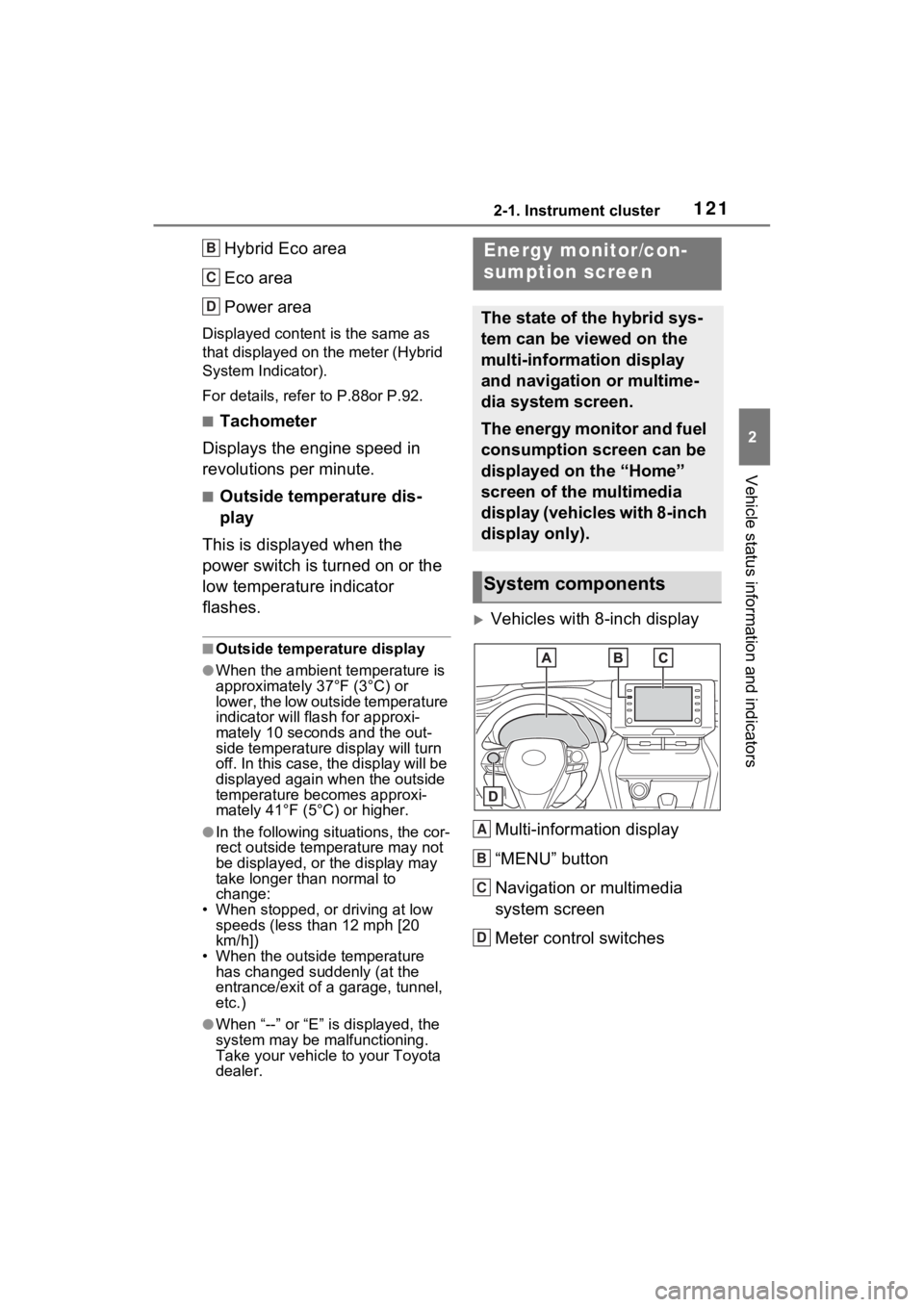
Vehicles with 8-inch display
Multi-information display
“MENU” button
Navigation or multimedia
system screen
Meter control switches
B
C
D
Energy monitor/con-
sumption screen
The state of the hybrid sys-
tem can be viewed on the
multi-information display
and navigation or multime-
dia system screen.
The energy monitor and fuel
consumption screen can be
displayed on the “Home”
screen of the multimedia
display (vehicles with 8-inch
display only).
System components
A
B
C
D