instrument panel TOYOTA VERSO 2013 User Guide
[x] Cancel search | Manufacturer: TOYOTA, Model Year: 2013, Model line: VERSO, Model: TOYOTA VERSO 2013Pages: 616, PDF Size: 39.6 MB
Page 48 of 616
48 1-2. Opening, closing and locking the doors
VERSO_WE_OM64550E_EURO5
Do not leave the electronic key on top of the instrument panel or near the
door pockets when exiting the vehicle. Depending on the radio wave
reception conditions, it may be detected by the antenna outside the cabin
and the door will become lockable from the outside, possibly trapping the
electronic key inside the vehicle.
Special note for smart entry & start system
When the electronic key is in the operating range, anyone can lock and
unlock the doors even without having the electronic key. However, the
unlocking operation will not be active at a door that has not detected the
electronic key.
When the electronic key is in the operating range and the door handles
get soaked with water due to car washing or heavy rain, the doors may
be locked or unlocked. If the doors are unlocked, the doors will automati-
cally be locked again when no door operations occur in approximately 30
seconds.
If the electronic key is inside or near the vehicle and if the doors are
locked using the wireless remote control, the doors may not be unlocked
with the smart entry & start system. In this case, unlock the doors using
the wireless remote control.
Note for door locking operation
When touching a lock sensor to lock the doors while wearing gloves, the
response may be slow or the doors may not be locked. In this case,
touch the lock sensor without wearing a glove.
When door handles get wet while washing the vehicle with the electronic
key on your person, the doors may be locked and unlocked repeatedly. In
this case, keep the electronic key 2 m (6 ft.) or more away from the vehi-
cle while washing (pay attention to key theft).
When the electronic key is inside the vehicle and door handles get wet
due to a car wash, a warning message stating that the key is in the cabin
may appear on the multi-information display, interior and exterior alarms
may sound. In this case, lock the doors to stop the alarms.
A lock sensor covered with ice, snow or mud may not work properly. In
this case, remove the ice, snow or mud from the lock sensor surface and
then touch the sensor again, or unlock the doors using the lock sensor
located on the lower edge of the door handle.
Fingernails may come into contact with a door when taking hold of a door
handle. Be careful not to damage the door surface or your fingernails.
Page 151 of 616
151 1-7. Safety information
1
Before driving
VERSO_WE_OM64550E_EURO5
When to contact any authorized Toyota dealer or repairer, or another
duly qualified and equipped professional
In the following cases, the vehicle will require inspection and/or repair. Con-
tact any authorized Toyota dealer or repairer, or another duly qualified and
equipped professional, as soon as possible.
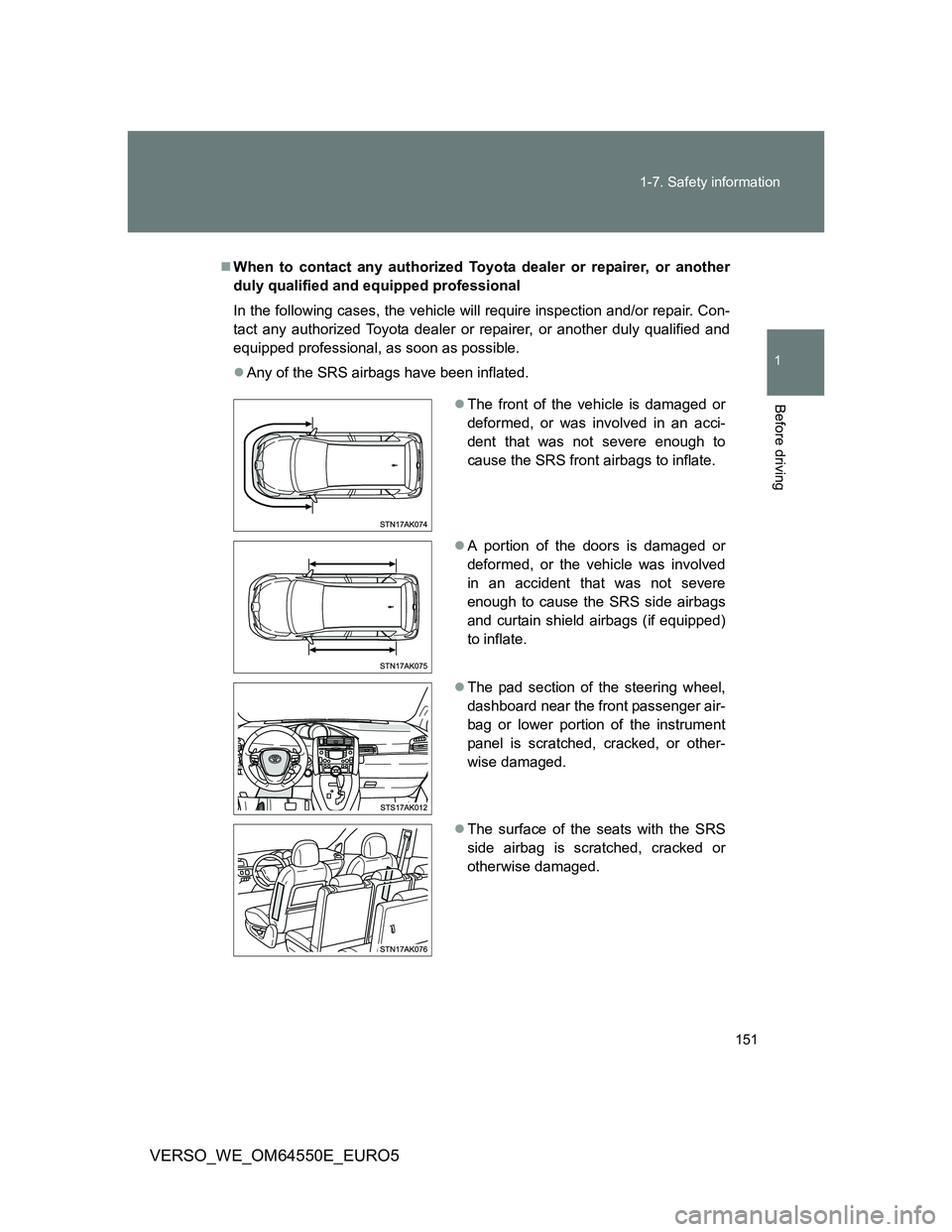
Any of the SRS airbags have been inflated.
The front of the vehicle is damaged or
deformed, or was involved in an acci-
dent that was not severe enough to
cause the SRS front airbags to inflate.
A portion of the doors is damaged or
deformed, or the vehicle was involved
in an accident that was not severe
enough to cause the SRS side airbags
and curtain shield airbags (if equipped)
to inflate.
The pad section of the steering wheel,
dashboard near the front passenger air-
bag or lower portion of the instrument
panel is scratched, cracked, or other-
wise damaged.
The surface of the seats with the SRS
side airbag is scratched, cracked or
otherwise damaged.
Page 152 of 616
152 1-7. Safety information
VERSO_WE_OM64550E_EURO5
CAUTION
SRS airbag precautions
Observe the following precautions regarding the SRS airbags.
Failure to do so may cause death or serious injury.
The driver and all passengers in the vehicle must wear their seat belts
properly.
The SRS airbags are supplemental devices to be used with the seat belts.
The SRS driver airbag deploys with considerable force, and can cause
death or serious injury especially if the driver is very close to the airbag.
Since the risk zone for the driver’s airbag is the first 50 - 75 mm (2 - 3 in.)
of inflation, placing yourself 250 mm (10 in.) from your driver airbag pro-
vides you with a clear margin of safety. This distance is measured from the
center of the steering wheel to your breastbone. If you sit less than 250
mm (10 in.) away now, you can change your driving position in several
ways:
• Move your seat to the rear as far as you can while still reaching the
pedals comfortably.
• Slightly recline the back of the seat.
Although vehicle designs vary, many drivers can achieve the 250 mm
(10 in.) distance, even with the driver seat all the way forward, simply
by reclining the back of the seat somewhat. If reclining the back of your
seat makes it hard to see the road, raise yourself by using a firm, non-
slippery cushion, or raise the seat if your vehicle has that feature.
• If your steering wheel is adjustable, tilt it downward. This points the air-
bag toward your chest instead of your head and neck.
The seat should be adjusted as recommended above, while still maintaining
control of the foot pedals, steering wheel, and your view of the instrument
panel controls.
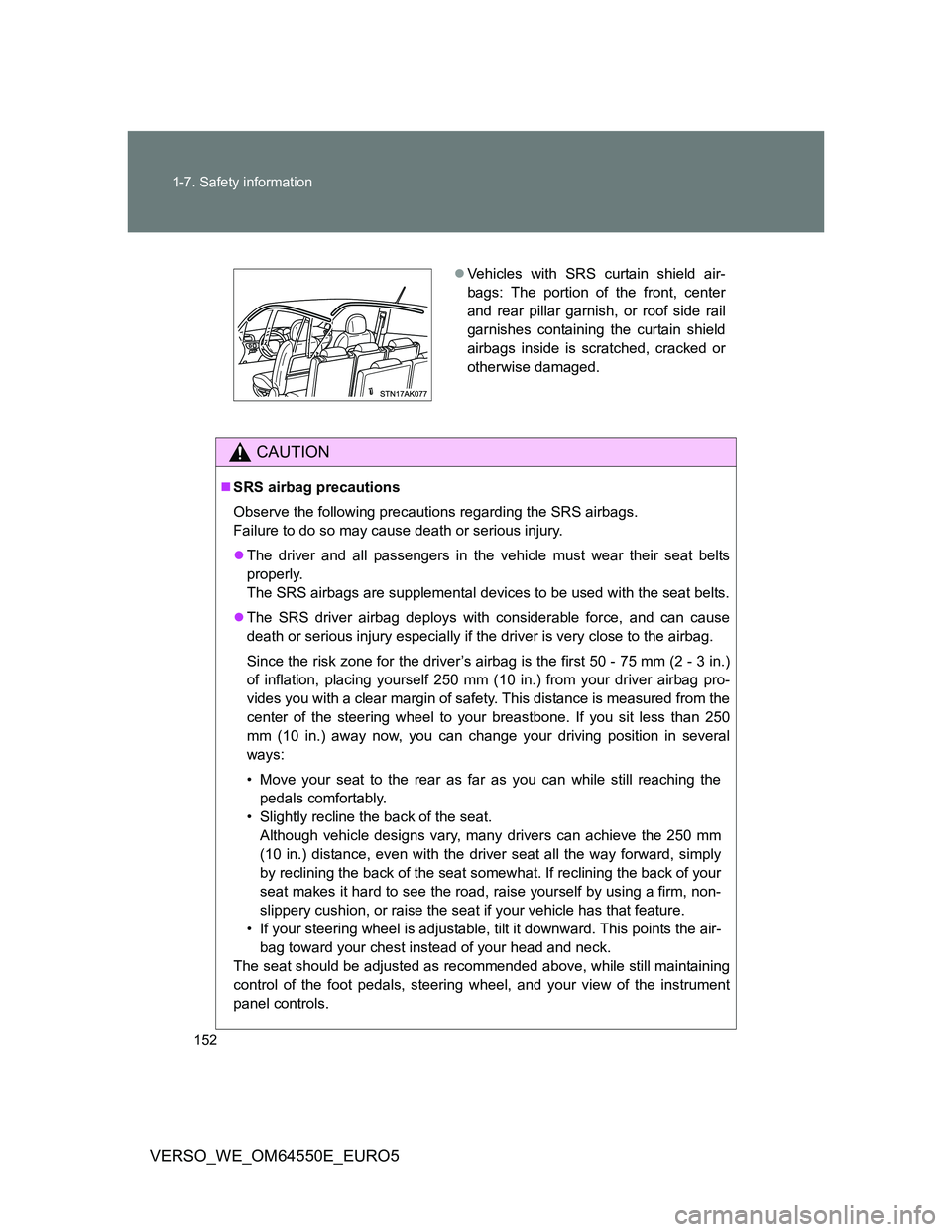
Vehicles with SRS curtain shield air-
bags: The portion of the front, center
and rear pillar garnish, or roof side rail
garnishes containing the curtain shield
airbags inside is scratched, cracked or
otherwise damaged.
Page 154 of 616
154 1-7. Safety information
VERSO_WE_OM64550E_EURO5
CAUTION
SRS airbag precautions
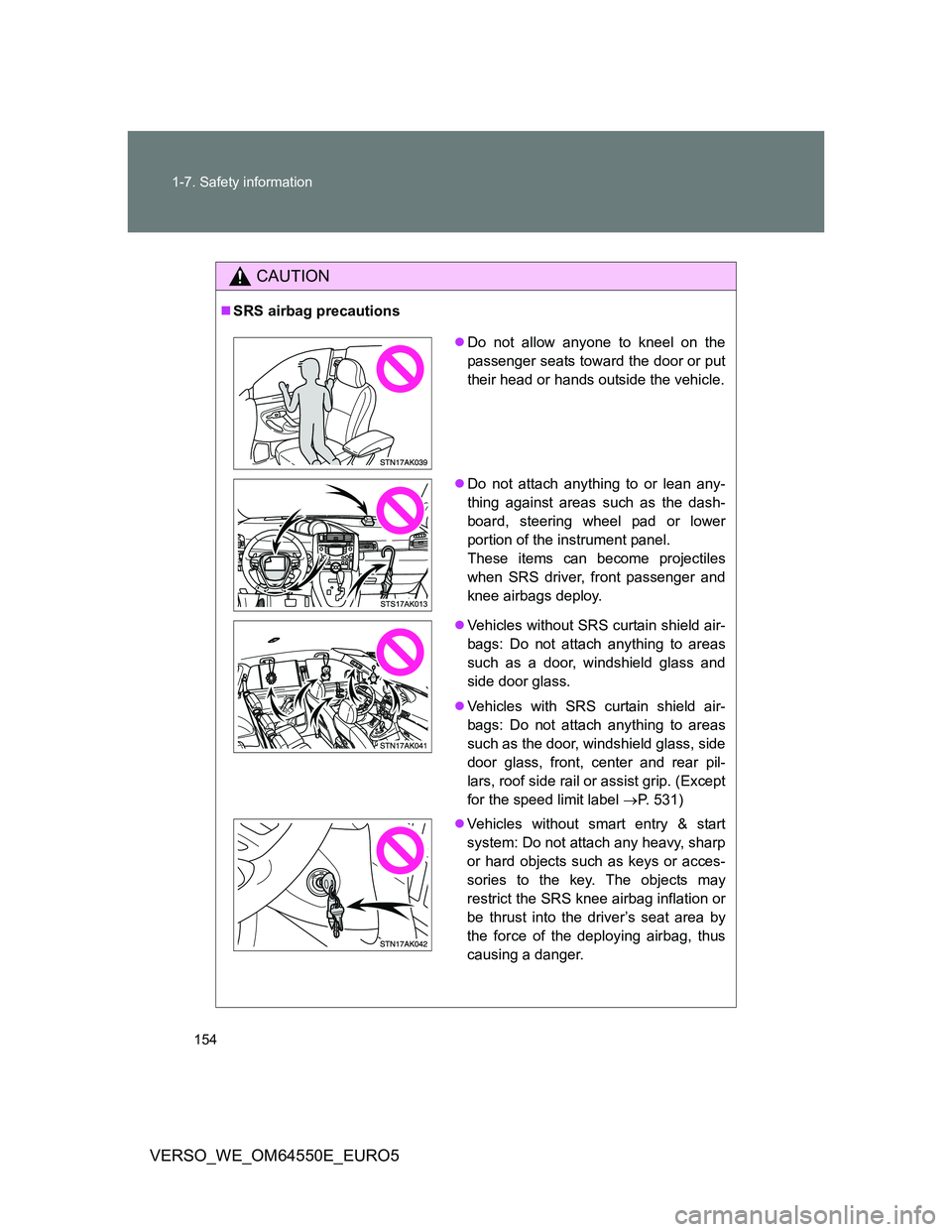
Do not allow anyone to kneel on the
passenger seats toward the door or put
their head or hands outside the vehicle.
Do not attach anything to or lean any-
thing against areas such as the dash-
board, steering wheel pad or lower
portion of the instrument panel.
These items can become projectiles
when SRS driver, front passenger and
knee airbags deploy.
Vehicles without SRS curtain shield air-
bags: Do not attach anything to areas
such as a door, windshield glass and
side door glass.
Vehicles with SRS curtain shield air-
bags: Do not attach anything to areas
such as the door, windshield glass, side
door glass, front, center and rear pil-
lars, roof side rail or assist grip. (Except
for the speed limit label P. 531)
Vehicles without smart entry & start
system: Do not attach any heavy, sharp
or hard objects such as keys or acces-
sories to the key. The objects may
restrict the SRS knee airbag inflation or
be thrust into the driver’s seat area by
the force of the deploying airbag, thus
causing a danger.
Page 156 of 616
156 1-7. Safety information
VERSO_WE_OM64550E_EURO5
CAUTION
Modification and disposal of SRS airbag system components
Do not dispose of your vehicle or perform any of the following modifications
without consulting any authorized Toyota dealer or repairer, or another duly
qualified and equipped professional.
The SRS airbags may malfunction or deploy (inflate) accidentally, causing
death or serious injury.
Installation, removal, disassembly and repair of the SRS airbags.
Repairs, modifications, removal or replacement of the steering wheel,
instrument panel, dashboard, seats or seat upholstery, front, center and
rear pillars or roof side rail.
Repairs or modifications of the front fender, front bumper, or side of the
occupant compartment.
Installation of snow plows, winches, etc. to the front grille (bull bars, kan-
garoo bar etc.).
Modifications to the vehicle’s suspension system.
Installation of electronic devices such as RF-transmitter radios or CD play-
ers.
Page 228 of 616
228 2-2. Instrument cluster
VERSO_WE_OM64550E_EURO5
Odometer, trip meter and instrument panel light control display
Odometer:
Displays the total distance the vehicle has been driven
Trip meter:
Displays the distance the vehicle has been driven since the meter was
last reset. Trip meters A and B can be used to record and display differ-
ent distances independently.
Instrument panel light control display:
Displays the brightness of the instrument panel lights when the head-
light switch is on
Page 230 of 616
230 2-2. Instrument cluster
VERSO_WE_OM64550E_EURO5
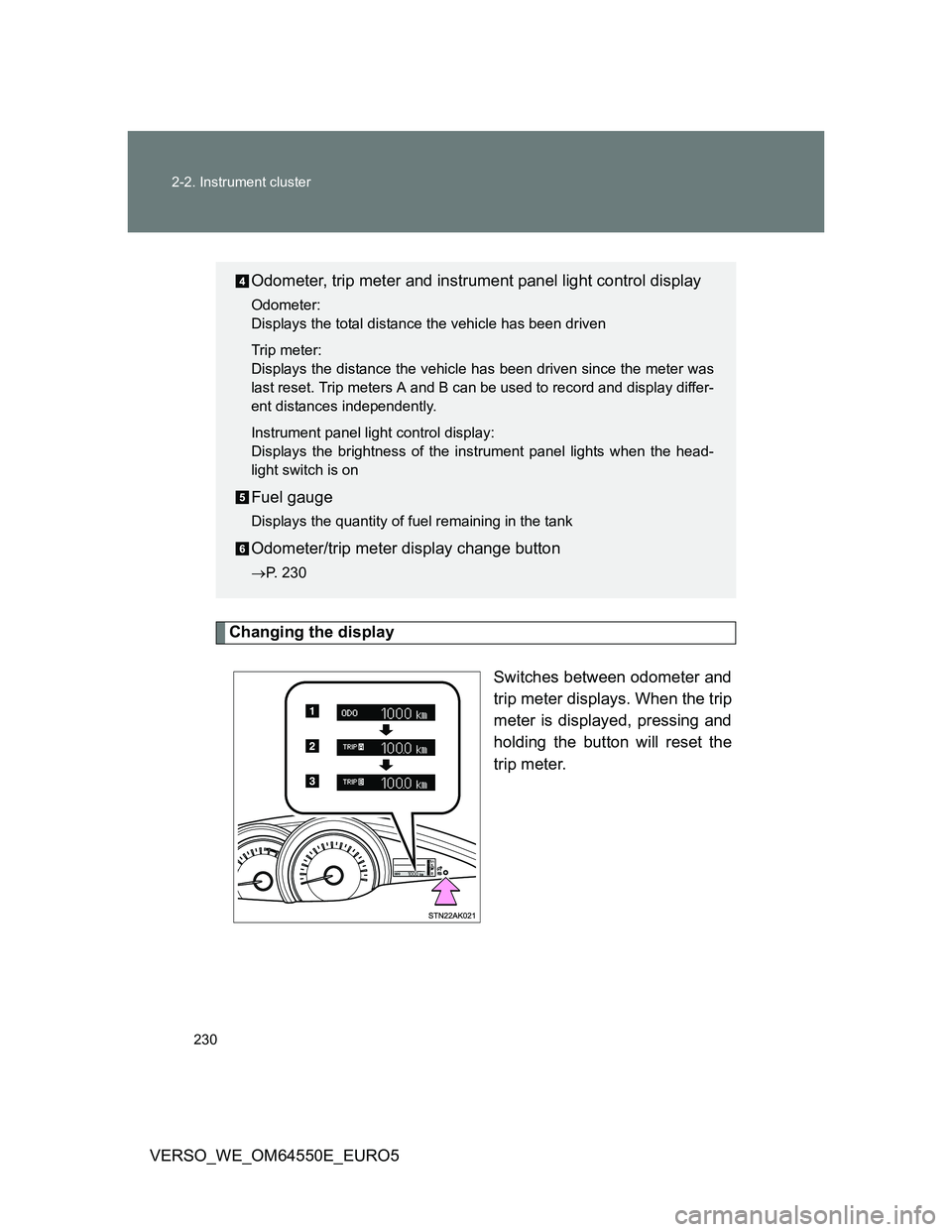
Changing the display
Switches between odometer and
trip meter displays. When the trip
meter is displayed, pressing and
holding the button will reset the
trip meter.
Odometer, trip meter and instrument panel light control display
Odometer:
Displays the total distance the vehicle has been driven
Trip meter:
Displays the distance the vehicle has been driven since the meter was
last reset. Trip meters A and B can be used to record and display differ-
ent distances independently.
Instrument panel light control display:
Displays the brightness of the instrument panel lights when the head-
light switch is on
Fuel gauge
Displays the quantity of fuel remaining in the tank
Odometer/trip meter display change button
P. 230
Page 231 of 616
231 2-2. Instrument cluster
2
When driving
VERSO_WE_OM64550E_EURO5
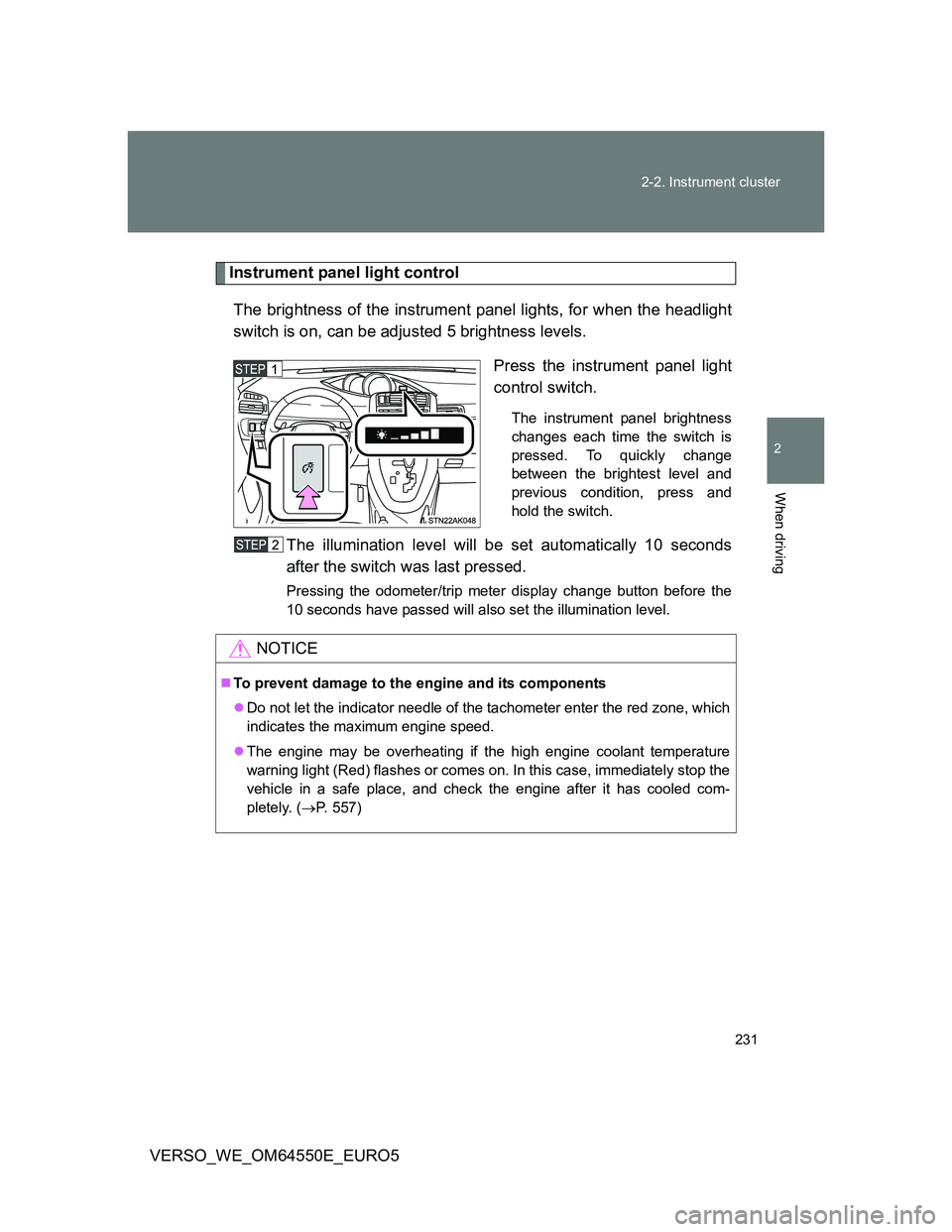
Instrument panel light control
The brightness of the instrument panel lights, for when the headlight
switch is on, can be adjusted 5 brightness levels.
Press the instrument panel light
control switch.
The instrument panel brightness
changes each time the switch is
pressed. To quickly change
between the brightest level and
previous condition, press and
hold the switch.
The illumination level will be set automatically 10 seconds
after the switch was last pressed.
Pressing the odometer/trip meter display change button before the
10 seconds have passed will also set the illumination level.
NOTICE
To prevent damage to the engine and its components
Do not let the indicator needle of the tachometer enter the red zone, which
indicates the maximum engine speed.
The engine may be overheating if the high engine coolant temperature
warning light (Red) flashes or comes on. In this case, immediately stop the
vehicle in a safe place, and check the engine after it has cooled com-
pletely. (P. 557)
Page 232 of 616
232
2-2. Instrument cluster
VERSO_WE_OM64550E_EURO5
Indicators and warning lights
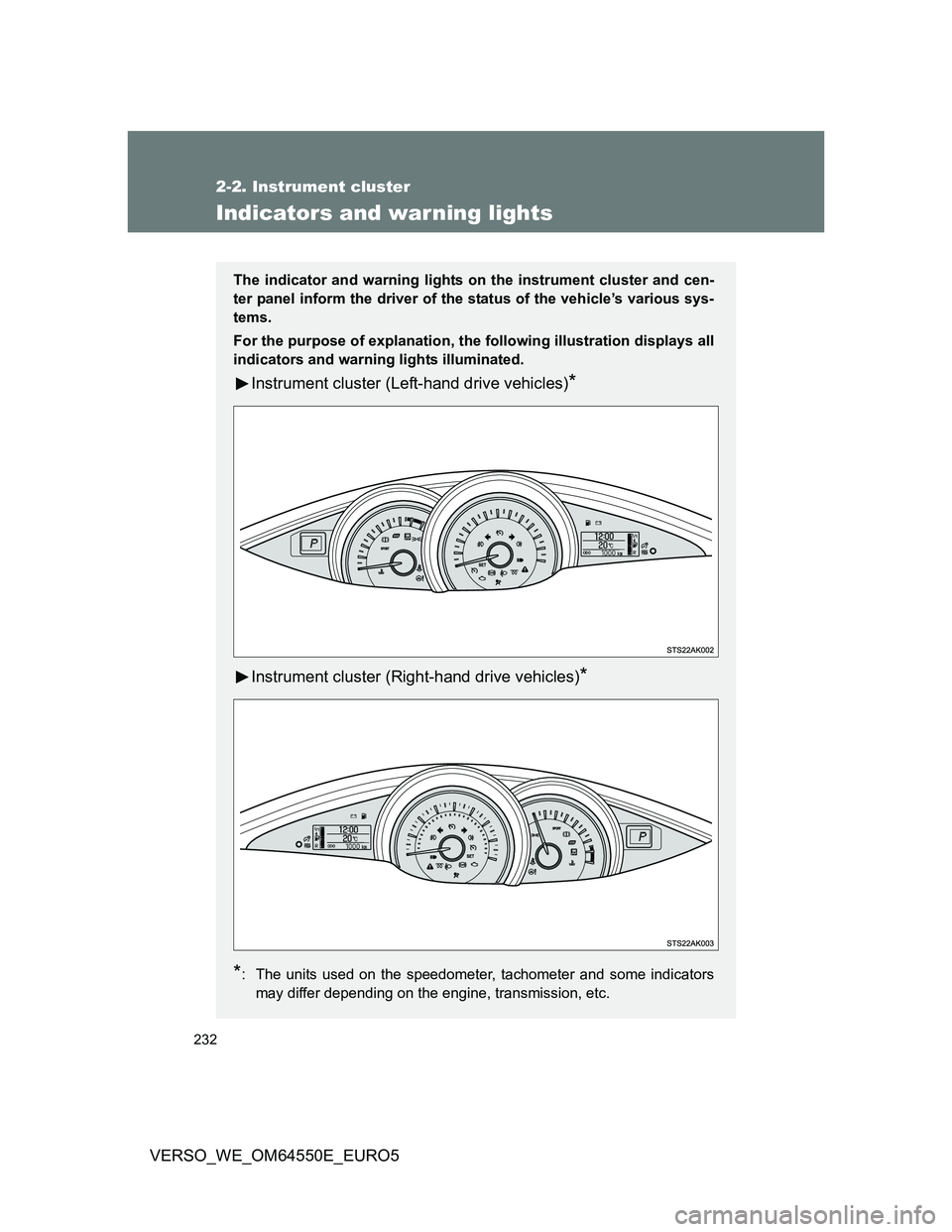
The indicator and warning lights on the instrument cluster and cen-
ter panel inform the driver of the status of the vehicle’s various sys-
tems.
For the purpose of explanation, the following illustration displays all
indicators and warning lights illuminated.
Instrument cluster (Left-hand drive vehicles)*
Instrument cluster (Right-hand drive vehicles)*
*
: The units used on the speedometer, tachometer and some indicators
may differ depending on the engine, transmission, etc.
Page 233 of 616
233 2-2. Instrument cluster
2
When driving
VERSO_WE_OM64550E_EURO5
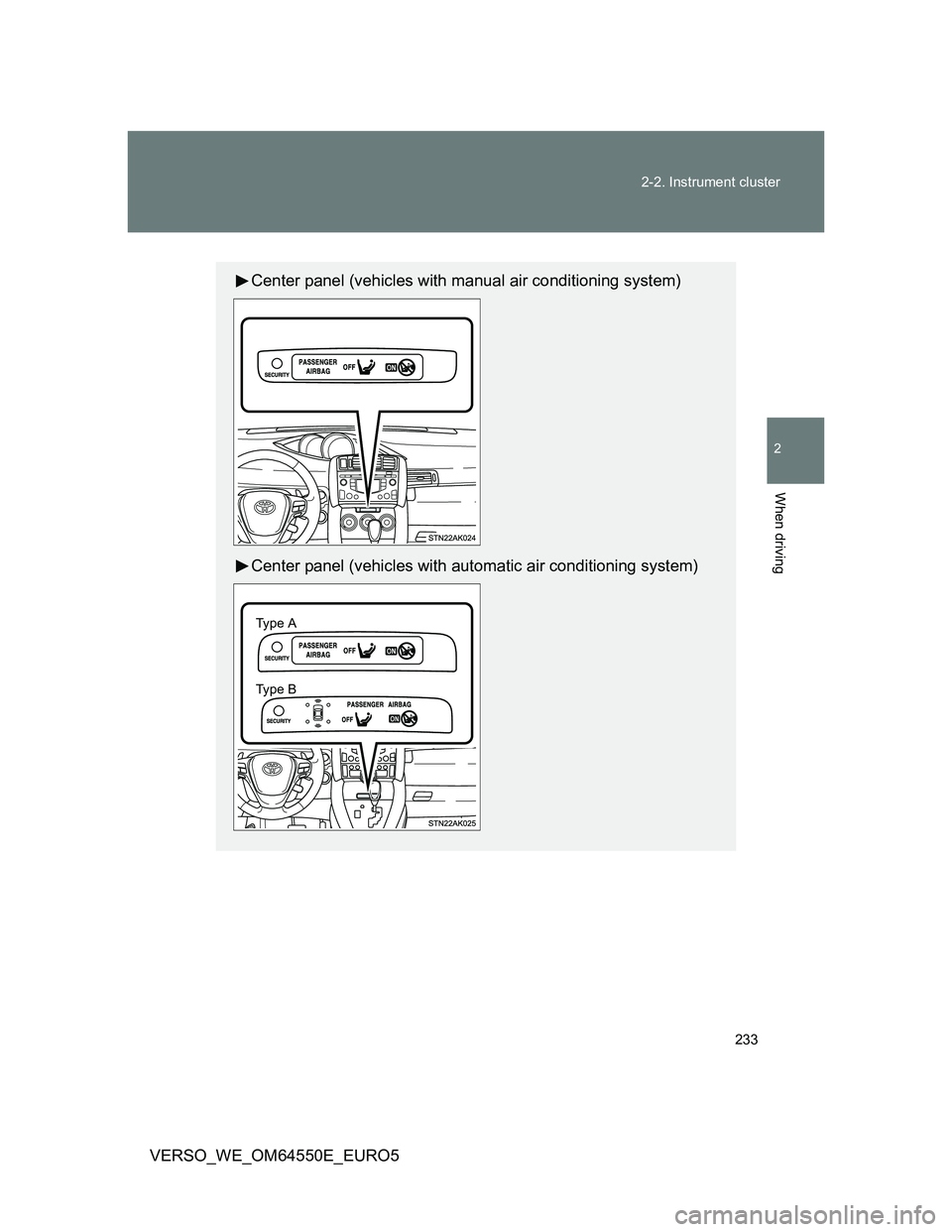
Center panel (vehicles with manual air conditioning system)
Center panel (vehicles with automatic air conditioning system)
Ty pe A
Ty pe B