lock TOYOTA VERSO 2014 Owners Manual
[x] Cancel search | Manufacturer: TOYOTA, Model Year: 2014, Model line: VERSO, Model: TOYOTA VERSO 2014Pages: 650, PDF Size: 36.61 MB
Page 203 of 650
203 2-1. Driving procedures
2
When driving
If the engine does not start
The engine immobilizer system may not have been deactivated. (P. 124)
Contact any authorized Toyota dealer or repairer, or another duly qualified
and equipped professional.
Steering lock
When the “ENGINE START STOP” switch is turned off and then a door is
opened and closed, the steering lock function locks the steering wheel in its
current position. The steering lock is disabled when the “ENGINE START
STOP” switch is operated again.
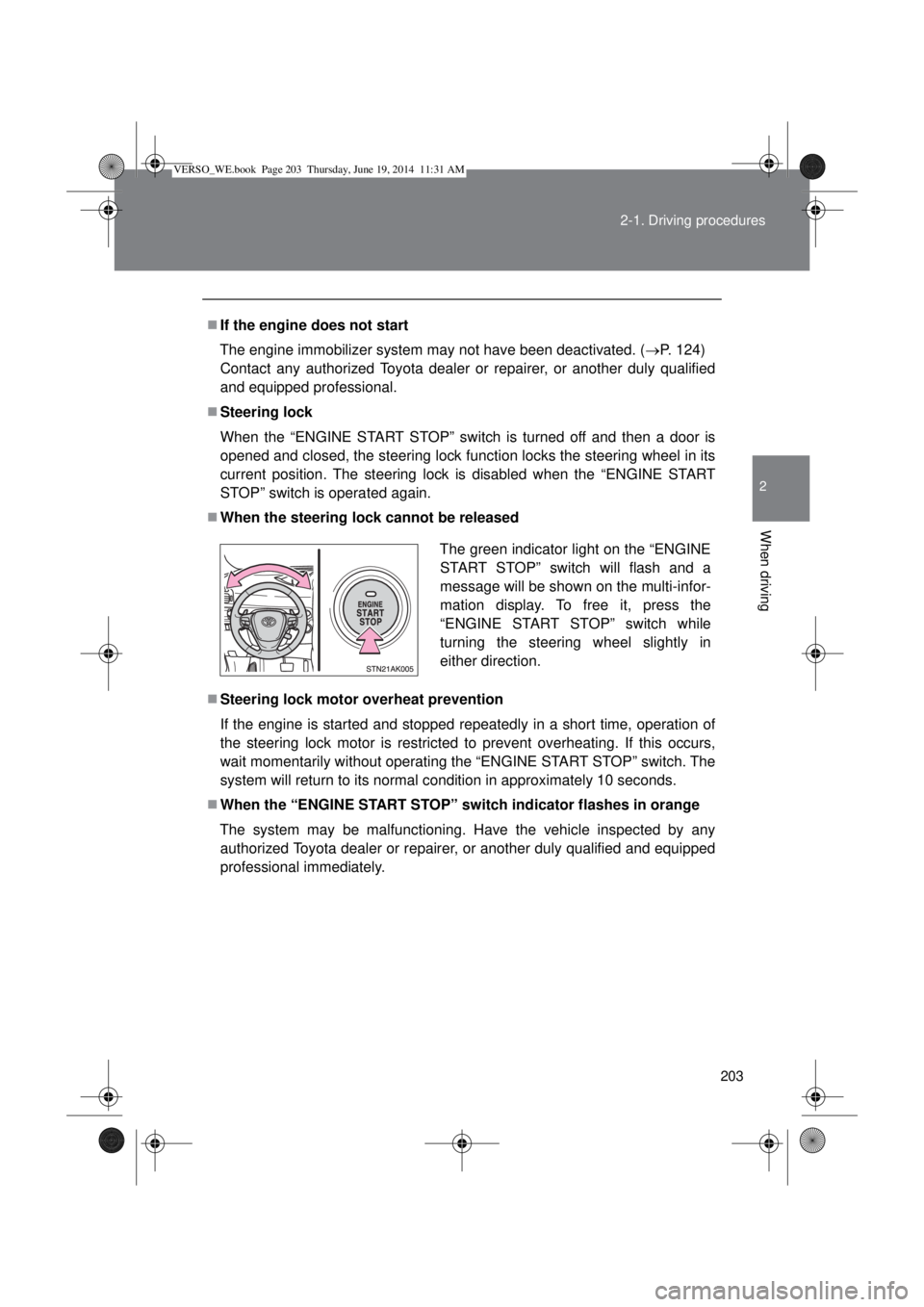
When the steering lock cannot be released
Steering lock motor overheat prevention
If the engine is started and stopped repeatedly in a short time, operation of
the steering lock motor is restricted to prevent overheating. If this occurs,
wait momentarily without operating the “ENGINE START STOP” switch. The
system will return to its normal condition in approximately 10 seconds.
When the “ENGINE START STOP” switch indicator flashes in orange
The system may be malfunctioning. Have the vehicle inspected by any
authorized Toyota dealer or repairer, or another duly qualified and equipped
professional immediately.The green indicator light on the “ENGINE
START STOP” switch will flash and a
message will be shown on the multi-infor-
mation display. To free it, press the
“ENGINE START STOP” switch while
turning the steering wheel slightly in
either direction.
VERSO_WE.book Page 203 Thursday, June 19, 2014 11:31 AM
Page 205 of 650
205 2-1. Driving procedures
2
When driving
CAUTION
Caution while driving
If the vehicle is coasting without engine power, for example if the engine
stalls, do not open a door or operate the locks until the vehicle is completely
stopped in a safe condition. Driving with the steering locked may cause an
accident, resulting in death or serious injury.
Stopping the engine in an emergency
If you want to stop the engine in an emergency while driving the vehicle,
press and hold the “ENGINE START STOP” switch for more than 2 seconds,
or press it briefly 3 times or more in succession. (P. 595)
However, do not touch the “ENGINE START STOP” switch while driving
except in an emergency. Turning the engine off while driving will not cause
loss of steering or braking control, but the power assist to these systems will
be lost. This will make it more difficult to steer and brake, so you should pull
over and stop the vehicle as soon as it is safe to do so.
NOTICE
To prevent battery discharge
Do not leave the “ENGINE START STOP” switch in ACCESSORY or IGNI-
TION ON mode for long periods without the engine running.
When starting the engine
Do not race a cold engine.
If the engine becomes difficult to start or stalls frequently, have your vehi-
cle checked by any authorized Toyota dealer or repairer, or another duly
qualified and equipped professional immediately.
“ENGINE START STOP” switch operation
If you feel something catching or sense irregular resistance when operating
the “ENGINE START STOP” switch, then there may be a malfunction. Imme-
diately contact any authorized Toyota dealer or repairer, or another duly
qualified and equipped professional.
VERSO_WE.book Page 205 Thursday, June 19, 2014 11:31 AM
Page 211 of 650

211 2-1. Driving procedures
2
When driving
Automatic deactivation of “SPORT” mode
Vehicles without smart entry & start system
If the engine switch is turned to the “LOCK” position after driving in
“SPORT” mode, the mode is automatically deactivated.
Vehicles with smart entry & start system
If the “ENGINE START STOP” switch is turned off after driving in
“SPORT” mode, the mode is automatically deactivated.
If the shift lever cannot be shifted from “P”
P. 579
If the “M” indicator is not displayed after shifting the shift lever to the
“M” position
If the display does not change to “M” on an occasion other than that
described above, it may indicate a malfunction in the transmission system.
Have your vehicle inspected by any authorized Toyota dealer or repairer, or
another duly qualified and equipped professional immediately.
Automatic gear step selection
When the vehicle comes to a stop, the transmission will automatically down-
shift to allow you to start off in 1st step.
VERSO_WE.book Page 211 Thursday, June 19, 2014 11:31 AM
Page 217 of 650

217 2-1. Driving procedures
2
When driving
Paddle shift switch
When the “-” paddle shift switch is operated in the “D” position, a shift
range will be automatically selected. The highest gear of the first shift
range will be one gear lower than the gear in use during normal “D” posi-
tion driving.
Automatic deactivation of shift range selection in the “D” position.
Shift range selection in the “D” position will be deactivated in the follow-
ing situations:
• The “+” paddle shift switch is held down for a period of time
• When the vehicle comes to a stop
• If the accelerator pedal is depressed for longer than a certain period of
time in one shift range
Downshifting restrictions warning buzzer
To help ensure safety and driving performance, downshifting operation may
sometimes be restricted. In some circumstances, downshifting may not be
possible even when the shift lever or paddle shift switches are operated.
(The warning buzzer will sound twice.)
When driving with cruise control activated (if equipped)
Even when performing the following actions with the intent of enabling
engine braking, engine braking will not activate because cruise control will
not be canceled.
• While driving in “D” or “M” mode, downshifting to “5” or “4”.
(P. 214215)
• When switching the driving mode to “SPORT” mode while driving in “D”
position. (P. 213)
Automatic deactivation of “SPORT” mode
Vehicles without smart entry & start system
If the engine switch is turned to the “LOCK” position after driving in
“SPORT” mode, the mode is automatically deactivated.
Vehicles with smart entry & start system
If the “ENGINE START STOP” switch is turned off after driving in
“SPORT” mode, the mode is automatically deactivated.
VERSO_WE.book Page 217 Thursday, June 19, 2014 11:31 AM
Page 227 of 650
227
2-1. Driving procedures
2
When driving
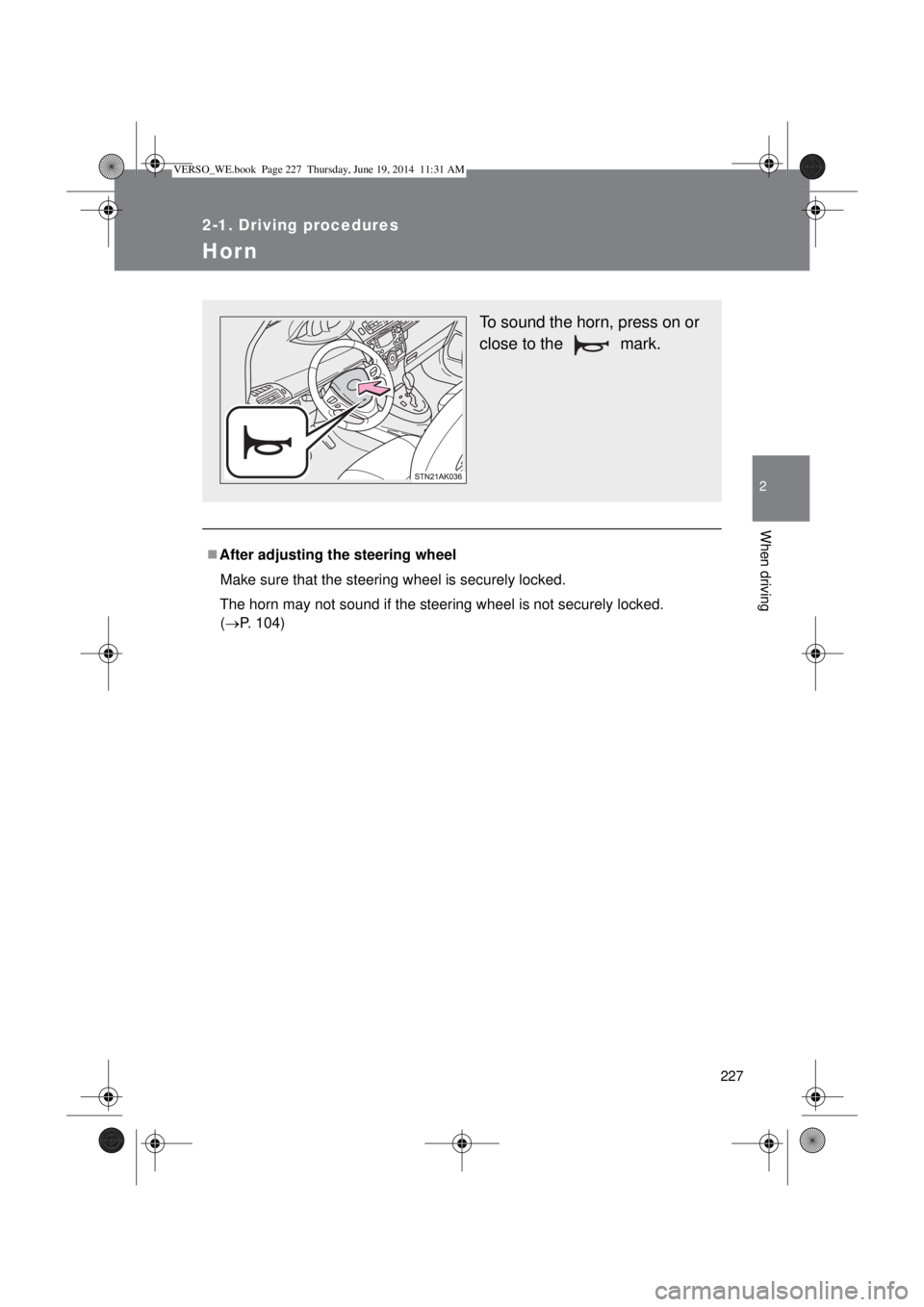
Hor n
After adjusting the steering wheel
Make sure that the steering wheel is securely locked.
The horn may not sound if the steering wheel is not securely locked.
(P. 104)
To sound the horn, press on or
close to the mark.
VERSO_WE.book Page 227 Thursday, June 19, 2014 11:31 AM
Page 231 of 650
231 2-2. Instrument cluster
2
When driving
Trip meter B
Displays the distance the vehicle has been driven since the meter
was last reset.
Press and hold the button will reset.
Stop & Start system operation time (if equipped)
Displays the amount of time the engine was stopped due to opera-
tion of the Stop & Start system during the current trip.
Vehicles without smart entry & start system:
From the engine switch in the “ON” position to the engine switch in
the “LOCK” position.
Vehicles with smart entry & start system:
From the “ENGINE START STOP” switch in IGNITION ON mode
to the “ENGINE START STOP” switch off.
Stop & Start system total operation time (if equipped)
Displays the total amount of time that the engine has been stopped
due to operation of the Stop & Start system since the system was
last reset.
Maintenance required information (1WW-FHV engine only)
Displays the remaining distance until the engine oil should be
changed. If “-” is displayed before distance, it means oil mainte-
nance is overdue. Have the engine oil changed by any authorized
Toyota dealer or repairer, or another duly qualified and equipped
professional.
• Displays the Maintenance required information when the engine switch
is turned to the “ON” position (vehicles without smart entry & start sys-
tem) or the “ENGINE START STOP” is switched to IGNITION ON mode
(vehicles with smart entry & start system).
• Maintenance required information reset method (P. 428).
VERSO_WE.book Page 231 Thursday, June 19, 2014 11:31 AM
Page 242 of 650
242 2-2. Instrument cluster
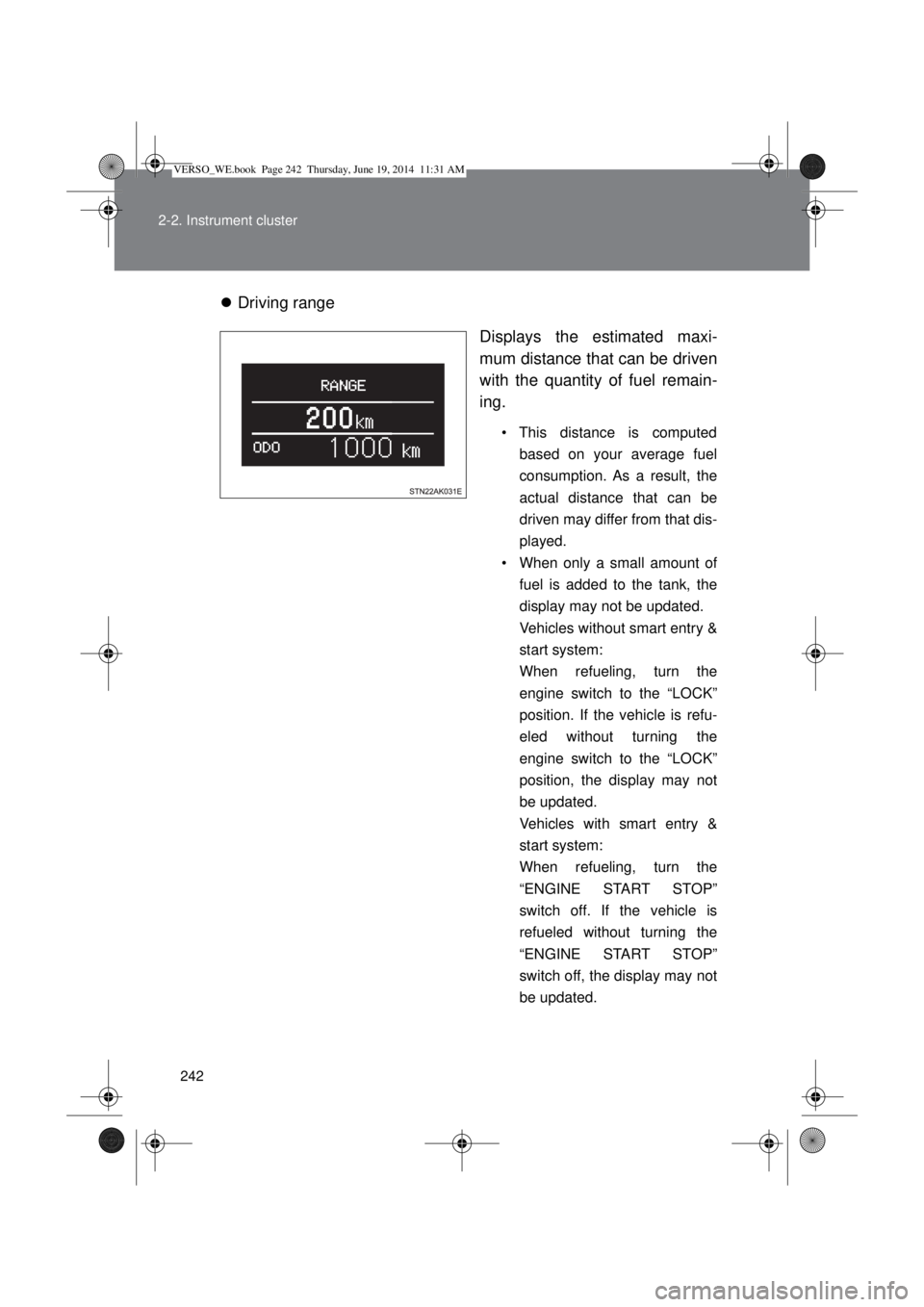
Driving range
Displays the estimated maxi-
mum distance that can be driven
with the quantity of fuel remain-
ing.
• This distance is computed
based on your average fuel
consumption. As a result, the
actual distance that can be
driven may differ from that dis-
played.
• When only a small amount of
fuel is added to the tank, the
display may not be updated.
Vehicles without smart entry &
start system:
When refueling, turn the
engine switch to the “LOCK”
position. If the vehicle is refu-
eled without turning the
engine switch to the “LOCK”
position, the display may not
be updated.
Vehicles with smart entry &
start system:
When refueling, turn the
“ENGINE START STOP”
switch off. If the vehicle is
refueled without turning the
“ENGINE START STOP”
switch off, the display may not
be updated.
VERSO_WE.book Page 242 Thursday, June 19, 2014 11:31 AM
Page 245 of 650
245 2-2. Instrument cluster
2
When driving
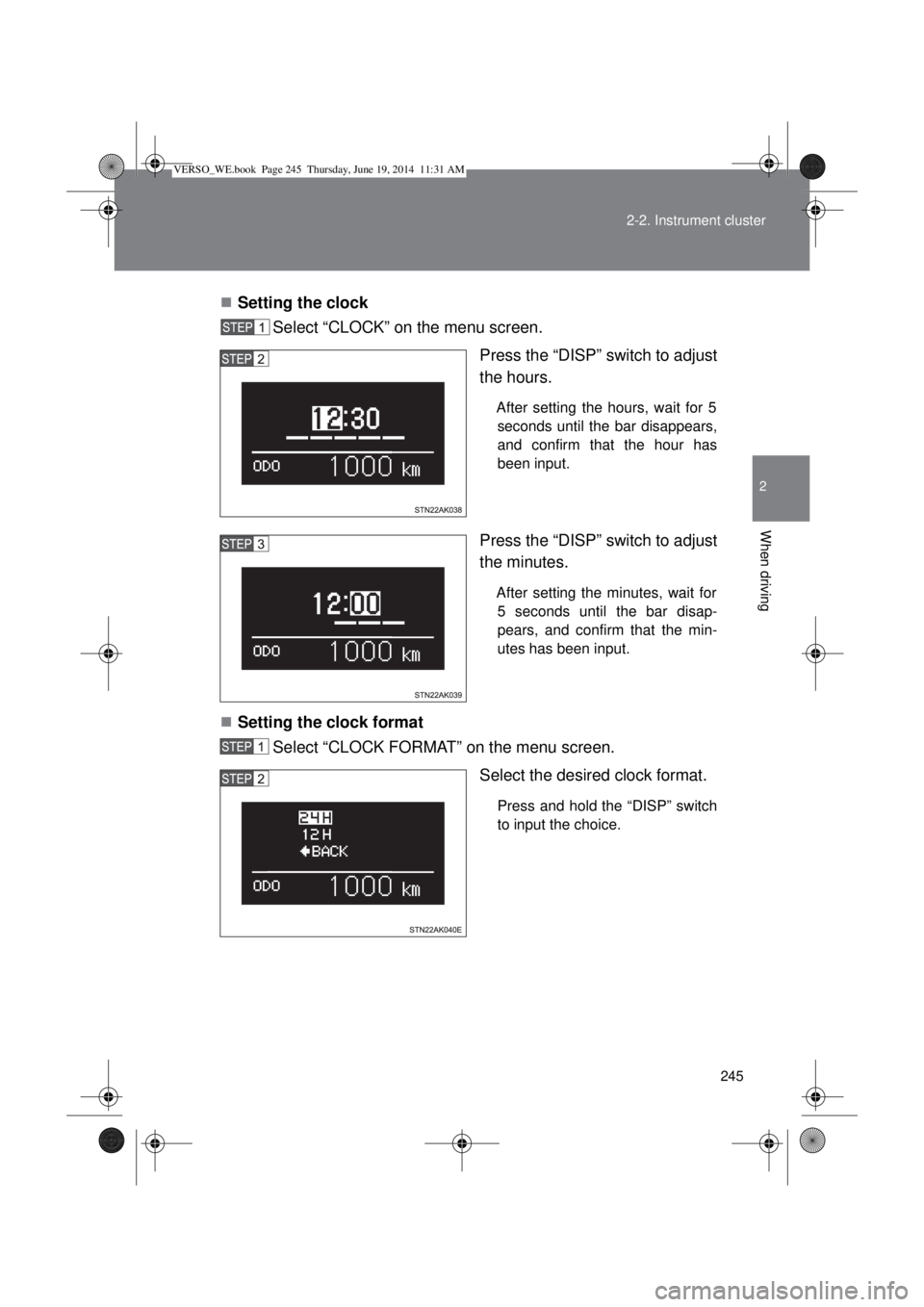
Setting the clock
Select “CLOCK” on the menu screen.
Press the “DISP” switch to adjust
the hours.
After setting the hours, wait for 5
seconds until the bar disappears,
and confirm that the hour has
been input.
Press the “DISP” switch to adjust
the minutes.
After setting the minutes, wait for
5 seconds until the bar disap-
pears, and confirm that the min-
utes has been input.
Setting the clock format
Select “CLOCK FORMAT” on the menu screen.
Select the desired clock format.
Press and hold the “DISP” switch
to input the choice.
VERSO_WE.book Page 245 Thursday, June 19, 2014 11:31 AM
Page 255 of 650
255 2-3. Operating the lights and wipers
2
When driving
If any of the following occurs during the deactivation/reactivation opera-
tion, the deactivation/reactivation operation will be canceled:
• The engine is turned off.
• The parking brake is released.
• The vehicle is moving.
• The headlights are turned on.
• The tail lights are turned on.
• The automatic headlight system is turned on.
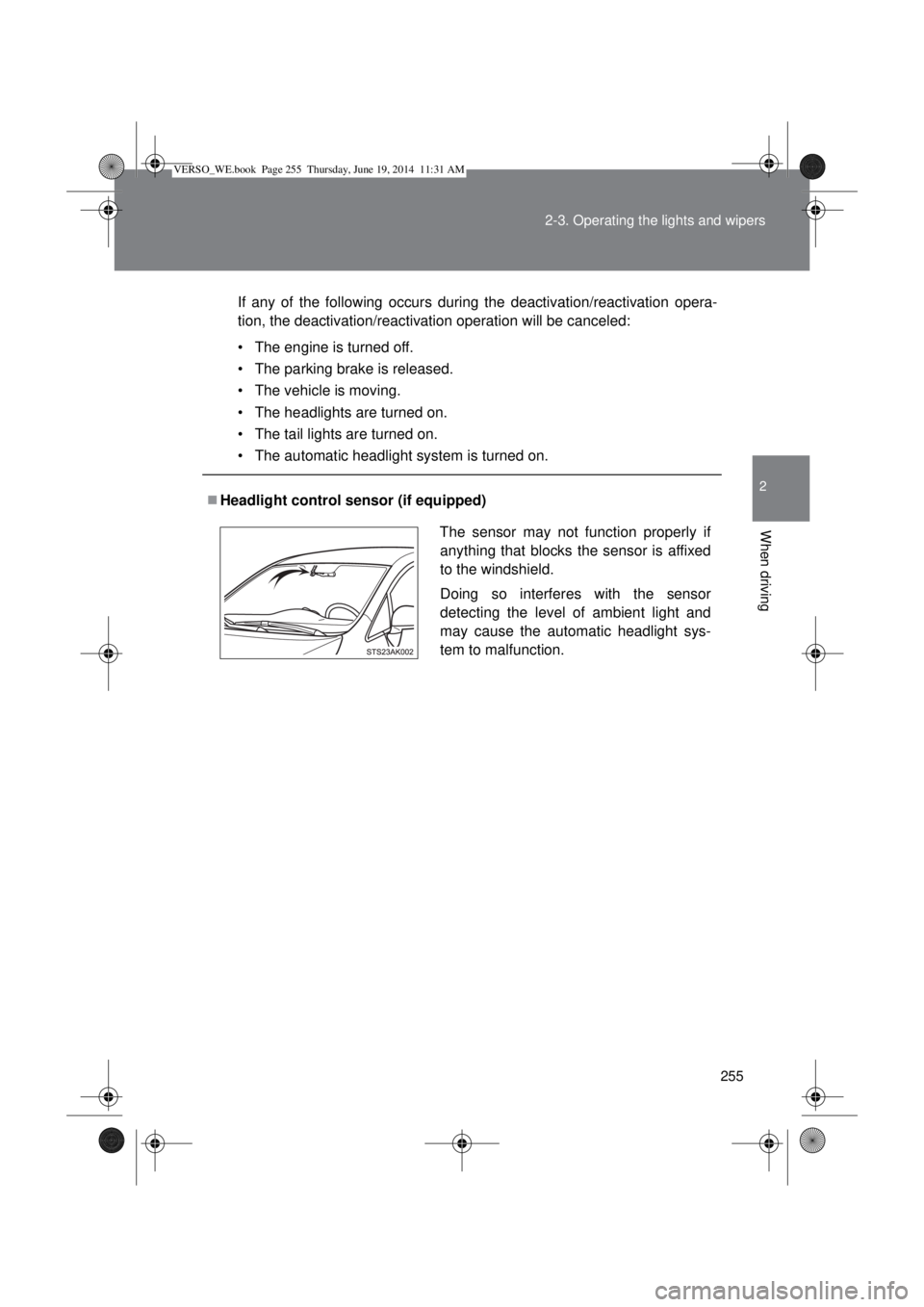
Headlight control sensor (if equipped)
The sensor may not function properly if
anything that blocks the sensor is affixed
to the windshield.
Doing so interferes with the sensor
detecting the level of ambient light and
may cause the automatic headlight sys-
tem to malfunction.
VERSO_WE.book Page 255 Thursday, June 19, 2014 11:31 AM
Page 256 of 650
256 2-3. Operating the lights and wipers
Automatic light off system
Vehicles without smart entry & start system
When the light switch is in the position, the headlight and all the
lights turn off automatically if the engine switch is turned to the “ACC”
or “LOCK” position.
When the light switch is in the or position, the headlights
and front fog lights turn off automatically if the engine switch is turned
to the “ACC” or “LOCK” position.
To turn the lights on again, turn the engine switch to the “ON” position, or
turn the light switch off once and then back to the or position.
Vehicles with smart entry & start system
When the light switch is in the position, the headlight and all the
lights turn off automatically if the “ENGINE START STOP” switch is
turned to ACCESSORY mode or turned off.
When the light switch is in the or position, the headlights
and front fog lights turn off automatically if the “ENGINE START STOP”
switch is turned to ACCESSORY mode or turned off.
To turn the lights on again, turn to IGNITION ON mode, or turn the light
switch off once and then back to the or position.
Light reminder buzzer
Vehicles without smart entry & start system
A buzzer sounds when the engine switch is turned to the “LOCK” or
“ACC” position and the driver’s door is opened while the lights are turned
on.
Vehicles with smart entry & start system
A buzzer sounds when the “ENGINE START STOP” switch is turned off or
to the ACCESSORY mode and the driver’s door is opened while the lights
are turned on.
Automatic headlight leveling system (vehicles with discharge head-
lights)
The level of the headlights is automatically adjusted according to the number
of passengers and the loading condition of the vehicle to ensure that the
headlights do not interfere with other road users.
VERSO_WE.book Page 256 Thursday, June 19, 2014 11:31 AM