ESP TOYOTA VERSO 2014 Owner's Manual
[x] Cancel search | Manufacturer: TOYOTA, Model Year: 2014, Model line: VERSO, Model: TOYOTA VERSO 2014Pages: 650, PDF Size: 36.61 MB
Page 331 of 650
331 3-2. Using the audio system
3
Interior features
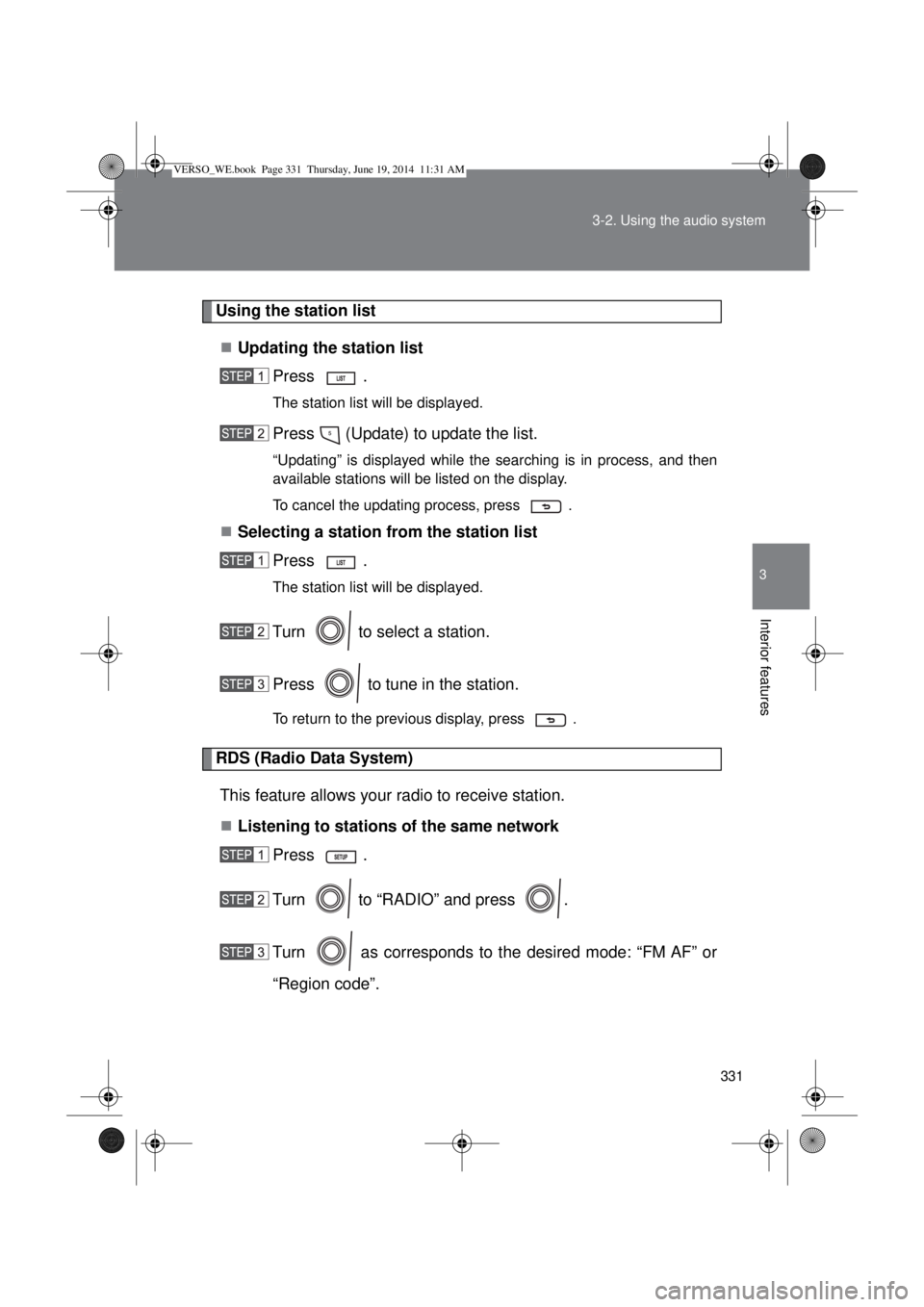
Using the station list
Updating the station list
Press .
The station list will be displayed.
Press (Update) to update the list.
“Updating” is displayed while the searching is in process, and then
available stations will be listed on the display.
To cancel the updating process, press .
Selecting a station from the station list
Press .
The station list will be displayed.
Turn to select a station.
Press to tune in the station.
To return to the previous display, press .
RDS (Radio Data System)
This feature allows your radio to receive station.
Listening to stations of the same network
Press .
Turn to “RADIO” and press .
Turn as corresponds to the desired mode: “FM AF” or
“Region code”.
VERSO_WE.book Page 331 Thursday, June 19, 2014 11:31 AM
Page 349 of 650
349 3-2. Using the audio system
3
Interior features
About iPod
Apple is not responsible for the operation of this device or its compliance
with safety and regulatory standards.
iPod is a trademark of Apple Inc., registered in the U.S. and other coun-
tries.
iPod functions
When an iPod is connected and the audio source is changed to iPod
mode, the iPod will resume play from the same point in which it was last
used.
Depending on the iPod that is connected to the system, certain functions
may not be available. If a function is unavailable due to a malfunction (as
opposed to a system specification), disconnecting the device and recon-
necting it once again may resolve the problem.
While connected to the system, the iPod cannot be operated with its own
controls. It is necessary to use the controls of the vehicle’s audio system
instead.
iPod problems
To resolve most problems encountered when using your iPod, disconnect
your iPod from the vehicle iPod connection and reset it.
For instructions on how to reset your iPod, refer to your iPod Owner’s Man-
ual.
Display
P. 336
Error messages
“ERROR”: This indicates a problem in the iPod or its connection.
“NO SONGS”: This indicates that there is no music data in the iPod.
“NO PLAYLIST”: This indicates that some available songs are not found in
a selected playlist.
“UPDATE YOUR iPOD”: This indicates that the version of the iPod is not
compatible. Upgrade your iPod software to the lat-
est version.
VERSO_WE.book Page 349 Thursday, June 19, 2014 11:31 AM
Page 355 of 650
355 3-2. Using the audio system
3
Interior features
USB memory
Compatible devices
USB memory that can be used for MP3 and WMA playback
Compatible device formats
The following device formats can be used:
• USB communication formats: USB2.0 FS (12 mbps)
• File formats: FAT16/32 (Windows)
• Correspondence class: Mass storage class
MP3 and WMA files written in any format other than those listed above
may not play correctly, and their file names and folder names may not be
displayed correctly.
Items related to standards and limitations are as follows:
• Maximum directory hierarchy: 8 levels
• Maximum number of folders in a device: 999 (including the root)
• Maximum number of files in a device: 9999
• Maximum number of files per folder: 255
MP3 and WMA files
MP3 (MPEG Audio LAYER 3) is a standard audio compression format.
Files can be compressed to approximately 1/10 of their original size using
MP3 compression.
WMA (Windows Media Audio) is a Microsoft audio compression format.
This format compresses audio data to a size smaller than that of the MP3
format.
There is a limit to the MP3 and WMA file standards that can be used and
to the media/formats on which the files are recorded.
VERSO_WE.book Page 355 Thursday, June 19, 2014 11:31 AM
Page 359 of 650
359
3-2. Using the audio system
3
Interior features
Optimal use of the audio system
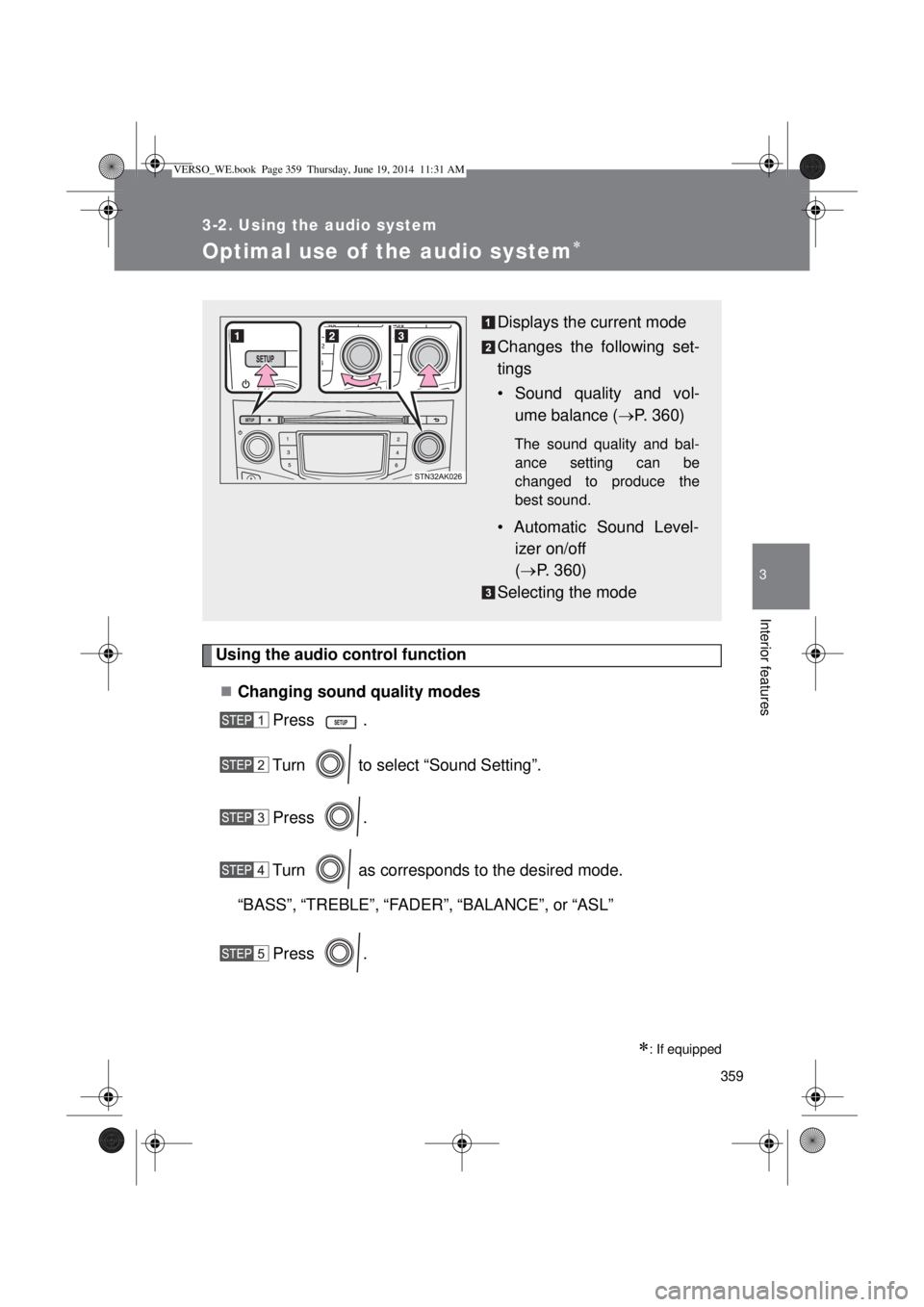
Using the audio control function
Changing sound quality modes
Press .
Turn to select “Sound Setting”.
Press .
Turn as corresponds to the desired mode.
“BASS”,“TREBLE”,“FADER”,“BALANCE”, or“ASL”
Press .
: If equipped
Displays the current mode
Changes the following set-
tings
• Sound quality and vol-
ume balance (P. 360)
The sound quality and bal-
ance setting can be
changed to produce the
best sound.
• Automatic Sound Level-
izer on/off
(P. 360)
Selecting the mode
VERSO_WE.book Page 359 Thursday, June 19, 2014 11:31 AM
Page 391 of 650
391 3-5. Other interior features
3
Interior features
CAUTION
Observe the following precautions.
Failure to do so may cause the driver’s floor mat to slip, possibly interfering
with the pedals while driving. An unexpectedly high speed may result or it may
become difficult to stop the vehicle, leading to a serious accident.
When installing the driver’s floor mat
Do not use floor mats designed for other models or different model year
vehicles, even if they are Toyota Genuine floor mats.
Only use floor mats designed for the driver’s seat.
Always install the floor mat securely using the retaining hooks (clips) pro-
vided.
Do not use two or more floor mats on top of each other.
Do not place the floor mat bottom-side up or upside-down.
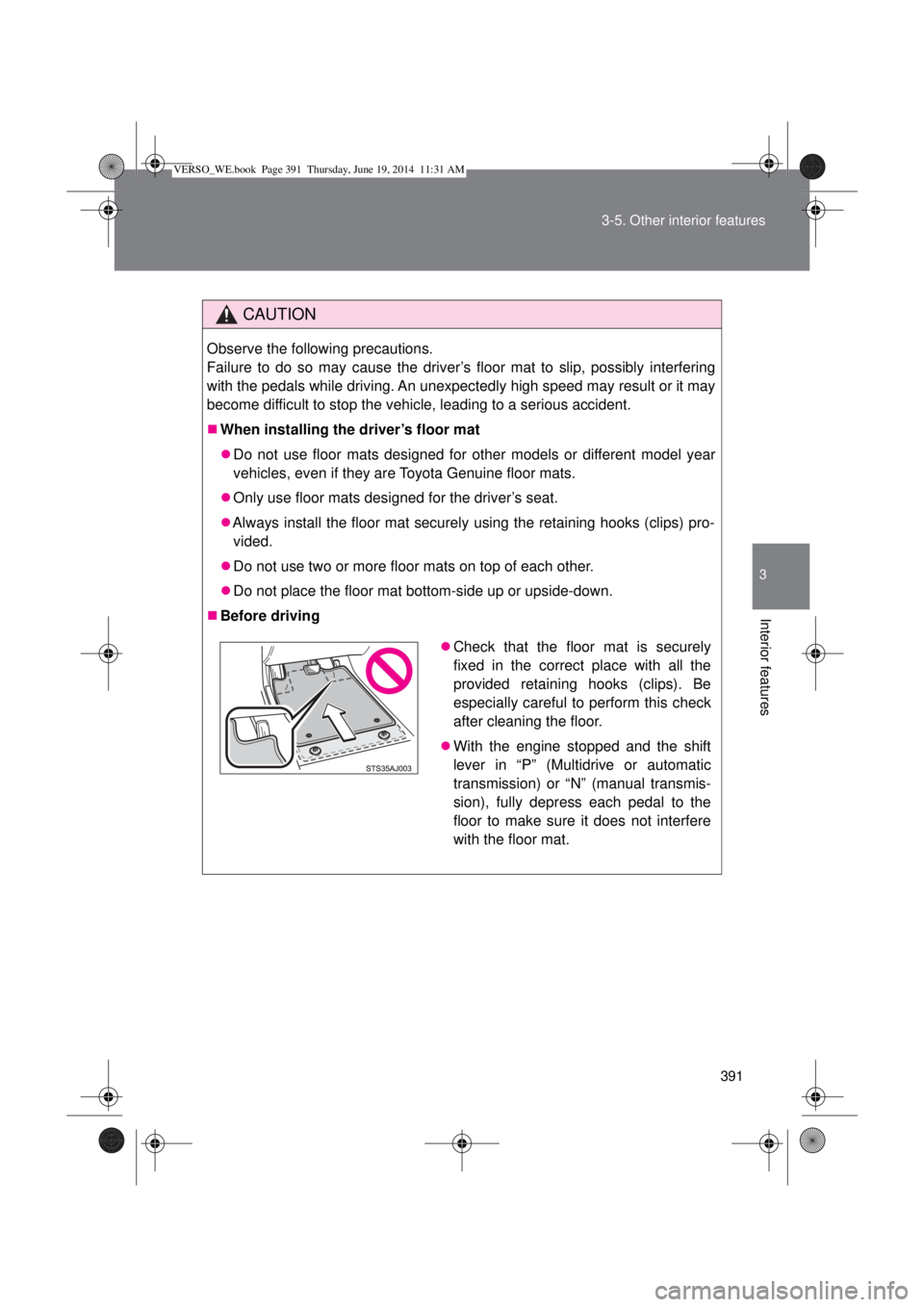
Before driving
Check that the floor mat is securely
fixed in the correct place with all the
provided retaining hooks (clips). Be
especially careful to perform this check
after cleaning the floor.
With the engine stopped and the shift
lever in “P” (Multidrive or automatic
transmission) or “N” (manual transmis-
sion), fully depress each pedal to the
floor to make sure it does not interfere
with the floor mat.
VERSO_WE.book Page 391 Thursday, June 19, 2014 11:31 AM
Page 407 of 650
407 4-1. Maintenance and care
4
Maintenance and care
Caring for leather areas
Toyota recommends cleaning the interior of the vehicle at least twice a year
to maintain the quality of the vehicle’s interior.
Shampooing the carpets
There are several commercial foaming-type cleaners available. Use a
sponge or brush to apply the foam. Rub in overlapping circles. Do not apply
water. Excellent results are obtained by keeping the carpet as dry as possi-
ble.
Seat belts
Clean with mild soap and lukewarm water using a cloth or sponge. Also
check the belts periodically for excessive wear, fraying or cuts.
CAUTION
Water in the vehicle
Do not splash or spill liquid in the vehicle. Doing so may cause electrical
components etc. to malfunction or catch fire.
Do not get any of the SRS components or wiring in the vehicle interior wet.
(P. 148)
Electrical malfunction may cause the airbags to deploy or not function
properly, resulting in death or severe injury.
Cleaning the interior (especially instrument panel)
Do not use polish wax or polish cleaner. The instrument panel may reflect off
the windshield, obstructing the driver’s view and leading to an accident,
resulting in death or serious injury.
VERSO_WE.book Page 407 Thursday, June 19, 2014 11:31 AM
Page 408 of 650

408 4-1. Maintenance and care
NOTICE
Cleaning detergents
Do not use organic substances such as benzene or gasoline, acidic or
alkaline solutions, dye, bleach or other detergent. Doing so may discolor
the vehicle interior or cause streaks or damage to painted surfaces.
Do not use polish wax or polish cleaner. The instrument panel’s or other
interior part’s painted surface may be damaged.
Preventing damage to leather surfaces
Observe the following precautions to avoid damage to and deterioration of
leather surfaces.
Remove any dust or dirt on leather surfaces immediately.
Do not expose the vehicle to direct sunlight for extended periods of time.
Park the vehicle in the shade, especially during summer.
Do not place items made of vinyl, plastic, or that contain wax on the uphol-
stery, as they may stick to the leather surface if the vehicle interior heats
up significantly.
Water on the floor
Do not wash the vehicle floor with water.
Vehicle systems such as the audio system may be damaged if water comes
into contact with electrical components under the floor of the vehicle, and
may also cause the body to rust.
Cleaning the inside of the rear window
Do not use glass cleaner to clean the rear window, as this may cause
damage to the rear window defogger heater wires. Use a cloth dampened
with lukewarm water to gently wipe the window clean. Wipe the window in
strokes running parallel to the heater wires.
Be careful not to scratch or damage the heater wires.
VERSO_WE.book Page 408 Thursday, June 19, 2014 11:31 AM
Page 572 of 650

572 5-2. Steps to take in an emergency
Emergency tire puncture repair kit
The sealant stored in the emergency tire puncture repair kit can be used
only once to temporarily repair a single tire. If the sealant has been used
and needs to be replaced, purchase a new bottle at any authorized Toy-
ota dealer or repairer, or another duly qualified and equipped profes-
sional. The compressor is reusable.
The sealant can be used when the outside temperature is from -30°C
(-22°F) to 60°C (140°F).
The repair kit is exclusively designed for size and type of tires originally
installed on your vehicle. Do not use it for tires that a different size than
the original ones, or for any other purposes.
The sealant has a limited lifespan. The expiry date is marked on the bot-
tle. The bottle of sealant should be replaced with a new bottle before the
expiry date. Contact any authorized Toyota dealer or repairer, or another
duly qualified and equipped professional for replacement.
If the sealant gets on your clothes, it may stain.
If the sealant adheres to a wheel or the surface of the vehicle body, the
stain may not be removable if it is not cleaned at once. Immediately wipe
away the sealant with a wet cloth.
During operation of the repair kit, a loud operation noise is produced.
This does not indicate a malfunction.
Do not use to check or to adjust the tire pressure.
VERSO_WE.book Page 572 Thursday, June 19, 2014 11:31 AM
Page 574 of 650
574 5-2. Steps to take in an emergency
CAUTION
Connect the valve and hose securely with the tire installed on the vehicle.
If the hose is not properly connected to the valve, air leakage may occur
as sealant may be sprayed out.
If the hose comes off the valve while inflating the tire, there is a risk that
the hose will move abruptly due to air pressure.
After inflation of the tire has completed, the sealant may splatter when the
hose is disconnected or some air is let out of the tire.
Follow the operation procedure to repair the tire. If the procedures not fol-
lowed, the sealant may spray out.
Keep back from the tire while it is being repaired, as there is a chance of it
bursting while the repair operation is being performed. If you notice any
cracks or deformation of the tire, turn off the compressor switch and stop
the repair operation immediately.
The repair kit may overheat if operated for a long period of time. Do not
operate the repair kit continuously for more than 40 minutes.
Parts of the repair kit become hot during operation. Be careful when han-
dling the repair kit during and after operation. Do not touch the metal part
around the connecting area between the bottle and compressor. It will be
extremely hot.
Do not attach the vehicle speed warning sticker to an area other than the
one indicated. If the sticker is attached to an area where an SRS airbag is
located, such as the pad of the steering wheel, it may prevent the SRS air-
bag from operating properly.
Driving to spread the liquid sealant evenly
Observe the following precautions to reduce the risk of accidents.
Failing to do so may result in a loss of vehicle control and cause death or
serious injury.
Drive the vehicle carefully at a low speed. Be especially careful when turn-
ing and cornering.
If the vehicle does not drive straight or you feel a pull through the steering
wheel, stop the vehicle and check the following.
• Tire condition. The tire may have separated from the wheel.
• Tire inflation pressure. If the tire inflation pressure is 130 kPa (1.3
kgf/cm
2 or bar, 19 psi) or less, the tire may be severely damaged.
VERSO_WE.book Page 574 Thursday, June 19, 2014 11:31 AM
Page 591 of 650
5
591 5-2. Steps to take in an emergency
When trouble arises
If the fan is not operating:
Stop the engine immediately and contact any authorized
Toyota dealer or repairer, or another duly qualified and
equipped professional.
If the fan is operating:
Have the vehicle inspected at the nearest any authorized
Toyota dealer or repairer, or another duly qualified and
equipped professional.
CAUTION
To prevent an accident or injury when inspecting under the hood of
your vehicle
If steam is seen coming from under the hood, do not open the hood until
the steam has subsided. The engine compartment may be very hot, caus-
ing serious injuries such as burns.
Keep hands and clothing (especially a tie, a scarf or a muffler) away from
the fans and belts. Failure to do so may cause the hands or clothing to be
caught, resulting in serious injury.
Do not loosen the coolant reservoir cap while the engine and radiator are
hot.
Serious injury, such as burns, may result from hot coolant and steam
released under pressure.
NOTICE
When adding engine coolant
Wait until the engine has cooled down before adding engine coolant.
When adding coolant, do so slowly. Adding cool coolant to a hot engine too
quickly can cause damage to the engine.
To prevent damage to the cooling system
Observe the following precautions:
Avoid contaminating the coolant with foreign matter (such as sand or dust
etc.).
Do not use any coolant additive.
VERSO_WE.book Page 591 Thursday, June 19, 2014 11:31 AM