light TOYOTA VERSO 2014 Repair Manual
[x] Cancel search | Manufacturer: TOYOTA, Model Year: 2014, Model line: VERSO, Model: TOYOTA VERSO 2014Pages: 650, PDF Size: 36.61 MB
Page 247 of 650
247 2-2. Instrument cluster
2
When driving
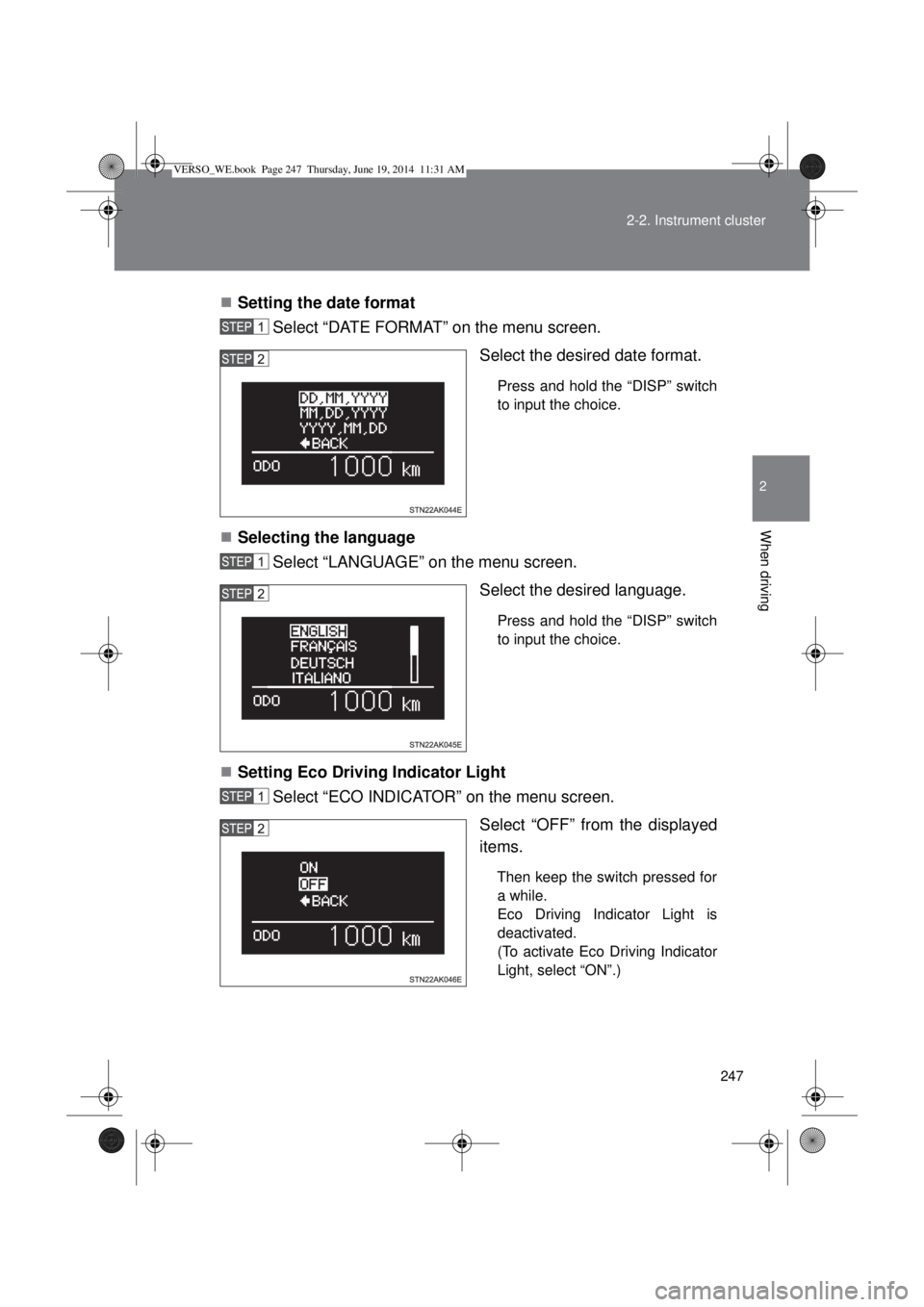
Setting the date format
Select “DATE FORMAT” on the menu screen.
Select the desired date format.
Press and hold the “DISP” switch
to input the choice.
Selecting the language
Select “LANGUAGE” on the menu screen.
Select the desired language.
Press and hold the “DISP” switch
to input the choice.
Setting Eco Driving Indicator Light
Select “ECO INDICATOR” on the menu screen.
Select “OFF” from the displayed
items.
Then keep the switch pressed for
a while.
Eco Driving Indicator Light is
deactivated.
(To activate Eco Driving Indicator
Light, select “ON”.)
VERSO_WE.book Page 247 Thursday, June 19, 2014 11:31 AM
Page 249 of 650
249 2-2. Instrument cluster
2
When driving
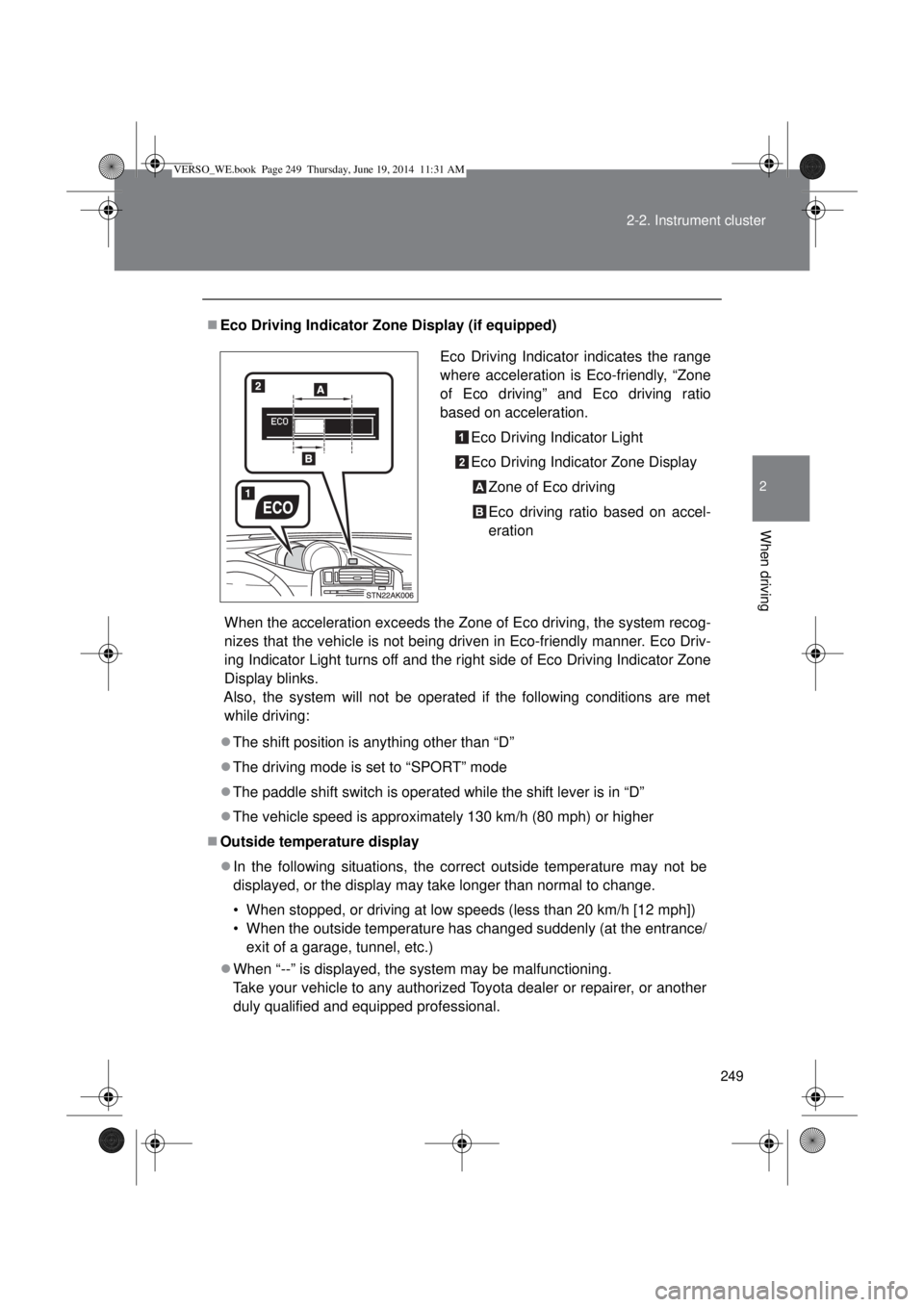
Eco Driving Indicator Zone Display (if equipped)
When the acceleration exceeds the Zone of Eco driving, the system recog-
nizes that the vehicle is not being driven in Eco-friendly manner. Eco Driv-
ing Indicator Light turns off and the right side of Eco Driving Indicator Zone
Display blinks.
Also, the system will not be operated if the following conditions are met
while driving:
The shift position is anything other than “D”
The driving mode is set to “SPORT” mode
The paddle shift switch is operated while the shift lever is in “D”
The vehicle speed is approximately 130 km/h (80 mph) or higher
Outside temperature display
In the following situations, the correct outside temperature may not be
displayed, or the display may take longer than normal to change.
• When stopped, or driving at low speeds (less than 20 km/h [12 mph])
• When the outside temperature has changed suddenly (at the entrance/
exit of a garage, tunnel, etc.)
When “--” is displayed, the system may be malfunctioning.
Take your vehicle to any authorized Toyota dealer or repairer, or another
duly qualified and equipped professional.Eco Driving Indicator indicates the range
where acceleration is Eco-friendly, “Zone
of Eco driving” and Eco driving ratio
based on acceleration.
Eco Driving Indicator Light
Eco Driving Indicator Zone Display
Zone of Eco driving
Eco driving ratio based on accel-
eration
VERSO_WE.book Page 249 Thursday, June 19, 2014 11:31 AM
Page 250 of 650
250 2-2. Instrument cluster
Liquid crystal display
Small spots or light spots may appear on the display. This phenomenon is
characteristic of liquid crystal displays, and there is no problem to continue
using the display.
NOTICE
The multi-information display at low temperatures
Allow the interior of the vehicle to warm up before using the liquid crystal
information display. At extremely low temperatures, the information display
monitor may respond slowly, and display changes may be delayed.
VERSO_WE.book Page 250 Thursday, June 19, 2014 11:31 AM
Page 251 of 650
251
2
When driving
2-3. Operating the lights and wipers
Headlight switch
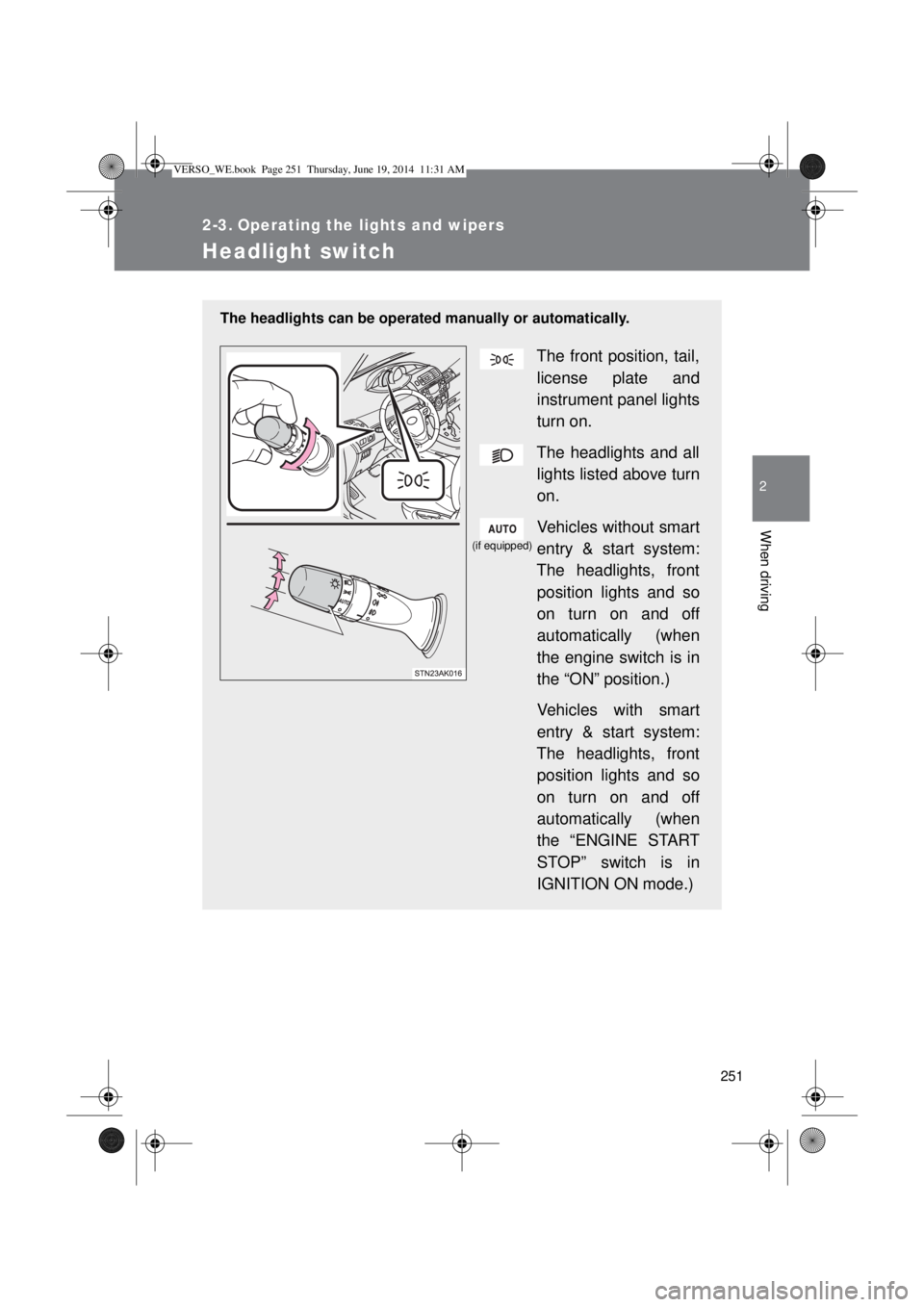
The headlights can be operated manually or automatically.
The front position, tail,
license plate and
instrument panel lights
turn on.
The headlights and all
lights listed above turn
on.
Vehicles without smart
entry & start system:
The headlights, front
position lights and so
on turn on and off
automatically (when
the engine switch is in
the “ON” position.)
Vehicles with smart
entry & start system:
The headlights, front
position lights and so
on turn on and off
automatically (when
the “ENGINE START
STOP” switch is in
IGNITION ON mode.)
(if equipped)
VERSO_WE.book Page 251 Thursday, June 19, 2014 11:31 AM
Page 252 of 650
252 2-3. Operating the lights and wipers
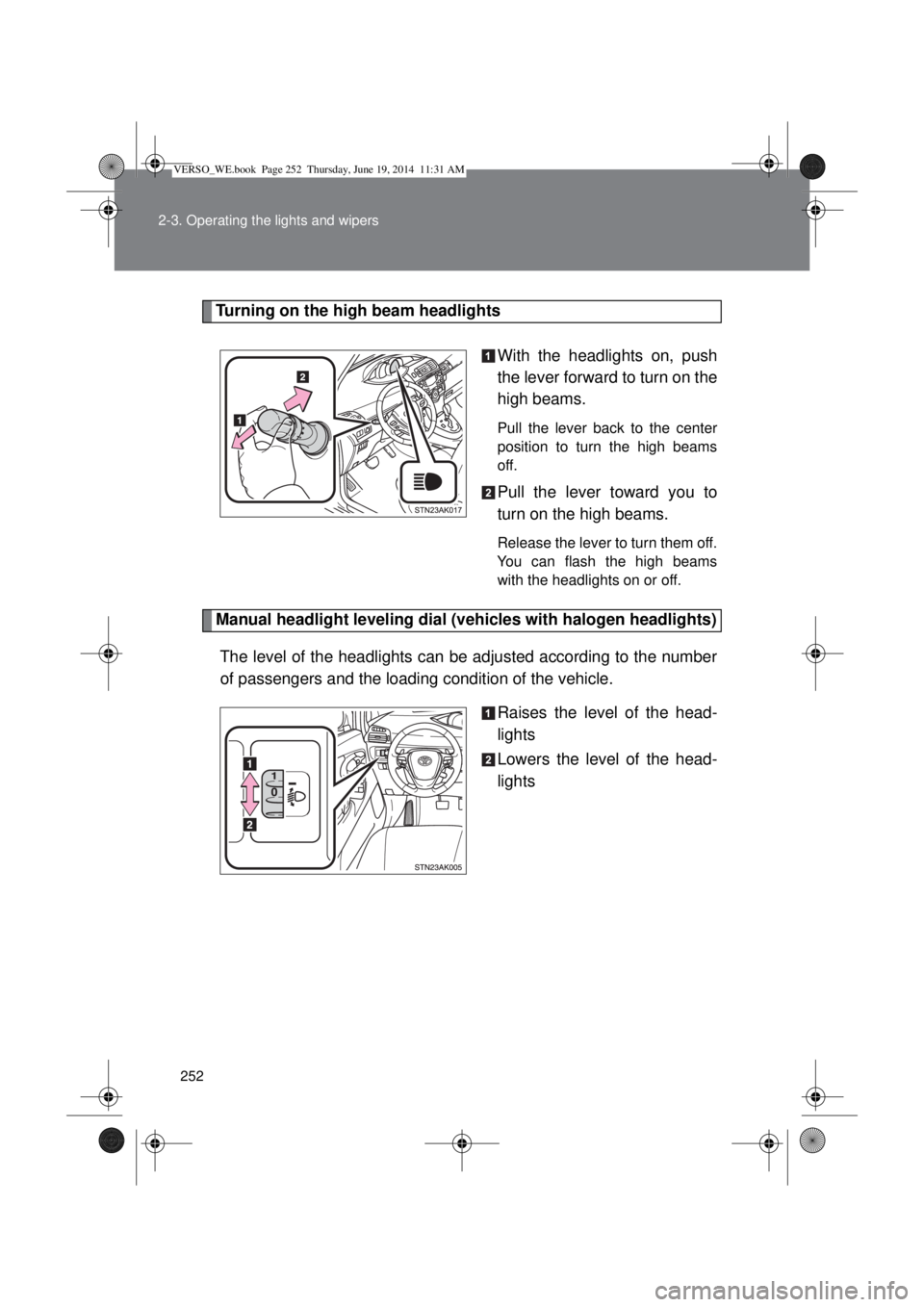
Turning on the high beam headlights
With the headlights on, push
the lever forward to turn on the
high beams.
Pull the lever back to the center
position to turn the high beams
off.
Pull the lever toward you to
turn on the high beams.
Release the lever to turn them off.
You can flash the high beams
with the headlights on or off.
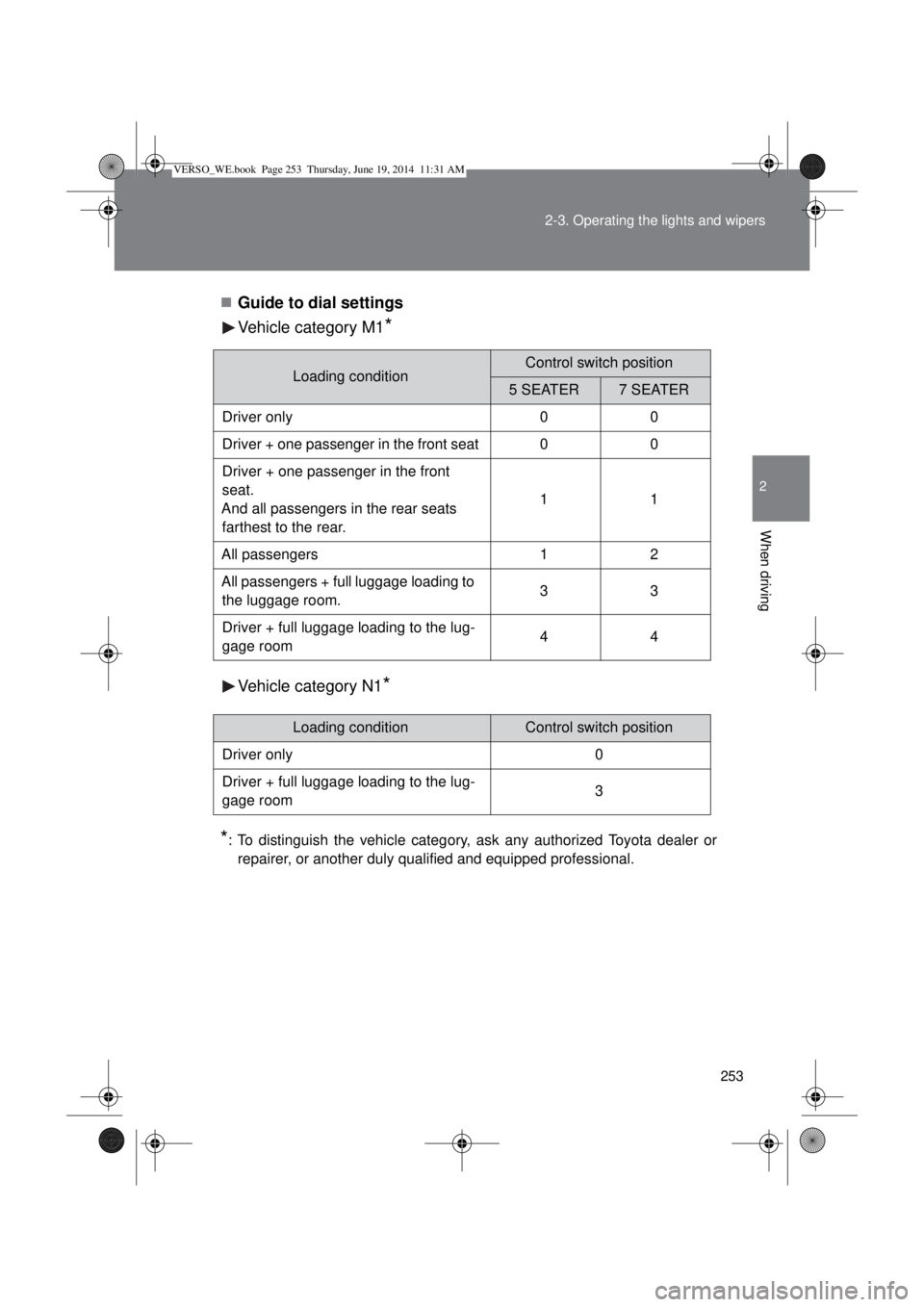
Manual headlight leveling dial (vehicles with halogen headlights)
The level of the headlights can be adjusted according to the number
of passengers and the loading condition of the vehicle.
Raises the level of the head-
lights
Lowers the level of the head-
lights
VERSO_WE.book Page 252 Thursday, June 19, 2014 11:31 AM
Page 253 of 650
253 2-3. Operating the lights and wipers
2
When driving
Guide to dial settings
Vehicle category M1
*
Vehicle category N1*
*
: To distinguish the vehicle category, ask any authorized Toyota dealer or
repairer, or another duly qualified and equipped professional.
Loading conditionControl switch position
5 SEATER7 SEATER
Driver only 0 0
Driver + one passenger in the front seat 0 0
Driver + one passenger in the front
seat.
And all passengers in the rear seats
farthest to the rear.11
All passengers 1 2
All passengers + full luggage loading to
the luggage room.33
Driver + full luggage loading to the lug-
gage room44
Loading conditionControl switch position
Driver only 0
Driver + full luggage loading to the lug-
gage room3
VERSO_WE.book Page 253 Thursday, June 19, 2014 11:31 AM
Page 254 of 650
254 2-3. Operating the lights and wipers
Daytime running light system (if equipped)
To make your vehicle more visible to other drivers, the daytime run-
ning lights turn on automatically whenever the engine is started and
then the parking brake is released. (However, the daytime running
light system will be canceled when the headlight switch is operated
manually or the automatic headlight system turns on the tail lights.)
Daytime running lights are not designed for use at night.
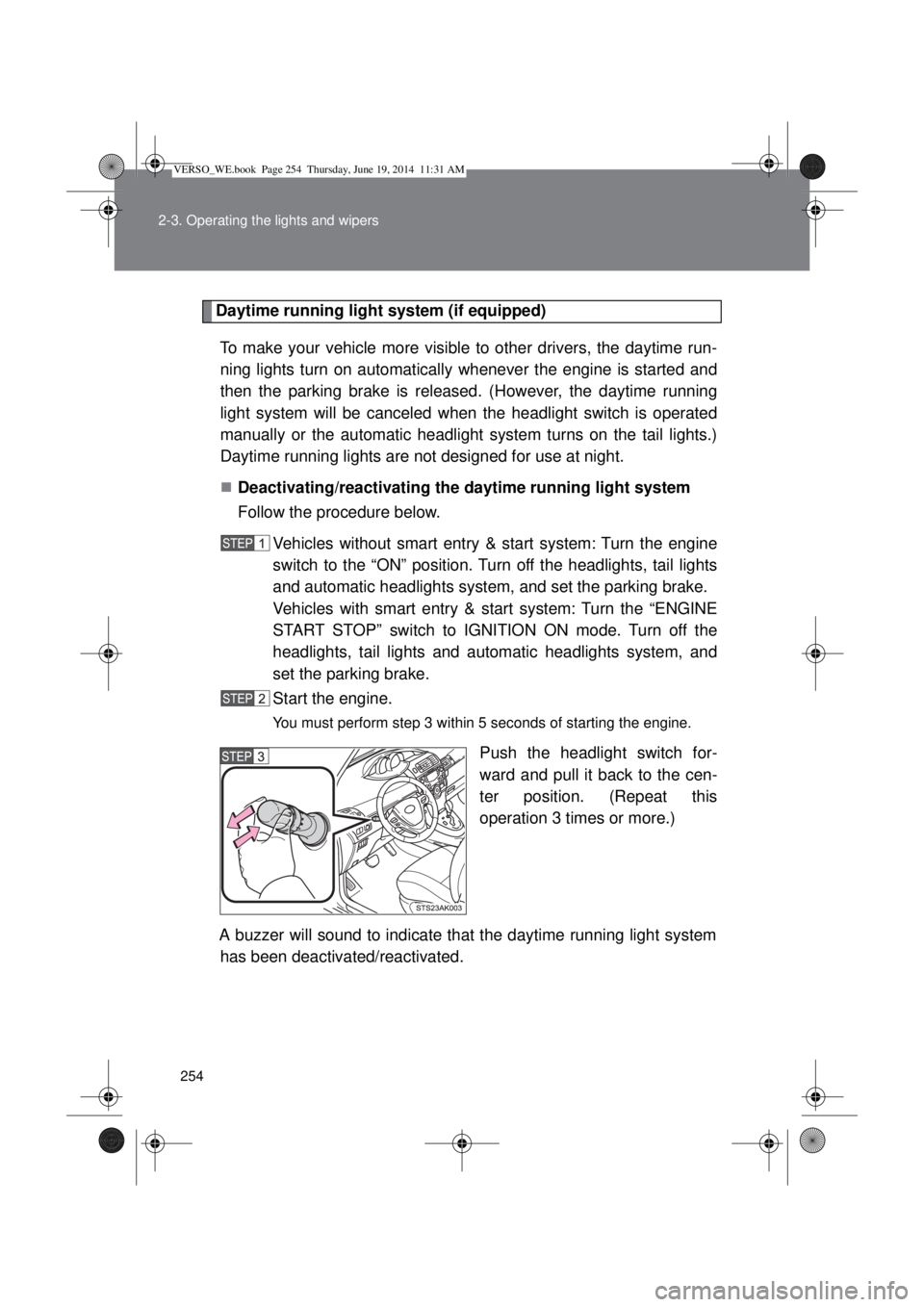
Deactivating/reactivating the daytime running light system
Follow the procedure below.
Vehicles without smart entry & start system: Turn the engine
switch to the “ON” position. Turn off the headlights, tail lights
and automatic headlights system, and set the parking brake.
Vehicles with smart entry & start system: Turn the “ENGINE
START STOP” switch to IGNITION ON mode. Turn off the
headlights, tail lights and automatic headlights system, and
set the parking brake.
Start the engine.
You must perform step 3 within 5 seconds of starting the engine.
Push the headlight switch for-
ward and pull it back to the cen-
ter position. (Repeat this
operation 3 times or more.)
A buzzer will sound to indicate that the daytime running light system
has been deactivated/reactivated.
VERSO_WE.book Page 254 Thursday, June 19, 2014 11:31 AM
Page 255 of 650
255 2-3. Operating the lights and wipers
2
When driving
If any of the following occurs during the deactivation/reactivation opera-
tion, the deactivation/reactivation operation will be canceled:
• The engine is turned off.
• The parking brake is released.
• The vehicle is moving.
• The headlights are turned on.
• The tail lights are turned on.
• The automatic headlight system is turned on.
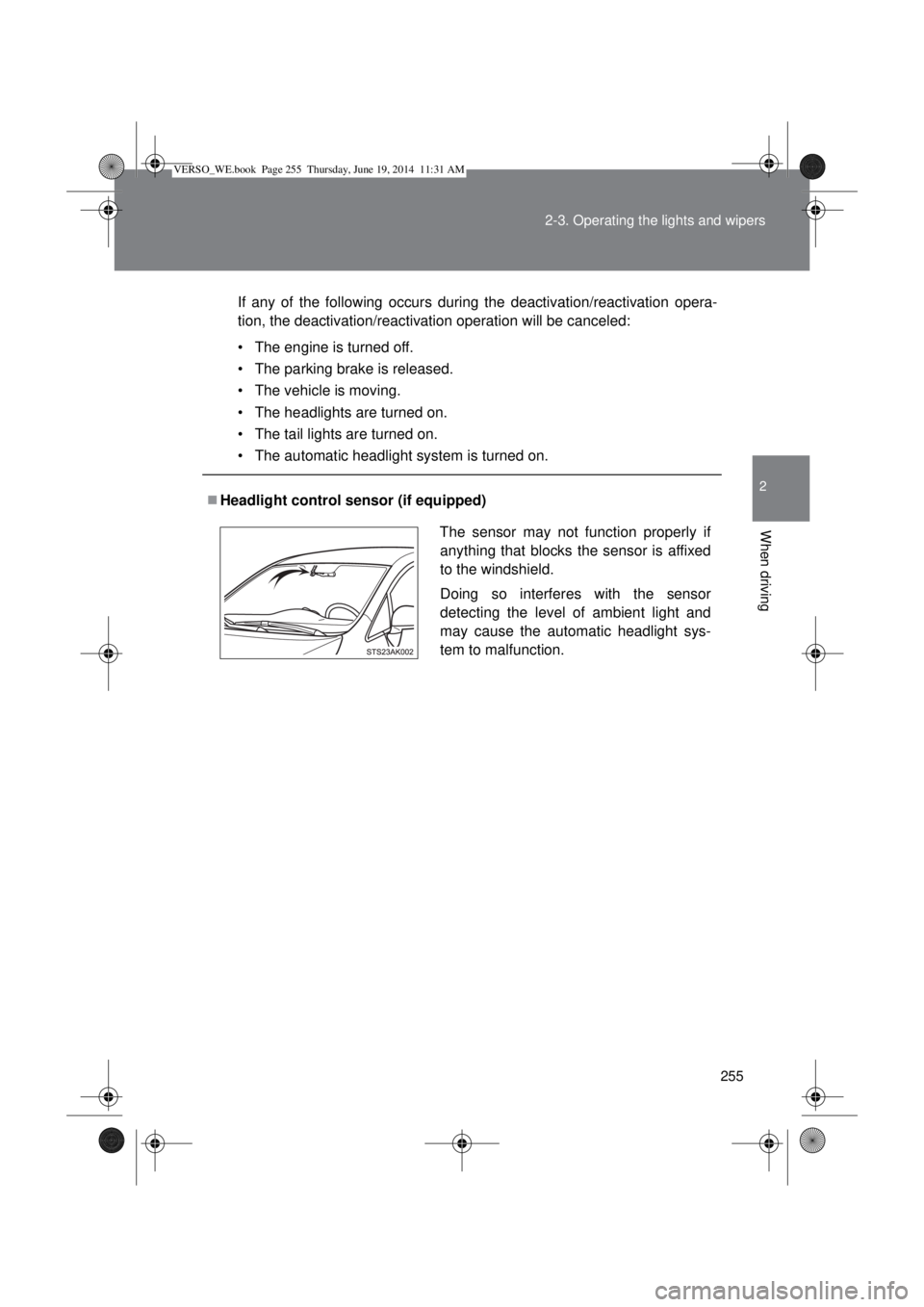
Headlight control sensor (if equipped)
The sensor may not function properly if
anything that blocks the sensor is affixed
to the windshield.
Doing so interferes with the sensor
detecting the level of ambient light and
may cause the automatic headlight sys-
tem to malfunction.
VERSO_WE.book Page 255 Thursday, June 19, 2014 11:31 AM
Page 256 of 650
256 2-3. Operating the lights and wipers
Automatic light off system
Vehicles without smart entry & start system
When the light switch is in the position, the headlight and all the
lights turn off automatically if the engine switch is turned to the “ACC”
or “LOCK” position.
When the light switch is in the or position, the headlights
and front fog lights turn off automatically if the engine switch is turned
to the “ACC” or “LOCK” position.
To turn the lights on again, turn the engine switch to the “ON” position, or
turn the light switch off once and then back to the or position.
Vehicles with smart entry & start system
When the light switch is in the position, the headlight and all the
lights turn off automatically if the “ENGINE START STOP” switch is
turned to ACCESSORY mode or turned off.
When the light switch is in the or position, the headlights
and front fog lights turn off automatically if the “ENGINE START STOP”
switch is turned to ACCESSORY mode or turned off.
To turn the lights on again, turn to IGNITION ON mode, or turn the light
switch off once and then back to the or position.
Light reminder buzzer
Vehicles without smart entry & start system
A buzzer sounds when the engine switch is turned to the “LOCK” or
“ACC” position and the driver’s door is opened while the lights are turned
on.
Vehicles with smart entry & start system
A buzzer sounds when the “ENGINE START STOP” switch is turned off or
to the ACCESSORY mode and the driver’s door is opened while the lights
are turned on.
Automatic headlight leveling system (vehicles with discharge head-
lights)
The level of the headlights is automatically adjusted according to the number
of passengers and the loading condition of the vehicle to ensure that the
headlights do not interfere with other road users.
VERSO_WE.book Page 256 Thursday, June 19, 2014 11:31 AM
Page 257 of 650
257 2-3. Operating the lights and wipers
2
When driving
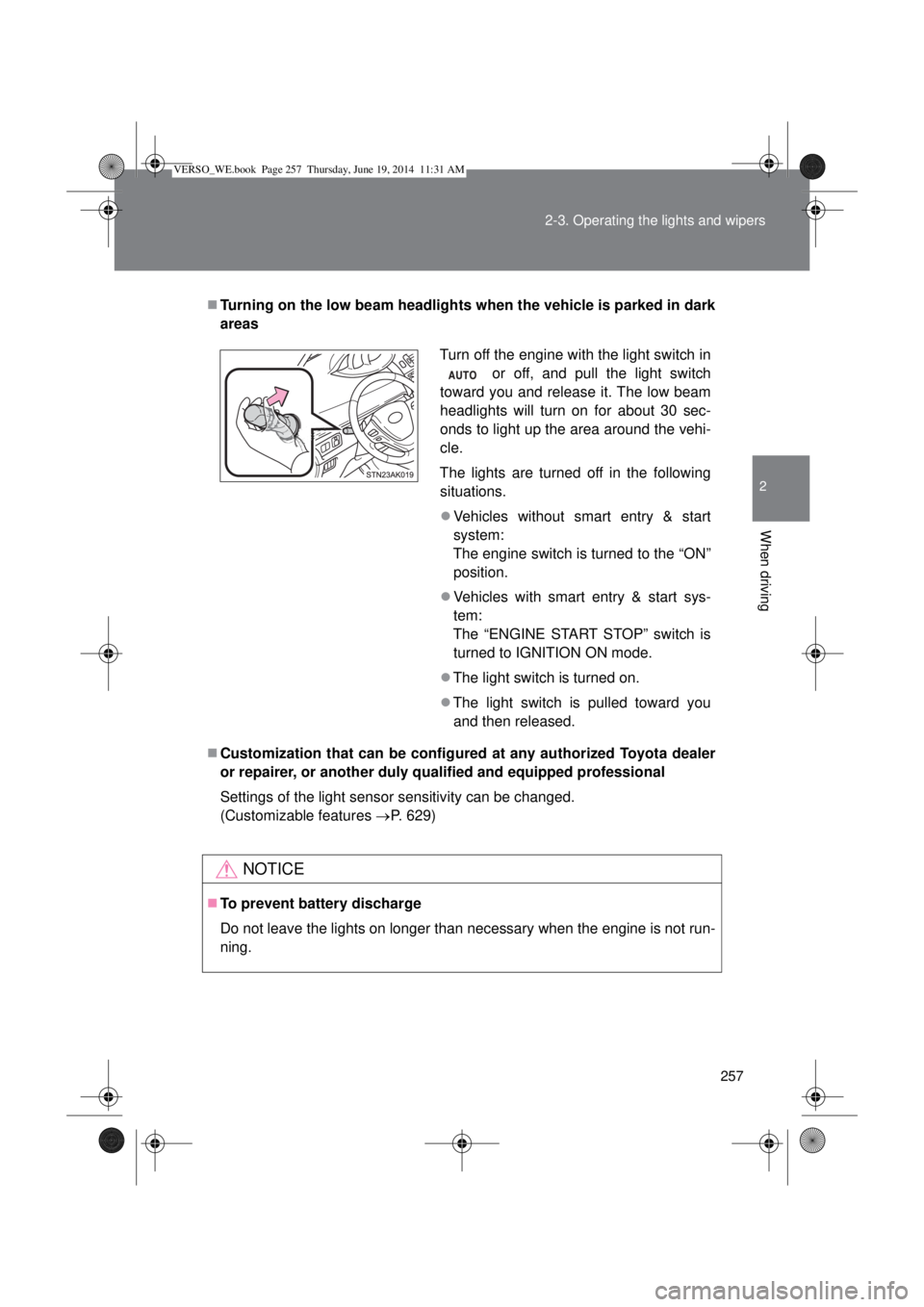
Turning on the low beam headlights when the vehicle is parked in dark
areas
Customization that can be configured at any authorized Toyota dealer
or repairer, or another duly qualified and equipped professional
Settings of the light sensor sensitivity can be changed.
(Customizable features P. 629)
NOTICE
To prevent battery discharge
Do not leave the lights on longer than necessary when the engine is not run-
ning.
Turn off the engine with the light switch in
or off, and pull the light switch
toward you and release it. The low beam
headlights will turn on for about 30 sec-
onds to light up the area around the vehi-
cle.
The lights are turned off in the following
situations.
Vehicles without smart entry & start
system:
The engine switch is turned to the “ON”
position.
Vehicles with smart entry & start sys-
tem:
The “ENGINE START STOP” switch is
turned to IGNITION ON mode.
The light switch is turned on.
The light switch is pulled toward you
and then released.
VERSO_WE.book Page 257 Thursday, June 19, 2014 11:31 AM