warning TOYOTA VERSO 2016 Owners Manual
[x] Cancel search | Manufacturer: TOYOTA, Model Year: 2016, Model line: VERSO, Model: TOYOTA VERSO 2016Pages: 664, PDF Size: 62.24 MB
Page 339 of 664
339
3-1. Using the air conditioning system and defogger
3
Interior features
VERSO_EE_OM64590E
WARNING
■ To prevent the windshield from fogging up
Do not set the air outlet selection di al to during cool air operation in
extremely humid weather. The difference between the temperature of the
outside air and that of the windshield can cause the outer surface of the
windshield to fog up, blocking your vision.
NOTICE
■ To prevent battery discharge
Do not leave the air conditioning system on longer than necessary when the
engine is stopped.
Page 346 of 664
346
3-1. Using the air conditioning system and defogger
VERSO_EE_OM64590E
■ When is selected for the air outlets used
For your driving comfort, air flowing to the feet may be warmer than air flow-
ing to the upper body depending on the position of the temperature adjust-
ment dial.
■ Ventilation and air conditioning odors
● To let fresh air in, set the air conditioning system to the outside air mode.
● During use, various odors from inside and outside the vehicle may enter
into and accumulate in the air conditioning system. This may then cause
odor to be emitted from the vents.
● To reduce potential odors from occurring:
• It is recommended that the air conditi oning system be set to outside air
mode prior to turning the vehicle off.
• The start timing of the blower may be delayed for a short period of time
immediately after the ai r conditioning system is started in AUTO mode.
WARNING
■To prevent the windshield from fogging up
Do not use during cool air operation in extremely humid weather. The
difference between the temperature of the outside air and that of the wind-
shield can cause the outer surface of the windshield to fog up, blocking your
vision.
NOTICE
■ To prevent battery discharge
Do not leave the air conditioning system on longer than necessary when the
engine is stopped.
Page 348 of 664
348
3-1. Using the air conditioning system and defogger
VERSO_EE_OM64590E
WARNING
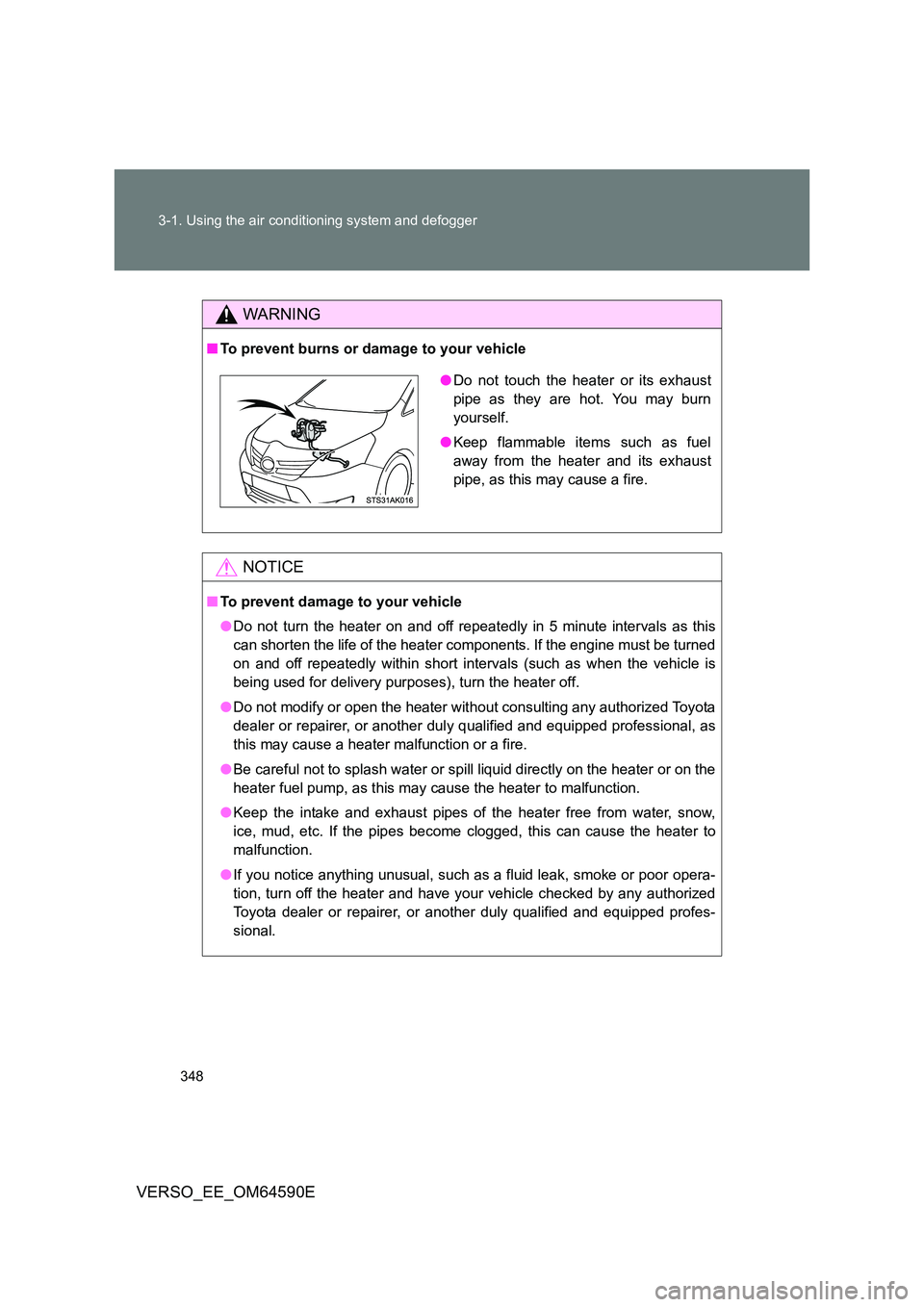
■ To prevent burns or damage to your vehicle
NOTICE
■To prevent damage to your vehicle
● Do not turn the heater on and off repeatedly in 5 minute intervals as this
can shorten the life of the heater components. If the engine must be turned
on and off repeatedly within short intervals (such as when the vehicle is
being used for delivery purposes), turn the heater off.
● Do not modify or open the heater without consulting any authorized Toyota
dealer or repairer, or another dul y qualified and equipped professional, as
this may cause a heater malfunction or a fire.
● Be careful not to splash water or spill liquid directly on the heater or on the
heater fuel pump, as this may cause the heater to malfunction.
● Keep the intake and exhaust pipes of the heater free from water, snow,
ice, mud, etc. If the pipes become clogged, this can cause the heater to
malfunction.
● If you notice anything unusual, such as a fluid leak, smoke or poor opera-
tion, turn off the heater and have your vehicle checked by any authorized
Toyota dealer or repairer, or another duly qualified and equipped profes-
sional.
● Do not touch the heater or its exhaust
pipe as they are hot. You may burn
yourself.
● Keep flammable items such as fuel
away from the heater and its exhaust
pipe, as this may cause a fire.
Page 350 of 664
350
3-1. Using the air conditioning system and defogger
VERSO_EE_OM64590E
■ The defoggers can be operated when
Vehicles without smart entry & start system
The engine switch is in the “ON” position.
Vehicles with smart entry & start system
The “ENGINE START STOP” switch is in IGNITION ON mode.
■ The outside rear view mirror defoggers
Turning the rear window defogger on will turn the outside rear view mirror
defoggers on.
WARNING
■ When the outside rear view mirror defoggers are on
Do not touch the outside surface of the rear view mirrors, as they can
become very hot and burn you.
Page 360 of 664
360
3-2. Using the audio system
VERSO_EE_OM64590E
WARNING
■ Certification for the CD player
This product is a class I laser product.
● Do not open the cover of the player or attempt to repair the unit yourself.
Refer servicing to qualified personnel.
● Laser power: No hazardous
NOTICE
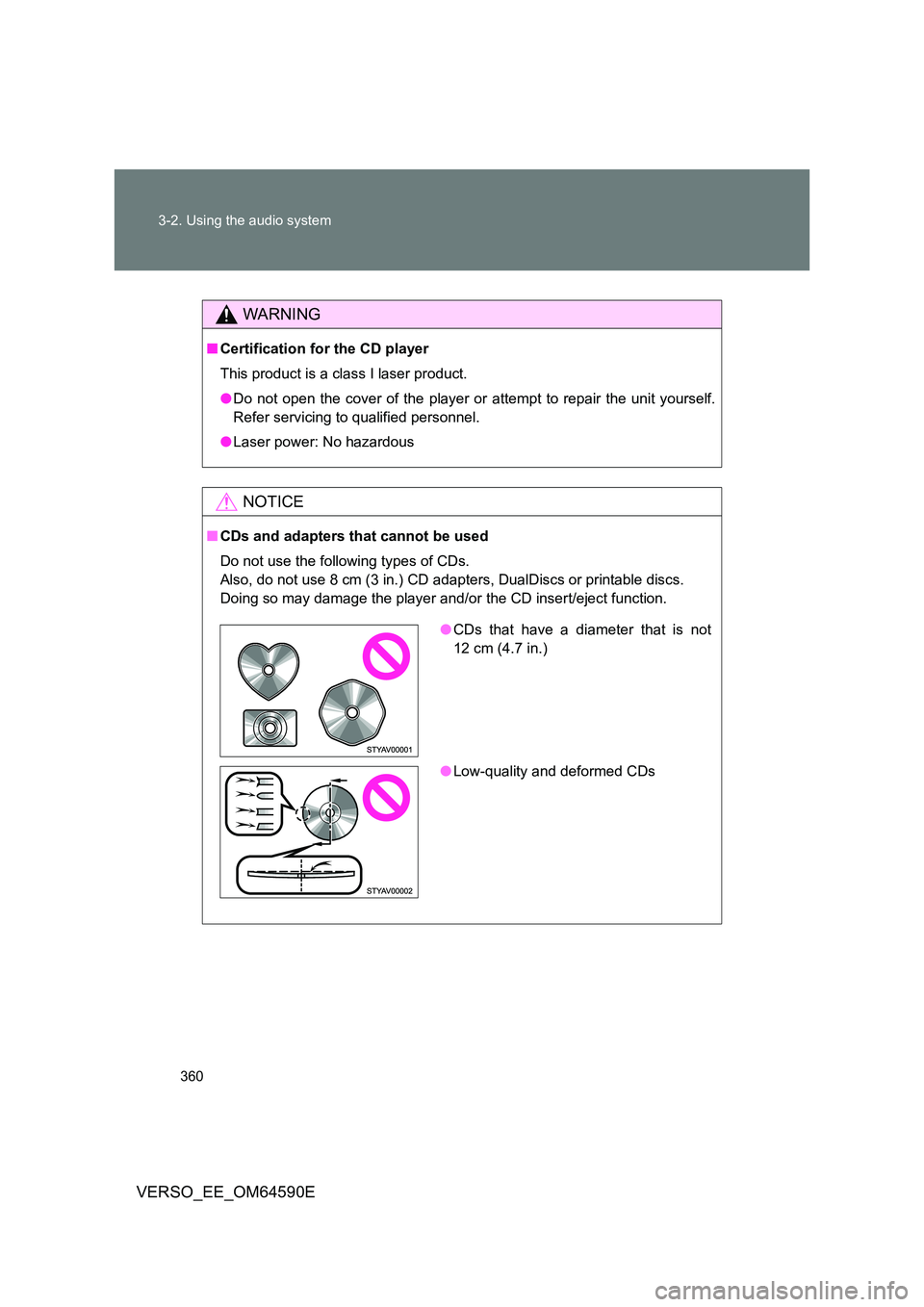
■CDs and adapters that cannot be used
Do not use the following types of CDs.
Also, do not use 8 cm (3 in.) CD adapters, DualDiscs or printable discs.
Doing so may damage the player and/or the CD insert/eject function.
● CDs that have a diameter that is not
12 cm (4.7 in.)
● Low-quality and deformed CDs
Page 374 of 664
374
3-2. Using the audio system
VERSO_EE_OM64590E
Depending on differences between models or software version etc., some
models listed above might be incompatible with this system.
iPod 4th generation and earlier models are not compatible with this system.
iPod mini, iPod shuffle and iPod photo are not compatible with this system.
Items related to standards and limitations are as follows:
● Maximum number of lists in device: 9999
● Maximum number of songs in device: 65535
● Maximum number of songs per list: 65535
WARNING
■Caution while driving
Do not connect iPod or operate the controls. Doing so may cause an acci-
dent, resulting in death or serious injury.
NOTICE
■ To prevent damage to iPod or its terminal
● Do not leave iPod in the vehicle. The temperature inside the vehicle may
become high, resulting in damage to the iPod.
● Do not push down on or apply unnecessary pressure to the iPod while it is
connected as this may damage the iPod or its terminal.
● Do not insert foreign objects into the port as this may damage the iPod or
its terminal.
Page 380 of 664
380
3-2. Using the audio system
VERSO_EE_OM64590E
● MP3 and WMA playback
• When a device containing MP3 or WMA files is connected, all files in
the USB memory are checked. Once the file check is finished, the first
MP3 or WMA file is played. To make the file check finish more quickly,
we recommend that you do not include any files other than MP3 or
WMA files or create any unnecessary folders.
• When the USB memory is connected and the audio source is changed
to USB memory mode, the USB memory will start playing the first file in
the first folder. If the same device is removed and reinserted (and the
contents have not been changed), the USB memory will resume play
from the same point in which it was last used.
● Extensions
If the file extensions .mp3 and .wma are used for files other than MP3 and
WMA files, they will be skipped (not played).
● Playback
• To play MP3 files with steady sound quality, we recommend a fixed bit
rate of at least 128 kbps and a sampling frequency of 44.1 kHz.
• There is a wide variety of freeware and other encoding software for
MP3 and WMA files on the market, and depending on the status of the
encoding and the file format, poor sound quality or noise at the start of
playback may result. In some cases, playback may not be possible at
all.
• Microsoft, Windows, and Windows M edia are registered trademarks of
Microsoft Corporation in the U.S.A. and other countries.
WARNING
■ Caution while driving
Do not connect USB memory or operate the controls. Doing so may cause
an accident, resulting in death or serious injury.
Page 387 of 664
387
3-2. Using the audio system
3
Interior features
VERSO_EE_OM64590E
WARNING
■ To reduce the risk of an accident
Exercise care when operating the audio switches on the steering wheel.
Page 393 of 664
393
3-4. Using the storage features
3
Interior features
VERSO_EE_OM64590E
WARNING
■ Items that should not be left in the storage spaces
Do not leave glasses, lighters or spray cans in the storage spaces, as this
may result in the following when cabin temperature becomes high:
● Glasses may be deformed by heat or cracked if they come into contact
with other stored items.
● Lighters or spray cans may explode. If they come into contact with other
stored items, the lighter may catch fire or the spray can may release gas,
causing a fire hazard.
Page 395 of 664
395
3-4. Using the storage features
3
Interior features
VERSO_EE_OM64590E
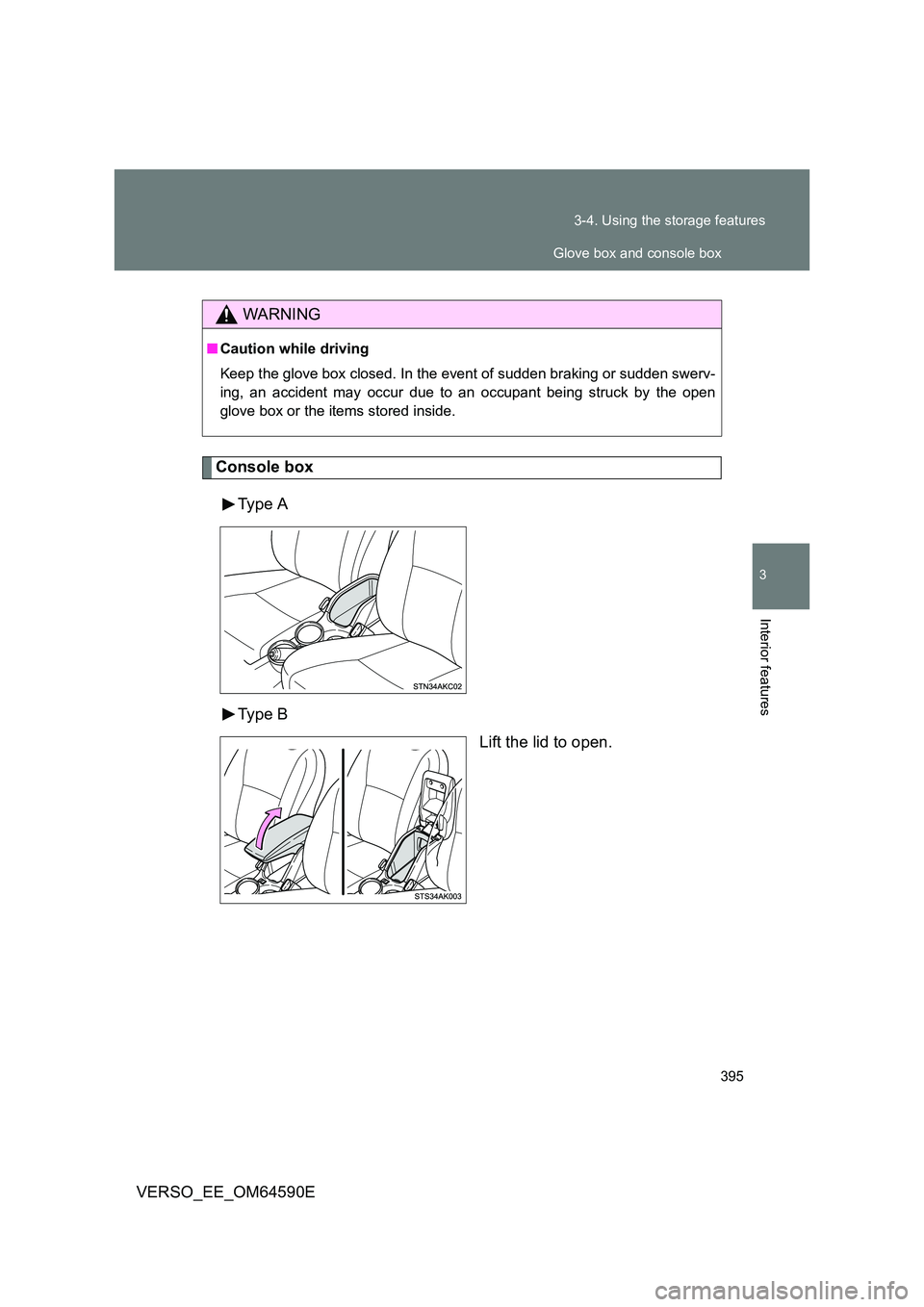
Console box
Type A
Type B
Lift the lid to open.
WARNING
■ Caution while driving
Keep the glove box closed. In the event of sudden braking or sudden swerv-
ing, an accident may occur due to an occupant being struck by the open
glove box or the items stored inside.
Glove box and console box