AUX TOYOTA VERSO 2016 User Guide
[x] Cancel search | Manufacturer: TOYOTA, Model Year: 2016, Model line: VERSO, Model: TOYOTA VERSO 2016Pages: 664, PDF Size: 62.24 MB
Page 352 of 664
352
3-2. Using the audio system
VERSO_EE_OM64590E
■ Using cellular phones
Interference may be heard through the audio system’s speakers if a cellular
phone is being used inside or close to the vehicle while the audio system is
operating.
NOTICE
■ To prevent battery discharge
Do not leave the audio system on longer than necessary when the engine is
stopped.
■ To avoid damaging the audio system
Take care not to spill drinks or other fluids over the audio system.
■ To prevent damage to USB memory or its terminal
Depending on the size and shape of the USB memory that is connected to
the system, the passenger’s seat may hit the USB memory when moving the
seat forward. In this case, do not forcibly move the seat forward as this may
damage the USB memory or the terminal, etc.
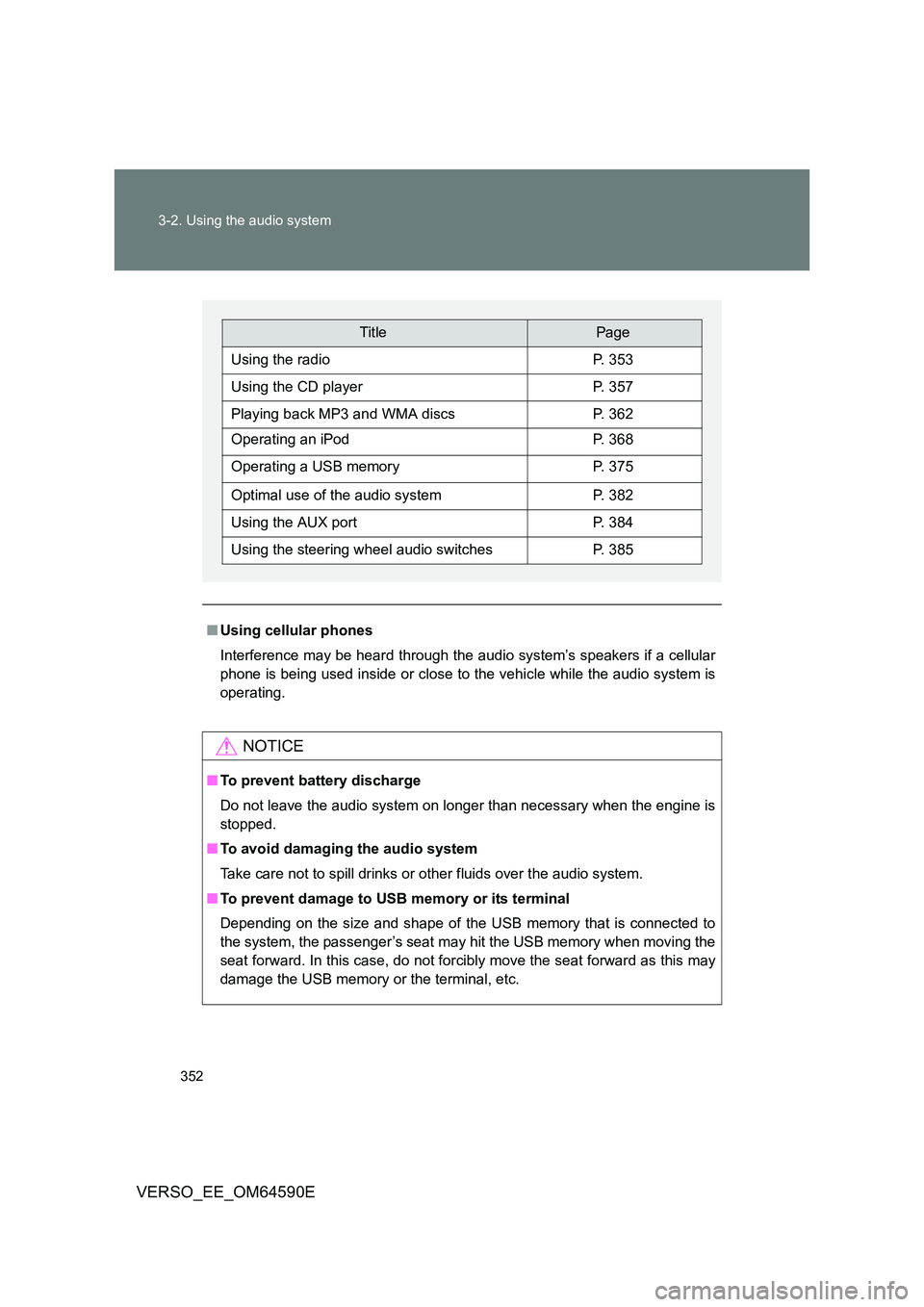
TitlePage
Using the radioP. 353
Using the CD playerP. 357
Playing back MP3 and WMA discsP. 362
Operating an iPodP. 368
Operating a USB memoryP. 375
Optimal use of the audio systemP. 382
Using the AUX portP. 384
Using the steering wheel audio switchesP. 385
Page 384 of 664
384
3-2. Using the audio system
VERSO_EE_OM64590E
Using the AUX port
: If equipped
■Operating portable audio devices connected to the audio system
The volume can be adjusted using the vehicle’s audio controls. All other
adjustments must be made on the portable audio device itself.
■ When using a portable audio device connected to the power outlet
Noise may occur during playback. Use the power source of the portable
audio device.
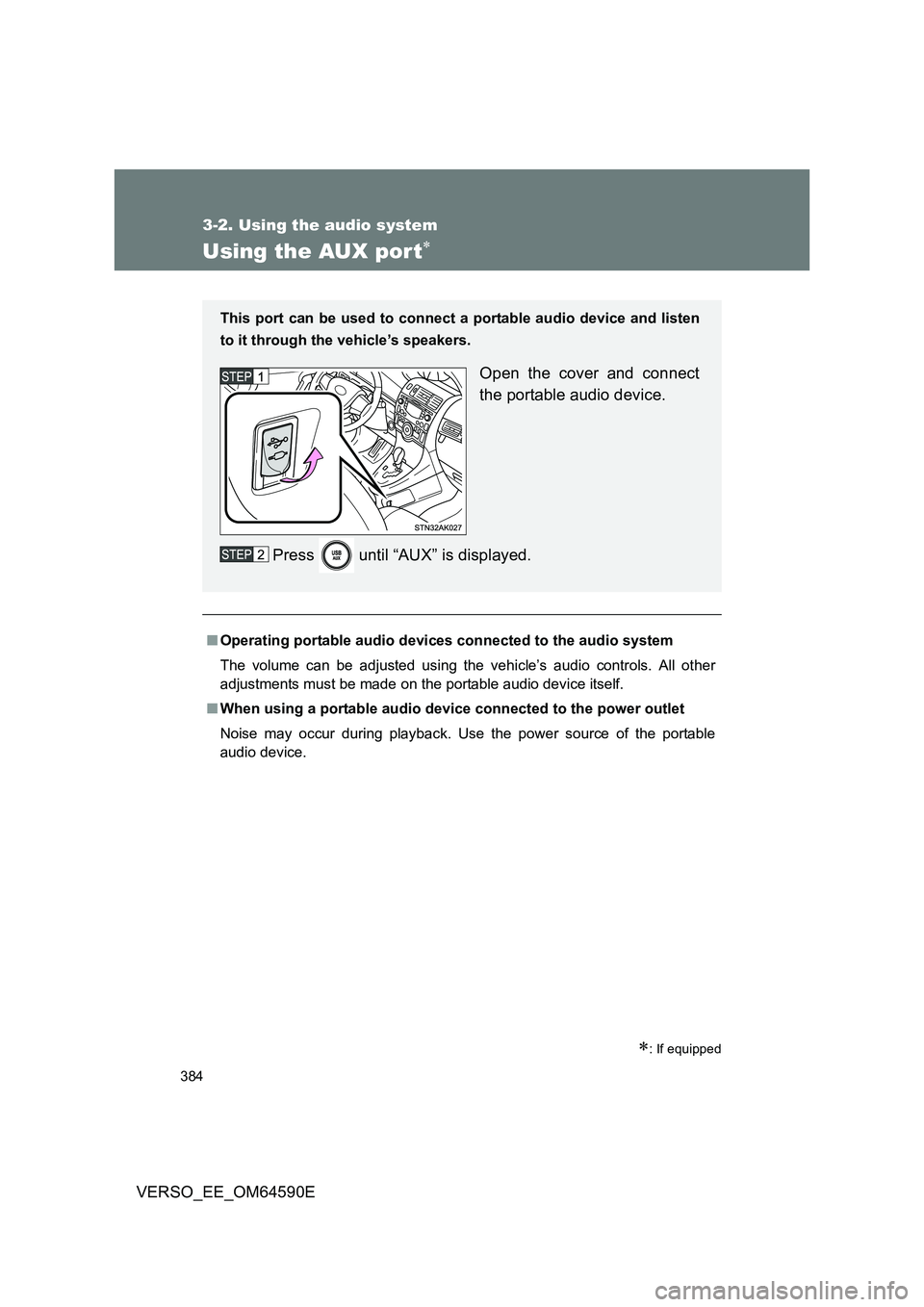
This port can be used to connect a portable audio device and listen
to it through the vehicle’s speakers.
Open the cover and connect
the portable audio device.
Press until “AUX” is displayed.
Page 385 of 664
385
3-2. Using the audio system
3
Interior features
VERSO_EE_OM64590E
Using the steering wheel audio switches
Turning on the power
Press when the audio system is turned off.
Changing the audio source
Press when the audio system is turned on. The audio source
changes as follows each time is pressed. If a mode cannot be
used, it will be skipped.
AM FMCD modeiPod or USB memory*AUX*
*: If equipped
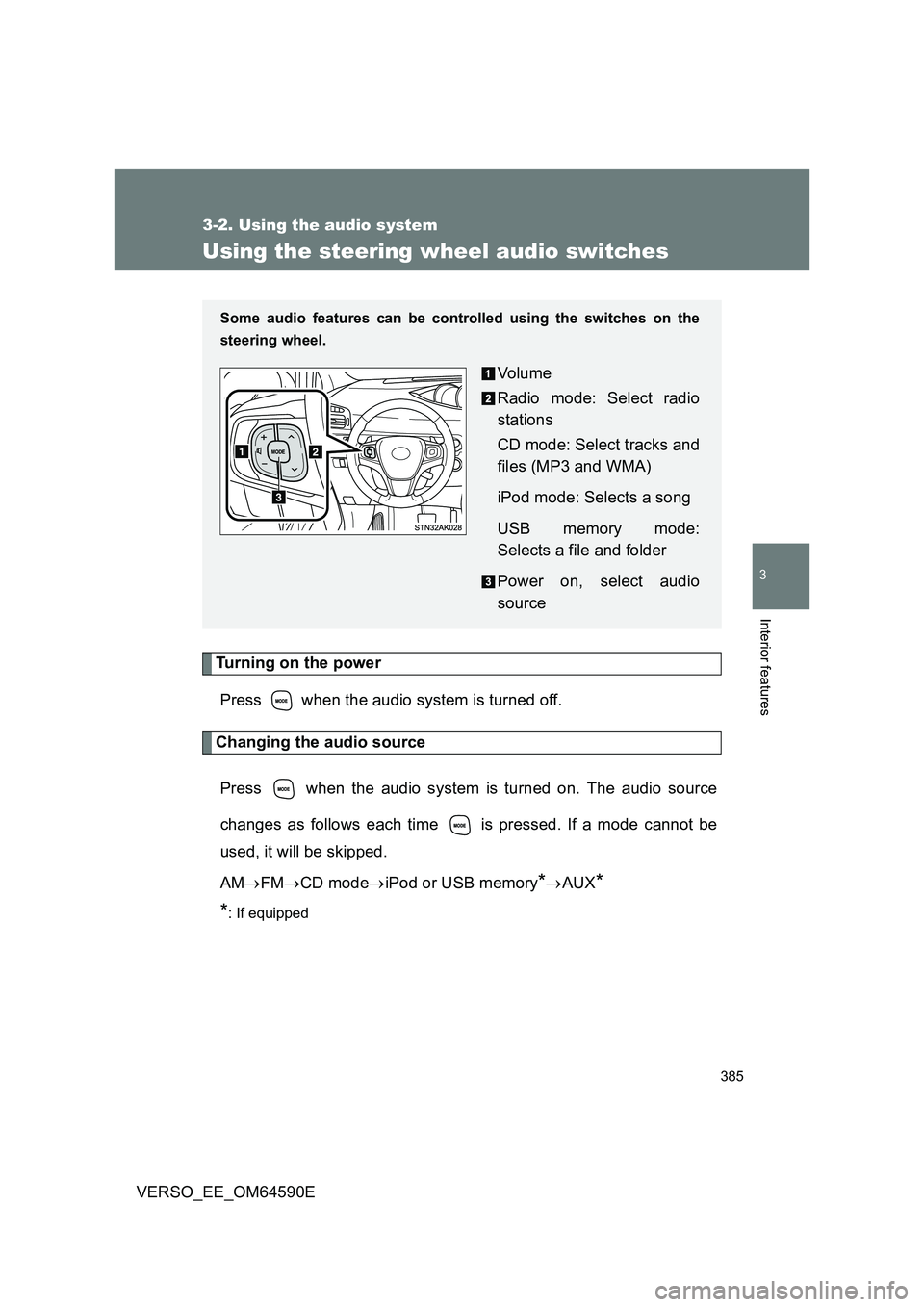
Some audio features can be cont rolled using the switches on the
steering wheel.
Vo lu m e
Radio mode: Select radio
stations
CD mode: Select tracks and
files (MP3 and WMA)
iPod mode: Selects a song
USB memory mode:
Selects a file and folder
Power on, select audio
source
Page 392 of 664
392
VERSO_EE_OM64590E
3-4. Using the storage features
List of storage features
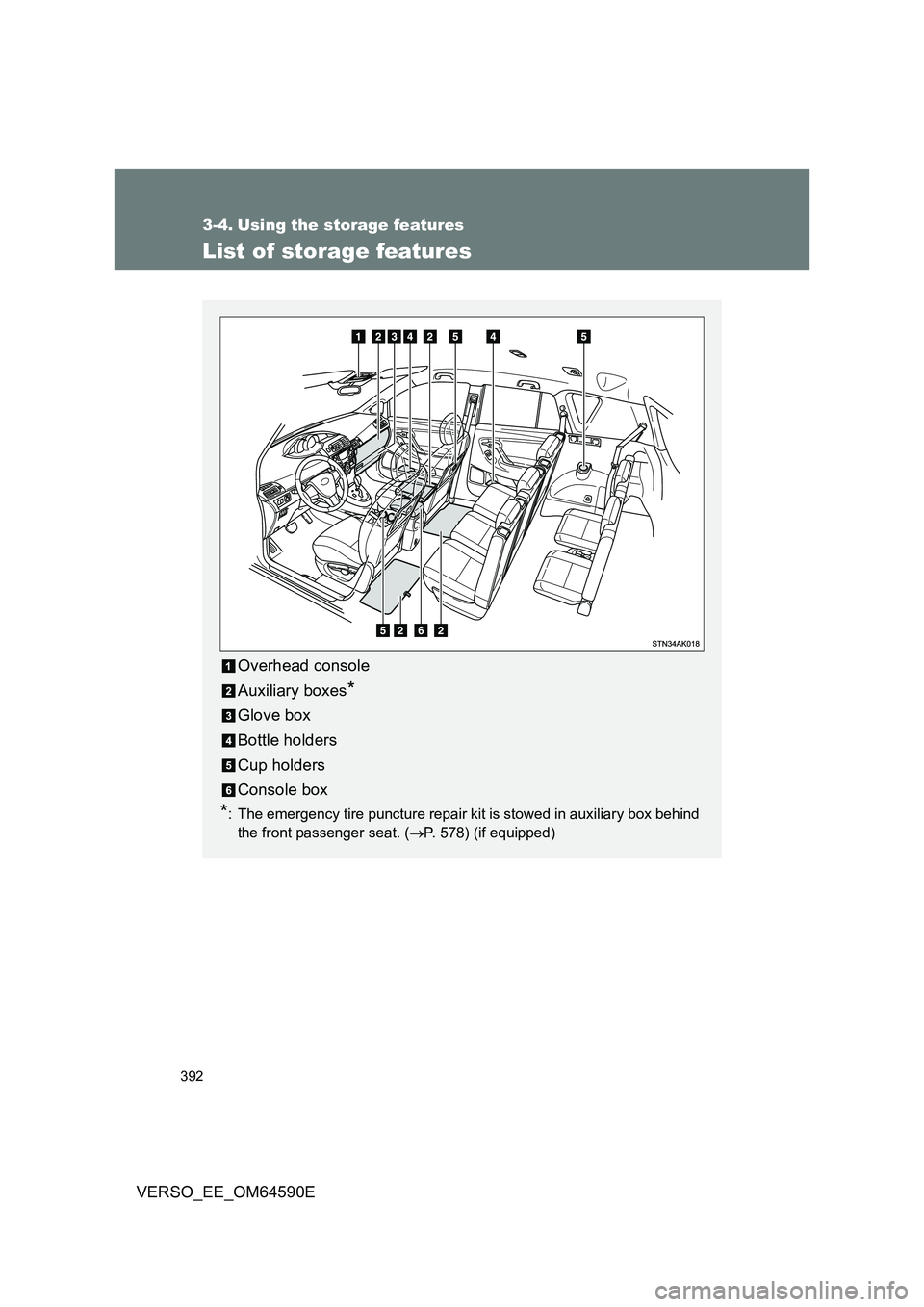
Overhead console
Auxiliary boxes*
Glove box
Bottle holders
Cup holders
Console box
*: The emergency tire puncture repair kit is stowed in auxiliary box behind
the front passenger seat. ( P. 578) (if equipped)
Page 400 of 664
400
3-4. Using the storage features
VERSO_EE_OM64590E
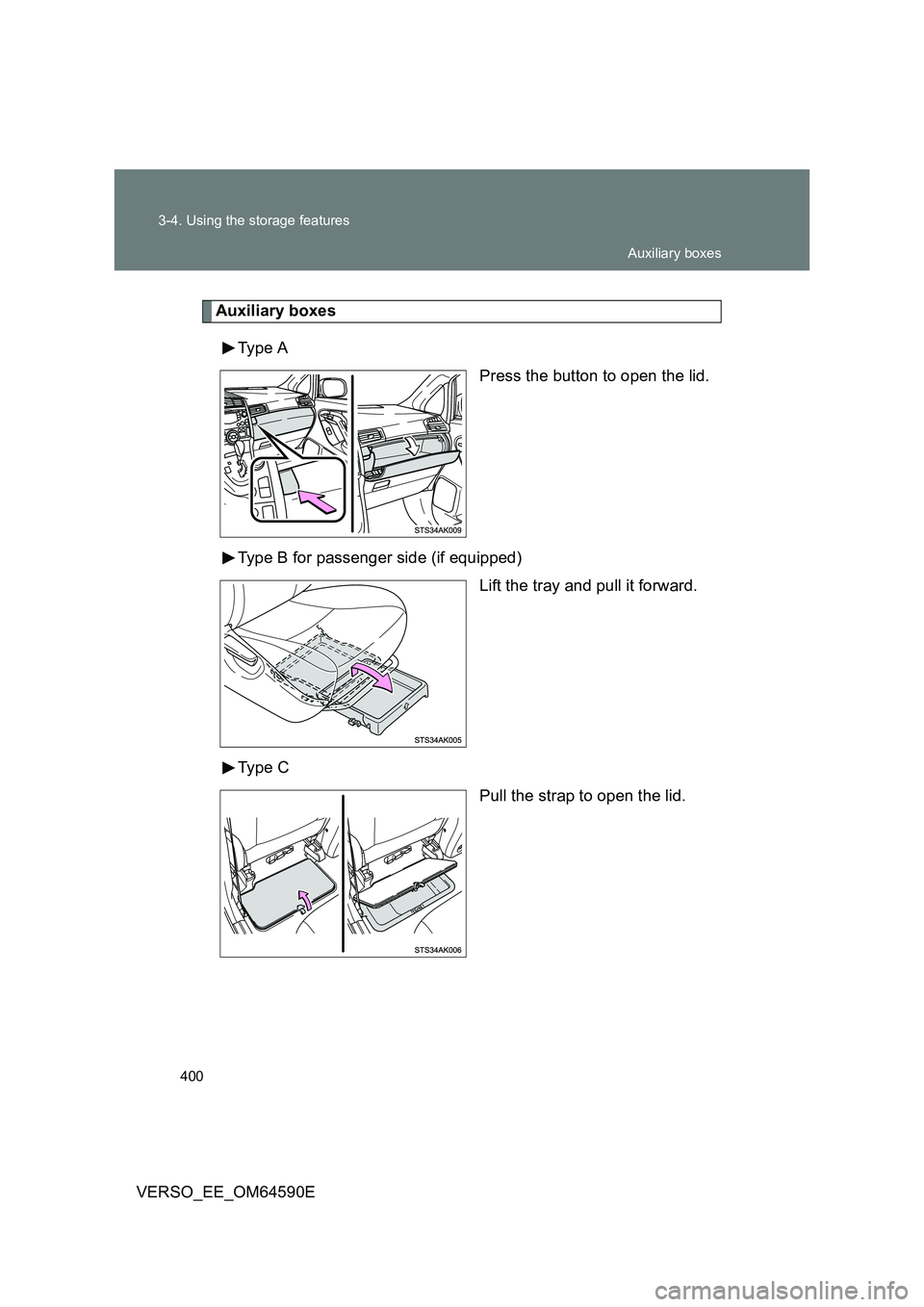
Auxiliary boxes
Type A
Press the button to open the lid.
Type B for passenger side (if equipped)
Lift the tray and pull it forward.
Type C
Pull the strap to open the lid.
Auxiliary boxes
Page 401 of 664
401
3-4. Using the storage features
3
Interior features
VERSO_EE_OM64590E
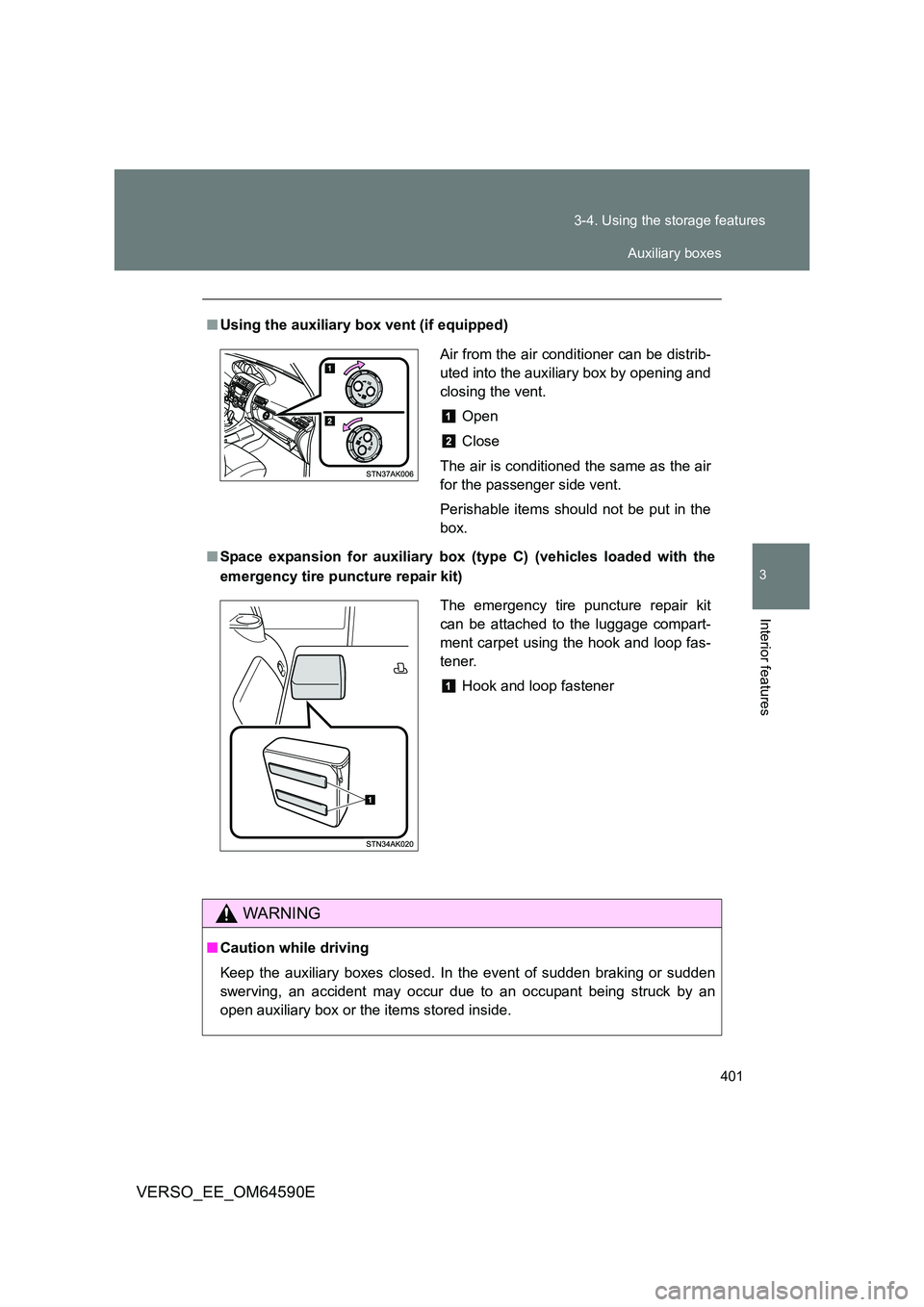
■ Using the auxiliary box vent (if equipped)
■ Space expansion for auxiliary box (type C) (vehicles loaded with the
emergency tire puncture repair kit)
WARNING
■ Caution while driving
Keep the auxiliary boxes closed. In the event of sudden braking or sudden
swerving, an accident may occur due to an occupant being struck by an
open auxiliary box or the items stored inside.
Air from the air conditioner can be distrib-
uted into the auxiliary box by opening and
closing the vent.
Open
Close
The air is conditioned the same as the air
for the passenger side vent.
Perishable items should not be put in the
box.
The emergency tire puncture repair kit
can be attached to the luggage compart-
ment carpet using the hook and loop fas-
tener.
Hook and loop fastener
Auxiliary boxes
Page 416 of 664
416
3-5. Other interior features
VERSO_EE_OM64590E
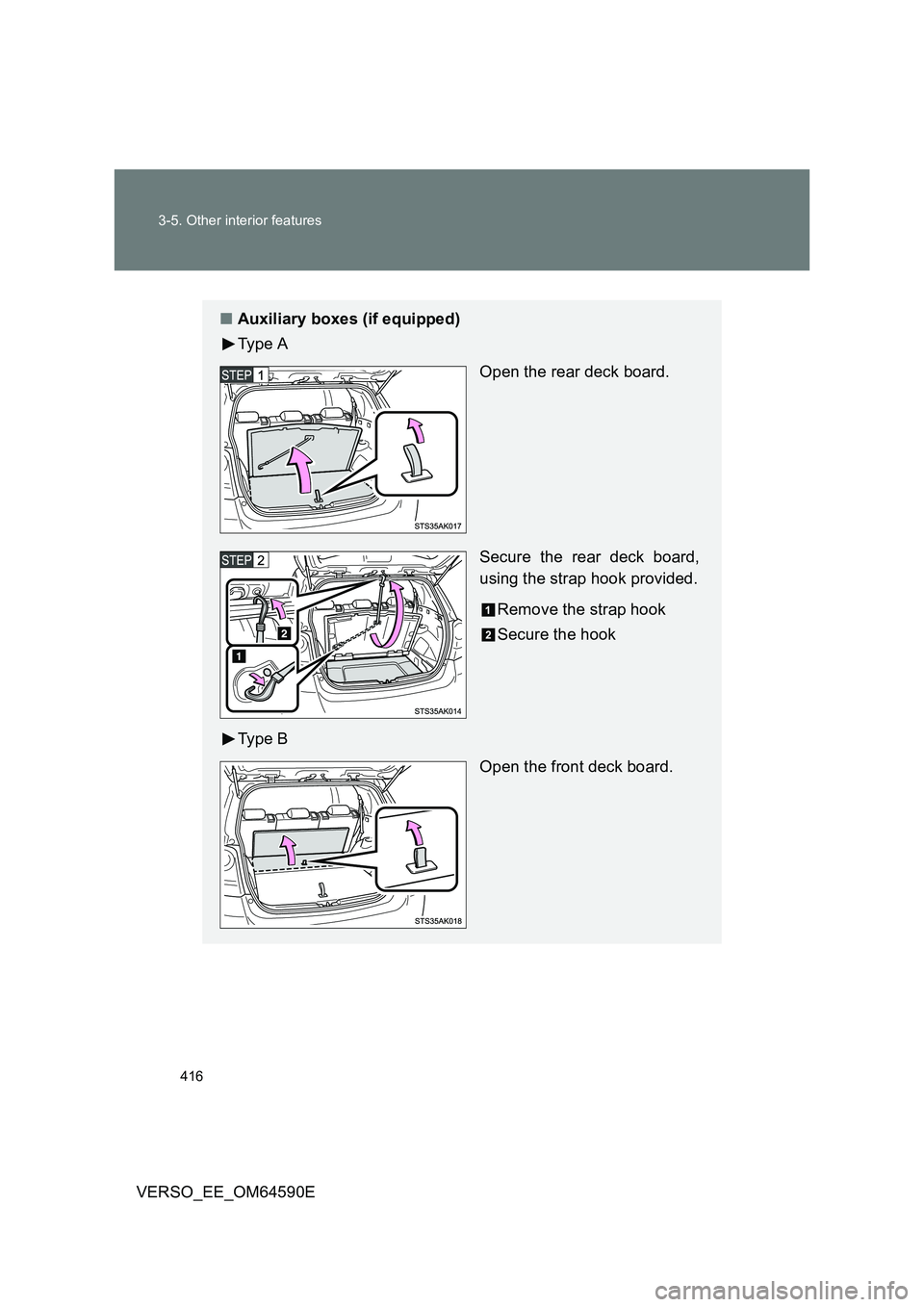
■ Auxiliary boxes (if equipped)
Ty p e A
Open the rear deck board.
Secure the rear deck board,
using the strap hook provided.
Remove the strap hook
Secure the hook
Ty p e B
Open the front deck board.
Page 423 of 664
423
3-5. Other interior features
3
Interior features
VERSO_EE_OM64590E
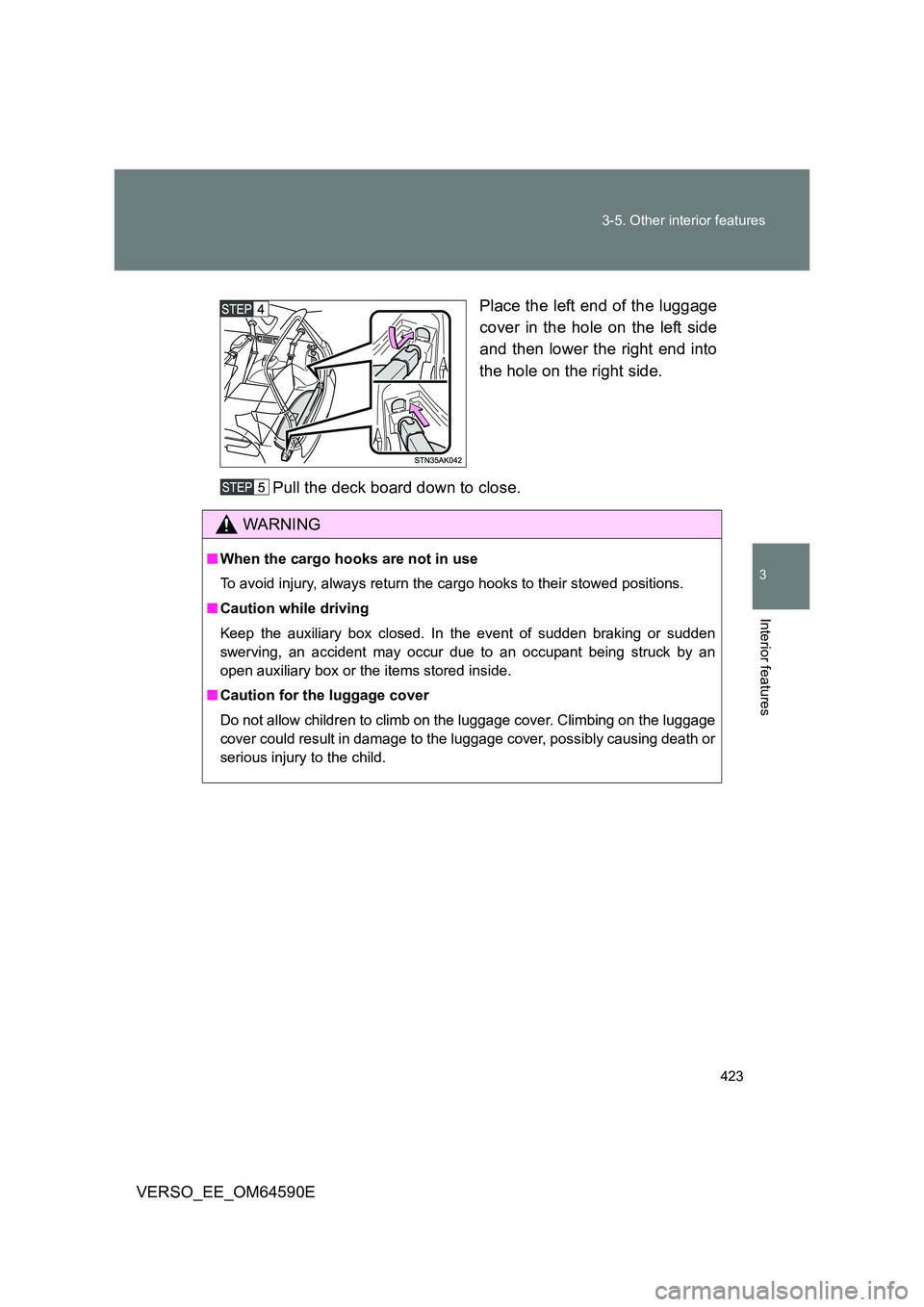
Place the left end of the luggage
cover in the hole on the left side
and then lower the right end into
the hole on the right side.
Pull the deck board down to close.
WARNING
■ When the cargo hooks are not in use
To avoid injury, always return the cargo hooks to their stowed positions.
■ Caution while driving
Keep the auxiliary box closed. In the event of sudden braking or sudden
swerving, an accident may occur due to an occupant being struck by an
open auxiliary box or the items stored inside.
■ Caution for the luggage cover
Do not allow children to climb on the luggage cover. Climbing on the luggage
cover could result in damage to the luggage cover, possibly causing death or
serious injury to the child.
Page 566 of 664
566
5-2. Steps to take in an emergency
VERSO_EE_OM64590E
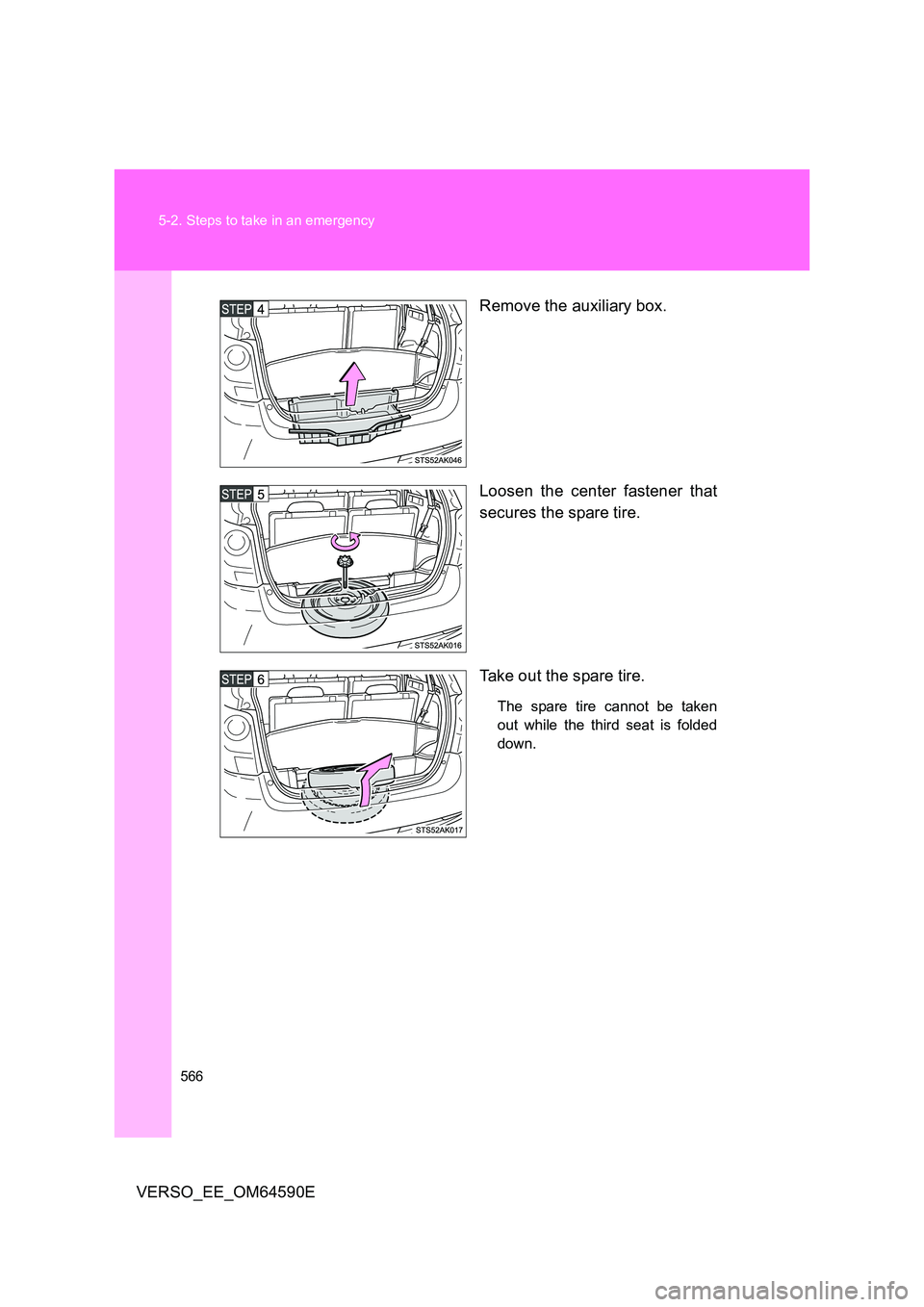
Remove the auxiliary box.
Loosen the center fastener that
secures the spare tire.
Take out the spare tire.
The spare tire cannot be taken
out while the third seat is folded
down.
Page 579 of 664
5
579
5-2. Steps to take in an emergency
When trouble arises
VERSO_EE_OM64590E
*1: Use of the jack, jack handle and wheel nut wrench. (if equipped)
( P. 560)
A jack, jack handle and wheel nut wrench can be purchased at any
authorized Toyota dealer or repa irer, or another duly qualified and
equipped professional.
*2: Use of the wheel cap clip. (if equipped) ( P. 476)
*3: The emergency tire puncture repair kit is located in the auxiliary box
(type C). ( P. 400)
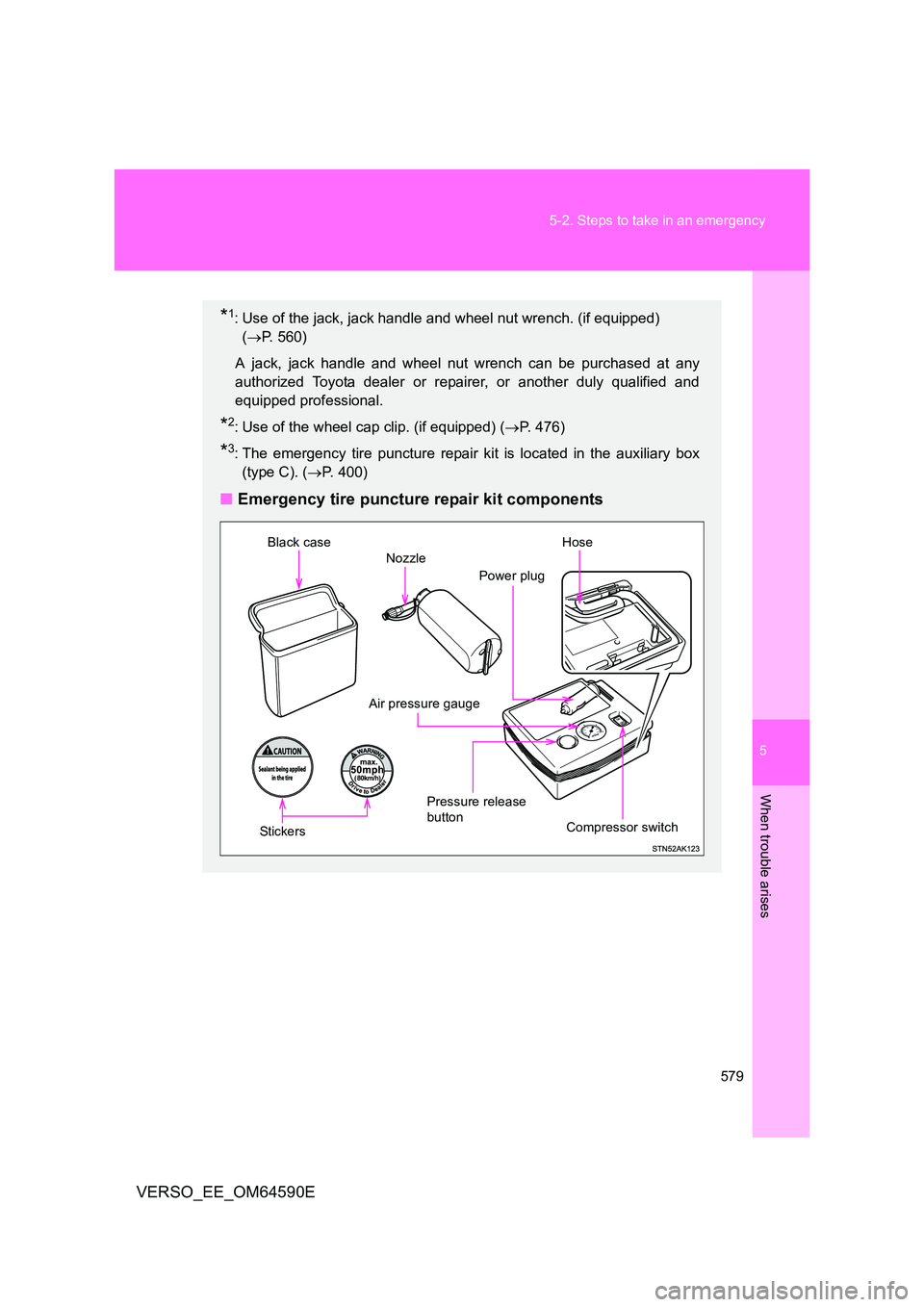
■Emergency tire puncture repair kit components
Compressor switch
Air pressure gauge
Power plug
Black case
Stic ke rs
Pressure release
button
Nozzle
Hose