ECU TOYOTA VERSO 2016 Owners Manual
[x] Cancel search | Manufacturer: TOYOTA, Model Year: 2016, Model line: VERSO, Model: TOYOTA VERSO 2016Pages: 664, PDF Size: 62.24 MB
Page 14 of 664
14
VERSO_EE_OM64590E
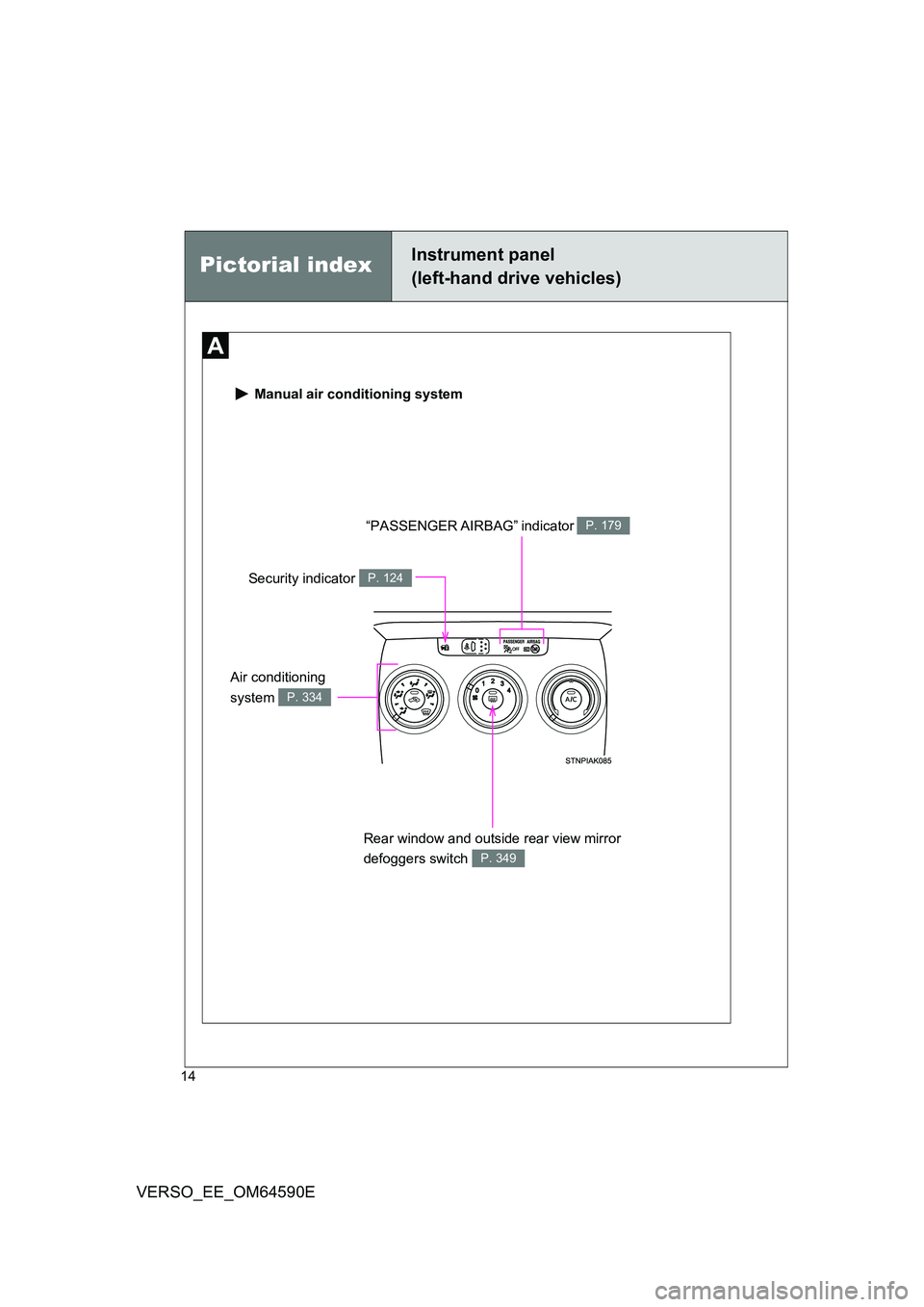
Manual air conditioning system
“PASSENGER AIRBAG” indicator P. 179
Rear window and outside rear view mirror
defoggers switch P. 349
Security indicator P. 124
Pictorial indexInstrument panel
(left-hand drive vehicles)
Air conditioning
system P. 334
Page 15 of 664
15
VERSO_EE_OM64590E
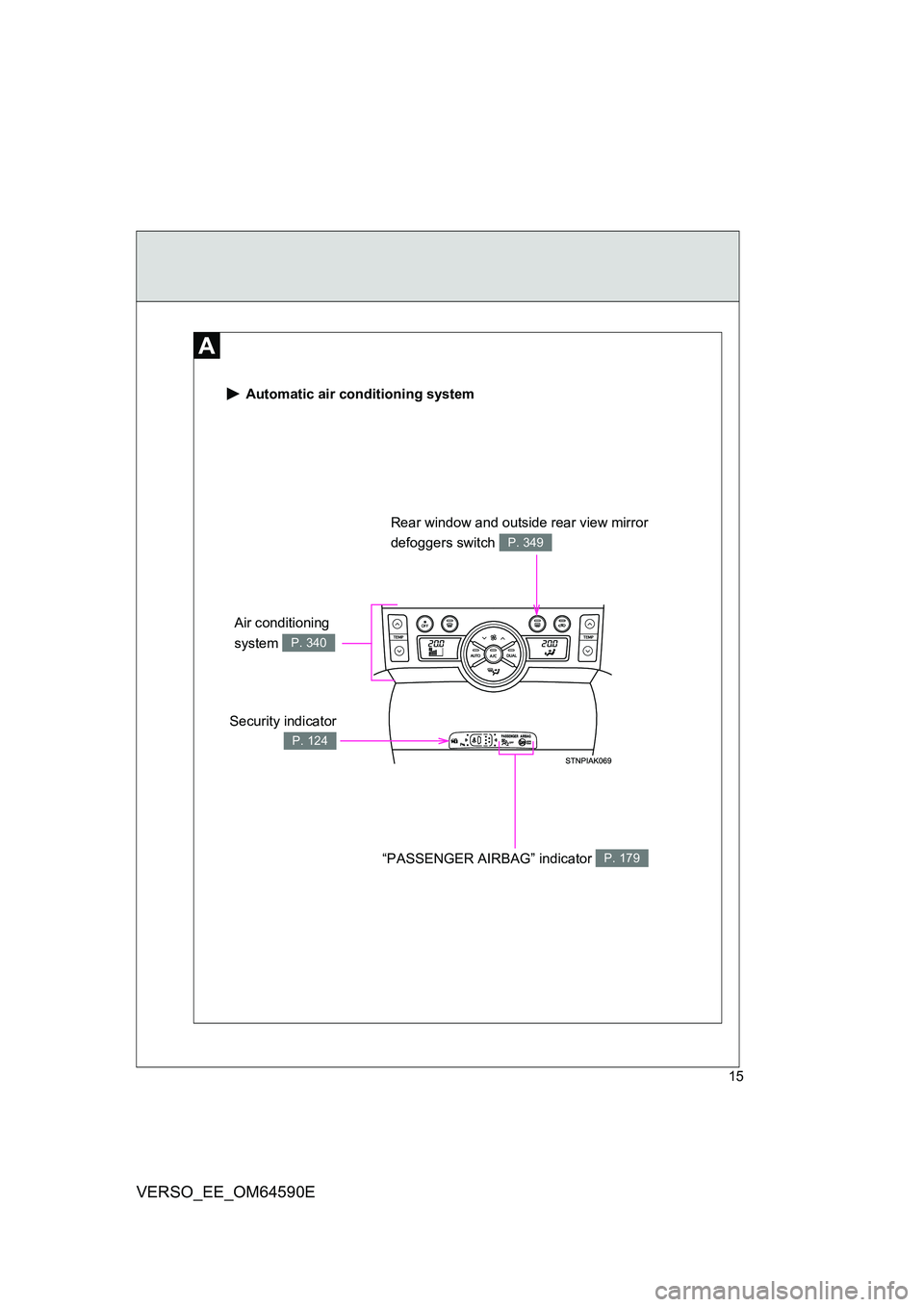
Automatic air conditioning system
Security indicator
P. 124
Rear window and outside rear view mirror
defoggers switch P. 349
“PASSENGER AIRBAG” indicator P. 179
Air conditioning
system P. 340
Page 25 of 664
25
VERSO_EE_OM64590E
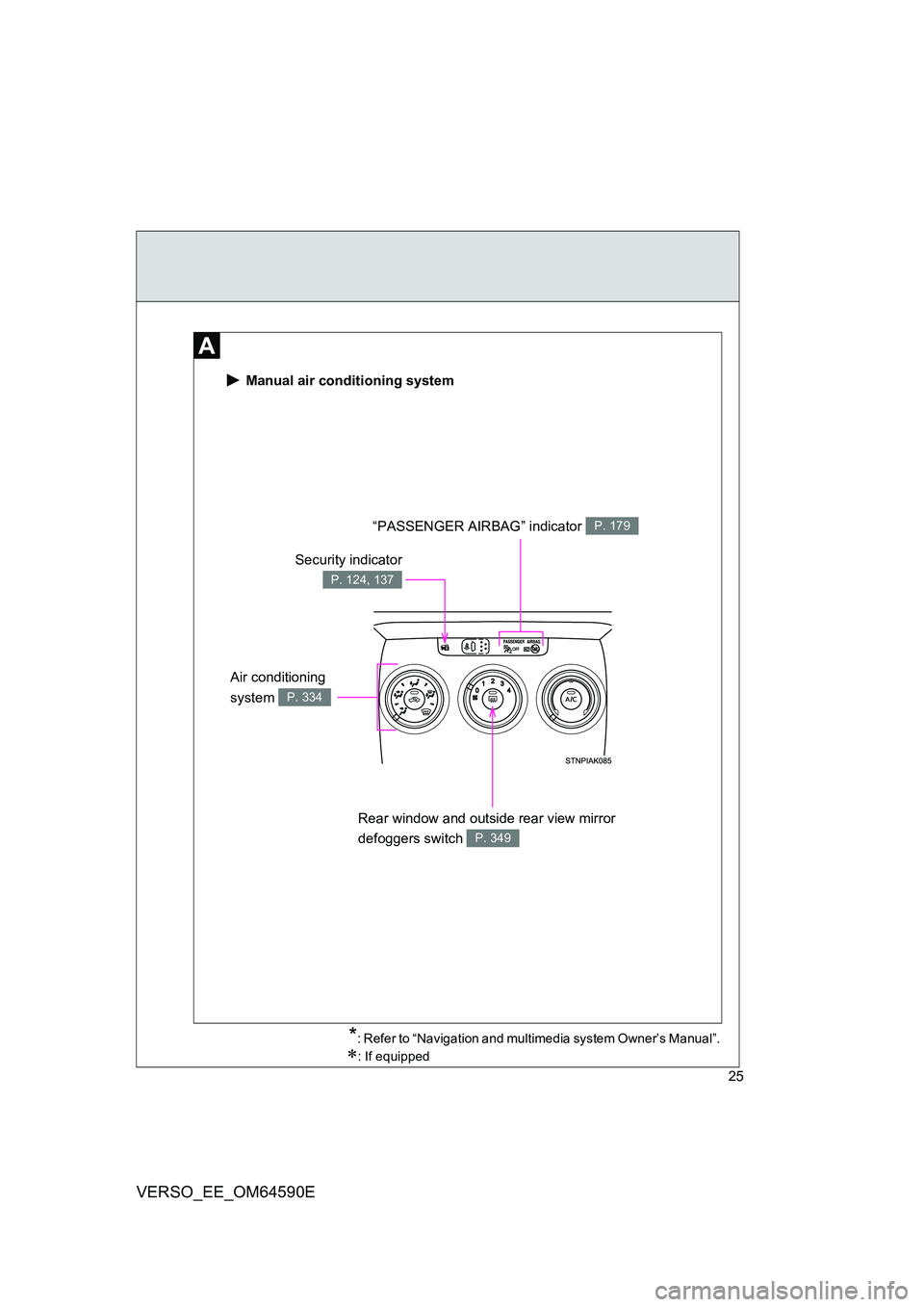
Manual air conditioning system
“PASSENGER AIRBAG” indicator P. 179
Rear window and outside rear view mirror
defoggers switch P. 349
Security indicator
P. 124, 137
Air conditioning
system P. 334
*: Refer to “Navigation and multimedia system Owner’s Manual”.
: If equipped
Page 26 of 664
26
VERSO_EE_OM64590E
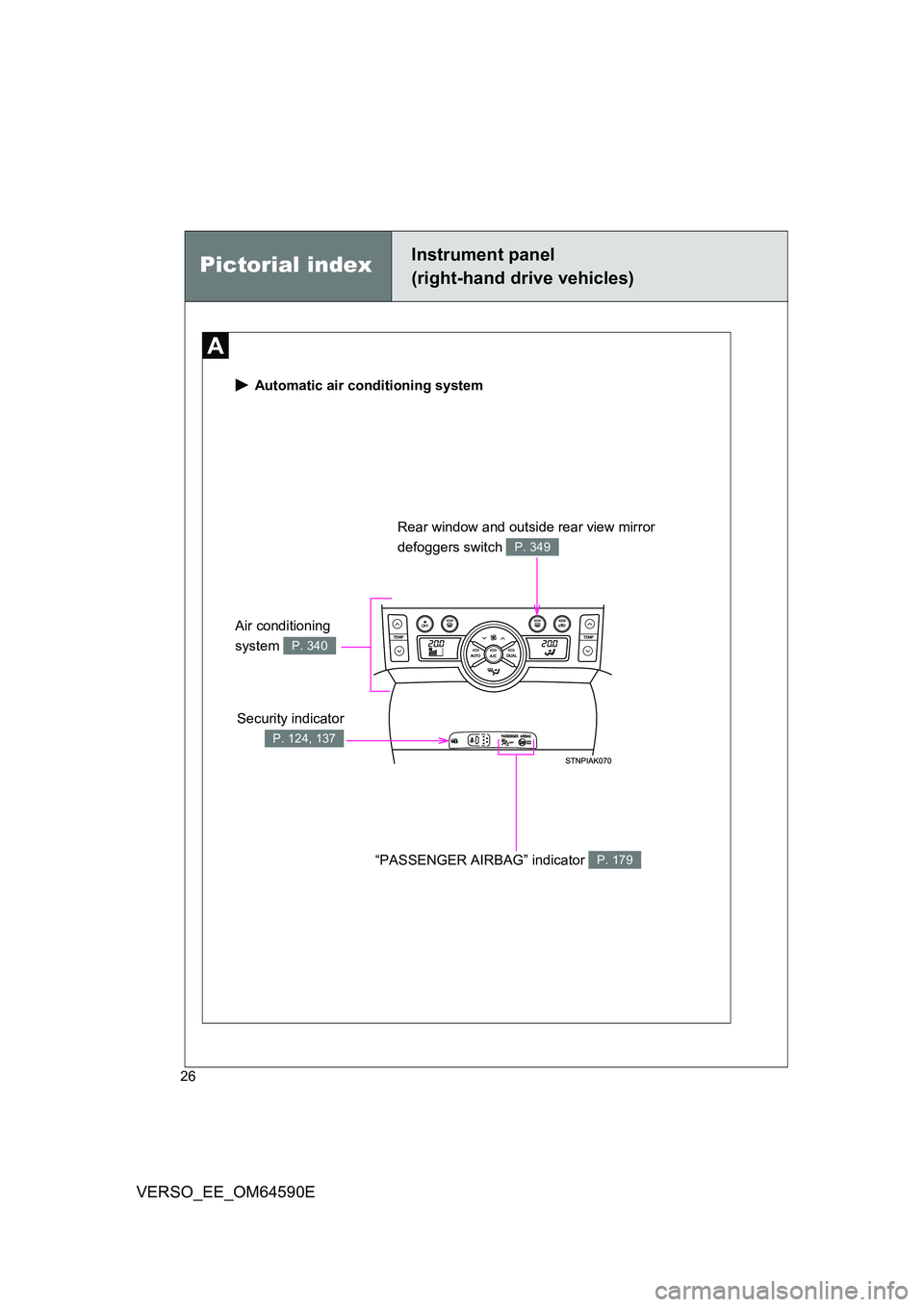
Automatic air conditioning system
Security indicator
P. 124, 137
Rear window and outside rear view mirror
defoggers switch P. 349
“PASSENGER AIRBAG” indicator P. 179
Air conditioning
system P. 340
Pictorial indexInstrument panel
(right-hand drive vehicles)
Page 43 of 664
43
1-2. Opening, closing and locking the doors
1
Before driving
VERSO_EE_OM64590E
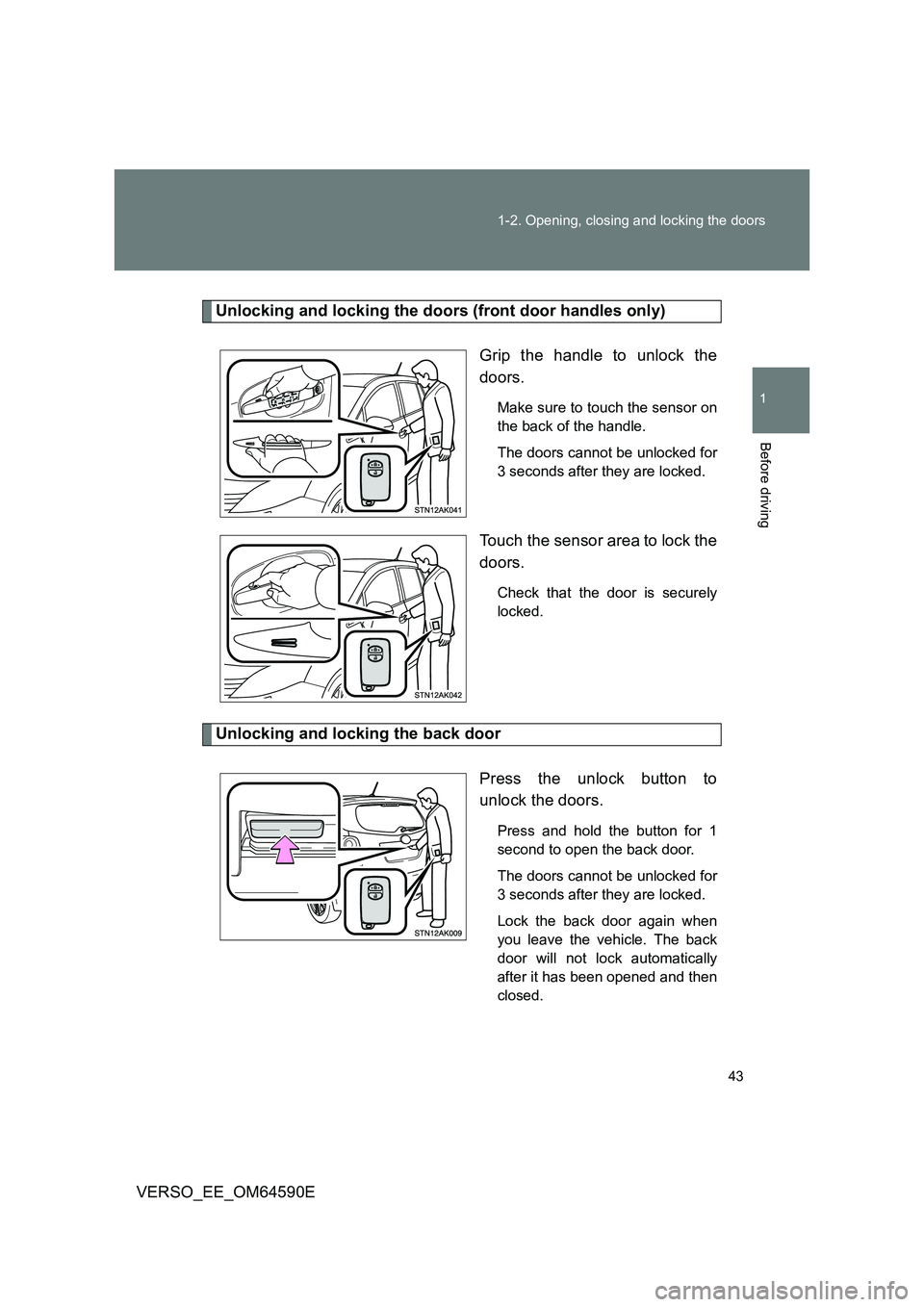
Unlocking and locking the doors (front door handles only)
Grip the handle to unlock the
doors.
Make sure to touch the sensor on
the back of the handle.
The doors cannot be unlocked for
3 seconds after they are locked.
Touch the sensor area to lock the
doors.
Check that the door is securely
locked.
Unlocking and locking the back door
Press the unlock button to
unlock the doors.
Press and hold the button for 1
second to open the back door.
The doors cannot be unlocked for
3 seconds after they are locked.
Lock the back door again when
you leave the vehicle. The back
door will not lock automatically
after it has been opened and then
closed.
Page 44 of 664
44
1-2. Opening, closing and locking the doors
VERSO_EE_OM64590E
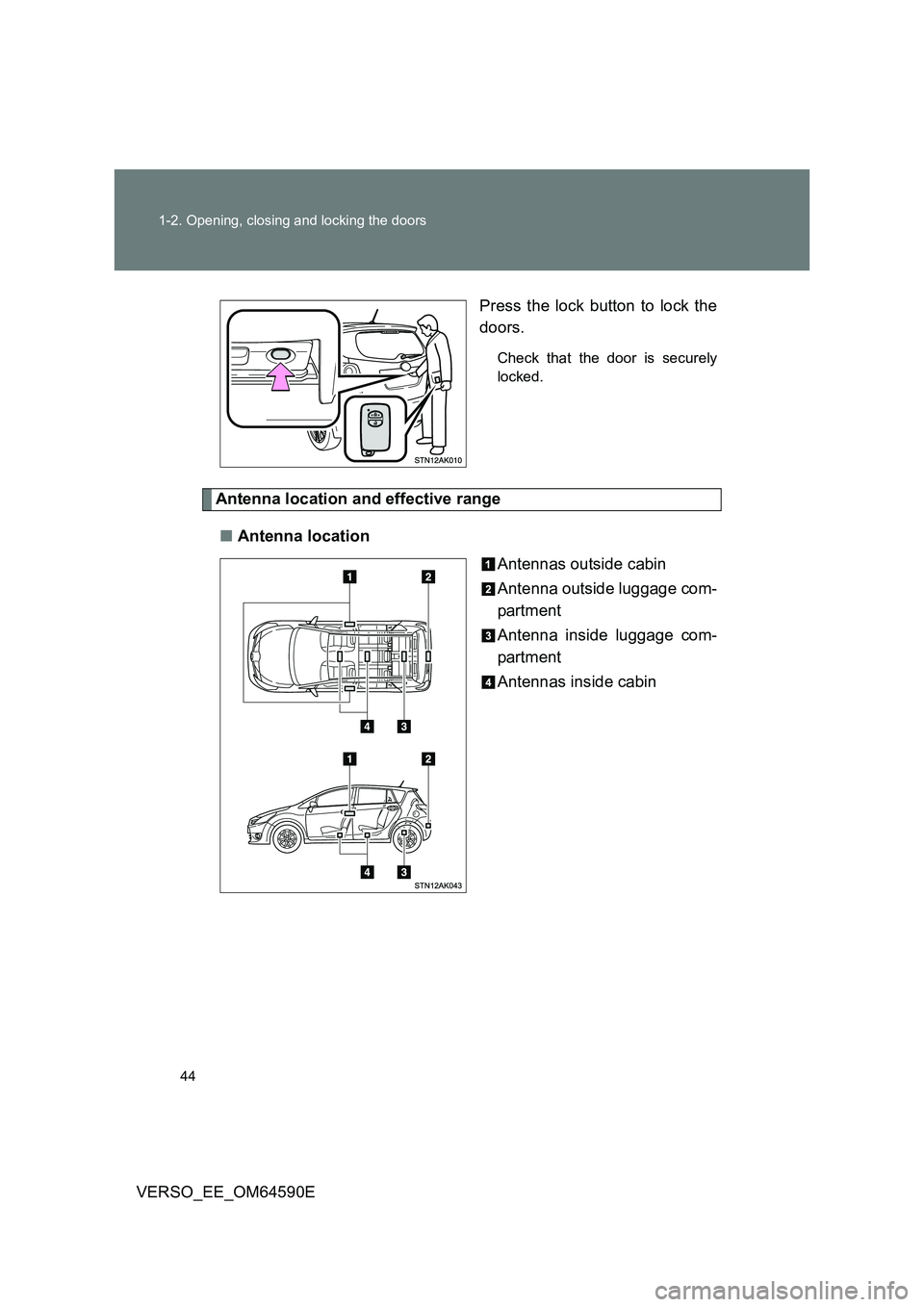
Press the lock button to lock the
doors.
Check that the door is securely
locked.
Antenna location and effective range
■ Antenna location
Antennas outside cabin
Antenna outside luggage com-
partment
Antenna inside luggage com-
partment
Antennas inside cabin
Page 49 of 664
49
1-2. Opening, closing and locking the doors
1
Before driving
VERSO_EE_OM64590E
● A lock sensor covered with ice, snow or mud may not work properly. In
this case, remove the ice, snow or mud from the lock sensor surface and
then touch the sensor again, or unlock the doors using the lock sensor
located on the lower edge of the door handle.
● Fingernails may come into contact with a door when taking hold of a door
handle. Be careful not to damage the door surface or your fingernails.
■ Note for door unlocking operation
● The doors may not be unlocked when a door handle is operated quickly,
or if you suddenly enter the operating range of the exterior antenna and
operate a door handle. In this case, return the door handle to its original
position, unlock the doors again, and then check that the doors are
unlocked before pulling the door handle.
● When taking hold of a door handle while wearing gloves, the unlocking
response may become slow or the doors may not be unlocked.
● If there is another electronic key in the operating range, the response
time to unlock the doors after a door handle is taken hold of may become
longer.
■ When the vehicle is not driven for extended periods
● To prevent theft of the vehicle, do not leave the electronic key within 2 m
(6 ft.) of the vehicle.
● The smart entry & start system can be disabled. (P. 640)
■ Security feature
If a door is not opened within approximately 30 seconds after the vehicle is
unlocked, the security feature automatically locks the vehicle again.
Page 64 of 664
64
1-2. Opening, closing and locking the doors
VERSO_EE_OM64590E
Wireless remote control
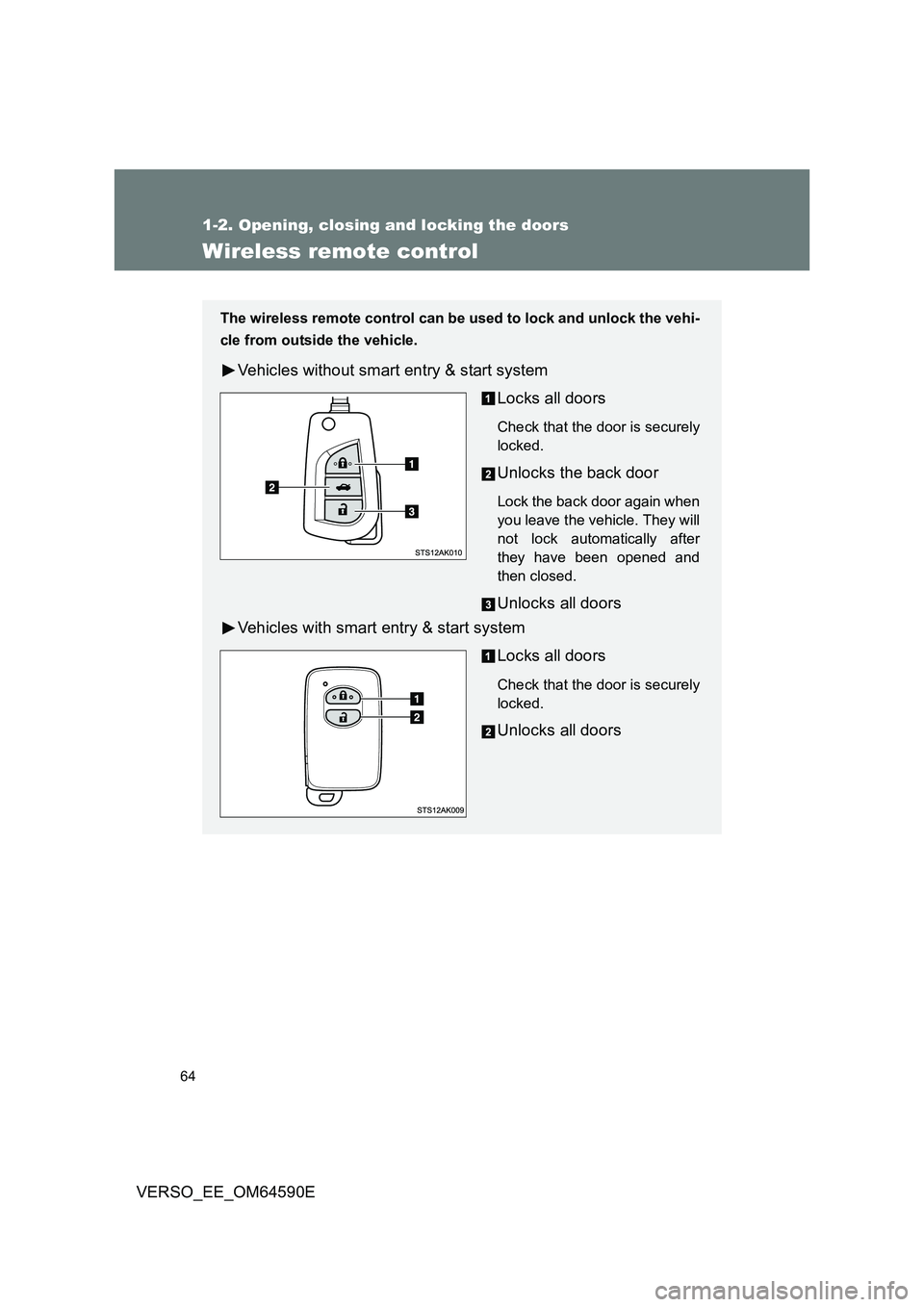
The wireless remote control can be used to lock and unlock the vehi-
cle from outside the vehicle.
Vehicles without smart entry & start system
Locks all doors
Check that the door is securely
locked.
Unlocks the back door
Lock the back door again when
you leave the vehicle. They will
not lock automatically after
they have been opened and
then closed.
Unlocks all doors
Vehicles with smart entry & start system
Locks all doors
Check that the door is securely
locked.
Unlocks all doors
Page 65 of 664
65
1-2. Opening, closing and locking the doors
1
Before driving
VERSO_EE_OM64590E
■ Operation signals
The emergency flashers flash to indicate that the doors have been locked/
unlocked. (Locked: Once; Unlocked: Twice)
■ Door lock buzzer
If the door is not fully closed, a buzzer sounds continuously for 5 seconds if
an attempt to lock the door is made. Fully close the door to stop the buzzer,
and lock the vehicle once more.
■ Back door operation (vehicles without smart entry & start system)
When the back door is locked, it can be unlocked by the back door unlock
button of the wireless key. Lock the back door again when you leave the
vehicle. The back door will not lock automatically after it has been opened
and then closed.
■ Alarm (if equipped)
Using the wireless remote control to lo ck the doors will set the alarm system.
( P. 137)
■ Key battery depletion
Vehicles without smart entry & start system
If the wireless remote control function does not operate, the battery may
be depleted. Replace the battery when necessary. ( P. 481)
Vehicles with smart entry & start system
P. 47, 481
■ Security feature
If a door is not opened within approximately 30 seconds after the vehicle is
unlocked, the security feature automatically locks the vehicle again.
■ If the wireless remote control does not operate properly
Vehicles without smart entry & start system
Locking and unlocking the doors: Use the key. ( P. 73)
Vehicles with smart entry & start system
P. 600
Page 82 of 664
82
1-2. Opening, closing and locking the doors
VERSO_EE_OM64590E
WARNING
■ Operating the back door
● Do not pull on the back door damper stay to close the back door, and do
not hang on the back door damper stay.
Doing so may cause hands to be caught or the back door damper stay to
break, causing an accident.
● If a bicycle carrier or similar heavy object is attached to the back door, it
may suddenly shut again after being opened, causing someone’s hands,
head or neck to be caught and injured. When installing an accessory part
to the back door, using a genuine Toyota part is recommended.
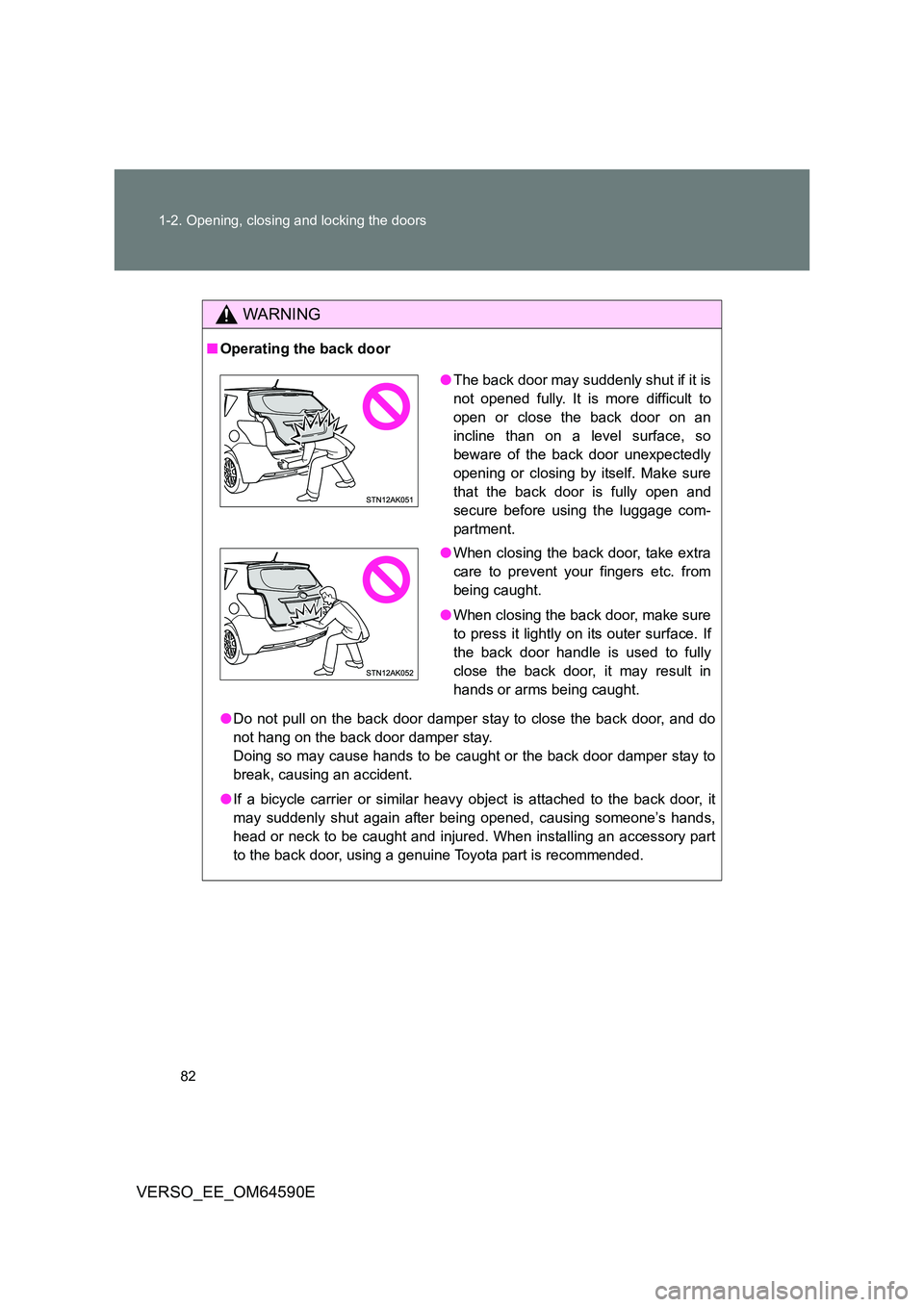
● The back door may suddenly shut if it is
not opened fully. It is more difficult to
open or close the back door on an
incline than on a level surface, so
beware of the back door unexpectedly
opening or closing by itself. Make sure
that the back door is fully open and
secure before using the luggage com-
partment.
● When closing the back door, take extra
care to prevent your fingers etc. from
being caught.
● When closing the back door, make sure
to press it lightly on its outer surface. If
the back door handle is used to fully
close the back door, it may result in
hands or arms being caught.