instrument panel TOYOTA VERSO 2016 Owners Manual
[x] Cancel search | Manufacturer: TOYOTA, Model Year: 2016, Model line: VERSO, Model: TOYOTA VERSO 2016Pages: 664, PDF Size: 62.24 MB
Page 13 of 664
13
VERSO_EE_OM64590E
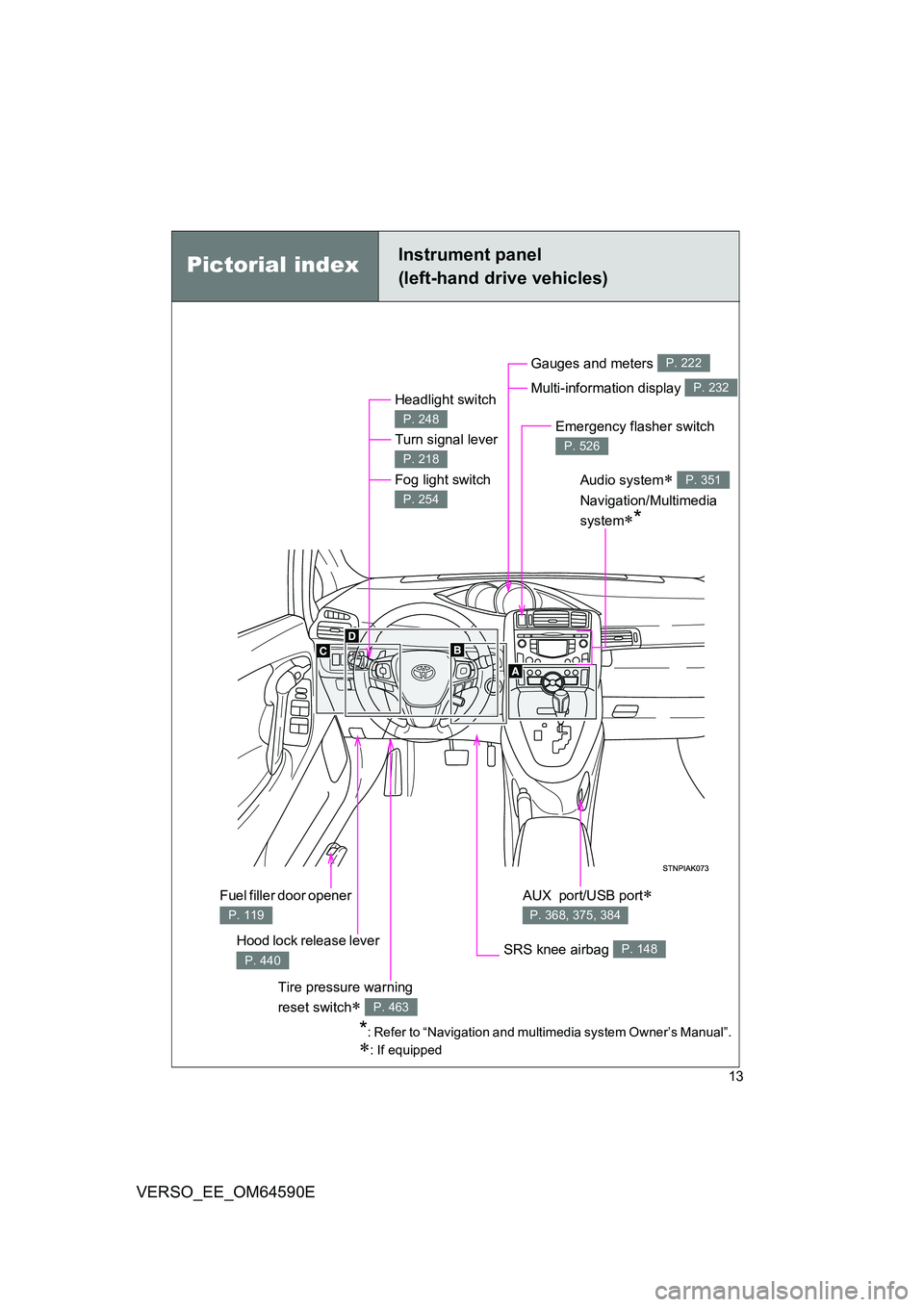
Pictorial indexInstrument panel
(left-hand drive vehicles)
Headlight switch
Turn signal lever
Fog light switch
P. 248
P. 218
P. 254
Hood lock release lever
P. 440
Gauges and meters
Multi-information display
P. 222
P. 232
Audio system
Navigation/Multimedia
system*
P. 351
SRS knee airbag P. 148
Emergency flasher switch
P. 526
*: Refer to “Navigation and multimedia system Owner’s Manual”.
: If equipped
AUX port/USB port
P. 368, 375, 384
Fuel filler door opener
P. 119
Tire pressure warning
reset switch P. 463
Page 14 of 664
14
VERSO_EE_OM64590E
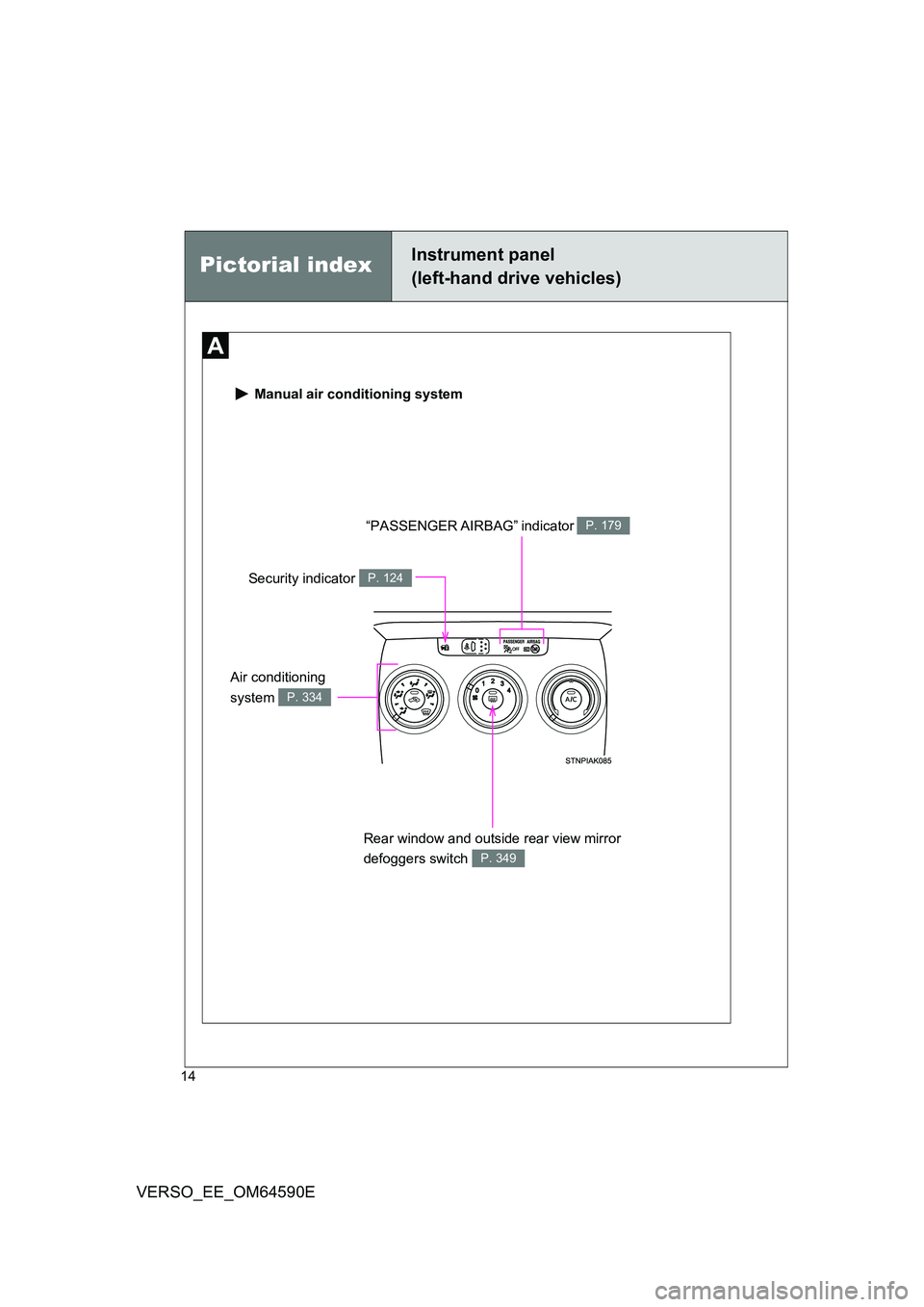
Manual air conditioning system
“PASSENGER AIRBAG” indicator P. 179
Rear window and outside rear view mirror
defoggers switch P. 349
Security indicator P. 124
Pictorial indexInstrument panel
(left-hand drive vehicles)
Air conditioning
system P. 334
Page 16 of 664
16
VERSO_EE_OM64590E
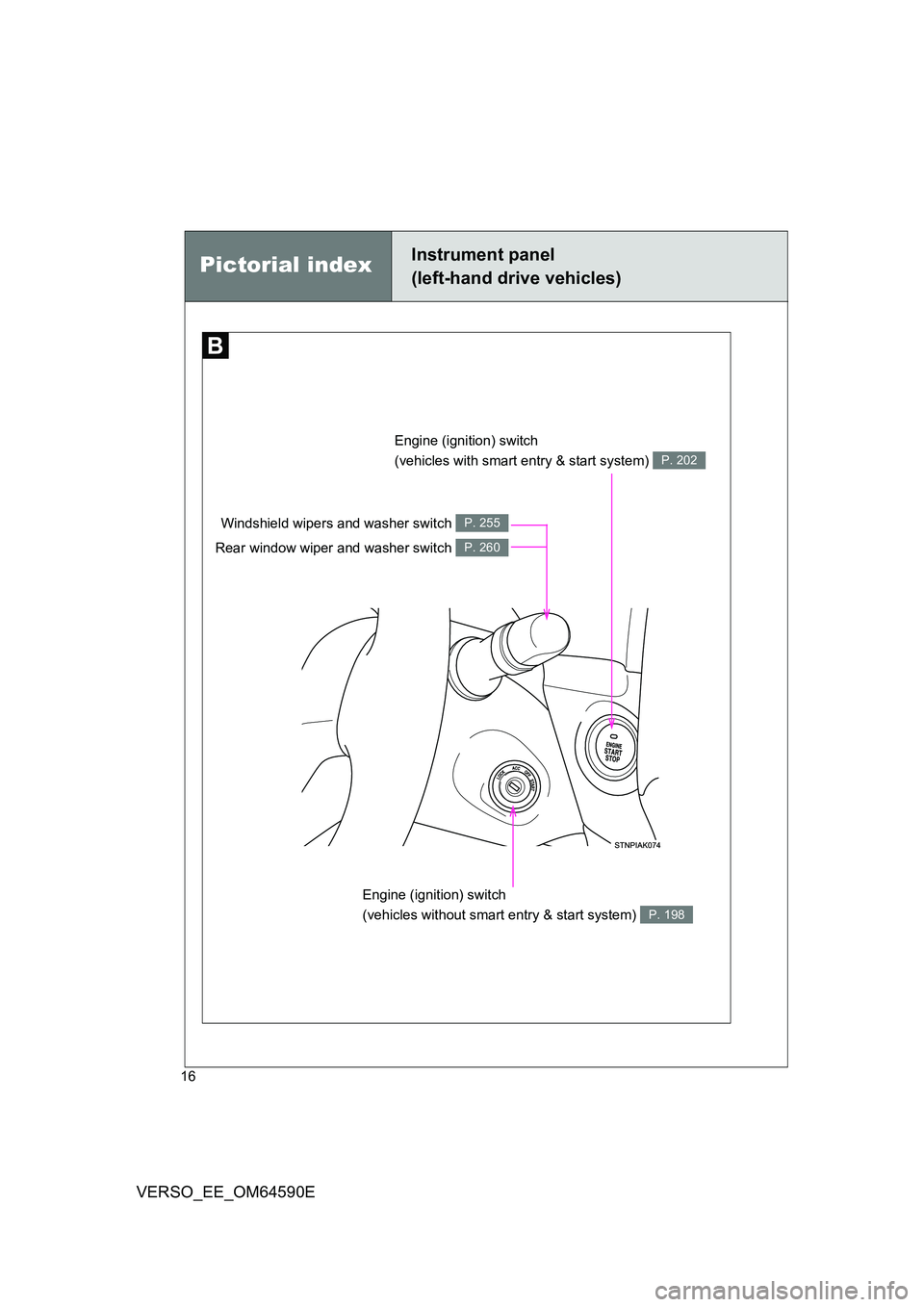
Pictorial indexInstrument panel
(left-hand drive vehicles)
Engine (ignition) switch
(vehicles with smart entry & start system) P. 202
Engine (ignition) switch
(vehicles without smart entry & start system) P. 198
Windshield wipers and washer switch
Rear window wiper and washer switch
P. 255
P. 260
Page 18 of 664
18
VERSO_EE_OM64590E
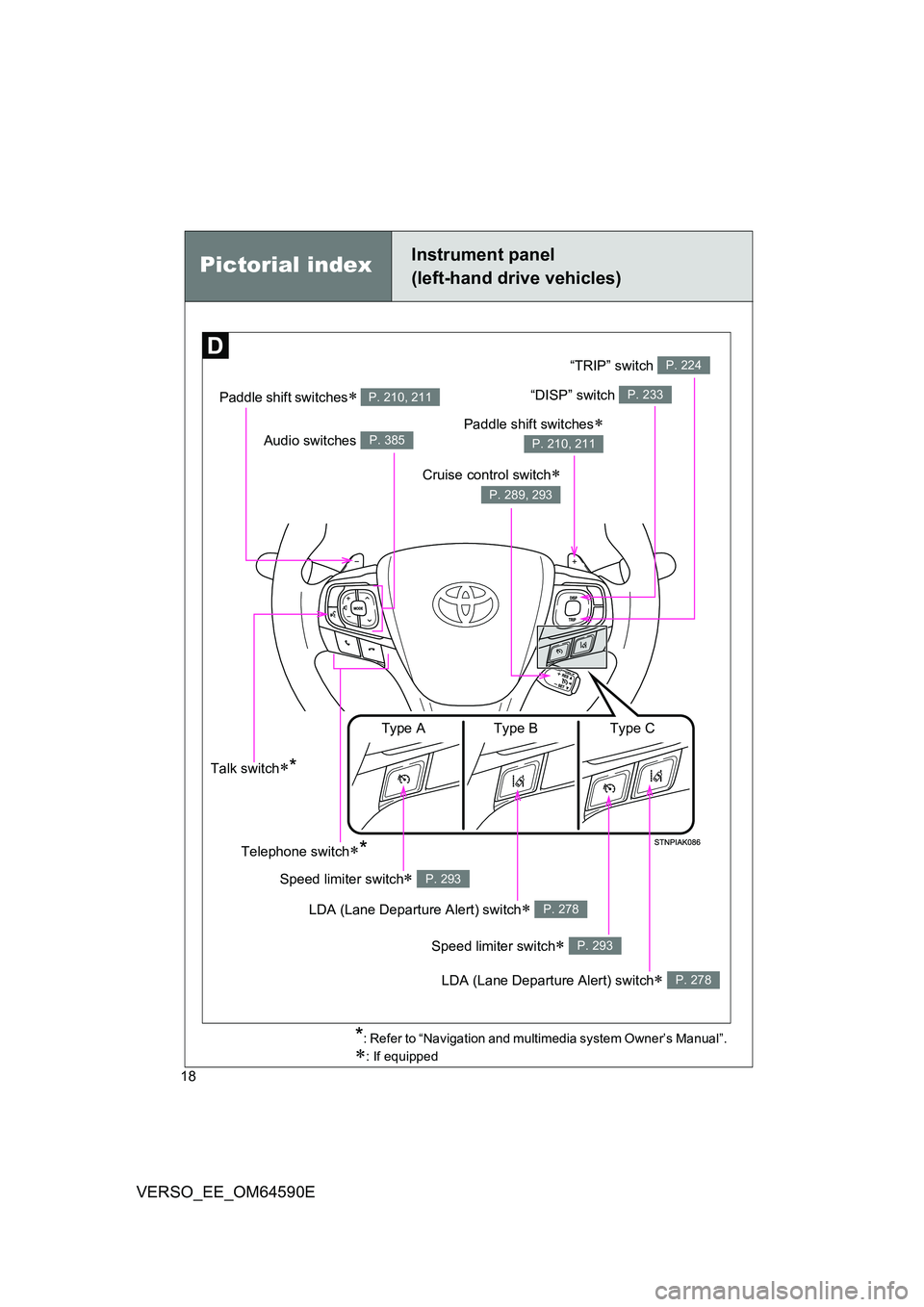
Pictorial indexInstrument panel
(left-hand drive vehicles)
Paddle shift switches P. 210, 211“DISP” switch P. 233
Audio switches P. 385
Cruise control switch
P. 289, 293
Talk switch*
*: Refer to “Navigation and multimedia system Owner’s Manual”.
: If equipped
Telephone switch*
Paddle shift switches
P. 210, 211
LDA (Lane Departure Alert) switch P. 278
Speed limiter switch P. 293
Speed limiter switch P. 293
LDA (Lane Departure Alert) switch P. 278
Type A Type B Type C
“TRIP” switch P. 224
Page 24 of 664
24
VERSO_EE_OM64590E
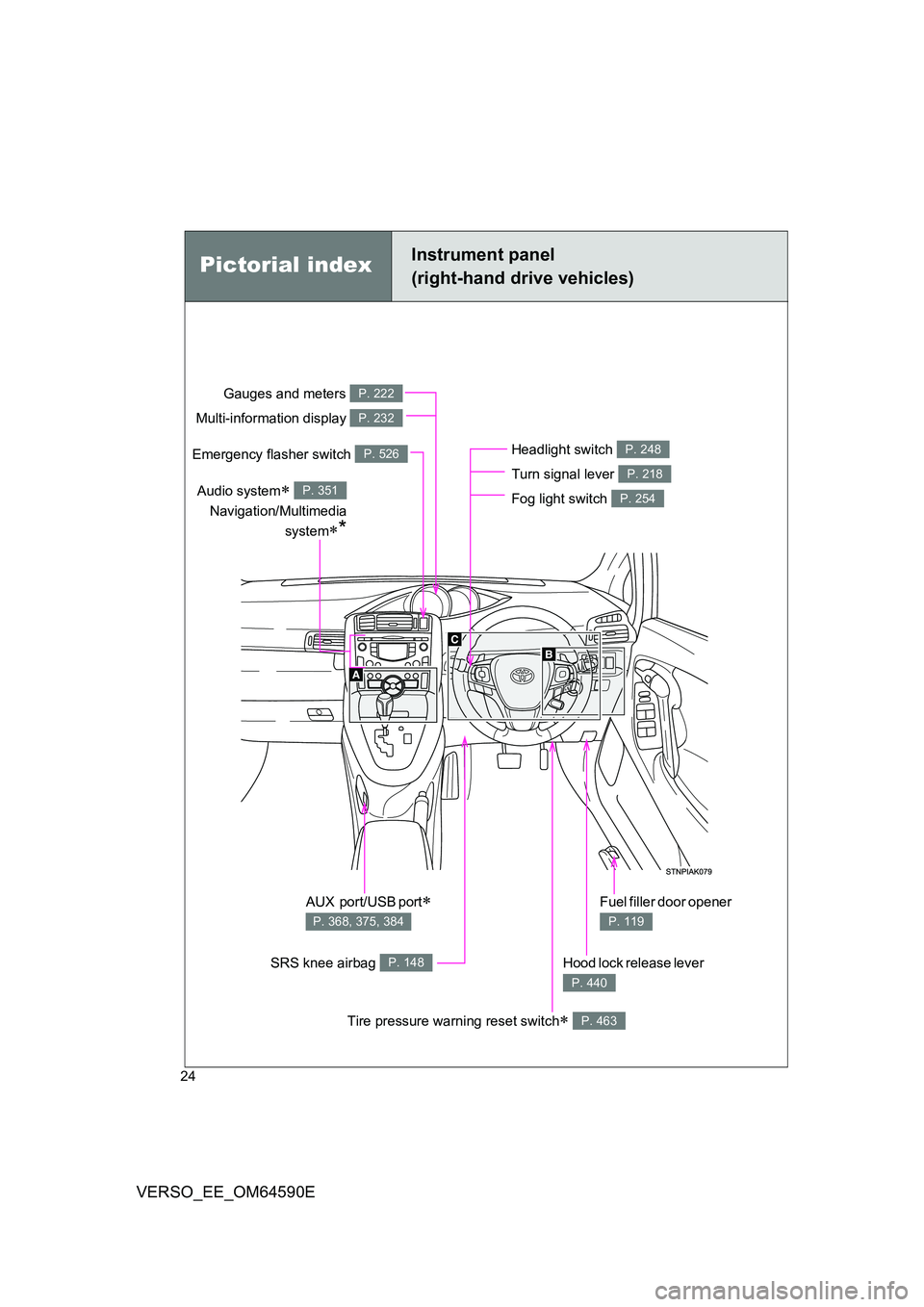
Pictorial indexInstrument panel
(right-hand drive vehicles)
Headlight switch
Turn signal lever
Fog light switch
P. 248
P. 218
P. 254
Hood lock release lever
P. 440
Gauges and meters
Multi-information display
P. 222
P. 232
Audio system
Navigation/Multimedia
system*
P. 351
SRS knee airbag P. 148
Emergency flasher switch P. 526
AUX port/USB port
P. 368, 375, 384
Fuel filler door opener
P. 119
Tire pressure warning reset switch P. 463
Page 26 of 664
26
VERSO_EE_OM64590E
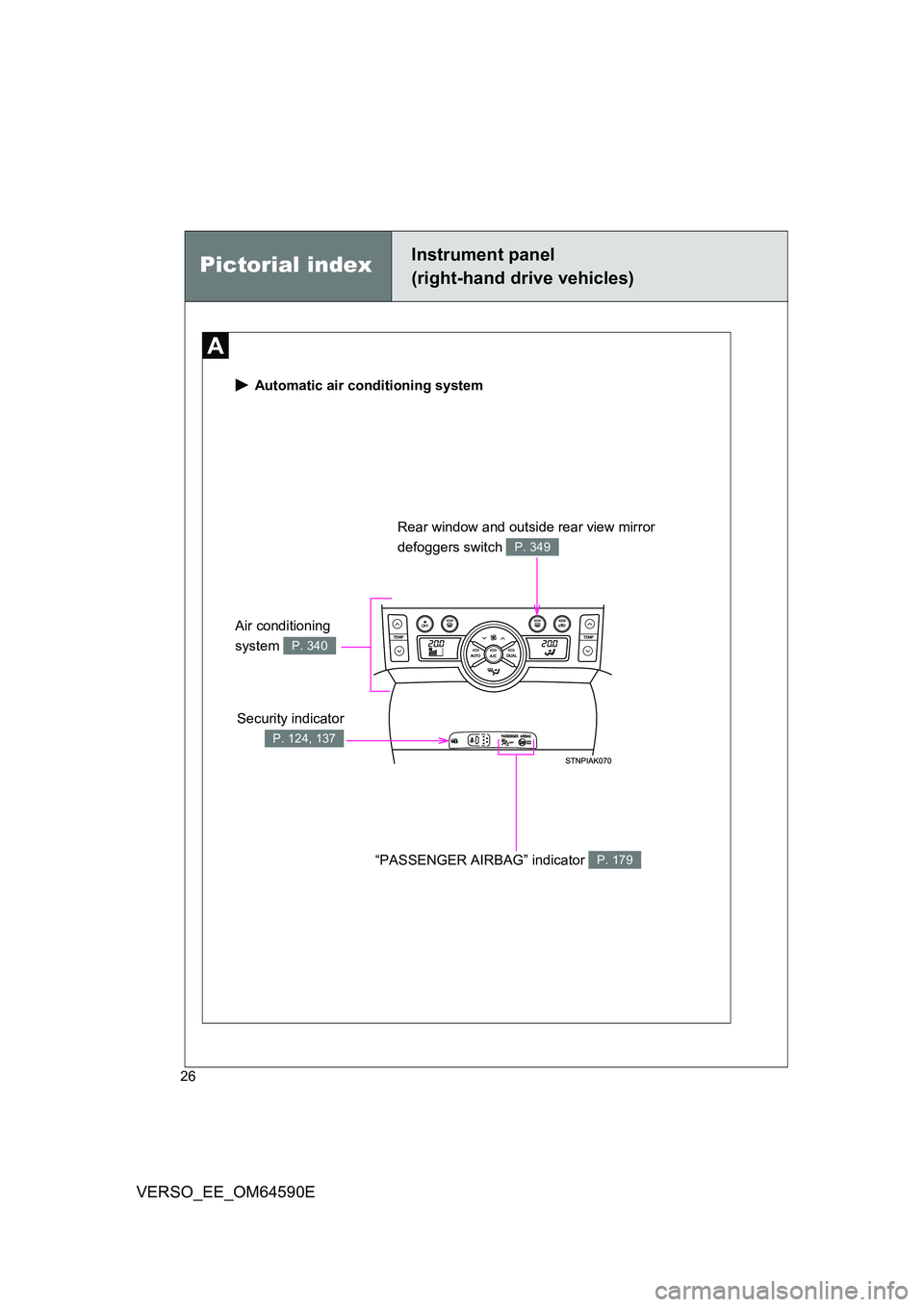
Automatic air conditioning system
Security indicator
P. 124, 137
Rear window and outside rear view mirror
defoggers switch P. 349
“PASSENGER AIRBAG” indicator P. 179
Air conditioning
system P. 340
Pictorial indexInstrument panel
(right-hand drive vehicles)
Page 28 of 664
28
VERSO_EE_OM64590E
Instrument panel
(right-hand drive vehicles)Pictorial index
*: Refer to “Navigation and multimedia system Owner’s Manual”.
: If equipped
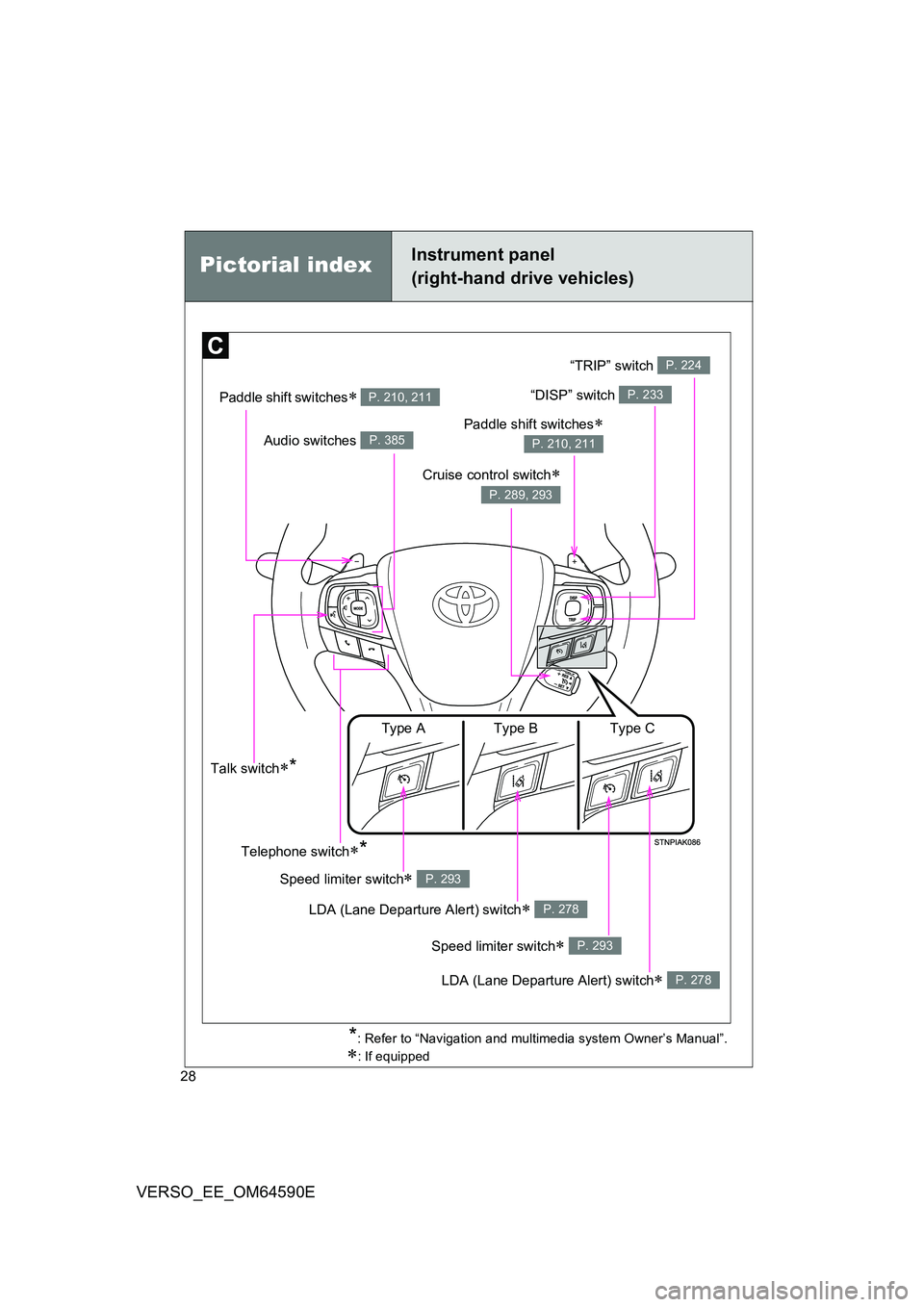
Paddle shift switches P. 210, 211
Audio switches P. 385
Talk switch*
Telephone switch*
LDA (Lane Departure Alert) switch P. 278
Speed limiter switch P. 293
Speed limiter switch P. 293
LDA (Lane Departure Alert) switch P. 278
Type A Type B Type C
“DISP” switch P. 233
Cruise control switch
P. 289, 293
Paddle shift switches
P. 210, 211
“TRIP” switch P. 224
Page 47 of 664
47
1-2. Opening, closing and locking the doors
1
Before driving
VERSO_EE_OM64590E
■ Electronic key battery depletion
● The standard battery life is 1 to 2 years.
● If the battery becomes low, an alarm will sound in the cabin when the
engine stops. ( P. 554)
● Since the electronic key receives radio waves all the time, the key battery
will be depleted even when the electronic key is not being used. If any of
the following problems occurs, it is assumed that the key battery has
been depleted. Replace it with a new battery.
• The smart entry & start system or wireless remote control does not
work
• The operating range has narrowed
• The electronic key LED light does not come on
● To prevent the electronic key battery from being depleted significantly, do
not place the key within 1 m (3 ft.) of the following electrical appliances,
which produce magnetism.
•TVs
• Personal computers
• Mobile and cordless phones, and their battery chargers
• Lamps
• Induction cookers
■ To operate the system properly
Make sure to carry the electronic key when operating the system.
■ Note for electronic key operation
● Do not get the electronic key too close to the vehicle when operating the
system from the outside of the vehicle. Depending on the position and
holding conditions of t he electronic key, the key may not be detected cor-
rectly and the system may not operate properly. (The alarm may go off
accidentally, or the door lock prevention may not function.)
● Even when the electronic key is within the effective range (detection
areas), the system may not operate properly in the following cases.
• When locking or unlocking the doors, the electronic key is too close to
a door window or door handle, near the ground, or in a high place.
• The electronic key is on the instrument panel, interior floor, or in a door
pocket, or inside the glove box.
Page 48 of 664
48
1-2. Opening, closing and locking the doors
VERSO_EE_OM64590E
● Do not leave the electronic key on top of the instrument panel or near the
door pockets when exiting the vehicle. Depending on the radio wave
reception conditions, it may be detected by the antenna outside the cabin
and the door will become lockable from the outside, possibly trapping the
electronic key inside the vehicle.
■ Special note for smart entry & start system
● When the electronic key is in the operating range, anyone can lock and
unlock the doors even without having the electronic key. However, the
unlocking operation will not be active at a door that has not detected the
electronic key.
● When the electronic key is in the operating range and the door handles
get soaked with water due to car washing or heavy rain, the doors may
be locked or unlocked. If the doors ar e unlocked, the doors will automati-
cally be locked again when no door operations occur in approximately 30
seconds.
● If the electronic key is inside or near the vehicle and if the doors are
locked using the wireless remote control, the doors may not be unlocked
with the smart entry & start system. In this case, unlock the doors using
the wireless remote control.
■ Note for door locking operation
● When touching a lock sensor to lock the doors while wearing gloves, the
response may be slow or the doors may not be locked. In this case,
touch the lock sensor without wearing a glove.
● When door handles get wet while washing the vehicle with the electronic
key on your person, the doors may be locked and unlocked repeatedly. In
this case, keep the electronic key 2 m (6 ft.) or more away from the vehi-
cle while washing (pay attention to key theft).
● When the electronic key is inside the vehicle and door handles get wet
due to a car wash, a warning message stating that the key is in the cabin
may appear on the multi-information display, interior and exterior alarms
may sound. In this case, lock the doors to stop the alarms.
Page 154 of 664
154
1-7. Safety information
VERSO_EE_OM64590E
WARNING
■ SRS airbag precautions
Observe the following precautions regarding the SRS airbags.
Failure to do so may cause death or serious injury.
● The driver and all passengers in the vehicle must wear their seat belts
properly.
The SRS airbags are supplemental devices to be used with the seat belts.
● The SRS driver airbag deploys with considerable force, and can cause
death or serious injury especially if the driver is very close to the airbag.
Since the risk zone for the driver’s airbag is the first 50 - 75 mm (2 - 3 in.)
of inflation, placing yourself 250 mm ( 10 in.) from your driver airbag pro-
vides you with a clear margin of safety. This distance is measured from the
center of the steering wheel to your breastbone. If you sit less than
250 mm (10 in.) away now, you can change your driving position in several
ways:
• Move your seat to the rear as far as you can while still reaching the
pedals comfortably.
• Slightly recline the back of the seat.
Although vehicle designs vary, many drivers can achieve the 250 mm
(10 in.) distance, even with the driv er seat all the way forward, simply
by reclining the back of the seat somewhat. If reclining the back of your
seat makes it hard to see the road, raise yourself by using a firm, non-
slippery cushion, or raise the seat if your vehicle has that feature.
• If your steering wheel is adjustable, tilt it downward. This points the
airbag toward your chest instead of your head and neck.
The seat should be adjusted as recommended above, while still maintaining
control of the foot pedals, steering wheel, and your view of the instrument
panel controls.
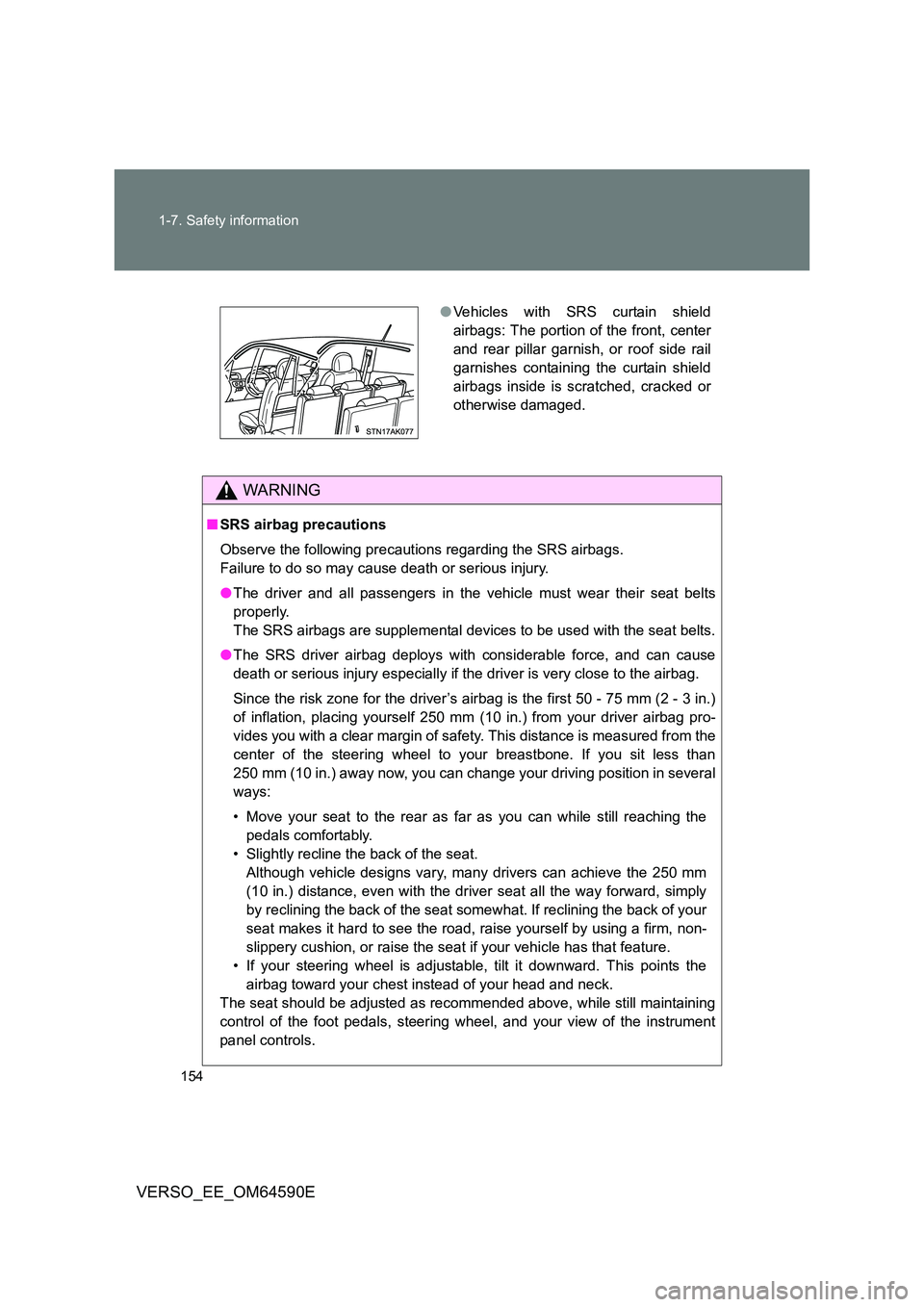
● Vehicles with SRS curtain shield
airbags: The portion of the front, center
and rear pillar garnish, or roof side rail
garnishes containing the curtain shield
airbags inside is scratched, cracked or
otherwise damaged.