warning TOYOTA VERSO S 2011 Owners Manual
[x] Cancel search | Manufacturer: TOYOTA, Model Year: 2011, Model line: VERSO S, Model: TOYOTA VERSO S 2011Pages: 664, PDF Size: 160.56 MB
Page 334 of 664
3345-3. Operating the lights and wipers
*: If equipped
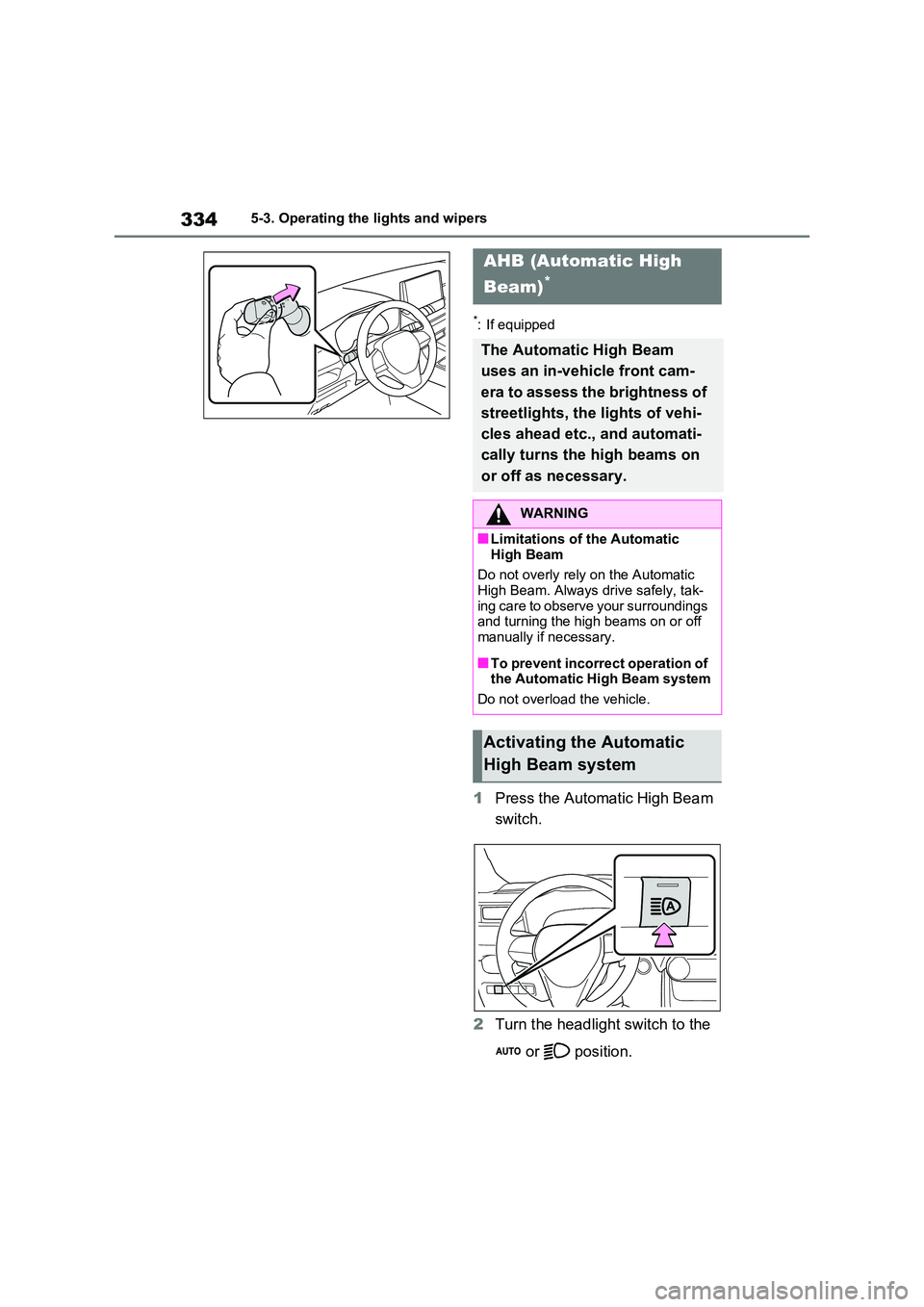
1Press the Automatic High Beam
switch.
2 Turn the headlight switch to the
or position.
AHB (Automatic High
Beam)*
The Automatic High Beam
uses an in-vehicle front cam-
era to assess the brightness of
streetlights, the lights of vehi-
cles ahead etc., and automati-
cally turns the high beams on
or off as necessary.
WARNING
■Limitations of the Automatic
High Beam
Do not overly rely on the Automatic High Beam. Always drive safely, tak-
ing care to observe your surroundings and turning the high beams on or off manually if necessary.
■To prevent incorrect operation of the Automatic High Beam system
Do not overload the vehicle.
Activating the Automatic
High Beam system
Page 339 of 664
339
5
5-3. Operating the lights and wipers
Driving
■The windshield wipers and washer can be operated when
The power switch is in ON.
■Effects of vehicle speed on wiper operation
With low speed windshield wiper opera-
tion selected, wiper operation will be switched from low speed to intermittent wiper operation when the vehicle is sta-
tionary. (However, when the sensor sen- sitivity is adjusted to the highest level, the mode will not switch.)
■Raindrop sensor
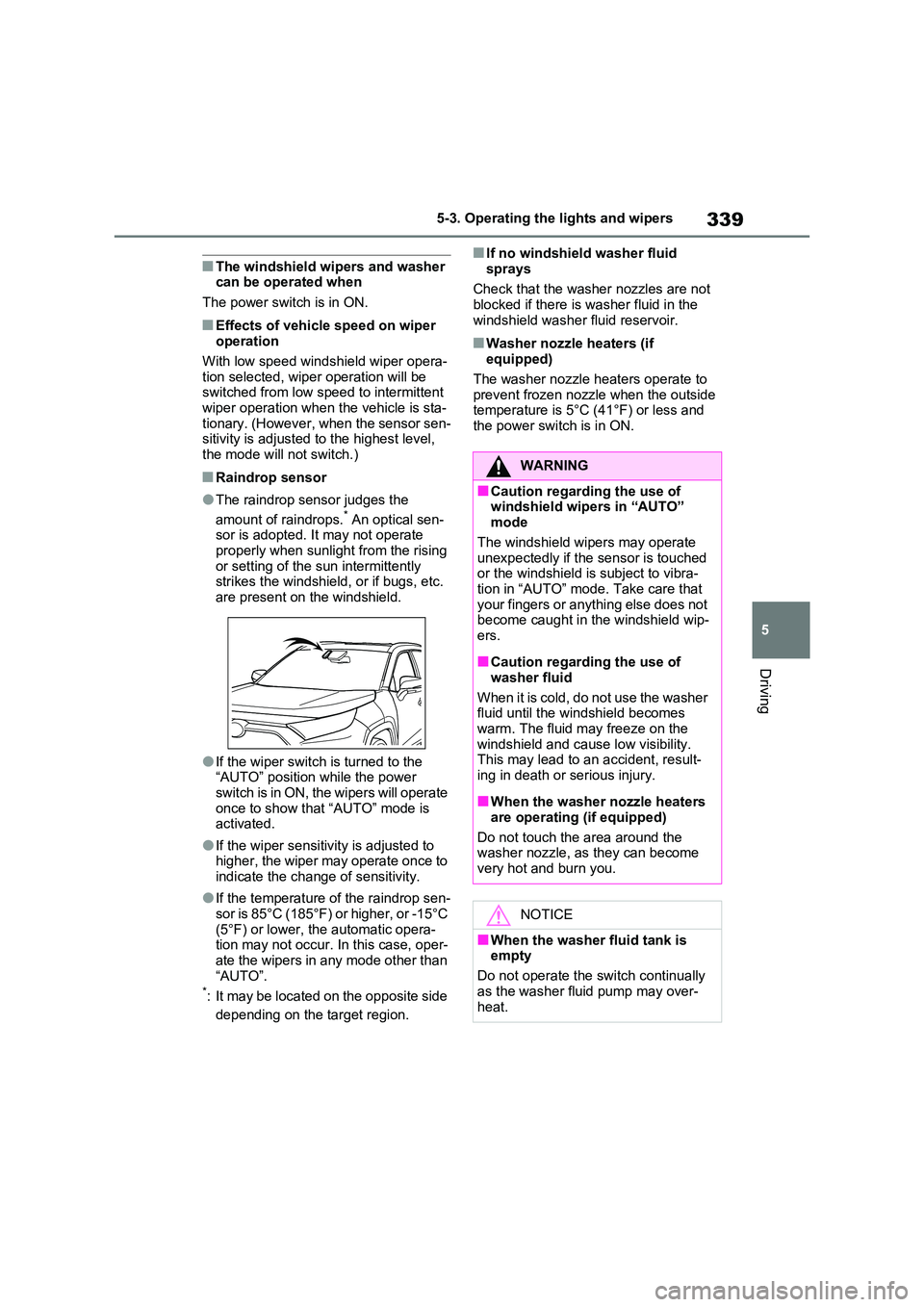
●The raindrop sensor judges the
amount of raindrops.* An optical sen- sor is adopted. It may not operate properly when sunlight from the rising
or setting of the sun intermittently strikes the windshield, or if bugs, etc. are present on the windshield.
●If the wiper switch is turned to the “AUTO” position while the power
switch is in ON, the wipers will operate once to show that “AUTO” mode is activated.
●If the wiper sensitivity is adjusted to higher, the wiper may operate once to
indicate the change of sensitivity.
●If the temperature of the raindrop sen-
sor is 85°C (185°F) or higher, or -15°C (5°F) or lower, the automatic opera-tion may not occur. In this case, oper-
ate the wipers in any mode other than “AUTO”.*: It may be located on the opposite side
depending on the target region.
■If no windshield washer fluid
sprays
Check that the washer nozzles are not blocked if there is washer fluid in the
windshield washer fluid reservoir.
■Washer nozzle heaters (if equipped)
The washer nozzle heaters operate to
prevent frozen nozzle when the outside temperature is 5°C (41°F) or less and the power switch is in ON.
WARNING
■Caution regarding the use of windshield wipers in “AUTO” mode
The windshield wipers may operate unexpectedly if the sensor is touched or the windshield is subject to vibra-
tion in “AUTO” mode. Take care that your fingers or anything else does not become caught in the windshield wip-
ers.
■Caution regarding the use of
washer fluid
When it is cold, do not use the washer fluid until the windshield becomes
warm. The fluid may freeze on the windshield and cause low visibility. This may lead to an accident, result-
ing in death or serious injury.
■When the washer nozzle heaters
are operating (if equipped)
Do not touch the area around the washer nozzle, as they can become
very hot and burn you.
NOTICE
■When the washer fluid tank is empty
Do not operate the switch continually
as the washer fluid pump may over- heat.
Page 342 of 664
3425-4. Refueling
5-4.Refuelin g
Close all the doors and windows,
and turn the power switch to
OFF.
Confirm the type of fuel.
■Fuel types
P.627
■Fuel tank opening for unleaded gasoline
To help prevent incorrect fueling, your vehicle has a fuel tank opening that only accommodates the special nozzle on
unleaded fuel pumps.
Opening the fuel tank
cap
Perform the following steps to
open the fuel tank cap:
Before refueling the vehicle
WARNING
■When refueling the vehicle
Observe the following precautions
while refueling the vehicle. Failure to do so may result in death or serious injury.
●After exiting the vehicle and before opening the fuel door, touch an unpainted metal surface to dis-
charge any static electricity. It is important to discharge static elec-tricity before refueling because
sparks resulting from static electric- ity can cause fuel vapors to ignite while refueling.
●Always hold the grips on the fuel tank cap and turn it slowly to remove it.
A whooshing sound may be heard when the fuel tank cap is loosened. Wait until the sound cannot be
heard before fully removing the cap. In hot weather, pressurized fuel may spray out of the filler neck
and cause injury.
●Do not allow anyone that has not
discharged static electricity from their body to come close to an open fuel tank.
●Do not inhale vaporized fuel.Fuel contains substances that are
harmful if inhaled.
●Do not smoke while refueling the
vehicle. Doing so may cause the fuel to ignite and cause a fire.
●Do not return to the vehicle or touch any person or object that is stati-
cally charged. This may cause static electricity to build up, result-ing in a possible ignition hazard.
■When refueling
Observe the following precautions to
prevent fuel overflowing from the fuel tank:
●Securely insert the fuel nozzle into
the fuel filler neck.
●Stop filling the tank after the fuel
nozzle automatically clicks off.
●Do not top off the fuel tank.
NOTICE
■Refueling
Do not spill fuel during refueling. Doing so may damage the vehicle,
such as causing the emission control system to operate abnormally or dam-aging fuel system components or the
vehicle’s painted surface.
Page 343 of 664
343
5
5-4. Refueling
Driving
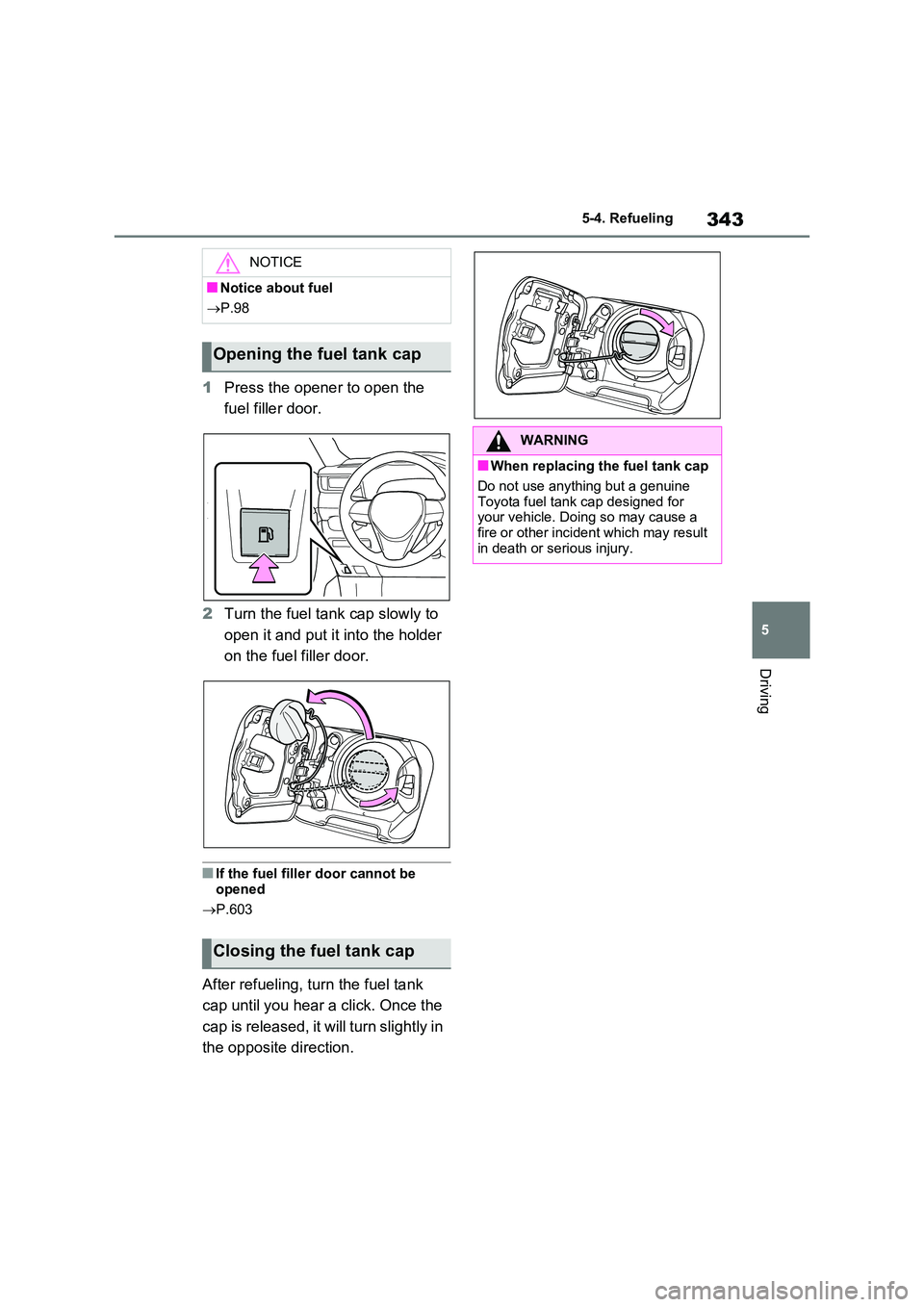
1 Press the opener to open the
fuel filler door.
2 Turn the fuel tank cap slowly to
open it and put it into the holder
on the fuel filler door.
■If the fuel filler door cannot be
opened
P.603
After refueling, turn the fuel tank
cap until you hear a click. Once the
cap is released, it will turn slightly in
the opposite direction.
NOTICE
■Notice about fuel
P.98
Opening the fuel tank cap
Closing the fuel tank cap
WARNING
■When replacing the fuel tank cap
Do not use anything but a genuine
Toyota fuel tank cap designed for your vehicle. Doing so may cause a fire or other incident which may result
in death or serious injury.
Page 344 of 664
3445-5. Using the driving support systems
5-5.Using the d riving s upport sy ste ms
*: If equipped
■PCS (Pre-Collision System)
P.355
■LTA (Lane Tracing Assist)
P.362
■AHB (Automatic High Beam)
P.334
■RSA (Road Sign Assist) (if
equipped)
P.372
■Dynamic radar cruise control
with full-speed range
P.376
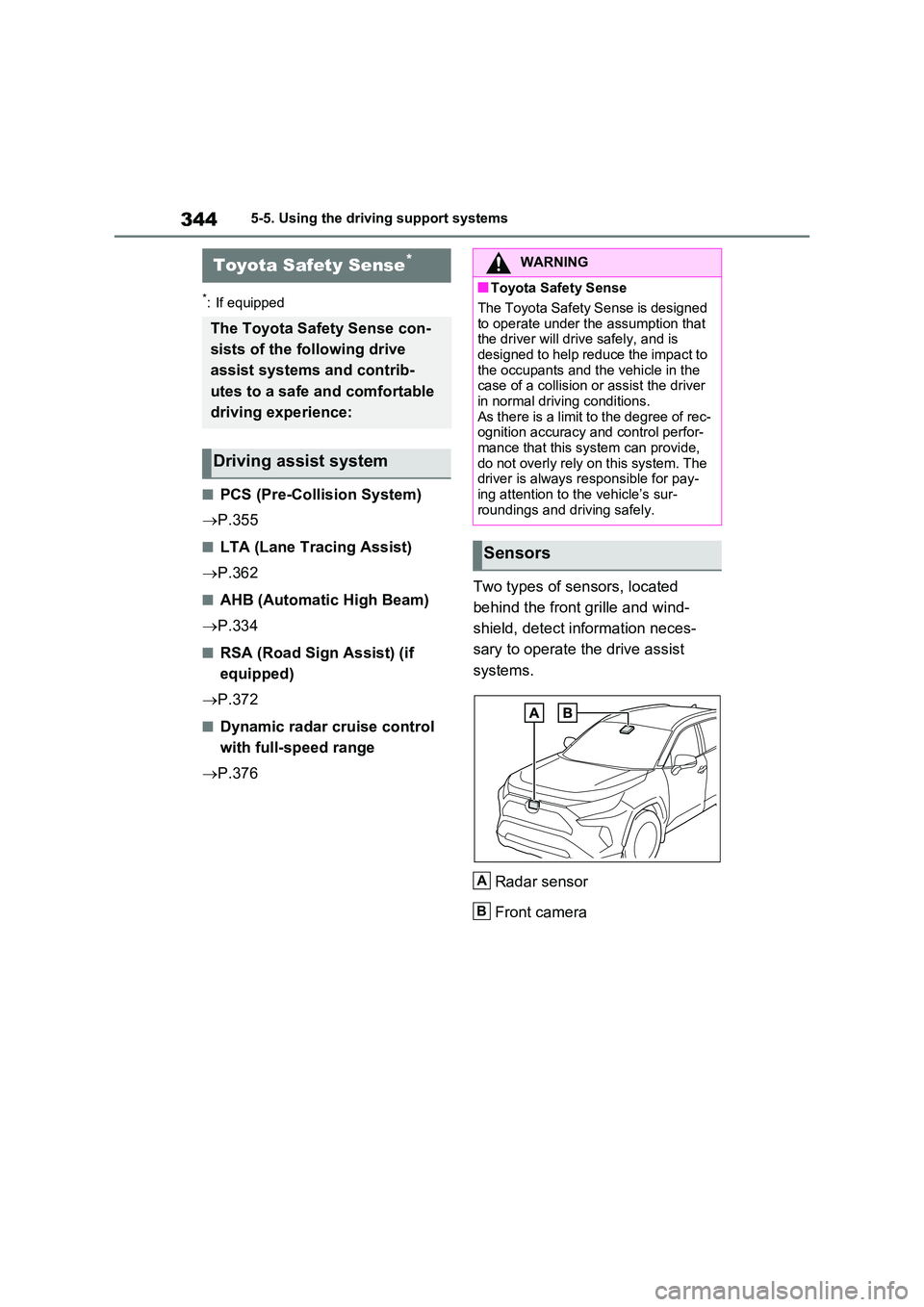
Two types of sensors, located
behind the front grille and wind-
shield, detect information neces-
sary to operate the drive assist
systems.
Radar sensor
Front camera
Toyota Safety Sense*
The Toyota Safety Sense con-
sists of the following drive
assist systems and contrib-
utes to a safe and comfortable
driving experience:
Driving assist system
WARNING
■Toyota Safety Sense
The Toyota Safety Sense is designed
to operate under the assumption that the driver will drive safely, and is designed to help reduce the impact to
the occupants and the vehicle in the case of a collision or assist the driver in normal driving conditions.
As there is a limit to the degree of rec- ognition accuracy and control perfor-mance that this system can provide,
do not overly rely on this system. The driver is always responsible for pay-ing attention to the vehicle’s sur-
roundings and driving safely.
Sensors
A
B
Page 345 of 664
345
5
5-5. Using the driving support systems
Driving
WARNING
■To avoid malfunction of the radar sensor
Observe the following precautions. Otherwise, the radar sensor may not operate properly, possibly leading to
an accident resulting in death or seri- ous injury.
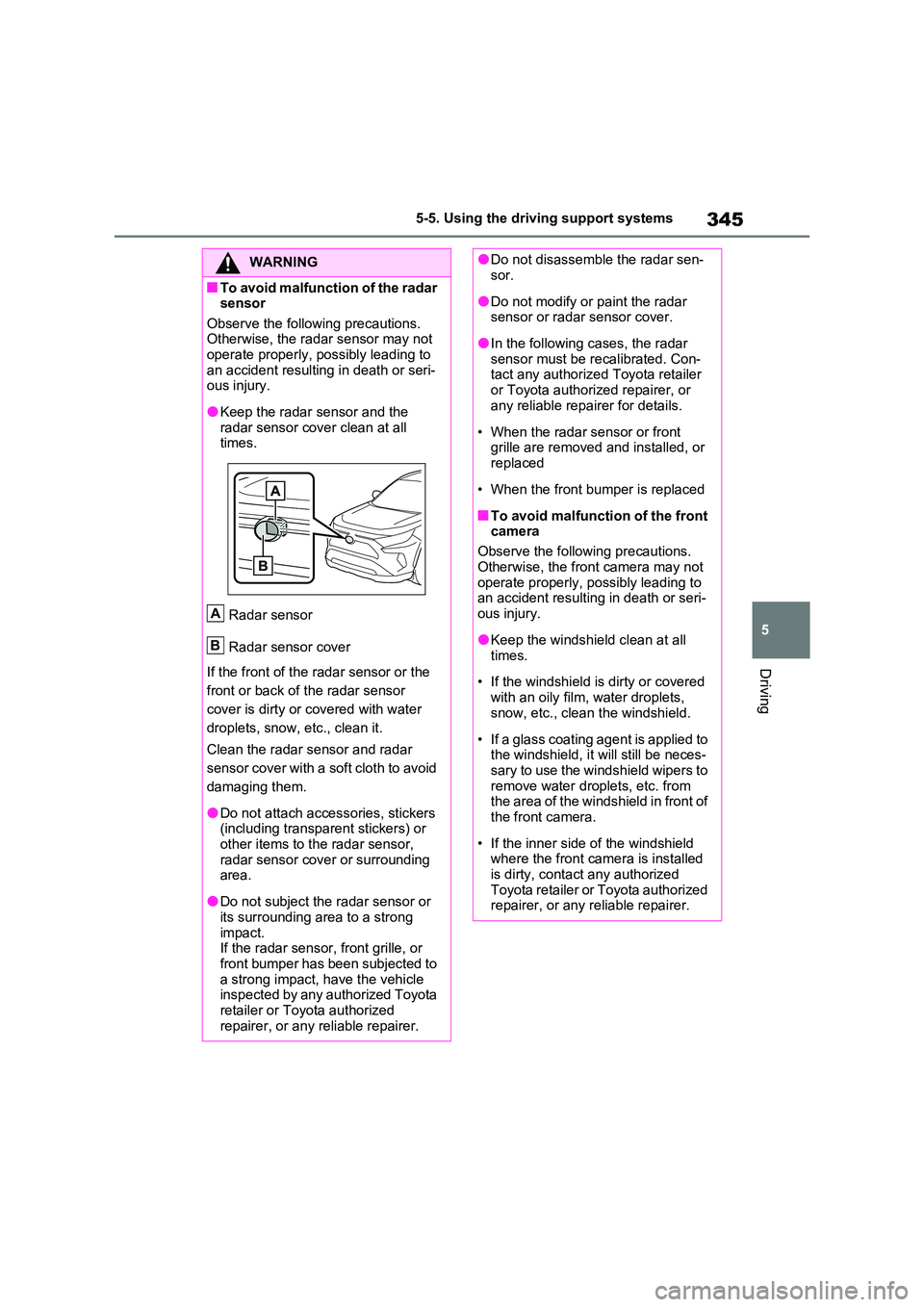
●Keep the radar sensor and the radar sensor cover clean at all times.
Radar sensor
Radar sensor cover
If the front of the radar sensor or the
front or back of the radar sensor
cover is dirty or covered with water
droplets, snow, etc., clean it.
Clean the radar sensor and radar
sensor cover with a soft cloth to avoid
damaging them.
●Do not attach accessories, stickers (including transparent stickers) or
other items to the radar sensor, radar sensor cover or surrounding area.
●Do not subject the radar sensor or its surrounding area to a strong
impact. If the radar sensor, front grille, or front bumper has been subjected to
a strong impact, have the vehicle inspected by any authorized Toyota retailer or Toyota authorized
repairer, or any reliable repairer.
A
B
●Do not disassemble the radar sen- sor.
●Do not modify or paint the radar sensor or radar sensor cover.
●In the following cases, the radar sensor must be recalibrated. Con-tact any authorized Toyota retailer
or Toyota authorized repairer, or any reliable repairer for details.
• When the radar sensor or front grille are removed and installed, or replaced
• When the front bumper is replaced
■To avoid malfunction of the front camera
Observe the following precautions.
Otherwise, the front camera may not operate properly, possibly leading to an accident resulting in death or seri-
ous injury.
●Keep the windshield clean at all
times.
• If the windshield is dirty or covered
with an oily film, water droplets, snow, etc., clean the windshield.
• If a glass coating agent is applied to the windshield, it will still be neces-sary to use the windshield wipers to
remove water droplets, etc. from the area of the windshield in front of the front camera.
• If the inner side of the windshield where the front camera is installed
is dirty, contact any authorized Toyota retailer or Toyota authorized repairer, or any reliable repairer.
Page 346 of 664
3465-5. Using the driving support systems
WARNING
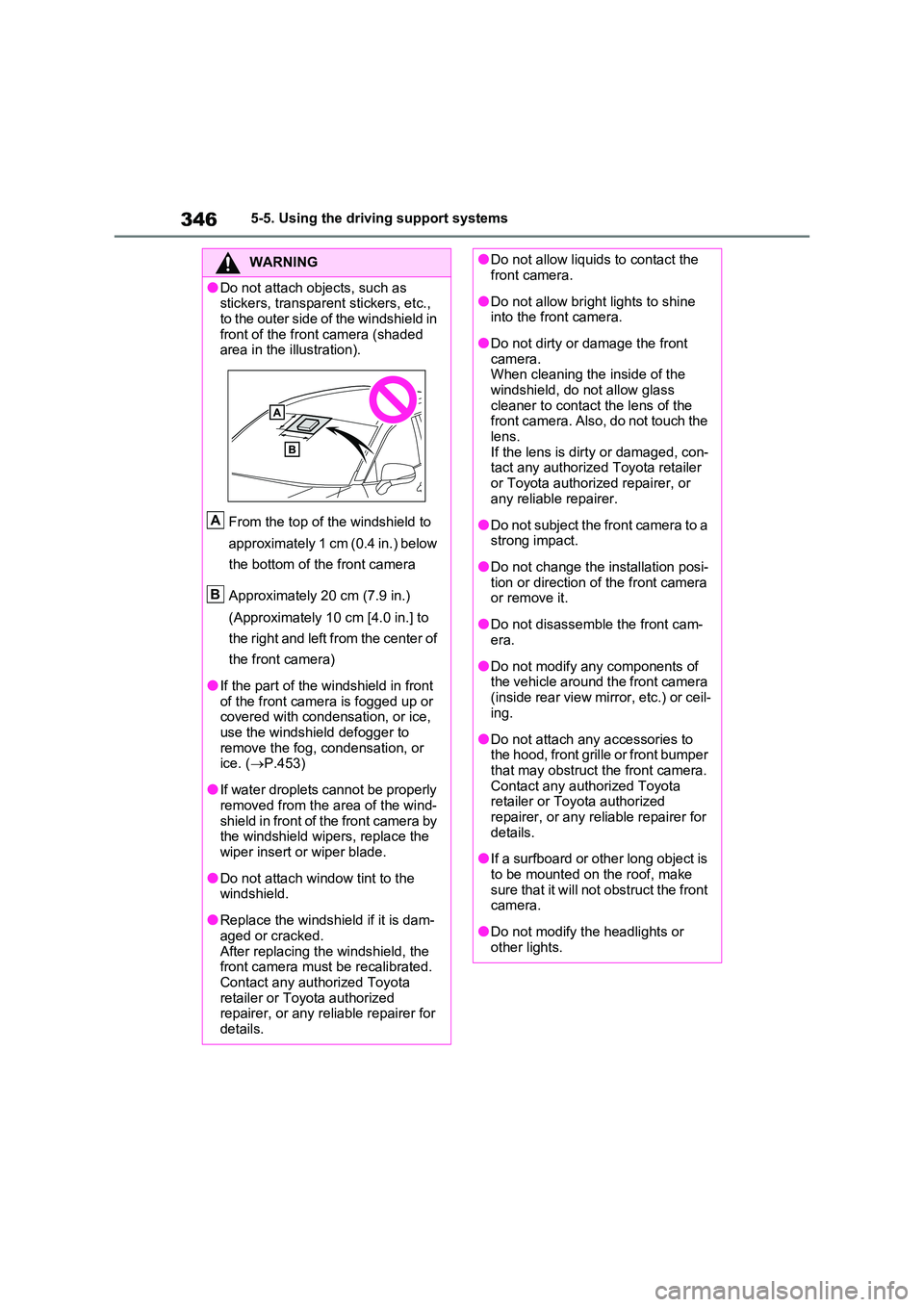
●Do not attach objects, such as stickers, transparent stickers, etc.,
to the outer side of the windshield in front of the front camera (shaded area in the illustration).
From the top of the windshield to
approximately 1 cm (0.4 in.) below
the bottom of the front camera
Approximately 20 cm (7.9 in.)
(Approximately 10 cm [4.0 in.] to
the right and left from the center of
the front camera)
●If the part of the windshield in front of the front camera is fogged up or covered with condensation, or ice,
use the windshield defogger to remove the fog, condensation, or ice. ( P.453)
●If water droplets cannot be properly removed from the area of the wind-
shield in front of the front camera by the windshield wipers, replace the wiper insert or wiper blade.
●Do not attach window tint to the windshield.
●Replace the windshield if it is dam-aged or cracked.
After replacing the windshield, the front camera must be recalibrated. Contact any authorized Toyota
retailer or Toyota authorized repairer, or any reliable repairer for details.
A
B
●Do not allow liquids to contact the front camera.
●Do not allow bright lights to shine into the front camera.
●Do not dirty or damage the front camera. When cleaning the inside of the
windshield, do not allow glass cleaner to contact the lens of the front camera. Also, do not touch the
lens. If the lens is dirty or damaged, con-tact any authorized Toyota retailer
or Toyota authorized repairer, or any reliable repairer.
●Do not subject the front camera to a strong impact.
●Do not change the installation posi-tion or direction of the front camera or remove it.
●Do not disassemble the front cam-era.
●Do not modify any components of the vehicle around the front camera
(inside rear view mirror, etc.) or ceil- ing.
●Do not attach any accessories to the hood, front grille or front bumper that may obstruct the front camera.
Contact any authorized Toyota retailer or Toyota authorized repairer, or any reliable repairer for
details.
●If a surfboard or other long object is
to be mounted on the roof, make sure that it will not obstruct the front camera.
●Do not modify the headlights or other lights.
Page 353 of 664
353
5 5-5. Using the driving support systems
Driving
For vehicles sold in Ukraine
■If a warning message is displayed on the multi-information display
A system may be temporarily unavailable or there may be a malfunction in the sys-
tem.
●In the following situations, perform the actions specified in the table. When the nor-
mal operating conditions are detected, the message will disappear and the system
will become operational.
If the message does not disappear, contact any authorized Toyota retailer or Toyota
authorized repairer, or any reliable repairer.
SituationActions
When the area around a sensor is cov-
ered with dirt, moisture (fogged up, cov-
ered with condensation, ice, etc.), or
other foreign matterTo clean the part of the windshield in
front of the front camera, use the wind-
shield wipers or the windshield defogger
of the air conditioning system (P.453).
Page 355 of 664
355
5 5-5. Using the driving support systems
Driving
*: If equipped
The system can detect the follow-
ing:
Vehicles
Bicyclists
Pedestrians
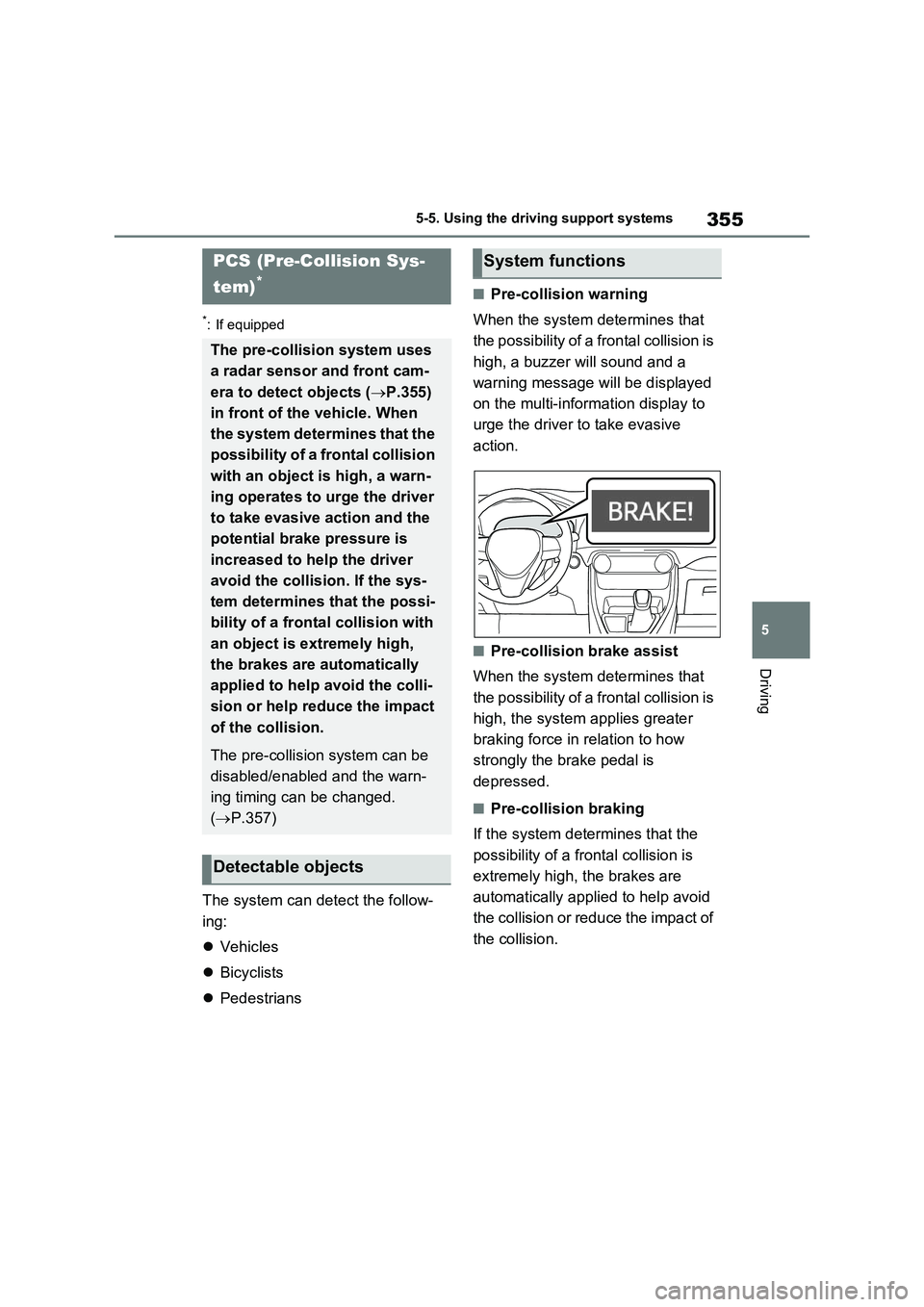
■Pre-collision warning
When the system determines that
the possibility of a frontal collision is
high, a buzzer will sound and a
warning message will be displayed
on the multi-information display to
urge the driver to take evasive
action.
■Pre-collision brake assist
When the system determines that
the possibility of a frontal collision is
high, the system applies greater
braking force in relation to how
strongly the brake pedal is
depressed.
■Pre-collision braking
If the system determines that the
possibility of a frontal collision is
extremely high, the brakes are
automatically applied to help avoid
the collision or reduce the impact of
the collision.
PCS (Pre-Collision Sys-
tem)
*
The pre-collision system uses
a radar sensor and front cam-
era to detect objects (P.355)
in front of the vehicle. When
the system determines that the
possibility of a frontal collision
with an object is high, a warn-
ing operates to urge the driver
to take evasive action and the
potential brake pressure is
increased to help the driver
avoid the collision. If the sys-
tem determines that the possi-
bility of a frontal collision with
an object is extremely high,
the brakes are automatically
applied to help avoid the colli-
sion or help reduce the impact
of the collision.
The pre-collision system can be
disabled/enabled and the warn-
ing timing can be changed.
(P.357)
Detectable objects
System functions
Page 356 of 664
3565-5. Using the driving support systems
WARNING
■Limitations of the pre-collision system
●The driver is solely responsible for safe driving. Always drive safely, taking care to observe your sur-
roundings. Do not use the pre-collision system instead of normal braking opera-
tions under any circumstances. This system will not prevent colli-sions or lessen collision damage or
injury in every situation. Do not overly rely on this system. Failure to do so may lead to an accident,
resulting in death or serious injury.
●Although this system is designed to
help avoid a collision or help reduce the impact of the collision, its effec-tiveness may change according to
various conditions, therefore the system may not always be able to achieve the same level of perfor-
mance. Read the following conditions care-fully. Do not overly rely on this sys-
tem and always drive carefully.
• Conditions under which the system may operate even if there is no pos-
sibility of a collision: P.359
• Conditions under which the system may not operate properly: P.360
●Do not attempt to test the operation of the pre-collision system yourself.
Depending on the objects used for testing (dummies, cardboard objects imitating detectable objects,
etc.), the system may not operate properly, possibly leading to an accident.
■Pre-collision braking
●When the pre-collision braking
function is operating, a large amount of braking force will be applied.
●If the vehicle is stopped by the operation of the pre-collision brak-ing function, the pre-collision brak-
ing function operation will be canceled after approximately 2 sec-onds. Depress the brake pedal as
necessary.
●The pre-collision braking function
may not operate if certain opera- tions are performed by the driver. If the accelerator pedal is being
depressed strongly or the steering wheel is being turned, the system may determine that the driver is tak-
ing evasive action and possibly pre- vent the pre-collision braking function from operating.
●In some situations, while the pre-collision braking function is operat-
ing, operation of the function may be canceled if the accelerator pedal is depressed strongly or the steer-
ing wheel is turned and the system determines that the driver is taking evasive action.
●If the brake pedal is being depressed, the system may deter-
mine that the driver is taking eva- sive action and possibly delay the operation timing of the pre-collision
braking function.
■When to disable the pre-colli-
sion system
In the following situations, disable the system, as it may not operate prop-
erly, possibly leading to an accident resulting in death or serious injury:
●When the vehicle is being towed
●When your vehicle is towing another vehicle
●When transporting the vehicle via truck, boat, train or similar means of
transportation
●When the vehicle is raised on a lift
with the hybrid system on and the tires are allowed to rotate freely