radio TOYOTA VERSO S 2011 User Guide
[x] Cancel search | Manufacturer: TOYOTA, Model Year: 2011, Model line: VERSO S, Model: TOYOTA VERSO S 2011Pages: 664, PDF Size: 160.56 MB
Page 269 of 664
269
4
4-2. Opening, closing and locking the doors
Before driving
WARNING
■Caution regarding interference with electronic devices
●People with implantable cardiac pacemakers, cardiac resynchroni-zation therapy-pacemakers or
implantable cardioverter defi- brillators should maintain a reason-able distance between themselves
and the smart entry & start system antennas. ( P.223) The radio waves may affect the
operation of such devices. If neces- sary, the entry function can be dis-abled. Ask any authorized Toyota
retailer or Toyota authorized repairer, or any reliable repairer for details, such as the frequency of
radio waves and timing of the emit- ted radio waves. Then, consult your doctor to see if you should disable
the entry function.
●User of any electrical medical
device other than implantable car- diac pacemakers, cardiac resyn-chronization therapy-pacemakers
or implantable cardioverter defi- brillators should consult the manu-facturer of the device for
information about its operation under the influence of radio waves.Radio waves could have unex-
pected effects on the operation of such medical devices.
Ask any authorized Toyota retailer or Toyota authorized repairer, or any reliable repairer for details for dis-
abling the entry function.
Page 286 of 664
2864-4. Adjusting the steering wheel and mirrors
SymptomLikely causeSolution
The image is dif-
ficult to see.
The mirror surface is dirty.Clean the mirror surface gently,
using a soft dry cloth.
Sunlight or headlights are shin-
ing directly into the Digital Rear-
view Mirror.
Change to optical mirror mode.
(If the light is coming through
the panoramic moon roof [if
equipped], close the electronic
sunshade.)
• The vehicle is in a dark area.
• The vehicle is near a TV
tower, broadcasting station,
electric power plant, or other
location where strong radio
waves or electrical noise may
be present.
• The temperature around the
camera is extremely high/low.
• The ambient temperature is
extremely low.
• It is raining or humid.
• Sunlight or headlights are
shining directly into the cam-
era lens.
• The vehicle is under fluores-
cent lights, sodium lights,
mercury lights, etc.
• Exhaust gas is obstructing the
camera.
Change to optical mirror mode.
(Change back to digital mirror
mode when the conditions have
improved.)
Foreign matters such as water
droplets or dust is on the cam-
era lens.Wipe the camera lens with a
damp soft cloth.
Page 360 of 664
3605-5. Using the driving support systems
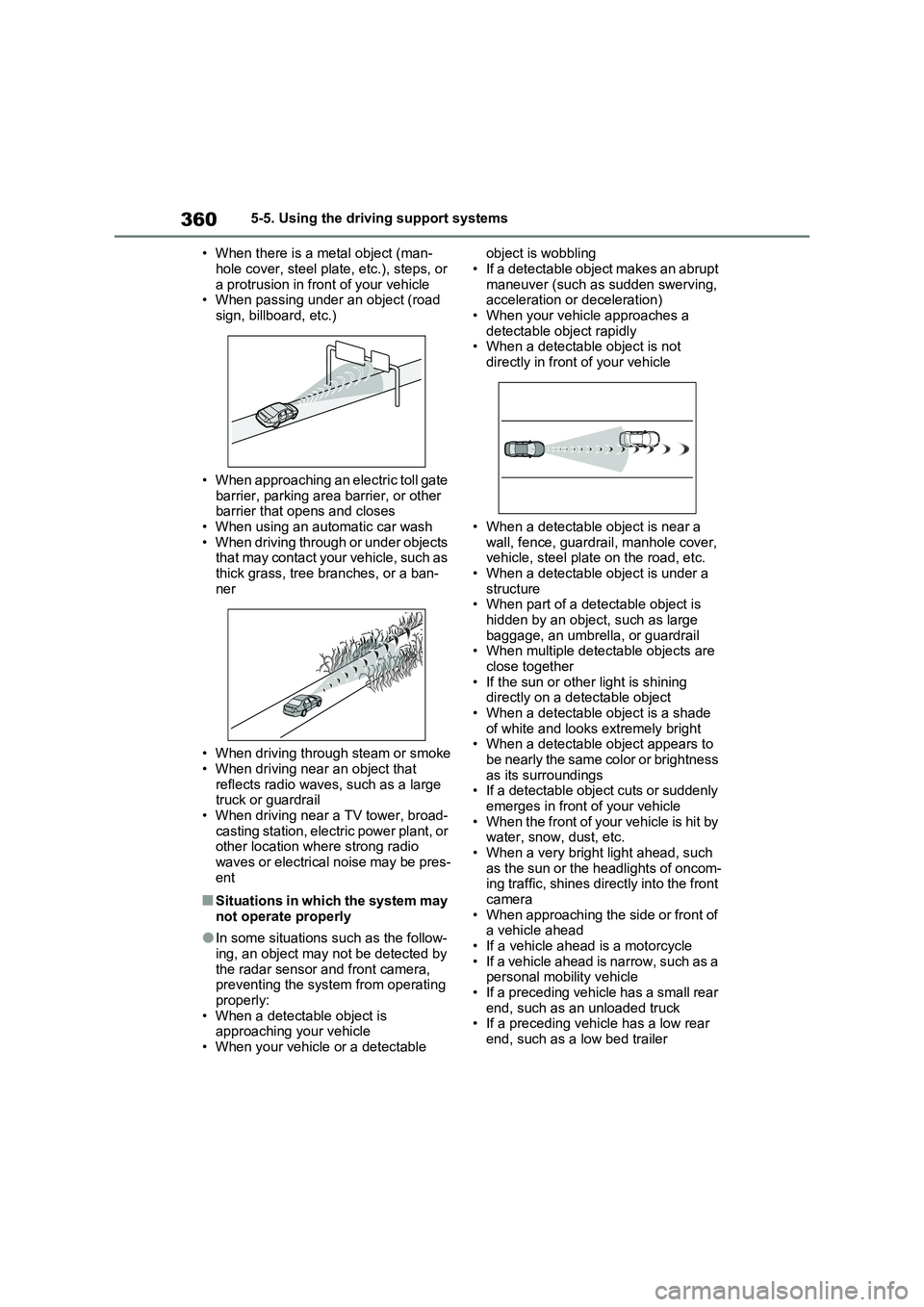
• When there is a metal object (man-
hole cover, steel plate, etc.), steps, or
a protrusion in front of your vehicle
• When passing under an object (road
sign, billboard, etc.)
• When approaching an electric toll gate
barrier, parking area barrier, or other
barrier that opens and closes
• When using an automatic car wash
• When driving through or under objects
that may contact your vehicle, such as
thick grass, tree branches, or a ban-
ner
• When driving through steam or smoke
• When driving near an object that
reflects radio waves, such as a large
truck or guardrail
• When driving near a TV tower, broad-
casting station, electric power plant, or
other location where strong radio
waves or electrical noise may be pres-
ent
■Situations in which the system may
not operate properly
●In some situations such as the follow-
ing, an object may not be detected by
the radar sensor and front camera,
preventing the system from operating
properly:
• When a detectable object is
approaching your vehicle
• When your vehicle or a detectable object is wobbling
• If a detectable object makes an abrupt
maneuver (such as sudden swerving,
acceleration or deceleration)
• When your vehicle approaches a
detectable object rapidly
• When a detectable object is not
directly in front of your vehicle
• When a detectable object is near a
wall, fence, guardrail, manhole cover,
vehicle, steel plate on the road, etc.
• When a detectable object is under a
structure
• When part of a detectable object is
hidden by an object, such as large
baggage, an umbrella, or guardrail
• When multiple detectable objects are
close together
• If the sun or other light is shining
directly on a detectable object
• When a detectable object is a shade
of white and looks extremely bright
• When a detectable object appears to
be nearly the same color or brightness
as its surroundings
• If a detectable object cuts or suddenly
emerges in front of your vehicle
• When the front of your vehicle is hit by
water, snow, dust, etc.
• When a very bright light ahead, such
as the sun or the headlights of oncom-
ing traffic, shines directly into the front
camera
• When approaching the side or front of
a vehicle ahead
• If a vehicle ahead is a motorcycle
• If a vehicle ahead is narrow, such as a
personal mobility vehicle
• If a preceding vehicle has a small rear
end, such as an unloaded truck
• If a preceding vehicle has a low rear
end, such as a low bed trailer
Page 482 of 664
4826-4. Using the other interior features
• Repeatedly flashes 4 times con-
tinuously (Orange)
■The wireless charger can be oper-
ated when
The power switch is in ACC or ON.
■Usable portable devices
Qi standard wireless charge standard
can be used on compatible devices.
However, not all Qi standard devices
and compatibility are guaranteed.
Starting with mobile phones and
smartphones, it is aimed for low power
electrically supplied portable devices of
no more than 5W.
■When covers and accessories are
attached to portable devices
Do not charge in situations where cover
and accessories not able to handle Qi
are attached to the portable device.
Depending on the type of cover and
accessory, it may not be possible to
charge. When charging is not performed
even with the portable device placed on
the charge area, remove the cover and
accessories.
■While charging, noise enters the
AM radio
Turn off the wireless charger and con-
firm that the noise has decreased. If the
noise decreases, continuously pushing
the power supply switch of the wireless
charger for 2 seconds, the frequency of
the charger can be changed and the
noise can be reduced.Also, on that
occasion, the operation indicator light
will flash orange 2 times.
■Important points of the wireless
charger
●If the electronic key cannot be detected within the vehicle interior,
charging cannot be done. When the
door is opened and closed, charging
may be temporarily suspended.
●When charging, the wireless charging
device and portable device will get
warmer, however this is not a mal-
function.
When a portable device gets warm
while charging, charging may stop
due to the protection function on the
portable device side. In this case,
when the temperature of the portable
device drops significantly, charge
again.
●Depending on usage of the portable
device, it may not be fully charged.
This is not a malfunction.
●When using a mobile phone near a
wireless charger, the call sensitivity
and communication speed may be
reduced.
■Operation sounds
When the power supply is turned on,
while searching for the portable device a
sound will be produced, however this is
not a malfunction.
■Cleaning the wireless charger
P.492
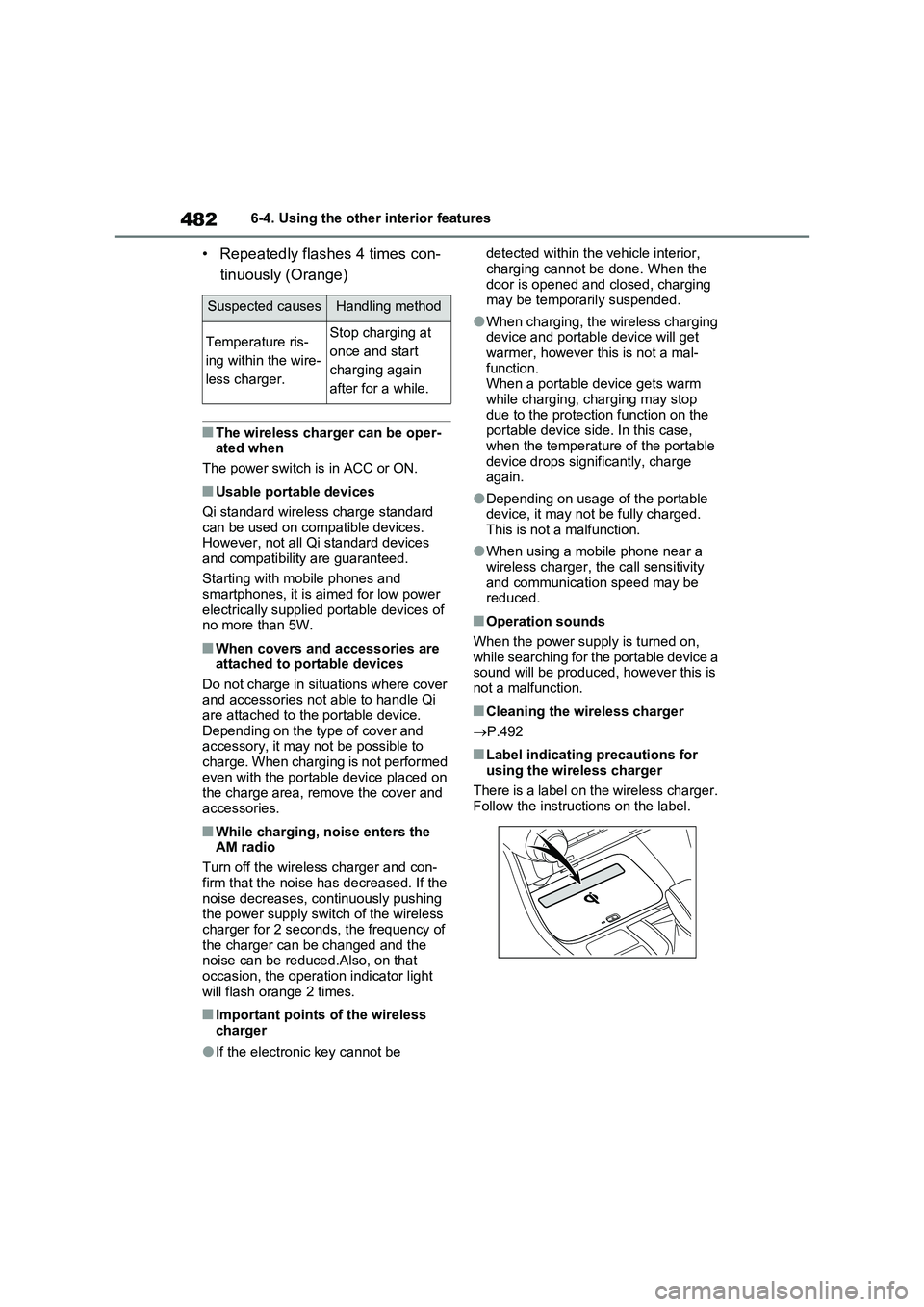
■Label indicating precautions for
using the wireless charger
There is a label on the wireless charger.
Follow the instructions on the label.
Suspected causesHandling method
Temperature ris-
ing within the wire-
less charger.Stop charging at
once and start
charging again
after for a while.
Page 483 of 664
483
6
6-4. Using the other interior features
Interior features
WARNING
■Caution while driving
When charging a portable device, for
safety reasons, the driver should not operate the main part of the portable device while driving.
■Caution regarding interference with electronic devices
People with implantable cardiac pace- makers, cardiac resynchronization therapy-pacemakers or implantable
cardioverter defibrillators, as well as any other electrical medical device, should consult their physician about
the usage of the wireless charger. The operations of the wireless char-ger may have an affect on medical
devices.
■To prevent damage or burns
Observe the following precautions. Failure to do so may result in a possi-bility of equipment failure and dam-
age, catch fire, burns due to overheat.
●Do not insert any metallic objects between the charging area and the
portable device while charging
●Do not place containers with liquid
such as water on the wireless char- ger.
●Do not attach stickers, metallic objects, etc., to the charger area or portable device
●Do not cover with cloth, etc., and charge
●Do not charge portable devices other than designated
●Do not attempt to dismantle for dis-assembly or modifications
●Do not hit or apply a strong force
NOTICE
■Conditions in which the function may not operate correctly
In the following conditions, it may not operate correctly
●The portable device is fully charged
●There is foreign matter between the charge area and portable device
●The temperature of the portable device gets higher from charging
●The charging surface of the porta-ble device is facing up
●The placement of the portable device is out of alignment with the
charge area
●Near a TV tower, electric power
plant, gas station, radio station, large display, airport or other facility that generates strong radio waves
or electrical noise
●When the electronic key is in con-
tact with, or is covered by the fol- lowing metallic objects
• Cards to which aluminum foil is
attached
• Cigarette boxes that have alumi- num foil inside
• Metallic wallets or bags
•Coins
• Hand warmers made of metal
• Media such as CDs and DVDs
●When other wireless keys (that emit
radio waves) are being used nearby
In addition, excluding the above-men-
tioned, when the charger does not
perform normally or the operation dis-
play lamp is flashing continuously, it is
considered that the wireless charger
is malfunctioning. Contact authorized
Toyota dealer.
Page 512 of 664
5127-3. Do-it-yourself maintenance
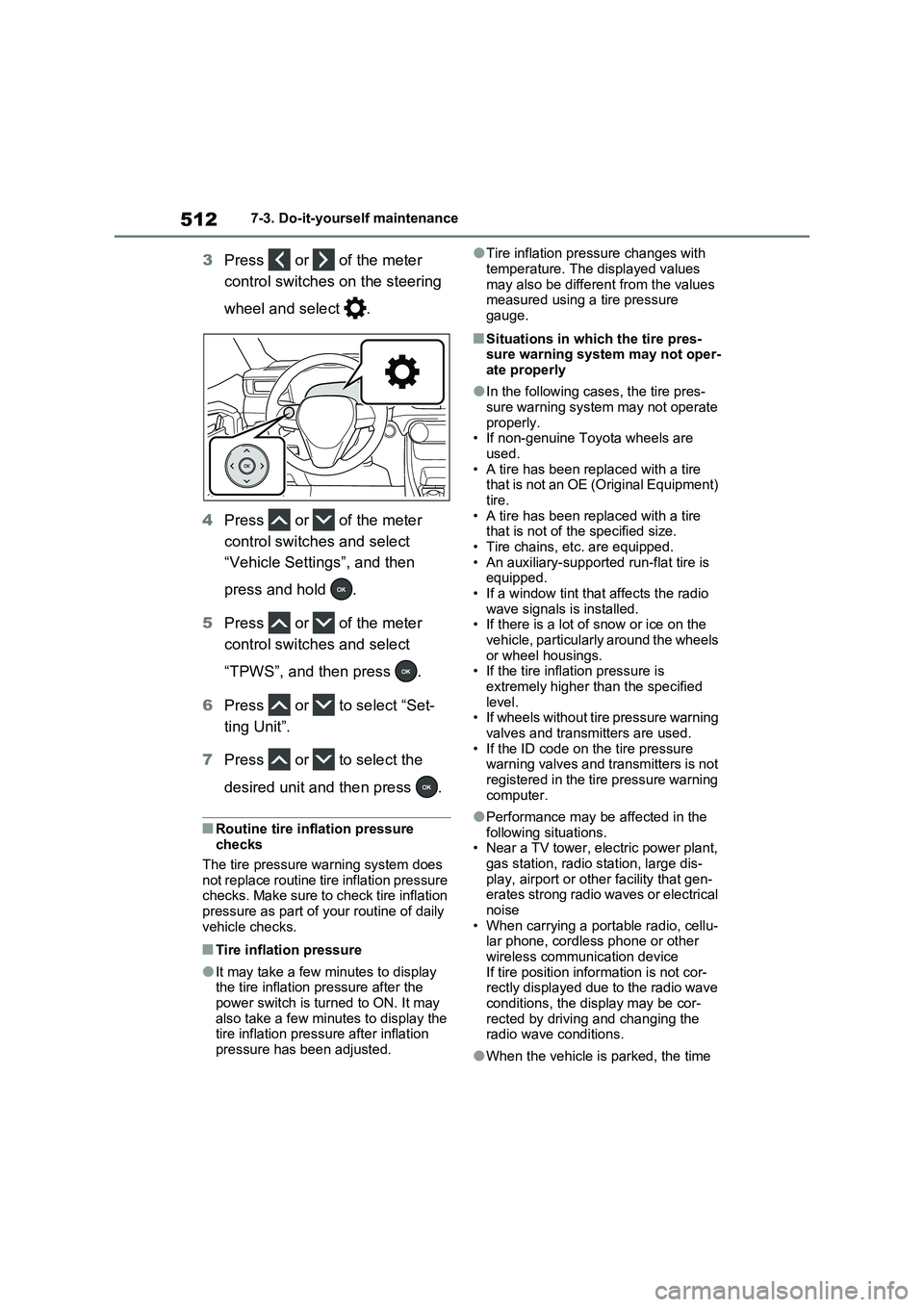
3Press or of the meter
control switches on the steering
wheel and select .
4Press or of the meter
control switches and select
“Vehicle Settings”, and then
press and hold .
5Press or of the meter
control switches and select
“TPWS”, and then press .
6Press or to select “Set-
ting Unit”.
7Press or to select the
desired unit and then press .
■Routine tire inflation pressure
checks
The tire pressure warning system does
not replace routine tire inflation pressure
checks. Make sure to check tire inflation
pressure as part of your routine of daily
vehicle checks.
■Tire inflation pressure
●It may take a few minutes to display
the tire inflation pressure after the
power switch is turned to ON. It may
also take a few minutes to display the
tire inflation pressure after inflation
pressure has been adjusted.
●Tire inflation pressure changes with
temperature. The displayed values
may also be different from the values
measured using a tire pressure
gauge.
■Situations in which the tire pres-
sure warning system may not oper-
ate properly
●In the following cases, the tire pres-
sure warning system may not operate
properly.
• If non-genuine Toyota wheels are
used.
• A tire has been replaced with a tire
that is not an OE (Original Equipment)
tire.
• A tire has been replaced with a tire
that is not of the specified size.
• Tire chains, etc. are equipped.
• An auxiliary-supported run-flat tire is
equipped.
• If a window tint that affects the radio
wave signals is installed.
• If there is a lot of snow or ice on the
vehicle, particularly around the wheels
or wheel housings.
• If the tire inflation pressure is
extremely higher than the specified
level.
• If wheels without tire pressure warning
valves and transmitters are used.
• If the ID code on the tire pressure
warning valves and transmitters is not
registered in the tire pressure warning
computer.
●Performance may be affected in the
following situations.
• Near a TV tower, electric power plant,
gas station, radio station, large dis-
play, airport or other facility that gen-
erates strong radio waves or electrical
noise
• When carrying a portable radio, cellu-
lar phone, cordless phone or other
wireless communication device
If tire position information is not cor-
rectly displayed due to the radio wave
conditions, the display may be cor-
rected by driving and changing the
radio wave conditions.
●When the vehicle is parked, the time
Page 646 of 664
646What to do if... (Troubleshooting)
1-1.What to d o if... (Tro ubleshoo ting)What to do if... (Troubleshooting)
If you lose your mechanical keys,
new genuine mechanical keys
can be made by any authorized
Toyota retailer or Toyota autho-
rized repairer, or any reliable
repairer. ( P.603)
If you lose your electronic keys,
the risk of vehicle theft increases
significantly. Contact any autho-
rized Toyota retailer or Toyota
authorized repairer, or any reli-
able repairer immediately.
( P.603)
Is the key battery weak or
depleted? ( P.543)
Is the power switch in ON?
When locking the doors, turn the
power switch off. ( P.320)
Is the electronic key left inside
the vehicle?
When locking the doors, make
sure that you have the electronic
key on your person.
The function may not operate
properly due to the condition of
the radio wave. ( P.225)
Is the child-protector lock set?
The rear door cannot be opened
from inside the vehicle when the
lock is set. Open the rear door
from outside and then unlock the
child-protector lock. ( P.209)
Did you press the power switch
while firmly depressing the brake
pedal? ( P.317)
Is the shift lever in P? (P.317)
Is the electronic key anywhere
detectable inside the vehicle?
( P.224)
Is the steering wheel unlocked?
( P.318)
Is the electronic key battery
weak or depleted?
In this case, the hybrid system
can be started in a temporary
If you have a problem, check
the following before contacting
any authorized Toyota retailer
or Toyota authorized repairer,
or any reliable repairer.
The doors cannot be locked,
unlocked, opened or closed
You lose your keys
The doors cannot be locked
or unlocked
The rear door cannot be
opened
If you think something is
wrong
The hybrid system does not
start