charging TOYOTA VERSO S 2011 Owner's Guide
[x] Cancel search | Manufacturer: TOYOTA, Model Year: 2011, Model line: VERSO S, Model: TOYOTA VERSO S 2011Pages: 664, PDF Size: 160.56 MB
Page 117 of 664
117
2
2-2. Charging
Plug-in hybrid system
For safety, inspect the AC charging
cable on a routine basis.
WARNING
●Do not leave the CCID (Charging Circuit Interrupting Device) with the
plug-cord removed.
●Make sure that there are no foreign
objects attached to the connection when installing the plug-cord to the CCID (Charging Circuit Interrupting
Device).
●When replacing the plug-cord,
firmly turn the nut of the plug-cord until a click sound can be heard.
●Do not replace the plug cord in Nor-way.
NOTICE
■Precautions for the plug-cord (if
equipped)
Do not use the plug-cord for any use other than charging this vehicle.
Doing so may cause the plug-cord to be damaged.
Inspecting and maintaining
the AC charging cable
WARNING
■Routine inspection
Check the following points regularly.
Failure to do so may cause an unex- pected accident, resulting in death or
serious injury.
●The AC charging cable, plug, charging connector, CCID
(Charging Circuit Interrupting Device) etc. have not been dam-
aged.
●The socket has not been damaged.
●The plug can be securely inserted into the socket.
●The plug does not get extremely hot during use.
●The tip of the plug has not been deformed.
●The plug is not dirtied by dust etc.
Remove the plug from the socket
before inspecting it. If any abnormali-
ties are found in the AC charging
cable as a result of the inspection,
immediately stop use and consult any
authorized Toyota retailer or Toyota
authorized repairer, or any reliable
repairer.
■Maintaining the AC charging cable
When the AC charging cable is dirty,
first remove the dirt with a hard, wringed cloth, and then wipe the cable with a dry cloth.
However, never wash it with water. If the AC charging cable is washed with water, fire or electric shock may occur
during charging, possibly resulting in death or serious injury.
■When not using the AC charging cable for a long time
Remove the plug from the socket.
Dust could accumulate on the plug or in the socket, possibly causing over-heating which could lead to a fire.
Also, keep the cable in a place free from moisture.
Page 118 of 664
1182-2. Charging
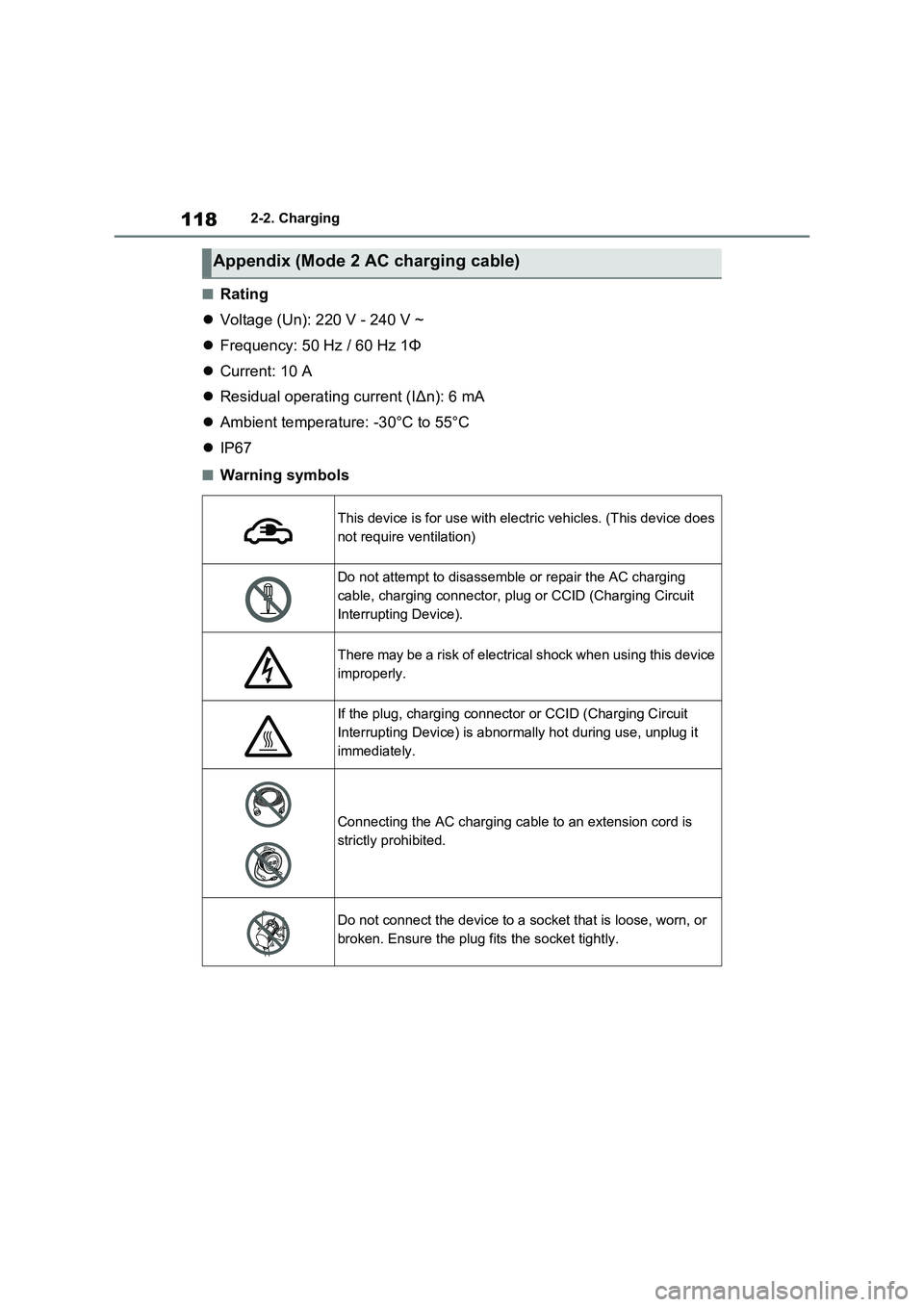
■Rating
Voltage (Un): 220 V - 240 V ~
Frequency: 50 Hz / 60 Hz 1Φ
Current: 10 A
Residual operating current (I∆n): 6 mA
Ambient temperature: -30°C to 55°C
IP67
■Warning symbols
Appendix (Mode 2 AC charging cable)
This device is for use with electric vehicles. (This device does
not require ventilation)
Do not attempt to disassemble or repair the AC charging
cable, charging connector, plug or CCID (Charging Circuit
Interrupting Device).
There may be a risk of electrical shock when using this device
improperly.
If the plug, charging connector or CCID (Charging Circuit
Interrupting Device) is abnormally hot during use, unplug it
immediately.
Connecting the AC charging cable to an extension cord is
strictly prohibited.
Do not connect the device to a socket that is loose, worn, or
broken. Ensure the plug fits the socket tightly.
Page 119 of 664
119
2
2-2. Charging
Plug-in hybrid system
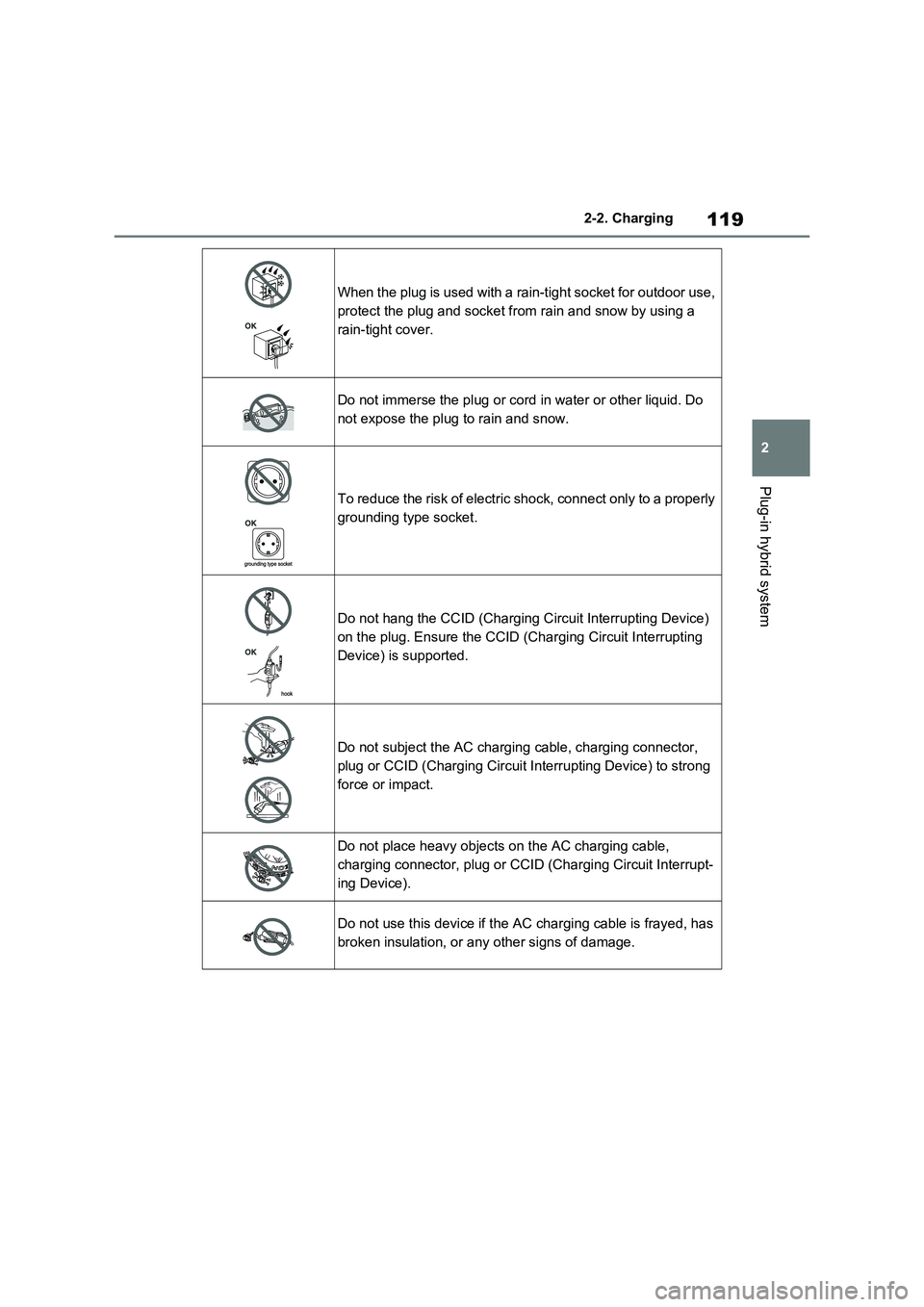
When the plug is used with a rain-tight socket for outdoor use,
protect the plug and socket from rain and snow by using a
rain-tight cover.
Do not immerse the plug or cord in water or other liquid. Do
not expose the plug to rain and snow.
To reduce the risk of electric shock, connect only to a properly
grounding type socket.
Do not hang the CCID (Charging Circuit Interrupting Device)
on the plug. Ensure the CCID (Charging Circuit Interrupting
Device) is supported.
Do not subject the AC charging cable, charging connector,
plug or CCID (Charging Circuit Interrupting Device) to strong
force or impact.
Do not place heavy objects on the AC charging cable,
charging connector, plug or CCID (Charging Circuit Interrupt-
ing Device).
Do not use this device if the AC charging cable is frayed, has
broken insulation, or any other signs of damage.
Page 120 of 664
1202-2. Charging
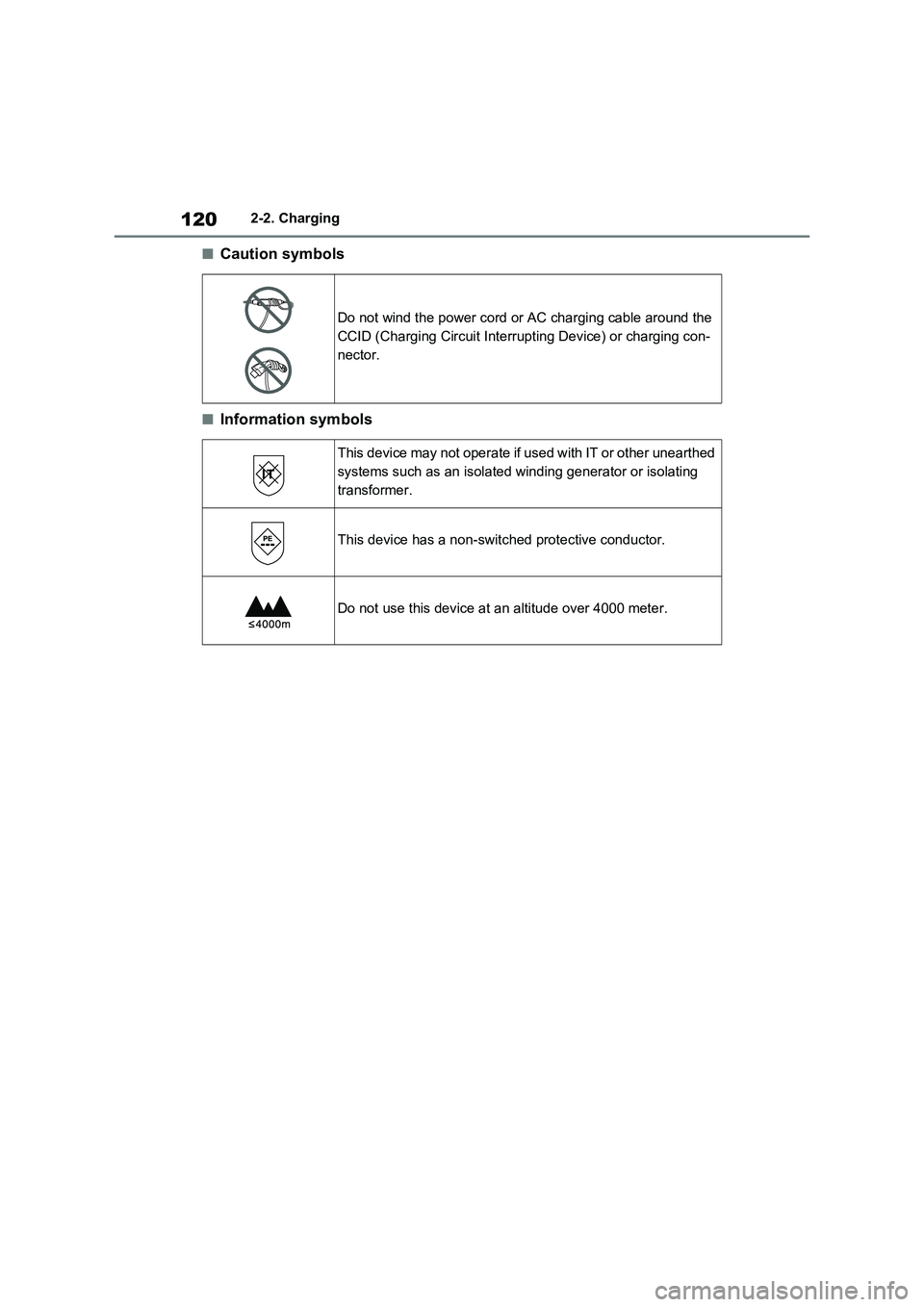
■Caution symbols
■Information symbols
Do not wind the power cord or AC charging cable around the
CCID (Charging Circuit Interrupting Device) or charging con-
nector.
This device may not operate if used with IT or other unearthed
systems such as an isolated winding generator or isolating
transformer.
This device has a non-switched protective conductor.
Do not use this device at an altitude over 4000 meter.
Page 121 of 664
121
2 2-2. Charging
Plug-in hybrid system
■Unlocking the charging port
lid
1Unlock the doors using the
smart entry & start system or
wireless remote control.
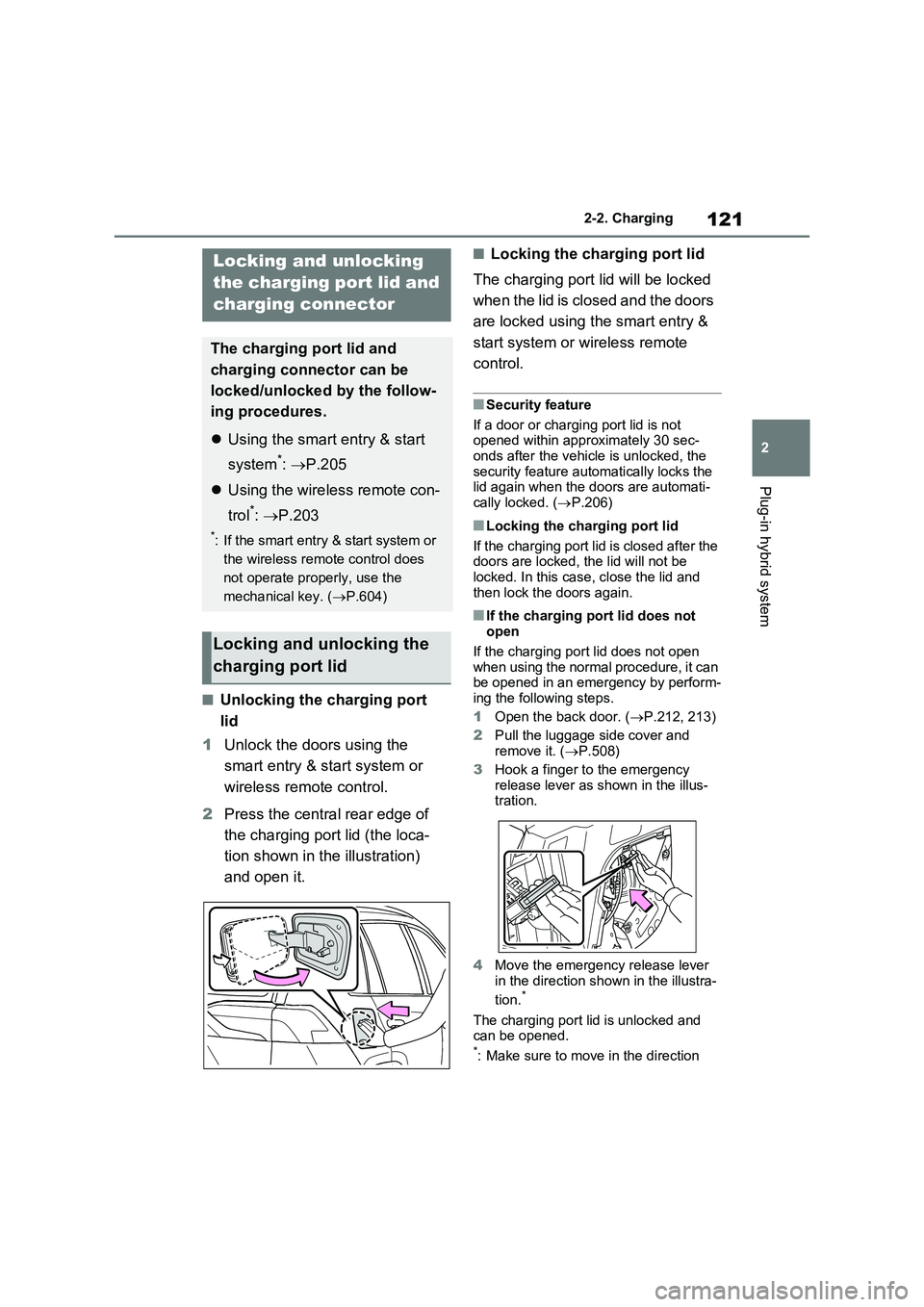
2Press the central rear edge of
the charging port lid (the loca-
tion shown in the illustration)
and open it.
■Locking the charging port lid
The charging port lid will be locked
when the lid is closed and the doors
are locked using the smart entry &
start system or wireless remote
control.
■Security feature
If a door or charging port lid is not
opened within approximately 30 sec-
onds after the vehicle is unlocked, the
security feature automatically locks the
lid again when the doors are automati-
cally locked. (P.206)
■Locking the charging port lid
If the charging port lid is closed after the
doors are locked, the lid will not be
locked. In this case, close the lid and
then lock the doors again.
■If the charging port lid does not
open
If the charging port lid does not open
when using the normal procedure, it can
be opened in an emergency by perform-
ing the following steps.
1Open the back door. (P.212, 213)
2Pull the luggage side cover and
remove it. (P.508)
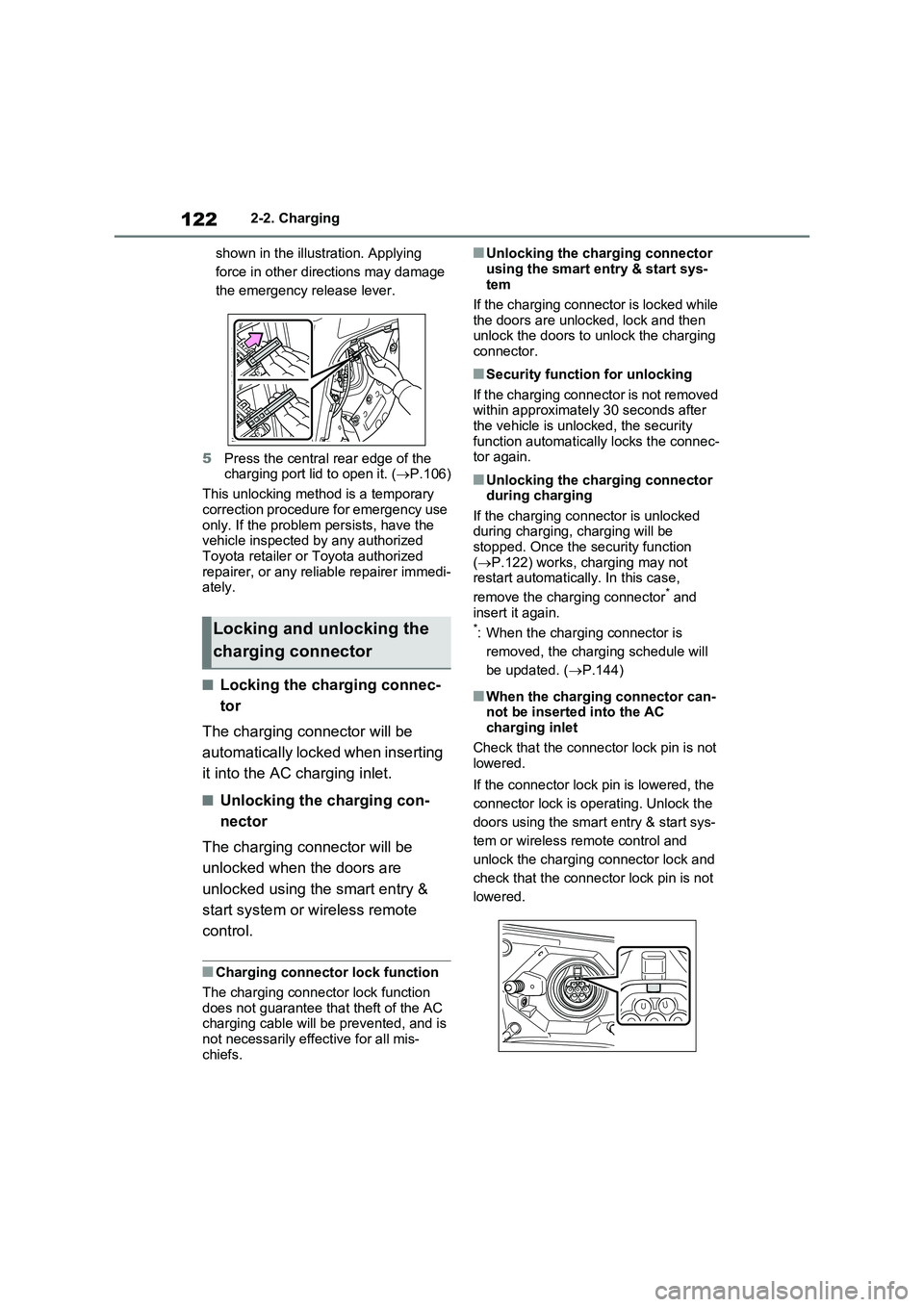
3Hook a finger to the emergency
release lever as shown in the illus-
tration.
4Move the emergency release lever
in the direction shown in the illustra-
tion.
*
The charging port lid is unlocked and
can be opened.
*: Make sure to move in the direction
Locking and unlocking
the charging port lid and
charging connector
The charging port lid and
charging connector can be
locked/unlocked by the follow-
ing procedures.
Using the smart entry & start
system
*: P.205
Using the wireless remote con-
trol
*: P.203
*: If the smart entry & start system or
the wireless remote control does
not operate properly, use the
mechanical key. (P.604)
Locking and unlocking the
charging port lid
Page 122 of 664
1222-2. Charging
shown in the illustration. Applying
force in other directions may damage
the emergency release lever.
5Press the central rear edge of the
charging port lid to open it. (P.106)
This unlocking method is a temporary
correction procedure for emergency use
only. If the problem persists, have the
vehicle inspected by any authorized
Toyota retailer or Toyota authorized
repairer, or any reliable repairer immedi-
ately.
■Locking the charging connec-
tor
The charging connector will be
automatically locked when inserting
it into the AC charging inlet.
■Unlocking the charging con-
nector
The charging connector will be
unlocked when the doors are
unlocked using the smart entry &
start system or wireless remote
control.
■Charging connector lock function
The charging connector lock function
does not guarantee that theft of the AC
charging cable will be prevented, and is
not necessarily effective for all mis-
chiefs.
■Unlocking the charging connector
using the smart entry & start sys-
tem
If the charging connector is locked while
the doors are unlocked, lock and then
unlock the doors to unlock the charging
connector.
■Security function for unlocking
If the charging connector is not removed
within approximately 30 seconds after
the vehicle is unlocked, the security
function automatically locks the connec-
tor again.
■Unlocking the charging connector
during charging
If the charging connector is unlocked
during charging, charging will be
stopped. Once the security function
(P.122) works, charging may not
restart automatically. In this case,
remove the charging connector
* and
insert it again.
*: When the charging connector is
removed, the charging schedule will
be updated. (P.144)
■When the charging connector can-
not be inserted into the AC
charging inlet
Check that the connector lock pin is not
lowered.
If the connector lock pin is lowered, the
connector lock is operating. Unlock the
doors using the smart entry & start sys-
tem or wireless remote control and
unlock the charging connector lock and
check that the connector lock pin is not
lowered.
Locking and unlocking the
charging connector
Page 123 of 664
123
2
2-2. Charging
Plug-in hybrid system
■If the charging connector cannot be
unlocked
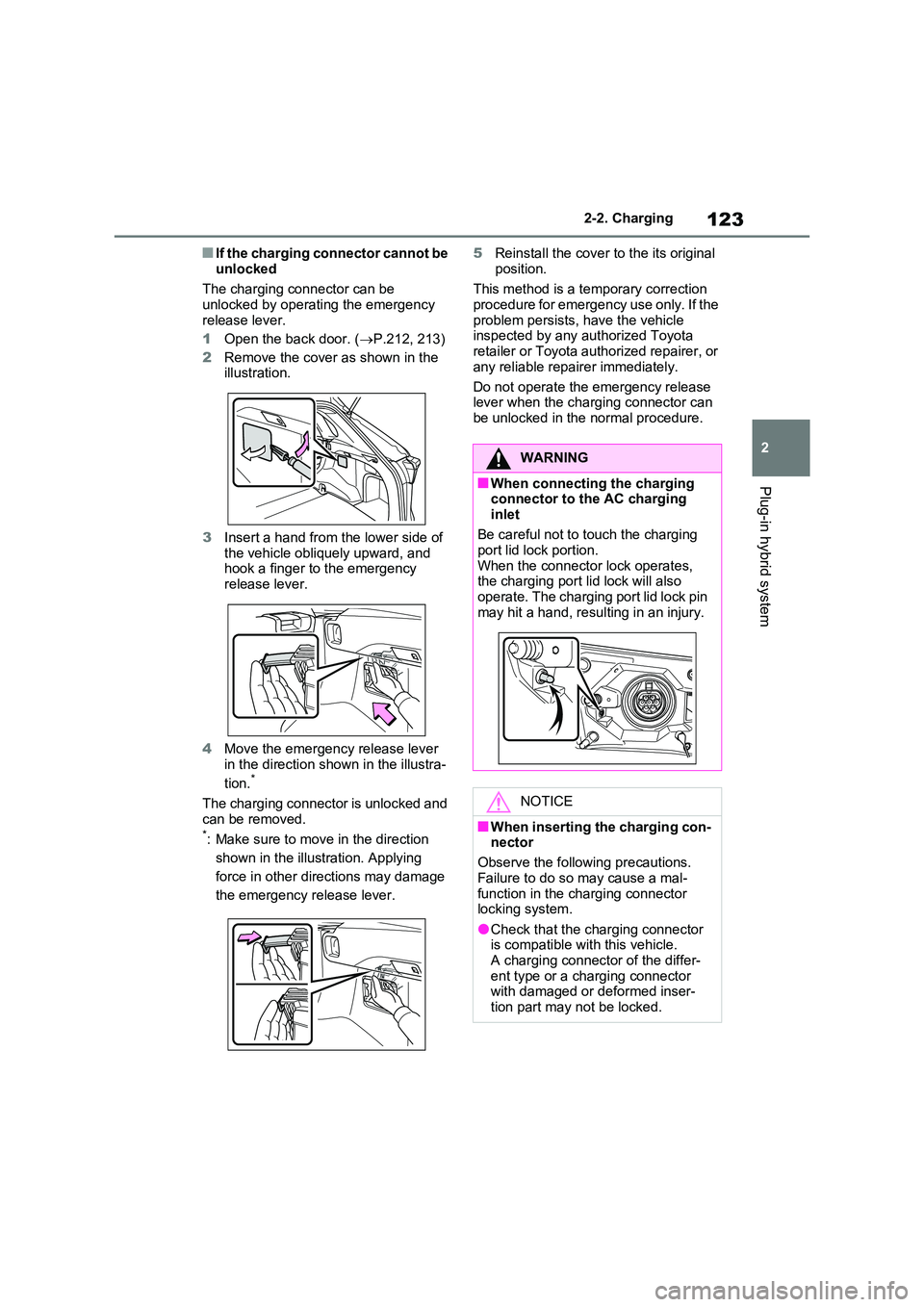
The charging connector can be unlocked by operating the emergency
release lever.
1 Open the back door. (P.212, 213)
2 Remove the cover as shown in the illustration.
3 Insert a hand from the lower side of the vehicle obliquely upward, and hook a finger to the emergency
release lever.
4 Move the emergency release lever
in the direction shown in the illustra-
tion.*
The charging connector is unlocked and
can be removed.*: Make sure to move in the direction
shown in the illustration. Applying
force in other directions may damage
the emergency release lever.
5 Reinstall the cover to the its original
position.
This method is a temporary correction procedure for emergency use only. If the
problem persists, have the vehicle inspected by any authorized Toyota retailer or Toyota authorized repairer, or
any reliable repairer immediately.
Do not operate the emergency release lever when the charging connector can
be unlocked in the normal procedure.
WARNING
■When connecting the charging connector to the AC charging
inlet
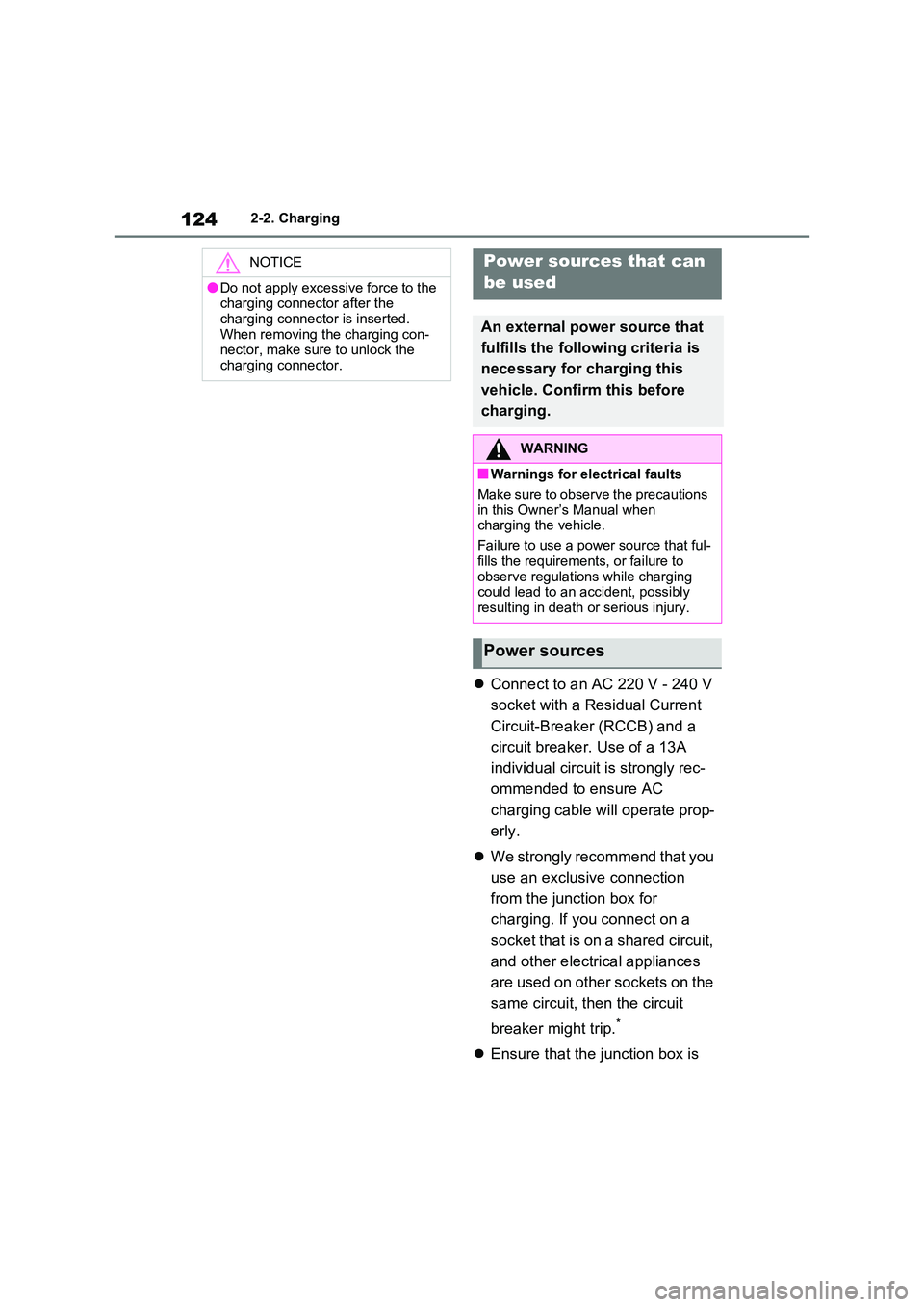
Be careful not to touch the charging port lid lock portion.
When the connector lock operates, the charging port lid lock will also operate. The charging port lid lock pin
may hit a hand, resulting in an injury.
NOTICE
■When inserting the charging con- nector
Observe the following precautions.
Failure to do so may cause a mal- function in the charging connector locking system.
●Check that the charging connector is compatible with this vehicle.A charging connector of the differ-
ent type or a charging connector with damaged or deformed inser-tion part may not be locked.
Page 124 of 664
1242-2. Charging
Connect to an AC 220 V - 240 V
socket with a Residual Current
Circuit-Breaker (RCCB) and a
circuit breaker. Use of a 13A
individual circuit is strongly rec-
ommended to ensure AC
charging cable will operate prop-
erly.
We strongly recommend that you
use an exclusive connection
from the junction box for
charging. If you connect on a
socket that is on a shared circuit,
and other electrical appliances
are used on other sockets on the
same circuit, then the circuit
breaker might trip.*
Ensure that the junction box is
NOTICE
●Do not apply excessive force to the charging connector after the
charging connector is inserted. When removing the charging con-nector, make sure to unlock the
charging connector.
Power sources that can
be used
An external power source that
fulfills the following criteria is
necessary for charging this
vehicle. Confirm this before
charging.
WARNING
■Warnings for electrical faults
Make sure to observe the precautions
in this Owner’s Manual when charging the vehicle.
Failure to use a power source that ful-
fills the requirements, or failure to observe regulations while charging could lead to an accident, possibly
resulting in death or serious injury.
Power sources
Page 125 of 664
125
2
2-2. Charging
Plug-in hybrid system
equipped with a Residual Cur-
rent Circuit-Breaker (RCCB). If it
is not, have one installed by a
duly qualified professional.
When charging outdoors, make
sure to connect to a rain-tight
socket that is certified for outdoor
use. Checking Residual Current
Circuit-Breaker (RCCB) opera-
tion before its use is recom-
mended.
Check whether there are any
local EV-charging regulations in
place, and adhere to them.
*: For detailed information, consult an
electrician.
■The charging environment
For safe charging, the following charging equipment and settings are
recommended.
●Rain-tight socket
When charging outdoors, connect the
plug to a rain-tight socket, and ensure
that the plug remains waterproof while
the plug is connected.
●Dedicated circuit
• To reduce the risk of fire, connect only to an at least 13A branch circuit with an over-current protection.
• To reduce the risk of electric shock when working with the plug, connect to a socket that has a Residual Cur-
rent Circuit-Breaker (RCCB) installed.
●Remote switch
Allows the electricity from the socket to
be interrupted by operating a switch,
thus allowing safe removal and insertion
of the plug on rainy days.
■When your circuit breaker trips
during charging
The upper limit of the charging current
can be changed in “Vehicle Settings” on
the multi-information display.
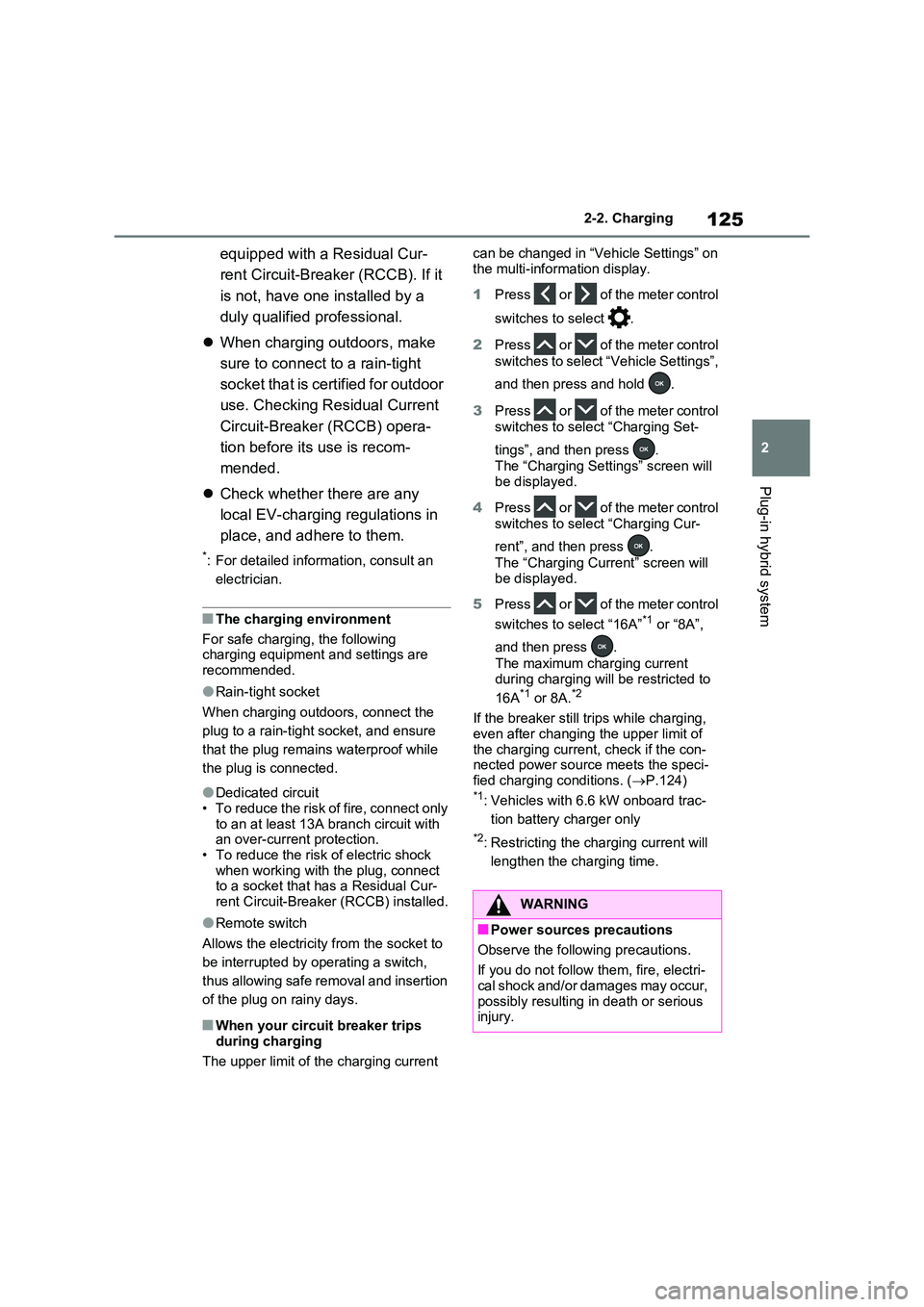
1 Press or of the meter control
switches to select .
2 Press or of the meter control
switches to select “Vehicle Settings”,
and then press and hold .
3 Press or of the meter control
switches to select “Charging Set-
tings”, and then press .
The “Charging Settings” screen will
be displayed.
4 Press or of the meter control
switches to select “Charging Cur-
rent”, and then press .
The “Charging Current” screen will be displayed.
5 Press or of the meter control
switches to select “16A”*1 or “8A”,
and then press .
The maximum charging current
during charging will be restricted to
16A*1 or 8A.*2
If the breaker still trips while charging,
even after changing the upper limit of the charging current, check if the con-nected power source meets the speci-
fied charging conditions. ( P.124)*1: Vehicles with 6.6 kW onboard trac-
tion battery charger only
*2: Restricting the charging current will
lengthen the charging time.
WARNING
■Power sources precautions
Observe the following precautions.
If you do not follow them, fire, electri- cal shock and/or damages may occur,
possibly resulting in death or serious injury.
Page 126 of 664
1262-2. Charging
WARNING
●Connect to an AC 220 V - 240 V socket with a Residual Current Cir-
cuit-Breaker (RCCB) and supplied by a circuit breaker in line with local regulations. Use of an individual cir-
cuit provided with at least 13A is strongly recommended.
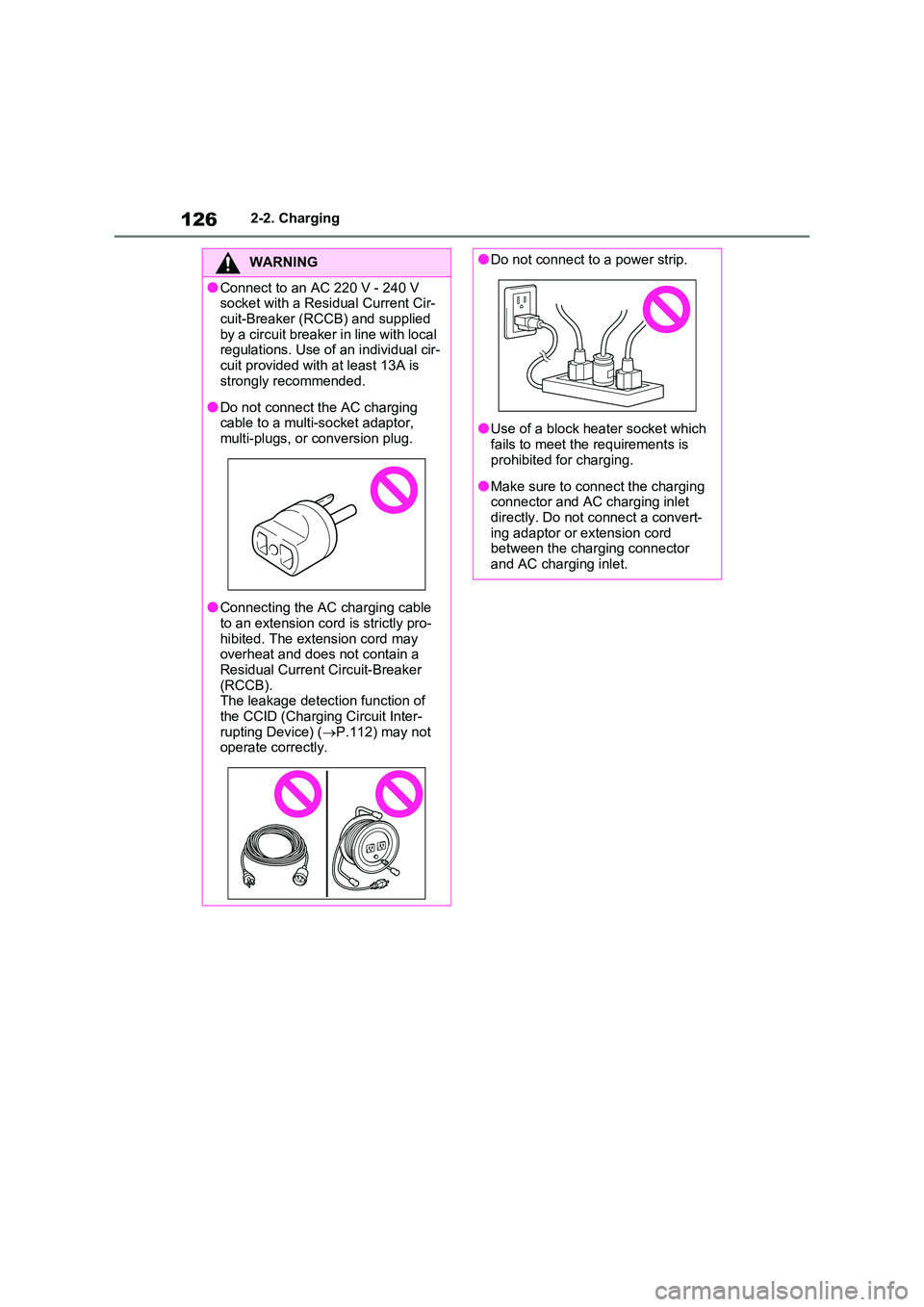
●Do not connect the AC charging cable to a multi-socket adaptor, multi-plugs, or conversion plug.
●Connecting the AC charging cable to an extension cord is strictly pro-
hibited. The extension cord may overheat and does not contain a Residual Current Circuit-Breaker
(RCCB). The leakage detection function of the CCID (Charging Circuit Inter-
rupting Device) ( P.112) may not operate correctly.
●Do not connect to a power strip.
●Use of a block heater socket which
fails to meet the requirements is prohibited for charging.
●Make sure to connect the charging connector and AC charging inlet directly. Do not connect a convert-
ing adaptor or extension cord between the charging connector and AC charging inlet.