maintenance TOYOTA VERSO S 2011 Service Manual
[x] Cancel search | Manufacturer: TOYOTA, Model Year: 2011, Model line: VERSO S, Model: TOYOTA VERSO S 2011Pages: 664, PDF Size: 160.56 MB
Page 517 of 664
517
7 7-3. Do-it-yourself maintenance
Maintenance and care
Page 518 of 664
5187-3. Do-it-yourself maintenance
Page 519 of 664
519
7 7-3. Do-it-yourself maintenance
Maintenance and care
Page 520 of 664
5207-3. Do-it-yourself maintenance
Page 521 of 664
521
7 7-3. Do-it-yourself maintenance
Maintenance and care
Page 522 of 664
5227-3. Do-it-yourself maintenance
For vehicles sold in Ukraine
For vehicles sold in Serbia
When replacing tires or wheels, tire
pressure warning valves and trans-
mitters must also be installed.When new tire pressure warning
valves and transmitters are
installed, new ID codes must be
registered in the tire pressure warn-
ing computer and the tire pressure
warning system must be initialized.
Installing tire pressure warn-
ing valves and transmitters
Page 523 of 664
523
7
7-3. Do-it-yourself maintenance
Maintenance and care
( P.525)
■When replacing the tires and
wheels
If the ID code of the tire pressure warn- ing valve and transmitter is not regis-
tered, the tire pressure warning system will not work properly. After driving for about 10 minutes, the tire pressure
warning light blinks for 1 minute and stays on to indicate a system malfunc-tion.
■The tire pressure warning sys-
tem must be initialized in the
following circumstances:
When rotating the tires.
When changing the tire.
After registering the ID codes.
( P.525)
When changing between two
registered wheel sets.
When the tire pressure warning
system is initialized, the current tire
inflation pressure is set as the
benchmark pressure.
■How to initialize the tire pres-
sure warning system
1 Park the vehicle in a safe place
and stop the hybrid system for
20 minutes or more.
Initialization cannot be performed while the vehicle is moving.
NOTICE
■Repairing or replacing tires, wheels, tire pressure warning valves, transmitters and tire
valve caps
●When removing or fitting the wheels, tires or the tire pressure
warning valves and transmitters, contact any authorized Toyota retailer or Toyota authorized
repairer, or any reliable repairer as the tire pressure warning valves and transmitters may be damaged
if not handled correctly.
●Make sure to install the tire valve
caps. If the tire valve caps are not installed, water could enter the tire pressure warning valves and the
tire pressure warning valves could be bound.
●When replacing tire valve caps, do not use tire valve caps other than those specified.
The cap may become stuck.
■To avoid damage to the tire pres- sure warning valves and trans-mitters (vehicles without spare
tire)
When a tire is repaired with liquid sealants, the tire pressure warning
valve and transmitter may not operate properly. If a liquid sealant is used, contact any authorized Toyota retailer
or Toyota authorized repairer, or any reliable repairer or other qualified ser-vice shop as soon as possible. Make
sure to replace the tire pressure warn- ing valve and transmitter when repair-ing or replacing the tire. ( P.511,
531)
Initializing the tire pressure
warning system
Page 524 of 664
5247-3. Do-it-yourself maintenance
2Adjust the tire inflation pressure
to the specified cold tire inflation
pressure level. (P.624)
Make sure to adjust the tire pressure to
the specified cold tire inflation pressure
level. The tire pressure warning system
will operate based on this pressure
level.
3Start the hybrid system.
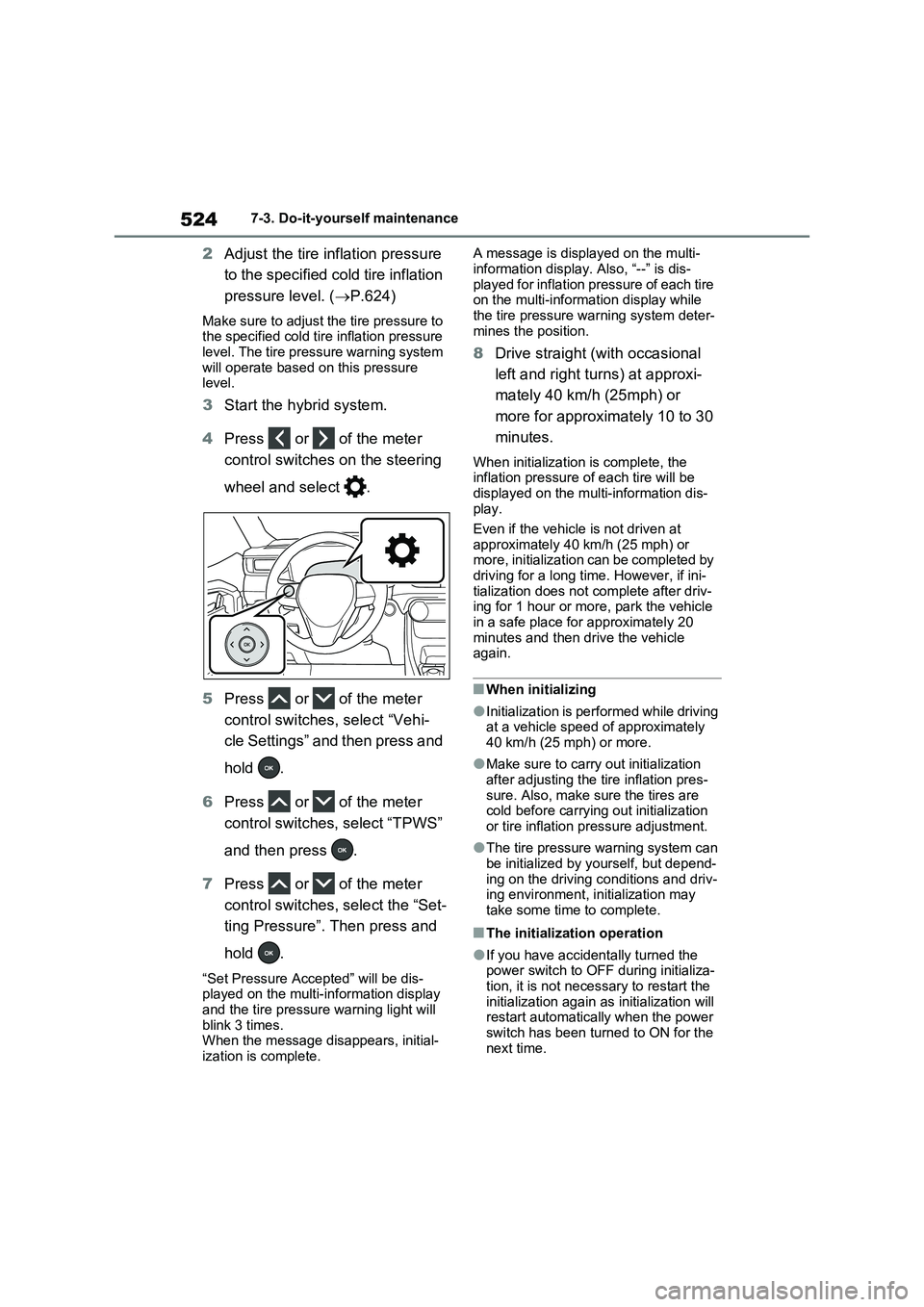
4Press or of the meter
control switches on the steering
wheel and select .
5Press or of the meter
control switches, select “Vehi-
cle Settings” and then press and
hold .
6Press or of the meter
control switches, select “TPWS”
and then press .
7Press or of the meter
control switches, select the “Set-
ting Pressure”. Then press and
hold .
“Set Pressure Accepted” will be dis-
played on the multi-information display
and the tire pressure warning light will
blink 3 times.
When the message disappears, initial-
ization is complete.A message is displayed on the multi-
information display. Also, “--” is dis-
played for inflation pressure of each tire
on the multi-information display while
the tire pressure warning system deter-
mines the position.
8Drive straight (with occasional
left and right turns) at approxi-
mately 40 km/h (25mph) or
more for approximately 10 to 30
minutes.
When initialization is complete, the
inflation pressure of each tire will be
displayed on the multi-information dis-
play.
Even if the vehicle is not driven at
approximately 40 km/h (25 mph) or
more, initialization can be completed by
driving for a long time. However, if ini-
tialization does not complete after driv-
ing for 1 hour or more, park the vehicle
in a safe place for approximately 20
minutes and then drive the vehicle
again.
■When initializing
●Initialization is performed while driving
at a vehicle speed of approximately
40 km/h (25 mph) or more.
●Make sure to carry out initialization
after adjusting the tire inflation pres-
sure. Also, make sure the tires are
cold before carrying out initialization
or tire inflation pressure adjustment.
●The tire pressure warning system can
be initialized by yourself, but depend-
ing on the driving conditions and driv-
ing environment, initialization may
take some time to complete.
■The initialization operation
●If you have accidentally turned the
power switch to OFF during initializa-
tion, it is not necessary to restart the
initialization again as initialization will
restart automatically when the power
switch has been turned to ON for the
next time.
Page 525 of 664
525
7
7-3. Do-it-yourself maintenance
Maintenance and care
●If you accidentally perform initializa-
tion when initialization is not neces- sary, adjust the tire inflation pressure to the specified level when the tires
are cold, and conduct initialization again.
●While the position of each tire is being determined and the inflation pres-sures are not being displayed on the
multi-information display, if the infla- tion pressure of a tire drops, the tire pressure warning light will come on.
■If the tire pressure warning system
is not initialized properly
●In the following situations, initialization
may take longer than usual to be com- pleted or may not be possible. Nor-mally, initialization completes within
approximately 30 minutes. • Vehicle is not driven at approximately 40 km/h (25 mph) or more
• Vehicle is driven on unpaved roads • Vehicle is driven near other vehicles and system cannot recognize tire
pressure warning valve and transmit- ters of your vehicle over those of other vehicles.
• If the vehicle is driven in heavy traffic or another situation where other vehi-cles are driven close by, it may take
time for the system to recognize the tire pressure warning valve and trans-mitters of your vehicle over those of
other vehicles.
●If initialization does not complete after
driving for 1 hour or more, park the vehicle in a safe place for approxi-mately 20 minutes and then drive the
vehicle again.
●If the vehicle is reversed during initial-
ization, the data up to that point is reset, so perform the initialization pro-cedure again from the beginning.
●In the following situations, initialization will not be started or was not com-
pleted properly and the system will not operate properly. Perform the initial-ization procedure again.
• If, when attempting to start initializa- tion, the tire pressure warning light
does not blink 3 times.
• If, when the vehicle has been driven for about 20 minutes after performing initialization, the tire pressure warning
light blinks for approximately 1 minute and then illuminates.
If initialization cannot be completed after
performing the above procedure, con-
tact any authorized Toyota retailer or
Toyota authorized repairer, or any reli-
able repairer.
Every tire pressure warning valve
and transmitter has a unique ID
code. When replacing a tire pres-
sure warning valve and transmitter,
it is necessary to register the ID
code.
When registering the ID codes, per-
form the following procedure.
1 Park the vehicle in a safe place,
wait for approximately 20 min-
utes, and then start the hybrid
system.
WARNING
■When initializing the tire pres-
sure warning system
Do not initialize tire inflation pressure without first adjusting the tire inflation
pressure to the specified level. Other- wise, the tire pressure warning light may not come on even if the tire infla-
tion pressure is low, or it may come on when the tire inflation pressure is actually normal.
Registering ID codes
Page 526 of 664
5267-3. Do-it-yourself maintenance
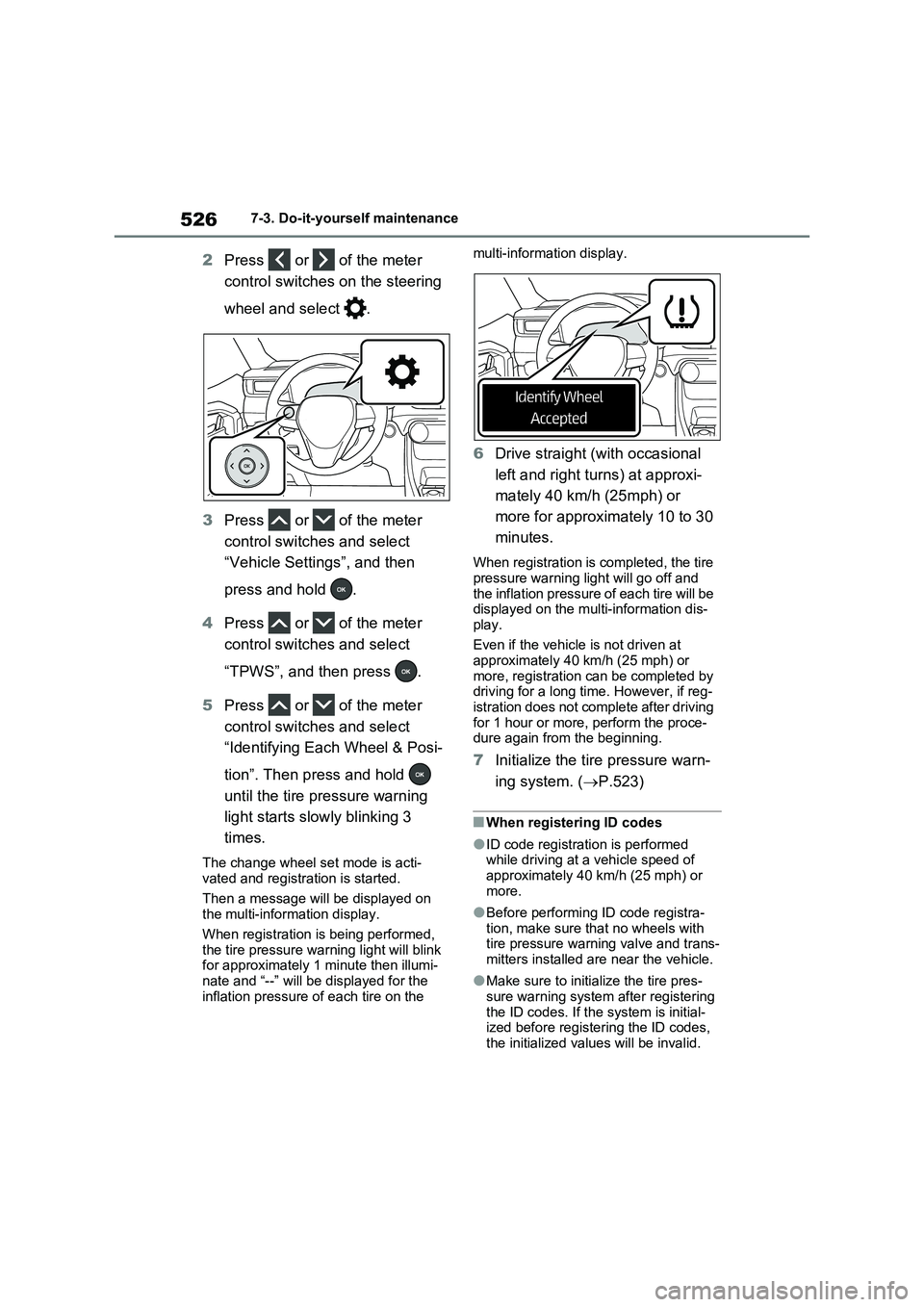
2Press or of the meter
control switches on the steering
wheel and select .
3Press or of the meter
control switches and select
“Vehicle Settings”, and then
press and hold .
4Press or of the meter
control switches and select
“TPWS”, and then press .
5Press or of the meter
control switches and select
“Identifying Each Wheel & Posi-
tion”. Then press and hold
until the tire pressure warning
light starts slowly blinking 3
times.
The change wheel set mode is acti-
vated and registration is started.
Then a message will be displayed on
the multi-information display.
When registration is being performed,
the tire pressure warning light will blink
for approximately 1 minute then illumi-
nate and “--” will be displayed for the
inflation pressure of each tire on the multi-information display.
6Drive straight (with occasional
left and right turns) at approxi-
mately 40 km/h (25mph) or
more for approximately 10 to 30
minutes.
When registration is completed, the tire
pressure warning light will go off and
the inflation pressure of each tire will be
displayed on the multi-information dis-
play.
Even if the vehicle is not driven at
approximately 40 km/h (25 mph) or
more, registration can be completed by
driving for a long time. However, if reg-
istration does not complete after driving
for 1 hour or more, perform the proce-
dure again from the beginning.
7Initialize the tire pressure warn-
ing system. (P.523)
■When registering ID codes
●ID code registration is performed
while driving at a vehicle speed of
approximately 40 km/h (25 mph) or
more.
●Before performing ID code registra-
tion, make sure that no wheels with
tire pressure warning valve and trans-
mitters installed are near the vehicle.
●Make sure to initialize the tire pres-
sure warning system after registering
the ID codes. If the system is initial-
ized before registering the ID codes,
the initialized values will be invalid.