steering TOYOTA VERSO S 2011 Manual PDF
[x] Cancel search | Manufacturer: TOYOTA, Model Year: 2011, Model line: VERSO S, Model: TOYOTA VERSO S 2011Pages: 664, PDF Size: 160.56 MB
Page 462 of 664
4626-1. Using the air conditioning system and defogger
*: If equipped
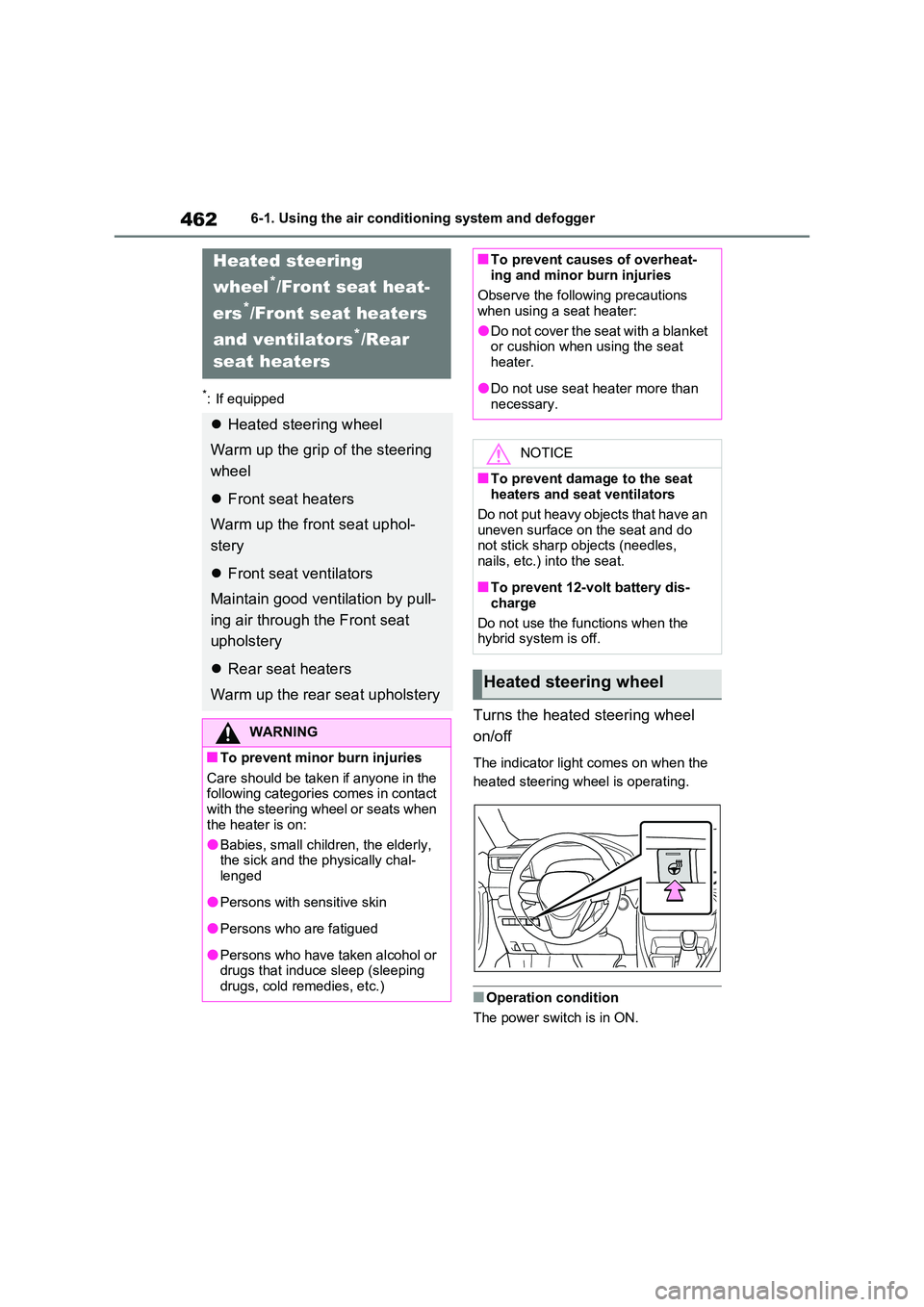
Turns the heated steering wheel
on/off
The indicator light comes on when the
heated steering wheel is operating.
■Operation condition
The power switch is in ON.
Heated steering
wheel*/Front seat heat-
ers*/Front seat heaters
and ventilators*/Rear
seat heaters
Heated steering wheel
Warm up the grip of the steering
wheel
Front seat heaters
Warm up the front seat uphol-
stery
Front seat ventilators
Maintain good ventilation by pull-
ing air through the Front seat
upholstery
Rear seat heaters
Warm up the rear seat upholstery
WARNING
■To prevent minor burn injuries
Care should be taken if anyone in the following categories comes in contact with the steering wheel or seats when
the heater is on:
●Babies, small children, the elderly, the sick and the physically chal-
lenged
●Persons with sensitive skin
●Persons who are fatigued
●Persons who have taken alcohol or drugs that induce sleep (sleeping drugs, cold remedies, etc.)
■To prevent causes of overheat-ing and minor burn injuries
Observe the following precautions
when using a seat heater:
●Do not cover the seat with a blanket or cushion when using the seat
heater.
●Do not use seat heater more than
necessary.
NOTICE
■To prevent damage to the seat heaters and seat ventilators
Do not put heavy objects that have an uneven surface on the seat and do not stick sharp objects (needles,
nails, etc.) into the seat.
■To prevent 12-volt battery dis-
charge
Do not use the functions when the hybrid system is off.
Heated steering wheel
Page 472 of 664
4726-3. Using the storage features
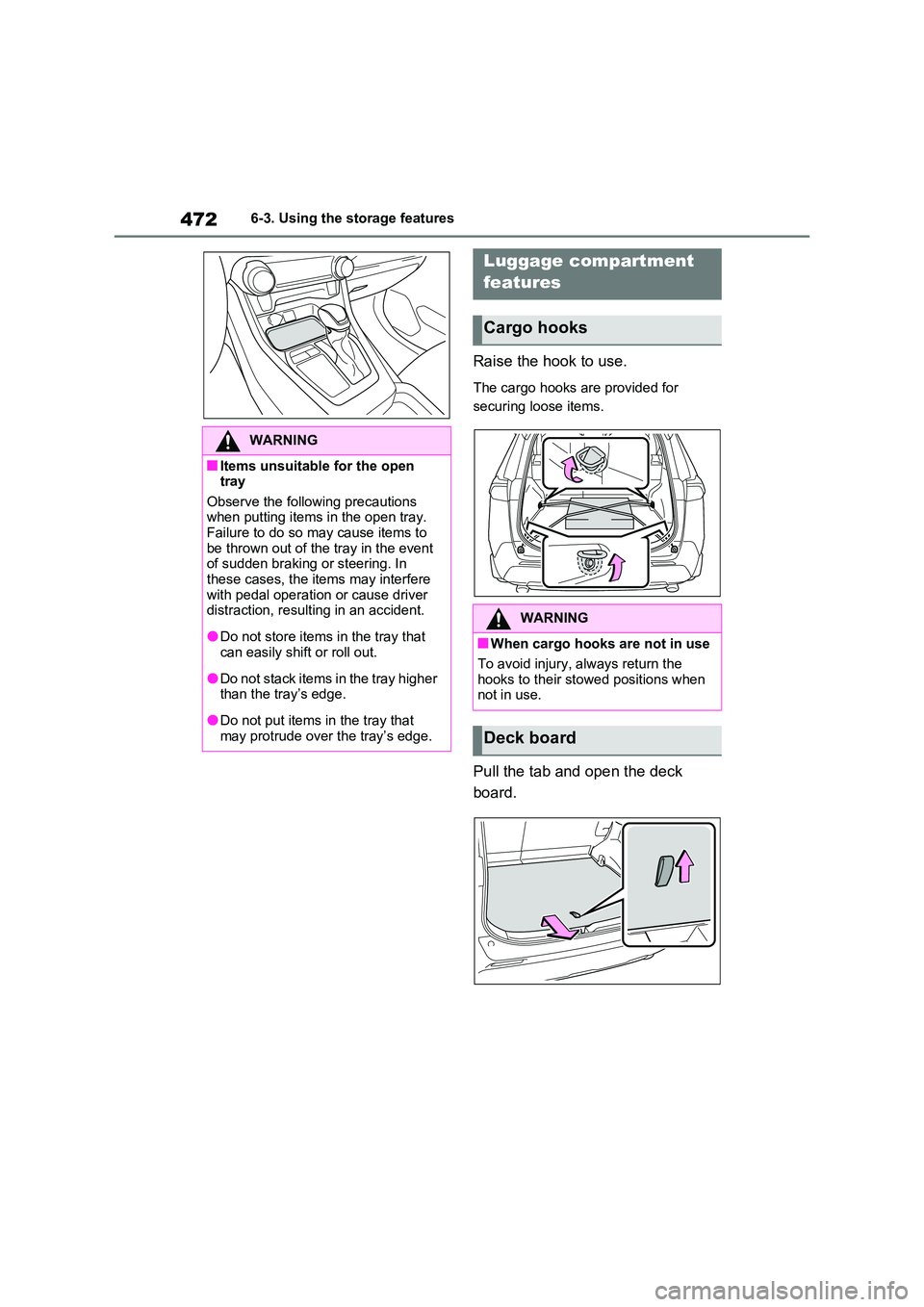
Raise the hook to use.
The cargo hooks are provided for
securing loose items.
Pull the tab and open the deck
board.
WARNING
■Items unsuitable for the open tray
Observe the following precautions when putting items in the open tray. Failure to do so may cause items to
be thrown out of the tray in the event of sudden braking or steering. In these cases, the items may interfere
with pedal operation or cause driver distraction, resulting in an accident.
●Do not store items in the tray that can easily shift or roll out.
●Do not stack items in the tray higher than the tray’s edge.
●Do not put items in the tray that may protrude over the tray’s edge.
Luggage compartment
features
Cargo hooks
WARNING
■When cargo hooks are not in use
To avoid injury, always return the hooks to their stowed positions when not in use.
Deck board
Page 490 of 664
4907-1. Maintenance and care
WARNING
■Precaution regarding the rear bumper with Blind Spot Monitor
(if equipped)
If the paint of the rear bumper is chipped or scratched, the system may
malfunction. If this occurs, consult any authorized Toyota retailer or Toyota authorized repairer, or any
reliable repairer.
NOTICE
■To prevent paint deterioration and corrosion on the body and
components (aluminum wheels, etc.)
●Wash the vehicle immediately in
the following cases:
• After driving near the sea coast
• After driving on salted roads
• If coal tar or tree sap is present on the paint surface
• If dead insects, insect droppings or
bird droppings are present on the paint surface
• After driving in an area contami- nated with soot, oily smoke, mine dust, iron powder or chemical sub-
stances
• If the vehicle becomes heavily soiled with dust or mud
• If liquids such as benzene and gas- oline are spilled on the paint sur-face
●If the paint is chipped or scratched, have it repaired immediately.
●To prevent the wheels from corrod-ing, remove any dirt and store in a
place with low humidity when stor- ing the wheels.
■Cleaning the exterior lights
●Wash carefully. Do not use organic substances or scrub with a hard
brush. This may damage the surfaces of the lights.
●Do not apply wax to the surfaces of the lights.
Wax may cause damage to the lenses.
■When using an automatic car wash
Set the wiper switch to off position.
If the wiper switch is in “AUTO”, the wipers may operate and the wiper blades may be damaged.
■When using a high pressure car wash
●When washing the vehicle, do not let water from the high-pressure washer directly hit the camera (if
equipped) or the area around the camera. Due to the shock from the high pressure water, it is possible
that the device may not operate normally.
●Do not bring the nozzle tip close to boots (rubber or resin manufac-tured cover), or connectors or the
following parts. The parts may be damaged if they come into contact with high-pres-
sure water.
• Traction battery
• Traction related parts
• Steering parts
• Suspension parts
• Brake parts
●Keep the cleaning nozzle at least 30 cm (11.9 in.) away from the vehi-
cle body. Otherwise resin section, such as moldings and bumpers, may be deformed and damaged.
Also, do not continuously hold the nozzle in the same place.
Page 512 of 664
5127-3. Do-it-yourself maintenance
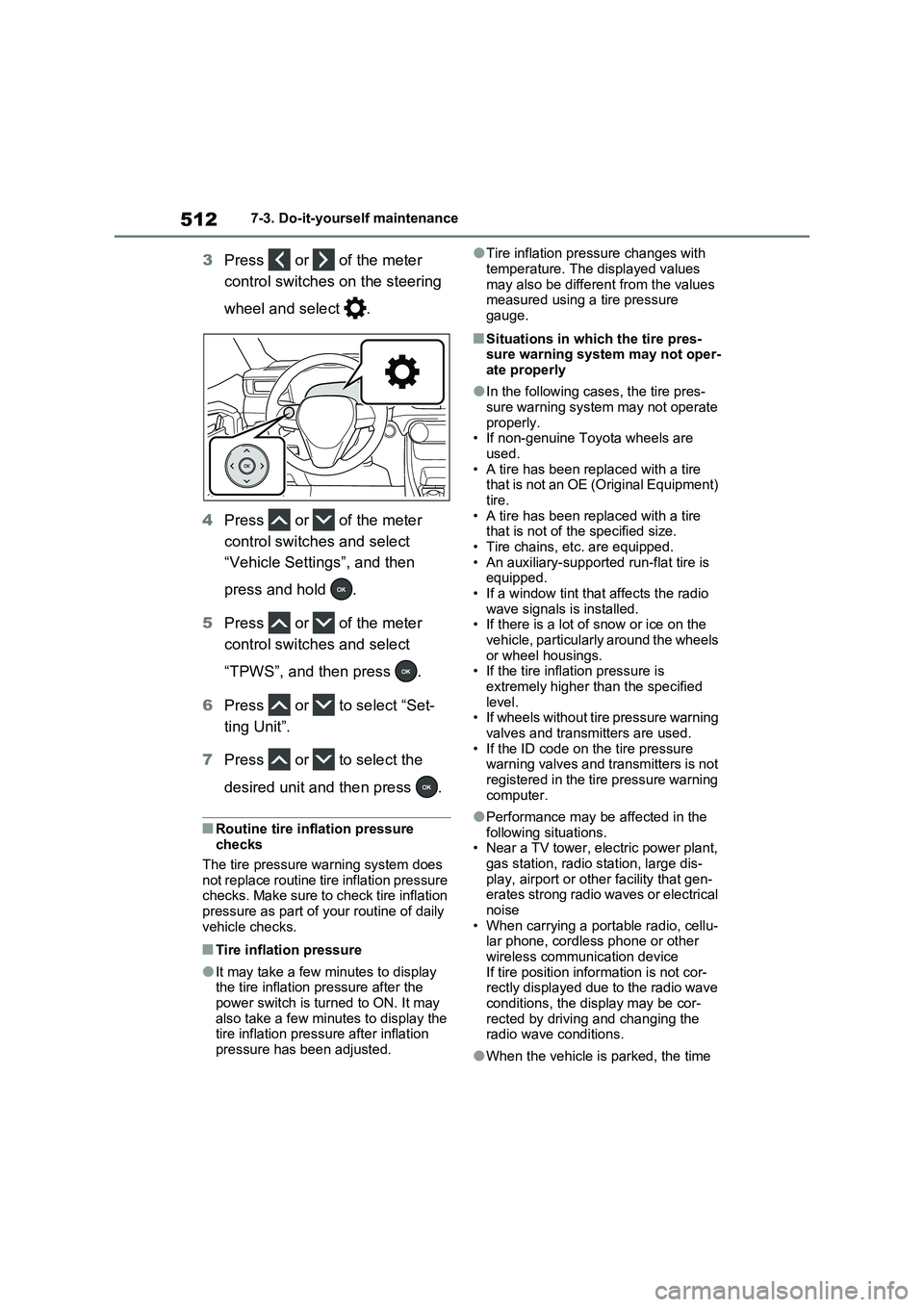
3Press or of the meter
control switches on the steering
wheel and select .
4Press or of the meter
control switches and select
“Vehicle Settings”, and then
press and hold .
5Press or of the meter
control switches and select
“TPWS”, and then press .
6Press or to select “Set-
ting Unit”.
7Press or to select the
desired unit and then press .
■Routine tire inflation pressure
checks
The tire pressure warning system does
not replace routine tire inflation pressure
checks. Make sure to check tire inflation
pressure as part of your routine of daily
vehicle checks.
■Tire inflation pressure
●It may take a few minutes to display
the tire inflation pressure after the
power switch is turned to ON. It may
also take a few minutes to display the
tire inflation pressure after inflation
pressure has been adjusted.
●Tire inflation pressure changes with
temperature. The displayed values
may also be different from the values
measured using a tire pressure
gauge.
■Situations in which the tire pres-
sure warning system may not oper-
ate properly
●In the following cases, the tire pres-
sure warning system may not operate
properly.
• If non-genuine Toyota wheels are
used.
• A tire has been replaced with a tire
that is not an OE (Original Equipment)
tire.
• A tire has been replaced with a tire
that is not of the specified size.
• Tire chains, etc. are equipped.
• An auxiliary-supported run-flat tire is
equipped.
• If a window tint that affects the radio
wave signals is installed.
• If there is a lot of snow or ice on the
vehicle, particularly around the wheels
or wheel housings.
• If the tire inflation pressure is
extremely higher than the specified
level.
• If wheels without tire pressure warning
valves and transmitters are used.
• If the ID code on the tire pressure
warning valves and transmitters is not
registered in the tire pressure warning
computer.
●Performance may be affected in the
following situations.
• Near a TV tower, electric power plant,
gas station, radio station, large dis-
play, airport or other facility that gen-
erates strong radio waves or electrical
noise
• When carrying a portable radio, cellu-
lar phone, cordless phone or other
wireless communication device
If tire position information is not cor-
rectly displayed due to the radio wave
conditions, the display may be cor-
rected by driving and changing the
radio wave conditions.
●When the vehicle is parked, the time
Page 524 of 664
5247-3. Do-it-yourself maintenance
2Adjust the tire inflation pressure
to the specified cold tire inflation
pressure level. (P.624)
Make sure to adjust the tire pressure to
the specified cold tire inflation pressure
level. The tire pressure warning system
will operate based on this pressure
level.
3Start the hybrid system.
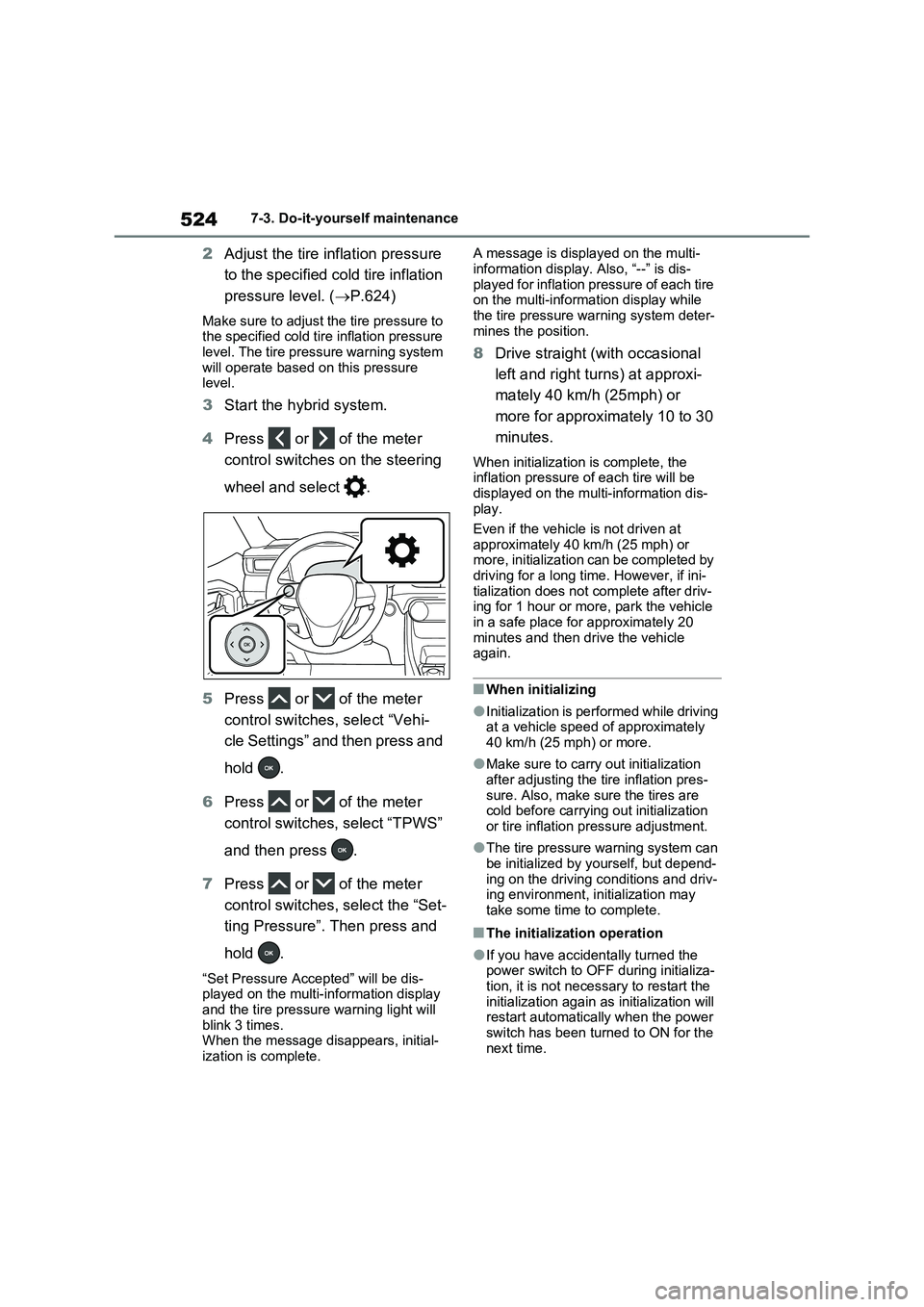
4Press or of the meter
control switches on the steering
wheel and select .
5Press or of the meter
control switches, select “Vehi-
cle Settings” and then press and
hold .
6Press or of the meter
control switches, select “TPWS”
and then press .
7Press or of the meter
control switches, select the “Set-
ting Pressure”. Then press and
hold .
“Set Pressure Accepted” will be dis-
played on the multi-information display
and the tire pressure warning light will
blink 3 times.
When the message disappears, initial-
ization is complete.A message is displayed on the multi-
information display. Also, “--” is dis-
played for inflation pressure of each tire
on the multi-information display while
the tire pressure warning system deter-
mines the position.
8Drive straight (with occasional
left and right turns) at approxi-
mately 40 km/h (25mph) or
more for approximately 10 to 30
minutes.
When initialization is complete, the
inflation pressure of each tire will be
displayed on the multi-information dis-
play.
Even if the vehicle is not driven at
approximately 40 km/h (25 mph) or
more, initialization can be completed by
driving for a long time. However, if ini-
tialization does not complete after driv-
ing for 1 hour or more, park the vehicle
in a safe place for approximately 20
minutes and then drive the vehicle
again.
■When initializing
●Initialization is performed while driving
at a vehicle speed of approximately
40 km/h (25 mph) or more.
●Make sure to carry out initialization
after adjusting the tire inflation pres-
sure. Also, make sure the tires are
cold before carrying out initialization
or tire inflation pressure adjustment.
●The tire pressure warning system can
be initialized by yourself, but depend-
ing on the driving conditions and driv-
ing environment, initialization may
take some time to complete.
■The initialization operation
●If you have accidentally turned the
power switch to OFF during initializa-
tion, it is not necessary to restart the
initialization again as initialization will
restart automatically when the power
switch has been turned to ON for the
next time.
Page 526 of 664
5267-3. Do-it-yourself maintenance
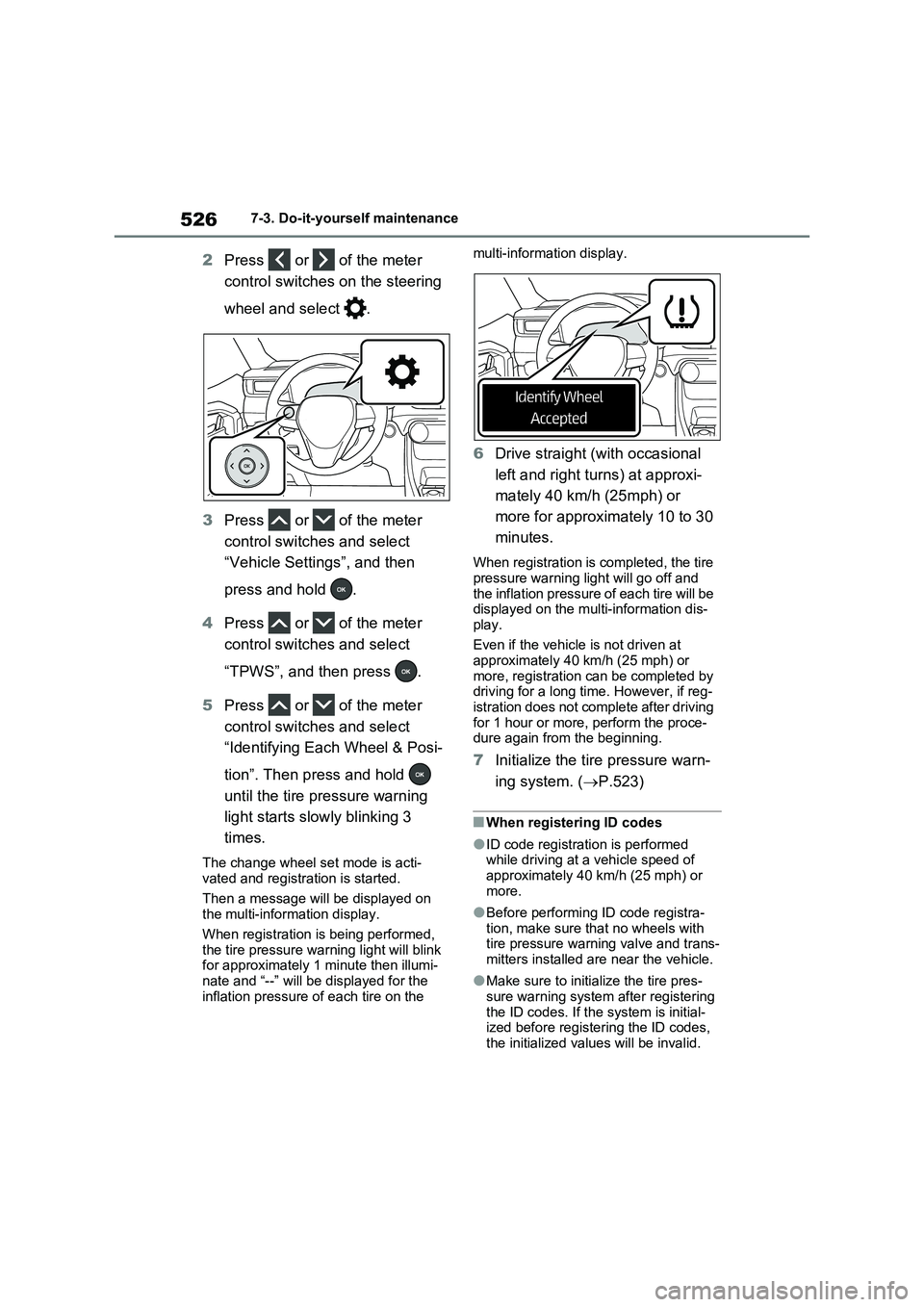
2Press or of the meter
control switches on the steering
wheel and select .
3Press or of the meter
control switches and select
“Vehicle Settings”, and then
press and hold .
4Press or of the meter
control switches and select
“TPWS”, and then press .
5Press or of the meter
control switches and select
“Identifying Each Wheel & Posi-
tion”. Then press and hold
until the tire pressure warning
light starts slowly blinking 3
times.
The change wheel set mode is acti-
vated and registration is started.
Then a message will be displayed on
the multi-information display.
When registration is being performed,
the tire pressure warning light will blink
for approximately 1 minute then illumi-
nate and “--” will be displayed for the
inflation pressure of each tire on the multi-information display.
6Drive straight (with occasional
left and right turns) at approxi-
mately 40 km/h (25mph) or
more for approximately 10 to 30
minutes.
When registration is completed, the tire
pressure warning light will go off and
the inflation pressure of each tire will be
displayed on the multi-information dis-
play.
Even if the vehicle is not driven at
approximately 40 km/h (25 mph) or
more, registration can be completed by
driving for a long time. However, if reg-
istration does not complete after driving
for 1 hour or more, perform the proce-
dure again from the beginning.
7Initialize the tire pressure warn-
ing system. (P.523)
■When registering ID codes
●ID code registration is performed
while driving at a vehicle speed of
approximately 40 km/h (25 mph) or
more.
●Before performing ID code registra-
tion, make sure that no wheels with
tire pressure warning valve and trans-
mitters installed are near the vehicle.
●Make sure to initialize the tire pres-
sure warning system after registering
the ID codes. If the system is initial-
ized before registering the ID codes,
the initialized values will be invalid.
Page 528 of 664
5287-3. Do-it-yourself maintenance
After registration of a second wheel
set, either of these two wheel sets
can be selected for usage with the
tire pressure warning system.
■Operating conditions for the
function
This function will perform the
change of wheel set only if a sec-
ond wheel set has been regis-
tered. If no second wheel set has
been registered, no change will
be made when selecting this
function in the menu.
Only a change between both
registered wheel set is possible,
mixing between these wheel sets
is not supported.
■How to change between wheel
sets
1Have the vehicle fitted with the
preferred wheel set.
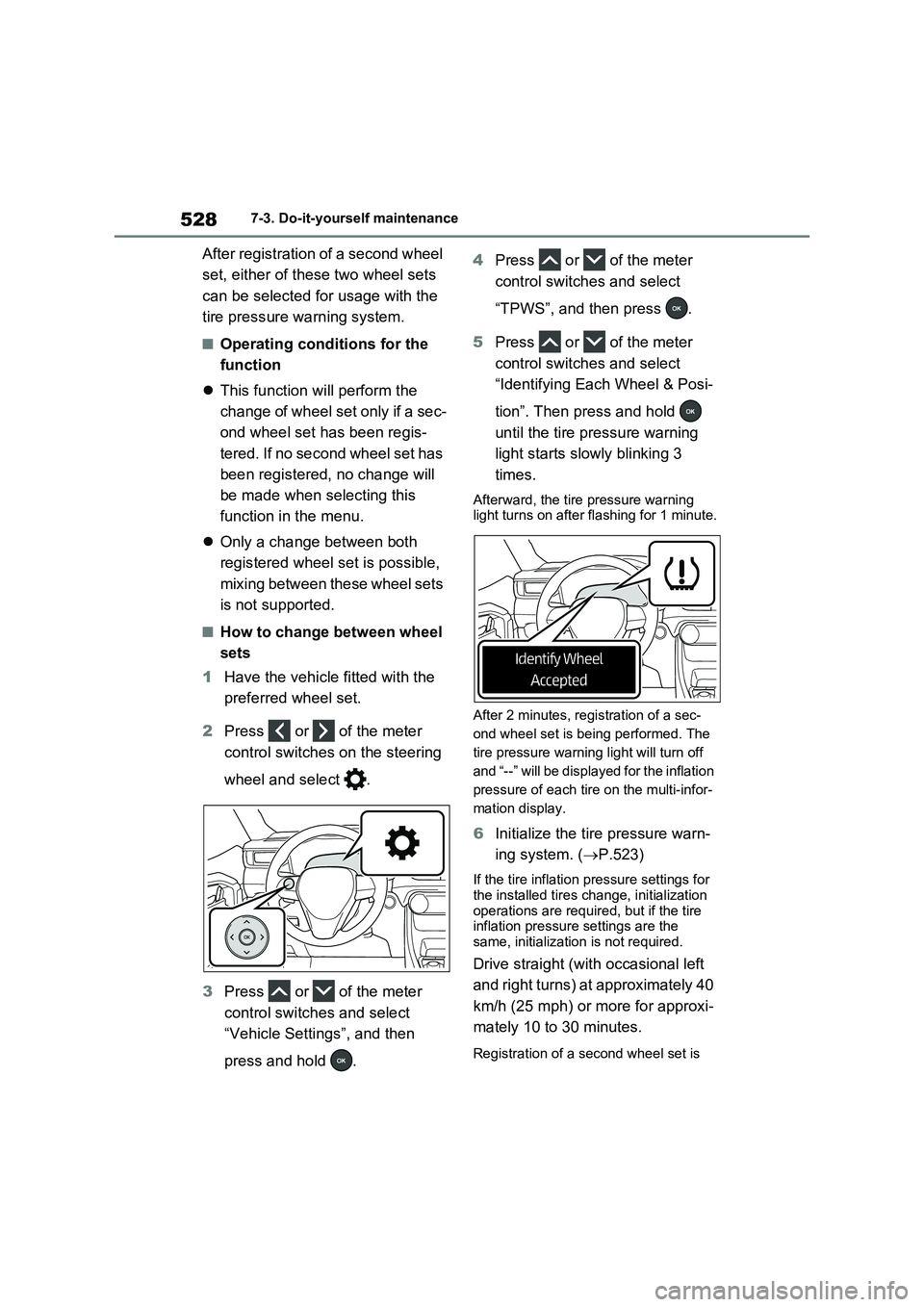
2Press or of the meter
control switches on the steering
wheel and select .
3Press or of the meter
control switches and select
“Vehicle Settings”, and then
press and hold .4Press or of the meter
control switches and select
“TPWS”, and then press .
5Press or of the meter
control switches and select
“Identifying Each Wheel & Posi-
tion”. Then press and hold
until the tire pressure warning
light starts slowly blinking 3
times.
Afterward, the tire pressure warning
light turns on after flashing for 1 minute.
After 2 minutes, registration of a sec-
ond wheel set is being performed. The
tire pressure warning light will turn off
and “--” will be displayed for the inflation
pressure of each tire on the multi-infor-
mation display.
6Initialize the tire pressure warn-
ing system. (P.523)
If the tire inflation pressure settings for
the installed tires change, initialization
operations are required, but if the tire
inflation pressure settings are the
same, initialization is not required.
Drive straight (with occasional left
and right turns) at approximately 40
km/h (25 mph) or more for approxi-
mately 10 to 30 minutes.
Registration of a second wheel set is
Page 549 of 664
549
7 7-3. Do-it-yourself maintenance
Maintenance and care
●Back-up lights
●Outer foot lights (if equipped)
■Condensation build-up on the
inside of the lens
Temporary condensation build-up on
the inside of the light lens does not indi-
cate a malfunction. Contact any autho-
rized Toyota retailer or Toyota
authorized repairer, or any reliable
repairer for more information in the fol-
lowing situations:
●Large drops of water have built up on
the inside of the lens.
●Water has built up inside the light.
■When replacing an electronic com-
ponent, such as a lights, etc.
P.547
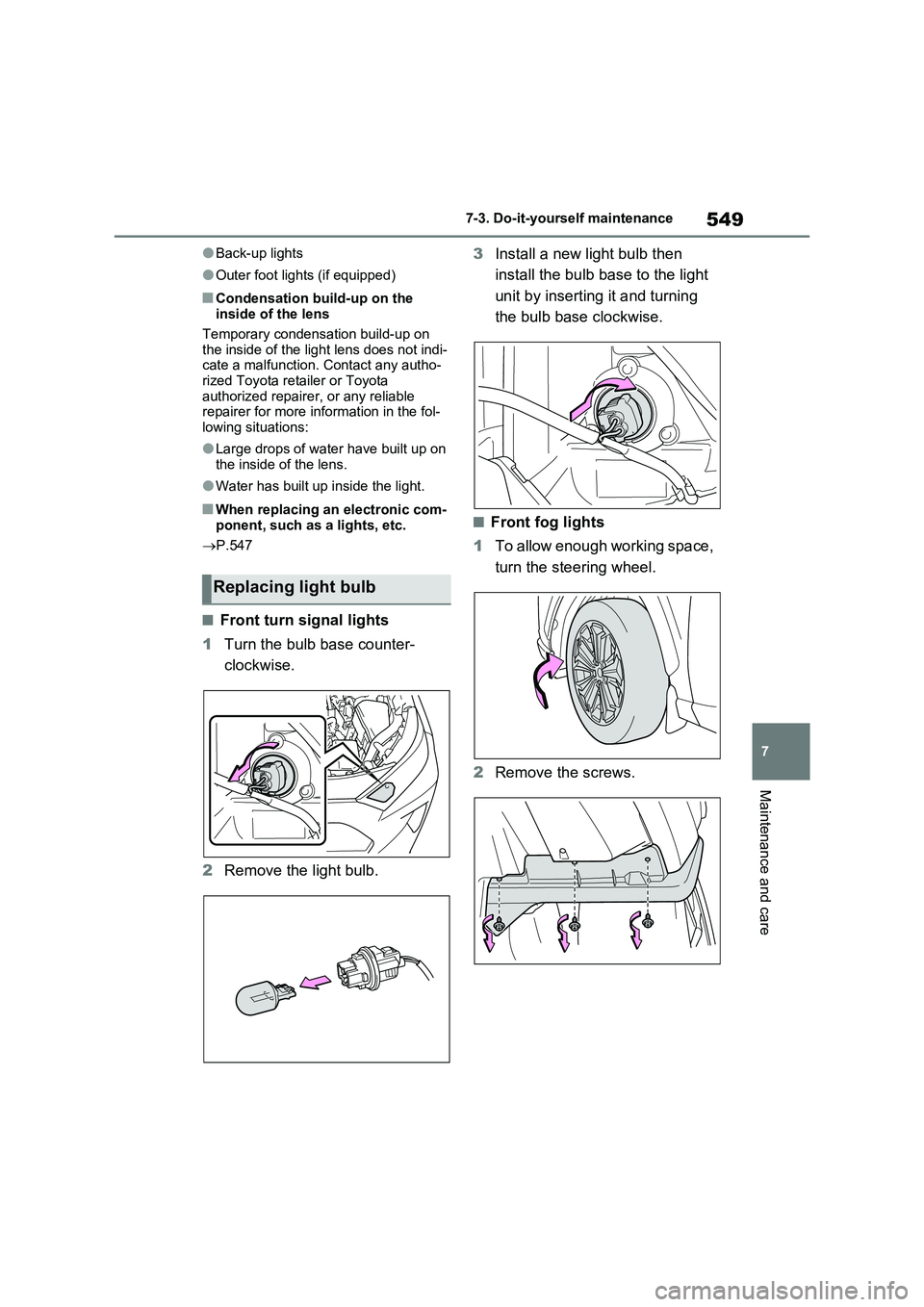
■Front turn signal lights
1Turn the bulb base counter-
clockwise.
2Remove the light bulb.3Install a new light bulb then
install the bulb base to the light
unit by inserting it and turning
the bulb base clockwise.
■Front fog lights
1To allow enough working space,
turn the steering wheel.
2Remove the screws.
Replacing light bulb
Page 561 of 664
561
8
8-1. Essential information
When trouble arises
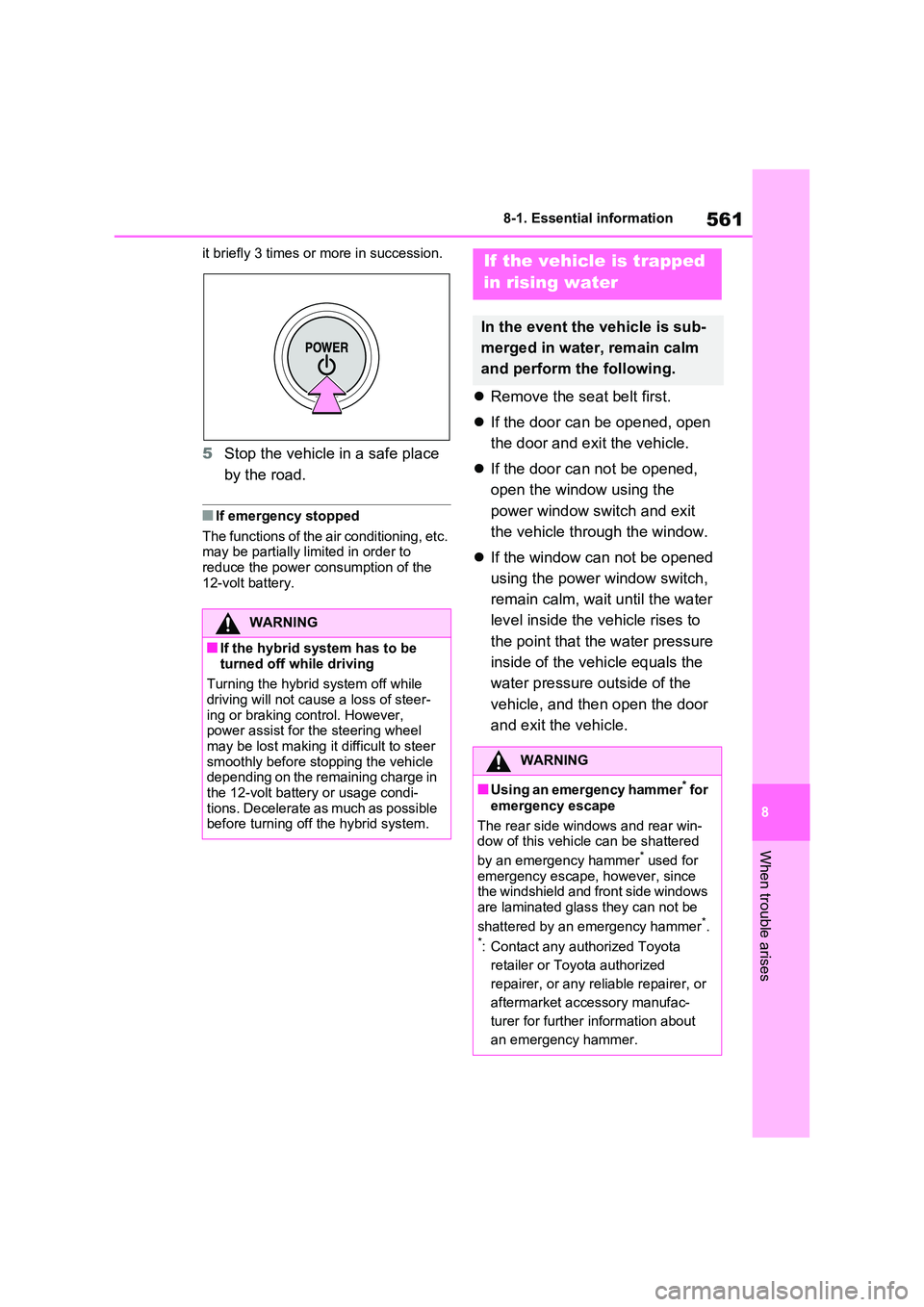
it briefly 3 times or more in succession.
5 Stop the vehicle in a safe place
by the road.
■If emergency stopped
The functions of the air conditioning, etc. may be partially limited in order to reduce the power consumption of the
12-volt battery.
Remove the seat belt first.
If the door can be opened, open
the door and exit the vehicle.
If the door can not be opened,
open the window using the
power window switch and exit
the vehicle through the window.
If the window can not be opened
using the power window switch,
remain calm, wait until the water
level inside the vehicle rises to
the point that the water pressure
inside of the vehicle equals the
water pressure outside of the
vehicle, and then open the door
and exit the vehicle.
WARNING
■If the hybrid system has to be
turned off while driving
Turning the hybrid system off while driving will not cause a loss of steer-
ing or braking control. However, power assist for the steering wheel may be lost making it difficult to steer
smoothly before stopping the vehicle depending on the remaining charge in the 12-volt battery or usage condi-
tions. Decelerate as much as possible before turning off the hybrid system.
If the vehicle is trapped
in rising water
In the event the vehicle is sub-
merged in water, remain calm
and perform the following.
WARNING
■Using an emergency hammer* for
emergency escape
The rear side windows and rear win- dow of this vehicle can be shattered
by an emergency hammer* used for emergency escape, however, since the windshield and front side windows
are laminated glass they can not be
shattered by an emergency hammer*.*: Contact any authorized Toyota
retailer or Toyota authorized
repairer, or any reliable repairer, or
aftermarket accessory manufac-
turer for further information about
an emergency hammer.
Page 564 of 664
5648-2. Steps to take in an emergency
The following may indicate a prob-
lem with your transmission. Contact
any authorized Toyota retailer or
Toyota authorized repairer, or any
reliable repairer or commercial tow-
ing service before towing.
The hybrid system warning mes-
sage is shown on the multi-infor-
mation display and the vehicle
does not move.
The vehicle makes an abnormal
sound.
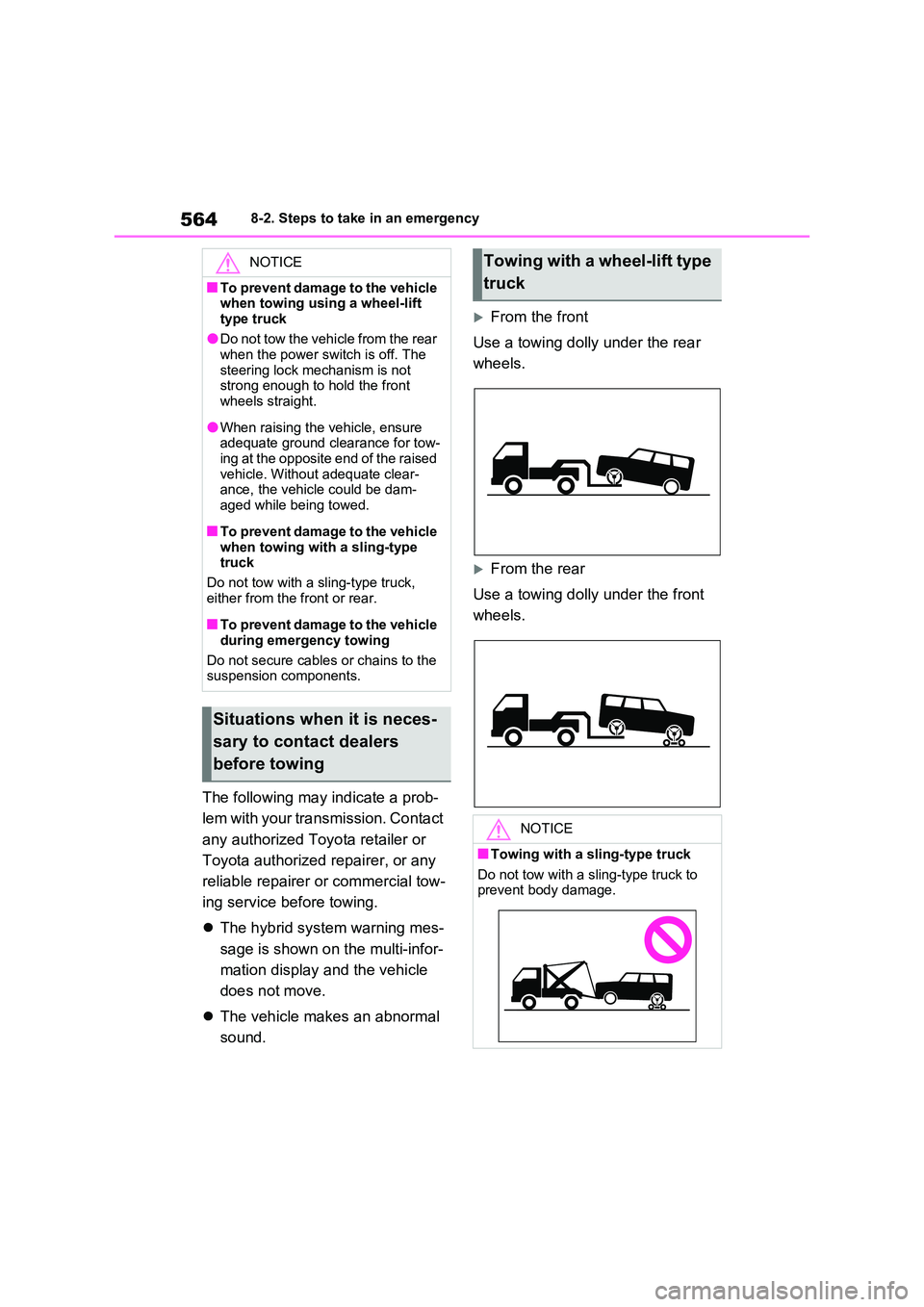
From the front
Use a towing dolly under the rear
wheels.
From the rear
Use a towing dolly under the front
wheels.
NOTICE
■To prevent damage to the vehicle when towing using a wheel-lift
type truck
●Do not tow the vehicle from the rear when the power switch is off. The
steering lock mechanism is not strong enough to hold the front wheels straight.
●When raising the vehicle, ensure adequate ground clearance for tow-
ing at the opposite end of the raised vehicle. Without adequate clear-ance, the vehicle could be dam-
aged while being towed.
■To prevent damage to the vehicle
when towing with a sling-type truck
Do not tow with a sling-type truck,
either from the front or rear.
■To prevent damage to the vehicle
during emergency towing
Do not secure cables or chains to the suspension components.
Situations when it is neces-
sary to contact dealers
before towing
Towing with a wheel-lift type
truck
NOTICE
■Towing with a sling-type truck
Do not tow with a sling-type truck to prevent body damage.