AUX TOYOTA VERSO S 2015 Owners Manual
[x] Cancel search | Manufacturer: TOYOTA, Model Year: 2015, Model line: VERSO S, Model: TOYOTA VERSO S 2015Pages: 564, PDF Size: 18.47 MB
Page 4 of 564
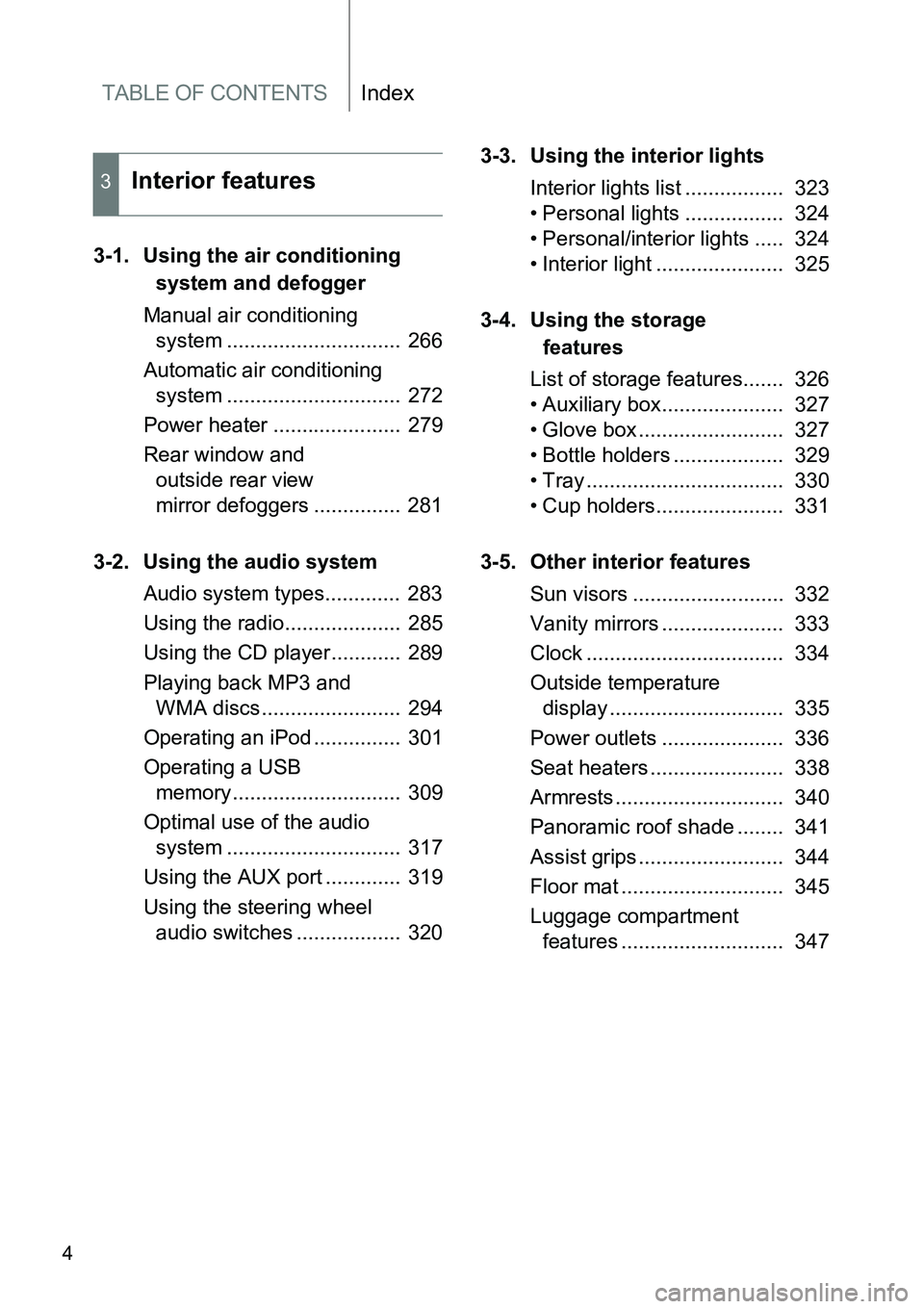
TABLE OF CONTENTSIndex
4
3-1. Using the air conditioning
system and defogger
Manual air conditioning
system .............................. 266
Automatic air conditioning
system .............................. 272
Power heater ...................... 279
Rear window and
outside rear view
mirror defoggers ............... 281
3-2. Using the audio system
Audio system types............. 283
Using the radio.................... 285
Using the CD player............ 289
Playing back MP3 and
WMA discs........................ 294
Operating an iPod ............... 301
Operating a USB
memory............................. 309
Optimal use of the audio
system .............................. 317
Using the AUX port ............. 319
Using the steering wheel
audio switches .................. 3203-3. Using the interior lights
Interior lights list ................. 323
• Personal lights ................. 324
• Personal/interior lights ..... 324
• Interior light ...................... 325
3-4. Using the storage
features
List of storage features....... 326
• Auxiliary box..................... 327
• Glove box ......................... 327
• Bottle holders ................... 329
• Tray .................................. 330
• Cup holders...................... 331
3-5. Other interior features
Sun visors .......................... 332
Vanity mirrors ..................... 333
Clock .................................. 334
Outside temperature
display .............................. 335
Power outlets ..................... 336
Seat heaters ....................... 338
Armrests ............................. 340
Panoramic roof shade ........ 341
Assist grips ......................... 344
Floor mat ............................ 345
Luggage compartment
features ............................ 347
3Interior features
Page 10 of 564
10
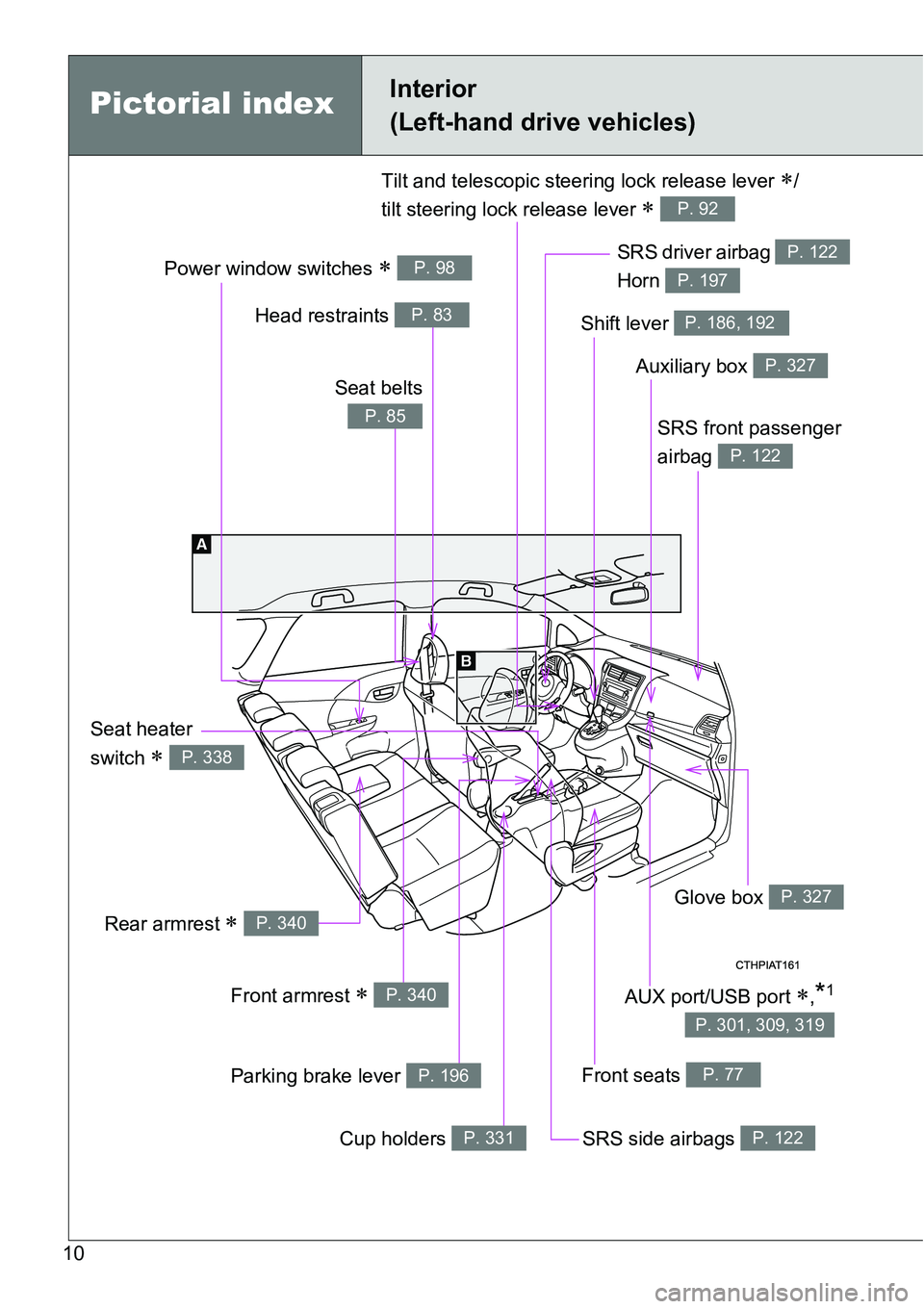
Power window switches P. 98
Pictorial indexInterior
(Left-hand drive vehicles)
SRS front passenger
airbag
P. 122
SRS driver airbag
Horn P. 122
P. 197
Front seats P. 77
SRS side airbags P. 122
Glove box P. 327
Auxiliary box P. 327
Shift lever P. 186, 192
Seat heater
switch
P. 338
Tilt and telescopic steering lock release lever /
tilt steering lock release lever
P. 92
Rear armrest P. 340
Front armrest P. 340
Parking brake lever P. 196
Cup holders P. 331
Head restraints P. 83
Seat belts
P. 85
AUX port/USB port ,*1
P. 301, 309, 319
Page 16 of 564
16
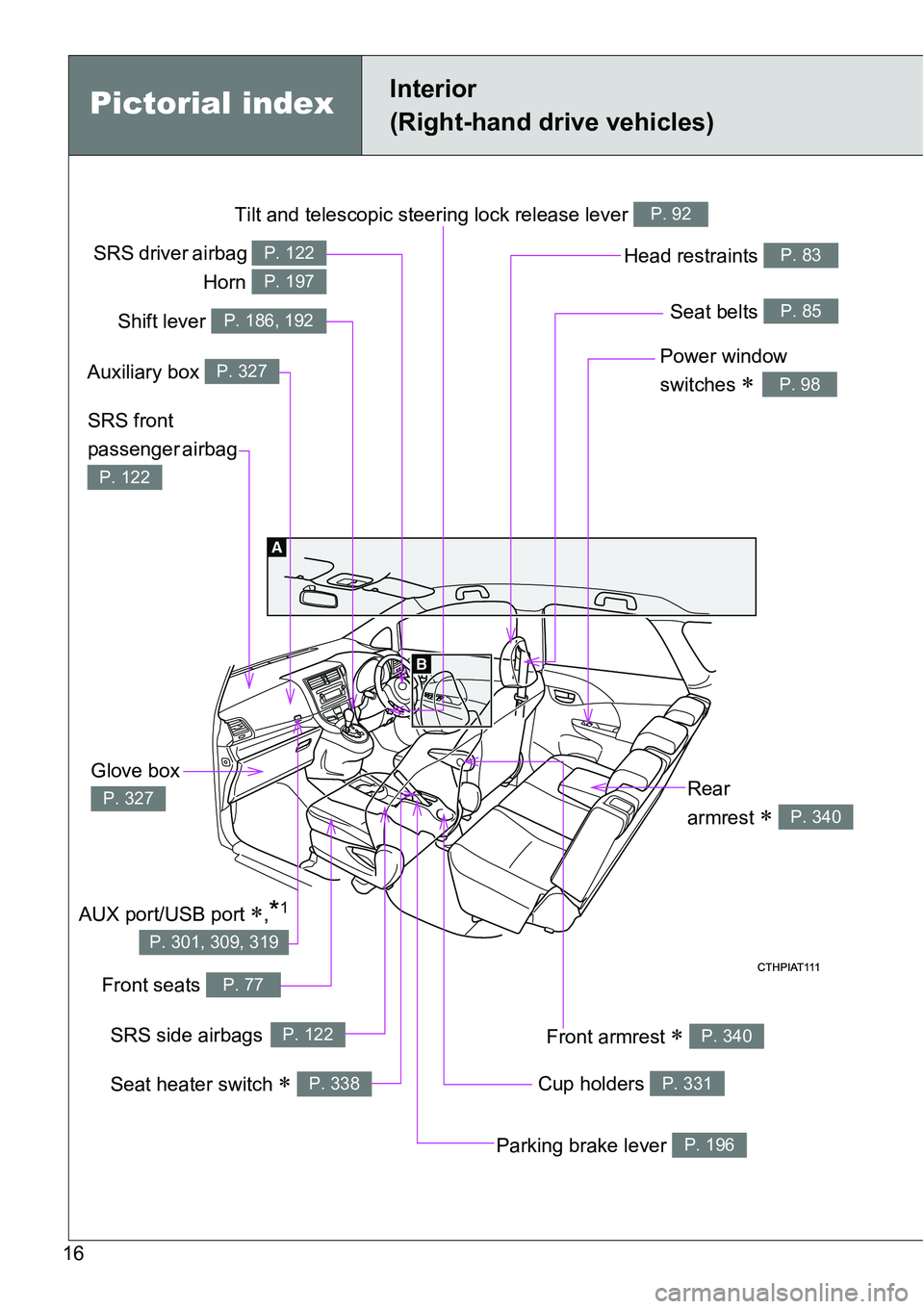
Tilt and telescopic steering lock release lever P. 92
Power window
switches
P. 98
Seat belts P. 85
SRS front
passenger airbag
P. 122
Head restraints P. 83
Cup holders P. 331
Front armrest P. 340
Front seats P. 77
Glove box
P. 327
Parking brake lever P. 196
Rear
armrest
P. 340
Pictorial indexInterior
(Right-hand drive vehicles)
SRS driver airbag
Horn P. 122
P. 197
Shift lever P. 186, 192
Auxiliary box P. 327
SRS side airbagsP. 122
Seat heater switch P. 338
AUX port/USB port ,*1
P. 301, 309, 319
Page 265 of 564

3Interior features
265
3-1. Using the air
conditioning system
and defogger
Manual air conditioning
system ............................ 266
Automatic air conditioning
system ............................ 272
Power heater .................... 279
Rear window and
outside rear view
mirror defoggers ............. 281
3-2. Using the audio system
Audio system types .......... 283
Using the radio ................. 285
Using the CD player ......... 289
Playing back MP3 and
WMA discs...................... 294
Operating an iPod............. 301
Operating a USB
memory........................... 309
Optimal use of the audio
system ............................ 317
Using the AUX port ........... 319
Using the steering wheel
audio switches ................ 320
3-3. Using the interior lights
Interior lights list................ 323
• Personal lights ................ 324
• Personal/interior
lights ............................... 324
• Interior light ..................... 3253-4. Using the storage
features
List of storage features ..... 326
• Auxiliary box ................... 327
• Glove box ....................... 327
• Bottle holders.................. 329
• Tray ................................ 330
• Cup holders .................... 331
3-5. Other interior features
Sun visors ......................... 332
Vanity mirrors.................... 333
Clock ................................. 334
Outside temperature
display ............................ 335
Power outlets .................... 336
Seat heaters ..................... 338
Armrests ........................... 340
Panoramic roof shade....... 341
Assist grips ....................... 344
Floor mat........................... 345
Luggage compartment
features........................... 347
Page 283 of 564
283
3
Interior features
3-2. Using the audio system
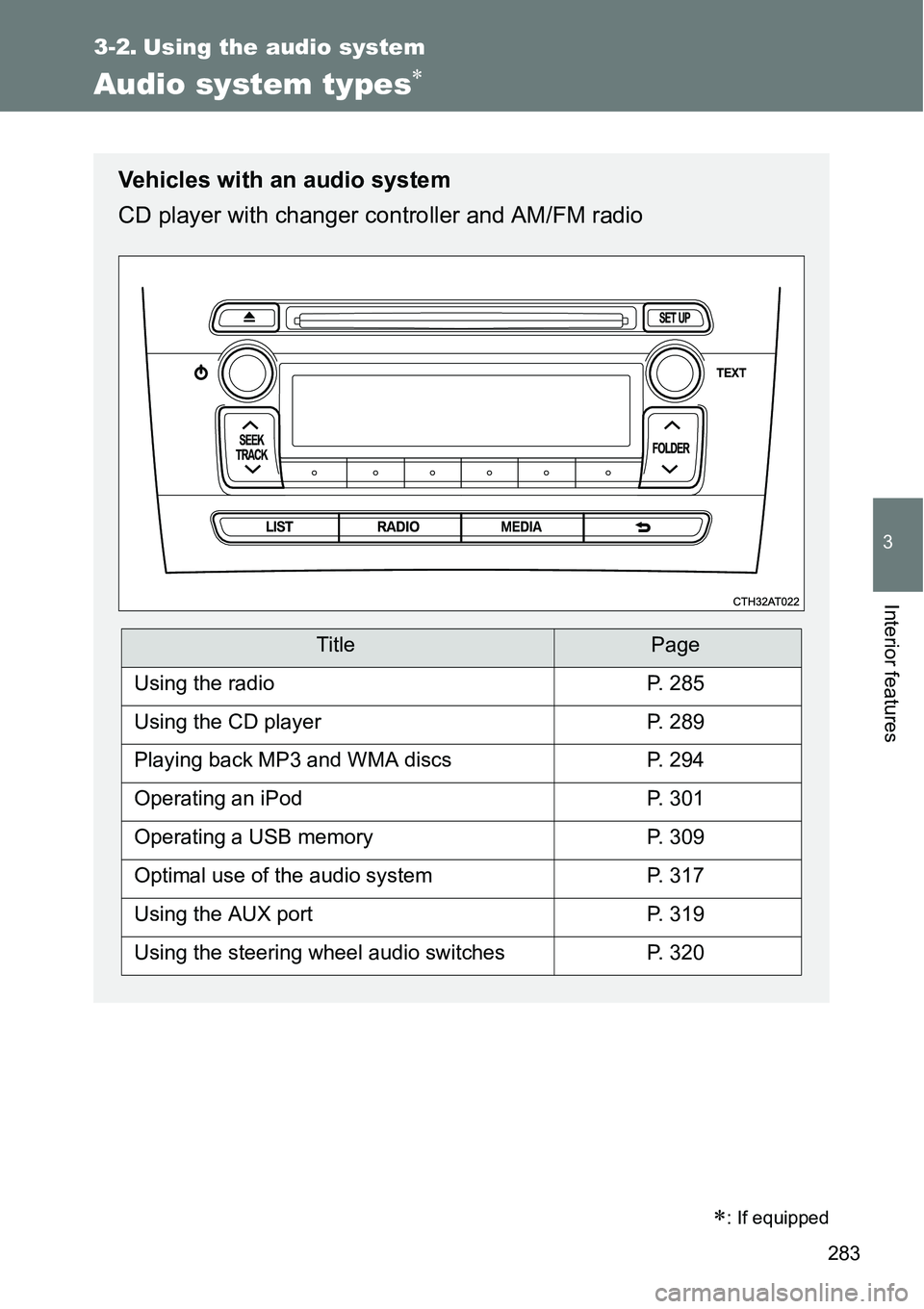
Audio system types
: If equipped
Vehicles with an audio system
CD player with changer controller and AM/FM radio
TitlePage
Using the radioP. 285
Using the CD playerP. 289
Playing back MP3 and WMA discsP. 294
Operating an iPodP. 301
Operating a USB memoryP. 309
Optimal use of the audio systemP. 317
Using the AUX portP. 319
Using the steering wheel audio switchesP. 320
Page 301 of 564

301
3-2. Using the audio system
3
Interior features
Operating an iPod
: If equipped
Connecting an iPod enables you to enjoy music from the vehicle
speakers.
Connecting an iPod
Open the auxiliary box.
Open the cover and connect
an iPod using an iPod cable.
Turn on the power of the iPod if
it is not turned on.
Close the auxiliary box and press .
STEP1
STEP2
STEP3
Page 309 of 564
309
3-2. Using the audio system
3
Interior features
Operating a USB memor y
: If equipped
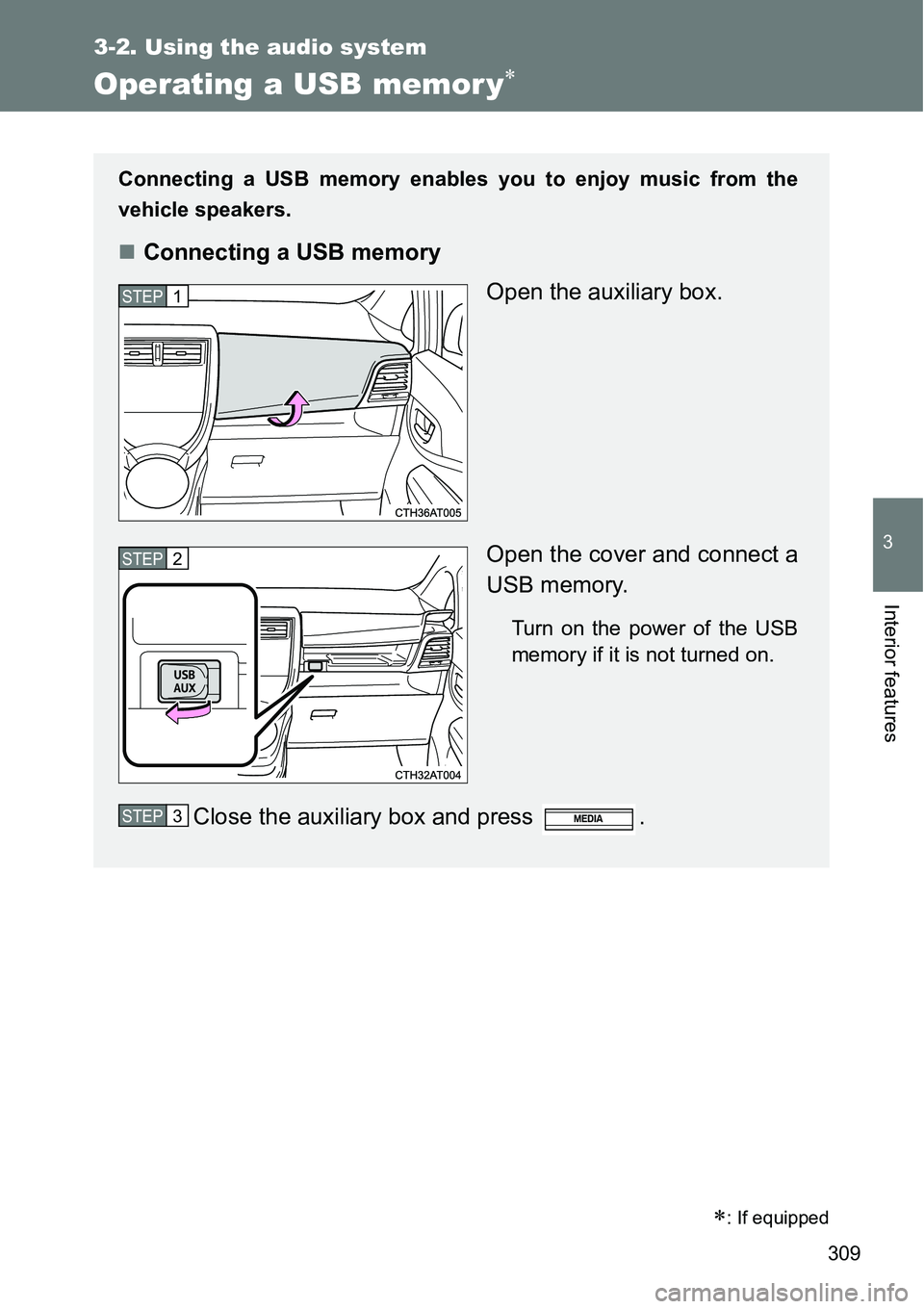
Connecting a USB memory enables you to enjoy music from the
vehicle speakers.
Connecting a USB memory
Open the auxiliary box.
Open the cover and connect a
USB memory.
Turn on the power of the USB
memory if it is not turned on.
Close the auxiliary box and press .
STEP1
STEP2
STEP3
Page 316 of 564
316 3-2. Using the audio system
NOTICE
If the auxiliary box lid cannot be fully closed
Depending on the size and shape of the USB memory that is connected to
the system, the auxiliary box lid may not close fully. In this case, do not forc-
ibly close the lid as this may damage the USB memory or the terminal, etc.
To prevent damage to USB memory
Do not leave USB memory in the vehicle. The temperature inside the vehi-
cle may become high, resulting in damage to the player.
Do not push down on or apply unnecessary pressure to the USB memory
while it is connected as this may damage the USB memory or its terminal.
Do not insert foreign objects into the port as this may damage the USB
memory or its terminal.
Page 319 of 564
319
3-2. Using the audio system
3
Interior features
Using the AUX por t
Operating portable audio devices connected to the audio system
The volume can be adjusted using the vehicle's audio controls. All other
adjustments must be made on the portable audio device itself.
When using a portable audio device connected to the power outlet
Noise may occur during playback. Use the power source of the portable
audio device.
: If equipped
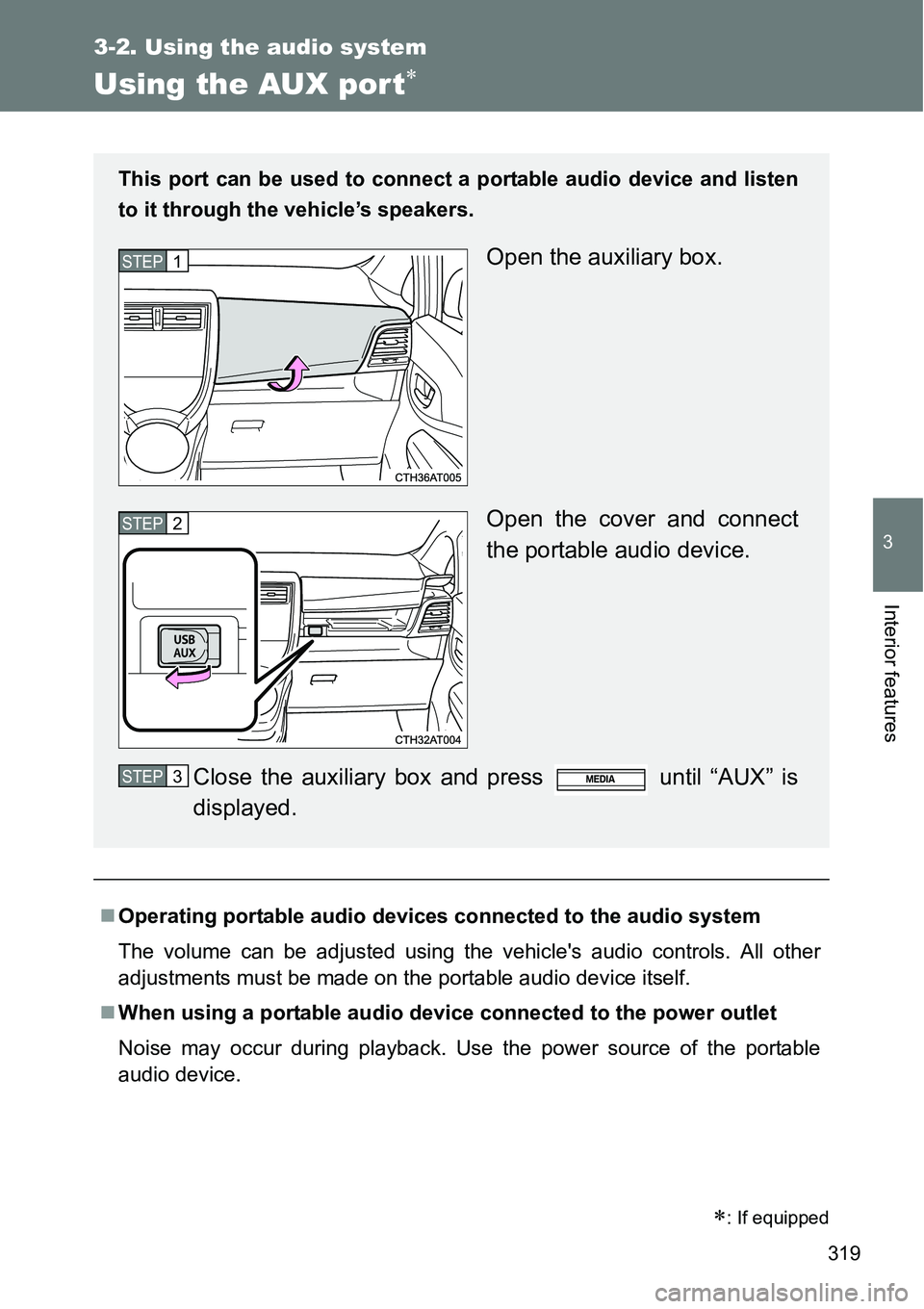
This port can be used to connect a portable audio device and listen
to it through the vehicle’s speakers.
Open the auxiliary box.
Open the cover and connect
the portable audio device.
Close the auxiliary box and press until “AUX” is
displayed.STEP1
STEP2
STEP3
Page 320 of 564
320
3-2. Using the audio system
Using the steering wheel audio switches
Turning on the power
Press when the audio system is turned off.
Changing the audio source
Press when the audio system is turned on. The audio source
changes as follows each time is pressed.
AMFMCD modeiPod or USB memory mode*
AUX*AM
*: If equipped
: If equipped
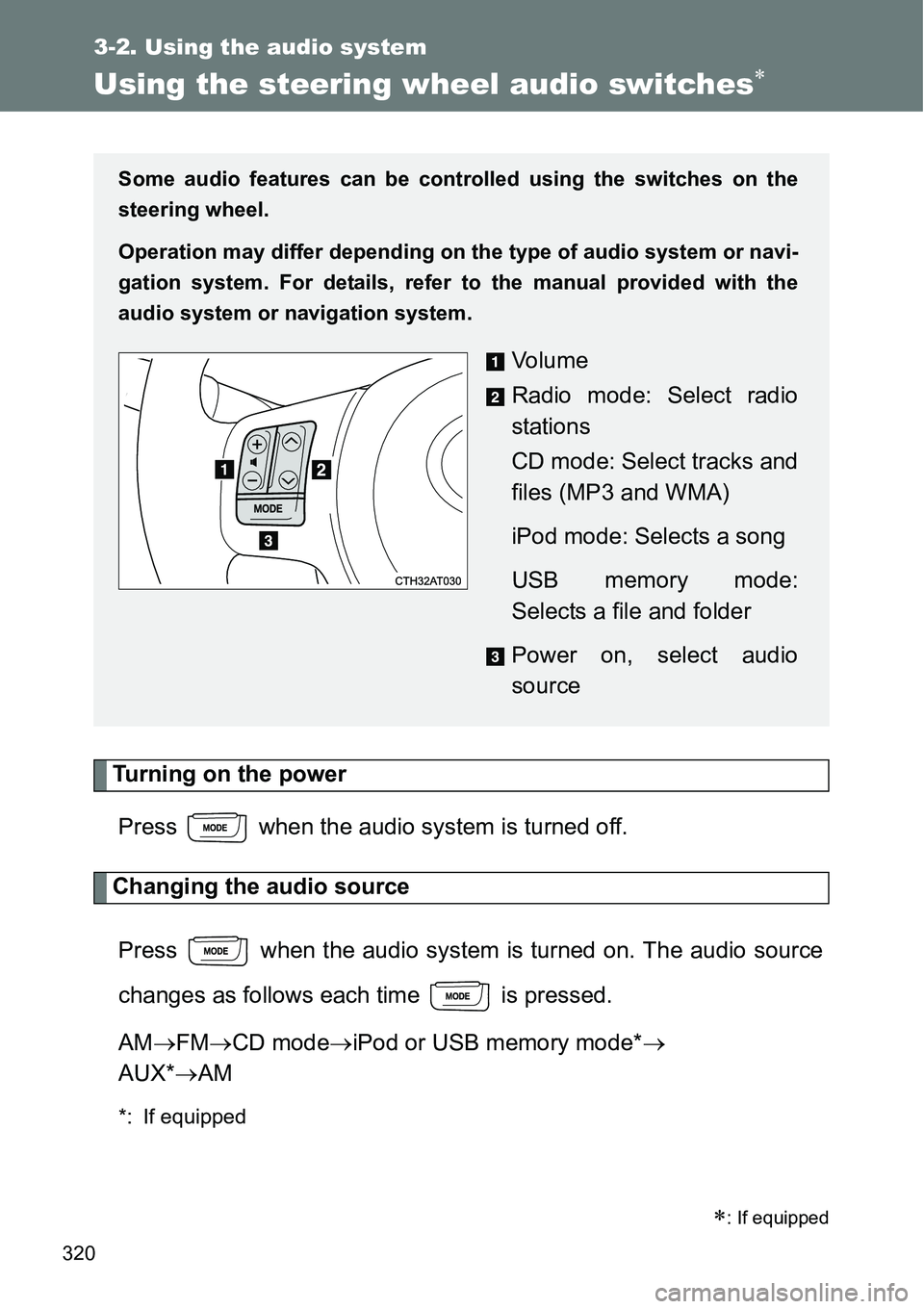
Some audio features can be controlled using the switches on the
steering wheel.
Operation may differ depending on the type of audio system or navi-
gation system. For details, refer to the manual provided with the
audio system or navigation system.
Vo l u m e
Radio mode: Select radio
stations
CD mode: Select tracks and
files (MP3 and WMA)
iPod mode: Selects a song
USB memory mode:
Selects a file and folder
Power on, select audio
source