fuel TOYOTA xB 2013 Owners Manual (in English)
[x] Cancel search | Manufacturer: TOYOTA, Model Year: 2013, Model line: xB, Model: TOYOTA xB 2013Pages: 24, PDF Size: 4.01 MB
Page 3 of 24
OVERVIEW
FEATURES/OPERATIONS
SAFETY AND EMERGENCY FEATURES
1
2013
Scion xD
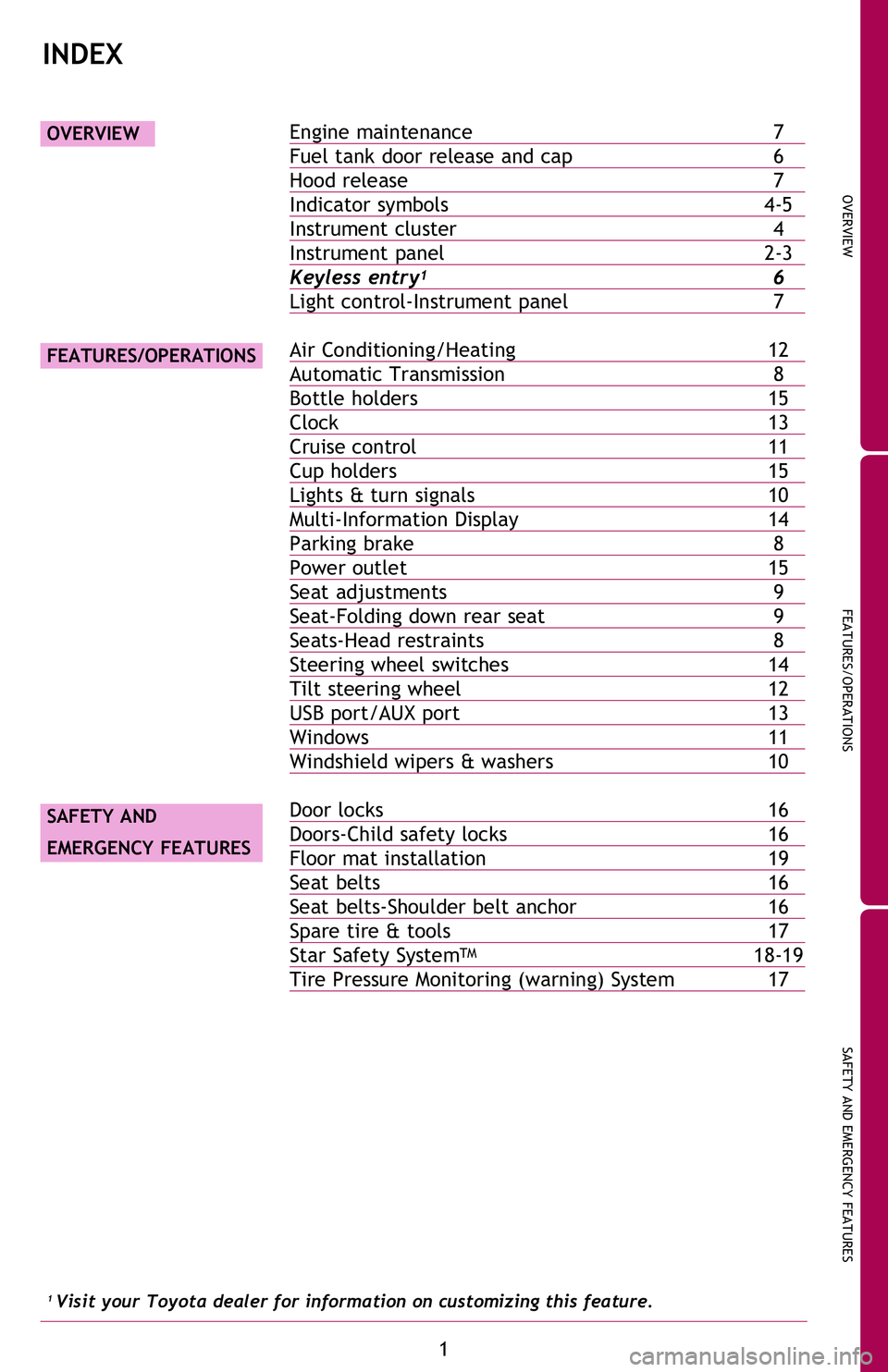
Engine maintenance 7
Fuel tank door release and cap 6
Hood release 7
Indicator symbols 4-5
Instrument cluster 4
Instrument panel 2-3
Keyless entry
1 6
Light control-Instrument panel 7
Air Conditioning/Heating 12
Automatic Transmission 8
Bottle holders 15
Clock 13
Cruise control 11
Cup holders 15
Lights & turn signals 10
Multi-Information Display 14
Parking brake 8
Power outlet 15
Seat adjustments 9
Seat-Folding down rear seat 9
Seats-Head restraints 8
Steering wheel switches 14
Tilt steering wheel 12
USB port/AUX port 13
Windows 11
Windshield wipers & washers 10
Door locks 16
Doors-Child safety locks 16
Floor mat installation 19
Seat belts 16
Seat belts-Shoulder belt anchor 16
Spare tire & tools 17
Star Safety System
TM 18-19
Tire Pressure Monitoring (warning) System 17
OVERVIEW
FEATURES/OPERATIONS
SAFETY AND
EMERGENCY FEATURES
INDEX
1 Visit your Toyota dealer for information on customizing this feature.
2013Scion-xD.indd 18/6/12 8:47 PM
Page 6 of 24
4
OVERVIEW
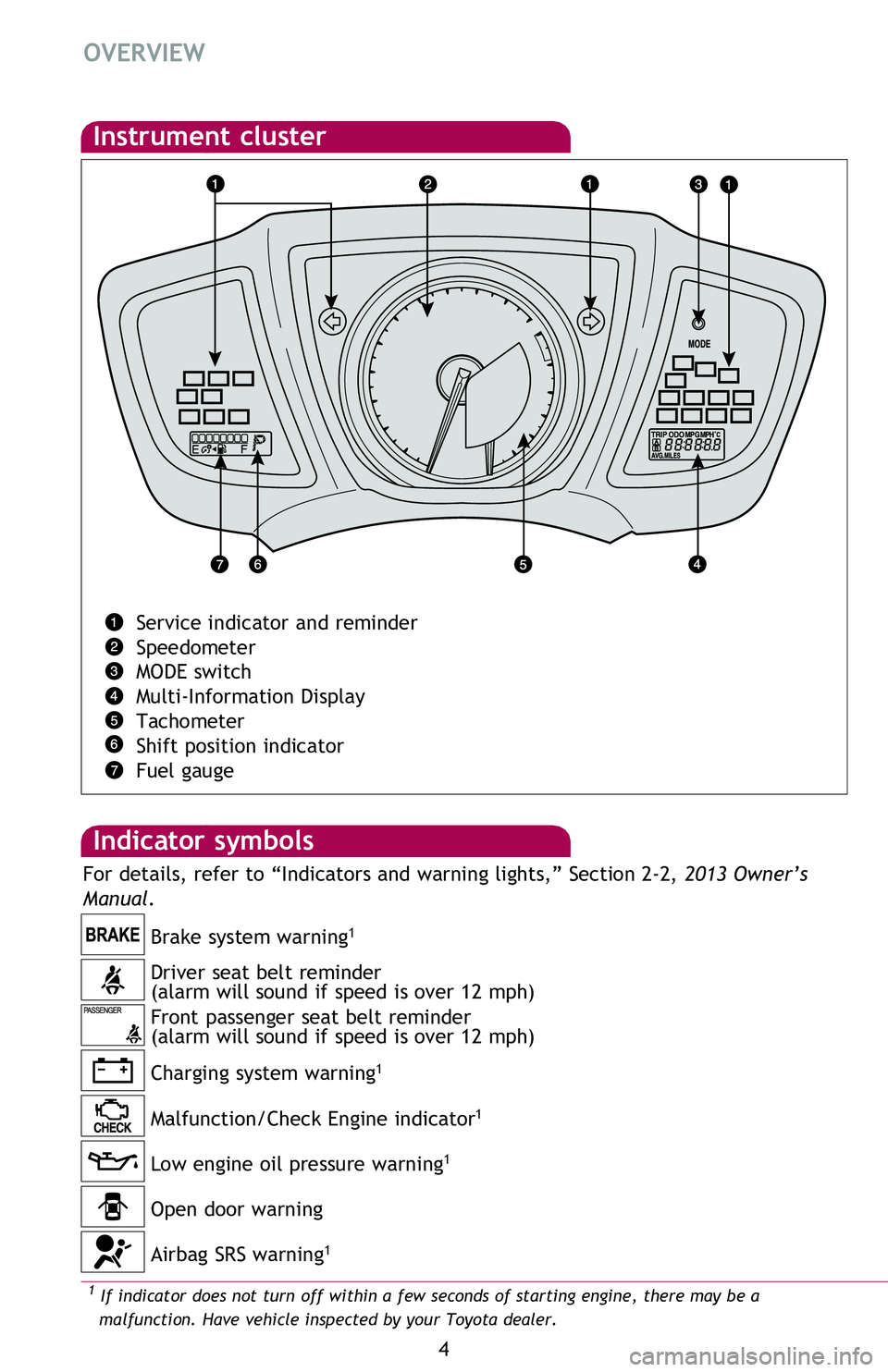
Low engine oil pressure warning1
Driver seat belt reminder
(alarm will sound if speed is over 12 mph)
Front passenger seat belt reminder
(alarm will sound if speed is over 12 mph) Brake system warning
1
Charging system warning1
Malfunction/Check Engine indicator1
Indicator symbols
Instrument cluster
Service indicator and reminder
Speedometer
MODE switch
Multi-Information Display
Tachometer
Shift position indicator
Fuel gauge
1 If indicator does not turn off within a few seconds of starting engine, there may be a
malfunction. Have vehicle inspected by your Toyota dealer.2 If this light flashes, refer to “Cruise control,” Section 2-4, 2013 Owner’s Manual.
Open door warning
Airbag SRS warning
1
For details, refer to “Indicators and warning lights,” Section 2-2, 2013 Owner’s
Manual .
2013Scion-xD.indd 48/6/12 8:47 PM
Page 7 of 24
OVERVIEW
FEATURES/OPERATIONS
SAFETY AND EMERGENCY FEATURES
5
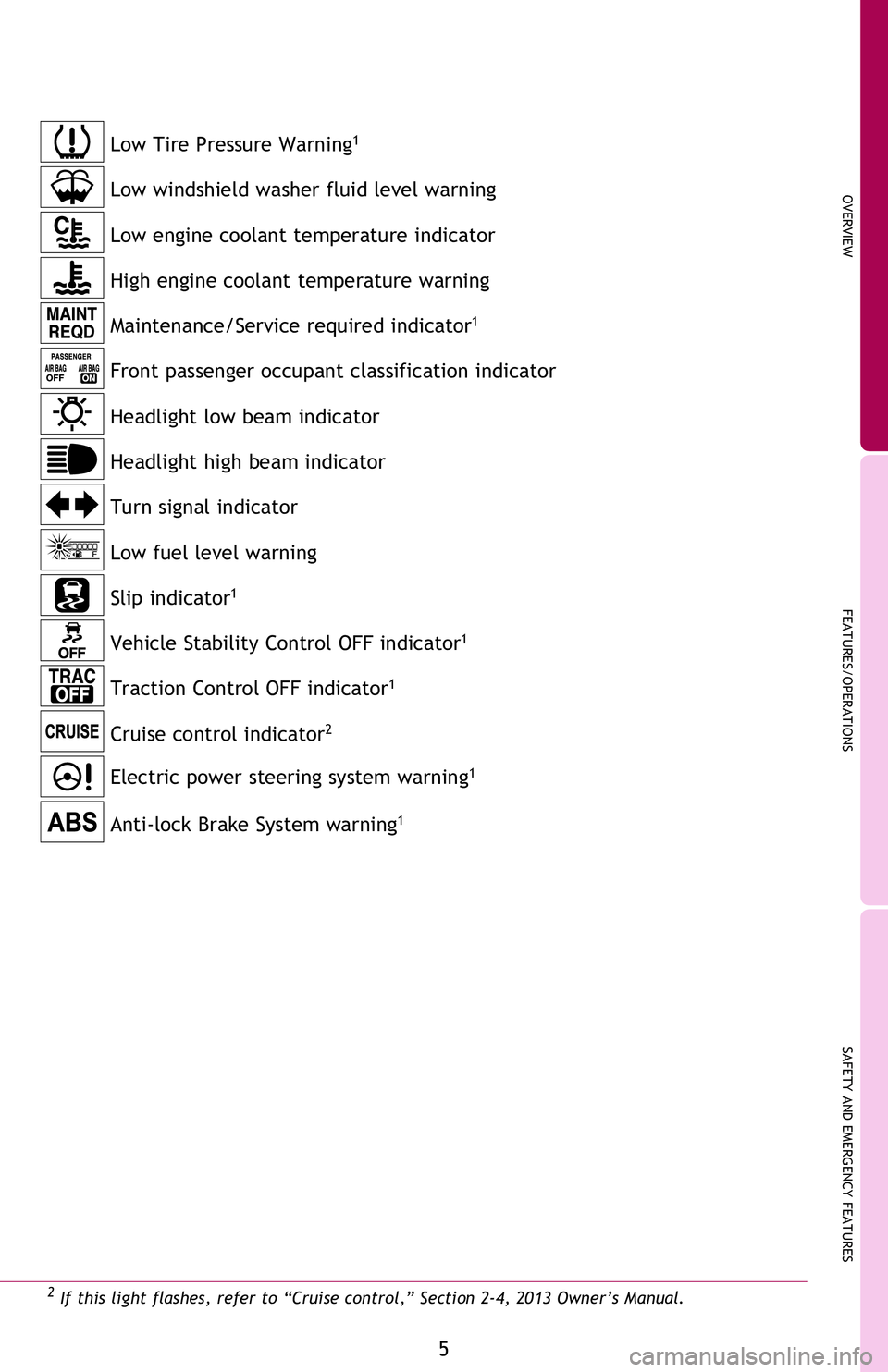
Anti-lock Brake System warning1
Maintenance/Service required indicator1
Front passenger occupant classification indicator
Headlight low beam indicator
Turn signal indicator Headlight high beam indicator
Cruise control indicator
2
Electric power steering system warning1
Slip indicator1
Vehicle Stability Control OFF indicator1
Low fuel level warning
High engine coolant temperature warning Low engine coolant temperature indicator
1 If indicator does not turn off within a few seconds of starting engine, there may be a
malfunction. Have vehicle inspected by your Toyota dealer.2 If this light flashes, refer to “Cruise control,” Section 2-4, 2013 Owner’s Manual.
Traction Control OFF indicator1
Low Tire Pressure Warning1
Low windshield washer fluid level warning
For details, refer to “Indicators and warning lights,” Section 2-2, 2013 Owner’s
Manual .
2013Scion-xD.indd 58/6/12 8:47 PM
Page 8 of 24
6
OVERVIEW
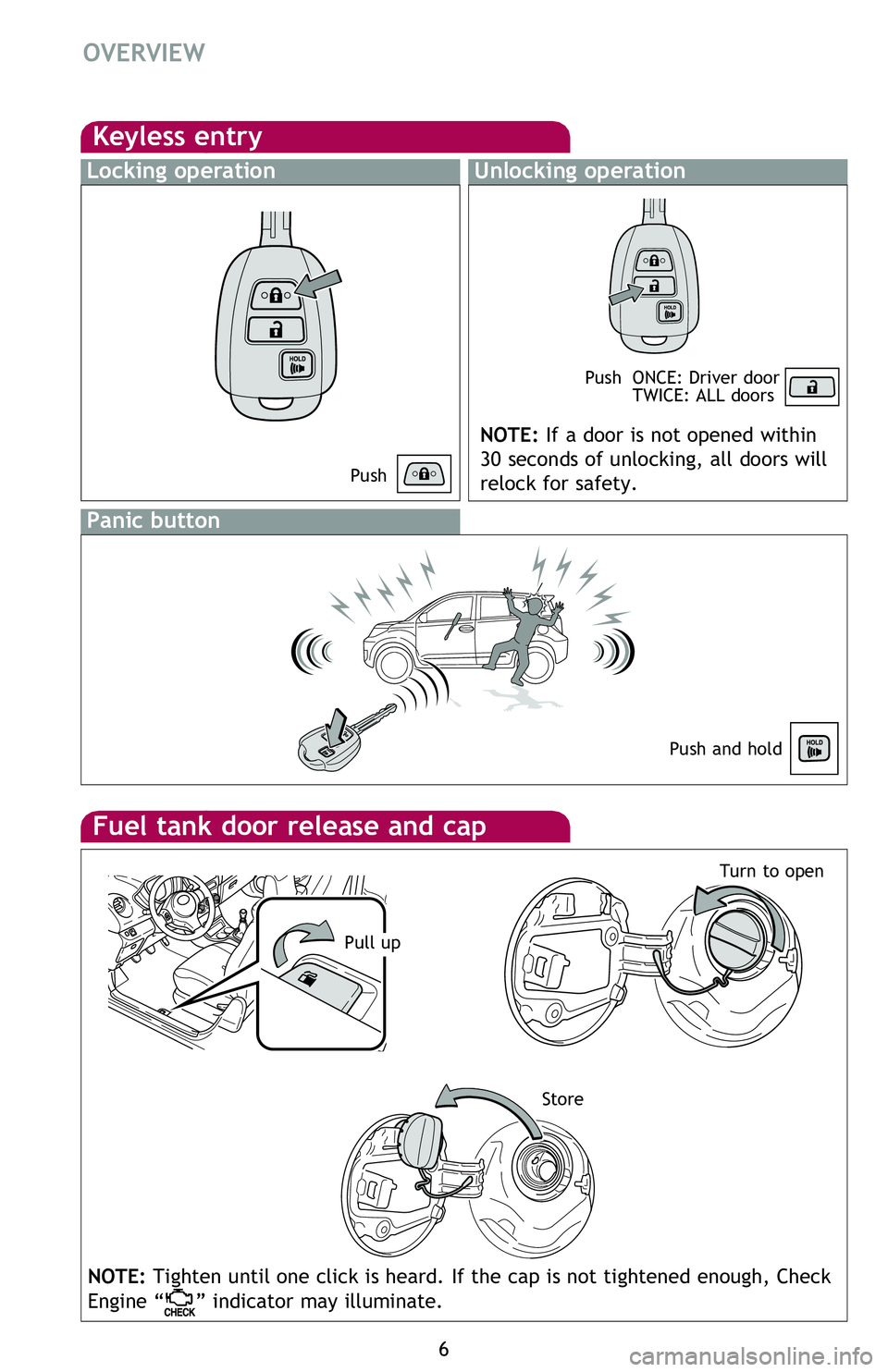
Fuel tank door release and cap
StoreTurn to open
Keyless entry
Locking operationUnlocking operation
NOTE: If a door is not opened within
30 seconds of unlocking, all doors will
relock for safety.
Push
Push
ONCE: Driver door
TWICE: ALL doors
Panic button
Push and hold
NOTE: Tighten until one click is heard. If the cap is not tightened enough, Check
Engine “
” indicator may illuminate.
Hood release
Windshield washer fluid tank
Engine oil filler cap
Engine coolant reservoir
Engine oil level dipstick
NOTE: Regularly scheduled maintenance, including oil changes, will help
extend the life of your vehicle and maintain performance. Please refer
to the “Warranty & Maintenance Guide.”
Engine maintenance
Light control-Instrument panel
Pull up
2013Scion-xD.indd 68/6/12 8:47 PM
Page 10 of 24
8
FEATURES/OPERATIONS
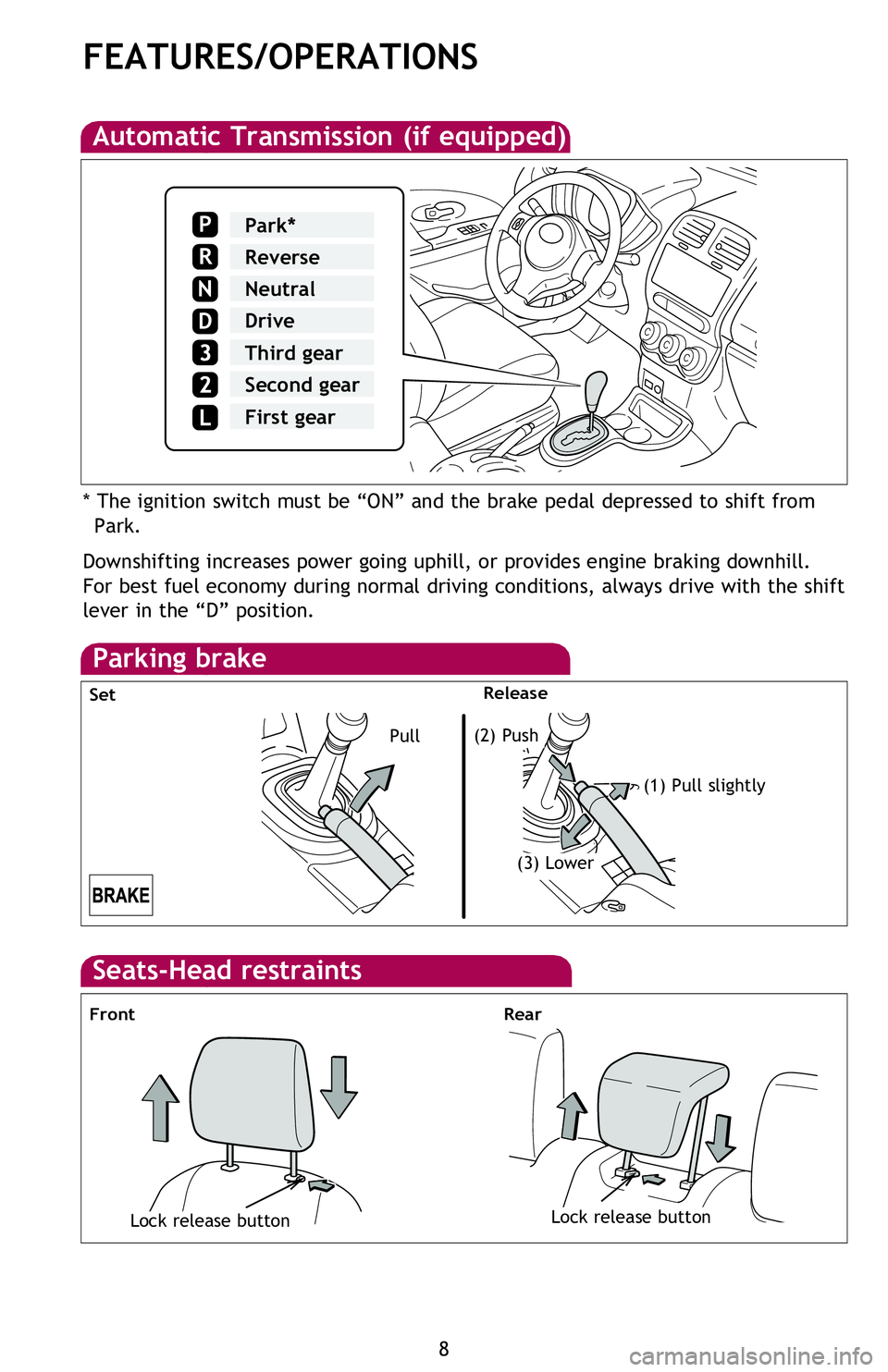
Automatic Transmission (if equipped)
Downshifting increases power going uphill, or provides engine braking downhill.
For best fuel economy during normal driving conditions, always drive with the shift
lever in the “D” position. * The ignition switch must be “ON” and the brake pedal depressed to shift from Park.
Parking brake
Pull(2) Push
(1) Pull slightly
(3) Lower
Set Release
Park*
Reverse
Neutral
Drive
Third gear
Second gear
P
R
N
D
First gear
Seat adjustments
Seat-Folding down rear seat
Front
Seats-Head restraints
Lock release buttonLock release button
FrontRear
Seat position
(forward/backward)
2013Scion-xD.indd 88/6/12 8:47 PM
Page 11 of 24
OVERVIEW
FEATURES/OPERATIONS
SAFETY AND EMERGENCY FEATURES
9
Downshifting increases power going uphill, or provides engine braking downhill.
For best fuel economy during normal driving conditions, always drive with the shift
lever in the “D” position. * The ignition switch must be “ON” and the brake pedal depressed to shift from Park.
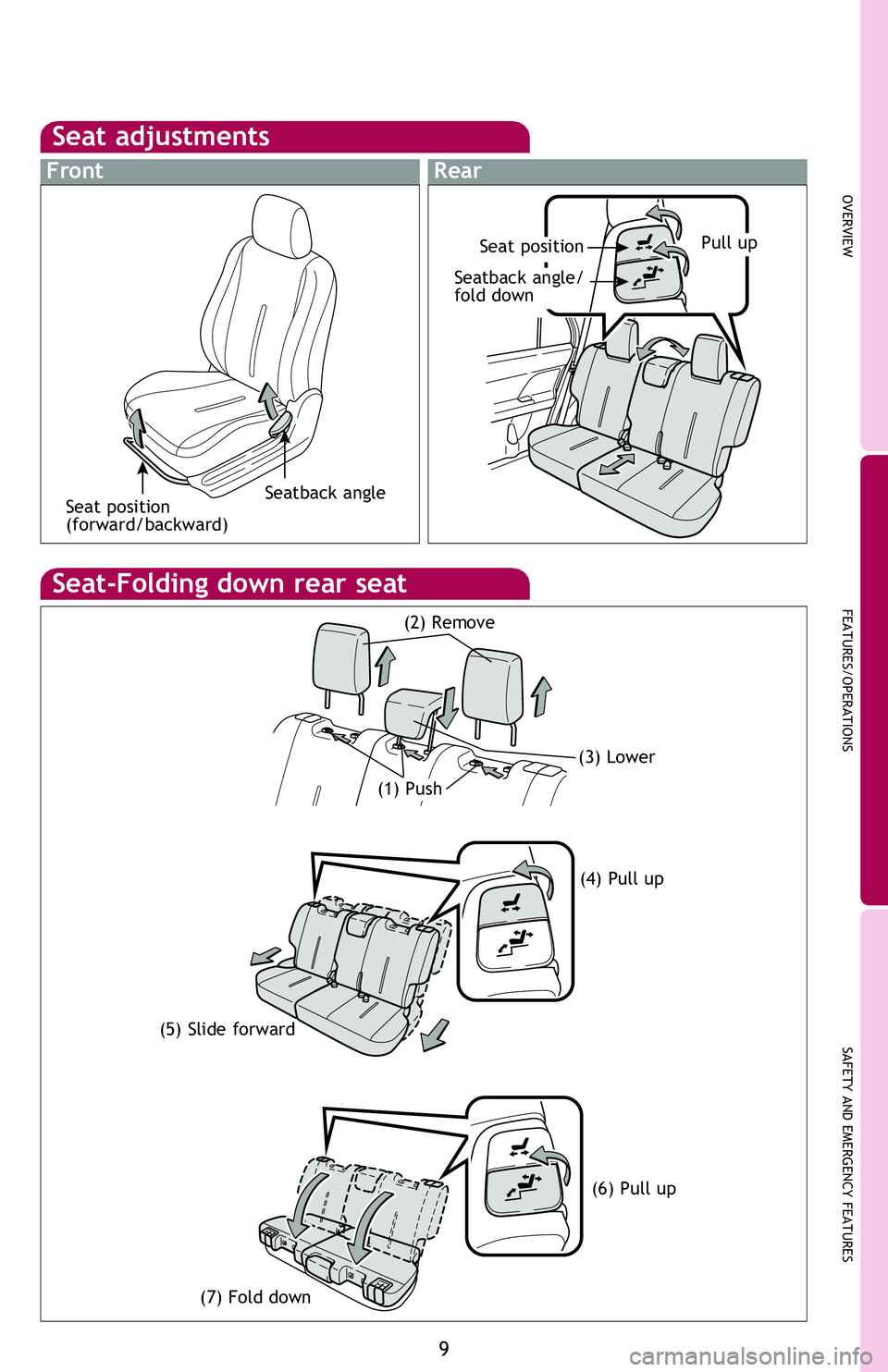
Seat adjustments
Seat-Folding down rear seat
(5) Slide forward (4) Pull up
(7) Fold down
(6) Pull up
(3) Lower
(1) Push
FrontRear
Seat position
Seatback angle/
fold down
Pull up
Seatback angle
(2) Remove
Seat position
(forward/backward)
2013Scion-xD.indd 98/6/12 8:47 PM
Page 16 of 24
14
FEATURES/OPERATIONS
Power outlet
Designed for car accessories. Key must be in the “ACC” or “ON” position for use.
Bottle holders
Front
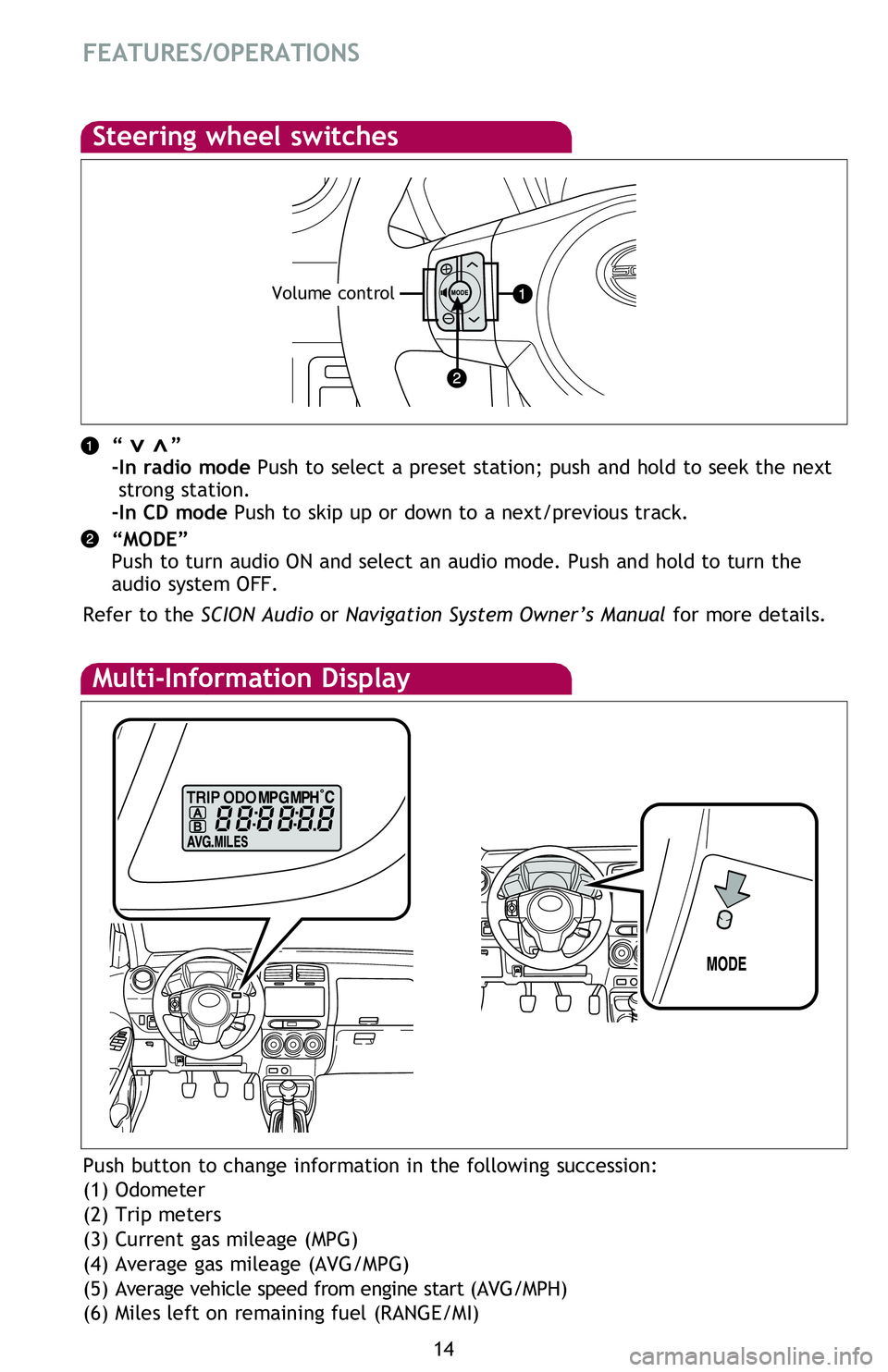
Multi-Information Display
Push button to change information in the following succession:
(1) Odometer
(2) Trip meters
(3) Current gas mileage (MPG)
(4) Average gas mileage (AVG/MPG)
(5) Average vehicle speed from engine start (AVG/MPH)
(6) Miles left on remaining fuel (RANGE/MI)
Cup holders
Front passenger side
Front
Steering wheel switches
“ ”
-In radio mode Push to select a preset station; push and hold to seek the next
strong station.
-In CD mode Push to skip up or down to a next/previous track.
“MODE”
Push to turn audio ON and select an audio mode. Push and hold to turn the
audio system OFF.
Refer to the SCION Audio or Navigation System Owner’s Manual for more details.>>
Volume control
2013Scion-xD.indd 148/6/12 8:47 PM
Page 17 of 24
OVERVIEW
FEATURES/OPERATIONS
SAFETY AND EMERGENCY FEATURES
15
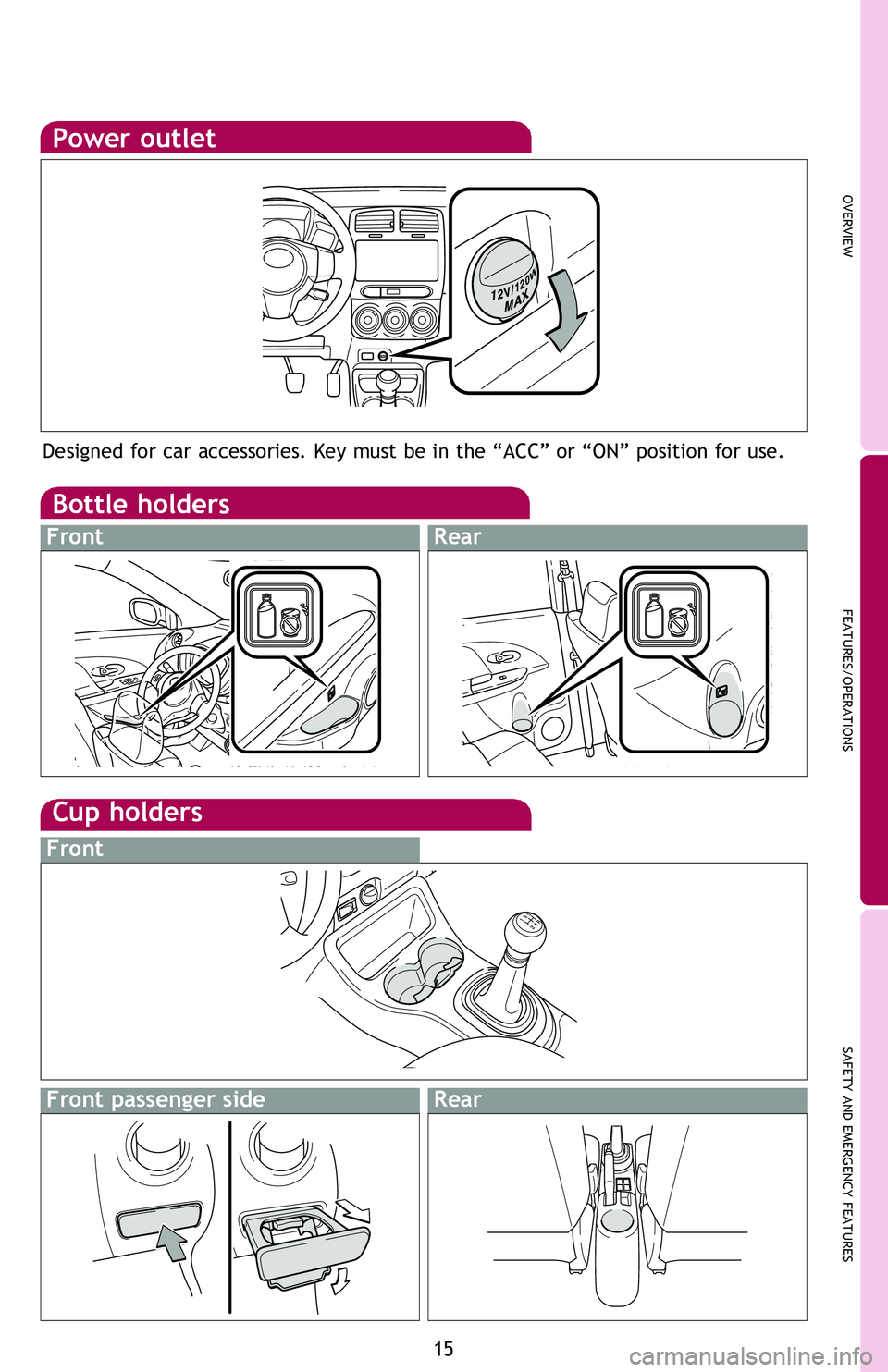
Power outlet
Designed for car accessories. Key must be in the “ACC” or “ON” position for use.
Bottle holders
FrontRear
Push button to change information in the following succession:
(1) Odometer
(2) Trip meters
(3) Current gas mileage (MPG)
(4) Average gas mileage (AVG/MPG)
(5) Average vehicle speed from engine start (AVG/MPH)
(6) Miles left on remaining fuel (RANGE/MI)
Cup holders
Front passenger sideRear
Front
“ ”
-In radio mode Push to select a preset station; push and hold to seek the next strong station.
-In CD mode Push to skip up or down to a next/previous track.
“MODE”
Push to turn audio ON and select an audio mode. Push and hold to turn the
audio system OFF.
Refer to the SCION Audio or Navigation System Owner’s Manual for more details.
2013Scion-xD.indd 158/6/12 8:47 PM