ECO mode TOYOTA YARIS 2016 User Guide
[x] Cancel search | Manufacturer: TOYOTA, Model Year: 2016, Model line: YARIS, Model: TOYOTA YARIS 2016Pages: 592, PDF Size: 10.44 MB
Page 174 of 592
172
YARIS_SEDAN_OM_OM99M18z_(U)
3-3. Transaxle
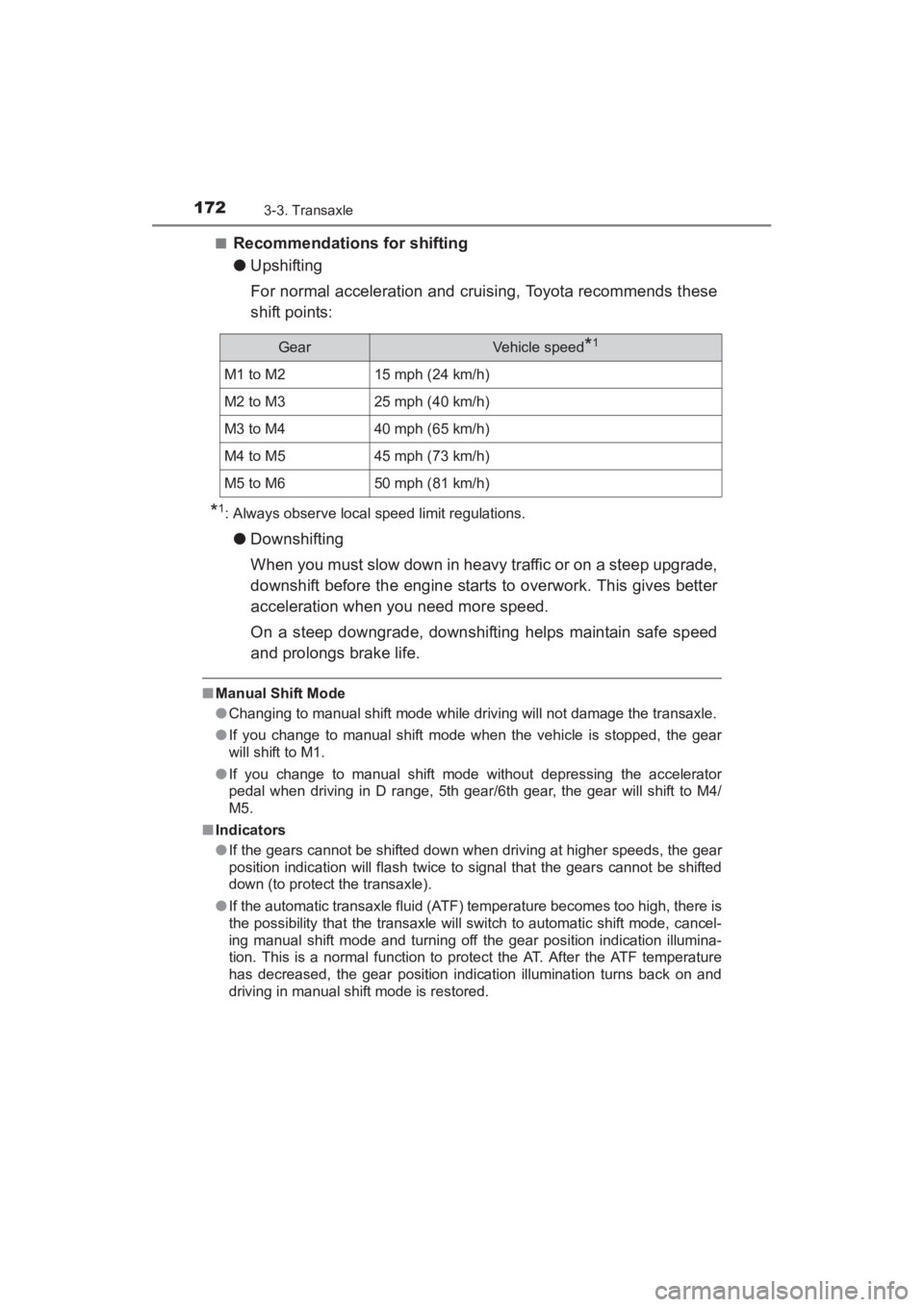
■Recommendations for shifting
●Upshifting
For normal acceleration and cruising, Toyota recommends these
shift points:
*1: Always observe local speed limit regulations.
●Downshifting
When you must slow down in heavy traffic or on a steep upgrade,
downshift before the engine starts to overwork. This gives better
acceleration when you need more speed.
On a steep downgrade, downshifting helps maintain safe speed
and prolongs brake life.
■Manual Shift Mode
●Changing to manual shift mode while driving will not damage the transaxle.
● If you change to manual shift mode when the vehicle is stopped, the gear
will shift to M1.
● If you change to manual shift mode without depressing the accelerator
pedal when driving in D range, 5th gear/6th gear, the gear will shift to M4/
M5.
■ Indicators
●If the gears cannot be shifted down when driving at higher speeds, the gear
position indication will flash twice to signal that the gears cannot be shifted
down (to protect the transaxle).
● If the automatic transaxle fluid (ATF) temperature becomes too high, there is
the possibility that the transaxle will switch to automatic shift mode, cancel-
ing manual shift mode and turning off the gear position indication illumina-
tion. This is a normal function to protect the AT. After the ATF temperature
has decreased, the gear position indication illumination turns back on and
driving in manual shift mode is restored.
GearVehicle speed*1
M1 to M215 mph (24 km/h)
M2 to M325 mph (40 km/h)
M3 to M440 mph (65 km/h)
M4 to M545 mph (73 km/h)
M5 to M650 mph (81 km/h)
YARIS_SEDAN_OM_OM99M18z_(U).book Page 172 Monday, June 1, 2015 9:22 PM
Page 203 of 592
201
YARIS_SEDAN_OM_OM99M18z_(U)
3-8. Drive Selection
3
When Driving
Drive Selection (Automatic Transaxle)∗
●When the sport mode is selected, driving at higher engine speeds increases
and it may increase fuel consumption. Toyota recommends that you cancel
the sport mode on normal driving.
● Drive mode cannot be switched in the following conditions:
• ABS/TCS/DSC is operating
• Steering wheel is being operated abruptly
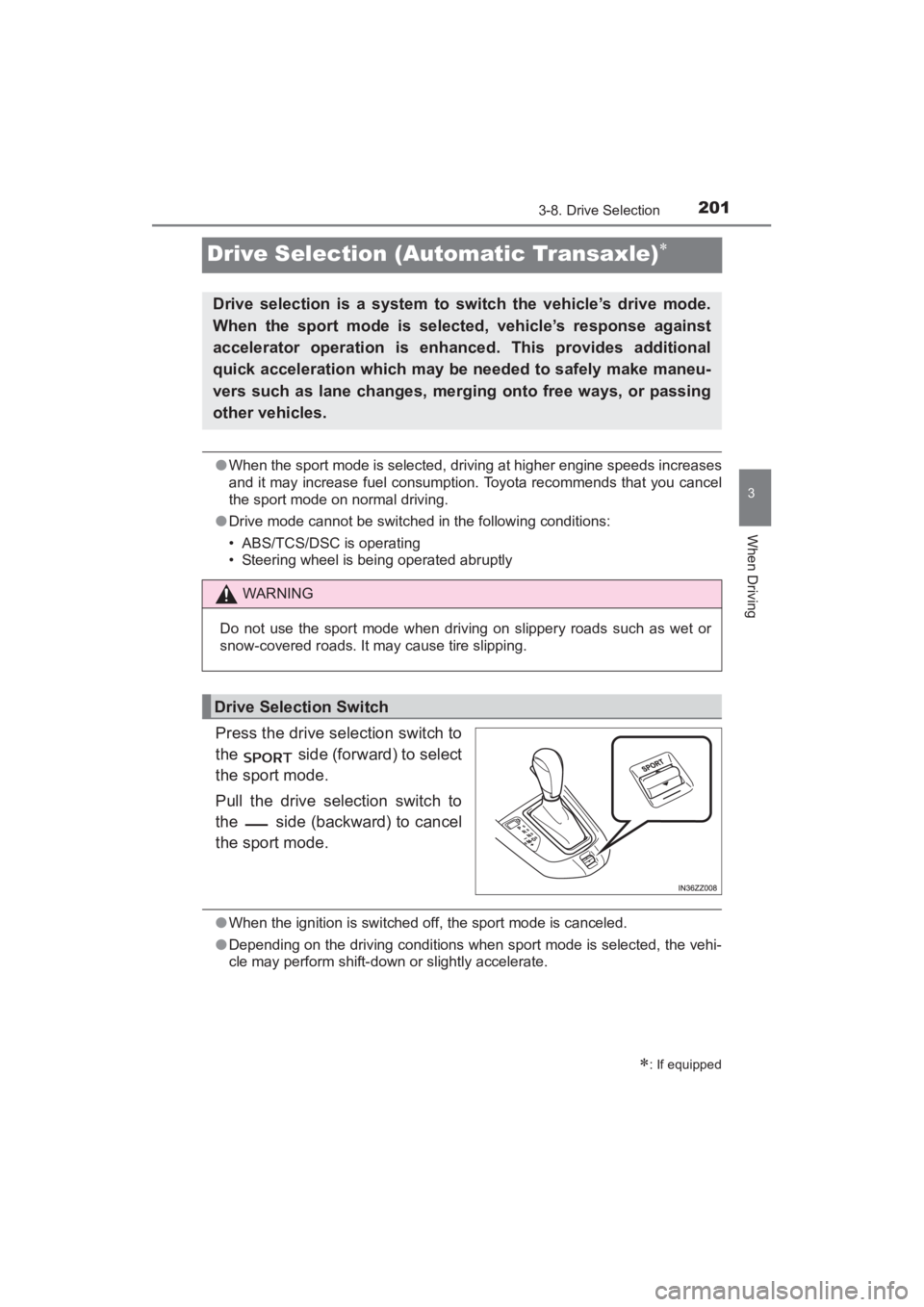
Press the drive selection switch to
the side (forward) to select
the sport mode.
Pull the drive selection switch to
the side (backward) to cancel
the sport mode.
●When the ignition is switched off, the sport mode is canceled.
● Depending on the driving conditions when sport mode is selected, the vehi-
cle may perform shift-down or slightly accelerate.
∗: If equipped
Drive selection is a system to switch the vehicle’s drive mode.
When the sport mode is selected, vehicle’s response against
accelerator operation is enhanced. This provides additional
quick acceleration which may be needed to safely make maneu-
vers such as lane changes, merging onto free ways, or passing
other vehicles.
WARNING
Do not use the sport mode when driving on slippery roads such as wet or
snow-covered roads. It may cause tire slipping.
Drive Selection Switch
YARIS_SEDAN_OM_OM99M18z_(U).book Page 201 Monday, June 1, 2015 9:22 PM
Page 259 of 592
YARIS_SEDAN_OM_OM99M18z_(U)
2574-2. Audio System
4
Interior Features
■Operating Tips for USB device
●Playback may not be possible depending on the type and condition of the
USB flash memory even if the audio file complies with the standard above.
● A copyright protected WMA/AAC file cannot be played in this unit.
● The order of the music data stored in the device may differ from the play-
back order.
● To prevent loss or damage of stored data, we recommend that you always
back up your data.
● If a device exceeds the maximum electric current value of 1,000 mA, it may
not operate or recharge when connected.
● Do not pull out the USB device while in the USB mode (only pull it out while
in FM/AM radio or CD mode).
● The device will not operate if the data is password protected.
● MP3/WMA/AAC/OGG
*1 files written under specifications other than the
indicated specification may not play normally or files/folder names may not
display correctly.
*1Type B
This unit supports playback of music files recorded to an iPod.
● iPod is a trademark of Apple Inc., registered in the U.S. and other
countries.
The iPod may not be compatible depending on the model or OS ver-
sion. In this case, an error message is displayed.
The audio unit cannot display images or videos stored in an iPod. NOTICE
Do not use an audio file extension on files other than audio files. In addition,
do not change the audio file extension.
Otherwise, the unit will not recog-
nize the file correctly resulting in noise or a malfunction.
Operating Tips for iPod
YARIS_SEDAN_OM_OM99M18z_(U).book Page 257 Monday, June 1, 2015 9:22 PM
Page 264 of 592
262
YARIS_SEDAN_OM_OM99M18z_(U)
4-2. Audio System
●ALC (Automatic volume adjustment)
The automatic level control (ALC) changes the audio volume auto-
matically according to the vehicle speed. The faster the vehicle
speed, the higher the volume increases. ALC has ALC OFF and
ALC LEVEL 1 to 7 modes. At ALC LEVEL 7, the amount that the
volume can increase is at the maximum. Select the mode according
to the driving conditions.
● BEEP (Audio operation sound)
The setting for the operation sound when pressing and holding a
button can be changed. The initial setting is ON. Set to OFF to
mute the operation sound.
● BT SETUP mode (if equipped)
Music and other audio such as voice data recorded on portable
audio devices and mobile phones available on the market which
are equipped with the Bluetooth
® transmission function can be lis-
tened to via wireless transmission over the vehicle’s speakers.
Using the BT SETUP mode, these devices can be programmed to
the Bluetooth
® unit or changed ( →P. 327).
● 12Hr< >24Hr (12 Hr/24 Hr time adjustment)
Rotating the audio control dial switches the display between 12 and
24-hour clock time ( →P. 263).
If not operated for several seconds, the display returns to the previous dis-
play. To reset bass, treble, fade, and balance, press the menu button ( )
for 2 seconds.
The unit will beep and “CLEAR” will be displayed.
YARIS_SEDAN_OM_OM99M18z_(U).book Page 262 Monday, June 1, 2015 9:22 PM
Page 266 of 592
264
YARIS_SEDAN_OM_OM99M18z_(U)
4-2. Audio System
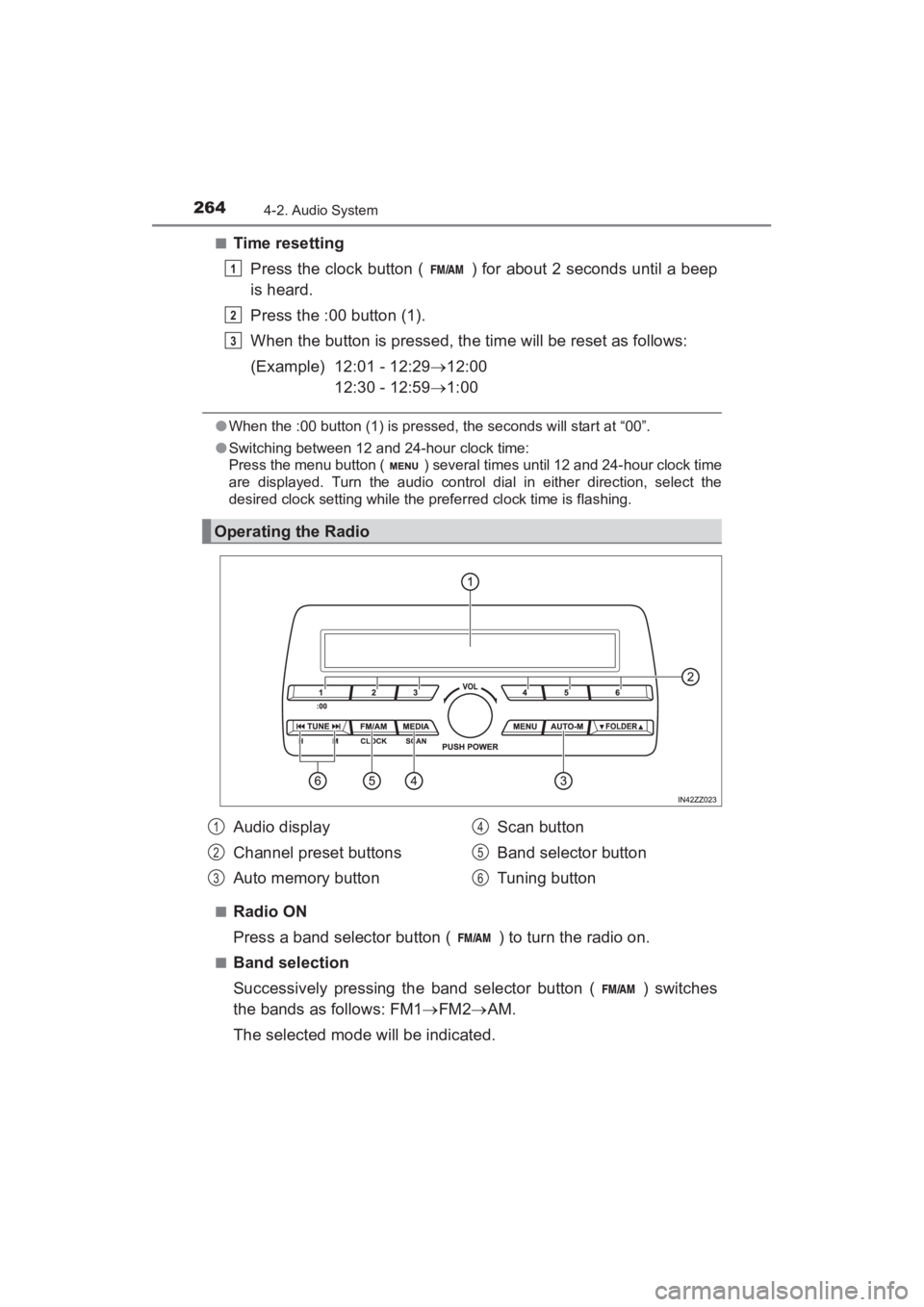
■Time resettingPress the clock button ( ) for about 2 seconds until a beep
is heard.
Press the :00 button (1).
When the button is pressed, the time will be reset as follows:
(Example) 12:01 - 12:29 →12:00
12:30 - 12:59 →1:00
●When the :00 button (1) is pressed, the seconds will start at “00”.
● Switching between 12 and 24-hour clock time:
Press the menu button ( ) several times until 12 and 24-hour clock time
are displayed. Turn the audio control dial in either direction, select the
desired clock setting while the preferred clock time is flashing.
■
Radio ON
Press a band selector button ( ) to turn the radio on.
■Band selection
Successively pressing the band selector button ( ) switches
the bands as follows: FM1 →FM2 →AM.
The selected mode will be indicated.
Operating the Radio
1
2
3
Audio display
Channel preset buttons
Auto memory button Scan button
Band selector button
Tuning button1
2
3
4
5
6
YARIS_SEDAN_OM_OM99M18z_(U).book Page 264 Monday, June 1, 2015 9:22 PM
Page 270 of 592
268
YARIS_SEDAN_OM_OM99M18z_(U)
4-2. Audio System
■Inserting the CD
Insert the CD into the slot, label-side up. The auto-loading mecha-
nism will set the CD and begin play.
■Ejecting the CD
Press the CD eject button ( ) to eject the CD.
■Playback
Press the media button ( ) to switch to CD mode and start
playback.
■Pause
To stop playback, press the Play/Pause button (4).
Press the button again to resume playback.
■Fast-forward/Reverse
Press and hold the fast-forward button ( ) to advance through
a track at high speed. Press and hold the reverse button ( ) to
reverse through a track at high speed.
■Track search
Press the track up button ( ) once to skip forward to the
beginning of the next track. Press the track down button ( )
within a few seconds after playback begins to track down to the
beginning of the previous track.
Press the track down button ( ) after a few seconds have
elapsed to start playback from the beginning of the current track.
■Folder search (during MP3/WMA/AAC CD playback)
To change to the previous folder, press the folder down button
( ), or press the folder up button ( ) to advance to the
next folder.
YARIS_SEDAN_OM_OM99M18z_(U).book Page 268 Monday, June 1, 2015 9:22 PM
Page 275 of 592
YARIS_SEDAN_OM_OM99M18z_(U)
2734-2. Audio System
4
Interior Features
■Display scroll
Only 13 characters can be displayed at one time. To display the rest
of the characters of a long title, press and hold the text button (3).
The display scrolls the next 13 characters. Press and hold the text
button (3) again after the last 13 characters have been displayed to
return to the beginning of the title.
■Message display
If “CHECK CD” is displayed, it means that there is some CD mal-
function. Check the CD for damage, dirt, or smudges, and then
properly reinsert it. If the message appears again, insert another
known good CD. If the message continues to appear, take the unit
to your Toyota dealer for service.
■Operating the Compact Disc (CD) Player
●If a disc has both music data (CD-DA) and MP3/WMA/AAC files, playback of
the two or three file types differs depending on how the disc was recorded.
● There will be a short lapse before play begins while the player reads the dig-
ital signals on the CD.
● The CD mode cannot be selected if a CD has not been inserted.
● If the unit is left in scan, normal playback will resume where scan was
selected.
● The information viewable in the display is only CD information (such as art-
ist name, song title) which has been recorded to the CD.
● This unit cannot display some characters. Characters which cannot be dis-
played are indicated by an asterisk ( ).
● The number of characters which can be displayed is restricted.
YARIS_SEDAN_OM_OM99M18z_(U).book Page 273 Monday, June 1, 2015 9:22 PM
Page 297 of 592
YARIS_SEDAN_OM_OM99M18z_(U)
2954-2. Audio System
4
Interior Features
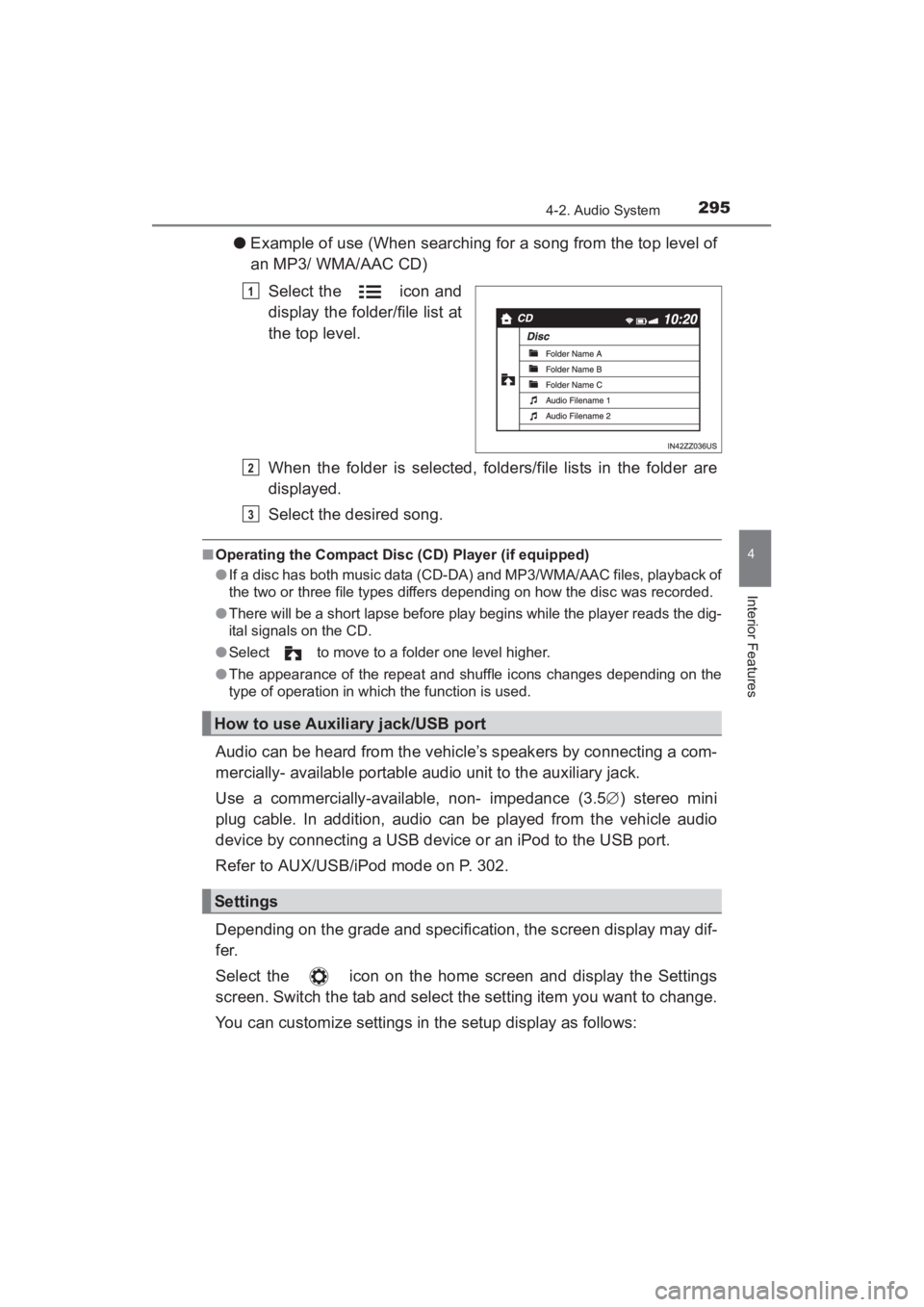
●Example of use (When searching for a song from the top level of
an MP3/ WMA/AAC CD)
Select the icon and
display the folder/file list at
the top level.
When the folder is selected, folders/file lists in the folder are
displayed.
Select the desired song.
■Operating the Compact Disc (CD) Player (if equipped)
●If a disc has both music data (CD-DA) and MP3/WMA/AAC files, playback of
the two or three file types differs depending on how the disc was recorded.
● There will be a short lapse before play begins while the player reads the dig-
ital signals on the CD.
● Select to move to a folder one level higher.
● The appearance of the repeat and shuffle icons changes depending on the
type of operation in which the function is used.
Audio can be heard from the vehicle’s speakers by connecting a com-
mercially- available portable audio unit to the auxiliary jack.
Use a commercially-available, non- impedance (3.5 ∅) stereo mini
plug cable. In addition, audio can be played from the vehicle audio
device by connecting a USB device or an iPod to the USB port.
Refer to AUX/USB/iPod mode on P. 302.
Depending on the grade and specification, the screen display may dif-
fer.
Select the icon on the home screen and display the Settings
screen. Switch the tab and select the setting item you want to change.
You can customize settings in the setup display as follows:
1
How to use Auxiliary jack/USB port
Settings
2
3
YARIS_SEDAN_OM_OM99M18z_(U).book Page 295 Monday, June 1, 2015 9:22 PM
Page 307 of 592
YARIS_SEDAN_OM_OM99M18z_(U)
3054-2. Audio System
4
Interior Features
■How to connect USB port/ Auxiliary jack
●Insert the plug into the auxiliary jack/ USB port securely.
● Insert or pull out the plug with the plug perpendicular to the auxiliary jack/
USB port hole.
● Insert or remove the plug by holding its base.
Switch the ignition to ACC or ON.
Press the power/volume dial to turn the audio system on.
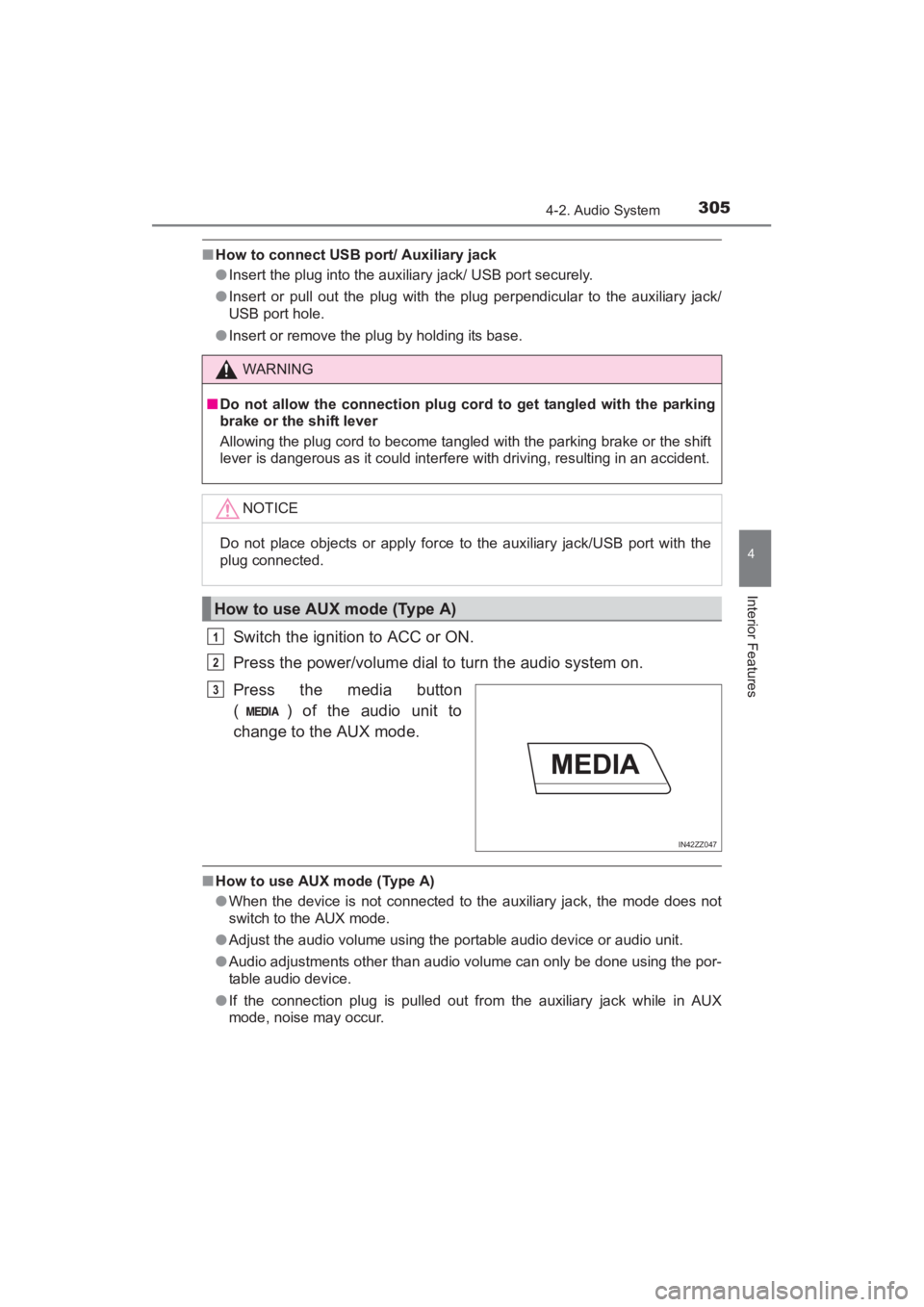
Press the media button
( ) of the audio unit to
change to the AUX mode.
■How to use AUX mode (Type A)
●When the device is not connected to the auxiliary jack, the mode does not
switch to the AUX mode.
● Adjust the audio volume using the portable audio device or audio unit.
● Audio adjustments other than audio volume can only be done using the por-
table audio device.
● If the connection plug is pulled out from the auxiliary jack while in AUX
mode, noise may occur.
WARNING
■Do not allow the connection plug cord to get tangled with the parking
brake or the shift lever
Allowing the plug cord to become tangled with the parking brake or the shift
lever is dangerous as it could interfere with driving, resulting in an accident.
NOTICE
Do not place objects or apply force to the auxiliary jack/USB port with the
plug connected.
How to use AUX mode (Type A)
1
2
IN42ZZ047
3
YARIS_SEDAN_OM_OM99M18z_(U).book Page 305 Monday, June 1, 2015 9:22 PM
Page 316 of 592
314
YARIS_SEDAN_OM_OM99M18z_(U)
4-2. Audio System
■Display scroll
13 characters can be displayed at one time. To display the rest of
the characters of a long title, press and hold the text button (3). The
display scrolls the next 13 characters. Press and hold the text but-
ton (3) again after the last 13 characters have been displayed to
return to the beginning of the title.
■Error Messages
If the message “CHECK iPod” is displayed, it indicates that there is
a malfunction in the iPod. Verify that the content recorded in the
iPod has playable files and connect correctly. If the message reap-
pears, have the unit checked by your Toyota dealer.
■How to use iPod mode (Type A)
●The iPod functions on the iPod cannot be operated while it is connected to
the unit because the unit controls the iPod functions.
● When an iPod is not connected, the mode does not switch to the iPod
mode.
● When there is no playable data in the iPod, “NO CONTENTS” is flashed.
● Do not remove the iPod while in the iPod mode. Otherwise, the data could
be damaged.
● The types of categories include Playlist, Artist, Album, Song, Podcast,
Genre, Composer, and Audio book.
● When the selected category is Song or Audio book, there is no list.
● If the unit is left in scan, normal playback will resume where scan was
selected.
● The track number being played randomly is in the order of the iPod shuffle
table.
● The information (artist name, music name) is displayed only when the iPod
has information which can be displayed.
● This unit cannot display some characters. Characters which cannot be dis-
played are indicated by an asterisk ( ).
● The number of characters which can be displayed is restricted.
YARIS_SEDAN_OM_OM99M18z_(U).book Page 314 Monday, June 1, 2015 9:22 PM