USB TOYOTA YARIS 2016 User Guide
[x] Cancel search | Manufacturer: TOYOTA, Model Year: 2016, Model line: YARIS, Model: TOYOTA YARIS 2016Pages: 592, PDF Size: 10.44 MB
Page 299 of 592
YARIS_SEDAN_OM_OM99M18z_(U)
2974-2. Audio System
4
Interior Features
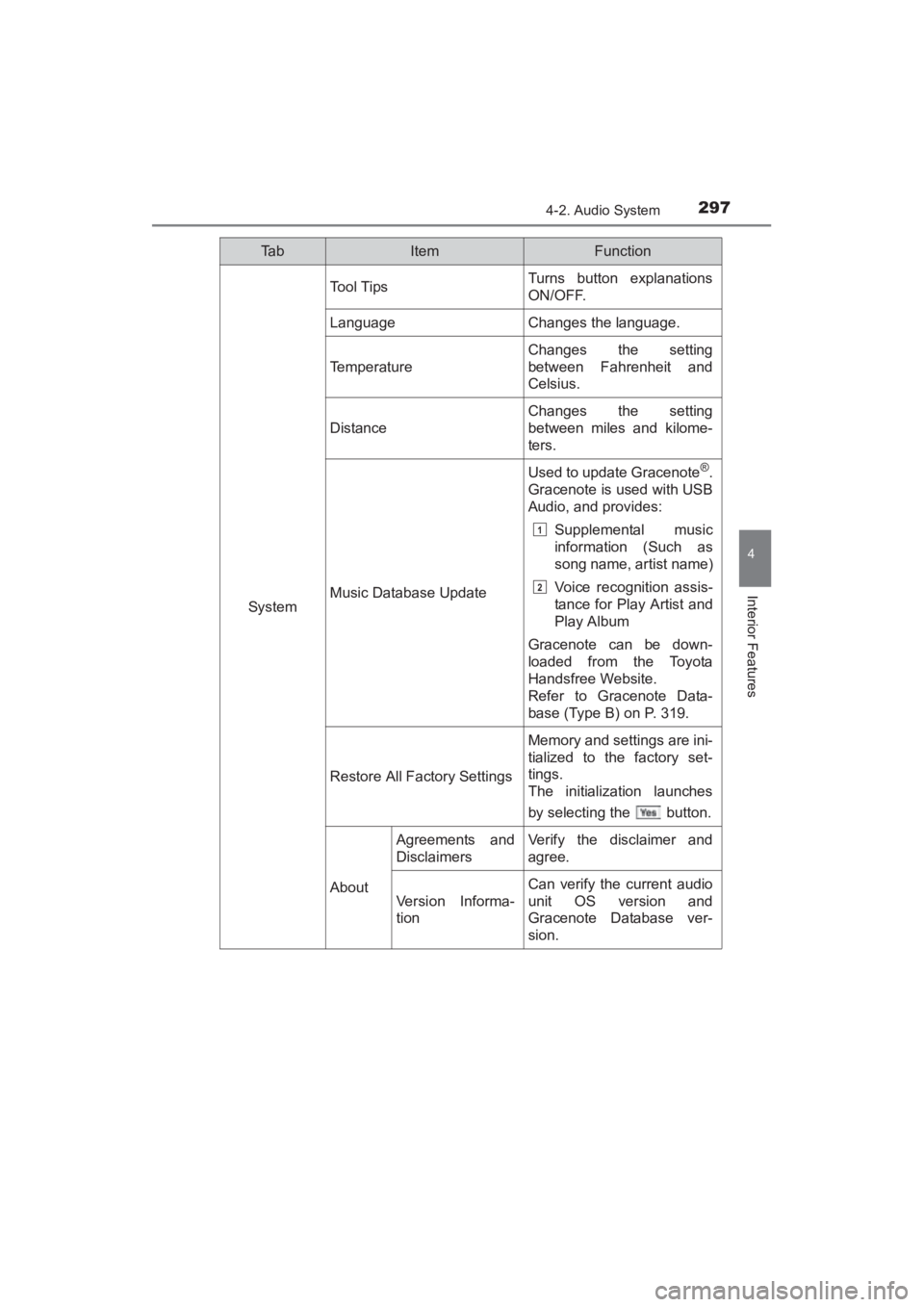
System
Tool TipsTurns button explanations
ON/OFF.
LanguageChanges the language.
Temperature
Changes the setting
between Fahrenheit and
Celsius.
Distance
Changes the setting
between miles and kilome-
ters.
Music Database Update
Used to update Gracenote®.
Gracenote is used with USB
Audio, and provides:
Supplemental music
information (Such as
song name, artist name)
Voice recognition assis-
tance for Play Artist and
Play Album
Gracenote can be down-
loaded from the Toyota
Handsfree Website.
Refer to Gracenote Data-
base (Type B) on P. 319.
Restore All Factory Settings
Memory and settings are ini-
tialized to the factory set-
tings.
The initialization launches
by selecting the button.
About
Agreements and
DisclaimersVerify the disclaimer and
agree.
Version Informa-
tion
Can verify the current audio
unit OS version and
Gracenote Database ver-
sion.
Ta bItemFunction
1
2
YARIS_SEDAN_OM_OM99M18z_(U).book Page 297 Monday, June 1, 2015 9:22 PM
Page 303 of 592
YARIS_SEDAN_OM_OM99M18z_(U)
3014-2. Audio System
4
Interior Features
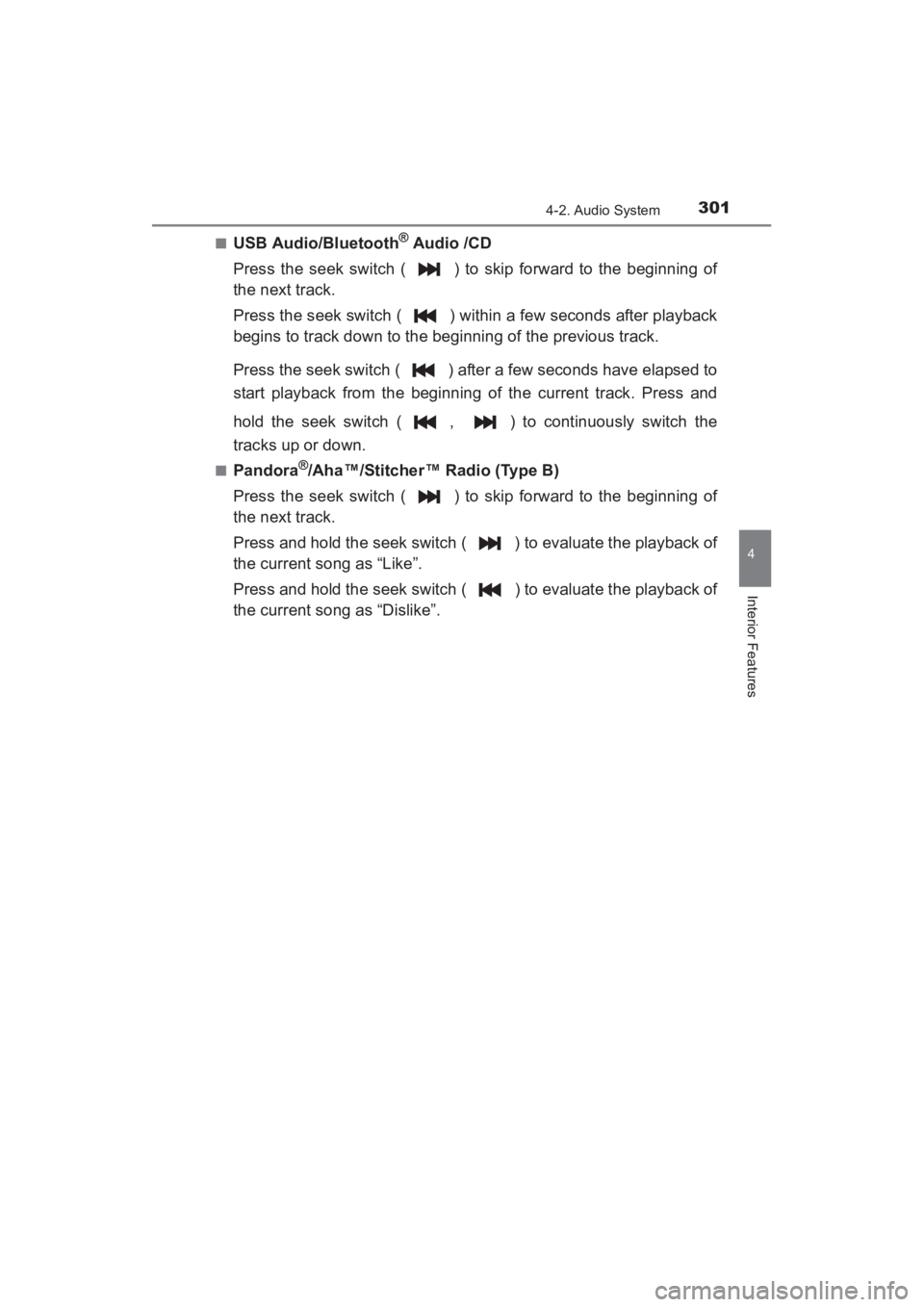
■USB Audio/Bluetooth® Audio /CD
Press the seek switch ( ) to skip forward to the beginning of
the next track.
Press the seek switch ( ) within a few seconds after playback
begins to track down to the beginning of the previous track.
Press the seek switch ( ) after a few seconds have elapsed to
start playback from the beginning of the current track. Press and
hold the seek switch ( , ) to continuously switch the
tracks up or down.
■Pandora®/Aha™/Stitcher™ Radio (Type B)
Press the seek switch ( ) to skip forward to the beginning of
the next track.
Press and hold the seek switch ( ) to evaluate the playback of
the current song as “Like”.
Press and hold the seek switch ( ) to evaluate the playback of
the current song as “Dislike”.
YARIS_SEDAN_OM_OM99M18z_(U).book Page 301 Monday, June 1, 2015 9:22 PM
Page 304 of 592
302
YARIS_SEDAN_OM_OM99M18z_(U)
4-2. Audio System
AUX/USB/iPod mode
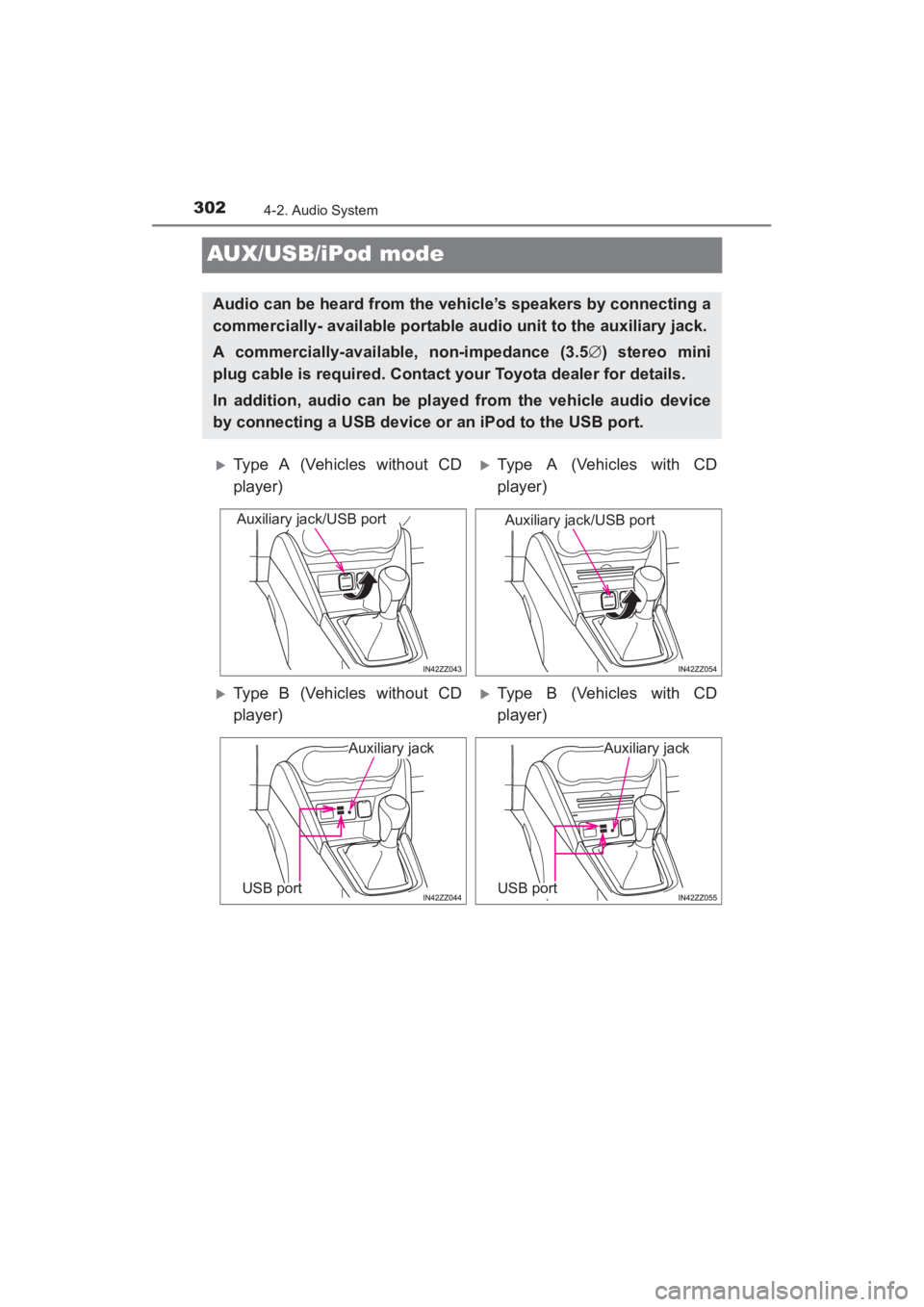
Audio can be heard from the vehicle’s speakers by connecting a
commercially- available portable audio unit to the auxiliary jack.
A commercially-available, non-impedance (3.5∅) stereo mini
plug cable is required. Contact your Toyota dealer for details.
In addition, audio can be played from the vehicle audio device
by connecting a USB device or an iPod to the USB port.
XType A (Vehicles without CD
player)XType A (Vehicles with CD
player)
XType B (Vehicles without CD
player)XType B (Vehicles with CD
player)
Auxiliary jack/USB portAuxiliary jack/USB port
Auxiliary jack
USB port
Auxiliary jack
USB port
YARIS_SEDAN_OM_OM99M18z_(U).book Page 302 Monday, June 1, 2015 9:22 PM
Page 305 of 592
YARIS_SEDAN_OM_OM99M18z_(U)
3034-2. Audio System
4
Interior Features
How to use AUX mode (Type A) (→P. 305)
How to use USB mode (Type A) ( →P. 306)
How to use iPod mode (Type A) ( →P. 3 1 1 )
How to use AUX mode (Type B) ( →P. 316)
How to use USB mode (Type B) ( →P. 316)
■AUX/USB/iPod mode
●Type B only:
The SD card slot is for the navigation system. For vehicles with the naviga-
tion system, the SD card (Toyota genuine) with stored map data is inserted
into the SD card slot and used.
● This mode may not be usable depending on the portable audio device to be
connected.
● Before using the auxiliary jack/USB port, refer to the instruction manual for
the portable audio device.
● Use a commercially-available, non- impedance (3.5 ∅) stereo mini plug for
connecting the portable audio unit to the auxiliary jack. Before using the
auxiliary jack, read the manufacturer’s instructions for connecting a portable
audio unit to the auxiliary jack.
● To prevent discharging of the battery, do not use the auxiliary input for long
periods with the engine off or idling.
● When connecting a device to the auxiliary jack or USB port, noise may
occur depending on the connected device. If the device is connected to the
vehicle’s accessory socket, the noise can be reduced by unplugging it from
the accessory socket.
WARNING
■Do not adjust the portable audio unit or a similar product while driving
the vehicle
Adjusting the portable audio unit or a similar product while driving the vehi-
cle is dangerous as it could distract your attention from the vehicle opera-
tion which could lead to a serious accident. Always adjust the portable
audio unit or a similar product while the vehicle is stopped.
NOTICE
●Always close the auxiliary jack/USB port lid when it is not in use. If foreign
matter or liquid penetrates the auxiliary jack/ USB port, it may cause a
malfunction.
● Depending on the portable audio device, noise may occur when the device
is connected to the vehicle accessory socket. (If noise occurs, do not use
the accessory socket.)
1
2
3
4
5
YARIS_SEDAN_OM_OM99M18z_(U).book Page 303 Monday, June 1, 2015 9:22 PM
Page 306 of 592
304
YARIS_SEDAN_OM_OM99M18z_(U)
4-2. Audio System
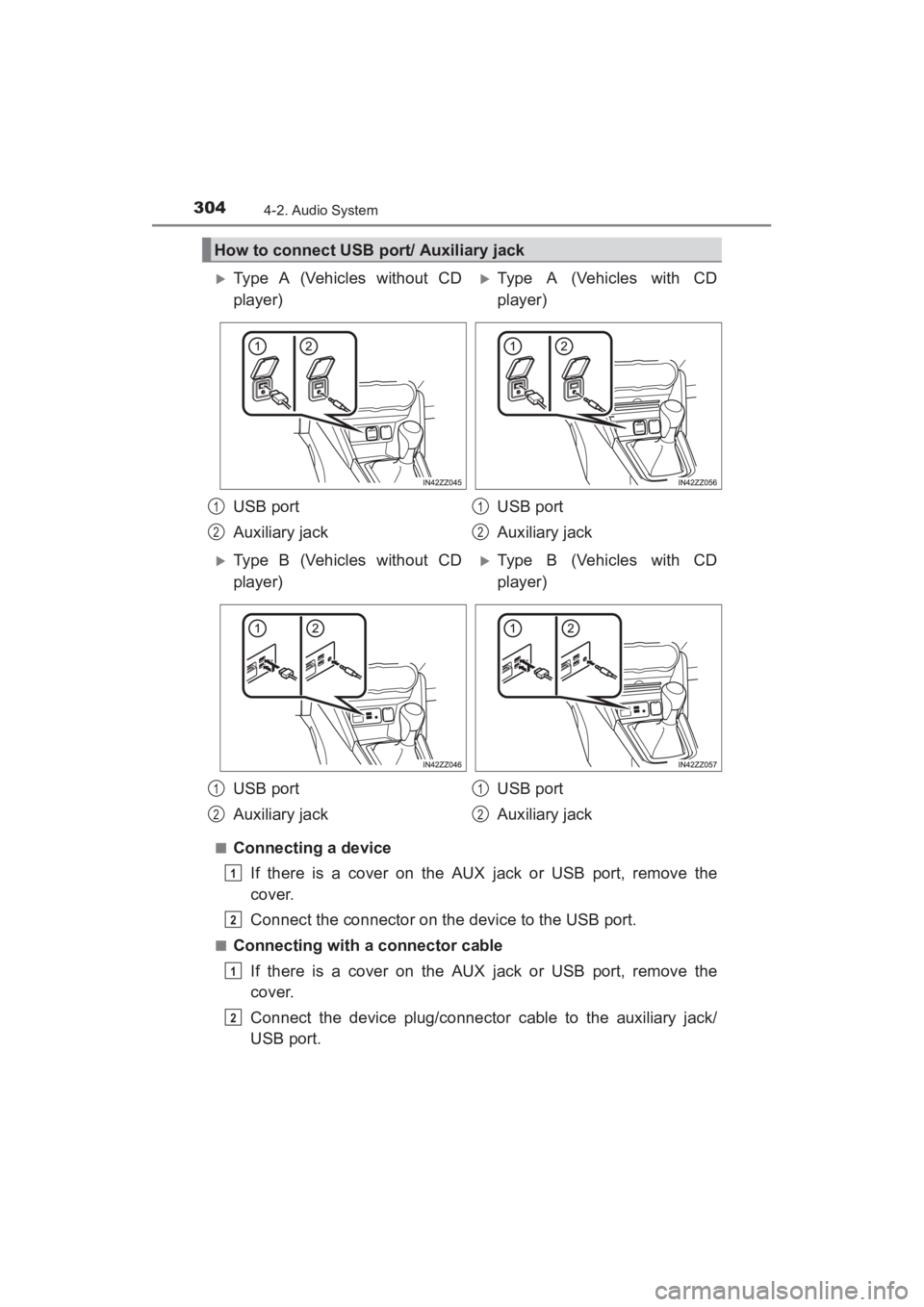
■Connecting a deviceIf there is a cover on the AUX jack or USB port, remove the
cover.
Connect the connector on the device to the USB port.
■Connecting with a connector cableIf there is a cover on the AUX jack or USB port, remove the
cover.
Connect the device plug/connector cable to the auxiliary jack/
USB port.
How to connect USB port/ Auxiliary jack
XType A (Vehicles without CD
player)XType A (Vehicles with CD
player)
USB port
Auxiliary jack USB port
Auxiliary jack
XType B (Vehicles without CD
player)XType B (Vehicles with CD
player)
USB port
Auxiliary jack USB port
Auxiliary jack
1
2
1
2
1
2
1
2
1
2
1
2
YARIS_SEDAN_OM_OM99M18z_(U).book Page 304 Monday, June 1, 2015 9:22 PM
Page 307 of 592
YARIS_SEDAN_OM_OM99M18z_(U)
3054-2. Audio System
4
Interior Features
■How to connect USB port/ Auxiliary jack
●Insert the plug into the auxiliary jack/ USB port securely.
● Insert or pull out the plug with the plug perpendicular to the auxiliary jack/
USB port hole.
● Insert or remove the plug by holding its base.
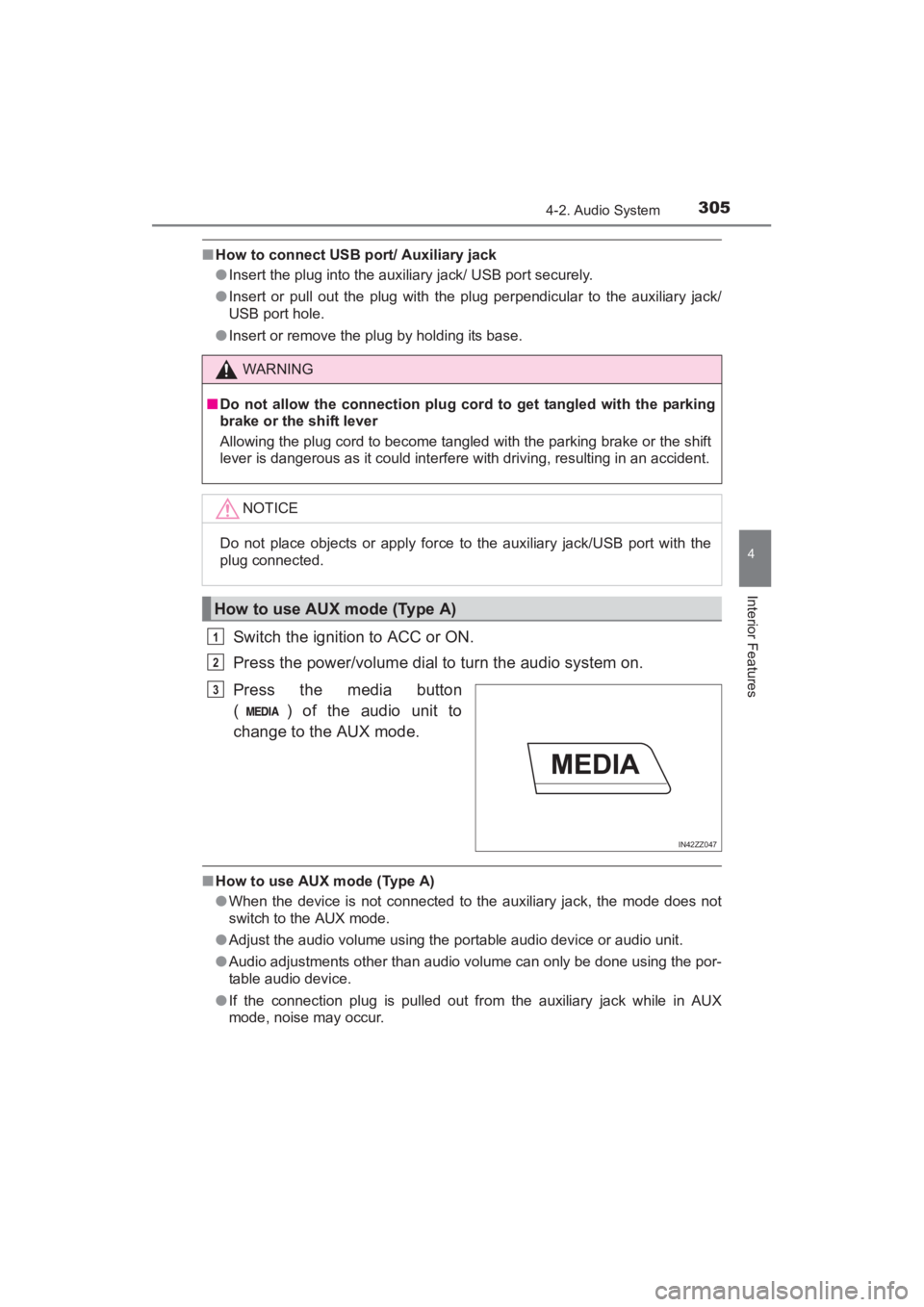
Switch the ignition to ACC or ON.
Press the power/volume dial to turn the audio system on.
Press the media button
( ) of the audio unit to
change to the AUX mode.
■How to use AUX mode (Type A)
●When the device is not connected to the auxiliary jack, the mode does not
switch to the AUX mode.
● Adjust the audio volume using the portable audio device or audio unit.
● Audio adjustments other than audio volume can only be done using the por-
table audio device.
● If the connection plug is pulled out from the auxiliary jack while in AUX
mode, noise may occur.
WARNING
■Do not allow the connection plug cord to get tangled with the parking
brake or the shift lever
Allowing the plug cord to become tangled with the parking brake or the shift
lever is dangerous as it could interfere with driving, resulting in an accident.
NOTICE
Do not place objects or apply force to the auxiliary jack/USB port with the
plug connected.
How to use AUX mode (Type A)
1
2
IN42ZZ047
3
YARIS_SEDAN_OM_OM99M18z_(U).book Page 305 Monday, June 1, 2015 9:22 PM
Page 308 of 592
306
YARIS_SEDAN_OM_OM99M18z_(U)
4-2. Audio System
This unit does not support a USB 3.0 device. In addition, other
devices may not be supported depending on the model or OS version.
■PlaybackSwitch the ignition to ACC or ON.
Press the power/volume dial to turn the audio system on.
Press the media button ( ) to switch to the USB mode and
start playback.
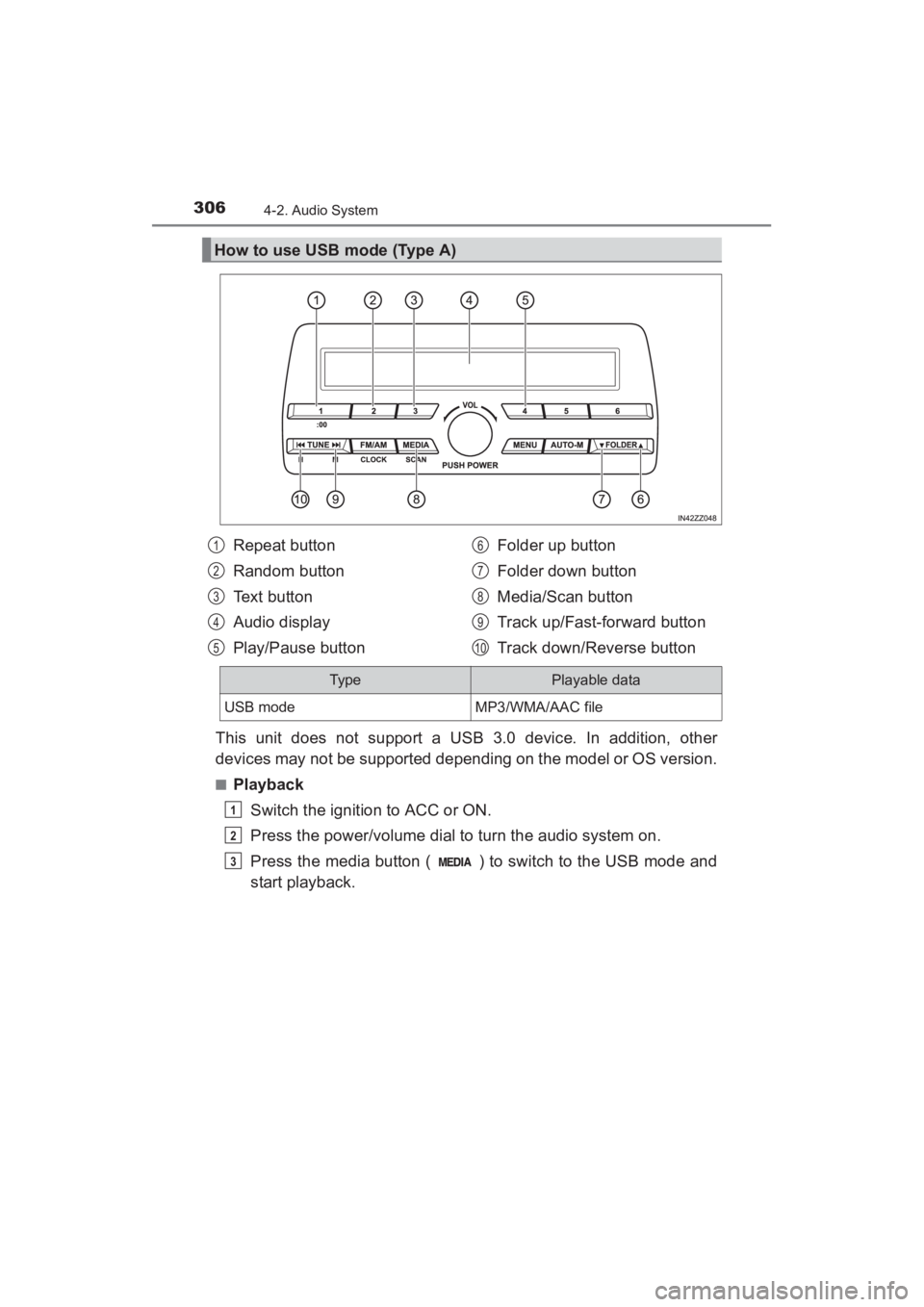
How to use USB mode (Type A)
Repeat button
Random button
Text button
Audio display
Play/Pause button Folder up button
Folder down button
Media/Scan button
Track up/Fast-forward button
Track down/Reverse button1
2
3
4
5
6
7
8
9
10
Typ ePlayable data
USB modeMP3/WMA/AAC file
1
2
3
YARIS_SEDAN_OM_OM99M18z_(U).book Page 306 Monday, June 1, 2015 9:22 PM
Page 310 of 592
308
YARIS_SEDAN_OM_OM99M18z_(U)
4-2. Audio System
■Repeat playback
●Track repeat
Press the repeat button (1) during playback to play the current
track repeatedly. “TRACK RPT” is displayed ( is dis-
played next to RPT at the bottom of the display area).
To cancel the repeat playback, press the button again after 3
seconds.
● Folder repeat
Press the repeat button (1) during playback, and then press
the button again within 3 seconds to play the tracks in the cur-
rent folder repeatedly. “FOLDER RPT” is displayed ( is
displayed next to RPT at the bottom of the display area).
Press the button again to cancel the repeat playback.
■Random playback
Tracks are randomly selected and played.
●Folder random
Press the random button (2) during playback to play the tracks
in the folder randomly. “FOLDER RDM” is displayed ( is
displayed next to RDM at the bottom of the display area).
To cancel the random playback, press the button again after 3
seconds.
● All random
Press the random button (2) during playback, and then press
the button again within 3 seconds to play the tracks in the USB
device randomly. “ALL RDM” is displayed ( is displayed
next to RDM at the bottom of the display area).
Press the button again to cancel the random playback.
1
2
1
2
1
2
1
2
YARIS_SEDAN_OM_OM99M18z_(U).book Page 308 Monday, June 1, 2015 9:22 PM
Page 311 of 592
YARIS_SEDAN_OM_OM99M18z_(U)
3094-2. Audio System
4
Interior Features
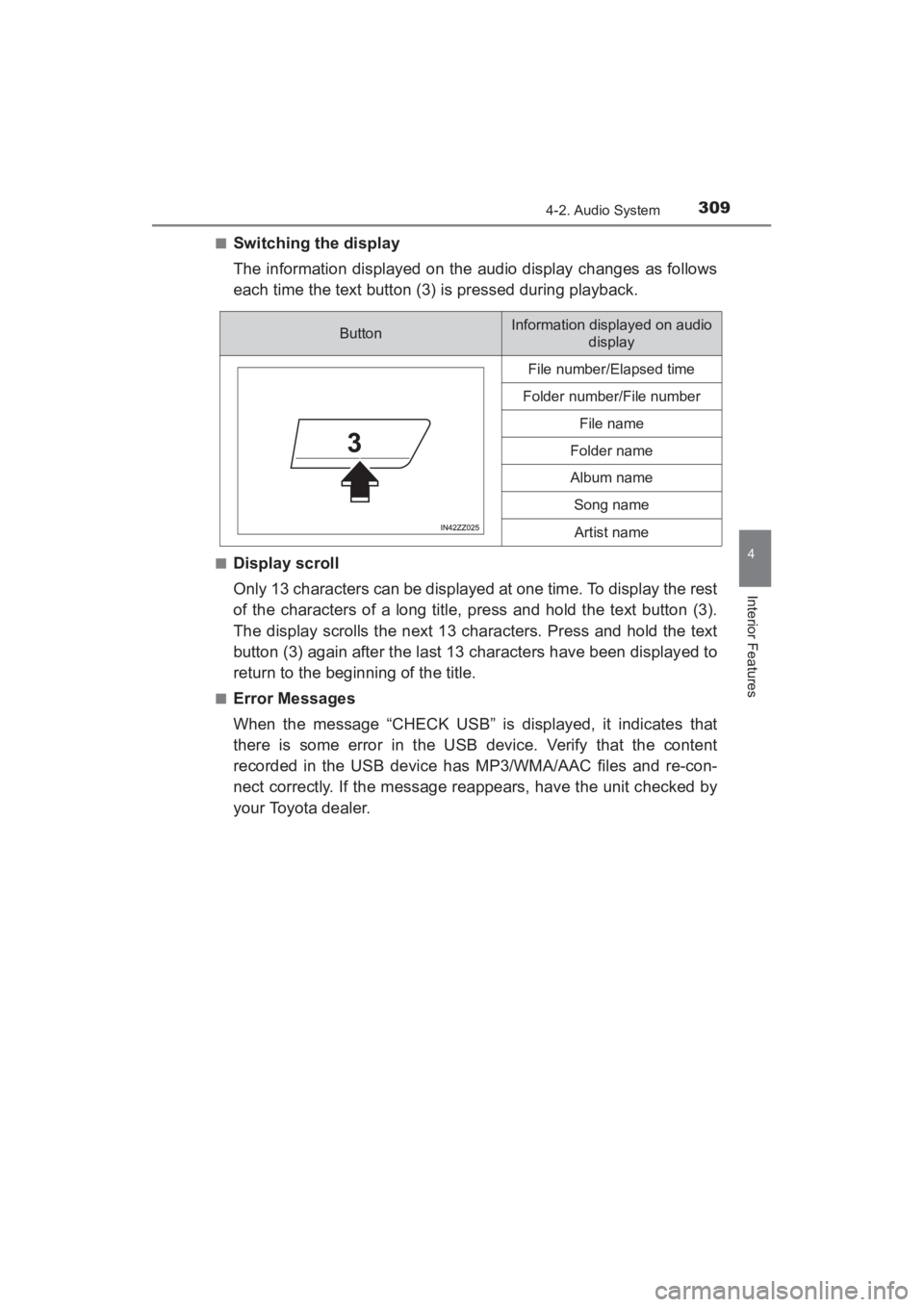
■Switching the display
The information displayed on the audio display changes as follows
each time the text button (3) is pressed during playback.
■Display scroll
Only 13 characters can be displayed at one time. To display the rest
of the characters of a long title, press and hold the text button (3).
The display scrolls the next 13 characters. Press and hold the text
button (3) again after the last 13 characters have been displayed to
return to the beginning of the title.
■Error Messages
When the message “CHECK USB” is displayed, it indicates that
there is some error in the USB device. Verify that the content
recorded in the USB device has MP3/WMA/AAC files and re-con-
nect correctly. If the message reappears, have the unit checked by
your Toyota dealer.
ButtonInformation displayed on audio display
File number/Elapsed time
Folder number/File number
File name
Folder name
Album name
Song name
Artist name
YARIS_SEDAN_OM_OM99M18z_(U).book Page 309 Monday, June 1, 2015 9:22 PM
Page 312 of 592
310
YARIS_SEDAN_OM_OM99M18z_(U)
4-2. Audio System
■How to use USB mode (Type A)
●Some devices such as smart phones may require a setting change to allow
operation using a USB connection.
● When the USB device is not connected, the mode does not switch to USB
mode.
● When there is no playable data in the USB device, “NO CONTENTS” is
flashed.
● Playback of the USB device is in the order of the folder numbers. Folders
which have no MP3/WMA/AAC files are skipped.
● Do not remove the USB device while in the USB mode. The data may be
damaged.
● If the unit is left in scan, normal playback will resume where scan was
selected.
● The information (artist name, music name) is displayed only when the USB
device information in the USB device has information which can be dis-
played on the screen.
● This unit cannot display some characters. Characters which cannot be dis-
played are indicated by an asterisk ( ).
● The number of characters which can be displayed is restricted.
YARIS_SEDAN_OM_OM99M18z_(U).book Page 310 Monday, June 1, 2015 9:22 PM