USB TOYOTA YARIS 2016 Owners Manual
[x] Cancel search | Manufacturer: TOYOTA, Model Year: 2016, Model line: YARIS, Model: TOYOTA YARIS 2016Pages: 592, PDF Size: 10.44 MB
Page 6 of 592
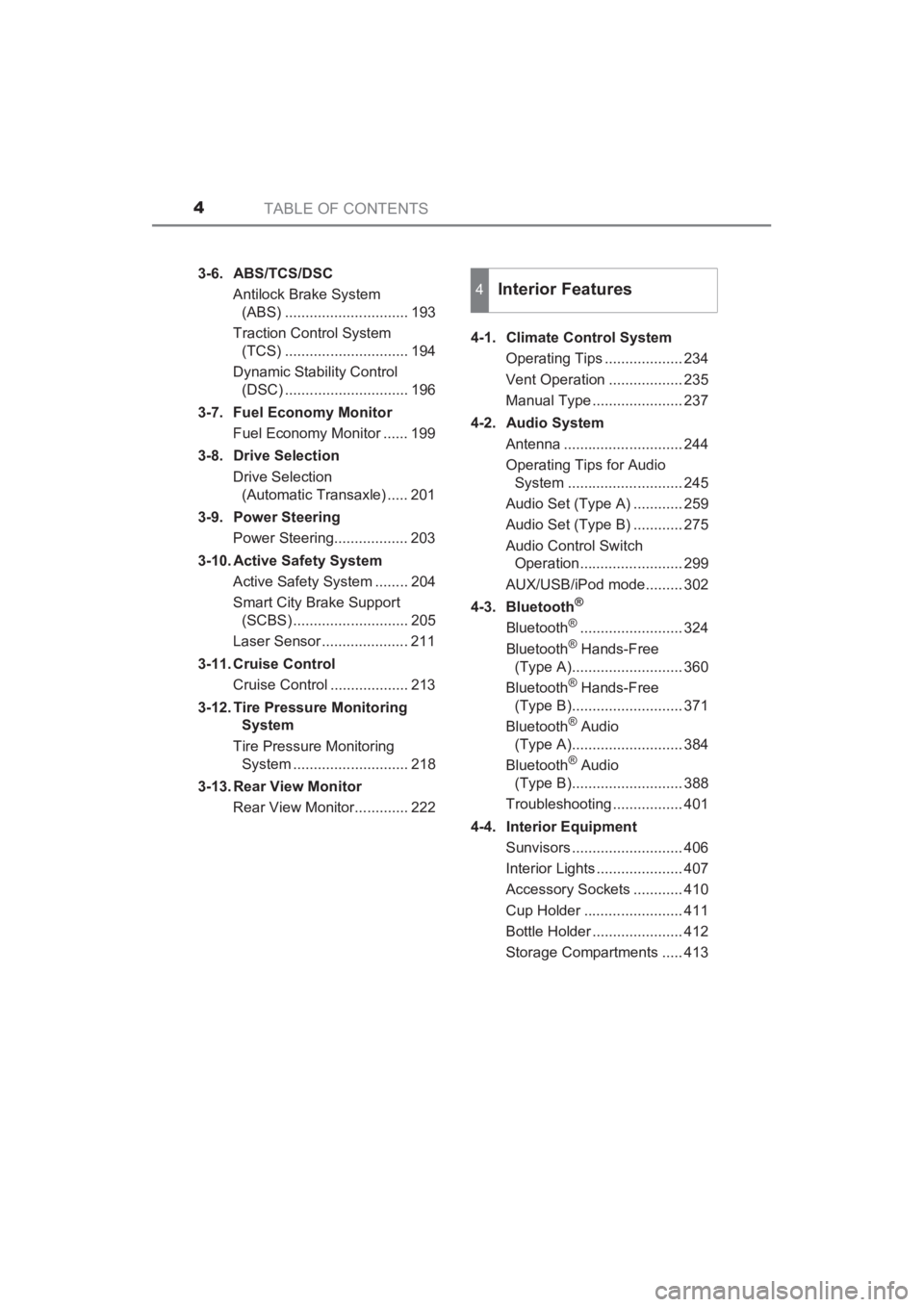
TABLE OF CONTENTS4
YARIS_SEDAN_OM_OM99M18z_(U)3-6. ABS/TCS/DSC
Antilock Brake System (ABS) .............................. 193
Traction Control System (TCS) .............................. 194
Dynamic Stability Control (DSC) .............................. 196
3-7. Fuel Economy Monitor Fuel Economy Monitor ...... 199
3-8. Drive Selection Drive Selection (Automatic Transaxle) ..... 201
3-9. Power Steering Power Steering.................. 203
3-10. Active Safety System Active Safety System ........ 204
Smart City Brake Support (SCBS) ............................ 205
Laser Sensor ..................... 211
3-11. Cruise Control Cruise Control ................... 213
3-12. Tire Pressure Monitoring System
Tire Pressure Monitoring System ............................ 218
3-13. Rear View Monitor Rear View Monitor............. 222 4-1. Climate Control System
Operating Tips ................... 234
Vent Operation .................. 235
Manual Type ...................... 237
4-2. Audio System Antenna ............................. 244
Operating Tips for Audio System ............................ 245
Audio Set (Type A) ............ 259
Audio Set (Type B) ............ 275
Audio Control Switch Operation......................... 299
AUX/USB/iPod mode......... 302
4-3. Bluetooth
®
Bluetooth®......................... 324
Bluetooth® Hands-Free
(Type A)........................... 360
Bluetooth
® Hands-Free
(Type B)........................... 371
Bluetooth
® Audio
(Type A)........................... 384
Bluetooth
® Audio
(Type B)........................... 388
Troubleshooting ................. 401
4-4. Interior Equipment Sunvisors ........................... 406
Interior Lights ..................... 407
Accessory Sockets ............ 410
Cup Holder ........................ 411
Bottle Holder ...................... 412
Storage Compartments ..... 413
4Interior Features
YARIS_SEDAN_OM_OM99M18z_(U).book Page 4 Monday, June 1, 2015 9:22 PM
Page 235 of 592
233
YARIS_SEDAN_OM_OM99M18z_(U)
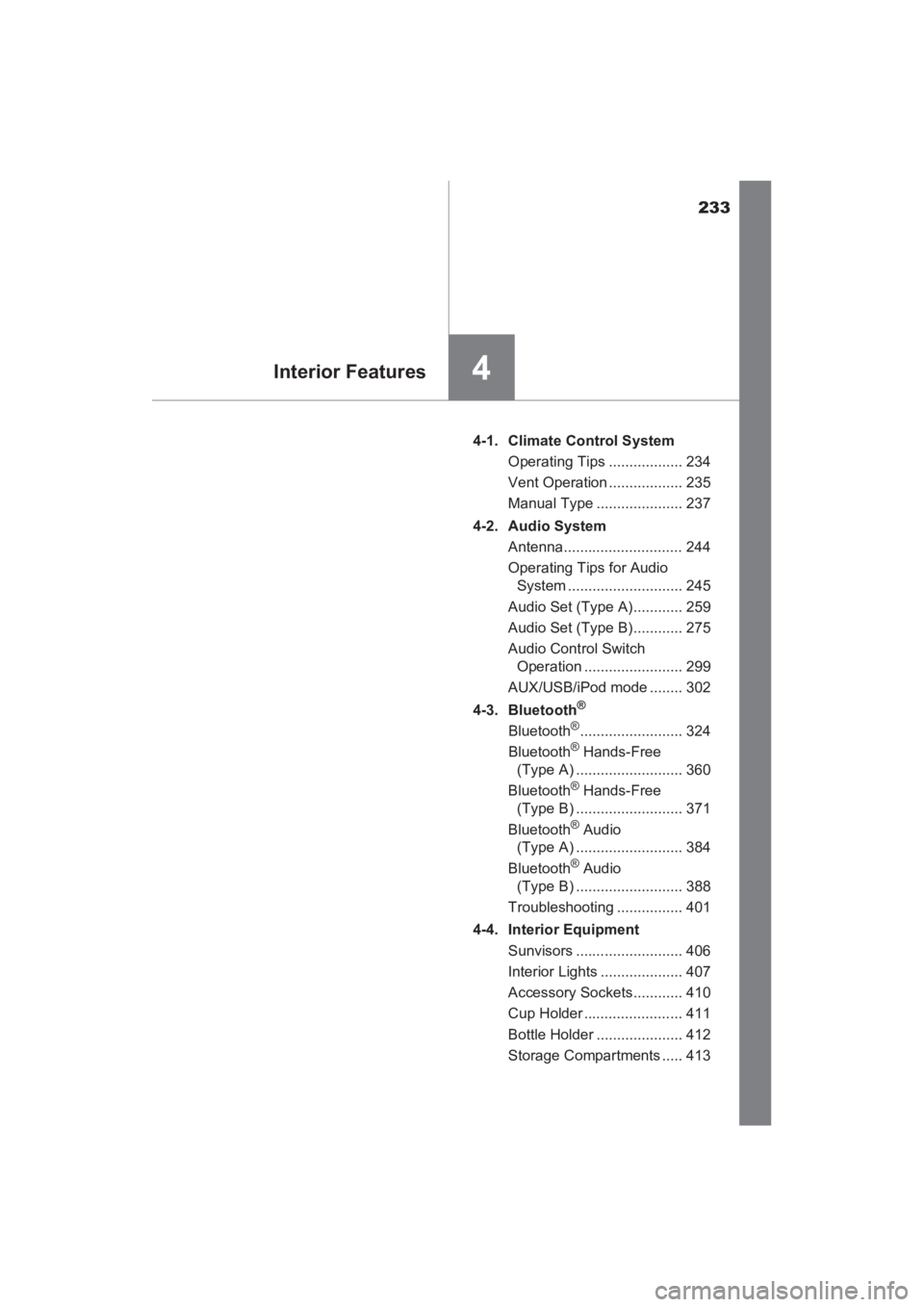
4Interior Features
4-1. Climate Control SystemOperating Tips .................. 234
Vent Operation .................. 235
Manual Type ..................... 237
4-2. Audio System Antenna............................. 244
Operating Tips for Audio System ............................ 245
Audio Set (Type A)............ 259
Audio Set (Type B)............ 275
Audio Control Switch Operation ........................ 299
AUX/USB/iPod mode ........ 302
4-3. Bluetooth
®
Bluetooth®......................... 324
Bluetooth® Hands-Free
(Type A) .......................... 360
Bluetooth
® Hands-Free
(Type B) .......................... 371
Bluetooth
® Audio
(Type A) .......................... 384
Bluetooth
® Audio
(Type B) .......................... 388
Troubleshooting ................ 401
4-4. Interior Equipment Sunvisors .......................... 406
Interior Lights .................... 407
Accessory Sockets............ 410
Cup Holder ........................ 411
Bottle Holder ..................... 412
Storage Compartments ..... 413
YARIS_SEDAN_OM_OM99M18z_(U).book Page 233 Monday, June 1, 2015 9:22 PM
Page 258 of 592
256
YARIS_SEDAN_OM_OM99M18z_(U)
4-2. Audio System
OGG is the audio compression format for Xiph. Org Foundation.
Audio data can be created and stored at a higher compression ratio
than MP3.
This unit plays files with the extension (.ogg) as OGG files.
●OGG files written under specifications other than the indicated
specification may not play normally or files or folder names may not
display correctly.
● The file extension may not be provided depending on the computer
operating system, version, software, or settings. In this case, add
the file extension “.ogg” to the end of the file name, and then write it
to the disc.
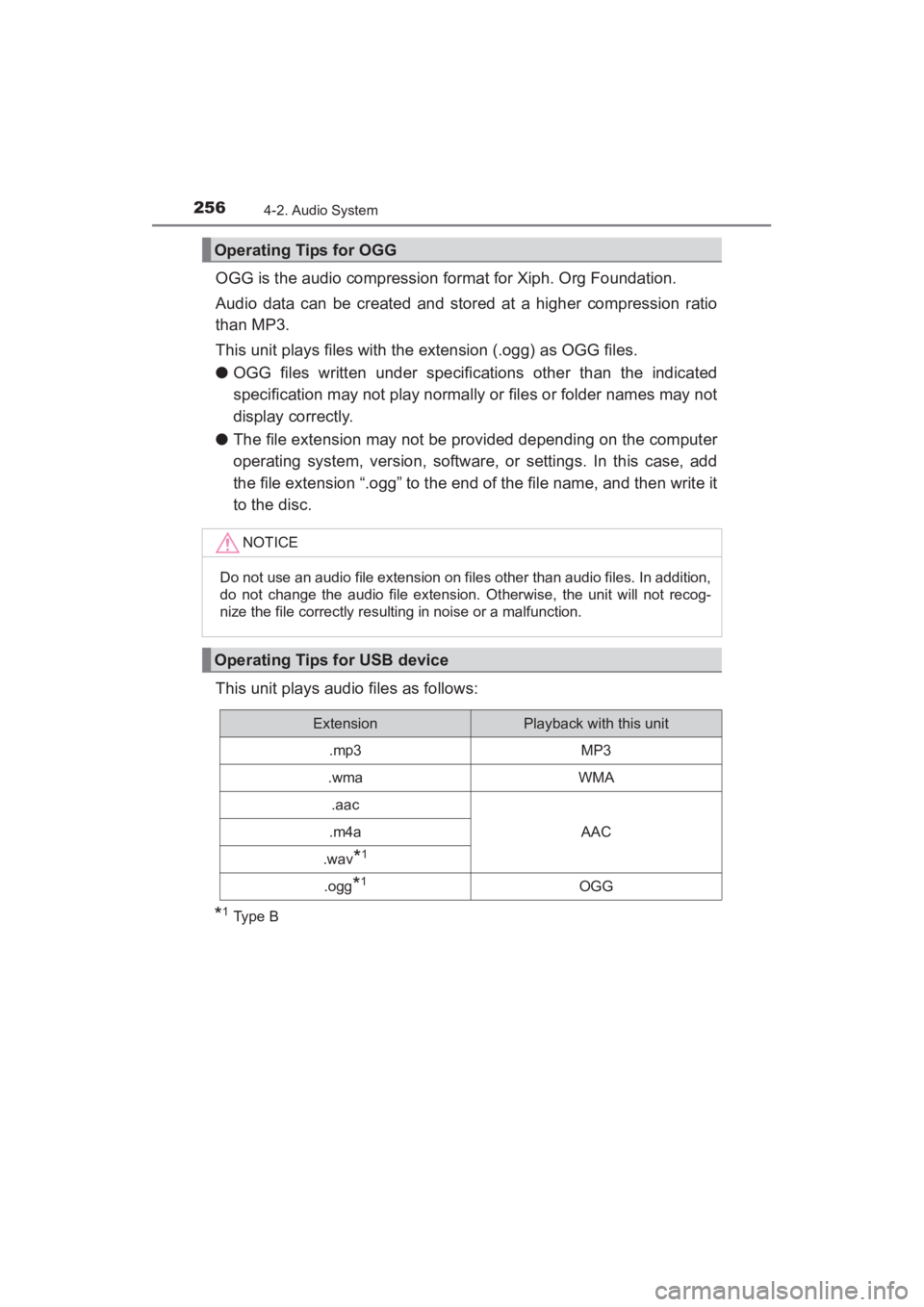
This unit plays audio files as follows:
*1Type B
Operating Tips for OGG
NOTICE
Do not use an audio file extension on files other than audio files. In addition,
do not change the audio file extension. Otherwise, the unit will not recog-
nize the file correctly resulting in noise or a malfunction.
Operating Tips for USB device
ExtensionPlayback with this unit
.mp3MP3
.wmaWMA
.aac
AAC.m4a
.wav*1
.ogg*1OGG
YARIS_SEDAN_OM_OM99M18z_(U).book Page 256 Monday, June 1, 2015 9:22 PM
Page 259 of 592
YARIS_SEDAN_OM_OM99M18z_(U)
2574-2. Audio System
4
Interior Features
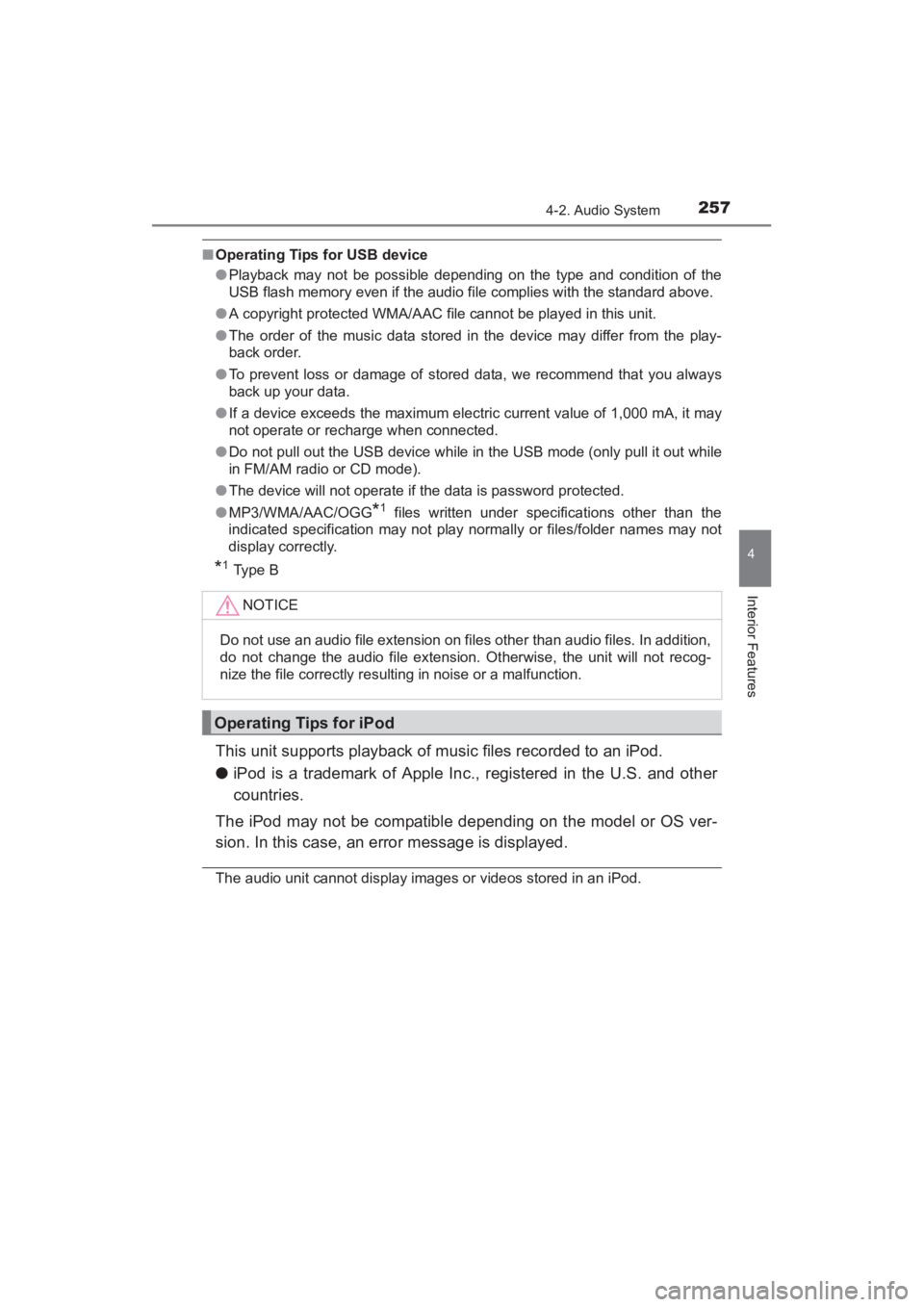
■Operating Tips for USB device
●Playback may not be possible depending on the type and condition of the
USB flash memory even if the audio file complies with the standard above.
● A copyright protected WMA/AAC file cannot be played in this unit.
● The order of the music data stored in the device may differ from the play-
back order.
● To prevent loss or damage of stored data, we recommend that you always
back up your data.
● If a device exceeds the maximum electric current value of 1,000 mA, it may
not operate or recharge when connected.
● Do not pull out the USB device while in the USB mode (only pull it out while
in FM/AM radio or CD mode).
● The device will not operate if the data is password protected.
● MP3/WMA/AAC/OGG
*1 files written under specifications other than the
indicated specification may not play normally or files/folder names may not
display correctly.
*1Type B
This unit supports playback of music files recorded to an iPod.
● iPod is a trademark of Apple Inc., registered in the U.S. and other
countries.
The iPod may not be compatible depending on the model or OS ver-
sion. In this case, an error message is displayed.
The audio unit cannot display images or videos stored in an iPod. NOTICE
Do not use an audio file extension on files other than audio files. In addition,
do not change the audio file extension.
Otherwise, the unit will not recog-
nize the file correctly resulting in noise or a malfunction.
Operating Tips for iPod
YARIS_SEDAN_OM_OM99M18z_(U).book Page 257 Monday, June 1, 2015 9:22 PM
Page 260 of 592
258
YARIS_SEDAN_OM_OM99M18z_(U)
4-2. Audio System
NOTICE
●Remove the iPod when it is not in use. Because the iPod is not designed
to withstand excessive changes in temperature inside the cabin, it could
be damaged or the battery may deteriorate due to the excessive tempera-
ture or humidity inside the cabin if it is left in the vehicle.
● If data in the iPod is lost while it is connected to the unit, Toyota cannot
guarantee recovery of any lost data.
● If the iPod battery is deteriorated, the iPod may not recharge and playback
may not be possible when it is connected to the unit.
● For details on using the iPod, refer to the iPod instruction manual.
● When connecting the iPod to a USB port, all commands are made from
the audio unit. iPod control is not possible.
YARIS_SEDAN_OM_OM99M18z_(U).book Page 258 Monday, June 1, 2015 9:22 PM
Page 261 of 592
259
YARIS_SEDAN_OM_OM99M18z_(U)
4-2. Audio System
4
Interior Features
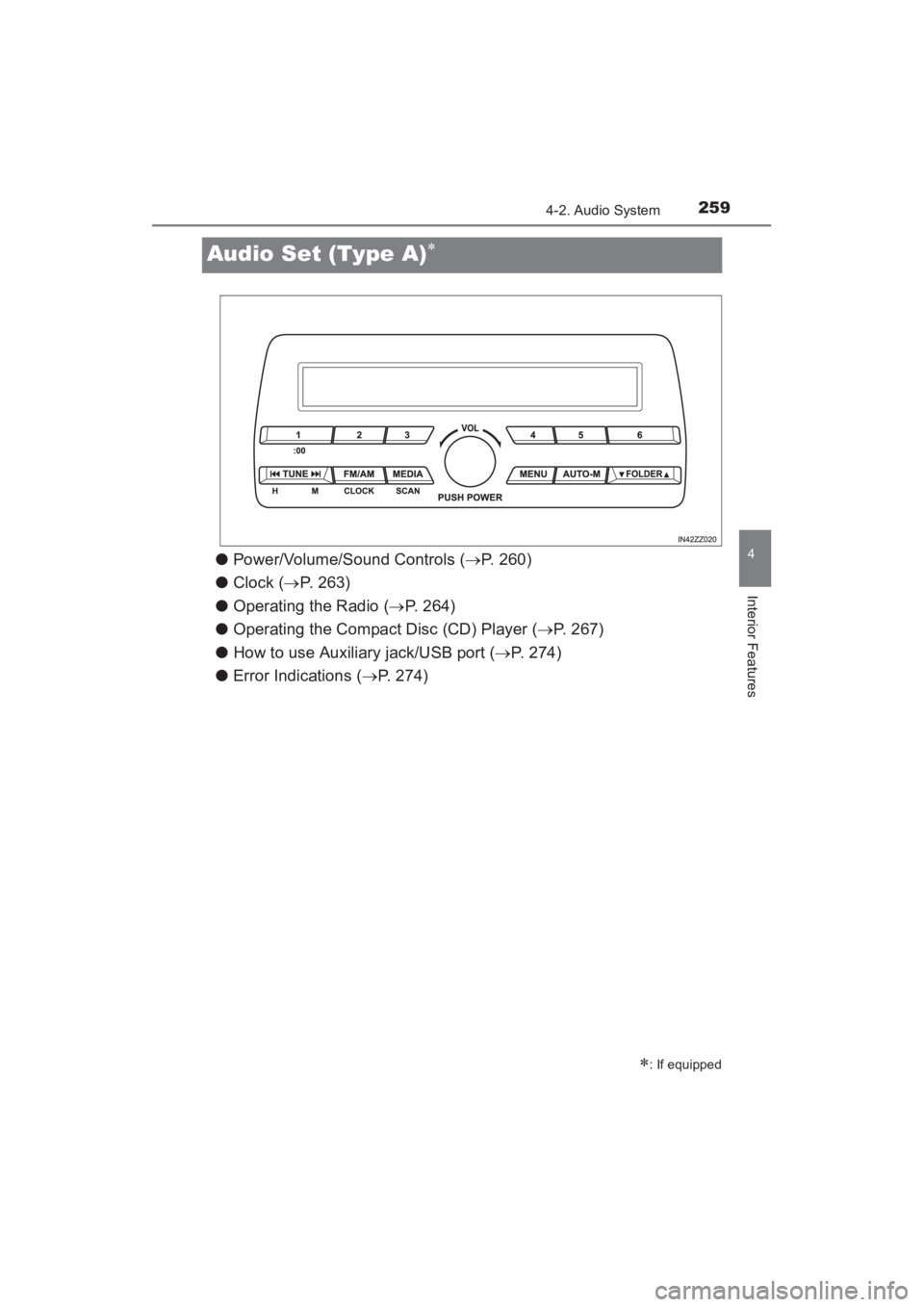
Audio Set (Type A)∗
●Power/Volume/Sound Controls ( →P. 260)
● Clock ( →P. 263)
● Operating the Radio ( →P. 264)
● Operating the Compact Disc (CD) Player ( →P. 267)
● How to use Auxiliary jack/USB port ( →P. 274)
● Error Indications ( →P. 274)
∗: If equipped
YARIS_SEDAN_OM_OM99M18z_(U).book Page 259 Monday, June 1, 2015 9:22 PM
Page 276 of 592
274
YARIS_SEDAN_OM_OM99M18z_(U)
4-2. Audio System
Audio can be heard from the vehicle’s speakers by connecting a com-
mercially- available portable audio unit to the auxiliary jack.
Use a commercially-available, non- impedance (3.5∅) stereo mini
plug cable. Contact your Toyota dealer for details.
In addition, audio can be played from the vehicle audio device by con-
necting a USB device or an iPod to the USB port.
Refer to AUX/USB/iPod mode on P. 302.
If you see an error indication on the audio display, find the cause in
the chart. If you cannot clear the error indication, take the vehicle to
your Toyota dealer.
How to use Auxiliary jack/USB port
Error Indications
IndicationCauseSolution
CHECK CD
CD is inserted
upside downInsert the CD properly. If the error
indication continues to display,
consult your Toyota dealer.
CD is defective
Insert another CD properly. If the
error indication continues to dis-
play, consult your Toyota dealer.
YARIS_SEDAN_OM_OM99M18z_(U).book Page 274 Monday, June 1, 2015 9:22 PM
Page 285 of 592
YARIS_SEDAN_OM_OM99M18z_(U)
2834-2. Audio System
4
Interior Features
You can change the radio frequency manually.
Rotate the commander knob, slide the screen, or
touch the radio frequency.
Press or to change the radio fre-
quency one step at a time.
When or is long-pressed, the radio
frequency changes continually. It stops when you
remove your hand from the icon or the commander
knob.
Launches the iTunes Tagging function (for Apple
devices with USB use only). Can be used when the is on.
Automatic radio station selection.
When long-pressed, the radio frequency changes
continually. It stops when you remove your hand
from the icon or the commander knob.
Displays sound settings to adjust audio quality level.
Refer to Volume/Display/Sound Controls on P. 280.
IconFunction
YARIS_SEDAN_OM_OM99M18z_(U).book Page 283 Monday, June 1, 2015 9:22 PM
Page 289 of 592
YARIS_SEDAN_OM_OM99M18z_(U)
2874-2. Audio System
4
Interior Features
●Multicast channel selection (FM)
If multi-cast channels are available for an broadcast
currently being received, the multi-cast channel list is displayed.
Select the desired radio station.
● iTunes Tagging (for Apple devices with USB use only)
By tagging a song currently being aired, the song can be easily
purchased from the iTunes Store. Up to 100 tags can be stored.
Select the icon. The tag is stored in the audio unit.
Connect the device via USB. The tag is sent to the connected
device automatically.
Synchronize the device with iTunes. The tagged song can now
be purchased from the iTunes Store.
■Operating the Radio
●If the battery is disconnected, your Favorites list will be not deleted.
● Radio text information is a function of FM radio. Text information is not dis-
played in the following:
• During reception
• Not an RBDS broadcast
• RBDS broadcast, but radio text is no t transmitted from the radio station
● To change the desired genre, select the icon.
Ex.)
89.3 is currently being received. With Rock selected as the Genre, the
radio stations broadcasting Rock are at the following frequencies.
98.3
*1, 98.7, 104.3*1, 107.1
*1Radio stations with good reception
The frequency changes as follows each time is pressed.
89.3 →98.3 →104.3→ 98.3
●Only one Genre can be selected.
● It may not be possible to receive any station even if the Genre Seek function
is used.
● If a program in the selected genre is not broadcast to a region, reception is
not possible even if the Genre Seek function is used.
● The Genre Seek function searches for genre code (program type) which FM
analog broadcasts transmit. specialty programs (HD2-HD8) can-
not be searched because they are not FM analog broadcasts.
1
2
3
YARIS_SEDAN_OM_OM99M18z_(U).book Page 287 Monday, June 1, 2015 9:22 PM
Page 297 of 592
YARIS_SEDAN_OM_OM99M18z_(U)
2954-2. Audio System
4
Interior Features
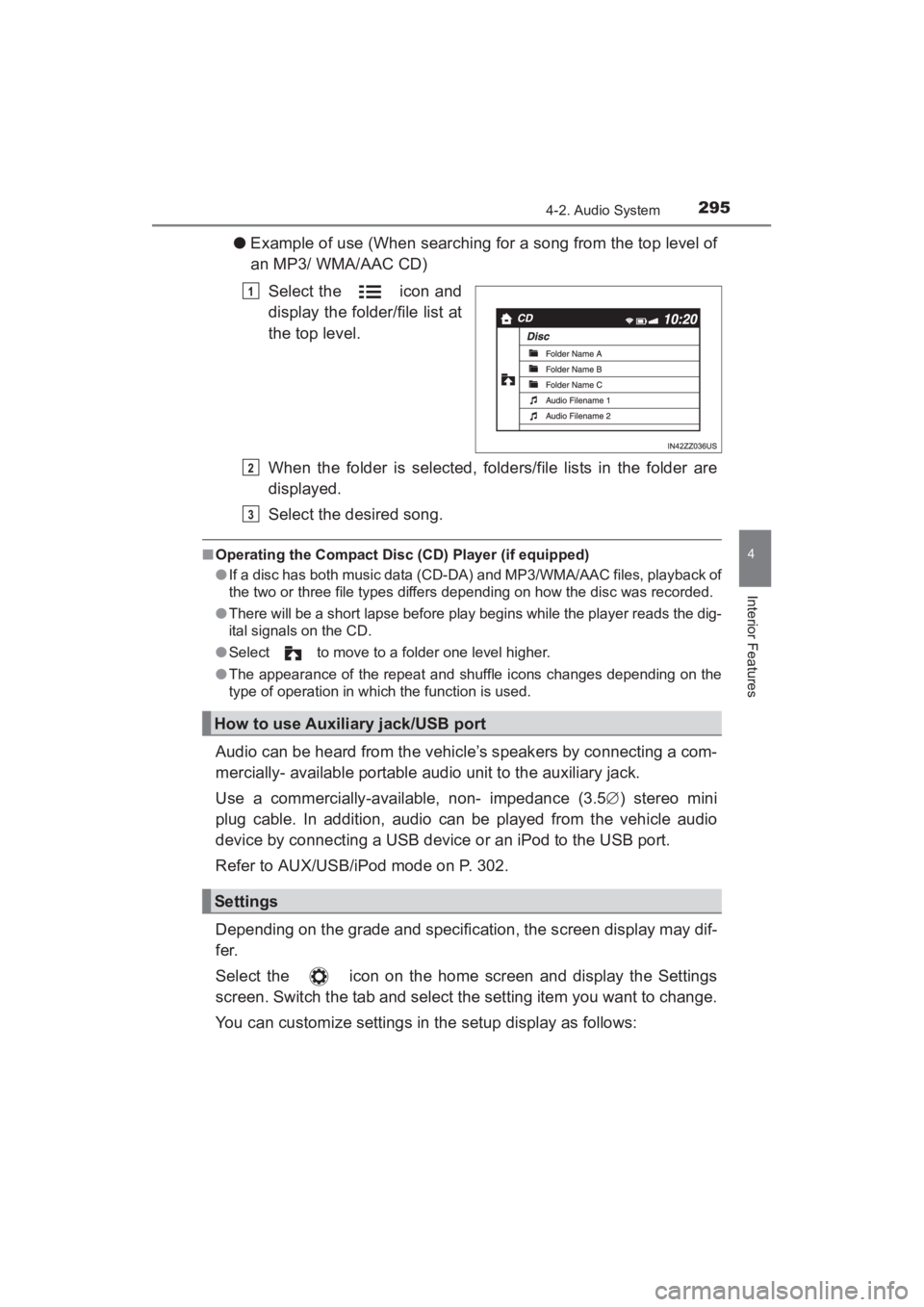
●Example of use (When searching for a song from the top level of
an MP3/ WMA/AAC CD)
Select the icon and
display the folder/file list at
the top level.
When the folder is selected, folders/file lists in the folder are
displayed.
Select the desired song.
■Operating the Compact Disc (CD) Player (if equipped)
●If a disc has both music data (CD-DA) and MP3/WMA/AAC files, playback of
the two or three file types differs depending on how the disc was recorded.
● There will be a short lapse before play begins while the player reads the dig-
ital signals on the CD.
● Select to move to a folder one level higher.
● The appearance of the repeat and shuffle icons changes depending on the
type of operation in which the function is used.
Audio can be heard from the vehicle’s speakers by connecting a com-
mercially- available portable audio unit to the auxiliary jack.
Use a commercially-available, non- impedance (3.5 ∅) stereo mini
plug cable. In addition, audio can be played from the vehicle audio
device by connecting a USB device or an iPod to the USB port.
Refer to AUX/USB/iPod mode on P. 302.
Depending on the grade and specification, the screen display may dif-
fer.
Select the icon on the home screen and display the Settings
screen. Switch the tab and select the setting item you want to change.
You can customize settings in the setup display as follows:
1
How to use Auxiliary jack/USB port
Settings
2
3
YARIS_SEDAN_OM_OM99M18z_(U).book Page 295 Monday, June 1, 2015 9:22 PM