key TOYOTA YARIS 2018 User Guide
[x] Cancel search | Manufacturer: TOYOTA, Model Year: 2018, Model line: YARIS, Model: TOYOTA YARIS 2018Pages: 632, PDF Size: 44.1 MB
Page 80 of 632
801-2. Child safety
YARIS_HV_OM_Europe_OM52J66E
Key of letters inserted in the above table:
X: Not suitable seat position for ISOFIX child restraint systems in
this mass group and/or size class.
IUF: Suitable for ISOFIX forward-facing child restraint systems of “uni-
versal” category approved for use in this mass group.
IL: Suitable for ISOFIX child restraint systems of the categories for
“specific vehicles”, “restricted”, or “semi-universal” approved for
use in this mass group.
*: If the head restraint interferes with your child restraint system, and the
head restraint can be removed, remove the head restraint.
Otherwise, put the head restraint in the upper most position.
When securing some types of child restraint systems in rear seat, it
may not be possible to properly use the seat belts in positions next
to the child restraint without interfering with it or affecting seat belt
effectiveness. Be sure your seat belt fits snugly across your shoul-
der and low on your hips. If it does not, or if it interferes with the
child restraint, move to a different position. Failure to do so may
result in death or serious injury.
The child restraint systems mentioned in the table may not be avail-
able outside the EU area.
● When installing a child restraint in the rear seats, adjust the front
seat so that it does not interfere with the child or child restraint
system.
Page 81 of 632
811-2. Child safety
1
For safety and security
YARIS_HV_OM_Europe_OM52J66E
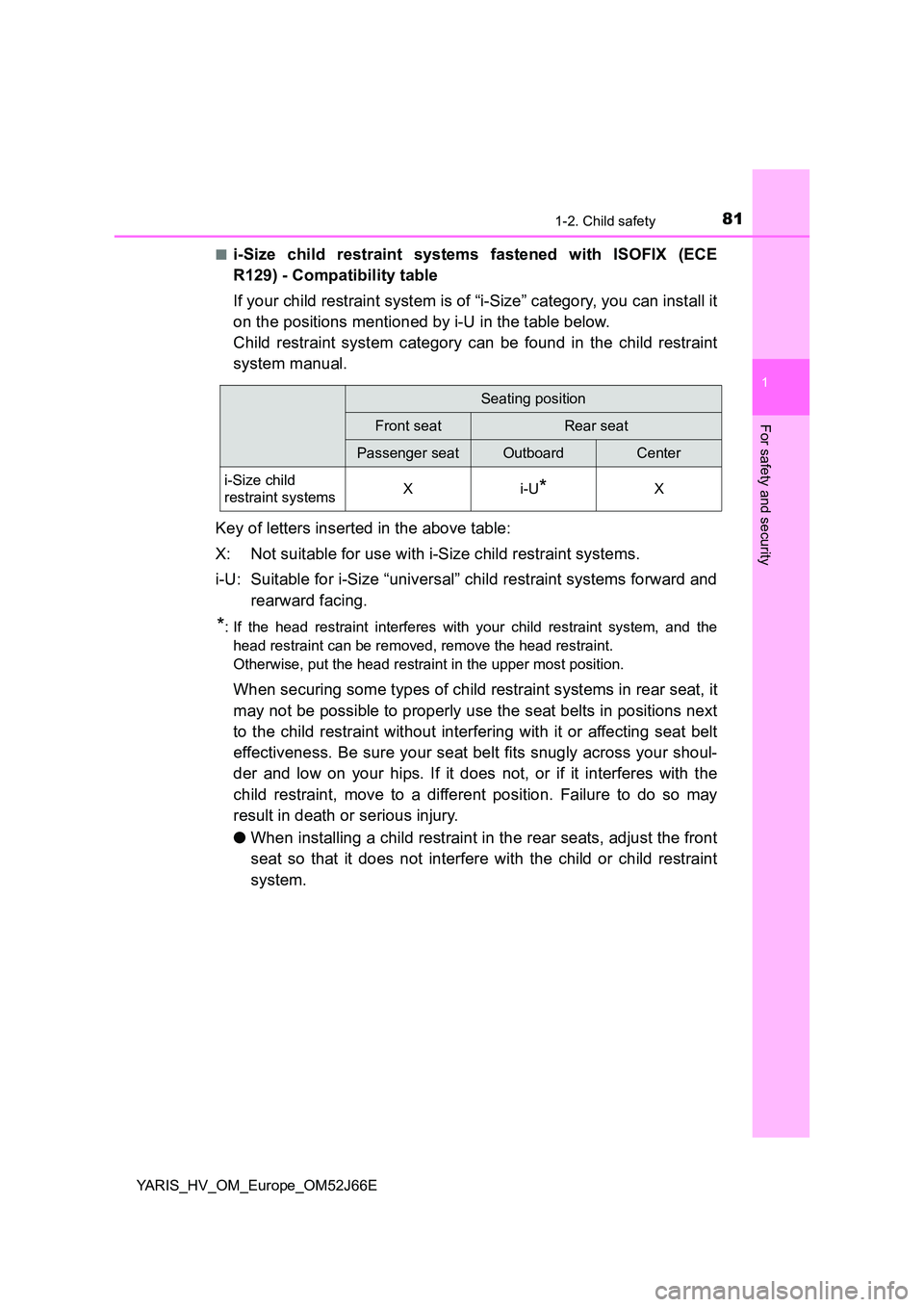
■i-Size child restraint systems fastened with ISOFIX (ECE
R129) - Compatibility table
If your child restraint system is of “i-Size” category, you can install it
on the positions mentioned by i-U in the table below.
Child restraint system category can be found in the child restraint
system manual.
Key of letters inserted in the above table:
X: Not suitable for use with i-Size child restraint systems.
i-U: Suitable for i-Size “universal” child restraint systems forward and
rearward facing.
*: If the head restraint interferes with your child restraint system, and the
head restraint can be removed, remove the head restraint.
Otherwise, put the head restraint in the upper most position.
When securing some types of child restraint systems in rear seat, it
may not be possible to properly use the seat belts in positions next
to the child restraint without interfering with it or affecting seat belt
effectiveness. Be sure your seat belt fits snugly across your shoul-
der and low on your hips. If it does not, or if it interferes with the
child restraint, move to a different position. Failure to do so may
result in death or serious injury.
● When installing a child restraint in the rear seats, adjust the front
seat so that it does not interfere with the child or child restraint
system.
Seating position
Front seatRear seat
Passenger seatOutboardCenter
i-Size child
restraint systemsXi-U*X
Page 96 of 632
961-4. Theft deterrent system
YARIS_HV_OM_Europe_OM52J66E
Immobilizer system
Vehicles without a smart entry & start system
The system begins operating after the key has been removed from
the power switch. The system is canceled after the registered key has
been inserted into the power switch.
Vehicles with a smart entry & start system
The system begins operating after the power switch has been turned
off. The system is canceled after the power switch has been turned to
ACCESSORY or ON mode.
■ System maintenance
The vehicle has a maintenance-free type immobilizer system.
■ Conditions that may cause the system to malfunction
● If the grip portion of the key is in contact with a metallic object
● If the key is in close proximity to or touching a key to the security system
(key with a built-in transponder chip) of another vehicle
The vehicle’s keys have built-in transponder chips that prevent
the hybrid system from starting if a key has not been previously
registered in the vehicle’s on-board computer.
Never leave the keys inside the vehicle when you leave the vehi-
cle.
This system is designed to help prevent vehicle theft but does
not guarantee absolute security against all vehicle thefts.
Page 139 of 632
139
3
Operation of
each component
YARIS_HV_OM_Europe_OM52J66E
3-1. Key information
Keys ................................... 140
3-2. Opening, closing
and locking the doors
Side doors.......................... 152
Back door........................... 159
Smart entry &
start system ..................... 164
3-3. Adjusting the seats
Front seats ......................... 182
Rear seats ......................... 184
Head restraints .................. 188
3-4. Adjusting the steering
wheel and mirrors
Steering wheel ................... 191
Inside rear view mirror ....... 193
Outside rear view mirrors... 196
3-5. Opening and closing
the windows
Power windows .................. 199
Page 140 of 632
1403-1. Key information
YARIS_HV_OM_Europe_OM52J66E
Keys
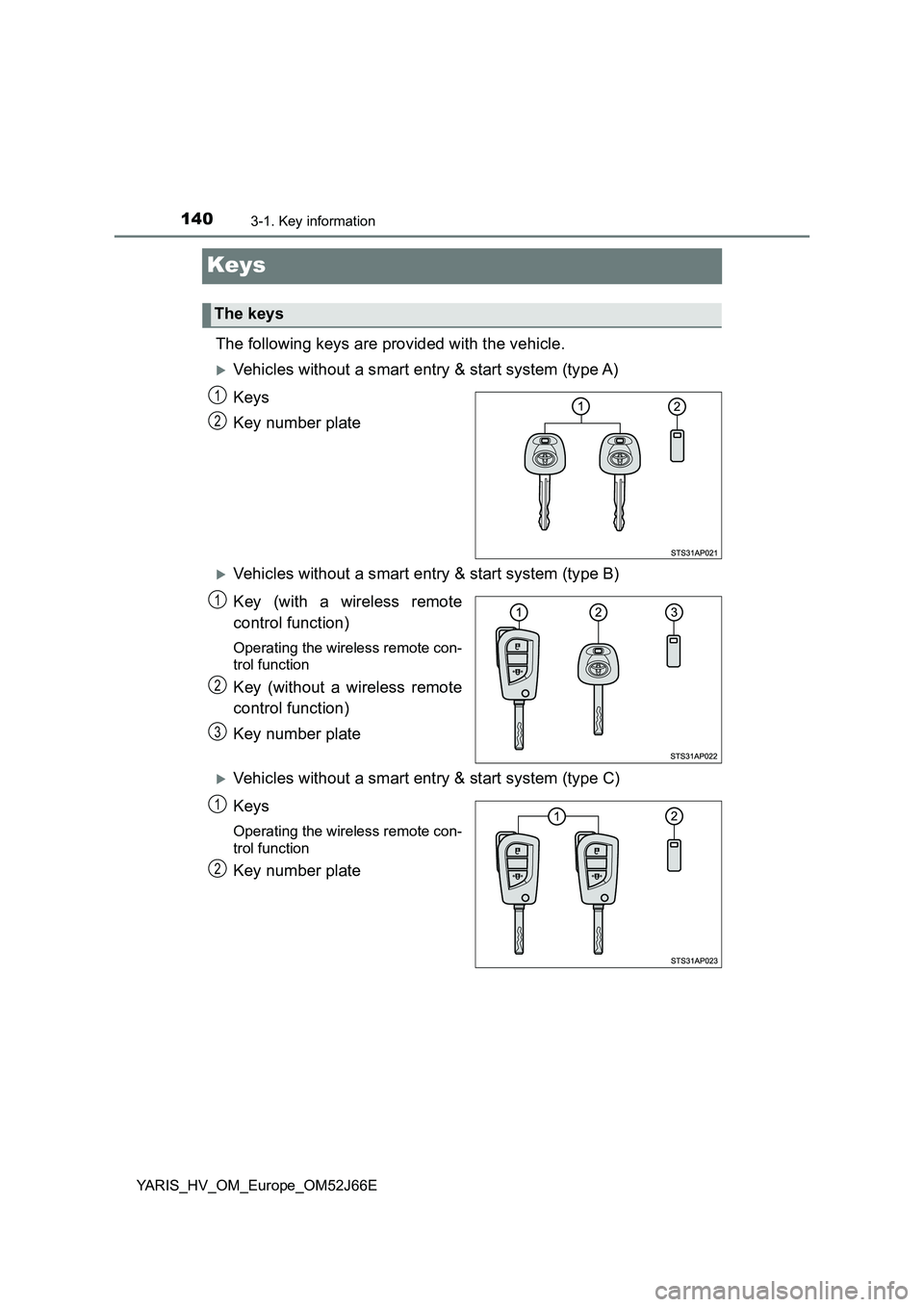
The following keys are provided with the vehicle.
Vehicles without a smart entry & start system (type A)
Keys
Key number plate
Vehicles without a smart entry & start system (type B)
Key (with a wireless remote
control function)
Operating the wireless remote con-
trol function
Key (without a wireless remote
control function)
Key number plate
Vehicles without a smart entry & start system (type C)
Keys
Operating the wireless remote con-
trol function
Key number plate
The keys
1
2
1
2
3
1
2
Page 141 of 632
1413-1. Key information
3
Operation of each component
YARIS_HV_OM_Europe_OM52J66E
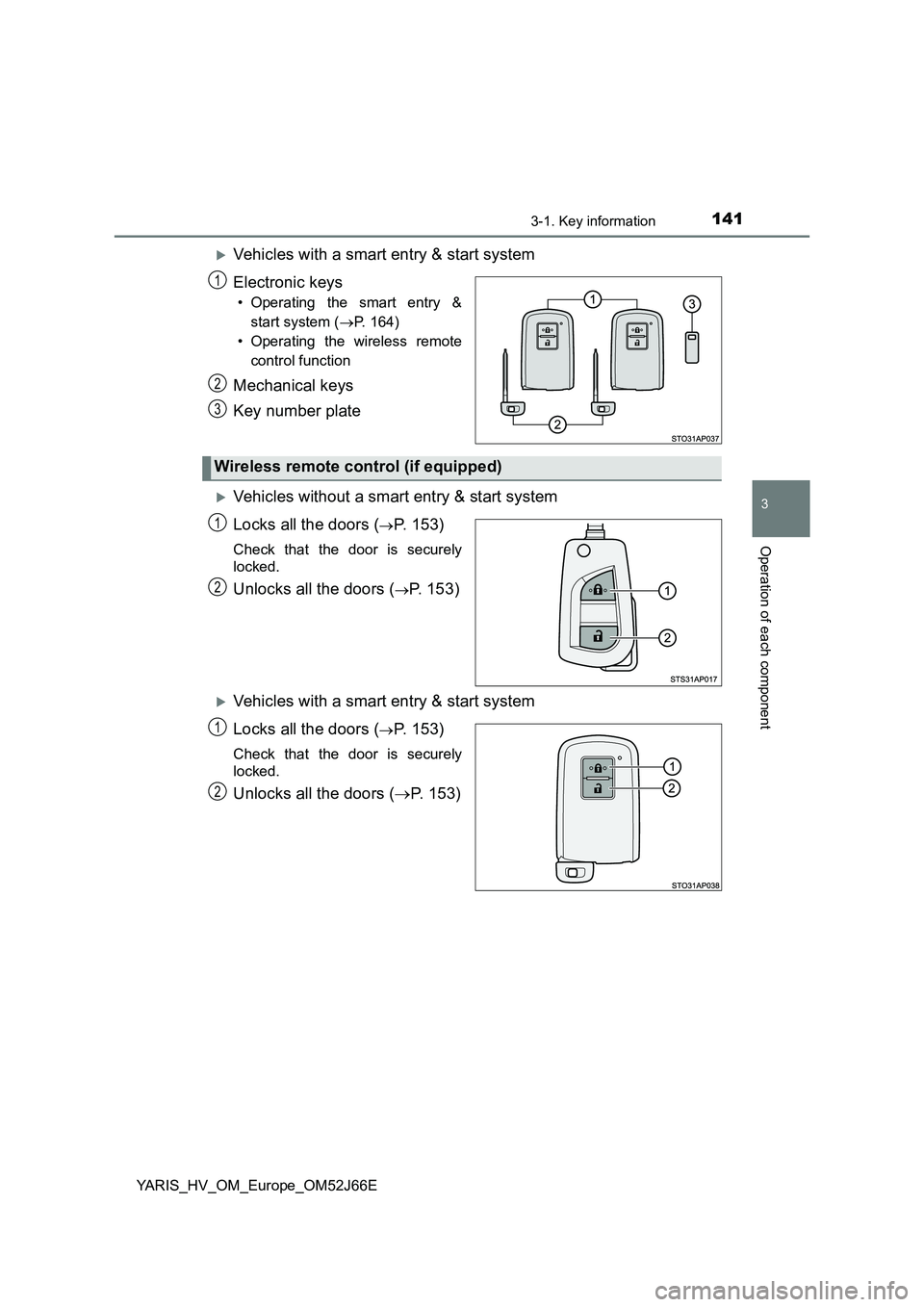
Vehicles with a smart entry & start system
Electronic keys
• Operating the smart entry &
start system ( P. 164)
• Operating the wireless remote
control function
Mechanical keys
Key number plate
Vehicles without a smart entry & start system
Locks all the doors (P. 153)
Check that the door is securely
locked.
Unlocks all the doors (P. 153)
Vehicles with a smart entry & start system
Locks all the doors (P. 153)
Check that the door is securely
locked.
Unlocks all the doors ( P. 153)
1
2
3
Wireless remote control (if equipped)
1
2
1
2
Page 142 of 632
1423-1. Key information
YARIS_HV_OM_Europe_OM52J66E
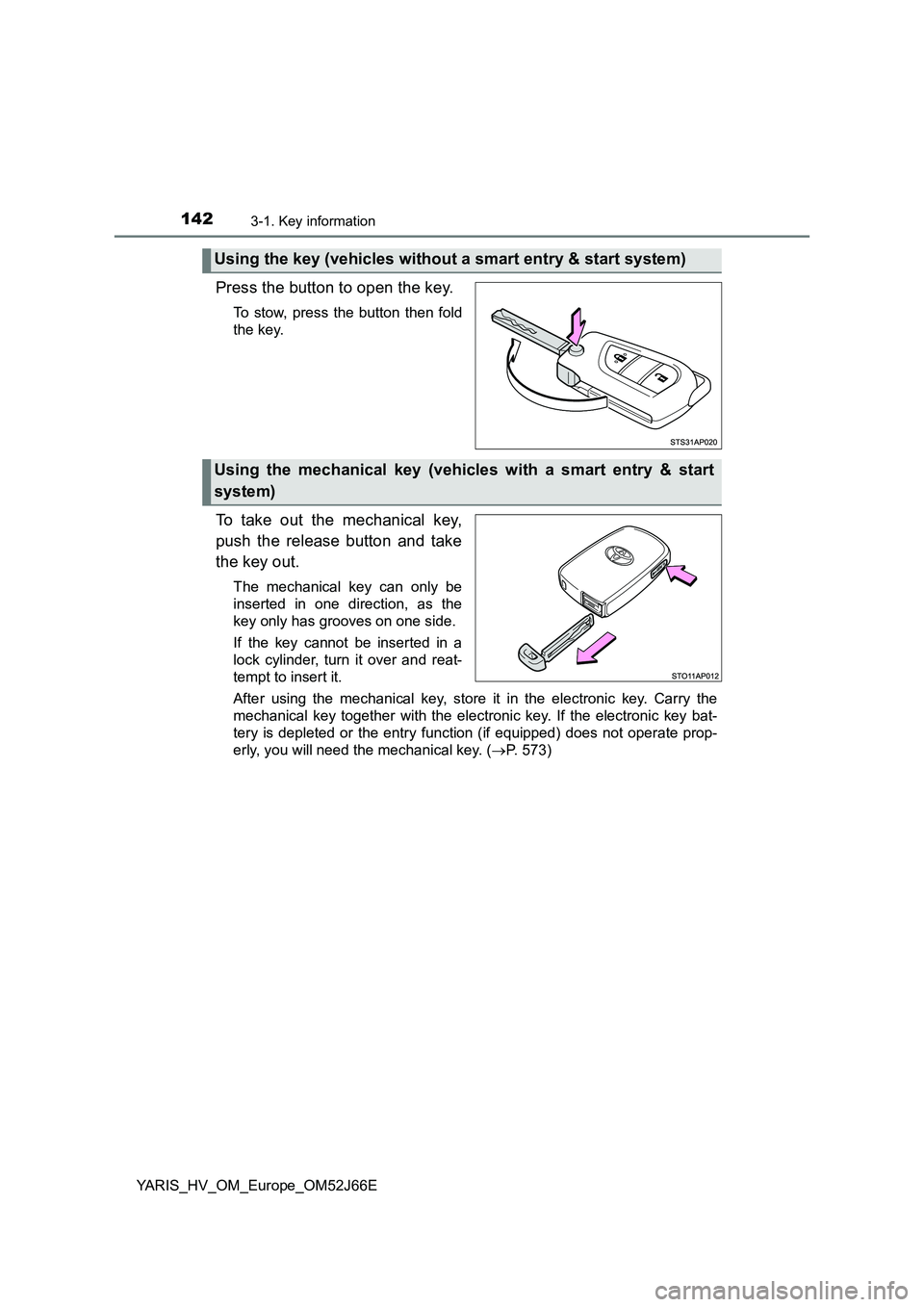
Press the button to open the key.
To stow, press the button then fold
the key.
To take out the mechanical key,
push the release button and take
the key out.
The mechanical key can only be
inserted in one direction, as the
key only has grooves on one side.
If the key cannot be inserted in a
lock cylinder, turn it over and reat-
tempt to insert it.
After using the mechanical key, store it in the electronic key. Carry the
mechanical key together with the electronic key. If the electronic key bat-
tery is depleted or the entry function (if equipped) does not operate prop-
erly, you will need the mechanical key. ( P. 573)
Using the key (vehicles without a smart entry & start system)
Using the mechanical key (vehicles with a smart entry & start
system)
Page 143 of 632
1433-1. Key information
3
Operation of each component
YARIS_HV_OM_Europe_OM52J66E
■If you lose your keys
New genuine keys can be made by any authorized Toyota retailer or Toyota
authorized repairer, or any reliable repairer using the other key and the key
number stamped on your key number plate. Keep the plate in a safe place
such as your wallet, not in the vehicle.
■ When riding in an aircraft
When bringing a key with wireless remote control function onto an aircraft,
make sure you do not press any buttons on the key while inside the aircraft
cabin. If you are carrying a key in your bag etc., ensure that the buttons are
not likely to be pressed accidentally. Pressing a button may cause the key to
emit radio waves that could interfere with the operation of the aircraft.
■ Conditions affecting operation of the smart entry & start system or wire-
less remote control
Vehicles without a smart entry & start system
The wireless remote control function may not operate normally in the follow-
ing situations:
● When the wireless key battery is depleted
● Near a TV tower, electric power plant, gas station, radio station, large dis-
play, airport or other facility that generates strong radio waves or electrical
noise
● When carrying a portable radio, cellular phone or other wireless communi-
cation devices
● When the wireless key is in contact with, or is covered by a metallic object
● When other wireless keys (that emit radio waves) are being used nearby
● If window tint with a metallic content or metallic objects are attached to the
rear window
Vehicles with a smart entry & start system
P. 168
Page 144 of 632
1443-1. Key information
YARIS_HV_OM_Europe_OM52J66E
■ Key battery depletion
Vehicles without a smart entry & start system
If the wireless remote control function does not operate, the battery may be
depleted. Replace the battery when necessary. ( P. 477)
Vehicles with a smart entry & start system
● The standard battery life is 1 to 2 years.
● If the battery becomes low, an alarm will sound in the cabin when the hybrid
system stops. ( P. 477)
● As the electronic key always receives radio waves, the battery will become
depleted even if the electronic key is not used. The following symptoms indi-
cate that the electronic key battery may be depleted. Replace the battery
when necessary. ( P. 477)
• The smart entry & start system or the wireless remote control does not
operate.
• The detection area becomes smaller.
• The LED indicator on the key surface does not turn on.
● To avoid serious deterioration, do not leave the electronic key within 1 m
(3 ft.) of the following electrical appliances that produce a magnetic field:
•TVs
• Personal computers
• Cellular phones, cordless phones and battery chargers
• Recharging cellular phones or cordless phones
• Induction cookers
• Table lamps
■ Replacing the battery
P. 477
■ Confirmation of the registered key number (vehicles with a smart entry &
start system)
The number of keys already registered to the vehicle can be confirmed. Ask
any authorized Toyota retailer or Toyota authorized repairer, or any reliable
repairer for details.
■ If a wrong key is used
On some models, the key cylinder rotates freely to isolate inside mechanism.
■ Customization
Settings (e.g. wireless remote control system) can be changed.
(Customizable features: P. 603)
Page 145 of 632
1453-1. Key information
3
Operation of each component
YARIS_HV_OM_Europe_OM52J66E
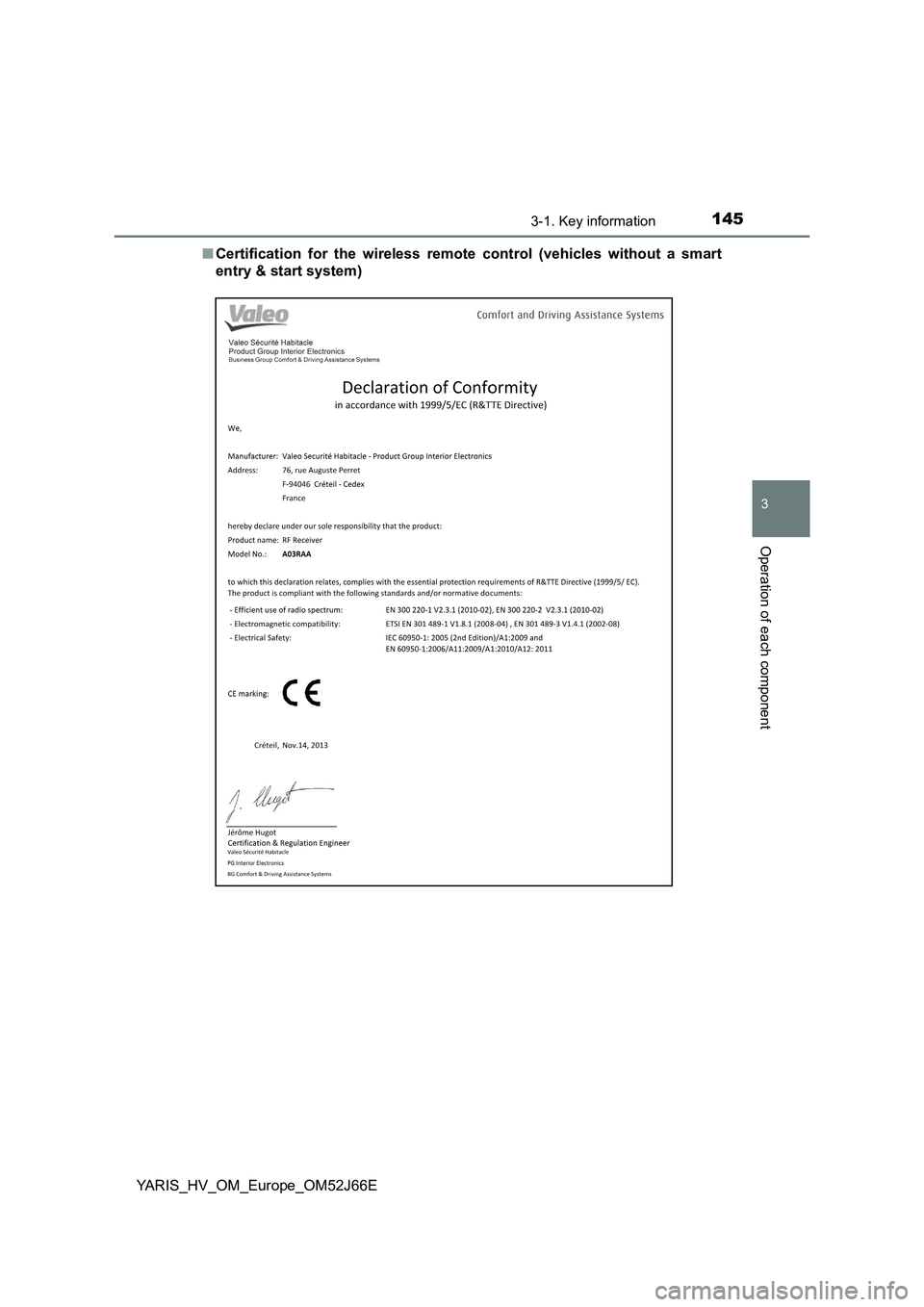
■ Certification for the wireless remote control (vehicles without a smart
entry & start system)