change language TOYOTA YARIS 2019 Owners Manual (in English)
[x] Cancel search | Manufacturer: TOYOTA, Model Year: 2019, Model line: YARIS, Model: TOYOTA YARIS 2019Pages: 600, PDF Size: 6.11 MB
Page 295 of 600
YARIS SEDAN_OM_OM99S50z_(U)
2954-2. Audio System
4
Interior Features
■Return to previous screen
Touch the .
■Displaying the home screen
Touch the .
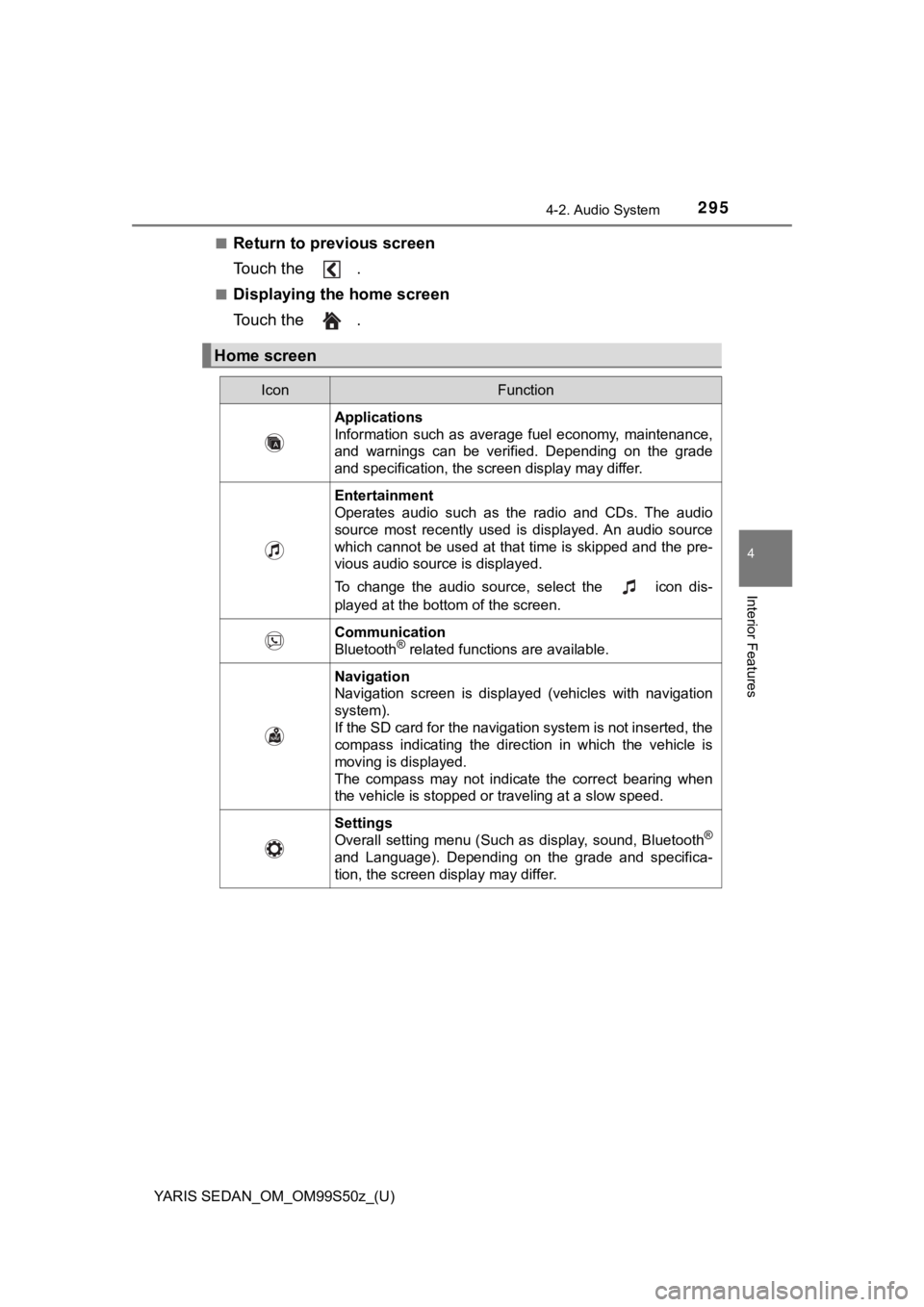
Home screen
IconFunction
Applications
Information such as average fuel economy, maintenance,
and warnings can be verified. Depending on the grade
and specification, the screen display may differ.
Entertainment
Operates audio such as the radio and CDs. The audio
source most recently used is displayed. An audio source
which cannot be used at that time is skipped and the pre-
vious audio source is displayed.
To change the audio source, select the icon dis-
played at the bottom of the screen.
Communication
Bluetooth® related functions are available.
Navigation
Navigation screen is displayed (vehicles with navigation
system).
If the SD card for the navigation system is not inserted, the
compass indicating the direction in which the vehicle is
moving is displayed.
The compass may not indicate the correct bearing when
the vehicle is stopped or traveling at a slow speed.
Settings
Overall setting menu (Such as display, sound, Bluetooth®
and Language). Depending on the grade and specifica-
tion, the screen display may differ.
Page 312 of 600
312
YARIS SEDAN_OM_OM99S50z_(U)
4-2. Audio System
Depending on the grade and specification, the screen display may differ.
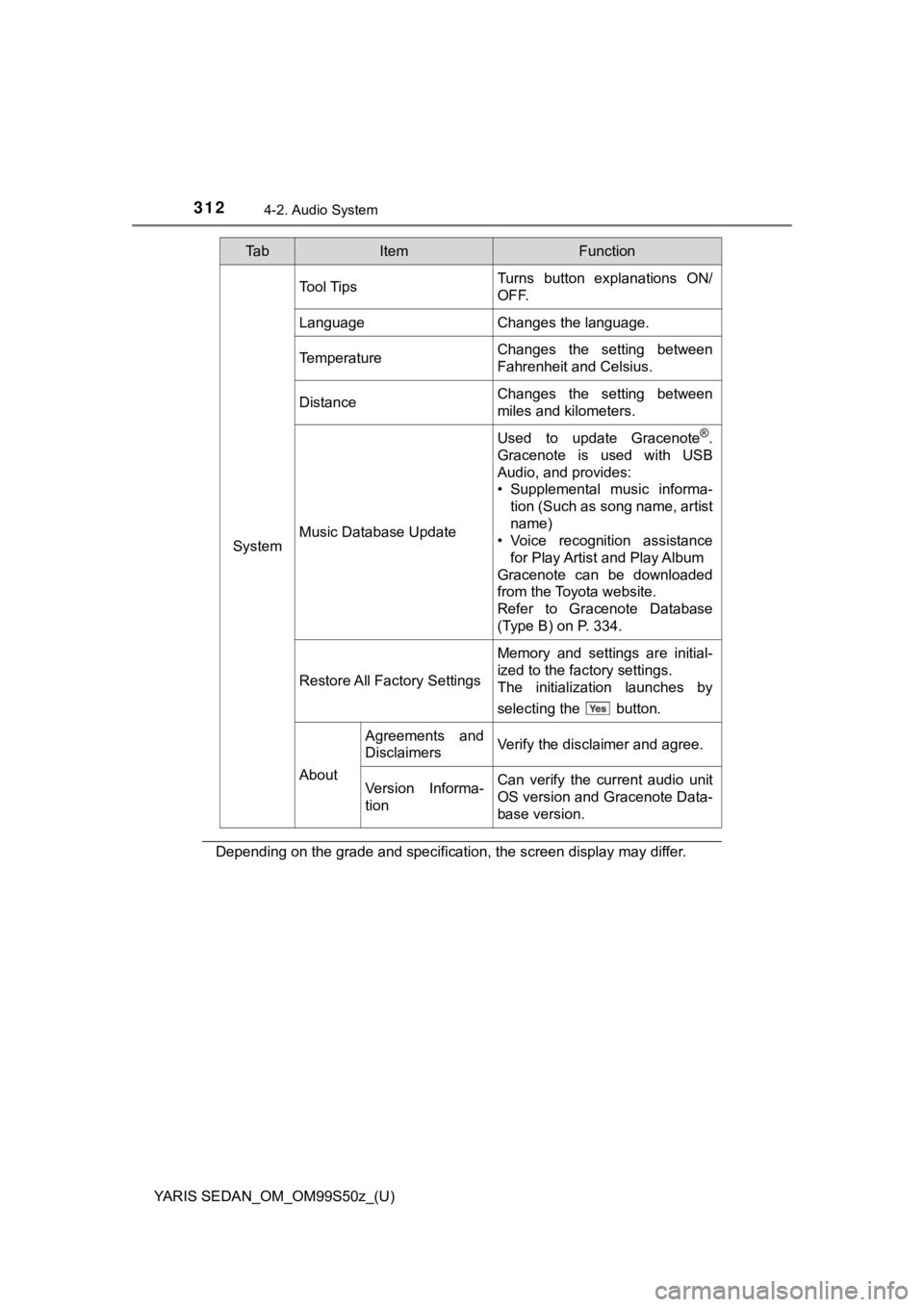
System
Tool TipsTurns button explanations ON/
OFF.
LanguageChanges the language.
TemperatureChanges the setting between
Fahrenheit and Celsius.
DistanceChanges the setting between
miles and kilometers.
Music Database Update
Used to update Gracenote®.
Gracenote is used with USB
Audio, and provides:
• Supplemental music informa- tion (Such as song name, artist
name)
• Voice recognition assistance
for Play Artist and Play Album
Gracenote can be downloaded
from the Toyota website.
Refer to Gracenote Database
(Type B) on P. 334.
Restore All Factory Settings
Memory and settings are initial-
ized to the factory settings.
The initialization launches by
selecting the button.
About
Agreements and
DisclaimersVerify the disclaimer and agree.
Version Informa-
tionCan verify the current audio unit
OS version and Gracenote Data-
base version.
Ta bItemFunction
Page 341 of 600
YARIS SEDAN_OM_OM99S50z_(U)
3414-3. Bluetooth®
4
Interior Features
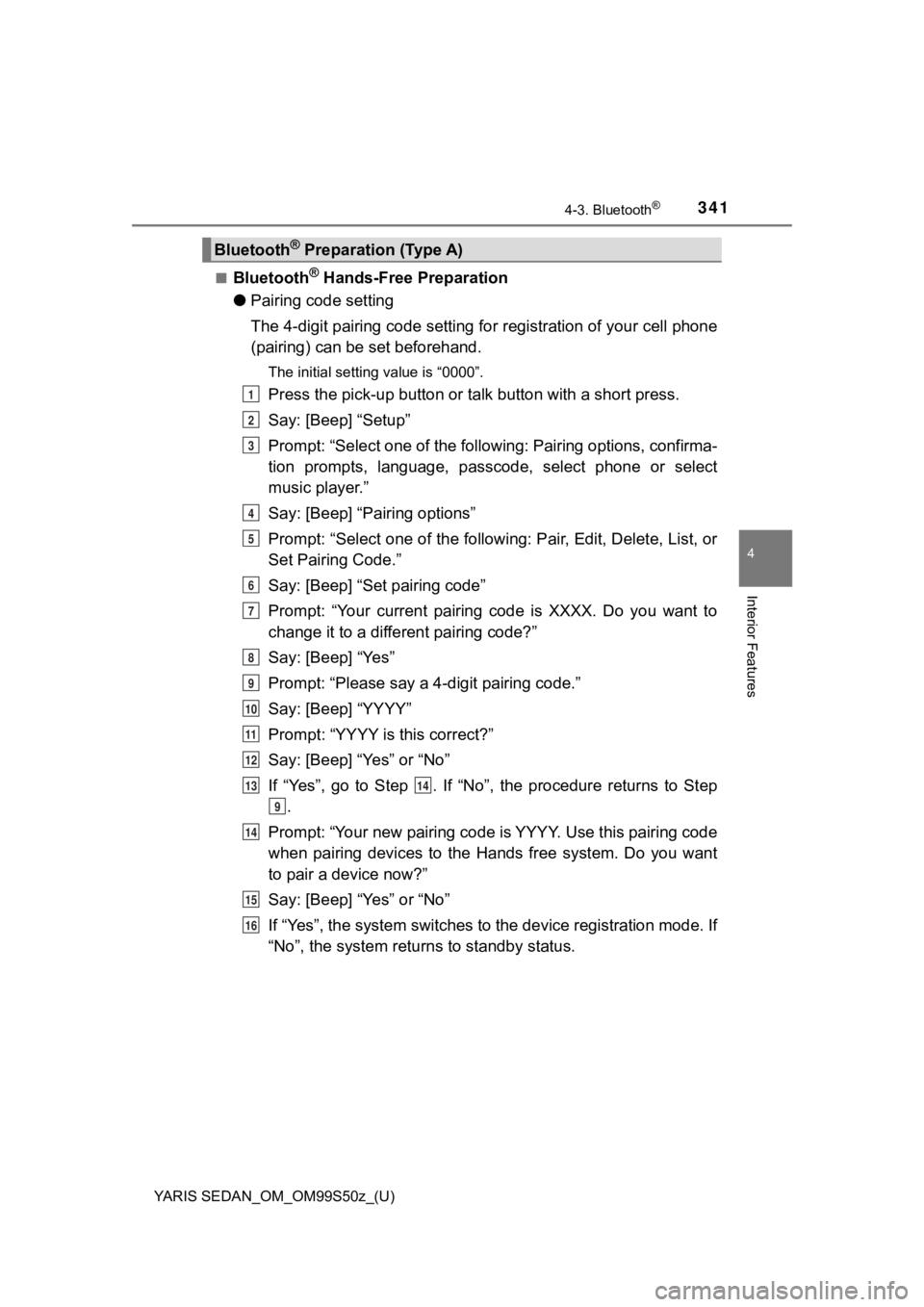
■Bluetooth® Hands-Free Preparation
● Pairing code setting
The 4-digit pairing code setting for registration of your cell phone
(pairing) can be set beforehand.
The initial setting value is “0000”.
Press the pick-up button or ta lk button with a short press.
Say: [Beep] “Setup”
Prompt: “Select one of the following: Pairing options, confirma -
tion prompts, language, passco de, select phone or select
music player.”
Say: [Beep] “Pairing options”
Prompt: “Select one of the following: Pair, Edit, Delete, List, or
Set Pairing Code.”
Say: [Beep] “Set pairing code”
Prompt: “Your current pairing code is XXXX. Do you want to
change it to a different pairing code?”
Say: [Beep] “Yes”
Prompt: “Please say a 4-digit pairing code.”
Say: [Beep] “YYYY”
Prompt: “YYYY is this correct?”
Say: [Beep] “Yes” or “No”
If “Yes”, go to Step . If “No”, the procedure returns to Step .
Prompt: “Your new pairing code is YYYY. Use this pairing code
when pairing devices to the Hands free system. Do you want
to pair a device now?”
Say: [Beep] “Yes” or “No”
If “Yes”, the system switches t o the device registration mode. If
“No”, the system returns to standby status.
Bluetooth® Preparation (Type A)
1
2
3
4
5
6
7
8
9
10
11
12
1314
9
14
15
16
Page 345 of 600
YARIS SEDAN_OM_OM99S50z_(U)
3454-3. Bluetooth®
4
Interior Features
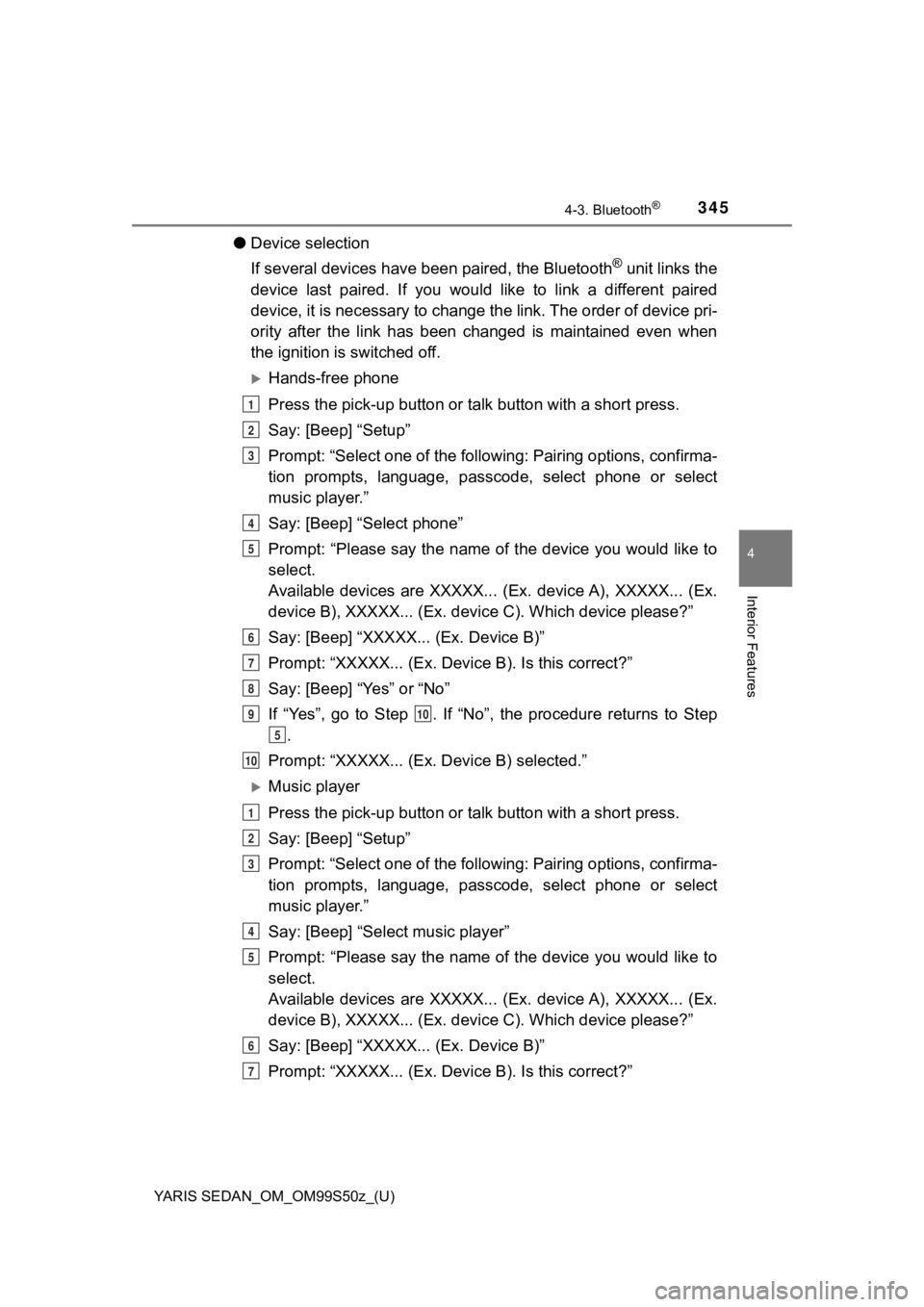
●Device selection
If several devices have been paired, the Bluetooth
® unit links the
device last paired. If you would like to link a different paire d
device, it is necessary to change the link. The order of device pri-
ority after the link has been changed is maintained even when
the ignition is switched off.
Hands-free phone
Press the pick-up button or ta lk button with a short press.
Say: [Beep] “Setup”
Prompt: “Select one of the following: Pairing options, confirma -
tion prompts, language, passco de, select phone or select
music player.”
Say: [Beep] “Select phone”
Prompt: “Please say the name of the device you would like to
select.
Available devices are XXXXX... (Ex. device A), XXXXX... (Ex.
device B), XXXXX... (Ex. devic e C). Which device please?”
Say: [Beep] “XXXXX... (Ex. Device B)”
Prompt: “XXXXX... (Ex. De vice B). Is this correct?”
Say: [Beep] “Yes” or “No”
If “Yes”, go to Step . If “No”, the procedure returns to Step .
Prompt: “XXXXX... (Ex. Device B) selected.”
Music player
Press the pick-up button or ta lk button with a short press.
Say: [Beep] “Setup”
Prompt: “Select one of the following: Pairing options, confirma -
tion prompts, language, passco de, select phone or select
music player.”
Say: [Beep] “Select music player”
Prompt: “Please say the name of the device you would like to
select.
Available devices are XXXXX... (Ex. device A), XXXXX... (Ex.
device B), XXXXX... (Ex. devic e C). Which device please?”
Say: [Beep] “XXXXX... (Ex. Device B)”
Prompt: “XXXXX... (Ex. De vice B). Is this correct?”
1
2
3
4
5
6
7
8
910
5
10
1
2
3
4
5
6
7
Page 356 of 600
356
YARIS SEDAN_OM_OM99S50z_(U)
4-3. Bluetooth®
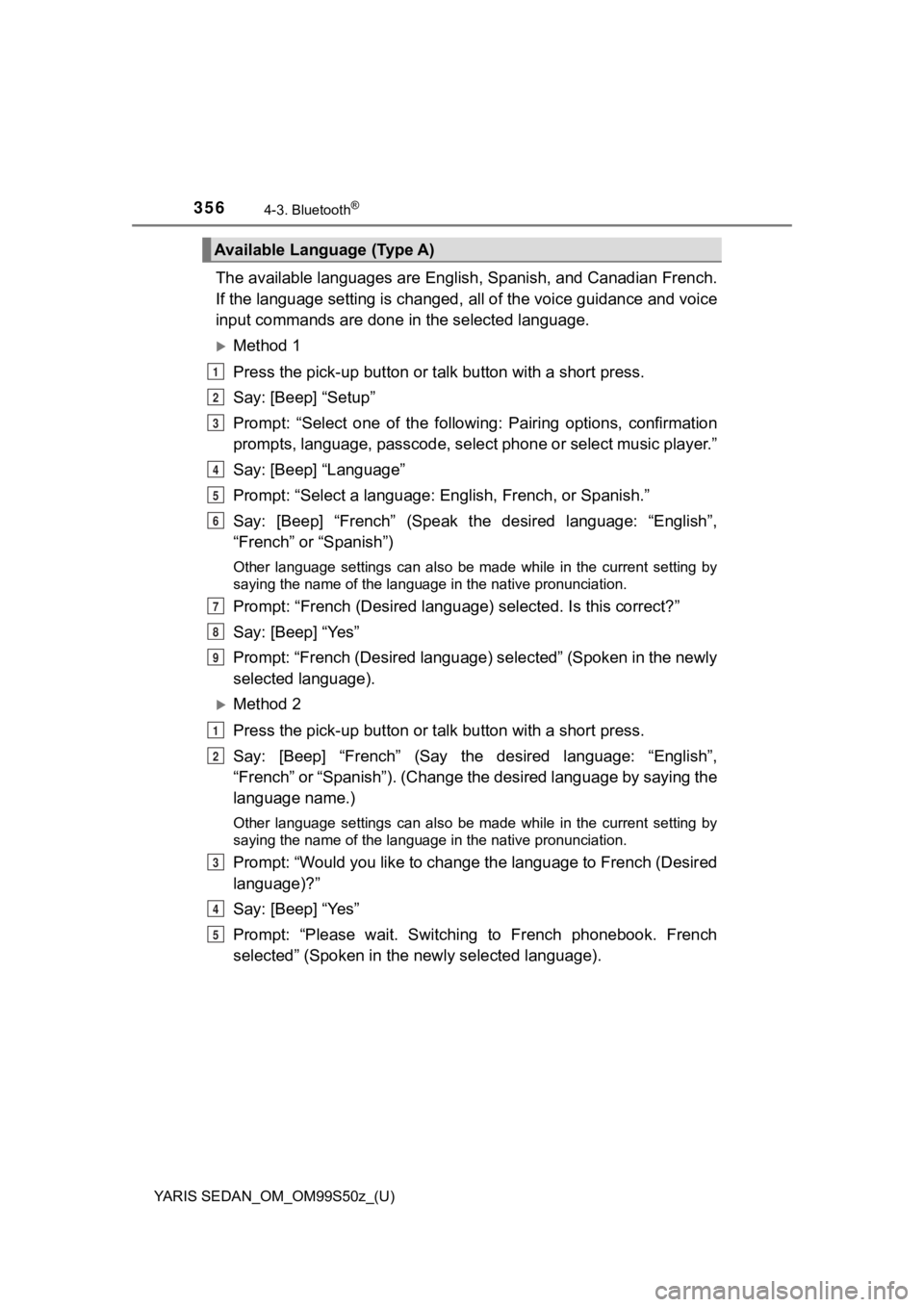
The available languages are English, Spanish, and Canadian French.
If the language setting is changed, all of the voice guidance and voice
input commands are done in the selected language.
Method 1
Press the pick-up button or talk button with a short press.
Say: [Beep] “Setup”
Prompt: “Select one of the follo wing: Pairing options, confirmation
prompts, language, passcode, select phone or select music playe r. ”
Say: [Beep] “Language”
Prompt: “Select a language: English, French, or Spanish.”
Say: [Beep] “French” (Speak the desired language: “English”,
“French” or “Spanish”)
Other language settings can also be made while in the current setting by
saying the name of the language in the native pronunciation.
Prompt: “French (Desired langu age) selected. Is this correct?”
Say: [Beep] “Yes”
Prompt: “French (Desired language) selected” (Spoken in the new ly
selected language).
Method 2
Press the pick-up button or talk button with a short press.
Say: [Beep] “French” (Say the desired language: “English”,
“French” or “Spanish”). (Change the desired language by saying the
language name.)
Other language settings can also be made while in the current setting by
saying the name of the language in the native pronunciation.
Prompt: “Would you like to change the language to French (Desir ed
language)?”
Say: [Beep] “Yes”
Prompt: “Please wait. Switching to French phonebook. French
selected” (Spoken in the newly selected language).
Available Language (Type A)
1
2
3
4
5
6
7
8
9
1
2
3
4
5
Page 357 of 600
YARIS SEDAN_OM_OM99S50z_(U)
3574-3. Bluetooth®
4
Interior Features
●If the language setting is changed, device registration is main tained.
● Phonebook records are not cleared, but each language has a sepa rate
phonebook. Therefore, entries created in one language will need to be re-
entered in the phonebook of the new language.
● Do these steps before you start driving. These less used functions are too
distracting to undertake while driving until you are fully fami liar with the sys-
tem.
In this section, the basic opera tion of the voice recognition is
explained.
■Activating Voic e Recognition
To Activate the Main Menu: Press the pick-up button or talk but ton
with a short press.
■Ending Voice Recognition
Use one of the following methods: • Press and hold the talk-button.
• Press the hang-up button.
■Skipping Voice Guidance (for faster operation)
Press and release the talk-button.
■Tu t o r i a l
The tutorial explains how to use Bluetooth
® Hands-Free.
To activate the tutori al, do the following:
Press the pick-up button or talk button with a short press.
Say: [Beep] “Tutorial”
Follow the prompts to receive the appropriate voice guidance
instructions.
Voice Recognition (Type A)
1
2
3
Page 395 of 600
YARIS SEDAN_OM_OM99S50z_(U)
3954-3. Bluetooth®
4
Interior Features
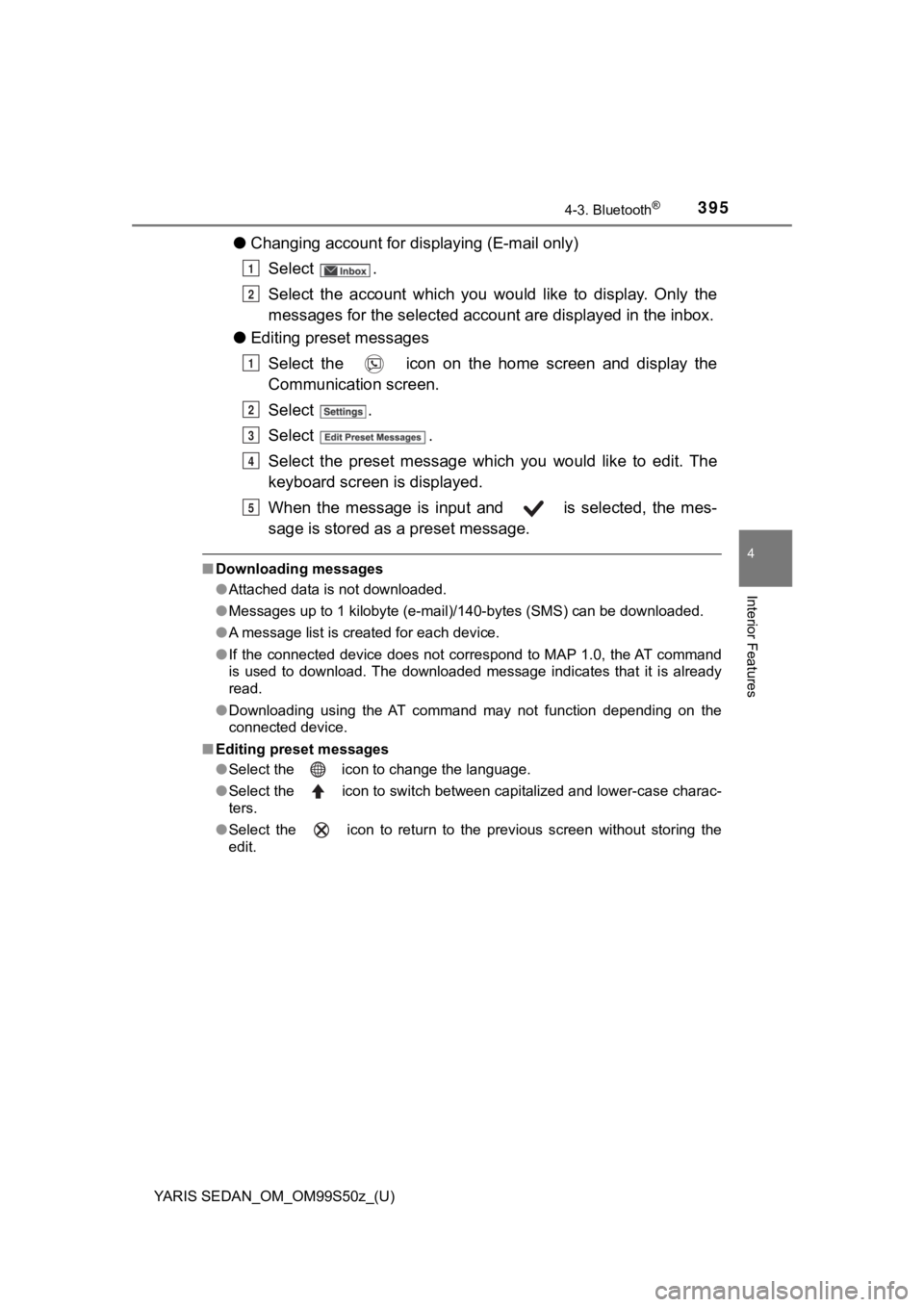
●Changing account for displaying (E-mail only)
Select .
Select the account which you would like to display. Only the
messages for the sele cted account are displayed in the inbox.
● Editing preset messages
Select the icon on the home screen and display the
Communication screen.
Select .
Select .
Select the preset message which you would like to edit. The
keyboard screen is displayed.
When the message is input and is selected, the mes-
sage is stored as a preset message.
■ Downloading messages
●Attached data is not downloaded.
● Messages up to 1 kilobyte (e-mail)/140-bytes (SMS) can be downl oaded.
● A message list is created for each device.
● If the connected device does not correspond to MAP 1.0, the AT command
is used to download. The downloaded message indicates that it i s already
read.
● Downloading using the AT command may not function depending on the
connected device.
■ Editing preset messages
●Select the icon to change the language.
● Select the icon to switch between capitalized and lower-case charac-
ters.
● Select the icon to return to the previous screen without stori ng the
edit.
1
2
1
2
3
4
5
Page 589 of 600
5898-3. Customizable Features
YARIS SEDAN_OM_OM99S50z_(U)
8
Specifications
●Leaving home light ( P. 186)
● Turn indicator ( P. 189)
● Three-flash turn signal ( P. 190)
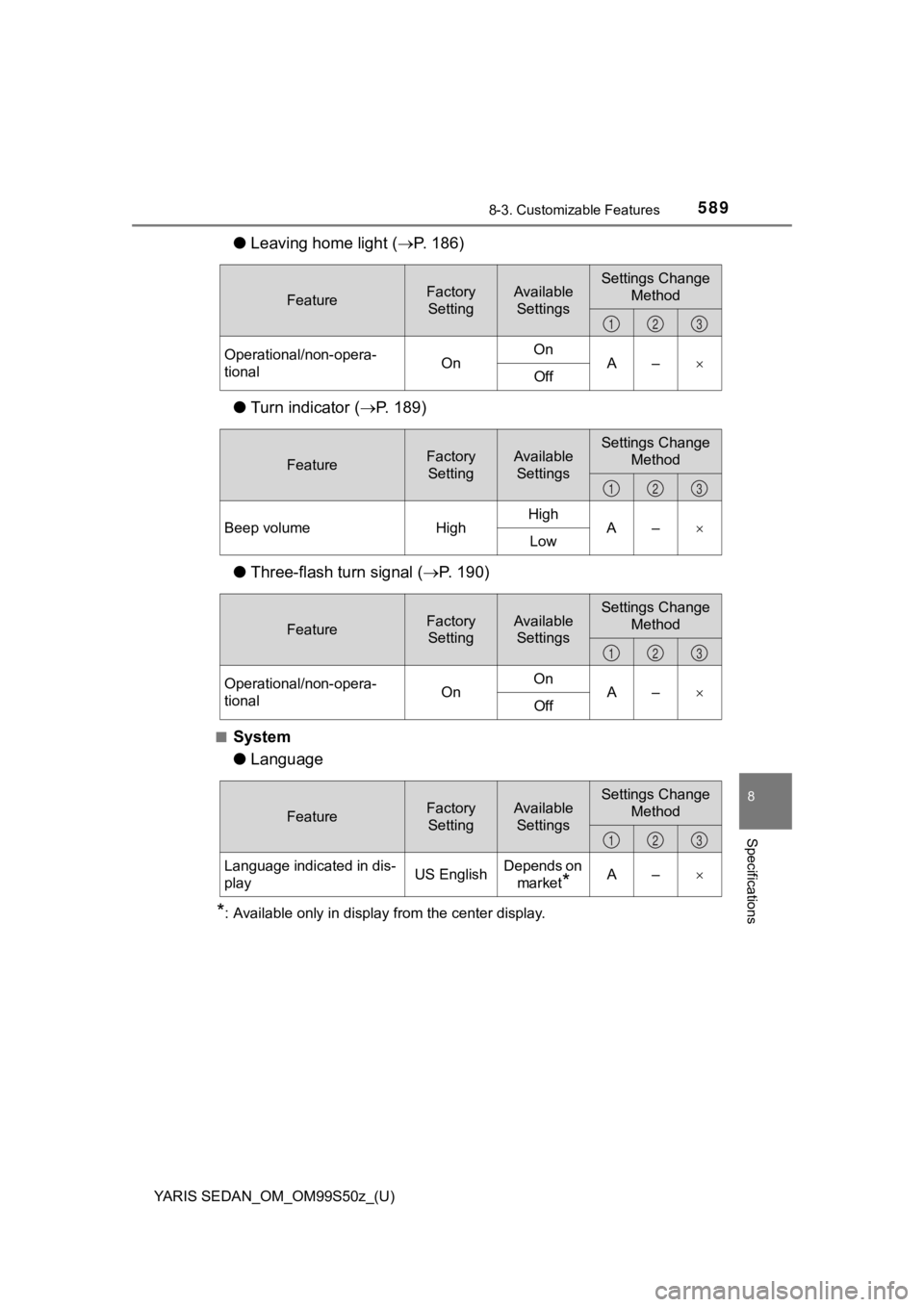
■System
● Language
*: Available only in display from the center display.
FeatureFactory
SettingAvailable SettingsSettings Change Method
Operational/non-opera-
tional OnOn
A–
Off
123
FeatureFactory
SettingAvailable SettingsSettings Change Method
Beep volume HighHigh
A–
Low
123
FeatureFactory
SettingAvailable SettingsSettings Change Method
Operational/non-opera-
tional OnOn
A–
Off
123
FeatureFactory
SettingAvailable SettingsSettings Change Method
Language indicated in dis-
play US EnglishDepends on
market
*A–
123