display TOYOTA YARIS 2019 Owners Manual
[x] Cancel search | Manufacturer: TOYOTA, Model Year: 2019, Model line: YARIS, Model: TOYOTA YARIS 2019Pages: 700, PDF Size: 65.2 MB
Page 394 of 700
3945-5. Using an external device
YARIS_F_OM_Europe_OM52K19E
Using the AUX port
P. 3 6 3
■Operating portable audio devices connected to the audio system
The volume can be adjusted using the vehicle’s audio controls. All other
adjustments must be made on the portable audio device itself.
■ When using a portable audio device connected to the power outlet
Noise may occur during playback. Use the power source of the portable
audio device.
: If equipped
This port can be used to connect a portable audio device and lis-
ten to it using the vehicle’s speakers. Press the “MODE” button
until “AUX” is displayed.
Connecting a portable player
Page 397 of 700
3975-6. Using Bluetooth® devices
5
Audio system
YARIS_F_OM_Europe_OM52K19E
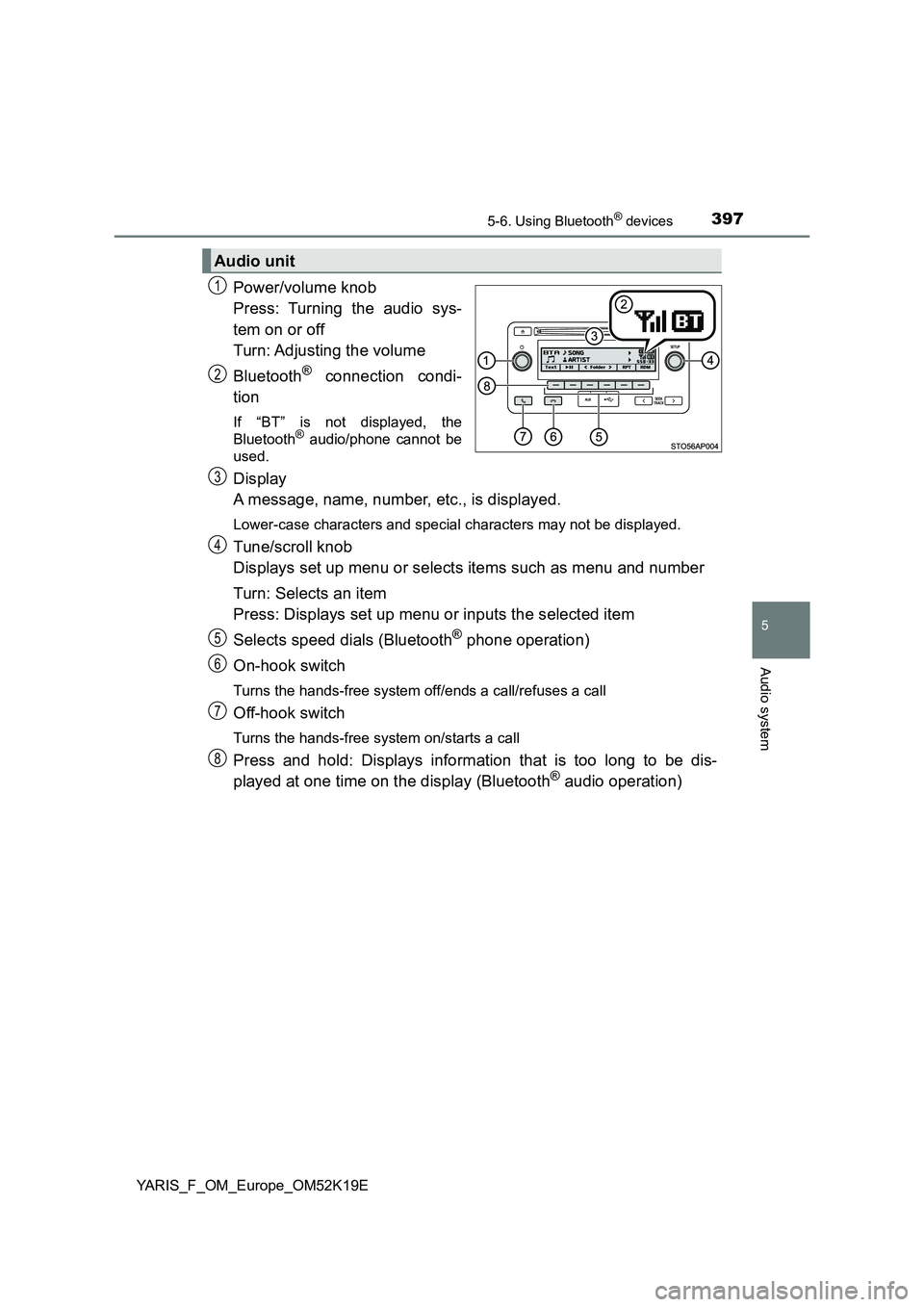
Power/volume knob
Press: Turning the audio sys-
tem on or off
Turn: Adjusting the volume
Bluetooth® connection condi-
tion
If “BT” is not displayed, the
Bluetooth® audio/phone cannot be
used.
Display
A message, name, number, etc., is displayed.
Lower-case characters and special characters may not be displayed.
Tune/scroll knob
Displays set up menu or selects items such as menu and number
Turn: Selects an item
Press: Displays set up menu or inputs the selected item
Selects speed dials (Bluetooth® phone operation)
On-hook switch
Turns the hands-free system off/ends a call/refuses a call
Off-hook switch
Turns the hands-free system on/starts a call
Press and hold: Displays information that is too long to be dis-
played at one time on the display (Bluetooth® audio operation)
Audio unit
1
2
3
4
5
6
7
8
Page 399 of 700
3995-6. Using Bluetooth® devices
5
Audio system
YARIS_F_OM_Europe_OM52K19E
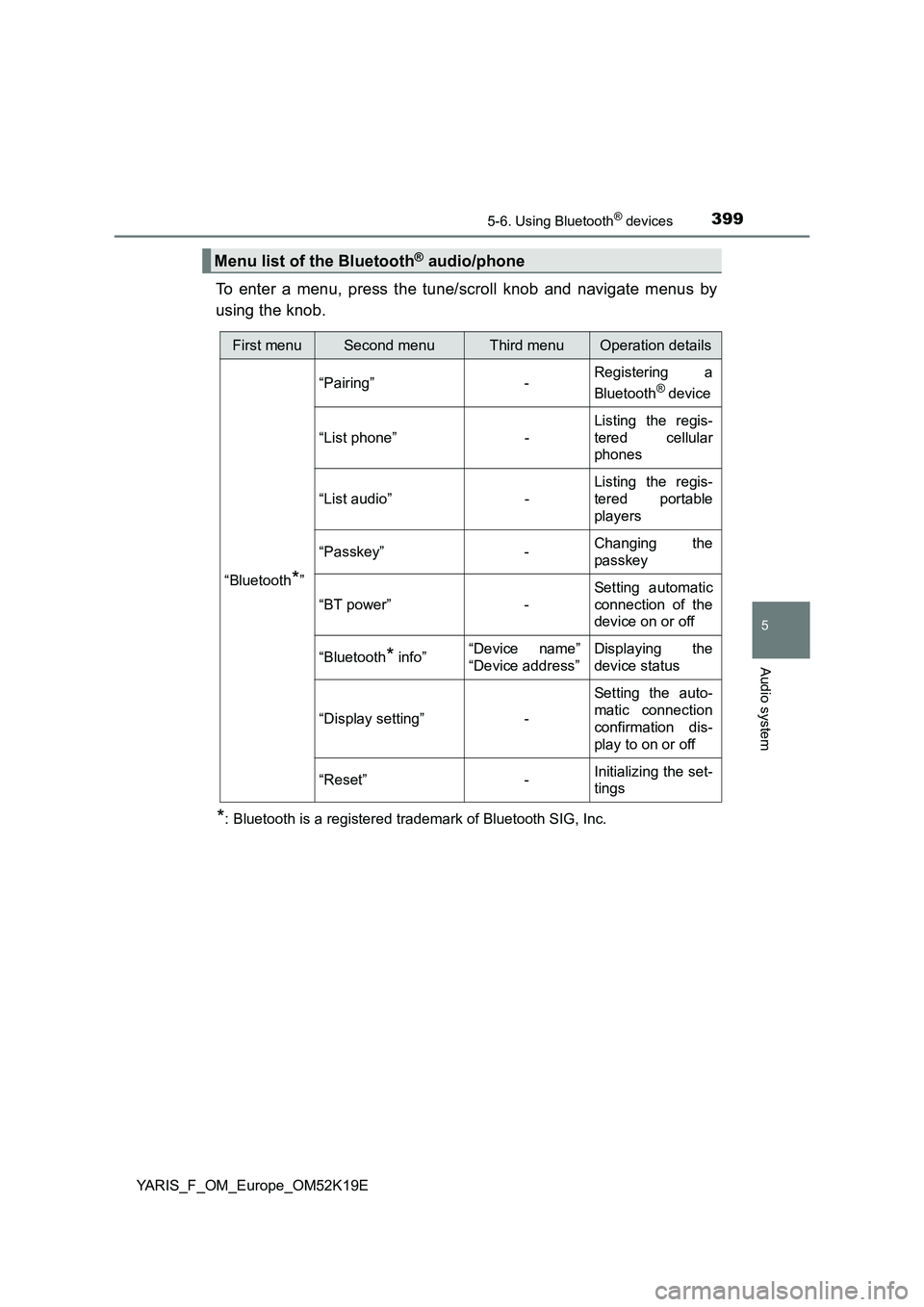
To enter a menu, press the tune/scroll knob and navigate menus by
using the knob.
*: Bluetooth is a registered trademark of Bluetooth SIG, Inc.
Menu list of the Bluetooth® audio/phone
First menuSecond menuThird menuOperation details
“Bluetooth*”
“Pairing” - Registering a
Bluetooth® device
“List phone” -
Listing the regis-
tered cellular
phones
“List audio” -
Listing the regis-
tered portable
players
“Passkey” - Changing the
passkey
“BT power” -
Setting automatic
connection of the
device on or off
“Bluetooth* info” “Device name”
“Device address”
Displaying the
device status
“Display setting” -
Setting the auto-
matic connection
confirmation dis-
play to on or off
“Reset” - Initializing the set-
tings
Page 402 of 700
4025-6. Using Bluetooth® devices
YARIS_F_OM_Europe_OM52K19E
Registering a Bluetooth® device
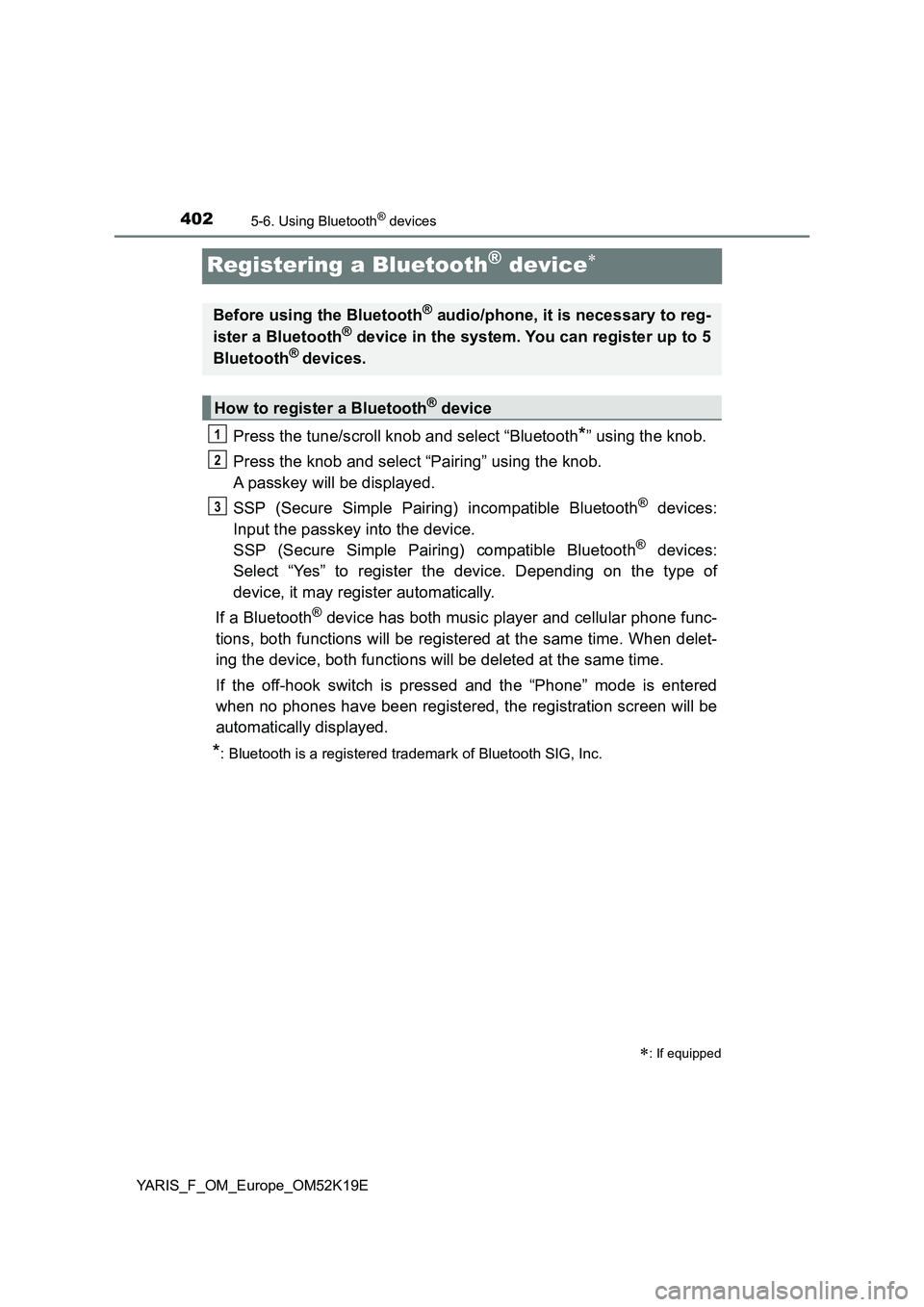
Press the tune/scroll knob and select “Bluetooth*” using the knob.
Press the knob and select “Pairing” using the knob.
A passkey will be displayed.
SSP (Secure Simple Pairing) incompatible Bluetooth® devices:
Input the passkey into the device.
SSP (Secure Simple Pairing) compatible Bluetooth® devices:
Select “Yes” to register the device. Depending on the type of
device, it may register automatically.
If a Bluetooth® device has both music player and cellular phone func-
tions, both functions will be registered at the same time. When delet-
ing the device, both functions will be deleted at the same time.
If the off-hook switch is pressed and the “Phone” mode is entered
when no phones have been registered, the registration screen will be
automatically displayed.
*: Bluetooth is a registered trademark of Bluetooth SIG, Inc.
: If equipped
Before using the Bluetooth® audio/phone, it is necessary to reg-
ister a Bluetooth® device in the system. You can register up to 5
Bluetooth® devices.
How to register a Bluetooth® device
1
2
3
Page 403 of 700
4035-7. “SETUP” menu
5
Audio system
YARIS_F_OM_Europe_OM52K19E
Using the “SETUP” menu (“Bluetooth*”
menu)
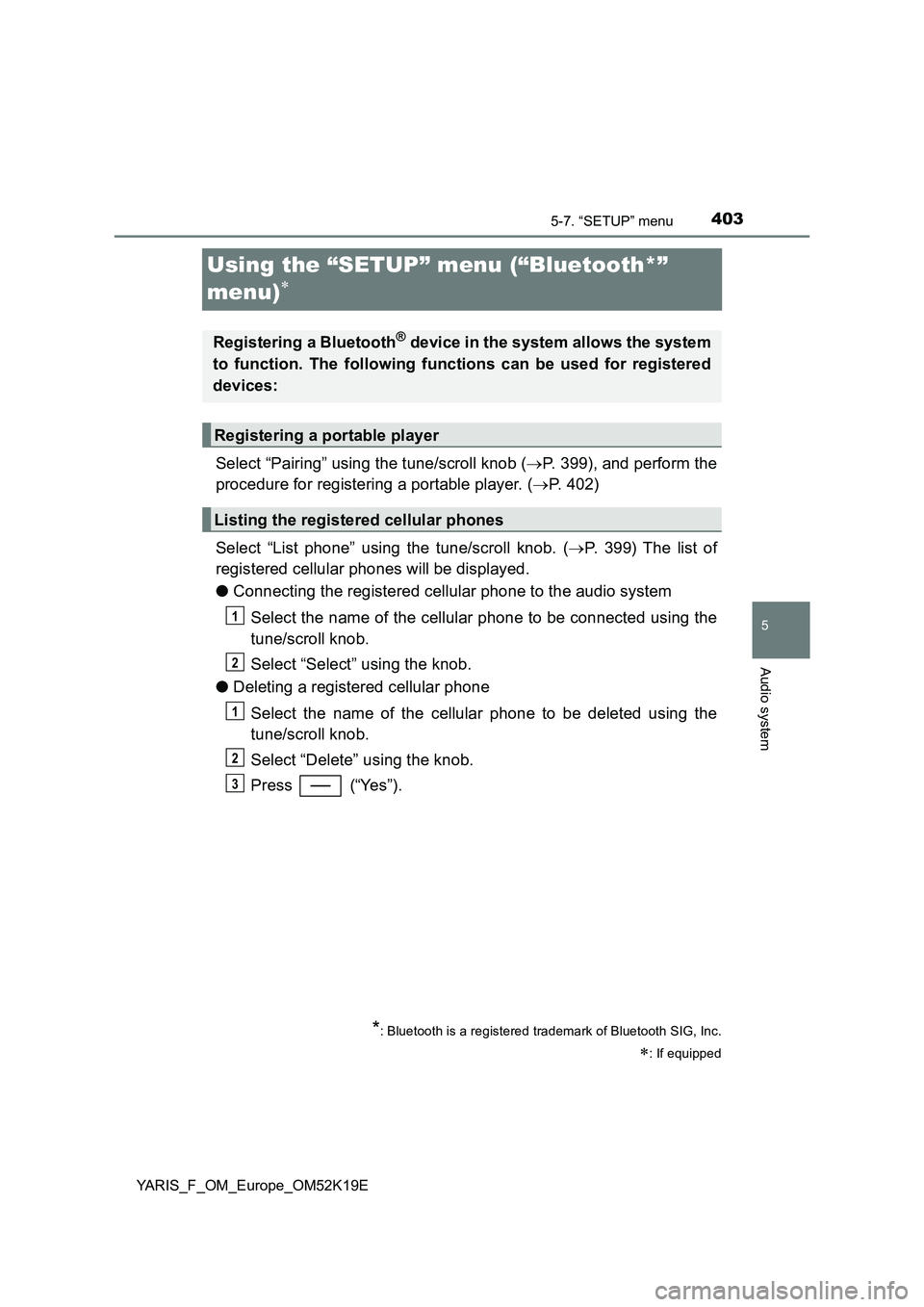
Select “Pairing” using the tune/scroll knob ( P. 399), and perform the
procedure for registering a portable player. ( P. 402)
Select “List phone” using the tune/scroll knob. ( P. 399) The list of
registered cellular phones will be displayed.
● Connecting the registered cellular phone to the audio system
Select the name of the cellular phone to be connected using the
tune/scroll knob.
Select “Select” using the knob.
● Deleting a registered cellular phone
Select the name of the cellular phone to be deleted using the
tune/scroll knob.
Select “Delete” using the knob.
Press (“Yes”).
*: Bluetooth is a registered trademark of Bluetooth SIG, Inc.
: If equipped
Registering a Bluetooth® device in the system allows the system
to function. The following functions can be used for registered
devices:
Registering a portable player
Listing the registered cellular phones
1
2
1
2
3
Page 404 of 700
4045-7. “SETUP” menu
YARIS_F_OM_Europe_OM52K19E
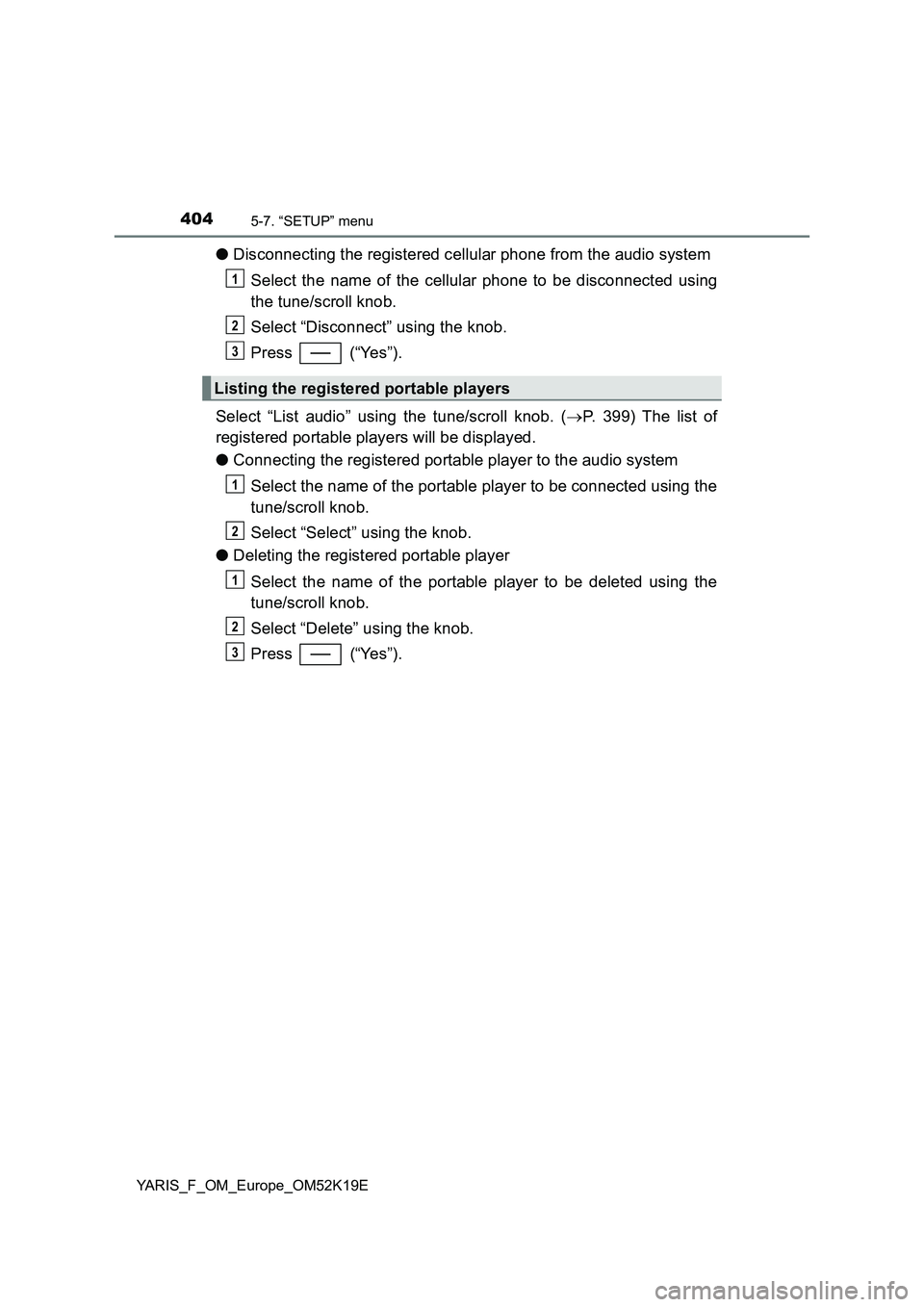
●Disconnecting the registered cellular phone from the audio system
Select the name of the cellular phone to be disconnected using
the tune/scroll knob.
Select “Disconnect” using the knob.
Press (“Yes”).
Select “List audio” using the tune/scroll knob. ( P. 399) The list of
registered portable players will be displayed.
● Connecting the registered portable player to the audio system
Select the name of the portable player to be connected using the
tune/scroll knob.
Select “Select” using the knob.
● Deleting the registered portable player
Select the name of the portable player to be deleted using the
tune/scroll knob.
Select “Delete” using the knob.
Press (“Yes”).
Listing the registered portable players
1
2
3
1
2
1
2
3
Page 406 of 700
4065-7. “SETUP” menu
YARIS_F_OM_Europe_OM52K19E
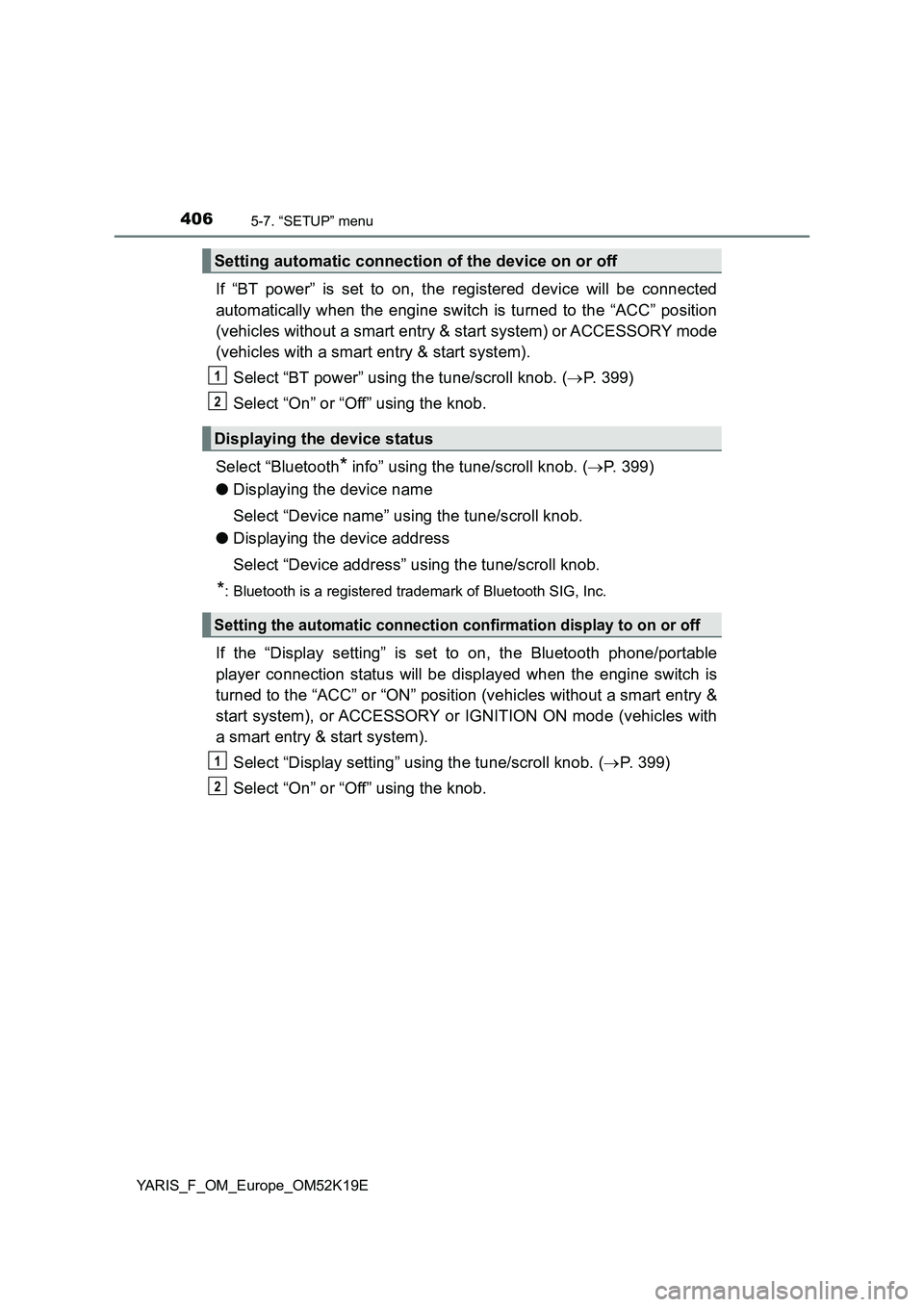
If “BT power” is set to on, the registered device will be connected
automatically when the engine switch is turned to the “ACC” position
(vehicles without a smart entry & start system) or ACCESSORY mode
(vehicles with a smart entry & start system).
Select “BT power” using the tune/scroll knob. ( P. 399)
Select “On” or “Off” using the knob.
Select “Bluetooth* info” using the tune/scroll knob. ( P. 399)
● Displaying the device name
Select “Device name” using the tune/scroll knob.
● Displaying the device address
Select “Device address” using the tune/scroll knob.
*: Bluetooth is a registered trademark of Bluetooth SIG, Inc.
If the “Display setting” is set to on, the Bluetooth phone/portable
player connection status will be displayed when the engine switch is
turned to the “ACC” or “ON” position (vehicles without a smart entry &
start system), or ACCESSORY or IGNITION ON mode (vehicles with
a smart entry & start system).
Select “Display setting” using the tune/scroll knob. ( P. 399)
Select “On” or “Off” using the knob.
Setting automatic connection of the device on or off
Displaying the device status
Setting the automatic connection confirmation display to on or off
1
2
1
2
Page 407 of 700
4075-7. “SETUP” menu
5
Audio system
YARIS_F_OM_Europe_OM52K19E
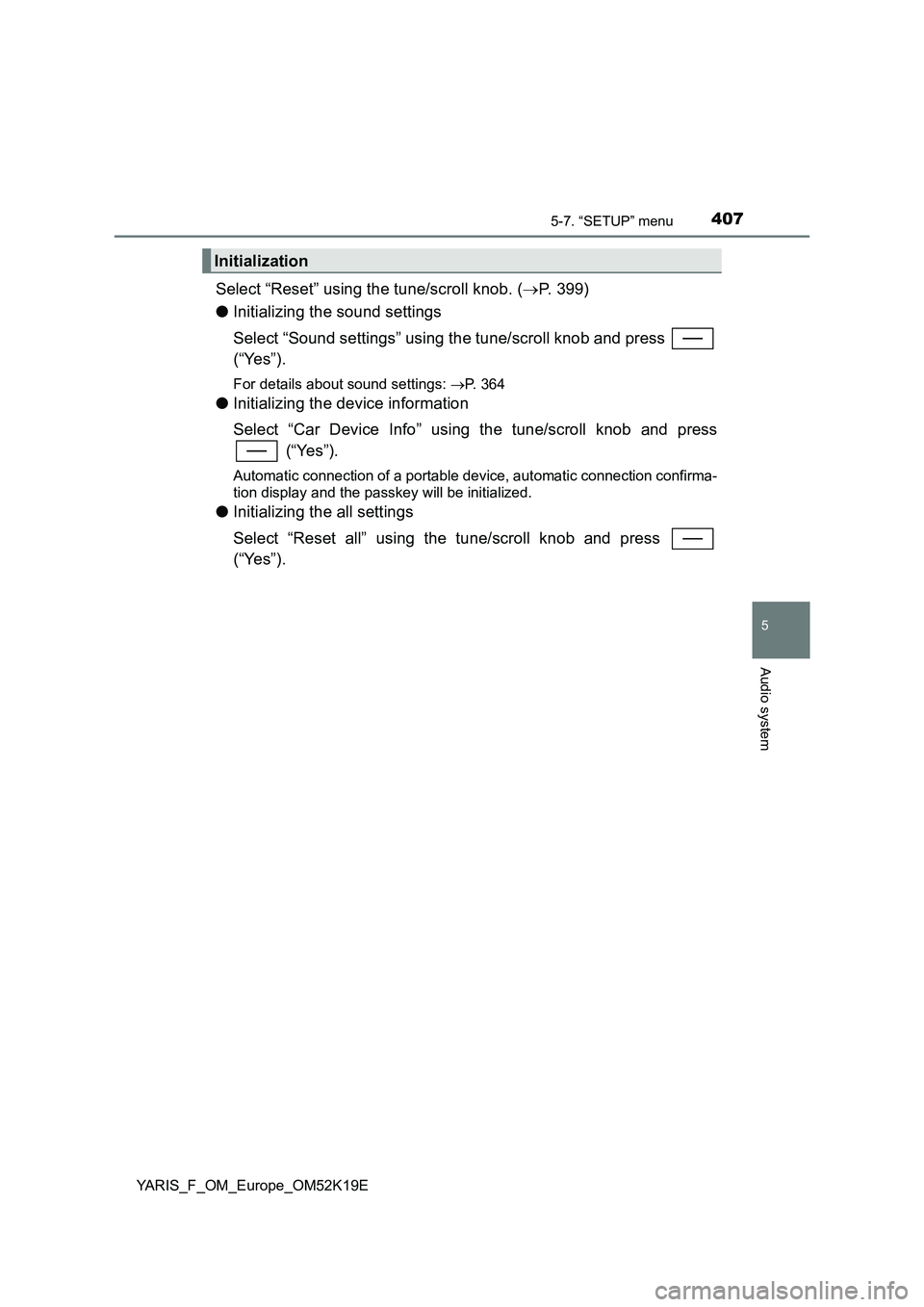
Select “Reset” using the tune/scroll knob. (P. 399)
● Initializing the sound settings
Select “Sound settings” using the tune/scroll knob and press
(“Yes”).
For details about sound settings: P. 364
●Initializing the device information
Select “Car Device Info” using the tune/scroll knob and press
(“Yes”).
Automatic connection of a portable device, automatic connection confirma-
tion display and the passkey will be initialized.
● Initializing the all settings
Select “Reset all” using the tune/scroll knob and press
(“Yes”).
Initialization
Page 410 of 700
4105-7. “SETUP” menu
YARIS_F_OM_Europe_OM52K19E
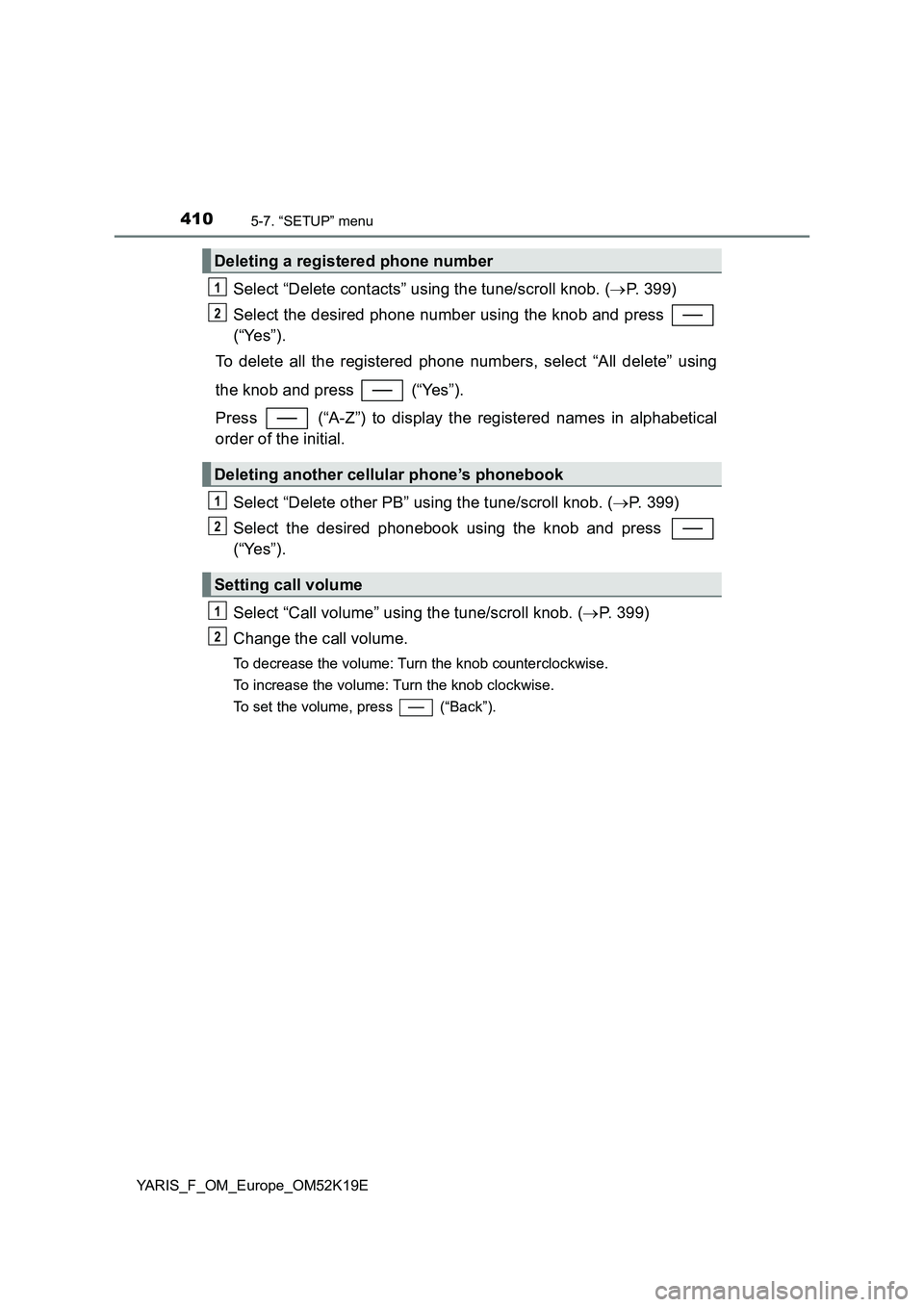
Select “Delete contacts” using the tune/scroll knob. (P. 399)
Select the desired phone number using the knob and press
(“Yes”).
To delete all the registered phone numbers, select “All delete” using
the knob and press (“Yes”).
Press (“A-Z”) to display the registered names in alphabetical
order of the initial.
Select “Delete other PB” using the tune/scroll knob. ( P. 399)
Select the desired phonebook using the knob and press
(“Yes”).
Select “Call volume” using the tune/scroll knob. ( P. 399)
Change the call volume.
To decrease the volume: Turn the knob counterclockwise.
To increase the volume: Turn the knob clockwise.
To set the volume, press (“Back”).
Deleting a registered phone number
Deleting another cellular phone’s phonebook
Setting call volume
1
2
1
2
1
2
Page 412 of 700
4125-8. Bluetooth® Audio
YARIS_F_OM_Europe_OM52K19E
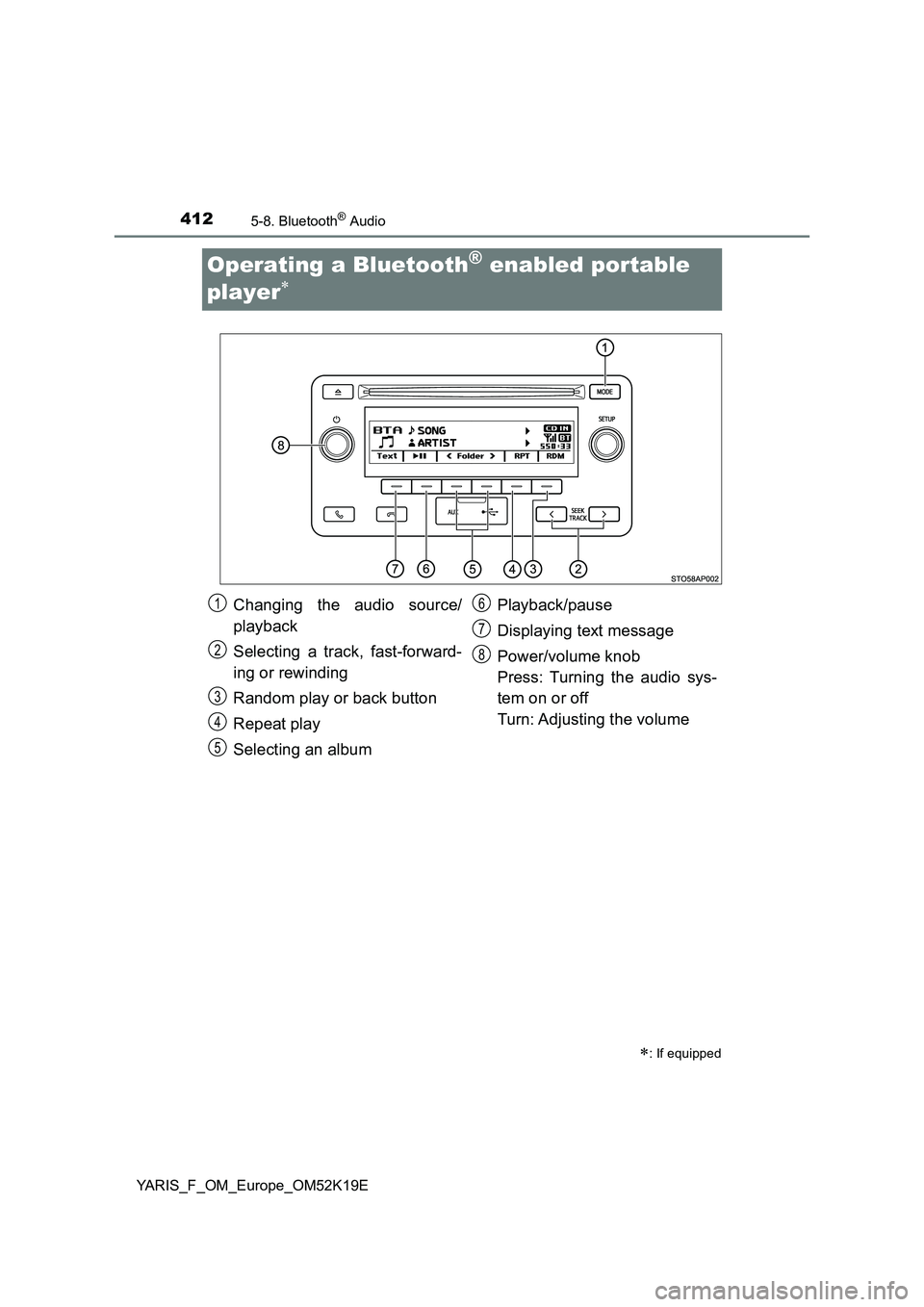
Operating a Bluetooth® enabled portable
player
: If equipped
Changing the audio source/
playback
Selecting a track, fast-forward-
ing or rewinding
Random play or back button
Repeat play
Selecting an album
Playback/pause
Displaying text message
Power/volume knob
Press: Turning the audio sys-
tem on or off
Turn: Adjusting the volume
1
2
3
4
5
6
7
8