display TOYOTA YARIS 2019 Manual Online
[x] Cancel search | Manufacturer: TOYOTA, Model Year: 2019, Model line: YARIS, Model: TOYOTA YARIS 2019Pages: 700, PDF Size: 65.2 MB
Page 347 of 700
3474-6. Using the driving support systems
4
Driving
YARIS_F_OM_Europe_OM52K19E
NOTICE
■To ensure the system operates correctly
If any one of the following situations occurs, the Stop & Start system may
not operate correctly, thus, please have your vehicle checked by any autho-
rized Toyota retailer or Toyota authorized repairer, or any reliable repairer.
● While the driver’s seat belt is fastened, the driver’s and front passenger’s
seat belt reminder light flashes.
● Even when the driver’s seat belt is not fastened, the driver’s and front pas-
senger’s seat belt reminder light remains off.
● Vehicles with monochrome display: Even though the driver’ door is closed,
the open door warning light is illuminated or the interior light is illuminated
when the interior light switch is in the door position.
● Vehicles with color display: Even though the driver’ door is closed, the
open door warning is displayed on the multi-information display or the inte-
rior light is illuminated when the interior light switch is in the door position.
● Vehicles with monochrome display: Even though the driver’ door is open,
the open door warning light does not illuminate or the interior light does not
illuminate when the interior light switch is in the door position.
● Vehicles with color display: Even though the driver’ door is open, the open
door warning is not displayed on the multi-information display or the inte-
rior light does not illuminate when the interior light switch is in the door
position.
Page 349 of 700
3494-6. Using the driving support systems
4
Driving
YARIS_F_OM_Europe_OM52K19E
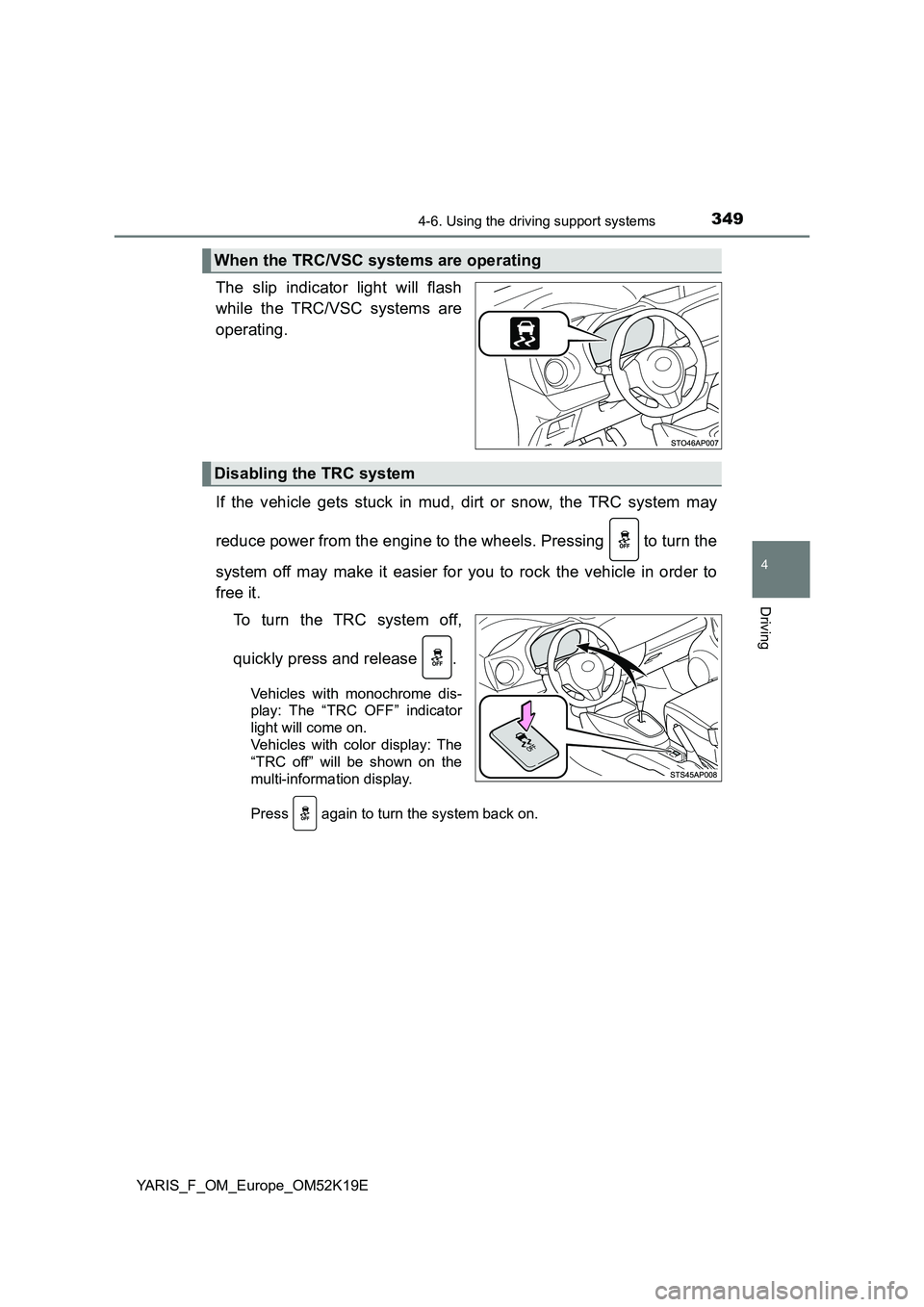
The slip indicator light will flash
while the TRC/VSC systems are
operating.
If the vehicle gets stuck in mud, dirt or snow, the TRC system may
reduce power from the engine to the wheels. Pressing to turn the
system off may make it easier for you to rock the vehicle in order to
free it.
To turn the TRC system off,
quickly press and release .
Vehicles with monochrome dis-
play: The “TRC OFF” indicator
light will come on.
Vehicles with color display: The
“TRC off” will be shown on the
multi-information display.
Press again to turn the system back on.
When the TRC/VSC systems are operating
Disabling the TRC system
Page 350 of 700
3504-6. Using the driving support systems
YARIS_F_OM_Europe_OM52K19E
■Turning off both TRC and VSC systems
Vehicles with monochrome display
To turn the TRC and VSC systems off, press and hold for more than 3
seconds while the vehicle is stopped.
The “TRC OFF” indicator light and the VSC OFF indicator light will come on.
Press again to turn the systems back on.
Vehicles with color display
To turn TRC and VSC systems off, press and hold for more than 3 sec-
onds while the vehicle is stopped.
The VSC OFF indicator light will come on and the “TRC off” will be shown on
the multi-information display.*
Press again to turn the systems back on.
*: On vehicles with pre-crash safety system, pre-crash brake assist and pre-
crash braking will also be disabled. The PCS warning light will come on.
( P. 309)
■ When the “TRC OFF” indicator light comes on even if has not been
pressed (vehicles with monochrome display)
TRC is temporary deactivated. If the indicator light continues to remain on,
contact any authorized Toyota retailer or Toyota authorized repairer, or any
reliable repairer.
■ When the message is displayed on the multi-information display show-
ing that TRC has been disabled even if has not been pressed (vehi-
cles with color display)
TRC is temporary deactivated. If the information continues to show, contact
any authorized Toyota retailer or Toyota authorized repairer, or any reliable
repairer.
Page 364 of 700
3645-2. Using the audio system
YARIS_F_OM_Europe_OM52K19E
Optimal use of the audio system
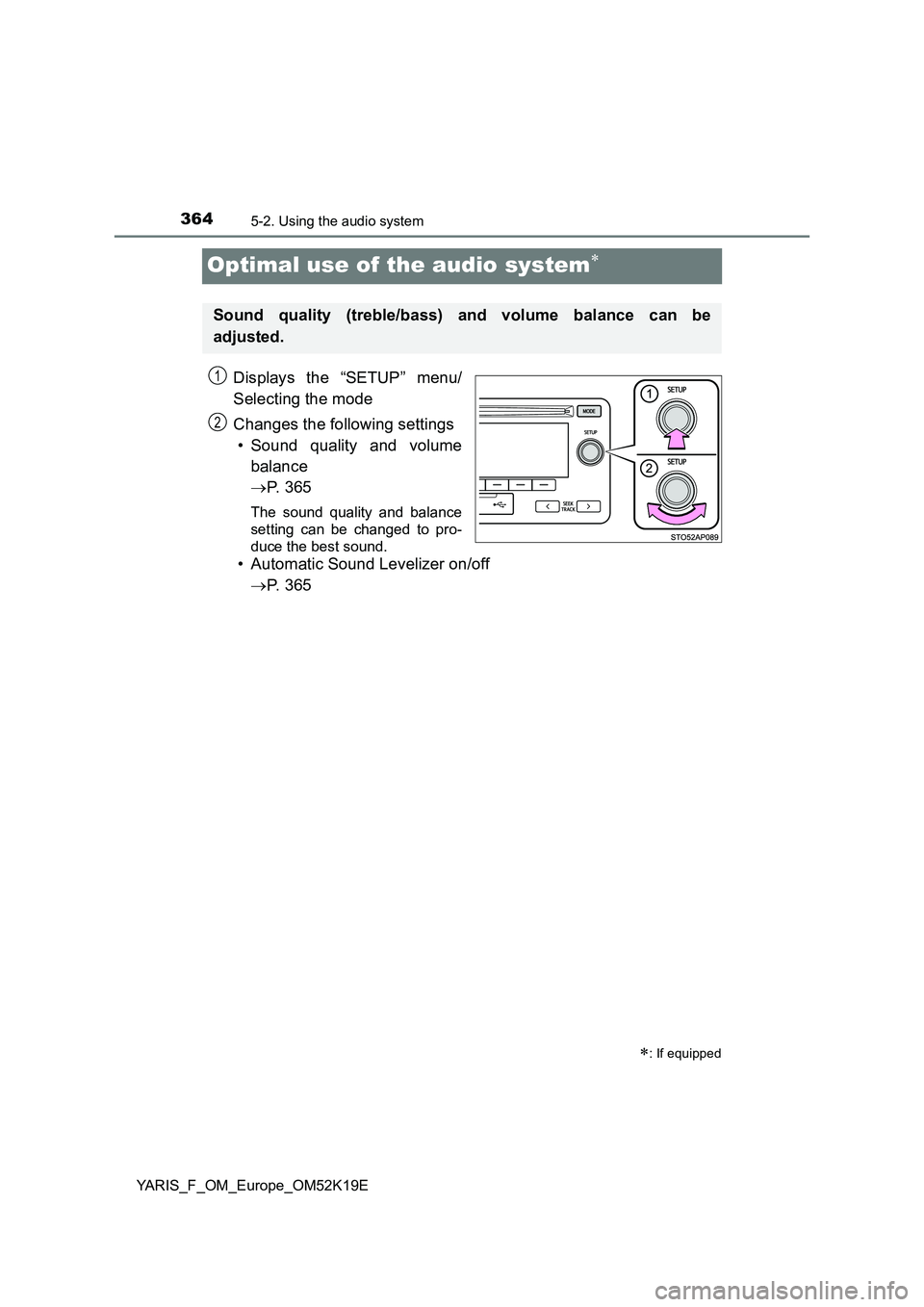
Displays the “SETUP” menu/
Selecting the mode
Changes the following settings
• Sound quality and volume
balance
P. 3 6 5
The sound quality and balance
setting can be changed to pro-
duce the best sound.
• Automatic Sound Levelizer on/off
P. 3 6 5
: If equipped
Sound quality (treble/bass) and volume balance can be
adjusted.
STO51AP005
1
2
Page 365 of 700
3655-2. Using the audio system
5
Audio system
YARIS_F_OM_Europe_OM52K19E
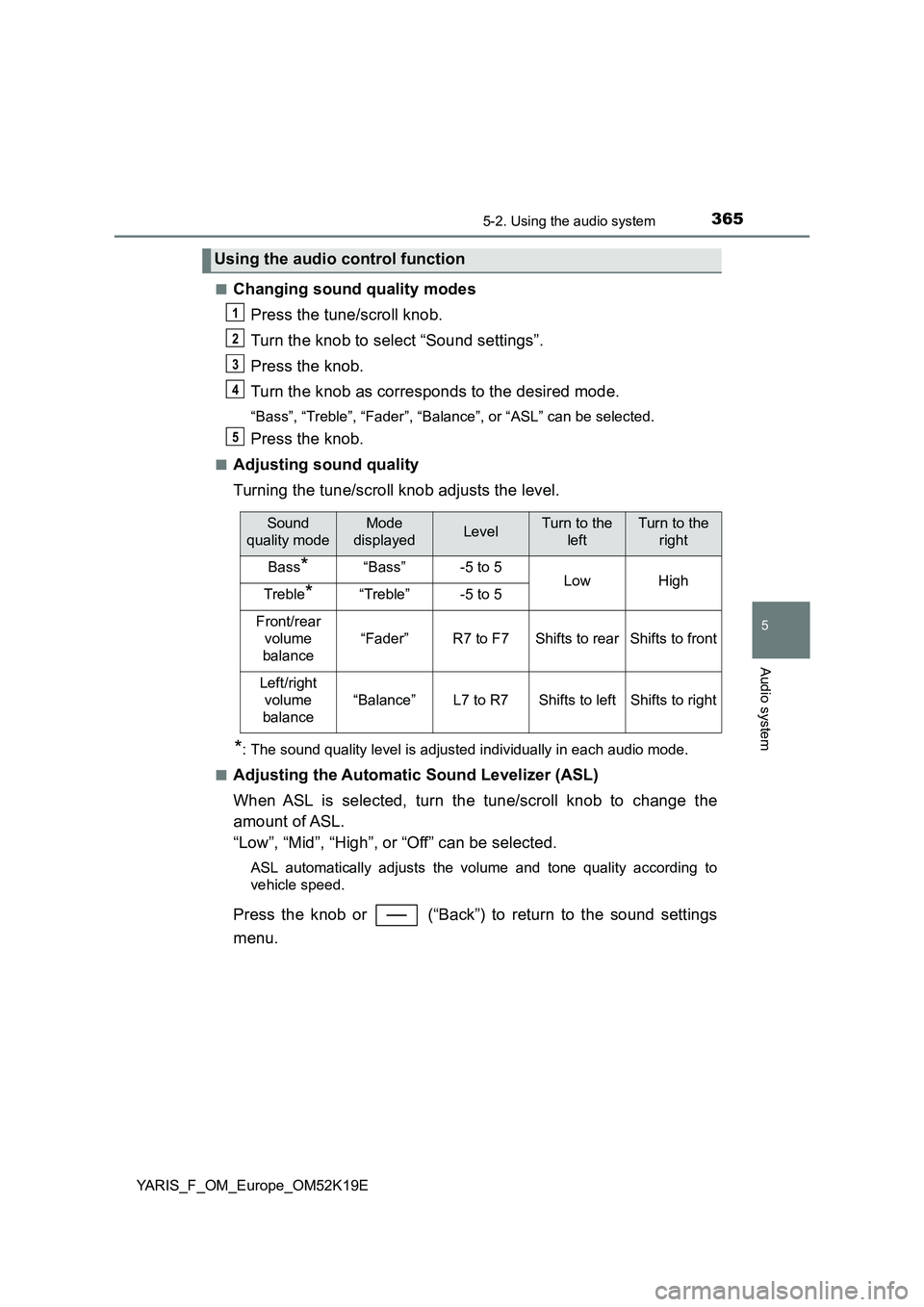
■Changing sound quality modes
Press the tune/scroll knob.
Turn the knob to select “Sound settings”.
Press the knob.
Turn the knob as corresponds to the desired mode.
“Bass”, “Treble”, “Fader”, “Balance”, or “ASL” can be selected.
Press the knob.
■Adjusting sound quality
Turning the tune/scroll knob adjusts the level.
*: The sound quality level is adjusted individually in each audio mode.
■Adjusting the Automatic Sound Levelizer (ASL)
When ASL is selected, turn the tune/scroll knob to change the
amount of ASL.
“Low”, “Mid”, “High”, or “Off” can be selected.
ASL automatically adjusts the volume and tone quality according to
vehicle speed.
Press the knob or (“Back”) to return to the sound settings
menu.
Using the audio control function
1
2
3
4
5
Sound
quality mode
Mode
displayedLevelTurn to the
left
Turn to the
right
Bass*“Bass”-5 to 5LowHighTreble*“Treble”-5 to 5
Front/rear
volume
balance
“Fader”R7 to F7Shifts to rearShifts to front
Left/right
volume
balance
“Balance”L7 to R7Shifts to leftShifts to right
Page 366 of 700
3665-3. Using the radio
YARIS_F_OM_Europe_OM52K19E
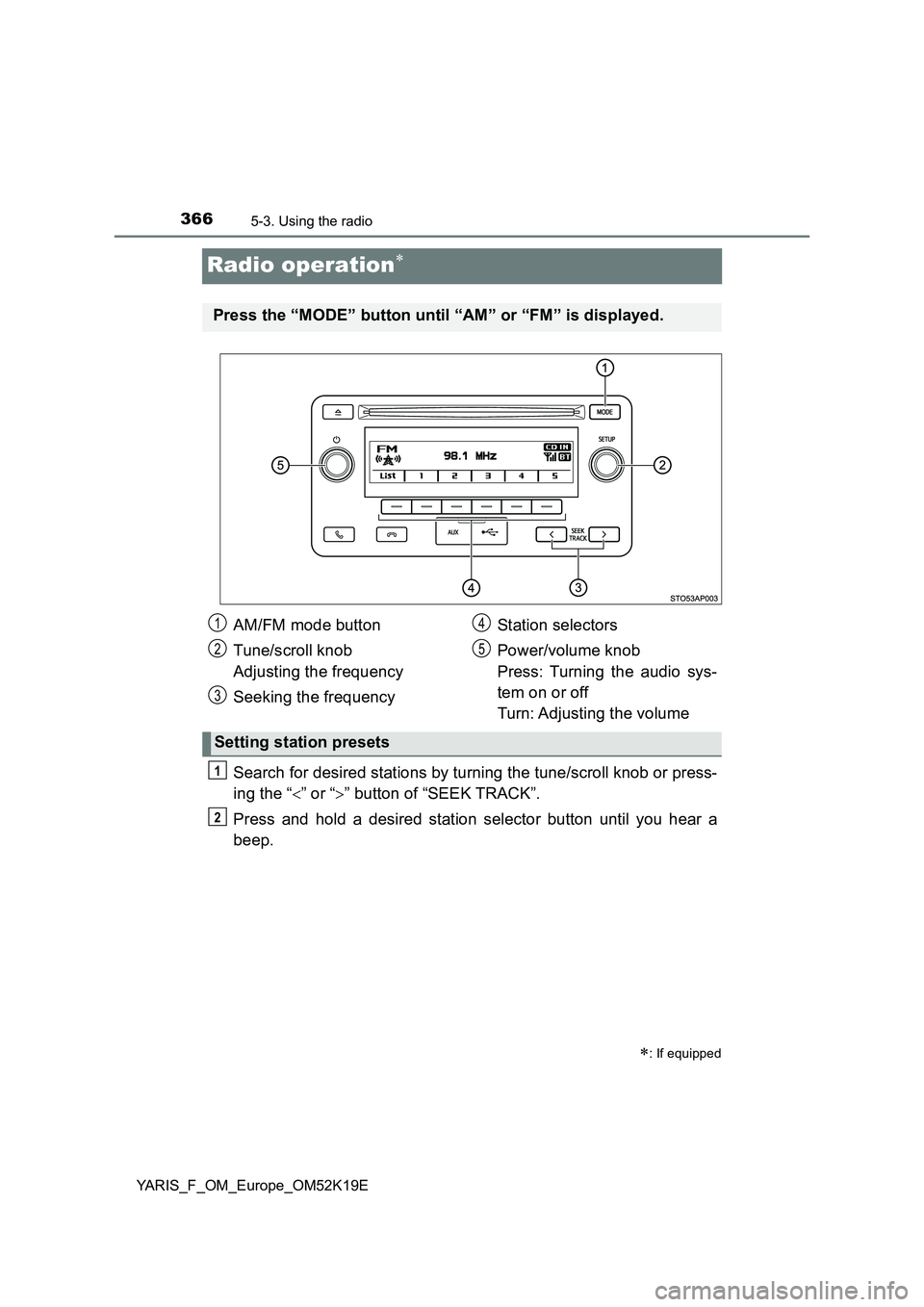
Radio operation
Search for desired stations by turning the tune/scroll knob or press-
ing the “ ” or “” button of “SEEK TRACK”.
Press and hold a desired station selector button until you hear a
beep.
: If equipped
Press the “MODE” button until “AM” or “FM” is displayed.
AM/FM mode button
Tune/scroll knob
Adjusting the frequency
Seeking the frequency
Station selectors
Power/volume knob
Press: Turning the audio sys-
tem on or off
Turn: Adjusting the volume
Setting station presets
1
2
3
4
5
1
2
Page 367 of 700
3675-3. Using the radio
5
Audio system
YARIS_F_OM_Europe_OM52K19E
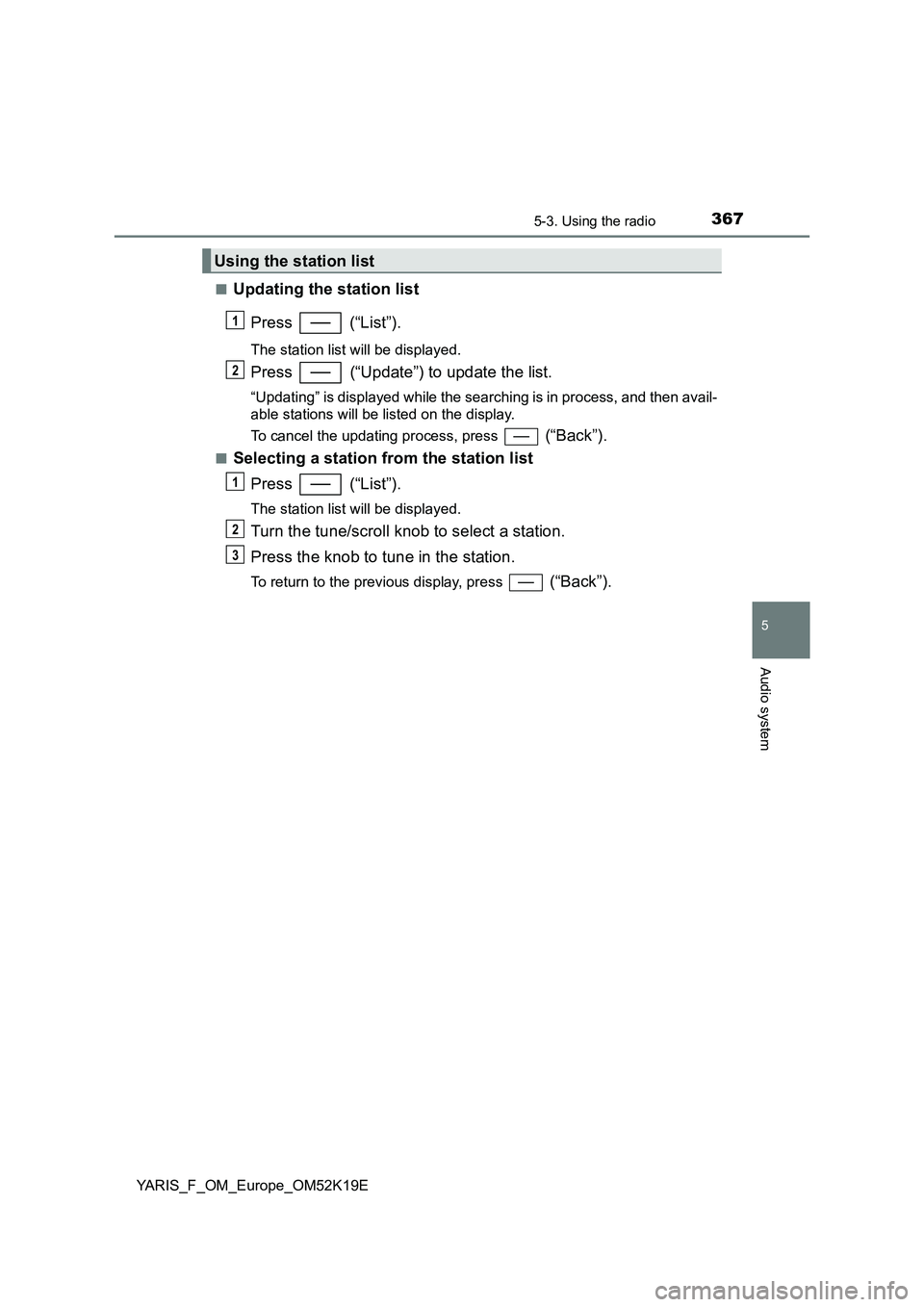
■Updating the station list
Press (“List”).
The station list will be displayed.
Press (“Update”) to update the list.
“Updating” is displayed while the searching is in process, and then avail-
able stations will be listed on the display.
To cancel the updating process, press (“Back”).
■Selecting a station from the station list
Press (“List”).
The station list will be displayed.
Turn the tune/scroll knob to select a station.
Press the knob to tune in the station.
To return to the previous display, press (“Back”).
Using the station list
1
2
1
2
3
Page 370 of 700
3705-4. Playing audio CDs and MP3/WMA discs
YARIS_F_OM_Europe_OM52K19E
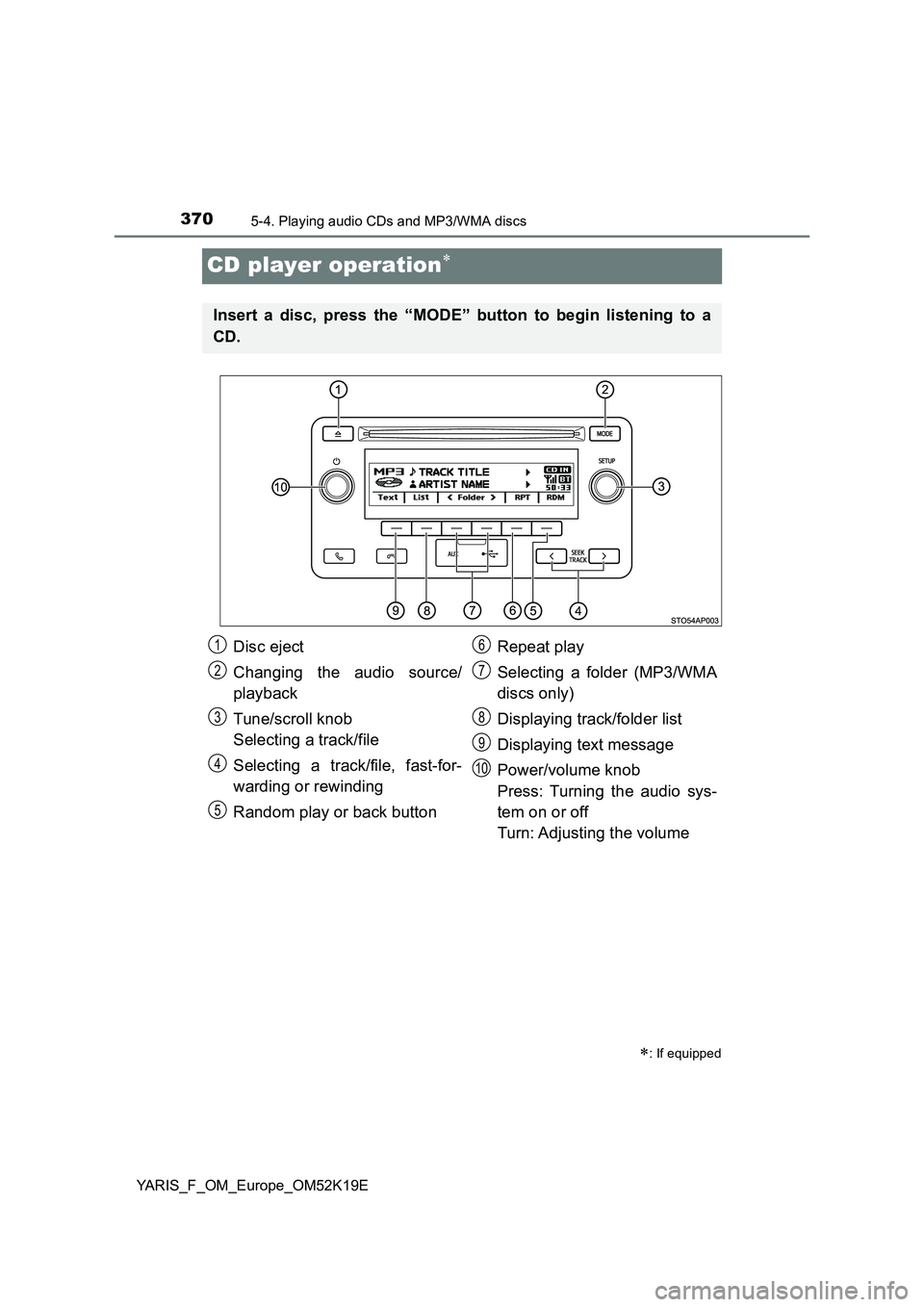
CD player operation
: If equipped
Insert a disc, press the “MODE” button to begin listening to a
CD.
Disc eject
Changing the audio source/
playback
Tune/scroll knob
Selecting a track/file
Selecting a track/file, fast-for-
warding or rewinding
Random play or back button
Repeat play
Selecting a folder (MP3/WMA
discs only)
Displaying track/folder list
Displaying text message
Power/volume knob
Press: Turning the audio sys-
tem on or off
Turn: Adjusting the volume
1
2
3
4
5
6
7
8
9
10
Page 371 of 700
3715-4. Playing audio CDs and MP3/WMA discs
5
Audio system
YARIS_F_OM_Europe_OM52K19E
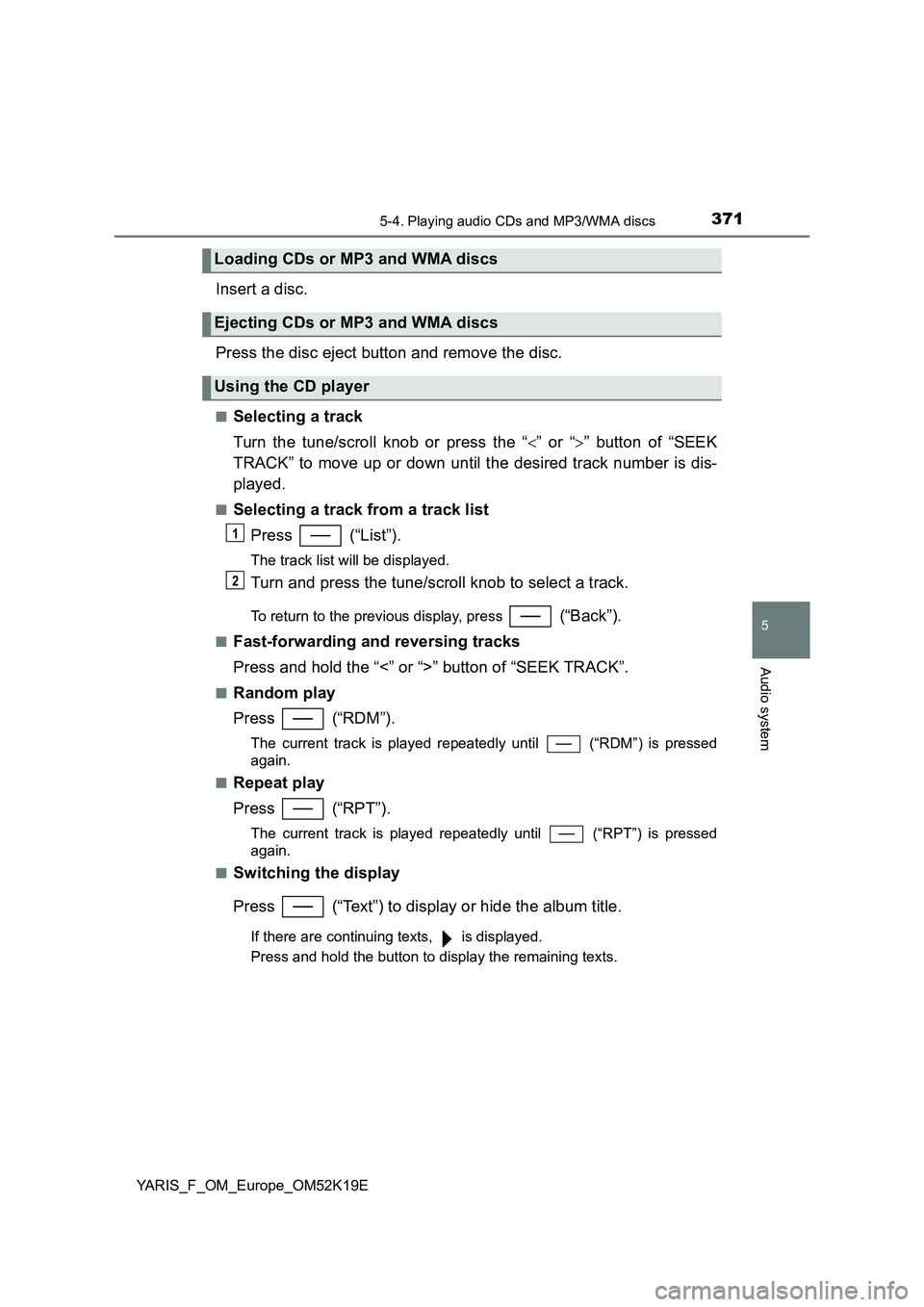
Insert a disc.
Press the disc eject button and remove the disc.
■Selecting a track
Turn the tune/scroll knob or press the “ ” or “” button of “SEEK
TRACK” to move up or down until the desired track number is dis-
played.
■Selecting a track from a track list
Press (“List”).
The track list will be displayed.
Turn and press the tune/scroll knob to select a track.
To return to the previous display, press (“Back”).
■Fast-forwarding and reversing tracks
Press and hold the “<” or “>” button of “SEEK TRACK”.
■Random play
Press (“RDM”).
The current track is played repeatedly until (“RDM”) is pressed
again.
■Repeat play
Press (“RPT”).
The current track is played repeatedly until (“RPT”) is pressed
again.
■Switching the display
Press (“Text”) to display or hide the album title.
If there are continuing texts, is displayed.
Press and hold the button to display the remaining texts.
Loading CDs or MP3 and WMA discs
Ejecting CDs or MP3 and WMA discs
Using the CD player
1
2
Page 372 of 700
3725-4. Playing audio CDs and MP3/WMA discs
YARIS_F_OM_Europe_OM52K19E
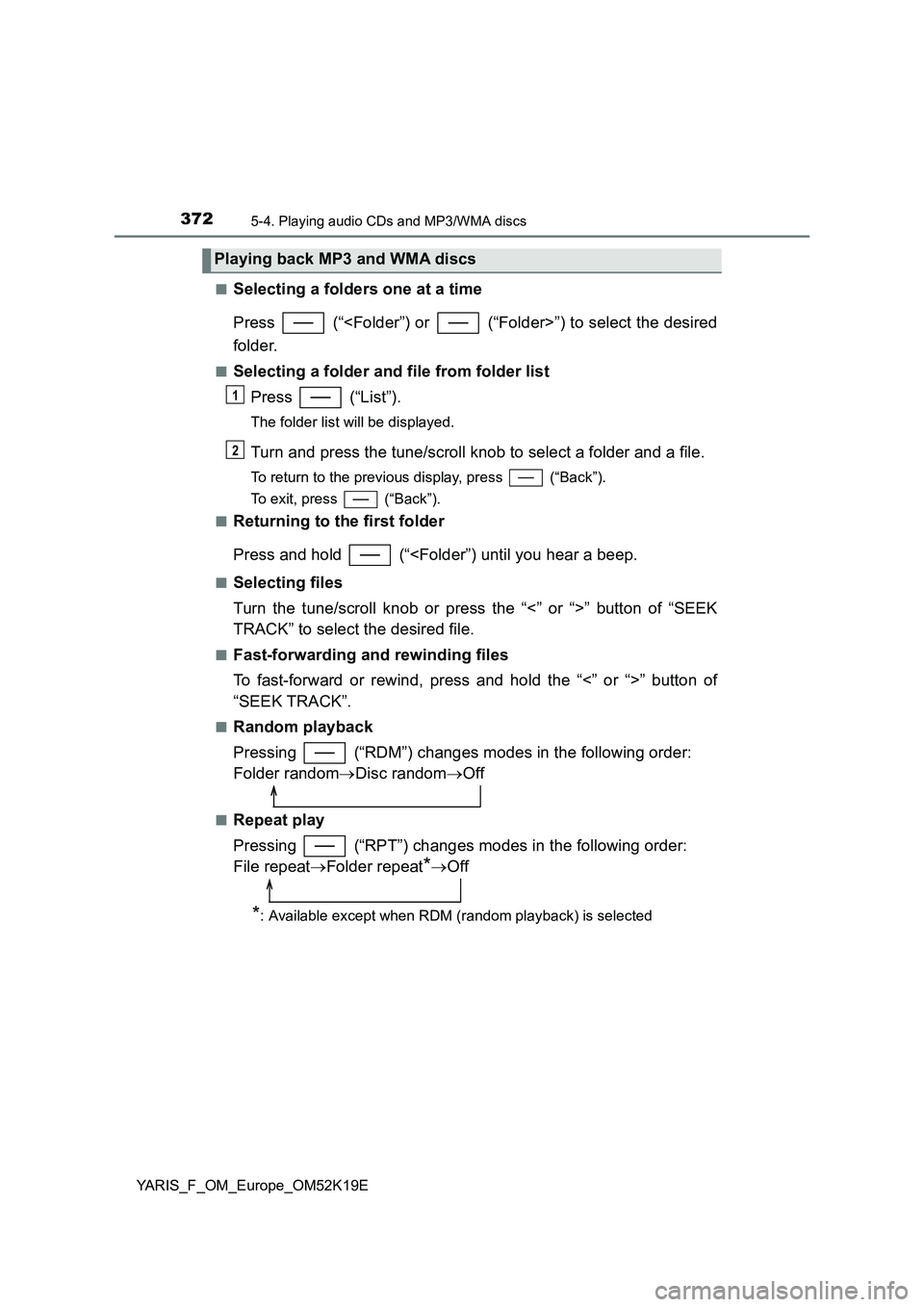
■Selecting a folders one at a time
Press (“
folder.
■Selecting a folder and file from folder list
Press (“List”).
The folder list will be displayed.
Turn and press the tune/scroll knob to select a folder and a file.
To return to the previous display, press (“Back”).
To exit, press (“Back”).
■Returning to the first folder
Press and hold (“
Turn the tune/scroll knob or press the “<” or “>” button of “SEEK
TRACK” to select the desired file.
■Fast-forwarding and rewinding files
To fast-forward or rewind, press and hold the “<” or “>” button of
“SEEK TRACK”.
■Random playback
Pressing (“RDM”) changes modes in the following order:
Folder random Disc randomOff
■Repeat play
Pressing (“RPT”) changes modes in the following order:
File repeat Folder repeat*Off
*: Available except when RDM (random playback) is selected
Playing back MP3 and WMA discs
1
2