tow TOYOTA YARIS 2019 Owner's Guide
[x] Cancel search | Manufacturer: TOYOTA, Model Year: 2019, Model line: YARIS, Model: TOYOTA YARIS 2019Pages: 700, PDF Size: 65.2 MB
Page 320 of 700
3204-5. Toyota Safety Sense
YARIS_F_OM_Europe_OM52K19E
● High beam may be turned on or off when unexpected by the driver.
● In the situations below, the system may not be able to correctly detect the surrounding brightness levels, and may flash or expose nearby pedestrians to the high beam. Therefore, you should consider turning the high beams on or off manually rather than relying on the Automatic High Beam system.
• In bad weather (rain, snow, fog, sandstorms, etc.) • The windshield is obscured by fog, mist, ice, dirt, etc.• The windshield is cracked or damaged.• The front sensor is deformed or dirty. • The front sensor temperature is extremely high. • Surrounding brightness levels are equal to those of headlights, tail lightsor fog lights.• Vehicles ahead have headlights or tail lights that are either switched off,dirty, are changing color, or are not aimed properly.• When driving through an area of intermittently changing brightness anddarkness. • When frequently and repeatedly driving ascending/descending roads, or roads with rough, bumpy or uneven surfaces (such as stone-pavedroads, gravel tracks, etc.).• When frequently and repeatedly taking curves or driving on a windingroad.• There is a highly reflective object ahead of the vehicle, such as a sign or a mirror. • The back of a vehicle ahead is highly reflective, such as a container on atruck.• The vehicle’s headlights are damaged or dirty.• The vehicle is listing or titling, due to a flat tire, a trailer being towed, etc.• The driver believes that the high beam may be causing problems or dis- tress to other drivers or pedestrians nearby.
■ If the Automatic High Beam indicator comes on in yellow (vehicles with monochrome display)
It may indicate a malfunction in the system. Contact any authorized Toyota retailer or Toyota authorized repairer, or any reliable repairer.
■ If “Headlight system malfunction. Visit your dealer.” is displayed on the multi-information display ( vehicles with color display)
The system may be malfunctioning. Have the vehicle inspected by any autho- rized Toyota retailer or Toyota authorized repairer, or any reliable repairer.
Page 329 of 700
3294-6. Using the driving support systems
4
Driving
YARIS_F_OM_Europe_OM52K19E
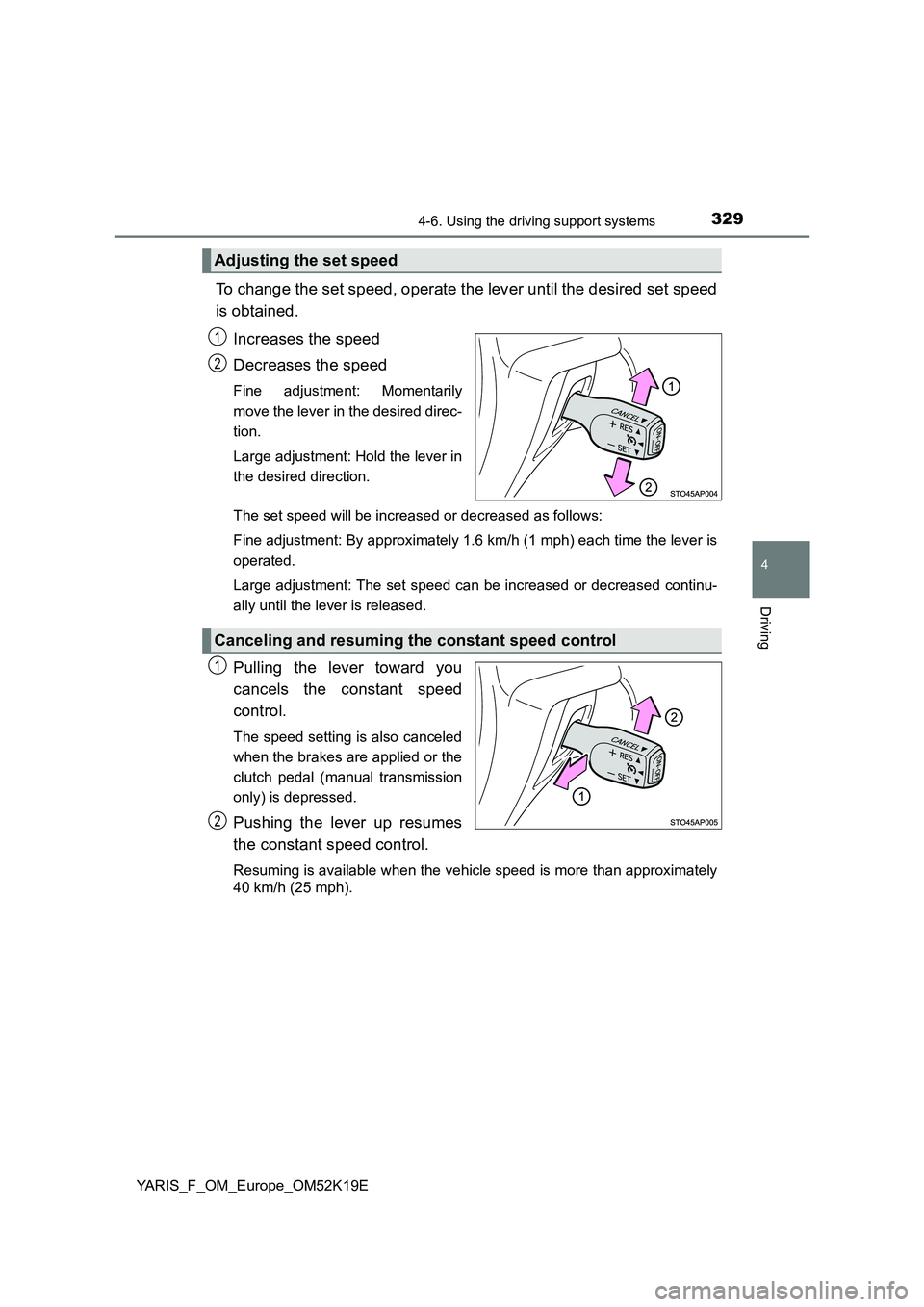
To change the set speed, operate the lever until the desired set speed
is obtained.
Increases the speed
Decreases the speed
Fine adjustment: Momentarily
move the lever in the desired direc-
tion.
Large adjustment: Hold the lever in
the desired direction.
The set speed will be increased or decreased as follows:
Fine adjustment: By approximately 1.6 km/h (1 mph) each time the lever is
operated.
Large adjustment: The set speed can be increased or decreased continu-
ally until the lever is released.
Pulling the lever toward you
cancels the constant speed
control.
The speed setting is also canceled
when the brakes are applied or the
clutch pedal (manual transmission
only) is depressed.
Pushing the lever up resumes
the constant speed control.
Resuming is available when the vehicle speed is more than approximately
40 km/h (25 mph).
Adjusting the set speed
1
2
Canceling and resuming the constant speed control
1
2
Page 331 of 700
3314-6. Using the driving support systems
4
Driving
YARIS_F_OM_Europe_OM52K19E
■ If the cruise control indicator comes in yellow (vehicles with mono-
chrome display) or “Check cruise control system.” is displayed on the
multi-information display ( vehicles with color display)
Press the “ON-OFF” button once to deactivate the system, and then press
the button again to reactivate the system.
If the cruise control speed cannot be set or if the cruise control cancels
immediately after being activated, there may be a malfunction in the cruise
control system. Have the vehicle inspected by any authorized Toyota retailer
or Toyota authorized repairer, or any reliable repairer.
WARNING
■ To avoid operating the cruise control by mistake
Switch the cruise control off using the “ON-OFF” button when not in use.
■ Situations unsuitable for cruise control
Do not use cruise control in any of the following situations.
Doing so may result in loss of control and could cause an accident resulting
in death or serious injury.
● In heavy traffic
● On roads with sharp bends
● On winding roads
● On slippery roads, such as those covered with rain, ice or snow
● On steep hills
Vehicle speed may exceed the set speed when driving down a steep hill.
● When your vehicle is towing a trailer or during emergency towing
Page 335 of 700
3354-6. Using the driving support systems
4
Driving
YARIS_F_OM_Europe_OM52K19E
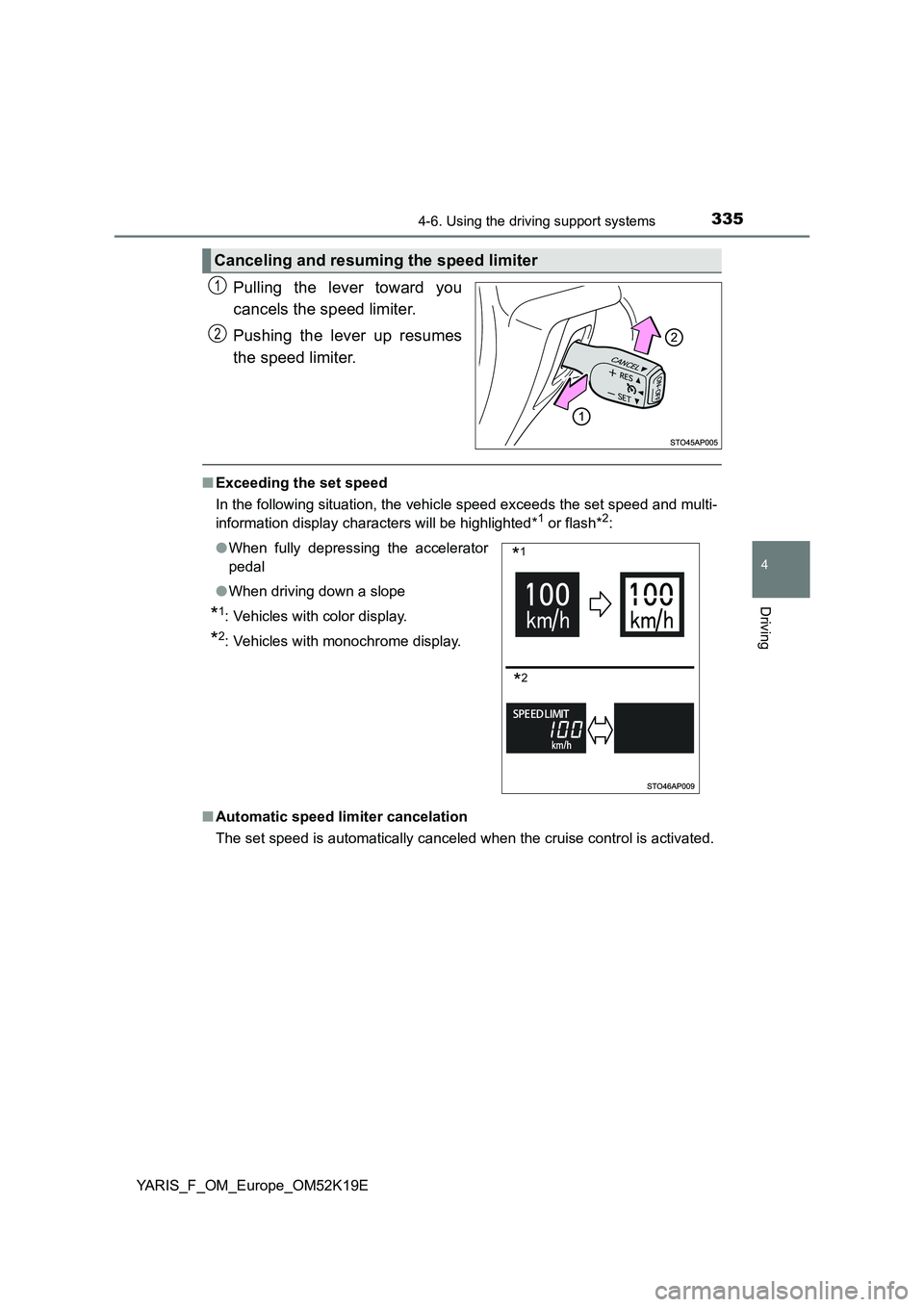
Pulling the lever toward you
cancels the speed limiter.
Pushing the lever up resumes
the speed limiter.
■ Exceeding the set speed
In the following situation, the vehicle speed exceeds the set speed and multi-
information display characters will be highlighted*1 or flash*2:
■ Automatic speed limiter cancelation
The set speed is automatically canceled when the cruise control is activated.
Canceling and resuming the speed limiter
1
2
● When fully depressing the accelerator
pedal
● When driving down a slope
*1: Vehicles with color display.
*2: Vehicles with monochrome display.
*1
*2
Page 336 of 700
3364-6. Using the driving support systems
YARIS_F_OM_Europe_OM52K19E
■ If the speed limiter indicator comes on in yellow (vehicles with mono-
chrome display) or “Check speed li miter system.” is displayed on the
multi-information display ( vehicles with color display)
Stop the engine and then restart the engine. After restarting the engine, set
the speed limiter. If the speed limiter cannot be set, there may be a malfunc-
tion in the speed limiter. Have the vehicle inspected by any authorized Toyota
retailer or Toyota authorized repairer, or any reliable repairer.
WARNING
■ To avoid operating the speed limiter by mistake
Switch the speed limiter off using the speed limiter switch when not in use.
■ Situations unsuitable for the speed limiter
Do not use the speed limiter in either of the following situations.
Doing so may result in loss of control and could cause a serious or fatal
accident.
● On slippery roads, such as those covered with rain, ice and snow
● On steep hills
● When your vehicle is towing a trailer or during emergency towing
Page 457 of 700
4576-3. Using the storage features
6
Interior features
YARIS_F_OM_Europe_OM52K19E
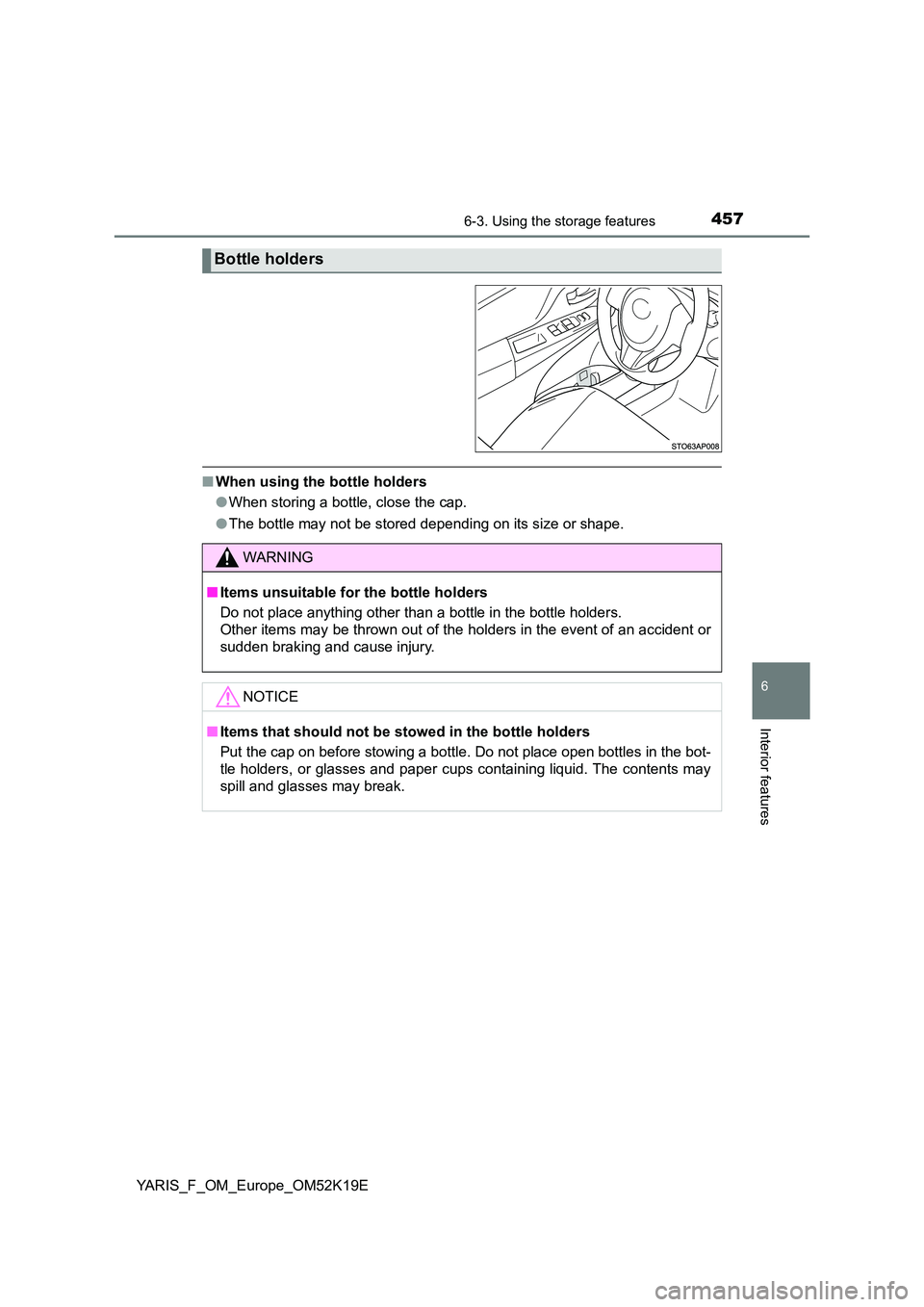
■When using the bottle holders
● When storing a bottle, close the cap.
● The bottle may not be stored depending on its size or shape.
Bottle holders
WARNING
■Items unsuitable for the bottle holders
Do not place anything other than a bottle in the bottle holders.
Other items may be thrown out of the holders in the event of an accident or
sudden braking and cause injury.
NOTICE
■ Items that should not be stowed in the bottle holders
Put the cap on before stowing a bottle. Do not place open bottles in the bot-
tle holders, or glasses and paper cups containing liquid. The contents may
spill and glasses may break.
Page 459 of 700
4596-3. Using the storage features
6
Interior features
YARIS_F_OM_Europe_OM52K19E
Luggage compartment features
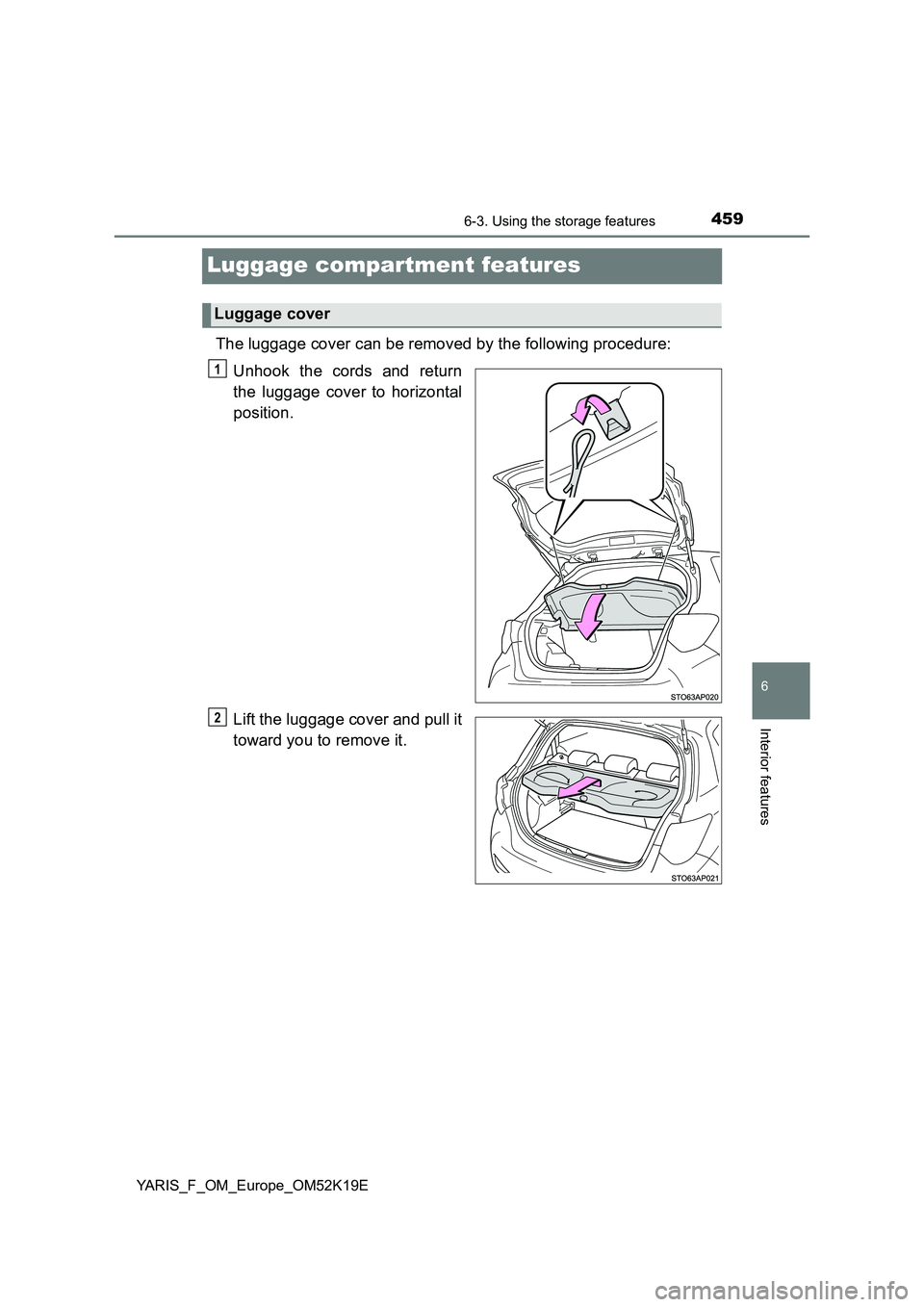
The luggage cover can be removed by the following procedure:
Unhook the cords and return
the luggage cover to horizontal
position.
Lift the luggage cover and pull it
toward you to remove it.
Luggage cover
1
2
Page 460 of 700

4606-3. Using the storage features
YARIS_F_OM_Europe_OM52K19E
■Deck board height adjustment
Upper position
Lower position
The lower position can be used
when the deck board is placed
on the luggage floor cover.
■Removing the deck board
Lift the deck board and pull it
toward you to remove it.
Deck board (if equipped)
1
2
WARNING
■ When operating the deck board
Do not place anything on the deck board when operating the board. Other-
wise, your fingers may be caught or an accident may result causing injuries.
Page 480 of 700
4807-3. Do-it-yourself maintenance
YARIS_F_OM_Europe_OM52K19E
Do-it-yourself service precautions
If you perform maintenance by yourself, be sure to follow the
correct procedure as given in these sections.
ItemsParts and tools
Battery condition
( P. 498)
•Warm water• Baking soda•Grease
• Conventional wrench (for terminal clamp bolts)
• Distilled water
Engine coolant
level ( P. 495)
• “Toyota Super Long Life Coolant” or a similar high
quality ethylene glycol-based non-silicate, non-
amine, non-nitrite and non-borate coolant with long-
life hybrid organic acid technology
“Toyota Super Long Life Coolant” is pre-mixed with
50% coolant and 50% deionized water.
• Funnel (used only for adding coolant)
Engine oil level
( P. 490)
• “Toyota Genuine Motor Oil” or equivalent
• Rag or paper towel
• Funnel (used only for adding engine oil)
Fuses
( P. 536)• Fuse with same amperage rating as original
Light bulbs
( P. 542)
• Bulb with same number and wattage rating as origi-
nal
• Phillips-head screwdriver
• Flathead screwdriver•Wrench
Radiator, condenser
and intercooler
( P. 497)
Tire inflation
pressure
( P. 523)
• Tire pressure gauge
• Compressed air source
Washer fluid
( P. 501)
• Water or washer fluid containing antifreeze (for win-
ter use)
• Funnel (used only for adding water or washer fluid)
Page 493 of 700
4937-3. Do-it-yourself maintenance
7
Maintenance and care
YARIS_F_OM_Europe_OM52K19E
■Engine oil consumption
A certain amount of engine oil will be consumed while driving. In the following
situations, oil consumption may increase, and engine oil may need to be
refilled in between oil maintenance intervals.
● When the engine is new, for example directly after purchasing the vehicle or
after replacing the engine
● If low quality oil or oil of an inappropriate viscosity is used
● When driving at high engine speeds or with a heavy load, when towing
(except for South Africa), or when driving while accelerating or decelerating
frequently
● When leaving the engine idling for a long time, or when driving frequently
through heavy traffic
■ After changing the engine oil (diesel engine only)
The engine oil maintenance data should be reset. Perform the following pro-
cedures:
Switch the display to the trip meter “A” when the engine is running.
( P. 121)
Turn the engine switch to the “LOCK” position (vehicles without a smart
entry & start system) or off (vehicles with a smart entry & start system).
Vehicles without a smart entry & start system:
While pressing the display change button ( P. 117, 121), turn the engine
switch to the “ON” position (do not start the engine because reset mode
will be canceled). Continue to press and hold the button until the trip
meter displays “000000”.
Vehicles with a smart entry & start system:
While pressing the display change button ( P. 117, 121), turn the engine
switch to the IGNITION ON mode (do not start the engine because other-
wise the reset mode will be canceled). Continue to press and hold the
button until the trip meter displays “000000”.
1
2
3