service TOYOTA YARIS 2020 Owners Manual (in English)
[x] Cancel search | Manufacturer: TOYOTA, Model Year: 2020, Model line: YARIS, Model: TOYOTA YARIS 2020Pages: 572, PDF Size: 7.94 MB
Page 8 of 572

8
YARIS_YARIS HATCHBACK_OM_OM99V59z_(U)
Please be aware that this manual applies to all models, equipment
and options. As a result, you may find some explanations for equip-
ment not installed on your vehicle.
■Important Notes A bout This Manual
Keep this manual in the glove box as a handy reference for the safe
and enjoyable use of your Toyota. Should you resell the vehicle,
leave this manual with it for the next owner.
All specifications and descripti ons are accurate at the time of print-
ing. Because improvement is a co nstant goal at Toyota, we reserve
the right to make changes in specifications at any time without
notice and without obligation.
■Air Conditioning and the Environment
Your Toyota’s genuine air conditioner is filled with a refriger ant that
has been found not to damage the earth’s ozone layer. If the ai r
conditioner does not operate properly, consult your Toyota deal er.
■Perchlorate
Certain components of this vehicle such as [air bag modules, seat
belt pretensioners, lithium batteries,...] may contain Perchlor ate
Material-- Special handling may apply for service or vehicle en d of
life disposal. See www.dtsc.ca.gov/hazardouswaste/perchlorate.
Page 95 of 572

YARIS_YARIS HATCHBACK_OM_OM99V59z_(U)
952-1. Keys
2
Before Driving
■Panic button
If you witness from a distance
someone attempting to break
into or damage your vehicle,
press and hold the panic button
to activate the vehicle’s alarm.
Call emergency services if nec-
essary.
●Turning on the alarm
Pressing the panic button for 1 second or longer will trigger t he
alarm for about 2 minutes and 30 seconds, and the following wil l
occur: • The horn sounds intermittently.
• The hazard warning lights flash.
● Turning off the alarm
The alarm stops by pressing any button on the key.
Page 297 of 572
YARIS_YARIS HATCHBACK_OM_OM99V59z_(U)
2974-2. Audio System
4
Interior Features
■What is satellite radio?
●SiriusXM
® Satellite Radio
SiriusXM satellite radio is a s ubscription-based satellite radio ser-
vice that broadcasts a variety of music, sports, news, weather, traf-
fic and entertainment programming.
Your new Toyota vehicle is factory-installed with SiriusXM sate llite
radio hardware and includes a limited trial subscription term t hat
begins on the date of sale or lease of your vehicle. See an aut ho-
rized dealer for availability.
The satellite radio service should be active in your vehicle, i f you can-
not hear SiriusXM audio, please activate online by visiting siri-
usxm.com/refresh or by calling SiriusXM Lis tener Care at 1-877-447-
0011 (U.S.A.)/1-888-539-7474 Customer Care (Canada).
You can find the radio ID by turning to Channel 0 or visiting s iri-
usxm.com/activationhelp (U.S.A), and siriusxm.ca/subscribe-now/
(Canada).
For more information on extended subscription terms (a service fee
is required), the online media player and a list of SiriusXM sa tellite
radio channels, and other features , please visit www.siriusxm.com
(U.S.A), and www.siriusxm.ca (Canada), or call SiriusXM at 1-877-
447-0011 (U.S.A.)/1-888-539-7474 (Canada).
This feature may not be available in all markets and requires a n active
subscription. SiriusXM reserves the unrestricted right to change, rear-
range, add or delete programming. This includes canceling, movi ng or
adding particular channels, and its prices, at any time, with o r without
notice to you. Toyota shall not be responsible for any such pro gramming
changes.
■
Displaying the Radio ID (ESN)
When channel 0 is selected, the radio ID is displayed. Use the
PREVIOUS or NEXT channel bu ttons to select channel 0.
Operating the Satellite Radio (if equipped)
Page 312 of 572
312
YARIS_YARIS HATCHBACK_OM_OM99V59z_(U)
4-2. Audio System
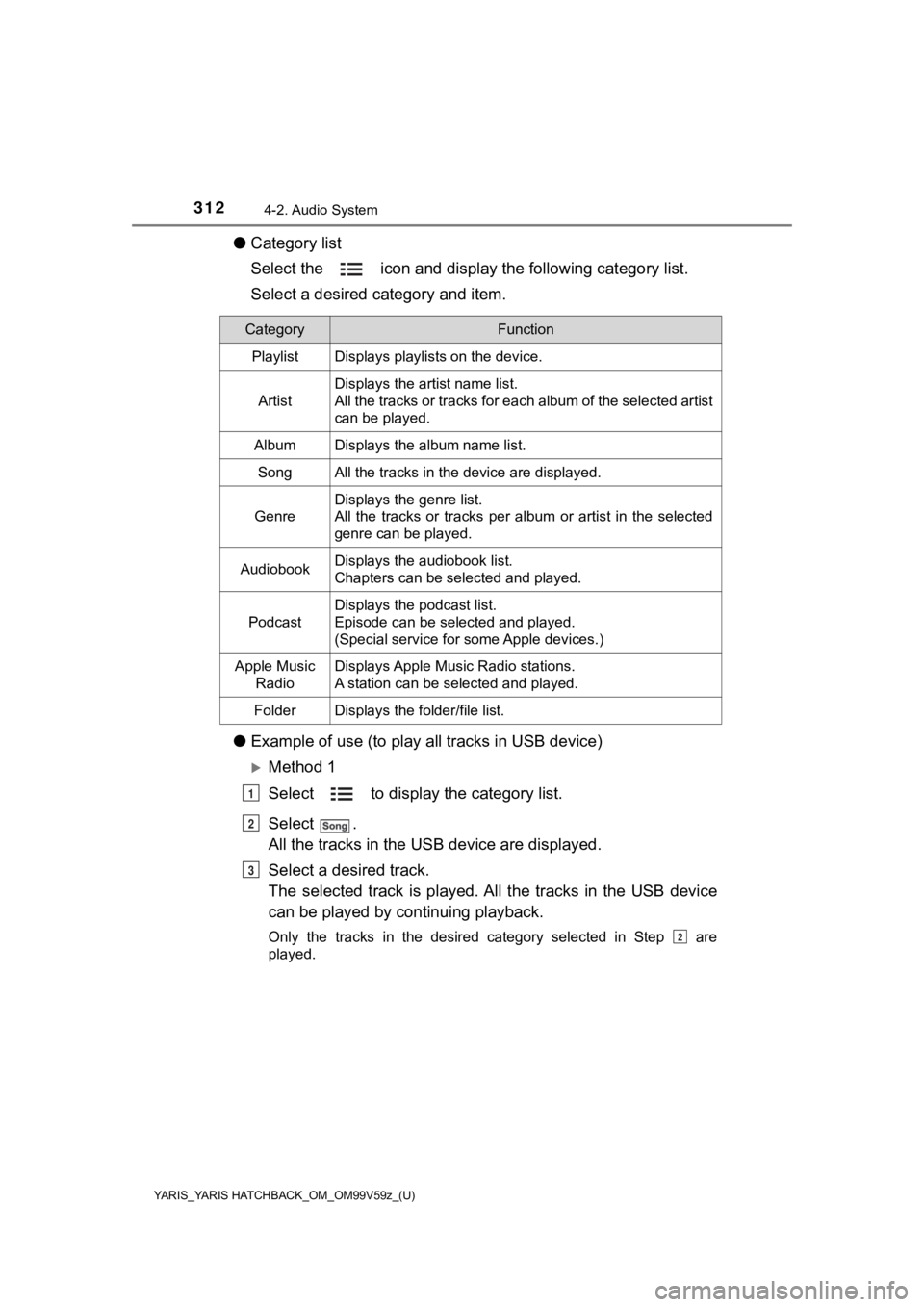
●Category list
Select the icon and display the following category list.
Select a desired category and item.
● Example of use (to play a ll tracks in USB device)
Method 1
Select to display the category list.
Select .
All the tracks in the USB device are displayed.
Select a desired track.
The selected track is played. A ll the tracks in the USB device
can be played by co ntinuing playback.
Only the tracks in the desired category selected in Step are
played.
CategoryFunction
PlaylistDisplays playlists on the device.
Artist
Displays the artist name list.
All the tracks or tracks for each album of the selected artist
can be played.
AlbumDisplays the album name list.
SongAll the tracks in the device are displayed.
Genre
Displays the genre list.
All the tracks or tracks per album or artist in the selected
genre can be played.
AudiobookDisplays the audiobook list.
Chapters can be selected and played.
Podcast
Displays the podcast list.
Episode can be selected and played.
(Special service for some Apple devices.)
Apple Music
RadioDisplays Apple Music Radio stations.
A station can be selected and played.
FolderDisplays the folder/file list.
1
2
3
2
Page 313 of 572
YARIS_YARIS HATCHBACK_OM_OM99V59z_(U)
3134-2. Audio System
4
Interior Features
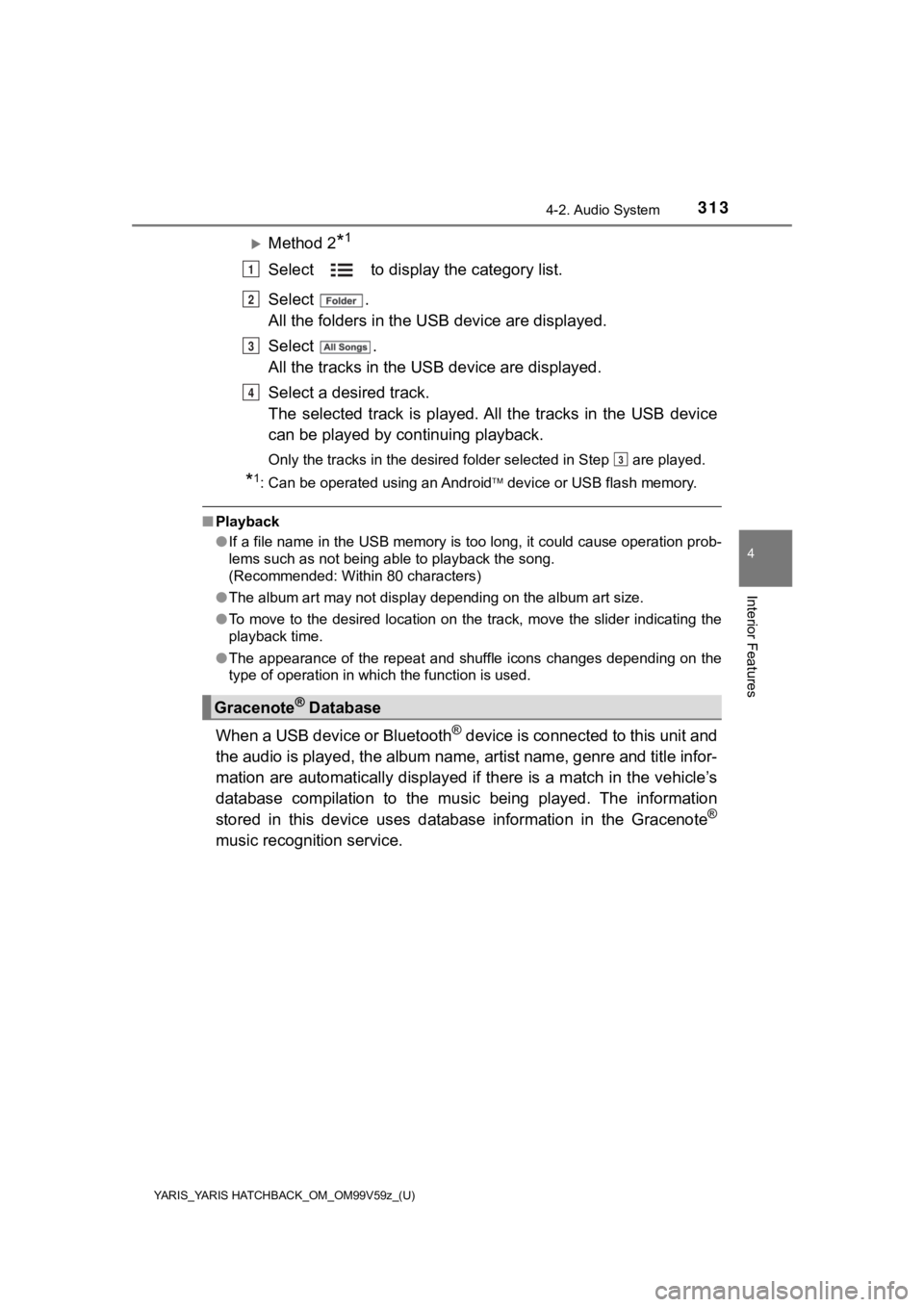
Method 2*1
Select to display the category list.
Select .
All the folders in the USB device are displayed.
Select .
All the tracks in the USB device are displayed.
Select a desired track.
The selected track is played. A ll the tracks in the USB device
can be played by co ntinuing playback.
Only the tracks in the desired folder selected in Step are pla yed.
*1: Can be operated using an Android device or USB flash memory.
■ Playback
●If a file name in the USB memory is too long, it could cause operation prob-
lems such as not being able to playback the song.
(Recommended: Within 80 characters)
● The album art may not display depending on the album art size.
● To move to the desired location on the track, move the slider indicating the
playback time.
● The appearance of the repeat and shuffle icons changes dependin g on the
type of operation in which the function is used.
When a USB device or Bluetooth® device is connected to this unit and
the audio is played, the album name, artist name, genre and tit le infor-
mation are automatically displayed if there is a match in the v ehicle’s
database compilation to the music being played. The information
stored in this device uses database information in the Gracenot e
®
music recognition service.
Gracenote® Database
1
2
3
4
3
Page 315 of 572

YARIS_YARIS HATCHBACK_OM_OM99V59z_(U)
3154-2. Audio System
4
Interior Features
You agree that you will use Gracenote Data, the Gracenote Software,
and Gracenote Servers for your own personal non-commercial use
only. You agree not to assign, copy, transfer or transmit the Gracenote
Software or any Gracenote Data to any third party. YOU AGREE NO T
TO USE OR EXPLOIT GRACENOTE DATA, THE GRACENOTE
SOFTWARE, OR GRACENOTE SERVERS, EXCEPT AS
EXPRESSLY PERMITTED HEREIN.
You agree that your non-exclusiv e license to use the Gracenote Data,
the Gracenote Sof tware, and Gracenote Serv ers will terminate if you
violate these restrictions. If your license terminates, you agr ee to
cease any and all use of the Gracenote Data, the Gracenote Soft -
ware, and Gracenote Servers. Gra cenote reserves all rights in Grace-
note Data, the Gracenote Software, and the Gracenote Servers,
including all ownership rights . Under no circumstances will Gracenote
become liable for any payment to you for any information that y ou pro-
vide. You agree that Gracenote, I nc. may enforce its rights under this
Agreement against you directly in its own name.
The Gracenote service uses a uni que identifier to track queries for
statistical purposes. The purpos e of a randomly assigned numeri c
identifier is to allow the Gracenote service to count queries w ithout
knowing anything about who you ar e. For more information, see the
web page for the Gracenote Privac y Policy for the Gracenote service.
The Gracenote Software and each item of Gracenote Data are
licensed to you “AS IS.”
Gracenote makes no representations or warranties, express or
implied, regarding the accuracy of any Gracenote Data from in t he
Gracenote Servers. Gracenote reserves the right to delete data from
the Gracenote Servers or to change data categories for any caus e
that Gracenote deems sufficient. No warranty is made that the Grace-
note Software or Gracenote Servers are error-free or that funct ioning
of Gracenote Software o r Gracenote Servers will be uninterrupted.
Gracenote is not obligated to provide you with new enhanced or addi-
tional data types or categories t hat Gracenote may provide in the
future and is free to discont inue its services at any time.
Page 318 of 572

318
YARIS_YARIS HATCHBACK_OM_OM99V59z_(U)
4-2. Audio System
NOTICE
●YOU EXPRESSLY ACKNOWLEDGE AND AGREE THAT USE OF
APPLE CARPLAY™ (“THE APPLICATION”) IS AT YOUR SOLE RISK
AND THAT THE ENTIRE RISK AS TO SATISFACTORY QUALITY, PER-
FORMANCE, ACCURACY AND EFFORT IS WITH YOU TO THE MAXI-
MUM EXTENT PERMITTED BY APPLICABLE LAW, AND THAT THE
APPLICATION AND INFORMATION ON THE APPLICATION IS PRO-
VIDED “AS IS” AND “AS AVAILABLE”, WITH ALL FAULTS AND WITH-
OUT WARRANTY OF ANY KIND, AND TOYOTA HEREBY DISCLAIMS
ALL WARRANTIES AND CONDITIONS WITH RESPECT TO THE APPLI-
CATION AND INFORMATION ON THE APPLICATION, EITHER
EXPRESS, IMPLIED OR STATUTORY, INCLUDING, BUT NOT LIMITED
TO, THE IMPLIED WARRANTIES AND/OR CONDITIONS OF MER-
CHANTABILITY, SATISFACTORY QUALITY, FITNESS FOR A PARTICU-
LAR PURPOSE, ACCURACY, QUIET ENJOYMENT, AND
NONINFRINGEMENT OF THIRD PARTY RIGHTS. AS EXAMPLES, AND
WITHOUT LIMITATION, TOYOTA DISCLAIMS ANY WARRANTY
REGARDING THE ACCURACY OF DATA PROVIDED BY THE APPLICA-
TION, SUCH AS THE ACCURACY OF DIRECTIONS, ESTIMATED
TRAVEL TIME, SPEED LIMITS, ROAD CONDITIONS, NEWS,
WEATHER, TRAFFIC, OR OTHER CONTENT PROVIDED BY APPLE,
ITS AFFILIATES, OR THIRD PARTY PROVIDERS; TOYOTA DOES NOT
GUARANTEE AGAINST LOSS OF APPLICATION DATA, WHICH MAY
BE LOST AT ANY TIME; TOYOTA DOES NOT GUARANTEE THAT THE
APPLICATION OR ANY SERVICES PROVIDED THROUGH THEM WILL
BE PROVIDED AT ALL TIMES OR THAT ANY OR ALL SERVICES WILL
BE AVAILABLE AT ANY PARTICULAR TIME OR LOCATION. FOR
EXAMPLE, SERVICES MAY BE SUSPENDED OR INTERRUPTED
WITHOUT NOTICE FOR REPAIR, MAINTENANCE, SECURITY FIXES,
UPDATES, ETC., SERVICES MAY BE UNAVAILABLE IN YOUR AREA
OR LOCATION, ETC. IN ADDITION, YOU UNDERSTAND THAT
CHANGES IN THIRD PARTY TECHNOLOGY OR GOVERNMENT REG-
ULATION MAY RENDER THE SERVICES AND/OR APPLICATIONS
OBSOLETE AND/OR UNUSABLE.
TO THE EXTENT NOT PROHIBITED BY LAW, IN NO EVENT SHALL
TOYOTA OR ITS AFFILIATES BE LIABLE FOR PERSONAL INJURY,
OR ANY
INCIDENTAL, SPECIAL, INDIRECT OR CONSEQUENTIAL DAM-
AGES WHATSOEVER, INCLUDING, WITHOUT LIMITATION, DAM-
AGES FOR LOSS OF PROFITS, CORRUPTION OR LOSS OF DATA,
FAILURE TO TRANSMIT OR RECEIVE ANY DATA, BUSINESS
INTERRUPTION OR ANY OTHE R COMMERCIAL DAMAGES OR
LOSSES, ARISING OUT OF OR RELATED TO THE APPLICATION
OR YOUR USE OF OR INABILITY TO USE THE APPLICATION OR
INFORMATION ON THE APPLICATION.
Page 322 of 572

322
YARIS_YARIS HATCHBACK_OM_OM99V59z_(U)
4-2. Audio System
NOTICE
●YOU EXPRESSLY ACKNOWLEDGE AND AGREE THAT USE OF
ANDROID AUTO™ (“THE APPLICATION ”) IS AT YOUR SOLE RISK AND
THAT THE ENTIRE RISK AS TO SATISFACTORY QUALITY, PERFOR-
MANCE, ACCURACY AND EFFORT IS WITH YOU TO THE MAXIMUM
EXTENT PERMITTED BY APPLICABLE LAW, AND THAT THE APPLICA-
TION AND INFORMATION ON THE APPLICATION IS PROVIDED “AS
IS” AND “AS AVAILABLE,” WITH ALL FAULTS AND WITHOUT WAR-
RANTY OF ANY KIND, AND TOYOTA HEREBY DISCLAIMS ALL WAR-
RANTIES AND CONDITIONS WITH RESPECT TO THE APPLICATION
AND INFORMATION ON THE APPLICATION, EITHER EXPRESS,
IMPLIED OR STATUTORY, INCLUDING, BUT NOT LIMITED TO, THE
IMPLIED WARRANTIES AND/OR CONDITIONS OF MERCHANTABIL-
ITY, SATISFACTORY QUALITY, FITNESS FOR A PARTICULAR PUR-
POSE, ACCURACY, QUIET ENJOYMENT, AND NONINFRINGEMENT
OF THIRD PARTY RIGHTS. AS EXAMPLES, AND WITHOUT LIMITA-
TION, TOYOTA DISCLAIMS ANY WARRANTY REGARDING THE
ACCURACY OF DATA PROVIDED BY THE APPLICATION, SUCH AS
THE ACCURACY OF DIRECTIONS, ESTIMATED TRAVEL TIME, SPEED
LIMITS, ROAD CONDITIONS, NEWS, WEATHER, TRAFFIC, OR OTHER
CONTENT PROVIDED BY GOOGLE, ITS AFFILIATES, OR THIRD
PARTY PROVIDERS; TOYOTA DOES NOT GUARANTEE AGAINST
LOSS OF APPLICATION DATA, WHICH MAY BE LOST AT ANY TIME;
TOYOTA DOES NOT GUARANTEE THAT THE APPLICATION OR ANY
SERVICES PROVIDED THROUGH THEM WILL BE PROVIDED AT ALL
TIMES OR THAT ANY OR ALL SERVICES WILL BE AVAILABLE AT ANY
PARTICULAR TIME OR LOCATION. FOR EXAMPLE, SERVICES MAY
BE SUSPENDED OR INTERRUPTED WITHOUT NOTICE FOR REPAIR,
MAINTENANCE, SECURITY FIXES, UPDATES, ETC., SERVICES MAY
BE UNAVAILABLE IN YOUR AREA OR LOCATION, ETC. IN ADDITION,
YOU UNDERSTAND THAT CHANGES IN THIRD PARTY TECHNOLOGY
OR GOVERNMENT REGULATION MAY RENDER THE SERVICES AND/
OR APPLICATIONS OBSOLETE AND/OR UNUSABLE.
TO THE EXTENT NOT PROHIBITED BY LAW, IN NO EVENT SHALL
TOYOTA OR ITS AFFILIATES BE LIABLE FOR PERSONAL INJURY,
OR ANY INCIDENTAL, SPECIAL, INDIRECT OR CONSEQUENTIAL
DAMAGES WHATSOEVER, INCLUDING, WITHOUT LIMITATION,
DAMAGES FOR LOSS OF PROFIT S, CORRUPTION OR LOSS OF
DATA, FAILURE TO TRANSMIT OR RECEIVE ANY DATA, BUSINESS
INTERRUPTION OR ANY OTHE R COMMERCIAL DAMAGES OR
LOSSES, ARISING OUT OF OR RELATED TO THE APPLICATION
OR YOUR USE OF OR INABILITY TO USE THE APPLICATION OR
INFORMATION ON THE APPLICATION.
Page 331 of 572

YARIS_YARIS HATCHBACK_OM_OM99V59z_(U)
3314-3. Bluetooth®
4
Interior Features
Devices compatible with Toyota Email/SMS function:
SMS (Short Message Service) mes sages, and E-mail for the
device are downloaded automatically. A download permission
operation for your device may be required depending on the
device.
When Call history and messages are downloaded automatically,
each automatic download setting must be on.
Refer to Communication Settings on P. 351.
After a device is registered, the system automatically identifi es
the device. By activating Bluetooth® Hands-Free again, or by
activating Bluetooth® Hands-Free first after switching the ignition
from OFF to ACC, the device connec tion condition is indicated in
the center display.
● IMPORTANT note about pairing and automatic reconnection:
• If pairing is redone on the same mobile phone device, first clear “Toyota” displayed on the Bluetooth
® setting screen of
the mobile device.
• When the OS of the device is updated, the pairing information may be deleted. If this happens, reprogram the pairing infor-
mation to the Bluetooth
® unit.
• Before you pair your device, make sure that Bluetooth® is
“ON”, both on your phone and on the vehicle.
10
Page 347 of 572
YARIS_YARIS HATCHBACK_OM_OM99V59z_(U)
3474-3. Bluetooth®
4
Interior Features
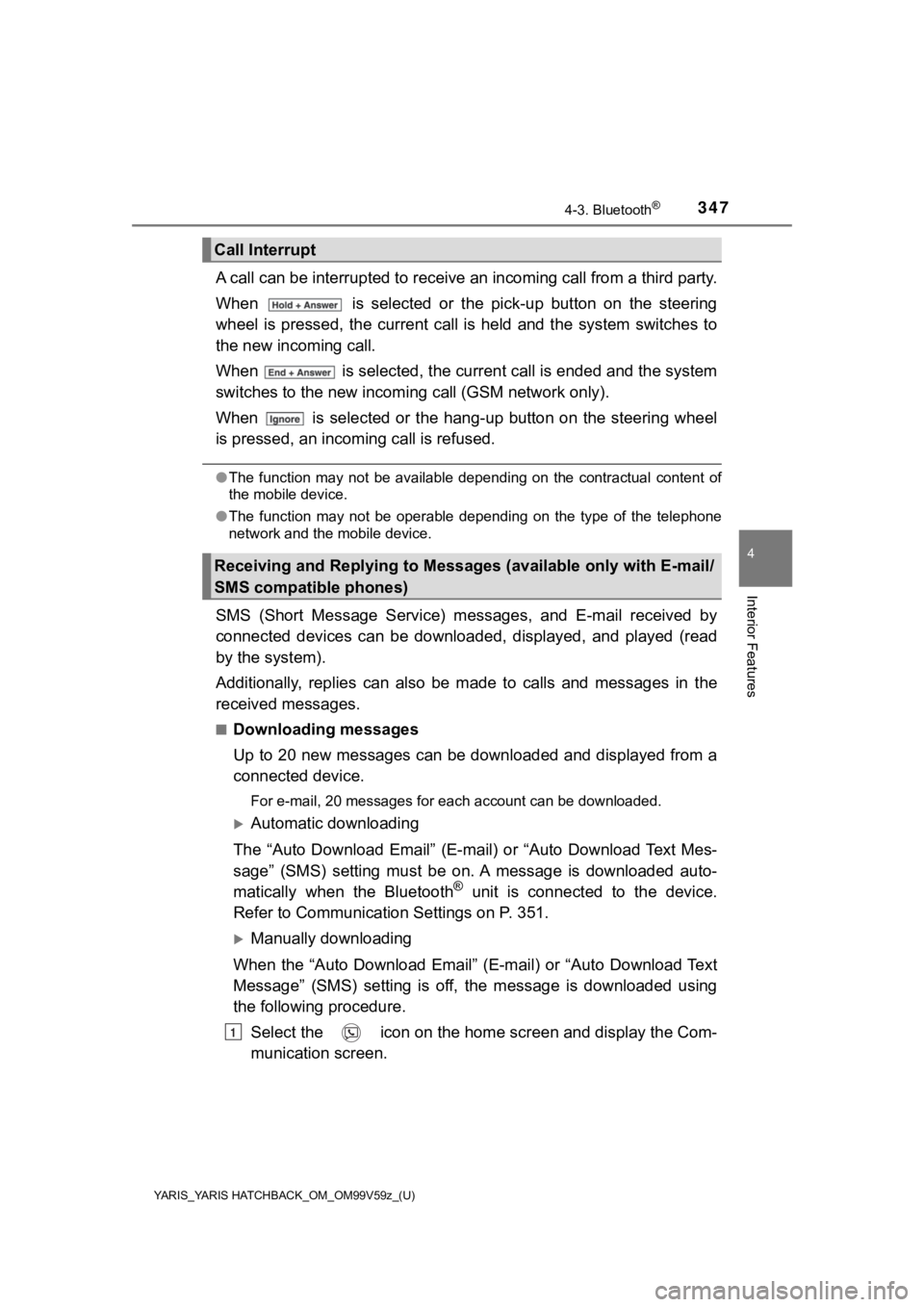
A call can be interrupted to receive an incoming call from a third party.
When is selected or the pick-up button on the steering
wheel is pressed, the current call is held and the system switc hes to
the new incoming call.
When is selected, the current call is ended and the system
switches to the new incoming call (GSM network only).
When is selected or the hang-up button on the steering wheel
is pressed, an incomi ng call is refused.
●The function may not be available depending on the contractual content of
the mobile device.
● The function may not be operable depending on the type of the telephone
network and the mobile device.
SMS (Short Message Service) messages, and E-mail received by
connected devices can be downloa ded, displayed, and played (read
by the system).
Additionally, replies can also be made to calls and messages in the
received messages.
■Downloading messages
Up to 20 new messages can be downloaded and displayed from a
connected device.
For e-mail, 20 messages for each account can be downloaded.
Automatic downloading
The “Auto Download Email” (E-mail) or “Auto Download Text Mes-
sage” (SMS) setting must be on. A message is downloaded auto-
matically when the Bluetooth
® unit is connected to the device.
Refer to Communication Settings on P. 351.
Manually downloading
When the “Auto Download Email” (E-mail) or “Auto Download Text
Message” (SMS) setting is off, the message is downloaded using
the following procedure. Select the icon on the home screen and display the Com-
munication screen.
Call Interrupt
Receiving and Replying to Messages (available only with E-mail/
SMS compatible phones)
1