ad blue TOYOTA YARIS 2020 User Guide
[x] Cancel search | Manufacturer: TOYOTA, Model Year: 2020, Model line: YARIS, Model: TOYOTA YARIS 2020Pages: 692, PDF Size: 68.71 MB
Page 406 of 692
4065-6. Using Bluetooth® devices
YARIS_F_OM_Europe_OM52A54E
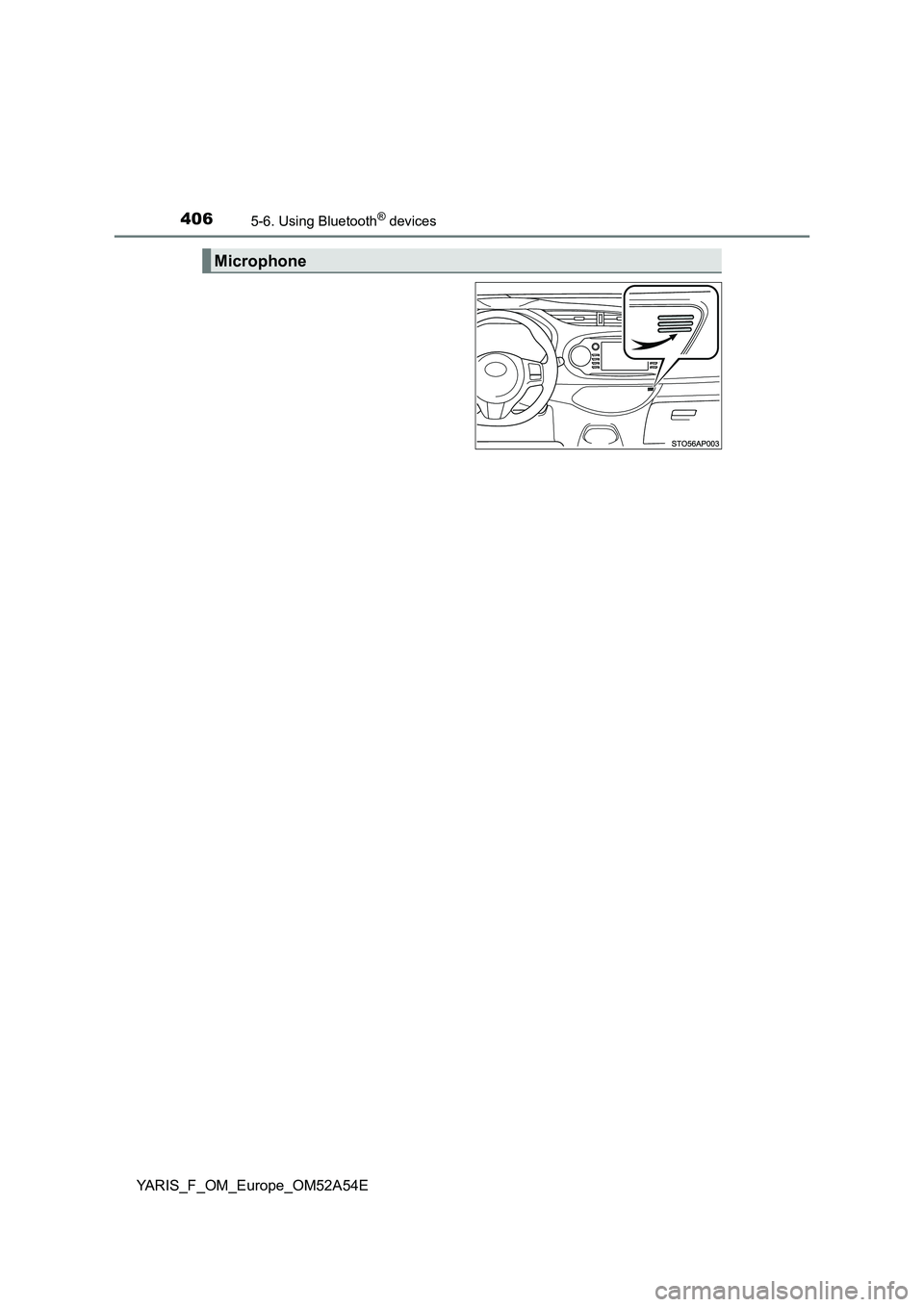
Microphone
Page 407 of 692
4075-6. Using Bluetooth® devices
5
Audio system
YARIS_F_OM_Europe_OM52A54E
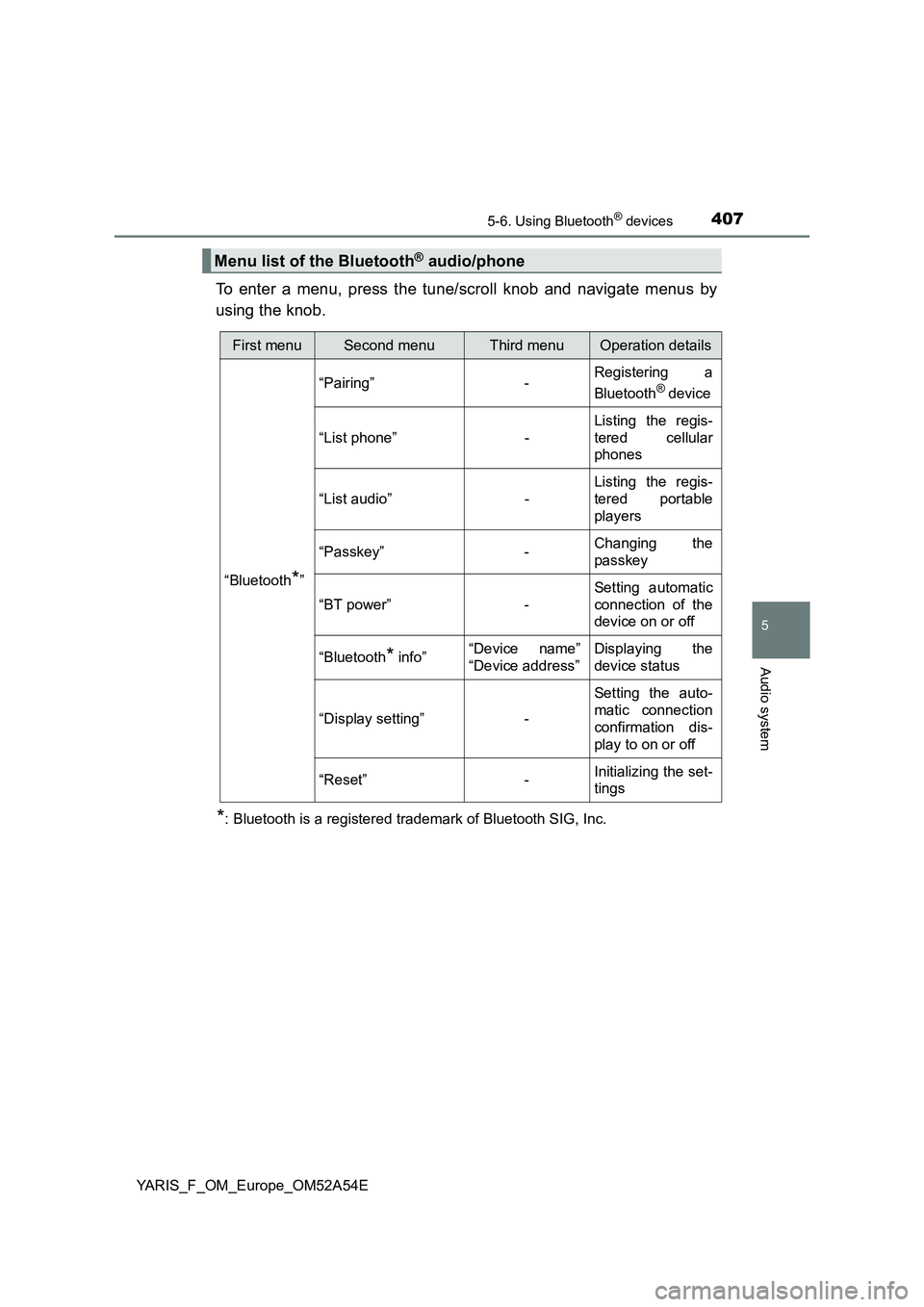
To enter a menu, press the tune/scroll knob and navigate menus by
using the knob.
*: Bluetooth is a registered trademark of Bluetooth SIG, Inc.
Menu list of the Bluetooth® audio/phone
First menuSecond menuThird menuOperation details
“Bluetooth
*”“Pairing” -Registering a
Bluetooth
® device
“List phone” -Listing the regis-
tered cellular
phones
“List audio” -Listing the regis-
tered portable
players
“Passkey” -Changing the
passkey
“BT power” -Setting automatic
connection of the
device on or off
“Bluetooth
* info”“Device name”
“Device address”Displaying the
device status
“Display setting” -Setting the auto-
matic connection
confirmation dis-
play to on or off
“Reset” -Initializing the set-
tings
Page 408 of 692
4085-6. Using Bluetooth® devices
YARIS_F_OM_Europe_OM52A54E
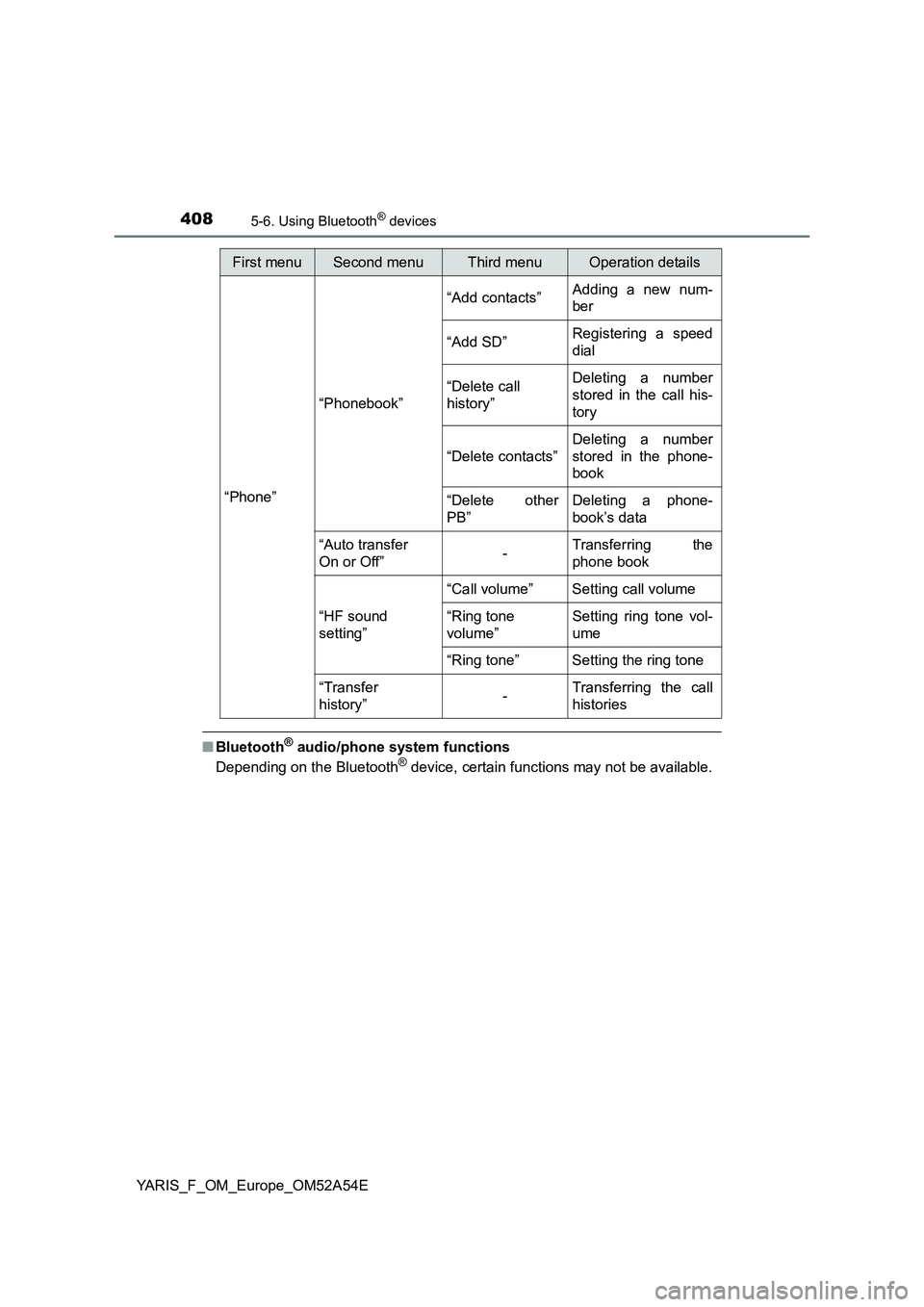
■Bluetooth® audio/phone system functions
Depending on the Bluetooth® device, certain functions may not be available.
First menuSecond menuThird menuOperation details
“Phone”“Phonebook”“Add contacts”Adding a new num-
ber
“Add SD”Registering a speed
dial
“Delete call
history”Deleting a number
stored in the call his-
tory
“Delete contacts”Deleting a number
stored in the phone-
book
“Delete other
PB”Deleting a phone-
book’s data
“Auto transfer
On or Off”-Transferring the
phone book
“HF sound
setting”“Call volume” Setting call volume
“Ring tone
volume”Setting ring tone vol-
ume
“Ring tone” Setting the ring tone
“Transfer
history”-Transferring the call
histories
Page 409 of 692
4095-6. Using Bluetooth® devices
5
Audio system
YARIS_F_OM_Europe_OM52A54E
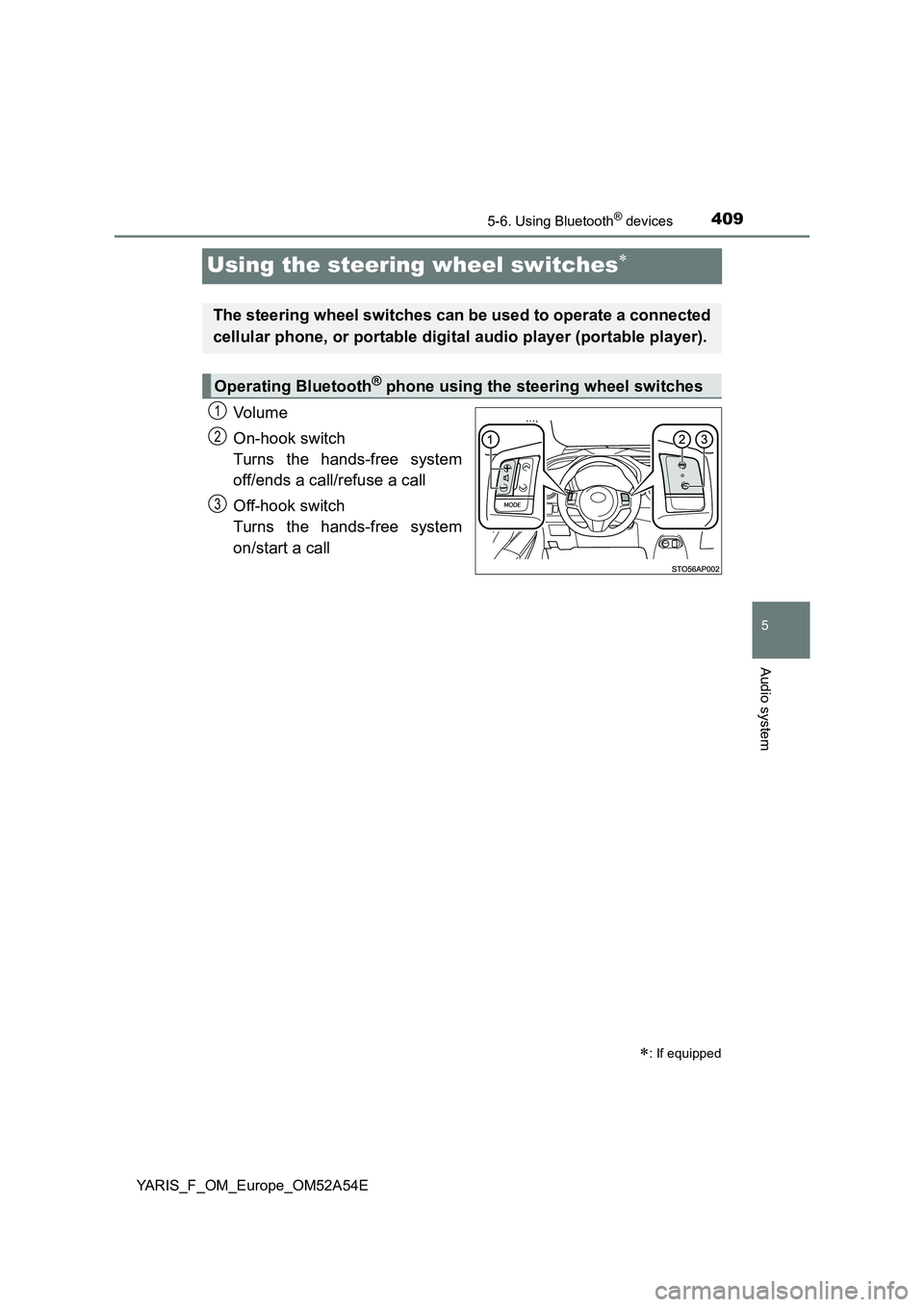
Using the steering wheel switches
Vo lu m e
On-hook switch
Turns the hands-free system
off/ends a call/refuse a call
Off-hook switch
Turns the hands-free system
on/start a call
: If equipped
The steering wheel switches can be used to operate a connected
cellular phone, or portable digital audio player (portable player).
Operating Bluetooth® phone using the steering wheel switches
1
2
3
Page 410 of 692
4105-6. Using Bluetooth® devices
YARIS_F_OM_Europe_OM52A54E
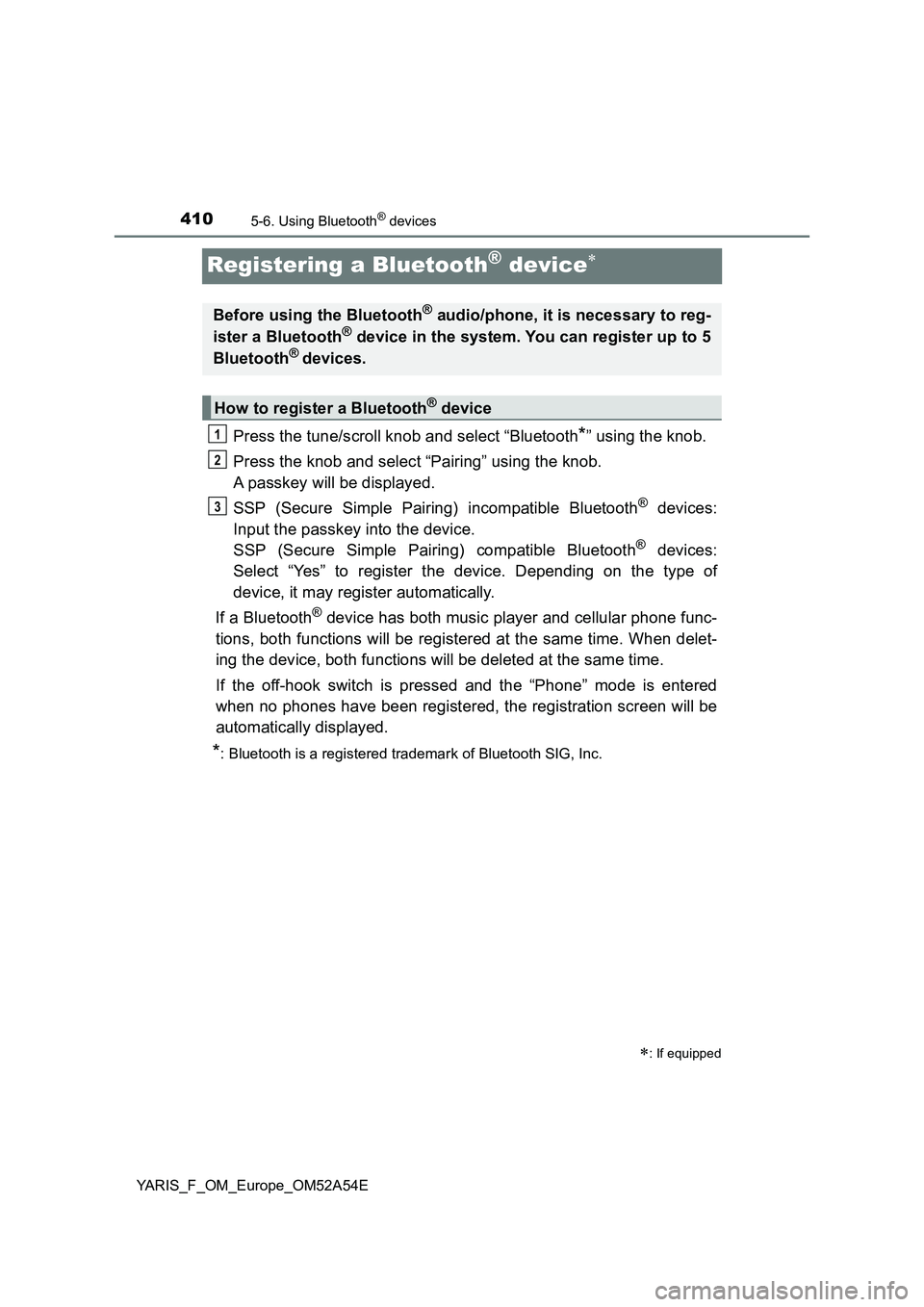
Registering a Bluetooth® device
Press the tune/scroll knob and select “Bluetooth*” using the knob.
Press the knob and select “Pairing” using the knob.
A passkey will be displayed.
SSP (Secure Simple Pairing) incompatible Bluetooth
® devices:
Input the passkey into the device.
SSP (Secure Simple Pairing) compatible Bluetooth
® devices:
Select “Yes” to register the device. Depending on the type of
device, it may register automatically.
If a Bluetooth
® device has both music player and cellular phone func-
tions, both functions will be registered at the same time. When delet-
ing the device, both functions will be deleted at the same time.
If the off-hook switch is pressed and the “Phone” mode is entered
when no phones have been registered, the registration screen will be
automatically displayed.
*: Bluetooth is a registered trademark of Bluetooth SIG, Inc.
: If equipped
Before using the Bluetooth® audio/phone, it is necessary to reg-
ister a Bluetooth® device in the system. You can register up to 5
Bluetooth® devices.
How to register a Bluetooth® device
1
2
3
Page 411 of 692
4115-7. “SETUP” menu
5
Audio system
YARIS_F_OM_Europe_OM52A54E
Using the “SETUP” menu (“Bluetooth*”
menu)
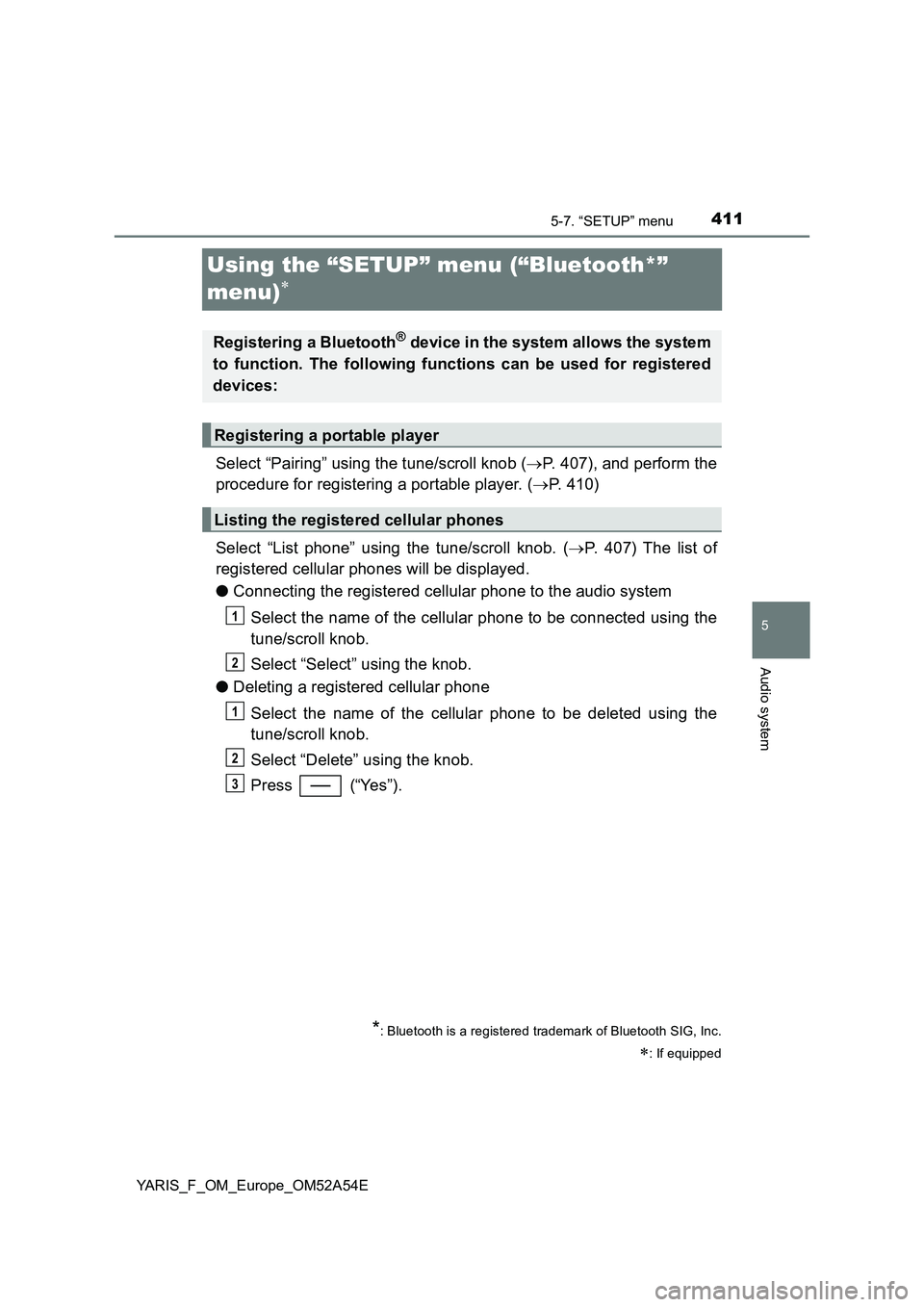
Select “Pairing” using the tune/scroll knob (P. 407), and perform the
procedure for registering a portable player. (P. 410)
Select “List phone” using the tune/scroll knob. (P. 407) The list of
registered cellular phones will be displayed.
●Connecting the registered cellular phone to the audio system
Select the name of the cellular phone to be connected using the
tune/scroll knob.
Select “Select” using the knob.
●Deleting a registered cellular phone
Select the name of the cellular phone to be deleted using the
tune/scroll knob.
Select “Delete” using the knob.
Press (“Yes”).
*: Bluetooth is a registered trademark of Bluetooth SIG, Inc.
: If equipped
Registering a Bluetooth® device in the system allows the system
to function. The following functions can be used for registered
devices:
Registering a portable player
Listing the registered cellular phones
1
2
1
2
3
Page 414 of 692
4145-7. “SETUP” menu
YARIS_F_OM_Europe_OM52A54E
If “BT power” is set to on, the registered device will be connected
automatically when the engine switch is turned to the “ACC” position
(vehicles without a smart entry & start system) or ACCESSORY mode
(vehicles with a smart entry & start system).
Select “BT power” using the tune/scroll knob. (P. 407)
Select “On” or “Off” using the knob.
Select “Bluetooth
* info” using the tune/scroll knob. (P. 407)
●Displaying the device name
Select “Device name” using the tune/scroll knob.
●Displaying the device address
Select “Device address” using the tune/scroll knob.
*: Bluetooth is a registered trademark of Bluetooth SIG, Inc.
If the “Display setting” is set to on, the Bluetooth phone/portable
player connection status will be displayed when the engine switch is
turned to the “ACC” or “ON” position (vehicles without a smart entry &
start system), or ACCESSORY or IGNITION ON mode (vehicles with
a smart entry & start system).
Select “Display setting” using the tune/scroll knob. (P. 407)
Select “On” or “Off” using the knob.
Setting automatic connection of the device on or off
Displaying the device status
Setting the automatic connection confirmation display to on or off
1
2
1
2
Page 420 of 692
4205-8. Bluetooth® Audio
YARIS_F_OM_Europe_OM52A54E
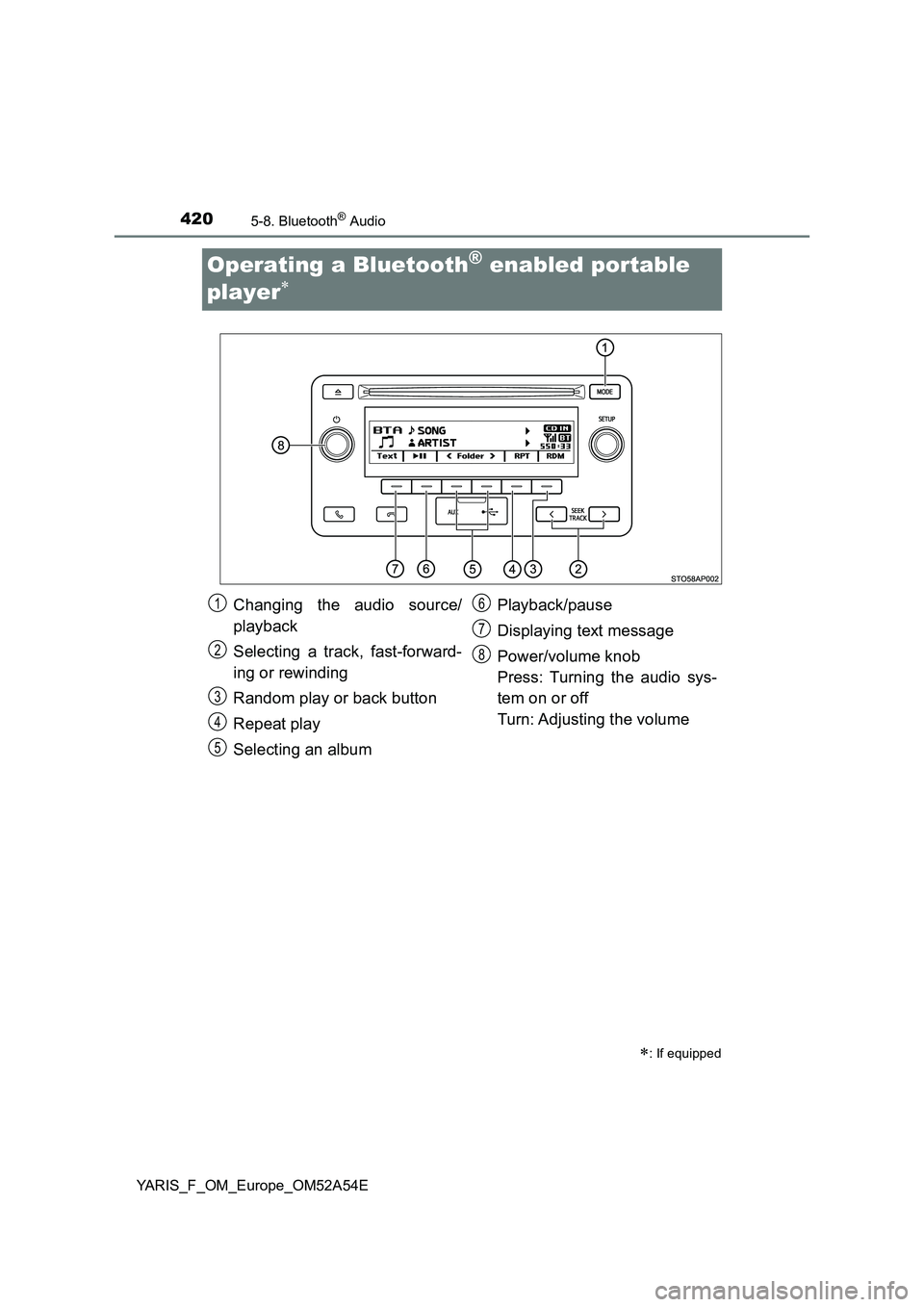
Operating a Bluetooth® enabled portable
player
: If equipped
Changing the audio source/
playback
Selecting a track, fast-forward-
ing or rewinding
Random play or back button
Repeat play
Selecting an albumPlayback/pause
Displaying text message
Power/volume knob
Press: Turning the audio sys-
tem on or off
Turn: Adjusting the volume1
2
3
4
5
6
7
8
Page 421 of 692
4215-8. Bluetooth® Audio
5
Audio system
YARIS_F_OM_Europe_OM52A54E
Press (“
album.
Press the “” or “” button of “SEEK TRACK” to select the desired
track.
Press and hold the “” or “” button of “SEEK TRACK”.
Pressing (“RDM”) changes modes in the following order:
Album randomAll track randomOff.
Pressing (“RPT”) changes modes in the following order:
Track repeatAlbum repeatOff.
Selecting an album
Selecting a tracks
Fast-forwarding and rewinding tracks
Random play
Repeat play
Page 422 of 692
4225-8. Bluetooth® Audio
YARIS_F_OM_Europe_OM52A54E
Press ( ).
Press (“Text”) to display or hide the album title.
If there are continuing texts, is displayed.
Press and hold the button to display the remaining texts.
■Bluetooth® audio system functions
Depending on the portable player that is connected to the system, certain
functions may not be available.
■Display
P. 381
Playing and pausing tracks
Switching the display