light TOYOTA YARIS 2021 Owners Manual
[x] Cancel search | Manufacturer: TOYOTA, Model Year: 2021, Model line: YARIS, Model: TOYOTA YARIS 2021Pages: 568, PDF Size: 110.34 MB
Page 243 of 568
243
4
YARIS(HB) Owner's Manual_Europe_MK0001_en
4-5. Using the driving support systems
Driving
tance to the object.
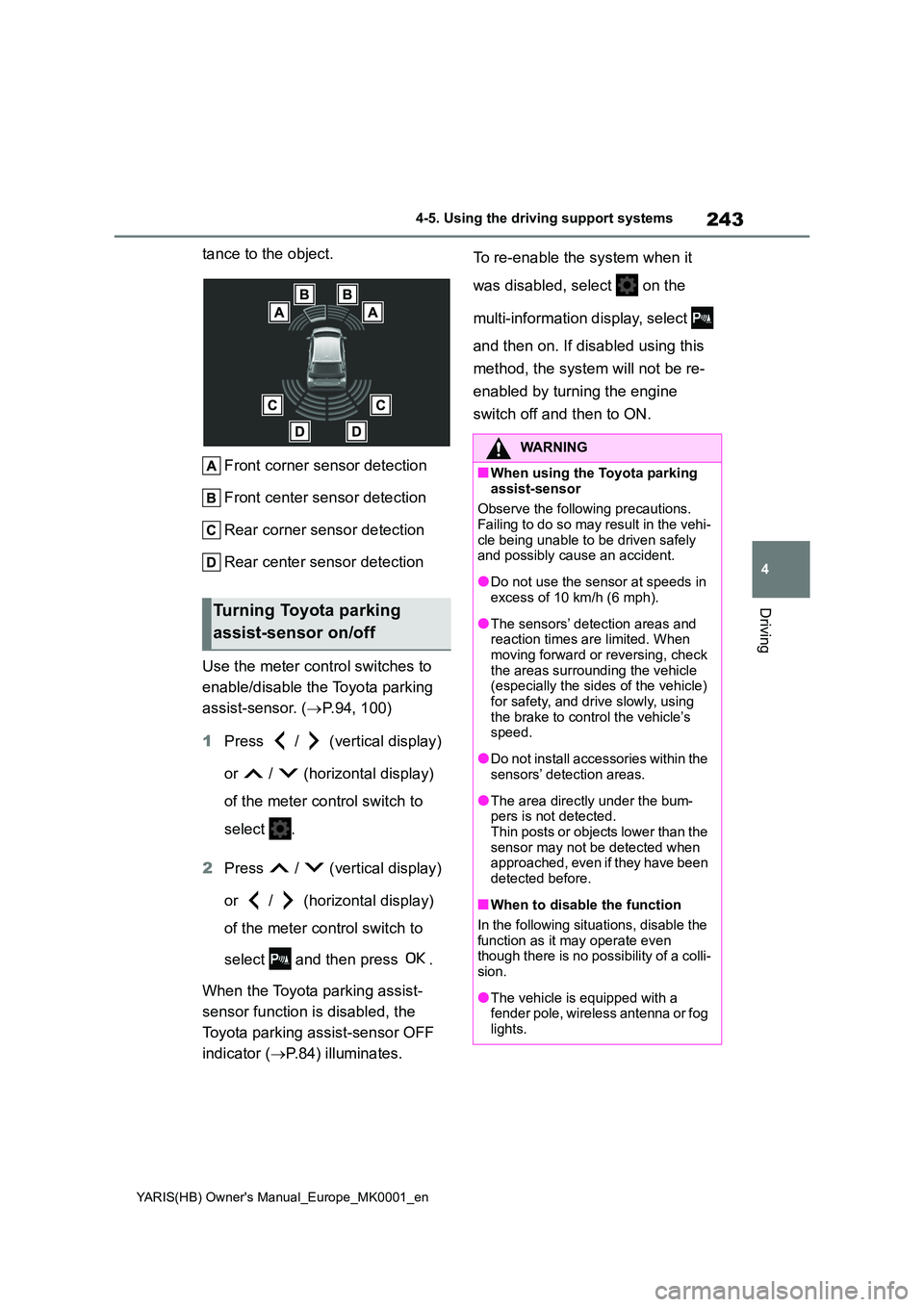
Front corner sensor detection
Front center sensor detection
Rear corner sensor detection
Rear center sensor detection
Use the meter control switches to
enable/disable the Toyota parking
assist-sensor. ( →P.94, 100)
1 Press / (vertical display)
or / (horizontal display)
of the meter control switch to
select .
2 Press / (vertical display)
or / (horizontal display)
of the meter control switch to
select and then press .
When the Toyota parking assist-
sensor function is disabled, the
Toyota parking assist-sensor OFF
indicator ( →P.84) illuminates.
To re-enable the system when it
was disabled, select on the
multi-information display, select
and then on. If disabled using this
method, the system will not be re-
enabled by turning the engine
switch off and then to ON.
Turning Toyota parking
assist-sensor on/off
WARNING
■When using the Toyota parking
assist-sensor
Observe the following precautions. Failing to do so may result in the vehi-
cle being unable to be driven safely and possibly cause an accident.
●Do not use the sensor at speeds in excess of 10 km/h (6 mph).
●The sensors’ detection areas and reaction times are limited. When moving forward or reversing, check
the areas surrounding the vehicle (especially the sides of the vehicle) for safety, and drive slowly, using
the brake to control the vehicle’s speed.
●Do not install accessories within the sensors’ detection areas.
●The area directly under the bum-pers is not detected.Thin posts or objects lower than the
sensor may not be detected when approached, even if they have been detected before.
■When to disable the function
In the following situations, disable the
function as it may operate even though there is no possibility of a colli-sion.
●The vehicle is equipped with a fender pole, wireless antenna or fog
lights.
Page 248 of 568
248
YARIS(HB) Owner's Manual_Europe_MK0001_en
4-5. Using the driving support systems
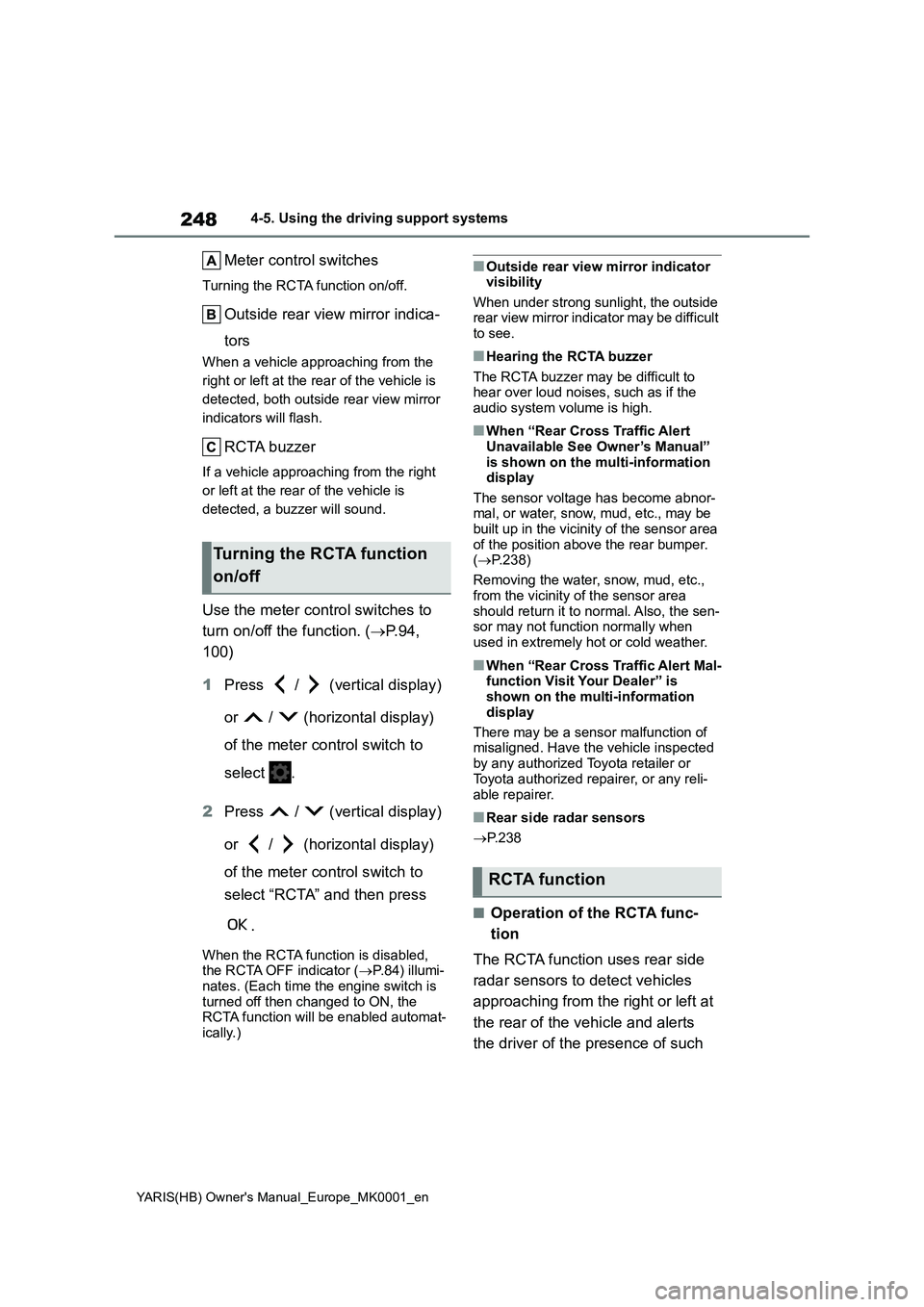
Meter control switches
Turning the RCTA function on/off.
Outside rear view mirror indica-
tors
When a vehicle approaching from the
right or left at the rear of the vehicle is
detected, both outside rear view mirror
indicators will flash.
RCTA buzzer
If a vehicle approaching from the right
or left at the rear of the vehicle is
detected, a buzzer will sound.
Use the meter control switches to
turn on/off the function. (→P.94,
100)
1Press / (vertical display)
or / (horizontal display)
of the meter control switch to
select .
2Press / (vertical display)
or / (horizontal display)
of the meter control switch to
select “RCTA” and then press
.
When the RCTA function is disabled,
the RCTA OFF indicator (→P.84) illumi-
nates. (Each time the engine switch is
turned off then changed to ON, the
RCTA function will be enabled automat-
ically.)
■Outside rear view mirror indicator
visibility
When under strong sunlight, the outside
rear view mirror indicator may be difficult
to see.
■Hearing the RCTA buzzer
The RCTA buzzer may be difficult to
hear over loud noises, such as if the
audio system volume is high.
■When “Rear Cross Traffic Alert
Unavailable See Owner’s Manual”
is shown on the multi-information
display
The sensor voltage has become abnor-
mal, or water, snow, mud, etc., may be
built up in the vicinity of the sensor area
of the position above the rear bumper.
(→P.238)
Removing the water, snow, mud, etc.,
from the vicinity of the sensor area
should return it to normal. Also, the sen-
sor may not function normally when
used in extremely hot or cold weather.
■When “Rear Cross Traffic Alert Mal-
function Visit Your Dealer” is
shown on the multi-information
display
There may be a sensor malfunction of
misaligned. Have the vehicle inspected
by any authorized Toyota retailer or
Toyota authorized repairer, or any reli-
able repairer.
■Rear side radar sensors
→P. 2 3 8
■Operation of the RCTA func-
tion
The RCTA function uses rear side
radar sensors to detect vehicles
approaching from the right or left at
the rear of the vehicle and alerts
the driver of the presence of such
Turning the RCTA function
on/off
RCTA function
Page 260 of 568
260
YARIS(HB) Owner's Manual_Europe_MK0001_en
4-5. Using the driving support systems
●Vehicle surroundings
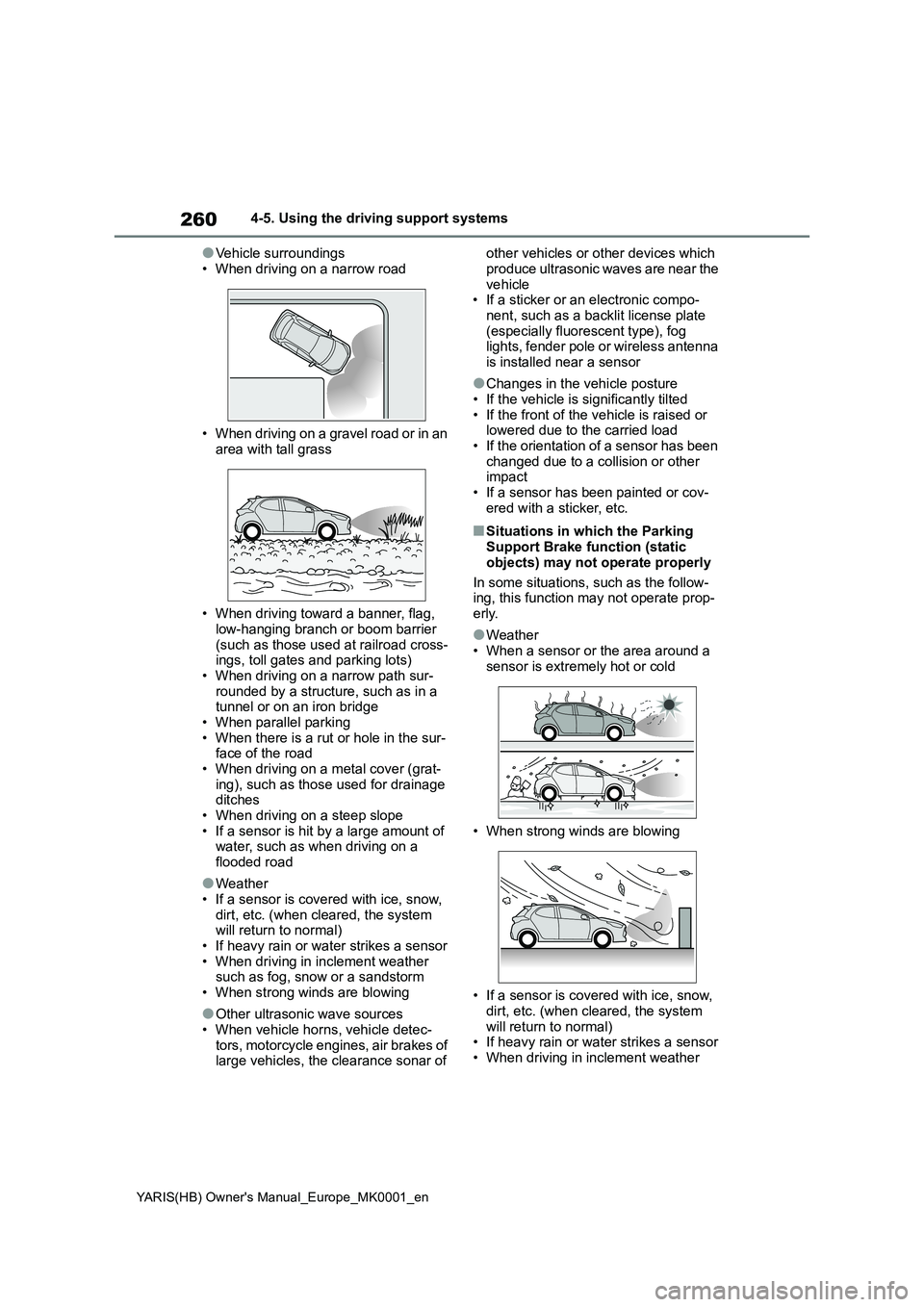
• When driving on a narrow road
• When driving on a gravel road or in an
area with tall grass
• When driving toward a banner, flag,
low-hanging branch or boom barrier (such as those used at railroad cross-ings, toll gates and parking lots)
• When driving on a narrow path sur- rounded by a structure, such as in a tunnel or on an iron bridge
• When parallel parking • When there is a rut or hole in the sur-face of the road
• When driving on a metal cover (grat- ing), such as those used for drainage ditches
• When driving on a steep slope • If a sensor is hit by a large amount of water, such as when driving on a
flooded road
●Weather
• If a sensor is covered with ice, snow, dirt, etc. (when cleared, the system will return to normal)
• If heavy rain or water strikes a sensor • When driving in inclement weather such as fog, snow or a sandstorm
• When strong winds are blowing
●Other ultrasonic wave sources
• When vehicle horns, vehicle detec- tors, motorcycle engines, air brakes of large vehicles, the clearance sonar of
other vehicles or other devices which
produce ultrasonic waves are near the vehicle• If a sticker or an electronic compo-
nent, such as a backlit license plate (especially fluorescent type), fog lights, fender pole or wireless antenna
is installed near a sensor
●Changes in the vehicle posture
• If the vehicle is significantly tilted • If the front of the vehicle is raised or lowered due to the carried load
• If the orientation of a sensor has been changed due to a collision or other impact
• If a sensor has been painted or cov- ered with a sticker, etc.
■Situations in which the Parking Support Brake function (static
objects) may not operate properly
In some situations, such as the follow- ing, this function may not operate prop-
erly.
●Weather
• When a sensor or the area around a sensor is extremely hot or cold
• When strong winds are blowing
• If a sensor is covered with ice, snow,
dirt, etc. (when cleared, the system will return to normal)• If heavy rain or water strikes a sensor
• When driving in inclement weather
Page 261 of 568
261
4
YARIS(HB) Owner's Manual_Europe_MK0001_en
4-5. Using the driving support systems
Driving
such as fog, snow or a sandstorm
• When the sensor is frozen (Once the
sensor thaws, the system will return to
normal)
●Vehicle surroundings
• When an object that cannot be
detected is between the vehicle and a
detected object
• If an object such as a vehicle, motor-
cycle, bicycle or pedestrian cuts in
front of the vehicle or runs out from
the side of the vehicle
• The vehicle is approaching a tall or
curved curb.
• On an extremely bumpy road, on an
incline, on gravel, or on grass.
• If objects draw too close to the sensor.
●Other ultrasonic waves sources
• When vehicle horns, vehicle detec-
tors, motorcycle engines, air brakes of
large vehicles, the clearance sonar of
other vehicles or other devices which
produce ultrasonic waves are near the
vehicle
• If a sticker or an electronic compo-
nent, such as a backlit license plate
(especially fluorescent type), fog
lights, fender pole or wireless antenna
is installed near a sensor
●Changes in the vehicle posture
• If the vehicle is significantly tilted
• If the front of the vehicle is raised or
lowered due to the carried load
• If the orientation of a sensor has been
changed due to a collision or other
impact
• When equipment that may obstruct a
sensor is installed, such as a bumper
protector (an additional trim strip,
etc.), bicycle carrier, or snow plow
• If the suspension has been modified
or tires of a size other than specified
are installed
• If a sensor has been painted or cov-
ered with a sticker, etc.
Page 265 of 568
265
4
YARIS(HB) Owner's Manual_Europe_MK0001_en
4-5. Using the driving support systems
Driving
●When there are spinning objects near
your vehicle such as the fans of an air conditioning unit
●When water is splashed or sprayed toward the rear bumper, such as from a sprinkler
■Situations in which the Parking
Support Brake function (rear-cross- ing vehicles) may not operate prop-erly
In some situations, such as the follow- ing, the radar sensors may not detect an object and this function may not operate
properly
●Stationary objects
●When a sensor or the area around a sensor is extremely hot or cold
●If the rear bumper is covered with ice, snow, dirt, etc.
●When it is raining heavily or water strikes the vehicle
●When the detection area of a radar sensor is obstructed by an adjacent
vehicle
●If the vehicle is significantly tilted
●When equipment that may obstruct a sensor is installed, such as a towing
eyelet, bumper protector (an addi- tional trim strip, etc.), bicycle carrier, or snow plow
●If the suspension has been modified or tires of a size other than specified
are installed
●If the front of the vehicle is raised or
lowered due to the carried load
●If an electronic component, such as a
backlit license plate (especially fluo- rescent type), fog lights, fender pole
or wireless antenna is installed near a
radar sensor
●If the orientation of a radar sensor has
been changed
●When multiple vehicles are approach-
ing with only a small gap between each vehicle
●If a vehicle is approaching the rear of your vehicle rapidly
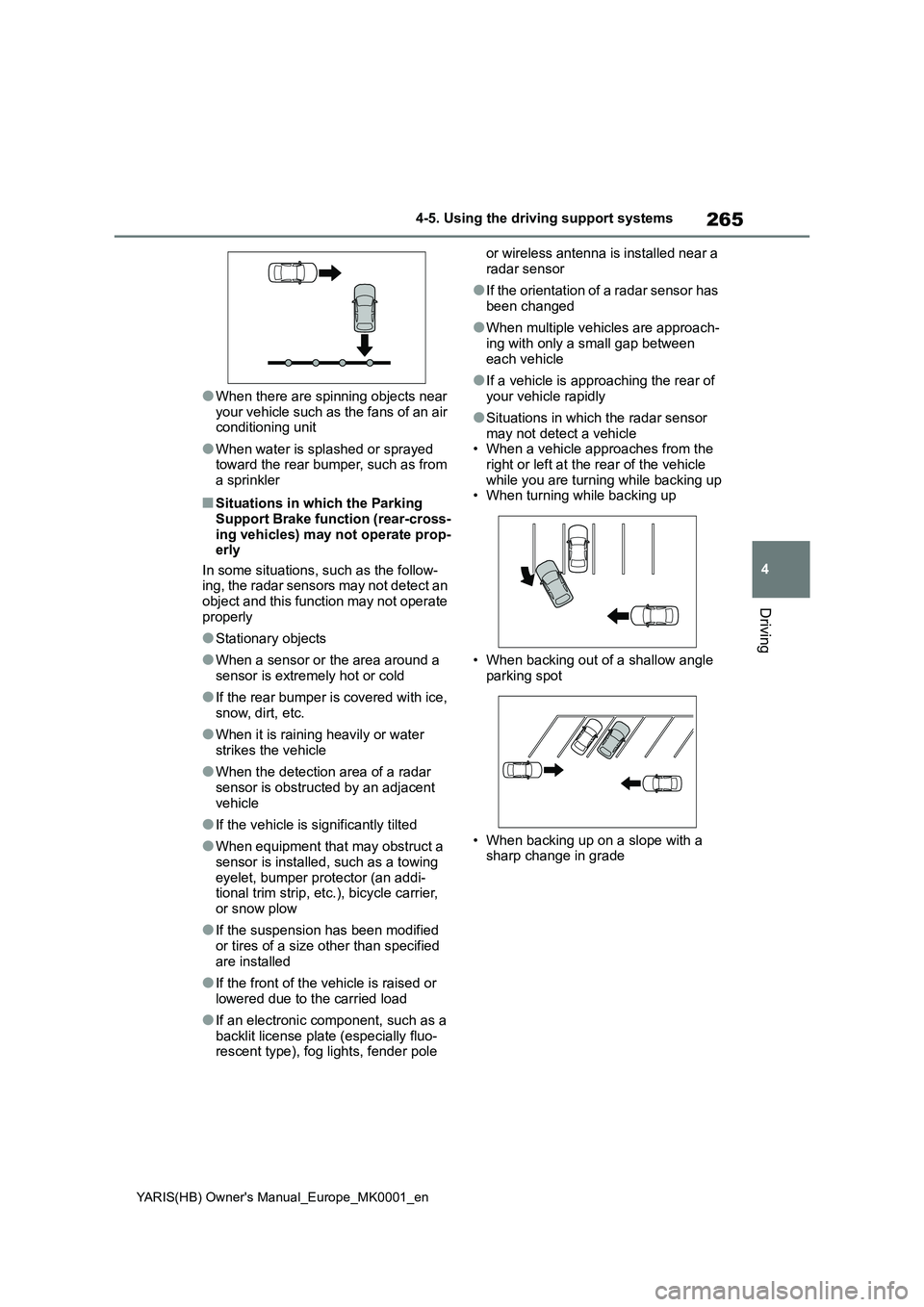
●Situations in which the radar sensor may not detect a vehicle• When a vehicle approaches from the
right or left at the rear of the vehicle while you are turning while backing up• When turning while backing up
• When backing out of a shallow angle parking spot
• When backing up on a slope with a sharp change in grade
Page 269 of 568
269
4
YARIS(HB) Owner's Manual_Europe_MK0001_en
4-5. Using the driving support systems
Driving
■Trailer Sway Control
Helps the driver to control trailer
sway by selectively applying brake
pressure for individual wheels and
reducing driving torque when trailer
sway is detected.
■TRC (Traction Control)
Helps to maintain drive power and
prevent the drive wheels from spin-
ning when starting the vehicle or
accelerating on slippery roads
■Active Cornering Assist (ACA)
Helps to prevent the vehicle from
drifting to the outer side by perform-
ing inner wheel brake control when
attempting to accelerate while turn-
ing
■Hill-start assist control
Helps to reduce the backward
movement of the vehicle when
starting on an uphill
■EPS (Electric Power Steering)
Employs an electric motor to
reduce the amount of effort needed
to turn the steering wheel.
■Emergency brake signal
When the brakes are applied sud-
denly, the emergency flashers auto-
matically flash to alert the vehicle
behind.
■Secondary Collision Brake
When the SRS airbag sensor
detects a collision and the system
operates, the brakes and brake
lights are automatically controlled
to reduce the vehicle speed and help reduce the possibility of further
damage due to a secondary colli-
sion.
■When the TRC/VSC/Trailer Sway
Control systems are operating
The slip indicator light will flash while the
TRC/VSC/Trailer Sway Control systems
are operating.
■Disabling the TRC system
If the vehicle gets stuck in mud, dirt or
snow, the TRC system may reduce
power from the engine to the wheels.
Pressing to turn the system off may
make it easier for you to rock the vehicle
in order to free it.
To turn the TRC system off, quickly
press and release .
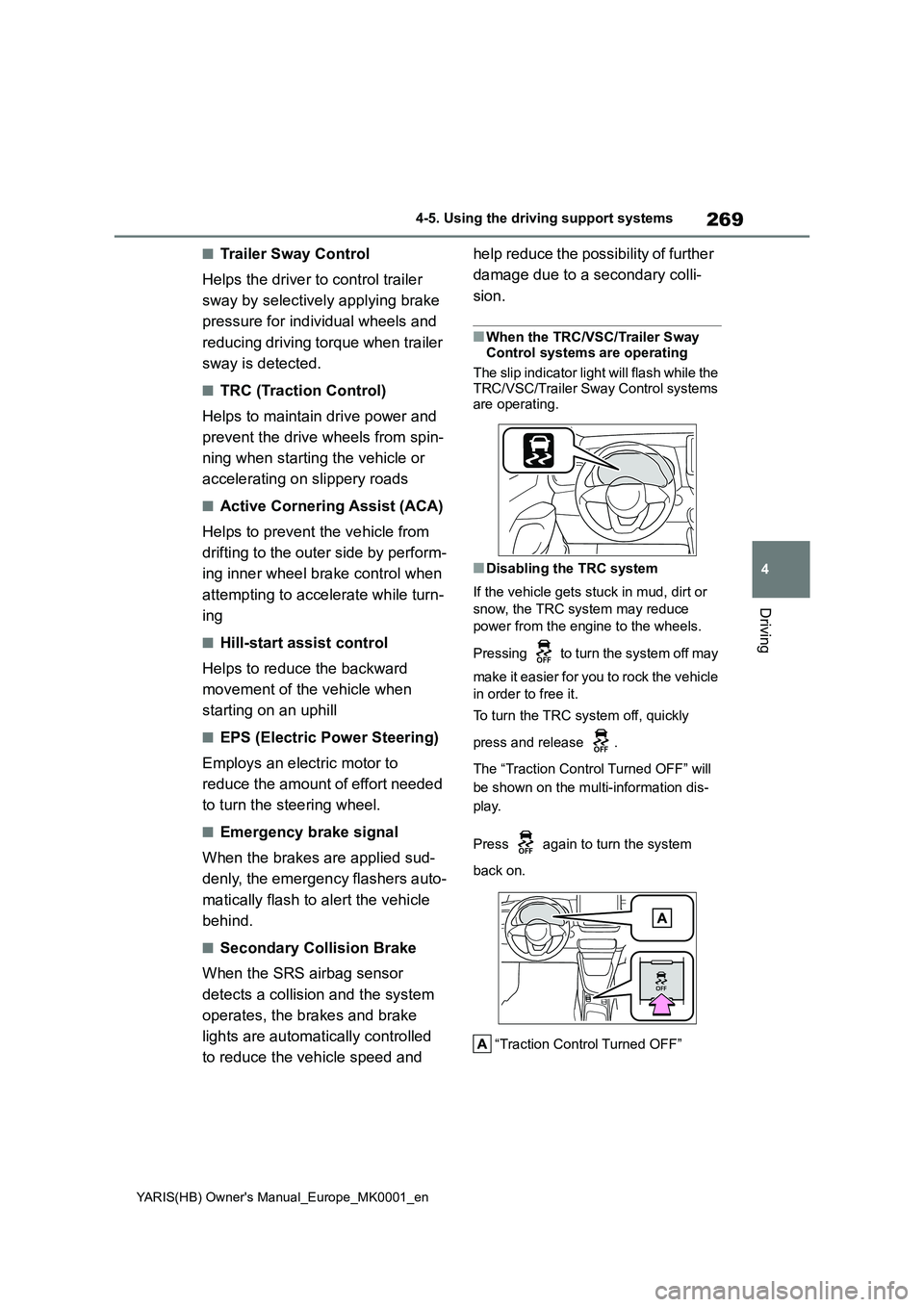
The “Traction Control Turned OFF” will
be shown on the multi-information dis-
play.
Press again to turn the system
back on.
“Traction Control Turned OFF”
Page 270 of 568
270
YARIS(HB) Owner's Manual_Europe_MK0001_en
4-5. Using the driving support systems
■Turning off both TRC, VSC and
Trailer Sway Control systems
To turn the TRC, VSC and Trailer Sway
Control systems off, press and hold
for more than 3 seconds while the vehi-
cle is stopped.
The VSC OFF indicator light will come
on and the “Traction Control Turned
OFF” will be shown on the multi-infor-
mation display.
*
Press again to turn the system
back on.
*: On vehicles with PCS (Pre-Collision
System), PCS will also be disabled
(only Pre-Collision warning is avail-
able). The PCS warning light will
come on and a message will be dis-
played on the multi-information dis-
play. (→P.203)
■When the message is displayed on
the multi-information display show-
ing that TRC has been disabled
even if has not been pressed
TRC is temporary deactivated. If the
information continues to show, contact
any authorized Toyota retailer or Toyota
authorized repairer, or any reliable
repairer.
■Operating conditions of hill-start
assist control
When the following conditions are met,
the hill-start assist control will operate:
●Vehicles with a Multidrive: The shift
lever is in a position other than P or N
(when starting off forward/backward
on an upward incline).
●Vehicles with a manual transmission:
The shift lever is in a position other
than R when starting off forward on an
upward incline, or the shift lever is in
R when starting off backward on an
upward incline.
●The vehicle is stopped
●The accelerator pedal is not
depressed
●The parking brake is not engaged
■Automatic system cancelation of
hill-start assist control
The hill-start assist control will turn off in
any of the following situations:
●Vehicles with a Multidrive: The shift
lever is shifted to P or N.
●Vehicles with a manual transmission:
The shift lever is shifted to R when
starting off forward on an upward
incline, or the shift lever is shifted to
other than R when starting off back-
ward on an upward incline.
●The accelerator pedal is depressed
●The parking brake is engaged
●2 seconds at maximum elapsed after
the brake pedal is released
■Sounds and vibrations caused by
the ABS, brake assist, VSC, Trailer
Sway Control, TRC and hill-start
assist control systems
●A sound may be heard from the
engine compartment when the brake
pedal is depressed repeatedly, when
the engine is started or just after the
vehicle begins to move. This sound
does not indicate that a malfunction
has occurred in any of these systems.
●Any of the following conditions may
occur when the above systems are
operating. None of these indicates
that a malfunction has occurred.
• Vibrations may be felt through the
vehicle body and steering.
• A motor sound may be heard also
after the vehicle comes to a stop.
• The brake pedal may pulsate slightly
after the ABS is activated.
• The brake pedal may move down
slightly after the ABS is activated.
■Active Cornering Assist operation
sounds and vibrations
When the Active Cornering Assist is
operated, operation sounds and vibra-
Page 272 of 568
272
YARIS(HB) Owner's Manual_Europe_MK0001_en
4-5. Using the driving support systems
WARNING
●The vehicle hydroplanes while driv- ing at high speed on wet or slick
roads.
■Stopping distance when the ABS
is operating may exceed that of normal conditions
The ABS is not designed to shorten
the vehicle’s stopping distance. Always maintain a safe distance from the vehicle in front of you, especially
in the following situations:
●When driving on dirt, gravel or
snow-covered roads
●When driving with tire chains
●When driving over bumps in the road
●When driving over roads with pot-holes or uneven surfaces
■TRC/VSC may not operate effec-tively when
Directional control and power may not be achievable while driving on slip-pery road surfaces, even if the
TRC/VSC system is operating. Drive the vehicle carefully in conditions where stability and power may be
lost.
■Active Cornering Assist does not
operate effectively when
●Do not overly rely on Active Corner- ing Assist. Active Cornering Assist
may not operate effectively when accelerating down slopes or driving on slippery road surfaces.
●When Active Cornering Assist fre-quently operates, Active Cornering
Assist may temporarily stop operat- ing to ensure proper operation of the brakes, TRC and VSC.
■Hill-start assist control does not operate effectively when
●Do not overly rely on hill-start assist
control. Hill-start assist control may not operate effectively on steep inclines and roads covered with ice.
●Unlike the parking brake, hill-start assist control is not intended to hold
the vehicle stationary for an extended period of time. Do not attempt to use hill-start assist con-
trol to hold the vehicle on an incline, as doing so may lead to an acci-dent.
■When the TRC/VSC/Trailer Sway Control is activated
The slip indicator light flashes. Always drive carefully. Reckless driving may cause an accident. Exercise particular
care when the indicator light flashes.
■When the TRC/VSC/Trailer Sway
Control systems are turned off
Be especially careful and drive at a speed appropriate to the road condi-
tions. As these are the systems to help ensure vehicle stability and driv-ing force, do not turn the
TRC/VSC/Trailer Sway Control sys- tems off unless necessary.Trailer Sway Control is part of the
VSC system and will not operate if VSC is turned off or experiences a malfunction.
■Replacing tires
Make sure that all tires are of the
specified size, brand, tread pattern and total load capacity. In addition, make sure that the tires are inflated to
the recommended tire inflation pres- sure level.The ABS, TRC Trailer Sway Control
and VSC systems will not function correctly if different tires are installed on the vehicle.
Contact any authorized Toyota retailer or Toyota authorized repairer, or any reliable repairer for further information
when replacing tires or wheels.
Page 275 of 568
275
4
YARIS(HB) Owner's Manual_Europe_MK0001_en
4-6. Driving tips
Driving
Perform the following according to
the driving conditions:
zDo not try to forcibly open a win-
dow or move a wiper that is fro-
zen. Pour warm water over the
frozen area to melt the ice. Wipe
away the water immediately to
prevent it from freezing.
zTo ensure proper operation of
the climate control system fan,
remove any snow that has accu-
mulated on the air inlet vents in
front of the windshield.
zCheck for and remove any
excess ice or snow that may
have accumulated on the exte-
rior lights, vehicle’s roof, chassis,
around the tires or on the brakes.
zRemove any snow or mud from
the bottom of your shoes before
getting in the vehicle.
Accelerate the vehicle slowly, keep
a safe distance between you and
the vehicle ahead, and drive at a
reduced speed suitable to road
conditions.
zPark the vehicle and shift the
shift lever to P (Multidrive), or 1
or R (manual transmission) with-
out setting the parking brake.
The parking brake may freeze up, preventing it from being
released. If the vehicle is parked
without setting the parking brake,
make sure to block the wheels.
Failure to do so may be danger-
ous because it may cause the
vehicle to move unexpectedly,
possibly leading to an accident.
zVehicles with a Multidrive: If the
vehicle is parked without setting
the parking brake, confirm that
the shift lever cannot be moved
out of P
*.
*: The shift lever will be locked if it is
attempted to be shifted from P to any
other position without depressing the
brake pedal. If the shift lever can be
shifted from P, there may be a prob-
lem with the shift lock system. Have
the vehicle inspected by any autho-
rized Toyota retailer or Toyota autho-
rized repairer, or any reliable repairer
or legitimate tire retailers immedi-
ately.
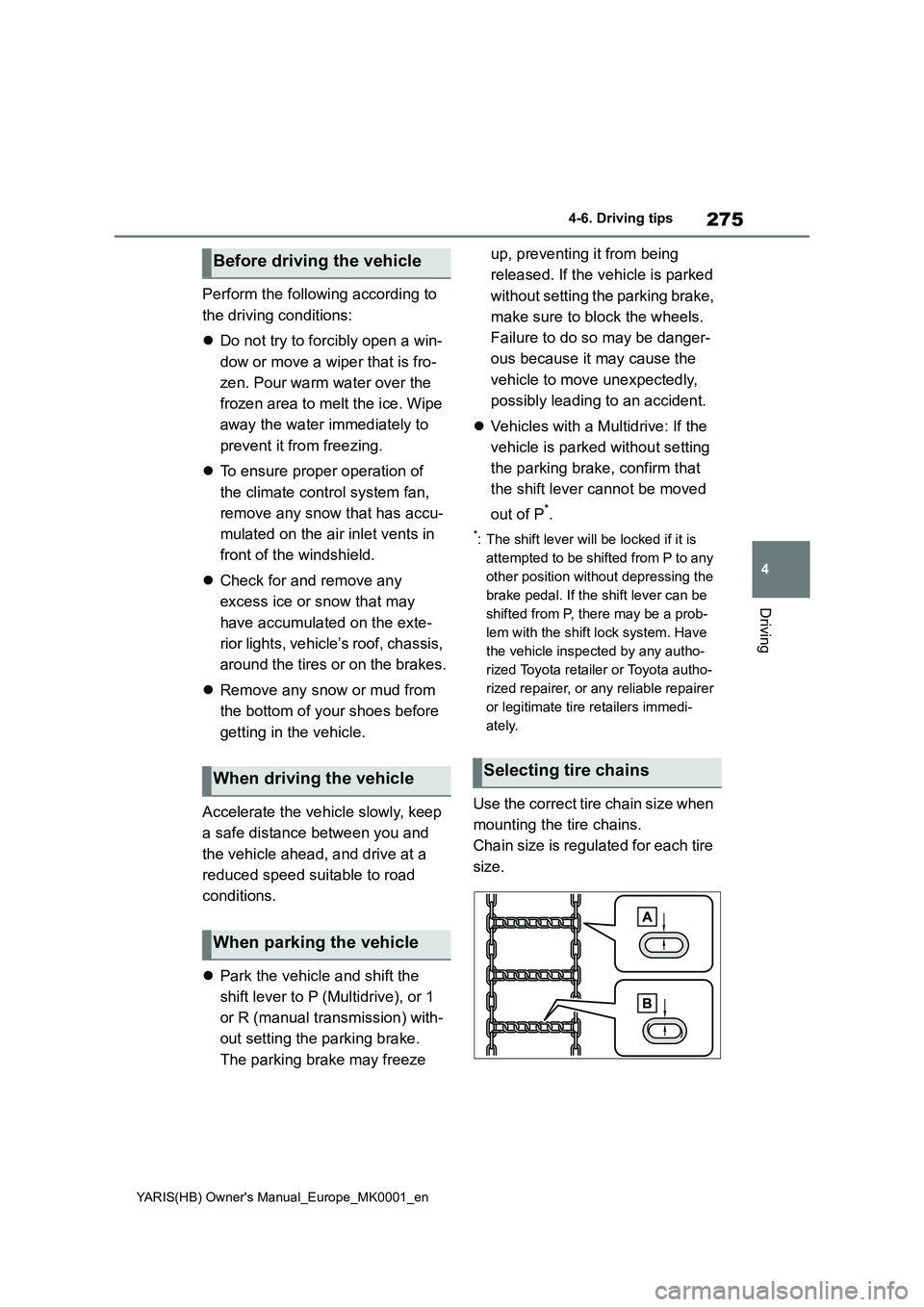
Use the correct tire chain size when
mounting the tire chains.
Chain size is regulated for each tire
size.
Before driving the vehicle
When driving the vehicle
When parking the vehicle
Selecting tire chains
Page 277 of 568
5
277
YARIS(HB) Owner's Manual_Europe_MK0001_en
5
Interior features
Interior features
5-1. Using the air conditioning
system and defogger
Manual air conditioning system
....................................... 278
Automatic air conditioning sys-
tem ................................. 283
Heated steering wheel/seat
heaters ........................... 289
5-2. Using the interior lights
Interior lights list................ 291
5-3. Using the storage features
List of storage features ..... 293
Luggage compartment features
....................................... 295
5-4. Other interior features
Other interior features....... 299