towing TOYOTA YARIS 2021 User Guide
[x] Cancel search | Manufacturer: TOYOTA, Model Year: 2021, Model line: YARIS, Model: TOYOTA YARIS 2021Pages: 568, PDF Size: 110.34 MB
Page 156 of 568
156
YARIS(HB) Owner's Manual_Europe_MK0001_en
4-1. Before driving
when towing:
■Checking connections
between trailer and lights
Stop the vehicle and check the
operation of the connection
between the trailer and lights after
driving for a brief period as well as
before starting off.
■Practicing driving with a cou-
pled trailer
zGet the feel for turning, stopping
and reversing with the trailer
coupled by practicing in an area
with no or light traffic.
zWhen reversing with a coupled
trailer, hold the section of the
steering wheel nearest to you
and rotate clockwise to turn the
trailer left or counterclockwise to
turn it right. Always rotate a little
at a time to prevent steering
error. Have someone guide you
when reversing to lessen the risk
of an accident.
■Increasing vehicle-to-vehicle
distance
At a speed of 10 km/h (6 mph), the
distance to the vehicle running
ahead of you should be equivalent
to or greater than the combined
length of your vehicle and trailer.
Avoid sudden braking that may
cause skidding. Otherwise, the
vehicle may spin out of control. This
is especially true when driving on
wet or slippery road surfaces.
■Sudden acceleration/steering
input/cornering
Executing sharp turns when towing
may result in the trailer colliding
with your vehicle. Decelerate well in
advance when approaching turns
and take them slowly and carefully
to avoid sudden braking.
■Important points regarding
turning
The wheels of the trailer will travel
closer to the inside of the curve
than the wheels of the vehicle. To
make allowance for this, take the
turns wider than you would nor-
mally do.
■Important points regarding
stability
Vehicle movement resulting from
uneven road surfaces and strong
crosswinds will affect handling. The
vehicle may also be rocked by
passing buses or large trucks. Fre-
quently check behind when moving
alongside such vehicles. As soon
as such vehicle movement occurs,
immediately start to decelerate
smoothly by slowly applying the
brakes. Always steer the vehicle
straight ahead while braking.
■Passing other vehicles
Consider the total combined length
of your vehicle and trailer and
ensure that the vehicle-to-vehicle
distance is sufficient before execut-
ing lane changes.
Page 157 of 568
157
4
YARIS(HB) Owner's Manual_Europe_MK0001_en
4-1. Before driving
Driving
■Transmission information
Multidrive
To maintain engine braking effi-
ciency and charging system perfor-
mance when using engine braking,
do not use the transmission in D,
must be in M and select gear step 4
or lower. ( →P.164)
Manual transmission
Refrain from driving in 6th gear to
maintain the effectiveness of
engine braking and to maintain
charging system performance.
■If the engine overheats
Towing a loaded trailer up a long,
steep incline in temperatures
exceeding 30°C (85°F) may result
in the engine overheating. If the
engine coolant temperature gauge
indicates that the engine is over-
heating, turn the air conditioning off
immediately, leave the road and
stop the vehicle in a safe place.
( →P.405)
■When parking the vehicle
Always place wheel chocks under
the wheels of both the vehicle and
trailer. Firmly set the parking brake
and shift the shift lever to P (Multid-
rive) and 1 or R (manual transmis-
sion).
WARNING
Follow all the instructions described in
this section. Failure to do so could cause an accident resulting in death or serious injury.
■Trailer towing precautions
When towing, make sure that none of the weight limits are exceeded.
( →P.153)
■Vehicle speed in towing
Observe the legal maximum speeds for trailer towing.
■Before descending hills or long declines
Reduce speed and downshift. How-
ever, never downshift suddenly while descending steep or long downhill grades.
■Operation of the brake pedal
Do not hold the brake pedal
depressed often or for long periods of time. Doing so may result in the brake overheating or reduce braking effects.
■To avoid accident or injury
●Vehicles with a compact spare tire:
Do not tow a trailer when the com- pact spare tire is installed on your vehicle.
●Vehicles with the emergency tire puncture repair kit: Do not tow a
trailer when the tire installed is repaired with the emergency tire puncture repair kit.
●Vehicles with a Dynamic radar cruise control: Do not use dynamic
radar cruise control when you are towing.
NOTICE
■Do not directly splice trailer
lights
Directly splicing trailer lights may damage your vehicle’s electrical sys-
tem and cause a malfunction.
Page 195 of 568
195
4
YARIS(HB) Owner's Manual_Europe_MK0001_en
4-5. Using the driving support systems
Driving
WARNING
●Do not attempt to test the operation of the pre-collision system yourself.
Depending on the objects used for testing (dummies, cardboard objects imitating detectable objects,
etc.), the system may not operate properly, possibly leading to an accident.
■Pre-collision braking
●When the pre-collision braking
function is operating, a large amount of braking force will be applied.
●If the vehicle is stopped by the operation of the pre-collision brak-
ing function, the pre-collision brak- ing function operation will be canceled after approximately 2 sec-
onds. Depress the brake pedal as necessary.
●The pre-collision braking function may not operate if certain opera-tions are performed by the driver. If
the accelerator pedal is being depressed strongly or the steering wheel is being turned, the system
may determine that the driver is tak- ing evasive action and possibly pre-vent the pre-collision braking
function from operating.
●In some situations, while the pre-
collision braking function is operat- ing, operation of the function may be canceled if the accelerator pedal
is depressed strongly or the steer- ing wheel is turned and the system determines that the driver is taking
evasive action.
●If the brake pedal is being
depressed, the system may deter- mine that the driver is taking eva-sive action and possibly delay the
operation timing of the pre-collision braking function.
■Emergency steering assist
●As emergency steering assist oper-ation will be canceled when the sys-
tem determines that lane departure prevention function has been com-pleted.
●Emergency steering assist may not operate or may be cancel in the fol-
lowing cases as the system may determine the driver is taking actions.
• If the accelerator pedal is being depressed strongly, the steering
wheel is being operated sharply, the brake pedal is being depressed or the driver is giving turn signal. In
this case the system may deter- mine that the driver is taking eva-sive action and the emergency
steering assist may not operate.
• In some situations, while the emer-
gency steering assist is operating, operation of the function may be canceled if the accelerator pedal is
depressed strongly, the steering wheel is operated sharply or the brake pedal is being depressed and
the system determines that the driver is taking evasive action.
• When the emergency steering assist is operating, if the steering wheel is held firmly or is operated in
the opposite direction to that which the system is generating torque, the function may be canceled.
■When to disable the pre-colli-sion system
In the following situations, disable the system, as it may not operate prop-erly, possibly leading to an accident
resulting in death or serious injury:
●When the vehicle is being towed
●When your vehicle is towing another vehicle
Page 204 of 568
204
YARIS(HB) Owner's Manual_Europe_MK0001_en
4-5. Using the driving support systems
WARNING
■Before using LTA system
●Do not rely solely upon the LTA sys-
tem. The LTA system does not automatically drive the vehicle or reduce the amount of attention that
must be paid to the area in front of the vehicle. The driver must always assume full responsibility for driving
safely by paying careful attention to the surrounding conditions and operating the steering wheel to cor-
rect the path of the vehicle. Also, the driver must take adequate breaks when fatigued, such as from
driving for a long period of time.
●Failure to perform appropriate driv-
ing operations and pay careful attention may lead to an accident, resulting in death or serious injury.
●When not using the LTA system, use the LTA switch to turn the sys-
tem off.
■Situations unsuitable for LTA
system
In the following situations, use the LTA switch to turn the system off. Fail-
ure to do so may lead to an accident, resulting in death or serious injury.
●Vehicle is driven on a road surface which is slippery due to rainy weather, fallen snow, freezing, etc.
●Vehicle is driven on a snow-cov-ered road.
●White (yellow) lines are difficult to see due to rain, snow, fog, dust,
etc.
●Vehicle is driven in a temporary
lane or restricted lane due to con- struction work.
●Vehicle is driven in a construction zone.
●A spare tire, tire chains, etc., are equipped.
●When the tires have been exces-sively worn, or when the tire infla-tion pressure is low.
●When tires of a size other than specified are installed.
●Vehicle is driven in traffic lanes other than that highways and free-
ways.
●When your vehicle is towing a
trailer or during emergency towing
■Preventing LTA system malfunc-
tions and operations performed by mistake
●Do not modify the headlights or
place stickers, etc., on the surface of the lights.
●Do not modify the suspension, etc. If the suspension, etc., needs to be replaced, contact any authorized
Toyota retailer or Toyota authorized repairer, or any reliable repairer.
●Do not install or place anything on the hood or grille. Also, do not install a grille guard (bull bars, kan-
garoo bar, etc.).
●If your windshield needs repairs,
contact any authorized Toyota retailer or Toyota authorized repairer, or any reliable repairer.
■Conditions in which functions may not operate properly
In the following situations, the func- tions may not operate properly and the vehicle may depart from its lane.
Drive safely by always paying careful attention to your surroundings and operate the steering wheel to correct
the path of the vehicle without relying solely on the functions.
Page 215 of 568
215
4
YARIS(HB) Owner's Manual_Europe_MK0001_en
4-5. Using the driving support systems
Driving
WARNING
●Assisting the driver to judge proper following distance
The dynamic radar cruise control
determines whether the following dis-
tance between the driver’s own vehi-
cle and a designated vehicle traveling
ahead is within a set range. It is not
capable of making any other type of
judgement. Therefore, it is absolutely
necessary for the driver to remain vig-
ilant and to determine whether or not
there is a possibility of danger in any
given situation.
●Assisting the driver to operate the
vehicle
The dynamic radar cruise control
does not include functions which will
prevent or avoid collisions with vehi-
cles ahead of your vehicle. Therefore,
if there is ever any possibility of dan-
ger, the driver must take immediate
and direct control of the vehicle and
act appropriately in order to ensure
the safety of all involved.
■Situations unsuitable for dynamic radar cruise control
Do not use dynamic radar cruise con-
trol in any of the following situations. Doing so may result in inappropriate speed control and could cause an
accident resulting in death or serious injury.
●Roads where there are pedestrians, cyclists, etc.
●In heavy traffic
●On roads with sharp bends
●On winding roads
●On slippery roads, such as those covered with rain, ice or snow
●On steep downhills, or where there are sudden changes between sharp up and down gradients
Vehicle speed may exceed the set speed when driving down a steep hill.
●At entrances to freeways and high-ways
●When weather conditions are bad enough that they may prevent the sensors from detecting correctly
(fog, snow, sandstorm, heavy rain, etc.)
●When there is rain, snow, etc., on the front surface of the radar or front camera
●In traffic conditions that require fre-quent repeated acceleration and
deceleration
●When your vehicle is towing a
trailer (vehicles with towing pack- ages) or during emergency towing
●When an approach warning buzzer is heard often
Page 226 of 568
226
YARIS(HB) Owner's Manual_Europe_MK0001_en
4-5. Using the driving support systems
*: If equipped
WARNING
■To avoid operating the speed lim- iter by mistake
Switch the speed limiter off using the speed limiter main switch when not in use.
■Situations unsuitable for speed limiter
Do not use speed limiter in any of the following situations.Doing so may result in loss of control
and could cause an accident resulting in death or serious injury.
●On slippery roads, such as those covered with rain, ice or snow
●On steep hills
●When your vehicle is towing a
trailer or during emergency towing
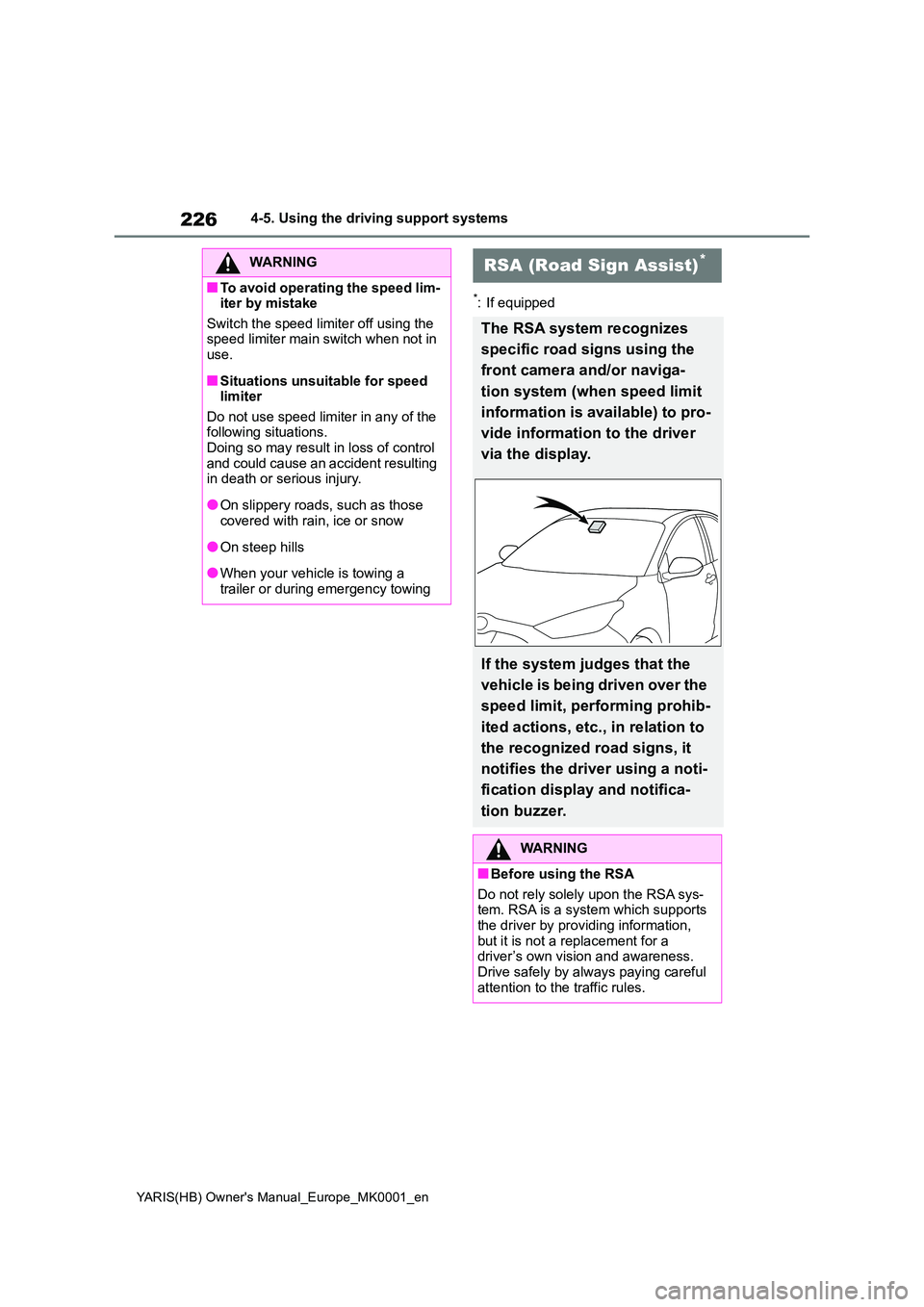
RSA (Road Sign Assist)*
The RSA system recognizes
specific road signs using the
front camera and/or naviga-
tion system (when speed limit
information is available) to pro-
vide information to the driver
via the display.
If the system judges that the
vehicle is being driven over the
speed limit, performing prohib-
ited actions, etc., in relation to
the recognized road signs, it
notifies the driver using a noti-
fication display and notifica-
tion buzzer.
WARNING
■Before using the RSA
Do not rely solely upon the RSA sys- tem. RSA is a system which supports the driver by providing information,
but it is not a replacement for a driver’s own vision and awareness. Drive safely by always paying careful
attention to the traffic rules.
Page 241 of 568
241
4
YARIS(HB) Owner's Manual_Europe_MK0001_en
4-5. Using the driving support systems
Driving
■The Blind Spot Monitor is opera-
tional when
The Blind Spot Monitor is operational
when all of the following conditions are
met:
●The Blind Spot Monitor is on.
●The shift lever is in a position other
than R.
●The vehicle speed is greater than
approximately 16 km/h (10 mph).
■The Blind Spot Monitor will detect a
vehicle when
The Blind Spot Monitor will detect a
vehicle present in the detection area in
the following situations:
●A vehicle in an adjacent lane over-
takes your vehicle.
●You overtake a vehicle in adjacent
lane slowly.
●Another vehicle enters the detection
area when it changes lanes.
■Conditions under which the Blind
Spot Monitor will not detect a vehi-
cle
The Blind Spot Monitor is not designed
to detect the following types of vehicles
and/or objects:
●Small motorcycles, bicycles, pedestri-
ans, etc.*
●Vehicles traveling in the opposite
direction
●Guardrails, walls, signs, parked vehi-
cles and similar stationary objects*
●Following vehicles that are in the
same lane*
●Vehicles traveling 2 lanes away from
your vehicle*
●Vehicles which are being overtaken
rapidly by your vehicle*
*
: Depending on the conditions, detec-
tion of a vehicle and/or object may
occur.
■Conditions under which the Blind
Spot Monitor may not function cor-
rectly
●The Blind Spot Monitor may not detect
vehicles correctly in the following situ-
ations:
• When the sensor is misaligned due to
a strong impact to the sensor or its
surrounding area
• When mud, snow, ice, a sticker, etc.,
is covering the sensor or surrounding
area on the rear bumper
• When driving on a road surface that is
wet with standing water during bad
weather, such as heavy rain, snow, or
fog
• When multiple vehicles are approach-
ing with only a small gap between
each vehicle
• When the distance between your vehi-
cle and a following vehicle is short
• When there is a significant difference
in speed between your vehicle and
the vehicle that enters the detection
area
• When the difference in speed
between your vehicle and another
vehicle is changing
• When a vehicle enters a detection
area traveling at about the same
speed as your vehicle
• As your vehicle starts from a stop, a
vehicle remains in the detection area
• When driving up and down consecu-
tive steep inclines, such as hills, dips
in the road, etc.
• When driving on roads with sharp
bends, consecutive curves, or uneven
surfaces
• When vehicle lanes are wide, or when
driving on the edge of a lane, and the
vehicle in an adjacent lane is far away
from your vehicle
• When towing a trailer
• When an accessory (such as a bicycle
carrier) is installed to the rear of the
vehicle
• When there is a significant difference
in height between your vehicle and
the vehicle that enters the detection
area
• Immediately after the Blind Spot Moni-
Page 244 of 568
244
YARIS(HB) Owner's Manual_Europe_MK0001_en
4-5. Using the driving support systems
■The system can be operated when
●The engine switch is in ON.
●Toyota parking assist-sensor function
is on.
●The vehicle speed is less than about
10 km/h (6 mph).
●A shift lever other than P is selected.
●Steering wheel is turned approxi- mately 90° or more (Front side sen-
sors, rear side sensors) (if equipped)
■If “Clean Parking Assist Sensor” is displayed on the multi-information display
A sensor may be covered with water drops, ice, snow, dirt, etc. Remove the water drops, ice, snow, dirt, etc., from
the sensor to return the system to nor- mal.
Also, due to ice forming on a sensor at
low temperatures, a warning message may be displayed or the sensor may not
be able to detect an object. Once the ice melts, the system will return to normal.
■Sensor detection information
The following situations may occur
during use.
●The sensors may be able to only
detect objects near the front and rear bumpers.
●Depending on the shape of the object and other factors, the detection dis-tance may shorten, or detection may
be impossible.
●If an object is extremely close to a
sensor, it may not be detected.
WARNING
●The front or rear bumper or a sen- sor receives a strong impact.
●A non-genuine Toyota suspension (lowered suspension, etc.) is
installed.
●Towing eyelets are installed.
●A backlit license plate is installed.
■When using Toyota parking assist-sensor
In the following situations, the system
may not function correctly due to a sensor malfunction, etc. Have the vehicle checked by any authorized
Toyota retailer or Toyota authorized repairer, or any reliable repairer.
●The Toyota parking assist-sensor operation display flashes or shows continuously, and a beep sounds
when no objects are detected.
●If the area around a sensor collides
with something, or is subjected to strong impact.
●If the bumper or grille collides with something.
●If the display flashes or is displayed continuously and a buzzer does not sound, except when the mute func-
tion has been turned on.
●If a display error occurs, first check
the sensor. If the error occurs even when there is no ice, snow or mud on the sen-
sor, it is likely that the sensor is mal- functioning.
■Notes when washing the vehicle
Do not apply intensive bursts of water or steam to the sensor area.
Doing so may result in the sensor malfunctioning.
●When using a high pressure washer to wash the vehicle, do not spray the sensors directly, as doing
so may cause a sensor to malfunc- tion.
●When using steam to clean the vehicle, do not direct steam too close to the sensors as doing so
may cause a sensor to malfunction.
Page 250 of 568
250
YARIS(HB) Owner's Manual_Europe_MK0001_en
4-5. Using the driving support systems
3.
■Muting a buzzer temporarily
A mute button will be displayed on the
multi-information display when a vehi-
cles or an object is detected. To mute
the buzzer, press .
The buzzers for the Toyota parking
assist-sensor and RCTA function will be
muted simultaneously.
Mute will be canceled automatically in the following situations:
●When the shift lever is changed.
●When the vehicle speed exceeds a certain speed.
●When there is a malfunction in a sen-sor or the system is temporarily unavailable.
●When the operating function is dis-abled manually.
●When the engine switch is turned off.
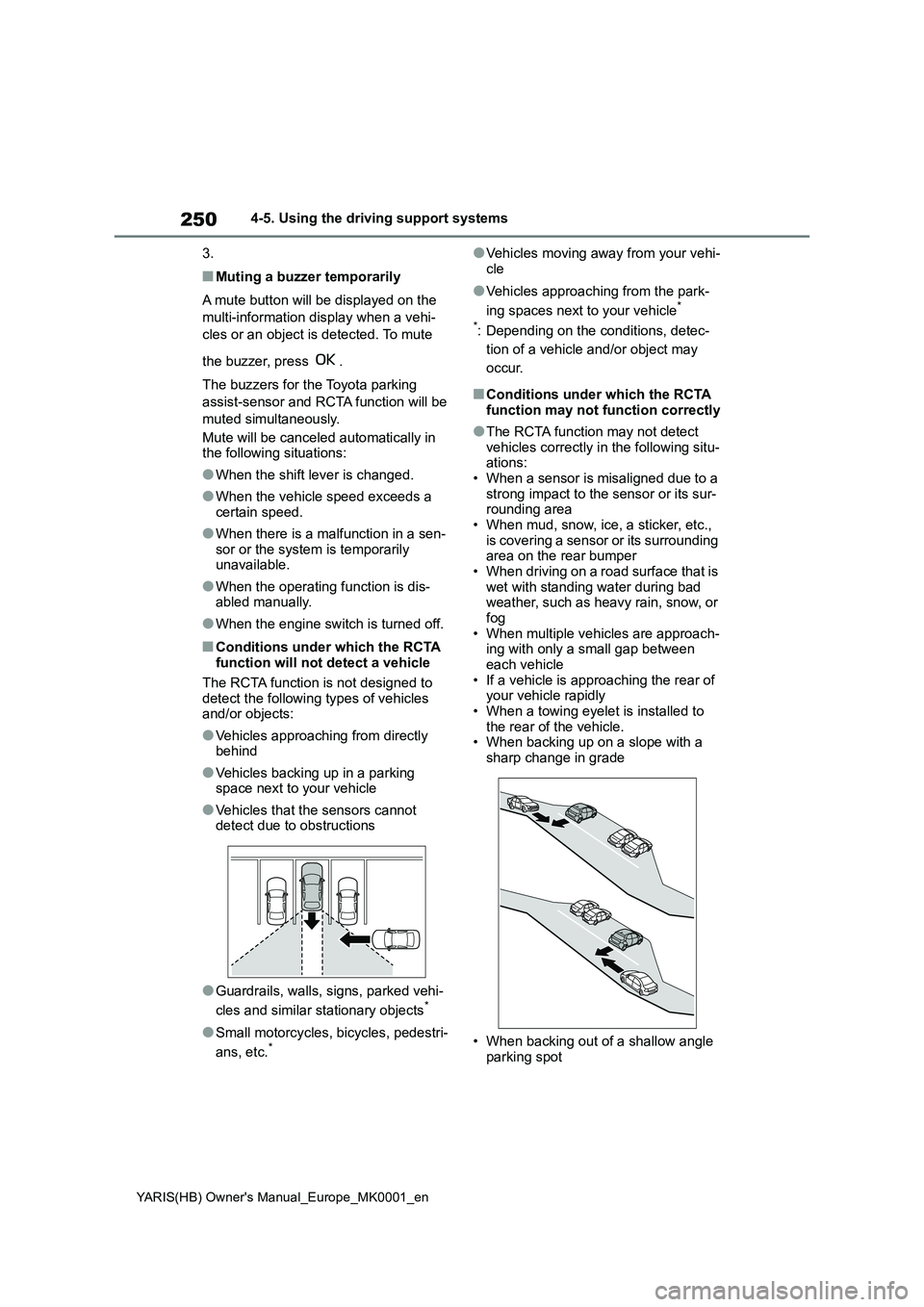
■Conditions under which the RCTA function will not detect a vehicle
The RCTA function is not designed to detect the following types of vehicles and/or objects:
●Vehicles approaching from directly behind
●Vehicles backing up in a parking space next to your vehicle
●Vehicles that the sensors cannot detect due to obstructions
●Guardrails, walls, signs, parked vehi-
cles and similar stationary objects*
●Small motorcycles, bicycles, pedestri-
ans, etc.*
●Vehicles moving away from your vehi-
cle
●Vehicles approaching from the park-
ing spaces next to your vehicle*
*: Depending on the conditions, detec-
tion of a vehicle and/or object may
occur.
■Conditions under which the RCTA function may not function correctly
●The RCTA function may not detect vehicles correctly in the following situ-ations:
• When a sensor is misaligned due to a strong impact to the sensor or its sur-rounding area
• When mud, snow, ice, a sticker, etc., is covering a sensor or its surrounding area on the rear bumper
• When driving on a road surface that is wet with standing water during bad weather, such as heavy rain, snow, or
fog • When multiple vehicles are approach-ing with only a small gap between
each vehicle • If a vehicle is approaching the rear of your vehicle rapidly
• When a towing eyelet is installed to the rear of the vehicle.• When backing up on a slope with a
sharp change in grade
• When backing out of a shallow angle
parking spot
Page 251 of 568
251
4
YARIS(HB) Owner's Manual_Europe_MK0001_en
4-5. Using the driving support systems
Driving
• Immediately after the RCTA function
is turned on • Immediately after the engine is started with the RCTA function on
• When the sensors cannot detect a vehicle due to obstructions
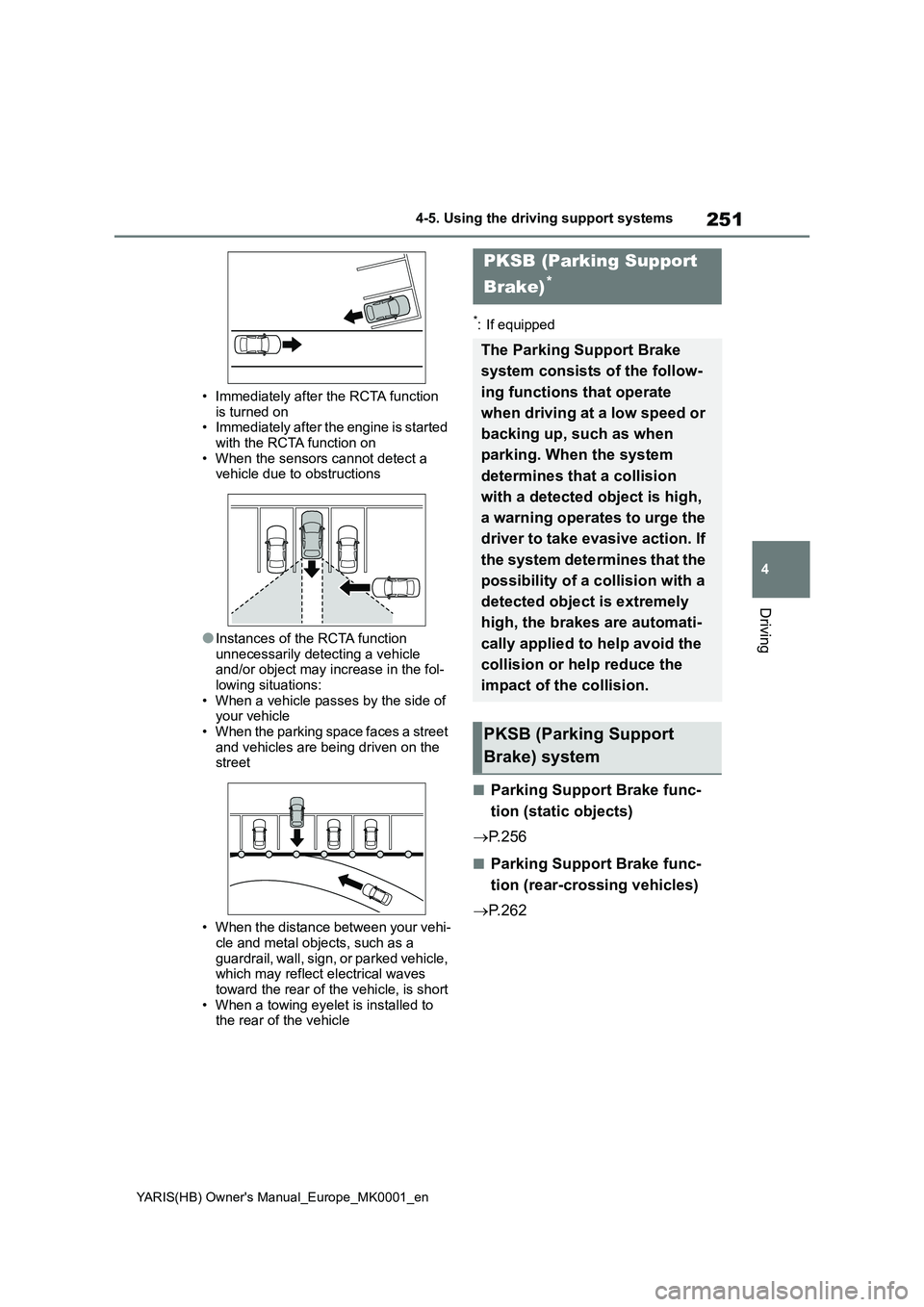
●Instances of the RCTA function unnecessarily detecting a vehicle and/or object may increase in the fol-
lowing situations: • When a vehicle passes by the side of your vehicle
• When the parking space faces a street and vehicles are being driven on the street
• When the distance between your vehi- cle and metal objects, such as a
guardrail, wall, sign, or parked vehicle, which may reflect electrical waves toward the rear of the vehicle, is short
• When a towing eyelet is installed to the rear of the vehicle
*: If equipped
■Parking Support Brake func-
tion (static objects)
→ P. 2 5 6
■Parking Support Brake func-
tion (rear-crossing vehicles)
→ P. 2 6 2
PKSB (Parking Support
Brake)*
The Parking Support Brake
system consists of the follow-
ing functions that operate
when driving at a low speed or
backing up, such as when
parking. When the system
determines that a collision
with a detected object is high,
a warning operates to urge the
driver to take evasive action. If
the system determines that the
possibility of a collision with a
detected object is extremely
high, the brakes are automati-
cally applied to help avoid the
collision or help reduce the
impact of the collision.
PKSB (Parking Support
Brake) system