warning TOYOTA YARIS 2022 Workshop Manual
[x] Cancel search | Manufacturer: TOYOTA, Model Year: 2022, Model line: YARIS, Model: TOYOTA YARIS 2022Pages: 590, PDF Size: 128.6 MB
Page 106 of 590
104
HV Owner's Manual_Europe_M52N30_en
2-1. Instrument cluster
control switch.
■Liquid crystal display
Small spots or light spots may appear on the display. This phenomenon is
characteristic of liquid crystal displays, and there is no problem continuing to use the display.
The multi-information display is
operated using the meter control
switches.
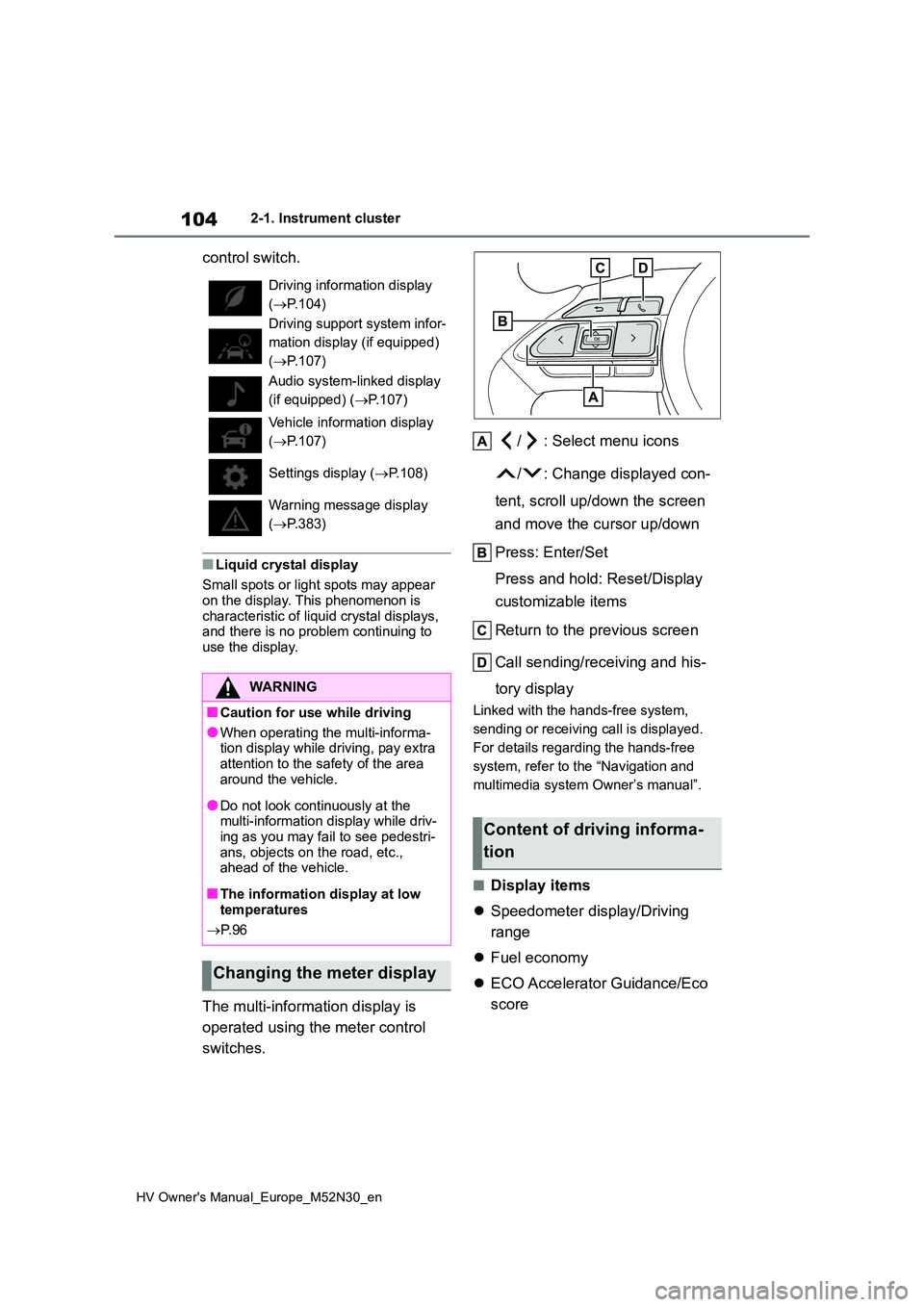
/ : Select menu icons
/ : Change displayed con-
tent, scroll up/down the screen
and move the cursor up/down
Press: Enter/Set
Press and hold: Reset/Display
customizable items
Return to the previous screen
Call sending/receiving and his-
tory display
Linked with the hands-free system,
sending or receiving call is displayed.
For details regarding the hands-free
system, refer to the “Navigation and
multimedia system Owner’s manual”.
■Display items
Speedometer display/Driving
range
Fuel economy
ECO Accelerator Guidance/Eco
score
Driving information display
( P.104)
Driving support system infor-
mation display (if equipped)
( P.107)
Audio system-linked display
(if equipped) ( P.107)
Vehicle information display
( P.107)
Settings display ( P.108)
Warning message display
( P.383)
WARNING
■Caution for use while driving
●When operating the multi-informa- tion display while driving, pay extra
attention to the safety of the area around the vehicle.
●Do not look continuously at the multi-information display while driv-ing as you may fail to see pedestri-
ans, objects on the road, etc., ahead of the vehicle.
■The information display at low temperatures
P. 9 6
Changing the meter display
Content of driving informa-
tion
Page 111 of 590
109
2
HV Owner's Manual_Europe_M52N30_en
2-1. Instrument cluster
Vehicle status information and indicators
tings to the default setting.
■Vehicle functions and settings
that can be changed
P. 4 3 1
■Suspension of the settings display
●Some settings cannot be changed
while driving. When changing set- tings, park the vehicle in a safe place.
●If a warning message is displayed, operation of the settings display will be suspended.
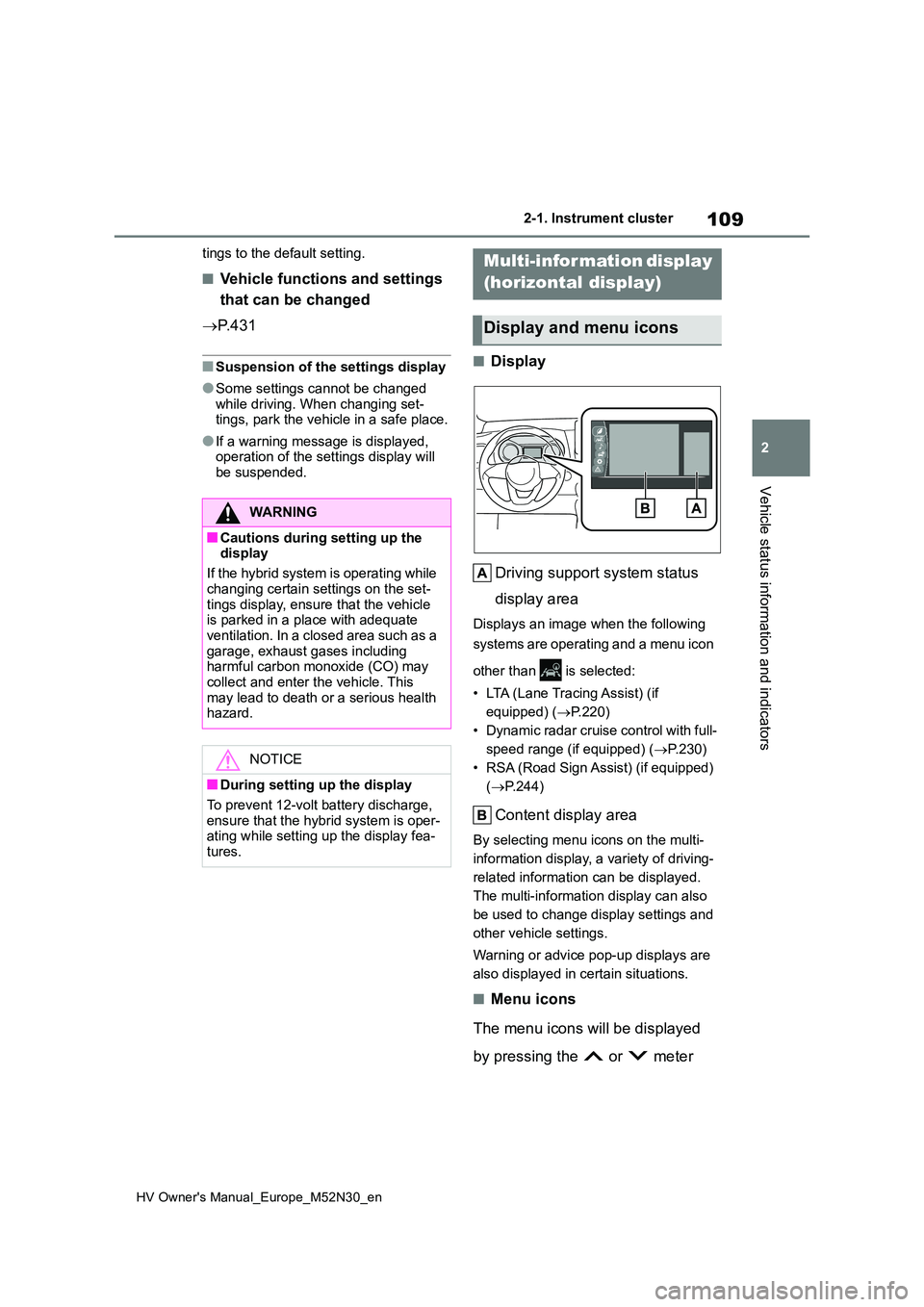
■Display
Driving support system status
display area
Displays an image when the following
systems are operating and a menu icon
other than is selected:
• LTA (Lane Tracing Assist) (if
equipped) ( P.220)
• Dynamic radar cruise control with full-
speed range (if equipped) ( P.230)
• RSA (Road Sign Assist) (if equipped)
( P.244)
Content display area
By selecting menu icons on the multi-
information display, a variety of driving-
related information can be displayed.
The multi-information display can also
be used to change display settings and
other vehicle settings.
Warning or advice pop-up displays are
also displayed in certain situations.
■Menu icons
The menu icons will be displayed
by pressing the or meter
WARNING
■Cautions during setting up the display
If the hybrid system is operating while
changing certain settings on the set- tings display, ensure that the vehicle is parked in a place with adequate
ventilation. In a closed area such as a garage, exhaust gases including harmful carbon monoxide (CO) may
collect and enter the vehicle. This may lead to death or a serious health hazard.
NOTICE
■During setting up the display
To prevent 12-volt battery discharge, ensure that the hybrid system is oper-ating while setting up the display fea-
tures.
Multi-information display
(horizontal display)
Display and menu icons
Page 112 of 590
110
HV Owner's Manual_Europe_M52N30_en
2-1. Instrument cluster
control switch.
■Liquid crystal display
Small spots or light spots may appear on the display. This phenomenon is
characteristic of liquid crystal displays, and there is no problem continuing to use the display.
The multi-information display is
operated using the meter control
switches.
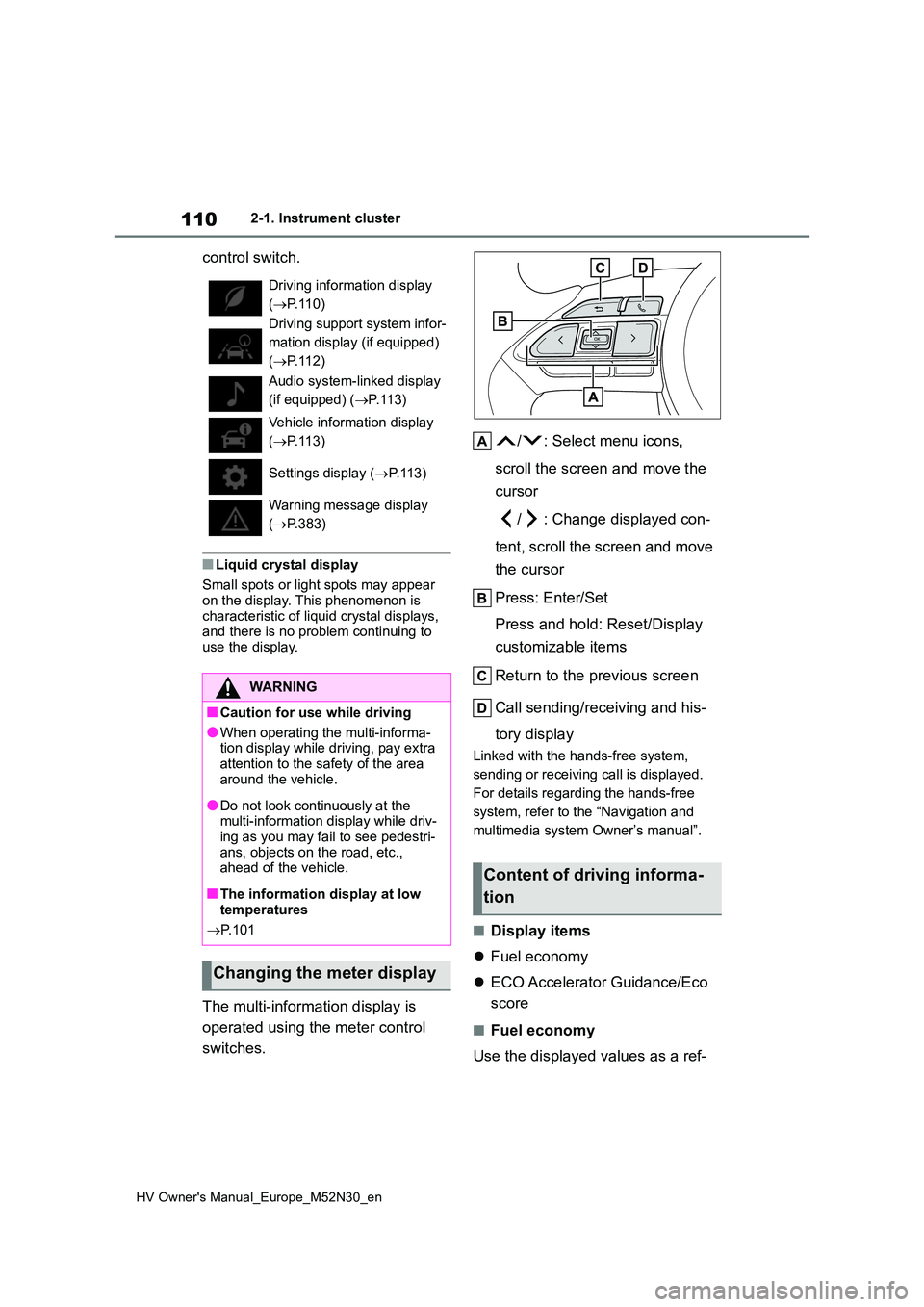
/ : Select menu icons,
scroll the screen and move the
cursor
/ : Change displayed con-
tent, scroll the screen and move
the cursor
Press: Enter/Set
Press and hold: Reset/Display
customizable items
Return to the previous screen
Call sending/receiving and his-
tory display
Linked with the hands-free system,
sending or receiving call is displayed.
For details regarding the hands-free
system, refer to the “Navigation and
multimedia system Owner’s manual”.
■Display items
Fuel economy
ECO Accelerator Guidance/Eco
score
■Fuel economy
Use the displayed values as a ref-
Driving information display
( P.110)
Driving support system infor-
mation display (if equipped)
( P.112)
Audio system-linked display
(if equipped) ( P. 1 1 3 )
Vehicle information display
( P.113)
Settings display ( P. 1 1 3 )
Warning message display
( P.383)
WARNING
■Caution for use while driving
●When operating the multi-informa- tion display while driving, pay extra
attention to the safety of the area around the vehicle.
●Do not look continuously at the multi-information display while driv-ing as you may fail to see pedestri-
ans, objects on the road, etc., ahead of the vehicle.
■The information display at low temperatures
P. 1 0 1
Changing the meter display
Content of driving informa-
tion
Page 116 of 590
114
HV Owner's Manual_Europe_M52N30_en
2-1. Instrument cluster
Units
Select to change the units of measure
displayed.
EV indicator
Select to enable/disable the EV indica-
tor.
Select to change the displayed content
of the following:
• Hybrid System Indicator
Select to display/not display the Eco
Accelerator Guidance. ( P. 111 )
• Fuel economy display
Select to change the average fuel con-
sumption display between after
start/after reset/after refuel. ( P.110)
(if equipped)
Select to display/not display the audio
system linked display.
Select to change the displayed content
of the following:
• Display contents
Select to display/not display the energy
monitor. ( P.120)
• Drive information type
Select to change the drive information
type display between after start/after
reset.
• Drive information items
Select to set the first and second items
of the drive information display to any of
the following: average vehicle
speed/distance/elapsed time.
Current trip result display
Select to change the displayed informa-
tion about the current trip, measured
from when the hybrid system was
started until it was stopped, between
drive information/eco score. (The infor-
mation will be displayed temporarily
when the hybrid system is stopped.)
Pop-up display
Select to enable/disable pop-up dis-
plays for each relevant system.
Multi-information display off
Select to turn the multi-information dis-
play off.
To turn the multi-information display on
again, press any of the following meter
control switches
//// /.
Default setting
Select to reset the meter display set-
tings to the default setting.
■Vehicle functions and settings
that can be changed
P. 4 3 1
■Suspension of the settings display
●Some settings cannot be changed while driving. When changing set-
tings, park the vehicle in a safe place.
●If a warning message is displayed,
operation of the settings display will be suspended.
Page 117 of 590
115
2
HV Owner's Manual_Europe_M52N30_en
2-1. Instrument cluster
Vehicle status information and indicators
WARNING
■Cautions during setting up the display
If the hybrid system is operating while changing certain settings on the set-tings display, ensure that the vehicle
is parked in a place with adequate ventilation. In a closed area such as a garage, exhaust gases including
harmful carbon monoxide (CO) may collect and enter the vehicle. This may lead to death or a serious health
hazard.
NOTICE
■During setting up the display
To prevent 12-volt battery discharge, ensure that the hybrid system is oper-ating while setting up the display fea-
tures.
Page 119 of 590
117
2
HV Owner's Manual_Europe_M52N30_en
2-1. Instrument cluster
Vehicle status information and indicators
■Street name display (vehicles with
navigation system)
Only street names which are included in the map data will be displayed.Select on the multi-information
display ( P.431) and then “HUD
Main”.
■Enabling/disabling the head-
up display
Press the meter control switch
to enable/disable the head-up dis-
play.
■Changing the head-up display
settings
Press and hold the meter con-
trol switch to change the following
settings:
Brightness and vertical position
of the head-up display
Select to adjust the brightness or verti-
cal position of the head-up display.
Display content
Select to change the display between
the following:
• No content
• Hybrid System Indicator
• Tachometer
Select to enable/disable the fol-
lowing items:
• Route guidance to destination (if
equipped)
• Driving support system display (if
equipped)
• Compass (heading-up display) (if
equipped)
• Audio system operation status (if
equipped)
WARNING
■When using the head-up display
●Check that the position and bright- ness of the head-up display image
does not interfere with safe driving. Incorrect adjustment of the image’s position or brightness may obstruct
the driver’s view and lead to an accident, resulting in death or seri-ous injury.
●Do not continuously look at the head-up display while driving as
you may fail to see pedestrians, objects on the road, etc., ahead of the vehicle.
NOTICE
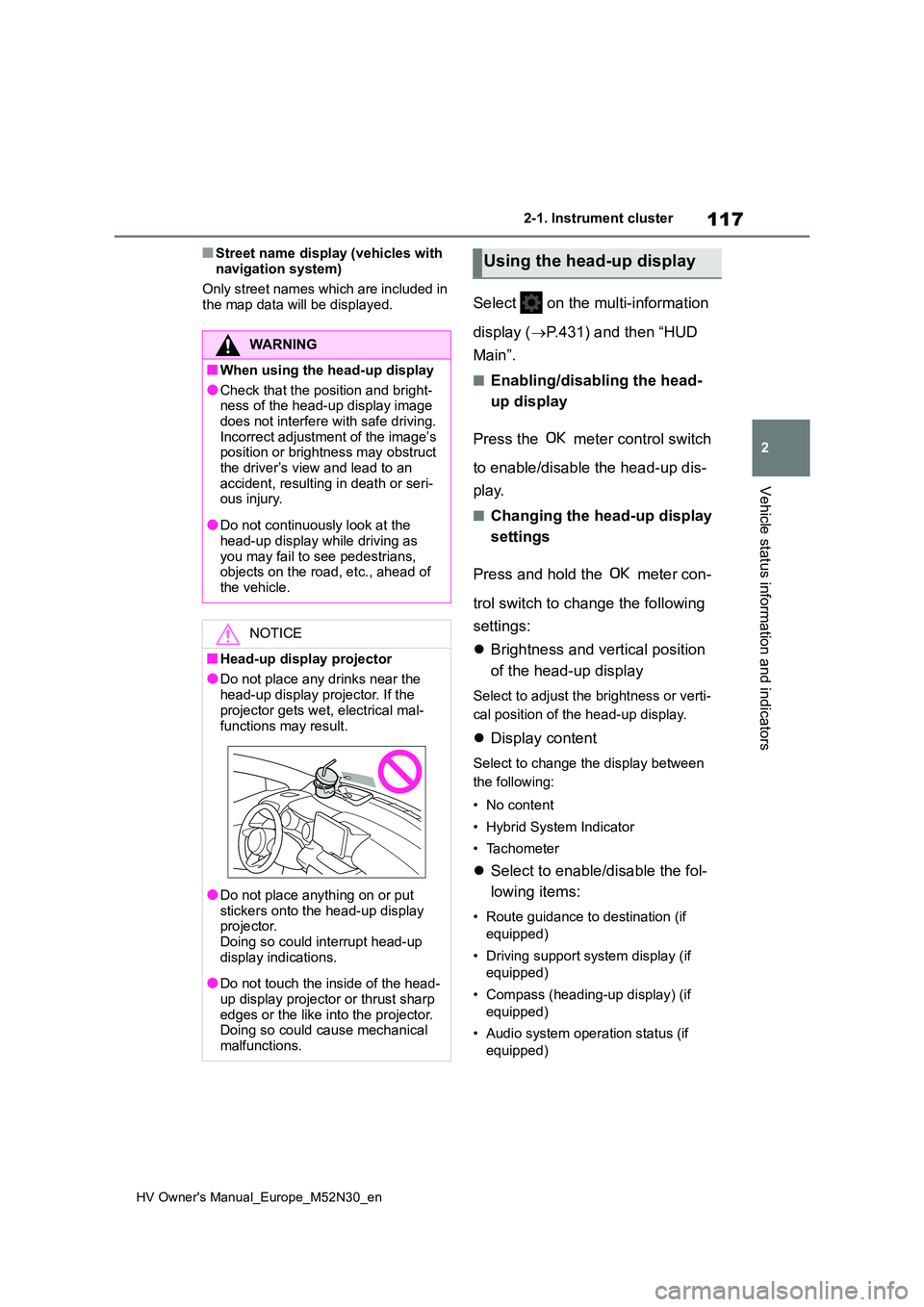
■Head-up display projector
●Do not place any drinks near the
head-up display projector. If the projector gets wet, electrical mal-
functions may result.
●Do not place anything on or put
stickers onto the head-up display projector. Doing so could interrupt head-up
display indications.
●Do not touch the inside of the head-
up display projector or thrust sharp edges or the like into the projector. Doing so could cause mechanical
malfunctions.
Using the head-up display
Page 120 of 590
118
HV Owner's Manual_Europe_M52N30_en
2-1. Instrument cluster
Display angle
Select to adjust the angle of the head-
up display.
■Enabling/disabling of the head-up
display
If the head-up display is disabled, it will remain disabled when the power switch
is turned off then back to ON.
■Display brightness
The brightness of the head-up display
can be adjusted on of the multi-
information display. Also, it is automati-
cally adjusted according to the ambient
brightness.
■Driving support system status
display
Displays the operational status of
the following systems:
Dynamic radar cruise control
with full-speed range (if
equipped) ( P.230)
LTA (Lane Tracing Assist) (if
equipped) ( P.220)
Details of content displayed on the
head-up display may differ from that
displayed on the multi-information dis-
play. For details, refer to the explana-
tion of each system.
■Navigation system-linked dis-
play area (if equipped)
Displays the following items which
are linked to the navigation system:
Street name
Route guidance to destination (if
equipped)
Compass (heading-up display)
Pop-up displays for the following
systems will be displayed when
necessary:
■Driving support systems
Displays a warning/sugges-
tion/advice message or the operat-
ing state of a relevant system.
PCS (Pre-Collision System) (if
WARNING
■Caution for changing settings of the head-up display
If the hybrid system is operating while
changing certain settings on the set- tings display, ensure that the vehicle is parked in a place with adequate
ventilation. In a closed area such as a garage, exhaust gases including harmful carbon monoxide (CO) may
collect and enter the vehicle. This may lead to death or a serious health hazard.
NOTICE
■When changing the settings of the head-up display
To prevent 12-volt battery discharge, ensure that the hybrid system is oper-ating while changing the settings of
the head-up display.
Driving support system sta-
tus/navigation system-
linked display area
Pop-up display
Page 121 of 590
119
2
HV Owner's Manual_Europe_M52N30_en
2-1. Instrument cluster
Vehicle status information and indicators
equipped) (P.209)
LTA (Lane Tracing Assist) (if
equipped) ( P.220)
PKSB (Parking Support Brake)
(if equipped) ( P.265)
Brake Override System
( P.160)
Drive-Start Control (P.165)
Details of content displayed on the
head-up display may differ from that
displayed on the multi-information dis-
play. For details, refer to the explana-
tion of each system.
■ icon
Displayed when a warning mes-
sage is displayed on the multi-infor-
mation display. ( P.383)
■Warning message
Some warning messages are dis-
played when necessary, according
to certain conditions.
Details of content displayed on the
head-up display may differ from that
displayed on the multi-information dis-
play.
■Audio system operation status
(if equipped)
Displayed when an audio remote
control switch on the steering wheel
is operated.
■Hands-free system status (if
equipped)
Displayed when the hands-free
system is operated.
■When a pop-up display is displayed
When a pop-up display is displayed, a
current display may no longer be dis- played. In this case, the display will return after the pop-up display disap-
pears.
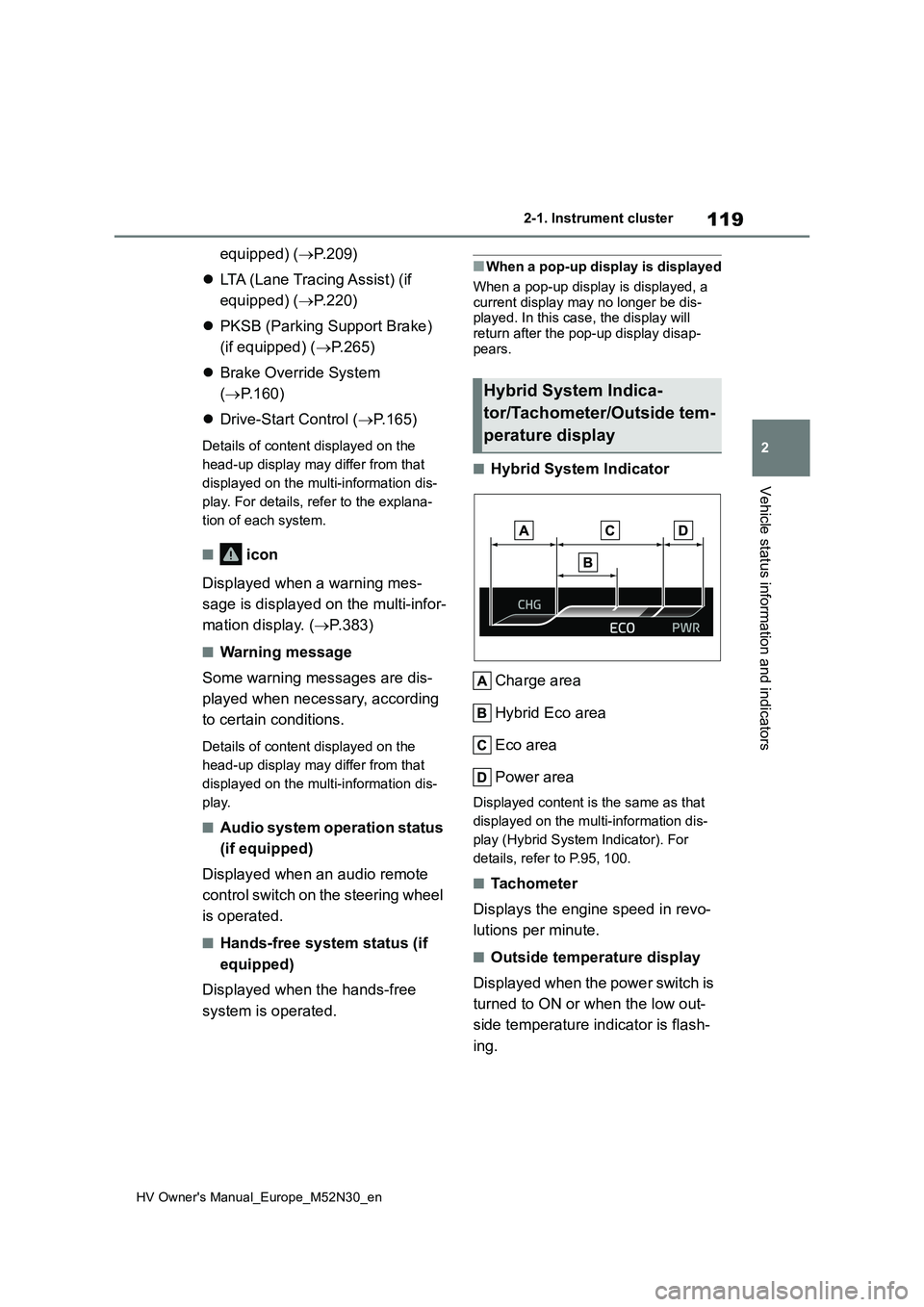
■Hybrid System Indicator
Charge area
Hybrid Eco area
Eco area
Power area
Displayed content is the same as that
displayed on the multi-information dis-
play (Hybrid System Indicator). For
details, refer to P.95, 100.
■Tachometer
Displays the engine speed in revo-
lutions per minute.
■Outside temperature display
Displayed when the power switch is
turned to ON or when the low out-
side temperature indicator is flash-
ing.
Hybrid System Indica-
tor/Tachometer/Outside tem-
perature display
Page 124 of 590
122
HV Owner's Manual_Europe_M52N30_en
2-1. Instrument cluster
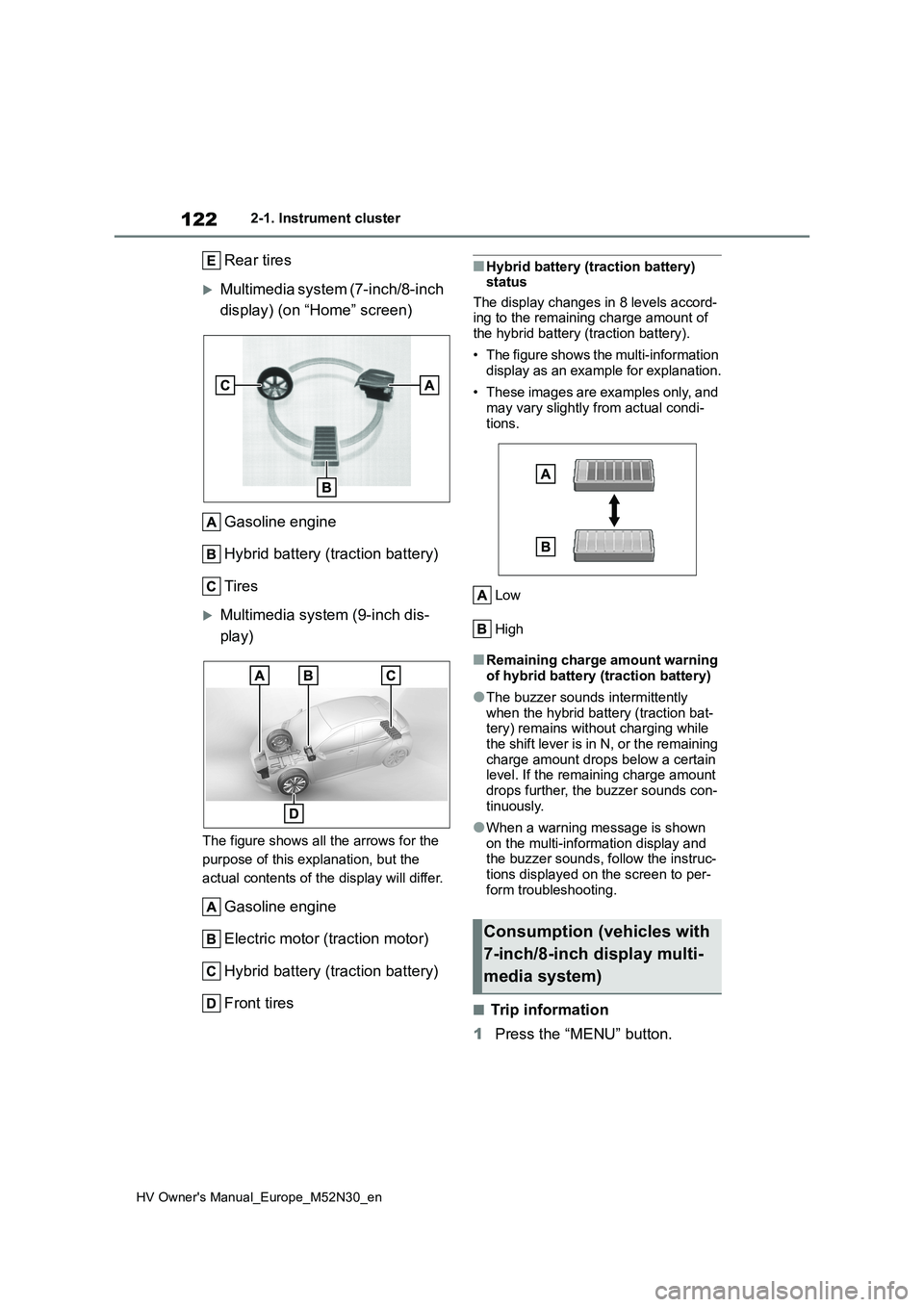
Rear tires
Multimedia system (7-inch/8-inch
display) (on “Home” screen)
Gasoline engine
Hybrid battery (traction battery)
Tires
Multimedia system (9-inch dis-
play)
The figure shows all the arrows for the
purpose of this explanation, but the
actual contents of the display will differ.
Gasoline engine
Electric motor (traction motor)
Hybrid battery (traction battery)
Front tires
■Hybrid battery (traction battery) status
The display changes in 8 levels accord- ing to the remaining charge amount of the hybrid battery (traction battery).
• The figure shows the multi-information display as an example for explanation.
• These images are examples only, and may vary slightly from actual condi-
tions.
Low
High
■Remaining charge amount warning of hybrid battery (traction battery)
●The buzzer sounds intermittently when the hybrid battery (traction bat-tery) remains without charging while
the shift lever is in N, or the remaining charge amount drops below a certain level. If the remaining charge amount
drops further, the buzzer sounds con- tinuously.
●When a warning message is shown on the multi-information display and the buzzer sounds, follow the instruc-
tions displayed on the screen to per- form troubleshooting.
■Trip information
1 Press the “MENU” button.
Consumption (vehicles with
7-inch/8-inch display multi-
media system)
Page 137 of 590
135
3
HV Owner's Manual_Europe_M52N30_en
3-2. Opening, closing and locking the doors
Before driving
a buzzer will sound continuously for 5
seconds. Fully close the door to stop the buzzer, and lock the doors again.
■Alarm (if equipped)
Locking the doors will set the alarm sys-
tem. ( P.86)
■Conditions affecting the operation of the smart entry & start system or wireless remote control
Vehicles without a smart entry & start system
P. 1 3 1
Vehicles with a smart entry & start
system
P. 1 4 2
■If the smart entry & start system or the wireless remote control does not operate properly
Vehicles without a smart entry & start system
Replace the key battery with a new one
if it is depleted. ( P.351)
Vehicles with a smart entry & start
system
Use the mechanical key to lock and
unlock the doors. ( P.408)
Replace the key battery with a new one
if it is depleted. ( P.351)
■If the 12-volt battery is discharged (vehicles with a smart entry & start system)
The doors cannot be locked and unlocked using the entry function or wireless remote control. Lock or unlock
the doors using the mechanical key. ( P.408)
■Rear seat reminder function
●In order to remind you not to forget luggage, etc., in the rear seat, when the power switch is turned to OFF
after any of the following conditions are met, a buzzer will sound and a message will be displayed on the
multi-information display for approxi- mately 6 seconds.
• The hybrid system is started within 10
minutes after opening and closing a rear door.• A rear door has been opened and
closed after the hybrid system was started.
However, if a rear door is opened and
then closed within approximately 2 sec-
onds, the rear seat reminder function
may not operate.
●The rear seat reminder function deter- mines that luggage, etc., has been placed in a rear seat based on open-
ing and closing of a rear door. There- fore, depending on the situation, the rear seat reminder function may not
operate and you may still forget lug- gage, etc., in the rear seat, or it may operate unnecessarily.
●The rear seat reminder function can be enabled/disabled. ( P.431)
■Customization
Some functions can be customized. ( P.431)
WARNING
■To prevent an accident
Observe the following precautions while driving the vehicle.Failure to do so may result in a door
opening and an occupant being thrown out of the vehicle, resulting in death or serious injury.
●Ensure that all doors are properly closed and locked.
●Do not pull the inside door handle while driving.
Be especially careful of the front doors, as the doors may be opened even if the inside lock buttons are in
the locked position.
●Set the rear door child-protector
locks when children are seated in the rear seats.