warning light TOYOTA YARIS CROSS 2022 User Guide
[x] Cancel search | Manufacturer: TOYOTA, Model Year: 2022, Model line: YARIS CROSS, Model: TOYOTA YARIS CROSS 2022Pages: 618, PDF Size: 130.77 MB
Page 45 of 618
43
1
CV Owner's Manual_Europe_M52N20_en
1-1. For safe use
For safety and security
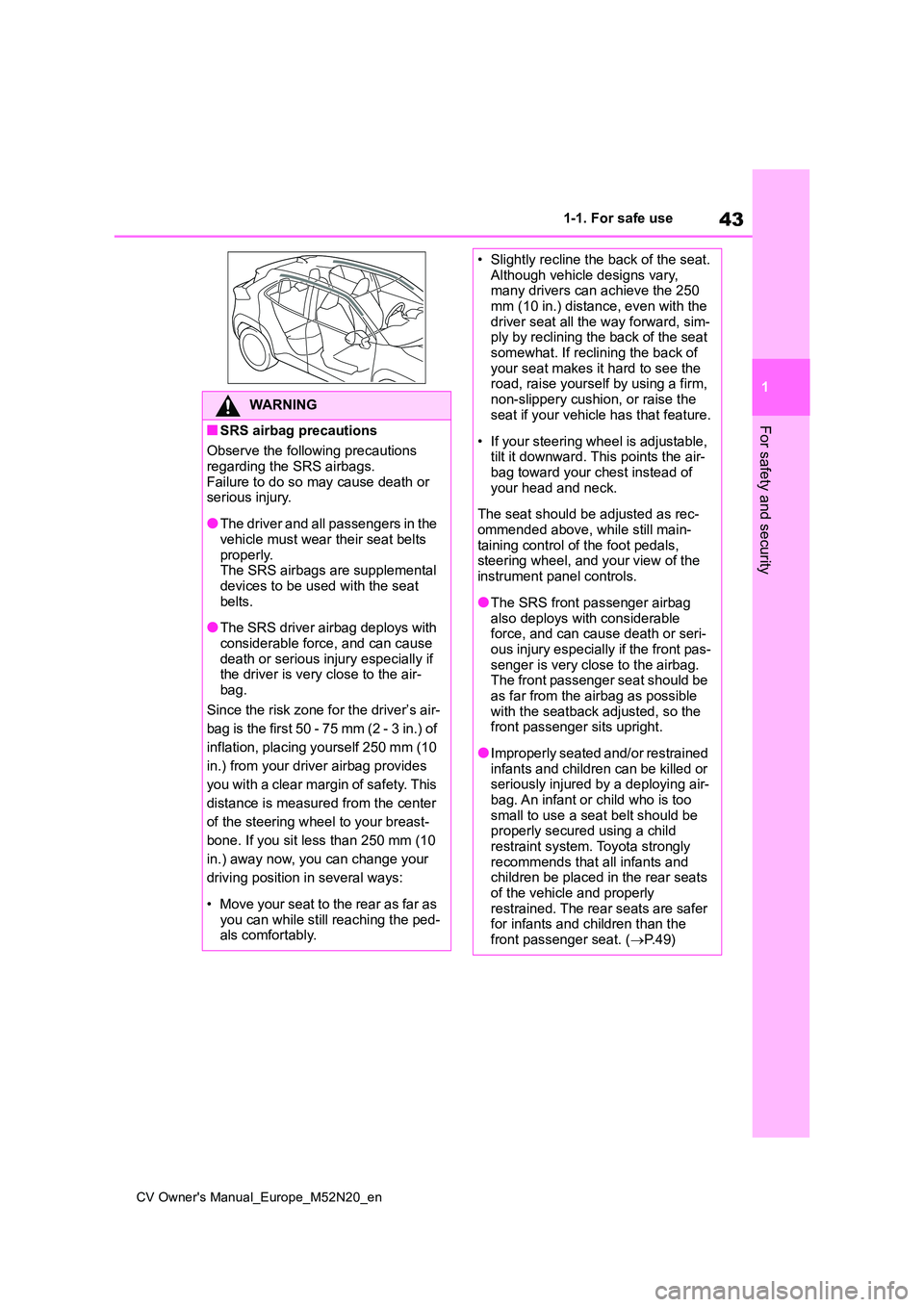
WARNING
■SRS airbag precautions
Observe the following precautions
regarding the SRS airbags. Failure to do so may cause death or serious injury.
●The driver and all passengers in the vehicle must wear their seat belts
properly. The SRS airbags are supplemental devices to be used with the seat
belts.
●The SRS driver airbag deploys with
considerable force, and can cause death or serious injury especially if the driver is very close to the air-
bag.
Since the risk zone for the driver’s air-
bag is the first 50 - 75 mm (2 - 3 in.) of
inflation, placing yourself 250 mm (10
in.) from your driver airbag provides
you with a clear margin of safety. This
distance is measured from the center
of the steering wheel to your breast-
bone. If you sit less than 250 mm (10
in.) away now, you can change your
driving position in several ways:
• Move your seat to the rear as far as you can while still reaching the ped-als comfortably.
• Slightly recline the back of the seat.Although vehicle designs vary, many drivers can achieve the 250
mm (10 in.) distance, even with the driver seat all the way forward, sim-ply by reclining the back of the seat
somewhat. If reclining the back of your seat makes it hard to see the road, raise yourself by using a firm,
non-slippery cushion, or raise the seat if your vehicle has that feature.
• If your steering wheel is adjustable, tilt it downward. This points the air-bag toward your chest instead of
your head and neck.
The seat should be adjusted as rec-
ommended above, while still main- taining control of the foot pedals, steering wheel, and your view of the
instrument panel controls.
●The SRS front passenger airbag
also deploys with considerable force, and can cause death or seri-ous injury especially if the front pas-
senger is very close to the airbag. The front passenger seat should be as far from the airbag as possible
with the seatback adjusted, so the front passenger sits upright.
●Improperly seated and/or restrained infants and children can be killed or seriously injured by a deploying air-
bag. An infant or child who is too small to use a seat belt should be properly secured using a child
restraint system. Toyota strongly recommends that all infants and children be placed in the rear seats
of the vehicle and properly restrained. The rear seats are safer for infants and children than the
front passenger seat. ( P. 4 9 )
Page 48 of 618
46
CV Owner's Manual_Europe_M52N20_en
1-1. For safe use
Exhaust gas precautions
Harmful substance to the
human body is included in
exhaust gases if inhaled.
WARNING
Exhaust gases include harmful car-
bon monoxide (CO), which is color- less and odorless. Observe the following precautions.
Failure to do so may cause exhaust gases enter the vehicle and may lead to an accident caused by light-
headedness, or may lead to death or a serious health hazard.
■Important points while driving
●Keep the back door closed.
●If you smell exhaust gases in the vehicle even when the back door is closed, open the windows and have
the vehicle inspected at any autho- rized Toyota retailer or Toyota authorized repairer, or any reliable
repairer as soon as possible.
■When parking
●If the vehicle is in a poorly venti- lated area or a closed area, such as a garage, stop the engine.
●Do not leave the vehicle with the engine on for a long time.
If such a situation cannot be avoided, park the vehicle in an open space and ensure that
exhaust fumes do not enter the vehicle interior.
●Do not leave the engine running in an area with snow build-up, or where it is snowing. If snowbanks
build up around the vehicle while the engine is running, exhaust gases may collect and enter the
vehicle.
■Exhaust pipe
The exhaust system needs to be checked periodically. If there is a hole
or crack caused by corrosion, dam- age to a joint or abnormal exhaust noise, be sure to have the vehicle
inspected and repaired by any autho- rized Toyota retailer or Toyota autho-rized repairer, or any reliable repairer.
Page 68 of 618
66
CV Owner's Manual_Europe_M52N20_en
1-3. Emergency assistance
tance required.
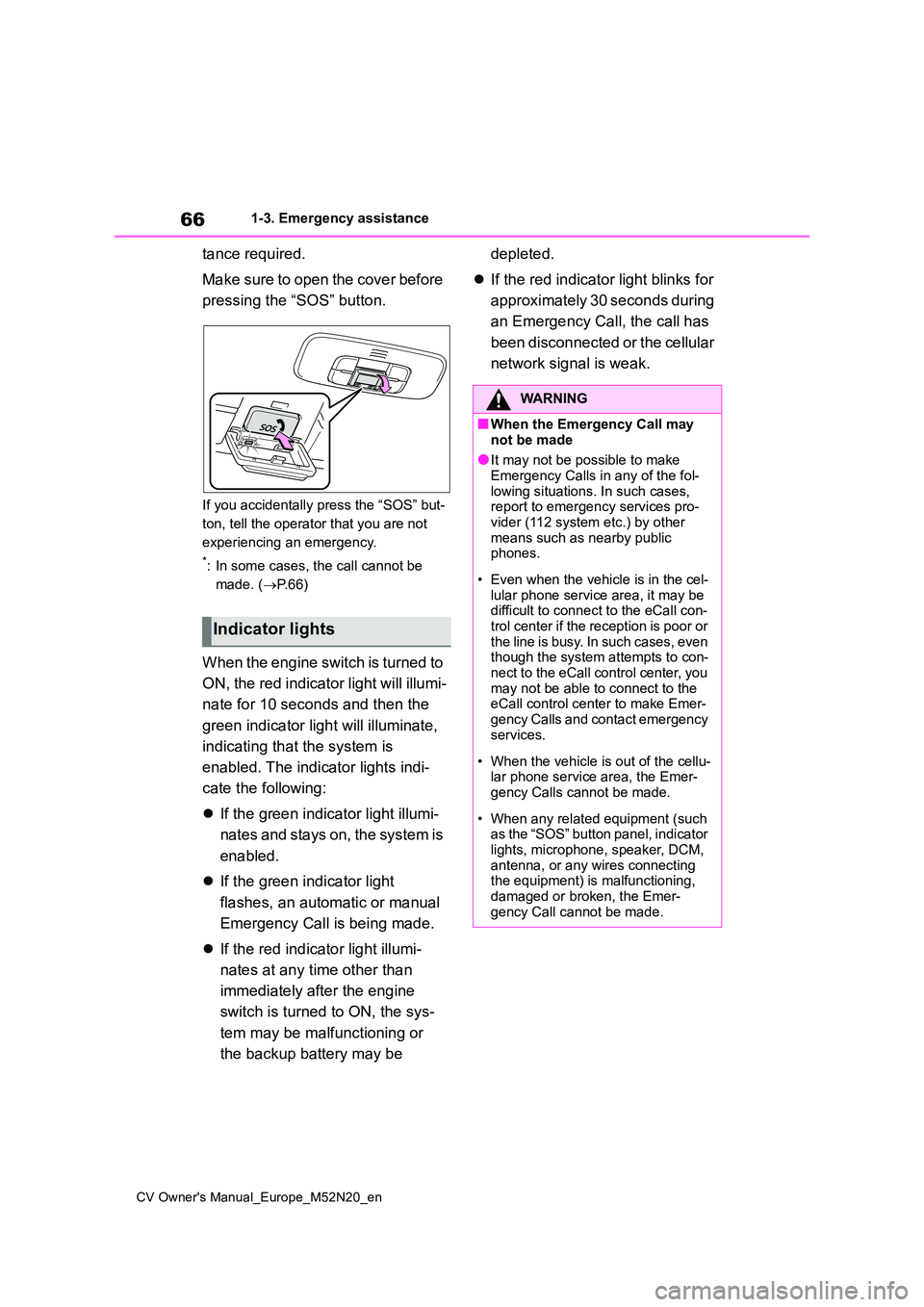
Make sure to open the cover before
pressing the “SOS” button.
If you accidentally press the “SOS” but-
ton, tell the operator that you are not
experiencing an emergency.
*: In some cases, the call cannot be
made. ( P. 6 6 )
When the engine switch is turned to
ON, the red indicator light will illumi-
nate for 10 seconds and then the
green indicator light will illuminate,
indicating that the system is
enabled. The indicator lights indi-
cate the following:
If the green indicator light illumi-
nates and stays on, the system is
enabled.
If the green indicator light
flashes, an automatic or manual
Emergency Call is being made.
If the red indicator light illumi-
nates at any time other than
immediately after the engine
switch is turned to ON, the sys-
tem may be malfunctioning or
the backup battery may be
depleted.
If the red indicator light blinks for
approximately 30 seconds during
an Emergency Call, the call has
been disconnected or the cellular
network signal is weak.
Indicator lights
WARNING
■When the Emergency Call may
not be made
●It may not be possible to make Emergency Calls in any of the fol-
lowing situations. In such cases, report to emergency services pro-vider (112 system etc.) by other
means such as nearby public phones.
• Even when the vehicle is in the cel- lular phone service area, it may be difficult to connect to the eCall con-
trol center if the reception is poor or the line is busy. In such cases, even though the system attempts to con-
nect to the eCall control center, you may not be able to connect to the eCall control center to make Emer-
gency Calls and contact emergency services.
• When the vehicle is out of the cellu- lar phone service area, the Emer-gency Calls cannot be made.
• When any related equipment (such as the “SOS” button panel, indicator
lights, microphone, speaker, DCM, antenna, or any wires connecting the equipment) is malfunctioning,
damaged or broken, the Emer- gency Call cannot be made.
Page 81 of 618
2
79
CV Owner's Manual_Europe_M52N20_en
2
Vehicle status information and indicators
Vehicle status informa-
tion and indicators
2-1. Instrument cluster
Warning lights and indicators
......................................... 80
Gauges and meters (4.2-inch
display) ............................. 85
Gauges and meters (7-inch
display) ............................. 89
Multi-information display (4.2-
inch display)...................... 94
Multi-information display (7-
inch display).................... 100
Head-up display................ 106
Fuel consumption information
....................................... 110
Page 82 of 618
80
CV Owner's Manual_Europe_M52N20_en
2-1. Instrument cluster
2-1.In strument clu ste r
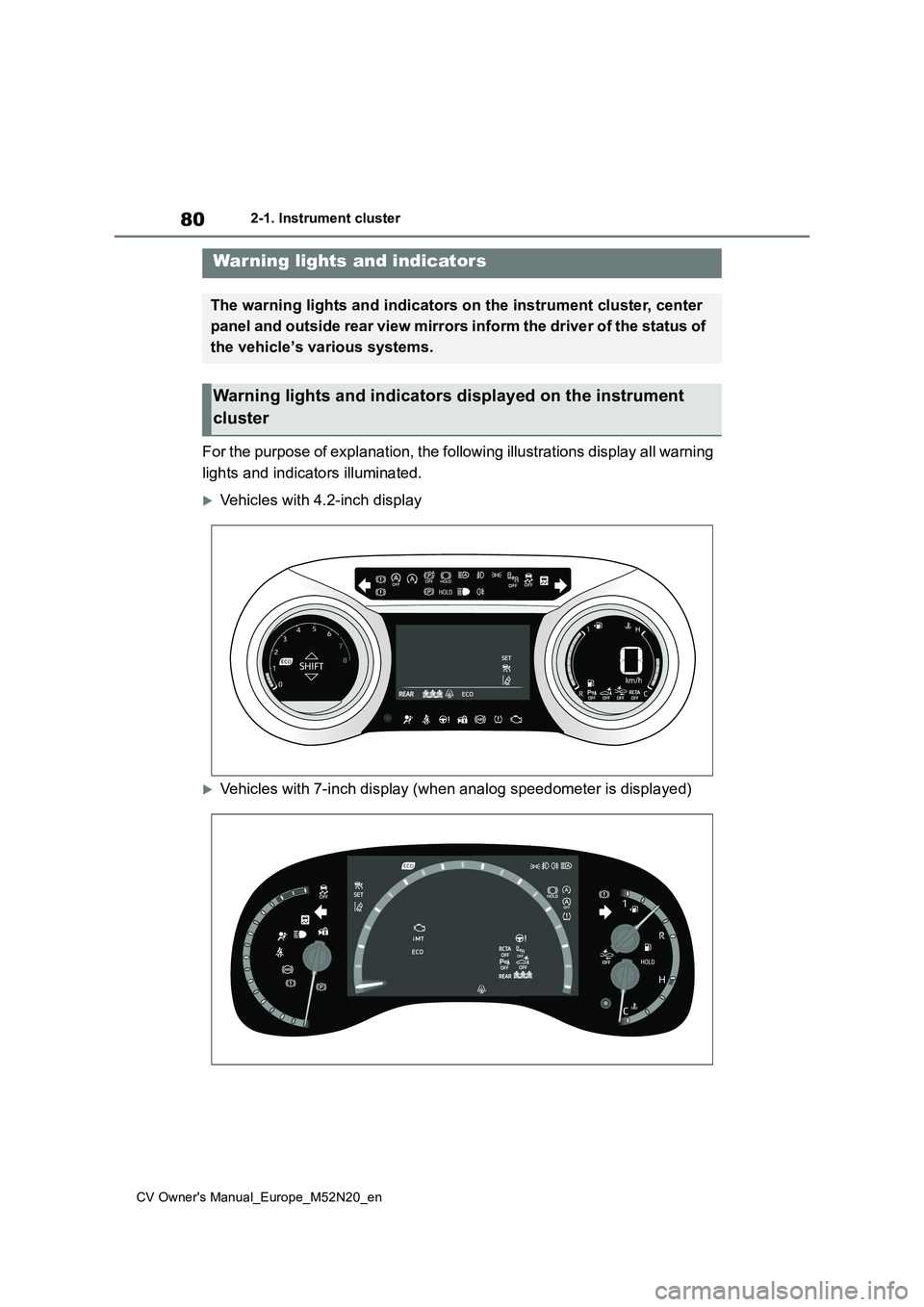
For the purpose of explanation, the following illustrations display all warning
lights and indicators illuminated.
Vehicles with 4.2-inch display
Vehicles with 7-inch display (when analog speedometer is displa yed)
Warning lights and indicators
The warning lights and indicators on the instrument cluster, center
panel and outside rear view mirrors inform the driver of the st atus of
the vehicle’s various systems.
Warning lights and indicators displayed on the instrument
cluster
Page 83 of 618
81
2
CV Owner's Manual_Europe_M52N20_en
2-1. Instrument cluster
Vehicle status information and indicators
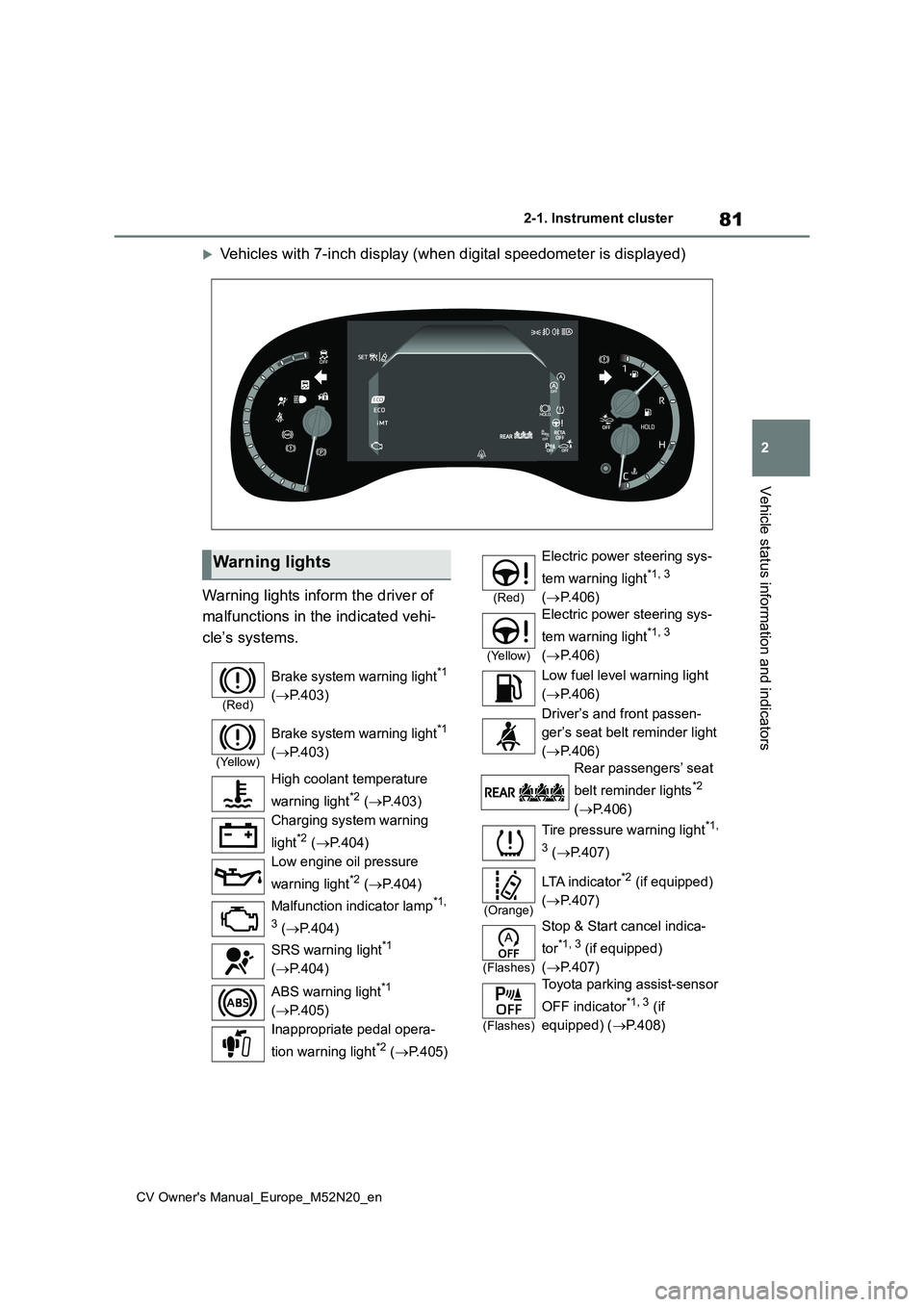
Vehicles with 7-inch display (when digital speedometer is displayed)
Warning lights inform the driver of
malfunctions in the indicated vehi-
cle’s systems.
Warning lights
(Red)
Brake system warning light*1
( P.403)
(Yellow)
Brake system warning light*1
( P.403)
High coolant temperature
warning light*2 ( P.403)
Charging system warning
light*2 ( P.404)
Low engine oil pressure
warning light*2 ( P.404)
Malfunction indicator lamp*1,
3 ( P.404)
SRS warning light*1
( P.404)
ABS warning light*1
( P.405)
Inappropriate pedal opera-
tion warning light*2 ( P.405)
(Red)
Electric power steering sys-
tem warning light*1, 3
( P.406)
(Yellow)
Electric power steering sys-
tem warning light*1, 3
( P.406)
Low fuel level warning light
( P.406)
Driver’s and front passen-
ger’s seat belt reminder light
( P.406)
Rear passengers’ seat
belt reminder lights*2
( P.406)
Tire pressure warning light*1,
3 ( P.407)
(Orange)
LTA i n d i c a t o r*2 (if equipped)
( P.407)
(Flashes)
Stop & Start cancel indica-
tor*1, 3 (if equipped)
( P.407)
(Flashes)
Toyota parking assist-sensor
OFF indicator*1, 3 (if
equipped) ( P.408)
Page 84 of 618
82
CV Owner's Manual_Europe_M52N20_en
2-1. Instrument cluster
*1: These lights come on when the
engine switch is turned to ON to indi-
cate that a system check is being
performed. They will turn off after the
engine is started, or after a few sec-
onds. There may be a malfunction in
a system if the lights do not come
on, or turn off. Have the vehicle
inspected by any authorized Toyota
retailer or Toyota authorized repairer,
or any reliable repairer.
*2: This light illuminates on the multi-
information display.
*3: This light illuminates on the multi-
information display (with 7-inch dis-
play only).
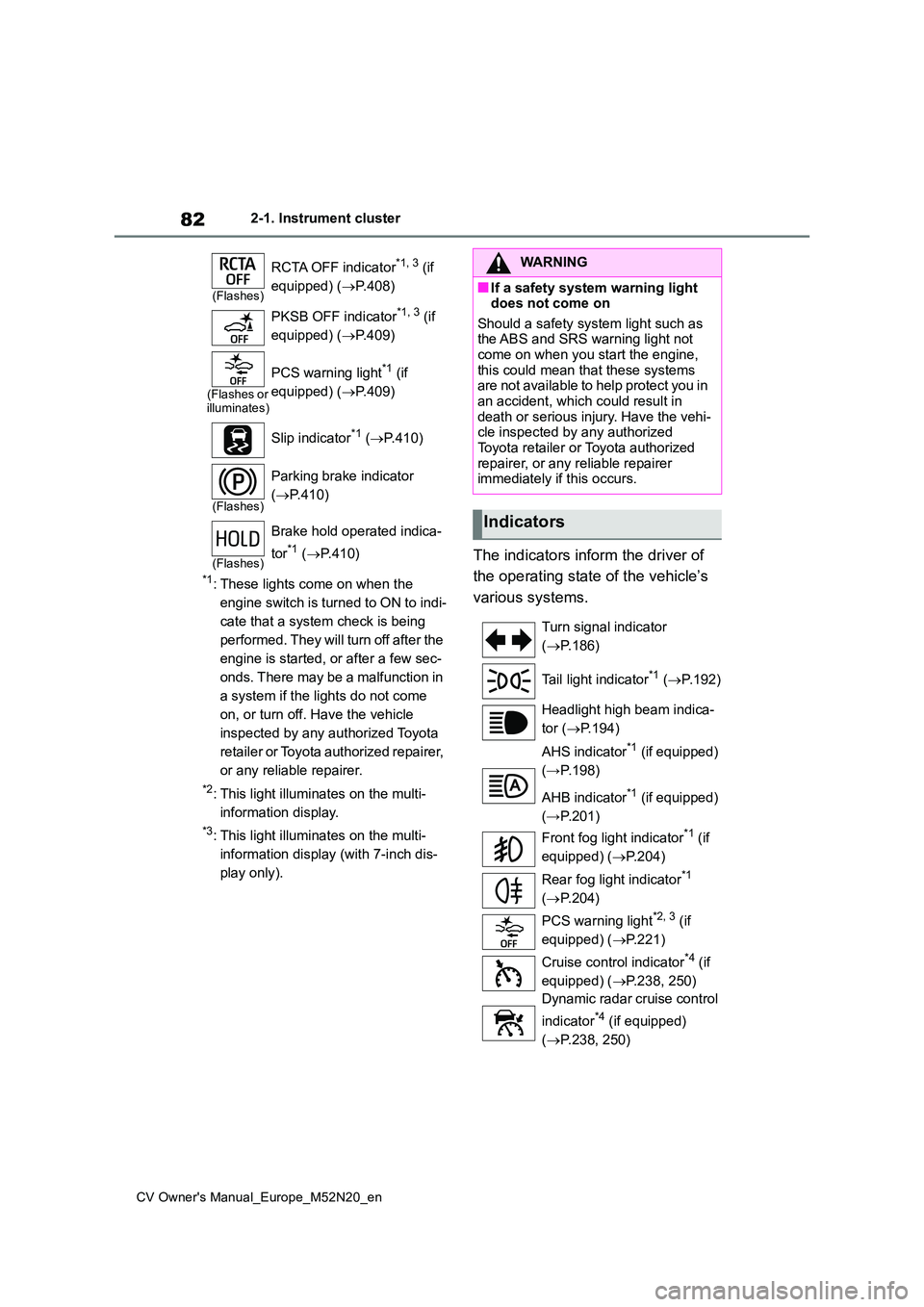
The indicators inform the driver of
the operating state of the vehicle’s
various systems.
(Flashes)
RCTA OFF indicator*1, 3 (if
equipped) ( P.408)
PKSB OFF indicator*1, 3 (if
equipped) ( P.409)
(Flashes or illuminates)
PCS warning light*1 (if
equipped) ( P.409)
Slip indicator*1 ( P.410)
(Flashes)
Parking brake indicator
( P.410)
(Flashes)
Brake hold operated indica-
tor*1 ( P.410)
WARNING
■If a safety system warning light does not come on
Should a safety system light such as the ABS and SRS warning light not come on when you start the engine,
this could mean that these systems are not available to help protect you in an accident, which could result in
death or serious injury. Have the vehi- cle inspected by any authorized Toyota retailer or Toyota authorized
repairer, or any reliable repairer immediately if this occurs.
Indicators
Turn signal indicator
( P.186)
Tail light indicator*1 ( P.192)
Headlight high beam indica-
tor ( P.194)
AHS indicator*1 (if equipped)
(→P.198)
AHB indicator*1 (if equipped)
(→P.201)
Front fog light indicator*1 (if
equipped) ( P.204)
Rear fog light indicator*1
( P.204)
PCS warning light*2, 3 (if
equipped) ( P.221)
Cruise control indicator*4 (if
equipped) ( P.238, 250)
Dynamic radar cruise control
indicator*4 (if equipped)
( P.238, 250)
Page 97 of 618
95
2
CV Owner's Manual_Europe_M52N20_en
2-1. Instrument cluster
Vehicle status information and indicators
By selecting menu icons on the multi-
information display, a variety of driving-
related information can be displayed.
The multi-information display can also
be used to change display settings and
other vehicle settings.
Warning or advice pop-up displays are
also displayed in certain situations.
■Menu icons
The menu icons will be displayed
by pressing the or meter
control switch.
■Liquid crystal display
Small spots or light spots may appear on the display. This phenomenon is
characteristic of liquid crystal displays, and there is no problem continuing to use the display.
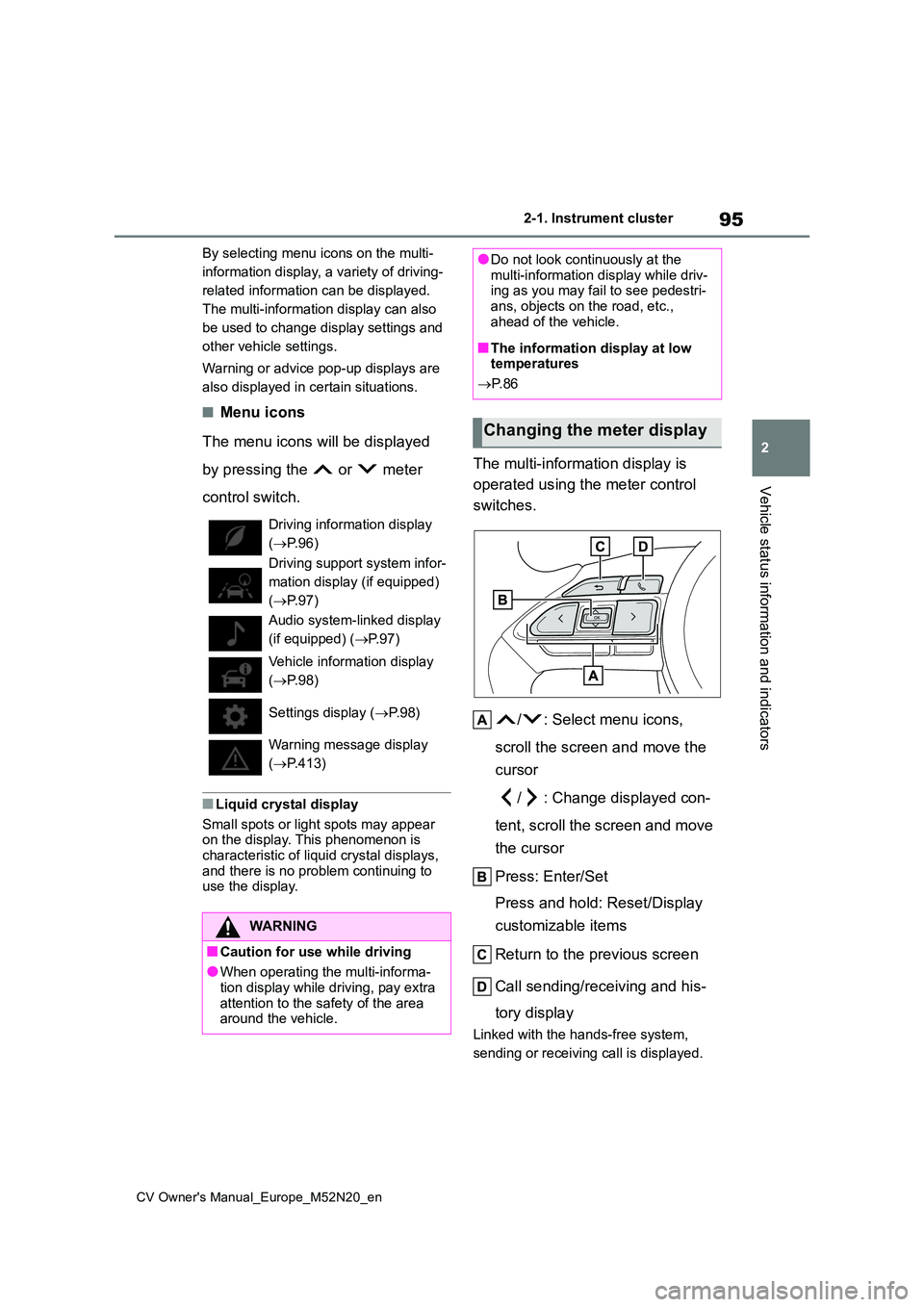
The multi-information display is
operated using the meter control
switches.
/ : Select menu icons,
scroll the screen and move the
cursor
/ : Change displayed con-
tent, scroll the screen and move
the cursor
Press: Enter/Set
Press and hold: Reset/Display
customizable items
Return to the previous screen
Call sending/receiving and his-
tory display
Linked with the hands-free system,
sending or receiving call is displayed.
Driving information display
( P.96)
Driving support system infor-
mation display (if equipped)
( P.97)
Audio system-linked display
(if equipped) ( P.97)
Vehicle information display
( P.98)
Settings display ( P. 9 8 )
Warning message display
( P.413)
WARNING
■Caution for use while driving
●When operating the multi-informa- tion display while driving, pay extra
attention to the safety of the area around the vehicle.
●Do not look continuously at the multi-information display while driv-ing as you may fail to see pedestri-
ans, objects on the road, etc., ahead of the vehicle.
■The information display at low temperatures
P. 8 6
Changing the meter display
Page 102 of 618
100
CV Owner's Manual_Europe_M52N20_en
2-1. Instrument cluster
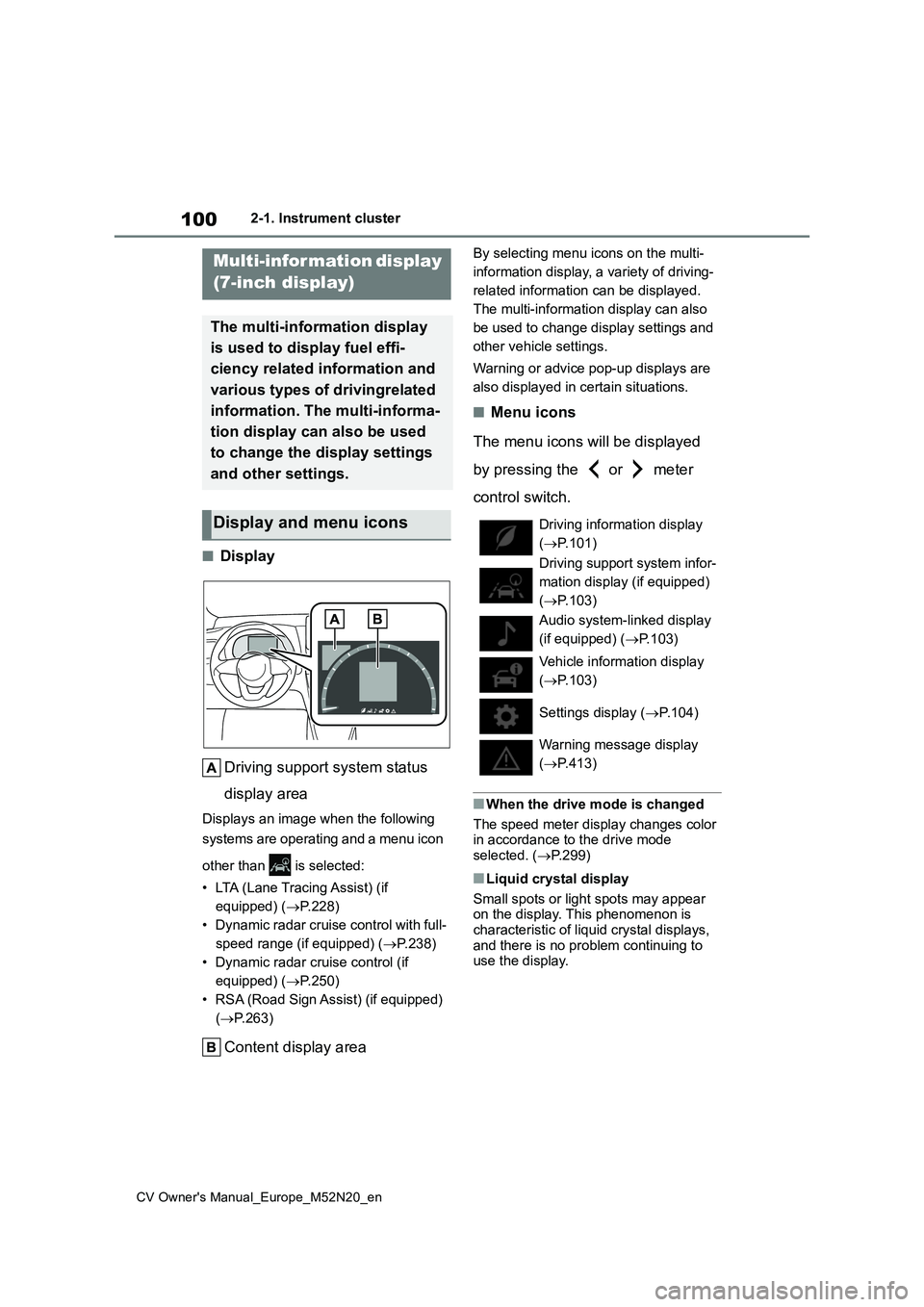
■Display
Driving support system status
display area
Displays an image when the following
systems are operating and a menu icon
other than is selected:
• LTA (Lane Tracing Assist) (if
equipped) ( P.228)
• Dynamic radar cruise control with full-
speed range (if equipped) ( P.238)
• Dynamic radar cruise control (if
equipped) ( P.250)
• RSA (Road Sign Assist) (if equipped)
( P.263)
Content display area
By selecting menu icons on the multi-
information display, a variety of driving-
related information can be displayed.
The multi-information display can also
be used to change display settings and
other vehicle settings.
Warning or advice pop-up displays are
also displayed in certain situations.
■Menu icons
The menu icons will be displayed
by pressing the or meter
control switch.
■When the drive mode is changed
The speed meter display changes color in accordance to the drive mode
selected. ( P.299)
■Liquid crystal display
Small spots or light spots may appear on the display. This phenomenon is
characteristic of liquid crystal displays, and there is no problem continuing to use the display.
Multi-infor mation display
(7-inch display)
The multi-information display
is used to display fuel effi-
ciency related information and
various types of drivingrelated
information. The multi-informa-
tion display can also be used
to change the display settings
and other settings.
Display and menu icons Driving information display
( P.101)
Driving support system infor-
mation display (if equipped)
( P.103)
Audio system-linked display
(if equipped) ( P.103)
Vehicle information display
( P.103)
Settings display ( P.104)
Warning message display
( P.413)
Page 106 of 618
104
CV Owner's Manual_Europe_M52N20_en
2-1. Instrument cluster
press and hold the meter control
switch.
■Tire inflation pressure
Displays inflation pressure of each
tire.
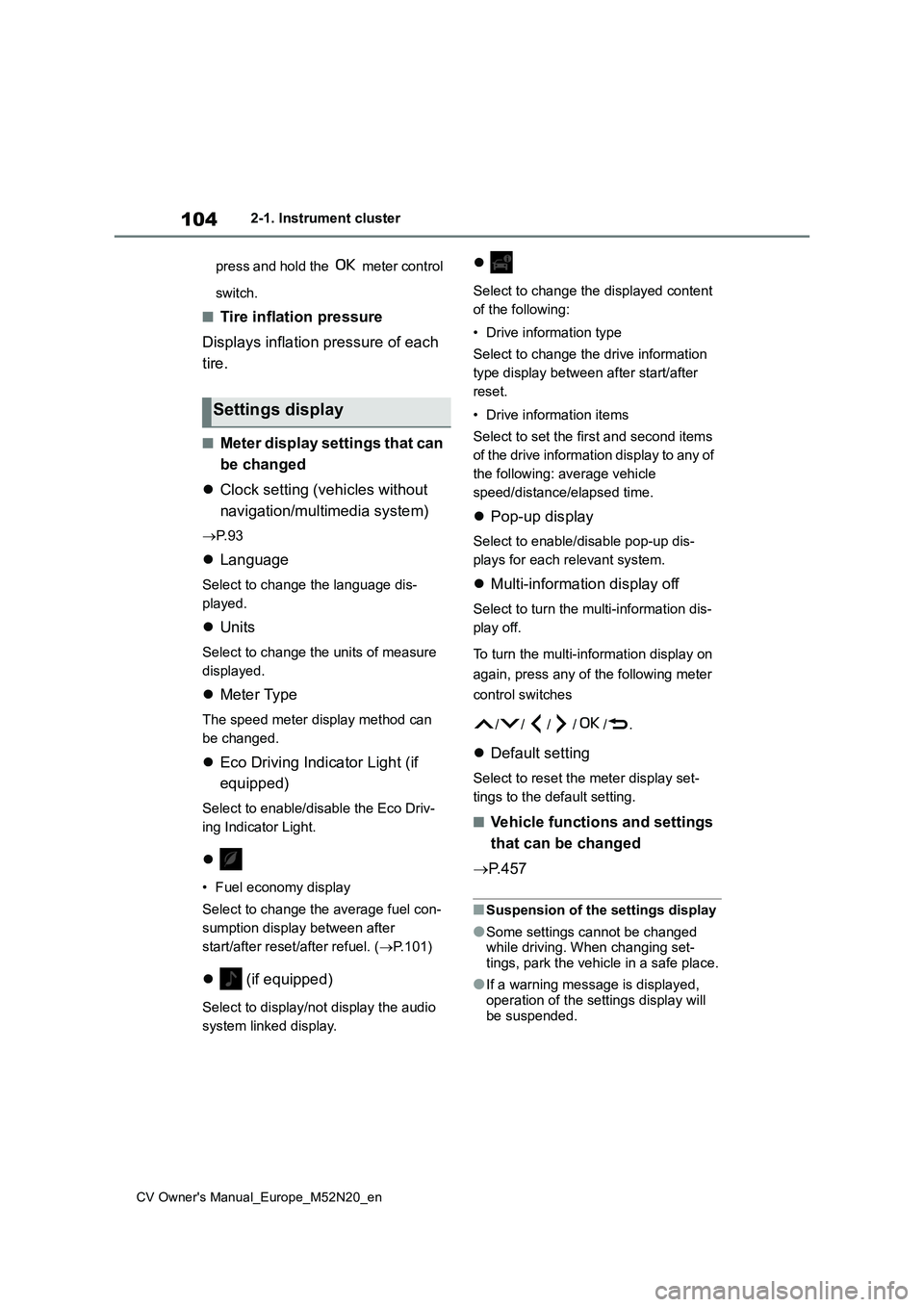
■Meter display settings that can
be changed
Clock setting (vehicles without
navigation/multimedia system)
P. 9 3
Language
Select to change the language dis-
played.
Units
Select to change the units of measure
displayed.
Meter Type
The speed meter display method can
be changed.
Eco Driving Indicator Light (if
equipped)
Select to enable/disable the Eco Driv-
ing Indicator Light.
• Fuel economy display
Select to change the average fuel con-
sumption display between after
start/after reset/after refuel. ( P.101)
(if equipped)
Select to display/not display the audio
system linked display.
Select to change the displayed content
of the following:
• Drive information type
Select to change the drive information
type display between after start/after
reset.
• Drive information items
Select to set the first and second items
of the drive information display to any of
the following: average vehicle
speed/distance/elapsed time.
Pop-up display
Select to enable/disable pop-up dis-
plays for each relevant system.
Multi-information display off
Select to turn the multi-information dis-
play off.
To turn the multi-information display on
again, press any of the following meter
control switches
//// /.
Default setting
Select to reset the meter display set-
tings to the default setting.
■Vehicle functions and settings
that can be changed
P. 4 5 7
■Suspension of the settings display
●Some settings cannot be changed while driving. When changing set-tings, park the vehicle in a safe place.
●If a warning message is displayed, operation of the settings display will
be suspended.
Settings display