sensor TOYOTA YARIS CROSS 2022 Repair Manual
[x] Cancel search | Manufacturer: TOYOTA, Model Year: 2022, Model line: YARIS CROSS, Model: TOYOTA YARIS CROSS 2022Pages: 618, PDF Size: 130.77 MB
Page 295 of 618
293
4
CV Owner's Manual_Europe_M52N20_en
4-5. Using the driving support systems
Driving
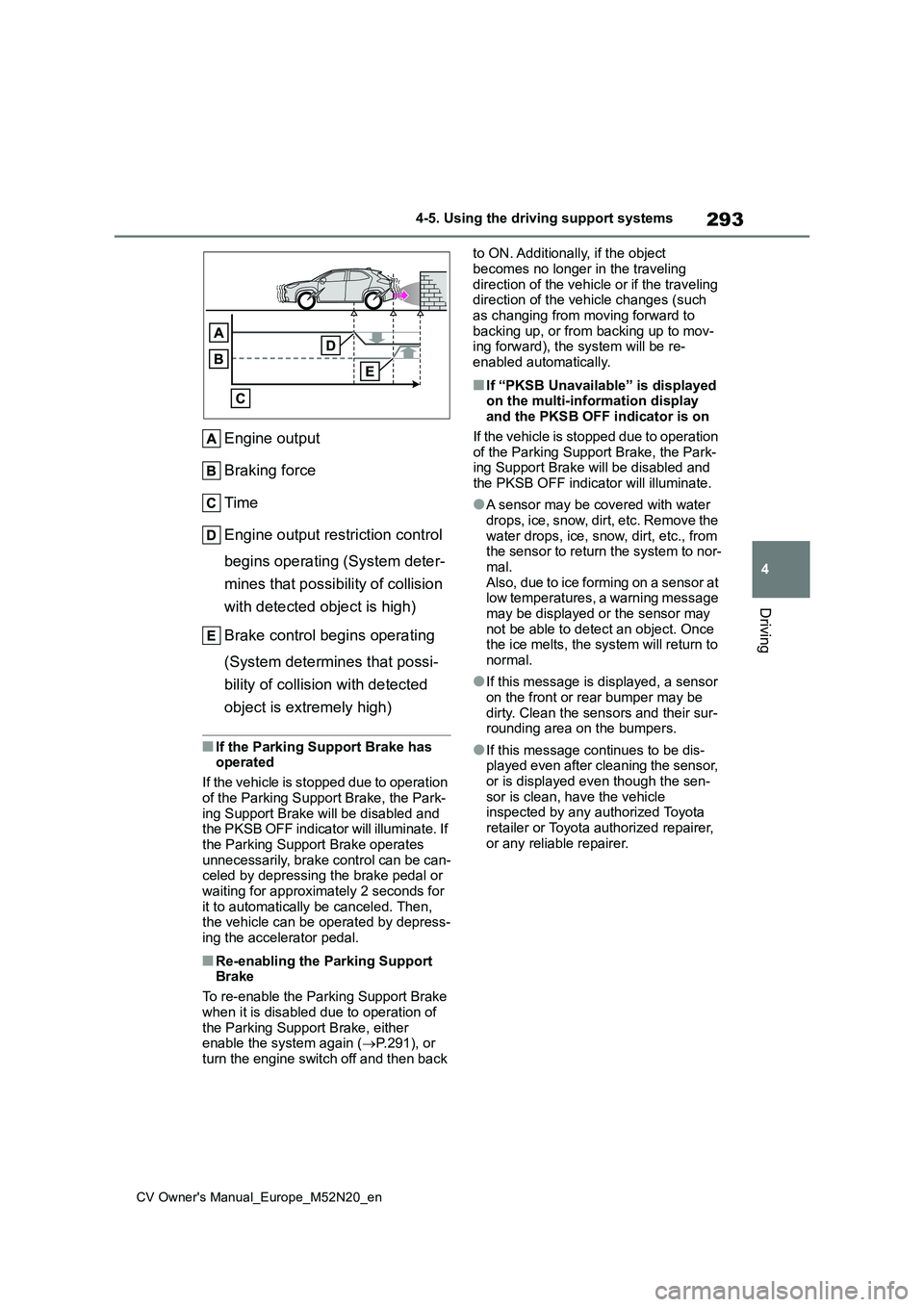
Engine output
Braking force
Time
Engine output restriction control
begins operating (System deter-
mines that possibility of collision
with detected object is high)
Brake control begins operating
(System determines that possi-
bility of collision with detected
object is extremely high)
■If the Parking Support Brake has operated
If the vehicle is stopped due to operation
of the Parking Support Brake, the Park- ing Support Brake will be disabled and the PKSB OFF indicator will illuminate. If
the Parking Support Brake operates unnecessarily, brake control can be can-celed by depressing the brake pedal or
waiting for approximately 2 seconds for it to automatically be canceled. Then, the vehicle can be operated by depress-
ing the accelerator pedal.
■Re-enabling the Parking Support Brake
To re-enable the Parking Support Brake
when it is disabled due to operation of the Parking Support Brake, either enable the system again ( P.291), or
turn the engine switch off and then back
to ON. Additionally, if the object
becomes no longer in the traveling direction of the vehicle or if the traveling direction of the vehicle changes (such
as changing from moving forward to backing up, or from backing up to mov-ing forward), the system will be re-
enabled automatically.
■If “PKSB Unavailable” is displayed on the multi-information display and the PKSB OFF indicator is on
If the vehicle is stopped due to operation of the Parking Support Brake, the Park-ing Support Brake will be disabled and
the PKSB OFF indicator will illuminate.
●A sensor may be covered with water
drops, ice, snow, dirt, etc. Remove the water drops, ice, snow, dirt, etc., from the sensor to return the system to nor-
mal. Also, due to ice forming on a sensor at low temperatures, a warning message
may be displayed or the sensor may not be able to detect an object. Once the ice melts, the system will return to
normal.
●If this message is displayed, a sensor
on the front or rear bumper may be dirty. Clean the sensors and their sur-rounding area on the bumpers.
●If this message continues to be dis-played even after cleaning the sensor,
or is displayed even though the sen- sor is clean, have the vehicle inspected by any authorized Toyota
retailer or Toyota authorized repairer, or any reliable repairer.
Page 296 of 618
294
CV Owner's Manual_Europe_M52N20_en
4-5. Using the driving support systems
*: If equipped
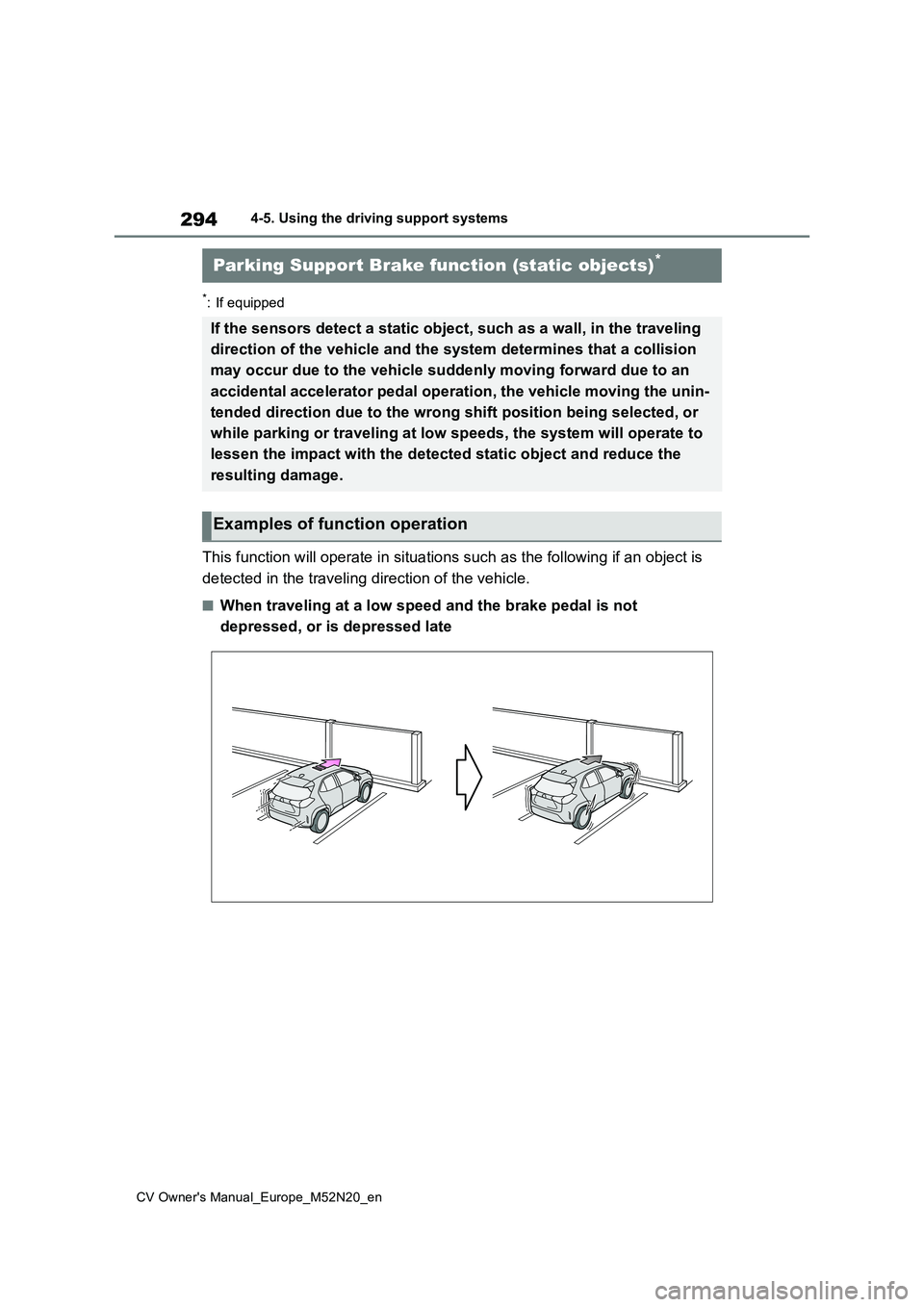
This function will operate in situations such as the following if an object is
detected in the traveling direction of the vehicle.
■When traveling at a low speed and the brake pedal is not
depressed, or is depressed late
Parking Support Brake function (static objects)*
If the sensors detect a static object, such as a wall, in the traveling
direction of the vehicle and the system determines that a colli sion
may occur due to the vehicle suddenly moving forward due to an
accidental accelerator pedal operation, the vehicle moving the unin-
tended direction due to the wrong shift position being selected, or
while parking or traveling at low speeds, the system will opera te to
lessen the impact with the detected static object and reduce th e
resulting damage.
Examples of function operation
Page 297 of 618
295
4
CV Owner's Manual_Europe_M52N20_en
4-5. Using the driving support systems
Driving
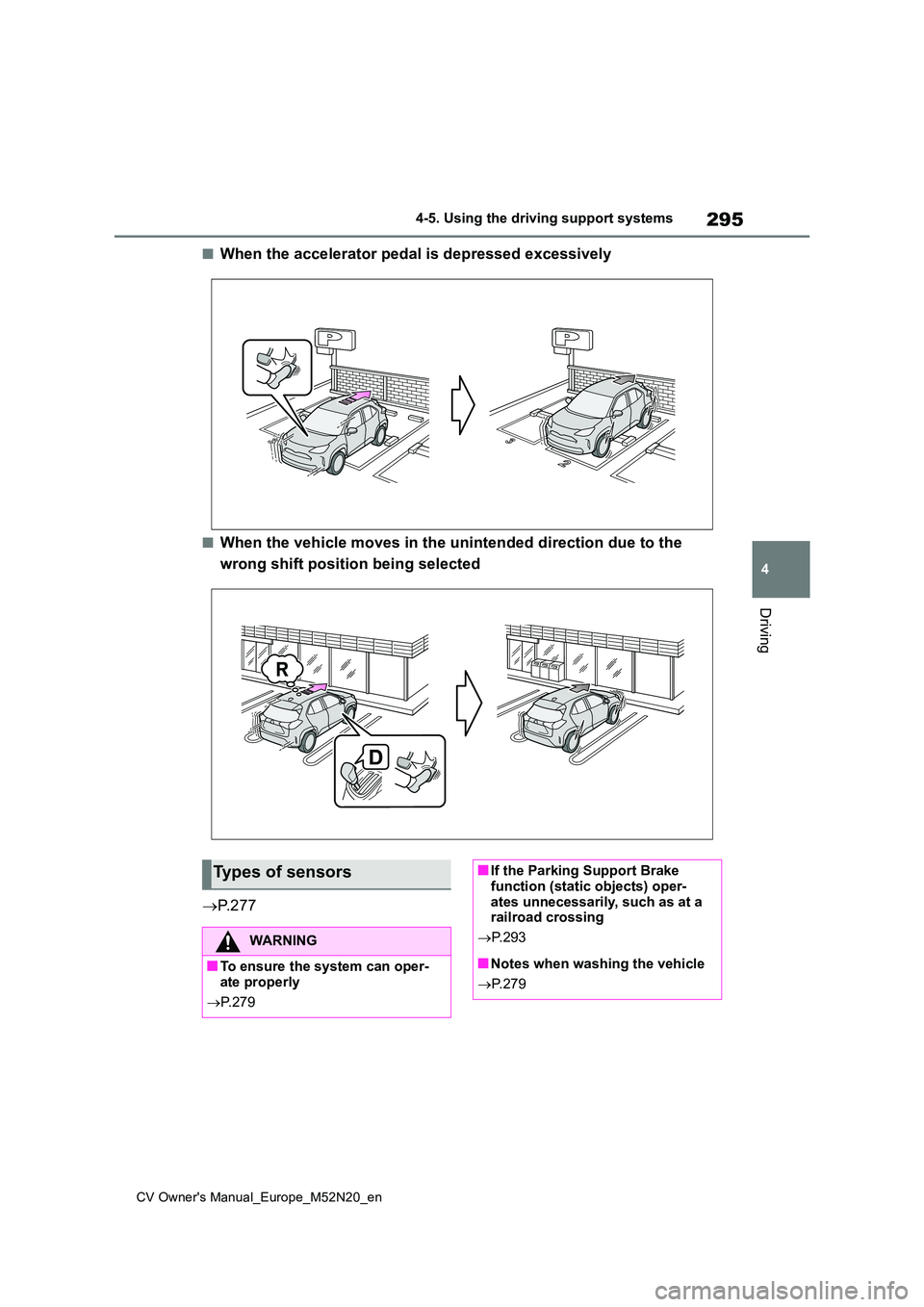
■When the accelerator pedal is depressed excessively
■When the vehicle moves in the unintended direction due to the
wrong shift position being selected
P. 2 7 7
Types of sensors
WARNING
■To ensure the system can oper- ate properly
P. 2 7 9
■If the Parking Support Brake function (static objects) oper-
ates unnecessarily, such as at a railroad crossing
P. 2 9 3
■Notes when washing the vehicle
P. 2 7 9
Page 298 of 618
296
CV Owner's Manual_Europe_M52N20_en
4-5. Using the driving support systems
■The Parking Support Brake func- tion (static object) will operate
when
The function will operate when the PKSB OFF indicator is not illuminated or
flashing ( P.82, 409) and all of the fol- lowing conditions are met:
●Engine output restriction control• The Parking Support Brake is enabled.
• The vehicle speed is approximately 15 km/h (9 mph) or less.• There is a static object in the traveling
direction of the vehicle and approxi- mately 2 to 4 m (6 to 13 ft.) away.• The Parking Support Brake deter-
mines that a stronger-than-normal brake operation is necessary to avoid a collision.
●Brake control• Engine output restriction control is
operating. • The Parking Support Brake deter-mines that an immediate brake opera-
tion is necessary to avoid a collision.
■The Parking Support Brake func- tion (static objects) will stop oper-ating when
The function will stop operating if any of the following conditions are met:
●Engine output restriction control• The Parking Support Brake is dis-
abled. • The system determines that the colli-sion has become avoidable with nor-
mal brake operation. • The static object is no longer approxi-mately 2 to 4 m (6 to 13 ft.) away from
the vehicle or in the traveling direction of the vehicle.
●Brake control• The Parking Support Brake is dis-abled.
• Approximately 2 seconds have elapsed since the vehicle was stopped by brake control.
• The brake pedal is depressed after the vehicle is stopped by brake con-trol.
• The static object is no longer approxi-
mately 2 to 4 m (6 to 13 ft.) away from the vehicle or in the traveling direction of the vehicle.
■Re-enabling the Parking Support
Brake function (static objects)
P. 2 9 3
■Detection range of the Parking Sup- port Brake function (static objects)
The detection range of the Parking Sup- port Brake function (static objects) dif-fers from the detection range of the
Toyota parking assist-sensor. ( P.282) Therefore, even if the Toyota parking assist-sensor detects an object and pro-
vides a warning, the Parking Support Brake function (static objects) may not start operating.
■Objects which the system may not
be properly detected
P. 2 8 0
■Toyota parking assist-sensor buzzer
Regardless of whether the Toyota park- ing assist-sensor function is enabled or not ( P.278), if the Parking Support
Brake function (static objects) is enabled ( P.291), the front or rear sensors detect an object and brake control and
engine output restriction control are per- formed, the Toyota parking assist-sen-sor buzzer will sound to notify the driver
of the approximate distance to the object.
■Situations in which the system may not operate properly
P. 2 8 0
■Situations in which the system may operate even if there is no possibil-ity of a collision
P. 2 8 1
Page 299 of 618
297
4
CV Owner's Manual_Europe_M52N20_en
4-5. Using the driving support systems
Driving
*: If equipped
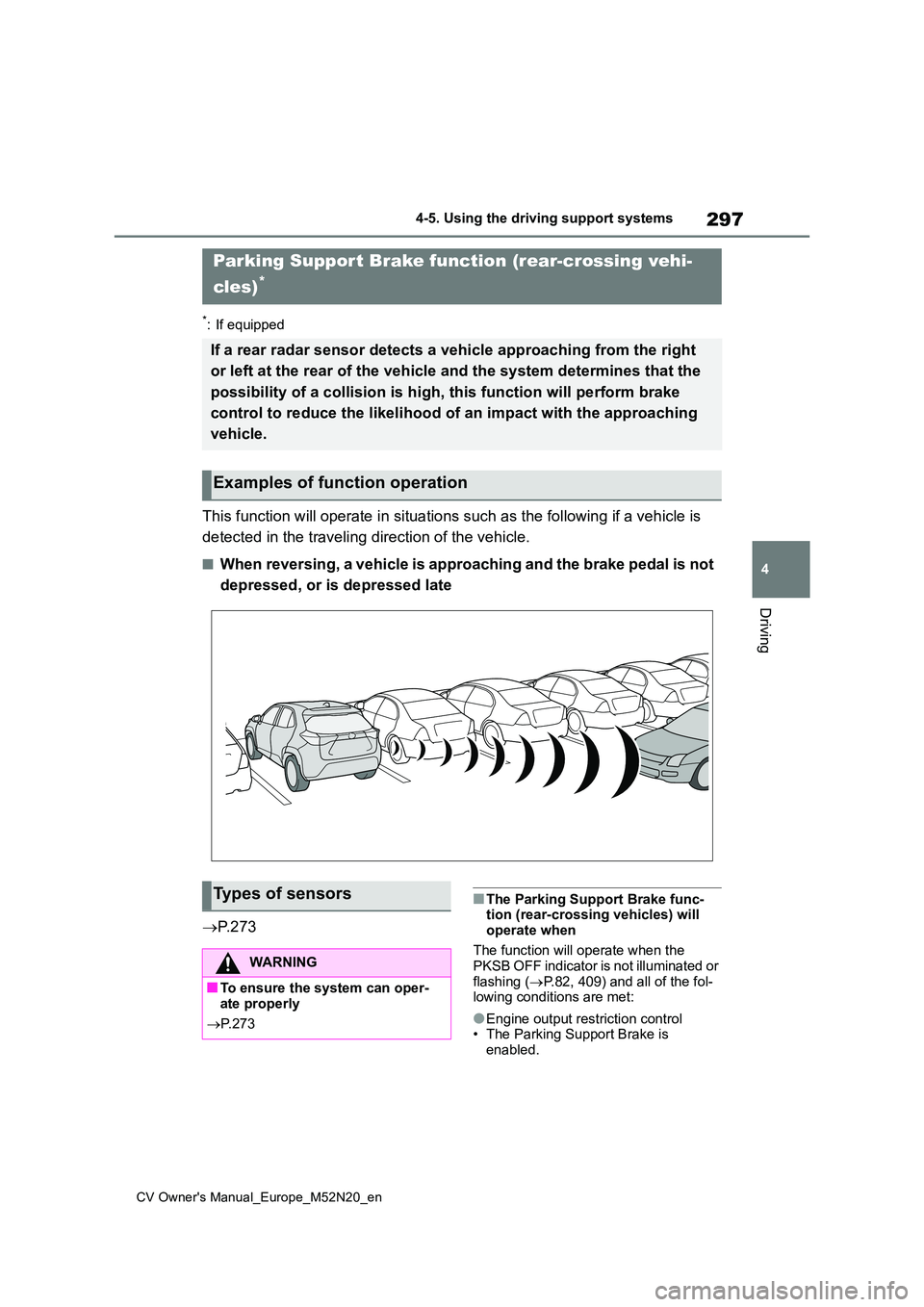
This function will operate in situations such as the following if a vehicle is
detected in the traveling direction of the vehicle.
■When reversing, a vehicle is approaching and the brake pedal is not
depressed, or is depressed late
P. 2 7 3
■The Parking Support Brake func- tion (rear-crossing vehicles) will
operate when
The function will operate when the PKSB OFF indicator is not illuminated or
flashing ( P.82, 409) and all of the fol- lowing conditions are met:
●Engine output restriction control• The Parking Support Brake is enabled.
Parking Support Brake function (rear-crossing vehi-
cles)*
If a rear radar sensor detects a vehicle approaching from the r ight
or left at the rear of the vehicle and the system determines th at the
possibility of a collision is h igh, this function will perform brake
control to reduce the likelihood of an impact with the approach ing
vehicle.
Examples of function operation
Types of sensors
WARNING
■To ensure the system can oper- ate properly
P. 2 7 3
Page 303 of 618
301
4
CV Owner's Manual_Europe_M52N20_en
4-5. Using the driving support systems
Driving
■ABS (Anti-lock Brake System)
Helps to prevent wheel lock when
the brakes are applied suddenly, or
if the brakes are applied while driv-
ing on a slippery road surface
■Brake assist
Generates an increased level of
braking force after the brake pedal
is depressed when the system
detects a panic stop situation
■VSC (Vehicle Stability Control)
Helps the driver to control skidding
when swerving suddenly or turning
on slippery road surfaces.
■Trailer Sway Control
Helps the driver to control trailer
sway by selectively applying brake
pressure for individual wheels and
reducing driving torque when trailer
sway is detected.
■TRC (Traction Control)
Helps to maintain drive power and
prevent the drive wheels from spin-
ning when starting the vehicle or
accelerating on slippery roads
■Active Cornering Assist (ACA)
Helps to prevent the vehicle from
drifting to the outer side by perform-
ing inner wheel brake control when
attempting to accelerate while turn-
ing
■Hill-start assist control
Helps to reduce the backward
movement of the vehicle when
starting on an uphill
■EPS (Electric Power Steering)
Employs an electric motor to
reduce the amount of effort needed
to turn the steering wheel.
■Emergency brake signal
When the brakes are applied sud-
denly, the emergency flashers auto-
matically flash to alert the vehicle
behind.
■The Secondary Collision
Brake
When the SRS airbag sensor
detects a collision and the system
operates, the brakes and brake
lights are automatically controlled
to reduce the vehicle speed and
help reduce the possibility of further
damage due to a secondary colli-
sion.
Driving assist systems
To keep driving safety and per-
formance, the f ollowing sys-
tems operate automatically in
response to various driving sit-
uations. Be aware, however,
that these systems are supple-
mentary and should not be
relied upon too heavily when
operating the vehicle.
Summary of the driving
assist systems
Page 306 of 618
304
CV Owner's Manual_Europe_M52N20_en
4-5. Using the driving support systems
■Operating conditions of emergency
brake signal
When the following conditions are met, the emergency brake signal will oper-
ates:
●The emergency flashers are off
●Actual vehicle speed is over 55 km/h (35 mph)
●The system judges from the vehicle deceleration that it is a sudden brak-
ing operation.
■Automatic system cancelation of emergency brake signal
The emergency brake signal will be can-
celed in any of the following situations:
●The emergency flashers are turned
on.
●The system judges from the vehicle
deceleration that is not a sudden brak- ing operation.
■Secondary Collision Brake operat-ing conditions
The system operates when the SRS air- bag sensor detects a collision while the vehicle is in motion.
However, the system does not operate when components are damaged.
■Secondary Collision Brake auto-matic cancelation
The system is automatically canceled in any of the following situations.
●The vehicle speed drops approxi-mately 0 km/h (0 mph)
●A certain amount of time elapses during operation
●The accelerator pedal is depressed a large amount
WARNING
■The ABS does not operate effec-
tively when
●The limits of tire gripping perfor- mance have been exceeded (such
as excessively worn tires on a snow covered road).
●The vehicle hydroplanes while driv-ing at high speed on wet or slick roads.
■Stopping distance when the ABS is operating may exceed that of
normal conditions
The ABS is not designed to shorten the vehicle’s stopping distance.
Always maintain a safe distance from the vehicle in front of you, especially in the following situations:
●When driving on dirt, gravel or snow-covered roads
●When driving with tire chains
●When driving over bumps in the road
●When driving over roads with pot-holes or uneven surfaces
■TRC/VSC may not operate effec-tively when
Directional control and power may not
be achievable while driving on slip- pery road surfaces, even if the TRC/VSC system is operating. Drive
the vehicle carefully in conditions where stability and power may be lost.
■Active Cornering Assist does not operate effectively when
●Do not overly rely on Active Corner-ing Assist. Active Cornering Assist may not operate effectively when
accelerating down slopes or driving on slippery road surfaces.
●When Active Cornering Assist fre-quently operates, Active Cornering Assist may temporarily stop operat-
ing to ensure proper operation of the brakes, TRC and VSC.
Page 345 of 618
343
6
CV Owner's Manual_Europe_M52N20_en
6-1. Maintenance and care
Maintenance and care
●Use a soft cloth dampened with an
approximately 5% solution of neutral detergent and water to clean the dirt off.
●Wipe the surface with a dry, soft cloth to remove any remaining moisture.
●To remove oily deposits, use alcohol wet wipes or a similar product.
WARNING
■When washing the vehicle
Do not apply water to the inside of the engine compartment. Doing so may
cause the electrical components, etc. to catch fire.
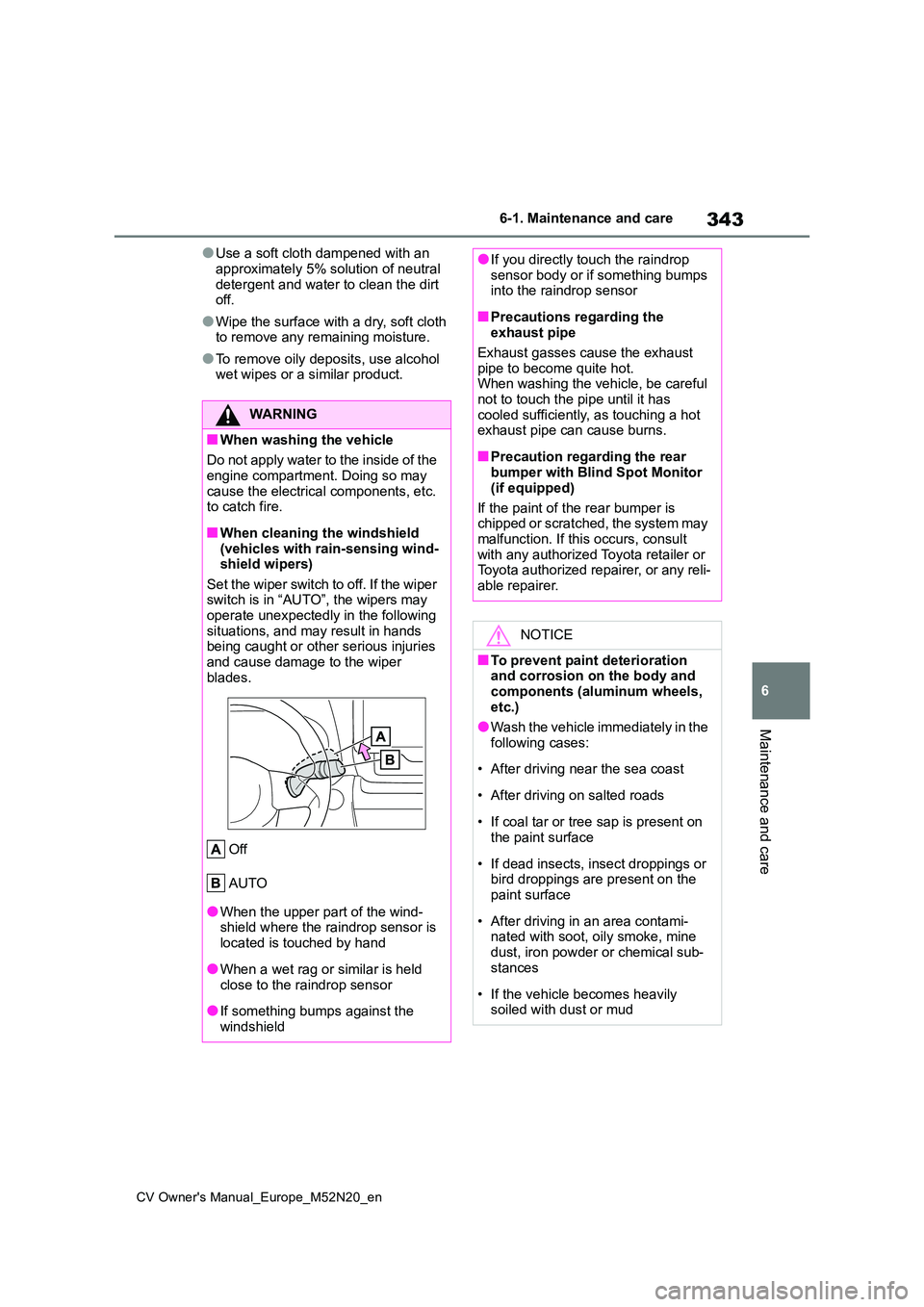
■When cleaning the windshield (vehicles with rain-sensing wind-shield wipers)
Set the wiper switch to off. If the wiper switch is in “AUTO”, the wipers may operate unexpectedly in the following
situations, and may result in hands being caught or other serious injuries and cause damage to the wiper
blades.
Off
AUTO
●When the upper part of the wind- shield where the raindrop sensor is
located is touched by hand
●When a wet rag or similar is held
close to the raindrop sensor
●If something bumps against the
windshield
●If you directly touch the raindrop sensor body or if something bumps into the raindrop sensor
■Precautions regarding the exhaust pipe
Exhaust gasses cause the exhaust pipe to become quite hot.When washing the vehicle, be careful
not to touch the pipe until it has cooled sufficiently, as touching a hot exhaust pipe can cause burns.
■Precaution regarding the rear bumper with Blind Spot Monitor
(if equipped)
If the paint of the rear bumper is chipped or scratched, the system may
malfunction. If this occurs, consult with any authorized Toyota retailer or Toyota authorized repairer, or any reli-
able repairer.
NOTICE
■To prevent paint deterioration and corrosion on the body and
components (aluminum wheels, etc.)
●Wash the vehicle immediately in the
following cases:
• After driving near the sea coast
• After driving on salted roads
• If coal tar or tree sap is present on the paint surface
• If dead insects, insect droppings or bird droppings are present on the paint surface
• After driving in an area contami- nated with soot, oily smoke, mine
dust, iron powder or chemical sub- stances
• If the vehicle becomes heavily soiled with dust or mud
Page 410 of 618
408
CV Owner's Manual_Europe_M52N20_en
7-2. Steps to take in an emergency
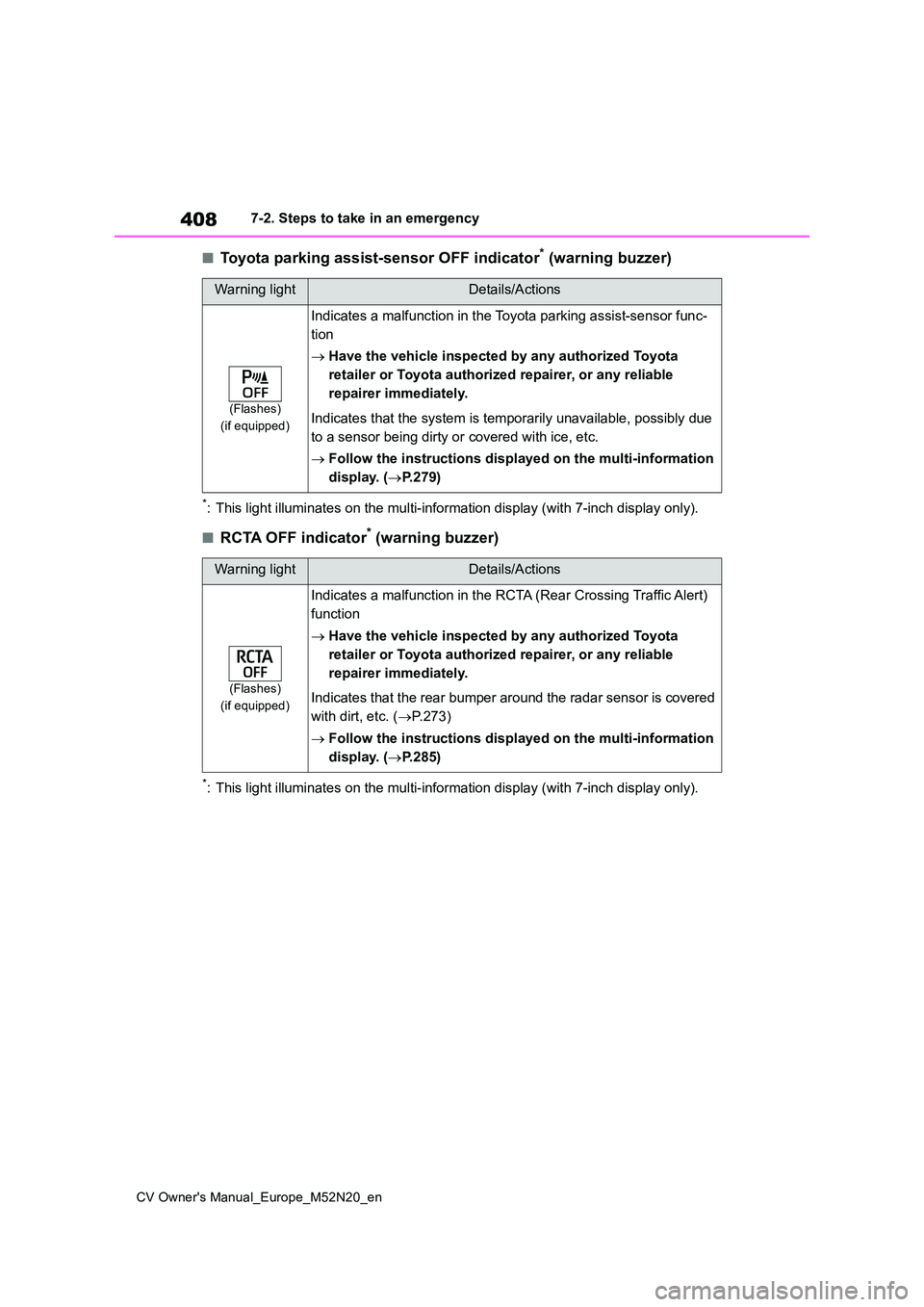
■Toyota parking assist-sensor OFF indicator* (warning buzzer)
*: This light illuminates on the multi-information display (with 7-inch display only).
■RCTA OFF indicator* (warning buzzer)
*: This light illuminates on the multi-information display (with 7-inch display only).
Warning lightDetails/Actions
(Flashes)
(if equipped)
Indicates a malfunction in the Toyota parking assist-sensor fun c-
tion
Have the vehicle inspected by any authorized Toyota
retailer or Toyota authorized repairer, or any reliable
repairer immediately.
Indicates that the system is temporarily unavailable, possibly due
to a sensor being dirty or covered with ice, etc.
Follow the instructions displayed on the multi-information
display. ( P.279)
Warning lightDetails/Actions
(Flashes)
(if equipped)
Indicates a malfunction in the RCTA (Rear Crossing Traffic Aler t)
function
Have the vehicle inspected by any authorized Toyota
retailer or Toyota authorized repairer, or any reliable
repairer immediately.
Indicates that the rear bumper around the radar sensor is cover ed
with dirt, etc. ( P.273)
Follow the instructions displayed on the multi-information
display. ( P.285)
Page 411 of 618
409
7
CV Owner's Manual_Europe_M52N20_en
7-2. Steps to take in an emergency
When trouble arises
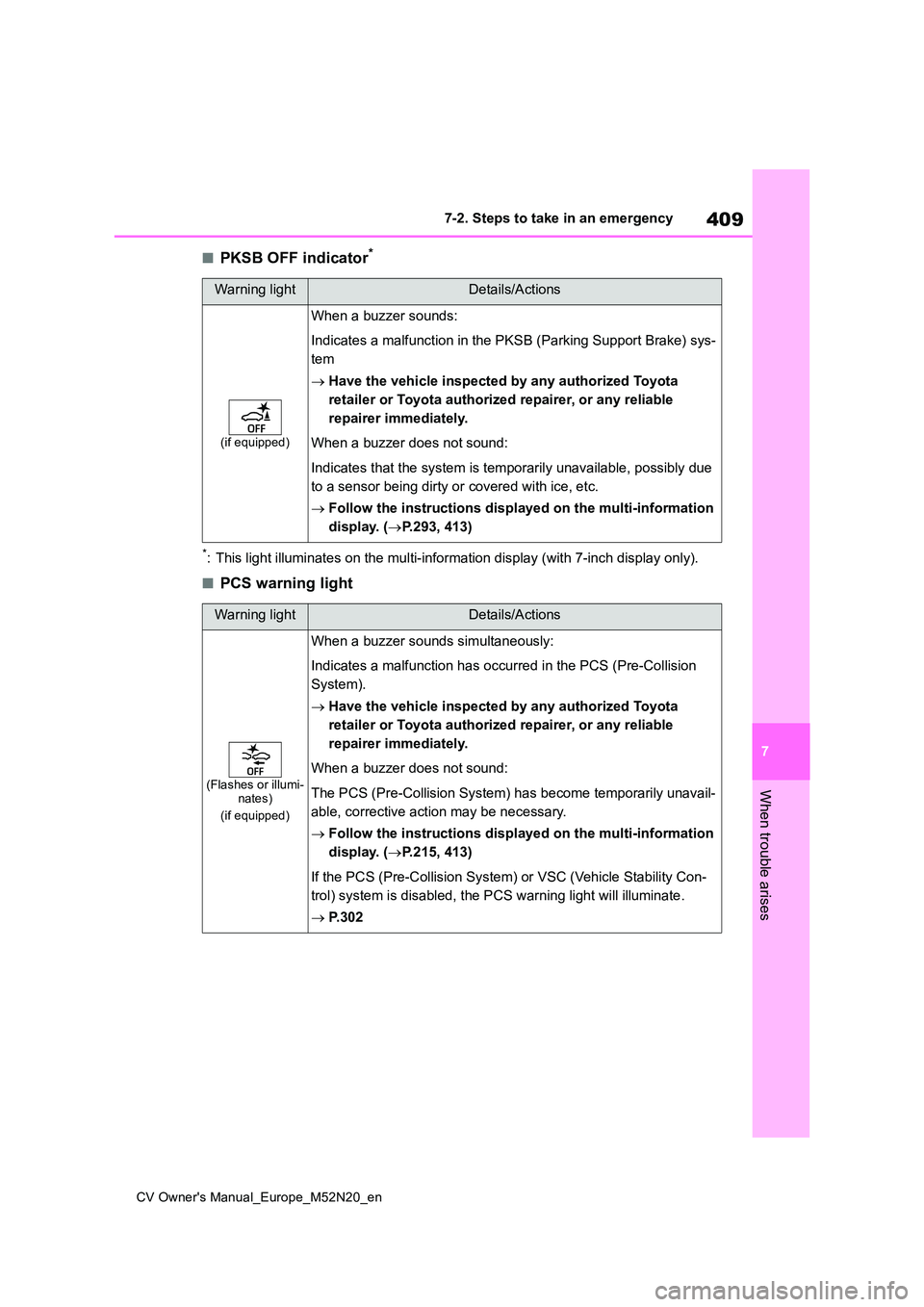
■PKSB OFF indicator*
*: This light illuminates on the multi-information display (with 7-inch display only).
■PCS warning light
Warning lightDetails/Actions
(if equipped)
When a buzzer sounds:
Indicates a malfunction in the PKSB (Parking Support Brake) sys -
tem
Have the vehicle inspected by any authorized Toyota
retailer or Toyota authorized repairer, or any reliable
repairer immediately.
When a buzzer does not sound:
Indicates that the system is temporarily unavailable, possibly due
to a sensor being dirty or covered with ice, etc.
Follow the instructions displayed on the multi-information
display. ( P.293, 413)
Warning lightDetails/Actions
(Flashes or illumi- nates)
(if equipped)
When a buzzer sounds simultaneously:
Indicates a malfunction has occurred in the PCS (Pre-Collision
System).
Have the vehicle inspected by any authorized Toyota
retailer or Toyota authorized repairer, or any reliable
repairer immediately.
When a buzzer does not sound:
The PCS (Pre-Collision System) has become temporarily unavail-
able, corrective action may be necessary.
Follow the instructions displayed on the multi-information
display. ( P.215, 413)
If the PCS (Pre-Collision System) or VSC (Vehicle Stability Con-
trol) system is disabled, the PCS warning light will illuminate .
P. 3 0 2