flat tire TOYOTA YARIS CROSS 2022 Owners Manual
[x] Cancel search | Manufacturer: TOYOTA, Model Year: 2022, Model line: YARIS CROSS, Model: TOYOTA YARIS CROSS 2022Pages: 618, PDF Size: 130.77 MB
Page 3 of 618
1
6
5
4
3
2
7
8
CV Owner's Manual_Europe_M52N20_en
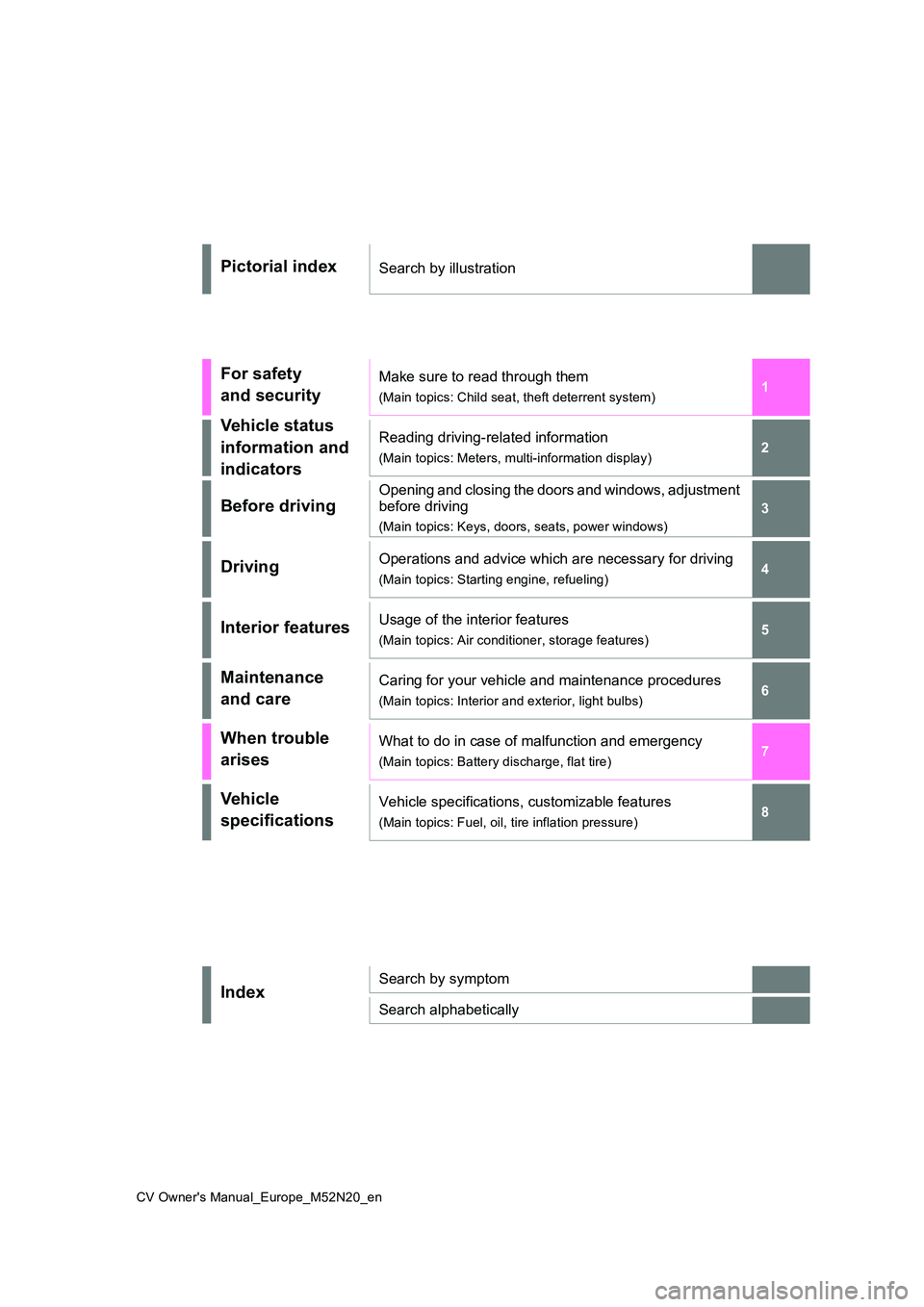
Pictorial indexSearch by illustration
For safety
and security
Make sure to read through them
(Main topics: Child seat, theft deterrent system)
Vehicle status
information and
indicators
Reading driving-related information
(Main topics: Meters, multi-information display)
Before driving
Opening and closing the doors and windows, adjustment
before driving
(Main topics: Keys, doors, seats, power windows)
DrivingOperations and advice which are necessary for driving
(Main topics: Starting engine, refueling)
Interior featuresUsage of the interior features
(Main topics: Air conditioner, storage features)
Maintenance
and care
Caring for your vehicle and maintenance procedures
(Main topics: Interior and exterior, light bulbs)
When trouble
arises
What to do in case of malfunction and emergency
(Main topics: Battery discharge, flat tire)
Vehicle
specifications
Vehicle specifications, customizable features
(Main topics: Fuel, oil, tire inflation pressure)
IndexSearch by symptom
Search alphabetically
Page 6 of 618
4
CV Owner's Manual_Europe_M52N20_en
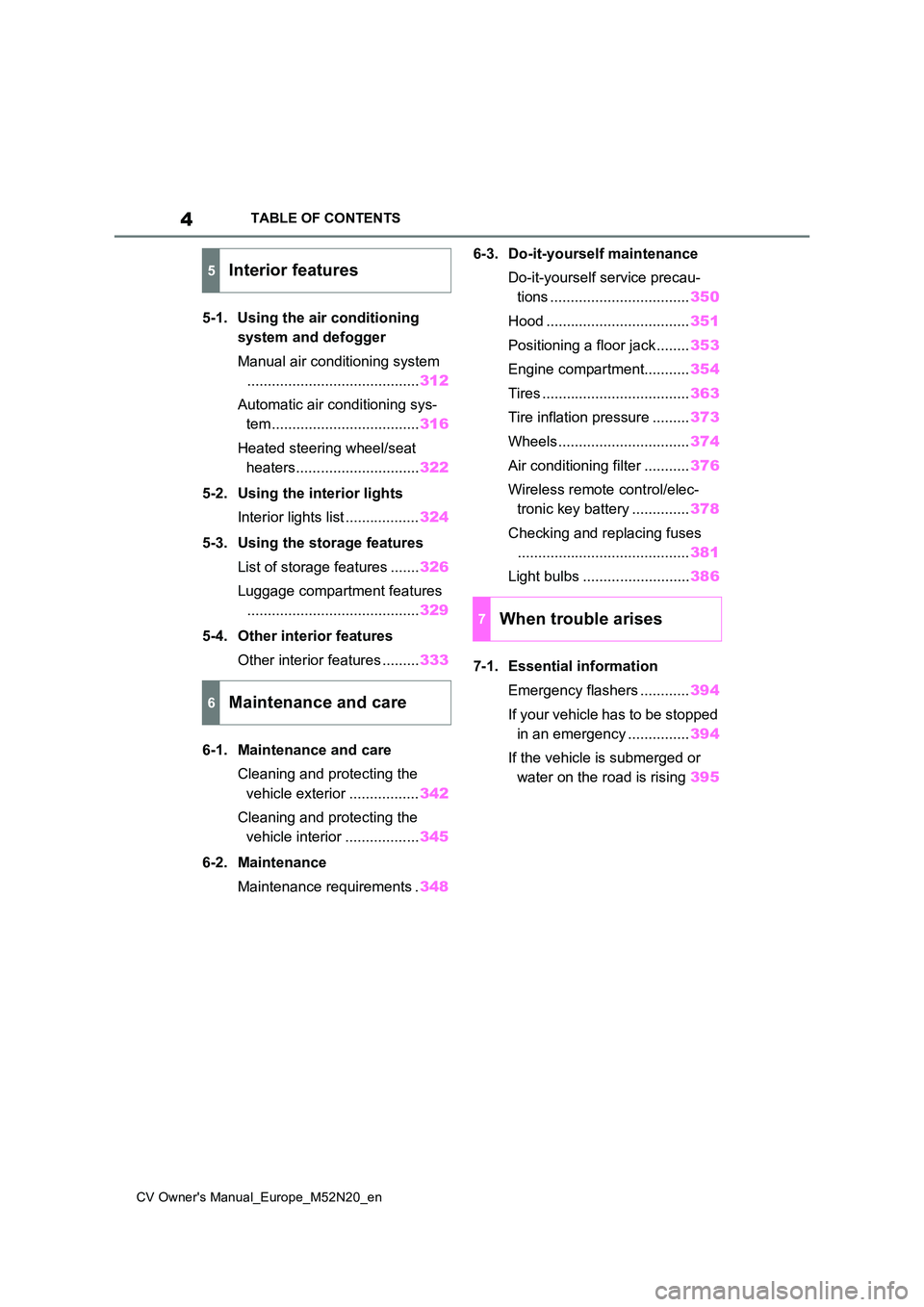
TABLE OF CONTENTS
5-1. Using the air conditioning
system and defogger
Manual air conditioning system
.......................................... 312
Automatic air conditioning sys-
tem .................................... 316
Heated steering wheel/seat
heaters.............................. 322
5-2. Using the interior lights
Interior lights list .................. 324
5-3. Using the storage features
List of storage features ....... 326
Luggage compartment features
.......................................... 329
5-4. Other interior features
Other interior features ......... 333
6-1. Maintenance and care
Cleaning and protecting the
vehicle exterior ................. 342
Cleaning and protecting the
vehicle interior .................. 345
6-2. Maintenance
Maintenance requirements . 348
6-3. Do-it-yourself maintenance
Do-it-yourself service precau-
tions .................................. 350
Hood ................................... 351
Positioning a floor jack ........ 353
Engine compartment........... 354
Tires .................................... 363
Tire inflation pressure ......... 373
Wheels ................................ 374
Air conditioning filter ........... 376
Wireless remote control/elec-
tronic key battery .............. 378
Checking and replacing fuses
.......................................... 381
Light bulbs .......................... 386
7-1. Essential information
Emergency flashers ............ 394
If your vehicle has to be stopped
in an emergency ............... 394
If the vehicle is submerged or
water on the road is rising 395
5Interior features
6Maintenance and care
7When trouble arises
Page 7 of 618
5
CV Owner's Manual_Europe_M52N20_en
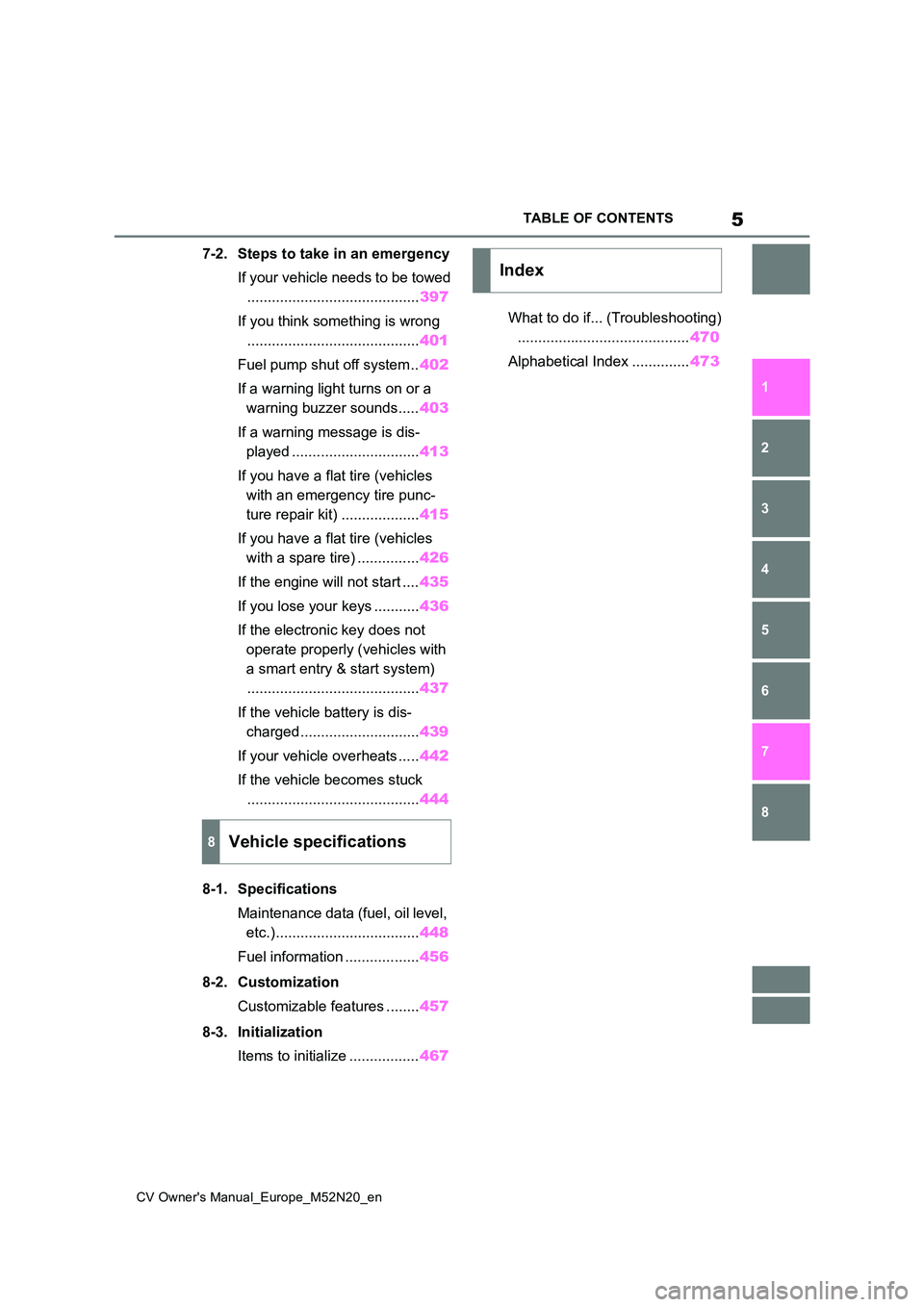
TABLE OF CONTENTS
1
6
5
4
3
2
8
7
7-2. Steps to take in an emergency
If your vehicle needs to be towed
.......................................... 397
If you think something is wrong
.......................................... 401
Fuel pump shut off system .. 402
If a warning light turns on or a
warning buzzer sounds..... 403
If a warning message is dis-
played ............................... 413
If you have a flat tire (vehicles
with an emergency tire punc-
ture repair kit) ................... 415
If you have a flat tire (vehicles
with a spare tire) ............... 426
If the engine will not start .... 435
If you lose your keys ........... 436
If the electronic key does not
operate properly (vehicles with
a smart entry & start system)
.......................................... 437
If the vehicle battery is dis-
charged............................. 439
If your vehicle overheats ..... 442
If the vehicle becomes stuck
.......................................... 444
8-1. Specifications
Maintenance data (fuel, oil level,
etc.)................................... 448
Fuel information .................. 456
8-2. Customization
Customizable features ........ 457
8-3. Initialization
Items to initialize ................. 467
What to do if... (Troubleshooting)
.......................................... 470
Alphabetical Index .............. 473
8Vehicle specifications
Index
Page 15 of 618
13
CV Owner's Manual_Europe_M52N20_en
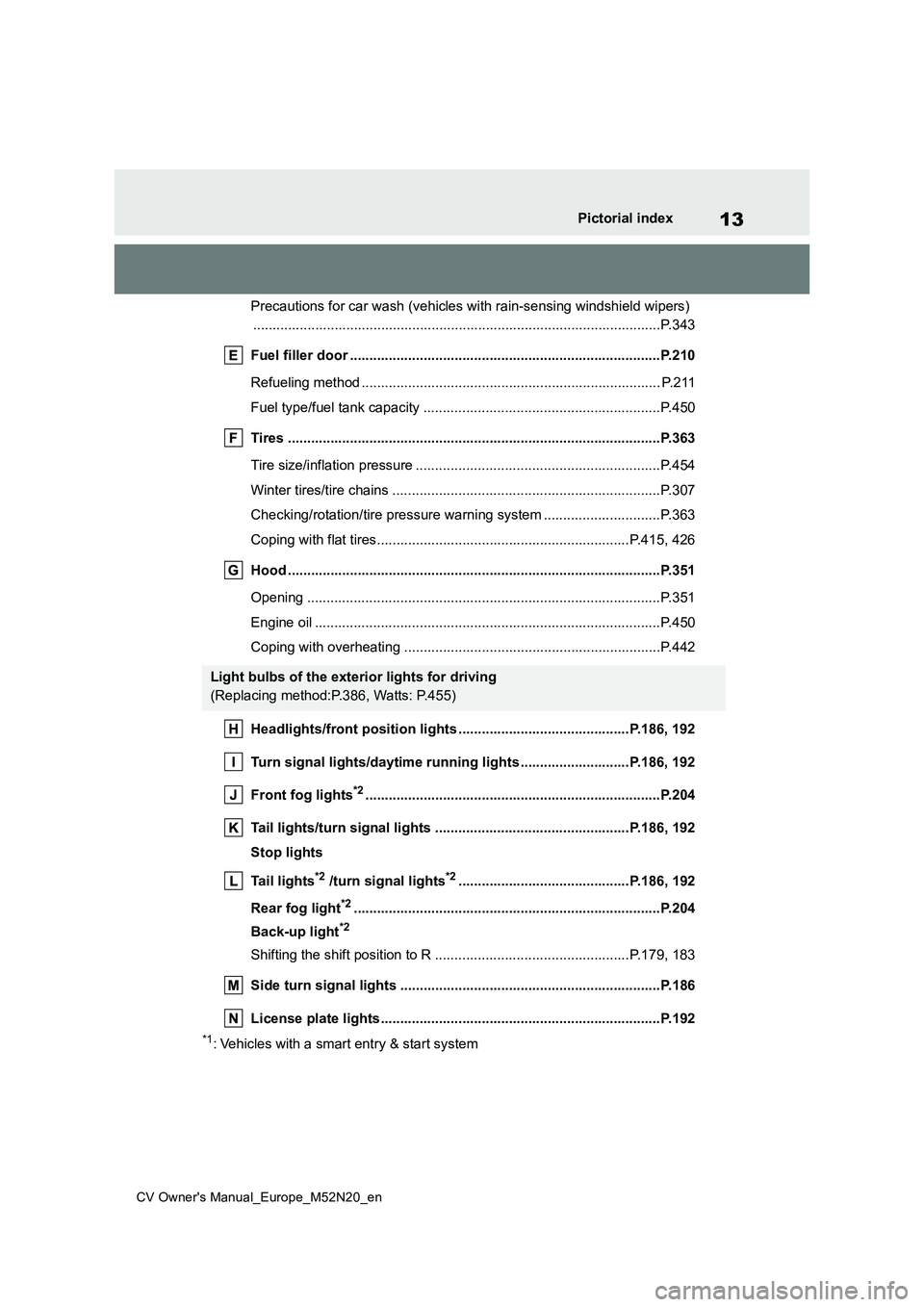
Pictorial index
Precautions for car wash (vehicles with rain-sensing windshield wipers)
............................................................... ..........................................P.343
Fuel filler door ............................................... .................................P.210
Refueling method ............................................... .............................. P.211
Fuel type/fuel tank capacity ................................... ..........................P.450
Tires .......................................................... ......................................P.363
Tire size/inflation pressure ................................... ............................P.454
Winter tires/tire chains ....................................... ..............................P.307
Checking/rotation/tire pressure warning system ................. .............P.363
Coping with flat tires......................................... ........................P.415, 426
Hood ........................................................... .....................................P.351
Opening ........................................................ ...................................P.351
Engine oil ..................................................... ....................................P.450
Coping with overheating ........................................ ..........................P.442
Headlights/front position lights ............................... .............P.186, 192
Turn signal lights/daytime running lights ...................... ......P.186, 192
Front fog lights*2............................................................... .............P.204
Tail lights/turn signal lights ................................. .................P.186, 192
Stop lights
Tail lights*2 /turn signal lights*2............................................P.186, 192
Rear fog light*2............................................................... ................P.204
Back-up light*2
Shifting the shift position to R ............................... ...................P.179, 183
Side turn signal lights ........................................ ...........................P.186
License plate lights........................................... .............................P.192
*1: Vehicles with a smart entry & start system
Light bulbs of the exterior lights for driving
(Replacing method:P.386, Watts: P.455)
Page 100 of 618
98
CV Owner's Manual_Europe_M52N20_en
2-1. Instrument cluster
■Drive information
2 items that are selected using the
“Drive Info. Items” setting (average
speed, distance and total time) can
be displayed vertically.
The displayed information changes
according to the “Drive Info. Type”
setting (since the system was
started or between resets). ( P. 9 8 )
Use the displayed information as a ref-
erence only.
Following items will be displayed.
“Trip”
• “Average Speed”: Displays the aver-
age vehicle speed since engine start*
• “Distance”: Displays the distance
driven since engine start*
• “Total Time”: Displays the elapsed
time since engine start*
*: These items are reset each time the
engine stops.
“Total”
• “Average Speed”: Displays the aver-
age vehicle speed since the display
was reset*
• “Distance”: Displays the distance
driven since the display was reset*
• “Total Time”: Displays the elapsed
time since the display was reset*
*: To reset, display the desired item and
press and hold the meter control
switch.
■Tire inflation pressure
Displays inflation pressure of each
tire.
■Meter display settings that can
be changed
Clock setting (vehicles without
navigation/multimedia system)
P. 8 7
Language
Select to change the language dis-
played.
Units
Select to change the units of measure
displayed.
Eco Driving Indicator Light (if
equipped)
Select to enable/disable the Eco Driv-
ing Indicator Light.
• Fuel economy display
Select to change the average fuel con-
sumption display between after
start/after reset/after refuel. ( P. 9 6 )
(if equipped)
Select to display/not display the audio
system linked display.
Select to change the displayed content
of the following:
• Drive information type
Select to change the drive information
type display between after start/after
reset.
• Drive information items
Select to set the first and second items
Vehicle information display
Settings display
Page 106 of 618
104
CV Owner's Manual_Europe_M52N20_en
2-1. Instrument cluster
press and hold the meter control
switch.
■Tire inflation pressure
Displays inflation pressure of each
tire.
■Meter display settings that can
be changed
Clock setting (vehicles without
navigation/multimedia system)
P. 9 3
Language
Select to change the language dis-
played.
Units
Select to change the units of measure
displayed.
Meter Type
The speed meter display method can
be changed.
Eco Driving Indicator Light (if
equipped)
Select to enable/disable the Eco Driv-
ing Indicator Light.
• Fuel economy display
Select to change the average fuel con-
sumption display between after
start/after reset/after refuel. ( P.101)
(if equipped)
Select to display/not display the audio
system linked display.
Select to change the displayed content
of the following:
• Drive information type
Select to change the drive information
type display between after start/after
reset.
• Drive information items
Select to set the first and second items
of the drive information display to any of
the following: average vehicle
speed/distance/elapsed time.
Pop-up display
Select to enable/disable pop-up dis-
plays for each relevant system.
Multi-information display off
Select to turn the multi-information dis-
play off.
To turn the multi-information display on
again, press any of the following meter
control switches
//// /.
Default setting
Select to reset the meter display set-
tings to the default setting.
■Vehicle functions and settings
that can be changed
P. 4 5 7
■Suspension of the settings display
●Some settings cannot be changed while driving. When changing set-tings, park the vehicle in a safe place.
●If a warning message is displayed, operation of the settings display will
be suspended.
Settings display
Page 166 of 618
164
CV Owner's Manual_Europe_M52N20_en
4-1. Before driving
NOTICE
●Observe the following precautions. Failure to do so may cause exces-
sive premature wear or damage to the clutch, eventually making it diffi-cult to accelerate and start off from
a stop. Have the vehicle inspected by any authorized Toyota retailer or Toyota authorized repairer, or any
reliable repairer.
• Do not rest your foot on the clutch
pedal or depress it any time other than when shifting.Doing so may cause clutch trouble.
• Do not use any gear other than the 1st gear when starting off and mov-
ing forward. Doing so may damage the clutch.
• Do not use the clutch pedal to adjust vehicle speed. When stop-ping the vehicle with the shift lever
in a position other then N, make sure to fully depress the clutch pedal and stop the vehicle using the
brake. Doing so may damage the clutch.
• When stopping the vehicle with the shift lever in a position other than N, make sure to fully depress the
clutch pedal and stop the vehicle using the brakes.
●Do not shift the shift lever to R with-out the vehicle completely stopped.Doing so may damage the clutch,
transmission and gears.
■When parking the vehicle (vehi-
cles with a Multidrive)
Always set the parking brake and shift the shift lever to P. Failure to do so
may cause the vehicle to move or the vehicle may accelerate suddenly if the accelerator pedal is accidentally
depressed.
■Avoiding damage to vehicle parts
●Do not turn the steering wheel fully in either direction and hold it there
for an extended period of time. Doing so may damage the power steering motor.
●When driving over bumps in the road, drive as slowly as possible to
avoid damaging the wheels, under- side of the vehicle, etc.
■If you get a flat tire while driving
A flat or damaged tire may cause the following situations. Hold the steering
wheel firmly and gradually depress the brake pedal to slow down the vehicle.
●It may be difficult to control your vehicle.
●The vehicle will make abnormal sounds or vibrations.
●The vehicle will lean abnormally.
Information on what to do in case of a
flat tire ( P.415, 426)
■When encountering flooded
roads
Do not drive on a road that has flooded after heavy rain, etc. Doing so
may cause the following serious dam- age to the vehicle:
●Engine stalling
●Short in electrical components
●Engine damage caused by water immersion
In the event that you drive on a flooded road and the vehicle becomes flooded or stuck in mud or
sand, be sure to have any authorized Toyota retailer or Toyota authorized repairer, or any reliable repairer check
the following:
●Brake function
Page 170 of 618
168
CV Owner's Manual_Europe_M52N20_en
4-1. Before driving
trol device).
Permissible drawbar load
Allocate the trailer load so that the
drawbar load is greater than 25 kg
(55.1 lb.) or 4% of the towing capacity.
Do not let the drawbar load exceed the
indicated weight. ( P.448)
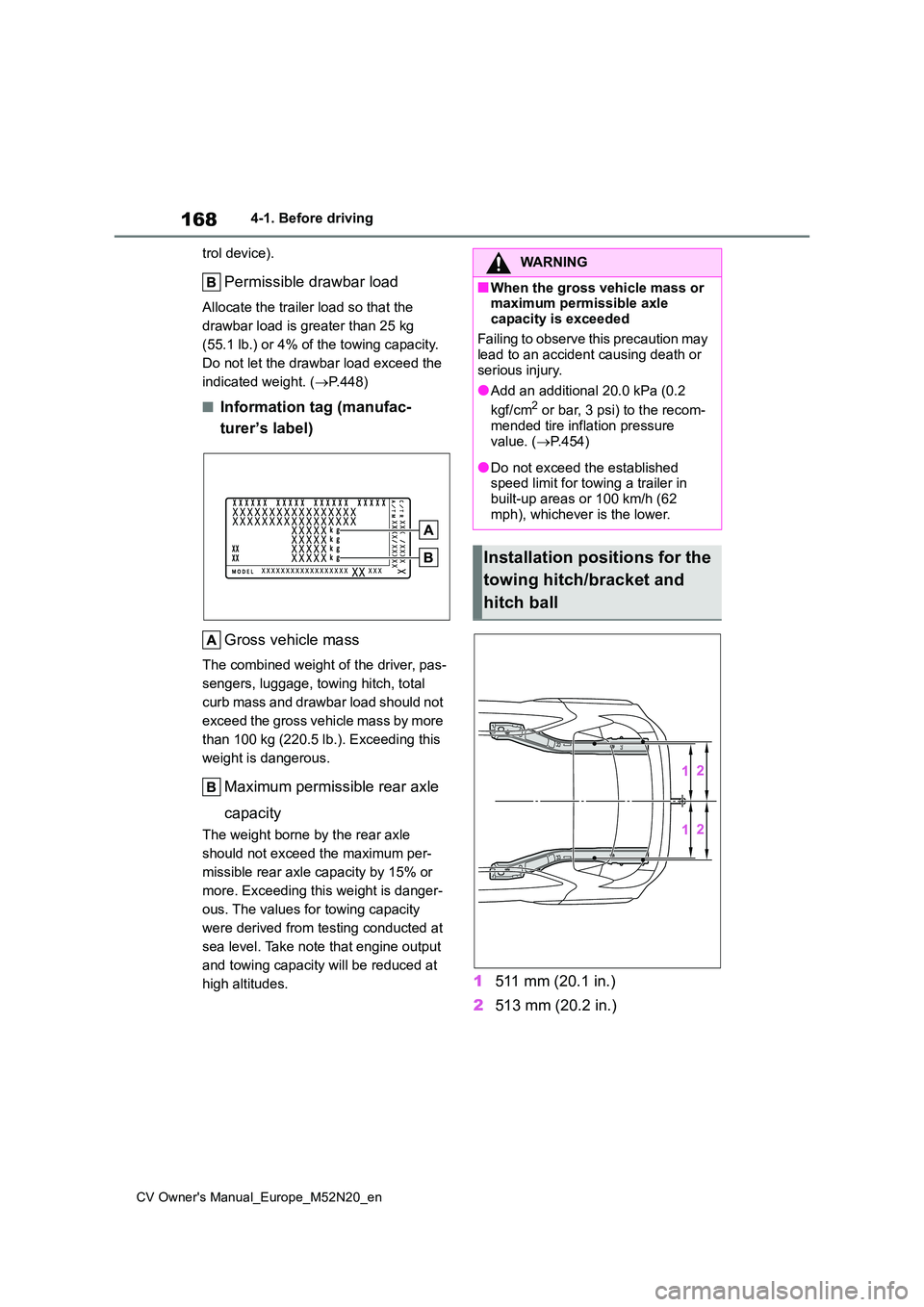
■Information tag (manufac-
turer’s label)
Gross vehicle mass
The combined weight of the driver, pas-
sengers, luggage, towing hitch, total
curb mass and drawbar load should not
exceed the gross vehicle mass by more
than 100 kg (220.5 lb.). Exceeding this
weight is dangerous.
Maximum permissible rear axle
capacity
The weight borne by the rear axle
should not exceed the maximum per-
missible rear axle capacity by 15% or
more. Exceeding this weight is danger-
ous. The values for towing capacity
were derived from testing conducted at
sea level. Take note that engine output
and towing capacity will be reduced at
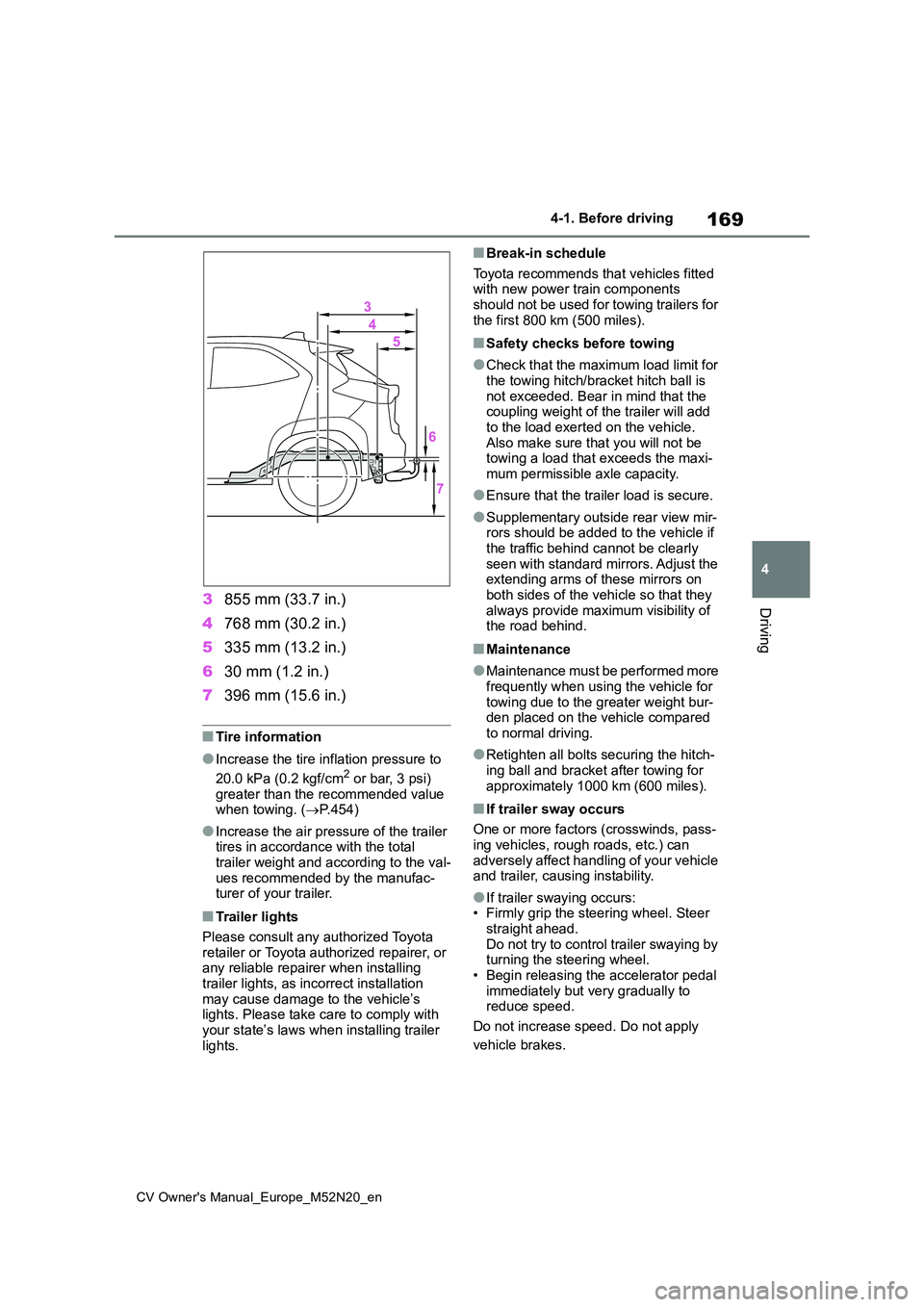
high altitudes.1 511 mm (20.1 in.)
2 513 mm (20.2 in.)
WARNING
■When the gross vehicle mass or maximum permissible axle
capacity is exceeded
Failing to observe this precaution may lead to an accident causing death or
serious injury.
●Add an additional 20.0 kPa (0.2
kgf/cm2 or bar, 3 psi) to the recom-
mended tire inflation pressure value. ( P.454)
●Do not exceed the established speed limit for towing a trailer in
built-up areas or 100 km/h (62 mph), whichever is the lower.
Installation positions for the
towing hitch/bracket and
hitch ball
Page 171 of 618
169
4
CV Owner's Manual_Europe_M52N20_en
4-1. Before driving
Driving3855 mm (33.7 in.)
4 768 mm (30.2 in.)
5 335 mm (13.2 in.)
6 30 mm (1.2 in.)
7 396 mm (15.6 in.)
■Tire information
●Increase the tire inflation pressure to
20.0 kPa (0.2 kgf/cm2 or bar, 3 psi) greater than the recommended value when towing. ( P.454)
●Increase the air pressure of the trailer tires in accordance with the total
trailer weight and according to the val- ues recommended by the manufac-turer of your trailer.
■Trailer lights
Please consult any authorized Toyota retailer or Toyota authorized repairer, or any reliable repairer when installing
trailer lights, as incorrect installation may cause damage to the vehicle’s lights. Please take care to comply with
your state’s laws when installing trailer lights.
■Break-in schedule
Toyota recommends that vehicles fitted with new power train components should not be used for towing trailers for
the first 800 km (500 miles).
■Safety checks before towing
●Check that the maximum load limit for
the towing hitch/bracket hitch ball is not exceeded. Bear in mind that the coupling weight of the trailer will add
to the load exerted on the vehicle. Also make sure that you will not be towing a load that exceeds the maxi-
mum permissible axle capacity.
●Ensure that the trailer load is secure.
●Supplementary outside rear view mir- rors should be added to the vehicle if
the traffic behind cannot be clearly seen with standard mirrors. Adjust the extending arms of these mirrors on
both sides of the vehicle so that they always provide maximum visibility of the road behind.
■Maintenance
●Maintenance must be performed more frequently when using the vehicle for
towing due to the greater weight bur- den placed on the vehicle compared to normal driving.
●Retighten all bolts securing the hitch-ing ball and bracket after towing for
approximately 1000 km (600 miles).
■If trailer sway occurs
One or more factors (crosswinds, pass- ing vehicles, rough roads, etc.) can
adversely affect handling of your vehicle and trailer, causing instability.
●If trailer swaying occurs:• Firmly grip the steering wheel. Steer straight ahead.
Do not try to control trailer swaying by turning the steering wheel.• Begin releasing the accelerator pedal
immediately but very gradually to reduce speed.
Do not increase speed. Do not apply
vehicle brakes.
Page 201 of 618
199
4
CV Owner's Manual_Europe_M52N20_en
4-3. Operating the lights and wipers
Driving
• The brightness of headlights, fog
lights, and tail lights of vehicles ahead • The movement and direction of vehi-cles ahead
• When a vehicle ahead only has oper- ational lights on one side• When a vehicle ahead is a two-
wheeled vehicle • The condition of the road (gradient, curve, condition of the road surface,
etc.) • The number of passengers and amount of luggage
●The light distribution control of the headlights may change unexpectedly.
●Bicycles or similar objects may not be detected.
●In the following situations the system may not be able to correctly detect the
surrounding brightness level. This may cause the low beams to remain on or the high beams to flash or daz-
zle pedestrians or vehicles ahead. In such a case, it is necessary to manu-ally switch between the high and low
beams. • When driving in inclement weather (heavy rain, snow, fog, sandstorms,
etc.) • When the windshield is obscured by fog, mist, ice, dirt, etc.
• When the windshield is cracked or damaged• When the front camera is deformed or
dirty • When the temperature of the front camera is extremely high
• When the surrounding brightness level is equal to that of headlights, tail lights or fog lights
• When headlights or tail lights of vehi- cles ahead are turned off, dirty, chang-ing color, or not aimed properly
• When the vehicle is hit by water, snow, dust, etc., from a preceding vehicle
• When driving through an area of inter- mittently changing brightness and darkness
• When frequently and repeatedly driv- ing ascending/descending roads, or
roads with rough, bumpy or uneven
surfaces (such as stone-paved roads, gravel roads, etc.)• When frequently and repeatedly tak-
ing curves or driving on a winding road• When there is a highly reflective
object ahead of the vehicle, such as a sign or mirror• When the back of a preceding vehicle
is highly reflective, such as a con- tainer on a truck• When the vehicle’s headlights are
damaged or dirty, or are not aimed properly• When the vehicle is listing or tilting
due to a flat tire, a trailer being towed, etc.• When the headlights are changed
between the high beams and low beams repeatedly in an abnormal manner
• When the driver believes that the high beams may be flashing or dazzling pedestrians or other drivers
• When the vehicle is used in an area in which vehicles travel on the opposite side of the road of the country for
which the vehicle was designed, for example using a vehicle designed for right-hand traffic in a left-hand traffic
area, or vice versa
■Customization
Some functions can be customized. ( P.457)
■Switching to the high beams
Push the lever away from you.
The AHS indicator will turn off and the
high beam indicator will turn on.
Pull the lever to its original position to
activate the Adaptive High-beam Sys-
tem.
Turning the high beams
on/off manually