park assist TOYOTA YARIS CROSS 2022 Owners Manual
[x] Cancel search | Manufacturer: TOYOTA, Model Year: 2022, Model line: YARIS CROSS, Model: TOYOTA YARIS CROSS 2022Pages: 618, PDF Size: 130.77 MB
Page 5 of 618
3
CV Owner's Manual_Europe_M52N20_en
TABLE OF CONTENTS
1
6
5
4
3
2
8
7
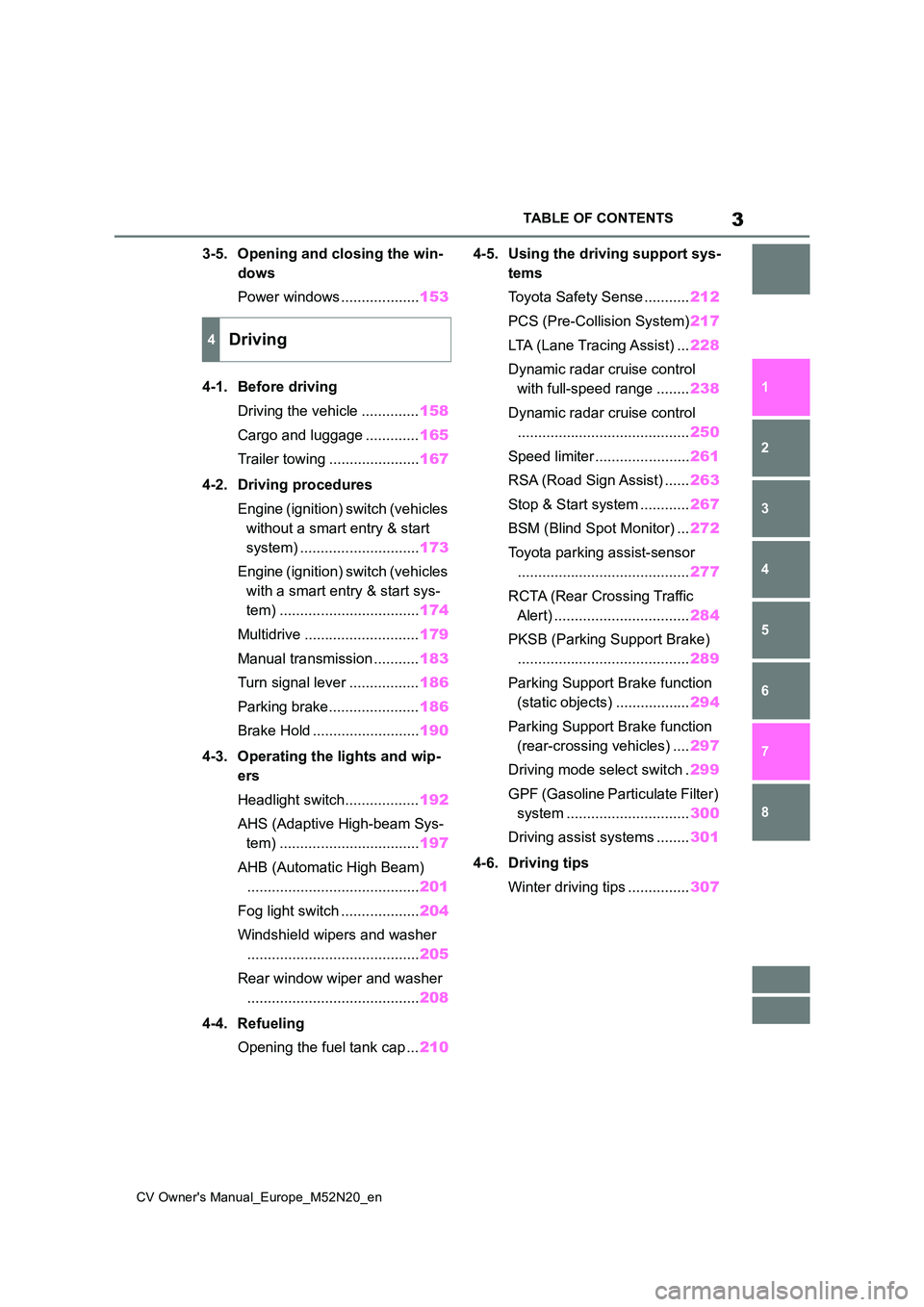
3-5. Opening and closing the win-
dows
Power windows ................... 153
4-1. Before driving
Driving the vehicle .............. 158
Cargo and luggage ............. 165
Trailer towing ...................... 167
4-2. Driving procedures
Engine (ignition) switch (vehicles
without a smart entry & start
system) ............................. 173
Engine (ignition) switch (vehicles
with a smart entry & start sys-
tem) .................................. 174
Multidrive ............................ 179
Manual transmission ........... 183
Turn signal lever ................. 186
Parking brake...................... 186
Brake Hold .......................... 190
4-3. Operating the lights and wip-
ers
Headlight switch.................. 192
AHS (Adaptive High-beam Sys-
tem) .................................. 197
AHB (Automatic High Beam)
.......................................... 201
Fog light switch ................... 204
Windshield wipers and washer
.......................................... 205
Rear window wiper and washer
.......................................... 208
4-4. Refueling
Opening the fuel tank cap ... 210
4-5. Using the driving support sys-
tems
Toyota Safety Sense ........... 212
PCS (Pre-Collision System) 217
LTA (Lane Tracing Assist) ... 228
Dynamic radar cruise control
with full-speed range ........ 238
Dynamic radar cruise control
.......................................... 250
Speed limiter ....................... 261
RSA (Road Sign Assist) ...... 263
Stop & Start system ............ 267
BSM (Blind Spot Monitor) ... 272
Toyota parking assist-sensor
.......................................... 277
RCTA (Rear Crossing Traffic
Alert) ................................. 284
PKSB (Parking Support Brake)
.......................................... 289
Parking Support Brake function
(static objects) .................. 294
Parking Support Brake function
(rear-crossing vehicles) .... 297
Driving mode select switch . 299
GPF (Gasoline Particulate Filter)
system .............................. 300
Driving assist systems ........ 301
4-6. Driving tips
Winter driving tips ............... 307
4Driving
Page 42 of 618
40
CV Owner's Manual_Europe_M52N20_en
1-1. For safe use
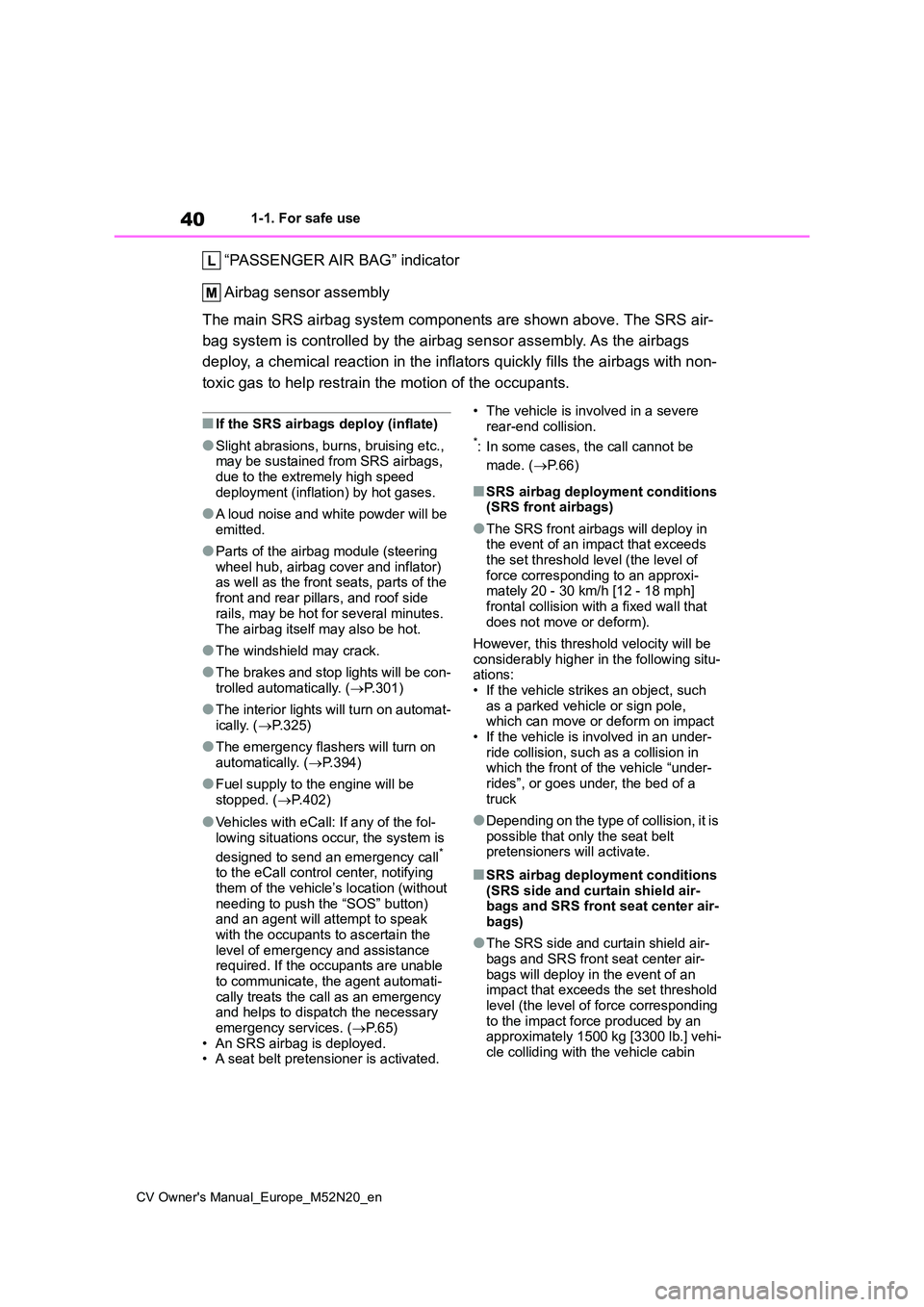
“PASSENGER AIR BAG” indicator
Airbag sensor assembly
The main SRS airbag system components are shown above. The SRS air-
bag system is controlled by the airbag sensor assembly. As the airbags
deploy, a chemical reaction in the inflators quickly fills the airbags with non-
toxic gas to help restrain the motion of the occupants.
■If the SRS airbags deploy (inflate)
●Slight abrasions, burns, bruising etc., may be sustained from SRS airbags,
due to the extremely high speed deployment (inflation) by hot gases.
●A loud noise and white powder will be emitted.
●Parts of the airbag module (steering wheel hub, airbag cover and inflator) as well as the front seats, parts of the
front and rear pillars, and roof side rails, may be hot for several minutes.
The airbag itself may also be hot.
●The windshield may crack.
●The brakes and stop lights will be con- trolled automatically. ( P.301)
●The interior lights will turn on automat- ically. ( P.325)
●The emergency flashers will turn on automatically. ( P.394)
●Fuel supply to the engine will be stopped. ( P.402)
●Vehicles with eCall: If any of the fol-
lowing situations occur, the system is
designed to send an emergency call* to the eCall control center, notifying them of the vehicle’s location (without
needing to push the “SOS” button) and an agent will attempt to speak with the occupants to ascertain the
level of emergency and assistance required. If the occupants are unable to communicate, the agent automati-
cally treats the call as an emergency and helps to dispatch the necessary emergency services. ( P.65)
• An SRS airbag is deployed. • A seat belt pretensioner is activated.
• The vehicle is involved in a severe rear-end collision.*: In some cases, the call cannot be
made. ( P. 6 6 )
■SRS airbag deployment conditions (SRS front airbags)
●The SRS front airbags will deploy in the event of an impact that exceeds
the set threshold level (the level of force corresponding to an approxi-mately 20 - 30 km/h [12 - 18 mph]
frontal collision with a fixed wall that does not move or deform).
However, this threshold velocity will be considerably higher in the following situ-ations:
• If the vehicle strikes an object, such as a parked vehicle or sign pole, which can move or deform on impact
• If the vehicle is involved in an under- ride collision, such as a collision in which the front of the vehicle “under-
rides”, or goes under, the bed of a truck
●Depending on the type of collision, it is possible that only the seat belt pretensioners will activate.
■SRS airbag deployment conditions
(SRS side and curtain shield air- bags and SRS front seat center air-bags)
●The SRS side and curtain shield air-bags and SRS front seat center air-
bags will deploy in the event of an impact that exceeds the set threshold level (the level of force corresponding
to the impact force produced by an approximately 1500 kg [3300 lb.] vehi-cle colliding with the vehicle cabin
Page 83 of 618
81
2
CV Owner's Manual_Europe_M52N20_en
2-1. Instrument cluster
Vehicle status information and indicators
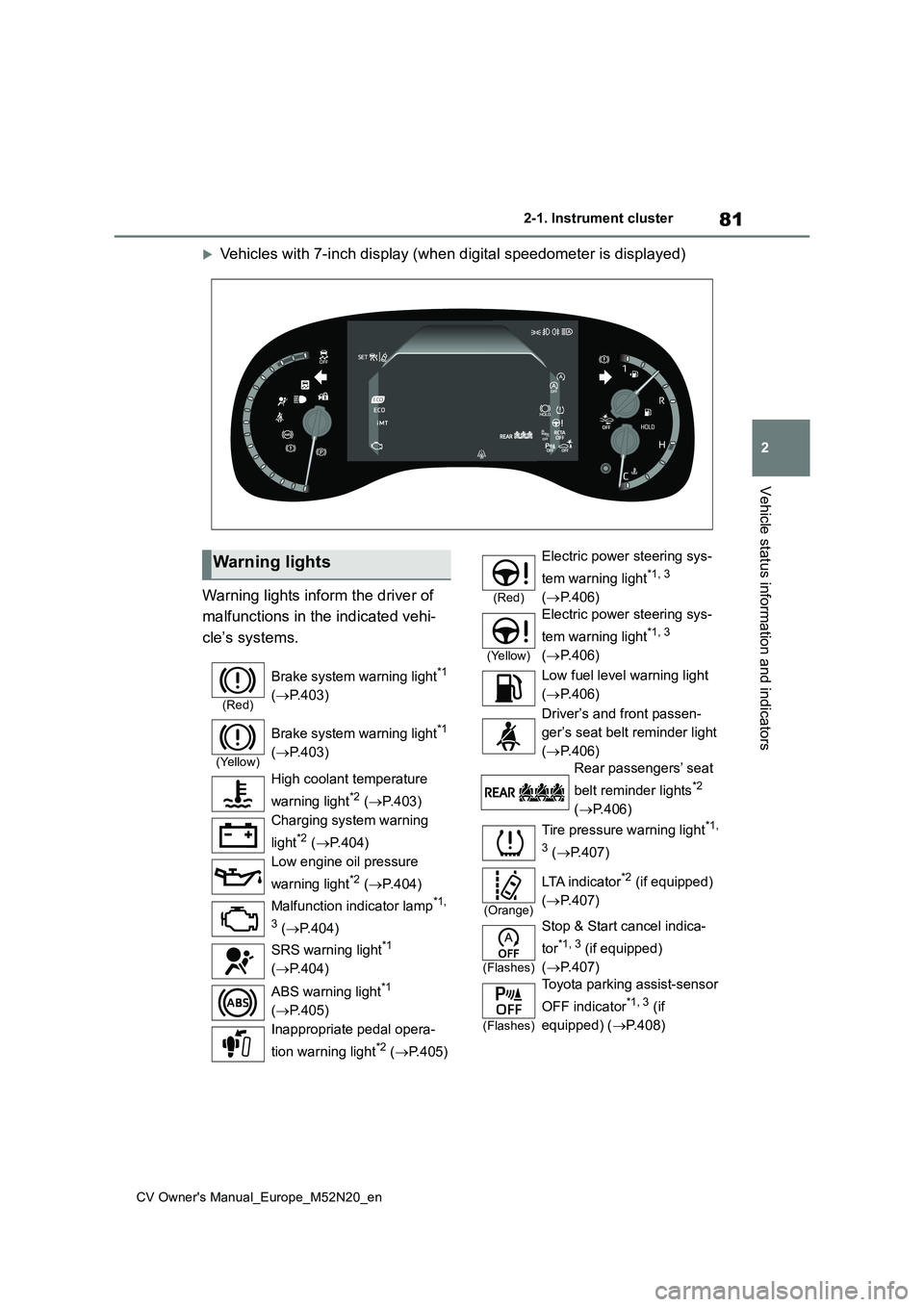
Vehicles with 7-inch display (when digital speedometer is displayed)
Warning lights inform the driver of
malfunctions in the indicated vehi-
cle’s systems.
Warning lights
(Red)
Brake system warning light*1
( P.403)
(Yellow)
Brake system warning light*1
( P.403)
High coolant temperature
warning light*2 ( P.403)
Charging system warning
light*2 ( P.404)
Low engine oil pressure
warning light*2 ( P.404)
Malfunction indicator lamp*1,
3 ( P.404)
SRS warning light*1
( P.404)
ABS warning light*1
( P.405)
Inappropriate pedal opera-
tion warning light*2 ( P.405)
(Red)
Electric power steering sys-
tem warning light*1, 3
( P.406)
(Yellow)
Electric power steering sys-
tem warning light*1, 3
( P.406)
Low fuel level warning light
( P.406)
Driver’s and front passen-
ger’s seat belt reminder light
( P.406)
Rear passengers’ seat
belt reminder lights*2
( P.406)
Tire pressure warning light*1,
3 ( P.407)
(Orange)
LTA i n d i c a t o r*2 (if equipped)
( P.407)
(Flashes)
Stop & Start cancel indica-
tor*1, 3 (if equipped)
( P.407)
(Flashes)
Toyota parking assist-sensor
OFF indicator*1, 3 (if
equipped) ( P.408)
Page 85 of 618
83
2
CV Owner's Manual_Europe_M52N20_en
2-1. Instrument cluster
Vehicle status information and indicators
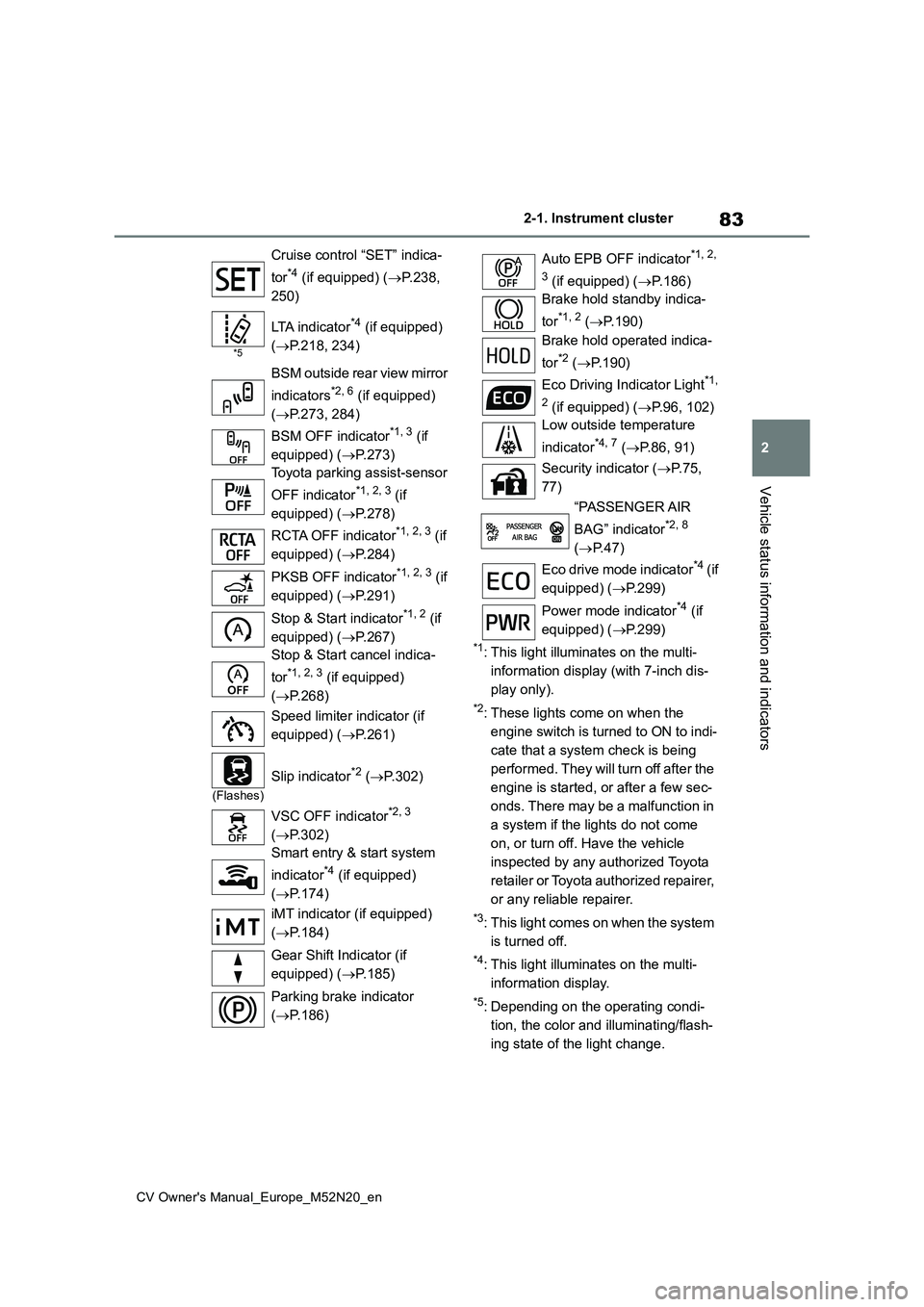
*1: This light illuminates on the multi-
information display (with 7-inch dis-
play only).
*2: These lights come on when the
engine switch is turned to ON to indi-
cate that a system check is being
performed. They will turn off after the
engine is started, or after a few sec-
onds. There may be a malfunction in
a system if the lights do not come
on, or turn off. Have the vehicle
inspected by any authorized Toyota
retailer or Toyota authorized repairer,
or any reliable repairer.
*3: This light comes on when the system
is turned off.
*4: This light illuminates on the multi-
information display.
*5: Depending on the operating condi-
tion, the color and illuminating/flash-
ing state of the light change.
Cruise control “SET” indica-
tor*4 (if equipped) ( P.238,
250)
*5
LTA indicator*4 (if equipped)
( P.218, 234)
BSM outside rear view mirror
indicators*2, 6 (if equipped)
( P.273, 284)
BSM OFF indicator*1, 3 (if
equipped) ( P.273)
Toyota parking assist-sensor
OFF indicator*1, 2, 3 (if
equipped) ( P.278)
RCTA OFF indicator*1, 2, 3 (if
equipped) ( P.284)
PKSB OFF indicator*1, 2, 3 (if
equipped) ( P.291)
Stop & Start indicator*1, 2 (if
equipped) ( P.267)
Stop & Start cancel indica-
tor*1, 2, 3 (if equipped)
( P.268)
Speed limiter indicator (if
equipped) ( P.261)
(Flashes)
Slip indicator*2 (P.302)
VSC OFF indicator*2, 3
( P.302)
Smart entry & start system
indicator*4 (if equipped)
( P.174)
iMT indicator (if equipped)
( P.184)
Gear Shift Indicator (if
equipped) ( P.185)
Parking brake indicator
( P.186)
Auto EPB OFF indicator*1, 2,
3 (if equipped) ( P.186)
Brake hold standby indica-
tor*1, 2 ( P.190)
Brake hold operated indica-
tor*2 ( P.190)
Eco Driving Indicator Light*1,
2 (if equipped) ( P.96, 102)
Low outside temperature
indicator*4, 7 ( P.86, 91)
Security indicator ( P. 7 5 ,
77)
“PASSENGER AIR
BAG” indicator*2, 8
( P.47)
Eco drive mode indicator*4 ( i f
equipped) ( P.299)
Power mode indicator*4 (if
equipped) ( P.299)
Page 110 of 618
108
CV Owner's Manual_Europe_M52N20_en
2-1. Instrument cluster
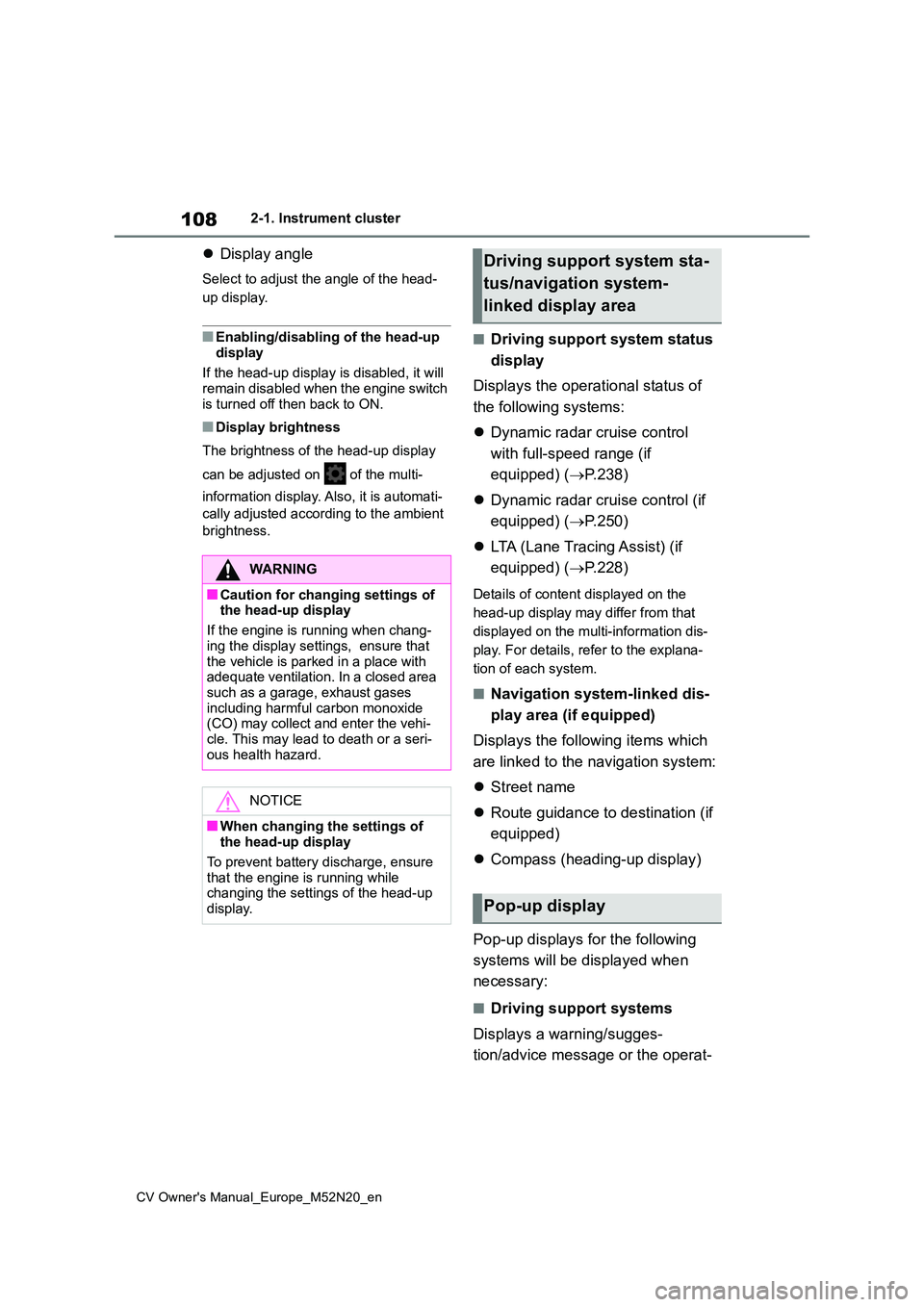
Display angle
Select to adjust the angle of the head-
up display.
■Enabling/disabling of the head-up
display
If the head-up display is disabled, it will remain disabled when the engine switch
is turned off then back to ON.
■Display brightness
The brightness of the head-up display
can be adjusted on of the multi-
information display. Also, it is automati-
cally adjusted according to the ambient
brightness.
■Driving support system status
display
Displays the operational status of
the following systems:
Dynamic radar cruise control
with full-speed range (if
equipped) ( P.238)
Dynamic radar cruise control (if
equipped) ( P.250)
LTA (Lane Tracing Assist) (if
equipped) ( P.228)
Details of content displayed on the
head-up display may differ from that
displayed on the multi-information dis-
play. For details, refer to the explana-
tion of each system.
■Navigation system-linked dis-
play area (if equipped)
Displays the following items which
are linked to the navigation system:
Street name
Route guidance to destination (if
equipped)
Compass (heading-up display)
Pop-up displays for the following
systems will be displayed when
necessary:
■Driving support systems
Displays a warning/sugges-
tion/advice message or the operat-
WARNING
■Caution for changing settings of the head-up display
If the engine is running when chang-
ing the display settings, ensure that the vehicle is parked in a place with adequate ventilation. In a closed area
such as a garage, exhaust gases including harmful carbon monoxide (CO) may collect and enter the vehi-
cle. This may lead to death or a seri- ous health hazard.
NOTICE
■When changing the settings of the head-up display
To prevent battery discharge, ensure
that the engine is running while changing the settings of the head-up display.
Driving support system sta-
tus/navigation system-
linked display area
Pop-up display
Page 111 of 618
109
2
CV Owner's Manual_Europe_M52N20_en
2-1. Instrument cluster
Vehicle status information and indicators
ing state of a relevant system.
PCS (Pre-Collision System) (if
equipped) ( P.217)
LTA (Lane Tracing Assist) (if
equipped) ( P.228)
PKSB (Parking Support Brake)
(if equipped) ( P.289)
Brake Override System
( P.160)
Drive-Start Control (if equipped)
( P.165)
Details of content displayed on the
head-up display may differ from that
displayed on the multi-information dis-
play. For details, refer to the explana-
tion of each system.
■ icon
Displayed when a warning mes-
sage is displayed on the multi-infor-
mation display. ( P.413)
■Warning message
Some warning messages are dis-
played when necessary, according
to certain conditions.
Details of content displayed on the
head-up display may differ from that
displayed on the multi-information dis-
play.
■Audio system operation status
(if equipped)
Displayed when an audio remote
control switch on the steering wheel
is operated.
■Hands-free system status (if
equipped)
Displayed when the hands-free
system is operated.
■When a pop-up display is displayed
When a pop-up display is displayed, a current display may no longer be dis-played. In this case, the display will
return after the pop-up display disap- pears.
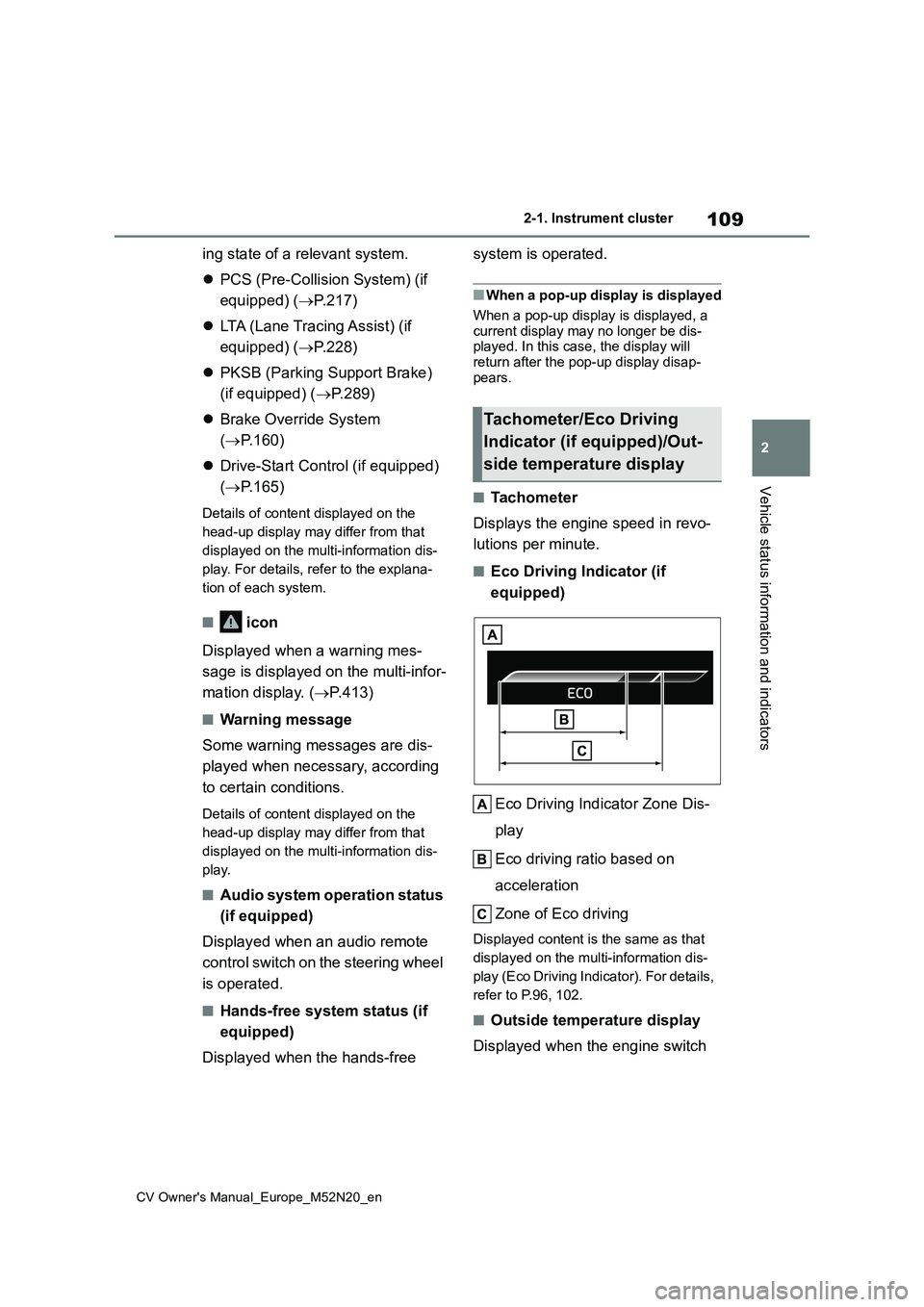
■Tachometer
Displays the engine speed in revo-
lutions per minute.
■Eco Driving Indicator (if
equipped)
Eco Driving Indicator Zone Dis-
play
Eco driving ratio based on
acceleration
Zone of Eco driving
Displayed content is the same as that
displayed on the multi-information dis-
play (Eco Driving Indicator). For details,
refer to P.96, 102.
■Outside temperature display
Displayed when the engine switch
Tachometer/Eco Driving
Indicator (if equipped)/Out-
side temperature display
Page 140 of 618
138
CV Owner's Manual_Europe_M52N20_en
3-2. Opening, closing and locking the doors
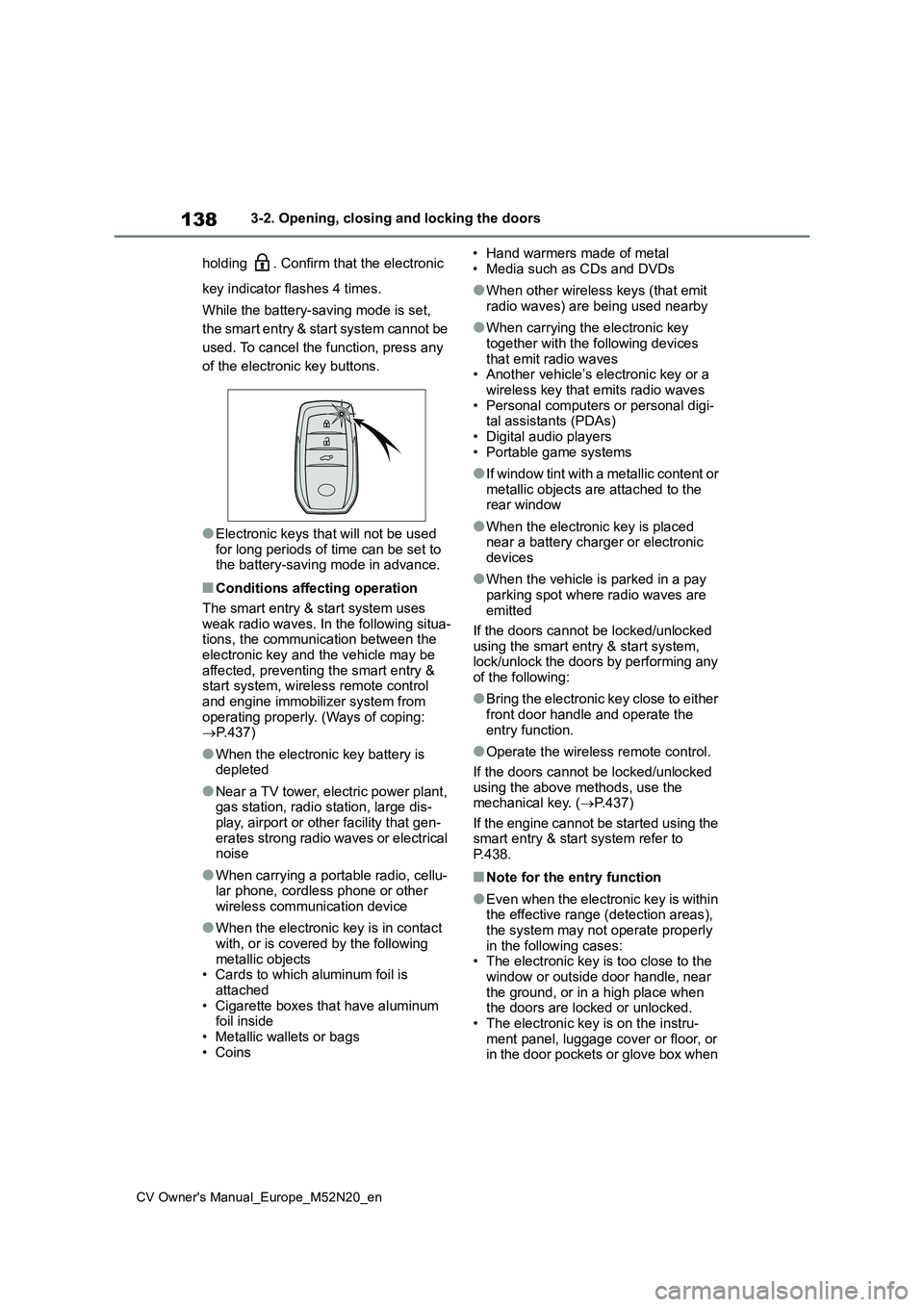
holding . Confirm that the electronic
key indicator flashes 4 times.
While the battery-saving mode is set,
the smart entry & start system cannot be
used. To cancel the function, press any
of the electronic key buttons.
●Electronic keys that will not be used for long periods of time can be set to the battery-saving mode in advance.
■Conditions affecting operation
The smart entry & start system uses weak radio waves. In the following situa-tions, the communication between the
electronic key and the vehicle may be affected, preventing the smart entry & start system, wireless remote control
and engine immobilizer system from operating properly. (Ways of coping: P.437)
●When the electronic key battery is depleted
●Near a TV tower, electric power plant, gas station, radio station, large dis-
play, airport or other facility that gen- erates strong radio waves or electrical noise
●When carrying a portable radio, cellu-lar phone, cordless phone or other
wireless communication device
●When the electronic key is in contact
with, or is covered by the following metallic objects• Cards to which aluminum foil is
attached • Cigarette boxes that have aluminum foil inside
• Metallic wallets or bags • Coins
• Hand warmers made of metal
• Media such as CDs and DVDs
●When other wireless keys (that emit
radio waves) are being used nearby
●When carrying the electronic key
together with the following devices that emit radio waves• Another vehicle’s electronic key or a
wireless key that emits radio waves • Personal computers or personal digi-tal assistants (PDAs)
• Digital audio players • Portable game systems
●I f w i n d o w t i n t w i t h a m e t a l l i c c o n t e n t o r metallic objects are attached to the rear window
●When the electronic key is placed near a battery charger or electronic
devices
●When the vehicle is parked in a pay
parking spot where radio waves are emitted
If the doors cannot be locked/unlocked
using the smart entry & start system, lock/unlock the doors by performing any of the following:
●Bring the electronic key close to either front door handle and operate the
entry function.
●Operate the wireless remote control.
If the doors cannot be locked/unlocked using the above methods, use the mechanical key. ( P.437)
If the engine cannot be started using the smart entry & start system refer to P.438.
■Note for the entry function
●Even when the electronic key is within the effective range (detection areas),
the system may not operate properly in the following cases:• The electronic key is too close to the
window or outside door handle, near the ground, or in a high place when the doors are locked or unlocked.
• The electronic key is on the instru- ment panel, luggage cover or floor, or in the door pockets or glove box when
Page 159 of 618
4
157
CV Owner's Manual_Europe_M52N20_en
4
Driving
Driving
4-1. Before driving
Driving the vehicle ............ 158
Cargo and luggage ........... 165
Trailer towing .................... 167
4-2. Driving procedures
Engine (ignition) switch (vehi-
cles without a smart entry &
start system) ................... 173
Engine (ignition) switch (vehi-
cles with a smart entry & start
system) ........................... 174
Multidrive .......................... 179
Manual transmission......... 183
Turn signal lever ............... 186
Parking brake ................... 186
Brake Hold ........................ 190
4-3. Operating the lights and wip-
ers
Headlight switch ............... 192
AHS (Adaptive High-beam
System) .......................... 197
AHB (Automatic High Beam)
....................................... 201
Fog light switch ................. 204
Windshield wipers and washer
....................................... 205
Rear window wiper and washer
....................................... 208
4-4. Refueling
Opening the fuel tank cap. 210
4-5. Using the driving support
systems
Toyota Safety Sense ......... 212
PCS (Pre-Collision System)
........................................ 217
LTA (Lane Tracing Assist) . 228
Dynamic radar cruise control
with full-speed range ...... 238
Dynamic radar cruise control
........................................ 250
Speed limiter ..................... 261
RSA (Road Sign Assist) .... 263
Stop & Start system .......... 267
BSM (Blind Spot Monitor) . 272
Toyota parking assist-sensor
........................................ 277
RCTA (Rear Crossing Traffic
Alert) ............................... 284
PKSB (Parking Support Brake)
........................................ 289
Parking Support Brake function
(static objects) ................ 294
Parking Support Brake function
(rear-crossing vehicles) .. 297
Driving mode select switch 299
GPF (Gasoline Particulate Fil-
ter) system ...................... 300
Driving assist systems ...... 301
4-6. Driving tips
Winter driving tips ............. 307
Page 165 of 618
163
4
CV Owner's Manual_Europe_M52N20_en
4-1. Before driving
Driving
WARNING
●Always apply the parking brake, shift the shift lever to P (vehicles
with a Multidrive), stop the engine and lock the vehicle.Do not leave the vehicle unat-
tended while the engine is running. If the vehicle is parked with the shift lever in P but the parking brake is
not set, the vehicle may start to move, possibly leading to an acci-dent.
●Do not touch the exhaust pipes while the engine is running or
immediately after turning the engine off.Doing so may cause burns.
■When taking a nap in the vehicle
Always turn the engine off. Otherwise,
if you accidentally move the shift lever or depress the accelerator pedal, this could cause an accident or fire due to
engine overheating. Additionally, if the vehicle is parked in a poorly ventilated area, exhaust gases may collect and
enter the vehicle, leading to death or a serious health hazard.
■When braking
●When the brakes are wet, drive more cautiously.
Braking distance increases when the brakes are wet, and this may cause one side of the vehicle to
brake differently than the other side. Also, the parking brake may not securely hold the vehicle.
●If the brake booster device does not operate, do not follow other vehi-
cles closely and avoid hills or sharp turns that require braking.In this case, braking is still possible,
but the brake pedal should be depressed more firmly than usual. Also, the braking distance will
increase. Have your brakes fixed immediately.
●Do not pump the brake pedal if the engine stalls.Each push on the brake pedal uses
up the reserve for the power- assisted brakes.
●The brake system consists of 2 indi-vidual hydraulic systems; if one of the systems fails, the other will still
operate. In this case, the brake pedal should be depressed more firmly than usual and the braking
distance will increase. Have your brakes fixed immediately.
■If the vehicle becomes stuck
Do not spin the wheels excessively when a driven wheel is up in the air,
or the vehicle is stuck in sand, mud, etc. This may damage the driveline components or propel the vehicle for-
ward or backward, causing an acci- dent.
NOTICE
■When driving the vehicle (vehi-
cles with a Multidrive)
●Do not depress the accelerator and brake pedals at the same time
during driving, as this may restrain the engine output.
●Do not use the accelerator pedal or depress the accelerator and brake pedals at the same time to hold the
vehicle on a hill.
■When driving the vehicle (vehi-
cles with a manual transmission)
●Do not depress the accelerator and brake pedals at the same time
during driving, as this may restrain the engine output.
●Do not shift gears unless the clutch pedal is fully depressed. After shift-ing, do not release the clutch pedal
abruptly. Doing so may damage the clutch, transmission and gears.
Page 249 of 618
247
4
CV Owner's Manual_Europe_M52N20_en
4-5. Using the driving support systems
Driving
Press and hold the “-SET” switch.
Dynamic Radar Cruise Control with
Road Sign Assist can be
enabled/disabled in on the
multi-information display. ( P.457)
When the Dynamic Radar Cruise
Control with Road Sign Assist is
operating, while driving down a hill,
the vehicle speed may exceed the
set speed.
In this case, the displayed set vehi-
cle speed will be highlighted and a
buzzer will sound to alert the driver.
■Dynamic radar cruise control with
full-speed range can be set when
●The shift lever is in D.
●The desired set speed can be set when the vehicle speed is approxi-
mately 30 km/h (20 mph) or more. (However, when the vehicle speed is set while driving at below approxi-
mately 30 km/h [20 mph], the set speed will be set to approximately 30 km/h [20 mph].)
■Accelerating after setting the vehi-cle speed
The vehicle can accelerate by operating
the accelerator pedal. After accelerat- ing, the set speed resumes. However, during vehicle-to-vehicle distance con-
trol mode, the vehicle speed may decrease below the set speed in order to maintain the distance to the preceding
vehicle.
■When the vehicle stops while fol-
low-up cruising
●Pressing the “+RES” switch while the
vehicle ahead stops will resume fol- low-up cruising if the vehicle ahead starts off within approximately 3 sec-
onds after the switch is pressed.
●If the vehicle ahead starts off within 3
seconds after your vehicle stops, fol- low-up cruising will be resumed.
■Automatic cancelation of vehicle-to-vehicle distance control mode
Vehicle-to-vehicle distance control mode is automatically canceled in the follow-ing situations.
●VSC is activated.
●TRC is activated for a period of time.
●When the VSC or TRC system is
turned off.
●The sensor cannot detect correctly
because it is covered in some way.
●When the brake control or output
restriction control of a driving support system operates. (For example: Pre-Collision System,
Drive-Start Control)
●The parking brake is operated.
●The vehicle is stopped by system con- trol on a steep incline.
●The following are detected when the vehicle has been stopped by system
control: • The driver is not wearing a seat belt.• The driver’s door is opened.
• The vehicle has been stopped for about 3 minutes
If vehicle-to-vehicle distance control
mode is automatically canceled for any reasons other than the above, there may be a malfunction in the system.
Contact any authorized Toyota retailer or Toyota authorized repairer, or any reli-able repairer.
■Automatic cancelation of constant
speed control mode
Constant speed control mode is auto- matically canceled in the following situa-
Enabling/Disabling the
Dynamic Radar Cruise Con-
trol with Road Sign Assist (if
equipped)