lock TOYOTA YARIS HATCHBACK 2009 User Guide
[x] Cancel search | Manufacturer: TOYOTA, Model Year: 2009, Model line: YARIS HATCHBACK, Model: TOYOTA YARIS HATCHBACK 2009Pages: 402, PDF Size: 7.61 MB
Page 20 of 402

20
For your information
Main Owners Manual
Please note that this manual applies to all models explains and all equip-
ment, including options. Therefore, you may find some explanations for
equipment n
ot installed on your vehicle.
All specifications provided in this manual are current at the time of printing.
However
, because of the Toyota policy of continual product improvement, we
reserve the right to make changes at any time without notice.
Depending on specifications, the vehicle shown in the illustrations may differ
from your vehicle in terms of equ
ipment.
Accessories, spare parts and modification of your Toyota
A wide variety of non-genuine spare parts and accessories for Toyota
vehicles are currently available in the market. You should know that Toyota
does not warrant these products and is not responsible for their
performance, repair, or replacement, or for any damage they may cause to,
or adverse effect they may have on, your Toyota vehicle.
This vehicle should not be modified with non-genuine Toyota products.
Modification with non-genu
ine Toyota products could affect its performance,
safety or durability, and may even violate governmental regulations. In
addition, damage or performance problems resulting from the modification
may not be covered under warranty.
Installation of a mobile two-way radio system
As the installation of a mobile two-way radio system in your vehicle could
affect electronic systems such as the multiport fuel injection system/sequen-
tial multiport fuel injection system, anti-lock brake system, SRS airbag sys -
tem and seat belt pretensioner system, be sure to check with your Toyota
dealer for
precautionary measures or special instructions regarding installa -
tion.
Page 25 of 402

TABLE OF CONTENTS
1
1Before drivingAdjusting and operating features such as door locks,
mirrors, and steering column.
2When drivingDriving, stopping and safe-driving information.
3Interior
featuresAir conditioning and audio systems, as well as other in-
terior features for a comfortable driving experience.
4Maintenance
and careCleaning and protecting your vehicle, performing do-it-
yourself maintenance, and maintenance information.
5When trouble
arisesWhat to do if the vehicle needs to be towed, gets a flat
tire, or is involved in an accident.
6Vehicle
specificationsDetailed vehicle information.
7For ownersReporting safety defects for U.S. owners and seat belt
instructions for Canadian owners
IndexAlphabetical listing of information contained in this
manual.
Page 33 of 402
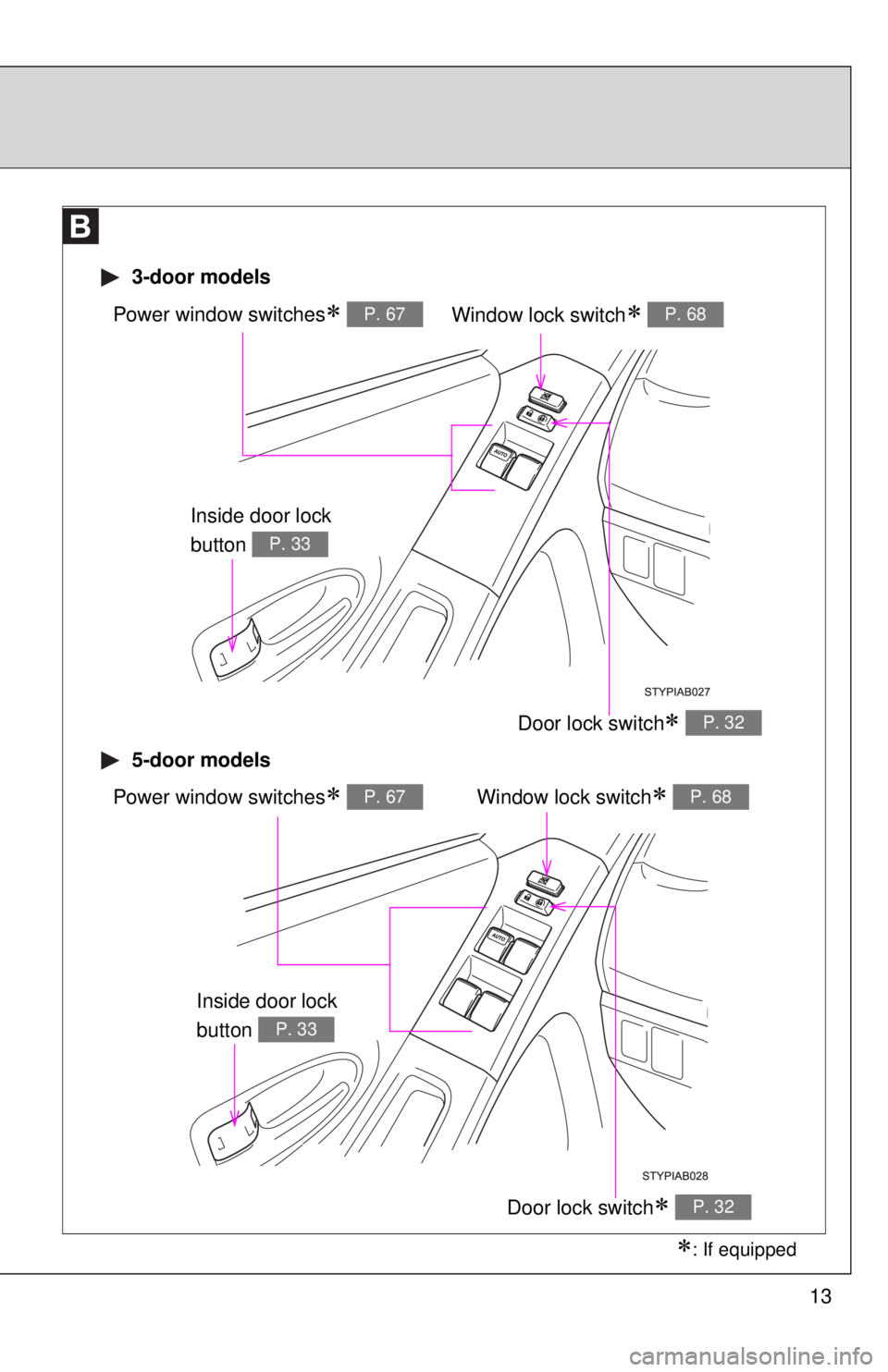
13
Window lock switch∗ P. 68Power window switches∗ P. 67
Door lock switch∗ P. 32
3-door models
5-door models
Window lock switch∗ P. 68Power window switches∗ P. 67
Door lock switch∗ P. 32
∗: If equipped
Inside door lock
button
P. 33
Inside door lock
button
P. 33
Page 34 of 402
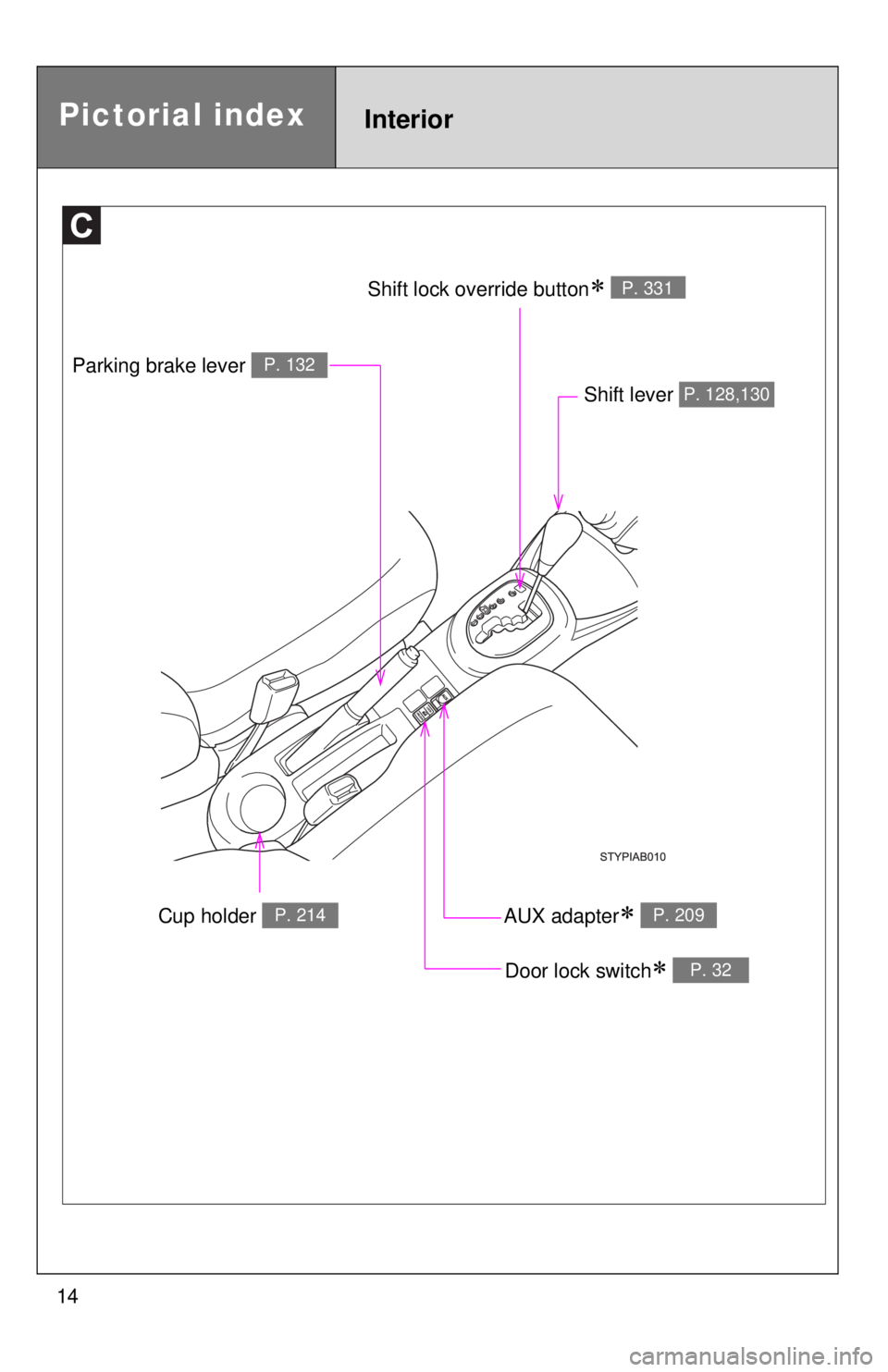
14
Cup holder P. 214
Parking brake lever P. 132
Shift lever P. 128,130
Door lock switch∗ P. 32
AUX adapter∗ P. 209
Shift lock override button∗ P. 331
Pictorial indexInterior
Page 35 of 402
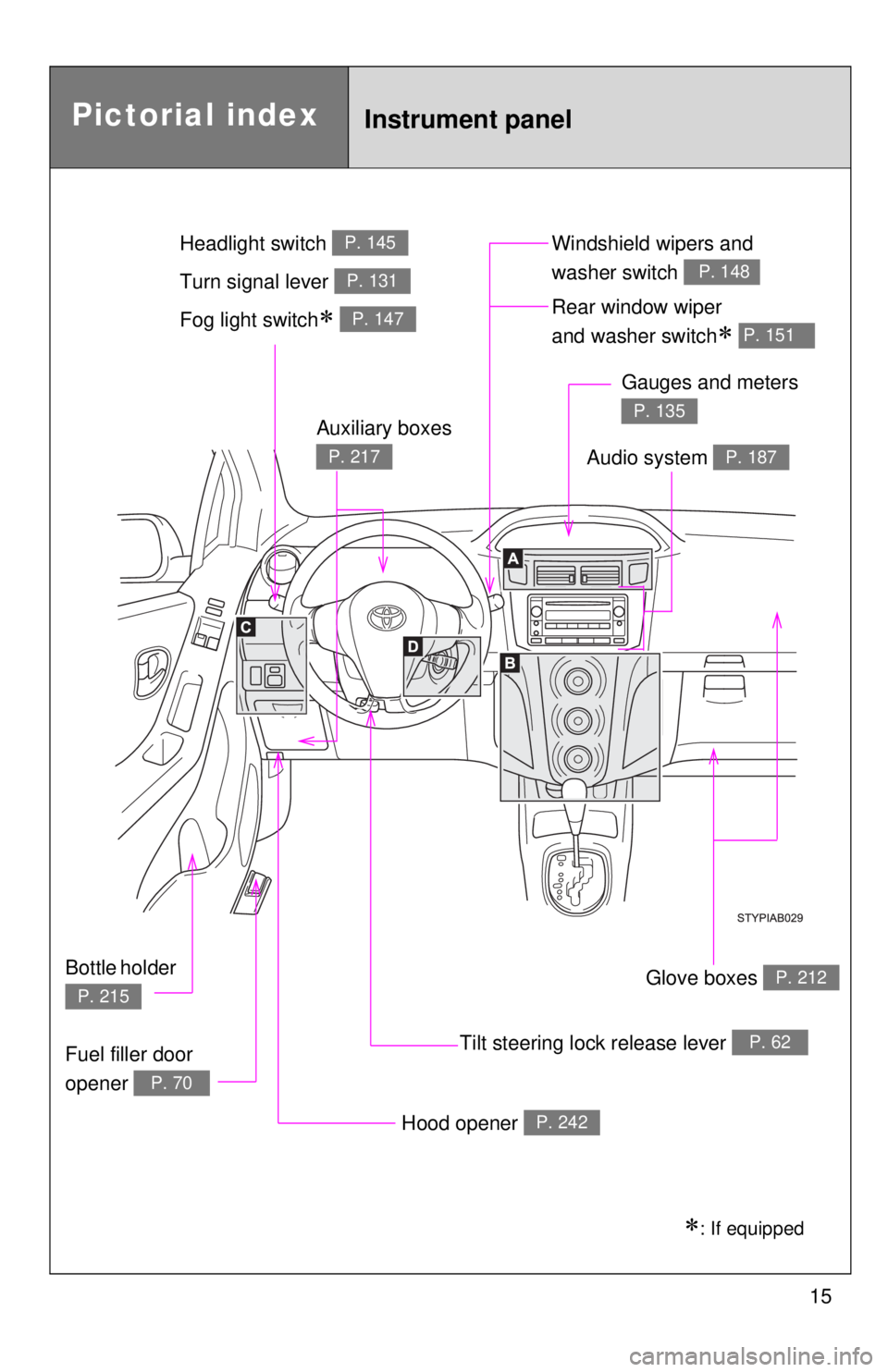
15
Pictorial indexInstrument panel
Fog light switch∗ P. 147Rear window wiper
and washer switch
∗ P. 151
Tilt steering lock release lever P. 62
Hood opener P. 242
Gauges and meters
P. 135
Audio system P. 187
Glove boxes P. 212
Fuel filler door
opener
P. 70
Auxiliary boxes
P. 217
Bottle holder
P. 215
Windshield wipers and
washer switch
P. 148Turn signal lever P. 131
Headlight switch P. 145
∗: If equipped
Page 41 of 402

27
1-1. Key information
1
Before driving
n
Key number plate
Keep the plate in a safe place such as your wallet, not in the vehicle. In the
event that a key is lost, a new key can be made by your Toyota dealer using
the key number plate. ( →P. 332)
NOTICE
nTo prevent key damage (vehicles with engine immobilizer system)
l Do not subject the keys to strong shocks, expose them to high tempera-
tures by placing them in direct sunlight, or get them wet.
l Do not expose the keys to electromagnetic materials or attach any mate-
rial that blocks electromagnetic waves to the key surface.
Page 42 of 402
28
1-2. Opening, closing and locking the doors
Wireless remote control (if equipped)
nOperation signals
The emergency flashers flash to indicate that the doors have been locked/
unlocked. (Locked: Once; Unlocked: T
wice)
nPanic mode
nKey battery depletion
The standard battery life is 1 to 2 years. (The battery becomes depleted
even if
the key is not used.) If the wireless remote control function does not
operate, the battery may be depleted. Replace the battery when necessary.
( → P. 273)
n Security feature
If a door is not opened within approximately 30 seconds after the vehicle is
unlocked, the security feature automatically locks
the vehicle again.
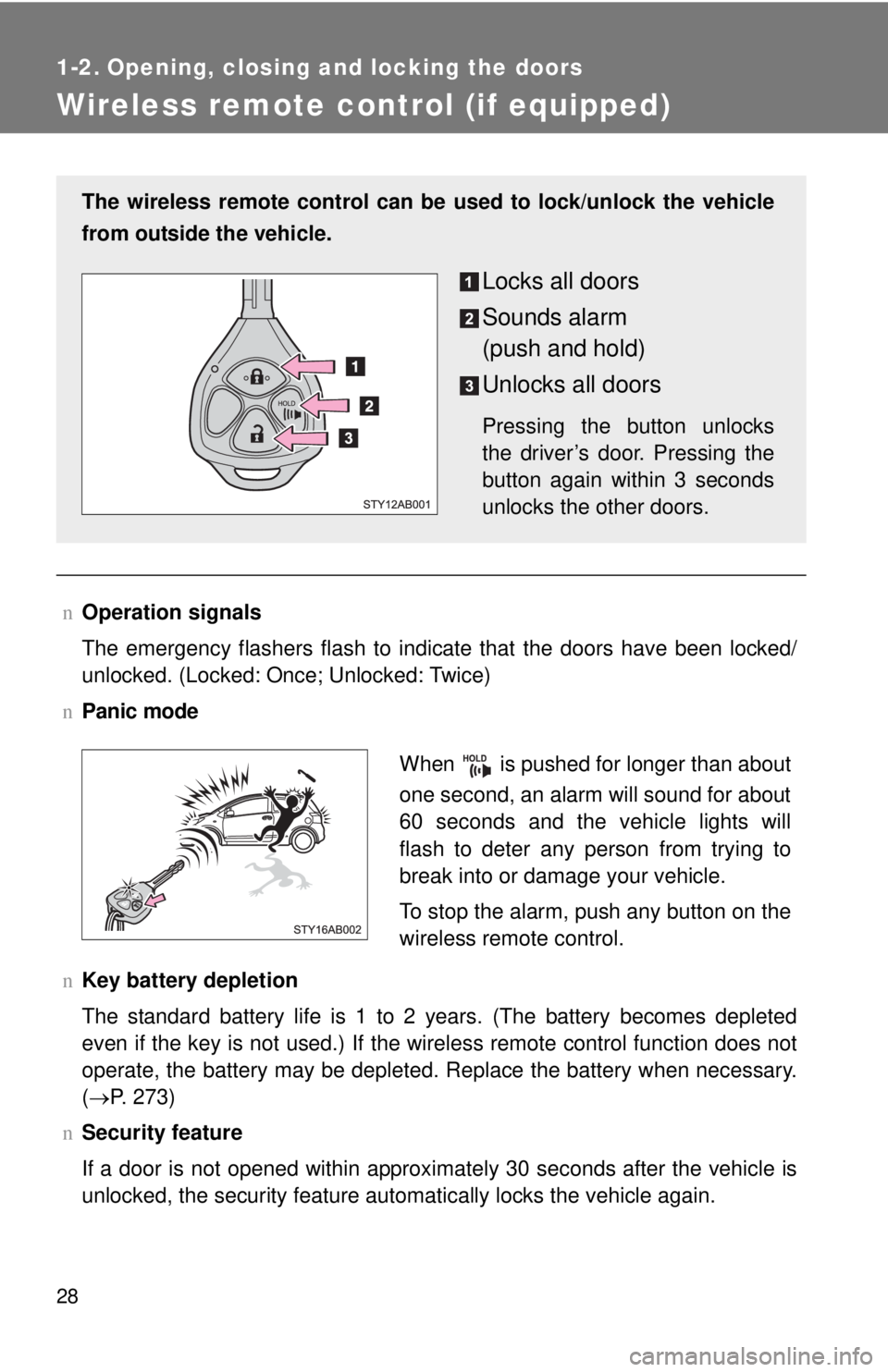
The wireless remote control can be used to lock/unlock the vehicle
from outside the vehicle.
Locks all doors
Sounds alarm
(push and hold)
Unlocks all doors
Pressing the button unlocks
the driver’s door. Pressing the
button again within 3 seconds
unlocks the other doors.
When is pushed for longer than about
one second, an alarm will sound for about
60 seconds and the vehicle lights will
flash to deter any person from trying to
break into or damage your vehicle.
To stop the alarm, push any button on the
wireless remote control.
Page 43 of 402

29
1-2. Opening, closing and locking the doors
1
Before driving
n
Conditions affecting operation
The wireless remote control function may not operate normally in the follow-
ing situations.
lNear a TV tower, radio station, electr ic power plant, airport, gas station or
other facility that generates strong radio waves
l When carrying a portable radio, cell ular phone or other wireless commu-
nication device
l When multiple wireless keys are in the vicinity
l When the wireless key has come into contact with, or is covered by a
metallic object
l When a wireless key (that emits radio waves) is being used nearby
l When the wireless key has been left near an electrical appliance such as
a personal computer
n When riding in an aircraft
When bringing an wireless key onto an aircraft, make sure you do not press
any buttons on the wireless key while inside the aircraft cabin. If you are car-
rying an wireless key in your bag etc., ensure that the buttons are not likely
to be pressed accidentally. Pressing a button may cause the wireless key to
emit radio waves that could interfere with the operation of the aircraft.
n Customization that can be co nfigured at Toyota dealer
Settings (e.g. wireless remote control system) can be changed.
(Customizable features →P. 369)
Page 44 of 402

30 1-2. Opening, closing and locking the doors
nCertification for wireless remote control
For vehicles sold in U.S.A.
FCC ID:MOZB41TG
FCC ID:MOZB21RG
NOTE:
This device complies with Part 15 of the FCC Rules. Operation is subject to
the following two conditions: (1) This device may not cause harmful interfer-
ence, and (2) this device must accept any interference received, including
interference that may cause undesired operation.
FCC WARNING:
Changes or modifications not expressly approved by the party responsible
for compliance could void the user's authority to operate the equipment.
For vehicles sold in Canada
NOTE:
This device complies with RSS-210 of Industry Canada.
Operation is subject to the following two conditions: (1) This device may not
cause interference, and (2) this device must accept any interference, includ-
ing interference that may cause undesired operation of the device.
Page 45 of 402
31
1
1-2. Opening, closing and locking the doors
Before driving
Side doors
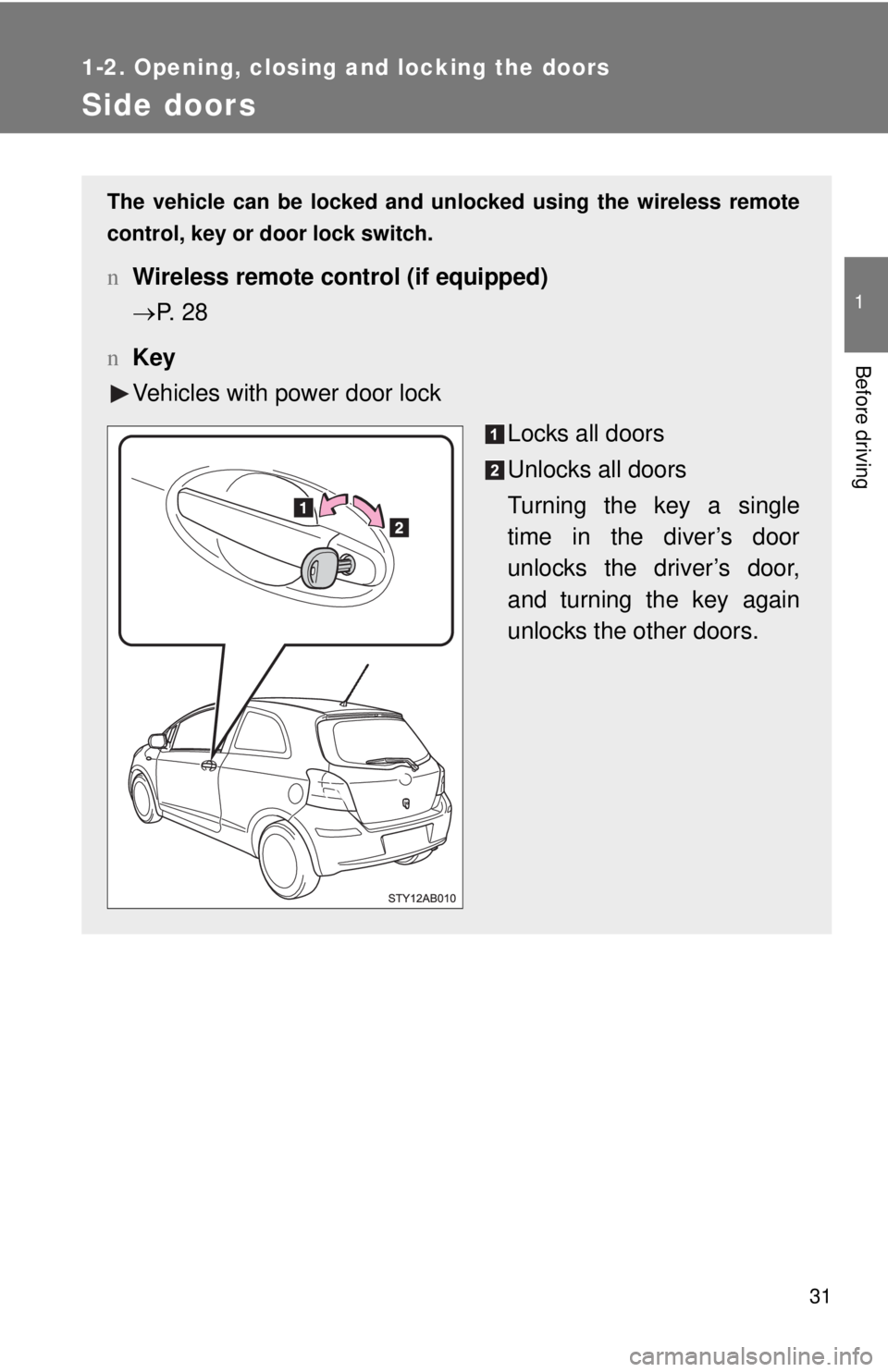
The vehicle can be locked and unlocked using the wireless remote
control, key or door lock switch.
nWireless remote control (if equipped)
→P. 2 8
n Key
Vehicles with power door lock
Locks all doors
Unlocks all doors
Turning the key a single
time
in the diver’s door
unlocks the driver’s door,
and turning the key again
unlocks the other doors.