instrument cluster TOYOTA YARIS HATCHBACK 2017 User Guide
[x] Cancel search | Manufacturer: TOYOTA, Model Year: 2017, Model line: YARIS HATCHBACK, Model: TOYOTA YARIS HATCHBACK 2017Pages: 400, PDF Size: 23.17 MB
Page 81 of 400
792. Instrument cluster
2
Instrument cluster
YARIS_HB_OM_USA_OM52G64U
Multi-infor mation display
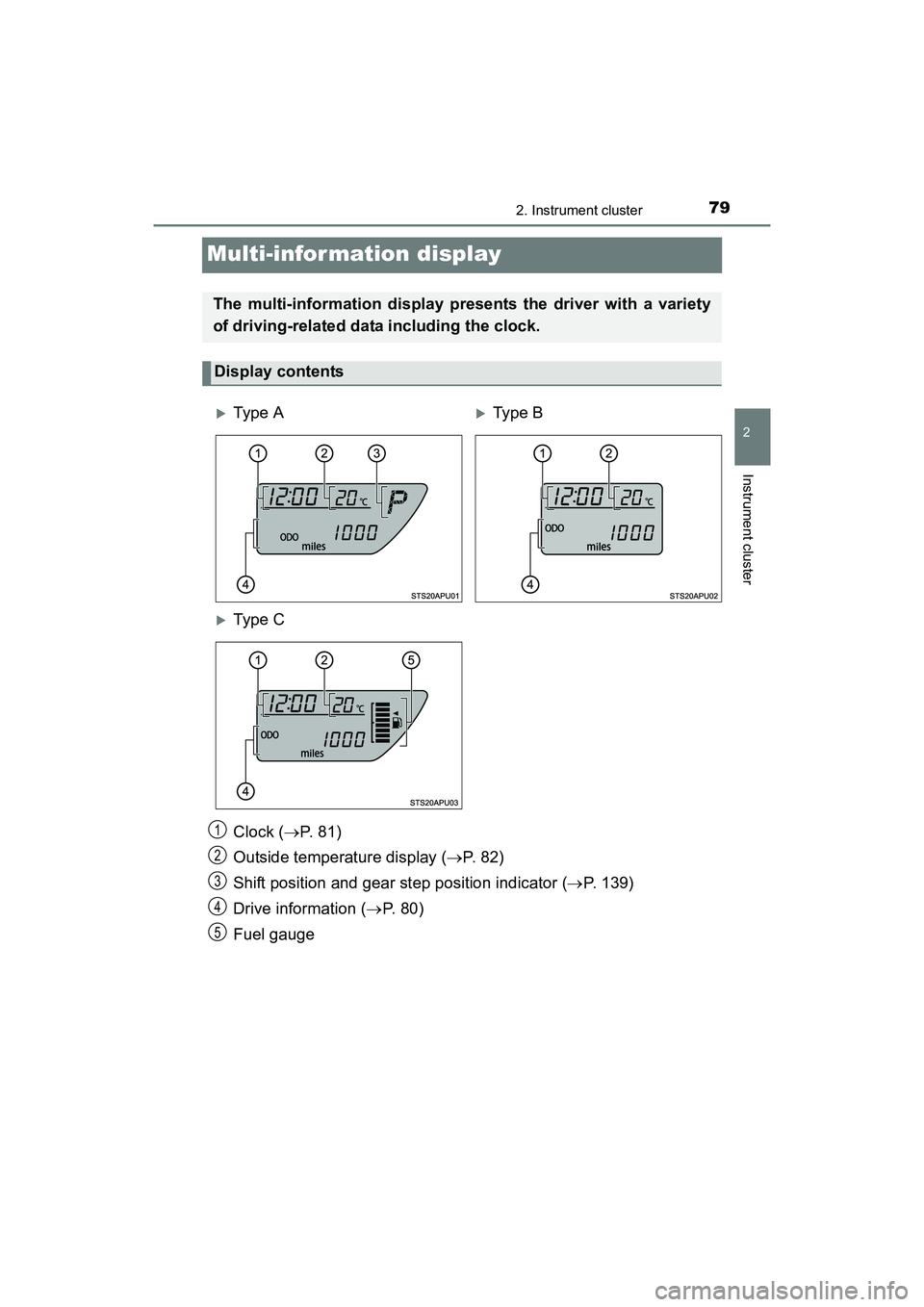
Clock (P. 8 1 )
Outside temperature display ( P. 82)
Shift position and gear step position indicator ( P. 139)
Drive information ( P. 8 0 )
Fuel gauge
The multi-information display presents the driver with a variety
of driving-related data including the clock.
Display contents
Type ATy p e B
Type C
1
2
3
4
5
YARIS_HB_OM_USA_OM52G64U.book 79 ページ 2016年2月16日 火曜日 午後3時20分
Page 82 of 400
802. Instrument cluster
YARIS_HB_OM_USA_OM52G64U.
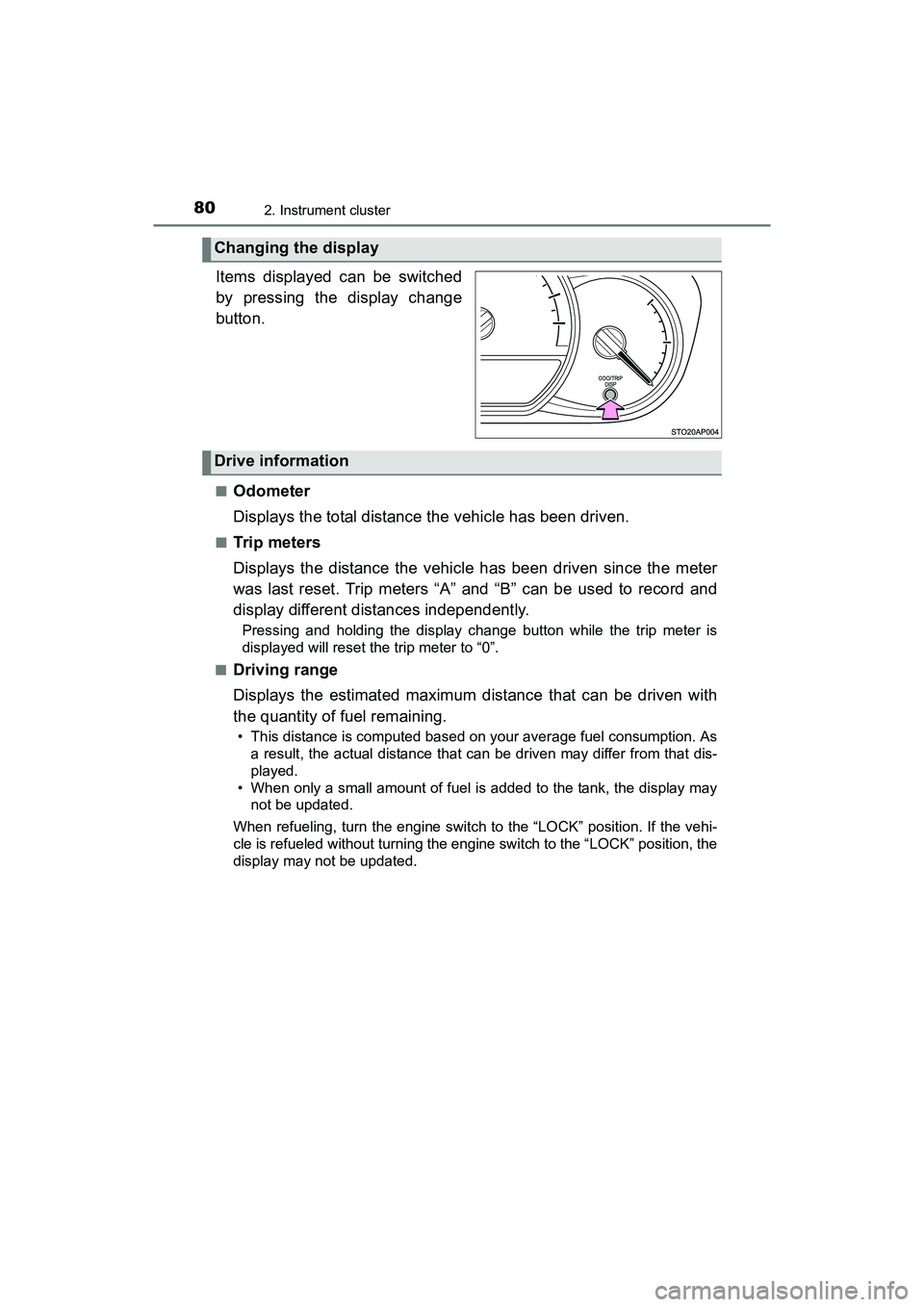
Items displayed can be switched
by pressing the display change
button.
■Odometer
Displays the total distance the vehicle has been driven.
■Trip m ete rs
Displays the distance the vehicle has been driven since the meter
was last reset. Trip meters “A” and “B” can be used to record and
display different distances independently.
Pressing and holding the display change button while the trip meter is
displayed will reset the trip meter to “0”.
■
Driving range
Displays the estimated maximum distance that can be driven with
the quantity of fuel remaining.
• This distance is computed based on your average fuel consumption. As a result, the actual distance that c an be driven may differ from that dis-
played.
• When only a small amount of fuel is added to the tank, the display may not be updated.
When refueling, turn the engine switch to the “LOCK” position. If the vehi-
cle is refueled without turning the engine switch to the “LOCK” position, the
display may not be updated.
Changing the display
Drive information
YARIS_HB_OM_USA_OM52G64U.book 80 ページ 2016年2月16日 火曜日 午後3時20分
Page 83 of 400
812. Instrument cluster
2
Instrument cluster
YARIS_HB_OM_USA_OM52G64U■
Average fuel consumption
Displays the average fuel consumption since the function was
reset.
• The function can be reset by pressing and holding the display change
button when the average fuel consumption is displayed.
• Use the displayed average fuel consumption as a reference.
■
Instantaneous fuel consumption
Displays the instantaneous of fuel consumption.
■Average vehicle speed
Displays the average vehicle speed since the engine was last
started.
Eco Driving Indicator Light can be activated or deactivated by press-
ing the display change button when the Eco Driving Indicator Light
customization display is displayed.
To change the Eco Driving Indicator Light customization display, display the
odometer and press and hold the display change button until the display
changes.
After customization, press the display change button for more than 2 sec-
onds to return to the odometer.
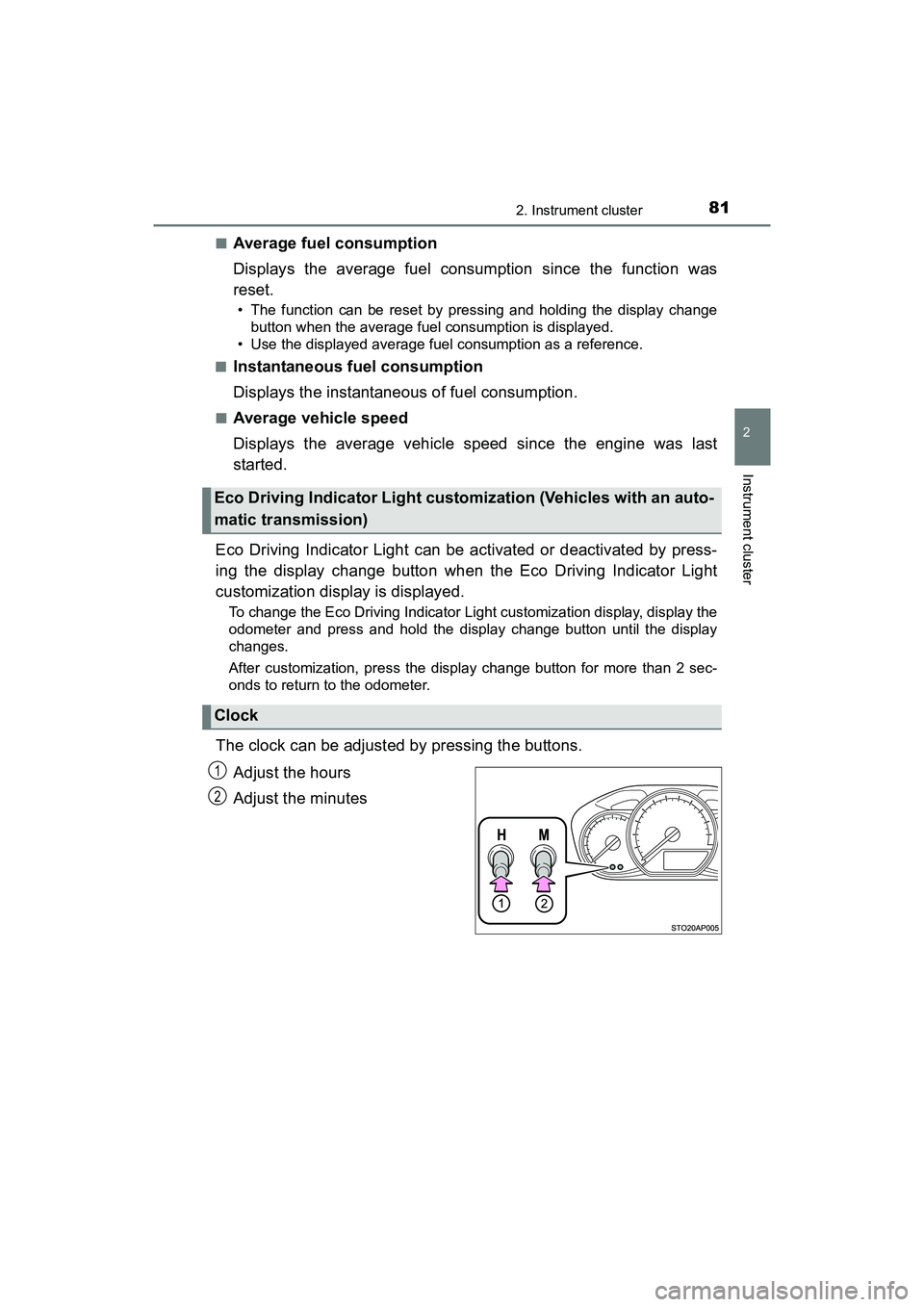
The clock can be adjusted by pressing the buttons. Adjust the hours
Adjust the minutes
Eco Driving Indicator Light customization (Vehicles with an auto-
matic transmission)
Clock
1
2
YARIS_HB_OM_USA_OM52G64U.book 81 ページ 2016年2月16日 火曜日 午後3時20分
Page 84 of 400
822. Instrument cluster
YARIS_HB_OM_USA_OM52G64U
The temperature display shows temperatures within the range of
-40°F (-40°C) and 122°F (50°C).
■Display
In the following situations, the correct outside temperature may not
be displayed, or the display may take longer than normal to change:
●When the vehicle is stopped, or moving at low speeds (less than
16 mph [25 km/h])
● When the outside temperature has changed suddenly (at the
entrance/exit of a garage, tunnel, etc.)
■When “ ” or “E” is displayed
The system may be malfunctioning. Take your vehicle to your
Toyota dealer.
■ When disconnecting and reconnecting battery terminals
The following information data will be reset.
●Driving range
● Average fuel consumption
● Average vehicle speed
● Clock data
■ Liquid crystal display
Small spots or light spots may appear on the display. This phenomenon is
characteristic of liquid crystal display, and there is no problem continuing to
use the display.
■ Changing the pre-collision warning timing
P. 168
Outside temperature display
NOTICE
■The multi-information display at low temperatures
Allow the interior of the vehicle to warm up before using the liquid crystal
information display. At extremely low temperatures, the display monitor may
respond slowly, and display changes may be delayed.
sec_02.fm 82 ページ 2016年2月25日 木曜日 午後1時32分
Page 350 of 400
3488-1. Specifications
YARIS_HB_OM_USA_OM52G64U■
Recommendation of the use of low emissions gasoline
Gasolines containing oxygenates such as ethers and ethanol, as well as
reformulated gasolines, are available in some cities. These fuels are typically
acceptable for use, providing they meet other fuel requirements.
Toyota recommends these fuels, since the formulations allow for reduced
vehicle emissions.
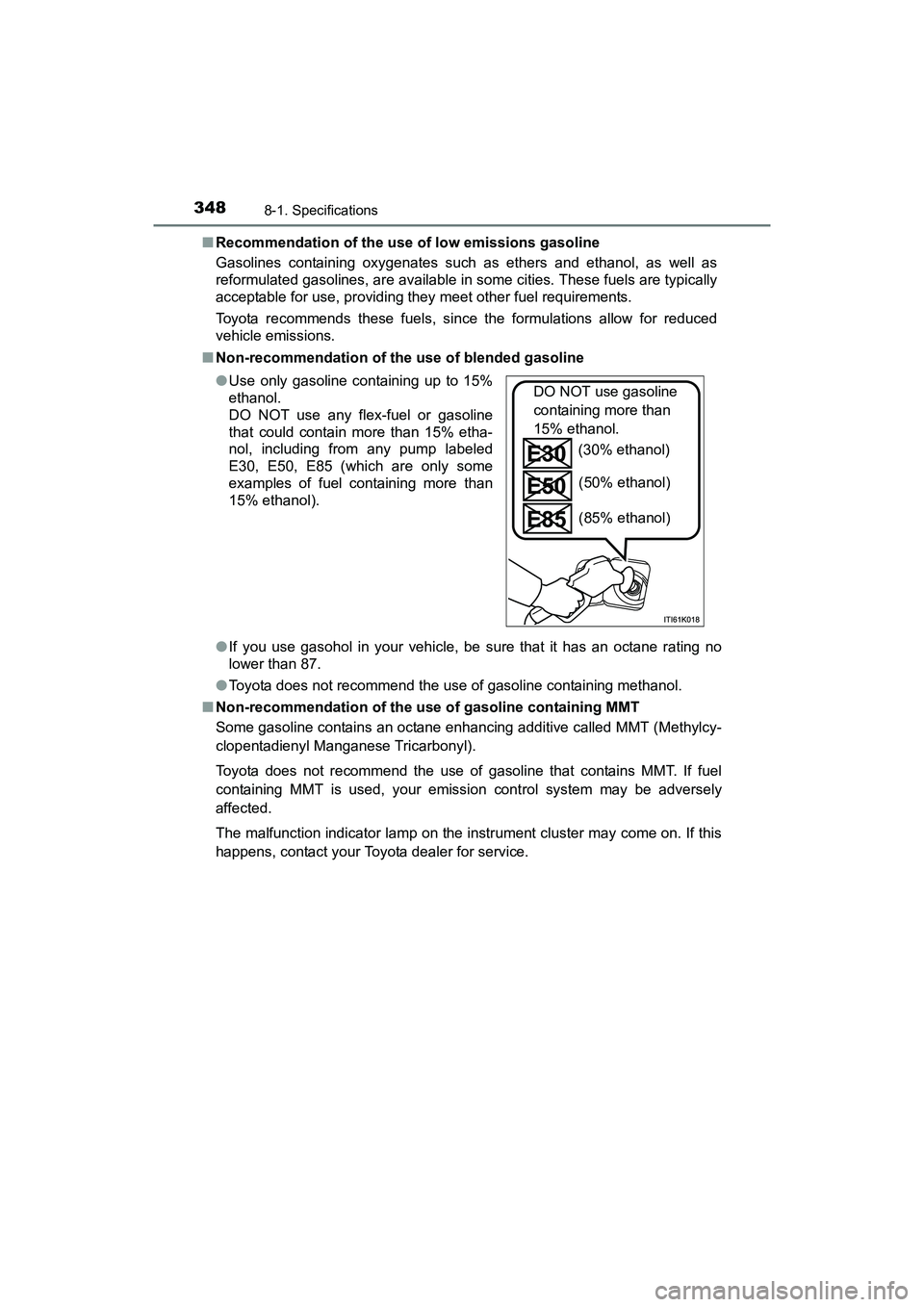
■ Non-recommendation of the use of blended gasoline
●If you use gasohol in your vehicle, be sure that it has an octane rating no
lower than 87.
● Toyota does not recommend the use of gasoline containing methanol.
■ Non-recommendation of the use of gasoline containing MMT
Some gasoline contains an octane enhancing additive called MMT (Methylcy-
clopentadienyl Manganese Tricarbonyl).
Toyota does not recommend the use of gasoline that contains MMT. If fuel
containing MMT is used, your emission control system may be adversely
affected.
The malfunction indicator lamp on the instrument cluster may come on. If this
happens, contact your Toyota dealer for service. ●Use only gasoline containing up to 15%
ethanol.
DO NOT use any flex-fuel or gasoline
that could contain more than 15% etha-
nol, including from any pump labeled
E30, E50, E85 (which are only some
examples of fuel containing more than
15% ethanol).
DO NOT use gasoline
containing more than
15% ethanol.
(30% ethanol)
(50% ethanol)
(85% ethanol)
YARIS_HB_OM_USA_OM52G64U.book 348 ページ 2016年2月16日 火曜日 午後3時20分