lock TOYOTA YARIS HATCHBACK 2021 Repair Manual
[x] Cancel search | Manufacturer: TOYOTA, Model Year: 2021, Model line: YARIS HATCHBACK, Model: TOYOTA YARIS HATCHBACK 2021Pages: 568, PDF Size: 110.34 MB
Page 158 of 568
158
YARIS(HB) Owner's Manual_Europe_MK0001_en
4-2. Driving procedures
4-2.Driving pro cedu res
1Check that the parking brake is
set.
2 Check that the shift lever is in P
(Multidrive) or N (manual trans-
mission).
3 Firmly depress the brake pedal
(Multidrive) or clutch pedal
(manual transmission).
4 Turn the engine switch to
START to start the engine.
■If the engine does not start
The engine immobilizer system may not
have been deactivated. ( →P.76) Contact any authorized Toyota retailer or Toyota authorized repairer, or any reliable
repairer.
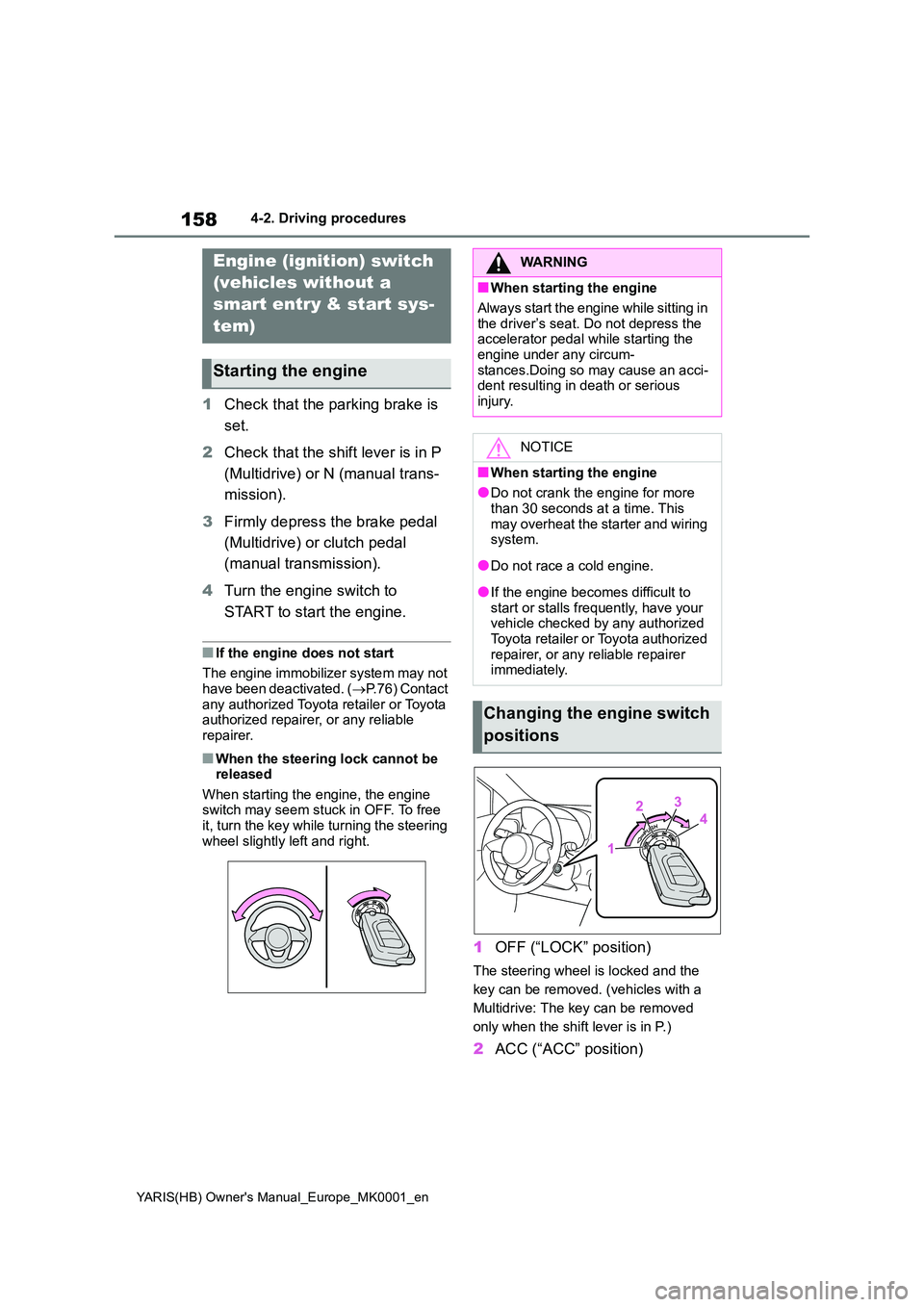
■When the steering lock cannot be released
When starting the engine, the engine switch may seem stuck in OFF. To free it, turn the key while turning the steering
wheel slightly left and right.
1 OFF (“LOCK” position)
The steering wheel is locked and the
key can be removed. (vehicles with a
Multidrive: The key can be removed
only when the shift lever is in P.)
2 ACC (“ACC” position)
Engine (ignition) switch
(vehicles without a
smart entry & start sys-
tem)
Starting the engine
WARNING
■When starting the engine
Always start the engine while sitting in
the driver’s seat. Do not depress the accelerator pedal while starting the engine under any circum-
stances.Doing so may cause an acci- dent resulting in death or serious injury.
NOTICE
■When starting the engine
●Do not crank the engine for more
than 30 seconds at a time. This may overheat the starter and wiring system.
●Do not race a cold engine.
●If the engine becomes difficult to start or stalls frequently, have your vehicle checked by any authorized
Toyota retailer or Toyota authorized repairer, or any reliable repairer immediately.
Changing the engine switch
positions
Page 160 of 568
160
YARIS(HB) Owner's Manual_Europe_MK0001_en
4-2. Driving procedures
engine switch mode.
■Engine switch illumination
In the following situations, the engine
switch is illuminated.
●When the driver’s or passenger’s door
is opened.
●When the engine switch is in ACC or
ON.
●When the engine switch mode is
changed from ACC or ON to off.
Also, in the following situation, the
engine switch flashes.
●When depressing the brake pedal
while carrying the electronic key.
■If the engine does not start
●The engine immobilizer system may
not have been deactivated. (→P.76)
Contact any authorized Toyota retailer
or Toyota authorized repairer, or any
reliable repairer.
●If a message related to start-up is
shown on the multi-information dis-
play, read the message and follow the
instructions.
■If the battery is discharged
The engine cannot be started using the
smart entry & start system. Refer to
P.401 to restart the engine.
■Electronic key battery depletion
→P. 1 1 2
■Conditions affecting operation
→P. 1 2 4
■Notes for the entry function
→P. 1 2 5
■Steering lock function
●After turning the engine switch off and
opening and closing the doors, the
steering wheel will be locked due to
the steering lock function. Operating
the engine switch again automatically
cancels the steering lock.
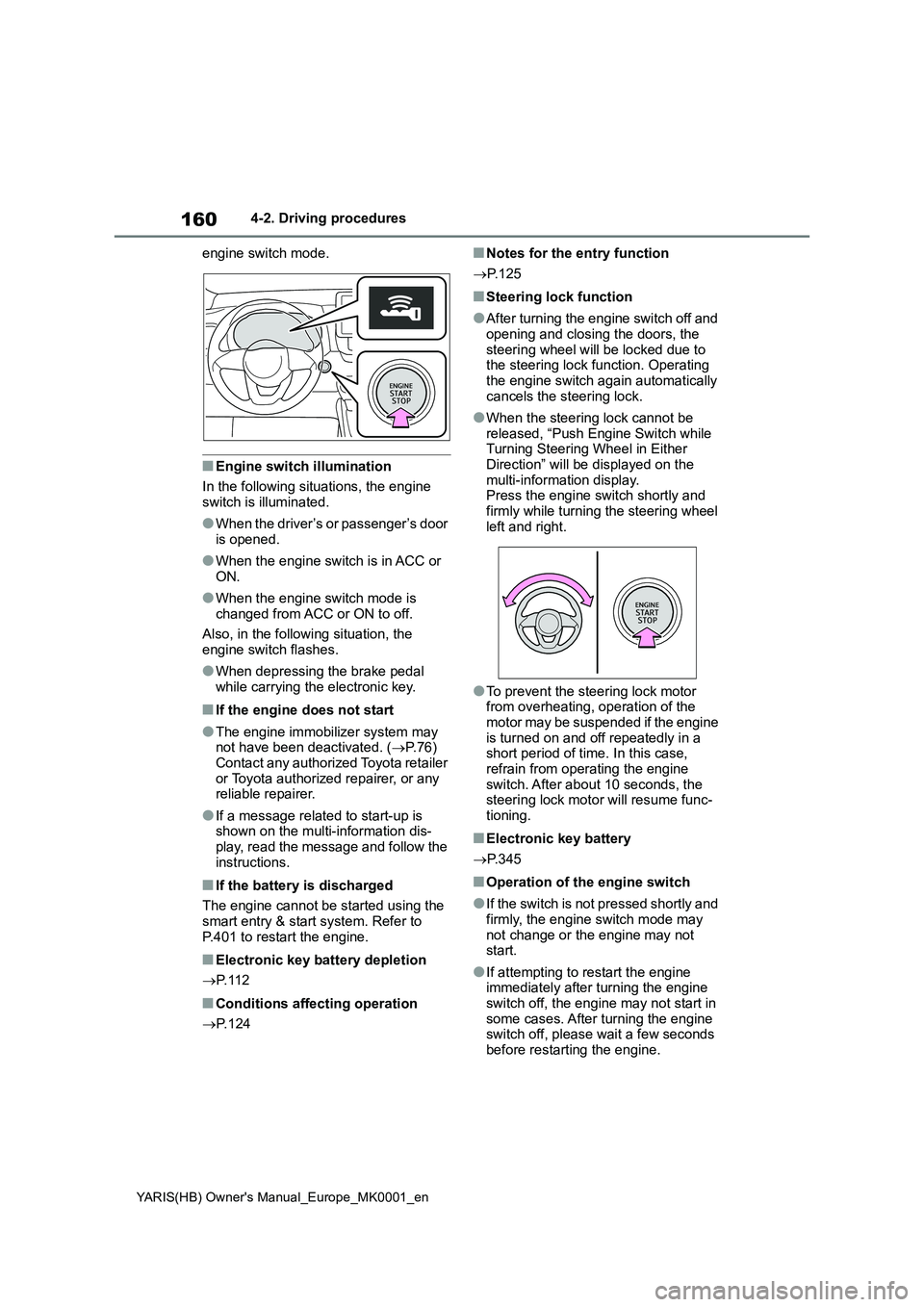
●When the steering lock cannot be
released, “Push Engine Switch while
Turning Steering Wheel in Either
Direction” will be displayed on the
multi-information display.
Press the engine switch shortly and
firmly while turning the steering wheel
left and right.
●To prevent the steering lock motor
from overheating, operation of the
motor may be suspended if the engine
is turned on and off repeatedly in a
short period of time. In this case,
refrain from operating the engine
switch. After about 10 seconds, the
steering lock motor will resume func-
tioning.
■Electronic key battery
→P. 3 4 5
■Operation of the engine switch
●If the switch is not pressed shortly and
firmly, the engine switch mode may
not change or the engine may not
start.
●If attempting to restart the engine
immediately after turning the engine
switch off, the engine may not start in
some cases. After turning the engine
switch off, please wait a few seconds
before restarting the engine.
Page 161 of 568
161
4
YARIS(HB) Owner's Manual_Europe_MK0001_en
4-2. Driving procedures
Driving
■Customization
If the smart entry & start system has been deactivated in a customized set-ting, refer to P.399.
Multidrive
1 Stop the vehicle completely.
2 Set the parking brake (→P.171),
and shift the shift lever to P.
Check the parking brake indicator is
illuminated.
3 Press the engine switch.
The engine will stop, and the meter dis- play will be extinguished.
4 Release the brake pedal and
check that “ACCESSORY” or
“IGNITION ON” is not shown on
the multi-information display.
Manual transmission
1 Stop the vehicle completely.
2 If the parking brake is in manual
mode, set the parking brake.
( →P.171)
Check the parking brake indicator is illuminated.
3 Shift the shift lever to N.
( →P.168)
4 Press the engine switch.
The engine will stop, and the meter dis-
play will be extinguished.
5 Release the brake pedal and
check that “ACCESSORY” or
“IGNITION ON” is not shown on
the multi-information display.
WARNING
■When starting the engine
Always start the engine while sitting in the driver’s seat. Do not depress the
accelerator pedal while starting the engine under any circumstances.Doing so may cause an accident
resulting in death or serious injury.
■Caution while driving
If engine failure occurs while the vehi- cle is moving, do not lock or open the doors until the vehicle reaches a safe
and complete stop. Activation of the steering lock in this circumstance may lead to an accident, resulting in death
or serious injury.
NOTICE
■When starting the engine
●Do not race a cold engine.
●If the engine becomes difficult to start or stalls frequently, have your vehicle checked by any authorized
Toyota retailer or Toyota authorized repairer, or any reliable repairer immediately.
■Symptoms indicating a malfunc-tion with the engine switch
If the engine switch seems to be oper- ating somewhat differently than usual, such as the switch sticking slightly,
there may be a malfunction. Contact any authorized Toyota retailer or Toyota authorized repairer, or any reli-
able repairer immediately.
Stopping the engine
Page 165 of 568
165
4
YARIS(HB) Owner's Manual_Europe_MK0001_en
4-2. Driving procedures
Driving
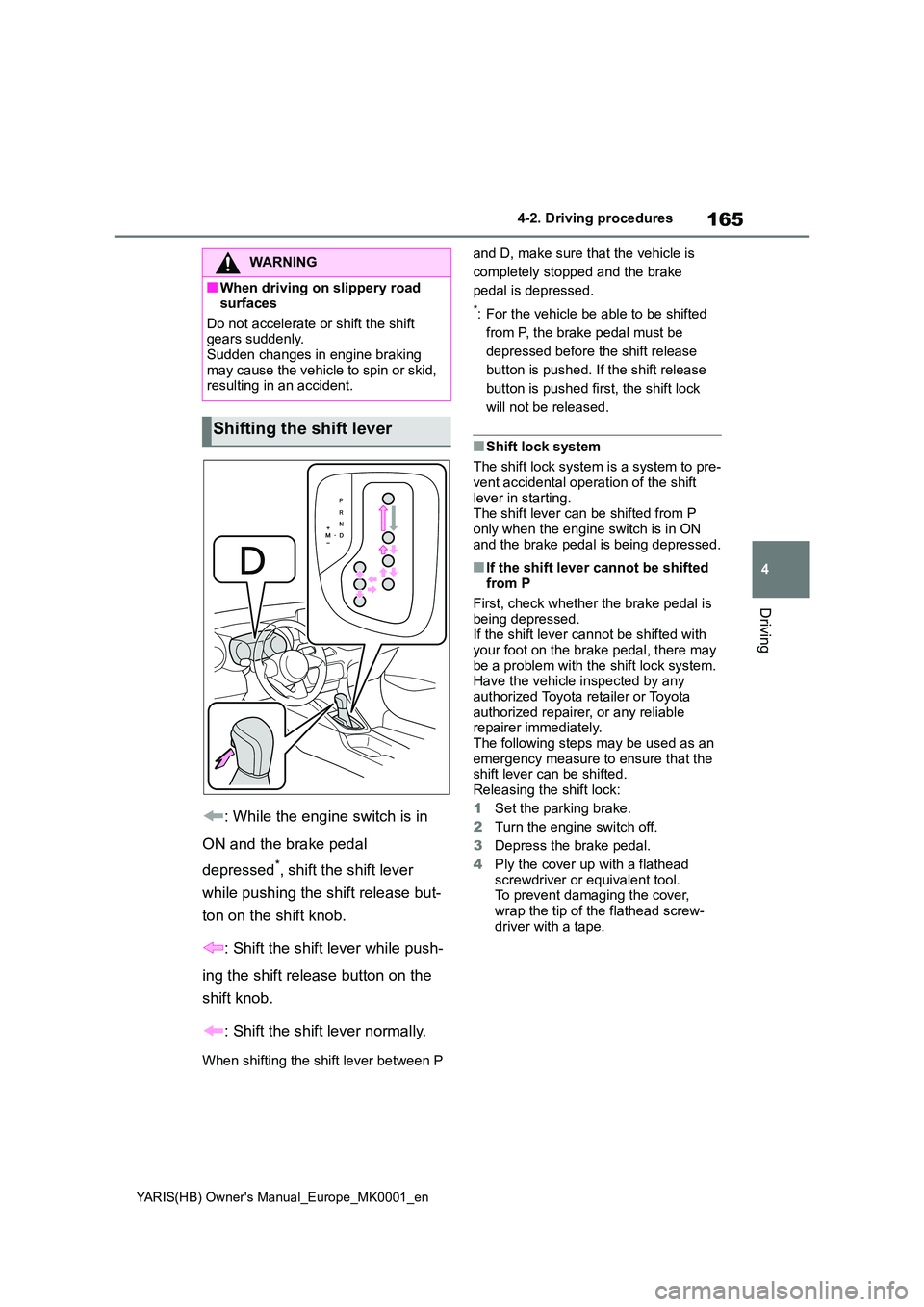
: While the engine switch is in
ON and the brake pedal
depressed*, shift the shift lever
while pushing the shift release but-
ton on the shift knob.
: Shift the shift lever while push-
ing the shift release button on the
shift knob.
: Shift the shift lever normally.
When shifting the shift lever between P
and D, make sure that the vehicle is
completely stopped and the brake
pedal is depressed.
*: For the vehicle be able to be shifted
from P, the brake pedal must be
depressed before the shift release
button is pushed. If the shift release
button is pushed first, the shift lock
will not be released.
■Shift lock system
The shift lock system is a system to pre- vent accidental operation of the shift
lever in starting. The shift lever can be shifted from P only when the engine switch is in ON
and the brake pedal is being depressed.
■If the shift lever cannot be shifted from P
First, check whether the brake pedal is
being depressed. If the shift lever cannot be shifted with your foot on the brake pedal, there may
be a problem with the shift lock system. Have the vehicle inspected by any authorized Toyota retailer or Toyota
authorized repairer, or any reliable repairer immediately.The following steps may be used as an
emergency measure to ensure that the shift lever can be shifted.
Releasing the shift lock:
1 Set the parking brake.
2 Turn the engine switch off.
3 Depress the brake pedal.
4 Ply the cover up with a flathead screwdriver or equivalent tool.To prevent damaging the cover,
wrap the tip of the flathead screw- driver with a tape.
WARNING
■When driving on slippery road surfaces
Do not accelerate or shift the shift gears suddenly. Sudden changes in engine braking
may cause the vehicle to spin or skid, resulting in an accident.
Shifting the shift lever
Page 166 of 568
166
YARIS(HB) Owner's Manual_Europe_MK0001_en
4-2. Driving procedures
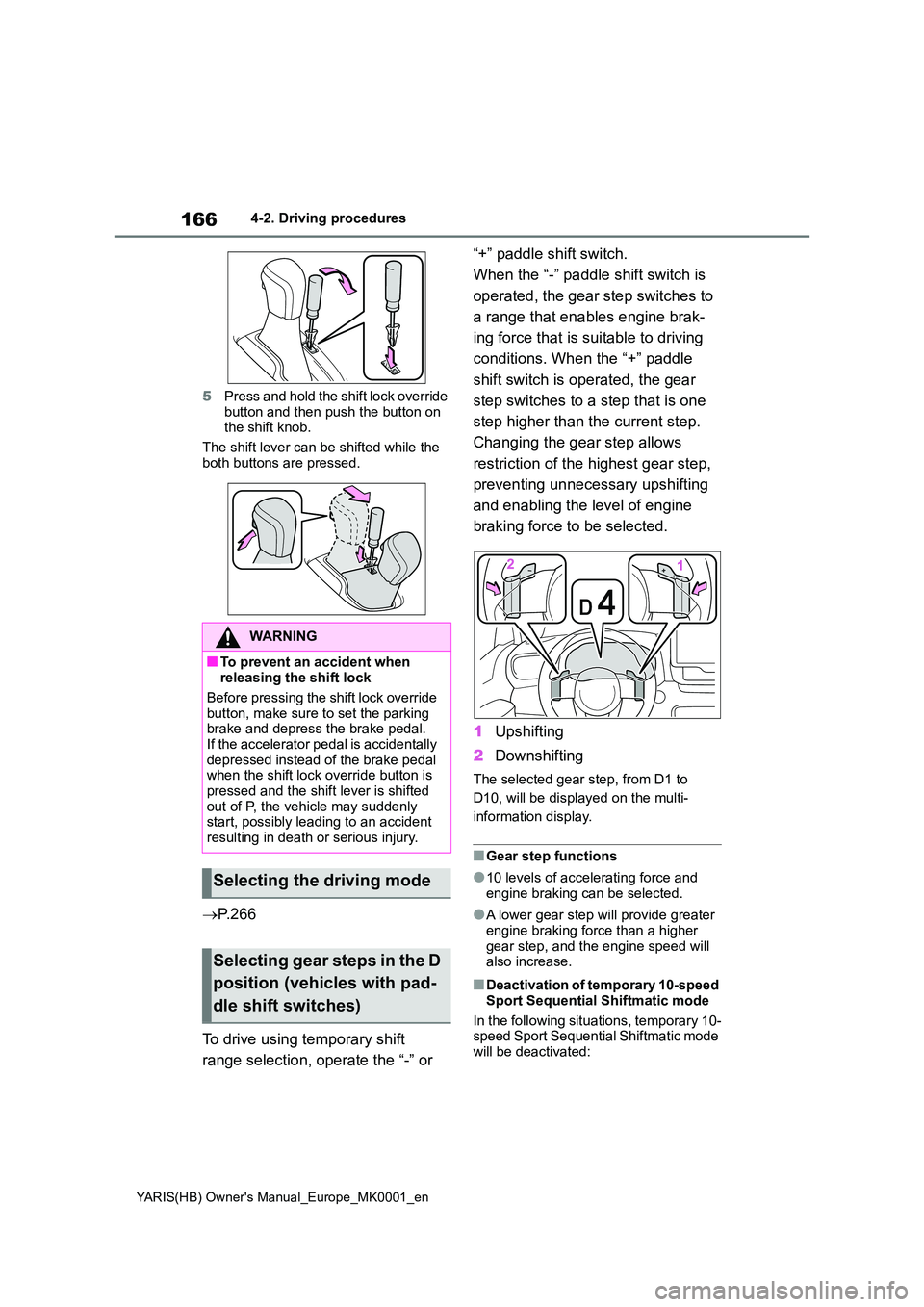
5 Press and hold the shift lock override
button and then push the button on the shift knob.
The shift lever can be shifted while the
both buttons are pressed.
→ P. 2 6 6
To drive using temporary shift
range selection, operate the “-” or
“+” paddle shift switch.
When the “-” paddle shift switch is
operated, the gear step switches to
a range that enables engine brak-
ing force that is suitable to driving
conditions. When the “+” paddle
shift switch is operated, the gear
step switches to a step that is one
step higher than the current step.
Changing the gear step allows
restriction of the highest gear step,
preventing unnecessary upshifting
and enabling the level of engine
braking force to be selected.
1 Upshifting
2 Downshifting
The selected gear step, from D1 to
D10, will be displayed on the multi-
information display.
■Gear step functions
●10 levels of accelerating force and engine braking can be selected.
●A lower gear step will provide greater
engine braking force than a higher gear step, and the engine speed will also increase.
■Deactivation of temporary 10-speed
Sport Sequential Shiftmatic mode
In the following situations, temporary 10- speed Sport Sequential Shiftmatic mode
will be deactivated:
WARNING
■To prevent an accident when releasing the shift lock
Before pressing the shift lock override button, make sure to set the parking brake and depress the brake pedal.
If the accelerator pedal is accidentally depressed instead of the brake pedal when the shift lock override button is
pressed and the shift lever is shifted out of P, the vehicle may suddenly start, possibly leading to an accident
resulting in death or serious injury.
Selecting the driving mode
Selecting gear steps in the D
position (vehicles with pad-
dle shift switches)
Page 174 of 568
174
YARIS(HB) Owner's Manual_Europe_MK0001_en
4-3. Operating the lights and wipers
tion. (LED type headlights only: Illumi-
nate brighter than the front position
lights.) Daytime running lights are not
designed for use at night.
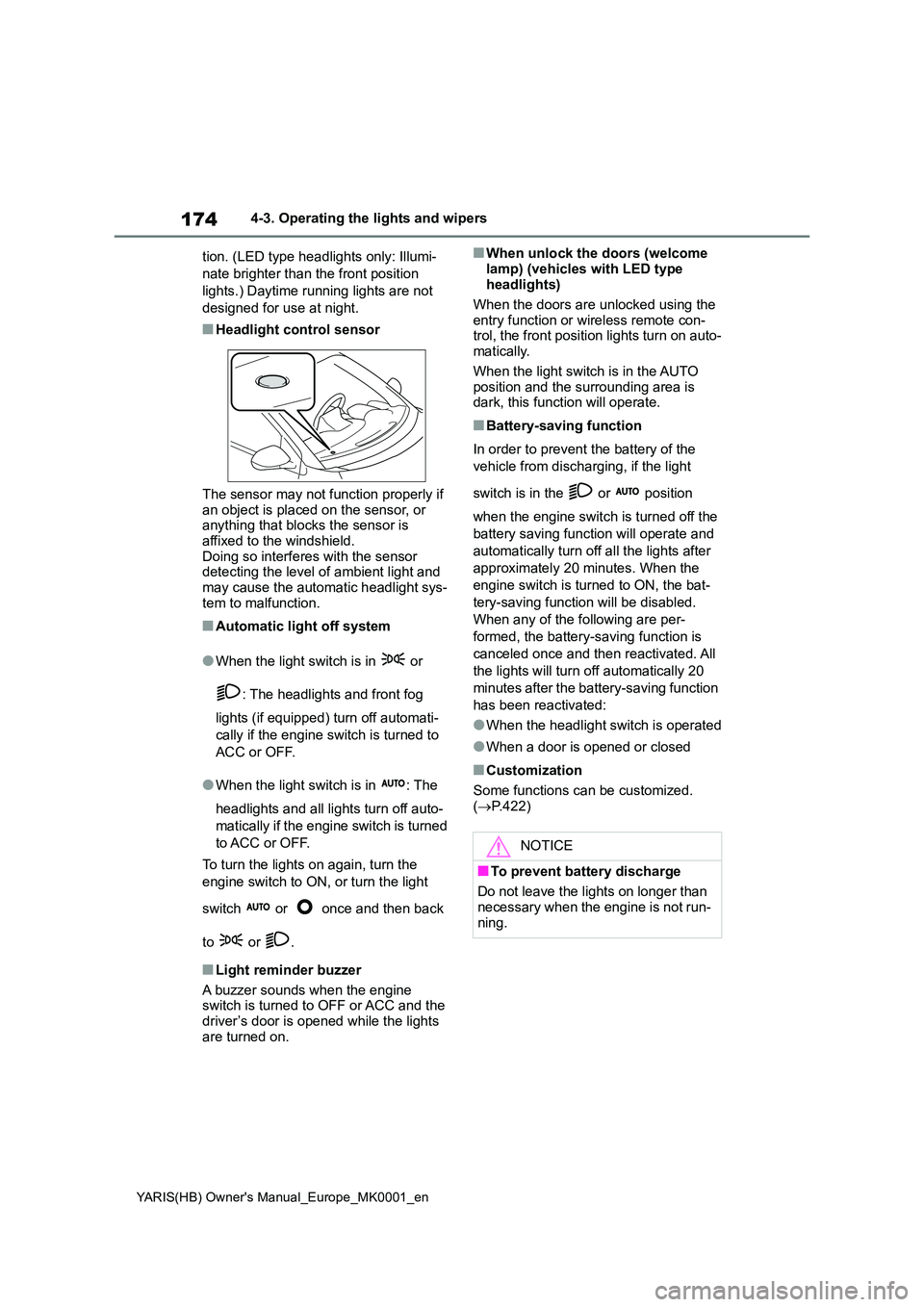
■Headlight control sensor
The sensor may not function properly if an object is placed on the sensor, or anything that blocks the sensor is
affixed to the windshield. Doing so interferes with the sensor detecting the level of ambient light and
may cause the automatic headlight sys- tem to malfunction.
■Automatic light off system
●When the light switch is in or
: The headlights and front fog
lights (if equipped) turn off automati-
cally if the engine switch is turned to
ACC or OFF.
●When the light switch is in : The
headlights and all lights turn off auto-
matically if the engine switch is turned
to ACC or OFF.
To turn the lights on again, turn the
engine switch to ON, or turn the light
switch or once and then back
to or .
■Light reminder buzzer
A buzzer sounds when the engine switch is turned to OFF or ACC and the
driver’s door is opened while the lights are turned on.
■When unlock the doors (welcome
lamp) (vehicles with LED type headlights)
When the doors are unlocked using the
entry function or wireless remote con- trol, the front position lights turn on auto-matically.
When the light switch is in the AUTO position and the surrounding area is dark, this function will operate.
■Battery-saving function
In order to prevent the battery of the
vehicle from discharging, if the light
switch is in the or position
when the engine switch is turned off the
battery saving function will operate and
automatically turn off all the lights after
approximately 20 minutes. When the
engine switch is turned to ON, the bat-
tery-saving function will be disabled.
When any of the following are per-
formed, the battery-saving function is
canceled once and then reactivated. All
the lights will turn off automatically 20
minutes after the battery-saving function
has been reactivated:
●When the headlight switch is operated
●When a door is opened or closed
■Customization
Some functions can be customized.
( →P.422)
NOTICE
■To prevent battery discharge
Do not leave the lights on longer than
necessary when the engine is not run- ning.
Page 183 of 568
183
4
YARIS(HB) Owner's Manual_Europe_MK0001_en
4-3. Operating the lights and wipers
Driving
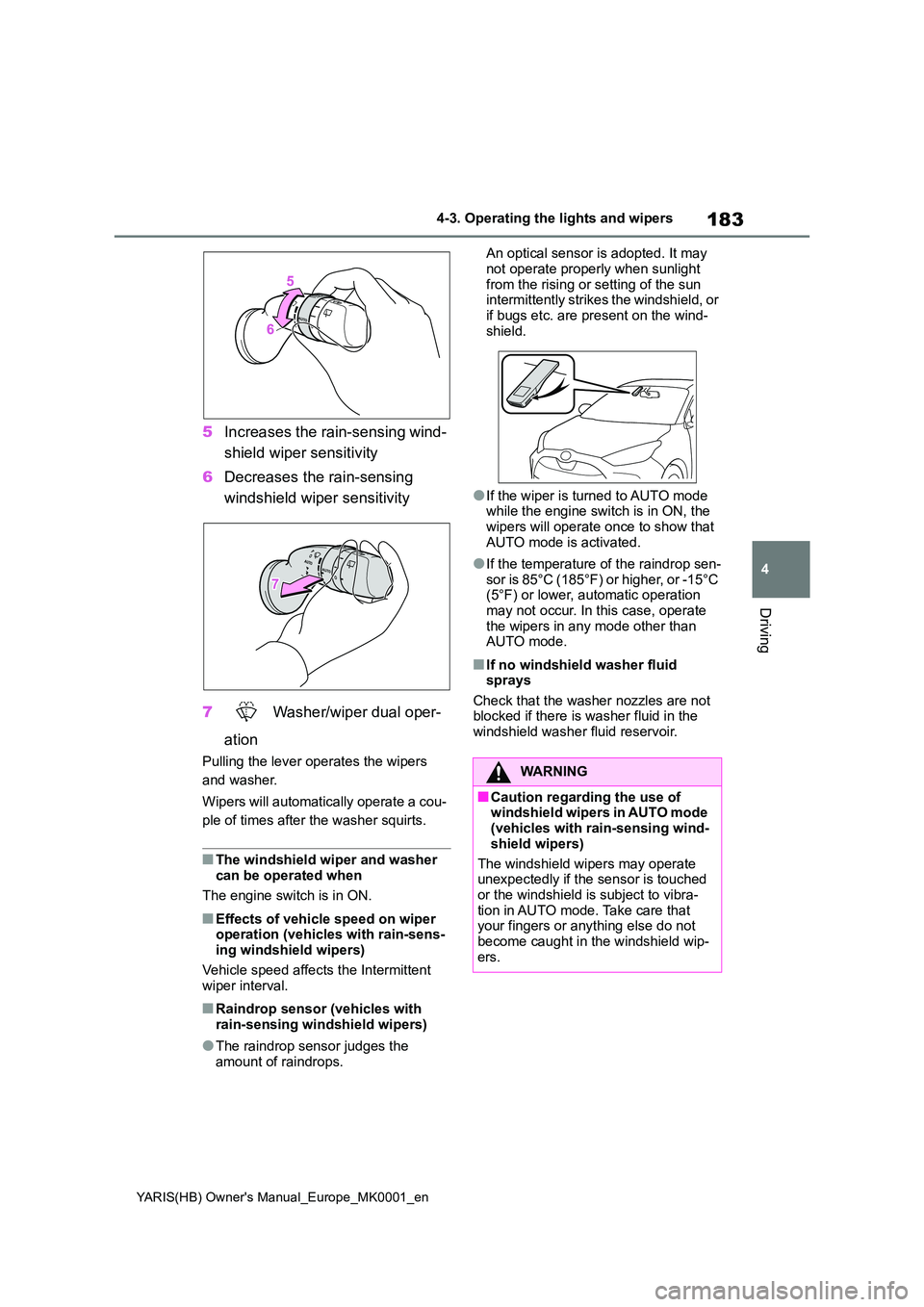
5Increases the rain-sensing wind-
shield wiper sensitivity
6 Decreases the rain-sensing
windshield wiper sensitivity
7 Washer/wiper dual oper-
ation
Pulling the lever operates the wipers
and washer.
Wipers will automatically operate a cou-
ple of times after the washer squirts.
■The windshield wiper and washer can be operated when
The engine switch is in ON.
■Effects of vehicle speed on wiper operation (vehicles with rain-sens-ing windshield wipers)
Vehicle speed affects the Intermittent wiper interval.
■Raindrop sensor (vehicles with rain-sensing windshield wipers)
●The raindrop sensor judges the amount of raindrops.
An optical sensor is adopted. It may
not operate properly when sunlight from the rising or setting of the sun intermittently strikes the windshield, or
if bugs etc. are present on the wind- shield.
●If the wiper is turned to AUTO mode while the engine switch is in ON, the wipers will operate once to show that
AUTO mode is activated.
●If the temperature of the raindrop sen-
sor is 85°C (185°F) or higher, or -15°C (5°F) or lower, automatic operation may not occur. In this case, operate
the wipers in any mode other than AUTO mode.
■If no windshield washer fluid sprays
Check that the washer nozzles are not blocked if there is washer fluid in the windshield washer fluid reservoir.
WARNING
■Caution regarding the use of windshield wipers in AUTO mode (vehicles with rain-sensing wind-
shield wipers)
The windshield wipers may operate unexpectedly if the sensor is touched
or the windshield is subject to vibra- tion in AUTO mode. Take care that your fingers or anything else do not
become caught in the windshield wip- ers.
Page 184 of 568
184
YARIS(HB) Owner's Manual_Europe_MK0001_en
4-3. Operating the lights and wipers
*: If equipped
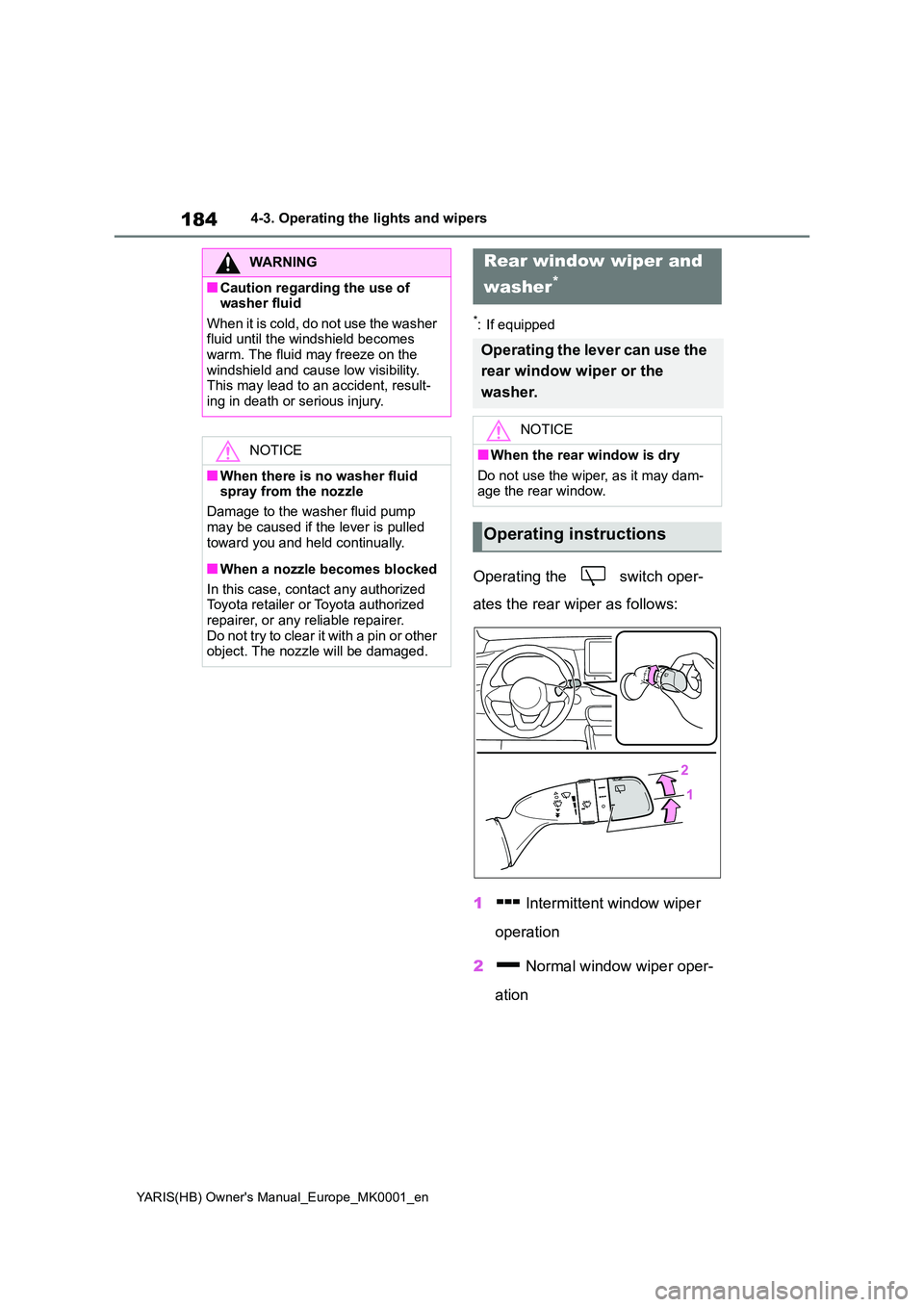
Operating the switch oper-
ates the rear wiper as follows:
1 Intermittent window wiper
operation
2 Normal window wiper oper-
ation
WARNING
■Caution regarding the use of washer fluid
When it is cold, do not use the washer fluid until the windshield becomes warm. The fluid may freeze on the
windshield and cause low visibility. This may lead to an accident, result-ing in death or serious injury.
NOTICE
■When there is no washer fluid spray from the nozzle
Damage to the washer fluid pump
may be caused if the lever is pulled toward you and held continually.
■When a nozzle becomes blocked
In this case, contact any authorized Toyota retailer or Toyota authorized
repairer, or any reliable repairer. Do not try to clear it with a pin or other object. The nozzle will be damaged.
Rear window wiper and
washer*
Operating the lever can use the
rear window wiper or the
washer.
NOTICE
■When the rear window is dry
Do not use the wiper, as it may dam- age the rear window.
Operating instructions
Page 185 of 568
185
4
YARIS(HB) Owner's Manual_Europe_MK0001_en
4-3. Operating the lights and wipers
Driving
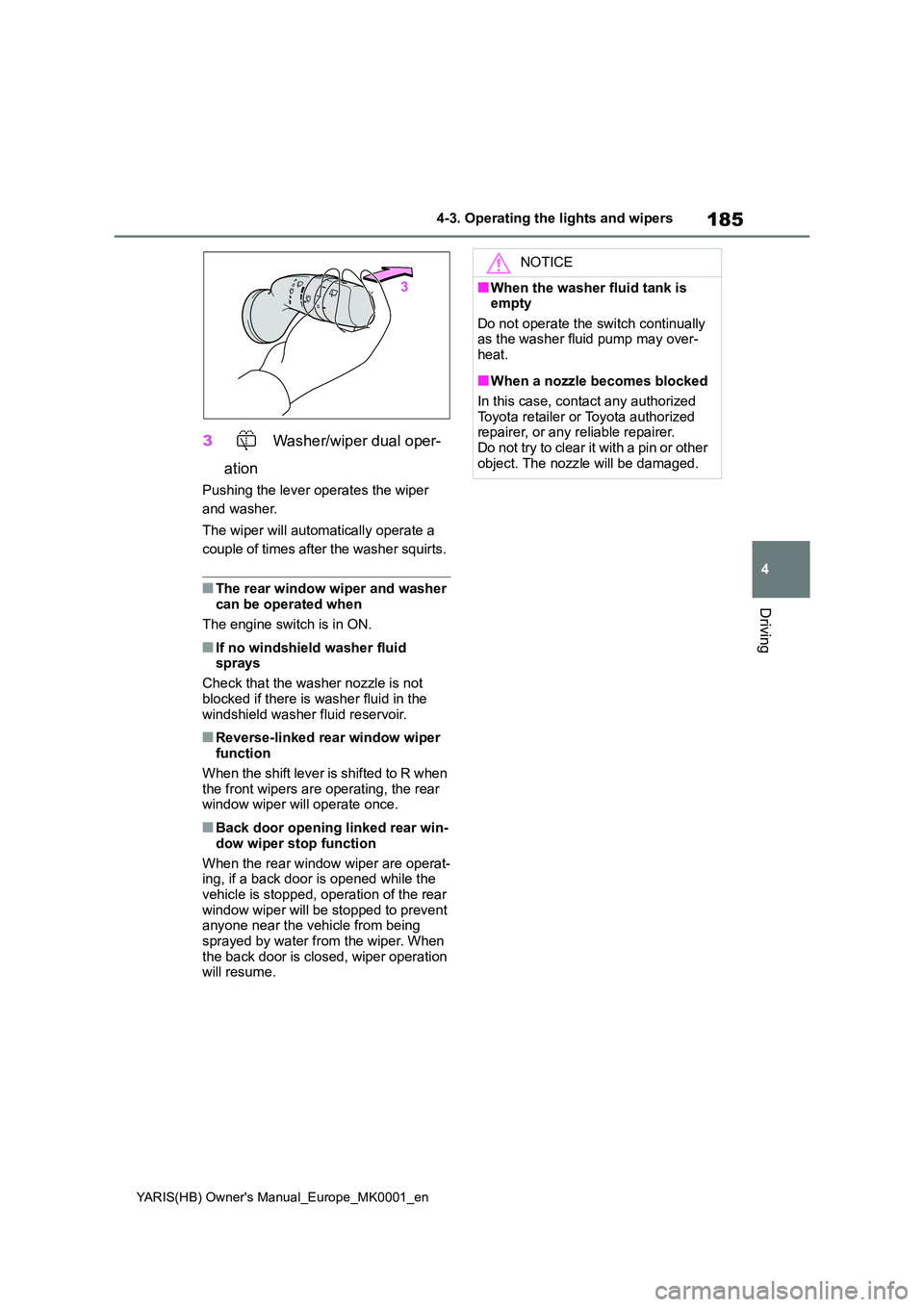
3 Washer/wiper dual oper-
ation
Pushing the lever operates the wiper
and washer.
The wiper will automatically operate a
couple of times after the washer squirts.
■The rear window wiper and washer can be operated when
The engine switch is in ON.
■If no windshield washer fluid sprays
Check that the washer nozzle is not
blocked if there is washer fluid in the windshield washer fluid reservoir.
■Reverse-linked rear window wiper function
When the shift lever is shifted to R when the front wipers are operating, the rear window wiper will operate once.
■Back door opening linked rear win-
dow wiper stop function
When the rear window wiper are operat- ing, if a back door is opened while the
vehicle is stopped, operation of the rear window wiper will be stopped to prevent anyone near the vehicle from being
sprayed by water from the wiper. When the back door is closed, wiper operation will resume.
NOTICE
■When the washer fluid tank is empty
Do not operate the switch continually as the washer fluid pump may over-heat.
■When a nozzle becomes blocked
In this case, contact any authorized
Toyota retailer or Toyota authorized repairer, or any reliable repairer.Do not try to clear it with a pin or other
object. The nozzle will be damaged.
Page 202 of 568
202
YARIS(HB) Owner's Manual_Europe_MK0001_en
4-5. Using the driving support systems
• If a pedestrian/bicyclist is wearing
oversized clothing (a rain coat, long
skirt, etc.), making their silhouette
obscure
• If a pedestrian is bending forward or
squatting or bicyclist is bending for-
ward
• If a pedestrian/bicyclist is moving fast
• If a pedestrian is pushing a stroller,
wheelchair, bicycle or other vehicle
• When driving in inclement weather
such as heavy rain, fog, snow or a
sandstorm
• When driving through steam or smoke
• When the surrounding area is dim,
such as at dawn or dusk, or while at
night or in a tunnel, making a detect-
able object appear to be nearly the
same color as its surroundings
• When driving in a place where the sur-
rounding brightness changes sud-
denly, such as at the entrance or exit
of a tunnel
• After the engine has started the vehi-
cle has not been driven for a certain
amount of time
• While making a left/right turn and for a
few seconds after making a left/right
turn
• While driving on a curve and for a few
seconds after driving on a curve
• If your vehicle is skidding
• If the front of the vehicle is raised or
lowered
• If the wheels are misaligned
• If a wiper blade is blocking the front
camera
• The vehicle is being driven at
extremely high speeds
• When driving on a hill
• If the radar sensor or front camera is
misaligned
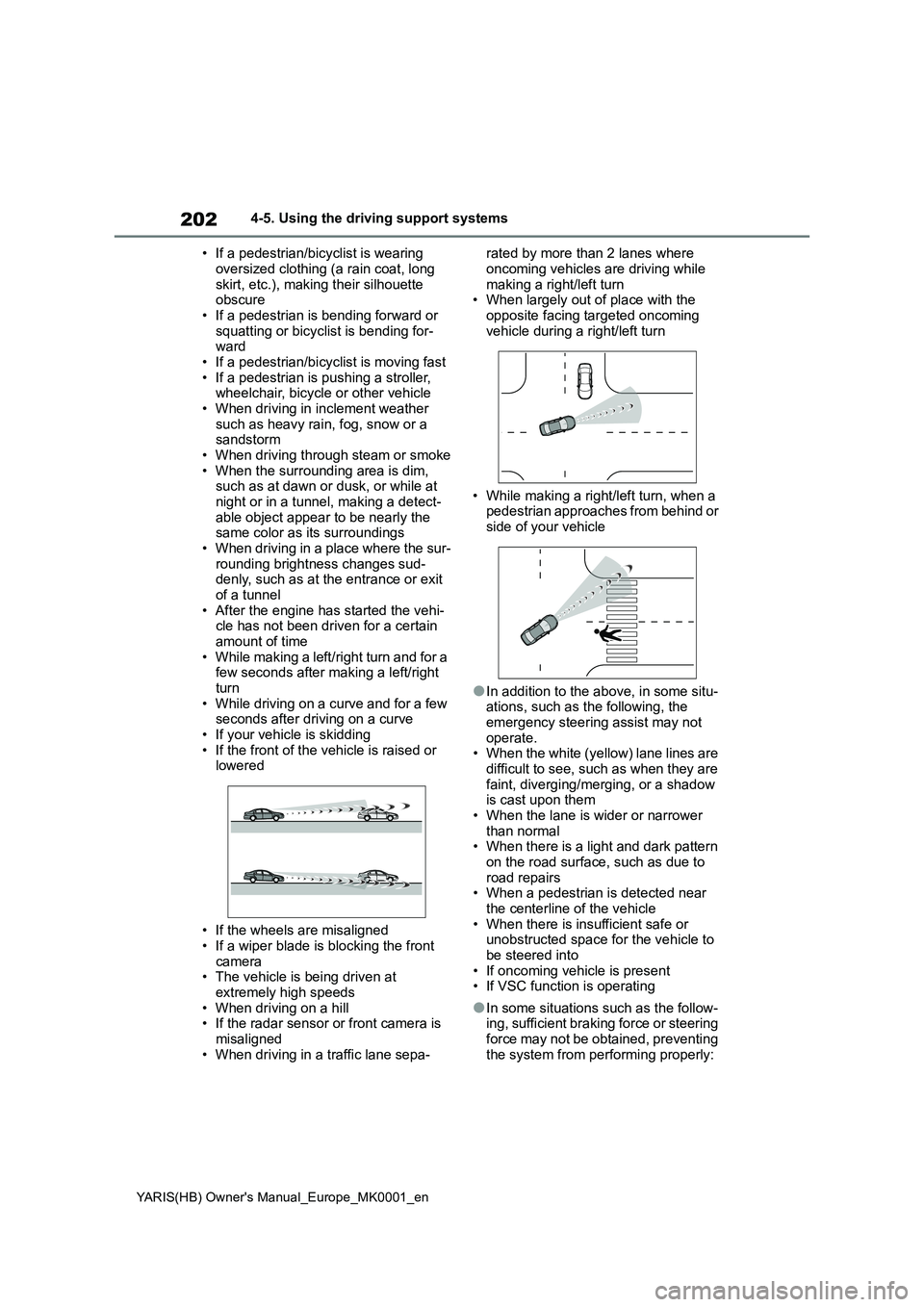
• When driving in a traffic lane sepa-rated by more than 2 lanes where
oncoming vehicles are driving while
making a right/left turn
• When largely out of place with the
opposite facing targeted oncoming
vehicle during a right/left turn
• While making a right/left turn, when a
pedestrian approaches from behind or
side of your vehicle
●In addition to the above, in some situ-
ations, such as the following, the
emergency steering assist may not
operate.
• When the white (yellow) lane lines are
difficult to see, such as when they are
faint, diverging/merging, or a shadow
is cast upon them
• When the lane is wider or narrower
than normal
• When there is a light and dark pattern
on the road surface, such as due to
road repairs
• When a pedestrian is detected near
the centerline of the vehicle
• When there is insufficient safe or
unobstructed space for the vehicle to
be steered into
• If oncoming vehicle is present
• If VSC function is operating
●In some situations such as the follow-
ing, sufficient braking force or steering
force may not be obtained, preventing
the system from performing properly: