wheel TOYOTA YARIS LIFTBACK 2020 Accessories, Audio & Navigation (in English)
[x] Cancel search | Manufacturer: TOYOTA, Model Year: 2020, Model line: YARIS LIFTBACK, Model: TOYOTA YARIS LIFTBACK 2020Pages: 164, PDF Size: 3.77 MB
Page 128 of 164
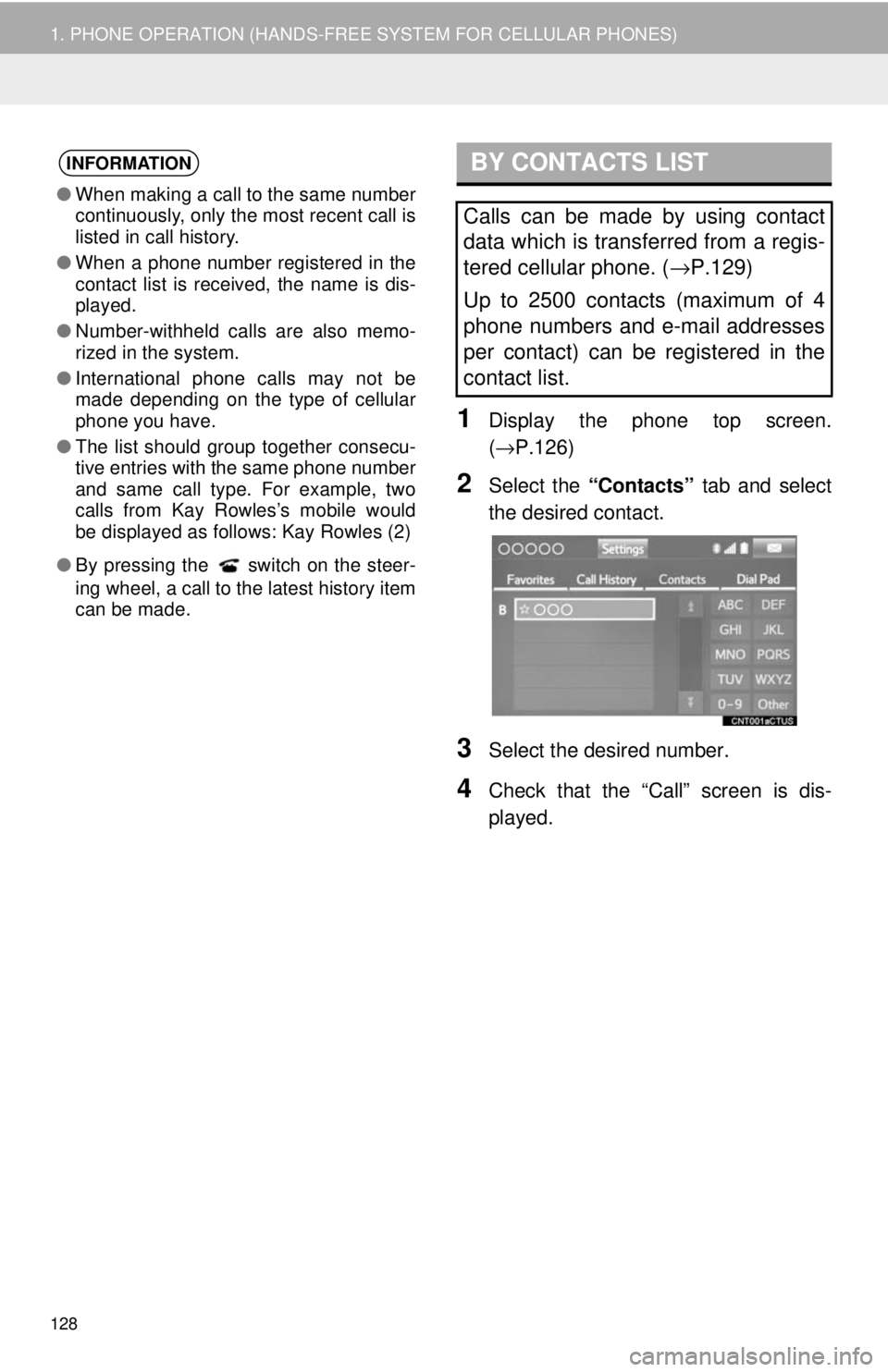
BY CONTACTS LIST
128
1. PHONE OPERATION (HANDS-FREE SYSTEM FOR CELLULAR PHONES)
1Display the phone top screen.
(→ P.126 )
2Select the “Contacts” tab and select
the desired contact.
3Select the desired number.
4Check that the “Call” screen is dis -
played.
INFORMATION
● When making a call to the same number
continuously, only the most recent call is
listed in call history.
● When a phone number registered in the
contact list is received, the name is dis-
played.
● Number-withheld calls are also memo-
rized in the system.
● International phone calls may not be
made depending on the type of cellular
phone you have.
● The list should group together consecu-
tive entries with the same phone number
and same call type. For example, two
calls from Kay Rowles’s mobile would
be displayed as follows: Kay Rowles (2)
● By pressing the switch on the steer-
ing wheel, a call to the latest history item
can be made.
Calls can be made by using contact
data which is transferred from a regis-
tered cellular phone. ( →P.129)
Up to 2500 contacts (maximum of 4
phone numbers and e-mail addresses
per contact) can be registered in the
contact list.
Page 130 of 164
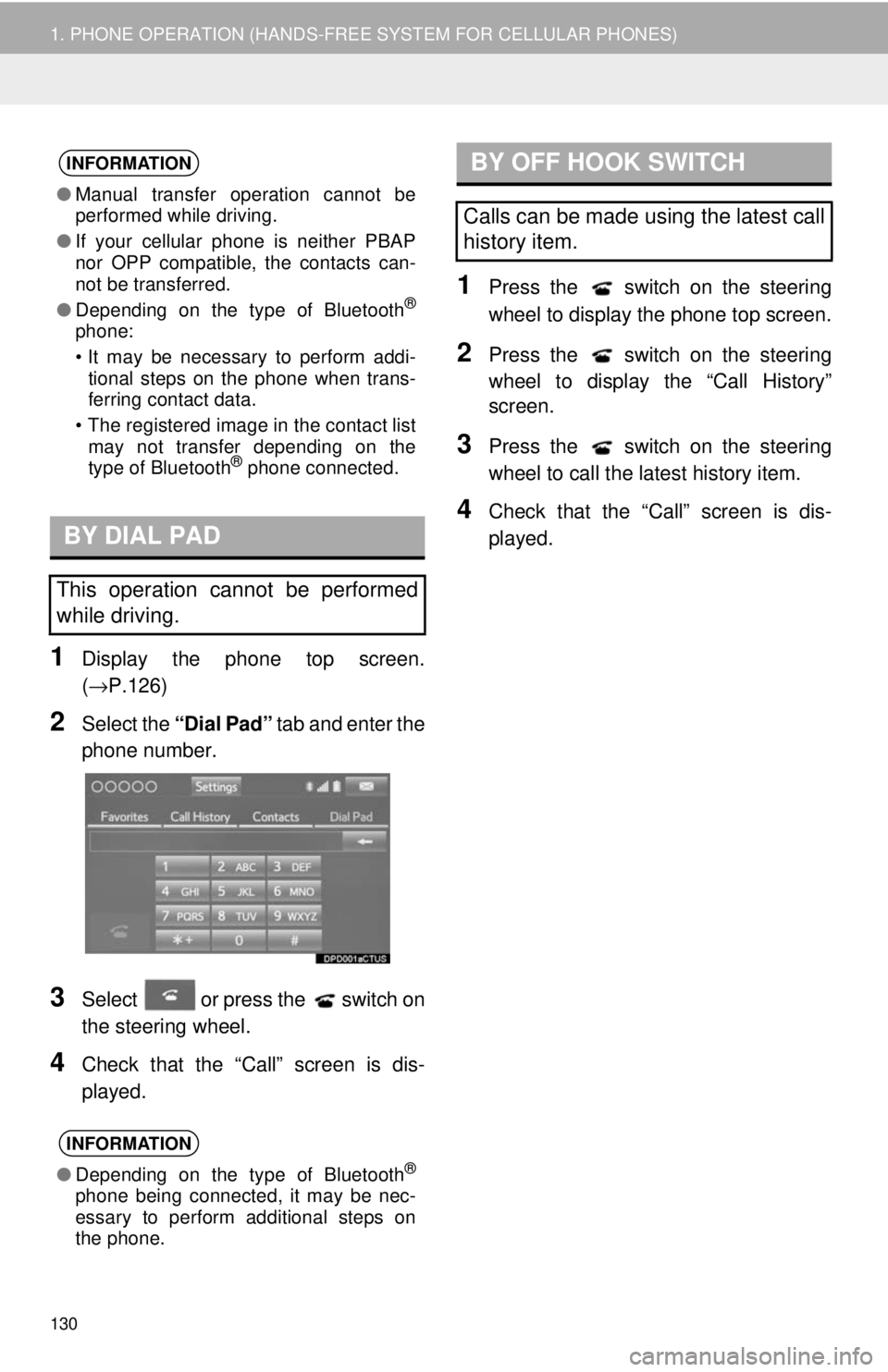
BY DIAL PAD
130
1. PHONE OPERATION (HANDS-FREE SYSTEM FOR CELLULAR PHONES)
1Display the phone top screen.
(→P.126 )
2Select the “Dial Pad” tab and enter the
phone number.
3Select or press the switch on
the steering wheel.
4Check that the “Call” screen is dis -
played.
BY OFF HOOK SWITCH
1Press the switch on the steering
wheel to display the phone top screen.
2Press the switch on the steering
wheel to display the “Call History”
scre en.
3Press the switch on the steering
wheel to call the latest history item.
4Check that the “Call” screen is dis -
played.
INFORMATION
● Manual transfer operation cannot be
performed while driving.
● If your cellular phone is neither PBAP
nor OPP compatible, the contacts can-
not be transferred.
● Depending on the type of Bluetooth
®
phone:
• It may be necessary to perform addi-
tional steps on the phone when trans-
ferring contact data.
• The registered image in the contact list
may not transfer depending on the
type of Bluetooth
® phone connected.
This operation cannot be performed
while driving.
INFORMATION
● Depending on the type of Bluetooth®
phone being connected, it may be nec-
essary to perform additional steps on
the phone.
Calls can be made using the latest call
history item.
Page 132 of 164
132
1. PHONE OPERATION (HANDS-FREE SYSTEM FOR CELLULAR PHONES)
4. RECEIVING ON THE Bluetooth® PHONE
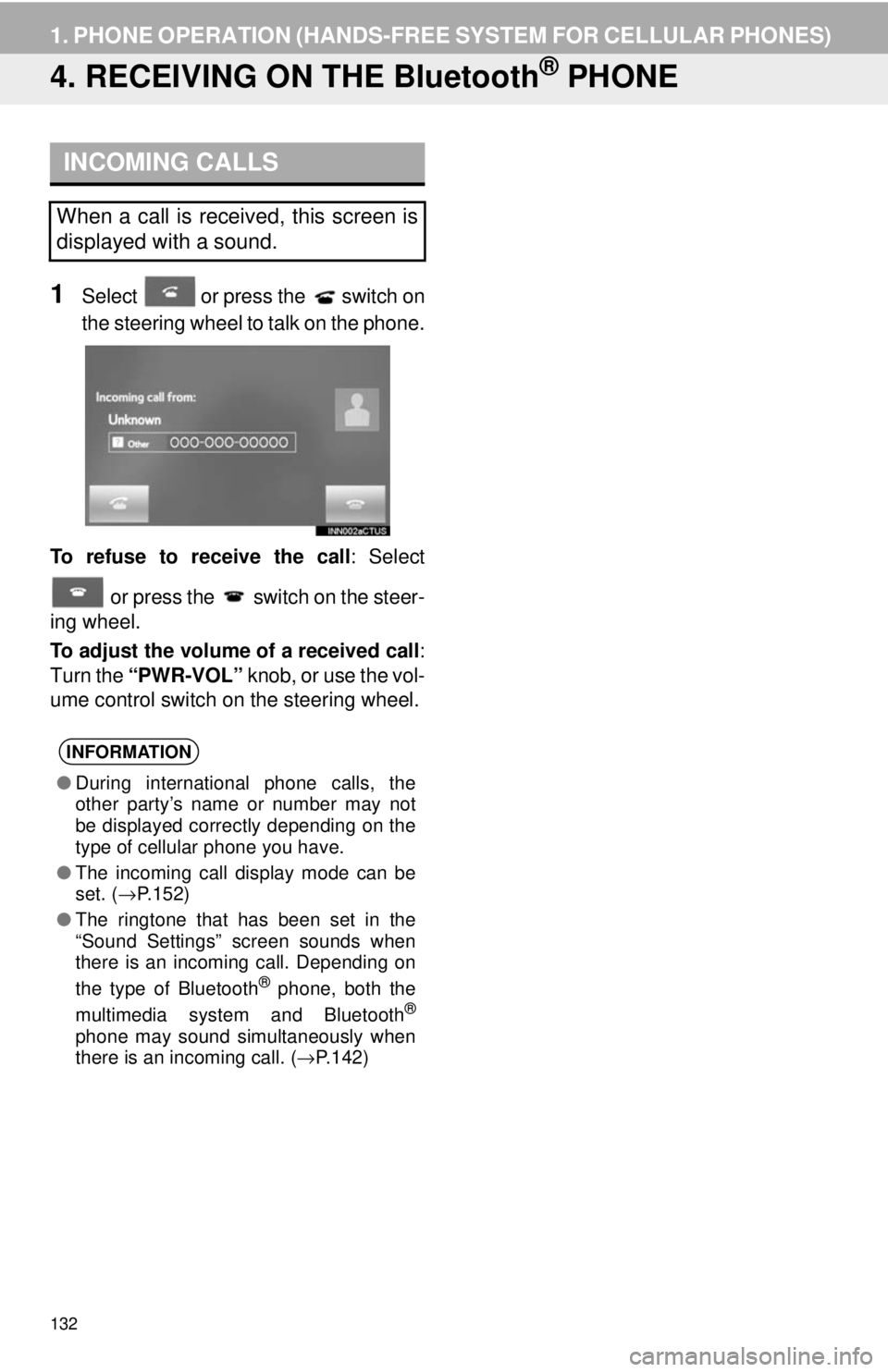
INCOMING CALLS
1Select or press the switch on
the steering wheel to talk on the phone.
To refuse to receive the call : Select
or press the switch on the steer-
ing wheel.
To adjust the volume of a received call :
Turn the “PWR-VOL” knob, or use the vol-
ume control switch on the steering wheel.
When a call is received, this screen is
displayed with a sound.
INFORMATION
● During international phone calls, the
other party’s name or number may not
be displayed correctly depending on the
type of cellular phone you have.
● The incoming call display mode can be
set. ( →P.152)
● The ringtone that has been set in the
“Sound Settings” screen sounds when
there is an incoming call. Depending on
the type of Bluetooth
® phone, both the
multimedia system and Bluetooth®
phone may sound simultaneously when
there is an incoming call. ( →P.142)
Page 135 of 164
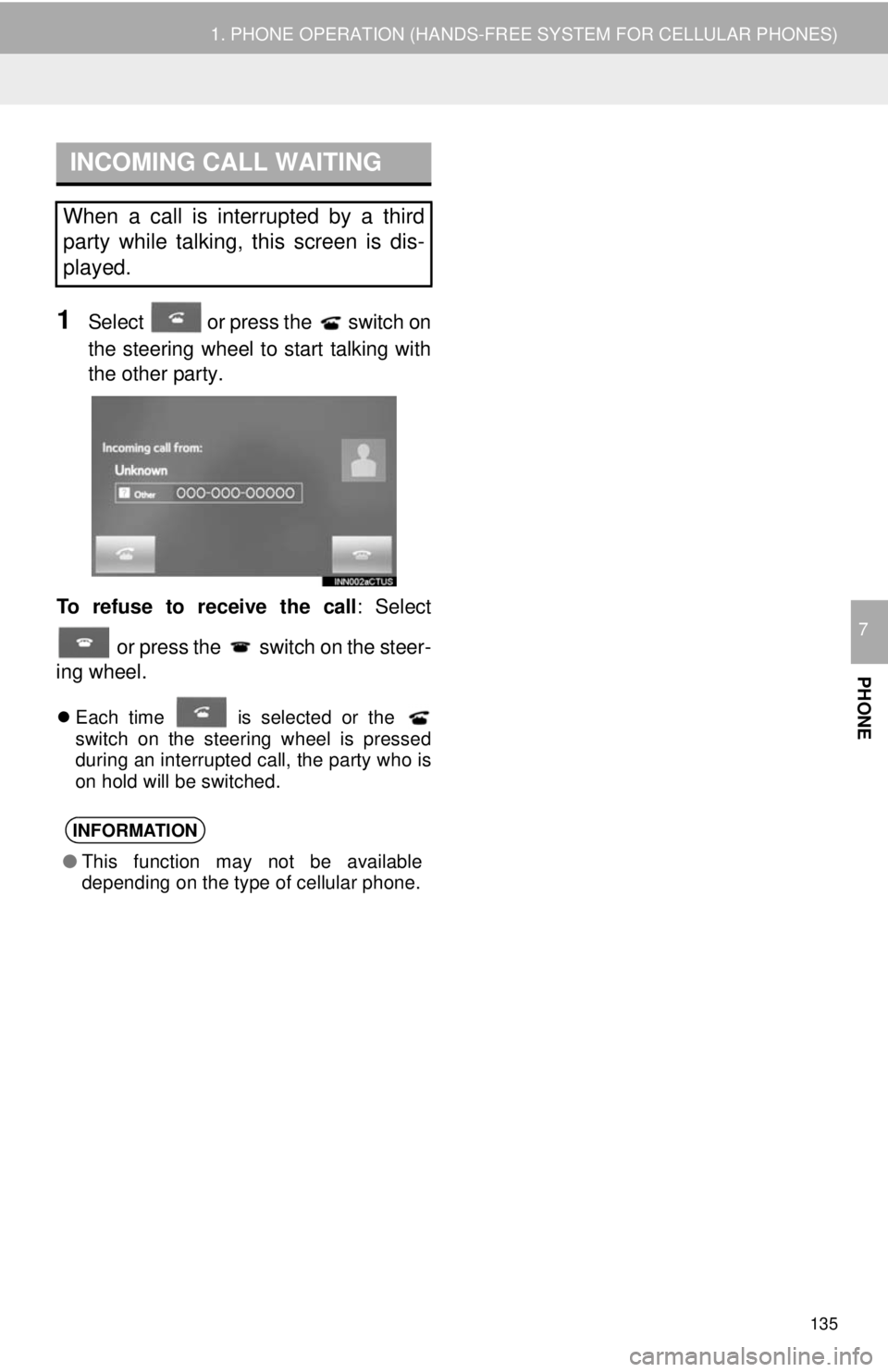
INCOMING CALL WAITING
135
1. PHONE OPERATION (HANDS-FREE SYSTEM FOR CELLULAR PHONES)
PHONE
7
1Select or press the switch on
the steering wheel to start talking with
the othe r pa
rty.
To refuse to receive the call : Select
or press the switch on the steer-
ing wheel.
Each time is selected or the switch on the steering wheel is pressed
during an interrupted call, the party who is
on hold will be switched.
When a call is interrupted by a third
party while talking, this screen is dis-
played.
INFORMATION
● This function may not be available
depending on the type of cellular phone.
Page 137 of 164
DISPLAYING THE MESSAGE
INBOX SCREEN IN A
DIFFERENT WAY
137
1. PHONE OPERATION (HANDS-FREE SYSTEM FOR CELLULAR PHONES)
PHONE
7
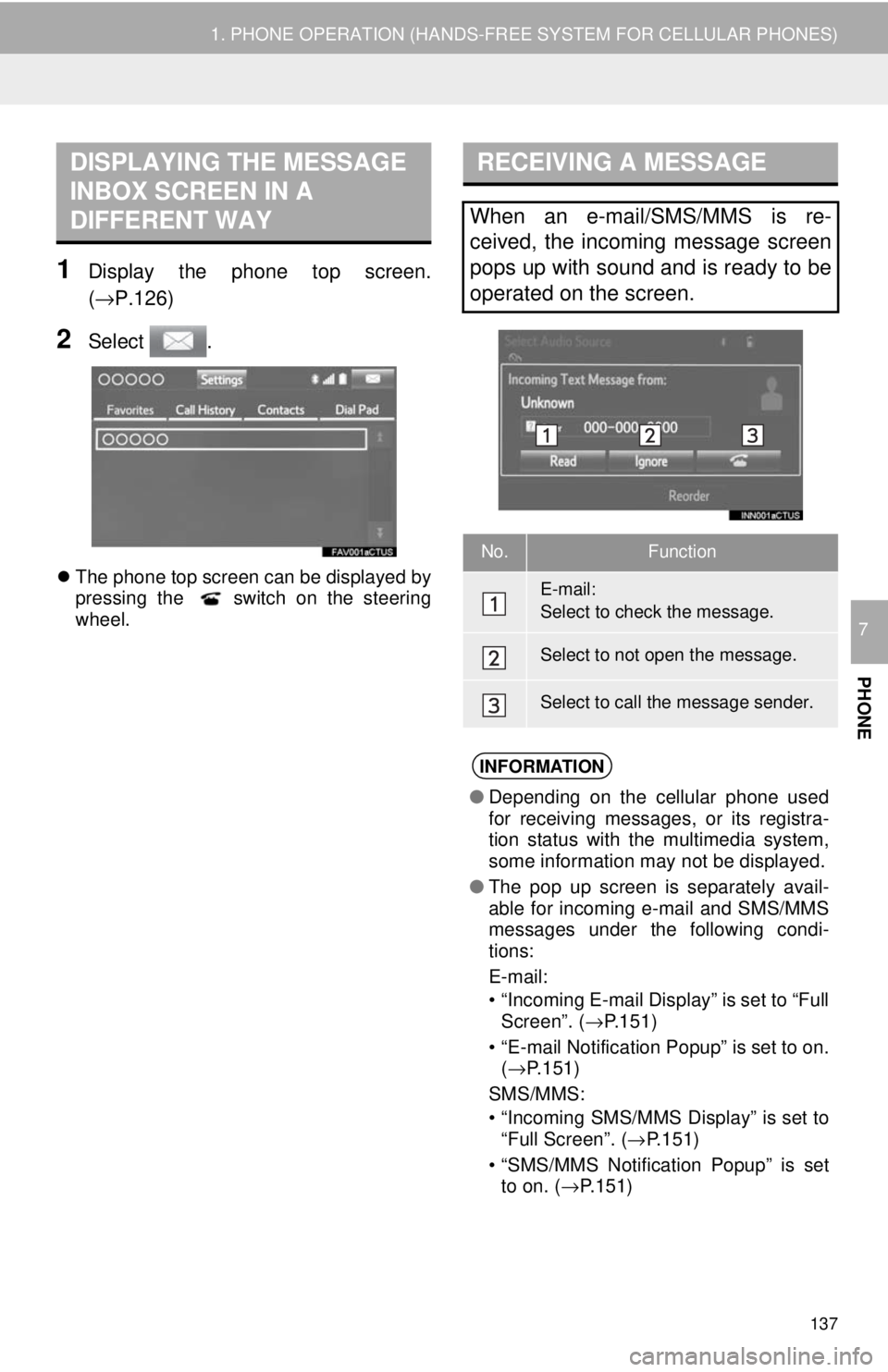
1Display the phone top screen.
(→P.126 )
2Select .
The phone top screen can be displayed by
pressing the switch on the steering
wheel.
RECEIVING A MESSAGE
When an e-mail/SMS/MMS is re-
ceived, the incoming message screen
pops up with sound and is ready to be
operated on the screen.
No.Function
E-mail:
Select to check the message.
Select to not open the message.
Select to call the message sender.
INFORMATION
● Depending on the cellular phone used
for receiving messages, or its registra-
tion status with the multimedia system,
some information may not be displayed.
● The pop up screen is separately avail-
able for incoming e-mail and SMS/MMS
messages under the following condi-
tions:
E-mail:
• “Incoming E-mail Display” is set to “Full Screen”. ( →P.151)
• “E-mail Notification Popup” is set to on.
(→ P.151)
SMS/MMS:
• “Incoming SMS/MMS Display” is set to
“Full Screen”. ( →P.151)
• “SMS/MMS Notification Popup” is set
to on. ( →P.151)
Page 138 of 164
CHECKING MESSAGES
138
1. PHONE OPERATION (HANDS-FREE SYSTEM FOR CELLULAR PHONES)
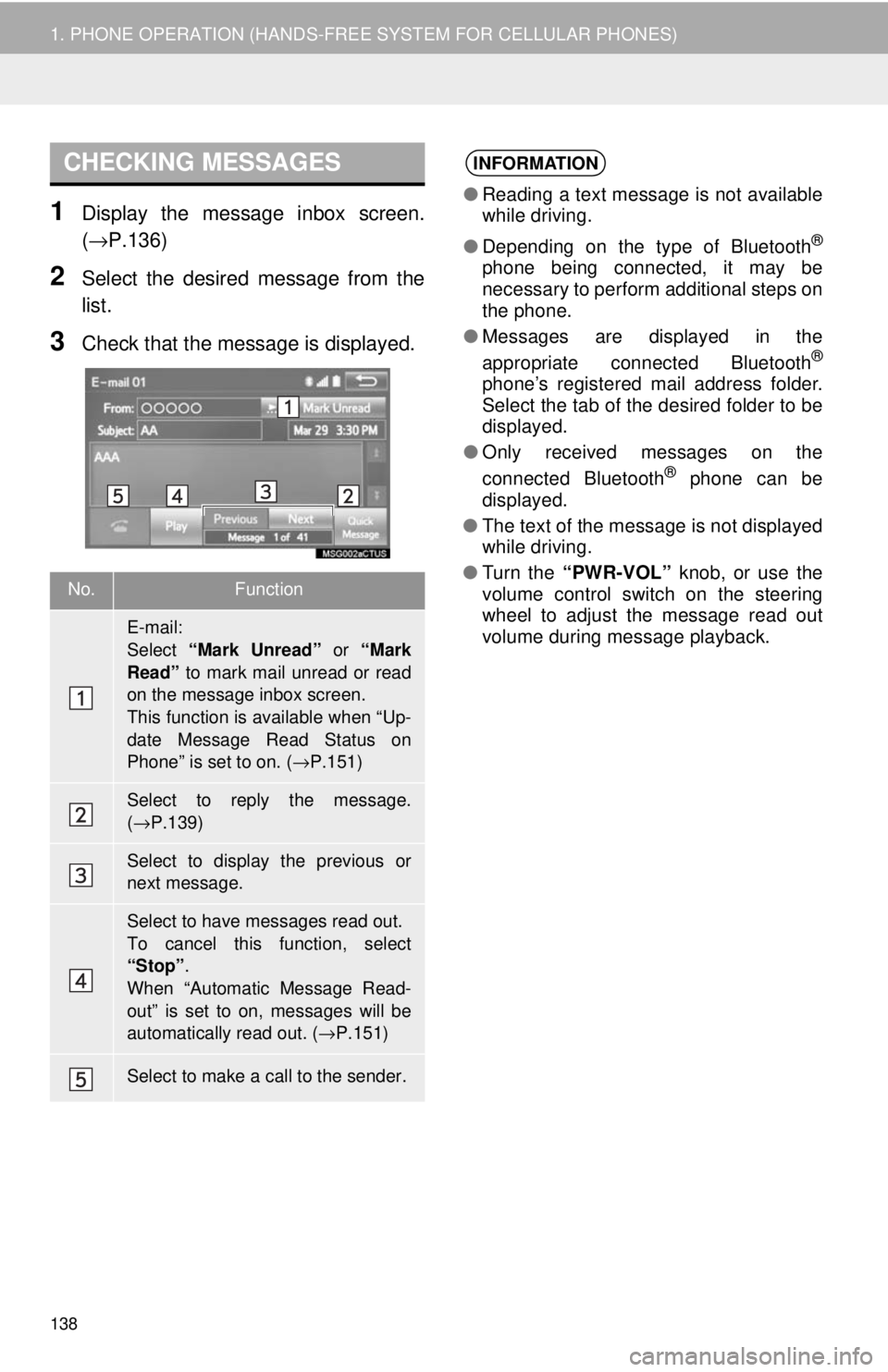
1Display the message inbox screen.
(→P.136 )
2Select the desired message from the
list.
3Check that the message is displayed.
No.Function
E-mail:
Select “Mark Unread” or “Mark
Read” to mark mail unread or read
on the message inbox screen.
This function is available when “Up-
date Message Read Status on
Phone” is set to on. ( →P.151)
Select to reply the message.
( → P.139)
Select to display the previous or
next message.
Select to have messages read out.
To cancel this function, select
“Stop”.
When “Automatic Message Read-
out” is set to on, messages will be
automatically read out. ( →P.151)
Select to make a call to the sender.
INFORMATION
● Reading a text message is not available
while driving.
● Depending on the type of Bluetooth
®
phone being connected, it may be
necessary to perform additional steps on
the phone.
● Messages are displayed in the
appropriate connected Bluetooth
®
phone’s registered mail address folder.
Select the tab of the desired folder to be
displayed.
● Only received messages on the
connected Bluetooth
® phone can be
displayed.
● The text of the message is not displayed
while driving.
● Turn the “PWR-VOL” knob, or use the
volume control switch on the steering
wheel to adjust the message read out
volume during message playback.